Honoring Your All-Stars: The Modern Approach to Excellence Recognition
Every school, athletic program, and educational institution celebrates all-star achievers—those exceptional individuals who exemplify excellence through outstanding performance, dedicated leadership, and remarkable accomplishments. An all-star achievement touchscreen provides a dynamic, engaging platform to honor these top performers while inspiring future generations to pursue their own paths to greatness.
Traditional recognition approaches face significant limitations when celebrating all-star achievers. Static plaques accommodate only brief information, trophy cases quickly fill with awards, and wall space constraints force difficult decisions about which achievements deserve display. Modern interactive touchscreen recognition systems eliminate these barriers, enabling comprehensive celebration of all-star excellence across academics, athletics, arts, leadership, and service.

Interactive touchscreen showcasing comprehensive all-star achievement recognition
Understanding All-Star Achievement Recognition
All-star recognition extends beyond simple participation awards or routine acknowledgments. These honors celebrate individuals who distinguish themselves through exceptional performance, competitive success, and contributions that elevate entire programs. Whether recognizing all-conference athletes, academic all-stars, or outstanding performers in fine arts, these achievements merit comprehensive recognition that traditional methods struggle to provide.
What Qualifies as All-Star Achievement?
All-star designations typically recognize individuals who meet rigorous selection criteria established by authoritative organizations or competitive evaluation processes:
Athletic All-Star Recognition:
- All-conference and all-state team selections
- All-American athletic honors across various sports
- League most valuable player awards
- Record-breaking individual performances
- Championship team contributions and leadership
- Multi-sport excellence demonstrating versatility
Academic All-Star Recognition:
- Academic all-conference and all-state designations
- National Merit Scholars and Commended Students
- Valedictorians and salutatorians
- Perfect attendance and GPA achievements
- Competition winners in academic subjects
- Research award recipients and publication authors
Arts and Performance All-Stars:
- All-state band, choir, or orchestra selections
- Theatre excellence and lead role recipients
- Visual arts competition winners and exhibition selections
- Dance performance awards and company selections
- Creative writing publication and award recipients
- Debate and speech competitive achievement
Leadership and Service All-Stars:
- Student government officers and representatives
- Community service hour milestones
- Volunteer organization leadership
- Peer mentoring and tutoring recognition
- Character education award recipients
- Citizenship and values exemplification
Schools implementing comprehensive recognition solutions find that touchscreen displays provide the flexibility to honor all-star achievers across these diverse categories while maintaining consistent, professional presentation standards.

Students engaging with interactive all-star recognition displays
The Power of Interactive All-Star Recognition
Traditional all-star recognition typically consists of names engraved on plaques or printed in programs—permanent but limited in scope and detail. Interactive touchscreen recognition transforms these static acknowledgments into rich, engaging experiences that honor achievements comprehensively while inspiring future excellence.
Comprehensive Achievement Profiles
Touchscreen recognition systems enable schools to create detailed all-star profiles that tell complete achievement stories:
Profile Content Elements:
- High-resolution photos from competitions and award ceremonies
- Detailed achievement statistics and performance metrics
- Season-by-season progression and improvement documentation
- Award descriptions and selection criteria context
- Personal reflections and achievement significance
- Coach or teacher testimonials about honoree contributions
- Video highlights from competitive performances
- Post-graduation achievement updates and career paths
Benefits Over Traditional Recognition:
- No space constraints limiting information depth
- Multimedia content creating emotional engagement
- Search functionality enabling quick information access
- Regular updates reflecting ongoing achievements
- Accessible from anywhere through web integration
- Professional presentation maintaining consistent quality
- Cost-effective additions without physical production
- Scalable systems growing with program success
Research on digital trophy displays demonstrates that comprehensive achievement profiles significantly increase visitor engagement time compared to traditional displays, with users spending 7-10 minutes exploring interactive content versus 30-60 seconds glancing at plaques.
Multi-Category Recognition Capabilities
All-star achievement spans diverse domains, and comprehensive recognition systems must accommodate this breadth. Interactive touchscreen displays excel at organizing and presenting multi-category achievement:
Flexible Organization Structures:
Schools can organize all-star recognition by achievement type (athletic, academic, artistic), time period (decade, year, season), recognition level (national, state, conference, local), or any combination that serves their community best. Visitors can filter and browse by their interests rather than being constrained by physical display organization limitations.
Cross-Category Achievers:
Many exceptional students earn all-star recognition across multiple domains—the academic all-state athlete, the student government president who’s also an all-conference performer, the valedictorian who earned all-state music honors. Digital recognition systems enable these multi-talented individuals to appear in all relevant categories without redundant physical displays, providing complete pictures of their excellence.
Historical Depth:
Unlike trophy cases that must be cleared periodically to accommodate new awards, touchscreen recognition systems preserve complete historical records of all-star achievements. Schools can honor every all-conference athlete from the past 50 years, every academic all-state recipient since the award’s inception, or every all-district performer across decades of fine arts programs.

Strategic placement of all-star recognition in high-traffic school areas
Implementation Strategies for All-Star Achievement Displays
Successfully implementing touchscreen all-star recognition requires thoughtful planning, strategic content development, and ongoing program management.
Selection Criteria and Standards
Establishing clear, transparent selection criteria ensures that all-star recognition maintains credibility and meaning while avoiding perception of favoritism or inconsistent standards.
Objective Selection Standards:
Whenever possible, all-star recognition should rely on objective criteria established by external organizations or measurable performance standards. Athletic all-conference teams selected by coaches’ votes, academic all-state designations based on standardized test scores, and all-state music ensemble selections through competitive auditions all provide objective foundations that ensure recognition credibility.
Institutional Recognition Tiers:
- •National Level: All-American designations, national scholarship recipients, national competition winners—the highest level of external recognition validating exceptional achievement.
- •State/Regional Level: All-state teams, state academic honors, regional competition winners—recognition among broader peer groups demonstrating top-tier performance.
- •Conference/League Level: All-conference selections, league academic honors, district competition winners—achievement recognized within competitive peer groups.
- •Institutional Level: School-specific all-star designations based on established performance standards—most valuable player awards, departmental honors, scholar-athlete recognition.
Many schools establish recognition committees representing various stakeholder groups—coaches, teachers, administrators, alumni—who review nominations and ensure consistent application of selection standards. Transparent processes and published criteria build community confidence in recognition program integrity.
Content Development and Collection
Creating rich, engaging all-star achievement profiles requires systematic content gathering from multiple sources.
Information Sources for All-Star Profiles:
- Award Notifications and Certificates: Official documentation of all-star selections, including selection criteria, competition details, and award significance
- Athletic and Academic Records: Performance statistics, competition results, grade point averages, test scores, and measurable achievement metrics
- Yearbooks and Archives: Historical photos, newspaper clippings, program references, and documented achievement history
- Honoree Interviews: Personal reflections on achievement significance, memorable moments, preparation and dedication required, and advice for future achievers
- Coach and Teacher Testimonials: Professional perspectives on honoree contributions, work ethic, leadership qualities, and program impact
- Family Contributions: Personal photos, anecdotes about dedication and sacrifice, and context about honoree character and values
Schools implementing effective content collection processes often designate recognition coordinators responsible for gathering information systematically as achievements occur rather than attempting retroactive collection years later. Digital platforms like those offered by Rocket Alumni Solutions provide streamlined workflows for content submission, review, and publication.

Comprehensive content collection creates meaningful all-star recognition
Strategic Display Placement
Location dramatically impacts all-star recognition effectiveness. High-visibility placement ensures achievements receive the attention they deserve while inspiring current students.
Optimal Recognition Locations:
Main Entrance Areas
Welcome visitors with immediate evidence of institutional excellence. All-star achievement displays in main lobbies communicate school values and culture to prospective families, community members, and guests. This prime real estate deserves your most impressive recognition content.
Athletic Facilities
Gyms, stadiums, and training facilities represent natural locations for athletic all-star recognition. Athletes training in these spaces daily benefit from visible reminders of standards to strive toward and traditions to uphold. Placement near locker rooms or competition venues maximizes impact.
Academic Commons
Libraries, media centers, and academic wings provide appropriate settings for academic all-star recognition. Students studying in these areas encounter inspiring examples of academic excellence, creating aspirational environments that celebrate intellectual achievement.
Cafeteria and Commons
High-traffic social spaces where entire student bodies gather daily ensure recognition reaches wide audiences. Touchscreen displays in cafeterias or student commons invite casual exploration during lunch periods or breaks, maximizing exposure across all student populations.
Schools considering strategic recognition placement should analyze traffic patterns, visibility from various approach angles, and integration with existing architectural elements to maximize recognition impact.
Creating Culture Through All-Star Recognition
Beyond honoring individual achievements, comprehensive all-star recognition systems shape institutional culture by communicating values, establishing standards, and inspiring excellence across student populations.
Aspirational Modeling for Current Students
Visible all-star recognition provides current students with concrete examples of achievable excellence. Rather than abstract concepts about “pursuing your potential” or “striving for greatness,” students see specific peers who reached all-star levels through dedication, skill development, and sustained effort.
Developmental Pathways:
Effective all-star recognition tells stories about how honorees reached their achievement levels. Profile content that describes training dedication, academic discipline, improvement over time, and obstacles overcome transforms recognition from mere acknowledgment into instructional modeling. Students learn that all-star achievement results from identifiable behaviors and commitments they can emulate.
Diverse Excellence Models:
Comprehensive multi-category recognition demonstrates that excellence takes many forms. The all-state athlete, academic scholar, arts performer, service leader, and character exemplar all deserve equal celebration. This breadth ensures every student can identify all-star achievers who reflect their own interests and aspirations, making excellence feel personally attainable rather than limited to narrow domains.
Local Success Stories:
While national celebrities and professional athletes provide inspiration, local all-star achievers offer more relatable models. Students who walked the same hallways, worked with the same teachers, and overcame similar challenges provide proof that excellence is achievable within their specific context. This relevance makes all-star recognition particularly powerful for motivation and cultural development.

All-star recognition inspiring current students to pursue excellence
Reinforcing Institutional Values
All-star recognition programs communicate institutional priorities through the achievements they celebrate and how they present those achievements.
Balance Across Domains:
Schools that recognize all-stars across academics, athletics, arts, leadership, and service demonstrate commitment to well-rounded excellence rather than narrow focus on single achievement types. This balance signals that the institution values diverse contributions and defines success broadly.
Character and Values Integration:
Beyond recognizing performance outcomes, effective all-star recognition highlights character qualities that accompany achievement—work ethic, integrity, teamwork, perseverance, leadership. Profile content that describes how honorees embodied institutional values while pursuing excellence reinforces that achievement without character represents incomplete success.
Academic-Athletic Balance:
For athletic all-star recognition, including academic achievement alongside athletic accomplishments communicates that education remains the primary institutional mission. Academic all-conference designations, graduation achievements, and college academic success deserve equal prominence with athletic honors. This balance reassures families that student-athletes receive genuine student-athlete development rather than athlete-only focus.
Schools implementing touchscreen halls of fame for alumni recognition successfully integrate these cultural messaging elements into recognition content, ensuring displays serve both celebration and values communication purposes.
Program Recruitment and Retention Benefits
All-star recognition serves strategic recruitment and retention purposes for athletic programs, academic departments, and artistic programs competing for top student talent.
Prospective Student Influence:
Families evaluating schools for academically talented, athletically gifted, or artistically inclined students assess program quality and achievement culture. Comprehensive all-star recognition provides tangible evidence of program excellence, demonstrating that the school develops students to competitive achievement levels. This visible proof influences enrollment decisions for high-achieving families choosing between multiple school options.
Current Student Retention:
In environments with increasing transfer activity and competition from specialty academies or private schools, retention matters as much as recruitment. Students who see peers recognized for achievements feel that the institution values excellence and provides pathways to recognition. This belonging reduces transfer temptation and strengthens program commitment.
Alumni Engagement:
All-star achievers often maintain stronger alumni connections than general graduates. Comprehensive recognition that follows alumni beyond their school years—acknowledging college success, professional achievement, community contributions—maintains engagement with individuals who become program ambassadors, mentors, and potential donors. Solutions like digital recognition platforms enable long-term alumni tracking that traditional methods cannot match.

Strategic recognition displays supporting recruitment and cultural development
Technical Considerations for All-Star Achievement Displays
Implementing effective touchscreen all-star recognition requires attention to hardware selection, software capabilities, and ongoing system management.
Hardware Selection for Recognition Displays
Commercial-grade touchscreen displays designed for continuous operation in public environments ensure reliability and longevity for all-star recognition systems.
Display Size Considerations:
Screen size selection depends on viewing distance, content complexity, and installation location. Main entrance displays visible from distances of 10-20 feet benefit from 55-75 inch screens ensuring readability from approach paths. Displays in smaller spaces like hallways or departmental areas may use 43-55 inch screens appropriate for closer viewing distances. Multi-display installations can combine various sizes serving different purposes across facilities.
Mounting Options:
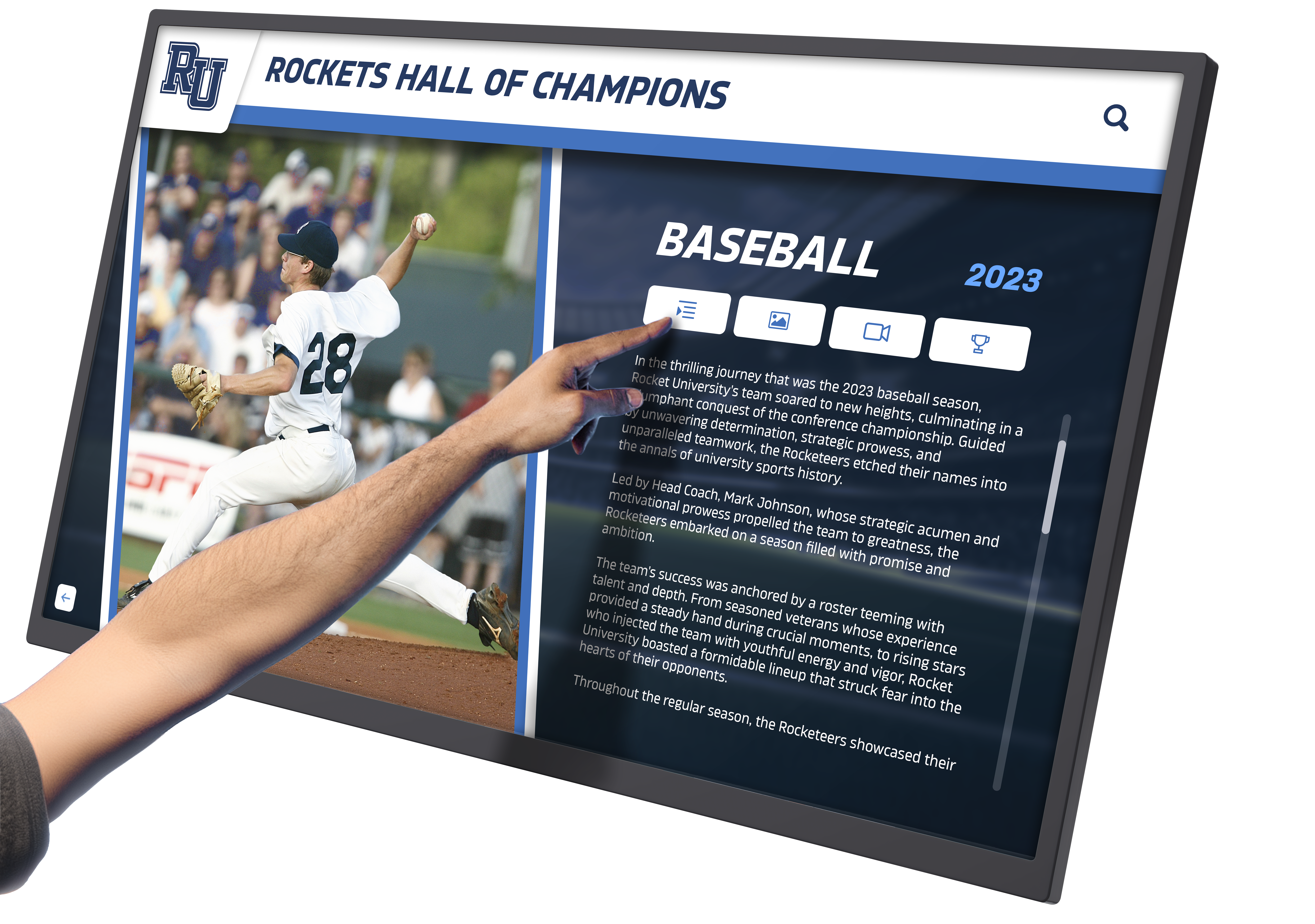
Wall-mounted touchscreen maximizing space efficiency
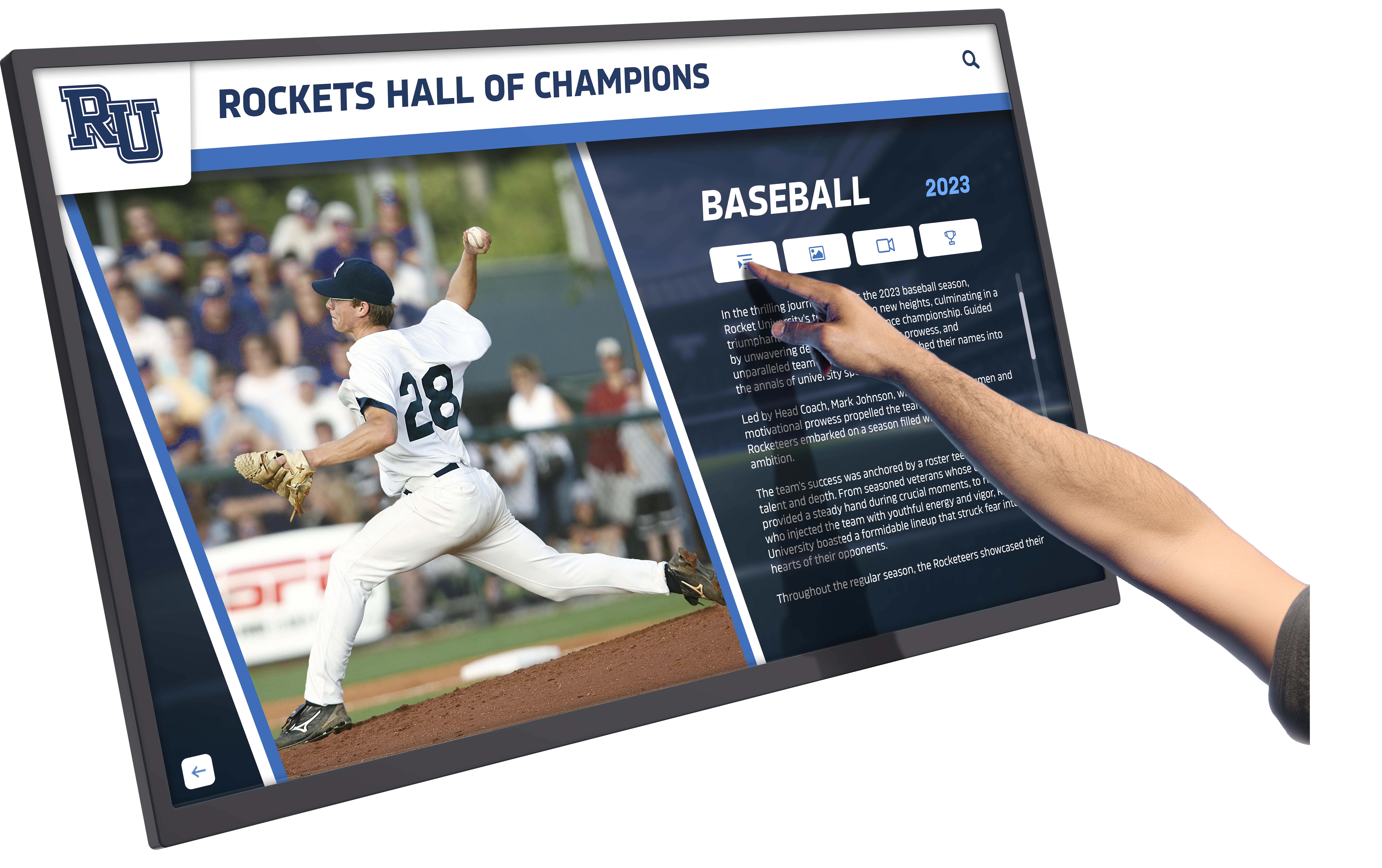
Freestanding kiosk providing flexible placement options
Wall-mounted installations create clean, professional appearances while preserving floor space. Freestanding kiosks provide flexibility for locations lacking suitable wall space or requiring movable displays for special events. Enclosure options protect displays in high-traffic areas while maintaining aesthetic appeal. Schools should consider hardware selection guidance when planning installations.
Network Connectivity:
Reliable internet connectivity enables remote content management, automatic updates, and web-based access to recognition content. Wired Ethernet connections provide the most reliable connectivity, while robust WiFi networks offer acceptable alternatives in locations where wiring is impractical. Power over Ethernet (PoE) solutions can simplify installations by providing both power and data through single cable runs.
Software Platform Capabilities
The recognition software platform determines system functionality, ease of use, and long-term sustainability.
Essential Software Features:
Core Recognition Platform Requirements
- • Intuitive content management requiring no technical expertise
- • Cloud-based access enabling remote administration from any device
- • Multimedia support for photos, videos, documents, and audio
- • Robust search and filtering functionality
- • Mobile-responsive web access extending recognition beyond physical displays
- • Customizable templates maintaining consistent professional presentation
- • Role-based permissions supporting multiple administrators
- • Automatic backups protecting content and configurations
Schools implementing advanced touchscreen software benefit from platforms specifically designed for educational recognition rather than generic digital signage systems lacking recognition-specific features.
Content Organization:
Effective recognition software enables flexible content organization accommodating various browsing patterns. Users should be able to explore all-star achievers by name, achievement type, year, sport or activity, recognition level, or any combination. Hierarchical navigation structures, faceted search capabilities, and visual browsing interfaces all contribute to engaging user experiences that encourage extended exploration.
Analytics and Insights:
Advanced platforms provide analytics showing which content receives most attention, how users navigate recognition systems, peak usage times, and engagement patterns. These insights inform content development priorities, help identify popular achievement stories, and demonstrate recognition program value to administrators and stakeholders.
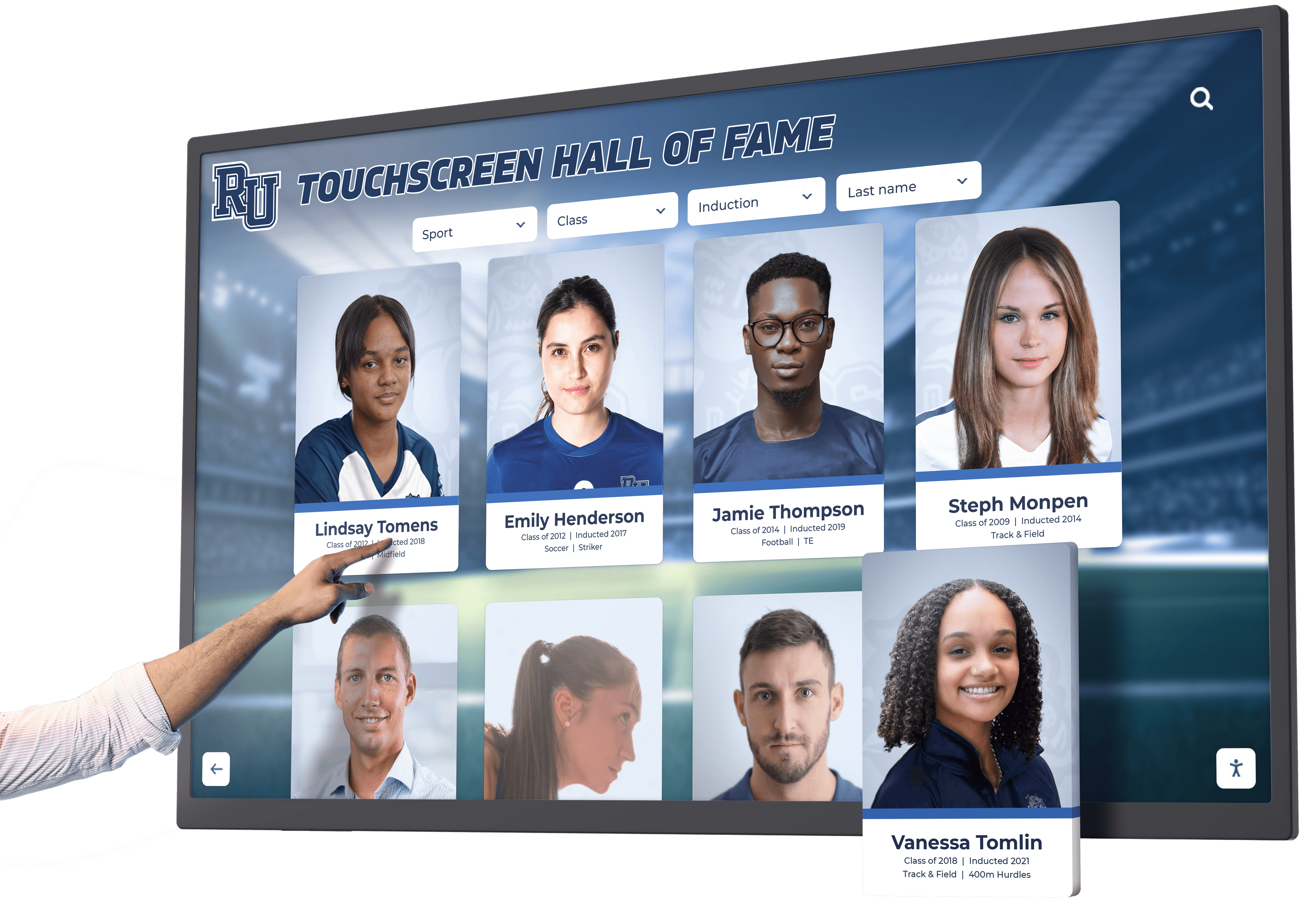
User-friendly interfaces encouraging recognition exploration
Maintaining Current and Relevant Recognition
All-star achievement recognition requires ongoing attention maintaining currency and relevance. Outdated content undermines recognition program credibility and diminishes impact.
Regular Update Protocols
Systematic update processes ensure all-star recognition remains current:
Seasonal Achievement Updates:
As competitive seasons conclude and selection processes complete, schools should immediately add newly honored all-stars to recognition displays. Athletic all-conference teams announced at season’s end deserve prompt recognition, academic honors awarded at year’s end require timely inclusion, and arts competition results warrant immediate celebration. Prompt updates demonstrate that recognition programs actively celebrate current excellence rather than only historical achievements.
Performance Record Updates:
When all-star athletes break records, earn additional honors, or achieve new milestones, recognition profiles should reflect these accomplishments immediately. Maintaining current information requires coordination between coaches, advisors, and recognition administrators ensuring that achievement information flows systematically to those responsible for display updates.
Post-Graduation Achievement Tracking:
Following all-star achievers beyond their time in your school demonstrates long-term program impact and provides aspirational examples for current students. When recognized athletes compete collegiately, academic scholars attend prestigious universities, or artistic performers pursue professional careers, updating recognition profiles with this progression information enriches content value and maintains alumni engagement.
Content Quality Standards
Professional, error-free content maintains recognition program credibility:
Photo Quality:
High-resolution action photos from competitions, formal award ceremony images, and professional portraits all enhance recognition impact. Schools should establish photo libraries capturing key achievement moments, maintain archived images from historical recognitions, and systematically photograph current award recipients for future recognition updates.
Information Accuracy:
Recognition content requires verification from multiple sources before publication. Achievement statistics, award descriptions, dates, and biographical information all demand fact-checking preventing embarrassing errors that undermine program credibility. Many schools implement review workflows requiring content approval from multiple stakeholders before publication.
Writing Consistency:
Recognition profiles should maintain consistent voice, style, and formatting across all honorees. Template-based content development helps ensure consistency while streamlining profile creation. Professional writing quality free from grammatical errors, typos, and awkward phrasing demonstrates respect for honorees and institutional commitment to excellence in all endeavors.
Schools implementing content strategies for digital recognition establish sustainable processes balancing content quality with update frequency, ensuring recognition remains both current and professional.

Quality content development ensuring professional all-star recognition
Budget Considerations and Investment Value
All-star achievement touchscreen recognition requires financial investment, but long-term value significantly exceeds costs for most schools and programs.
Implementation Cost Components
| Investment Category | Single Display System | Comprehensive Multi-Location |
|---|---|---|
| Display Hardware | $3,000 - $8,000 | $12,000 - $30,000 |
| Recognition Software Platform | $2,000 - $5,000 | $4,000 - $10,000 |
| Installation and Setup | $800 - $2,000 | $3,000 - $8,000 |
| Initial Content Development | $1,500 - $4,000 | $5,000 - $12,000 |
| Annual Maintenance & Support | $600 - $1,500 | $2,000 - $4,500 |
While these investments exceed traditional plaque costs, long-term analysis reveals compelling value when considering avoided costs, enhanced capabilities, and cultural impact.
Long-Term Value Analysis
Cost Avoidance:
Traditional all-star recognition using individual plaques costs $150-$400 per honoree for production and installation. Schools recognizing 20-40 all-stars annually across various categories spend $3,000-$16,000 annually on physical recognition that provides limited information and consumes valuable wall space. Digital recognition systems eliminate these recurring costs while providing unlimited recognition capacity and comprehensive achievement documentation.
Enhanced Capabilities:
Touchscreen recognition provides capabilities impossible with traditional approaches—multimedia content, searchable databases, unlimited information depth, remote updates, web accessibility, and real-time currency. These enhanced capabilities create significantly greater recognition value than traditional static displays, justifying higher initial investment through superior functionality and engagement.
Cultural and Recruitment Impact:
All-star recognition that comprehensively celebrates achievement while inspiring current students creates cultural value difficult to quantify but real in impact. Enhanced program recruitment, improved student retention, and strengthened school culture all generate indirect value exceeding recognition system costs. Schools measuring ROI of digital recognition consistently find that benefits exceed investment within 3-5 years.
Funding Strategies
Donor and Booster Support:
Many schools fund recognition displays through targeted fundraising campaigns or donor contributions. Alumni who earned all-star honors during their school years often appreciate opportunities to fund recognition systems honoring both their achievements and those of future generations. Booster organizations supporting athletic programs frequently fund recognition displays demonstrating program excellence to prospective athletes and families.
Capital Campaign Integration:
Schools conducting facility renovation or construction campaigns should integrate recognition displays into project scopes. Recognition systems included in larger capital projects typically receive funding approval more readily than standalone requests, and coordinated installation during construction phases reduces overall implementation costs.
Phased Implementation:
Beginning with priority locations and expanding recognition displays over time makes initial investments more manageable while demonstrating impact justifying future expansion. Single-display pilots in main entrance areas establish proof of concept, with subsequent expansion to athletic facilities, academic wings, or additional locations occurring as budgets allow and success is proven.

Strategic investment in all-star recognition creates lasting cultural impact
Conclusion: Celebrating Excellence Through Modern Recognition
All-star achievers deserve recognition that matches the excellence they demonstrate. Interactive touchscreen achievement displays provide schools, athletic programs, and educational institutions with powerful tools to comprehensively honor top performers while inspiring future generations to pursue their own paths to greatness.
Unlike traditional plaques limited by space constraints and minimal information capacity, modern recognition systems enable schools to celebrate unlimited all-stars with rich, engaging profiles incorporating photos, videos, detailed achievement statistics, and personal stories. This comprehensive recognition creates meaningful experiences for honorees, their families, and entire school communities while communicating institutional values and excellence standards.
Schools implementing all-star achievement touchscreens benefit from enhanced recruitment capabilities, strengthened retention, improved school culture, and lasting recognition that grows with programs rather than being constrained by physical limitations. The combination of professional presentation, easy content management, web accessibility, and ongoing update flexibility makes touchscreen recognition increasingly essential for programs committed to celebrating excellence comprehensively.
Whether recognizing athletic all-conference teams, academic all-state scholars, artistic all-district performers, or outstanding leaders and volunteers, interactive touchscreen systems provide the flexibility, depth, and engagement capabilities that all-star achievements deserve. By investing in modern recognition technology, schools demonstrate commitment to honoring excellence that inspires current students, strengthens program culture, and creates lasting impact throughout educational communities.
For schools considering all-star achievement recognition solutions, platforms offered by Rocket Alumni Solutions provide comprehensive capabilities specifically designed for educational environments, enabling institutions to create meaningful, sustainable recognition programs that truly honor the exceptional individuals who define institutional excellence for generations.
Ready to Honor Your All-Stars?
Discover how interactive touchscreen recognition can transform how your institution celebrates excellence and inspires future achievement.
Explore Recognition Solutions























