Intent: Define and Implement Professional Art Gallery Displays
Art teachers face a persistent challenge: limited wall space forces impossible choices about which student artwork receives display while talented work from most students remains hidden in portfolios. Traditional hallway bulletin boards accommodate perhaps 20-30 pieces, creating zero-sum situations where celebrating some students’ creativity necessarily excludes others. Physical galleries require rotation schedules that limit visibility to brief windows, preventing sustained recognition of the hours students invest in developing their artistic skills and creative vision.
Meanwhile, parents miss school hours when displays are visible. Extended family members living elsewhere never see student artwork at all. Alumni lose access to their creative accomplishments the moment they graduate, severing connections to work that represented significant personal achievement and artistic growth.
This comprehensive guide examines how schools can transform art class gallery displays from space-constrained compromises into comprehensive celebration systems that honor every student’s creative work through digital platforms designed specifically for showcasing unlimited artwork with professional presentation quality.
Whether you teach elementary art fundamentals, middle school specialized media, or advanced high school studio courses, these strategies provide practical frameworks for creating gallery displays that give student artwork the visibility and recognition it deserves while building accessible archives documenting your program’s creative excellence.
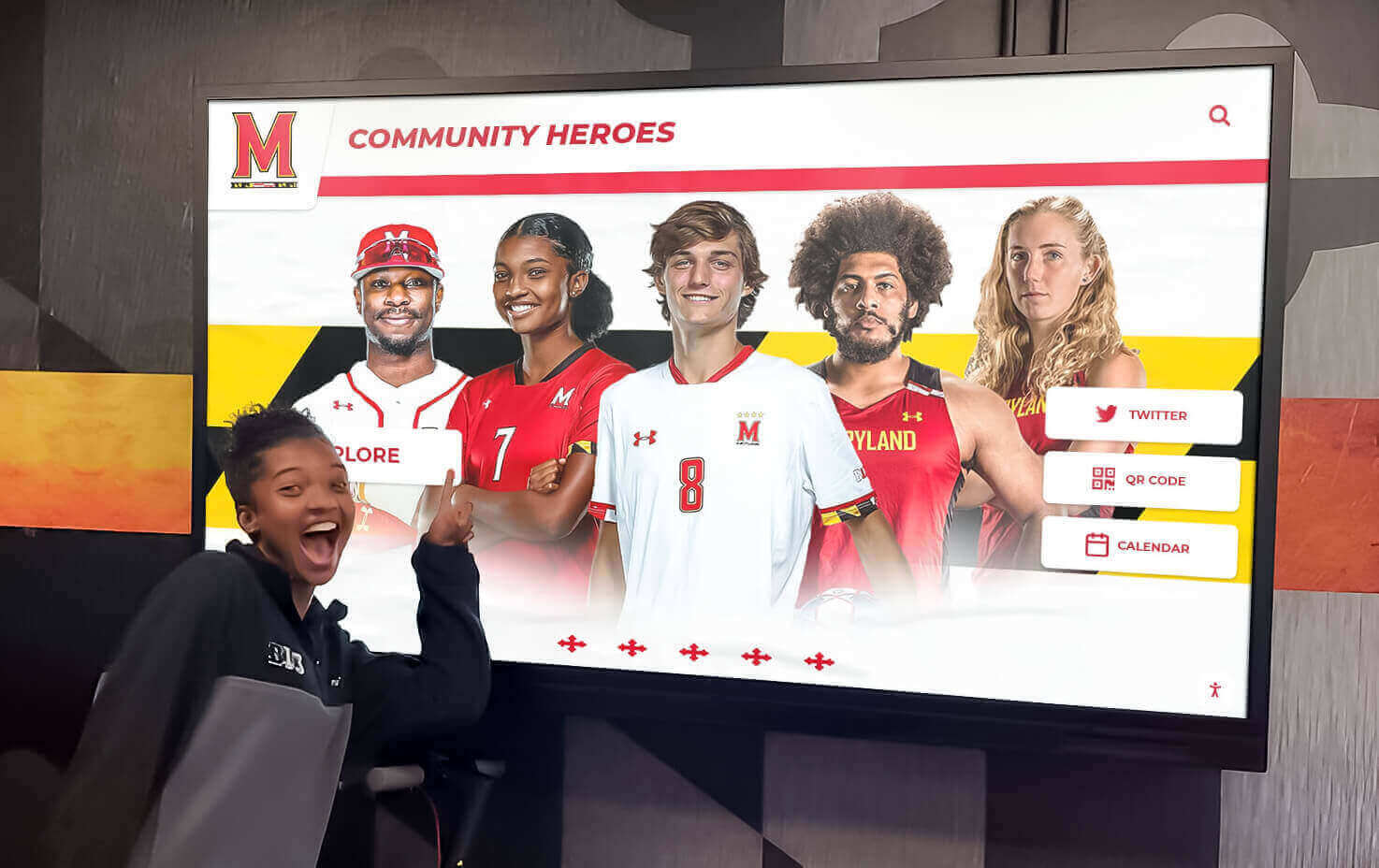
Interactive displays enable comprehensive art galleries showcasing every student's work without physical space constraints
Understanding the Art Display Challenge
Walk into any school building and you’ll find trophy cases celebrating athletic championships, plaques honoring academic achievement, and recognition displays highlighting various accomplishments. Yet student artwork—despite representing sophisticated skill development, creative exploration, and genuine artistic accomplishment—often receives the most limited and temporary recognition.
Why Traditional Art Displays Fall Short
Severe Space Limitations
Classroom walls accommodate limited artwork. A typical art room might display 30-40 pieces maximum, forcing teachers with 100+ students per week to select only a small fraction of student work for visibility. Hallway bulletin boards face even tighter constraints, with many schools allocating single 4x6 foot boards for entire art programs serving hundreds of students.
These space restrictions create difficult exclusion decisions. Do you rotate displays weekly, giving each student brief visibility? Feature only exceptional work, providing sustained recognition to top students while others remain unseen? Limit displays to senior work, excluding younger students entirely?
Every space-based solution creates winners and losers rather than celebrating all students appropriately.
Temporary Visibility Windows
Even when student artwork achieves display, visibility typically lasts only briefly. Work displayed in September comes down for October projects. Semester portfolios receive exhibition during culminating events, then disappear into storage. End-of-year shows celebrate graduating seniors, then close permanently within days.
Students who invest weeks mastering watercolor techniques, months developing pottery skills, or entire semesters creating portfolio-quality pieces deserve recognition extending beyond brief display followed by permanent obscurity. Temporary visibility fails to honor sustained creative effort while preventing the cumulative documentation of program excellence that demonstrates artistic education’s value.
Limited Audience Reach
Traditional displays reach only people physically present on campus during specific times. Parents working during school hours rarely see displayed artwork. Grandparents living across the country cannot view student creative accomplishments at all. Community members who might appreciate student work lack access entirely.
Alumni face complete disconnection from their artistic achievements. The portfolio they built through four years of dedicated studio coursework becomes inaccessible the moment they graduate, erasing tangible evidence of creative development that shaped their educational experience.
These accessibility limitations prevent art programs from demonstrating their impact to broader communities while denying students the wider audiences that validate creative effort and inspire continued artistic growth.

Digital gallery platforms installed in high-traffic locations make student artwork visible to entire school communities
The Recognition Gap for Visual Arts
Unequal Acknowledgment Across Achievement Domains
Most schools invest substantially in recognition infrastructure for athletics—trophy cases, banner displays, record boards, dedicated hallways celebrating team accomplishments. Academic achievement receives similar treatment through honor roll boards, scholarship recognition, and academic excellence displays.
Yet visual arts programs, despite developing equally valuable skills and serving comparable student populations, typically receive minimal recognition infrastructure beyond temporary classroom displays and occasional exhibition spaces used briefly then repurposed for other needs.
This recognition disparity sends unintended messages that creative accomplishment matters less than athletic or academic achievement, despite visual arts education developing critical thinking, problem-solving, cultural literacy, and creative capabilities essential for modern careers across countless fields.
Professional Skills Without Professional Recognition
Art education teaches sophisticated professional skills applicable to design, architecture, marketing, animation, illustration, photography, and numerous other career paths. Students master color theory, composition, perspective, various media techniques, digital tools, portfolio development, and creative problem-solving through project-based learning that mirrors professional creative workflows.
When schools fail to recognize these accomplishments with infrastructure matching that provided for other achievement domains, they inadvertently undervalue education directly preparing students for creative economy careers increasingly central to modern professional landscapes.
Family and Community Disconnection
Parents deeply appreciate opportunities to see their children’s creative growth. Many families display student artwork prominently in homes, value participation in art programs, and seek ways to celebrate developing artistic capabilities. Yet traditional display limitations mean most families rarely see their children’s school artwork beyond pieces brought home, missing the broader context of creative development across multiple projects and semesters.
Community members who might serve as mentors, provide internship opportunities, or offer artistic guidance remain unaware of student creative capabilities when displays remain invisible beyond classroom walls. This disconnection prevents valuable relationship building while limiting networking opportunities that benefit student artists.
Digital Solutions for Comprehensive Art Galleries
Modern technology fundamentally transforms art gallery displays from space-constrained compromises into comprehensive celebration systems accommodating unlimited student work with professional presentation quality.
Unlimited Display Capacity
The most significant advantage digital platforms provide is effectively unlimited space for showcasing student artwork without zero-sum constraints forcing exclusion decisions.
Every Student Included
Rather than selecting 30 pieces from 300 students, digital galleries accommodate comprehensive collections including work from every student across all courses and grade levels. Elementary students see their artwork displayed alongside advanced studio portfolios. Exploratory middle school projects receive recognition equal to intensive high school series. Every student experiences validation that their creative effort matters and deserves acknowledgment.
This inclusive approach transforms gallery displays from competitive selection processes where most students never receive recognition into democratic celebration ensuring every young artist sees their work presented professionally and accessibly.
Complete Portfolio Documentation
Digital platforms enable documenting complete student artistic development rather than isolated highlight pieces. Photography classes can showcase entire photo essays rather than single images. Painting students can present series demonstrating technique progression. Ceramics portfolios can include multiple works showing skill advancement across projects.
This comprehensive documentation provides more accurate understanding of student achievement. Viewers see not just exceptional final pieces but complete artistic journeys showing creative exploration, skill development, and progressive mastery that define arts education’s value.

Professional digital displays present student artwork with gallery-quality presentation that honors creative accomplishment
Multi-Year Archives
Digital galleries create permanent archives documenting program excellence across multiple years. Current students browse previous students’ work for inspiration. Alumni return to explore their artistic legacy. Prospective families research program quality by reviewing comprehensive portfolios demonstrating creative education’s outcomes.
These cumulative archives demonstrate program strength in ways single-year displays cannot achieve, building institutional memory that celebrates artistic education’s sustained impact while providing tangible evidence of creative excellence for advancement communications and program advocacy.
Professional Presentation Quality
Student artwork deserves presentation quality matching professional galleries rather than amateur bulletin board aesthetics that undermine creative accomplishment.
High-Resolution Image Display
Modern digital displays present artwork through high-resolution screens showing fine detail, accurate color reproduction, appropriate brightness and contrast, and professional-grade image quality that honors the effort students invested in creating original work.
This technical quality proves particularly important for detailed artwork where small-scale techniques, subtle color relationships, and precise execution define success. Substandard photography or low-resolution displays cannot adequately represent the sophistication students achieve through dedicated creative practice.
Curated Gallery Layouts
Digital platforms enable thoughtful curation through various presentation approaches including individual artwork focus with detail views, thematic galleries organizing work by concept or media, chronological displays showing artistic progression, comparative exhibitions highlighting technique variations, and spotlight features celebrating exceptional achievements.
This curatorial flexibility allows presenting work in ways that enhance viewer appreciation while teaching visual literacy through thoughtful organization that professional galleries employ to create meaningful viewing experiences.
Contextual Information
Comprehensive displays include context helping viewers understand and appreciate artwork fully through artist statements explaining creative vision and process, technical details about media and techniques employed, assignment context describing educational objectives, critique integration sharing peer and instructor feedback, and connections to art historical references or contemporary influences.
This contextual information transforms simple display into educational experiences where viewers understand not just what students created but why and how, deepening appreciation for the creative thinking and technical skill artwork represents.

Touchscreen interfaces enable exploring artwork details and accessing rich contextual information about creative processes
Interactive Exploration Features
Digital galleries transform passive viewing into active, engaging exploration that holds attention and encourages deeper appreciation of student creativity.
Touchscreen Navigation
Interactive displays installed in strategic campus locations—main lobbies, arts hallways, student centers, cafeterias—enable hands-on exploration through intuitive gesture-based navigation, zoom capabilities for examining technique details, artist information access, related work suggestions, and bookmarking or sharing favorite pieces.
This interactivity creates engaging experiences holding attention far longer than static displays while making art exploration entertaining rather than obligatory, encouraging community members who might otherwise walk past bulletin boards to actively engage with student creative work.
Searchable Collections
Robust search and filtering capabilities enable finding specific work quickly through student name searches for individual portfolios, media type filtering (painting, drawing, ceramics, digital art), course-level browsing (Art I through AP Studio), theme or subject searches, and date range selection for historical exploration.
These search capabilities ensure artwork remains accessible years later. Alumni returning to explore their own creative achievements, current students researching specific techniques, or community members seeking particular subject matter all find relevant content through intuitive searches.
Social Sharing Integration
Built-in sharing capabilities extend recognition beyond campus through direct sharing to Instagram, Facebook, Pinterest, and other platforms, email sharing of specific artwork with family, embed codes for school communications, and download options when appropriate with proper permissions.
When students can share their recognized work across personal networks, recognition creates pride while extending school visibility to broader communities through authentic student voice rather than institutional messaging alone.
Implementing Art Gallery Display Systems
Creating comprehensive digital art galleries requires thoughtful planning, efficient workflows, and ongoing commitment to celebrating student creativity systematically.
Planning Your Digital Gallery
Establishing Clear Objectives
Successful implementation begins with defining specific goals including which courses and projects receive gallery inclusion, what outcomes indicate program success, how galleries support arts education objectives, and what resources can be allocated to implementation and maintenance.
Clear objectives guide decisions throughout implementation while providing criteria for evaluating gallery effectiveness over time.
Stakeholder Engagement
Involve relevant constituencies in planning processes including art teachers across all grade levels, students whose work will be featured, administrators making resource allocation decisions, families interested in celebrating student creativity, and community members potentially supporting arts programs.
This engagement ensures galleries meet actual stakeholder needs rather than implementing systems that appear appealing theoretically but fail to resonate with intended audiences.
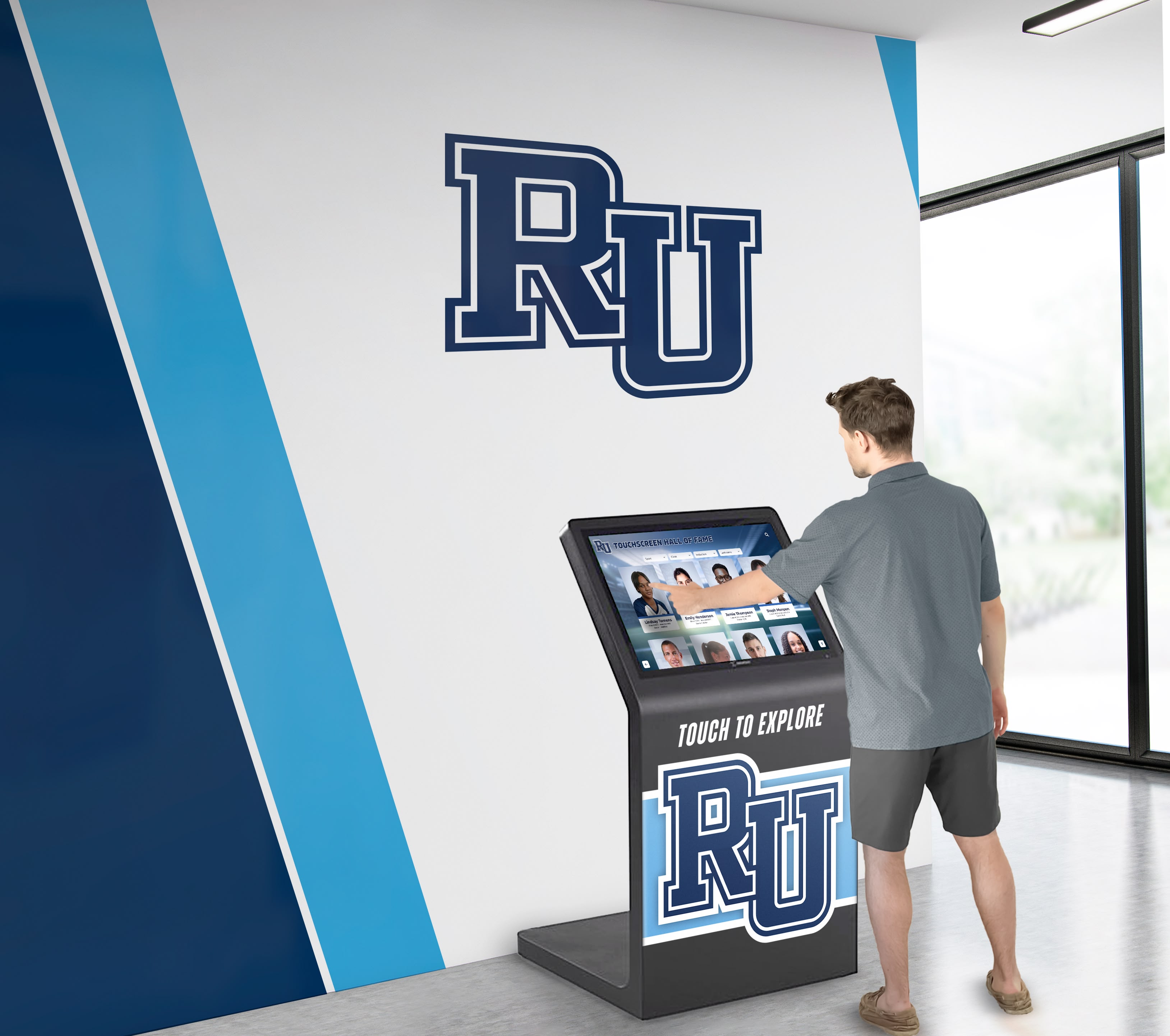
Strategic placement of digital galleries in high-traffic locations ensures maximum visibility for student artwork
Technology Platform Selection
Choose digital recognition solutions specifically designed for educational environments rather than adapting consumer platforms insufficient for institutional needs. Solutions like Rocket Alumni Solutions provide intuitive content management interfaces requiring no technical expertise, unlimited storage and hosting capacity, professional presentation and branding options, robust organization and search capabilities, analytics showing engagement and usage patterns, and ongoing technical support and platform maintenance.
Appropriate technology selection determines whether galleries succeed long-term or struggle with technical limitations undermining effectiveness.
Developing Artwork Submission Workflows
Clear Submission Processes
Establish straightforward procedures for teachers and students to submit work for gallery inclusion through standardized digital file formats and specifications, descriptive metadata requirements for organization and search, permission and release form documentation, submission deadlines and timeline expectations, and quality standards ensuring professional presentation.
Clear processes prevent confusion while ensuring steady content flow for galleries without overwhelming coordinators with chaotic, unorganized submissions.
Photography and Documentation Standards
Create consistent documentation approaches ensuring artwork receives professional-quality capture through high-resolution photography with appropriate lighting, color-accurate image processing maintaining fidelity to original work, multiple views for three-dimensional work like sculpture or ceramics, detail shots highlighting technical execution for large or intricate pieces, and consistent backgrounds and presentation formats creating visual coherence.
Documentation quality significantly impacts how viewers perceive student work. Substandard photography makes excellent art appear mediocre, while professional documentation allows quality work to shine appropriately.
Student Involvement in Curation
Engage students themselves in gallery development through student selection of their strongest work for inclusion, peer review processes providing feedback, student-curated thematic exhibitions, student-written artist statements and descriptions, and student committees making curatorial decisions.
Student involvement builds ownership of gallery programs while teaching critical evaluation, curatorial judgment, and professional presentation skills that enhance arts education.
Creating Compelling Exhibitions
Thematic Organization
Organize galleries around meaningful themes connecting individual works into coherent exhibitions including media-specific galleries (watercolor, ceramics, digital art, photography), concept-based exhibitions exploring specific themes or ideas, technique demonstrations showing various approaches to similar challenges, historical progression displaying artistic movements or styles studied, and interdisciplinary connections linking arts to other curriculum areas.
Thematic organization creates narrative frameworks helping viewers understand relationships between works while demonstrating that art education involves sophisticated conceptual thinking beyond technical skill execution alone.
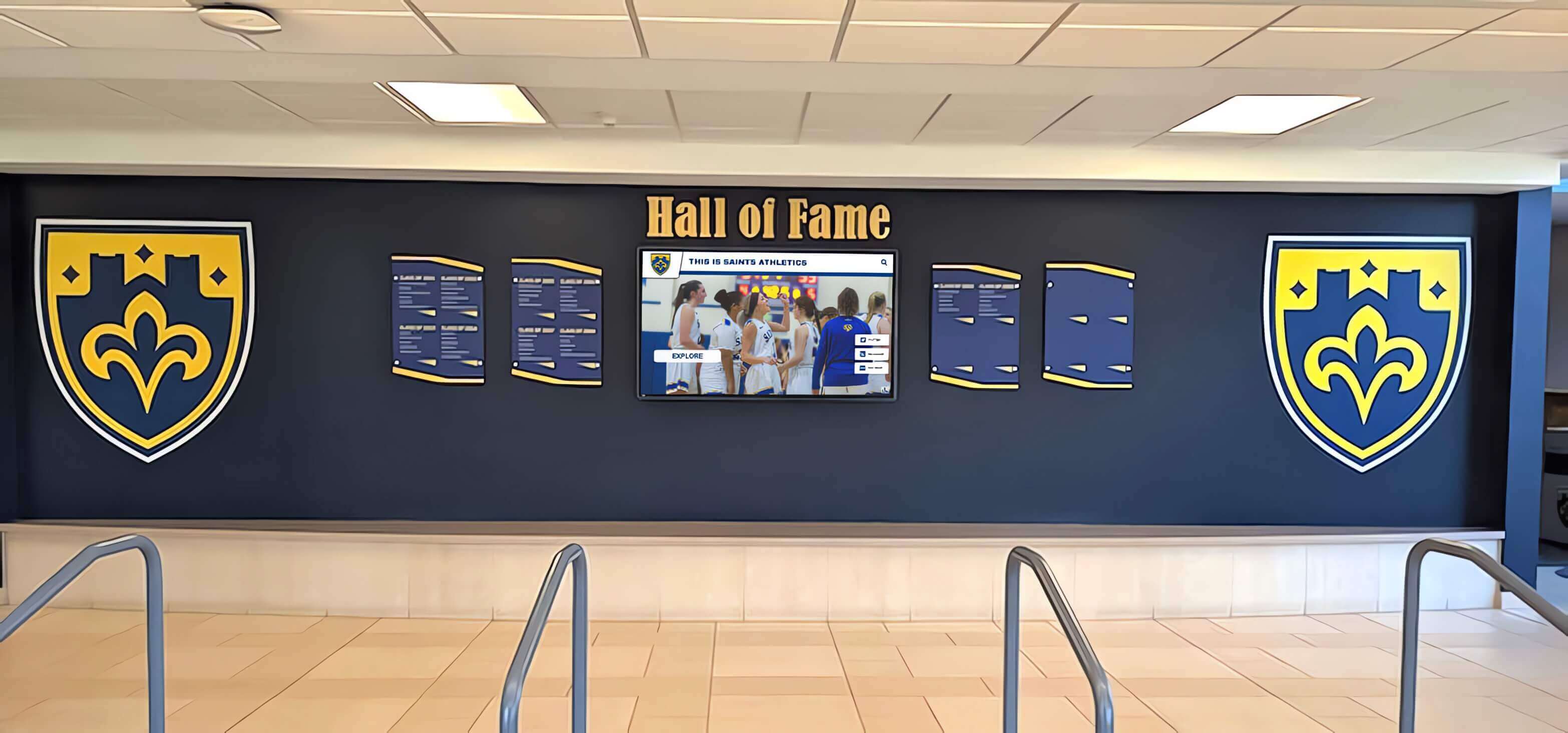
Organized galleries with clear themes and professional presentation validate student creative accomplishment
Rotating Feature Exhibitions
Maintain gallery freshness and sustained interest through regular updates including monthly artist spotlights highlighting individual student portfolios, seasonal exhibitions connecting to calendar themes, curriculum-aligned features showcasing specific units or techniques, senior showcases celebrating graduating student portfolios, and retrospective exhibitions reviewing program highlights across years.
Regular rotation encourages repeated gallery visits while ensuring content remains current and relevant rather than becoming stale displays community members ignore after initial viewing.
Special Event Integration
Leverage galleries during key calendar moments including back-to-school nights featuring summer artwork, parent-teacher conferences showcasing current projects, arts festivals highlighting program excellence, graduation celebrations honoring senior portfolios, and open houses demonstrating creative education to prospective families.
Event integration maximizes gallery impact while providing compelling reasons for community members to engage with student artwork during high-attendance occasions.
Measuring Gallery Impact
Demonstrating program value ensures sustained support and resources while identifying opportunities for continuous improvement.
Quantitative Metrics
Gallery Usage Analytics
Track how communities engage with digital galleries including total views and unique visitors, average exploration time and interaction depth, most viewed artwork and students, search queries revealing interests, and geographic distribution of viewers showing reach beyond campus.
Usage data demonstrates whether galleries reach intended audiences while revealing what types of artwork generate strongest engagement.
Student Participation Rates
Monitor student involvement in galleries through percentage of students with featured work, number of pieces submitted per student, diversity of students receiving recognition across demographics and skill levels, and repeat participation rates across semesters and years.
Participation metrics reveal whether galleries reach broad student populations or inadvertently become exclusive showcases for only advanced students.
Recognition Reach and Amplification
Measure how far recognition extends beyond initial audiences through social media shares and engagement, website visits from gallery links, inquiries from prospective families referencing student artwork, and alumni engagement with archived portfolios.
Reach metrics demonstrate whether galleries create value beyond immediate campus communities while potentially influencing institutional reputation and recruitment.
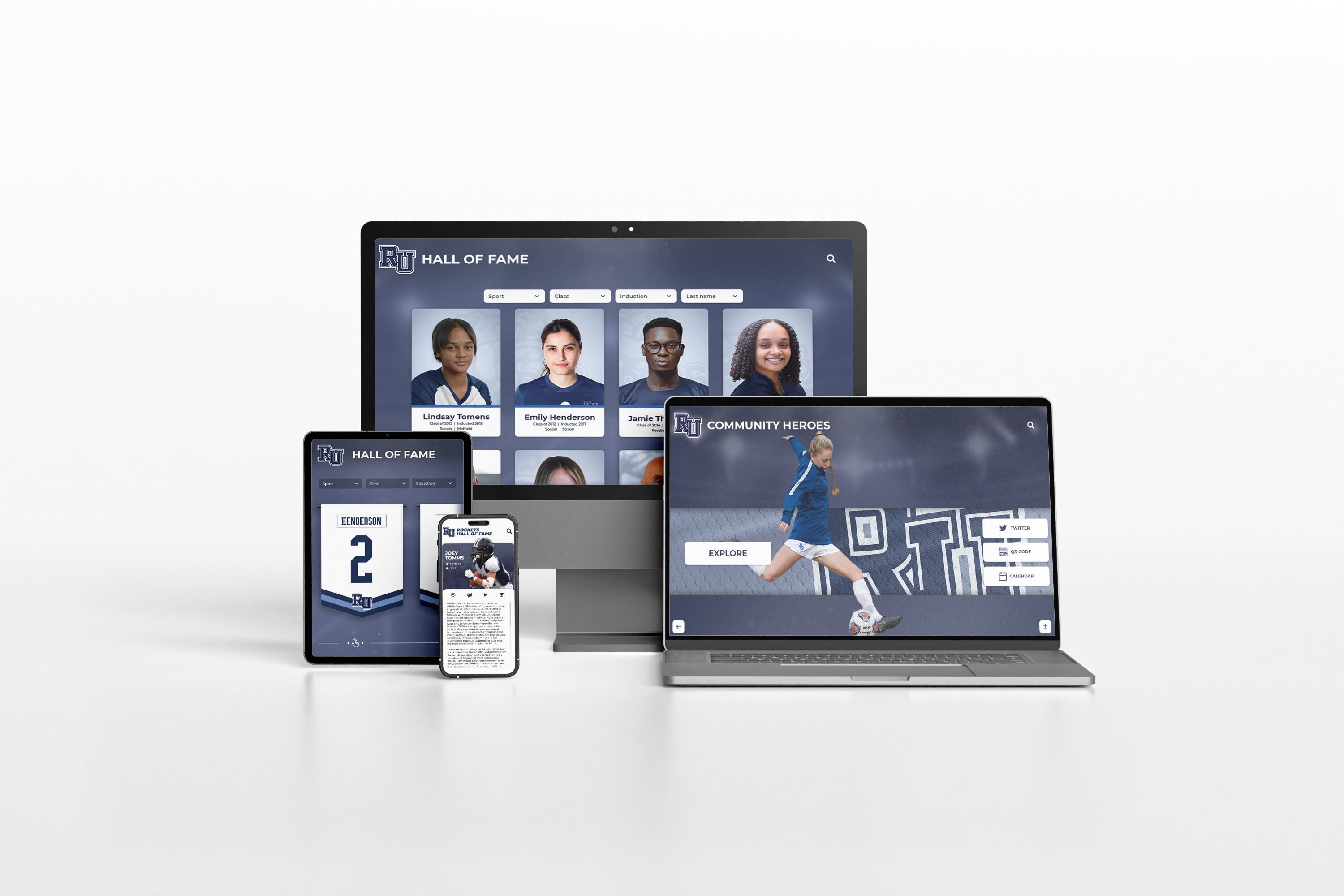
Web-accessible galleries extend recognition to mobile devices and remote audiences worldwide
Qualitative Impact Indicators
Student Motivation and Engagement
Assess how galleries influence student attitudes and effort including surveys about gallery motivational impact, teacher observations about student engagement changes, quality improvements in submitted work over time, and increased enrollment in arts electives.
Galleries should inspire students to push creative boundaries, invest greater effort, and take arts courses seriously as opportunities for meaningful accomplishment beyond just grade requirements.
Portfolio Development Support
Evaluate how galleries aid student advancement including usage of gallery work in college application portfolios, citation in scholarship submissions and awards, inclusion in professional portfolio development, and references in career exploration and planning for creative fields.
Galleries create lasting value when they support students’ educational and professional advancement beyond momentary acknowledgment.
Community and Family Connection
Gauge how galleries influence broader community engagement through family satisfaction with arts education, prospective family impressions during recruitment, community awareness of arts program strength, and alumni connection to creative coursework experiences.
Strong galleries build community support for arts education while enhancing institutional reputation for creative excellence.
Extending Gallery Access Through Digital Platforms
Physical displays installed on campus represent only one component of comprehensive gallery systems. Web-accessible platforms extend recognition to unlimited audiences regardless of location.
Online Gallery Portals
Complete digital gallery websites provide 24/7 access to student artwork through responsive design working seamlessly across desktop, tablet, and smartphone devices, intuitive navigation enabling easy exploration, comprehensive search and filtering capabilities, and integration with school digital archives preserving institutional creative history.
Web access proves particularly valuable for families living far from schools, alumni exploring their artistic legacy years after graduation, prospective students researching program offerings, and community members discovering student creative capabilities without requiring campus visits.
Mobile Applications
Native mobile apps provide optimized smartphone experiences including push notifications announcing new exhibitions, offline browsing for areas with limited connectivity, simplified sharing to social media platforms, and personalized galleries showing favorited artists or collections.
Mobile optimization recognizes that substantial audiences primarily access content through smartphones, removing friction that desktop-only experiences create for modern users.
Virtual Exhibition Experiences
Advanced platforms enable sophisticated virtual exhibition experiences including 3D gallery walkthroughs simulating physical exhibition spaces, augmented reality features overlaying artwork in real-world environments, virtual reality immersive exhibitions for advanced showcase experiences, and video walkthroughs featuring artist commentary and exhibition context.
These immersive experiences provide exhibition-quality presentation to global audiences while demonstrating arts program innovation and commitment to professional-grade student work celebration.
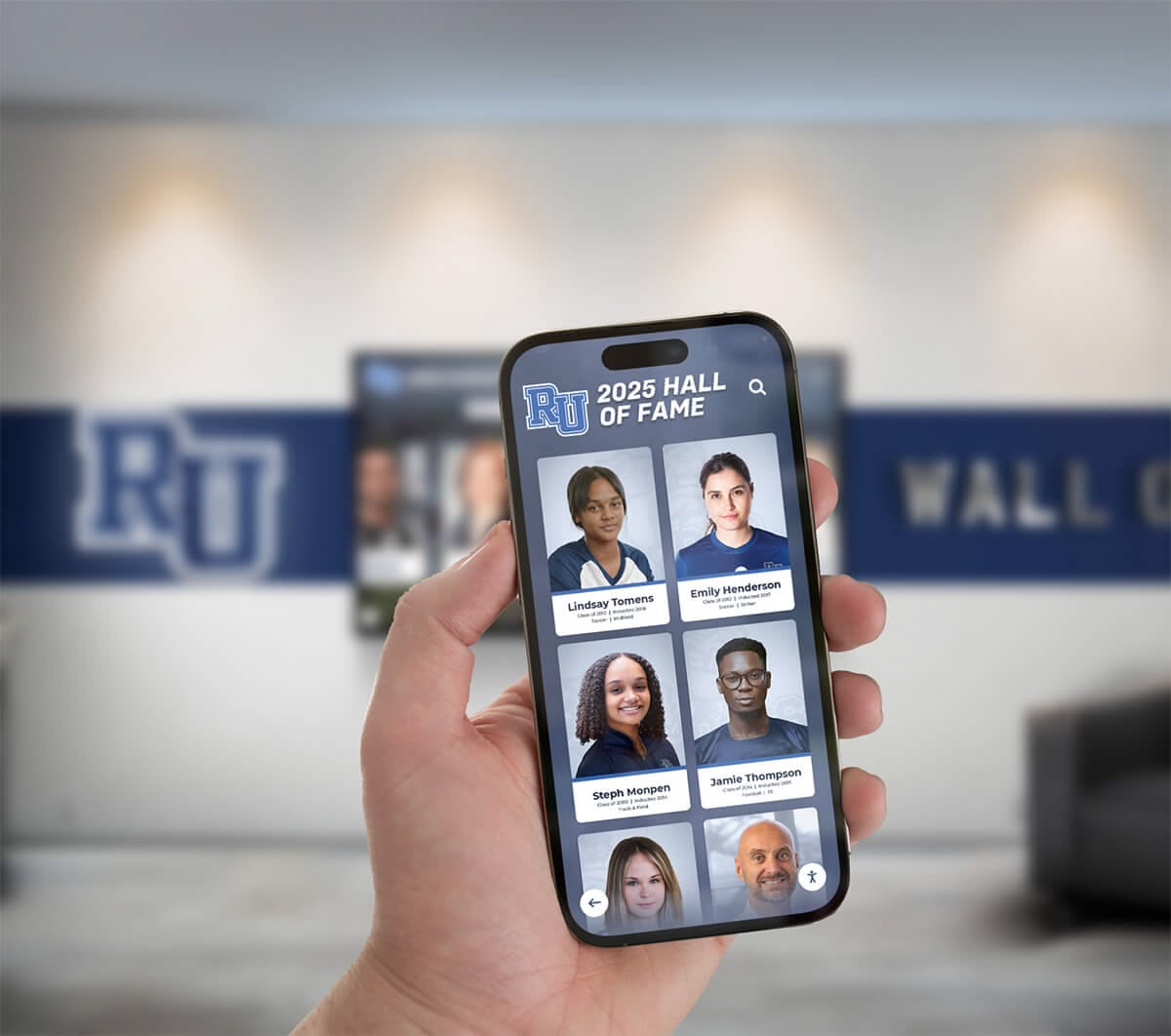
Mobile-optimized galleries enable exploring student artwork conveniently from anywhere at any time
Integrating Art Recognition With Comprehensive Student Celebration
Art gallery displays become even more meaningful when integrated with broader student achievement recognition celebrating accomplishments across all educational domains.
Unified Recognition Platforms
Comprehensive platforms recognizing academic, artistic, athletic, and service accomplishments through unified systems create several advantages including complete student profiles showing diverse achievements, connections between creative work and other student accomplishments, equitable recognition demonstrating that artistic excellence deserves acknowledgment equal to other achievement domains, and simplified administrative management through consolidated systems.
This integration prevents arts accomplishments from being isolated in separate systems while demonstrating institutional commitment to valuing diverse forms of student excellence comprehensively.
Cross-Curricular Connections
Highlight relationships between arts and other curriculum areas through science illustration projects connecting biology and drawing skills, historical period artwork demonstrating social studies integration, literary illustration connecting English and visual arts, mathematical art exploring geometry and pattern, and architectural design linking math, physics, and creative problem-solving.
These connections demonstrate that arts education supports learning across disciplines while showcasing creative approaches to understanding complex topics in multiple subject areas.
Arts Program Advocacy
Comprehensive galleries documenting program excellence provide tangible evidence supporting arts education advocacy including budget justification demonstrating program impact and student engagement, recruitment materials showcasing creative education quality, alumni relations highlighting distinguished artists among graduates, and community partnerships demonstrating program value to broader constituencies.
When galleries document sustained creative excellence, they become powerful advocacy tools demonstrating why arts education deserves continued support and investment.
Best Practices From Successful Art Gallery Programs
Schools implementing comprehensive digital art galleries report several consistent success factors worth emulating.
Consistent Submission Schedules
Establish regular artwork submission timelines rather than sporadic updates including end-of-unit submissions capturing completed projects, mid-semester portfolio reviews updating student work collections, semester-end comprehensive submissions documenting full term accomplishments, and ad-hoc submissions for exceptional work deserving immediate recognition.
Consistent schedules create predictable workflows preventing gallery neglect while ensuring content remains current and representative of ongoing program activities.
Student Artist Development
Use galleries to support broader artistic growth through portfolio preparation workshops teaching professional presentation, artist statement writing developing articulation skills, exhibition planning involving students in curatorial decisions, professional practices education about copyrights and reproduction rights, and career pathway exploration connecting student work to creative professions.
Galleries supporting comprehensive artist development provide value beyond recognition alone, preparing student artists for post-secondary education and creative careers.
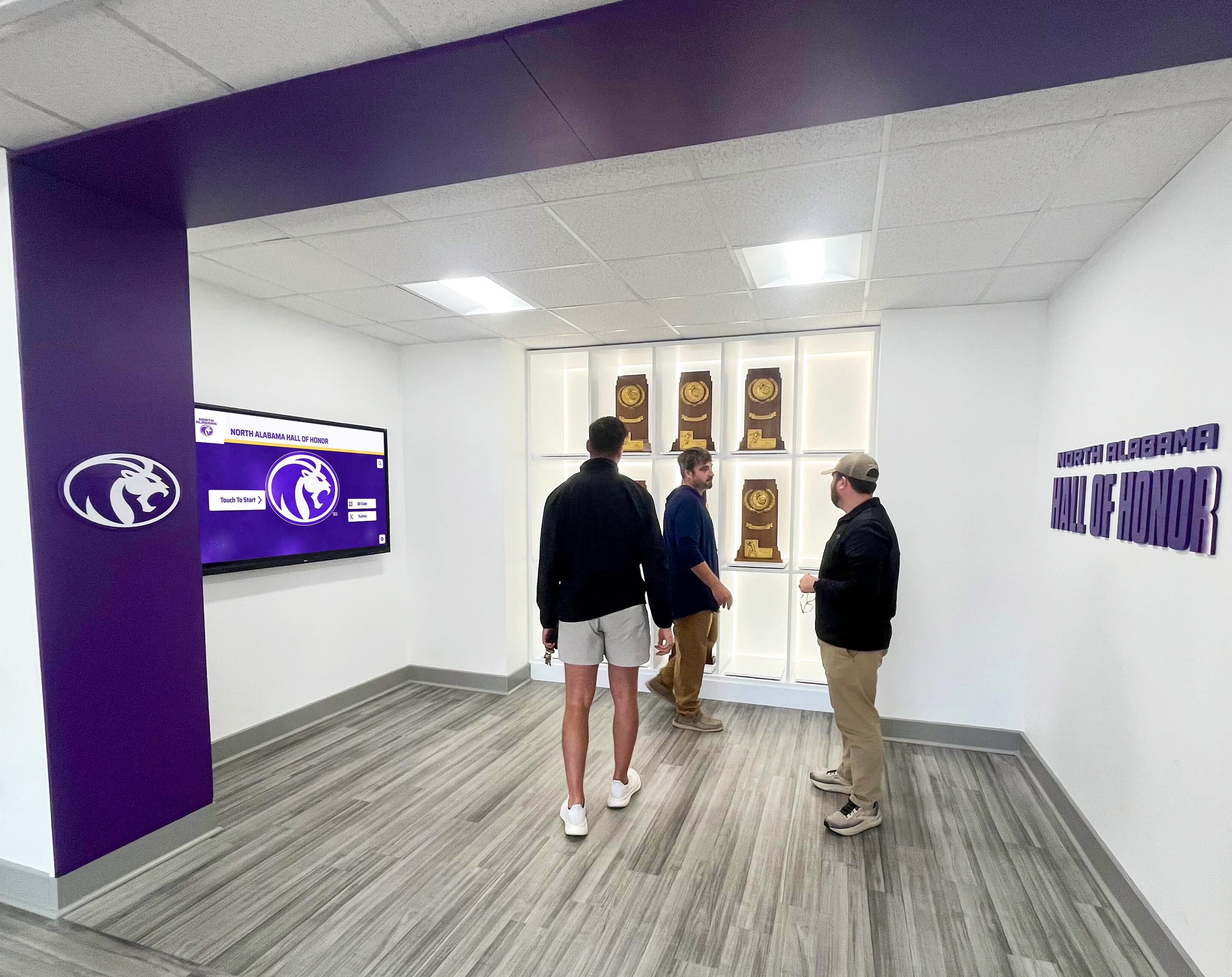
Professional gallery displays demonstrate program excellence while inspiring continued creative development
Community Engagement Initiatives
Leverage galleries to build broader community connections through virtual exhibition openings attracting wide audiences, artist talk series where students present their work and process, community voting for favorite artwork creating interactive engagement, local artist mentorship programs connecting students with professionals, and partnership development with cultural institutions validating program quality.
Community engagement transforms galleries from internal recognition systems into bridges connecting schools with broader creative communities while providing students authentic audiences for their artistic work.
Alumni Artist Networks
Maintain connections with alumni pursuing creative careers or maintaining artistic practices through featured alumni artist spotlights showing career pathways, mentoring programs connecting current students with alumni artists, exhibition opportunities for alumni maintaining creative practices, reunion programming showcasing alumni creative achievements, and career panels discussing creative profession realities.
Alumni networks demonstrate long-term program impact while providing current students tangible examples of how arts education supports diverse career pathways and lifelong creative engagement.
Addressing Common Implementation Challenges
Schools launching digital art galleries encounter predictable obstacles. Proactive approaches address these challenges effectively.
Limited Technical Resources
Many art teachers lack extensive technical expertise yet can successfully manage digital galleries through intuitive content management systems requiring no specialized knowledge, provided technical support from platform providers, student technology assistants helping with documentation and uploads, streamlined workflows minimizing administrative burden, and training resources explaining key processes clearly.
Modern platforms specifically designed for educational environments minimize technical barriers, making comprehensive galleries accessible to art teachers focused on creative instruction rather than technology management.
Documentation Quality Concerns
Achieving professional-quality artwork photography requires attention to several factors including adequate lighting eliminating glare and shadows, color-accurate cameras and image processing, consistent backgrounds and presentation formats, appropriate file resolutions balancing quality and file size, and standard procedures ensuring documentation consistency across different photographers and time periods.
Many schools address documentation challenges through purchasing basic photography equipment, developing standard operating procedures with visual examples, training student assistants in documentation techniques, and utilizing professional photography services for major exhibitions or portfolio work requiring highest quality presentation.
Balancing Inclusion With Standards
Schools struggle with determining appropriate selection criteria balancing inclusive recognition with maintaining quality standards. Successful approaches include tiered recognition systems acknowledging various achievement levels, process documentation showing artistic development alongside finished work, themed exhibitions enabling focused curation within broader inclusion, student self-selection allowing personal judgment about strongest work, and clear communication about gallery purposes and selection approaches.
Most successful programs lean toward inclusion, recognizing that validation motivates continued creative development particularly for students lacking confidence in artistic abilities.
Maintaining Fresh Content
Galleries lose impact when content becomes stale and unchanging. Strategies for maintaining freshness include established update schedules creating predictable content flow, rotating featured exhibitions highlighting different themes or students, seasonal content connecting to calendar moments, student curator teams taking ownership of gallery management, and automated rotation features cycling through collections systematically.
Regular updates signal active, valued programs while encouraging repeated gallery visits from community members interested in discovering new student work.
Celebrating Artistic Excellence Across All Grade Levels
Comprehensive art galleries recognize creative development from elementary exploration through advanced high school studio work.
Elementary Art Recognition
Young artists developing foundational skills deserve celebration equal to advanced students including exploration-focused displays valuing creative experimentation, process documentation showing artistic thinking development, thematic collections connecting individual works to curriculum units, whole-class projects demonstrating collaborative creativity, and growth portfolios documenting individual development across school years.
Elementary recognition establishes that creativity matters from program beginnings while building family engagement through celebrating work families cherish as evidence of their children’s developing capabilities.
Middle School Arts Programs
Middle school represents crucial years where students either deepen artistic commitment or disengage from creative coursework. Recognition proves particularly important including specialized media galleries showing diverse artistic pathways, interdisciplinary project celebrations demonstrating broad creativity, peer recognition programs building supportive creative communities, exhibition opportunities validating emerging artistic identities, and connections to high school programs showing future possibilities.
Middle school recognition sustains creative engagement during developmental years when peer validation significantly influences continued arts participation.

Comprehensive galleries celebrate artistic development across all grade levels and experience stages
High School Advanced Studio Work
Advanced students producing portfolio-quality work require sophisticated recognition approaches including individual artist galleries showcasing cohesive portfolios, AP Studio Art documentation supporting rigorous portfolio requirements, senior thesis exhibitions celebrating culminating creative projects, college preparation support including presentation-ready portfolio pieces, and professional practices integration preparing students for post-secondary creative education or careers.
Advanced student recognition demonstrates program excellence while validating serious artistic commitment and achievement deserving professional-grade acknowledgment.
The Future of Art Gallery Displays
Technology continues evolving, creating new possibilities for showcasing student artistic accomplishment.
Emerging Technologies
Future gallery systems will incorporate advanced capabilities including artificial intelligence curation suggesting thematic connections and related works, virtual reality immersive exhibitions enabling global audiences to experience three-dimensional gallery spaces, augmented reality overlays providing contextual information and artist commentary, blockchain authentication and digital rights management protecting student intellectual property, and interactive installations where physical and digital elements merge creating hybrid exhibition experiences.
These emerging technologies will expand possibilities for celebrating and sharing student creative work while maintaining core commitment to honoring artistic achievement comprehensively and accessibly.
Evolving Educational Integration
Digital galleries increasingly integrate with broader educational technology ecosystems including learning management system connections supporting curriculum integration, digital portfolio platforms used for college applications and career development, competency-based assessment documenting skill mastery through creative work, and data analytics informing arts education program improvements.
This integration positions art galleries as educational tools beyond recognition, supporting instruction, assessment, and program development while maintaining primary purpose of celebrating student creative accomplishment.
Conclusion: Honoring Every Student’s Creative Voice
Every painting students craft, every sculpture they form, every photograph they compose, and every creative project they complete represents significant effort, developing skills, genuine artistic vision, and creative accomplishment deserving recognition extending far beyond temporary hallway display followed by permanent storage in portfolios rarely revisited.
When schools implement comprehensive digital art gallery displays—with unlimited capacity accommodating every student’s work, professional presentation quality honoring creative achievement, interactive exploration engaging wider audiences, and permanent accessibility maintaining recognition across years—they transform how visual arts education is valued within school communities.
Transform Your Art Program Recognition
Discover how Rocket Alumni Solutions creates comprehensive digital art galleries showcasing unlimited student artwork with professional presentation quality, interactive exploration, and permanent accessibility. Give every student artist the recognition their creative work deserves.
Explore Digital Gallery SolutionsThe art students investing hours perfecting their techniques, exploring creative concepts, building comprehensive portfolios, and developing artistic capabilities deserve recognition systems acknowledging their accomplishments as seriously as schools celebrate athletic championships or academic honors.
Solutions like Rocket Alumni Solutions make comprehensive art gallery displays practical reality—providing platforms specifically designed to showcase unlimited student artwork with gallery-quality presentation, intuitive organization enabling easy discovery, engaging interactivity encouraging exploration, and permanent accessibility ensuring creative accomplishments remain celebrated long after students complete courses.
Traditional bulletin boards and rotating hallway displays served past constraints. Modern digital platforms eliminate space limitations while providing professional presentation quality that honors student artistic achievement appropriately.
Ready to transform how your school celebrates student creativity? Comprehensive art gallery displays documenting program excellence, validating every student’s creative voice, and demonstrating arts education’s vital importance await implementation through thoughtful planning and appropriate technology platforms designed specifically for educational recognition.
Start building the digital art gallery your student artists deserve today—creating permanent celebration for creative work that genuinely merits audiences extending far beyond classroom walls and temporary display windows.
Your students’ artistic accomplishments deserve better. Book a demo to discover how digital gallery displays can honor every student’s creative excellence.































