A high school athletic department looks different from the outside than it does from the inside. From the bleachers, you see teams competing, coaches coaching, and student-athletes performing. Behind that visible surface is a staffed organization with defined roles, clear reporting relationships, and overlapping responsibilities that require careful coordination to keep a multi-sport program running smoothly. Whether you are an athletic director stepping into a new role, a principal evaluating whether your current structure supports program goals, or a coach trying to understand where you fit in the broader picture, getting the structure right matters — not just for administrative efficiency, but for accountability, compliance, and long-term program culture.
Clear athletic department structure creates accountability at every level of the organization. When everyone knows their reporting relationships, decision authority, and communication protocols, programs run more efficiently, comply more reliably, and build the kind of institutional culture that current athletes and alumni carry forward for decades.
Why Athletic Department Structure Matters
Before examining specific structures, it helps to understand what a clear organizational framework actually accomplishes:
Accountability: When everyone knows who they report to and who reports to them, accountability flows naturally. A coach who reports to the athletic director knows exactly where to direct equipment requests, parent conflict escalations, and event approval needs.
Compliance: High school athletics operate under state association rules, Title IX requirements, and local board policies. A defined structure identifies who is responsible for monitoring eligibility, approving transfer waivers, and filing state reports — preventing the accountability gaps that create legal exposure.
Communication efficiency: Structured organizations move information more cleanly. A defined chain of command routes parent concerns upward through coaches before escalating to the athletic director, reducing administrative noise and ensuring issues are addressed at the right level.
Decision-making speed: When budget requests, schedule changes, and hiring decisions have defined approval paths, they move faster. Ambiguous reporting relationships cause delays because everyone waits for someone else to decide.
Culture visibility: Structure communicates institutional values. A department that formally maintains halls of fame, academic honor displays, and program history records is building its values into how it operates — not just what it says.
The Core Hierarchy: Athletic Department Reporting Lines
At virtually every public high school in the United States, the athletic department operates within the school’s broader administrative hierarchy. Here is the standard reporting structure from the top down.
Level 1: District Administration and School Board
The school board and superintendent sit at the top of the organization. The board sets policy, approves significant budget items, and authorizes staff positions. The superintendent translates board policy into administrative direction. For most day-to-day athletic decisions, this level remains in the background — but major commitments like new facility construction, program additions, or significant budget increases require board-level action.
Level 2: Building Principal
The building principal is the athletic director’s direct supervisor at most high schools. The principal holds administrative responsibility for everything that happens in the building — including athletics — and the AD reports to that authority. This means:
- Budget proposals require principal approval
- Coaching hires need principal sign-off (and often district-level review)
- Compliance situations with significant legal or reputational exposure escalate to the principal
- Facility decisions affecting the broader school community go through the principal’s office
At some districts, the AD reports directly to the superintendent or assistant superintendent. This variation typically appears in larger districts where the athletic program’s scale warrants executive-level attention.
Level 3: Athletic Director
The athletic director is the operational hub of the entire department. All coaches, athletic staff, and program support personnel report directly or indirectly to the AD. The AD translates school administration directives into program operations, manages day-to-day logistics, and holds primary accountability for program outcomes.
The AD’s reporting responsibilities run in both directions:
- Upward: Budget performance, compliance status, facility conditions, personnel matters, and program achievements flow to the principal
- Downward: Policies, schedules, expectations, and resources flow to coaches and staff
Level 4: Coaching Staff and Athletic Support Personnel
Coaches at every level — varsity, junior varsity, freshman, and middle school feeder programs — report to the athletic director. This layer also includes the athletic trainer, equipment manager, and any dedicated athletic administrative support.
Head coaches hold primary responsibility for their sport’s program. They direct assistant coaches, manage their program’s budget allocation, maintain eligibility compliance for their roster, and serve as the primary communication point with athletes and families.
Assistant coaches report to their respective head coaches, not directly to the athletic director. An assistant coach with a concern routes through the head coach first.
Athletic trainers in most schools carry dual reporting relationships: they operate under the athletic director for scheduling and administrative logistics, but follow a supervising or team physician for clinical treatment decisions.

Athletic program murals combined with digital records displays communicate program identity at every level of the org chart — from visiting recruits to returning alumni.
Standard Athletic Department Organization Chart
The following table represents the typical reporting structure for a mid-sized high school athletic program (enrollment: 800–1,500 students, 16–22 sports):
| Role | Reports To | Direct Reports |
|---|---|---|
| School Board | Community / Electorate | Superintendent |
| Superintendent | School Board | Principals, District Administration |
| Building Principal | Superintendent | Athletic Director, other department heads |
| Athletic Director | Principal | All head coaches, athletic trainer, equipment manager, admin assistant |
| Head Coaches (all sports) | Athletic Director | Assistant coaches for their sport |
| Athletic Trainer | Athletic Director (admin); Team Physician (clinical) | Student trainer assistants |
| Equipment / Facilities Manager | Athletic Director | — |
| Administrative Assistant | Athletic Director | — |
| Assistant Coaches | Head Coach of their sport | — |
This structure reflects standard K–12 public school organization. Private and independent schools may vary — some place the athletic director under a Dean of Students rather than the principal.
Small, Mid-Sized, and Large School Structures
Athletic department structure shifts significantly based on enrollment. A rural school with 300 students running 10 sports organizes differently than a suburban school with 2,500 students and 28 sports.
Small School Structure (Enrollment under 600, 8–12 sports)
Small schools typically operate with a compressed structure where roles overlap by necessity:
- The athletic director is often a full-time coach or teacher holding the AD role as a supplemental assignment
- No assistant athletic director — the AD handles all administrative functions personally
- One athletic trainer may serve multiple schools or be shared with a local sports medicine clinic
- No dedicated equipment manager — coaches manage their own equipment inventories
- The AD handles scheduling, eligibility tracking, and event management directly
The advantage is simplicity and cost efficiency. The limitation is bandwidth — a single person’s capacity constrains how deeply any one function can be managed.
Mid-Sized School Structure (Enrollment 600–1,500, 14–22 sports)
Mid-sized programs begin adding staffing and specialization:
- A full-time athletic director with no teaching assignment, or a reduced load
- One dedicated athletic trainer with student assistants
- An administrative assistant managing paperwork, parent communications, and scheduling support
- Part-time or contracted equipment management support
- The AD focuses on strategy, compliance, and community relations while delegating operational details
This is the organizational range where most high school athletic departments operate — complex enough to require clear structure, but close-knit enough that the AD still knows every coach and athlete personally.
Large School Structure (Enrollment 1,500+, 20+ sports)
Large programs mirror small collegiate athletic departments in organizational complexity:
- A full-time athletic director with 1–3 assistant or associate ADs handling specific portfolios: compliance, facilities, scheduling, or sport-specific oversight
- Multiple athletic trainers covering different sports and seasons simultaneously
- Dedicated equipment room staff
- A full-time administrative assistant and additional program support roles
- Budget complexity that may warrant dedicated financial staff or coordination with the district CFO
- Formal performance management systems for the entire coaching staff

Athletic honor boards in school hallways reflect the organizational commitment to preserving program history — a responsibility that falls explicitly to the athletic director.
Key Roles and Their Responsibilities
Athletic Director
The AD is the department’s chief administrator, culture builder, and compliance officer. Core responsibilities span budget development and management, coach hiring and evaluation, eligibility compliance, facility coordination, event management, parent and community communication, and program history stewardship.
The AD’s most important structural skill is knowing which decisions to handle independently and which to escalate upward to the principal. Most personnel, scheduling, and budget decisions within approved parameters fall to the AD. Decisions involving significant financial commitments, staff discipline, or potential legal exposure warrant principal involvement.
Associate or Assistant Athletic Director
At larger programs, assistant ADs extend administrative capacity by owning specific functional areas:
- Compliance: Eligibility tracking, transfer documentation, state association reporting
- Facilities: Maintenance schedules, capital project coordination, event logistics
- Operations: Scheduling across all sports, transportation logistics, game-day management
- Development: Fundraising, sponsor relationships, booster coordination, alumni engagement
Head Coaches
Head coaches are the AD’s primary operational partners. Their reporting relationship should be clearly defined in writing — which decisions they make independently, which require AD approval, and what constitutes grounds for AD override.
Most head coaches operate with significant autonomy over sport-specific decisions: roster selection, starting lineups, strategy, and practice planning. AD involvement is required for budget expenditures beyond a defined threshold, public communications about sensitive matters, disciplinary actions with eligibility implications, and requests affecting other programs or facilities.
Athletic Trainer
Athletic trainers occupy a structurally unique position because they hold professional clinical responsibilities independent of administrative authority. A certified athletic trainer cannot be directed by the athletic director to return an injured athlete to competition before clinical assessment supports that decision.
The dual-reporting model reflects this reality: the athletic director manages the trainer’s schedule and administrative integration, while a supervising physician provides clinical oversight for treatment decisions.
Equipment and Facilities Manager
This role manages the physical infrastructure that programs depend on: uniform inventories, protective equipment, facility maintenance scheduling, field preparation, and weight room management. At smaller schools, this responsibility distributes among coaches. At larger programs, dedicated staff ensures consistency and extends equipment life through systematic tracking and maintenance.
Administrative Assistant
Often the organizational linchpin, the athletic director’s administrative assistant manages the documentation that keeps the department legally and operationally sound: eligibility records, coaching contracts, event permits, parent consent forms, and meeting schedules. At many schools, this role also covers website updates, social media, and external communication — making it a position that shapes the program’s public face.

Athletic display programs — including shield rows, banner systems, and record boards — are part of the facilities infrastructure the athletic department is responsible for maintaining.
Communication Flows Within the Athletic Department
An org chart defines structure; communication protocols define how that structure functions day to day.
Upward Communication: What Flows to the AD
Information that should flow upward from coaches to the athletic director includes:
- Roster changes — additions, cuts, transfers
- Budget requests beyond the approved seasonal allocation
- Injury incidents requiring documentation
- Parent complaints that have escalated beyond the initial coaching conversation
- Discipline issues with eligibility implications
- Media inquiries or external communications about the program
- Any situation that a coach believes may require administrative attention
Upward Communication: What Flows from the AD to the Principal
- Budget variance reports (typically monthly during the academic year)
- Compliance status updates ahead of state association deadlines
- Personnel matters — hiring progress, coaching evaluations, concerns requiring administrative action
- Facility conditions requiring budget approval or capital planning
- Significant community relations developments — major donor commitments, recognition program launches, public events
Downward Communication: Setting Clear Expectations
ADs who communicate expectations clearly to coaches reduce the number of ad hoc situations that escalate unnecessarily. Effective downward communication includes:
- Annual pre-season orientation covering policies, timelines, and non-negotiables
- Written coaching handbooks that document procedures for common scenarios
- Regular head coaches meetings (monthly or bi-monthly) for cross-program coordination and information sharing
- Clear response time expectations for communications
- Defined escalation paths when coaches face novel situations not addressed by existing policy
Lateral Communication: Coordinating Shared Resources
Coaches from different sports must coordinate laterally on shared facilities — particularly gymnasiums, weight rooms, and training rooms. Some programs formalize this with facility coordination meetings at the start of each season. Others rely on informal communication, with the athletic director serving as mediator when conflicts arise. The more formal the coordination mechanism, the fewer conflicts require AD involvement.
Translating Structure into Physical Infrastructure
Your athletic department’s structure needs to be visible — not just in a policy handbook, but in the physical spaces where athletes, coaches, and community members gather. The built environment communicates organizational priorities as clearly as any reporting chart.
Athletic Lobby and Entrance Areas
The main entrance to gym facilities is typically the first space that visitors, recruits, and prospective families encounter. A thoughtfully designed school entrance with modern lobby displays communicates program identity immediately — who the school is, what it values, and how it honors its people.
For programs active in admissions and enrollment outreach, touchscreen displays integrated into high school admissions tours give prospective families an interactive way to explore program history, review current schedules, and understand what the school’s athletic culture looks like in practice.
Recognition Walls and Award Displays
Every well-structured athletic department maintains visible records of its achievements. Halls of fame, walls of honor, championship banners, record boards, and academic honor displays serve as the program’s permanent archive — and they fall explicitly under the athletic director’s stewardship responsibility.
Schools that invest in modernizing their recognition walls find that digital and interactive displays serve multiple functions simultaneously: honoring past achievement, communicating current program vitality, and demonstrating to donors and alumni that the school treats recognition as a long-term investment — not an afterthought.
For athletic directors evaluating their recognition infrastructure, understanding the full range of available hall of fame tools — from traditional plaques to fully interactive touchscreen systems — makes planning more efficient and avoids costly decisions based on incomplete information.
Schedule and Information Displays
Athletic departments at active schools manage communication with hundreds of athletes, coaches, families, and community members simultaneously. Digital athletic schedule displays in school lobbies and gym entrances reduce the administrative burden on the AD and front office staff by providing current information without requiring individual communication for every schedule change or event update.
Record Boards
Athletic records are the measurable history of a program’s competitive achievement over time. Keeping accurate, accessible records matters for motivation — current athletes see the marks they are chasing — and for historical documentation. Schools deciding between approaches to record management should consider full-service versus DIY school history touchscreen systems based on staff capacity, budget, and the desired depth of functionality. For schools rebuilding records lost during coaching transitions, there are practical approaches to finding and verifying school sports records that can guide the research process.
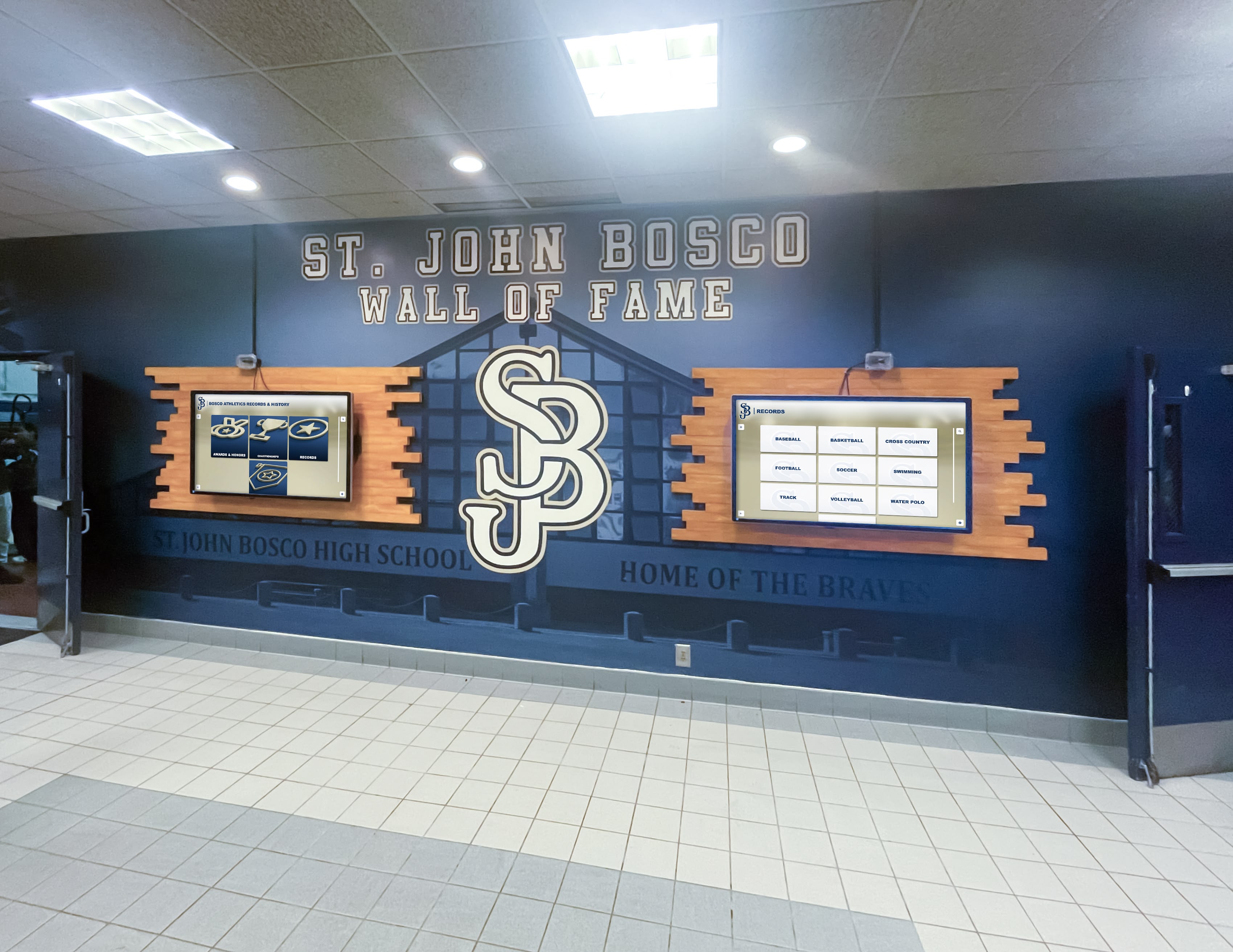
Dual digital screen installations allow athletic departments to display recognition content and schedule information simultaneously — serving multiple organizational communication needs from a single infrastructure investment.
Alumni Engagement and the Athletic Department Structure
Alumni represent an underutilized organizational asset for athletic departments. Former athletes who had meaningful experiences with a program often want to stay connected — to give back financially, mentor current athletes, or simply attend events and remember what their experience meant.
A well-designed alumni gathering area gives returning graduates a physical anchor for their connection to the program. Combining that environment with interactive recognition displays that let alumni explore their own history — photos, records, recognition preserved and updated — deepens the relationship in ways that periodic newsletters cannot replicate.
In most athletic department structures, alumni engagement belongs to one of two owners: the athletic director directly, or an assistant AD focused on development and donor relations. Clarifying this ownership in your organizational structure is the first step toward making alumni engagement consistent rather than opportunistic.
Building Program History Into Department Structure
Athletic programs that treat history as an afterthought eventually lose it. Photos go unarchived. Records disappear during coaching transitions. Long-tenured coaches retire with decades of institutional knowledge stored only in memory. The departments that maintain strong historical archives treat preservation as an explicit organizational function — someone in the structure is responsible for it, has time allocated for it, and has the tools to do it well.
Understanding how to create a school history display that captures multiple program generations requires both archival research and thoughtful design — decisions that fall to the AD, often with the support of a specialized vendor or internal project team appointed specifically for the work.
Academic Recognition Within the Athletic Department
The strongest athletic departments recognize the whole student-athlete, not just the competitor. Many programs have developed parallel recognition tracks that honor academic achievement alongside athletic accomplishment: scholar-athlete awards, academic all-conference honors, GPA milestone plaques, and graduation honor displays.
Building academic recognition programs into the athletic department’s structure — with defined criteria, nomination timelines, and visible display infrastructure — signals to athletes and families that the department’s commitment to student development is more than a tagline. It is an operational commitment reflected in how the department allocates its recognition resources.

Permanent display installations tied to program identity — like this "Once a Padre" display — become part of the school's physical organizational culture, reinforcing values for every athlete who walks past them.
Putting the Structure on Paper: Documents Every Department Needs
Once you’ve determined your organizational structure, communicating it clearly requires three core documents:
1. The Organizational Chart
A visual chart showing every position, reporting lines, and current occupants. Update it whenever a position changes. Post it in the athletic office and include it in coaching handbooks. It does not need to be elaborate — a clear hierarchy diagram accomplishes the purpose.
2. The Coaching Handbook or Department Policy Manual
This document translates organizational structure into operational expectations. It should address:
| Topic | What to Cover |
|---|---|
| Chain of command | Who to contact for each scenario type |
| Budget procedures | Approval thresholds, reimbursement process, purchasing rules |
| Eligibility management | Timelines, required documentation, reporting requirements |
| Communication expectations | Response times, required attendance, escalation protocols |
| Discipline procedures | Athlete conduct process, appeal rights, AD involvement thresholds |
| Recognition procedures | Nomination timelines, criteria, induction planning, display maintenance |
| Facility use | Scheduling process, setup requirements, cleanup expectations |
| Emergency protocols | Injury procedures, weather policy, evacuation plans |
3. Written Role Descriptions
Role descriptions for every position — including volunteer assistants and student trainers — establish clear expectations, support consistent performance management, and protect the school legally by documenting what each role encompasses and what it does not. These should be reviewed and updated annually, not filed away after hiring.
Structural Checklist: Building a Well-Organized Athletic Department
Use this checklist to evaluate whether your athletic department structure is documented, communicated, and operationally sound:
- Organizational chart is current and posted where all staff can access it
- Coaching handbook covers all major policy areas with specific procedures
- Written role descriptions exist for every position including volunteer coaches
- Decision authority is explicitly defined — what each role can approve independently
- Communication protocols specify escalation paths for common scenario types
- Eligibility compliance has a designated owner with defined timelines and checklists
- Facility use is coordinated through a formal scheduling process
- Recognition infrastructure (hall of fame, records board, honor displays) has a designated maintainer
- Alumni engagement has an assigned owner and a documented outreach approach
- Historical archives are maintained with a defined preservation process
- Academic recognition runs parallel to athletic recognition with equal visibility
Common Structural Mistakes to Avoid
Even well-intentioned programs fall into organizational traps that undermine efficiency and culture:
Undefined decision authority: When coaches don’t know which decisions they can make independently, they either stop asking the AD for anything — creating accountability gaps — or ask about everything, overwhelming the AD with minor calls. Define authority levels explicitly and in writing.
Bypassing the head coach layer: Some ADs try to manage direct relationships with every coach at every level, bypassing head coaches as the operational link. While relationship-building matters, routing operational communication through head coaches maintains structure and reduces noise.
Treating recognition as decoration: Departments that allow recognition infrastructure to decay — fading plaques, outdated trophy cases, unverified records — communicate that history does not matter. Since culture is built through what you visibly celebrate, this sends a message to current athletes, donors, and alumni that the program is not worth returning to.
No succession planning for coaching roles: Vacant coaching positions create program disruption. ADs who maintain talent development pipelines and documented position descriptions fill vacancies faster and with better outcomes.
Single-point compliance dependence: Eligibility compliance at a program with 20+ sports and hundreds of student-athletes is too complex for any one person to manage without distributed checklists, documented procedures, and cross-trained backup capacity.
Underdocumented program history: Programs that do not systematically archive photos, records, award histories, and coaching milestones lose institutional memory with every staff transition. Treating documentation as an annual organizational task — not a rainy-day project — protects a program’s ability to honor its own story.
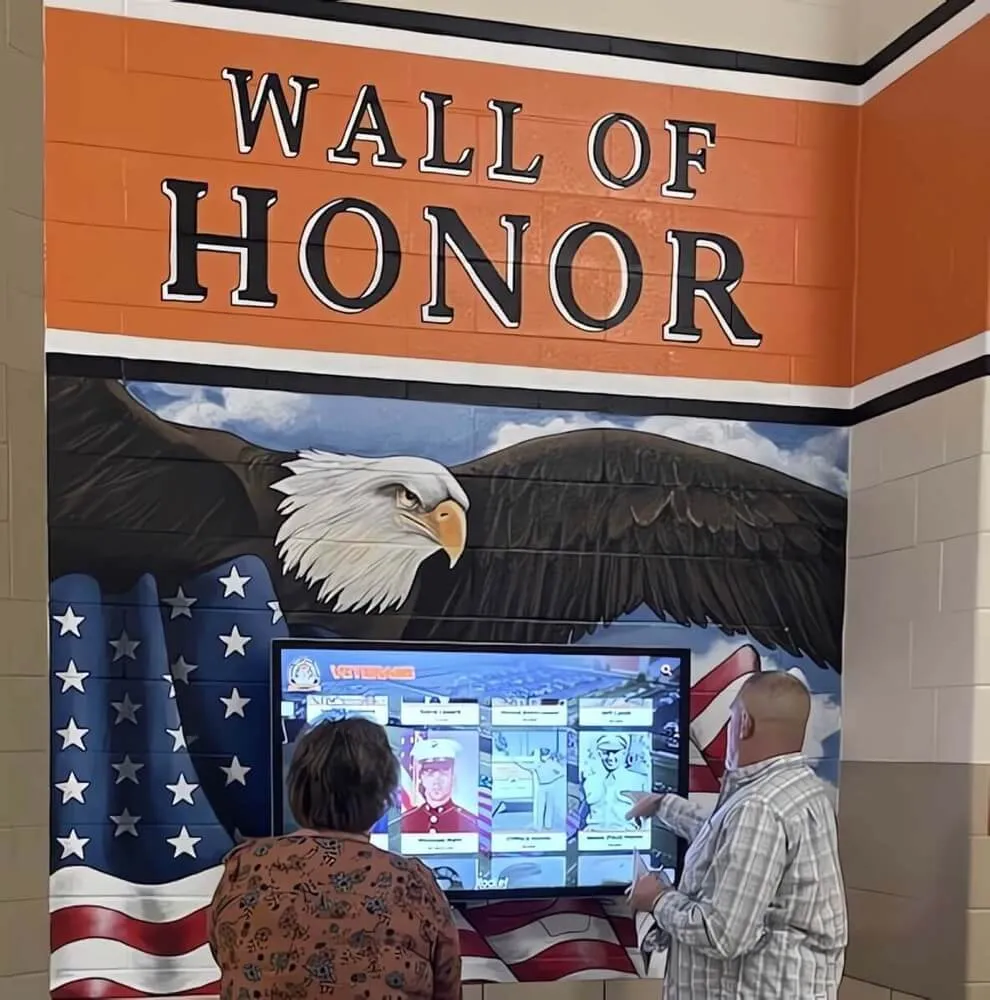
Interactive recognition displays give alumni, families, and community members a tangible reason to return to the athletic facility — and give the athletic department's structure a visible, public-facing outcome.
Conclusion
Athletic department structure is not about bureaucracy for its own sake — it is about creating an organization where coaches can coach, athletes can compete safely and equitably, and the program’s full achievement is recognized and preserved for the long term. Clear reporting lines, defined roles, and documented communication protocols reduce friction and create accountability at every level.
The departments that operate most effectively have made their structure visible — through documented org charts, written policies, and physical infrastructure like recognition walls, record boards, alumni spaces, and digital displays that communicate program values to everyone who walks through the door. Structure that lives only in an administrator’s head is not really structure at all.
For athletic directors building or evaluating the recognition and display infrastructure that supports their department’s organizational goals, Rocket Alumni Solutions designs and installs touchscreen halls of fame, digital walls of honor, interactive record boards, and athlete recognition displays that serve as the durable, visible face of a program’s values and history.
Give Your Athletic Department Structure a Permanent Home
Rocket Alumni Solutions builds the recognition infrastructure that turns an athletic department's organizational values into something every athlete, coach, and alumnus can see. From touchscreen halls of fame to digital record boards and walls of honor, our systems are designed specifically for schools that want their history and achievements on display — permanently and without ongoing administrative overhead.
Our full-service approach includes content migration, installation, and ongoing support — so the recognition side of your athletic department structure runs itself.
Frequently Asked Questions
Who does the athletic director report to at a public high school?
In most public high schools, the athletic director reports directly to the building principal. The principal holds administrative responsibility for all school programs, and the AD operates as a department head within that structure. At larger districts or consolidated programs, the AD may report to an assistant superintendent for operations or student activities. The reporting relationship should be stated explicitly in the athletic director’s job description and reflected in the department’s organizational chart.
What is the difference between a head coach and an assistant coach in the org chart?
Head coaches report directly to the athletic director and hold primary responsibility for their sport’s program — budget management, roster decisions, eligibility compliance for their team, and communication with athletes and families. Assistant coaches report to their head coach, not directly to the AD. This distinction matters operationally: an assistant coach with a concern routes that concern through the head coach first, and the head coach either resolves it or escalates to the AD as appropriate.
How should a small school with one full-time AD structure its athletic department?
Small schools with a single full-time (or split-time) athletic director should prioritize documentation over hierarchy. With no assistant ADs to distribute functions, the AD handles everything — which makes written procedures, checklists, and clear coaching handbooks even more critical. The AD must define which decisions coaches can make independently (to reduce the volume of decisions they carry personally) and establish simple, consistent processes for the functions they must own: eligibility tracking, event management, budget oversight, and facility scheduling.
How do athletic departments handle compliance in their structure?
At smaller programs, the athletic director owns compliance directly. At mid-to-large programs, compliance may be distributed: the AD owns overarching compliance, each head coach owns eligibility compliance for their sport’s roster, and an administrative assistant manages documentation workflows. The most common compliance failure mode is not lack of knowledge — it is unclear ownership. Define who is responsible for each compliance function, document the procedures, and create calendar reminders for all recurring deadlines.
What does program history management look like in an athletic department org structure?
Program history management — archiving photos, maintaining record boards, managing hall of fame nominations and inductions, preserving championship documentation — requires both an assigned owner and the right tools. In many departments, the AD or administrative assistant serves as the default historian. In programs that have invested in digital recognition infrastructure, content management becomes an ongoing task rather than a periodic physical project. Assigning explicit ownership, allocating time for annual archival updates, and choosing display technology that makes content updates efficient are the three structural elements that keep program history from deteriorating over time.































