Whether you are a principal drafting your school’s first formal athletic director job description or a coach exploring the next step in your career, getting the role right on paper is the first step toward getting it right on the floor. The athletic director position carries more operational weight than almost any other role in a school building — and yet many job postings either undersell its complexity or bury the most important duties in generic HR language. This guide breaks down every layer of the athletic director job description: what should appear in a formal posting, what great ADs actually do day to day, how to write a posting that attracts strong candidates, and what program-building responsibilities set excellent ADs apart from adequate ones.
The athletic director role has evolved well beyond game scheduling and coach supervision. Today’s ADs manage multimillion-dollar budgets, navigate complex compliance frameworks, build community relationships, and serve as the chief stewards of program culture and history. A job description that captures that scope will attract candidates who are ready for it.
What Is an Athletic Director?
An athletic director (AD) is the administrator responsible for managing the full scope of a school’s interscholastic or intercollegiate athletics program. At the K–12 level, ADs typically report to the principal or superintendent and oversee all varsity, junior varsity, and sometimes middle school sports programs. At the collegiate level, the role grows into a complex executive function with reporting lines to the university president and tight coordination with conference offices and governing bodies such as the NCAA or NAIA.
The modern AD is equal parts operations director, budget analyst, compliance officer, community relations lead, and culture builder. When a school’s athletics program runs smoothly — games scheduled without conflict, coaches evaluated fairly, student-athletes recognized meaningfully, and facilities maintained safely — it is because an organized and capable athletic director is keeping every piece in motion.
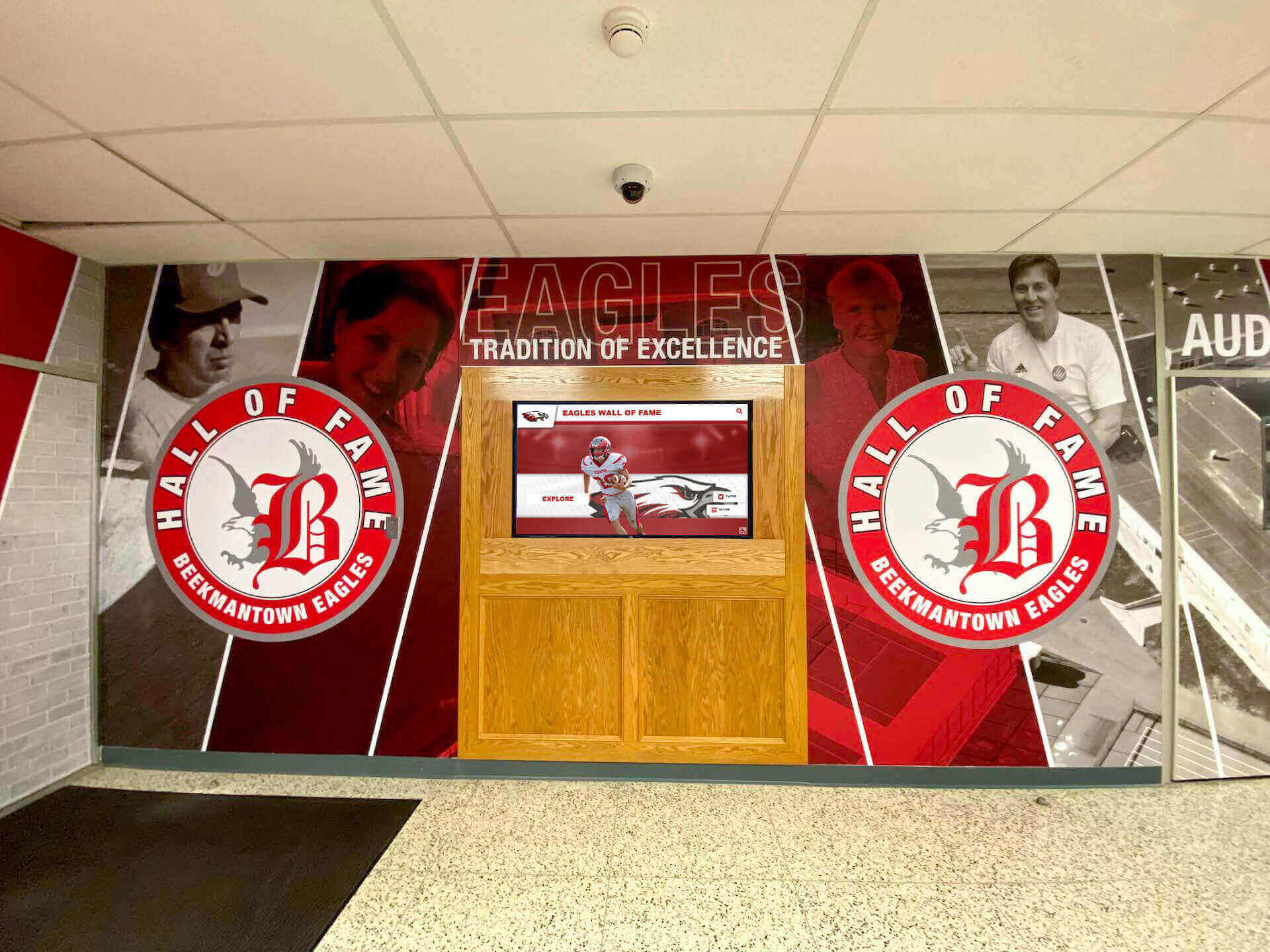
Athletic directors are often the driving force behind how schools honor their program history — from wall murals to digital recognition displays in the main lobby.
Core Responsibilities in the Athletic Director Job Description
A well-written athletic director job description maps every responsibility to a concrete operational area. Here are the duty categories that appear most consistently across K–12 and higher education postings, along with what each actually entails.
Program Scheduling and Operations
The AD owns the master schedule for all sports programs — game and practice calendars, facility reservations, transportation logistics, officials coordination, and conflict resolution across seasons. In a school running fifteen to twenty sports, the scheduling load is substantial. Errors cascade: a facility double-booking affects two programs simultaneously, and a missed officials confirmation can scratch an entire game. Precision and redundancy in scheduling systems are not optional — they are foundational.
Budget and Financial Management
ADs develop and steward annual athletics budgets ranging from five figures at small rural schools to eight figures at large Division I programs. Core financial responsibilities include allocating funds across individual programs, tracking expenditures against budget projections, managing gate receipts, coordinating with the principal or CFO on long-range capital plans, and identifying cost efficiencies across the department.
Equally important is the revenue side. Booster organizations, sponsorship agreements, and concessions revenue supplement district or institutional allocations, and building those relationships takes intentional effort over time. For schools looking to give donors meaningful visibility, a strong guide on starting a booster club is a useful foundation for ADs who want structured community support.
Staff Supervision and Evaluation
The AD hires, supervises, and formally evaluates every head coach and most assistant coaches. This encompasses writing job descriptions for coaching openings, conducting interviews, onboarding new staff, setting and communicating performance expectations, managing personnel conflicts, and — when necessary — initiating disciplinary proceedings. A documented, consistent evaluation process protects both the school and the coaches it employs.
Eligibility and Compliance
ADs are the primary compliance guardians at every level. At the K–12 level, that means working with state athletic associations to verify academic standing, residency requirements, and transfer rules each semester. At the collegiate level, compliance extends to recruiting contact windows, financial aid limits, transfer portal procedures, and NIL considerations. A single undiscovered eligibility issue can result in forfeited wins or trigger association sanctions — which means the AD’s compliance systems must be proactive, not reactive.
Facility and Equipment Management
ADs oversee every athletic facility in the building and on campus: gymnasiums, competition fields, weight rooms, locker rooms, aquatic centers, and press boxes. Responsibilities include developing maintenance schedules, coordinating capital improvement projects, confirming ADA accessibility compliance, managing equipment inventories, and working with custodial and facilities staff to keep spaces safe and game-ready.
The facility environment directly communicates the school’s values to athletes, parents, and visitors. Schools that invest in touchscreen displays in the gym lobby signal that history and recognition matter as much as the current season’s scoreboard.

Modern athletic facilities increasingly integrate digital displays into their core infrastructure — part of the AD's long-term facility management responsibility.
Student-Athlete Development and Recognition
The AD ensures that student-athletes are supported as whole people, not just performers. This includes overseeing academic support systems, coordinating with counselors, managing concussion protocols, and building a recognition culture that genuinely celebrates achievement. Annual awards ceremonies, end-of-season banquets, all-conference acknowledgments, scholar-athlete honors, and long-term legacy programs such as halls of fame and walls of honor all fall within the AD’s purview.
Schools that prioritize recognition — and build the systems to sustain it — see measurable benefits in retention, community engagement, and alumni giving. Knowing how to showcase athletic achievements digitally has become a practical skill for ADs who want their recognition programs to have lasting visibility.
Community and Public Relations
The AD is typically the most public face of a school’s athletics program. They present budget requests to school boards, address parent concerns in open meetings, build relationships with local media, represent the school at conference and state association events, and cultivate partnerships with community organizations and corporate sponsors.
Required Qualifications for an Athletic Director
When drafting the qualifications section of an athletic director job description, the most effective postings separate true requirements from preferred credentials. Here is how those tiers are typically structured.
Minimum Requirements
- Bachelor’s degree in physical education, sports administration, kinesiology, or a closely related field
- Teaching or coaching certification — required by most K–12 districts; check your state athletic association’s current guidelines
- 3–5 years of coaching or athletics administration experience at the appropriate level (more for larger programs or collegiate positions)
- Valid state educator license where applicable
- Clean background check and compliance with all district personnel policies
Preferred Qualifications
- Master’s degree in athletic administration, education leadership, or sports management
- CMAA designation from the National Interscholastic Athletic Administrators Association (NIAAA) — widely recognized as the benchmark professional credential for K–12 athletic administrators
- Budget management experience at a scope commensurate with your program’s size
- Prior head coaching experience in at least one sport
- Title IX familiarity — demonstrated experience conducting or supporting gender equity audits
- Fundraising or community partnership development track record
Key Skills and Competencies
A strong athletic director job description goes beyond credentials to name the behavioral competencies that predict on-the-job success. Consider including the following in your posting.
| Competency | Why It Matters |
|---|---|
| Written and verbal communication | ADs communicate daily with coaches, parents, administrators, media, and governing bodies |
| Organizational systems | Managing schedules, budgets, and facilities across 10–25+ sports simultaneously |
| Leadership and decision-making | Making sound calls under time pressure with incomplete information |
| Conflict resolution | Navigating disagreements between coaches, parents, and student-athletes professionally |
| Financial literacy | Building budgets, tracking expenses, identifying cost efficiencies across the department |
| Technology proficiency | Using scheduling software, compliance databases, and digital recognition platforms |
| Relationship development | Cultivating booster support, alumni engagement, and media goodwill over time |
Athletic Director Job Description Template
The following template is a working starting point that schools can adapt. Customize all bracketed sections for your level, enrollment size, and program scope.
Position Title: Athletic Director
Department: Athletics / Physical Education
Reports To: [Principal / Superintendent / Vice President for Student Affairs]
Employment Type: [Full-Time, 12-Month / 10-Month] | FLSA Status: Exempt
Salary Range: [Commensurate with experience / $XX,000–$XX,000]
Position Summary
[School Name] seeks an experienced, community-oriented Athletic Director to lead and manage all aspects of its [interscholastic / intercollegiate] athletics program. The AD is responsible for program administration, staff supervision, budget management, compliance oversight, and the development and well-being of student-athletes. The ideal candidate models integrity, fosters an inclusive sports culture, and brings a proven track record of building strong athletic programs.
Essential Duties and Responsibilities
- Develop and administer the annual athletics budget in coordination with [the principal / CFO]
- Hire, supervise, evaluate, and when necessary discipline all coaching staff
- Coordinate schedules for contests, practices, facilities, transportation, and officials
- Ensure full compliance with all [state athletic association / conference / NCAA / NAIA] rules and regulations
- Verify student-athlete academic and residency eligibility each term
- Oversee all athletic facilities; develop and execute maintenance and capital improvement plans
- Lead student-athlete recognition programming including annual awards ceremonies and legacy recognition programs
- Represent the athletics program to parents, the school board, and the broader community
- Build and steward relationships with booster clubs, alumni, and corporate sponsors
- Plan and execute annual awards events, hall of fame inductions, and milestone recognitions
Required Qualifications
- Bachelor’s degree in physical education, sports administration, or a related field
- [State teaching / coaching certification]
- Minimum [X] years of coaching or athletics administration experience
- Demonstrated knowledge of eligibility rules, Title IX, and applicable compliance requirements
Preferred Qualifications
- Master’s degree in athletic administration or education leadership
- CMAA certification from the NIAAA
- Experience managing budgets at [district / conference / level]-appropriate scale
Physical Requirements
Must be available to work evenings and weekends for contests and events. Must be able to move throughout all facility areas during the normal course of duties.
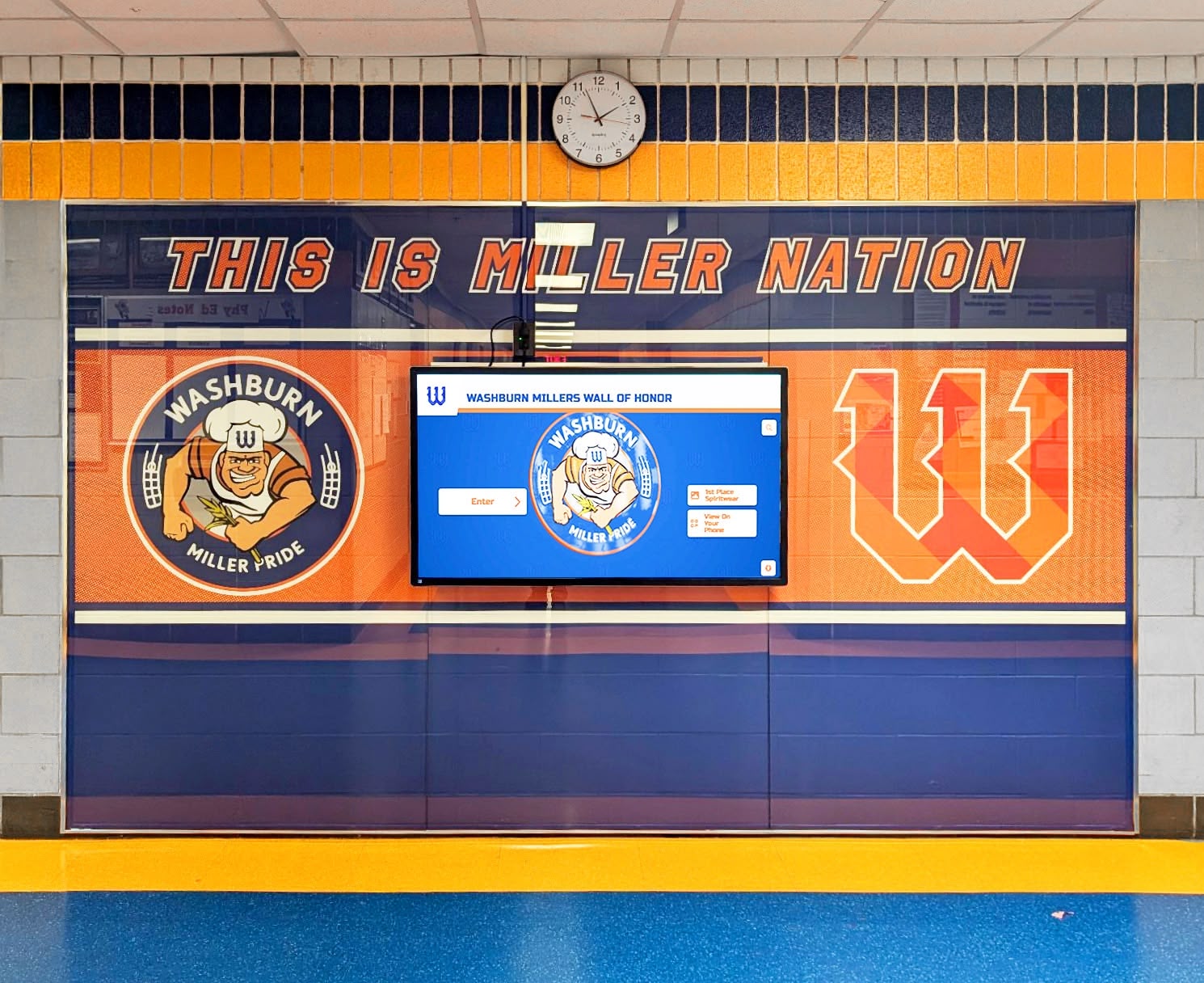
Wall of honor displays give athletic directors a permanent, low-maintenance way to celebrate program history — exactly what a strong job description promises to maintain.
Salary Expectations and Career Path
Athletic director salaries vary considerably based on school level, enrollment, geographic region, and program scope. Entry-level AD positions at smaller K–12 schools often carry salaries in the range that aligns with senior teaching or department head compensation. Larger suburban and urban high schools with comprehensive programs typically offer substantially more. Division I college ADs at major programs are among the most highly compensated administrators in American higher education.
The most reliable benchmarks for your specific context come from your state’s department of education salary schedules, your state athletic administrators association’s compensation surveys, or job postings within your athletic conference.
Common career paths into the role:
- Head coach → assistant AD → athletic director — the most traveled high school pathway
- PE teacher / coach → athletic coordinator → AD — typical at smaller K–12 schools
- College student-athlete → graduate assistant → compliance officer → associate AD → AD — the standard collegiate track
Aspiring ADs benefit from earning the NIAAA’s Registered Athletic Administrator (RAA) designation early and working toward the CMAA credential, joining state athletic administrators associations, and building mentoring relationships with sitting ADs in their region.
Program-Building Responsibilities That Go Beyond the Job Description
The ADs who build lasting programs understand that their work extends well beyond the operational checklist. Culture — the kind that attracts quality coaches, motivates student-athletes, and keeps alumni engaged for decades — is built through deliberate effort in areas that often go unwritten in a formal posting.
Building and Honoring Program History
Halls of fame, walls of honor, and record boards are not decorations — they are motivational infrastructure. Current athletes walk past them every day. Alumni return to see their names still on the wall. Recruits take notice of schools that value what came before them. The question is not whether to maintain a hall of fame but how to do it in a way that scales as the program grows.
Exploring top-rated digital hall of fame services gives ADs a sense of what modern recognition infrastructure looks like — and how it compares to maintaining physical trophy cases and static plaques over time. Developing clear hall of fame selection criteria early protects the integrity of the program and makes annual inductions far more manageable.
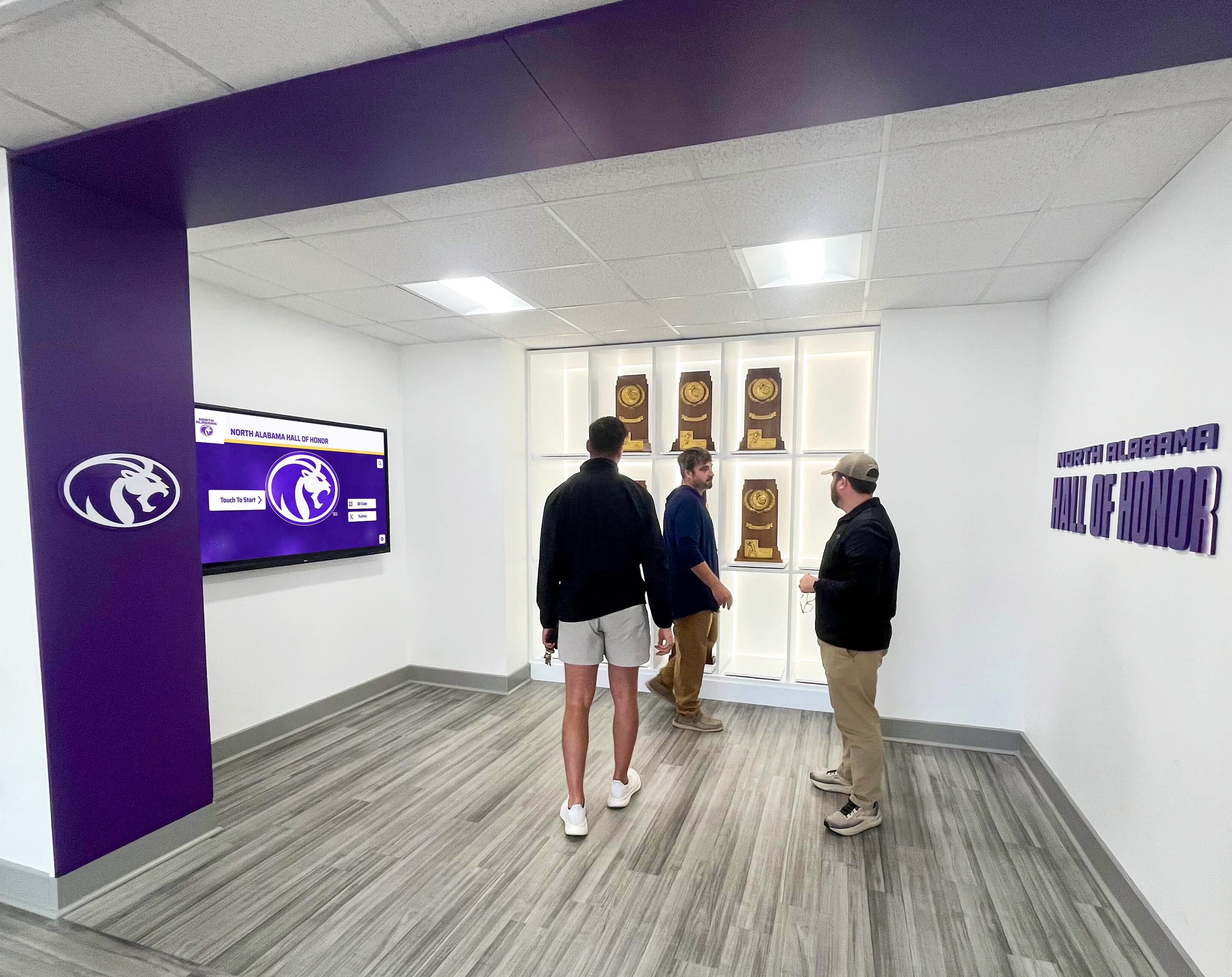
Interactive recognition environments give alumni and community members a tangible reason to return to campus — and give the AD's program culture work a permanent, visible form.
Managing Legacy Displays and Trophy Cases
For many schools, the traditional glass trophy case remains the primary display infrastructure. ADs who inherit these spaces need to decide whether to maintain, upgrade, or replace them as part of their broader facility plan. Understanding the range of trophy display case options available to schools — from traditional glass cabinets to fully digital interactive systems — helps ADs make those decisions with accurate information.
Modern touchscreen software platforms allow schools to store decades of athlete records, photos, and milestones in a single searchable system — organized by year, sport, or individual. Content updates that once required printing, framing, and physical installation now happen in minutes from any connected device.
Recognizing Athletic Milestones and Senior Transitions
Some of the most important moments in a student-athlete’s career happen under the AD’s leadership: senior nights, jersey retirement ceremonies, signing day celebrations, and end-of-season banquets. These events communicate directly to athletes and their families how much the program values its people — and how seriously the school takes those moments.
Retiring jersey numbers is one of the highest honors a school can bestow on a former athlete, and organizing that ceremony falls to the AD. Equally visible are senior night banners and recognition materials — increasingly an area where schools invest in thoughtful, personalized production rather than generic formats.
For college signings, showcasing student college commitments on a dedicated display or touchscreen gives the program permanent documentation of where its athletes go after high school — a powerful recruiting and community relations tool.

Annual hall of fame induction programs require consistent criteria, nomination processes, and display infrastructure — all managed under the AD's leadership.
Engaging Alumni and Sustaining Long-Term Support
Athletic program sustainability depends on alumni engagement. ADs who build and maintain those relationships — through recognition events, dedicated displays, consistent communication, and community access — create programs that can weather budget cycles more effectively than departments that go quiet after graduation.
Give Your Athletic Director the Tools to Build Something Lasting
Rocket Alumni Solutions designs touchscreen halls of fame, digital walls of honor, record boards, and interactive recognition displays for schools and universities across the country. Our systems let athletic directors store decades of program history in one place — searchable, updateable, and always on display.
How to Write a Strong AD Job Posting
Once your job description is drafted, how you present it to candidates matters nearly as much as what it says. These practical tips will help your posting attract the right people.
Lead with the opportunity, not the requirements. The first paragraph should describe the program, the community, and why this is an exciting place to lead athletics. Requirements belong after you have captured a candidate’s attention.
Be specific about program scope. List the number of sports, approximate annual budget, approximate student-athlete enrollment, and any recent investments in facilities or recognition infrastructure. Specificity signals organizational maturity and helps candidates self-select accurately.
Name your culture honestly. If you are in a turnaround situation, say so — the right candidates will see it as an opportunity. If your program has a strong tradition, describe it with concrete evidence: conference championships, college placement rates, recognition programs launched in recent years.
State a salary range. Job listings that include compensation information consistently attract more qualified applicants and reduce the time lost in salary alignment conversations early in the process. Even a range communicates the transparency that strong candidates notice.
Define year-one success in concrete terms. Instead of leaving candidates to guess at expectations, name two or three first-year priorities: a compliance audit, a facilities assessment, a recognition program launch, or a key coaching hire.

Well-maintained athletic hallways and recognition displays give incoming ADs established infrastructure to build on from their first day.
Frequently Asked Questions
What is the difference between an athletic director and a sports director?
The titles are often used interchangeably at the K–12 level. “Athletic director” is the more common term in the United States. “Sports director” appears occasionally in private school or smaller organizational contexts, but the scope of responsibilities is generally the same.
Do athletic directors need a teaching certificate?
At the high school level, most states and many districts still require an active teaching or coaching license. Requirements vary by state and district, so verify your state athletic association’s current certification requirements before finalizing your posting or your own credentials.
What degree do most athletic directors hold?
The most common entry-level credential is a bachelor’s degree in physical education or sport management. A growing number of ADs — particularly at larger schools and the collegiate level — hold a master’s in athletic administration or education leadership. The NIAAA’s CMAA designation is the widely recognized professional benchmark at the K–12 level.
Is the CMAA worth pursuing for aspiring ADs?
Yes. The Certified Master Athletic Administrator credential from the NIAAA signals a depth of professional knowledge that school boards and search committees recognize. It is also part of a professional network that connects ADs across states — which is valuable when sourcing coaching candidates, benchmarking compensation, or navigating novel compliance questions.
What separates great ADs from good ones?
The ADs who build lasting programs share certain traits that rarely appear in a job description: they treat every athlete with consistent dignity, they fight for resources with data rather than emotion, they defend their coaches while holding them accountable, and they understand that culture is built in small, accumulated moments — a name remembered years later, a wall of honor that tells a program’s full story, a senior night that feels genuinely celebrated rather than efficiently completed.
Conclusion
An athletic director job description is both a hiring document and a statement of institutional values. When it is written with precision and honesty, it communicates to candidates — and to the broader school community — exactly how seriously the school takes its athletics program. The role encompasses far more than scheduling games and evaluating coaches. It includes budget stewardship, compliance management, facilities oversight, student development, community relations, and the long-term culture-building work that makes a program worth being part of for decades.
For schools ready to equip their athletic director with the recognition infrastructure to honor program history and engage alumni at the highest level, Rocket Alumni Solutions builds the interactive touchscreen walls of fame, digital record boards, and athlete recognition displays that make it happen — installed, supported, and built to last.































