School administrators tasked with planning an athletic hall of fame face a complex project that requires balancing stakeholder expectations, budget constraints, technical requirements, and long-term maintenance needs. Whether you’re an athletic director evaluating vendors, a facilities manager determining installation specifications, or a principal allocating budget, you need concrete answers to operational questions.
This guide provides the implementation framework that school administrators need. You’ll find selection criteria templates, technical specification checklists, budget calculation worksheets, and vendor evaluation matrices that transform abstract concepts into actionable plans. By the end, you’ll have the tools to scope your project, compare solutions, and move forward confidently.
Before You Start: Stakeholder Alignment
Athletic hall of fame projects fail when stakeholders discover late in the process that expectations were misaligned. Before evaluating vendors or writing specifications, document who needs to approve what.
Required Approvals Matrix
Create a simple table listing:
- Administration: Who signs off on budget allocation? Who approves vendor selection?
- Booster clubs: What role will they play in fundraising? Do they expect input on honoree selection?
- Facilities: Who manages installation scheduling and coordinates with contractors?
- IT department: Who provides network connectivity and manages firewall configurations?
- Athletics staff: Who submits content updates? Who trains new staff members?
Establishing these roles prevents the situation where you’ve selected a vendor only to discover that IT has technical requirements you didn’t know about, or that booster leadership expected a different approach.
Content Authority
The most contentious aspect of any athletic hall of fame involves selection criteria. Document these decisions early:
Who decides honoree criteria? Typical structures include an athletics committee with athletic director, head coaches, and administrator representation, or a booster-led committee subject to administrative approval.
How will criteria be documented? Create a written policy that specifies exact requirements for each category. Vague criteria like “outstanding achievement” lead to disputes. Specific criteria like “state championship team members” or “athletes who set school records” provide clarity.
What’s the appeals process? When someone believes an athlete was unjustly excluded, who reviews the decision?
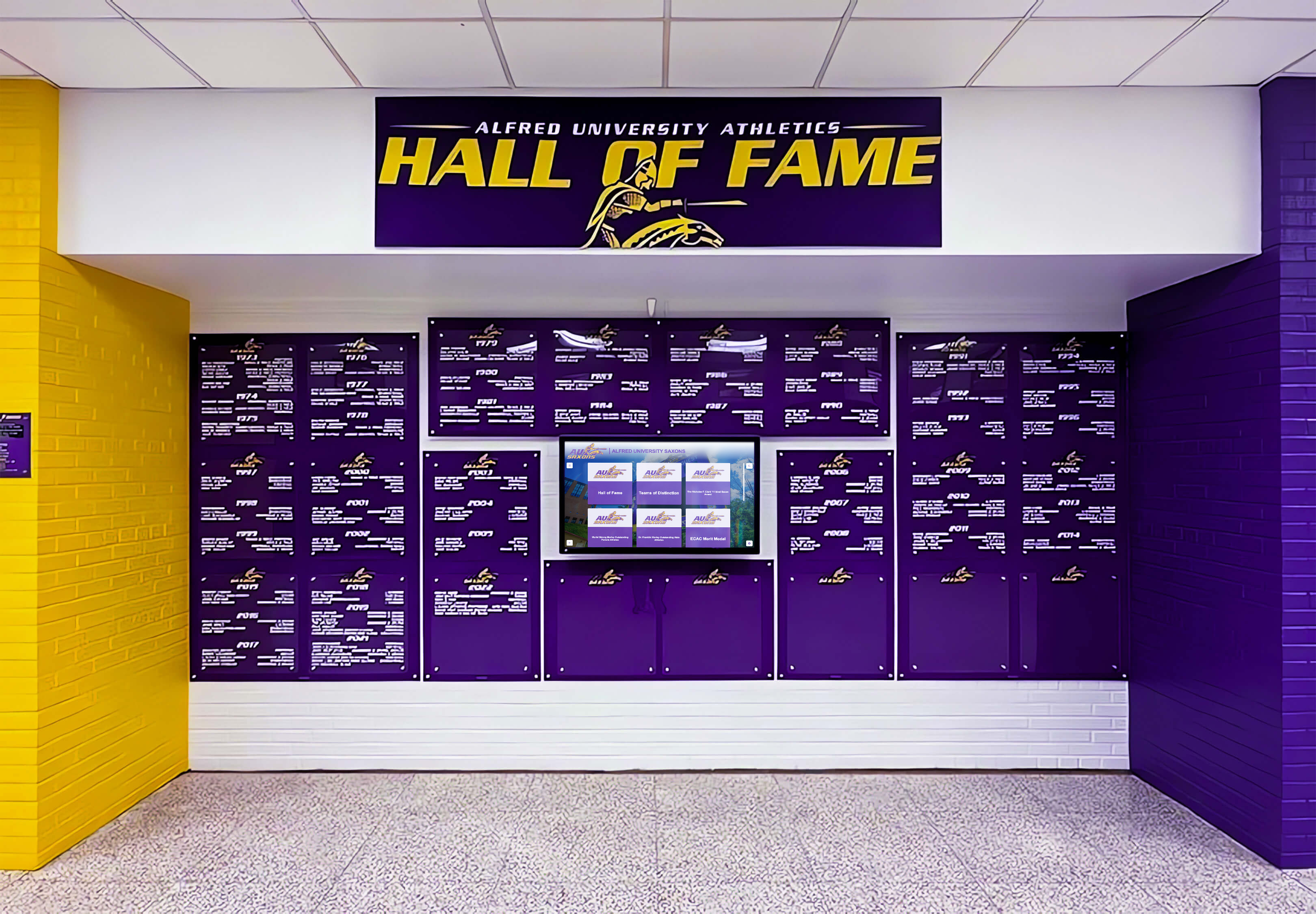
Technical Requirements Checklist
Digital hall of fame installations require specific infrastructure. Use this checklist during site evaluation to identify issues before they become installation roadblocks.
Power Requirements
Circuit capacity: Commercial displays typically draw 200-400 watts. Calculate total amperage: (watts ÷ voltage) × 1.25 safety factor. A 55" display drawing 300W on a 120V circuit needs: (300 ÷ 120) × 1.25 = 3.125 amps. Verify the circuit can handle this load without exceeding 80% capacity.
Dedicated circuits: Displays should not share circuits with HVAC equipment, kitchen appliances, or machinery that causes voltage fluctuations. Document which breaker panel serves the proposed location.
Outlet positioning: Wall-mounted displays need outlets behind or adjacent to the mounting location. Floor-standing kiosks need floor-level outlets within 6 feet. Extension cords violate electrical codes for permanent installations.
Network Connectivity
Bandwidth requirements: Cloud-based content management systems need minimal bandwidth—typically 1-5 Mbps—but the connection must be reliable. Test connectivity at proposed locations using network analysis tools or mobile hotspot performance.
Firewall configurations: Interactive touchscreen displays need outbound HTTPS access on port 443. Some content management systems use specific domains that IT must whitelist. Request the vendor’s network requirements document before purchase.
Wired vs. wireless: Ethernet connections provide superior reliability for permanent installations. If wireless is the only option, verify signal strength at the proposed location. Displays placed in gymnasiums with metal roofs or concrete walls may have connectivity issues.
Mounting Surface Assessment
Wall construction: Commercial displays weigh 40-100 pounds depending on size. Drywall alone cannot support this weight—mounting requires solid backing.
- Concrete/CMU walls: Ideal for secure mounting using concrete anchors
- Wood stud walls: Require locating studs and using lag bolts into structural members
- Metal stud walls: May require backing plates spanning multiple studs
- Glass/curtain wall: Often cannot support wall-mounted displays; consider floor-standing options
Clearance requirements: ADA guidelines recommend touchscreens mounted 15-48 inches from the floor to the center of the interactive area. Document any obstructions within 5 feet of proposed locations—fire extinguishers, exit signs, door swing radius.

Budget Calculator: True Total Cost
Athletic directors often receive quotes for “hardware only” that don’t reflect actual project costs. Use this framework to calculate realistic budgets.
Initial Capital Expenses
| Line Item | Entry-Level | Mid-Range | Premium |
|---|---|---|---|
| Display hardware (screen, mounting) | $3,000-$5,000 | $7,000-$12,000 | $15,000-$25,000 |
| Software platform (initial license) | $1,500-$3,000 | $3,000-$5,000 | $5,000-$10,000 |
| Installation labor | $500-$1,500 | $1,500-$3,000 | $3,000-$6,000 |
| Network infrastructure | $0-$500 | $500-$2,000 | $2,000-$5,000 |
| Initial content development | $1,000-$2,000 | $2,000-$4,000 | $4,000-$8,000 |
| Total Initial Investment | $6,000-$12,000 | $14,000-$26,000 | $29,000-$54,000 |
Recurring Annual Costs
| Expense Category | Typical Annual Cost |
|---|---|
| Software maintenance/hosting | $500-$2,000 |
| Electricity (commercial display) | $50-$150 |
| Content updates (staff time) | $500-$1,500 |
| Technical support | $0-$1,000 |
Hidden Costs to Account For
Electrical upgrades: If your proposed location lacks adequate power, running new circuits costs $200-$800 per circuit depending on distance from the panel.
Network drops: Installing new Ethernet connections costs $150-$500 per drop depending on cable run distance and wall penetrations required.
Training time: Staff learning to use content management systems typically need 2-4 hours initially. At $30/hour loaded cost, budget $60-$120 per administrator.
Content digitization: If you’re migrating decades of physical recognition, scanning photos and entering data takes significant time. Professional digitization services cost $1-$3 per item.
Athletic directors considering both traditional and digital recognition displays should compare total 10-year costs, not just initial installation expenses.
Vendor Evaluation Matrix
Not all digital hall of fame providers offer equivalent capabilities. Use these criteria to compare vendors objectively.
Software Capabilities Assessment
Content capacity: How many athlete profiles can the system store? Some platforms have practical limits around 500-1,000 entries. Others support unlimited content.
Update mechanism: Can staff update content remotely via web browser, or does it require on-site access? Who provides training on the content management system?
Media support: Can the system display video highlights, audio clips, and documents, or only static images and text?
Search and filtering: Can visitors filter content by year, sport, or achievement type? This matters more as content volume grows.
Mobile/web access: Does the same content appear on mobile devices and web browsers, or only on the physical display?
Hardware Quality Indicators
Commercial vs. consumer displays: Commercial displays are rated for 16-24 hour daily operation with 50,000+ hour lifespans. Consumer displays fail much earlier under continuous use. Verify the vendor provides commercial-grade hardware.
Touchscreen technology: Infrared or capacitive touchscreens provide superior responsiveness compared to resistive touchscreens. Test the demo unit’s touch responsiveness before purchase.
Warranty coverage: Standard warranties are 1-3 years. Extended warranties or service agreements provide longer protection. Understand what’s covered—parts only, or parts and labor?

Service and Support Evaluation
Response time commitments: When the display stops functioning, how quickly does the vendor respond? Same-day? Next-business-day? Best-effort with no commitment?
Remote diagnostics: Can the vendor troubleshoot issues remotely, or does every problem require an on-site visit?
Content assistance: Does the vendor provide ongoing content development support, or is that entirely your responsibility after installation?
Training delivery: Is training one-time during installation, or does the vendor provide refresher sessions when staff changes?
Digital vs. Traditional: Decision Framework
School administrators must choose between traditional static displays (plaques, trophy cases, painted record boards) and digital recognition systems. Each approach has distinct advantages and limitations.
When Traditional Displays Make Sense
Traditional approaches work best when:
- Limited content volume: Recognizing 10-20 honorees doesn’t require digital capacity
- Restricted technology budget: Initial costs for traditional displays are lower
- Limited IT support: No network or technical maintenance required
- Aesthetic preference: Some institutions value the classic appearance of engraved plaques
However, understand the limitations you’re accepting. Traditional displays:
- Cannot expand without physical construction and wall space consumption
- Require physical modification for every update—engraving, framing, printing
- Limit information density to what fits on plaques and frames
- Restrict access to people physically present at the display location
- Deteriorate over time requiring periodic renovation and replacement
When Digital Systems Deliver Superior Value
Digital approaches excel when:
- Content volume will grow: Recognizing hundreds of athletes, teams, and records
- Regular updates occur: New achievements added annually or more frequently
- Rich storytelling matters: You want photos, videos, statistics, and detailed biographies
- Remote access is valuable: Alumni engagement across geographic distances
- Staff time is limited: Remote content management reduces administrative burden
Digital systems require higher initial investment but eliminate ongoing physical update costs. Many schools find digital solutions like Rocket Alumni Solutions achieve cost parity with traditional approaches within 3-5 years while providing dramatically superior capabilities.
Content Standards and Organization
Consistent content structure makes your hall of fame more professional and maintainable. Establish these standards before you begin content development.
Athlete Profile Template
Create a standard template that every athlete profile follows:
Required fields:
- Full name (as it appears in official records)
- Graduating class year
- Sport(s) and position(s)
- Primary achievements (state championships, records set, all-state selections)
- High-quality photo in athletic uniform
Optional fields:
- Career statistics (if relevant to the sport)
- College/professional athletic continuation
- Post-graduation accomplishments
- Coach commentary or athlete reflection quote
Photo specifications:
- Minimum resolution: 1920 × 1080 pixels
- File format: JPG or PNG
- Action shots preferred over portrait photos
- Clear, well-lit images with subject in focus
Team Recognition Template
Championship teams deserve comprehensive recognition that credits everyone who contributed:
Required elements:
- Year and sport
- Final season record
- Championship level (conference, regional, state)
- Head coach and assistant coaches
- Complete team roster
- Team photo
Enhanced elements for digital displays:
- Season statistics and highlights
- Bracket progression or playoff path
- Key game summaries
- Video highlights (if available)
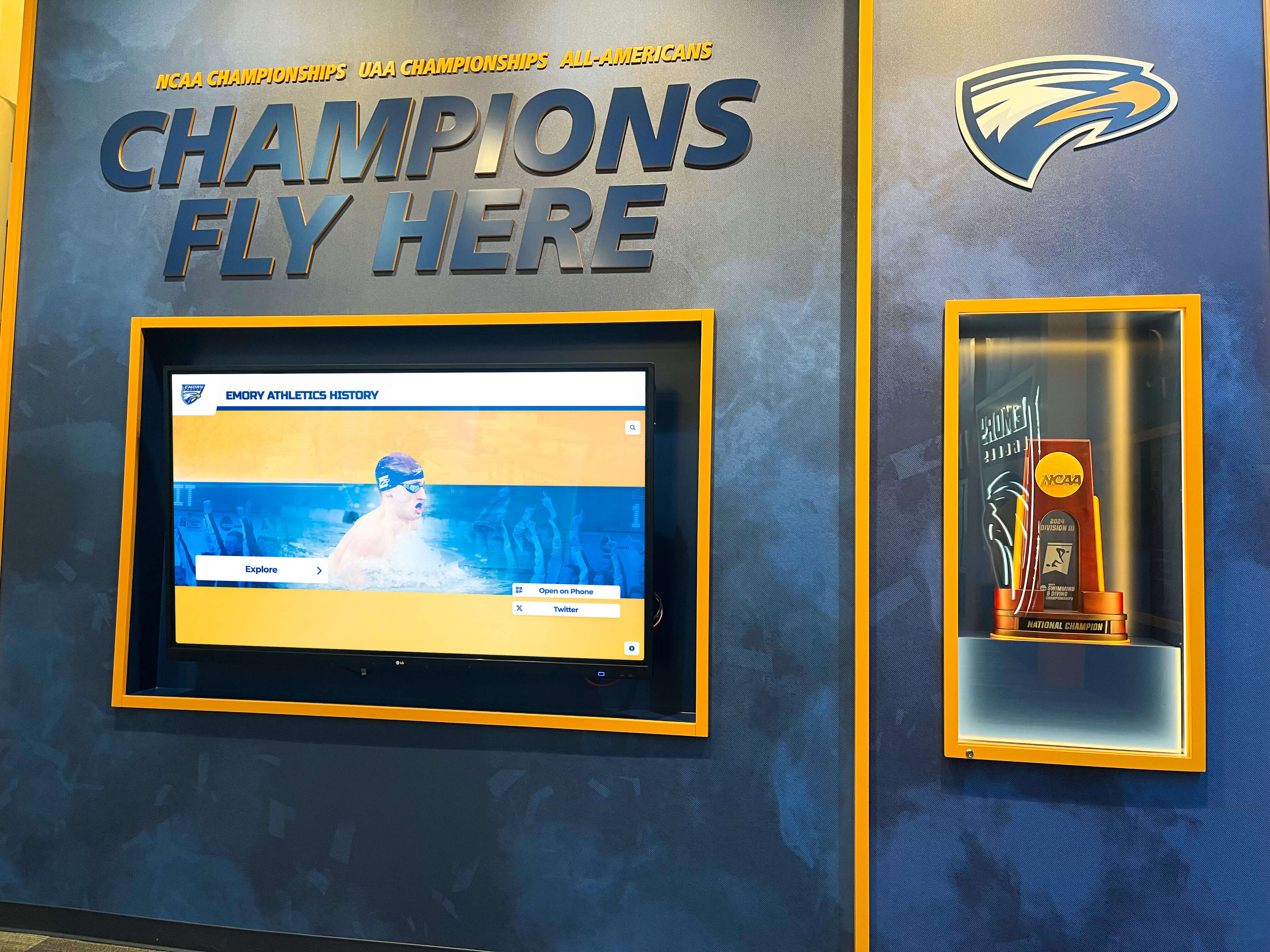
Installation Planning Timeline
Athletic hall of fame projects typically require 12-20 weeks from vendor selection to completion. Use this timeline to set realistic expectations.
Weeks 1-2: Planning and Specifications
- Finalize technical requirements using the checklist above
- Complete vendor evaluation matrix
- Document selection criteria and content standards
- Obtain required administrative approvals
Weeks 3-5: Vendor Selection
- Request detailed proposals from 2-3 vendors
- Schedule vendor demonstrations (request in-person demos, not just videos)
- Check references from 2-3 existing clients at similar institutions
- Negotiate contract terms and finalize purchase order
Weeks 6-10: Pre-Installation Preparation
- Complete any required electrical or network infrastructure upgrades
- Begin content research and digitization
- Coordinate installation scheduling with vendor and facilities management
- Prepare launch communication plan
Weeks 11-14: Installation and Configuration
- Physical installation of display hardware
- Network configuration and software setup
- Content upload and system configuration
- Staff training on content management system
Weeks 15-16: Testing and Launch
- Comprehensive system testing
- Correction of any technical issues identified
- Soft launch with limited promotion
- Gather initial feedback and make adjustments
Weeks 17-20: Public Launch
- Official dedication ceremony
- Full promotional launch to alumni and community
- Document procedures for ongoing content updates
- Schedule first annual content review
Accessibility Compliance
School administrators must ensure athletic halls of fame comply with ADA accessibility requirements. Both physical and digital accessibility matter.
Physical Accessibility Requirements
Mounting height: The center of interactive elements should be 15-48 inches above the floor. This range allows comfortable access for seated users while remaining reachable for standing users.
Approach clearance: Provide a clear floor space of at least 30 × 48 inches in front of the display, allowing wheelchair users to approach directly.
Operating force: Touchscreen interactions should require less than 5 pounds of force. Quality commercial touchscreens meet this requirement; test before purchase.
Protrusion limits: Wall-mounted displays that protrude more than 4 inches from the wall must be detectable by cane at or below 27 inches height, or mounted above 80 inches.
Digital Accessibility Standards
Color contrast: Text and interactive elements must have sufficient contrast ratios (minimum 4.5:1 for normal text, 3:1 for large text) to remain readable for users with vision impairments.
Text size and scalability: Content should be readable at reasonable viewing distances. Digital systems should allow text size adjustment.
Audio alternatives: If your hall of fame includes audio content, provide captions or transcripts for users with hearing impairments.
Simplified navigation: Provide clear, intuitive navigation that doesn’t require complex gestures. Basic touch interactions should accomplish primary tasks.
Schools implementing interactive recognition displays should verify that vendors specifically address accessibility in their platform design.

Maintenance Protocols and Long-Term Operations
Athletic halls of fame require ongoing maintenance to remain accurate, functional, and professionally presented. Establish these protocols during implementation, not after problems emerge.
Annual Content Review Cycle
Schedule a consistent time each year—typically late spring after athletic seasons conclude—to review and update content.
Collect new achievements:
- Championship teams from concluded season
- New individual records set
- All-state and all-conference selections
- Academic achievement awards
- Scholar-athlete recognition
Verify accuracy:
- Confirm graduating class years
- Verify record statistics against official sources
- Cross-check achievement dates and levels
- Update college placement information for recent graduates
Identify gaps:
- Historical achievements that haven’t been documented
- Missing photos that need to be located
- Incomplete athlete profiles requiring additional information
Technical Maintenance Schedule
Daily:
- Verify display is functioning when staff arrives
- Note any performance issues or error messages
Weekly:
- Clean touchscreen using electronics-safe cleaner
- Check that content is displaying correctly
- Verify network connectivity
Quarterly:
- Review system logs for errors or warnings
- Test content management system functionality
- Update any required software or security patches
- Verify backup systems are functioning
Annually:
- Complete comprehensive system inspection
- Review warranty status and service agreement coverage
- Plan for any required hardware updates or replacements
- Audit content accuracy across all profiles
Staff Transition Management
When staff members who manage your hall of fame leave or change roles:
Document procedures:
- Maintain written standard operating procedures for content updates
- Keep vendor contact information and system documentation accessible
- Document login credentials securely
- Record any customizations or special configurations
Provide training:
- Schedule formal handoff training between outgoing and incoming staff
- Provide access to vendor training resources
- Assign a backup administrator in case the primary contact is unavailable
Selection Criteria Templates
One of the most sensitive aspects of athletic hall of fame administration involves who gets recognized. Clear, documented criteria prevent disputes and ensure consistent application.
Championship Team Recognition
Automatic inclusion criteria:
- State championship teams (all sports, all levels)
- Teams that finish as state runner-up
- Teams that achieve undefeated regular seasons
Discretionary inclusion criteria:
- Conference championship teams
- Teams that advance past regional competition
- Teams that exceed prior program records
Individual Record Holders
Automatic inclusion:
- Athletes who currently hold school records in any officially tracked statistic
- Athletes who previously held school records for 10+ consecutive years
- Athletes who rank in all-time top 5 in major statistical categories
Recognition detail:
- Current record holder receives primary recognition
- Historical record progression shows previous record holders
- Era-specific records acknowledged when competitive conditions differed significantly
All-State and All-Conference Athletes
Inclusion criteria by level:
- All-state first team selections (all sports)
- All-state honorable mention or second team (cumulative list)
- All-conference selections (recognition may be sport-specific or year-specific)
- All-American or national-level recognition (automatic inclusion)
Scholar-Athlete Recognition
Minimum qualification criteria:
- 3.5+ cumulative GPA during athletic participation
- Completion of full athletic season in good standing
- Academic all-state or all-conference selection
- Combined academic and athletic achievement that distinguishes student-athletes
These templates require customization for your institution’s competitive level and athletic tradition. A small school might expand criteria to ensure sufficient recognition volume. A large school with extensive athletic success might narrow criteria to keep recognition focused on highest achievements.

Validation: Pre-Installation Quality Audit
Before you finalize vendor selection and begin installation, run this quality audit to confirm you’ve addressed critical requirements.
Technical Specifications Confirmed
- Electrical capacity verified at proposed location with amperage calculations documented
- Network connectivity tested with minimum bandwidth requirements met
- Mounting surface assessed by qualified installer with structural capacity confirmed
- ADA clearance measured and documented
- IT department has reviewed and approved network access requirements
Vendor Evaluation Complete
- Received detailed proposals from at least 2 vendors
- Attended demonstrations of actual systems, not just sales presentations
- Checked references from comparable institutions
- Reviewed sample content management interface
- Confirmed warranty coverage, response times, and service terms
Stakeholder Alignment Documented
- Selection criteria formally approved by designated authority
- Budget allocation confirmed with required sign-offs
- Content development responsibilities assigned to specific individuals
- Launch timeline communicated to all stakeholders
- Appeals/review process documented
Content Readiness Assessed
- Historical achievement research completed or scoped
- Photo collection inventoried with digitization plan established
- Profile templates created for athletes and teams
- Initial content batch prepared for system launch
- Ongoing update procedures documented
Long-Term Sustainability Planned
- Annual review cycle scheduled on institutional calendar
- Maintenance protocols documented and assigned
- Staff training scheduled with backup administrators identified
- Budget allocated for recurring annual costs
- Succession plan created for staff transitions
This validation checklist catches issues before they derail implementation. Athletic directors who skip this audit often discover problems during installation that could have been addressed during planning.
Working with Booster Clubs and Fundraising
Many athletic hall of fame projects rely partly or entirely on booster club fundraising. Managing this partnership effectively prevents friction and ensures project success.
Clarify Financial Arrangements Early
Define contributions:
- What portion of total cost will boosters fund?
- Are contributions restricted to initial capital expenses, or do they cover ongoing costs?
- What’s the timeline for securing pledged funds?
Establish decision rights:
- Do booster financial contributions grant input on vendor selection?
- Who makes final decisions if boosters prefer different solutions than administration?
- How are disputes resolved?
Recognition for Major Donors
Some hall of fame projects include donor recognition components:
Naming opportunities:
- Overall hall of fame naming for major lead donors
- Sections or categories named for substantial contributors
- Individual athlete profiles sponsored by families or businesses
Physical recognition:
- Donor plaques integrated into display design
- Digital screens that include rotating donor acknowledgment
- Launch ceremony recognition for all contributors
When implementing digital donor recognition displays, verify the system can accommodate both athletic achievement content and donor recognition components if your project includes fundraising elements.
Manage Timeline Expectations
Booster-funded projects often take longer than budget-allocated projects. Set realistic timelines:
Fundraising phase:
- Major gift solicitation: 3-6 months typically
- Broad campaign: 6-12 months for grassroots fundraising
- Memorial/dedication opportunities: Ongoing, may extend timeline
Communication strategy:
- Regular updates to booster leadership on project progress
- Transparency about how funds are being used
- Recognition of fundraising milestones
Implementation Case Study: Calculation Example
Let’s walk through a specific scenario to illustrate how these planning tools work in practice.
Institution Profile:
- Medium-sized high school with 800 students
- 12 varsity sports programs
- 60+ years of athletic history
- Limited existing digital recognition
- Booster club willing to contribute 50% of costs
Step 1: Define Scope
The athletic director’s planning committee decides to recognize:
- State championship teams (24 teams identified historically)
- Individual record holders in 8 major sports (approximately 120 athlete profiles)
- All-state athletes from past 20 years (approximately 85 athletes)
- Scholar-athletes from past 10 years (approximately 45 athletes)
Total initial content: Approximately 275 athlete/team profiles
Step 2: Calculate Technical Requirements
Location: Main athletic facility entrance hallway
Power: Existing 120V outlet on dedicated circuit with 15A capacity
Calculation: 15A × 120V = 1,800W capacity. Proposed 55" display draws 300W. Usage: 300W ÷ 1,800W = 16.7% of circuit capacity. ✓ Adequate capacity
Network: Wireless coverage tested at proposed location shows 45 Mbps download speed. ✓ Sufficient for cloud-based content management
Step 3: Budget Projection
Using the budget calculator above:
| Line Item | Cost |
|---|---|
| 55" commercial touchscreen display with mounting | $8,500 |
| Software platform (3-year license) | $4,200 |
| Installation labor | $1,800 |
| Initial content development (275 profiles) | $3,000 |
| Total Initial Investment | $17,500 |
Funding structure:
- Booster club contribution: $8,750 (50%)
- School budget allocation: $8,750 (50%)
Annual recurring costs: $1,200 (software maintenance, content updates, electricity)
Step 4: Timeline
- April: Complete planning and vendor evaluation
- May: Finalize vendor selection and booster fundraising
- June-July: Content development and digitization
- August: Installation (scheduled before school year begins)
- September: Public launch at homecoming event
This example demonstrates how the frameworks and tools provided in this guide translate into concrete project plans.
Moving Forward: Your Next Actions
School administrators who have read this guide should now have the frameworks needed to scope and implement an athletic hall of fame project. Your immediate next steps:
Complete the stakeholder alignment exercise documented earlier, identifying who needs to approve what aspects of the project.
Conduct the technical requirements audit at your proposed location using the checklist provided.
Calculate a realistic budget using the budget calculator framework, including both initial and recurring costs.
Draft your selection criteria using the templates provided, customized for your institution’s situation.
Request proposals from vendors with specific requirements based on the frameworks in this guide.
For schools seeking a comprehensive solution that addresses the technical, content management, and accessibility requirements outlined throughout this guide, consider scheduling a TouchWall demonstration to see how modern digital recognition systems can meet your specific needs.
Build Your Athletic Hall of Fame with Confidence
Rocket Alumni Solutions provides comprehensive athletic hall of fame solutions designed specifically for school administrators who need reliable, professionally implemented recognition systems. Our platform addresses every requirement outlined in this guide—from technical specifications to content management to ongoing support.
We offer detailed technical specification documents, vendor evaluation support, implementation planning assistance, professional content development services, and comprehensive administrator training. Whether you're recognizing decades of athletic tradition or launching a new recognition program, we'll help you implement a system that honors your community's achievements while meeting your administrative requirements.
Frequently Asked Questions
How long does an athletic hall of fame display typically last before needing replacement?
Commercial-grade displays used in digital hall of fame installations typically last 6-10 years with proper maintenance. The software and content remain current through regular updates, so hardware longevity is the primary consideration. Traditional static displays may appear to last longer physically, but content becomes outdated more quickly, often requiring comprehensive renovation every 10-15 years. When calculating total cost of ownership, factor hardware replacement costs into long-term budgets. Many schools find that digital systems with planned hardware replacement cycles deliver better value than traditional displays requiring periodic complete renovations.
Can we phase implementation by starting with one sport and expanding later?
Yes, phased implementation is often the most practical approach for schools with budget constraints. Digital systems particularly suit phased approaches since content capacity is unlimited—you can launch with football and basketball, then add additional sports as budget allows without any physical expansion. Document your ultimate vision during planning so the initial installation accommodates future expansion. Traditional static displays are harder to expand in phases because each addition requires physical construction and may not integrate visually with earlier installations.
What happens to our content if we change vendors or the vendor goes out of business?
This critical question should be addressed during vendor evaluation. Request vendors provide data portability guarantees in writing. Your content—photos, text, statistics—should be exportable in standard formats (CSV, JSON, JPG) that you can migrate to other systems if necessary. Cloud-based systems typically provide better data portability than proprietary local systems. During contract negotiations, confirm that you retain full ownership of all content and can export it without vendor assistance. Some vendors offer content escrow arrangements providing additional protection.
How do we handle updates when the person who manages the system leaves?
Staff transitions are inevitable, making documentation essential. Create written standard operating procedures covering routine updates, troubleshooting, and vendor contact information. Train at least two staff members on content management so you’re not dependent on a single individual. Schedule vendor training refreshers when staff changes occur. Quality vendors provide ongoing training support rather than limiting training to initial installation. Ask about this specifically during vendor evaluation—responsive support during staff transitions distinguishes good vendors from inadequate ones.
Do digital systems work in gymnasiums where wireless signals don’t penetrate well?
Metal roofs, concrete walls, and large open spaces can create wireless connectivity challenges. The most reliable solution is hardwired Ethernet connections to display locations. If wireless is your only option, test connectivity specifically at proposed installation locations using network analysis tools, not just general building coverage. Consider enterprise-grade wireless access points positioned to provide coverage in challenging spaces. Some schools install dedicated access points specifically for digital displays. Discuss connectivity challenges with both your IT department and display vendors during planning to identify solutions before installation.
What criteria should we use for scholar-athlete recognition to avoid grade inflation concerns?
Common approaches include requiring minimum 3.5 GPA combined with full-season athletic participation, or recognizing only athletes who receive external academic honors (academic all-state, conference scholar-athlete awards). Some schools create tiered recognition with higher GPA thresholds for premier recognition. The key is establishing clear, measurable criteria and applying them consistently. Avoid subjective criteria that could be perceived as favoritism. Document your rationale for the GPA threshold you select, and review the policy periodically to ensure it identifies genuine scholar-athletes without being so restrictive that few athletes qualify.
Additional Resources
School administrators planning athletic hall of fame projects may find value in related implementation guides:
- Athletic Director’s Guide to Choosing Digital Hall of Fame Providers - Vendor evaluation criteria and contract negotiation strategies
- Honor Roll Digital Recognition Implementation - Framework applicable to athletic recognition
- School Historical Timeline Development - Content research and organization strategies
- Digital Recognition Displays for High School End-of-Year Awards - Recognition program planning approaches
- Digital Trophy Case Complete Guide - Alternative recognition formats and configurations
These resources provide complementary frameworks that administrators can adapt to their specific situations. Together, they form a comprehensive implementation toolkit for digital recognition projects in educational settings.































