Bringing Dynamic Recognition to College Athletic Websites
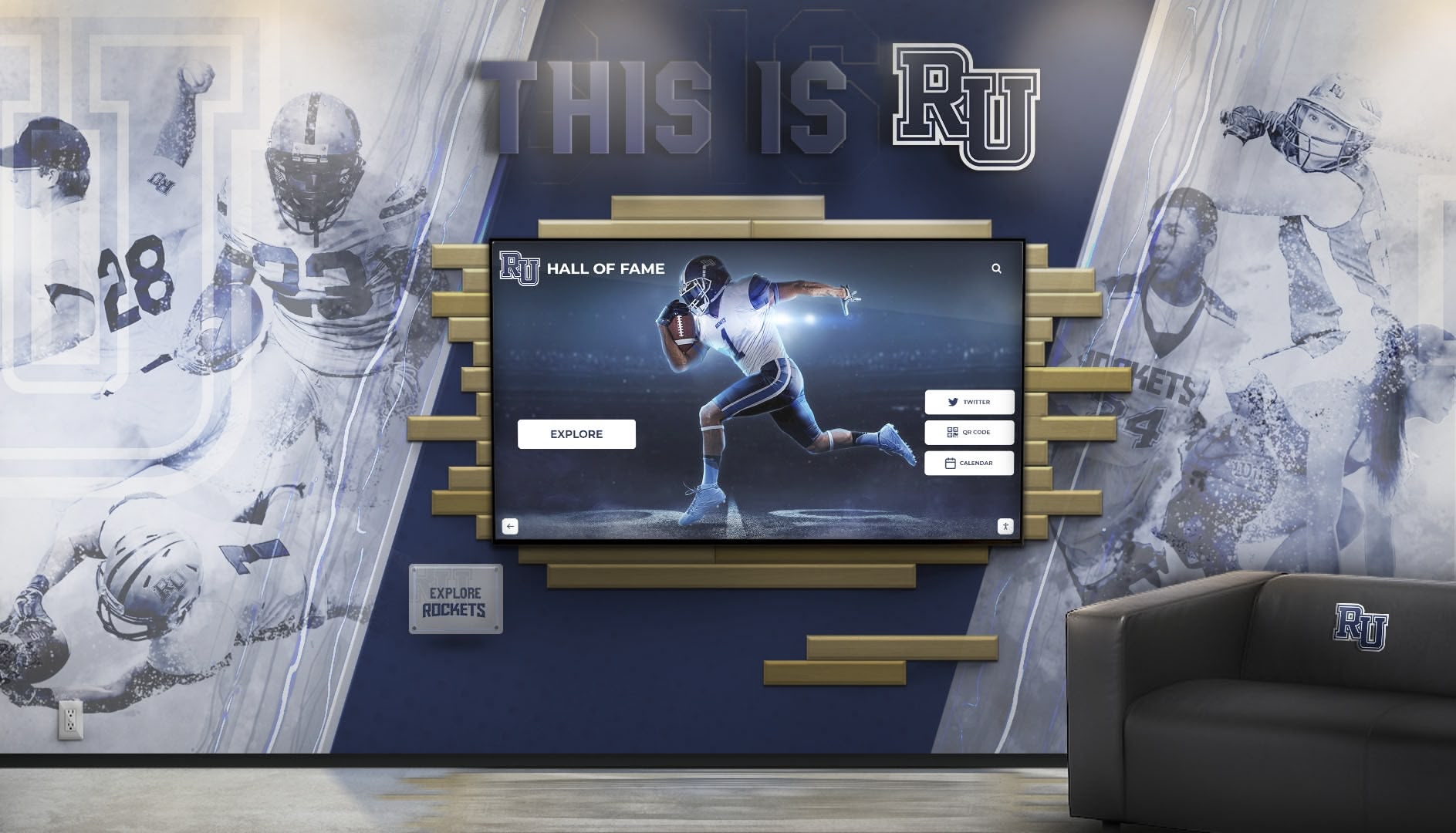
College athletic departments invest heavily in their digital presence, with Sidearm Sports powering websites for hundreds of NCAA Division I, II, and III programs. While these platforms excel at showcasing schedules, rosters, and news, many athletic departments struggle to effectively display awards, honors, and recognition in ways that truly engage visitors. Custom HTML, CSS, and JavaScript integration transforms static award lists into interactive, visually compelling experiences that celebrate athletic excellence while maintaining the professional standards expected of collegiate athletics.
Athletic directors and web administrators face a common challenge: Sidearm’s content management system provides robust tools for standard content, but displaying comprehensive recognition—from All-Conference selections and Academic All-Americans to Hall of Fame inductees and record holders—requires custom code integration that many departments lack the technical expertise to implement effectively. This creates situations where years of athletic achievements remain buried in PDF documents or poorly formatted text lists that fail to inspire prospective student-athletes or engage alumni.
This comprehensive technical guide explores every aspect of integrating awards and recognition displays into Sidearm Sports websites, from understanding platform constraints and planning your implementation to writing clean, responsive code and optimizing performance. Whether you’re adding a simple awards section to a single sport page or implementing a comprehensive athletic Hall of Fame with search and filtering capabilities, this guide provides the technical roadmap and code examples needed for successful implementation.
Understanding Sidearm Sports Platform Architecture
Before implementing custom awards displays, understanding how Sidearm’s platform works ensures your code integrates smoothly and maintains functionality through platform updates.
Sidearm CMS Structure and Capabilities
Sidearm Sports provides a proprietary content management system specifically designed for athletic departments, with features tailored to the unique needs of college sports websites. The platform handles the heavy lifting of content organization, responsive design, and mobile optimization while allowing strategic custom code insertion for specialized features like awards displays.
Content Modules and Custom Code Blocks:
Sidearm’s CMS organizes content through modular components that administrators can arrange and configure through administrative interfaces. For custom awards displays, the platform provides designated areas where HTML, CSS, and JavaScript can be inserted directly into pages. These custom code blocks become part of the page template while remaining editable through the CMS, enabling non-technical staff to update content without developer intervention for routine changes.
Understanding which content areas accept custom code proves critical for implementation planning. Sidearm typically allows custom code in main content areas, sidebar widgets, and specialized landing page sections. Some implementations restrict JavaScript execution or CSS scope for security reasons, making advance verification with your Sidearm representative essential before beginning development.
Responsive Framework and Grid System:
Sidearm sites utilize responsive CSS frameworks (commonly Bootstrap or similar systems) ensuring pages adapt appropriately to different screen sizes. Your custom awards displays must work within this existing framework, leveraging the platform’s grid system rather than fighting against it. Understanding the breakpoints, container widths, and column classes used by your specific Sidearm template ensures your awards displays maintain visual consistency with surrounding content while functioning correctly on devices from smartphones to large desktop monitors.
Most Sidearm templates use 12-column grid systems with standard breakpoints at 576px (small), 768px (medium), 992px (large), and 1200px (extra-large) screen widths. Designing awards displays with these specifications in mind from the start prevents layout issues and reduces development time compared to retrofit responsive behavior later.
Platform Constraints and Limitations:
Every content management platform imposes some constraints on custom code, and Sidearm is no exception. Common limitations include:
JavaScript library restrictions: Some Sidearm configurations restrict which JavaScript libraries can be loaded to prevent conflicts with core platform functionality. Verify whether you can load external libraries like jQuery (often already included) or must rely on vanilla JavaScript.
CSS scope and specificity: Sidearm’s existing styles take precedence in many situations, requiring specific CSS selectors or increased specificity to override default styling. Understanding the platform’s existing class naming conventions helps write CSS that achieves desired appearances without excessive
!importantdeclarations.Content Security Policies: Modern Sidearm implementations may enforce content security policies that restrict inline JavaScript or external resource loading. Understanding these policies before development prevents discovering compatibility issues after code completion.
Update cycle impacts: Sidearm periodically updates platform code, occasionally affecting custom implementations. Writing defensive code that gracefully handles missing elements or changed class names ensures longevity and reduces maintenance burden after platform updates.
Working within these constraints rather than against them creates more stable, maintainable awards displays that serve athletic departments reliably for years rather than breaking with the first platform update.
Planning Your Awards Display Implementation
Successful technical implementation begins with thorough planning that aligns features with athletic department needs while ensuring realistic project scope.
Defining Recognition Categories and Data Structure
Before writing any code, establish exactly what awards and recognition your display will showcase and how that information should be organized.
Common Athletic Recognition Categories:
College athletic departments typically recognize achievements across multiple dimensions:
- Individual Athletic Awards: All-Conference selections, All-American honors, conference Player of the Year, national awards (Heisman, Wooden, etc.)
- Academic Recognition: Academic All-Conference, Academic All-American, conference Scholar-Athlete awards, NCAA Postgraduate Scholarships
- Team Achievements: Conference championships, NCAA tournament appearances, national championships, win-loss records
- Career Milestones: Program records, statistical achievements, 1,000-point scorers, multi-year award winners
- Hall of Fame Inductees: Athletic Hall of Fame members, conference halls of fame, national halls of fame
- Coaching Achievements: Conference Coach of the Year, national coaching awards, career milestones
Comprehensive displays often include multiple categories, requiring navigation systems that help visitors explore specific recognition types without overwhelming them with information density.
Data Organization Approaches:
How you structure recognition data fundamentally impacts both code architecture and user experience:
Embedded JSON Data: For smaller recognition lists (under 100 entries), embedding award data directly in JavaScript as JSON objects provides simplicity and eliminates external dependencies. This approach works well for single-sport award displays or limited recognition like current season honors.
const awards = [
  {
    athlete: "Sarah Johnson",
    year: "2024",
    award: "All-Conference First Team",
    sport: "Basketball",
    imageUrl: "/images/athletes/sarah-johnson.jpg"
  },
  {
    athlete: "Michael Chen",
    year: "2024",
    award: "Academic All-American",
    sport: "Soccer",
    imageUrl: "/images/athletes/michael-chen.jpg"
  }
  // Additional awards...
];
External JSON Files: Larger recognition databases benefit from external JSON files loaded via fetch requests. This separation keeps code clean while making data updates manageable without modifying JavaScript. Athletic departments can update a simple JSON file through standard text editing rather than navigating complex code.
CMS-Managed Content: The most maintainable long-term approach leverages Sidearm’s existing content management capabilities to store award information in structured data fields, then uses custom code to fetch and display that content. While requiring initial setup coordination with Sidearm, this approach enables non-technical staff to maintain recognition through familiar CMS interfaces.
Integration with Digital Recognition Platforms: Athletic departments implementing comprehensive recognition programs often benefit from purpose-built platforms like Rocket Alumni Solutions that handle data management, provide embeddable widgets, and offer both physical touchscreen displays and web components. These solutions provide professional interfaces without requiring custom development while integrating seamlessly with Sidearm sites through iframe embedding or JavaScript widgets.
Determining Display Format and Interaction Patterns
Recognition displays range from simple static lists to sophisticated interactive applications. Matching complexity to actual usage patterns ensures development efforts focus on features that provide genuine value.
Static vs. Dynamic Displays:
Static Recognition Lists work well for stable, slowly-changing content like Hall of Fame inductees or championship history. These displays prioritize comprehensive visibility over interactivity, presenting all recognition simultaneously in organized sections. Implementation complexity remains minimal, requiring primarily HTML and CSS with minimal JavaScript for enhancements like image lightboxes or expand/collapse sections.
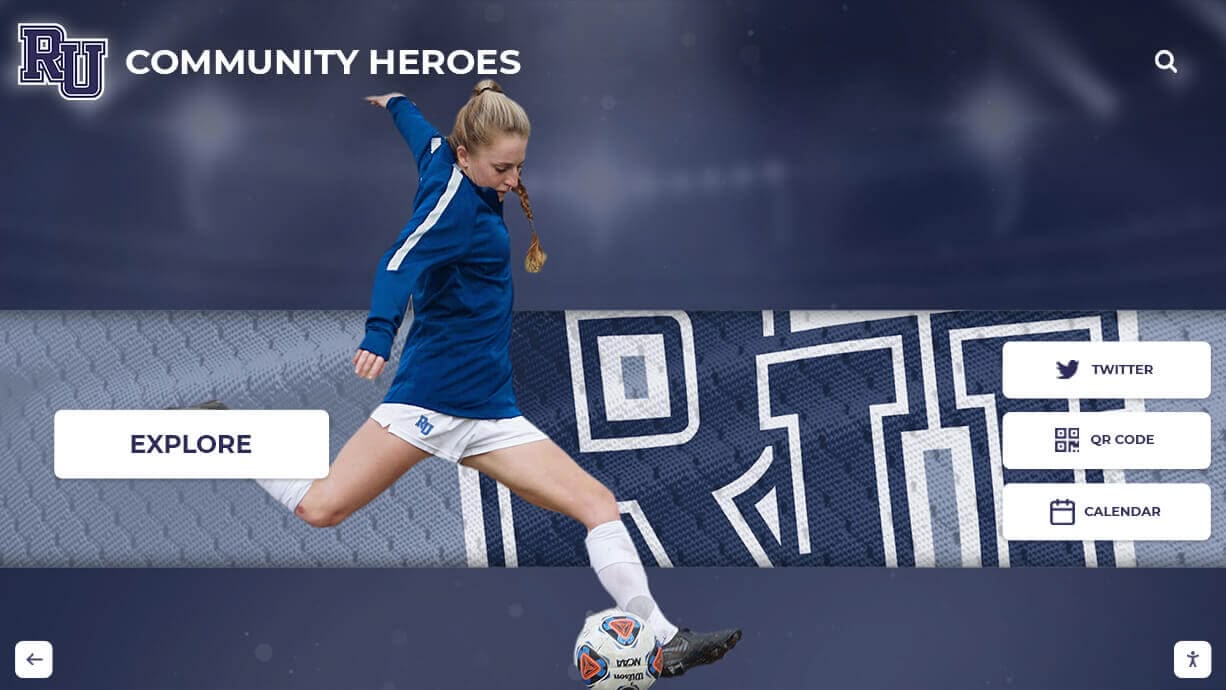
Dynamic Interactive Displays excel when recognition volume makes simultaneous display impractical or when users need to find specific information quickly. Features like search filtering, category selection, and detail views require more sophisticated JavaScript but dramatically improve user experience for extensive recognition databases. Many athletic departments find that interactive digital trophy cases engage visitors more effectively than static lists, particularly for prospective student-athletes researching program success.
Common Interaction Patterns:
Several interaction patterns appear frequently in effective athletic recognition displays:
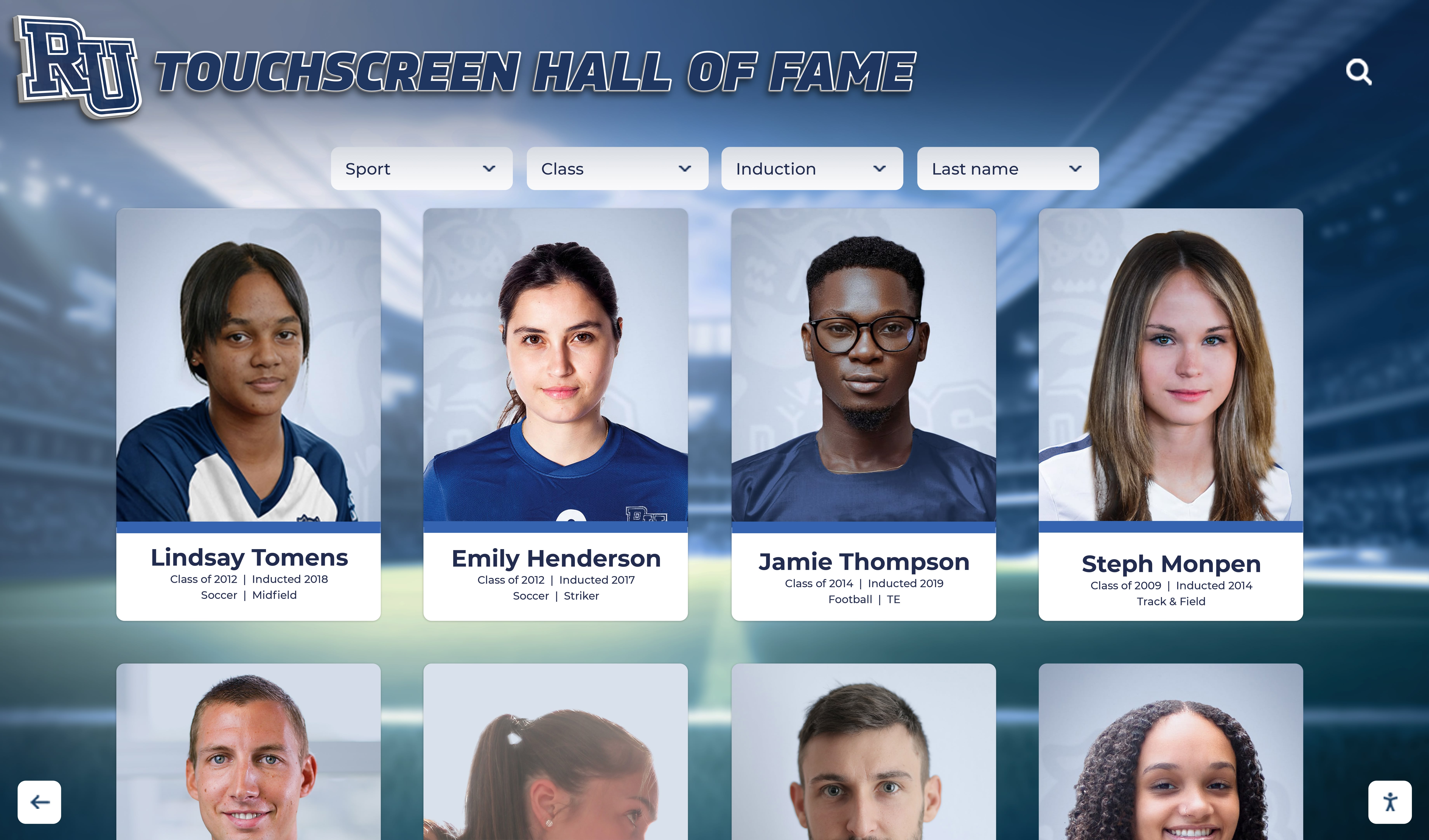
Filterable Grid Displays

Awards presented in card or grid layouts with filtering controls enabling users to narrow displays by sport, year, award type, or athlete name. This pattern balances comprehensive content presentation with focused exploration.
Searchable Database Interfaces
Search-first designs presenting input fields prominently with results appearing dynamically as users type. Ideal for extensive recognition databases where visitors typically seek specific athletes or awards rather than browsing comprehensively.
Timeline Visualizations
Chronological presentations showing recognition history over time, particularly effective for displaying program evolution or celebrating milestone anniversaries. Interactive timelines enable users to explore specific eras in detail.
Modal Detail Views
Compact list or grid presentations of recognition with click-through access to detailed modal windows containing comprehensive information, photos, and statistics. This progressive disclosure approach prevents overwhelming users while maintaining comprehensive content availability.
Selecting appropriate interaction patterns depends on content volume, typical user goals, and available development resources. Starting with simpler implementations and progressively enhancing based on actual usage patterns often proves more effective than building complex systems that exceed actual needs.
Responsive Design and Mobile Optimization Considerations
With mobile devices accounting for 50-70% of athletic website traffic, mobile-optimized designs prove essential rather than optional.
Mobile-First Development Approach:
Designing awards displays for mobile screens first, then progressively enhancing for larger displays, ensures excellent experiences across all devices while preventing common pitfalls of desktop-first development. Mobile constraints force prioritization of essential information and interaction patterns, typically resulting in cleaner, more focused designs that benefit all users regardless of device.
Common Mobile Optimization Strategies:
Touch-Friendly Interaction Elements: Buttons and clickable areas sized at minimum 44x44 pixels enable easy tapping without frustration or mis-clicks on small touchscreens.
Simplified Filtering Interfaces: Complex multi-option filter panels that work well on desktop overwhelm mobile screens. Mobile-optimized interfaces typically use collapsible filter sections or slide-out panels that preserve screen space for actual content.
Optimized Image Loading: Mobile users on cellular connections benefit from responsive images that load appropriately-sized versions rather than unnecessarily large files. Modern implementations use
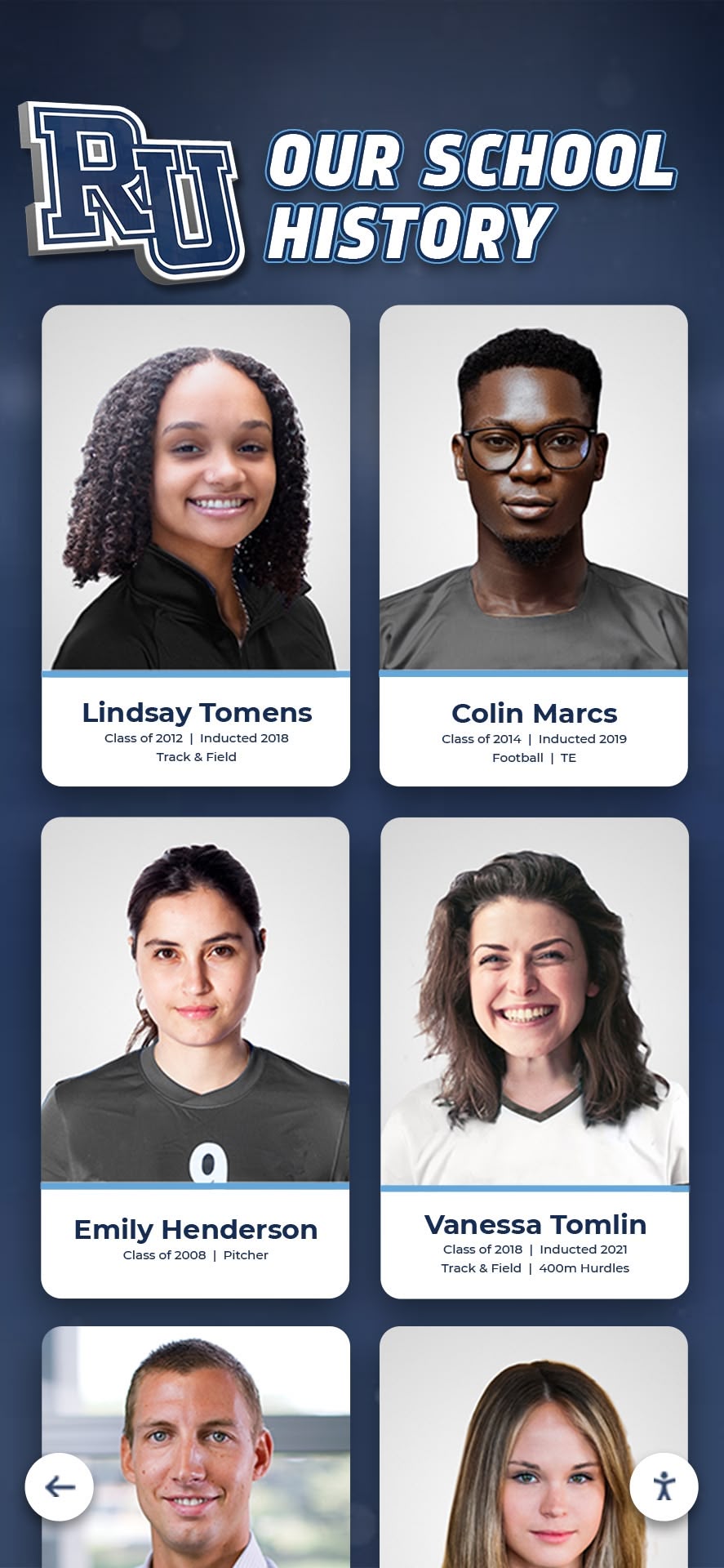
srcsetattributes or JavaScript-based lazy loading to optimize performance.Vertical Layouts and Single Columns: Multi-column grid layouts effective on desktop often collapse to single columns on mobile, requiring CSS that gracefully handles these transformations while maintaining visual hierarchy and readability.
Athletic departments implementing digital record boards find that responsive design principles developed for web displays translate directly to physical touchscreen installations, creating consistent experiences across digital channels.
Implementing Awards Displays with HTML and CSS
With planning complete, actual implementation begins with semantic HTML structure and CSS styling that creates professional, accessible recognition displays.
Building Semantic HTML Structure
Clean, semantic HTML provides the foundation for accessible, maintainable awards displays while enabling flexible styling and scripting.
Card-Based Award Display Example:
A common pattern for athletic recognition uses card-based layouts presenting individual awards or athletes as distinct visual elements:
<div class="awards-container">
  <div class="awards-section" id="all-conference">
    <h2 class="section-title">2024 All-Conference Selections</h2>

    <div class="awards-grid">
      <article class="award-card">
        <div class="award-image">
          <img src="/images/athletes/sarah-johnson.jpg"
               alt="Sarah Johnson headshot"
               loading="lazy">
        </div>
        <div class="award-content">
          <h3 class="athlete-name">Sarah Johnson</h3>
          <p class="award-title">All-Conference First Team</p>
          <p class="award-details">
            <span class="sport">Women's Basketball</span> •
            <span class="year">2024</span>
          </p>
          <p class="award-description">
            Led team in scoring with 18.5 points per game
            while earning conference Player of the Year honors.
          </p>
        </div>
      </article>

      <article class="award-card">
        <div class="award-image">
          <img src="/images/athletes/michael-chen.jpg"
               alt="Michael Chen headshot"
               loading="lazy">
        </div>
        <div class="award-content">
          <h3 class="athlete-name">Michael Chen</h3>
          <p class="award-title">Academic All-American</p>
          <p class="award-details">
            <span class="sport">Men's Soccer</span> •
            <span class="year">2024</span>
          </p>
          <p class="award-description">
            Maintained 3.95 GPA in Engineering while
            contributing 12 goals and 8 assists.
          </p>
        </div>
      </article>

      <!-- Additional award cards... -->
    </div>
  </div>
</div>
This semantic structure uses appropriate HTML5 elements (article for individual awards, section for logical groups) that improve accessibility and provide natural styling hooks. The loading="lazy" attribute optimizes performance by deferring image loading for content below the initial viewport.
Table-Based Recognition Display Example:
For dense statistical recognition or record boards, table structures provide clarity and scanability:
<div class="records-container">
  <h2>Program Career Scoring Leaders</h2>

  <div class="table-responsive">
    <table class="records-table">
      <thead>
        <tr>
          <th scope="col">Rank</th>
          <th scope="col">Athlete</th>
          <th scope="col">Years</th>
          <th scope="col">Points</th>
          <th scope="col">Games</th>
        </tr>
      </thead>
      <tbody>
        <tr>
          <td class="rank">1</td>
          <td class="athlete-name">Jennifer Martinez</td>
          <td class="years">2016-2019</td>
          <td class="stat-value">2,156</td>
          <td class="games">118</td>
        </tr>
        <tr>
          <td class="rank">2</td>
          <td class="athlete-name">Alex Thompson</td>
          <td class="years">2010-2013</td>
          <td class="stat-value">1,987</td>
          <td class="games">115</td>
        </tr>
        <!-- Additional records... -->
      </tbody>
    </table>
  </div>
</div>
The table-responsive wrapper enables horizontal scrolling on mobile devices when table width exceeds screen dimensions, preventing layout breaks while maintaining data table structure. Proper scope attributes on header cells improve screen reader navigation.
CSS Styling for Professional Athletic Recognition
CSS transforms semantic HTML structure into visually compelling recognition displays matching your athletic department’s branding.
Base Styles and Responsive Grid:
/* Container styles */
.awards-container {
  max-width: 1200px;
  margin: 0 auto;
  padding: 20px;
}

.awards-section {
  margin-bottom: 60px;
}

.section-title {
  font-size: 2rem;
  font-weight: 700;
  margin-bottom: 30px;
  color: #003366; /* University primary color */
  border-bottom: 3px solid #FFB81C; /* University accent color */
  padding-bottom: 10px;
}

/* Responsive grid layout */
.awards-grid {
  display: grid;
  grid-template-columns: repeat(auto-fill, minmax(300px, 1fr));
  gap: 30px;
  margin-top: 30px;
}

/* Mobile optimization */
@media (max-width: 768px) {
  .awards-grid {
    grid-template-columns: 1fr;
    gap: 20px;
  }

  .section-title {
    font-size: 1.5rem;
  }
}
This grid system automatically adapts to available space, showing multiple columns on larger screens while collapsing to single columns on mobile devices. The minmax(300px, 1fr) specification ensures cards never shrink below minimum readable width while expanding to fill available space.
Award Card Styling:
.award-card {
  background: #ffffff;
  border-radius: 8px;
  overflow: hidden;
  box-shadow: 0 2px 8px rgba(0, 0, 0, 0.1);
  transition: transform 0.3s ease, box-shadow 0.3s ease;
}

.award-card:hover {
  transform: translateY(-5px);
  box-shadow: 0 4px 16px rgba(0, 0, 0, 0.15);
}

.award-image {
  width: 100%;
  height: 250px;
  overflow: hidden;
  background: #f5f5f5;
}

.award-image img {
  width: 100%;
  height: 100%;
  object-fit: cover;
  object-position: center top;
}

.award-content {
  padding: 20px;
}

.athlete-name {
  font-size: 1.25rem;
  font-weight: 700;
  margin-bottom: 8px;
  color: #003366;
}

.award-title {
  font-size: 1.1rem;
  font-weight: 600;
  color: #FFB81C;
  margin-bottom: 8px;
}

.award-details {
  font-size: 0.9rem;
  color: #666;
  margin-bottom: 12px;
}

.award-description {
  font-size: 0.95rem;
  line-height: 1.6;
  color: #333;
}
The hover effect provides interactive feedback, while object-fit: cover ensures athlete photos fill designated spaces without distortion regardless of original image aspect ratios. Color values should match your institution’s brand guidelines for consistency with surrounding Sidearm content.
Responsive Table Styling:
.records-container {
  margin: 40px 0;
}

.table-responsive {
  overflow-x: auto;
  margin: 20px 0;
}

.records-table {
  width: 100%;
  border-collapse: collapse;
  background: #ffffff;
  box-shadow: 0 2px 8px rgba(0, 0, 0, 0.1);
}

.records-table thead {
  background: #003366;
  color: #ffffff;
}

.records-table th {
  padding: 15px;
  text-align: left;
  font-weight: 600;
  font-size: 0.95rem;
  text-transform: uppercase;
  letter-spacing: 0.5px;
}

.records-table tbody tr {
  border-bottom: 1px solid #e0e0e0;
  transition: background-color 0.2s ease;
}

.records-table tbody tr:hover {
  background-color: #f9f9f9;
}

.records-table td {
  padding: 15px;
  font-size: 0.95rem;
}

.rank {
  font-weight: 700;
  color: #FFB81C;
  font-size: 1.1rem;
}

.athlete-name {
  font-weight: 600;
  color: #003366;
}

.stat-value {
  font-weight: 700;
  font-size: 1.05rem;
}

/* Mobile table adjustments */
@media (max-width: 768px) {
  .records-table th,
  .records-table td {
    padding: 10px 8px;
    font-size: 0.85rem;
  }

  .rank {
    font-size: 1rem;
  }
}
This styling creates professional-looking data tables that remain readable across devices while providing visual hierarchy through typography and color.
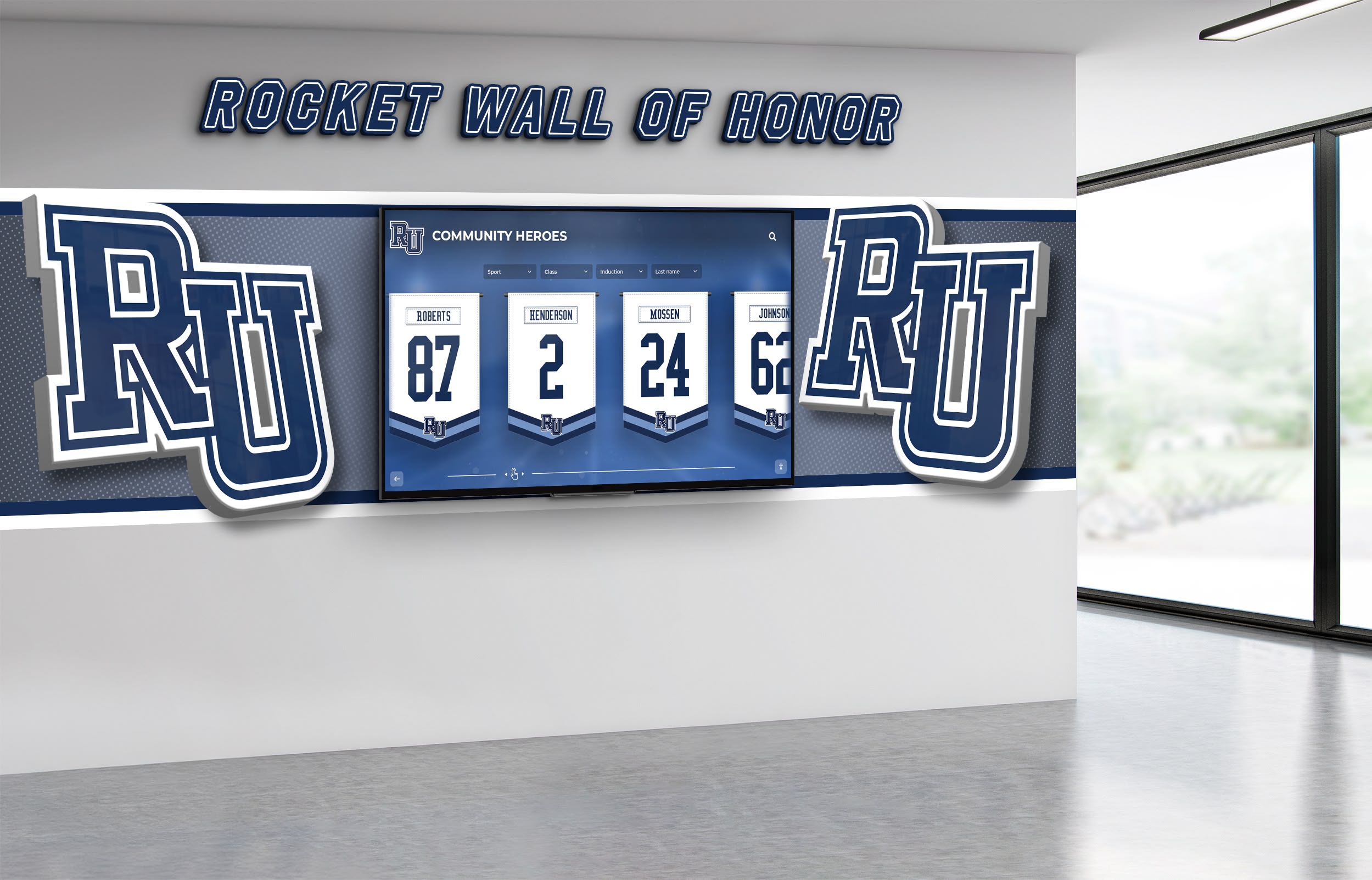
Adding Interactivity with JavaScript
JavaScript transforms static recognition displays into dynamic, searchable applications that dramatically improve user experience for extensive award databases.
Implementing Search and Filter Functionality
Search and filtering capabilities enable visitors to quickly find specific recognition without scrolling through comprehensive lists.
Basic Search Implementation:
// Award data structure
const awards = [
  {
    id: 1,
    athlete: "Sarah Johnson",
    sport: "Basketball",
    year: "2024",
    award: "All-Conference First Team",
    category: "athletic",
    imageUrl: "/images/athletes/sarah-johnson.jpg",
    description: "Led team in scoring with 18.5 points per game."
  },
  {
    id: 2,
    athlete: "Michael Chen",
    sport: "Soccer",
    year: "2024",
    award: "Academic All-American",
    category: "academic",
    imageUrl: "/images/athletes/michael-chen.jpg",
    description: "Maintained 3.95 GPA in Engineering."
  }
  // Additional awards...
];

// Search functionality
function initializeSearch() {
  const searchInput = document.getElementById('award-search');
  const awardsGrid = document.getElementById('awards-grid');

  searchInput.addEventListener('input', function(e) {
    const searchTerm = e.target.value.toLowerCase().trim();
    filterAndDisplayAwards(searchTerm);
  });
}

function filterAndDisplayAwards(searchTerm = '', sportFilter = '', yearFilter = '') {
  let filteredAwards = awards;

  // Apply search filter
  if (searchTerm) {
    filteredAwards = filteredAwards.filter(award =>
      award.athlete.toLowerCase().includes(searchTerm) ||
      award.award.toLowerCase().includes(searchTerm) ||
      award.sport.toLowerCase().includes(searchTerm)
    );
  }

  // Apply sport filter
  if (sportFilter) {
    filteredAwards = filteredAwards.filter(award =>
      award.sport === sportFilter
    );
  }

  // Apply year filter
  if (yearFilter) {
    filteredAwards = filteredAwards.filter(award =>
      award.year === yearFilter
    );
  }

  // Display results
  displayAwards(filteredAwards);
}

function displayAwards(awardsToDisplay) {
  const awardsGrid = document.getElementById('awards-grid');

  if (awardsToDisplay.length === 0) {
    awardsGrid.innerHTML = '<p class="no-results">No awards found matching your criteria.</p>';
    return;
  }

  const awardsHTML = awardsToDisplay.map(award => `
    <article class="award-card" data-award-id="${award.id}">
      <div class="award-image">
        <img src="${award.imageUrl}"
             alt="${award.athlete} headshot"
             loading="lazy">
      </div>
      <div class="award-content">
        <h3 class="athlete-name">${award.athlete}</h3>
        <p class="award-title">${award.award}</p>
        <p class="award-details">
          <span class="sport">${award.sport}</span> •
          <span class="year">${award.year}</span>
        </p>
        <p class="award-description">${award.description}</p>
      </div>
    </article>
  `).join('');

  awardsGrid.innerHTML = awardsHTML;
}

// Initialize on page load
document.addEventListener('DOMContentLoaded', function() {
  initializeSearch();
  displayAwards(awards); // Display all awards initially
});
This implementation provides real-time search as users type, filtering awards by athlete name, award type, or sport. The modular structure enables easy addition of category filters or sorting capabilities.
Advanced Multi-Criteria Filtering:
// Filter controls HTML structure
/*
<div class="awards-controls">
  <input type="text" id="award-search" placeholder="Search athletes or awards...">

  <select id="sport-filter">
    <option value="">All Sports</option>
    <option value="Basketball">Basketball</option>
    <option value="Soccer">Soccer</option>
    <option value="Football">Football</option>
  </select>

  <select id="year-filter">
    <option value="">All Years</option>
    <option value="2024">2024</option>
    <option value="2023">2023</option>
    <option value="2022">2022</option>
  </select>

  <select id="category-filter">
    <option value="">All Categories</option>
    <option value="athletic">Athletic Awards</option>
    <option value="academic">Academic Honors</option>
  </select>
</div>
*/

function initializeFilters() {
  const searchInput = document.getElementById('award-search');
  const sportFilter = document.getElementById('sport-filter');
  const yearFilter = document.getElementById('year-filter');
  const categoryFilter = document.getElementById('category-filter');

  // Apply filters when any control changes
  [searchInput, sportFilter, yearFilter, categoryFilter].forEach(control => {
    control.addEventListener('input', applyAllFilters);
    control.addEventListener('change', applyAllFilters);
  });
}

function applyAllFilters() {
  const searchTerm = document.getElementById('award-search').value.toLowerCase();
  const sport = document.getElementById('sport-filter').value;
  const year = document.getElementById('year-filter').value;
  const category = document.getElementById('category-filter').value;

  let filtered = awards.filter(award => {
    // Search term filter
    const matchesSearch = !searchTerm ||
      award.athlete.toLowerCase().includes(searchTerm) ||
      award.award.toLowerCase().includes(searchTerm) ||
      award.sport.toLowerCase().includes(searchTerm);

    // Sport filter
    const matchesSport = !sport || award.sport === sport;

    // Year filter
    const matchesYear = !year || award.year === year;

    // Category filter
    const matchesCategory = !category || award.category === category;

    return matchesSearch && matchesSport && matchesYear && matchesCategory;
  });

  displayAwards(filtered);
  updateResultCount(filtered.length);
}

function updateResultCount(count) {
  const countElement = document.getElementById('result-count');
  if (countElement) {
    countElement.textContent = `Showing ${count} award${count !== 1 ? 's' : ''}`;
  }
}
This advanced filtering system enables sophisticated exploration of large award databases, particularly valuable for programs with extensive recognition histories spanning multiple decades and sports.
Modal Windows for Detailed Award Information
Modal windows provide comprehensive award details without navigating away from the main recognition page.
Modal Implementation:
// Modal HTML structure (add to page)
/*
<div id="award-modal" class="modal" style="display: none;">
<div class="modal-overlay" onclick="closeAwardModal()"></div>
<div class="modal-content">
<button class="modal-close" onclick="closeAwardModal()">×</button>
<div id="modal-body"></div>
</div>
</div>
*/
// Modal CSS
/*
.modal {
position: fixed;
top: 0;
left: 0;
width: 100%;
height: 100%;
z-index: 9999;
display: flex;
align-items: center;
justify-content: center;
}
.modal-overlay {
position: absolute;
top: 0;
left: 0;
width: 100%;
height: 100%;
background: rgba(0, 0, 0, 0.7);
}
.modal-content {
position: relative;
background: #ffffff;
border-radius: 12px;
max-width: 800px;
max-height: 90vh;
overflow-y: auto;
margin: 20px;
z-index: 10000;
box-shadow: 0 8px 32px rgba(0, 0, 0, 0.3);
}
.modal-close {
position: absolute;
top: 15px;
right: 15px;
background: none;
border: none;
font-size: 2rem;
cursor: pointer;
color: #666;
z-index: 10001;
}
.modal-close:hover {
color: #000;
}
#modal-body {
padding: 40px;
}
*/
function openAwardModal(awardId) {
const award = awards.find(a => a.id === awardId);
if (!award) return;
const modalBody = document.getElementById('modal-body');
modalBody.innerHTML = `
<div class="modal-award-detail">
<div class="modal-image">
<img src="${award.imageUrl}" alt="${award.athlete}">
</div>
<div class="modal-info">
<h2>${award.athlete}</h2>
<h3>${award.award}</h3>
<p class="modal-meta">
<strong>Sport:</strong> ${award.sport}<br>
<strong>Year:</strong> ${award.year}
</p>
<p class="modal-description">${award.description}</p>
${award.stats ? `
<div class="modal-stats">
<h4>Season Statistics</h4>
${formatStats(award.stats)}
</div>
` : ''}
</div>
</div>
`;
document.getElementById('award-modal').style.display = 'flex';
document.body.style.overflow = 'hidden'; // Prevent background scrolling
}
function closeAwardModal() {
document.getElementById('award-modal').style.display = 'none';
document.body.style.overflow = ''; // Restore scrolling
}
// Add click handlers to award cards
function addModalClickHandlers() {
document.querySelectorAll('.award-card').forEach(card => {
card.addEventListener('click', function() {
const awardId = parseInt(this.getAttribute('data-award-id'));
openAwardModal(awardId);
});
});
}
// Update displayAwards function to add click handlers after rendering
function displayAwards(awardsToDisplay) {
// ... existing display code ...
// Add click handlers after rendering
setTimeout(addModalClickHandlers, 0);
}
This modal system enables rich award details—extended biographies, career statistics, photo galleries, video highlights—without cluttering primary displays or requiring separate detail pages.
Performance Optimization for Large Award Databases
As award databases grow, performance optimization ensures responsive user experiences regardless of content volume.
Lazy Loading and Pagination:
let currentPage = 1;
const awardsPerPage = 12;
let currentFilteredAwards = [];

function displayAwardsWithPagination(awardsToDisplay) {
  currentFilteredAwards = awardsToDisplay;
  const totalPages = Math.ceil(awardsToDisplay.length / awardsPerPage);

  displayAwardsPage(1);
  updatePaginationControls(totalPages);
}

function displayAwardsPage(page) {
  currentPage = page;
  const startIndex = (page - 1) * awardsPerPage;
  const endIndex = startIndex + awardsPerPage;
  const pageAwards = currentFilteredAwards.slice(startIndex, endIndex);

  displayAwards(pageAwards);

  // Scroll to top of awards section
  document.getElementById('awards-grid').scrollIntoView({
    behavior: 'smooth',
    block: 'start'
  });
}

function updatePaginationControls(totalPages) {
  const paginationContainer = document.getElementById('pagination-controls');

  let paginationHTML = '';

  // Previous button
  if (currentPage > 1) {
    paginationHTML += `<button onclick="displayAwardsPage(${currentPage - 1})">Previous</button>`;
  }

  // Page numbers
  for (let i = 1; i <= totalPages; i++) {
    if (i === currentPage) {
      paginationHTML += `<span class="current-page">${i}</span>`;
    } else {
      paginationHTML += `<button onclick="displayAwardsPage(${i})">${i}</button>`;
    }
  }

  // Next button
  if (currentPage < totalPages) {
    paginationHTML += `<button onclick="displayAwardsPage(${currentPage + 1})">Next</button>`;
  }

  paginationContainer.innerHTML = paginationHTML;
}
Pagination prevents browser performance degradation when displaying hundreds of awards while maintaining complete database accessibility through intuitive navigation controls.
Image Lazy Loading and Optimization:
// Intersection Observer for advanced lazy loading
function initializeLazyLoading() {
  const imageObserver = new IntersectionObserver((entries, observer) => {
    entries.forEach(entry => {
      if (entry.isIntersecting) {
        const img = entry.target;
        img.src = img.dataset.src;
        img.classList.remove('lazy');
        observer.unobserve(img);
      }
    });
  }, {
    rootMargin: '50px'
  });

  document.querySelectorAll('img.lazy').forEach(img => {
    imageObserver.observe(img);
  });
}

// Update displayAwards to use data-src for lazy loading
function displayAwards(awardsToDisplay) {
  const awardsHTML = awardsToDisplay.map(award => `
    <article class="award-card" data-award-id="${award.id}">
      <div class="award-image">
        <img class="lazy"
             data-src="${award.imageUrl}"
             src="data:image/svg+xml,%3Csvg xmlns='http://www.w3.org/2000/svg' viewBox='0 0 300 250'%3E%3C/svg%3E"
             alt="${award.athlete} headshot">
      </div>
      <!-- Rest of card HTML -->
    </article>
  `).join('');

  document.getElementById('awards-grid').innerHTML = awardsHTML;
  initializeLazyLoading();
}
This Intersection Observer implementation loads images only as they approach the viewport, dramatically reducing initial page load times and bandwidth usage for pages with dozens or hundreds of athlete photos.

Integration Strategies for Sidearm Sites
Successfully deploying custom awards code in Sidearm requires understanding platform-specific integration approaches and best practices.
Embedding Code in Sidearm Content Areas
Sidearm provides multiple locations where custom HTML, CSS, and JavaScript can be inserted, each with specific characteristics and appropriate use cases.
Main Content Area Integration:
The primary content area accepts HTML content directly through Sidearm’s WYSIWYG editor or raw HTML mode. For awards displays, this represents the most straightforward integration approach:
- Access the target page in Sidearm’s CMS (creating a new page if necessary for dedicated awards section)
- Switch to HTML/source mode in the content editor
- Paste your complete HTML structure for awards display
- Add CSS either inline within
<style>tags or through Sidearm’s custom CSS functionality - Add JavaScript within
<script>tags at the end of your HTML content
This approach works well for self-contained awards displays that don’t require integration with other page elements or site-wide functionality.
Custom Widget/Sidebar Integration:
Many Sidearm templates support custom widgets that can be placed in sidebars or complementary content areas. These widgets work well for:
- Sport-specific award highlights on team pages
- “Featured Achievement” rotators on homepage
- Recent awards feeds on athletics homepage
Implementing widget-based awards displays typically requires creating custom widget definitions through Sidearm’s administrative interface, then populating those widgets with HTML/CSS/JavaScript content.
Template-Level Integration:
For comprehensive awards systems spanning multiple pages or sports, template-level integration provides optimal implementation. This approach requires coordination with your Sidearm representative or technical support team but enables:
- Consistent awards sections across all sport pages
- Centralized code maintenance and updates
- Integration with Sidearm’s existing data structures
- Optimal performance and compatibility
Template integration involves adding custom code to Sidearm theme files, making it accessible across designated page types without requiring duplication for each page.
Linking to External Recognition Platforms
Many athletic departments find that comprehensive recognition programs benefit from purpose-built platforms that specialize in achievement showcase, then embed those platforms within Sidearm sites.
Iframe Embedding:
External recognition platforms can be embedded in Sidearm pages through iframes:
<div class="recognition-embed-container">
  <iframe
    src="https://yourschool.rocketalumnisolutions.com/awards"
    width="100%"
    height="800"
    frameborder="0"
    scrolling="auto"
    title="Athletic Awards and Recognition">
  </iframe>
</div>

<style>
.recognition-embed-container {
  width: 100%;
  max-width: 1200px;
  margin: 30px auto;
  border-radius: 12px;
  overflow: hidden;
  box-shadow: 0 4px 16px rgba(0, 0, 0, 0.1);
}

.recognition-embed-container iframe {
  display: block;
  width: 100%;
  min-height: 600px;
}
</style>
This approach provides several advantages:
- Professional functionality without custom development
- Dedicated content management interfaces optimized for recognition
- Automatic updates and enhancements from platform providers
- Physical display integration when using platforms that power both web and touchscreen kiosk displays
Solutions like Rocket Alumni Solutions provide comprehensive recognition platforms designed specifically for athletic departments, offering embeddable components that integrate seamlessly with Sidearm while providing full-featured content management separate from Sidearm’s CMS.
JavaScript Widget Integration:
More sophisticated integration uses JavaScript widgets that dynamically load recognition content:
<div id="rocket-awards-widget"></div>

<script src="https://widgets.rocketalumnisolutions.com/awards-widget.js"></script>
<script>
  RocketAwardsWidget.init({
    container: '#rocket-awards-widget',
    schoolId: 'your-school-id',
    sport: 'basketball', // Optional: filter to specific sport
    category: 'all-conference', // Optional: filter to award category
    limit: 12, // Number of awards to display
    theme: {
      primaryColor: '#003366',
      accentColor: '#FFB81C'
    }
  });
</script>
JavaScript widgets provide responsive, performant integration that feels native to Sidearm sites while maintaining all functionality of dedicated recognition platforms.
Maintaining Compatibility During Sidearm Updates
Sidearm periodically updates its platform, occasionally affecting custom implementations. Following defensive coding practices minimizes compatibility issues.
Defensive JavaScript Practices:
// Always verify element existence before manipulation
function safeInitialize() {
  const searchInput = document.getElementById('award-search');
  if (!searchInput) {
    console.warn('Award search element not found');
    return;
  }

  // Safe to proceed with initialization
  initializeSearch();
}

// Wrap initialization in DOMContentLoaded to ensure elements exist
document.addEventListener('DOMContentLoaded', safeInitialize);

// Handle missing dependencies gracefully
if (typeof jQuery !== 'undefined') {
  // Use jQuery if available
  jQuery('.award-card').fadeIn();
} else {
  // Fallback to vanilla JavaScript
  document.querySelectorAll('.award-card').forEach(card => {
    card.style.display = 'block';
  });
}
CSS Specificity Management:
Use specific, unique class names that won’t conflict with Sidearm’s existing styles:
/* Prefix custom classes to prevent conflicts */
.custom-awards-container { }
.custom-award-card { }
.custom-award-title { }

/* Avoid overly generic classes that might conflict */
/* AVOID: .container, .card, .title, .button */

/* Use child selectors to scope styles */
.custom-awards-container > .custom-awards-grid { }
.custom-awards-container .custom-award-card { }
Version Documentation and Testing:
Maintain documentation of what Sidearm platform version your code was developed against, and establish testing procedures when Sidearm announces updates. Many departments maintain staging environments where Sidearm updates can be tested before production deployment, allowing identification and resolution of compatibility issues before they affect public websites.
Advanced Features and Enhancements
Beyond basic display functionality, advanced features create increasingly compelling recognition experiences.
Dynamic Data Loading from External Sources
For athletic departments managing award data in separate systems (student information systems, athletic management platforms, or dedicated recognition databases), dynamic data loading eliminates content duplication while ensuring information consistency.
Fetching JSON Data:
async function loadAwardsData() {
  try {
    const response = await fetch('https://yourschool.edu/api/awards-data.json');
    if (!response.ok) throw new Error('Failed to load awards data');

    const data = await response.json();
    awards = data.awards;

    // Update filters with available options
    populateFilterOptions(data.sports, data.years);

    // Display awards
    displayAwards(awards);
  } catch (error) {
    console.error('Error loading awards:', error);
    displayErrorMessage();
  }
}

function displayErrorMessage() {
  const container = document.getElementById('awards-grid');
  container.innerHTML = `
    <div class="error-message">
      <p>Unable to load awards at this time. Please try again later.</p>
    </div>
  `;
}

// Initialize on page load
document.addEventListener('DOMContentLoaded', loadAwardsData);
This approach enables IT departments to maintain award data in centralized systems while automatically populating web displays without manual duplication or synchronization.
Social Sharing Integration
Enabling visitors to share awards on social media amplifies recognition reach while marketing athletic programs.
Social Share Implementation:
function addSocialSharing(awardId) {
  const award = awards.find(a => a.id === awardId);
  if (!award) return;

  const pageUrl = encodeURIComponent(window.location.href + '?award=' + awardId);
  const shareText = encodeURIComponent(`${award.athlete} - ${award.award}`);
  const shareImage = encodeURIComponent(award.imageUrl);

  const socialButtons = `
    <div class="social-share">
      <p>Share this achievement:</p>
      <a href="https://twitter.com/intent/tweet?text=${shareText}&url=${pageUrl}"
         target="_blank"
         class="share-button twitter">
        Share on Twitter
      </a>
      <a href="https://www.facebook.com/sharer/sharer.php?u=${pageUrl}"
         target="_blank"
         class="share-button facebook">
        Share on Facebook
      </a>
      <a href="https://www.linkedin.com/sharing/share-offsite/?url=${pageUrl}"
         target="_blank"
         class="share-button linkedin">
        Share on LinkedIn
      </a>
    </div>
  `;

  return socialButtons;
}

// Add to modal display
function openAwardModal(awardId) {
  const award = awards.find(a => a.id === awardId);

  const modalBody = document.getElementById('modal-body');
  modalBody.innerHTML = `
    <!-- Award details -->
    ${addSocialSharing(awardId)}
  `;

  // Show modal
}
Social sharing capabilities transform passive recognition consumption into active promotion, with athletes and families sharing achievements to personal networks and exponentially expanding visibility.
Integration with Physical Recognition Displays
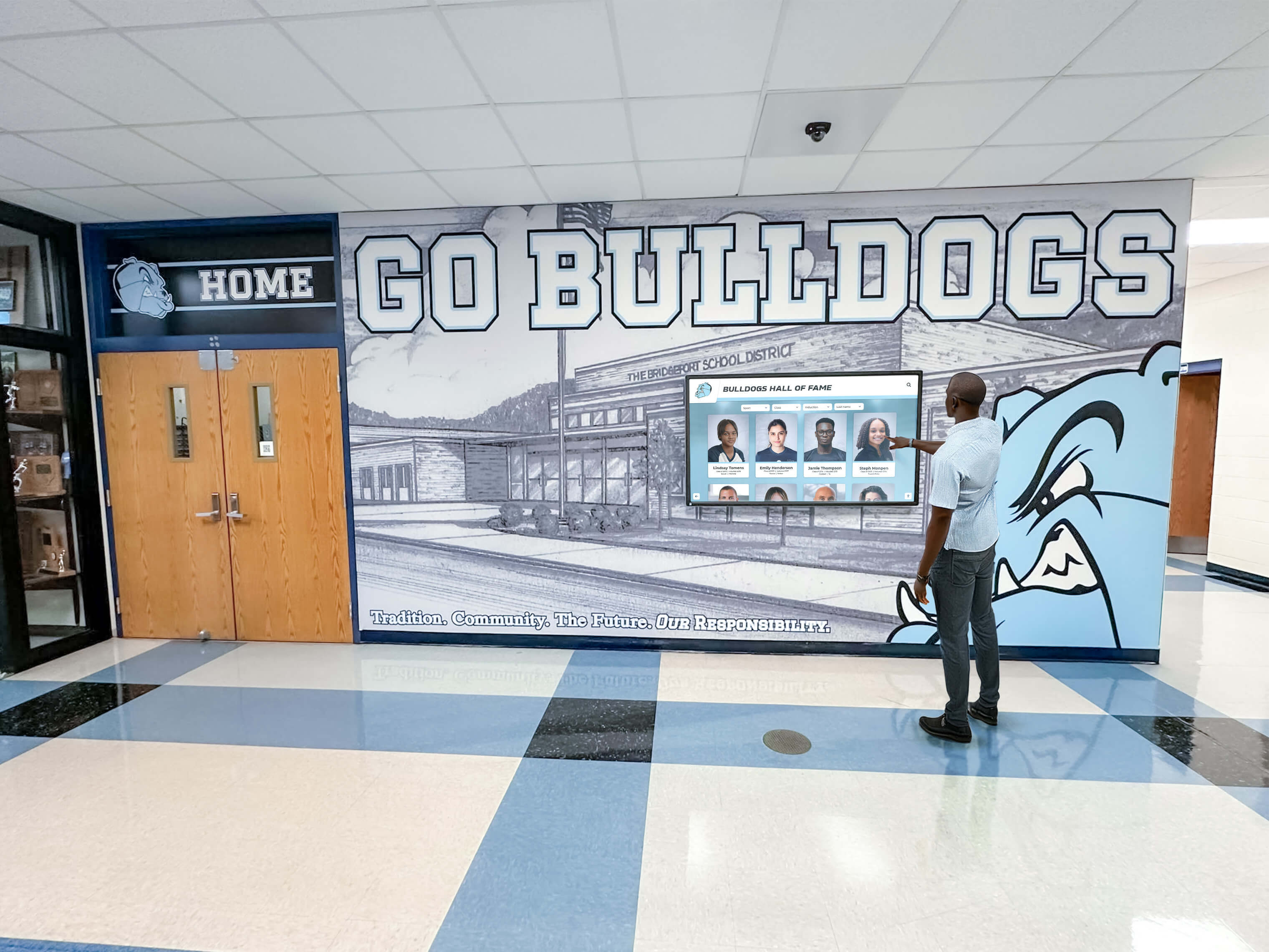
Athletic departments increasingly implement coordinated recognition spanning both physical installations and web presence. Many programs leverage platforms like Rocket Alumni Solutions that power both touchscreen recognition displays in athletic facilities and synchronized web components embedded in Sidearm sites.
This unified approach provides several advantages:
- Content consistency across physical and digital recognition
- Single source of truth eliminating synchronization challenges
- Unified analytics showing comprehensive engagement across channels
- Cohesive branding creating consistent recognition experiences
Athletic departments implementing physical digital recognition displays in lobbies, trophy rooms, or training facilities benefit from web integration that extends reach to recruits, alumni, and supporters worldwide who cannot visit campus facilities regularly.
Testing, Deployment, and Maintenance
Successful awards displays require thorough testing, careful deployment, and ongoing maintenance ensuring continued performance.
Cross-Browser and Device Testing
Athletic website visitors use diverse devices and browsers, making comprehensive testing essential.
Testing Checklist:
- Desktop browsers: Chrome, Firefox, Safari, Edge (latest versions)
- Mobile devices: iOS Safari, Android Chrome (test on actual devices when possible)
- Tablet devices: iPad Safari, Android tablets
- Screen sizes: 320px (small mobile), 768px (tablet), 1024px (small desktop), 1920px+ (large desktop)
- Accessibility testing: Screen reader compatibility (NVDA, JAWS, VoiceOver), keyboard navigation without mouse
- Performance testing: Page load times, JavaScript execution performance, image loading optimization
Use browser developer tools to simulate various devices and screen sizes during development, but conduct final testing on actual devices when possible to identify real-world issues that simulations miss.
Deployment Best Practices
Staged Deployment Approach:
- Development environment testing: Complete initial development and testing in local environments or Sidearm staging sites
- Limited production deployment: Deploy to single sport page or less-visible location for real-world testing with limited audience
- Monitoring and refinement: Monitor for errors, gather initial feedback, and make necessary adjustments
- Full production deployment: Roll out to all intended pages once confidence established
This staged approach prevents high-visibility failures while enabling real-world testing that identifies issues missed in controlled environments.
Deployment Documentation:
Create comprehensive documentation including:
- Code location references: Where custom code exists within Sidearm (specific pages, widget areas, template files)
- Dependency documentation: External libraries, data sources, or services required for functionality
- Configuration details: Settings, API keys, or customization parameters
- Known issues and workarounds: Any quirks or limitations administrators should understand
- Update procedures: How to add new awards or modify existing recognition
Documentation proves invaluable when staff transitions occur or future enhancements require understanding of original implementation.
Ongoing Maintenance and Content Updates
Recognition displays require regular maintenance ensuring continued relevance and functionality.
Content Update Workflows:
Establish clear procedures for adding new recognition:
- Achievement verification: Confirm awards legitimacy and accuracy before publication
- Content gathering: Collect athlete photos, achievement details, and supporting information
- Data entry: Add new awards following established formats and standards
- Quality review: Verify accuracy, check formatting, and ensure professional presentation
- Publication and announcement: Make new recognition live and promote through social media or athletics communications
Many athletic departments assign recognition updates to specific staff members (sports information directors, athletic communications professionals, or administrative assistants) with clear timelines for different award types—immediate posting for major awards like All-American selections, weekly batches for routine conference recognitions.
Performance Monitoring:
Periodically review awards display performance:
- Page load times: Ensure additions haven’t degraded performance
- JavaScript errors: Check browser console for errors that might affect functionality
- Search accuracy: Verify that search and filter functionality returns expected results
- Mobile responsiveness: Confirm displays adapt correctly to mobile devices as content grows
- Analytics review: Examine which awards generate most engagement, informing future content priorities
Quarterly reviews typically suffice for most athletic departments unless significant platform changes or content volume increases warrant more frequent monitoring.
Conclusion: Elevating Athletic Recognition Through Technology
Custom HTML, CSS, and JavaScript integration transforms Sidearm Sports athletic websites from simple information repositories into dynamic platforms that authentically celebrate achievement while engaging recruits, inspiring current student-athletes, and connecting alumni to program success. Well-implemented recognition displays honor excellence across athletic and academic dimensions while demonstrating program commitment to celebrating student-athlete success.
Athletic departments investing in comprehensive recognition systems—whether through custom development, purpose-built platforms like Rocket Alumni Solutions, or hybrid approaches—create lasting value that compounds over time. Initial implementation efforts establish frameworks that serve programs for decades, with each semester’s new achievements adding to institutional legacy while requiring minimal ongoing technical effort.
The technical implementation approaches explored in this guide provide foundations for recognition systems ranging from simple award lists to sophisticated databases with advanced search, filtering, and multimedia integration. Starting with basic implementations and progressively enhancing based on actual usage patterns and feedback typically proves more successful than attempting to build comprehensive systems immediately without validation of which features genuinely serve department needs.
For athletic departments seeking comprehensive solutions without extensive custom development, specialized platforms designed specifically for educational recognition provide professional functionality, integrated content management, and coordinated experiences across web and physical recognition displays. These platforms enable athletic departments to focus on celebrating achievement rather than managing technical implementation details.
Whether implementing custom code directly in Sidearm, embedding external recognition platforms, or pursuing hybrid approaches, the investment in effective athletic recognition creates engagement, strengthens culture, and honors the student-athletes who represent institutional values through competitive excellence and academic achievement.
Athletic recognition represents more than historical documentation—it actively shapes culture, influences recruitment, and demonstrates program values through whom and what receives celebration. Technical implementation excellence ensures that recognition investments achieve maximum impact, creating experiences that appropriately honor achievement while inspiring future generations of student-athletes.






























