Located in the heart of Downtown St. Louis across from Busch Stadium, Ballpark Village has become a premier destination for baseball fans seeking to celebrate the rich history of the St. Louis Cardinals. At the center of this entertainment district sits an innovative 8,000-square-foot interactive museum that showcases how modern technology can transform traditional sports recognition into an engaging, immersive experience. This Cardinals Hall of Fame Museum represents the cutting edge of sports heritage preservation—and it offers valuable lessons for organizations at every level looking to honor athletic excellence.
In this comprehensive guide, we explore how Ballpark Village's interactive museum approach demonstrates the power of digital recognition technology for baseball and sports organizations. Whether you're planning a museum installation, designing a hall of fame for your school or college, or simply interested in how technology enhances sports legacy, you'll discover practical insights about modern recognition displays that engage visitors while preserving history.
What Makes Ballpark Village’s Museum Approach Unique
The Cardinals Hall of Fame Museum at Ballpark Village occupies the third floor of a 30,000-square-foot, three-story building within the entertainment complex. What distinguishes this museum from traditional sports halls of fame is its commitment to interactive engagement rather than purely static displays.
The museum features plaques honoring the greatest players in Cardinals history—but it goes far beyond simple bronze plaques. Through touchscreen technology, multimedia presentations, and interactive exhibits, visitors can explore Cardinals history in ways that traditional displays cannot match. This approach recognizes a fundamental truth about modern audiences: they expect to interact with content, not just observe it passively.

The Evolution from Static to Interactive Recognition
Traditional sports museums have relied on glass cases filled with artifacts, walls of plaques listing names and dates, and perhaps a few video monitors playing highlight reels on continuous loops. While these elements still have value, today’s visitors—accustomed to smartphones, tablets, and interactive digital experiences—expect more engaging encounters with content.
Ballpark Village’s museum addresses this expectation by allowing visitors to actively explore Cardinals history. Rather than passively reading predetermined information, visitors can search for specific players, compare statistics across eras, watch video highlights on demand, and dive as deeply as they wish into particular stories that interest them personally.
This shift from passive to active engagement represents the broader transformation happening across museums, educational institutions, and recognition programs worldwide. Organizations that embrace this transformation create more memorable experiences while better serving diverse visitor interests and learning styles.
Key Features of Interactive Baseball Museums
Based on the Ballpark Village model and similar installations across professional sports, several key features define successful interactive baseball museums and recognition displays.
Comprehensive Digital Player Profiles
The foundation of any baseball hall of fame is player recognition. Modern interactive systems like those at Ballpark Village provide comprehensive digital profiles that go far beyond what traditional plaques can accommodate:
Statistical Databases: Complete career statistics searchable and comparable across players from different eras. Visitors can sort by batting average, home runs, wins, strikeouts, or any other metric that interests them.
Multimedia Content: High-resolution photographs capturing players throughout their careers, video highlights of signature moments, audio interviews and commentary, and documentary footage providing context and storytelling depth.
Career Timelines: Interactive chronological presentations showing player development, major achievements, and career milestones that help visitors understand the complete journey rather than just final statistics.
Historical Context: Information about the team, league, and broader baseball landscape during each player’s era, helping visitors appreciate achievements within their proper context.
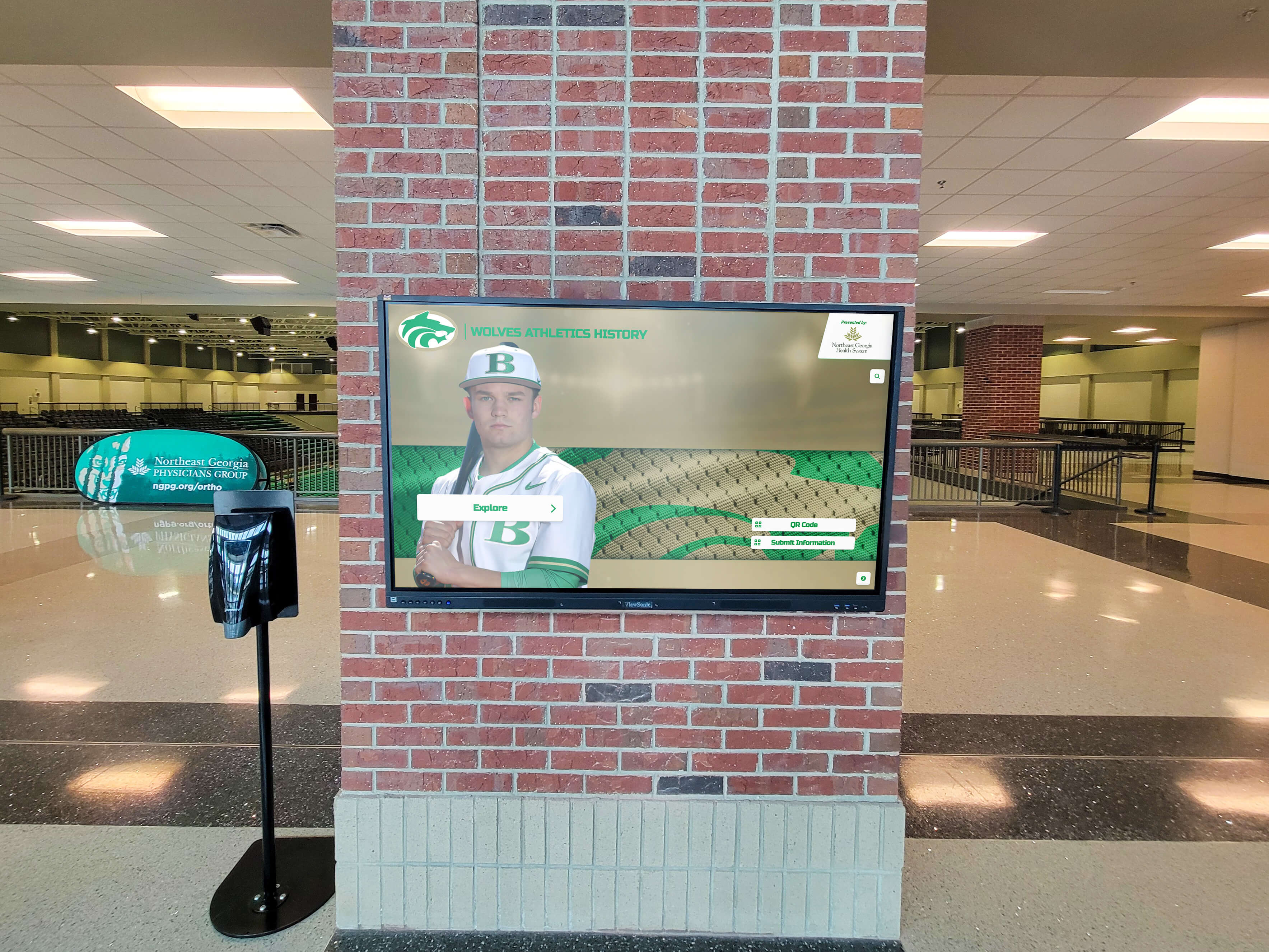
Solutions like digital hall of fame platforms designed specifically for baseball provide these comprehensive features with sport-specific templates that understand baseball’s unique recognition needs.
Interactive Search and Discovery Tools
One of the most powerful features of digital museums is the ability for visitors to find exactly what interests them without scanning through hundreds of plaques or displays:
Name Search: Instant access to specific players, allowing alumni, fans, or family members to immediately locate relevant profiles.
Position Filtering: Browse all catchers, outfielders, or pitchers in team history to compare players by position.
Era Selection: Focus on specific decades or time periods that hold personal significance for visitors.
Achievement Categories: Filter by All-Stars, Gold Glove winners, World Series champions, or other specific accomplishments.
Keyword Search: Find content related to specific games, opponents, or historical events.
These discovery tools transform the visitor experience from linear browsing to personalized exploration, dramatically increasing engagement time and satisfaction.
Artifact Documentation and Digital Archives
While Ballpark Village features physical artifacts donated by Hall of Fame players for individual display cases, the digital component extends this documentation significantly:
High-Resolution Artifact Photography: Detailed images of jerseys, bats, balls, and other memorabilia allow close examination impossible behind glass cases.
Provenance Information: Complete documentation of artifact history, significance, and context.
Historical Documents: Digitized contracts, newspaper clippings, ticket stubs, and other paper artifacts preserved and made accessible.
Preservation of Fragile Materials: Original documents too delicate for constant display can be digitized and made available while preserving the originals in controlled storage.
Digital preservation of sports history ensures that valuable materials remain accessible to current and future generations while protecting them from the deterioration that physical display can cause.
Lessons from Professional Sports Recognition
The Cardinals Hall of Fame at Ballpark Village is just one example of how professional sports organizations use interactive technology for recognition. Examining similar installations provides valuable insights for organizations at all levels.
Fenway Park’s Recognition Systems
The historic home of the Boston Red Sox has integrated modern recognition technology throughout the ballpark. Fenway Park’s interactive displays allow visitors to explore Red Sox history before games, during tours, and year-round. These installations demonstrate how recognition technology can enhance existing spaces without requiring dedicated museum buildings.
For schools and colleges with limited space, this integrated approach offers an appealing model—rather than building separate halls of fame, recognition displays can be incorporated into existing high-traffic areas where they receive maximum visibility.
San Jose Sharks’ Touchscreen Hall of Fame
The SAP Center in San Jose features an extensive interactive touchscreen hall of fame celebrating hockey excellence. While focused on a different sport, the principles remain consistent: comprehensive player profiles, searchable databases, multimedia integration, and user-friendly interfaces that encourage exploration.
The Sharks’ installation demonstrates that interactive recognition technology works across all sports, with content management systems flexible enough to accommodate sport-specific statistics, achievements, and recognition structures.

Multi-Sport Applications
Many professional venues house multiple sports teams, requiring recognition systems that can accommodate different sports within unified interfaces. This challenge mirrors what high schools and colleges face when creating comprehensive athletic halls of fame covering baseball, basketball, football, and other sports.
Modern digital hall of fame systems address this through flexible data structures and templates that maintain consistent navigation across sports while allowing sport-specific customization for statistics, positions, and achievements unique to each activity.
Bringing Professional-Quality Recognition to Schools and Colleges
While Ballpark Village and similar professional installations operate with substantial budgets, the underlying technology has become increasingly accessible for educational institutions seeking to create impressive recognition programs.
Baseball Programs at High Schools and Colleges
High school and college baseball programs with rich traditions can implement recognition systems that rival professional installations at appropriate scales:
All-Time Greats Recognition: Honor distinguished players who competed at your institution before successful professional careers or who achieved excellence at the amateur level.
Championship Season Documentation: Comprehensive documentation of conference, regional, or state/national championship seasons with complete rosters, game-by-game results, and key moment highlights.
Record Holder Boards: Interactive displays showing current record holders for batting average, home runs, wins, ERA, and all other relevant statistics, with historical progression showing how records evolved over time.
College Signing Recognition: For high schools, documentation of players who signed with college programs demonstrates the quality of your baseball program while motivating current players.
The principles that make Ballpark Village’s museum engaging—comprehensive information, multimedia content, interactive exploration—apply equally to school and college programs regardless of scale or budget.
Creating Multi-Sport Athletic Halls of Fame
Most educational institutions need recognition systems covering all sports, not just baseball. Digital recognition platforms accommodate this through:
Unified Design Language: Consistent visual presentation and navigation across all sports maintains familiarity while allowing sport-specific customization.
Sport-Specific Templates: Pre-built structures for baseball, basketball, football, soccer, and other sports that understand each activity’s unique statistics and achievement types.
Cross-Sport Search: Ability to identify multi-sport athletes who competed in baseball and other programs, understanding complete athletic contributions.
Balanced Representation: Rotating featured content and democratic discovery tools ensure all sports receive appropriate recognition rather than major sports dominating visibility.
Creating comprehensive athletic halls of fame requires careful planning of recognition criteria, content organization, and display design to ensure all teams and individuals receive appropriate honor.
The Technology Behind Interactive Sports Museums
Understanding the technology powering installations like Ballpark Village’s museum helps organizations make informed decisions when planning their own recognition systems.
Hardware Components
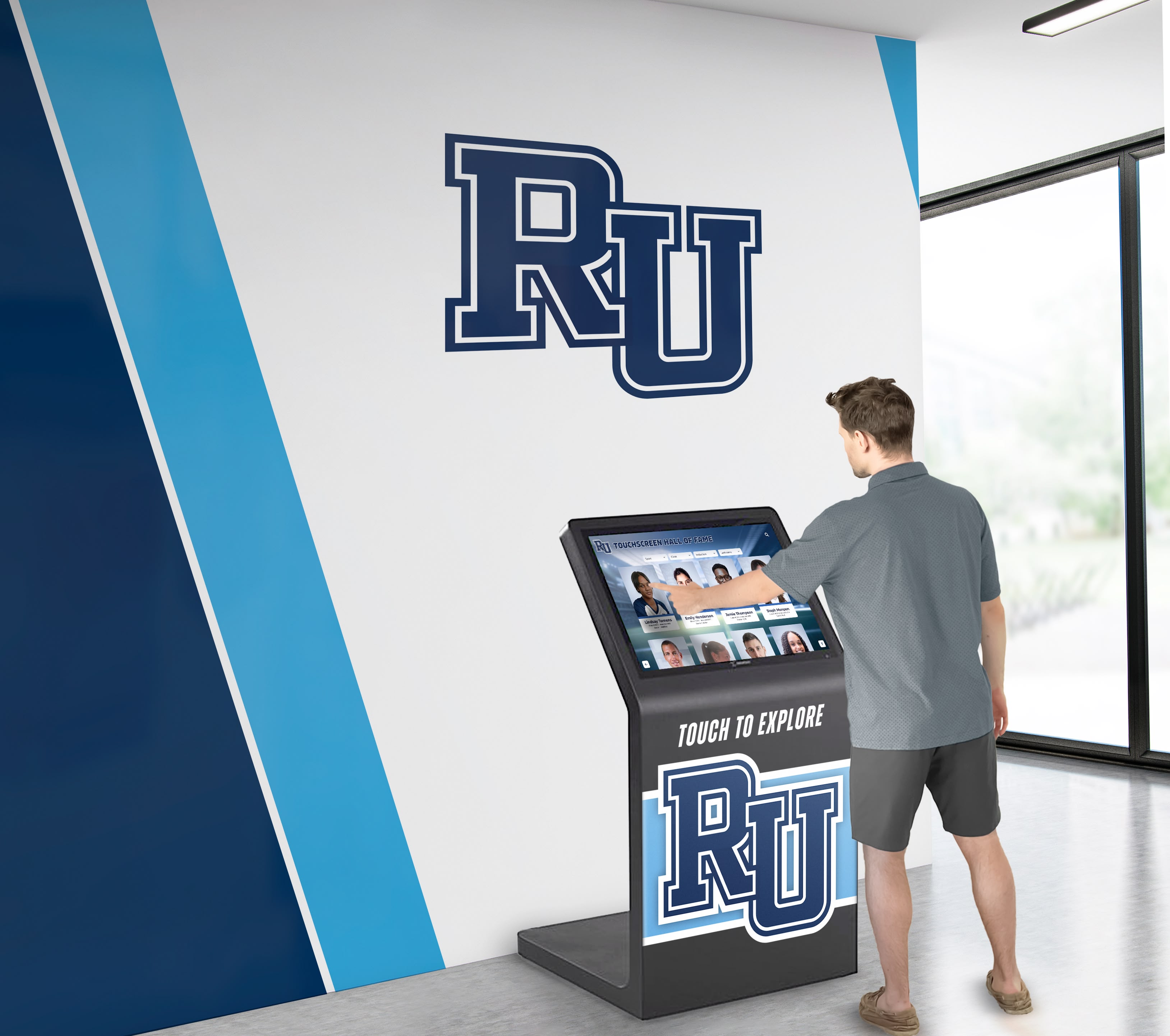
Commercial-Grade Touchscreen Displays: Unlike consumer televisions, commercial displays are rated for continuous operation in public installations. Ballpark Village and similar venues use professional-grade screens ranging from 43" to 86" depending on viewing distance and space constraints.
Projected Capacitive Touch Technology: Modern touchscreens use the same technology as smartphones, providing responsive, multi-touch capability that feels intuitive to users accustomed to mobile devices.
Embedded Computing Systems: Displays typically include integrated computers running the interactive software, either embedded Android systems for simpler applications or Windows-based computers for more complex functionality.
Network Infrastructure: Reliable connectivity enables cloud-based content management, remote updates, and real-time statistics integration.
Professional Installation: Proper mounting, cable management, power planning, and environmental considerations ensure reliable long-term operation.
Software and Content Management
The software powering interactive museums determines functionality, ease of use, and long-term maintainability:
Intuitive Content Management Systems: Non-technical staff must be able to add new players, update statistics, upload photos and videos, and modify content without IT department involvement.
Cloud-Based Platforms: Web-accessible management means authorized users can update content from any internet-connected computer rather than requiring physical access to display hardware.
Sport-Specific Templates: Pre-built structures for different sports eliminate the need to create database schemas, design layouts, or program functionality from scratch.
Media Libraries: Organized storage for photographs, videos, documents, and other digital assets with tagging, searching, and version control.
Analytics and Reporting: Usage tracking reveals which content receives most attention, how visitors navigate the system, and what search terms they use, informing continuous improvement.
Rocket Alumni Solutions specializes in recognition-focused content management designed specifically for honoring athletic, academic, and professional achievement. This purpose-built approach ensures that schools, colleges, and organizations can implement professional-quality recognition without requiring technical expertise or custom development.
Planning Your Interactive Baseball Recognition
Organizations inspired by Ballpark Village’s approach and considering their own interactive recognition installations should follow systematic planning processes.
Phase 1: Strategic Planning and Needs Assessment
Define Recognition Scope: Determine who receives recognition—all varsity baseball players, distinguished players only, record holders, or specific achievement categories. Clear criteria ensure consistent, defensible selection decisions.
Assess Available Content: Inventory existing photographs, statistics, historical documents, and other materials. Identify content gaps requiring research, digitization, or acquisition.
Budget Development: Understand total project costs including hardware, software, content development, installation, training, and ongoing operation. Realistic budgets prevent underinvestment that undermines impact.
Space and Location Selection: Identify optimal display locations considering foot traffic, viewing angles, lighting conditions, and integration with existing spaces. Prime placement maximizes visibility.
Stakeholder Input: Gather requirements from coaches, athletic directors, alumni, development staff, and other stakeholders to ensure the system serves diverse organizational needs.
Phase 2: Content Development
Content quality determines recognition impact and visitor engagement:
Player Profile Creation: Write engaging biographical narratives balancing factual achievement documentation with personal stories revealing character, challenges overcome, and journey to excellence.
Statistical Compilation: Gather complete career statistics from scorebooks, media guides, online databases, and archival research. Verify accuracy through multiple sources.
Media Collection and Processing: Locate historical photographs, digitize at high resolution, scan newspaper clippings and documents, identify or create video highlights, and optimize all media for display specifications.
Data Entry and Organization: Input information into management system using consistent formatting, apply appropriate tags and categories enabling discovery, and establish quality assurance procedures ensuring accuracy.
This content development often represents the most time-intensive project phase but creates the foundation that determines long-term recognition program success.

Phase 3: Implementation and Launch
Technology Installation: Professional mounting of displays, configuration of network connectivity, installation of content management software, and comprehensive testing of all functionality.
Content Loading: Import developed content into the system, configure navigation structures and search functionality, establish update procedures and permissions, and verify all content displays correctly.
Training: Educate administrators on content management tools, establish protocols for regular updates, create documentation for common tasks, and identify ongoing support resources.
Soft Launch and Testing: Before public announcement, invite select groups to preview the installation, gather feedback about functionality and content, address identified issues, and refine based on user experience.
Public Launch Event: Coordinate unveiling with significant occasions like homecoming, alumni weekend, or season openers. Launch events generate media coverage and community excitement.
Phase 4: Ongoing Management and Enhancement
Successful recognition programs require ongoing attention:
Regular Content Updates: Add new inductees or achievements, update alumni career information, incorporate newly discovered historical content, and maintain current statistics.
Usage Analytics Review: Monitor which content receives most attention, identify popular search patterns, track engagement metrics over time, and adjust content priorities based on visitor behavior.
Technology Maintenance: Perform routine display cleaning, apply software updates and security patches, monitor system performance, and address technical issues promptly.
Continuous Enhancement: Expand content depth based on new research, add new features responding to user needs, improve navigation based on analytics insights, and refresh design elements periodically.
Integration with Broader Recognition Programs
Interactive baseball museums and halls of fame function most effectively when integrated with broader institutional recognition and engagement strategies.
Alumni Engagement and Development
Recognition displays create powerful connections supporting advancement goals:
Alumni Reconnection: Former players discovering their recognition often reconnect with institutions after years of limited contact. This renewed connection can lead to volunteer involvement, mentor relationships, and philanthropic support.
Giving Motivation: Athletes who competed at institutions often contribute generously to programs honoring athletic achievement. Recognition displays demonstrate that contributions support meaningful preservation of excellence.
Event Integration: Recognition installations provide focal points for reunions, homecoming activities, and fundraising events, creating natural gathering spaces that facilitate community building.
Storytelling Platforms: Individual achievement stories highlighted through recognition provide compelling content for newsletters, social media, fundraising communications, and institutional marketing.
Recruitment and Student Life
Athletic recognition influences prospective students and current team members:
Recruiting Impact: During campus visits, prospects seeing comprehensive documentation of players who competed at your institution understand program quality and tradition. Recognition demonstrates investment in celebrating athlete achievement.
Team Culture: Current players viewing recognition of predecessors understand they’re part of continuing tradition of excellence. This connection to legacy motivates performance while building program identity.
Campus Pride: Impressive recognition installations contribute to broader institutional pride and reputation, benefiting recruitment across all programs, not just athletics.
Community Connection
Recognition extends beyond internal institutional purposes to serve broader community engagement:
Public Access: When recognition displays are accessible to community members—during games, facility tours, or public hours—they strengthen connections between institutions and communities.
Historical Preservation: Sports programs often represent significant aspects of community identity and history. Comprehensive documentation preserves this heritage for current and future generations.
Media Resources: Journalists researching stories, authors writing books, or filmmakers creating documentaries can access comprehensive information supporting these broader storytelling efforts.
Beyond Baseball: Applying Interactive Museum Principles
While this guide focuses on baseball recognition inspired by Ballpark Village, the principles apply equally to all sports and many other recognition contexts.
Other Sports Applications
Football, basketball, soccer, hockey, track and field, swimming, and every other sport benefit from the same interactive recognition approaches. The specific statistics, positions, and achievement categories differ, but the underlying principles remain consistent: comprehensive information, multimedia storytelling, intuitive discovery, and ongoing accessibility.
Academic and Community Recognition
The technology and approaches used for athletic halls of fame translate directly to academic recognition, artistic achievement celebration, community leadership honors, and professional accomplishment documentation:
Academic Excellence: Honor scholars, researchers, distinguished graduates, and educational innovators using the same profile structures and discovery tools that work for athletes.
Performing Arts: Celebrate theatrical productions, musical performances, artistic exhibitions, and creative achievements through multimedia documentation impossible with static displays.
Community Service: Document volunteer leadership, humanitarian contributions, and civic engagement that might otherwise receive insufficient recognition.
Libraries and community centers increasingly implement interactive recognition displays celebrating diverse contributions beyond athletics.
Statewide and Regional Recognition
Some organizations coordinate recognition across multiple institutions or entire states. Statewide halls of fame present unique challenges in content volume, distributed management, and coordinated presentation that modern digital platforms address effectively through cloud-based infrastructure and multi-location deployment capabilities.
Budget Considerations and Funding Strategies
While professional installations like Ballpark Village operate with substantial resources, educational institutions can implement meaningful recognition programs at various budget levels.
Scaled Implementation Approaches
Starter Systems: Single-display installations with 50-100 profiles demonstrate value and establish foundation for expansion. Initial investment typically ranges from $8,000-$15,000 including hardware, software, basic content development, and installation.
Mid-Range Programs: Multiple displays covering different sports or recognition categories with 200-500 profiles provide comprehensive coverage. Investment generally ranges from $20,000-$40,000.
Comprehensive Installations: Extensive multi-display systems with 1,000+ profiles, advanced features, and custom development approach professional-quality installations. These projects typically range from $50,000-$150,000 depending on scope and customization.
Alternative Funding Sources
Recognition programs competing with numerous institutional priorities for finite budgets can explore creative funding:
Alumni Donations: Former athletes often contribute specifically to programs honoring athletic achievement, seeing clear value in preserving their playing era for current and future generations.
Corporate Sponsorships: Local businesses may sponsor recognition programs in exchange for appropriate acknowledgment, particularly when installations occupy visible public spaces.
Capital Campaign Integration: Recognition components can be included in broader facility fundraising campaigns, positioning them as essential elements of modern athletic facilities.
Naming Opportunities: Specific recognition categories, displays, or entire programs can be named in honor of major donors, creating meaningful recognition at multiple levels.
Phased Implementation: Rather than comprehensive systems immediately, organizations can start with core functionality and expand annually as budgets permit and value proves itself.
Common Challenges and Practical Solutions
Organizations implementing interactive recognition inspired by professional models like Ballpark Village encounter predictable obstacles that proven approaches address.
Limited Historical Documentation
Challenge: Many programs lack comprehensive photographs, statistics, or biographical information for historical figures, particularly from decades before digital record-keeping.
Solutions: Conduct systematic archival research through yearbooks, media guides, newspaper archives, and historical society collections. Engage alumni through outreach requesting personal photos and memories. Partner with local historical organizations that may have relevant materials. Start with streamlined profiles for less-documented individuals while gradually enhancing as information surfaces. Acknowledge content gaps transparently rather than inventing information.
Content Maintenance Requirements
Challenge: Keeping recognition current requires ongoing effort as new achievements occur, alumni update career information, and additional historical content becomes available.
Solutions: Establish clear responsibilities for updates as part of specific staff roles rather than assuming someone will volunteer time. Create annual review cycles systematically evaluating content currency. Leverage content contributions from honored individuals and families, reducing institutional research burden. Prioritize updates based on analytics showing high-visibility content. Consider student involvement through sports management, digital media, or history classes where content development provides educational value.
Technology Learning Curves
Challenge: Non-technical staff may feel overwhelmed by digital systems, fearing inability to manage content independently.
Solutions: Select platforms specifically designed for non-technical users with intuitive interfaces requiring no coding knowledge. Invest in comprehensive training during implementation, not just brief orientation. Establish ongoing support relationships with vendors providing responsive assistance. Create clear documentation and video tutorials for common tasks. Start with simple updates building confidence before complex modifications. Assign primary and backup administrators ensuring continuity when staff changes occur.
Balancing Tradition and Innovation
Challenge: Some stakeholders prefer traditional plaques and physical displays, viewing digital technology as impersonal or potentially unreliable.
Solutions: Implement hybrid approaches combining physical recognition of highest-profile honorees with digital expansion providing comprehensive coverage impossible with physical constraints. Emphasize that digital recognition enhances rather than replaces tradition, providing depth and accessibility that physical displays alone cannot match. Demonstrate successful installations at comparable institutions addressing similar concerns. Highlight permanence and security of cloud-based systems compared to physical displays vulnerable to damage, theft, or deterioration. Include traditionalists in planning processes, incorporating their input while explaining technology benefits.
The Future of Sports Recognition and Interactive Museums
Emerging technologies will further enhance interactive sports recognition in coming years, building on foundations established by installations like Ballpark Village’s museum.
Augmented Reality Integration
AR applications may soon allow visitors to:
- Point smartphones at displays to access additional content layers not visible on screens
- See historical moments overlaid on current facility spaces through location-based AR
- Interact with 3D models of equipment, trophies, or uniform elements
- Trigger video playback or audio content by scanning player photos
Artificial Intelligence and Personalization
AI-powered systems might:
- Recommend content based on viewing history and expressed interests
- Generate natural language summaries of careers or championship seasons
- Enable conversational interfaces where visitors ask questions in natural language
- Adapt complexity levels based on user technical proficiency or age
Social Integration and User-Generated Content
Enhanced social features could:
- Enable visitors to share favorite profiles directly to social platforms from displays
- Aggregate social media content related to recognized individuals or teams
- Allow alumni to submit content for consideration and approval
- Facilitate connections between visitors who share interests in specific players or eras
Advanced Analytics and Comparative Tools
Sophisticated analysis might:
- Compare performance across eras adjusting for rule changes and competitive contexts
- Visualize career trajectories through interactive charts and statistical modeling
- Simulate historical matchups using comprehensive statistical databases
- Identify patterns and factors contributing to championship success
Conclusion: Celebrating Baseball Heritage Through Interactive Technology
Ballpark Village’s Cardinals Hall of Fame Museum demonstrates how interactive technology transforms sports recognition from static commemoration to dynamic engagement. The principles evident in this professional installation—comprehensive digital profiles, intuitive discovery tools, multimedia storytelling, and accessible interfaces—apply equally to educational institutions at all levels seeking to celebrate athletic excellence.
Modern recognition technology has evolved beyond expensive curiosities affordable only by professional sports organizations. Schools, colleges, universities, and community organizations can now implement professional-quality interactive recognition that engages current audiences while preserving heritage for future generations.
The question facing institutions with rich baseball traditions—or any sports heritage worth celebrating—isn’t whether interactive recognition delivers value. Professional installations from Ballpark Village to Fenway Park and beyond have proven that engaged visitors, increased facility traffic, enhanced recruitment, and strengthened alumni connections justify investment. Rather, the question is whether your organization will embrace these tools to honor achievement appropriately for modern audiences.
Whether celebrating Cardinals legends in downtown St. Louis, high school state champions in Friday night light stadiums, or college athletes who represented your institution with distinction, the mission remains constant: recognizing excellence in ways that inspire current athletes, engage alumni, and preserve heritage. Interactive technology provides tools making this mission achievable at unprecedented scale and accessibility.
Ready to Create Your Interactive Sports Recognition?
Rocket Alumni Solutions helps schools, colleges, and sports organizations create engaging recognition displays celebrating athletic excellence through proven technology and comprehensive support.
Our specialized platform provides baseball-specific templates, intuitive content management, and extensive multimedia capabilities enabling you to honor your program's legends with professional recognition systems designed specifically for athletic achievement.
Schedule a ConsultationFrom Ballpark Village’s state-of-the-art Cardinals Hall of Fame to high school programs celebrating conference championships and college signings, interactive recognition technology has transformed how we honor baseball excellence. Solutions like Rocket Alumni Solutions make this professional-quality recognition accessible for programs at every level, delivering comprehensive player profiles, unlimited content capacity, engaging multimedia integration, powerful search and discovery tools, and accessible web platforms that extend recognition globally.
Your baseball program’s history deserves recognition worthy of the athletes who created it. Interactive technology provides the tools to deliver that recognition at a scale, depth, and engagement level that traditional approaches simply cannot match.































