Intent: Calculate and compare platform requirements for virtual hall of fame implementations across software architectures, hardware specifications, and deployment models.
Organizations implementing virtual halls of fame in 2025 face critical architectural decisions shaping project success, long-term operational costs, and recognition program effectiveness. Whether building digital athletic achievement displays, alumni recognition systems, donor walls, or comprehensive institutional archives, selecting appropriate platform infrastructure determines whether your implementation delivers lasting value or becomes an administrative burden requiring constant technical intervention.
The virtual hall of fame platform landscape encompasses diverse approaches—from purpose-built recognition software to custom-developed solutions, from cloud-based management systems to locally hosted applications, from single-display installations to campus-wide networks. Each architectural decision carries implications for content management workflows, hardware compatibility, update procedures, accessibility compliance, and total cost of ownership across typical 5-10 year deployment lifecycles.
This comprehensive guide examines platform options, technical requirements, implementation strategies, and decision frameworks enabling schools, universities, athletic programs, and organizations to select optimal virtual hall of fame infrastructure matching specific operational capabilities, budget constraints, and institutional recognition objectives.
Organizations implementing touchscreen hall of fame solutions must balance technical sophistication with administrative accessibility, ensuring selected platforms deliver professional recognition experiences without requiring dedicated IT staff for routine content management. Understanding platform capabilities, limitations, and deployment requirements prevents costly architectural mismatches undermining long-term project sustainability.

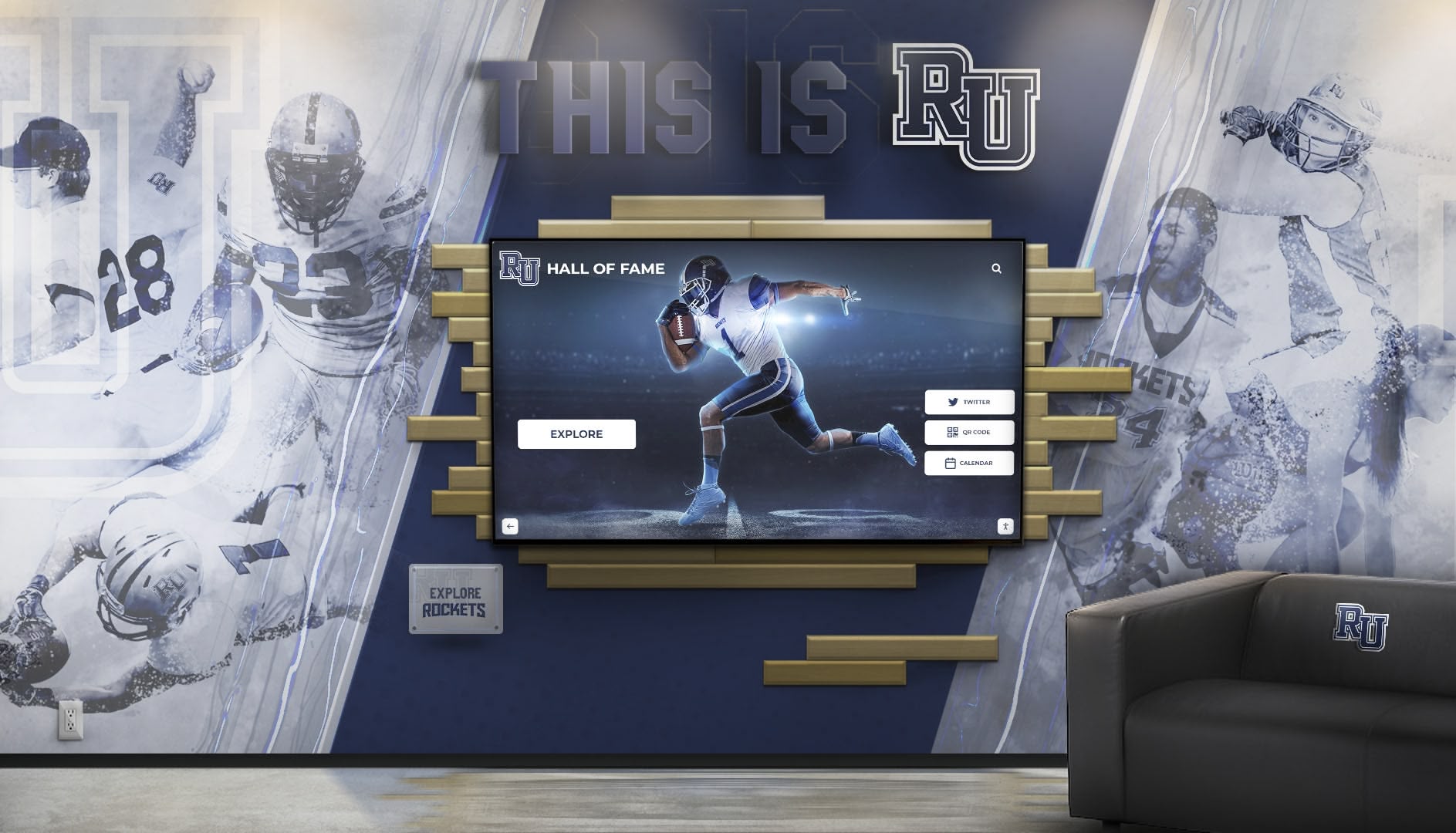
Modern virtual hall of fame platforms combine intuitive content management with professional presentation quality
Understanding Virtual Hall of Fame Platform Architecture
Virtual hall of fame platforms comprise integrated systems combining software applications, content management interfaces, hardware infrastructure, and administrative workflows. Distinguishing platform types and architectural approaches clarifies technical requirements and operational implications.
Cloud-Based Recognition Platforms
Cloud-based platforms host software and content on remote servers, delivering interfaces through web browsers or dedicated applications. This architecture separates content management from display hardware, enabling remote administration and centralized updates across distributed installations.
Platform Characteristics include browser-based content management dashboards accessible from any internet-connected device, automatic software updates applied server-side without local intervention, centralized content storage synchronized across multiple displays, and subscription-based pricing models distributing costs over operational lifespans. Organizations prioritizing administrative flexibility and simplified IT requirements typically favor cloud architectures.
Purpose-built recognition platforms like Rocket Alumni Solutions exemplify cloud-based approaches, providing comprehensive content management systems specifically designed for institutional recognition scenarios. These platforms eliminate custom development requirements while delivering sophisticated functionality through subscription models.
Web-based architectures enable touchscreen software implementations without platform-specific hardware constraints, supporting diverse display configurations as institutional needs evolve without software migration concerns affecting deployment flexibility.
On-Premises Installation Models
On-premises platforms install software directly on local hardware, storing content locally rather than relying on remote servers. This architecture provides complete control over software versions, content storage, and operational independence from internet connectivity.
Deployment Characteristics include local content storage eliminating network dependencies for display operation, direct hardware access enabling advanced performance optimization, one-time software licensing versus subscription payments, and manual update distribution requiring coordination across multiple installations. Organizations with unreliable internet connectivity or preferring operational independence sometimes favor on-premises deployments despite increased IT complexity.
Hybrid Platform Approaches
Hybrid architectures combine cloud-based content management with local content caching, attempting to capture advantages from both approaches. Content administrators manage materials through cloud interfaces while displays cache frequently accessed content locally for reliable operation during network interruptions.
These approaches address reliability concerns in locations with intermittent connectivity while maintaining cloud platform administrative advantages. Implementation complexity increases compared to pure cloud or on-premises models, requiring careful architecture design and testing.

Platform selection affects user experience quality, content management workflows, and long-term operational sustainability
Essential Platform Features for Recognition Applications
Effective virtual hall of fame platforms deliver specific capabilities addressing common institutional recognition requirements. Evaluating platforms against these feature categories identifies solutions matching organizational needs versus those requiring extensive customization or lacking critical functionality.
Content Management Capabilities
Intuitive content management systems distinguish platforms enabling non-technical staff to maintain recognition displays from those requiring IT intervention for routine updates. Administrative interfaces should provide:
Profile Management enabling staff to create detailed inductee records including biographical information, achievement descriptions, career highlights, photos, videos, and supporting documents without HTML coding or database expertise. Bulk import capabilities accelerate historical content digitization when migrating from traditional recognition displays.
Media Asset Organization through integrated digital asset management providing centralized photo storage, video hosting, document libraries, and categorization tools preventing content duplication and administrative confusion as recognition programs grow over time.
Publishing Workflows supporting content scheduling, approval processes, version control, and collaborative editing when multiple staff members contribute to recognition programs. Role-based permissions ensure appropriate access levels for different administrative users managing various content categories.
Search and Discovery Tools enabling visitors to locate specific individuals, achievements, time periods, or categories through full-text search, faceted filtering, alphabetical browsing, and intuitive navigation interfaces. Recognition value diminishes when honorees cannot be found easily.
Platforms requiring technical expertise for content updates create administrative bottlenecks undermining recognition program sustainability as staff turnover affects institutional knowledge. Solutions designed for digital hall of fame management prioritize administrative accessibility alongside professional presentation quality.
Display and Presentation Features
User-facing interfaces determine visitor engagement levels and recognition program effectiveness. Platform presentation capabilities should include:
Responsive Design adapting layouts to various screen sizes from large touchscreen installations to desktop browsers to mobile devices, ensuring consistent recognition experiences regardless of access method. Digital recognition displays should maintain visual quality across diverse viewing contexts.
Interactive Navigation through touch-optimized interfaces supporting natural gestures (swipe, pinch, zoom) familiar to contemporary users. Navigation should feel intuitive without requiring instructions or assistance.
Multimedia Integration displaying high-resolution photos, video content, audio recordings, interactive timelines, document viewers, and social media feeds within cohesive interfaces celebrating achievements through rich storytelling rather than basic text listings.
Customization Options enabling institutions to apply branding elements, color schemes, typography choices, and design approaches reflecting institutional identity. Recognition displays should reinforce rather than contradict existing brand guidelines.
Accessibility Compliance ensuring ADA-compatible interfaces supporting screen readers, keyboard navigation, high-contrast viewing modes, text magnification, and alternative content formats enabling all community members to engage with recognition programs regardless of ability.
Integration and Connectivity
Platform compatibility with existing institutional systems affects deployment complexity and operational efficiency:
Data Integration through APIs connecting recognition platforms with student information systems, alumni databases, development/donor management software, and athletic record-keeping applications. Automated data synchronization eliminates redundant entry while ensuring consistency across institutional systems.
Authentication Integration supporting single sign-on (SSO) through institutional identity management systems (Google Workspace, Microsoft 365, Active Directory) simplifies administrator access without creating separate credential management requirements.
Analytics and Reporting providing engagement metrics, popular content identification, visitor demographics, search query analysis, and usage patterns informing content strategy and demonstrating recognition program value to institutional stakeholders.
Web Embedding enabling recognition content integration within existing institutional websites through iframe embeds or API-driven widgets, creating unified digital experiences rather than isolated recognition silos requiring separate visitor navigation.
Organizations implementing touchscreen kiosk software should evaluate integration capabilities against existing technical infrastructure, prioritizing platforms minimizing custom development requirements while supporting essential connections to current institutional systems.

Strategic platform implementations integrate recognition displays within broader institutional environments and digital ecosystems
Hardware Requirements and Compatibility
Virtual hall of fame platform effectiveness depends on appropriate hardware infrastructure supporting software capabilities and delivering reliable operation across multi-year deployment lifecycles.
Display Hardware Specifications
Touchscreen displays vary significantly in capabilities, durability, and costs. Understanding specification implications prevents mismatches between platform requirements and deployed hardware:
Commercial-Grade Displays designed for continuous operation (16-24 hours daily) provide reliability consumer televisions cannot match. Commercial displays typically offer 50,000-80,000 hour operational lifespans versus 30,000-40,000 hours for consumer equivalents, justifying higher initial costs through extended replacement intervals.
Touch Technology Options include capacitive touchscreens (responsive, multi-touch capable, familiar smartphone-like interaction), infrared touchscreens (no glass overlay, works with gloves, more affordable), and optical touchscreens (precise, durable, suitable for harsh environments). Platform software should support touch input methods matching deployed hardware capabilities.
Resolution Requirements affect content legibility and visual quality. Minimum 1920x1080 (Full HD) resolution suits most recognition applications, while 4K displays (3840x2160) deliver sharper images for large-format installations or when displaying high-resolution photos prominently. Platform software should optimize content for deployed display resolutions.
Screen Size Considerations balance visibility against installation constraints and budgets. Typical recognition displays range from 43-inch installations in compact spaces to 75-inch or larger configurations in lobbies and high-traffic corridors. Platforms should adapt content layouts appropriately across different screen dimensions.
Compute Hardware Specifications
Processing hardware drives display software and manages content delivery. Requirements vary significantly based on platform architecture:
Integrated Display Computers built into commercial touchscreens simplify installations by eliminating separate computer requirements. These systems suit platforms with modest processing demands but may lack performance for demanding applications or future software updates requiring greater computational resources.
External Computer Systems provide more flexibility, enabling hardware upgrades independent of display replacement and supporting platforms requiring substantial processing power. Common options include compact PCs (Intel NUC, Mac Mini), Android media players, or Windows-based small form factor computers.
Minimum Specifications for contemporary recognition platforms typically include quad-core processors (Intel i5 equivalent or better), 8GB RAM (16GB preferred for multimedia-heavy applications), 256GB storage (larger for installations caching substantial video content locally), and dedicated graphics processing for smooth animations and video playback.
Operating System Compatibility varies by platform. Web-based solutions operate on any system running modern browsers (Windows, macOS, Linux, Android), providing deployment flexibility. Native applications require compatible operating systems, potentially constraining hardware choices or requiring multiple software versions for mixed-platform environments.
Organizations planning digital trophy case implementations should consult platform vendors regarding recommended hardware specifications, ensuring deployed systems provide adequate performance margins accommodating future software enhancements without premature hardware obsolescence.
Network Infrastructure Requirements
Cloud-based platforms depend on reliable network connectivity for content management and updates. Required bandwidth varies substantially:
Content Management Bandwidth for administrative interfaces remains modest (1-5 Mbps sufficient), but initial content uploads when digitizing historical archives may require hours or days depending on photo and video volumes. Institutional internet connections typically provide adequate bandwidth for routine operations.
Display Bandwidth varies by platform architecture. Pure cloud-based systems streaming all content require sustained bandwidth (10-50 Mbps depending on multimedia intensity), while platforms caching content locally need reliable connectivity only for periodic updates, operating reliably with intermittent connections.
Network Reliability matters more than raw bandwidth for most platforms. Recognition displays in locations with unreliable connectivity benefit from platforms supporting offline operation through local content caching, ensuring displays continue functioning during network interruptions common in some educational facilities.

Hardware specifications must align with platform requirements and installation environments for reliable operation
Platform Pricing Models and Cost Considerations
Understanding total cost of ownership across deployment lifecycles enables informed platform selection and accurate budget planning. Pricing structures vary substantially between platform types.
Subscription-Based Pricing
Cloud-based platforms typically charge recurring subscription fees covering software licensing, hosting infrastructure, automatic updates, technical support, and content storage. This model distributes costs over time rather than requiring large upfront software investments.
Typical Subscription Ranges for institutional recognition platforms vary from $2,000-$8,000 annually depending on feature sophistication, support levels, content storage volumes, and number of connected displays. Multi-display deployments often receive volume discounts compared to per-display pricing.
Included Services typically encompass software updates ensuring access to new features and security patches, technical support for troubleshooting and guidance, content hosting and bandwidth, and platform maintenance without internal IT burden. These bundled services represent substantial value compared to supporting custom-developed alternatives internally.
Scaling Considerations become important as institutions add displays. Some vendors price per-display, creating linear cost increases with deployment growth, while others offer tiered pricing where marginal costs decrease substantially once initial platform costs are covered.
Organizations implementing digital recognition solutions should evaluate subscription costs against long-term budgets, ensuring recurring expenses align with available funding sources and institutional financial planning cycles typically spanning 3-5 year intervals.
One-Time Purchase Models
Some platforms offer perpetual software licenses requiring large upfront payments but minimal ongoing fees beyond optional support contracts. This model appeals to organizations preferring capital expenditure budgets over operational expense allocations.
Upfront Costs for perpetual licenses typically range $8,000-$25,000+ depending on feature scope and number of licensed installations. While appearing more expensive initially, these costs may prove more economical over 5-7 year periods when compared to subscription models, particularly for single-display deployments.
Ongoing Expenses still occur through optional support and maintenance contracts ($1,000-$3,000 annually), hosting fees if utilizing vendor infrastructure, and eventual major version upgrades potentially requiring additional license purchases. Organizations must budget for these continuing costs rather than assuming one-time purchases eliminate all future expenses.
Technical Responsibility shifts more toward organizations with perpetual licenses. While vendors typically provide bug fixes and security patches through support contracts, organizations bear greater responsibility for system maintenance, update installation, and troubleshooting compared to fully managed subscription services.
Custom Development Investment
Organizations with unique requirements or preferring complete control sometimes pursue custom platform development. This approach delivers maximum flexibility at substantially higher costs and technical complexity.
Development Costs vary enormously based on feature scope, technical complexity, design sophistication, and development team rates. Basic custom recognition platforms might cost $30,000-$75,000, while comprehensive solutions with advanced features, integrations, and content management sophistication can exceed $100,000-$250,000+ for initial development.
Ongoing Maintenance represents substantial continuing investment. Custom platforms require internal or contracted developers for bug fixes, security updates, feature enhancements, compatibility maintenance as technologies evolve, and technical support for administrators. Annual maintenance costs commonly equal 15-25% of initial development investment.
Opportunity Costs include extended development timelines (6-18 months typical versus 2-8 weeks for platform implementations), opportunity costs from delayed recognition program launches, and internal staff time coordinating development efforts, providing requirements, and managing vendor relationships throughout extended project lifecycles.
Most educational institutions and nonprofit organizations find purpose-built platforms like Rocket Alumni Solutions deliver better value than custom development, providing sophisticated recognition capabilities without custom software burdens while maintaining lower total cost of ownership across typical deployment lifecycles.
Platform pricing models affect both initial budgets and long-term operational sustainability across multi-year deployment periods
Implementation Planning and Timeline Expectations
Successful virtual hall of fame implementations require systematic planning, appropriate resource allocation, and realistic timeline expectations. Understanding typical implementation phases prevents unrealistic scheduling creating unnecessary project pressure.
Pre-Implementation Planning Phase
Foundation work before platform deployment significantly affects project outcomes:
Stakeholder Identification establishes clear accountability for project success. Typical stakeholders include athletic directors or development officers (content owners), IT staff (technical implementation), facilities personnel (physical installation), communications teams (promotion and launch), and administrative leadership (budget approval and institutional support).
Requirements Definition clarifies specific capabilities, content categories, user experience priorities, integration needs, and success criteria guiding platform selection. Organizations investing adequate time defining requirements select platforms matching needs versus discovering capability gaps after deployment.
Content Audit inventories existing recognition materials requiring digitization—physical plaques, trophy case information, historical records, photos, documents, and institutional archives. Assessing digitization scope informs timeline planning and resource requirements for content preparation.
Budget Finalization confirms available funding for platform subscriptions or licenses, hardware procurement, installation services, content digitization, training, and contingency reserves addressing unforeseen requirements. Realistic budgets prevent project delays from funding shortfalls mid-implementation.
Organizations implementing interactive recognition displays typically invest 2-6 weeks in planning phases for straightforward deployments, extending to 8-12 weeks when implementations involve multiple stakeholder groups, extensive content digitization, or complex integration requirements with existing institutional systems.
Platform Selection and Configuration
Choosing appropriate platforms and configuring installations for institutional needs:
Vendor Evaluation involves requesting demonstrations, comparing feature sets against requirements, assessing ease of use, reviewing reference customers, understanding support models, and analyzing total cost of ownership. Organizations should evaluate 2-4 platforms before final selection, ensuring informed decisions rather than defaulting to first options encountered.
Design Customization applies institutional branding, selects layout templates, configures navigation structures, establishes content organization approaches, and defines visual design aligning recognition displays with broader institutional identity. Purpose-built platforms typically offer configuration options without custom development requirements.
Integration Setup connects platforms with relevant institutional systems—alumni databases, student information systems, development software, or authentication services. API-based integrations typically require 1-4 weeks depending on data complexity and institutional IT availability for coordination.
Administrator Training ensures staff can manage content confidently without ongoing vendor dependence. Comprehensive training covers content creation, media uploads, publishing workflows, search optimization, analytics interpretation, and troubleshooting common scenarios. Most platforms require 2-6 hours initial training plus periodic refreshers.
Platform selection and configuration typically spans 3-6 weeks for cloud-based solutions with standard implementations, extending to 8-12 weeks when involving extensive customization, complex integrations, or custom development components requiring iterative refinement.
Content Development and Migration
Preparing recognition content often represents the most time-intensive implementation phase:
Historical Digitization converts physical recognition materials to digital formats through scanning, photography, data entry, and metadata creation. Large historical archives may require hundreds of hours depending on volumes and desired detail levels. Some institutions phase digitization, launching with recent years while gradually adding historical content post-launch.
Content Standards establish formatting guidelines, photo specifications, biographical information templates, achievement description approaches, and consistency rules ensuring professional presentation quality across all recognition categories. Clear standards accelerate content creation while maintaining quality.
Initial Content Population creates launch-ready recognition displays with sufficient depth demonstrating value. Most successful implementations include 50-200 profiles initially, providing substantial content for visitor exploration while avoiding overwhelming content creation delays preventing timely launches.
Quality Review verifies accuracy, checks formatting consistency, tests search functionality, validates media displays properly, confirms biographical information accuracy, and ensures accessibility compliance before public launch. Systematic review prevents embarrassing errors undermining recognition program credibility.
Content development timelines vary dramatically based on historical volumes. Implementations launching with current-year content only may require 2-4 weeks, while those digitizing decades of historical records commonly invest 8-16 weeks. Many organizations establish ongoing digitization workflows adding historical content continuously post-launch rather than delaying launches awaiting complete archives.
Physical Installation and Technical Deployment
Hardware installation and technical configuration completing deployments:
Site Preparation confirms electrical service availability, network connectivity, appropriate mounting surfaces, accessibility compliance, security considerations, and environmental factors (lighting, temperature, humidity) affecting display reliability and visibility.
Hardware Installation mounts displays, connects power and network services, installs compute hardware, configures touch calibration, tests functionality, and ensures proper operation. Professional installers typically complete single-display installations in 4-8 hours.
Software Configuration installs platform applications (if required), configures network settings, loads content, tests interactive features, verifies remote management access, establishes backup procedures, and documents configuration for future reference.
Final Testing validates all features operate correctly, content displays properly, touch responsiveness meets expectations, search functions work accurately, administrative access functions remotely, and no technical issues require resolution before launch.
Physical installation and technical deployment typically require 1-2 weeks for single displays, extending to 3-6 weeks for multi-display campus-wide deployments requiring coordination across numerous locations and involving facilities, IT, and vendor coordination.
Launch and Promotion
Strategic launches generate initial engagement and establish recognition programs prominently:
Soft Launch with key stakeholders enables final feedback before broader promotion. Limited initial access identifies any refinements needed without public visibility of iterative improvements.
Launch Event creates ceremonial unveiling generating excitement, media coverage, and community awareness. Coordinating launches with homecoming, reunions, athletic events, or institutional celebrations maximizes attendance and promotional impact.
Communication Campaign announces recognition displays through email blasts, social media promotion, website features, press releases, and internal communications ensuring broad awareness across alumni, students, staff, and community constituencies.
Ongoing Promotion sustains engagement through spotlight features, anniversary recognitions, new inductee announcements, and integration with institutional events maintaining recognition program visibility beyond initial launch excitement.
Organizations implementing touchscreen recognition systems should invest 2-4 weeks in launch planning and promotion, creating momentum carrying through initial months as recognition programs establish ongoing engagement patterns.
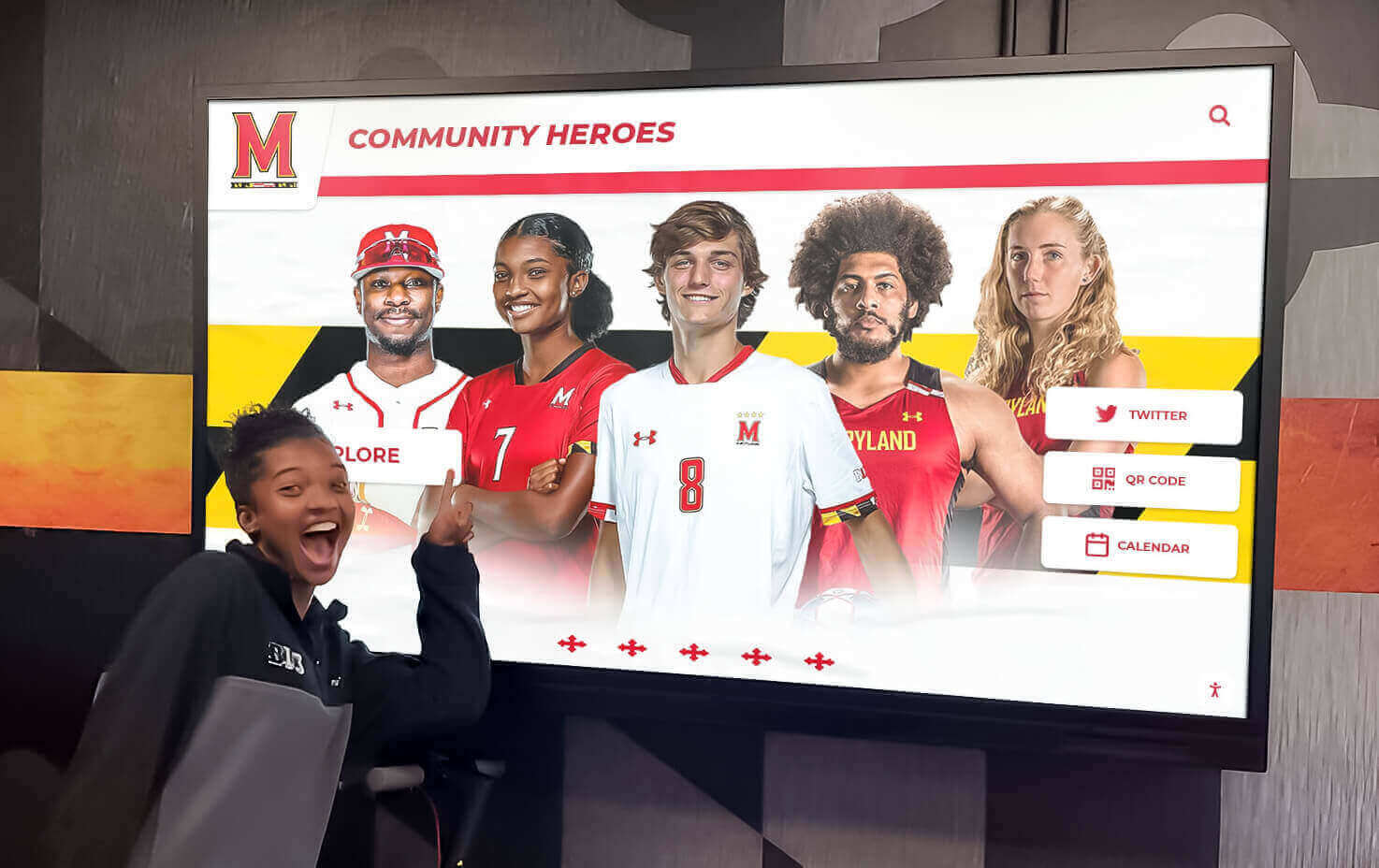
Systematic implementation planning ensures successful deployments meeting timelines, budgets, and institutional expectations
Platform Comparison: Key Decision Factors
Evaluating platforms systematically against critical decision factors enables informed selection matching institutional requirements and operational capabilities.
Administrative Accessibility
Can non-technical staff update content independently without IT intervention? Platforms requiring technical expertise for routine updates create administrative bottlenecks undermining long-term sustainability as staff responsibilities evolve.
Feature Completeness
Does the platform provide necessary capabilities without extensive customization? Missing features requiring custom development inflate costs while delaying deployments and complicating ongoing maintenance.
Total Cost of Ownership
What are comprehensive 5-year costs including subscriptions, hardware, support, training, and content management time? Comparing total costs rather than initial investments reveals true economic implications across realistic deployment lifecycles.
Vendor Stability and Support
How long has the vendor operated? What customer base demonstrates proven reliability? What support responsiveness can you expect? Platform longevity matters given multi-year deployment expectations.
Implementation Timeline
How quickly can the platform deploy and reach operational status? Faster implementations deliver recognition value sooner while requiring less extended coordination across busy institutional schedules.
Scalability Potential
Can the platform accommodate growth as recognition programs expand? Adding displays, content categories, or advanced features should occur smoothly without platform migrations or complete redesigns.
Technical Requirements
What internal IT capabilities does the platform demand for successful operation? Matching platforms to available technical resources prevents implementations becoming unsustainable burdens on limited IT capacity.
Systematic evaluation using these factors clarifies which platforms align with institutional realities versus those appearing attractive superficially but proving problematic operationally. Organizations should document evaluation criteria, score platforms objectively, and involve relevant stakeholders in selection decisions affecting multiple departments.
Specialized Platform Considerations for Educational Institutions
Schools, colleges, and universities face unique requirements distinguishing educational recognition platforms from corporate or community applications.
Athletic Recognition Requirements
Educational athletic programs require specific capabilities supporting sports record boards, team histories, championship celebrations, and individual athlete achievements:
Record Tracking enables systematic display of performance records across sports, events, genders, and time periods with appropriate context comparing historical and contemporary achievements. Platforms should support complex record hierarchies (school records, conference records, state records) and automated highlighting when new records occur.
Team Recognition celebrates championship teams, conference titles, playoff appearances, and significant seasons through multimedia storytelling combining photos, videos, rosters, statistics, and narrative descriptions capturing team accomplishments comprehensively.
Individual Honors recognize all-conference selections, all-state recognitions, academic all-Americans, individual championships, and milestone achievements ensuring comprehensive celebration of athletic excellence across diverse recognition categories.
Statistical Integration connects recognition displays with athletic statistics platforms, automatically updating displays when athletes achieve new milestones or break existing records without manual administrative intervention for every accomplishment.
Alumni Engagement Functionality
Alumni recognition programs emphasize different capabilities than athletic displays:
Profile Updates enable alumni to submit career accomplishments, personal milestones, current contact information, and biographical updates keeping recognition current as careers progress. Approval workflows maintain content quality while enabling community participation.
Searchability allows alumni to locate classmates, teammates, colleagues, mentors, and other community members through robust search supporting names, graduation years, locations, careers, and other identifying characteristics facilitating reconnections.
Social Sharing enables alumni to share profiles, achievements, and recognition content through social media platforms, amplifying institutional reach and creating organic promotion extending recognition visibility beyond on-campus visitors.
Event Integration connects recognition displays with reunion scheduling, homecoming activities, fundraising campaigns, and alumni programming creating cohesive engagement strategies where recognition supports broader institutional advancement objectives.
Organizations implementing alumni recognition programs should prioritize platforms designed for educational contexts over generic digital signage solutions lacking recognition-specific functionality requiring extensive customization for adequate educational deployment.
Donor Recognition Capabilities
Development offices require specialized features supporting donor stewardship and fundraising objectives:
Giving Level Display showcases donor recognition appropriately by contribution levels, campaign participation, cumulative giving, endowment establishment, or other metrics important to institutional development strategies without publicly disclosing specific contribution amounts when privacy preferences require discretion.
Pledge Recognition acknowledges multi-year commitments before full payments complete, demonstrating appreciation for commitments rather than only recognizing completed gifts, supporting donor relationships throughout extended pledge fulfillment periods.
Impact Storytelling connects donor contributions with tangible outcomes—scholarships awarded, facilities constructed, programs established, or institutional priorities advanced. Demonstrating impact strengthens donor connections while illustrating contribution significance.
Privacy Controls enable donors to control recognition visibility, opt out of public acknowledgment, or specify recognition preferences respecting individual preferences while maintaining appropriate stewardship recognizing contributions within comfortable parameters.
Educational institutions implementing donor recognition walls should evaluate platforms against development office requirements, ensuring selected solutions support fundraising strategies effectively while providing flexibility accommodating diverse donor recognition preferences and stewardship approaches.

Educational institutions require platforms addressing specific athletic, alumni, and development recognition scenarios beyond generic display capabilities
Technical Support and Ongoing Maintenance Requirements
Long-term platform success depends on adequate support infrastructure and realistic maintenance expectations. Understanding support models and maintenance requirements prevents implementations becoming unsustainable operational burdens.
Vendor Support Models
Support quality and accessibility significantly affect operational experiences:
Included Support Levels vary substantially between vendors. Some provide unlimited email and phone support during business hours, others offer tiered support with premium levels providing faster response times, and some charge separately for support beyond basic troubleshooting. Clarify support inclusions before platform selection.
Response Time Commitments distinguish adequate support from inadequate assistance. Organizations should confirm response expectations for various priority levels—critical issues affecting display operation versus minor feature questions versus enhancement requests—ensuring alignment with institutional tolerance for downtime or operational issues.
Support Hours matter when issues arise outside standard business hours. Some vendors provide 24/7 emergency support for critical issues, others restrict support to business hours, and some charge premium rates for after-hours assistance. Match support availability against institutional needs.
Knowledge Base Resources including documentation, video tutorials, FAQs, and troubleshooting guides enable self-service problem resolution without contacting support for routine questions. Comprehensive documentation reduces support dependency while accelerating administrator learning curves.
Routine Maintenance Activities
Understanding required maintenance establishes realistic operational expectations:
Content Updates represent ongoing administrative work rather than technical maintenance. Organizations should allocate appropriate staff time for regular content additions, profile updates, photo uploads, and information accuracy maintenance ensuring recognition displays remain current and valuable.
Software Updates occur automatically for cloud-based platforms without administrative intervention, while on-premises solutions require manual update installation following vendor release schedules. Confirm update procedures and frequency during platform evaluation.
Hardware Maintenance includes periodic screen cleaning, touch calibration verification, cable inspection, ventilation cleaning preventing overheating, and physical condition monitoring. Commercial displays require minimal maintenance beyond these basic procedures when specified appropriately.
Performance Monitoring identifies degradation requiring intervention before affecting visitor experiences. Cloud platforms typically provide automated monitoring, while on-premises solutions may require institutional IT resources monitoring system health.
Backup Procedures protect against content loss from hardware failures, accidental deletions, or other data loss scenarios. Cloud platforms typically handle backups automatically, while on-premises solutions require establishing backup protocols and testing recovery procedures periodically.
Organizations implementing touchscreen display solutions should establish clear maintenance responsibility assignments, document procedures, train relevant staff, and schedule periodic reviews ensuring ongoing operational sustainability beyond initial implementation enthusiasm.
Security, Privacy, and Compliance Considerations
Recognition platforms handle personal information requiring appropriate protection, privacy controls, and compliance with relevant regulations affecting educational institutions.
Data Security Requirements
Protecting recognition content and personal information:
Secure Hosting through SSL/TLS encryption protects data transmission for cloud-based platforms. Verify vendor security certifications, infrastructure protection measures, and data center standards ensuring appropriate information security.
Access Controls restrict administrative access through authentication requirements, role-based permissions limiting users to appropriate functions, multi-factor authentication for enhanced security, and audit logging tracking administrative actions for accountability.
Data Backup ensures recovery capability following hardware failures, security incidents, or data corruption. Verify backup frequency, retention periods, geographic redundancy, and recovery procedures including tested restoration capabilities.
Vulnerability Management addresses emerging security threats through regular security patches, penetration testing identifying vulnerabilities, security audits validating protection measures, and vendor transparency regarding security practices and incident response procedures.
Privacy Compliance
Respecting individual privacy preferences and legal requirements:
FERPA Compliance for educational institutions requires appropriate controls protecting student education records. Platforms should provide necessary security controls, access restrictions, audit capabilities, and data handling practices satisfying FERPA requirements for institutions subject to these regulations.
Consent Management ensures proper permissions before publishing personal information. Establish clear policies regarding what information requires explicit consent, how consent is obtained and documented, and procedures honoring opt-out requests or recognition removal requests.
Data Minimization collects only necessary information supporting recognition purposes. Avoid gathering sensitive information unnecessary for recognition objectives, reducing privacy risks and regulatory compliance burdens while respecting individual privacy preferences.
Transparency provides clear privacy policies explaining what information is collected, how it’s used, who can access it, how long it’s retained, and individual rights regarding their information. Accessible privacy policies demonstrate institutional commitment to appropriate information handling.
Accessibility Compliance
Ensuring recognition programs comply with accessibility requirements:
ADA Requirements mandate accessible digital experiences for individuals with disabilities. Recognition platforms should provide screen reader compatibility, keyboard navigation, sufficient color contrast, text alternatives for images, and other accessibility features ensuring compliance with Americans with Disabilities Act requirements.
WCAG Standards provide specific technical guidelines for web accessibility. Platforms should target WCAG 2.1 Level AA compliance as minimum standards, with Level AAA features where feasible, ensuring recognition content remains accessible to individuals using assistive technologies.
Testing and Validation confirm accessibility through automated scanning tools, manual testing with assistive technologies, and ideally feedback from users with disabilities ensuring compliance beyond theoretical standards to practical usability.
Organizations implementing digital recognition displays must prioritize accessibility as fundamental requirements rather than optional enhancements, ensuring recognition programs celebrate excellence inclusively while satisfying legal obligations and institutional values regarding equal access.
Conclusion: Selecting Optimal Virtual Hall of Fame Platforms
Virtual hall of fame platform selection represents consequential decisions shaping recognition program effectiveness, administrative experiences, and long-term operational sustainability. Organizations achieving successful outcomes approach platform evaluation systematically, prioritizing operational fit over feature checklists disconnected from institutional realities.
For most educational institutions, nonprofit organizations, and community groups, purpose-built cloud-based recognition platforms like Rocket Alumni Solutions deliver optimal combinations of sophisticated functionality, administrative accessibility, and sustainable total cost of ownership. These platforms eliminate custom development burdens while providing comprehensive capabilities specifically designed for institutional recognition scenarios schools and organizations encounter regularly.
Key selection priorities should include intuitive content management enabling non-technical staff to maintain displays independently, comprehensive feature sets addressing recognition requirements without extensive customization, realistic total cost of ownership within institutional budgets across 5-10 year lifecycles, proven vendor stability and responsive support, and implementation timelines accommodating institutional scheduling constraints.
Technical requirements must align with available institutional capabilities. Cloud-based architectures minimize IT dependencies through managed infrastructure, while on-premises solutions demand greater technical resources. Hardware specifications should balance performance requirements against budgets while maintaining adequate margins accommodating future software enhancements.
Implementation success depends on systematic planning, appropriate resource allocation, realistic timeline expectations, and sustained institutional commitment beyond initial launch enthusiasm. Organizations investing adequate time defining requirements, preparing content, training administrators, and promoting recognition programs establish foundations for long-term value delivery.
The platform you select today shapes how your institution celebrates achievements, engages communities, and preserves legacy for years ahead. Choose thoughtfully, evaluate thoroughly, and select partners committed to your sustained success rather than merely completing initial implementations.
Ready to Build Your Professional Virtual Hall of Fame?
Discover how Rocket Alumni Solutions provides comprehensive platform capabilities specifically designed for schools and organizations seeking sophisticated recognition without custom development complexity.
Schedule Your Platform DemonstrationTransform how your organization honors achievement through purpose-built platform infrastructure delivering lasting recognition value. Start planning your virtual hall of fame implementation today.































