Every educational institution has a story worth preserving—decades of student achievements, evolving traditions, transformative moments, and the people who shaped its identity. Yet countless schools struggle to effectively capture, organize, and share their rich histories. Dusty yearbooks gather in storage rooms, trophy cases overflow with awards telling incomplete stories, and institutional knowledge lives only in the memories of long-serving staff members approaching retirement.
School history software provides transformative solutions that digitize archives, create accessible timelines, showcase achievements through interactive displays, and ensure institutional legacies remain vibrant and accessible for current students, alumni, and future generations. This comprehensive guide explores the best school history software options for 2025, comparing features, use cases, and implementation strategies to help educational institutions make informed decisions about preserving and presenting their unique stories.
The challenge facing schools isn’t whether their history deserves preservation—every institution accumulates meaningful stories, significant achievements, and defining moments worth documenting. The question is how to transform scattered historical materials into organized, accessible, engaging digital systems that serve multiple institutional goals: inspiring current students, connecting alumni, supporting recruitment efforts, and honoring the countless individuals who contributed to the school’s legacy.
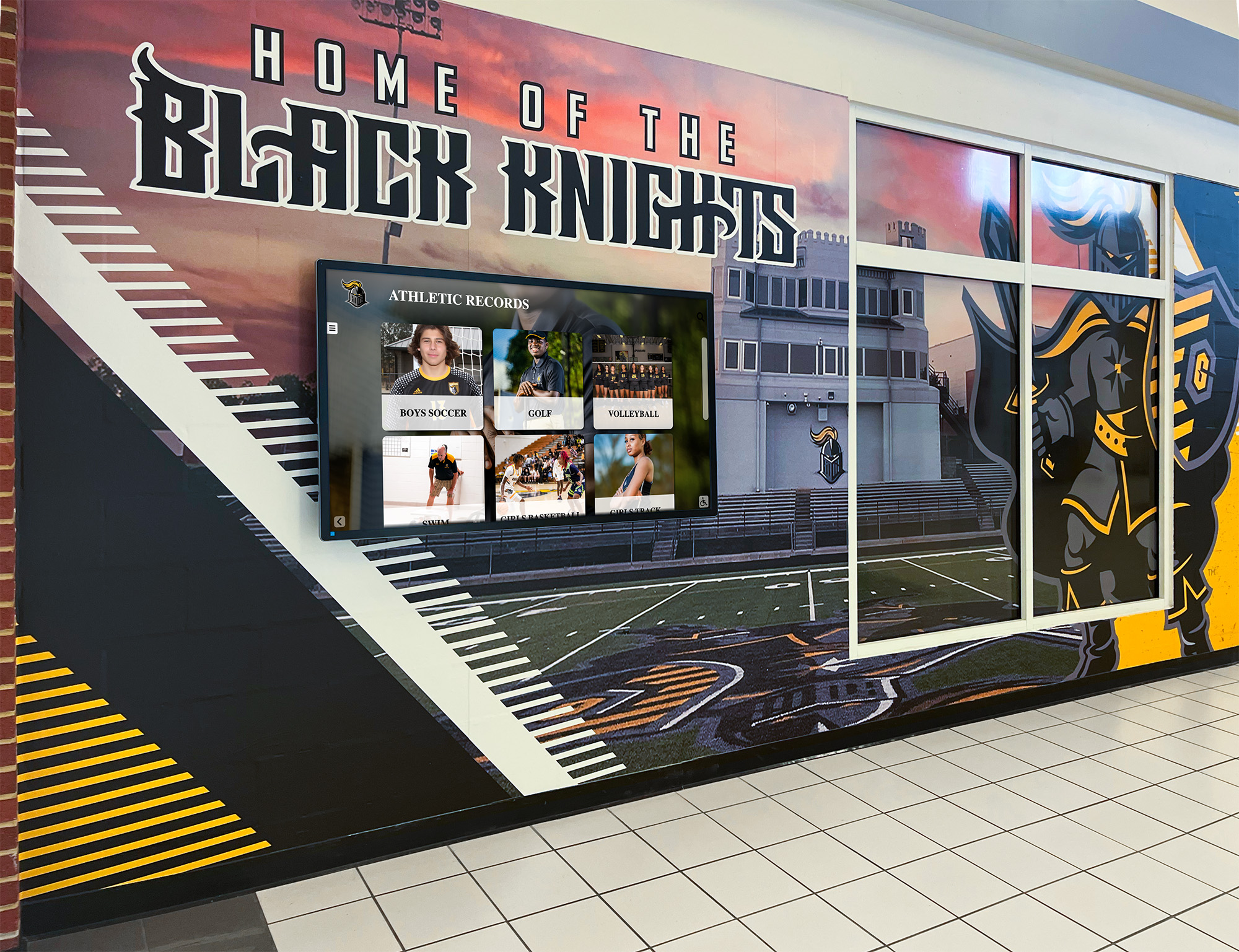
Digital history systems make institutional legacy accessible and engaging for entire school communities
Understanding School History Software Categories
School history software encompasses diverse solutions serving different aspects of historical preservation and presentation:
Digital Archive Management Systems
Archive management platforms focus on organizing, storing, and providing access to historical materials:
Core Capabilities
These systems typically include:
- Document scanning and digitization workflows that convert physical materials to searchable digital formats
- Metadata tagging systems that categorize content by year, person, event, department, or custom classifications
- Search functionality enabling users to quickly locate specific information across vast archives
- Preservation tools ensuring long-term digital file integrity and format migration
- Access controls managing who can view, edit, or contribute to historical collections
- Citation tools supporting researchers using archival materials
- Integration with existing library or information management systems
Schools accumulating decades or centuries of historical materials—yearbooks, student newspapers, administrative records, photographs, correspondence, and artifacts—benefit from archive management systems providing professional-grade preservation combined with modern accessibility.
Primary Use Cases
Archive systems excel for:
- Libraries and media centers managing institutional historical collections
- Private schools with extensive legacy documentation
- Universities preserving departmental and administrative histories
- Historical research programs supporting student and faculty scholarship
- Institutions facing physical space constraints for traditional archival storage
- Schools required to maintain records for accreditation or legal compliance
Interactive Timeline Creation Tools
Timeline software helps schools organize historical information chronologically, creating visual representations of institutional development:
Popular Timeline Platforms
Several specialized tools serve educational timeline creation:
TimelineJS - Open-source tool integrating with Google Sheets, enabling students and staff to create visual, interactive timelines without coding knowledge. The platform pulls data from spreadsheets to generate professional timelines incorporating text, images, videos, and maps. According to the Knight Lab at Northwestern University, TimelineJS has been used by millions of educators worldwide.
Preceden - Cloud-based timeline maker offering history timeline templates specifically designed for school projects. Plans start at $29 annually for unlimited history timelines or $99 annually for planning timelines with additional features.
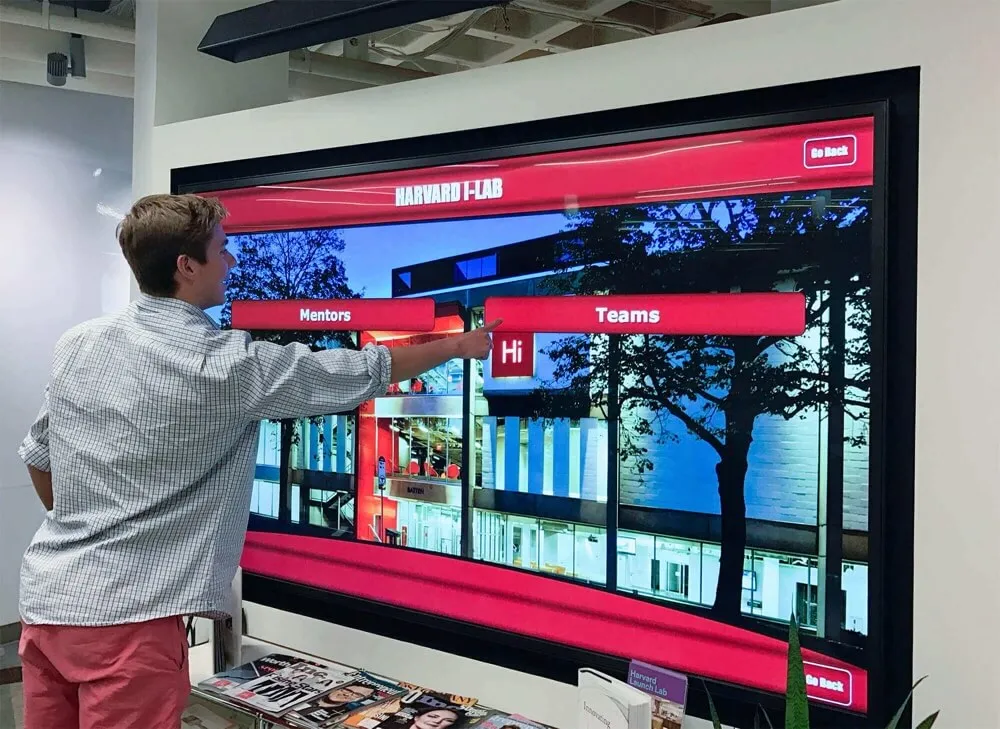
Interactive timeline interfaces make historical progression intuitive and engaging
Time.Graphics - Timeline maker providing free versions with limitations and premium versions with full feature access. Organizations receive educational discounts up to 90%, making professional timeline creation accessible for school budgets.
Tiki-Toki - Web-based software particularly aimed at teachers, with uses spanning classroom projects to institutional history documentation. Advanced packages range from $7.50 to $25 monthly.
These tools work well for specific timeline projects like centennial celebrations, anniversary commemorations, departmental histories, or student assignments, but typically lack the comprehensive features required for complete institutional history management.
Recognition and Achievement Display Systems
Purpose-built platforms specifically designed for schools to showcase achievements, honor alumni, and celebrate institutional accomplishments:
Comprehensive Recognition Features
Modern school recognition systems provide:
- Interactive touchscreen displays for physical locations like main entrances, athletic facilities, or alumni centers
- Web-based portals extending access beyond campus to global alumni communities
- Content management backends enabling non-technical staff to update information easily
- Multimedia integration supporting photos, videos, documents, and audio recordings
- Searchable databases allowing visitors to find specific individuals, teams, years, or achievements
- Automated workflows connecting with existing school information systems
- Analytics tracking engagement patterns and content popularity
- Mobile optimization ensuring perfect display across all devices
These platforms go beyond simple archiving or timeline creation, building complete ecosystems that actively engage communities while preserving history. Solutions like Rocket Alumni Solutions specialize specifically in educational recognition, providing platforms that understand how schools organize achievements and present institutional legacy.

Modern recognition platforms transform static trophy cases into dynamic, searchable achievement databases
Comprehensive School History Software Solutions
For institutions seeking complete historical preservation and presentation systems rather than single-purpose tools, several comprehensive platforms stand out:
Rocket Alumni Solutions: Purpose-Built Educational Recognition
Rocket Alumni Solutions specializes in helping schools preserve history while creating engaging recognition experiences:
Platform Capabilities
The system provides integrated solutions for schools managing diverse historical content:
Interactive Display Systems
Physical touchscreen installations transform high-traffic areas into exploration spaces:
- Commercial-grade displays designed for 24/7 operation in school environments
- Intuitive touch interfaces that students, alumni, and visitors find natural to navigate
- Professional design templates maintaining institutional branding and visual identity
- Unlimited content capacity eliminating the space constraints of traditional trophy cases
- Environmental durability withstanding temperature fluctuations and heavy use
Schools can implement displays in strategic locations—main lobbies, athletic facilities, auditoriums, or alumni centers—creating multiple touchpoints where community members encounter institutional history naturally throughout campus.
Cloud-Based Content Management
Behind the engaging displays lies powerful yet simple content administration:
- Browser-based dashboards accessible from any internet-connected device
- Form-driven entry that doesn’t require technical expertise or coding knowledge
- Drag-and-drop media upload for photos, videos, documents, and graphics
- Scheduling capabilities to publish content on specific dates automatically
- Role-based permissions allowing appropriate access for different staff members
- Batch processing tools accelerating historical content digitization
- Automatic backups ensuring content security and disaster recovery
Many schools assign historical content responsibilities to different departments—athletics managing sports achievements, development offices handling donor recognition, alumni associations maintaining graduate information—and the system’s collaborative features accommodate distributed management while maintaining centralized visibility.
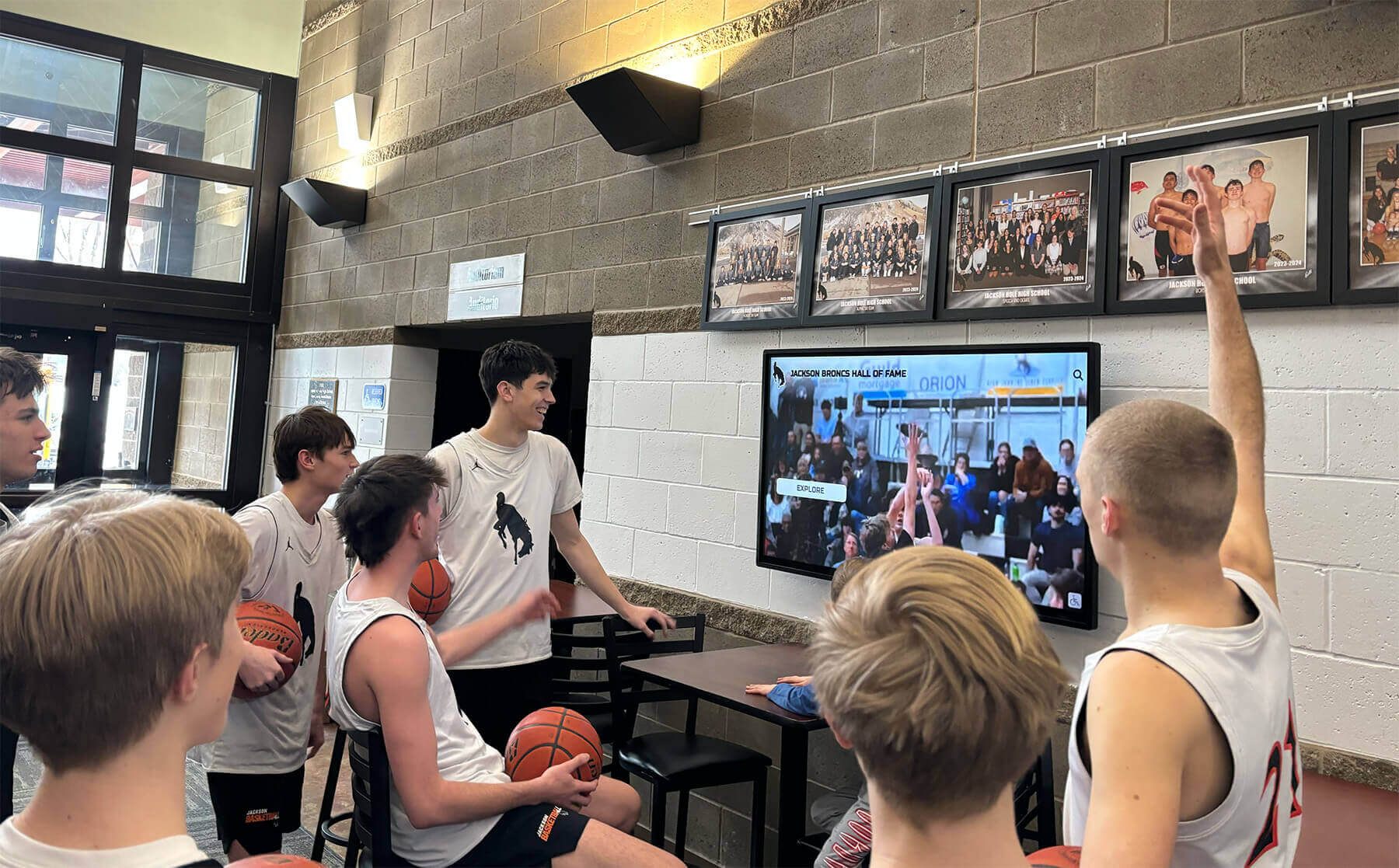
User-friendly administration ensures history stays current without requiring IT specialists
Web Accessibility and Mobile Optimization
Digital history extends beyond physical campus:
- Responsive web portals viewable from any browser on computers, tablets, or smartphones
- Social sharing capabilities enabling alumni to share achievements with personal networks
- Search engine optimization making school history discoverable through online searches
- QR code integration connecting physical campus locations to digital content
- Email integration supporting alumni engagement campaigns and newsletters
- API connections enabling embedded displays within existing school websites
This extended access transforms institutional history from a campus-only amenity to a global engagement tool, particularly valuable for alumni recognition programs that strengthen lifelong connections regardless of geographic location.
Recognition Category Flexibility
The platform accommodates diverse recognition types common in educational settings:
- Athletic achievements including team championships, individual records, all-conference honors, and coaching milestones
- Academic excellence like valedictorians, National Merit Scholars, perfect test scores, and academic competition winners
- Arts accomplishments spanning music, theater, visual arts, and creative achievements
- Service recognition honoring community contributions, volunteer leadership, and humanitarian efforts
- Alumni achievements documenting career success, professional leadership, and continued contributions
- Historical timelines showing institutional development across decades or centuries
- Donor recognition acknowledging financial contributions supporting programs and facilities
This comprehensive approach ensures all types of institutional history receive appropriate documentation and recognition rather than systems limited to single categories like athletics or academics.
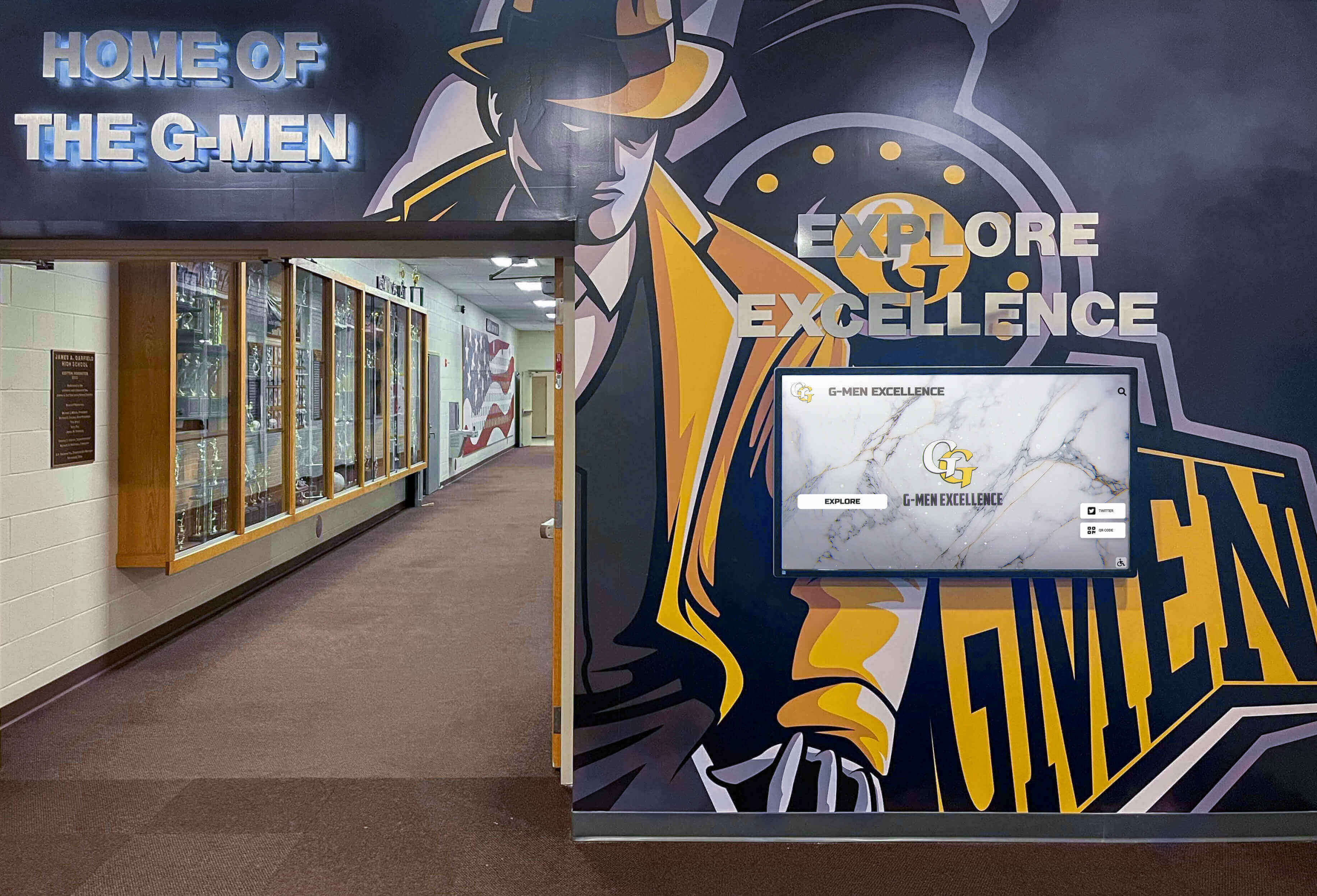
Modern platforms celebrate complete institutional history across all achievement domains
Implementation and Support Considerations
Comprehensive systems require more than just software—they need successful implementation and ongoing support:
White-Glove Implementation Services
Professional implementation typically includes:
- Strategic planning consultations to identify optimal display locations, content priorities, and phased rollout strategies
- Content digitization assistance helping schools convert physical materials to digital formats
- Design customization ensuring displays align with institutional branding, colors, and visual identity
- Technical installation coordinating power, network connectivity, mounting hardware, and integration with existing systems
- Staff training preparing administrators for confident ongoing content management
- Launch support ensuring successful unveiling and initial community engagement
Many schools find comprehensive implementation services justify higher platform costs compared to self-service tools requiring internal expertise that educational institutions often lack.
Ongoing Maintenance and Evolution
Long-term success requires sustained support:
- Software updates providing new features, security patches, and performance improvements automatically
- Technical support addressing questions, troubleshooting issues, and advising on best practices
- Hardware warranties and replacement programs protecting physical display investments
- Content strategy consultation helping institutions maximize engagement and community connection
- Analytics reporting revealing usage patterns, popular content, and optimization opportunities
Schools evaluating school history software should carefully consider total cost of ownership including implementation, training, support, and hardware maintenance rather than focusing exclusively on initial licensing fees.
Specialized History Software for Specific Applications
Beyond comprehensive platforms, specialized tools serve particular aspects of historical preservation:
Document Digitization and Research Tools
For institutions prioritizing research and archival scholarship:
Tropy
Desktop software specifically designed for research photo management:
- Groups images together so scanned pages from letters, record books, or diaries display as complete documents
- Metadata organization categorizing archival materials systematically
- Annotation tools enabling researchers to add notes, transcriptions, and analysis
- Export capabilities supporting various research workflows and publication needs
- Free open-source software eliminating licensing costs for educational institutions
Tropy excels for historical research programs where students and faculty conduct original scholarship using primary sources, but doesn’t provide public-facing presentation capabilities for broader community engagement.
Neatline
Specialized platform combining maps and timelines for spatial storytelling:
- Interactive map layers showing geographical dimensions of historical events
- Timeline integration connecting chronological and spatial information
- Annotation capabilities adding detailed information to map features
- Exhibition creation for public-facing historical presentations
- Integration with Omeka digital collection platforms
Schools with historical narratives involving geographic movement—like westward expansion stories, community development, or facility evolution across campus—benefit from Neatline’s unique spatial capabilities.
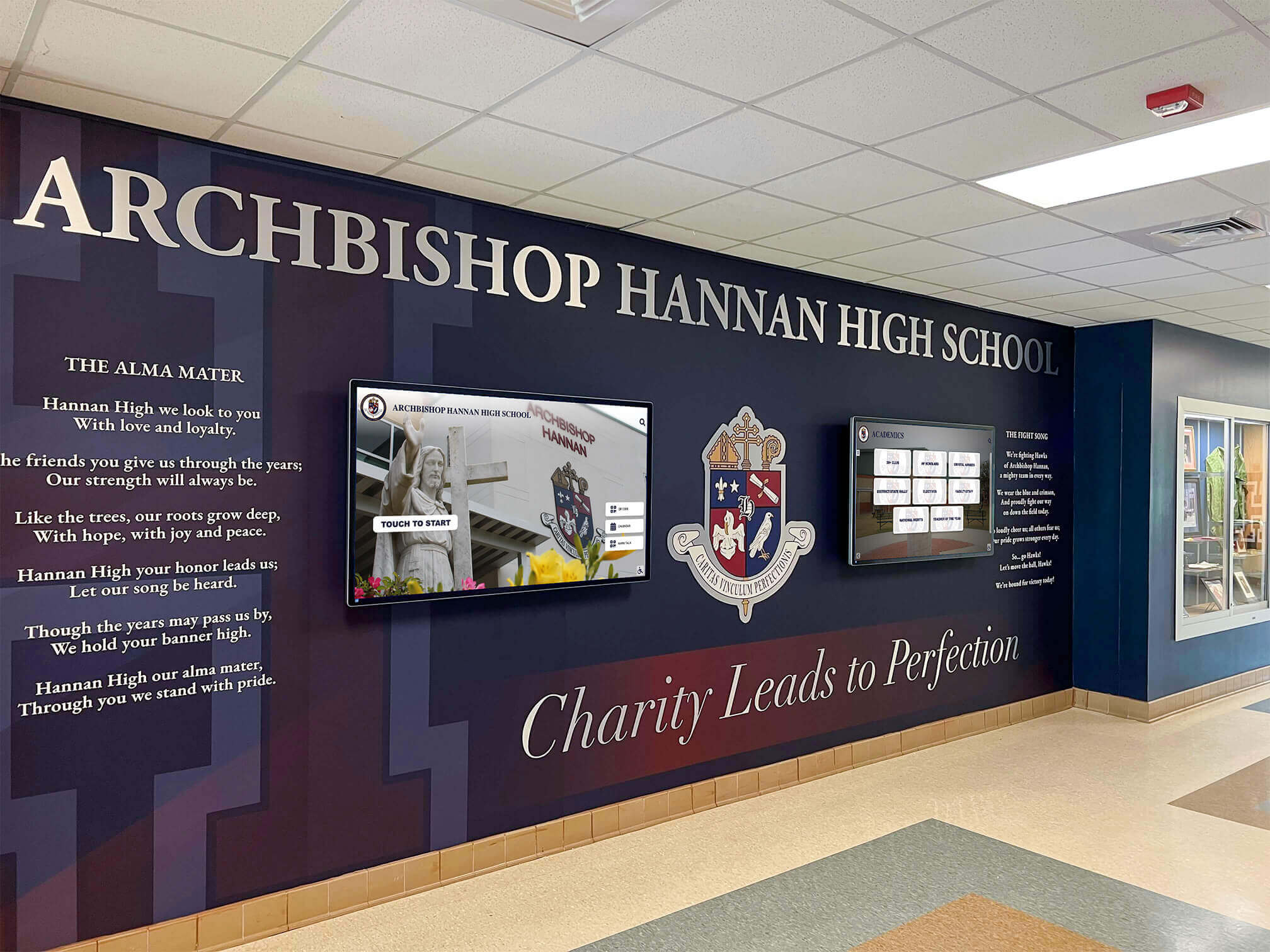
Diverse software options accommodate various institutional needs and historical preservation goals
Timeline-Focused Presentation Software
When creating specific historical timeline presentations:
Key Considerations for Timeline Tools
Evaluate timeline software based on:
- Collaboration features: Can multiple staff members or students contribute simultaneously?
- Multimedia support: Does the platform incorporate images, videos, audio, and documents beyond simple text?
- Embedding capabilities: Can timelines integrate into school websites or presentation software?
- Mobile responsiveness: Do timelines display properly on smartphones and tablets?
- Privacy controls: Can schools limit access to appropriate audiences?
- Cost structure: One-time purchases, annual subscriptions, per-user pricing, or free open-source?
- Technical requirements: Self-hosted versus cloud-based, browser compatibility, software installation needs
Most timeline tools work best for discrete projects—centennial celebrations, specific departmental histories, student assignments—rather than ongoing comprehensive institutional history management requiring regular updates, extensive content, and diverse recognition categories.
Key Features Distinguishing Quality School History Software
When evaluating platforms, prioritize capabilities that ensure long-term success:
User-Friendly Content Management
Technical complexity represents the primary reason institutional history systems fail:
Non-Technical Administration Requirements
Quality platforms provide:
- Visual interfaces using familiar metaphors (drag-and-drop, form fields, preview modes)
- Logical workflows matching how schools naturally organize information
- Helpful documentation, video tutorials, and contextual help within dashboards
- Minimal required fields accelerating content entry without sacrificing completeness
- Error prevention catching mistakes before they affect public displays
- Undo functionality enabling confident experimentation without risk
- Template systems maintaining consistency automatically without manual formatting
The most feature-rich platform delivers no value if staff cannot confidently maintain content, making usability paramount over technical sophistication.
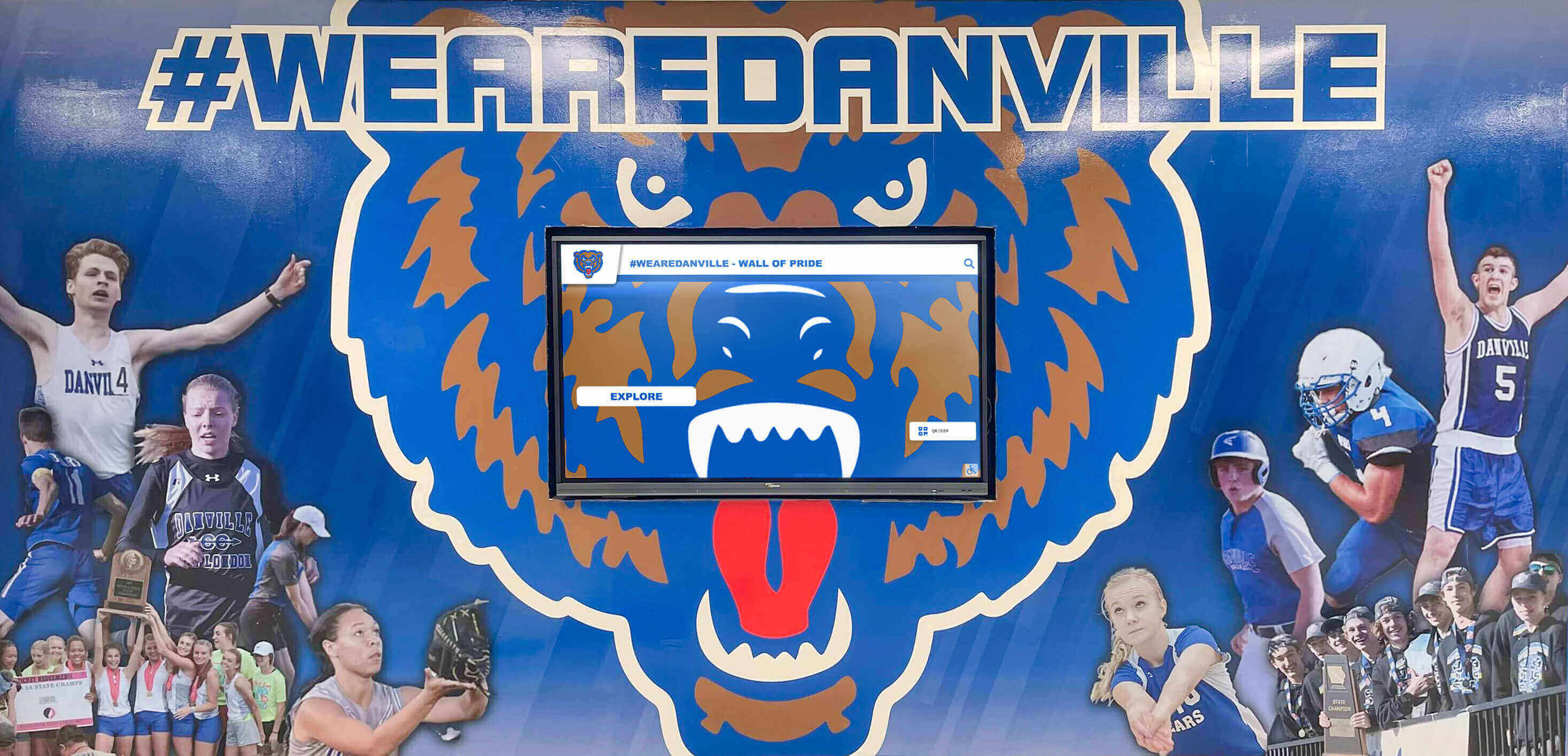
User-friendly systems ensure history preservation doesn't require specialized technical skills
Distributed Responsibility Support
Effective systems accommodate collaborative management:
- Multiple user accounts with role-based permissions (administrator, editor, contributor, viewer)
- Department-specific access allowing athletics, development, and alumni offices to manage relevant sections
- Approval workflows where content creators submit information for review before publication
- Activity logs tracking who made changes and when for accountability
- Notification systems alerting appropriate staff when content requires attention
Distributed responsibility prevents historical preservation from becoming one person’s overwhelming burden while ensuring appropriate oversight and quality control.
Comprehensive Search and Discovery Features
Historical value depends on accessibility:
Powerful Search Capabilities
Users should find information through:
- Keyword searches across all text content, not just titles or names
- Faceted filtering by year, category, achievement type, or custom classifications
- Boolean logic enabling complex queries (AND, OR, NOT operators)
- Fuzzy matching accommodating spelling variations and name changes
- Auto-complete suggestions guiding users toward available content
- Related content recommendations connecting associated people, events, or achievements
- Saved searches enabling repeated queries without re-entering criteria
Schools with extensive historical content spanning decades or centuries absolutely require robust search, as manual browsing becomes impractical when databases contain thousands of entries.
Browsing and Exploration Options
Beyond targeted searching, systems should enable discovery:
- Chronological timelines showing historical progression year by year or decade by decade
- Category browsing letting users explore specific achievement types or departments
- Featured content highlighting especially significant or interesting items
- Random discovery encouraging serendipitous exploration of unexpected connections
- “On this day” features showing historical events matching current dates
- Curated collections organizing thematically related content from various timeframes
Effective digital historical displays balance directed searching with exploratory browsing, accommodating both users seeking specific information and those casually discovering institutional stories.
Engaging Multimedia Integration
Modern expectations demand rich media beyond text and static images:
Supported Media Types
Comprehensive platforms should handle:
- High-resolution photographs including historical scanned images and contemporary digital photos
- Video content from historical footage to contemporary interviews and event recordings
- Audio recordings capturing oral histories, speeches, performances, and historical context
- Document embedding for PDFs, yearbook pages, newspaper clippings, and certificates
- 3D models preserving historical artifacts or architectural elements
- Social media integration showing contemporary reactions and community engagement
The more diverse the media types supported, the more compelling and complete the historical narrative becomes, transforming simple databases into rich experiential archives.
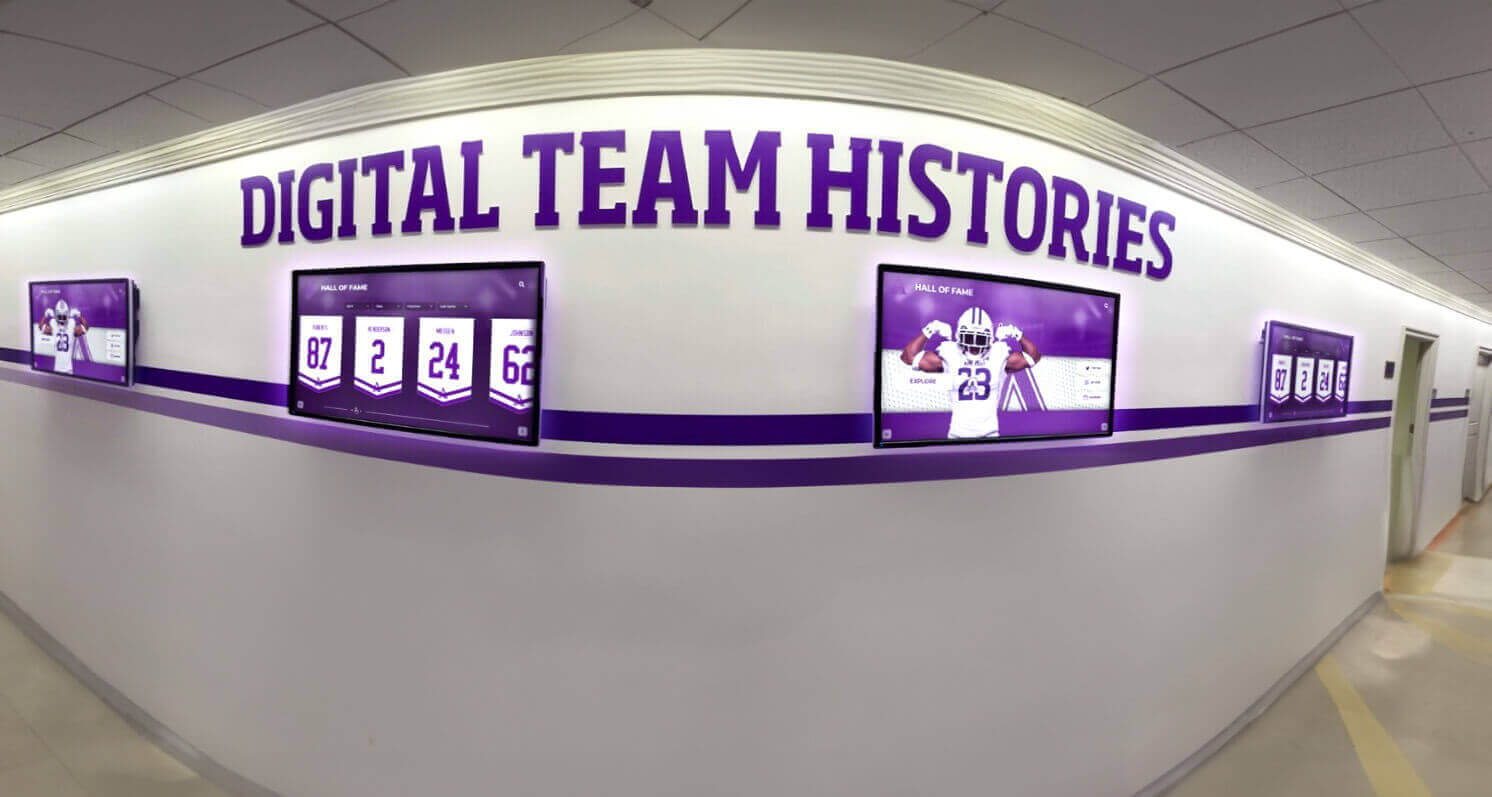
Diverse media types create emotional connections impossible with text-only archives
Media Management Tools
Beyond accepting various formats, quality systems provide:
- Automatic image optimization maintaining quality while managing file sizes for performance
- Video transcoding converting uploaded footage to web-optimized streaming formats
- Thumbnail generation creating preview images for galleries and search results
- Alternative text workflows ensuring accessibility for visually impaired users
- Copyright and attribution tracking documenting sources and usage permissions
- Batch upload capabilities accelerating historical digitization projects
- Cloud storage eliminating local file management and backup concerns
Sophisticated media handling separates professional institutional systems from simple chronological databases or basic timeline creators.
Integrating School History Software with Existing Systems
Standalone historical archives miss opportunities to connect with broader institutional technology ecosystems:
Student Information System Integration
Modern schools rely on student information systems (SIS) like PowerSchool, Infinite Campus, or Skyward for current enrollment data:
Integration Benefits
Connecting history platforms with SIS provides:
- Automatic alumni data synchronization eliminating manual entry of graduation years, degrees, or contact information
- Student achievement imports automatically adding honor roll, academic awards, or scholarship recipients
- Demographic information for comprehensive profiles without duplicate data entry
- Privacy compliance ensuring appropriate information sharing aligned with student records policies
- Real-time updates reflecting current information without administrative intervention
While historical content typically requires manual entry, contemporary achievement recognition benefits tremendously from SIS integration, ensuring new accomplishments receive immediate documentation without staff burden.
Alumni Database and Development System Connections
Schools using advancement platforms like Blackbaud Raiser’s Edge, EverTrue, or GiveCampus for fundraising and alumni engagement:
Advancement Integration Value
Connected systems enable:
- Alumni profile enrichment where career achievements and updates inform historical recognition automatically
- Giving history integration for donor recognition displays acknowledging financial contributions
- Event attendance tracking identifying engaged alumni for outreach and content solicitation
- Communication coordination ensuring historical content appears in alumni newsletters, social media, and campaigns
- Analytics showing which historical content generates strongest engagement for fundraising opportunities
The most effective school history software strengthens advancement efforts rather than functioning as isolated archives disconnected from strategic institutional goals.
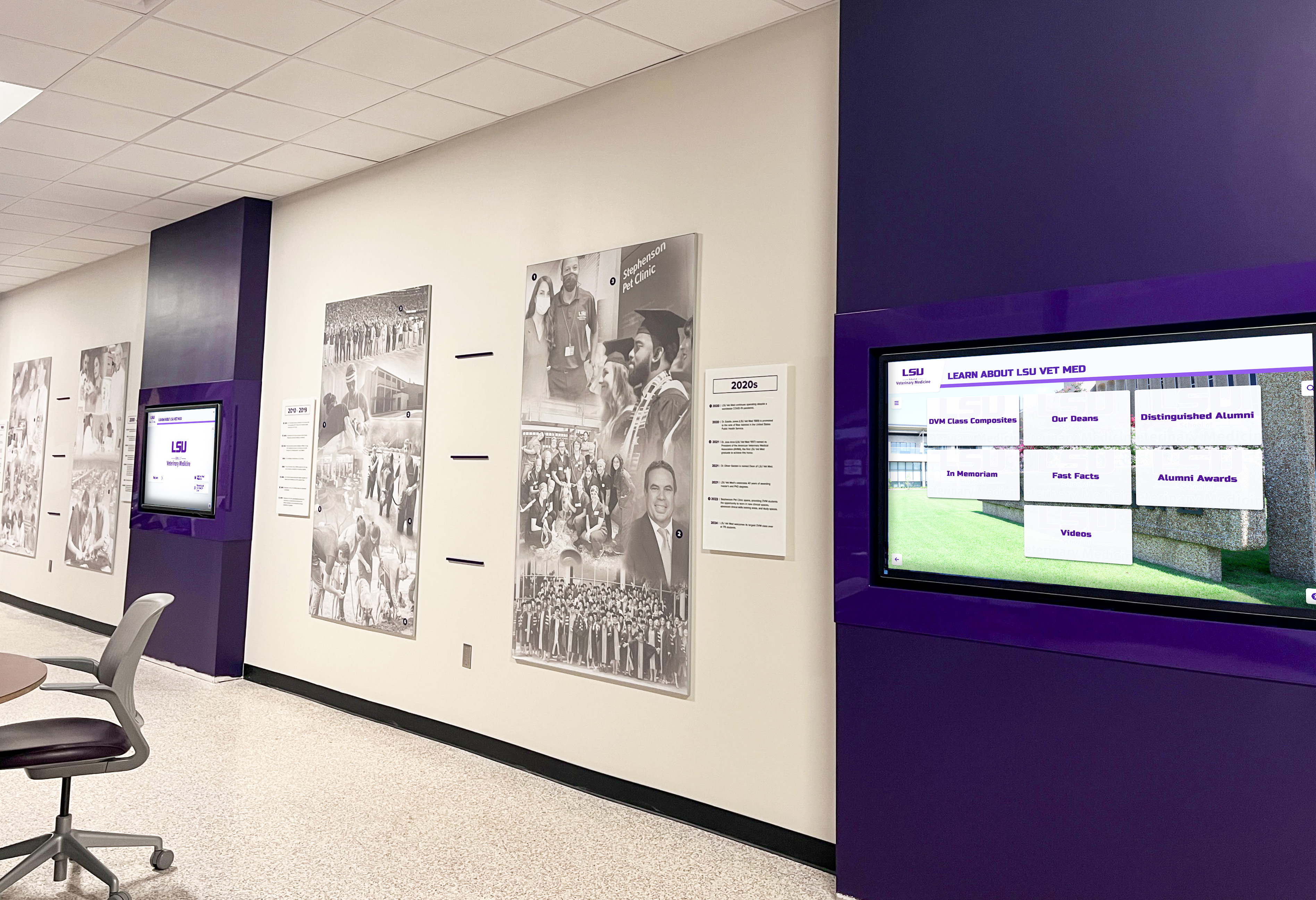
Connected platforms eliminate duplicate data entry while strengthening multiple institutional functions
Website and Communication Platform Integration
School websites serve as primary institutional touchpoints for prospective families, current students, alumni, and community members:
Web Integration Capabilities
Quality history software should provide:
- Embeddable widgets displaying historical content within existing school websites without complete redesigns
- RSS feeds enabling automatic updates to website news sections or blogs
- API access for custom integrations with unique school web architectures
- Social media posting automation sharing historical content across institutional accounts
- QR code generation connecting physical campus locations to digital historical content
- Mobile app integration for schools providing branded applications to communities
Historical content that lives exclusively in standalone systems fails to reach the audiences most valuable for institutional advancement, recruitment, and community engagement.
Implementation Strategies for School History Software
Technology selection represents only the beginning—successful implementation requires strategic planning:
Phased Rollout Approaches
Attempting to digitize entire institutional histories before launching creates overwhelming projects that stall or never complete:
Recommended Implementation Phases
Phase 1: High-Priority Contemporary Content (Months 1-3)
- Current year achievements across all recognition categories
- Recent 3-5 years of major accomplishments
- Featured alumni with strongest community connections
- Essential institutional history overview providing context
This phase delivers immediate value demonstrating platform capabilities while building staff confidence with manageable initial scope.
Phase 2: Comprehensive Recent History (Months 4-9)
- Complete last 10-15 years across all categories
- Significant alumni from recent decades with available information
- Historical highlights from earlier eras providing continuity
- Enhanced multimedia for major events and accomplishments
Second-phase expansion creates substantial archives supporting real community engagement while maintaining momentum.
Phase 3: Historical Depth (Months 10-24)
- Systematic backward expansion decade by decade
- Archival research filling gaps in older records
- Historical context and institutional evolution narratives
- Alumni outreach soliciting information about earlier generations
Long-term historical completion happens gradually without preventing immediate platform value and community engagement.

Realistic staging prevents overwhelming initial projects that never complete
Phase 4: Enhancement and Expansion (Ongoing)
- Multimedia enrichment adding videos, audio, and enhanced photography
- Detailed profiles expanding basic entries with comprehensive information
- Thematic collections connecting related content across timeframes
- Interactive features leveraging platform capabilities fully
- Community contribution programs inviting alumni submissions
Continuous improvement maintains platform vitality and engagement rather than static archives becoming neglected after initial launch.
Content Sourcing and Verification Strategies
Comprehensive historical archives require information from diverse sources:
Primary Source Materials
Begin with existing institutional documentation:
- Yearbooks providing systematic annual documentation of students, activities, and achievements
- Athletic record books maintained by coaches and athletic directors
- School newspapers and publications documenting events and accomplishments
- Commencement programs listing graduates, honors, and awards
- Board minutes and administrative records containing institutional milestones
- Trophy cases and physical recognition displays currently installed
- Alumni newsletters and magazines published over decades
Systematic review of existing materials provides foundational content requiring verification and organization rather than creation from scratch.
Community Contributions and Alumni Outreach
Extend beyond official documentation through community engagement:
- Alumni surveys requesting information about achievements, classmates, and memories
- Social media campaigns encouraging photo and story submissions
- Reunion events conducting oral history interviews and collecting memorabilia
- Volunteer committees researching specific eras or topics
- Donor recognition opportunities acknowledging content contributions alongside financial gifts
- Student projects assigning historical research to classes or clubs
Community involvement accelerates content development while strengthening engagement and ownership that increases long-term platform success.
Verification and Accuracy Protocols
Historical credibility requires rigorous fact-checking:
- Multiple source confirmation for significant claims or disputed information
- Original documentation review rather than relying on secondary sources
- Expert consultation with long-serving staff, community historians, or archivists
- Transparent uncertainty acknowledgment when definitive documentation unavailable
- Citation of sources supporting historical claims
- Correction processes addressing errors identified after publication
- Community feedback mechanisms enabling ongoing accuracy improvements
Programs implementing athletic record systems understand that accuracy represents the foundation of credibility—once communities lose trust in historical information, recovering that confidence becomes extremely difficult.
Staff Training and Change Management
Technology success depends on human adoption:
Comprehensive Training Programs
Ensure confident platform usage through:
- Initial training sessions covering basic content creation, editing, and publication workflows
- Advanced workshops exploring multimedia integration, search optimization, and analytics
- Role-specific instruction tailored to different staff responsibilities
- Hands-on practice with sandbox environments allowing experimentation without risk
- Documentation and video tutorials supporting independent learning and reference
- Refresher sessions as staff changes or new features release
- One-on-one coaching for staff members requiring additional support
Many institutions find that inadequate training represents the primary reason history platforms fail to gain traction despite significant software investments.
Change Management Strategies
Address organizational and cultural dimensions:
- Executive sponsorship demonstrating leadership commitment to historical preservation
- Clear role definitions establishing who manages which content areas
- Success metrics defining what platform success looks like specifically
- Regular progress communications celebrating milestones and achievements
- Community engagement events showcasing platform value to stakeholders
- Feedback loops enabling continuous improvement based on user experience
- Recognition programs acknowledging staff members contributing significantly
Technology represents only one dimension of successful school history initiatives—organizational commitment, clear processes, and sustained attention determine whether platforms deliver lasting value.
Measuring School History Software Success
Demonstrate platform value through meaningful metrics:
Quantitative Engagement Indicators
Track concrete usage demonstrating community interaction:
Display Analytics
For physical touchscreen installations:
- Total interactions and unique visitor counts over time
- Average session duration indicating depth of engagement
- Most-viewed content revealing community interests and priorities
- Peak usage times informing staffing and maintenance schedules
- Search queries showing what information users seek
- Navigation pathways revealing how visitors explore content
- Bounce rates identifying content failing to engage effectively
Modern platforms like Rocket Alumni Solutions provide comprehensive analytics enabling data-driven content strategy and continuous improvement.
Web Platform Metrics
For online historical portals:
- Page views and unique visitors measuring overall reach
- Time on site and pages per session showing engagement depth
- Social sharing volume indicating content resonance
- Geographic distribution revealing alumni locations and reach
- Mobile versus desktop usage informing design priorities
- Search engine traffic demonstrating discoverability
- Return visitor rates showing sustained interest over time
Web analytics tools like Google Analytics integrate with school history platforms, providing detailed insights into online engagement patterns and opportunities.

Analytics demonstrate platform value while informing strategic content and feature decisions
Qualitative Impact Assessment
Numbers alone miss important dimensions of historical platform success:
Community Feedback Collection
Gather stakeholder perspectives through:
- Student surveys assessing awareness, usage, and perceived value
- Alumni feedback during reunions, events, or targeted outreach
- Staff interviews exploring administrative experiences and challenges
- Parent and family reactions during campus visits and tours
- Community member testimonials about historical discoveries
- Donor responses connecting recognition to giving decisions
- Recruitment impact as prospective families evaluate institutions
Systematic feedback collection reveals whether platforms achieve strategic goals beyond simple usage metrics.
Institutional Goal Alignment
Assess contribution to broader objectives:
- Alumni engagement metrics (event attendance, giving participation, volunteer involvement)
- Enrollment and recruitment outcomes for prospective families
- Student pride and connection to institutional legacy
- Donor recognition satisfaction and renewed giving
- Community relations and institutional reputation
- Staff morale and pride in institutional affiliation
- Media coverage and public visibility of institutional stories
The most successful school history initiatives strengthen multiple institutional priorities simultaneously rather than functioning as isolated archives disconnected from strategic goals.
Cost Considerations for School History Software
Understanding full investment requirements enables realistic budgeting:
Initial Implementation Costs
Comprehensive systems require upfront investments:
Software Licensing and Setup
Platform costs typically include:
- Initial software licensing fees (ranging from $3,000-15,000 for educational institutions depending on school size and features)
- Setup and configuration services (typically $2,000-8,000 for complex implementations)
- Design customization aligning platforms with institutional branding ($1,000-5,000)
- Integration with existing systems if required ($2,000-10,000 depending on complexity)
- Content management training for staff ($500-3,000 depending on depth and participant numbers)
- Initial content development assistance if needed (varies widely based on scope)
Quality comprehensive platforms typically require $10,000-35,000 initial investments for schools seeking complete solutions rather than basic timeline tools or simple archive databases.
Hardware and Infrastructure
Physical displays add equipment costs:
- Commercial-grade touchscreen displays (typically $3,000-12,000 depending on size and features)
- Mounting hardware and installation labor ($500-3,000 per display)
- Network infrastructure if locations lack adequate connectivity ($500-5,000)
- Power upgrades if necessary ($300-2,000)
- Protective enclosures for high-traffic or outdoor locations ($1,000-4,000)
Schools implementing multiple displays across campus should budget $5,000-15,000 per location for complete installation including hardware, labor, and supporting infrastructure.
Ongoing Operational Expenses
Long-term success requires sustained investment:
Annual Software Costs
Recurring platform expenses typically include:
- Software licensing or subscription fees (generally $2,000-8,000 annually for educational institutions)
- Cloud hosting and storage (often included in licensing or $500-2,000 annually if separate)
- Software updates and new feature releases (typically included in licensing agreements)
- Technical support and troubleshooting (included in comprehensive agreements or $1,000-4,000 annually)
- Training refreshers and documentation updates (varies by provider and institutional needs)
Quality providers typically offer comprehensive service agreements bundling licensing, hosting, updates, and support for predictable annual costs facilitating budgeting.
Content Management and Maintenance
Ongoing content development represents the largest long-term investment:
- Staff time for content creation, curation, and updates (typically 5-15 hours monthly for active programs)
- Digitization services for historical materials if outsourced ($1-5 per image for scanning, more for video conversion)
- Freelance design or multimedia production if enhanced content desired ($50-150 per hour)
- Community engagement activities soliciting content contributions (varies based on approach)
Many schools find that ongoing content development requires more sustained institutional commitment than initial platform implementation, making realistic workload expectations essential for long-term success.

Realistic budgeting accounts for complete lifecycle costs ensuring long-term platform sustainability
Return on Investment Considerations
While history software requires investment, comprehensive platforms deliver measurable value:
Quantifiable Benefits
Direct financial returns include:
- Reduced printing and physical plaque costs (saving $2,000-8,000 annually for active athletic programs)
- Space reclamation from removed trophy cases and display sprawl (potentially valuable square footage)
- Administrative time savings through automated updates versus manual physical changes (10-30 hours annually)
- Reduced storage needs for physical historical materials after digitization
- Increased alumni giving attributable to stronger engagement (difficult to isolate but potentially significant)
Many institutions achieve break-even within 3-5 years when accounting for eliminated ongoing costs of traditional recognition methods.
Strategic Value
Beyond direct financial returns, platforms deliver:
- Enhanced recruitment competitiveness through professional institutional presentation
- Strengthened community connections supporting broader advancement goals
- Preserved institutional knowledge that would otherwise be lost
- Improved student pride and connection to school legacy
- Elevated institutional reputation and public perception
- Protected investments in historical materials through digital preservation
- Foundation for future initiatives building on historical content
These strategic benefits, while difficult to quantify precisely, often represent the most significant value justifying historical software investments for mission-driven educational institutions.
Selecting the Right School History Software for Your Institution
No single platform serves all schools equally well—thoughtful evaluation ensures optimal fit:
Assessment Framework
Evaluate platforms systematically across key dimensions:
Institutional Needs Analysis
Begin by clarifying specific requirements:
- What historical content exists currently and in what formats?
- Which constituencies will use the system primarily (students, alumni, community, researchers)?
- What institutional goals should historical initiatives support (enrollment, advancement, culture)?
- What staff resources are available for implementation and ongoing management?
- What budget limitations or funding sources constrain options?
- What technical infrastructure and expertise exists currently?
- What timeline expectations exist for implementation and completion?
Clear needs assessment prevents pursuing sophisticated platforms exceeding actual requirements or selecting simple tools inadequate for institutional ambitions.
Feature Prioritization
Rank capabilities by importance for your specific situation:
- Is physical display installation essential or is web-only acceptable initially?
- Does existing staff technical expertise suggest requiring particularly intuitive platforms?
- Is multimedia integration crucial or are text and photos sufficient?
- Do integration requirements with existing systems represent dealbreakers?
- Is comprehensive implementation support needed or can the institution manage independently?
- Are advanced analytics important or is basic usage data adequate?
- Does the platform need to accommodate future expansion and changing needs?
Feature prioritization clarifies non-negotiable requirements versus nice-to-have capabilities, simplifying vendor comparisons and decision-making.
Vendor Evaluation Process
Compare platforms through structured assessment:
Request Demonstrations
Quality vendors should provide:
- Live platform demonstrations showing actual capabilities rather than marketing materials
- Opportunities to interact with demonstration systems firsthand
- References from similar educational institutions already using platforms
- Detailed feature documentation and pricing transparency
- Sample implementation timelines and workload expectations
- Technical requirements and integration specifications
- Support models and ongoing service offerings
Demonstrations reveal whether platforms deliver on marketing claims while enabling direct comparison of user experience, administrative tools, and community-facing interfaces across competing options.
Trial Periods When Available
Some vendors offer:
- Pilot implementations with limited content before full commitment
- Sandbox environments for hands-on exploration without public deployment
- Proof-of-concept periods demonstrating value before significant investment
- Phased contracts allowing initial implementation before campus-wide expansion
Trial opportunities reduce risk by enabling direct experience before major financial commitments, particularly valuable for institutions without prior digital recognition experience.
Total Cost of Ownership Calculation
Compare vendors on complete lifecycle costs:
- Initial software licensing and implementation fees
- Hardware costs if physical displays required
- Annual licensing or subscription fees
- Support and maintenance costs over expected platform lifetime (typically 5-10 years)
- Staff time investments for training, content development, and ongoing management
- Integration and customization expenses beyond base platforms
- Exit costs if platform changes become necessary
Lowest initial cost rarely represents best overall value—comprehensive TCO comparison reveals true economic differences between seemingly similar platforms.
Future Trends in School History Software
Understanding emerging capabilities informs strategic platform selection:
Artificial Intelligence Integration
AI capabilities increasingly enhance historical platforms:
Automated Content Processing
Machine learning tools enable:
- Optical character recognition converting printed text in yearbooks, newspapers, and documents to searchable digital text
- Facial recognition identifying individuals across multiple photos automatically
- Auto-tagging suggesting appropriate categories, years, or keywords based on content analysis
- Duplicate detection preventing redundant content entry
- Quality assessment flagging low-resolution images or incomplete information
- Translation services making historical content accessible across languages
AI dramatically reduces manual work required for comprehensive historical digitization, making previously impractical archive projects feasible within reasonable resource constraints.
Enhanced Discovery and Recommendation
Intelligent systems improve user experience:
- Natural language search understanding conversational queries rather than requiring specific keywords
- Personalized recommendations suggesting related content based on viewing patterns
- Predictive search auto-completing queries before users finish typing
- Semantic understanding connecting conceptually related content beyond simple keyword matching
- Trend analysis identifying historically significant patterns across institutional history
- Chatbot interfaces answering questions about institutional history conversationally
These capabilities make extensive historical archives more accessible and engaging, particularly for younger users accustomed to sophisticated consumer technology interfaces.
Immersive Technology Applications
Emerging display technologies create new historical presentation opportunities:
Augmented Reality Experiences
AR enables physical space enhancement:
- Smartphone or tablet overlays adding historical context to campus locations
- Virtual historical figures or artifacts appearing in contemporary spaces
- Interactive timelines projected onto physical surfaces
- Restoration previews showing historical building appearances at original sites
- Scavenger hunts guiding users through campus historical discoveries
- Before-and-after comparisons showing facility evolution over decades
While still emerging, AR represents compelling future direction for schools seeking innovative historical engagement, particularly for institutions with architecturally significant campuses or facilities with rich evolution stories.
Virtual Reality Archives
VR creates fully immersive historical experiences:
- 360-degree video capturing historical events and celebrations
- Recreated historical spaces allowing virtual exploration of demolished or renovated facilities
- Virtual museums organizing artifacts and historical materials in explorable digital spaces
- Remote campus tours incorporating historical context for distant alumni
- Interactive historical recreations bringing significant moments to life
- Accessibility enabling exploration regardless of physical ability or location
VR remains relatively uncommon in educational institutions currently but represents logical evolution as technology becomes more accessible and affordable in coming years.

Next-generation platforms leverage AI, AR, and VR to revolutionize historical engagement
Conclusion: Preserving Legacy Through Modern School History Software
Every educational institution accumulates meaningful history deserving preservation—student achievements spanning decades, transformative institutional moments, traditions defining school identity, and countless individuals whose contributions shaped community character. Yet traditional preservation methods struggle with fundamental limitations: physical materials deteriorate, storage space constraints force difficult choices about what to keep accessible, manual maintenance consumes staff time, and static displays create passive viewing experiences minimizing engagement.
Modern school history software addresses these limitations comprehensively. Digital archives eliminate physical storage constraints while ensuring indefinite preservation of historical materials. Cloud-based platforms provide global accessibility enabling alumni engagement regardless of location. Interactive displays transform passive viewing into active exploration through searchable databases, multimedia storytelling, and personalized discovery pathways. Intuitive content management systems empower non-technical staff to maintain current information without requiring specialized expertise. Integration with existing institutional systems eliminates duplicate data entry while strengthening multiple organizational functions simultaneously.
The best school history software for your institution depends on specific needs, existing resources, and strategic priorities. Schools prioritizing research and scholarship may emphasize archival management platforms with sophisticated organization and citation capabilities. Institutions focused on community engagement and advancement benefit from comprehensive recognition systems like Rocket Alumni Solutions combining physical touchscreen displays, web portals, and intuitive content management specifically designed for educational contexts. Schools with limited budgets or narrow scope might find specialized timeline creation tools adequate for specific projects or commemorations.
Regardless of which platform category best serves your institution, success requires more than technology selection alone. Comprehensive implementation planning, realistic phased rollouts delivering early value while building toward complete archives, strategic content sourcing combining existing materials with community contributions, thorough staff training ensuring confident ongoing management, and continuous improvement based on analytics and feedback—these organizational and cultural factors determine whether platforms deliver sustained value or become abandoned investments representing missed opportunities.
Ready to Transform Your School's Historical Preservation?
Discover how Rocket Alumni Solutions creates comprehensive digital history systems that preserve institutional legacy, engage communities, and inspire current students through professional recognition displays and accessible archives specifically designed for educational institutions.
Schedule Your Free ConsultationThis year, evaluate how your institution preserves and presents its history. Will valuable stories remain scattered across dusty yearbooks, overflowing trophy cases, and fading memories of retiring staff members—or will you implement modern systems ensuring current achievements receive immediate recognition while historical accomplishments remain accessible and engaging for generations to come? The technology, expertise, and strategic approaches exist today to transform institutional history from afterthought to strategic asset strengthening enrollment, advancement, culture, and community connections throughout your institution’s future.
Explore how interactive school timelines present institutional evolution compellingly, discover comprehensive historical display strategies comparing different implementation approaches, or learn about digital archive best practices ensuring professional-grade preservation of irreplaceable historical materials while creating accessible resources serving diverse institutional goals and community constituencies.































