Schools face mounting pressure to honor more people while managing less space, tighter budgets, and constant content updates. Traditional trophy cases overflow. Plaques crowd every available wall. Each new inductee requires weeks of coordination and hundreds of dollars in fabrication costs. Meanwhile, older achievements sit forgotten because no one can find them in the clutter.
Touchscreen hall of fame systems solve this problem by replacing space-constrained physical displays with interactive digital recognition that scales without limits. The right solution lets you honor unlimited achievements, update content instantly from any device, create searchable archives that visitors actually explore, and extend recognition beyond your building through web access. This guide walks through what separates the best touchscreen hall of fame implementations from expensive mistakes.
What Makes a Touchscreen Hall of Fame “Best”
The best touchscreen hall of fame systems share specific characteristics that directly affect your institution’s ability to recognize achievements, engage visitors, and manage content efficiently over years of use.
Commercial-Grade Hardware Built for Continuous Use
Consumer displays fail quickly under 12-hour daily operation. The best solutions use commercial panels rated for 16-18 hours of continuous use, with expected lifespans of 50,000-100,000 hours. Look for displays with:
- Panel lifespan ratings: Minimum 50,000 hours of continuous operation
- Temperature management: Active cooling systems that prevent thermal damage
- Impact resistance: Tempered glass rated for public installation
- Touch technology: Capacitive or infrared touch that maintains accuracy after millions of interactions
- Warranty coverage: Minimum 3-year commercial warranty on all hardware components
Commercial panels cost more initially but deliver total cost of ownership savings through fewer replacements and minimal maintenance requirements.

Intuitive Content Management That Non-Technical Staff Can Use
The best content management systems require no coding knowledge. Your athletic director, advancement staff, or administrative assistant should be able to add new inductees in minutes without calling IT support. Essential management features include:
- Visual editors: Drag-and-drop interfaces with real-time preview
- Batch upload tools: Import dozens or hundreds of historical records at once
- Scheduled publishing: Set content to appear automatically on specific dates
- Role-based permissions: Control who can edit, publish, or view different content sections
- Mobile access: Update content from tablets or smartphones, not just desktop computers
- Version history: Track changes and revert to previous versions when needed
Test the management interface during vendor demos. If it feels complicated or requires training manuals, you’ll struggle with ongoing maintenance.
Web Accessibility That Extends Recognition Beyond Your Building
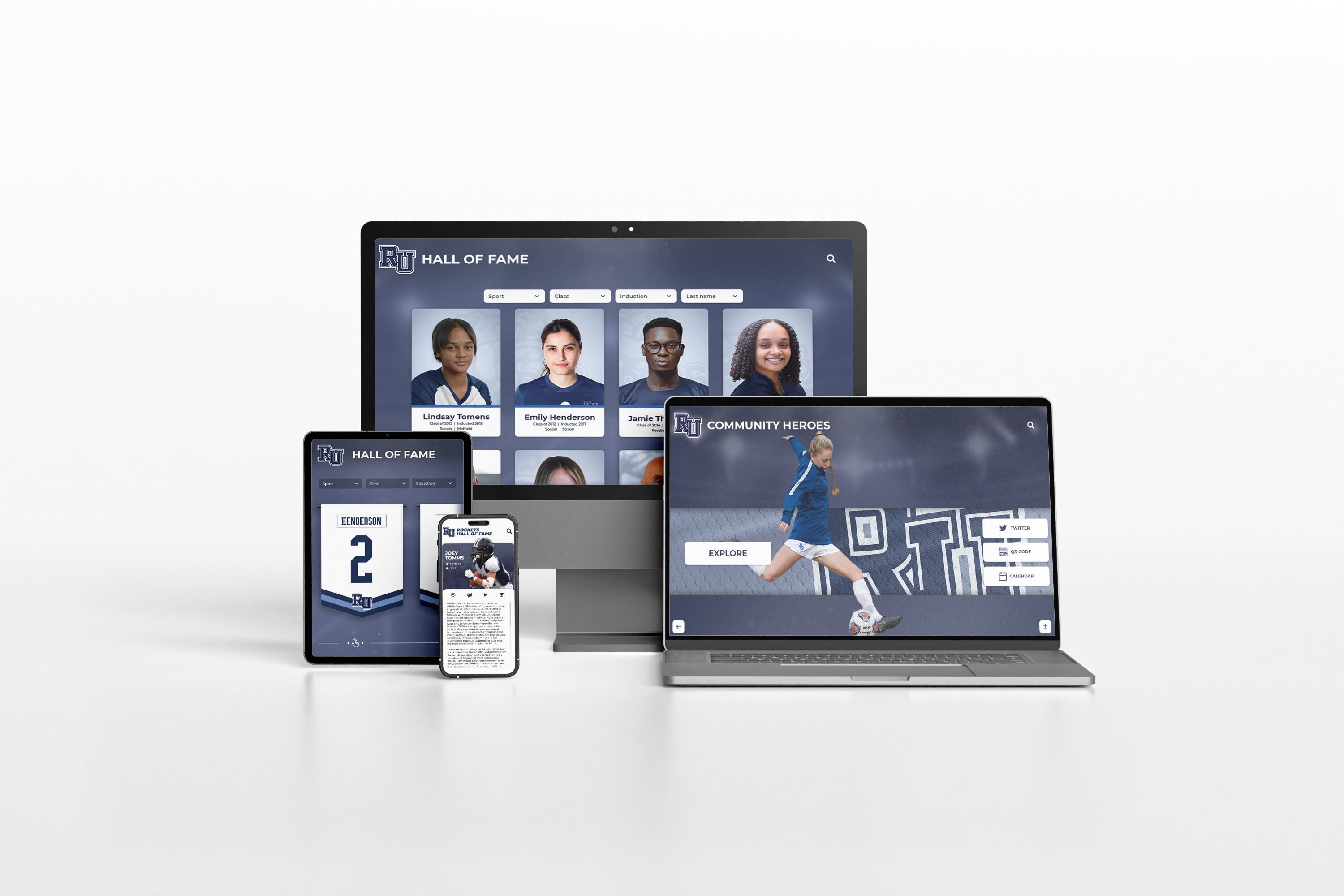
Physical displays only reach on-campus visitors. The best touchscreen hall of fame systems include web components that make your recognition accessible to alumni worldwide. Essential web features:
- Responsive design: Content displays correctly on phones, tablets, and computers
- Search and filter tools: Alumni can find themselves, classmates, or specific achievements quickly
- Social sharing: One-click sharing to Facebook, Twitter, LinkedIn
- Direct linking: Each inductee gets a permanent URL for email signatures and resumes
- QR code generation: Bridge physical and digital experiences with on-screen QR codes
- Analytics tracking: Understand who’s viewing your content and which sections engage most
Web accessibility transforms recognition from a local display into a global engagement tool that supports alumni recognition programs and fundraising initiatives.
Accessibility Compliance for Inclusive Recognition
Your recognition program should honor everyone in your community, including visitors with disabilities. The best touchscreen hall of fame systems meet WCAG 2.2 AA compliance standards. Look for:
- ADA-compliant mounting: Display controls positioned 15-48 inches from floor
- Screen reader support: All content accessible through assistive technology
- High-contrast modes: Text remains readable for visitors with low vision
- Text magnification: Content scales without breaking layouts
- Closed captioning: All audio content includes text alternatives
- Touch target sizing: Interactive elements large enough for users with limited dexterity
Accessibility isn’t optional. Many institutions must meet ADA requirements, and inclusive design benefits all visitors regardless of ability.
Categories to Compare When Evaluating Solutions
Compare touchscreen hall of fame vendors across these specific categories to identify which solution best fits your institution’s needs.
Content Flexibility and Organization
Different institutions recognize different achievements. The best systems adapt to your recognition categories rather than forcing you into predetermined templates. Evaluate:
- Custom taxonomies: Define your own categories (athletics, academics, arts, service, etc.)
- Unlimited profiles: No caps on how many inductees you can add
- Multimedia support: Photos, videos, documents, audio clips all integrate smoothly
- Relationship mapping: Connect inductees to teams, years, achievements
- Historical import: Efficiently digitize decades of existing recognition
- Multiple languages: Display content in languages your community speaks
Ask vendors: “Show me how you’d organize state champions, individual athletes, coaches, and team records. Can I change that structure next year if needed?”

Update Frequency and Workflow
Recognition programs require constant updates. State champions are crowned weekly during playoffs. Donors make contributions daily. Alumni achieve career milestones monthly. The best systems make updates frictionless:
- Cloud-based access: Update from anywhere with internet connection
- No publish delays: Changes appear instantly or on schedules you control
- Approval workflows: Route submissions through review process before publishing
- Bulk operations: Update multiple records simultaneously
- Auto-save and drafts: Never lose work due to connection issues
- Integration capabilities: Import data from athletic management or donor systems
Traditional recognition requires weeks between decision and display. Digital hall of fame displays update in minutes.
Installation Requirements and Location Flexibility
Your building’s infrastructure affects which solutions work. Before comparing vendors, document:
- Power access: Distance to electrical outlets, conduit requirements
- Network connectivity: Ethernet ports, WiFi signal strength, bandwidth availability
- Wall construction: Drywall, concrete block, brick, glass—each requires different mounting
- Clearance space: ADA requires 30x48 inch clear floor space in front of displays
- Sight lines: Where visitors naturally look as they move through space
- Security considerations: Visibility from offices, camera coverage, tamper resistance
The best vendors conduct site surveys before quoting to identify installation challenges early. Ask: “What installation obstacles have you encountered, and how did you solve them?”
Total Cost of Ownership Beyond Initial Purchase
Sticker price tells partial truth. Calculate five-year total cost including:
- Initial hardware: Display panels, mounts, touch overlays, protective enclosures
- Software licensing: One-time purchase, annual subscription, or per-user pricing
- Installation: Professional mounting, electrical work, network configuration
- Content creation: Digitizing historical records, photo editing, database setup
- Training: Initial administrator training, annual refreshers
- Support and maintenance: Help desk access, software updates, hardware repair
- Content hosting: Cloud storage, bandwidth, backup services
Request detailed five-year cost projections from vendors. Factor in 10-15% annual inflation on subscription costs. Solutions with high upfront costs but minimal ongoing fees often deliver better long-term value than low initial prices with expensive annual subscriptions.
Features That Separate Best Solutions from Basic Displays
The best touchscreen hall of fame systems include advanced features that create deeper engagement and easier management.
Search and Discovery Tools Visitors Actually Use
Basic systems display categories and let visitors tap through menus. The best systems help visitors find what interests them through:
- Keyword search: Find names, teams, years, achievements across entire database
- Faceted filtering: Combine multiple criteria (sport + year + achievement type)
- Suggested content: “You might also be interested in…” based on current viewing
- Recently added: Feature new inductees to encourage repeat visits
- Timeline visualization: Explore achievements chronologically with interactive timelines
- Map integration: Show where alumni live and work around the world
These discovery tools transform passive viewing into active exploration that keeps visitors engaged for 5-10 minutes instead of 30 seconds.

Analytics That Inform Content Strategy
The best systems track how visitors interact with your content. Use analytics to:
- Identify popular content: Which inductees get viewed most often
- Spot gaps: Categories or time periods that visitors skip
- Improve organization: Rearrange navigation based on actual usage patterns
- Measure engagement: Session duration, pages viewed, return visits
- Compare channels: Physical display usage vs. web traffic
- Support fundraising: Share engagement data with development office
Ask vendors: “What analytics do you provide, and can I export raw data for custom analysis?”
Scheduled Content and Event Integration
Your recognition program connects to events throughout the year. The best systems tie content to your calendar:
- Homecoming features: Display specific classes during reunion weekends
- Game day content: Display opponent’s history before athletic events
- Donor spotlights: Rotate featured contributors during giving campaigns
- Anniversary celebrations: Automatically feature milestone years
- Senior night tributes: Schedule athlete profiles to appear during recognition ceremonies
- Historical anniversaries: Surface “on this day” content automatically
Scheduled content keeps displays fresh without requiring constant manual updates.
Sponsorship and Fundraising Integration
Some institutions offset touchscreen hall of fame costs through sponsorships. The best systems include:
- Sponsor logos: Tasteful brand placement that doesn’t diminish honorees
- Naming opportunities: Screens, sections, or features named for major donors
- Recognition tiers: Visual differentiation for giving levels
- Updates without rework: Change sponsors without rebuilding content
- Sponsor analytics: Prove impression value to corporate partners
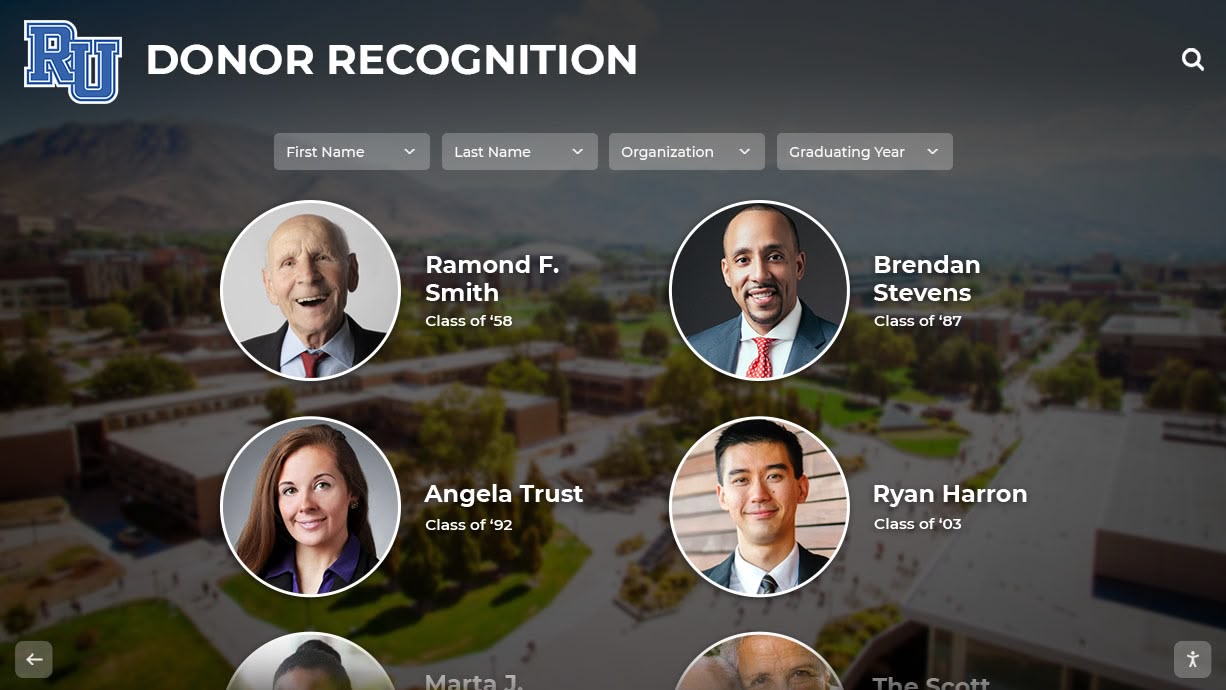
Donor recognition walls with integrated sponsorship tools can become revenue-generating assets rather than pure expenses.
Questions to Ask Before You Buy
Use these questions to evaluate vendors and compare solutions objectively.
About Hardware Reliability
- What is the rated lifespan of your display panels in continuous use?
- Which touch technology do you use, and why did you choose it?
- What warranty do you provide, and what does it actually cover?
- How do you handle repairs—on-site service, depot repair, or panel replacement?
- Do you stock replacement parts, or do I wait for international shipping?
- What’s your average response time for hardware failures?
- Can I see installation photos from schools with similar building construction?
About Software Capabilities
- Can non-technical staff update content without IT support?
- How do you handle software updates—automatic, manual, or optional?
- Is your software web-based or does it require application installation?
- Can multiple administrators manage content simultaneously?
- Do you provide sandbox environments for testing changes before publishing?
- How is content backed up, and how quickly can you restore from backup?
- What integrations do you offer with student information systems, donor databases, or athletic management platforms?
About Content and Design
- Can we customize layouts, colors, and navigation to match our brand?
- Are there limits on photos, videos, or documents we can store?
- Do you provide content migration services to digitize our existing recognition?
- Can we change our content structure (categories, fields, organization) after launch?
- Do you offer design services or do we create all content ourselves?
- What file formats do you accept for photos, videos, and documents?
About Accessibility and Compliance
- Do your displays meet WCAG 2.2 AA standards?
- Have you installed systems in public institutions with ADA requirements?
- What accessibility features are included vs. optional add-ons?
- Can you provide VPAT (Voluntary Product Accessibility Template) documentation?
- How do you handle text sizing and contrast for visitors with low vision?
About Long-Term Costs
- What is your pricing model—one-time purchase, subscription, or hybrid?
- Are software updates included or do they cost extra?
- What does your annual support contract include?
- How much does content hosting cost, and are there bandwidth limits?
- Do prices increase annually, and if so, by what percentage?
- What happens if we need to add screens or features later?
- Can we own our content and export it if we switch vendors?
Implementation Timeline and Process
Understanding the typical implementation process helps you set realistic expectations and plan around institutional calendars.
Phase 1: Planning and Site Survey (2-4 Weeks)
Document your requirements:
- Recognition categories: What will you display (athletics, academics, donors, etc.)
- Content volume: How many inductees total, how many per year
- Location preferences: Primary and backup installation sites
- Budget constraints: Available funding, payment schedule, grant deadlines
- Decision timeline: When do you need the system operational
Schedule vendor site surveys to assess:
- Power and network infrastructure
- Wall construction and mounting options
- ADA compliance requirements
- Installation access and restrictions
Phase 2: Content Migration (4-8 Weeks)
While hardware ships and installation gets scheduled, digitize existing recognition:
- Photograph plaques and trophies: High-resolution images of existing recognition
- Scan yearbooks and programs: Source photos for historical inductees
- Build database: Names, years, achievements, biographical information
- Gather multimedia: Videos, newspaper clippings, audio recordings
- Verify accuracy: Check spellings, dates, facts with athletic department or alumni office
Many vendors offer content migration services. Compare costs against doing it yourself with student workers or volunteers.
Phase 3: Installation and Configuration (1-2 Weeks)
Professional installation typically requires:
- Day 1-2: Mount displays, run power and network, test connections
- Day 3-4: Install software, configure network access, test touch functionality
- Day 5: Content upload, design customization, administrator training
- Day 6-7: Final testing, ADA verification, quality assurance
Schedule installation during breaks or low-traffic periods to minimize disruption. Coordinate with facilities, IT, and security departments.
Phase 4: Training and Launch (1-2 Weeks)
Train multiple administrators to avoid single points of failure:
- Content management: Adding, editing, removing inductees
- Design tools: Adjusting layouts, colors, navigation
- Scheduling features: Planning content for events and anniversaries
- Analytics review: Understanding usage reports
- Troubleshooting: Solving common issues without vendor support
Plan a launch event that generates excitement and teaches your community how to explore the display. Consider:
- Ribbon cutting with key stakeholders
- First inductees demonstrated live
- Social media campaign announcing new recognition capability
- Alumni email announcement with web access instructions
Maintenance Requirements and Long-Term Management
The best touchscreen hall of fame systems require minimal maintenance, but planning ensures smooth operation for years.
Weekly Tasks
- Physical cleaning: Wipe screen with microfiber cloth and screen-safe cleaner
- Visual inspection: Check for physical damage, loose mounts, display issues
- Content review: Verify scheduled content appeared correctly
Monthly Tasks
- Analytics review: Check engagement metrics, identify popular and neglected content
- Content updates: Add recent inductees, achievements, news
- Link checking: Verify external links still work
- Backup verification: Confirm automatic backups completed successfully
Quarterly Tasks
- Administrator training refreshers: Keep skills current for staff who update infrequently
- Content audit: Review accuracy, update outdated information, remove duplicates
- Design refresh: Rotate featured content, update homepage banners
- Accessibility check: Test with screen readers, verify contrast ratios
Annual Tasks
- Software updates: Apply major version updates during breaks
- Hardware inspection: Professional service check for commercial displays
- Content strategy review: Evaluate what’s working, plan improvements
- Budget planning: Project costs for next year, plan enhancements
Common Mistakes to Avoid
Learn from others’ experiences to avoid expensive problems.
Choosing Consumer Displays for Public Installation
Consumer TVs look identical to commercial displays but fail quickly under continuous use. The savings from buying consumer hardware disappear after 12-18 months when panels fail and require replacement. Commercial panels cost 40-60% more initially but last 4-6 times longer.
Selecting Solutions Based Only on Hardware Cost
Cheap displays with expensive annual software subscriptions cost more over five years than quality displays with inclusive software. Always calculate total five-year cost including all fees.
Assuming IT Staff Will Manage Content Long-Term
IT departments maintain systems but rarely update content. Choose management tools that athletic directors, advancement staff, or administrative assistants can use independently. Otherwise, content goes stale and displays become expensive digital picture frames.
Failing to Plan for Content Creation
Installing hardware is easy. Creating compelling content for hundreds of inductees is hard. Budget time and resources for content development or hire vendors who provide migration services.
Ignoring Accessibility Requirements
Retrofitting accessibility features after installation costs more than building them in from the start. Public institutions face legal requirements. Even private schools benefit from inclusive design that serves all community members.
Skipping Network Infrastructure Assessment
Displays need reliable network connections for remote management and web integration. Weak WiFi or distant ethernet ports add thousands to installation costs. Conduct network assessments before committing to locations.
Making Your Decision
After evaluating vendors and comparing solutions, make your decision using these criteria:
- Hardware reliability: Commercial panels with proven longevity
- Software usability: Content management tools your actual staff can use
- Total cost of ownership: Five-year costs including all fees and maintenance
- Vendor stability: Companies that will exist to support you in 2031
- Accessibility compliance: Meeting ADA and WCAG requirements from day one
- Web integration: Extending recognition beyond your building
- Support quality: Responsive help when you need it
The best touchscreen hall of fame solutions combine commercial-grade hardware, intuitive software, comprehensive accessibility, and long-term vendor support. Solutions like Rocket Alumni Solutions deliver these capabilities in turnkey systems designed specifically for educational institutions.

Conclusion
The best touchscreen hall of fame systems in 2026 share specific characteristics: commercial hardware built for continuous operation, content management that non-technical staff can use confidently, web accessibility that extends recognition globally, and comprehensive accessibility features that serve all visitors. They make recognition expandable, manageable, and engaging in ways traditional displays cannot match.
Your institution’s recognition program should celebrate achievements, engage visitors, and grow without limits. Choosing the right touchscreen hall of fame system determines whether you achieve these goals or struggle with expensive technology that complicates more than it simplifies. Use this guide to evaluate vendors objectively, ask questions that reveal capabilities, and select solutions that serve your institution’s needs today and for the next decade.
Ready to explore how touchscreen recognition can transform your institution’s hall of fame? Book a demo to see interactive displays in action and discover what’s possible for your recognition program.































