Every school has a story worth preserving—a rich tapestry of student achievements, faculty dedication, championship victories, academic milestones, cultural traditions, and community impact that spans decades or even centuries. Yet many educational institutions struggle to effectively capture and preserve their history before it’s lost forever. Traditional methods like dusty yearbooks in storage rooms, fading photographs in forgotten boxes, and incomplete paper records fail to protect these irreplaceable memories from deterioration, loss, and obscurity.
The best way to capture the history of a school combines modern digital preservation techniques with comprehensive documentation strategies that protect physical artifacts, record oral histories, and create accessible archives for current and future generations. Whether you’re an administrator looking to document your institution’s legacy, an archivist working to digitize historical materials, or an alumni coordinator seeking to strengthen community connections through shared heritage, this comprehensive guide reveals proven methods for capturing, preserving, and celebrating your school’s unique story in 2025 and beyond.
School history represents far more than a collection of dates and facts. It’s the foundation of institutional identity, the inspiration for current students, the connection point for alumni, and the proof of educational excellence that attracts prospective families. Schools that effectively capture and preserve their history create powerful narratives that strengthen community bonds, build institutional pride, and ensure that the accomplishments of past generations continue inspiring future excellence.

Modern digital solutions preserve school history while making it accessible and engaging for all community members
Why Capturing School History Matters More Than Ever
Before exploring specific preservation methods, understanding the urgent importance of historical documentation helps prioritize these critical initiatives.
The Deterioration Timeline: Physical Records Are Disappearing
Physical historical materials face constant threats from deterioration and loss. According to the National Archives, printed photographs begin deteriorating after approximately 75 years, while newspapers and many paper documents last even less—closer to 50 years before significant degradation occurs. Every year that passes without proper documentation and digitization increases the risk of permanent loss.
Schools founded in the mid-20th century are now reaching the critical point where original yearbooks, photographs, and documents from their early decades face serious deterioration risks. Once these materials are lost, reconstructing institutional history becomes nearly impossible. The urgency of capturing school history cannot be overstated—what isn’t preserved now may be lost forever.
Oral History Knowledge Is Fading
Beyond physical documents, irreplaceable institutional knowledge exists only in the memories of longtime faculty members, staff, coaches, and community members. These individuals remember the stories behind formal records—why traditions started, how programs developed, what challenges were overcome, and which people made lasting impacts. As these community members retire or pass away, their knowledge disappears unless systematically captured through oral history projects.
Future Generations Deserve Complete Historical Records
Current students and those not yet born deserve access to complete institutional histories that help them understand their place within larger educational narratives. When schools fail to preserve history, they deprive future generations of inspiration, context, and connection to the achievements and struggles that shaped their institutions.
Historical Documentation Supports Strategic Goals
Comprehensive historical archives support multiple institutional priorities including alumni engagement through shared heritage and memories, fundraising initiatives by demonstrating long-term impact, recruitment efforts showcasing institutional quality and tradition, community relations by honoring local educational legacy, and strategic planning by providing institutional memory that informs future decisions.
The question isn’t whether to capture school history, but how to do it most effectively using methods that ensure long-term preservation, accessibility, and engagement.
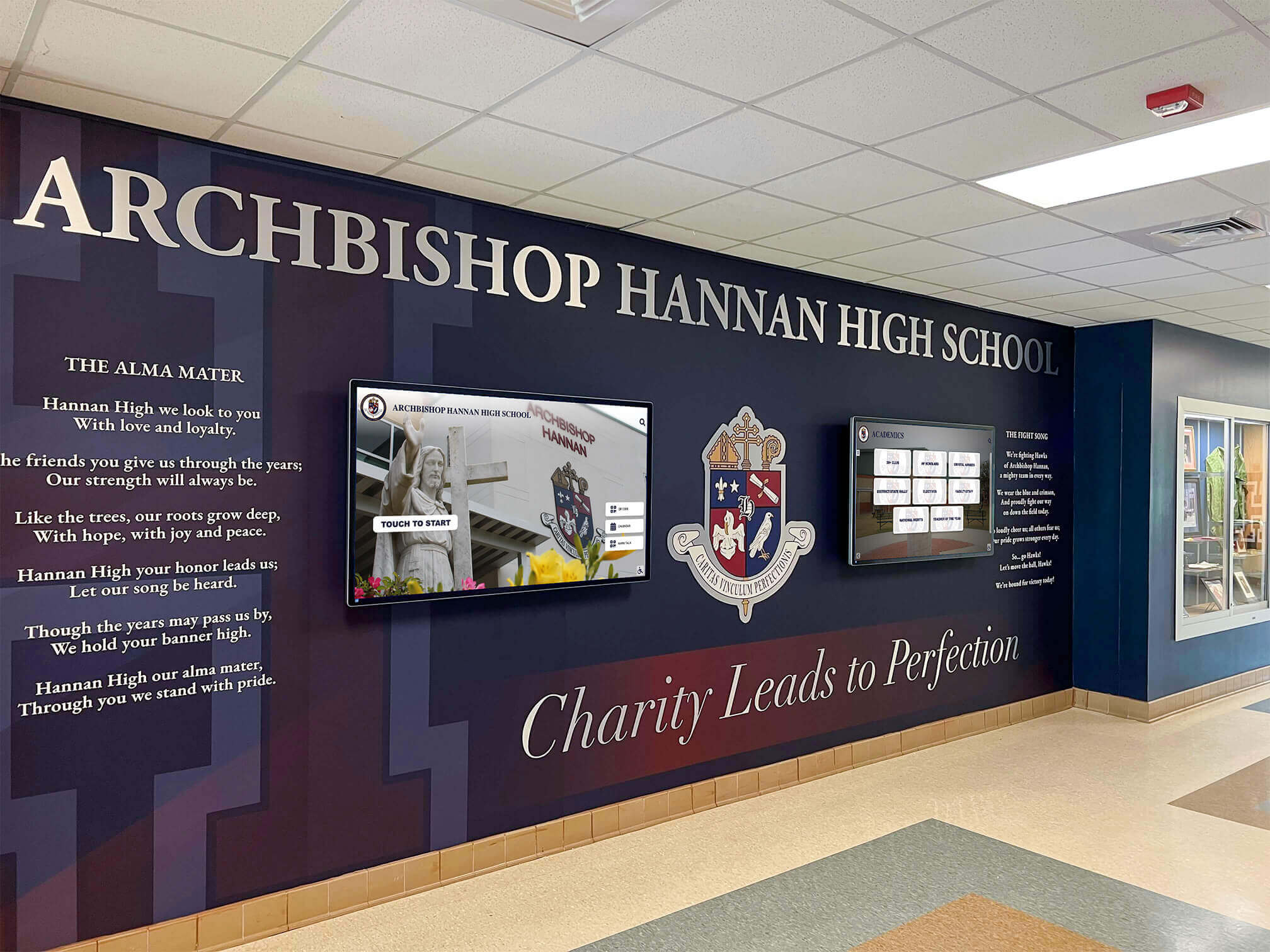
Combining traditional architectural heritage with modern digital storytelling creates comprehensive historical preservation
Comprehensive Method 1: Digital Archiving and Yearbook Digitization
Digital preservation represents the single most important step schools can take to protect historical materials from loss and deterioration while dramatically increasing accessibility.
The Digitization Process: Protecting Physical Originals
Professional digitization services use specialized equipment and techniques designed to capture high-quality digital copies without damaging fragile originals. According to archival preservation experts, proper yearbook digitization employs non-destructive methods using split tables or v-cradles that carefully support bound volumes while capturing complete pages. This approach prevents damage that occurs when bindings are cut or books are pressed flat against scanner beds.
For schools undertaking historical digitization, comprehensive scanning should include complete yearbook collections from every available year, historical photographs including candid shots, team photos, facility images, event documentation, and faculty portraits, official documents such as founding charters, board meeting minutes, significant correspondence, and policy documents, student publications including newspapers, literary magazines, program booklets, and event flyers, athletic records documenting team rosters, season results, championship documentation, and individual achievements, and facility documentation showing campus evolution through construction photos, architectural plans, and renovation records.
High-resolution scanning ensures that digital copies remain useful as display technology improves. Minimum recommended resolutions include 600 DPI for text documents and newspapers, 1200 DPI for photographs and detailed images, and optical character recognition (OCR) processing to make scanned text searchable rather than just image files.
Creating Searchable Digital Archives
Raw scanned files have limited value without proper organization and metadata. Effective digital archives include comprehensive tagging with year, date, or decade information, person names appearing in photographs or documents, event types and descriptions, locations documented in materials, subject matter categories (athletics, academics, arts, facilities, etc.), and keywords enabling diverse search approaches.
Searchable archives transform historical materials from static collections into dynamic resources where alumni can instantly locate their graduation year, families can find relatives across multiple generations, researchers can track institutional evolution, and administrators can access specific historical information when needed.
Schools implementing comprehensive digital archives discover dramatic increases in community engagement. Alumni who rarely returned to campus suddenly spend hours exploring digital collections, discovering photographs they’d never seen, and reconnecting with classmates from decades past.
Cloud-Based Storage and Backup Strategies
Digital preservation requires robust storage strategies protecting against data loss. According to digital preservation experts, storing materials on USBs, CDs, or DVDs isn’t viable long-term—these formats degrade within 5-50 years. Proper digital preservation requires cloud-based storage with automatic backup, geographic redundancy storing copies in multiple physical locations, version control tracking changes and updates, and access management controlling who can view or modify materials.
Many schools partner with specialized educational archive services that provide secure cloud hosting, professional digitization services, ongoing backup and maintenance, and searchable database platforms designed specifically for educational institutions. For schools seeking to implement comprehensive digital asset management, these specialized platforms offer purpose-built features supporting educational archiving needs.

Interactive kiosks make digitized school history accessible in high-traffic areas where students and visitors naturally encounter it
Comprehensive Method 2: Interactive Digital Recognition Displays
While digitizing materials creates online archives, interactive physical displays bring school history into daily campus life through engaging installations in high-traffic locations.
The Power of Interactive Historical Storytelling
Traditional trophy cases and static plaques present history passively—visitors can only look. Modern interactive displays from solutions like Rocket Alumni Solutions transform historical documentation into engaging experiences through touchscreen interfaces enabling intuitive exploration, multimedia integration combining photos, videos, and text, searchable databases allowing visitors to find specific people or events instantly, unlimited capacity documenting comprehensive history without space constraints, and easy updates adding new content remotely without physical modifications.
According to user engagement research, visitors typically spend less than one minute viewing traditional static displays but average 7-8 minutes actively exploring interactive digital exhibitions. This extended engagement creates deeper emotional connections with institutional history and stronger appreciation for educational heritage.
Strategic Placement for Maximum Impact
Interactive historical displays achieve greatest impact when installed in strategic locations including main entrance lobbies welcoming all visitors, library or media center spaces supporting research and learning, athletic facility entrances connecting history to current competition, administrative office areas where families interact with staff, and main hallways connecting major building sections.
These high-visibility placements ensure that school history becomes part of daily campus experience rather than something accessed only during special occasions or by those specifically seeking historical information.
Content Organization for Historical Displays
Effective interactive historical displays organize content across multiple dimensions enabling personalized exploration. Chronological timelines show institutional evolution decade by decade or year by year, allowing visitors to understand how schools developed over time. Category-based organization separates athletic championships, academic achievements, arts accomplishments, facility development, and leadership history, letting visitors focus on areas of greatest personal interest.
Individual recognition profiles provide detailed information about distinguished alumni, longtime educators, championship teams, significant donors, and community leaders who shaped institutional development. Searchable databases enable instant location of specific names, events, or achievements within comprehensive historical collections.
Many schools discover that combining digital school history timelines with recognition programs creates comprehensive platforms celebrating both heritage and ongoing excellence.
Integration with Online Archives
The most effective digital historical displays integrate seamlessly with online archives, providing consistent experiences across physical campus installations and web-based access. Content entered once appears automatically on physical displays and online portals, eliminating duplicate management work. This integration means alumni anywhere in the world can explore the same historical content available on campus, while visitors viewing physical displays can share discoveries via email or social media, extending historical content reach far beyond campus boundaries.

Students naturally engage with school history when presented through familiar touchscreen interfaces
Comprehensive Method 3: Oral History Programs
Written records and photographs document what happened, but oral histories capture why it mattered, who made it happen, and what it meant to those who experienced events firsthand.
Identifying Interview Subjects
Successful oral history programs systematically identify and prioritize individuals possessing irreplaceable institutional knowledge. High-priority subjects typically include longtime faculty and staff who witnessed decades of institutional evolution, retired administrators who made strategic decisions shaping current programs, former coaches who built athletic traditions, distinguished alumni with unique perspectives on educational impact, founding families or community members connected to institutional origins, and longtime volunteers or support staff often overlooked in formal histories.
The urgency of oral history work cannot be overstated. Every year, valuable institutional knowledge is lost when individuals pass away without sharing their memories and insights. Schools should prioritize the oldest community members and those in declining health to capture their perspectives before it’s too late.
Conducting Effective Oral History Interviews
Professional oral historians recommend structured approaches maximizing interview value. Pre-interview research ensures interviewers understand subjects’ backgrounds and can ask informed questions. Prepared question lists cover key topics while allowing natural conversation flow. High-quality audio or video recording preserves complete interviews, not just transcripts. Comfortable, quiet locations minimize distractions and create environments where subjects feel at ease sharing memories.
Effective interview questions move beyond basic facts to explore motivations, challenges, personal experiences, relationships, turning points, and reflections on institutional evolution. Instead of asking “When did the new gymnasium open?” more valuable questions include “What challenges did the school face building the new gymnasium?” or “How did the new facility change athletic programs and student experiences?”
Processing and Preserving Oral Histories
Raw interview recordings have limited value without proper processing. Complete transcription creates searchable text enabling researchers to quickly locate specific topics or quotes. Detailed indexing notes key themes, stories, and subjects covered in each interview. Proper metadata records interview dates, subjects, interviewers, locations, and technical specifications. Secure storage in both cloud-based and physical formats protects against loss.
Many schools make oral history transcripts available through digital archives while using audio or video clips in interactive historical displays, documentary projects, or anniversary celebrations. This multi-format use maximizes the value of oral history investments while honoring the individuals who shared their memories.
Creating Ongoing Oral History Initiatives
One-time oral history projects risk missing important perspectives and leaving gaps in documentation. Sustainable programs establish regular interview schedules conducting several interviews annually, recruit and train student volunteers creating learning opportunities while building capacity, partner with local historical societies leveraging broader community resources, integrate oral history projects into curriculum teaching research skills while documenting history, and create succession plans ensuring programs continue despite staff changes.
Schools implementing comprehensive historical recognition systems often incorporate oral history content into digital displays, creating rich multimedia experiences connecting formal records with personal memories.
Comprehensive Method 4: Community Crowdsourcing and Collaboration
Schools possess only portions of their complete historical records. Alumni, families, and community members hold countless photographs, documents, and memories that can dramatically enrich institutional archives when systematically collected.
Designing Effective Crowdsourcing Campaigns
Successful historical crowdsourcing requires strategic planning and clear communication. Well-designed campaigns specify exactly what materials are needed—photographs from specific eras, documents about particular programs, or memories of significant events. They provide simple submission methods through online forms, email addresses, physical drop-off locations, or mail-in options accommodating different preferences and technical comfort levels.
Crucially, campaigns promise to return physical materials after scanning rather than requiring permanent donation. Many alumni hesitate to part with personal yearbooks or photographs but willingly lend them temporarily for digitization. Clear assurances about care, return timelines, and recognition for contributions increase participation rates significantly.
Promotion through multiple channels reaches broader audiences including alumni newsletters and emails, social media campaigns on Facebook, Instagram, and LinkedIn, local media coverage in newspapers and radio, reunion events where physical materials can be collected on-site, and website features highlighting the campaign and explaining its importance.
Recognition and Appreciation for Contributors
People are more likely to share historical materials when they feel appreciated and recognized. Effective programs acknowledge contributors by name in digital archives, highlight interesting donated materials through featured content sections, provide certificates or acknowledgments for significant contributions, invite major contributors to special recognition events, and maintain ongoing communication updating contributors on how their materials are being used.
This recognition transforms passive donation into active community engagement, creating emotional investment in historical preservation while building broader support for ongoing documentation efforts.
Collaborative Identification and Verification
Crowdsourcing creates opportunities for collaborative historical documentation. When schools post unidentified historical photographs to social media or email lists, alumni often recognize individuals, events, or locations, gradually filling gaps in archival knowledge. This collaborative process also enables accuracy verification when multiple sources confirm or correct historical information, reducing errors in official records.
Some schools host “identification parties” where alumni gatherings specifically focus on reviewing historical photographs, sharing stories, and collaboratively documenting who appears in images and what events they capture. These social events create enjoyable alumni engagement opportunities while producing valuable archival documentation.
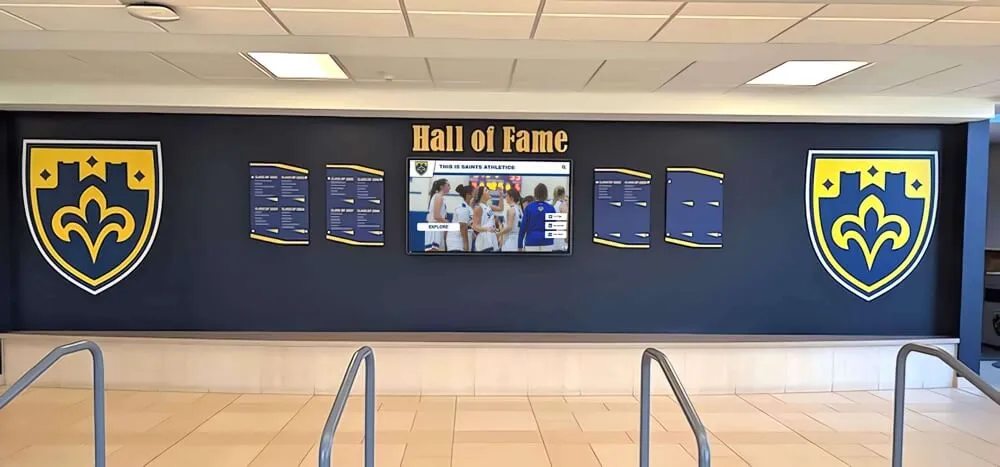
Integrating traditional recognition elements with digital displays honors heritage while embracing modern storytelling capabilities
Comprehensive Method 5: Systematic Ongoing Documentation
Historical preservation isn’t a one-time project but an ongoing commitment requiring systematic processes that capture current events before they become historical gaps.
Establishing Annual Documentation Protocols
Schools with strong historical records didn’t create them retroactively—they established processes ensuring comprehensive documentation year after year. Effective annual protocols include comprehensive photography programs documenting all major events, teams, performances, and activities, preservation of official records including board minutes, significant correspondence, and policy documents, collection of student publications gathering newspapers, literary magazines, programs, and other ephemera, athletic documentation recording complete season results, rosters, statistics, and championship materials, and facility records photographing campus changes, construction projects, and significant renovations.
Assigning clear responsibility ensures nothing falls through cracks. Designate specific individuals responsible for photographic documentation, official record filing, student publication archiving, athletic record keeping, and historical archive management.
Creating School Historian Roles
Many schools create formal or informal “school historian” positions responsible for coordinating historical preservation efforts. These roles might be filled by librarians, archivists, interested faculty members, dedicated alumni volunteers, or specifically hired staff depending on institutional resources. School historians coordinate annual documentation activities, manage relationships with alumni contributors, oversee digitization projects, maintain archival organization systems, and serve as institutional memory resources when historical questions arise.
When combined with modern platforms from providers like Rocket Alumni Solutions, school historians gain powerful tools for managing comprehensive historical content while creating engaging displays that bring preservation work to broader community awareness.
Digital-First Documentation Strategies
While historical projects often involve digitizing old physical materials, contemporary documentation should be “digital-first”—created initially in digital formats rather than printed materials later requiring scanning. Digital-first approaches include high-resolution digital photography rather than film, born-digital documents and publications, video documentation of events and programs, digital-native communications and newsletters, and cloud-based record storage from creation.
This approach dramatically reduces future digitization work while ensuring materials are immediately available in accessible formats. Schools implementing digital-first documentation discover significant long-term efficiency gains and cost savings.
Integration with Recognition Programs
The most sustainable historical documentation efforts integrate seamlessly with ongoing recognition programs. When schools honor distinguished alumni, document championship teams, or celebrate academic achievements, they simultaneously create historical records. Systems like interactive hall of fame displays serve dual purposes—recognizing current excellence while creating comprehensive historical documentation that future generations can explore.
This integration ensures historical preservation receives ongoing attention and resources rather than competing with recognition priorities as separate initiatives.
Comprehensive Method 6: Partnerships with Professional Archives
Schools don’t need to become archival experts themselves. Strategic partnerships with professional organizations provide expertise, resources, and infrastructure that small in-house operations cannot match.
Working with Educational Archive Services
Specialized companies focus specifically on educational archiving, offering comprehensive services including professional digitization using appropriate equipment and techniques, cloud-based archive platforms designed for educational content, metadata creation and organization ensuring materials are searchable and usable, ongoing backup and preservation protecting against data loss, and technical support helping administrators manage systems without requiring archival expertise.
These services often prove more cost-effective than building equivalent in-house capabilities, particularly for smaller schools with limited technical resources. Professional archiving partners also stay current with evolving digital preservation standards and technologies, ensuring materials remain accessible as technical formats change over time.
Collaborating with Local Historical Societies
Many schools exist within communities served by local or regional historical societies focused on preserving broader community heritage. These organizations often maintain their own archives containing school-related materials, possess expertise in historical preservation and documentation, offer volunteer resources supporting archival projects, provide grant funding opportunities for preservation initiatives, and enable connections to broader community history context.
Collaborative relationships might involve depositing duplicate historical materials with historical societies for public access, jointly hosting historical programs or exhibitions, sharing digitization equipment and expertise, or coordinating oral history projects documenting both school and community history.
Academic Institution Partnerships
Schools located near colleges or universities with archival science, history, or education programs can create mutually beneficial partnerships. University students gain real-world experience through practicum projects, research opportunities, or service learning initiatives while schools receive skilled assistance with digitization, organization, oral history interviews, archival description, or historical research.
These partnerships often cost schools little or nothing while providing valuable educational experiences for university students and building long-term relationships that can support ongoing preservation work.
Library System Coordination
Public library systems increasingly prioritize local history collections and digital archives. School-library partnerships can provide shared digitization equipment and training, coordinated community collection efforts, public access points for school historical materials, archival expertise and consultation, and grant opportunities through library foundation funding.
Some communities have developed regional educational history archives housed within library systems, creating centralized resources preserving history from multiple local schools through shared infrastructure more efficient than individual school efforts.
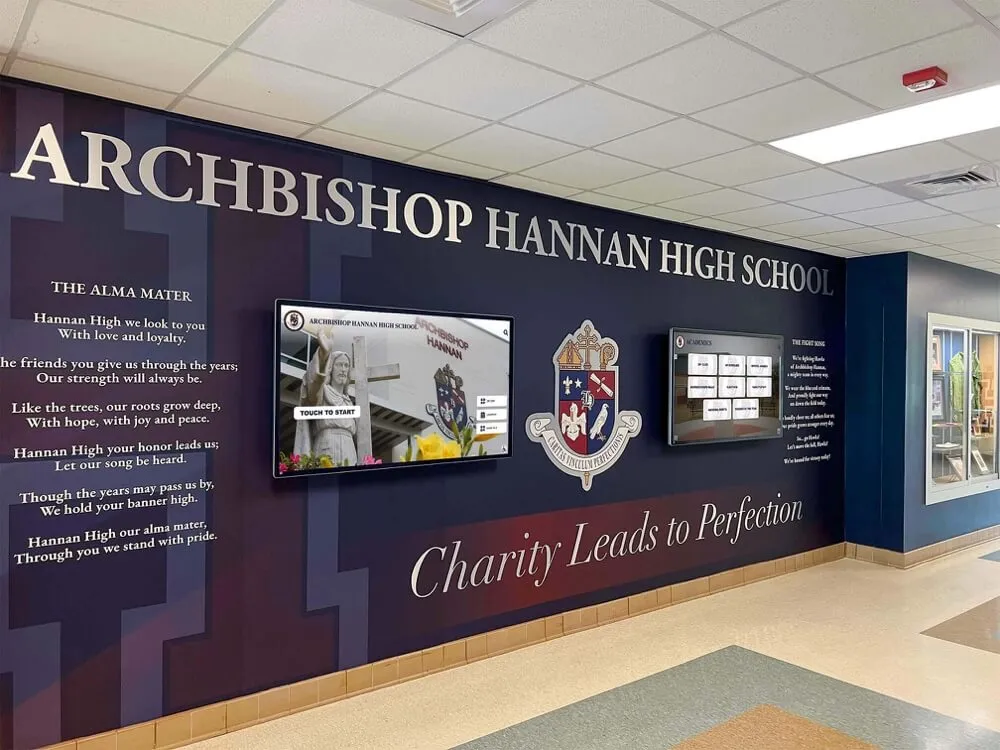
Strategic integration of traditional and digital historical elements creates impressive entry experiences celebrating institutional heritage
Technology Solutions Enabling Effective Historical Documentation
Modern technology platforms provide powerful capabilities that make comprehensive historical documentation achievable for schools of all sizes and resource levels.
Cloud-Based Archival Platforms
Contemporary archival systems operate entirely through cloud-based platforms eliminating local server requirements, enabling access from any internet-connected device, providing automatic backup and redundancy, supporting unlimited storage capacity, and offering intuitive management interfaces requiring minimal technical training.
These platforms typically feature comprehensive content management for photographs, documents, videos, and audio files, powerful search and filtering across entire collections, flexible organization supporting multiple taxonomies, user contribution systems enabling community-sourced content, and API connections integrating with other school systems.
Interactive Display Systems
Physical displays bring digital archives into campus spaces through commercial-grade touchscreen hardware designed for continuous operation, intuitive interfaces familiar to tablet users, multimedia content presentation, offline operation capabilities for network-independent function, and remote content management enabling updates without physical hardware access.
Solutions like those from Rocket Alumni Solutions specifically serve educational institutions with purpose-built features supporting historical documentation, alumni recognition, donor acknowledgment, and athletic achievement celebration through unified platforms that manage content across both physical displays and online access.
Digital Asset Management Systems
Robust digital asset management (DAM) systems provide infrastructure for organizing, storing, and distributing large media collections. Educational DAM systems offer centralized storage for all institutional media, automated metadata extraction and tagging, version control tracking changes and updates, permission management controlling access levels, sharing and distribution tools, and integration with websites, displays, and other systems.
For schools managing thousands of historical photographs, documents, and videos, professional digital asset management approaches provide essential organizational infrastructure preventing digital archives from becoming unusable due to poor organization.
Mobile and Web Accessibility
Modern historical documentation platforms extend access beyond physical campuses through responsive web interfaces adapting to any screen size, native mobile applications for iOS and Android, social media integration enabling easy sharing, sharable links to specific content, embedded widgets for institutional websites, and search engine optimization making content discoverable.
This accessibility dramatically increases community engagement with institutional history while supporting multiple organizational priorities from alumni relations to student recruitment.
Best Practices for Sustainable Historical Documentation Programs
Creating effective, long-term historical preservation programs requires strategic approaches that ensure sustainability despite limited resources, changing staff, and competing priorities.
Start with Clear Priorities and Phased Approaches
Comprehensive historical documentation can feel overwhelming. Successful programs begin with clearly defined priorities identifying which historical materials face greatest risk, which time periods lack adequate documentation, which community members possess critical knowledge requiring urgent capture, and which preservation activities deliver highest impact relative to required resources.
Phased implementation spreads work across manageable timeframes beginning with highest-priority materials and expanding systematically rather than attempting everything simultaneously and accomplishing nothing completely.
Build Broad Stakeholder Support
Historical preservation succeeds when multiple constituencies understand its value and actively support efforts. Broad stakeholder engagement includes administrative leadership approving resource allocation, faculty and staff contributing materials and knowledge, students participating in documentation projects, alumni sharing photographs and memories, community partners providing external resources, and donors potentially funding specific preservation initiatives.
Regular communication about preservation progress, discoveries, and impacts maintains this broad support over time as leadership changes and priorities shift.
Establish Clear Policies and Procedures
Sustainable programs operate through documented procedures rather than depending on specific individuals’ knowledge. Written policies should address what materials are collected and preserved, how materials are evaluated and prioritized, who has authority to make preservation decisions, how digital files are named and organized, what quality standards apply to digitization, how materials are described and cataloged, who can access archives and under what conditions, and how contributed materials are acknowledged.
These procedures ensure consistency across years and staff changes while providing training resources for new personnel assuming historical documentation responsibilities.
Allocate Adequate Resources
Effective historical preservation requires genuine resource commitments including dedicated staff time for documentation activities, appropriate equipment for digitization and preservation, adequate budget for professional services or materials, proper storage facilities for physical collections, and technology infrastructure supporting digital archives.
Under-resourced preservation programs inevitably fail as good intentions cannot substitute for time, tools, and expertise. Schools serious about capturing history must commit real resources rather than treating documentation as extra duties squeezed into already-full schedules.
Celebrate Successes and Demonstrate Impact
Maintaining long-term commitment to historical documentation requires regularly demonstrating its value through launching new archive collections, unveiling historical displays, hosting history-focused events, sharing compelling discoveries from archives, highlighting community engagement statistics, and connecting preservation to alumni giving or other strategic outcomes.
These celebrations and demonstrations maintain awareness of historical preservation’s importance while recognizing those contributing time and resources to documentation efforts.
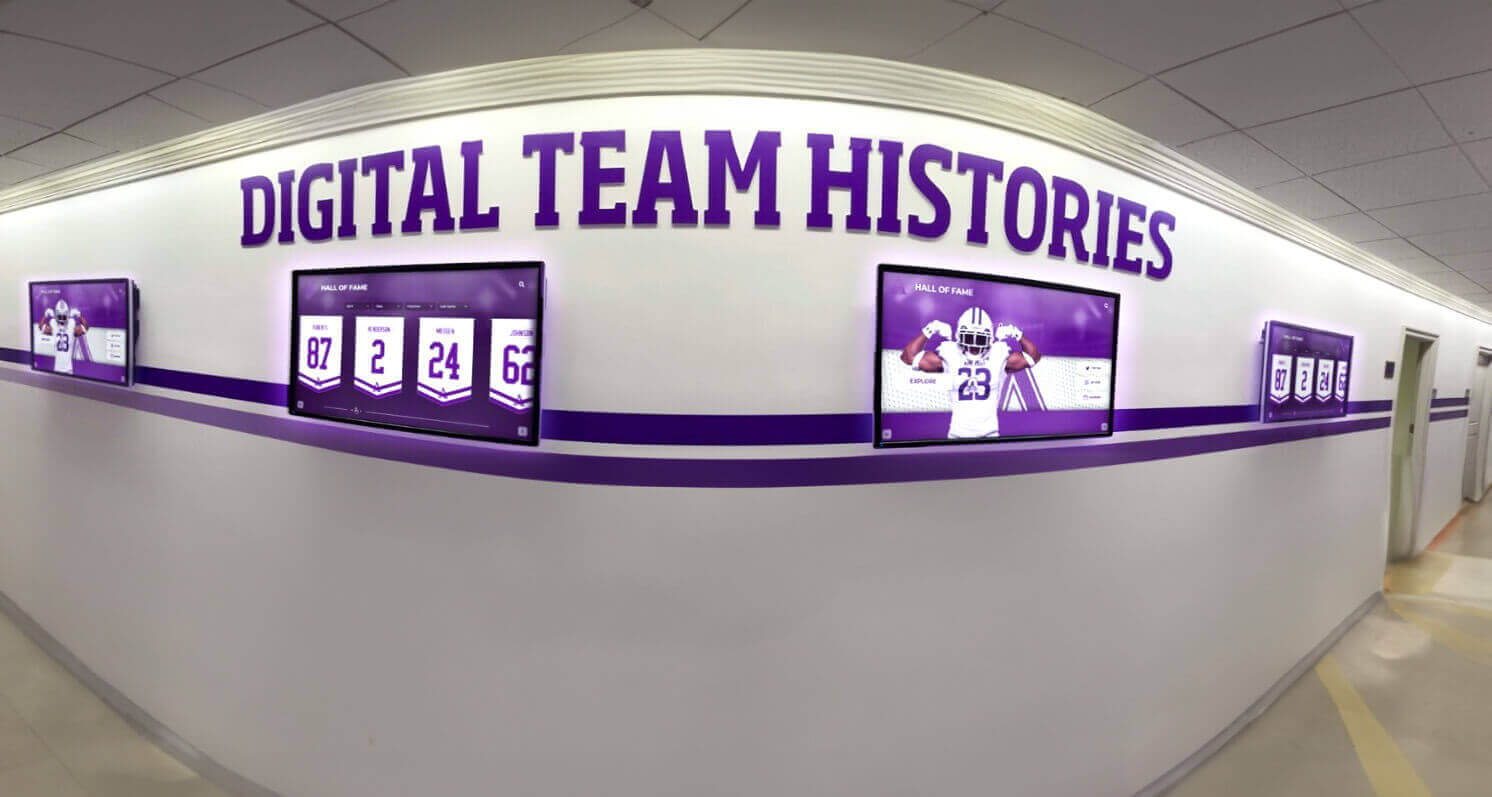
Multi-screen installations enable comprehensive historical storytelling across different themes and time periods
Measuring Historical Documentation Success
Effective programs establish clear metrics demonstrating progress and value to justify ongoing resource investment.
Quantitative Metrics
Measurable indicators reveal concrete preservation progress including total items digitized and archived, years of institutional history comprehensively documented, photographs tagged and made searchable, oral history interviews completed, community-contributed materials collected, web archive visits and page views, physical display interactions and engagement time, social media shares and impressions, and percentage of historical materials properly preserved and accessible.
These metrics demonstrate tangible outputs and provide benchmarks for year-over-year progress comparisons.
Qualitative Impact Indicators
Beyond numbers, successful historical documentation demonstrates meaningful community impact through alumni testimonials about reconnecting with formative experiences, student expressions of increased institutional pride, donor connections between giving decisions and historical content, recruitment mentions of heritage and tradition, faculty and staff appreciation for institutional memory resources, and community recognition through media coverage or external awards.
These qualitative indicators reveal the deeper value of historical preservation beyond simple archival outputs.
Return on Investment Analysis
For administrators evaluating resource allocation, calculating historical documentation ROI involves comparing preservation costs against increased alumni engagement and giving attributed to historical connections, enhanced recruitment outcomes from demonstrated tradition and quality, space savings from digitizing physical displays, administrative efficiency gains from searchable digital archives versus physical filing systems, and risk mitigation value from preventing loss of irreplaceable materials.
Many schools discover that comprehensive historical documentation delivers returns exceeding costs within 3-5 years when measured holistically across multiple benefit categories.
Common Challenges and Proven Solutions
Schools implementing historical documentation programs encounter predictable obstacles. Understanding common challenges and proven solutions helps ensure successful outcomes.
Challenge: Limited Historical Materials
Many schools discover that comprehensive historical records simply don’t exist—yearbooks are missing from certain decades, early photographs were never preserved, or fire, flood, or neglect destroyed materials.
Solutions: Implement aggressive community crowdsourcing campaigns requesting donations or loans of personal materials. Partner with local newspapers, historical societies, or libraries that may have school-related materials in their collections. Accept incomplete documentation for some eras rather than delaying entire projects waiting for perfect materials. Build archival structures acknowledging known gaps while adding content as materials emerge. Focus on capturing current history comprehensively preventing future gaps.
Challenge: Overwhelming Project Scope
Comprehensive historical documentation spanning decades can feel impossibly large, causing paralysis rather than progress.
Solutions: Begin with clearly defined pilot projects such as digitizing recent decade yearbooks, conducting five oral history interviews, or creating focused digital displays for specific programs. Build confidence and momentum through manageable successes before expanding. Implement ongoing annual documentation processes preventing future backlogs rather than only addressing historical deficits. Engage volunteers, students, or external partners expanding capacity beyond internal staff limitations.
Challenge: Technical Complexity
Staff may feel overwhelmed by digitization equipment, archival software, or content management systems.
Solutions: Partner with professional archival services providing turnkey solutions requiring minimal technical expertise. Select purpose-built educational platforms like Rocket Alumni Solutions specifically designed for non-technical users. Invest in comprehensive initial training and ongoing support. Engage technology-comfortable students or volunteers supporting less technical staff. Start with simple implementations building confidence before advancing to complex features.
Challenge: Funding Constraints
Historical preservation competes with numerous institutional priorities for limited budgets.
Solutions: Seek designated gifts from alumni or community members passionate about historical preservation. Apply for grants from educational foundations, historical societies, or community organizations. Implement phased approaches spreading costs across multiple budget years. Partner with external organizations providing shared resources reducing individual school costs. Demonstrate preservation ROI through metrics connecting historical documentation to fundraising, recruitment, or other strategic outcomes justifying continued investment.
Challenge: Maintaining Long-Term Commitment
Initial enthusiasm often fades as projects extend across years and key champions retire or move to different roles.
Solutions: Build preservation into permanent organizational structures with clear role assignments rather than depending on individual champions. Establish endowments or dedicated funding streams ensuring financial sustainability. Create regular annual cycles maintaining ongoing community engagement. Document processes thoroughly enabling smooth transitions when personnel change. Celebrate milestones publicly maintaining community awareness of preservation program value and progress.
Creating Your School History Capture Action Plan
Schools ready to comprehensively document their history should follow systematic planning processes ensuring successful implementation.
Phase 1: Assessment and Goal Setting (Months 1-2)
Conduct thorough assessment of current historical documentation including what materials currently exist and their condition, what significant gaps exist in historical records, who possesses critical institutional knowledge requiring capture, what preservation threats require urgent attention, and what resources are available for preservation work.
Define clear objectives determining what historical documentation should accomplish—protecting materials from loss, making history accessible to alumni and community, supporting student engagement and pride, enhancing fundraising and recruitment, or creating comprehensive institutional memory resources.
Establish success metrics determining how you’ll measure preservation program effectiveness through specific, measurable outcomes aligned with defined objectives.
Phase 2: Priority Setting and Planning (Months 2-4)
Identify highest-priority preservation activities based on urgency (materials at risk or knowledge holders aging), impact (activities delivering greatest value), feasibility (projects achievable with available resources), and strategic alignment (initiatives supporting broader institutional goals).
Develop detailed implementation plans including specific activities, timelines, resource requirements, responsible individuals, success indicators, and risk mitigation strategies.
Secure necessary approvals and resource commitments from administrative leadership, ensuring adequate support before beginning significant preservation work.
Phase 3: Initial Implementation (Months 4-12)
Begin with highest-priority, most achievable projects demonstrating early success and building momentum. Common starting points include digitizing recent yearbook decades working backward, conducting 5-10 oral history interviews with key individuals, creating focused digital historical display in single high-visibility location, or launching community crowdsourcing campaign collecting personal photographs and materials.
Document processes, establish quality standards, and refine approaches based on early experiences before expanding to additional activities.
Communicate regularly with stakeholders about progress, discoveries, and impact, building awareness and maintaining support.
Phase 4: Expansion and Sustainability (Year 2+)
Build on initial successes by expanding preservation scope to additional time periods, content types, or documentation methods. Add ongoing annual documentation processes preventing future historical gaps while continuing retroactive work addressing past deficits.
Evaluate effectiveness using established metrics and stakeholder feedback, adjusting approaches based on what’s working well versus what needs improvement.
Institutionalize preservation programs through permanent roles, dedicated budgets, documented procedures, and integrated technology systems ensuring sustainability despite staff changes or leadership transitions.

Interactive historical displays create gathering points where community members explore shared heritage and discover connections
The Lasting Impact of Comprehensive Historical Documentation
Schools that effectively capture their history create benefits extending far beyond archival preservation.
Building Institutional Identity and Community Pride
Comprehensive historical documentation strengthens institutional identity by connecting current experiences to larger narratives spanning decades or centuries. Students who understand their school’s journey develop deeper appreciation for traditions, stronger pride in institutional excellence, and greater sense of responsibility for maintaining positive legacies. This historical consciousness creates cohesive community identity connecting past accomplishments, present achievements, and future aspirations.
Strengthening Alumni Engagement
Alumni who can explore institutional history through accessible digital platforms maintain stronger lifelong connections to their alma maters. Historical documentation enables graduates to revisit formative experiences, share memories with family and friends, reconnect with classmates, and see how their contributions fit within larger institutional narratives. This emotional connection translates directly to increased reunion attendance, stronger volunteer participation, and greater philanthropic support.
Preserving Irreplaceable Knowledge
Every school’s history is unique and irreplaceable. Physical materials deteriorate, individuals pass away, and institutional memory fades unless actively preserved. Comprehensive documentation ensures that future generations can understand, appreciate, and learn from the accomplishments, challenges, and evolution that shaped their institutions. This preserved knowledge provides valuable context for decision-making, continuity across leadership transitions, and inspiration for ongoing excellence.
Supporting Strategic Institutional Goals
Historical documentation supports multiple priorities including recruitment efforts showcasing tradition and excellence, fundraising initiatives demonstrating long-term impact, community relations honoring local educational heritage, and accreditation processes documenting sustained quality and continuous improvement.
Schools investing in comprehensive historical preservation discover that captured history becomes a strategic asset supporting diverse organizational objectives far beyond simple archival goals.
Ready to Capture and Preserve Your School's History?
Discover how Rocket Alumni Solutions can help your institution document educational legacy through comprehensive digital archives, interactive displays, and recognition solutions that honor the past while inspiring the future. Our expert team provides complete support from initial planning through successful implementation.
Explore Heritage SolutionsConclusion: Your School’s History Deserves Protection
Every school has a story worth preserving—achievements worth celebrating, individuals worth honoring, traditions worth explaining, and lessons worth remembering. The best way to capture the history of a school combines proven preservation methods including comprehensive digital archiving protecting materials from loss, systematic oral history programs capturing irreplaceable memories, interactive displays making history accessible and engaging, community crowdsourcing expanding available materials, ongoing documentation processes preventing future gaps, and strategic partnerships leveraging external expertise.
Schools that prioritize historical documentation create lasting benefits for current students, alumni, prospective families, and future generations not yet born. They transform scattered memories and deteriorating materials into coherent narratives accessible to anyone interested in understanding institutional heritage. They demonstrate respect for those who built educational excellence while inspiring continued pursuit of achievement.
The urgency of historical preservation cannot be overstated. Every year that passes without comprehensive documentation increases the risk of permanent loss as physical materials deteriorate, knowledgeable individuals pass away, and institutional memory fades. The time to begin capturing your school’s history is now—before additional irreplaceable pieces are lost forever.
Modern technology platforms from providers like Rocket Alumni Solutions make comprehensive historical documentation achievable for schools of all sizes, combining intuitive content management with sophisticated display capabilities specifically designed for educational institutions. Whether starting with extensive historical archives or building documentation gradually, whether installing impressive physical displays or beginning with web-accessible platforms, whether focusing on specific time periods or documenting comprehensive institutional histories—proven methods and powerful tools enable effective historical preservation supporting your unique circumstances and goals.
Your school’s unique story deserves to be told, preserved, and celebrated for generations to come. Begin capturing that history today, ensuring that the accomplishments of past generations continue inspiring future excellence while strengthening the community bonds that make your institution special.































