Walk into many small schools and you’ll find the same scene: faded trophy cases collecting dust, outdated bulletin boards with yellowing photos, and recognition displays that haven’t been updated in years—not because these schools don’t value celebrating achievement, but because they’re operating on shoestring budgets where every dollar requires careful justification. Meanwhile, larger districts showcase impressive digital recognition displays that seem financially out of reach.
The truth? Digital recognition technology has evolved to become surprisingly accessible for schools of any size and budget. With strategic planning, creative financing, and smart implementation choices, even the smallest schools can leverage modern recognition displays to celebrate achievement, build community pride, and engage alumni—without breaking the bank or compromising other educational priorities.
This comprehensive guide reveals practical, budget-conscious strategies specifically designed for small schools, rural districts, and institutions with limited resources who want to modernize their recognition programs without financial strain.
The misconception that digital recognition requires massive capital expenditure prevents many deserving schools from exploring options that could transform how they celebrate student achievement, honor alumni, and build institutional pride. By understanding the full spectrum of solutions, financing mechanisms, and implementation approaches available, small schools can make informed decisions that deliver meaningful impact within realistic budget constraints.
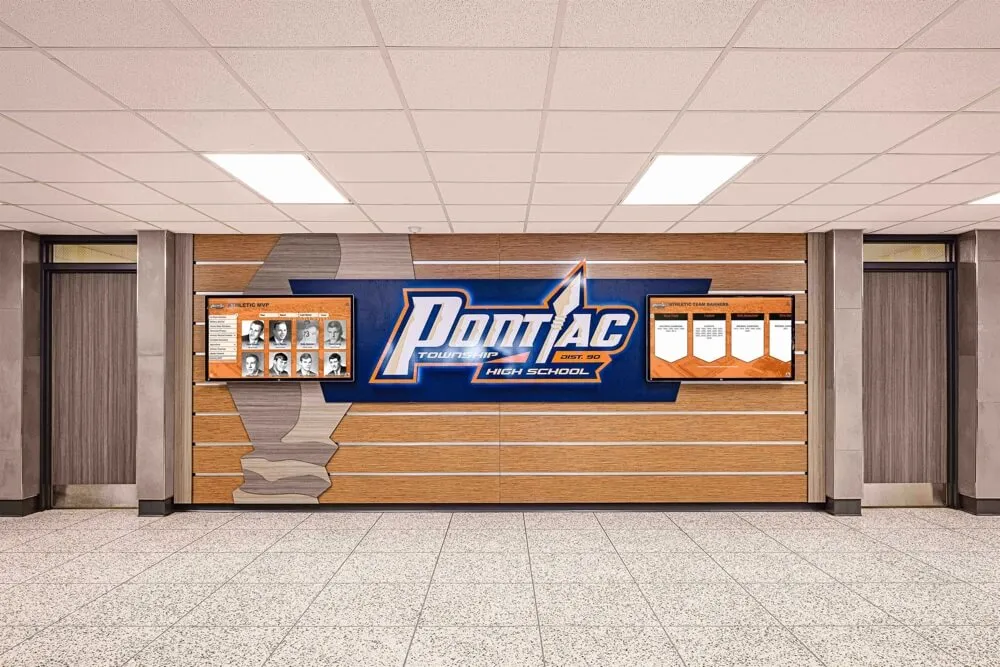
Understanding the Real Cost: Breaking Down the Investment
Before dismissing digital recognition as unaffordable, it’s essential to understand what these systems actually cost and how those costs compare to alternatives already familiar to schools.
Initial Investment Components
Hardware Costs
The physical display represents the most visible expense:
- Entry-level commercial displays (32"-43"): $800-$1,800
- Mid-range touchscreen displays (49"-55"): $2,200-$4,500
- Professional-grade large displays (65"-75"): $4,500-$8,000
- Mounting hardware and installation: $300-$800
Many schools assume they need the largest, most advanced displays. In reality, strategically placed smaller displays often deliver better results in typical school environments while costing significantly less.
Software and Licensing
Digital recognition platforms typically charge:
- One-time software licenses: $1,500-$5,000
- Annual subscription models: $500-$2,000 per year
- Cloud-based platforms: $600-$1,500 annually
Subscription models often make more financial sense for budget-conscious schools, converting large upfront costs into predictable annual expenses that fit within operating budgets rather than requiring capital expenditure approval.
Initial Content Development
Getting your recognition program online requires:
- Content digitization (scanning photos, compiling records): $500-$2,000
- Initial design and setup: $800-$2,500
- Training and onboarding: $200-$800
Schools with staff willing to handle content preparation can significantly reduce these costs, trading time investment for financial savings.
Total Cost Scenarios
Minimal Viable System: $3,500-$7,000
- Single 43" touchscreen display
- Basic mounting and installation
- Cloud-based software subscription
- Self-managed content development
- Suitable for: Schools under 300 students, single-location recognition needs
Standard Implementation: $7,000-$15,000
- 55" professional touchscreen display
- Professional installation
- Comprehensive software platform
- Professional content setup for initial launch
- Suitable for: Schools 300-800 students, multiple recognition categories
Enhanced Multi-Display System: $15,000-$30,000
- Multiple displays in strategic locations
- Advanced interactive features
- Comprehensive content development
- Extended training and support
- Suitable for: Schools 800+ students, campus-wide recognition program
Cost Comparison Reality Check
Consider what schools already spend on traditional recognition:
Traditional Recognition Annual Costs:
- Trophy and plaque purchases: $1,000-$3,000
- Engraving services: $500-$1,200
- Display case maintenance and expansion: $800-$2,000
- Photo printing and framing: $600-$1,500
- Physical storage for outdated materials: Space cost
- Staff time managing physical displays: 40-80 hours
Five-Year Traditional Recognition Total: $15,000-$38,500
Five-Year Digital Recognition Total: $8,000-$22,000 (Including initial investment plus annual software/updates)
When viewed through this lens, digital recognition often represents a cost-neutral or even cost-saving investment that simultaneously delivers superior functionality, engagement, and flexibility compared to traditional approaches.
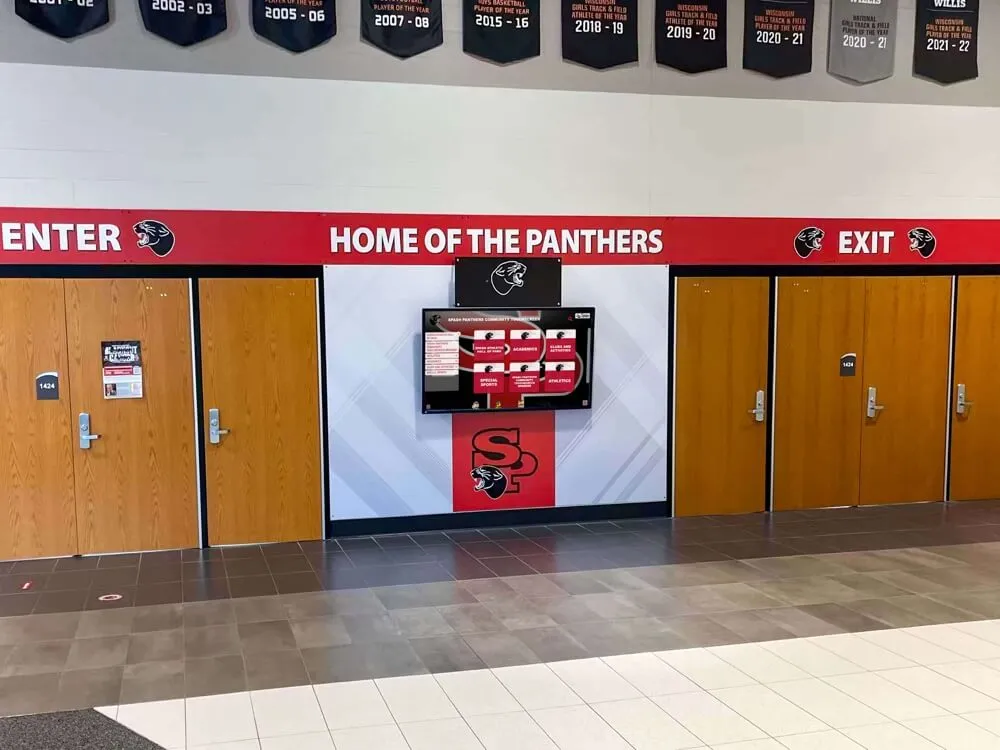
Strategic Approaches for Budget-Conscious Implementation
Small schools succeed with digital recognition not by having more resources, but by applying them more strategically.
Start Small and Scale Gradually
Rather than attempting comprehensive implementation, begin with focused scope:
Phase 1: Single Priority Category (Year 1)
Launch with your highest-impact recognition category:
- Athletic hall of fame for sports-focused schools
- Academic excellence wall for college-prep institutions
- Alumni achievement displays for schools with active graduate communities
- Donor recognition for development-focused organizations
This focused approach allows you to:
- Minimize initial investment (often under $6,000)
- Build staff confidence managing a new system
- Generate visible success stories
- Demonstrate value to skeptical stakeholders
- Learn what works before broader expansion
Phase 2: Additional Content Categories (Year 2)
After successfully establishing your foundation:
- Expand to 2-3 additional recognition categories
- Leverage existing hardware investment
- Apply lessons learned from initial implementation
- Build on established community interest
- Incremental software costs often minimal
Phase 3: Enhanced Features and Locations (Year 3+)
Once your program proves successful:
- Add displays in additional locations
- Implement advanced interactive features
- Connect with other school systems
- Expand content depth and multimedia elements
- Transition from necessity to excellence
This phased approach spreads costs across multiple budget years, makes each investment digestible, and ensures you’re building on proven success rather than gambling on unproven concepts. Engaging families through parent and family engagement strategies strengthens community support for recognition investments.
Leverage Existing Hardware When Possible
Small schools often possess resources that can be repurposed:
Existing Display Technology
Before purchasing new displays, audit what you already have:
- Smart TVs in common areas that could serve dual purposes
- Mounted displays used for announcements that could rotate recognition content
- Computer labs with displays that could showcase achievements outside class hours
- Cafeteria or lobby screens currently showing static content
Solutions like Rocket Alumni Solutions can often integrate with existing display infrastructure, requiring only software investment rather than complete hardware replacement.
Computer Systems and Networks
Digital recognition platforms typically require:
- Internet connectivity (already present in virtually all schools)
- Basic computer for content management (can use existing staff computers)
- Cloud storage (often included with education accounts)
Unlike specialized systems requiring dedicated hardware, modern recognition platforms run on standard infrastructure schools already maintain for other purposes.
Choose Cloud-Based Solutions Over On-Premise Systems
Budget-conscious schools benefit significantly from cloud-based platforms:
Lower Upfront Investment
Cloud solutions eliminate:
- Server hardware purchases ($2,000-$8,000 savings)
- Specialized IT infrastructure requirements
- Complex installation and configuration costs
- Dedicated backup systems and redundancy
Predictable Operating Costs
Subscription models provide:
- Fixed monthly or annual costs for budgeting
- Included software updates and improvements
- Automatic security patches and maintenance
- Scalable pricing that grows with your needs
Reduced IT Burden
Cloud platforms require minimal technical support:
- No server maintenance or monitoring
- Automatic backups without staff intervention
- Vendor-managed security and compliance
- Remote troubleshooting and support
For schools without dedicated IT staff (common in small districts), this reduction in technical complexity makes digital recognition viable when on-premise solutions would be unmanageable.
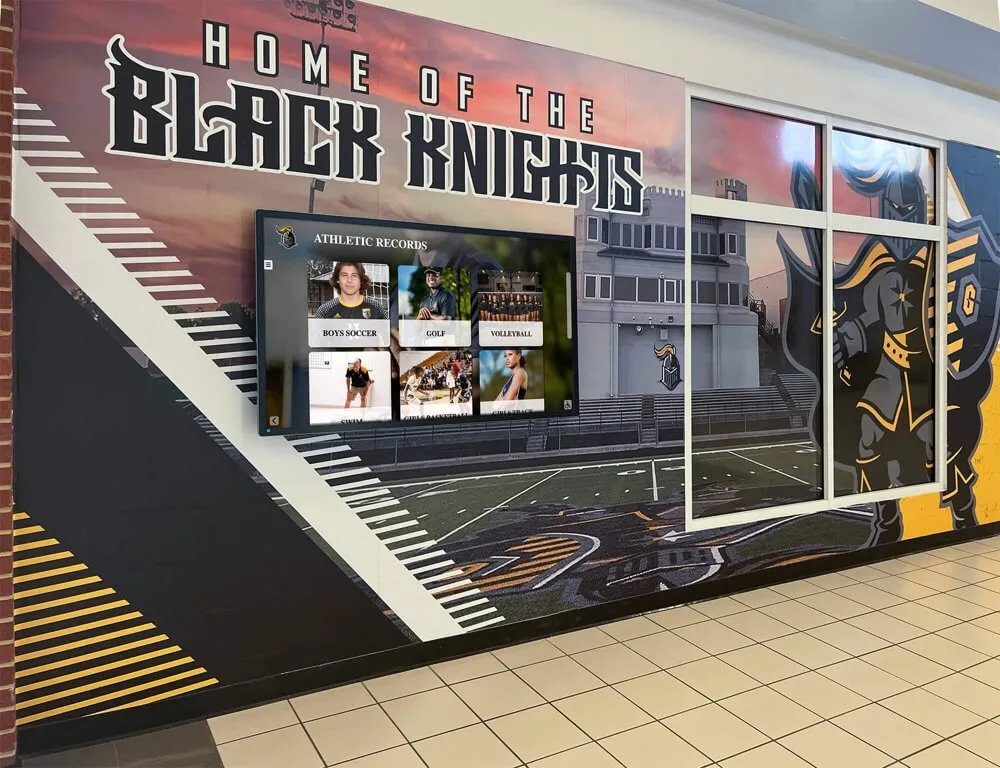
Strategic placement and existing infrastructure integration minimize installation costs
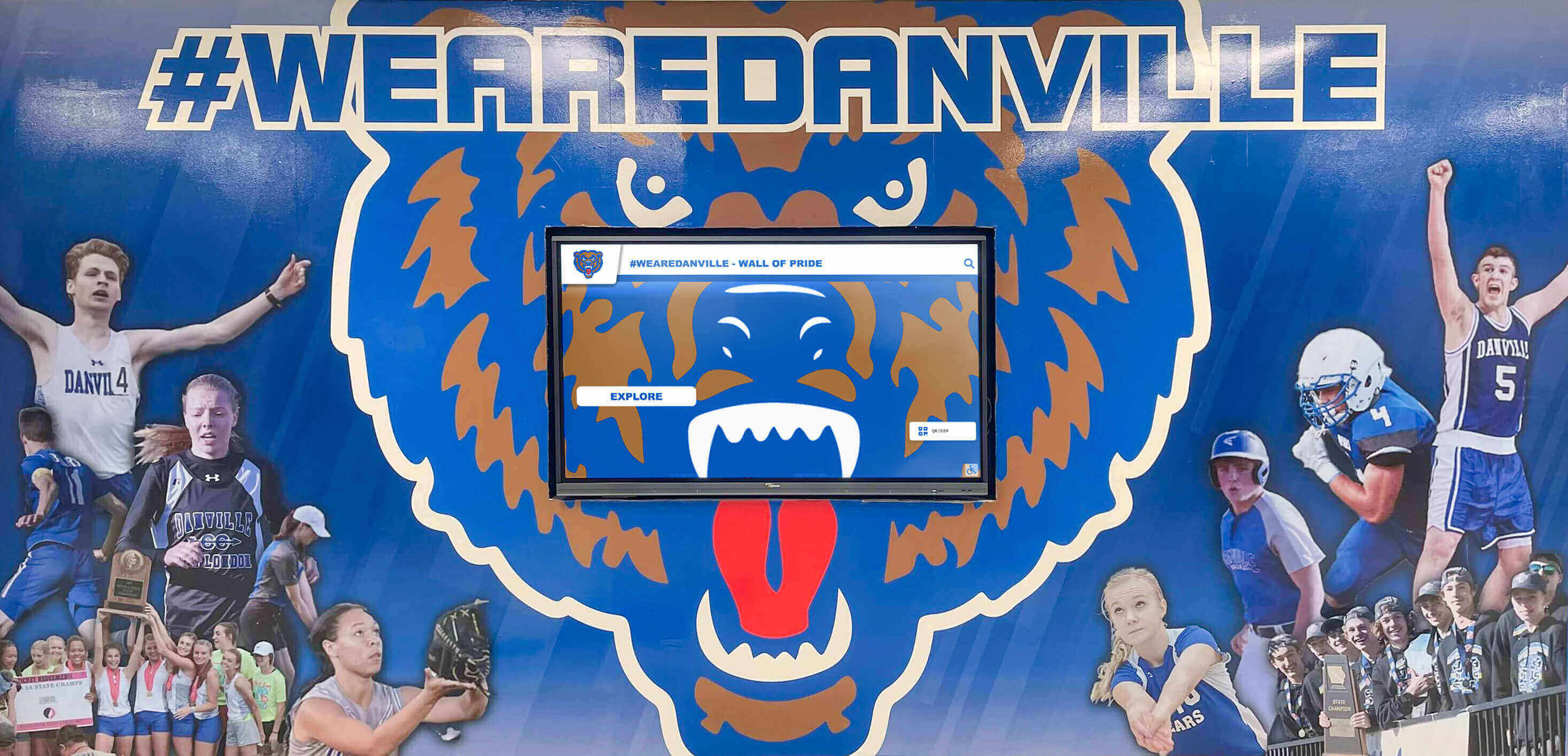
Smart design choices deliver professional results without premium pricing
Financing Options That Make Digital Recognition Accessible
Understanding how to pay for digital recognition matters as much as what you’re buying.
Educational Technology Leasing Programs
Equipment leasing transforms large upfront costs into manageable monthly payments:
Typical Leasing Terms
- 36-48 month lease periods
- $150-$400 monthly payments for complete systems
- Options to upgrade or purchase at term end
- Often includes service and support
Advantages for Small Schools
- Converts capital expenditure to operating expense
- Easier to secure approval within annual budgets
- Preserves cash reserves for other priorities
- May qualify for different budget categories than outright purchases
- Built-in upgrade path as technology evolves
Many vendors, including touchscreen recognition specialists, offer or can connect schools with educational leasing programs specifically designed for this purpose.
Grant Opportunities Specifically for Recognition Technology
Numerous grant programs support technology initiatives that strengthen school communities:
Local Education Foundation Grants
Many communities have education foundations offering:
- Technology improvement grants ($2,000-$10,000)
- Alumni engagement initiative funding
- School pride and culture enhancement support
- Typically less competitive than national grants
- Often prioritize proposals demonstrating community impact
Corporate Community Investment Programs
Local and regional businesses frequently provide:
- Technology donations or discounts
- Community recognition sponsorships
- Education partnership grants
- Marketing value from association with school recognition
State Education Technology Programs
Various states offer:
- Competitive technology implementation grants
- Rural school technology assistance
- Digital learning infrastructure support
- Often specifically intended for smaller districts underserved by commercial vendors
National Programs Supporting School Recognition
Organizations focusing on:
- Alumni relations advancement
- Athletic program development
- Arts and performance recognition
- STEM achievement celebration
Grant writing may feel daunting, but many vendors offer proposal assistance, template language, and documentation specifically for recognition technology applications. The investment of 10-20 hours in grant preparation can yield funding that makes projects immediately viable.
Fundraising and Donor-Funded Implementation
Digital recognition displays create natural fundraising opportunities:
Sponsorship Models
Offer naming rights or recognition opportunities:
- Display sponsorship: “The [Donor Name] Hall of Fame Display” ($5,000-$15,000)
- Category sponsorship: “Academic Excellence Recognition Presented by [Business]” ($2,000-$5,000)
- Individual profile sponsorships: Alumni or families sponsor inductee digitization ($100-$500 each)
- Annual operating sponsorship: Business covers software subscription ($1,000-$2,500 annually)
Alumni Fundraising Campaigns
Position digital recognition as improving alumni connection:
- Class reunion giving campaigns focused on recognition enhancement
- Milestone anniversary projects (50th, 75th, 100th celebrations)
- Distinguished alumni appeals emphasizing modernization
- Matching challenge campaigns with lead donor commitment
Community Partnerships
Engage local stakeholders through volunteer and service recognition:
- Booster club fundraising focused on athlete recognition
- Parent organization projects celebrating student achievement
- Local business advertising or sponsorship programs
- Community foundation collaboration
The key: Position recognition displays not as technology purchases but as community investment in celebrating achievement, honoring excellence, and building institutional pride. This framing resonates far more effectively with potential donors than technical specifications.
For additional fundraising strategies, comprehensive guides on fundraising for digital halls of fame provide detailed campaign planning resources.
Budget-Friendly Vendor Programs for Small Schools
Many recognition technology providers offer programs specifically addressing small school needs:
Small School Pricing Programs
Some vendors provide:
- Tiered pricing based on enrollment
- Reduced rates for rural or underserved districts
- Bundle pricing offering better value
- First-time customer incentives
Shared Services Models
Innovative approaches include:
- District-wide licenses serving multiple small schools
- Consortia pricing for regional partnerships
- Shared content development services across schools
Turnkey Budget Packages
Pre-configured offerings eliminate uncertainty:
- Fixed-price implementations including all components
- Standard feature sets proven for small school needs
- Predictable total cost without hidden fees
- Faster deployment with pre-configured templates
Don’t hesitate to ask vendors directly about small school programs, budget-friendly options, or flexible payment terms. Providers understand that building relationships with schools early in their journey creates long-term partnerships as institutions grow and expand capabilities.
Maximizing Value: Getting More Impact from Limited Investment
Budget-conscious schools must extract maximum value from every dollar invested.
Focus Content on High-Engagement Categories
Not all recognition creates equal impact. Prioritize categories that:
Generate Strongest Alumni Connection
- Athletic achievements (especially championship teams and standout athletes)
- Notable alumni success stories (relatable inspiration for current students)
- School history and traditions (connecting past to present)
Drive Current Student Motivation
- Recent graduate accomplishments (showing achievable pathways)
- Current year recognitions (immediate relevance)
- Academic and extracurricular excellence (diverse achievement celebration)
Support Institutional Priorities
- Donor recognition (strengthening development relationships)
- Community partnership acknowledgment (building external support)
- Values-aligned achievement (reinforcing institutional mission)
Starting with high-impact categories ensures visible success that builds support for future expansion. Learn more about effective student recognition programs that motivate continued excellence.
Leverage Student and Staff Talent
Small schools often possess untapped resources in their own community:
Student Involvement Opportunities
Engage students in:
- Content research and compilation: Student historians or researchers gathering achievement information
- Photography and media production: Media classes or clubs creating visual content
- Writing and editing: English or journalism students crafting achievement descriptions
- Technical management: Computer science or technology students assisting with system operation
These approaches provide multiple benefits:
- Reduced content development costs
- Valuable real-world learning experiences
- Increased student ownership of recognition program
- Ongoing content pipeline as new students cycle through
Staff Expertise Utilization
Tap existing capabilities:
- Library/media specialists: Often skilled at content organization and digital asset management
- Technology teachers: Can handle technical setup and troubleshooting
- Alumni relations staff: Natural content pipeline owners
- Athletic directors: Already managing achievement records and statistics
By framing digital recognition management as leveraging existing skills rather than requiring new specialized knowledge, schools convert potential obstacles into opportunities. Consider implementing scholarship recognition programs that can be managed efficiently with existing staff.
Design for Longevity and Adaptability
Budget-conscious investments must deliver sustained value:
Choose Flexible Platforms
Select solutions offering:
- Easy content updates without vendor dependency
- Multiple recognition categories within single system
- Scalability from basic to advanced features
- Integration capabilities with other school systems
- Regular updates and improvements included
Platforms designed for growth prevent expensive replacements when needs evolve.
Plan for Technical Sustainability
Ensure long-term viability:
- Cloud-based systems avoiding obsolescence
- Standard hardware components rather than proprietary equipment
- Established vendors with track records and stability
- Clear upgrade paths and migration options
The lowest-cost solution today that requires complete replacement in three years costs more than moderately priced systems delivering 8-10 years of service.
Implement Efficient Content Workflows
Establish processes that:
- Make content updates quick and simple (reducing ongoing labor costs)
- Leverage templates for consistency and efficiency
- Enable distributed content contribution from multiple stakeholders
- Minimize bottlenecks and approval layers
Efficient processes convert digital recognition from administrative burden to sustainable program integrated naturally into school operations.
For detailed guidance on sustainable content management, resources about maintaining digital recognition displays address long-term operational considerations.
Cost-Saving Implementation Strategies
Smart implementation choices significantly impact total investment.
DIY vs. Professional Installation Trade-offs
Self-Installation Approach
Capable facilities staff can often handle:
- Wall mounting using commercial display mounts ($200-$400)
- Basic cable management and power connections
- Network connectivity configuration
- Initial system setup following vendor documentation
Savings: $800-$2,000 in professional installation costs
Requirements:
- Confident technical staff member
- Appropriate tools and equipment
- Vendor-provided installation documentation
- Technical support access during setup
Professional Installation Benefits
Vendor or professional installer services provide:
- Proper placement optimization for visibility and accessibility
- Clean cable management and finished appearance
- Hardware warranty protection (some require professional installation)
- Immediate resolution of technical issues
- Time savings for busy school staff
Hybrid Approach
Many schools find middle ground:
- Handle physical mounting and connections internally
- Contract vendor for software configuration and initial setup
- Saves money while ensuring technical aspects are properly configured
Standardizing on Cost-Effective Hardware
Avoid Premium Hardware Traps
Schools don’t need:
- Consumer-grade “smart” features (content managed through recognition platform)
- Latest display technology (slightly older commercial displays work excellently at lower cost)
- Proprietary mounting or accessories (standard VESA mounts typically work fine)
- Extended manufacturer warranties beyond standard coverage
Focus on Essentials
Prioritize:
- Commercial-grade displays (designed for continuous operation, not consumer TVs)
- Adequate screen size for viewing distance (bigger isn’t always better)
- Touchscreen capability if interactive features are priorities
- Standard connectivity (HDMI, USB, network)
Detailed hardware selection guides help schools avoid overspending on unnecessary features while ensuring adequate capability for their needs.
Content Development Efficiency
Minimize Custom Design Costs
Use cost-effective approaches:
- Template-based design: Work within platform’s standard templates rather than custom layouts
- School brand integration: Incorporate existing logos, colors, and visual identity
- Photo standardization: Establish consistent photo specifications reducing editing needs
- Batch processing: Develop content in efficient batches rather than piecemeal
Start with Existing Materials
Leverage what you already have:
- Digitize existing trophy and plaque information
- Repurpose content from printed programs and publications
- Use athletic statistics already maintained for other purposes
- Convert existing website or social media content
Establish Clear Content Standards
Define simple, consistent requirements:
- Standard profile lengths (reduces writing time)
- Consistent photo specifications (minimizes editing)
- Clear category criteria (speeds selection decisions)
- Template descriptions (provides starting points)
Well-defined standards allow multiple contributors to create consistent content efficiently, reducing time investment and associated labor costs.
Negotiate Comprehensive Package Pricing
When engaging vendors, request:
- Bundle pricing: Combined hardware, software, and services at package rates
- Multi-year discounts: Longer subscription commitments often reduce annual costs
- Included services: Training, initial content development, or first-year support included
- Payment flexibility: Phased payments or delayed billing aligning with fiscal year
- Performance guarantees: Clear success criteria and remediation commitments
Many vendors prefer providing comprehensive solutions at fair rates over piecemeal purchases, making package negotiations beneficial for both parties.
Avoiding Common Budget-Busting Mistakes
Small schools must avoid expensive missteps that strain limited resources.
Don’t Confuse “Free” with “Cost-Effective”
Free Solution Hidden Costs
“Free” or DIY approaches often involve:
- Hundreds of hours of staff time (real cost: $2,000-$8,000 in labor)
- Limited functionality requiring workarounds (ongoing efficiency losses)
- Security and maintenance burden (risk and time costs)
- No support infrastructure (frustration and abandonment risk)
- Poor user experience (reduced engagement and impact)
A $5,000 professional solution delivering immediate value and ongoing support typically costs less than “free” alternatives when total cost of ownership is calculated honestly.
Avoid Overbuilding for Future Possibilities
Common Overinvestment Scenarios
Schools waste money by:
- Purchasing displays far larger than necessary “in case we need more space”
- Licensing features never used because “we might want them someday”
- Installing displays in multiple locations before proving value in one
- Developing extensive content libraries before establishing regular update routines
Right-Sizing Approach
Instead:
- Implement what you need today for proven requirements
- Choose platforms allowing easy expansion when needs clearly emerge
- Demonstrate success before requesting broader investment
- Let actual usage patterns inform expansion decisions
Don’t Skip Training and Support
Penny-Wise, Pound-Foolish
Cutting training and support costs leads to:
- Under-utilized systems (not achieving potential value)
- Frustrated administrators (increasing abandonment risk)
- Outdated content (defeating the purpose of digital flexibility)
- Repeated vendor support calls (consuming time)
Adequate Training Investment
Budget for:
- Initial hands-on training for primary administrators
- Written documentation and reference materials
- Ongoing support access (phone, email, or chat)
- Periodic refresher training or check-ins
Well-trained staff manage systems confidently and efficiently, ensuring sustained value from your investment. Comprehensive staff training approaches provide frameworks for building administrator confidence.
Resisting Comparison to Inappropriate Benchmarks
Unhelpful Comparisons
Small schools sometimes compare their situation to:
- Large district implementations with significantly different requirements and budgets
- Consumer technology (iPads, smart TVs) with completely different purposes and capabilities
- Premium installations at well-funded institutions
These comparisons create unrealistic expectations or inappropriate dismissals of suitable solutions.
Appropriate Benchmarking
Instead, compare:
- Similar-sized schools with comparable budgets
- Total cost of ownership versus current recognition approaches
- Value delivered per dollar invested
- Solutions designed specifically for small school contexts
Solutions like digital recognition platforms for schools address the full spectrum of institutional sizes and budgets, helping schools find appropriate fits.
Real-World Budget Success Stories
Understanding how other small schools achieved digital recognition success provides practical inspiration.
Small Rural High School: $4,200 Initial Investment
School Profile
- Enrollment: 225 students
- Location: Rural Midwest community
- Budget constraint: $5,000 maximum
Implementation Approach
- Single 43" touchscreen display in main hallway
- Cloud-based subscription platform ($600 annually)
- Student-led content development team
- Self-installation by facilities staff
- Focus on athletic hall of fame initially
Results
- Successfully launched with $4,200 Year 1 cost
- Added academic recognition in Year 2 using existing hardware
- Alumni engagement increased significantly through web access
- Became model for other schools in regional consortium
Key Success Factor: Narrow initial scope with clear expansion plan once value was demonstrated.
Independent Private School: Donor-Funded Program
School Profile
- Enrollment: 180 students K-12
- Location: Suburban East Coast
- Budget constraint: Zero available budget funds
Implementation Approach
- Identified alumni donor passionate about recognition
- Proposed named display opportunity ($8,000 contribution)
- Selected comprehensive package with professional installation
- Hired recent graduate to develop initial content (summer job)
- Launched with donor appreciation ceremony
Results
- Complete implementation at zero cost to operating budget
- Donor became advocate encouraging other contributions
- Recognition display highlighted at all admissions tours
- Additional donors funded content expansion in subsequent years
Key Success Factor: Creative fundraising positioned as alumni engagement initiative rather than technology purchase.
Small Catholic High School: Phased Multi-Year Implementation
School Profile
- Enrollment: 320 students
- Location: Urban Catholic school
- Budget constraint: $3,000 annually available
Implementation Approach
- Year 1: Software subscription and content development ($2,800)
- Year 2: First display hardware in chapel corridor ($4,500 - saved from two years)
- Year 3: Second display in athletic facility ($3,200 - discounted second unit)
- Year 4: Enhanced features and historical content expansion ($2,900)
Results
- Achieved comprehensive two-display system over four years
- Never exceeded annual budget availability
- Built staff confidence gradually with manageable steps
- Created high-quality program without financial strain
Key Success Factor: Patient phased approach aligned with realistic budget availability rather than attempting complete implementation immediately.
Making the Decision: Is Digital Recognition Right for Your Budget?
After understanding options and strategies, small schools must make informed decisions.
Calculating Your Realistic Budget
Identify Available Funding Sources
- Technology budget allocation
- Advancement or alumni relations funds
- Athletic department resources
- Facilities or capital improvement budgets
- PTO/booster club contributions
- Grant potential
Total Available: $___________
Determine Acceptable Financing
- Monthly lease payment capacity
- Multi-year commitment feasibility
Add to Available: $___________
Grand Total Budget: $___________
Matching Budget to Appropriate Solution
Budget Under $5,000
- Single smaller display (32"-43")
- Cloud subscription platform
- Self-managed content development
- Basic installation
- Single recognition category initially
- Excellent starting point with expansion path
Budget $5,000-$10,000
- Professional-grade 49"-55" touchscreen display
- Comprehensive software platform
- Some professional content development assistance
- Professional or hybrid installation
- 2-3 recognition categories
- Strong foundation for ongoing program
Budget $10,000-$20,000
- Large single display or dual smaller displays
- Advanced platform features
- Extensive content development support
- Complete professional installation
- Multiple recognition categories
- Comprehensive school-wide implementation
Budget Above $20,000
- Multiple displays in strategic locations
- Premium features and capabilities
- Extensive content libraries
- Multi-year support and training
- Enterprise-level implementation
Questions to Ask Potential Vendors
When evaluating solutions, ask:
About Costs
- “What’s included in the quoted price, and what costs extra?”
- “Are there ongoing fees beyond the initial purchase?”
- “What financing or payment options do you offer small schools?”
- “Do you have any grants, programs, or discounts for schools our size?”
About Implementation
- “What can we do ourselves to reduce costs?”
- “What’s the minimum viable starting point, and how can we expand later?”
- “How much time will our staff need to invest in setup and ongoing management?”
About Long-Term Sustainability
- “What are typical operating costs after the first year?”
- “How often does hardware typically need replacement?”
- “What happens if we need to pause our subscription temporarily?”
- “What does your upgrade path look like as our needs grow?”
About Support
- “What training and support are included?”
- “How quickly do you respond to technical issues?”
- “Can you connect us with similar-sized schools using your solution?”
Transparent vendors appreciate these questions and provide honest, detailed responses. Evasive or vague answers suggest reconsidering that provider.
Taking Action: Your Budget-Friendly Implementation Roadmap
Ready to move forward? Follow this practical sequence:
Months 1-2: Research and Planning
Assemble Your Team
- Identify key stakeholders (administration, advancement, athletics, technology)
- Designate a project champion
- Define recognition priorities and goals
Conduct Budget Analysis
- Identify all potential funding sources
- Determine realistic total available budget
- Explore grant and fundraising opportunities
- Assess financing acceptability
Research Solutions
- Request information from 3-5 vendors
- Review case studies from similar-sized schools
- Attend webinars or demos
- Visit installations if possible
Months 3-4: Proposal and Approval
Develop Implementation Proposal
- Specify recommended approach
- Detail costs and funding sources
- Project timeline and phasing if applicable
- Expected benefits and success metrics
- Risk mitigation strategies
Secure Necessary Approvals
- Present to administration
- Board approval if required
- Advance key stakeholder buy-in
- Finalize funding commitments
Months 5-6: Implementation
Execute Selected Approach
- Finalize vendor selection and contracting
- Manage installation process
- Develop or commission initial content
- Train staff administrators
- Test system thoroughly before launch
Launch Recognition Program
- Ceremonial unveiling event
- Communication to school community
- Promotion to alumni through various channels
- Initial feedback collection
Months 7-12: Optimization and Expansion Planning
Refine Operations
- Establish efficient content update routines
- Address any technical issues
- Gather usage data and engagement metrics
- Collect stakeholder feedback
Plan Future Expansion
- Identify next recognition categories to add
- Assess additional display locations if warranted
- Propose Year 2 budget based on Year 1 success
- Document lessons learned
This methodical approach ensures thoughtful decision-making while building momentum toward successful implementation within your budget constraints.
Conclusion: Excellence Without Extravagance
The persistent myth that digital recognition requires substantial budgets prevents countless small schools from transforming how they celebrate achievement, connect with alumni, and build community pride. The reality: With strategic planning, creative financing, smart solution selection, and phased implementation, schools of any size can leverage modern recognition technology within realistic budget constraints.
Digital recognition isn’t a luxury reserved for well-funded institutions—it’s an accessible tool that often delivers greater value per dollar invested than traditional approaches already consuming significant resources. By starting focused, scaling gradually, leveraging available financing mechanisms, and maximizing community involvement, small schools can create recognition programs that honor excellence, inspire students, and strengthen institutional bonds without breaking the bank.
The question isn’t whether your school can afford digital recognition—it’s whether you can afford to continue with recognition approaches that limit capacity, require constant manual updating, restrict access to on-campus visitors, and fail to leverage the engagement potential that modern technology enables. Modern interactive campus experiences demonstrate how technology transforms visitor engagement.
Ready to Explore Budget-Friendly Options?
Rocket Alumni Solutions specializes in working with schools of all sizes and budgets. We offer flexible solutions, transparent pricing, and creative approaches that make digital recognition accessible without compromising quality or long-term value.
Discuss Your Budget-Friendly OptionsYour students’ achievements deserve celebration. Your alumni deserve recognition. Your community deserves pride in institutional excellence. Budget constraints shouldn’t prevent honoring excellence—they simply require thoughtful approaches that deliver impact within realistic financial parameters.
Take the first step: Research your options, calculate your available budget, and start conversations with vendors who understand small school realities. You’ll likely discover that modern digital recognition is far more accessible than you imagined, and the transformation it enables for your school community justifies the strategic investment required.
Need guidance navigating budget-friendly recognition options? Contact our team for honest conversations about what’s possible within your specific constraints. We’ve helped hundreds of small schools achieve recognition excellence without financial strain, and we’re here to help your school join them.































