Transforming Mission Memories Into Lasting Ministry Impact
Campus ministry mission trips create transformative experiences that shape students' faith journeys, expand their worldviews, and build lasting community bonds. Yet thousands of photos documenting these life-changing experiences often end up scattered across phones, buried in cloud storage, or forgotten in desk drawers. Digital photo archives transform these precious memories into accessible, engaging resources that inspire future participants, strengthen campus ministry identity, and preserve decades of service history for generations to come.
Whether your campus ministry organizes local service projects, week-long spring break missions, or international summer trips, the photos capturing these experiences represent far more than vacation snapshots. They document spiritual growth, service impact, cultural learning, relationship building, and the ongoing story of how your ministry transforms lives. Creating organized, accessible photo archives ensures these powerful visual testimonies continue inspiring students, engaging alumni, supporting fundraising efforts, and celebrating the legacy of faithful service long after each trip concludes.
The challenge facing campus ministries isn’t lacking photos—most trips generate hundreds or thousands of images—but effectively organizing, preserving, and sharing them in ways that maximize ongoing ministry impact. Traditional approaches like social media albums, shared Google drives, or printed photo boards each have limitations. Modern digital archive solutions combine the permanence of professional preservation with the accessibility of interactive technology and the engagement power of visual storytelling.

Interactive digital displays enable students to explore decades of campus ministry trip photos, discovering inspiring stories while considering their own call to service and mission participation
The Growing Importance of Mission Trip Photo Archives
Campus ministries face unique challenges in documenting and preserving their mission work. Understanding why photo archives matter reveals their strategic value beyond simple nostalgia.
Capturing Spiritual Formation Moments
Mission trips represent concentrated periods of spiritual growth where students often experience faith breakthroughs, hear clear callings, and encounter God in profound ways. Photos capture:
Moments of Service: Images documenting hands-on ministry work—construction projects, children’s programs, medical clinics, food distribution, or community development—visually demonstrate faith in action and inspire others toward service.
Cultural Immersion Experiences: Photos showing students engaging with different cultures, learning from host communities, and stepping outside comfort zones illustrate the educational and perspective-expanding dimensions of mission work.
Worship and Reflection Times: Images from devotions, worship services, prayer gatherings, and reflection periods document the spiritual rhythms undergirding service activities and highlight priorities of campus ministry programs.
Relationship Building: Photos capturing friendships formed within trip teams, connections with host community members, and bonds with local ministry partners showcase the relational heart of mission work transcending language and cultural barriers.
Transformation Documentation: Before-and-after images—both of physical service projects and the visible growth in student participants—provide compelling visual testimony to trip impact.
Supporting Ongoing Campus Ministry Goals
Well-organized photo archives serve multiple ministry objectives simultaneously:
Recruitment and Promotion: Compelling trip photos recruit future participants far more effectively than text descriptions alone. Students considering mission trip participation want to see what experiences look like, who else participates, and what makes trips worthwhile investments of time and money.
Fundraising Support: Photos demonstrating previous trip impact strengthen fundraising appeals for future mission work. Donors—whether parents, alumni, churches, or foundations—give more confidently when seeing visual documentation of how resources translate into ministry results.
Alumni Engagement: Trip alumni maintain stronger connections with campus ministries when they can revisit photos from formative experiences. Alumni engagement strategies often leverage shared memories to sustain relationships with graduated students.
Ministry Identity Building: Accumulated trip photos across years establish visual ministry identity demonstrating values, priorities, and legacy. They communicate “this is who we are and what we do” to students encountering campus ministry for the first time.
Parent Communication: Photos reassure parents about student safety, demonstrate trip legitimacy, and help families feel connected to campus ministry experiences happening far from home. Regular photo sharing during trips keeps parents engaged and supportive.
Denominational and Partnership Reporting: Many campus ministries operate within larger networks requiring documentation of mission activities. Photo archives provide ready evidence of ministry engagement for reports to denominational bodies, partner organizations, and funding sources.
Preserving Institutional Memory
Campus ministries experience constant turnover as students graduate and staff transition. Photo archives become increasingly valuable institutional memory:
Historical Documentation: Photos preserve campus ministry history in ways meeting minutes and reports cannot. They document “who we were” across decades, revealing ministry evolution, cultural changes, and enduring commitments.
Leadership Continuity: New ministry leaders benefit from photo archives showing past practices, relationship histories, and ministry patterns. Archives help new staff understand ministry culture and values embedded in visual history.
Anniversary and Celebration Content: Milestone celebrations—10th, 25th, or 50th anniversaries of ministry programs or trip destinations—require historical photos demonstrating ministry longevity and impact over time.
Legacy Building: Students who participated in trips years earlier often return to campus or reconnect with ministry digitally. Seeing their photos preserved in ministry archives affirms their experiences mattered and contributed to something enduring beyond their college years.

Accessible digital archives enable current students to discover ministry history, see themselves as part of ongoing story, and envision their potential contributions to campus ministry legacy
Common Challenges in Managing Mission Trip Photos
Despite the clear value of mission trip photo archives, campus ministries commonly struggle with practical organization and preservation challenges.
Photo Collection and Organization Issues
The distributed nature of photo capture creates management difficulties:
Multiple Photographers: Each trip participant captures photos on personal devices, resulting in hundreds or thousands of images scattered across dozens of phones and cameras. No single person has comprehensive trip documentation.
Inconsistent Quality: Photo quality varies dramatically based on device capabilities, photographer skill, lighting conditions, and subject matter. Archives often contain duplicate shots, blurry images, poorly composed photos, and pictures requiring editing before public sharing.
Lack of Metadata: Photos transferred from cameras or phones typically lack context. Who’s in the picture? What activity is shown? Where was this taken? What day of the trip? Without identifying information, photos become less valuable over time as memories fade.
Storage Fragmentation: Photos end up stored wherever participants initially uploaded them—Instagram, Facebook, personal Google Photos accounts, ministry shared drives, or not shared at all. Accessing comprehensive trip documentation requires checking multiple locations.
Privacy and Permission Concerns: Not all participants want their photos publicly shared. Some serve in locations where security concerns prohibit public photo posting. Managing appropriate permissions while still preserving photos creates complexity.
Processing Bottlenecks: Someone must collect photos from all participants, review for quality and appropriateness, organize into meaningful categories, add identifying information, and upload to shared locations. This time-consuming work often falls through cracks amid post-trip responsibilities.
Long-Term Preservation Challenges
Photos face ongoing preservation risks without intentional archival strategies:
Platform Dependency: Photos stored on commercial platforms (Facebook, Instagram, Google Photos, Flickr) remain vulnerable to platform changes, account access issues, or service discontinuation. Campus ministries don’t control preservation of photos hosted on external services.
Obsolete Storage Media: Photos archived on CDs, DVDs, or old hard drives become inaccessible as technology evolves. Many campus ministries have trip photos from 1990s-2000s on media no longer readable by current computers.
Staff Transitions: When ministry leaders change, knowledge of where photos are stored, how archives are organized, and which accounts contain historical images often leaves with departing staff. Institutional knowledge gaps result in lost photo access.
Insufficient Backup: Photos stored in single locations—one computer, one cloud account, one external drive—risk permanent loss from hardware failure, account deletion, or natural disasters. Without redundant backup, years of photos can disappear instantly.
Resource Constraints: Campus ministries operating on limited budgets and volunteer staff struggle to prioritize photo archiving amid competing ministry demands. Photo organization feels like luxury when immediate ministry needs press.
Copyright and Ownership Questions: Who owns mission trip photos? Individual photographers? Campus ministry? University? Partner organizations? Unclear ownership creates hesitation about long-term preservation decisions.
Accessibility and Engagement Limitations
Even when photos are collected and preserved, utilization challenges remain:
Discovery Difficulties: Photos buried in folder hierarchies or chronological albums become effectively invisible. Students don’t know archives exist, can’t find specific images, or give up after minimal searching.
Limited Engagement Features: Static photo galleries lack interactive elements encouraging exploration. Users passively scroll rather than actively engaging with content, discovering stories, or contributing their own memories and context.
Geographic and Time Barriers: Students want to explore trip photos from personal devices at convenient times, not only when visiting physical campus locations or during specific events.
Missing Context and Stories: Photos without accompanying narratives lose much of their power. An image of students painting a building becomes far more meaningful with stories about relationships formed, challenges overcome, or lessons learned during that service project.
Poor Search Functionality: Basic folders and albums lack searchable tagging by trip destination, date, participants, activity type, or other categories enabling targeted discovery rather than exhaustive scrolling through unrelated content.
No Social Integration: Students accustomed to Instagram and TikTok expect easy sharing capabilities. Archives lacking simple share features fail to leverage social amplification extending photo reach beyond immediate campus ministry circles.
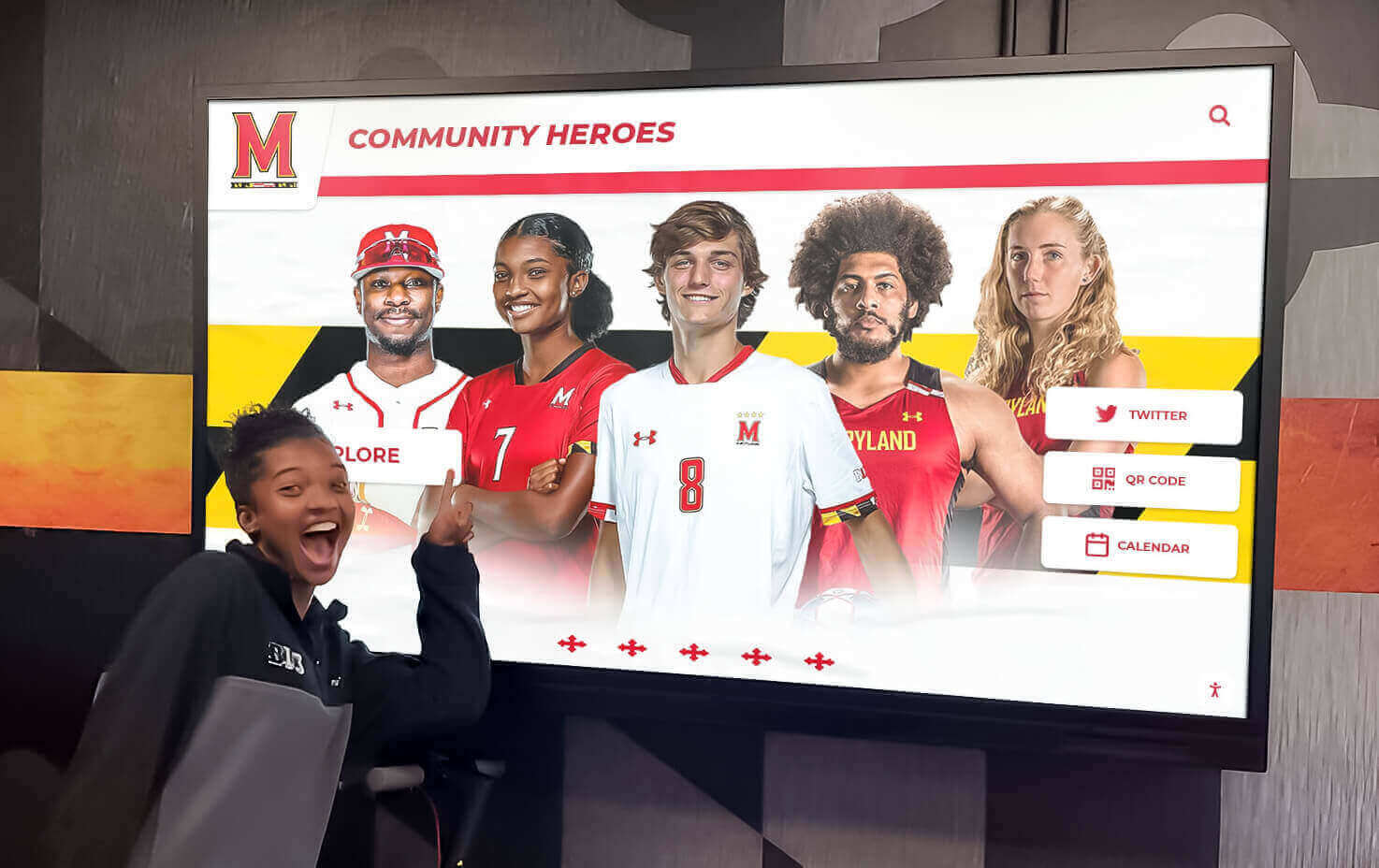
Interactive displays with social sharing capabilities enable students to quickly find personally relevant content and amplify ministry impact through their social networks
Building Effective Digital Photo Archives
Successfully addressing campus ministry photo challenges requires systematic approaches to collection, organization, preservation, and accessibility.
Photo Collection Best Practices
Establishing clear collection workflows maximizes photo capture while minimizing post-trip processing burden:
Pre-Trip Expectations: Communicate photo expectations before trips begin. Designate official photographers responsible for comprehensive documentation, request all participants contribute their best photos, explain intended archive uses, and obtain necessary permission releases before departure.
Cloud Collection During Trips: Establish shared cloud folders (Google Drive, Dropbox, iCloud) where participants upload photos daily during trips. Real-time collection prevents post-trip procrastination, enables timely social media sharing for supporters following along, and captures photos before devices fail or files get deleted.
Structured Upload Forms: Create simple submission forms requesting basic metadata alongside photo uploads—photographer name, date, location, people pictured, activity description, and any relevant stories. Collecting context during uploads prevents later information loss.
Photo Selection Protocols: Rather than keeping every image, establish selection criteria focusing on quality and diversity. Keep photos showing: various activities, all participants, service impact, cultural learning, team interactions, worship and reflection, and unique or unexpected moments.
Professional Documentation: When budget allows, consider hiring professional photographers for portions of trips or key events. Professional images elevate archive quality and provide polished content for promotional materials requiring higher-quality photography.
Video Integration: Short video clips powerfully complement static photos. Capture testimony interviews, activity timelapses, music and worship segments, and greeting messages. Video needn’t be professionally produced to add valuable multimedia dimension to archives.
Organization and Metadata Strategies
Thoughtful organization makes photo archives accessible and usable long-term:
Hierarchical Structure: Organize photos within nested categories enabling multiple discovery paths. Primary organization typically uses trip destination and year, with sub-categories by activity type, date, or theme. Example structure: “Dominican Republic 2024 > Construction Project > Day 3.”
Consistent Naming Conventions: Establish standardized file naming patterns including trip, date, and sequence number: “DominicanRepublic2024_Day3_0047.jpg.” Consistent naming prevents confusion and enables alphabetical sorting producing logical viewing sequences.
Comprehensive Tagging: Apply multiple descriptive tags to each photo enabling flexible searching and filtering: destination country, city, partner organization, activity type (construction, medical, children’s ministry, VBS, etc.), team members visible, specific projects, and themes (worship, service, cultural learning, meals, recreation).
Face Recognition Technology: Modern photo management software includes facial recognition automatically grouping photos by person. Investing time training recognition systems to identify regular participants dramatically improves future searchability as students can quickly find all photos including themselves or specific friends.
Geolocation Data: Preserve or add geographic coordinates enabling map-based photo browsing. Geographic clustering helps tell spatial stories of where teams served, traveled, and experienced different aspects of trips.
Descriptive Captions: Write substantive captions beyond minimal identification. Good captions answer: What’s happening in this photo? Who are these people? What made this moment significant? What resulted from this activity? What did participants learn? Detailed captions transform photos from simple documentation into storytelling vehicles.
Timeline Integration: Arrange photos within broader ministry timelines showing how individual trips fit within ongoing mission work history. Digital school history timelines demonstrate timeline approaches applicable to campus ministry contexts.
Storage and Preservation Solutions
Reliable long-term preservation requires redundant storage and format migration strategies:
Cloud-Based Primary Storage: Store master photo archives in reliable cloud services providing unlimited or high-capacity storage—Google Workspace, Microsoft OneDrive, Dropbox Business, or ministry-specific solutions. Cloud storage enables access from anywhere, automatic backup, and sharing without file transfers.
Local Backup Copies: Maintain complete local backups on external hard drives stored securely on campus. Follow 3-2-1 backup rule: three total copies, on two different media types, with one copy off-site. Regular backup schedule prevents significant data loss from any single failure.
Institutional Repository Deposits: Universities increasingly offer institutional repository services for permanent preservation of university-related materials. Depositing curated photo collections in university repositories leverages professional preservation infrastructure while ensuring permanence beyond campus ministry organizational continuity.
Format Standardization: Save photos in standard formats unlikely to become obsolete—JPEG for photos, MP4 for video, PDF for documents. Avoid proprietary formats requiring specific software. Periodically migrate older formats to current standards as technology evolves.
Access Permissions Management: Implement appropriate access controls distinguishing between: public archives appropriate for wide sharing, internal collections for campus ministry members only, restricted archives with privacy or security sensitivities, and administrative-only access to original high-resolution files.
Archive Documentation: Create and maintain comprehensive documentation describing: folder organization logic, naming conventions, tagging systems, where backups are stored, access credential information, and archive management responsibilities. Documentation enables continuity through staff transitions.
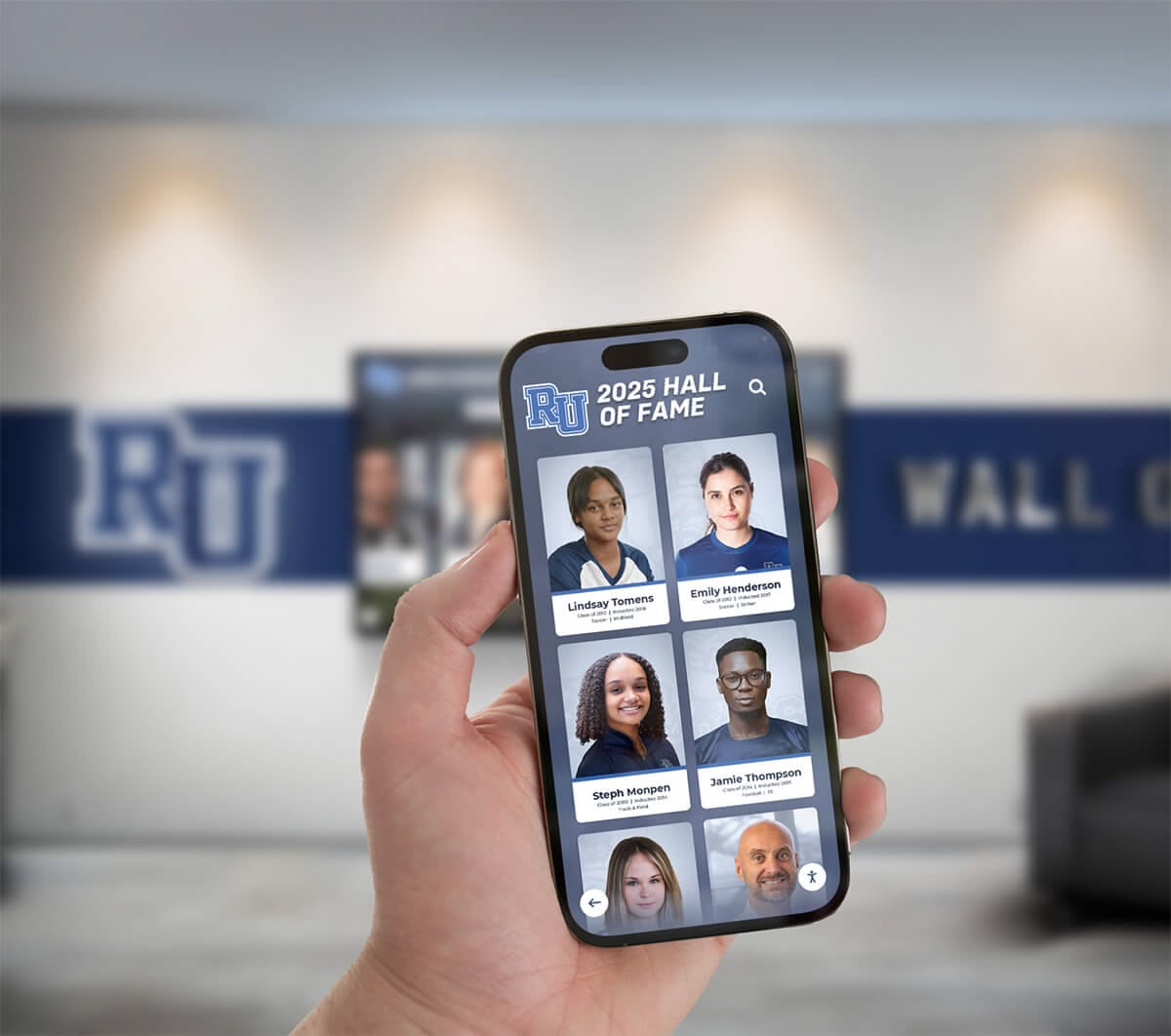
Modern archive systems integrate physical displays with mobile access, enabling students to explore content from personal devices while maintaining permanent campus installations showcasing ministry impact
Interactive Digital Display Solutions
Beyond basic file storage, interactive digital displays transform photo archives into engaging campus ministry resources.
Physical Display Options
Campus-based displays make photo archives continuously visible to students:
Digital Signage Screens: Wall-mounted displays in high-traffic ministry spaces automatically cycle through curated photo slideshows. Strategically placed screens in student unions, ministry centers, or chapel lobbies passively expose students to trip photos, triggering conversations and interest.
Interactive Touchscreen Kiosks: Interactive touchscreen displays enable active exploration beyond passive viewing. Students can search by destination, date, or people; watch video clips; read detailed stories; and access complete trip information. Interactive engagement dramatically increases time spent with archive content compared to static displays.
Multi-Screen Video Walls: Large-format video walls composed of multiple screens create impressive visual impact in prominent ministry locations. Video walls showcase mission work at scale appropriate for major campus ministry commitment, making powerful statements about ministry priorities and legacy.
Portable Display Solutions: Freestanding kiosks or displays on rolling stands enable flexible placement for specific events—mission trip reunions, ministry fairs, recruitment events, fundraising dinners, or chapel services. Portable displays serve multiple contexts without permanent installation requirements.
Integration with Existing Recognition Displays: Campus ministries often maintain digital recognition boards honoring student leaders, ministry milestones, or significant donors. Trip photo archives naturally complement existing recognition infrastructure, sharing hardware and software systems for cost efficiency.
Software and Content Management
Specialized platforms optimize photo archive engagement:
Content Management Systems: Comprehensive content management platforms enable non-technical staff to easily upload photos, organize content, create interactive experiences, schedule display updates, and modify presentations without requiring IT support or programming knowledge.
Search and Filter Capabilities: Robust search functionality transforms archives from linear photo albums into explorable databases. Students should be able to quickly find: all photos from specific destinations, trips they participated in, pictures including themselves or friends, particular activity types, specific years or date ranges, and trips to locations they’re considering for future participation.
Social Media Integration: Direct sharing to Instagram, Facebook, TikTok, and other platforms amplifies ministry visibility beyond students physically visiting displays. One-click sharing removes friction, encouraging students to post favorite photos to personal networks where they reach peers who might never visit campus ministry facilities.
Responsive Web Access: Comprehensive solutions extend beyond physical displays to include mobile-optimized web portals. Students can explore complete photo archives from phones or laptops anytime, anywhere. Web access dramatically increases archive utilization compared to displays limited to specific physical locations.
QR Code Linking: Display prominent QR codes near physical installations linking directly to mobile-optimized archive access. Students visiting displays can instantly transfer exploration to personal devices for extended browsing, detailed investigation, or sharing with friends.
Analytics and Insights: Track which photos receive most views, common search terms, peak usage times, average engagement duration, and demographic patterns. Analytics inform future content decisions, identify archive strengths and gaps, and demonstrate archive value for budget justifications.
Submission Portals: Enable ongoing community contributions through submission portals where alumni can upload additional photos from trips they participated in, share stories about archive photos, update information about their lives post-graduation, or contribute financial support for future mission work.
Creating Engaging Interactive Experiences
Beyond basic photo browsing, thoughtful design creates compelling experiences:
Trip Spotlights: Feature prominently highlighted trips rotating monthly or seasonally. Spotlights include curated photo galleries, participant testimonies, impact stories, partner organization information, and calls to action for supporting similar future trips.
Interactive Maps: Display world maps showing all destinations where campus ministry has served over its history. Students tap countries or pins to explore photos, statistics, and stories from each location. Geographic visualization helps students grasp global ministry scope and consider less-familiar destinations.
Participant Stories: Link photos to longer-form storytelling. Images launch narrative accounts written by participants describing what photos show, what happened before and after, what they learned, how experiences shaped them, and how God worked through circumstances. Stories transform photos from simple documentation into powerful testimonies.
Timeline Views: Present photos chronologically showing ministry evolution across years or decades. Timelines help students understand themselves as part of ongoing legacy transcending their college tenure. Historical perspective inspires as students see how campus ministry has faithfully sent servant-hearted students for generations.
Thematic Collections: Curate photos across multiple trips around common themes—medical missions, construction projects, children’s ministry, disaster relief, urban missions, international service, or specific regions. Thematic organization helps students with particular interests quickly discover relevant content while considering future participation.
Comparison Features: Show before-and-after images demonstrating service project impact—buildings constructed, facilities renovated, programs established, or communities transformed. Visual demonstration of tangible results encourages student participation and donor support by proving trips produce lasting value.
Virtual Reality Integration: Emerging VR capabilities enable immersive “experience mission trips” remotely. 360-degree photos or videos transport viewers into trip environments, creating visceral experiences approximating physical presence. Virtual hall of fame technologies demonstrate approaches applicable to mission trip contexts.

Interactive displays welcome campus visitors, prospective students, and alumni with compelling visual testimony of ministry impact while providing intuitive exploration of decades of service history
Maximizing Ministry Impact Through Photo Archives
Well-implemented photo archives become strategic ministry assets serving multiple purposes beyond simple preservation.
Recruitment and Trip Promotion
Photos recruit future participants more effectively than descriptions:
Visual Testimony: Prospective participants want to see what mission trips actually involve. Authentic photos showing service activities, living conditions, team dynamics, and cross-cultural engagement set realistic expectations while demonstrating trip value.
Social Proof: Photos showing peers—students from the same campus, in similar life stages, with relatable concerns—participating in trips provide powerful social proof. Students think “if people like me did this and had meaningful experiences, maybe I can too.”
Diverse Representation: Intentionally showcase photos representing diverse participants across gender, ethnicity, major, class year, and previous experience. Broad representation combats misconceptions that mission trips are only for certain types of students.
Destination-Specific Information: Create recruitment materials for specific trips using location-specific photo archives. Students considering Guatemala service want to see previous Guatemala trip photos, not generic mission work images.
Testimonial Integration: Pair compelling photos with brief participant quotes describing transformative moments. Combined visual and verbal testimony creates more persuasive recruitment content than either alone.
Event Displays: Feature trip photo archives prominently at recruitment events—ministry fairs, information sessions, campus open houses, or preview weekends. Visual displays attract attention and initiate conversations leading to trip registration.
Fundraising and Donor Engagement
Photo archives strengthen fundraising appeals:
Impact Demonstration: Donors want to know their gifts produce meaningful results. Photos documenting projects completed, people served, and communities impacted provide tangible evidence of donation effectiveness.
Student Transformation Visibility: Major donors—often parents, alumni, or ministry supporters—give not just to fund trips but to facilitate student spiritual formation. Photos capturing students serving, worshiping, reflecting, and growing visually demonstrate transformational experiences donations enable.
Donor Recognition Integration: Donor recognition displays highlighting major contributors can incorporate mission trip photos showing ministry donor gifts support. Connecting faces and stories to donor names personalizes recognition beyond generic acknowledgment.
Campaign Progress Visualization: During specific fundraising campaigns for mission trips, display real-time progress alongside photos from previous trips to the same destination. Visual connection between current fundraising and past ministry impact motivates giving.
Thank You Communications: Include curated photo collections in post-trip donor thank you communications. Seeing specific results from their contributions encourages ongoing support and strengthens donor relationships.
Recurring Giving Promotion: Photo archives demonstrating years of consistent mission work encourage monthly or annual recurring gifts by proving ministry reliability and long-term commitment rather than sporadic activity.
Alumni Connection and Engagement
Trip alumni represent key ongoing ministry constituency:
Memory Lane Experiences: Alumni visiting campus or engaging digitally love discovering photos from trips they participated in years or decades earlier. Nostalgic reconnection with formative experiences strengthens emotional bonds with campus ministry.
Life Update Opportunities: Alumni spotlight features invite trip participants to share how mission experiences influenced career paths, family decisions, ongoing service commitments, or spiritual journeys. Alumni profiles connected to historic trip photos create compelling narratives about long-term ministry impact.
Reunion Facilitation: Photo archives help alumni reconnect with trip teammates. Searchable archives enable former participants to find friends, share contact information, and organize reunions of specific trip teams celebrating anniversaries or maintaining relationships.
Ongoing Giving Motivation: Trip alumni who feel their college mission experiences were transformative become primary donor prospects for funding future trips. Accessible photo archives keeping memories alive sustain emotional connection motivating financial support.
Ministry Ambassador Development: Alumni sharing mission trip photos and stories through personal social networks exponentially expand ministry visibility and influence. Each alumni post reaches entirely different network than campus ministry’s institutional accounts access.
Current Student Mentoring: Connect current students considering mission trips with alumni who participated in similar trips. Photo archives facilitate these mentoring relationships by helping identify relevant alumni and providing conversation starters through shared trip memories.
Educational and Spiritual Formation
Photo archives serve pedagogical purposes:
Pre-Trip Preparation: Use archived photos during pre-trip training helping participants understand what to expect, how to culturally engage appropriately, what service work involves, and what spiritual preparation prepares them for upcoming experiences.
Debriefing Resources: Post-trip reflection sessions benefit from photos triggering memories and discussions. Group photo review helps teams process experiences, articulate learnings, and discern how trip impacts shape ongoing discipleship.
Cross-Cultural Education: Photos document cultural practices, community life, economic realities, and global Christian expressions different from participants’ home contexts. Archives become visual textbooks for ongoing cross-cultural education extending beyond trip participants to broader campus ministry communities.
Missiology Learning: Mission trip photos ground abstract missiology concepts in concrete experiences. Discussions about partnership, dependency, cultural sensitivity, sustainable development, or incarnational ministry become more meaningful when connected to specific visual examples from ministry history.
Advocacy and Awareness: Photos highlighting injustice, poverty, or humanitarian needs raise awareness inspiring advocacy, prayer, and ongoing concern for communities served. Visual testimony motivates engagement beyond single service trips.
Calling Discernment: Students considering long-term missions, cross-cultural ministry, or service vocations often trace callings to short-term mission trip experiences. Photo archives document contexts where students encountered God’s call, preserving significant vocational discernment moments.
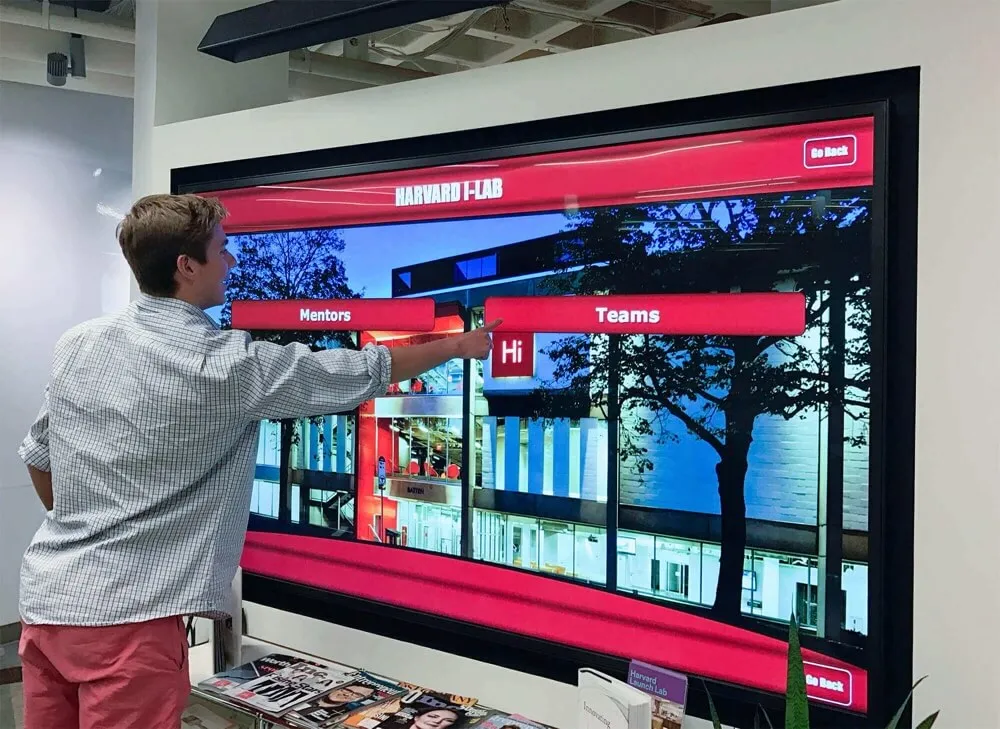
Intuitive navigation systems enable students to quickly find personally relevant content while discovering broader ministry context through robust search, filtering, and browse capabilities
Technical Implementation and Platform Selection
Successfully deploying digital photo archives requires addressing practical technical considerations.
Evaluating Platform Options
Multiple platform approaches offer different advantages and tradeoffs:
All-in-One Turnkey Solutions: Specialized providers like Rocket Alumni Solutions offer comprehensive platforms specifically designed for educational and ministry recognition needs. These integrated solutions handle hardware, software, content management, hosting, support, and ongoing updates. Turnkey platforms minimize technical complexity and learning curves while providing professional results quickly.
Custom Development: Large campus ministries with significant technical resources might develop custom photo archive systems tailored to specific needs. Custom development offers maximum flexibility and unique features but requires substantial initial investment, ongoing maintenance, and technical expertise not present in most ministry contexts.
Cloud Platform Integration: Google Photos, Flickr, SmugMug, or similar photo-specific platforms provide robust photo storage and sharing with familiar interfaces. These platforms work well for basic archiving but typically lack advanced interactive features, custom branding, or physical display integration important for campus ministry applications.
WordPress or CMS Plugins: Campus ministries with existing websites can add photo gallery plugins to content management systems. This approach leverages existing technical infrastructure and staff familiarity but requires careful plugin selection, configuration, and ongoing compatibility management as systems update.
Digital Signage Systems: Purpose-built digital signage platforms handle content distribution to multiple displays but may lack photo-specific features like face recognition, advanced search, or social sharing. Signage platforms work best when photo archives are one component of broader digital communication strategies.
Key Feature Evaluation Criteria
When comparing platform options, prioritize capabilities most important for campus ministry contexts:
Ease of Content Management: Non-technical staff must be able to upload photos, organize content, create displays, and make updates without requiring IT support or programming skills. Intuitive interfaces matter more than advanced capabilities if they’re too complex to use.
Scalability: Systems should accommodate growth from hundreds to potentially tens of thousands of photos as archives accumulate over years. Performance shouldn’t degrade as content libraries expand.
Mobile Optimization: With students primarily accessing content via phones, mobile-responsive design isn’t optional. Interfaces must work beautifully on small screens with touch interaction.
Search and Discovery: Robust search by keyword, date, location, people, and tags enables finding specific photos among thousands. Poor search renders archives effectively useless as they grow.
Social Sharing Capabilities: Simple sharing to Instagram, Facebook, Twitter, and other platforms students actually use extends archive reach and ministry visibility. One-click sharing encourages participation; complicated processes prevent it.
Analytics and Reporting: Usage data helps justify archive investment, understand user behavior, identify popular content, and guide ongoing content development decisions.
Access Control and Privacy: Flexible permission settings enable appropriate access—public, students only, alumni only, administrators only—protecting privacy while maximizing appropriate sharing.
Long-term Viability: Established providers with sustainable business models provide greater confidence for long-term archive preservation than new startups with uncertain futures.
Support and Training: Available documentation, responsive support, and training resources significantly impact successful implementation and ongoing utilization.
Integration Capabilities: Connections with existing campus systems—student information systems, ministry management software, donor databases, or website platforms—streamline workflows and prevent duplicate data entry.
Budget and Resource Considerations
Understanding total cost of ownership informs realistic budgeting:
Hardware Costs: Physical displays range from consumer TVs ($300-$800) adequate for simple applications to professional-grade interactive touchscreens ($2,000-$8,000) providing superior durability and functionality. Affordable recognition solutions exist for ministries with limited budgets.
Software Licensing: Platform costs vary from free open-source solutions requiring technical expertise to premium turnkey services ($100-$500 monthly) including comprehensive features and support. Evaluate total cost over 3-5 years, not just initial setup.
Installation and Setup: Professional installation of wall-mounted displays, network configuration, and system setup may require external technicians ($500-$2,000) or consume significant internal IT resources.
Content Development: Initial archive population requires substantial time scanning historic photos, organizing files, adding metadata, and creating initial displays. Budget staff time or student worker hours accordingly.
Ongoing Maintenance: Regular content updates, software updates, hardware maintenance, and technical support require ongoing resources. Plan for 2-5 hours monthly minimum for mature archive systems.
Training Investment: Budget time for staff training on platform usage, content management best practices, and troubleshooting common issues. Initial learning curves require patience and dedicated effort.
Implementation Timeline
Realistic timelines prevent frustration and enable successful launches:
Planning Phase (1-2 months): Define goals and requirements, research platform options, obtain budget approvals, select vendors, and establish implementation teams.
Content Preparation (2-4 months): Gather historic photos from all available sources, scan physical prints and negatives, organize files, add metadata and captions, and select initial display content.
System Setup (1-2 months): Install hardware, configure software, customize branding and interface, import initial content, and conduct testing.
Training and Refinement (1 month): Train staff and student leaders, gather feedback, refine organization and presentation, and adjust based on early usage patterns.
Launch and Promotion (ongoing): Announce archive availability, demonstrate features at events, encourage community contributions, and maintain regular content updates sustaining ongoing engagement.
Phased implementation works well—start with digital archive accessible via web, then add physical display capabilities later as budget allows and value is proven.
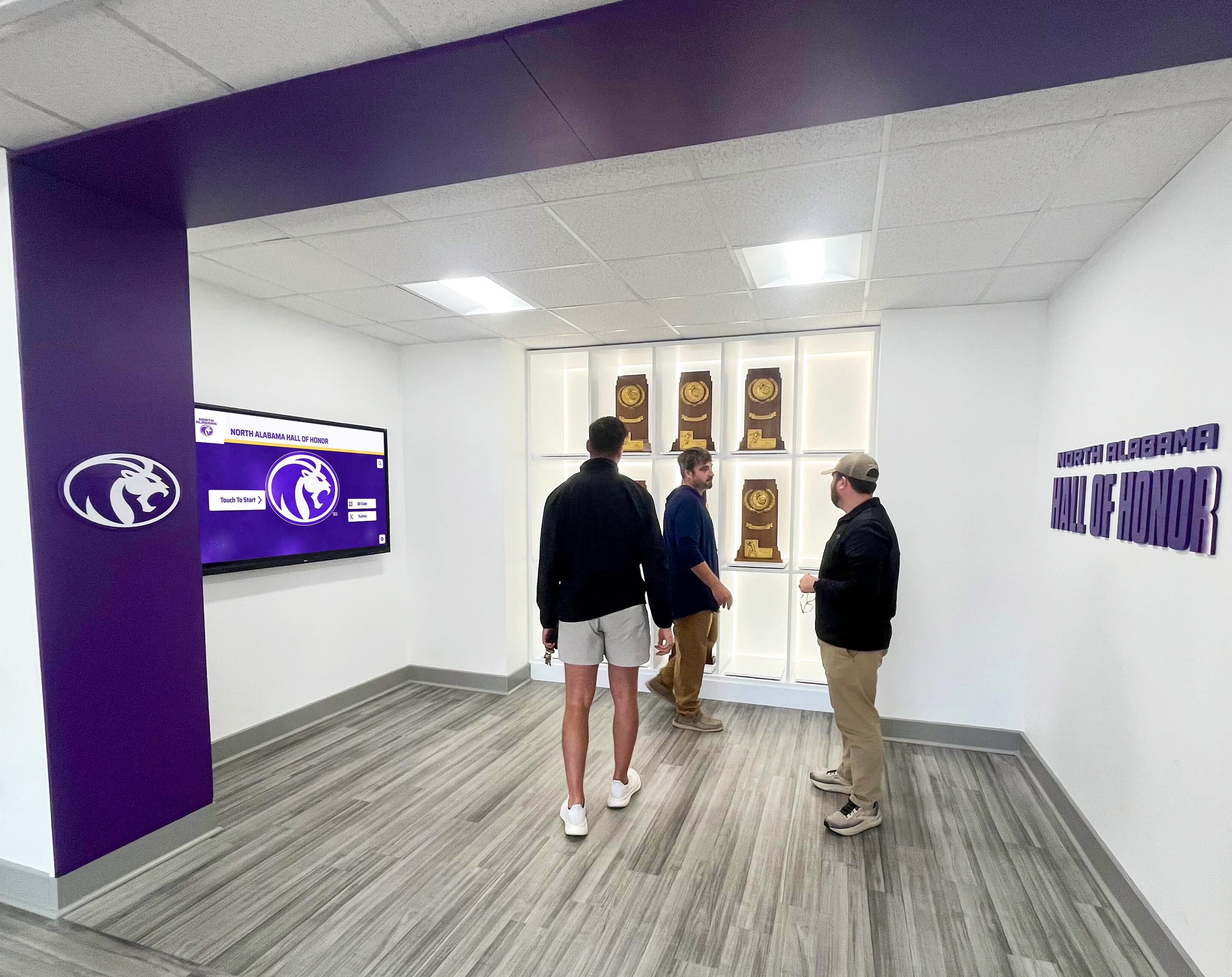
Group viewing capabilities make photo archives valuable for ministry events, recruitment gatherings, alumni reunions, and fundraising presentations where multiple people explore content simultaneously
Best Practices for Long-Term Success
Sustaining valuable photo archives over years requires intentional practices beyond initial setup.
Establishing Ongoing Workflows
Systematic processes prevent archives from becoming outdated:
Post-Trip Collection Protocols: Make photo collection standard procedure immediately following every trip. Designate specific person responsible for gathering photos from all participants, organizing files, adding metadata, and uploading to archive within two weeks of trip return.
Content Review Schedule: Establish regular review cycles (quarterly or semi-annually) ensuring all recent trips are properly documented, historic photos remain accessible, broken links are fixed, and outdated information is updated.
Student Leadership Involvement: Train student leaders in archive management, making maintenance shared responsibility rather than solely staff burden. Student involvement builds ownership while providing valuable experience.
Volunteer Coordination: Recruit alumni, parents, or retired professionals with photography or archival skills to assist with scanning historic photos, adding metadata, or curating collections. Volunteer contributions extend limited staff capacity.
Integration with Ministry Rhythms: Connect archive updates with natural ministry calendar—update before fall recruitment, refresh before spring break trips, add new content before graduation recognition events. Calendar integration ensures archives remain current and relevant.
Content Curation and Quality Control
Maintaining high-quality archives requires selective curation:
Photo Selection Standards: Not every photo deserves archival preservation. Keep images that: tell stories, show diverse activities and participants, demonstrate ministry impact, capture significant moments, provide historical documentation, or meet technical quality standards. Delete duplicates, technical failures, and content lacking archival value.
Caption Quality Requirements: Establish standards for caption detail—minimum information required, storytelling expectations, appropriate tone and language, and proofreading protocols. Quality captions dramatically increase photo value for future users lacking firsthand memory.
Regular Archive Audits: Periodically review entire archives checking for: organizational consistency, missing metadata, broken tags or links, outdated information, inappropriate content, and opportunities to enhance older entries with additional context.
Community Contribution Management: If enabling community submissions, implement review workflows preventing inappropriate content publication while encouraging valuable contributions. Balance accessibility with quality control.
Privacy Respect: Regularly review privacy settings and honor participant preferences. Some students comfortable with photo sharing during college may later request removal for professional or personal reasons. Establish clear policies and honor requests promptly.
Promoting Archive Awareness and Usage
Archives only create value when people actually use them:
Regular Promotion: Consistently remind campus ministry community about archive existence and value. Include archive links in newsletters, social media posts, email signatures, and ministry presentations. Repetition overcomes initial unawareness.
Featured Content Campaigns: Run themed campaigns highlighting specific content—“Throwback Thursdays” featuring historic trip photos, “Where are they now?” alumni updates, destination spotlights, or anniversary celebrations. Campaigns create reasons for repeat visits beyond passive browsing.
Event Integration: Feature archives prominently at ministry events—display slideshows during dinners, enable live browsing at open houses, reference specific photos during testimonies, or run scavenger hunts encouraging archive exploration.
Ambassador Development: Identify enthusiastic users and empower them as archive ambassadors promoting usage within their networks, demonstrating features to others, and providing peer-to-peer encouragement.
Success Story Collection: Document and share stories about meaningful archive uses—alumni reuniting through photo discovery, parents connecting with student experiences, donors inspired by impact documentation, or future participants recruited through compelling visuals. Success stories validate archive value and inspire expanded usage.
Analytics-Driven Promotion: Use usage analytics identifying popular content and underutilized features. Promote overlooked archive sections while creating more content similar to highest-engagement materials.
Adapting to Changing Technology
Technology evolution requires ongoing adaptation:
Format Migration: Plan periodic format migration ensuring photos remain accessible as technology evolves. Convert older formats to current standards, upgrade storage systems, and maintain multiple generation backups protecting against data loss.
Platform Evaluation: Regularly reassess platform adequacy. Are newer solutions available offering better features, lower costs, or improved user experience? While constant platform changes create disruption, strategic upgrades can dramatically improve archive value.
Emerging Feature Integration: Stay informed about new capabilities relevant to photo archives—improved facial recognition, AI-powered search, augmented reality features, or social platform integrations. Strategic adoption of valuable innovations keeps archives feeling current rather than outdated.
Mobile-First Thinking: As mobile device capabilities and student preferences evolve, prioritize mobile experience in all archive decisions. Most future interactions will occur via phones—optimize accordingly.
Accessibility Standards Compliance: Maintain compatibility with assistive technologies enabling access for students with visual, motor, or other disabilities. Inclusive design ensures archives serve entire ministry community.

Professional installation in prominent campus locations ensures photo archives receive consistent visibility while creating impressive visual statements about campus ministry priorities and legacy
Extending Archives Beyond Campus Ministry
Well-developed photo archives create opportunities for broader kingdom impact:
Partner Organization Collaboration
Mission trip photos document not just campus ministry but also work of partner organizations:
Shared Archive Development: Offer partner organizations access to photos documenting collaborative work. Partners often lack resources for comprehensive documentation—sharing photos provides valuable resource.
Reciprocal Content Exchange: Request photos partner organizations capture during campus ministry visits. Partner perspectives often capture moments and angles teams miss, enriching archive completeness.
Joint Promotion: Coordinate with partners featuring shared photos in respective communications—campus ministry using partner content while partners use campus photos. Cross-promotion expands both organizations’ visibility.
Accountability and Reporting: Photos serve partner accountability needs for their donors and stakeholders. Archive access can reduce partner administrative burden by providing ready documentation.
Denominational and Network Sharing
Campus ministry photos contribute to broader movement documentation:
Regional and National Archives: Contribute to denominational or network archives preserving collective mission work history across multiple campus ministries. Individual archives are valuable; collective archives demonstrate movement scale.
Model Ministry Demonstration: Well-implemented photo archives model effective practice inspiring other campus ministries. Sharing implementation approaches and lessons learned benefits broader campus ministry field.
Recruitment for Long-Term Missions: Denominational mission agencies recruit career missionaries from campus ministry mission trip participants. Photo archives documenting student mission engagement support pipeline development for long-term mission work.
Research and Scholarship: Academic researchers studying campus ministry, short-term missions, or student development increasingly seek photo and visual data. Archives can contribute to scholarly understanding of ministry practices and impacts.
Community and Church Partnerships
Photo archives strengthen relationships with sending churches and local communities:
Church Communications: Share photo archives with churches that financially support campus ministry or send students to trips. Photos demonstrate how church investments produce ministry fruit.
Recruiting from Feeder Churches: High school students considering colleges factor campus ministry strength into decisions. Photo archives demonstrating robust mission programs appeal to mission-minded prospective students and influence parents.
Local Mission Awareness: Use photo archives in local church presentations educating congregations about mission needs, opportunities, and ways to engage. Visual documentation makes abstract mission fields concrete and personal.
Community Testimony: Campus ministries contribute to broader community by forming servant-hearted graduates who carry mission-mindedness into careers and civic engagement. Photo archives document this community contribution worthy of broader recognition.
Conclusion: Transforming Memory into Ministry Asset
Campus ministry mission trip photo archives represent far more than nostalgic collections or digital scrapbooks. Properly implemented, they become strategic ministry assets supporting recruitment, fundraising, alumni engagement, spiritual formation, and legacy preservation. The hundreds or thousands of photos documenting transformative mission experiences transform from scattered digital files into organized, accessible resources continuing to inspire and equip students for years and decades after trips conclude.
The transition from ad-hoc photo storage to intentional archive systems requires initial investment of time, resources, and attention. Yet the return dramatically exceeds the input as organized archives serve multiple ministry purposes simultaneously—eliminating duplicate effort creating separate photo collections for different purposes while ensuring valuable documentation doesn’t disappear with graduating students or transitioning staff.
Modern digital display technologies from solutions like Rocket Alumni Solutions make sophisticated photo archives increasingly accessible even for campus ministries with limited technical resources and modest budgets. The key isn’t having cutting-edge technology but rather commitment to systematic photo collection, thoughtful organization, long-term preservation, and creative engagement maximizing archive value for campus ministry mission.
Whether your campus ministry is just beginning to organize decades of scattered photos or launching new archive systems from scratch, the principles outlined here provide frameworks for creating valuable resources serving your ministry community. Start where you are with available resources, establish sustainable practices, and progressively improve archives over time. Every photo preserved, properly organized, and made accessible represents one more testimony to faithful service, one more inspiration for future participants, and one more thread in the tapestry of your campus ministry’s ongoing story of sending students into God’s mission in the world.
Preserve Your Campus Ministry Legacy
Discover how Rocket Alumni Solutions helps campus ministries transform mission trip photos into engaging digital archives that inspire future participants, strengthen alumni connections, and preserve decades of service history. Our interactive display solutions and content management platforms make professional photo archives accessible for ministries of all sizes.
Explore Archive SolutionsThe mission trip photos currently scattered across phones, social media accounts, and aging hard drives represent precious documentation of how God has worked through your campus ministry. Don’t let these powerful visual testimonies remain hidden or eventually lost. Invest in systems ensuring these memories remain accessible, properly preserved, and actively serving ongoing ministry purposes. Future students deserve to discover the rich heritage of faithful service preceding them. Alumni deserve to reconnect with formative experiences that shaped their lives. And the broader campus community deserves to see the transformative mission engagement defining your ministry’s identity and legacy.
Begin today by gathering what photos you can access, organizing them however possible, and taking steps toward systems ensuring comprehensive preservation going forward. Each photo rescued from obscurity, properly documented, and made accessible represents ministry investment continuing to yield returns for years to come. Your campus ministry’s mission story deserves to be told, preserved, and celebrated—and photo archives provide the visual vocabulary making that story accessible and inspiring for generations of students yet to encounter your ministry.































