Why Organizations Are Seeking Carousel Alternatives
Carousel Digital Signage by Tightrope Media Systems has served many organizations well, but as digital recognition needs evolve, many institutions are discovering they need more specialized solutions. With starting prices around $250 per month and a focus on general digital signage rather than recognition-specific features, Carousel may not be the optimal choice for schools, universities, and organizations seeking to create engaging halls of fame, donor walls, or athletic achievement displays.
If you’re searching for a Carousel alternative that specializes in recognition and engagement, you’re not alone. The digital signage market, valued at $23.5 billion in 2021 and projected to reach $63.3 billion by 2031, has seen increasing demand for purpose-built recognition solutions that go beyond basic content management.
This comprehensive guide explores why organizations are moving away from general digital signage platforms and toward specialized recognition displays like those offered by Rocket Alumni Solutions.

Understanding Carousel Digital Signage Limitations
Carousel by Tightrope Media Systems offers a robust digital signage platform with several strengths, including cloud-based content management, support for multiple media players like BrightSign and Apple TV, and emergency notification capabilities. However, organizations focused on recognition displays often encounter specific limitations:
General Digital Signage vs. Recognition-Specific Needs
Carousel’s Approach:
- Designed primarily for general announcements and promotional content
- Template-based content creation for graphics, videos, and web pages
- Calendar-based scheduling across multiple screens
- Data visualization integration with tools like Power BI
Recognition Display Requirements:
- Database-driven profiles with searchable biographical information
- Interactive exploration allowing visitors to discover achievements
- Multimedia integration specific to honoring individuals and teams
- Intuitive navigation designed for public touchscreen interaction
- Web accessibility for remote alumni and donor engagement
Pricing Structure Considerations
With Carousel’s starting price of $250 per month (approximately $3,000 annually) for 10 media players, organizations managing recognition displays across multiple locations can face significant costs. Many schools and nonprofits find this pricing structure challenging, especially when they need specialized recognition features rather than general signage capabilities.

What Makes an Ideal Carousel Alternative for Recognition Displays
When evaluating alternatives to Carousel Digital Signage, institutions focused on recognition should prioritize these critical features:
1. Recognition-Optimized Content Management
Rather than general template editors, the best Carousel alternatives offer:
Profile-Based Architecture:
- Individual inductee profiles with consistent data fields
- Biographical information, achievements, and milestone tracking
- Photo galleries and video integration for each honoree
- Relationship mapping showing connections between inductees
Intuitive Search and Discovery:
- Advanced filtering by year, category, achievement type, or sport
- Full-text search across all profile information
- Alphabetical browsing with intuitive navigation
- Featured content rotation highlighting recent additions
Batch Import Capabilities:
- Excel/CSV import for historical data migration
- Bulk photo upload with automatic profile association
- Data validation to ensure consistency
- Version history and rollback functionality
Solutions like Rocket Alumni Solutions’ touchscreen software are purpose-built for these recognition-specific workflows, making content management significantly more efficient than adapting general signage platforms.
2. Interactive Touchscreen Experience Design
While Carousel focuses on scheduled content display, recognition applications demand interactive engagement:
Public-Facing Interface:
- Intuitive touch navigation requiring no instructions
- Gesture support for natural interaction (swipe, pinch, zoom)
- Responsive design adapting to different screen sizes
- Idle state attraction loops drawing visitor attention
Engagement Features:
- Interactive timelines showing program evolution
- Photo galleries with zoom and navigation controls
- Video playback with on-screen controls
- Social sharing functionality for visitor-generated promotion
Accessibility Compliance:
- ADA-compliant interface design
- Screen reader compatibility for visually impaired visitors
- Adjustable text sizing and high-contrast modes
- Alternative navigation methods for diverse abilities
Many organizations implementing digital recognition displays report significantly higher visitor engagement with purpose-built interactive experiences compared to adapted signage platforms.

3. Web Accessibility and Alumni Engagement
One of the most significant limitations of traditional digital signage platforms is their focus on physical displays rather than broader community engagement:
Dual-Platform Architecture:
- Synchronized content between physical displays and web portal
- Alumni can explore recognition from anywhere globally
- Mobile-optimized responsive design for smartphones and tablets
- Direct URL sharing for specific profiles and achievements
Community Interaction Features:
- Alumni submission portals for career updates
- Email notifications when new content is published
- Integration with reunion and fundraising event promotion
- Analytics tracking both physical and web engagement
Social Media Integration:
- One-click sharing to Facebook, Twitter, LinkedIn
- Automated social posts when new inductees are added
- User-generated content opportunities and campaigns
- Hashtag integration and social media wall displays
Organizations seeking comprehensive engagement beyond just hallway displays need Carousel alternatives that prioritize both physical and digital accessibility, such as solutions that integrate seamlessly with interactive alumni welcome areas.
4. Specialized Recognition Categories
General digital signage platforms treat all content similarly, but recognition displays require category-specific features:
Athletic Recognition:
- Team roster management with statistics integration
- Season-by-season record tracking and championships
- Individual athlete career statistics and milestones
- Coach profiles and tenure tracking
- Digital record boards displaying current holders
Academic Achievement:
- Honor roll displays with GPA and distinction levels
- Scholarship recipient recognition with award details
- Competition results from academic competitions
- Distinguished alumni career tracking
- National Honor Society displays with service hours
Donor Recognition:
- Giving level categorization with visual hierarchy
- Campaign progress tracking with real-time updates
- Legacy society member profiles
- Impact stories showing donation outcomes
- Church donor boards with stewardship features
Arts and Performance:
- Cast and crew recognition for productions
- Concert and performance archival footage
- Visual arts exhibition galleries
- Music achievement tracking (All-State, competitions)
- School playbill displays showcasing theater programs
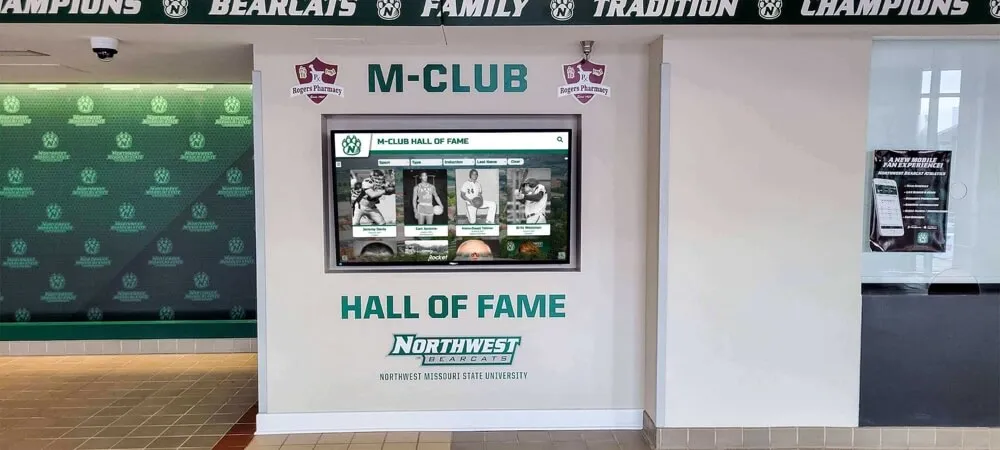
Why Rocket Alumni Solutions Stands Out as a Carousel Alternative
While several alternatives to Carousel exist in the digital signage market, Rocket Alumni Solutions has established itself as the premier choice for recognition-focused applications:
Recognition-First Design Philosophy
Unlike general signage platforms adapted for recognition purposes, Rocket’s platform was built specifically for honoring achievements:
Purpose-Built Technology Stack:
- Database architecture optimized for biographical information
- Content types designed around individual and team profiles
- Navigation patterns matching how visitors explore achievements
- Search algorithms prioritizing relevant recognition results
Proven at Scale:
- Serving over 1,000 educational institutions and organizations
- Millions of inductee profiles managed across the platform
- Handling institutions with 100+ years of historical achievements
- Supporting everything from small schools to large universities
Intuitive Content Management Without Technical Complexity
One of the most common complaints about Carousel is the learning curve for non-technical users. Rocket’s platform addresses this directly:
Administrative Dashboard:
- Web-based access from any internet-connected device
- No software installation or specialized training required
- Drag-and-drop interface for content arrangement
- WYSIWYG preview showing exactly how content will display
Role-Based Permissions:
- Grant appropriate access to different staff members
- Athletic directors manage sports content independently
- Development offices control donor recognition
- Alumni associations update career information
- Audit trail tracking all changes and updates
Time-Saving Features:
- Average content update completed in under 10 minutes
- Scheduled publishing for automatic content appearance
- Recurring content patterns for annual recognition
- Bulk operations for efficiency at scale
Organizations report 85% less administrative time spent on recognition program maintenance after switching from general signage platforms to specialized solutions.
Comprehensive Implementation Support
Where Carousel requires organizations to largely self-implement, Rocket provides white-glove service:
Full-Service Digitization:
- Historical content scanning and digital conversion
- Photo restoration and enhancement services
- Data entry from physical plaques and trophies
- Content organization and categorization
- Quality assurance and accuracy verification
Custom Design Services:
- Brand integration matching institutional identity
- Custom color schemes and typography
- Logo integration and visual consistency
- Navigation structure tailored to specific needs
- Multiple design revisions until perfect
Ongoing Support:
- Dedicated customer success representative
- Priority technical support channels
- Regular training refreshers for new staff
- Best practice guidance for engagement optimization
- Annual strategy consultations
Superior Cost-Effectiveness for Recognition Applications
When comparing total cost of ownership, purpose-built recognition solutions often prove more economical:
General Signage Platform (Carousel)
- $3,000+ annually for software
- Additional costs for custom development
- Significant internal staff time adapting templates
- Limited recognition-specific features
- Ongoing technical support needs
Recognition-Specialized Platform
- Competitive pricing with recognition features included
- No custom development needed
- Minimal administrative burden
- All recognition features out-of-the-box
- Comprehensive implementation support
Most institutions achieve break-even within 3-4 years when accounting for reduced staff time, eliminated custom development costs, and superior engagement outcomes.

Real-World Applications: Beyond Basic Digital Signage
Organizations switching from Carousel to specialized recognition platforms unlock applications impossible with general signage solutions:
High School Athletic Programs
Athletic directors managing school sports records need more than slideshow capabilities:
Comprehensive Athletic Recognition:
- Individual sport halls of fame with career statistics
- Team championship galleries with roster information
- Coaching history and milestone tracking
- All-time record holders with historical context
- Conference and state achievement documentation
Dynamic Content Updates:
- Season schedules with automatic date progression
- Live score integration during competitions
- Roster updates as athletes graduate and join programs
- Weekly athlete of the week features
- State championship displays celebrating tournament success
University Alumni Engagement
Higher education institutions require sophisticated digital hall of fame solutions that Carousel’s general approach cannot provide:
Distinguished Alumni Networks:
- Career tracking across multiple decades
- Industry categorization and filtering
- Mentorship connection opportunities
- Alumni update submission portals
- Geographic distribution visualization
Event Integration:
- Homecoming weekend featured content
- Reunion year class highlights
- Fundraising campaign progress
- Alumni awards ceremony recognition
- Historical photo archives with decade navigation
Donor Recognition and Stewardship
Development offices need specialized donor recognition capabilities beyond what general signage offers:
Multi-Tiered Recognition:
- Giving level hierarchies with visual distinction
- Named facility and endowment recognition
- Legacy society membership displays
- Pledge fulfillment tracking and celebration
- Anonymous donor accommodation when requested
Stewardship Features:
- Impact story rotation showing donation outcomes
- Student testimonials from scholarship recipients
- Facility transformation before/after comparisons
- Campaign milestone celebrations
- Donor appreciation messaging customization
Academic Excellence Recognition
Schools honoring outstanding students need purpose-built features:
Honor Roll Displays:
- Semester-by-semester recognition with GPA levels
- Multi-year tracking showing consistent achievement
- Senior honors cumulative four-year recognition
- AP Scholar recognition with designation levels
Competition and Achievement:
- Academic competition results (Science Olympiad, Math League)
- Perfect ACT score recognition and high achievers
- National Merit Scholars and commended students
- All-State musician recognition across instruments
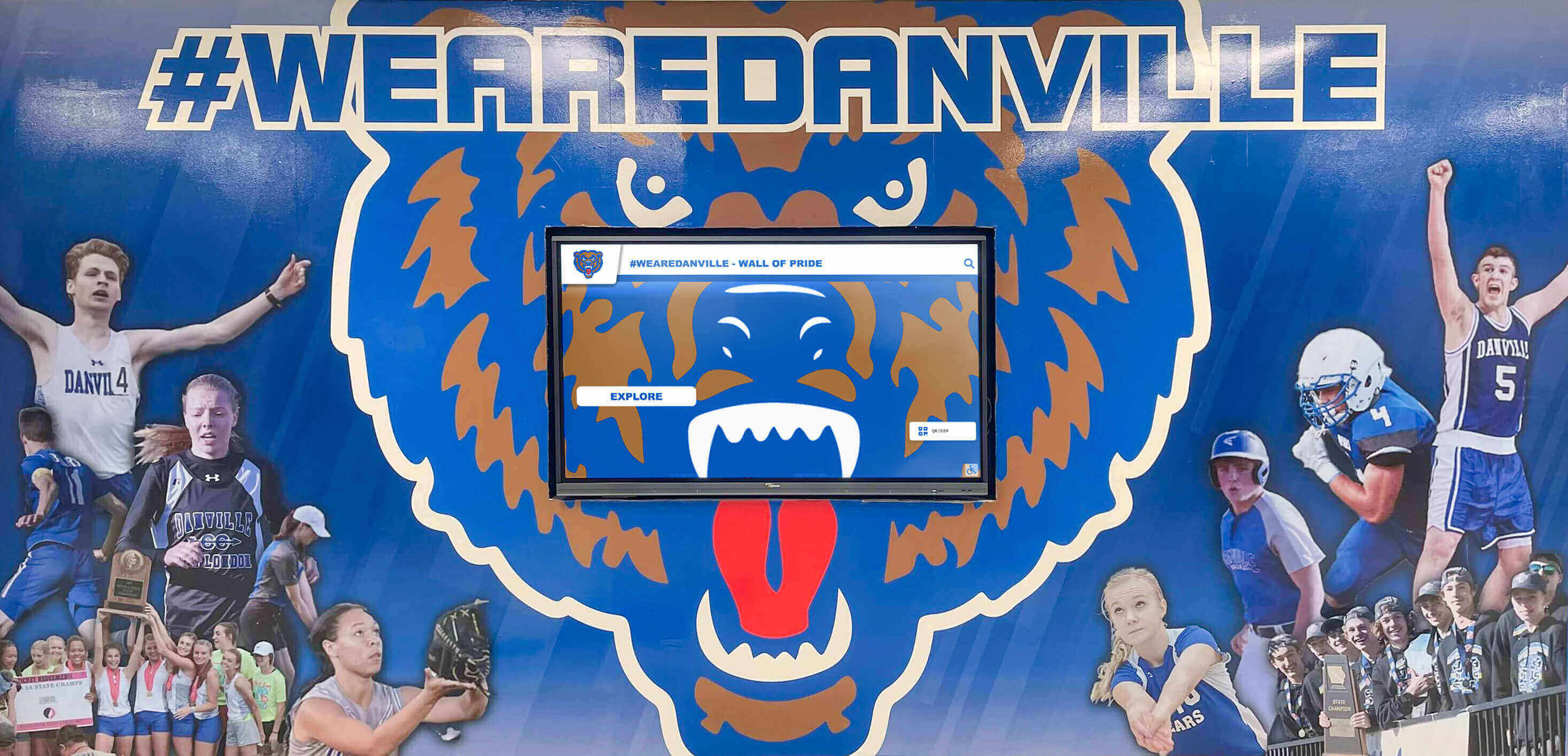
Technical Considerations: What to Evaluate in Carousel Alternatives
When comparing Carousel to alternatives, assess these technical factors:
Hardware Compatibility and Requirements
Display Options:
- Commercial-grade touchscreen compatibility (55", 65", 75")
- All-in-one touchscreen computer solutions
- Video wall configurations for large installations
- Kiosk enclosures for high-traffic environments
- Wall-mounted vs. freestanding options
Media Player Flexibility:
- Compatibility with various computing platforms
- Cloud-based vs. local processing approaches
- Internet connectivity requirements and offline functionality
- Performance specifications for smooth interaction
- Remote management and monitoring capabilities
Software Architecture and Performance
Cloud-Based Benefits:
- Automatic software updates without manual intervention
- Access content management from anywhere
- Centralized backup and disaster recovery
- Scalability without infrastructure investment
- Reduced on-site IT burden
Response and Reliability:
- Touch interaction latency under 100ms
- Content loading speed optimization
- Offline caching for network interruption resilience
- 99.9% uptime service level agreements
- Proactive monitoring and issue resolution
Data Security and Privacy
Compliance Requirements:
- FERPA compliance for educational institutions
- SOC 2 certification for security standards
- Data encryption in transit and at rest
- Regular security audits and penetration testing
- Privacy policy transparency
Access Control:
- Multi-factor authentication for administrators
- Role-based permission granularity
- Session timeout and automatic logout
- Audit logging of all system changes
- IP restriction options for sensitive content
Integration and Extensibility
System Connections:
- Student information system integration
- Alumni database synchronization
- Athletic management software connectivity
- Donor management platform integration
- Social media API connections
Custom Requirements:
- API availability for custom integrations
- Webhook support for event-driven automation
- Custom branding and design flexibility
- White-label options when appropriate
- Custom feature development capabilities
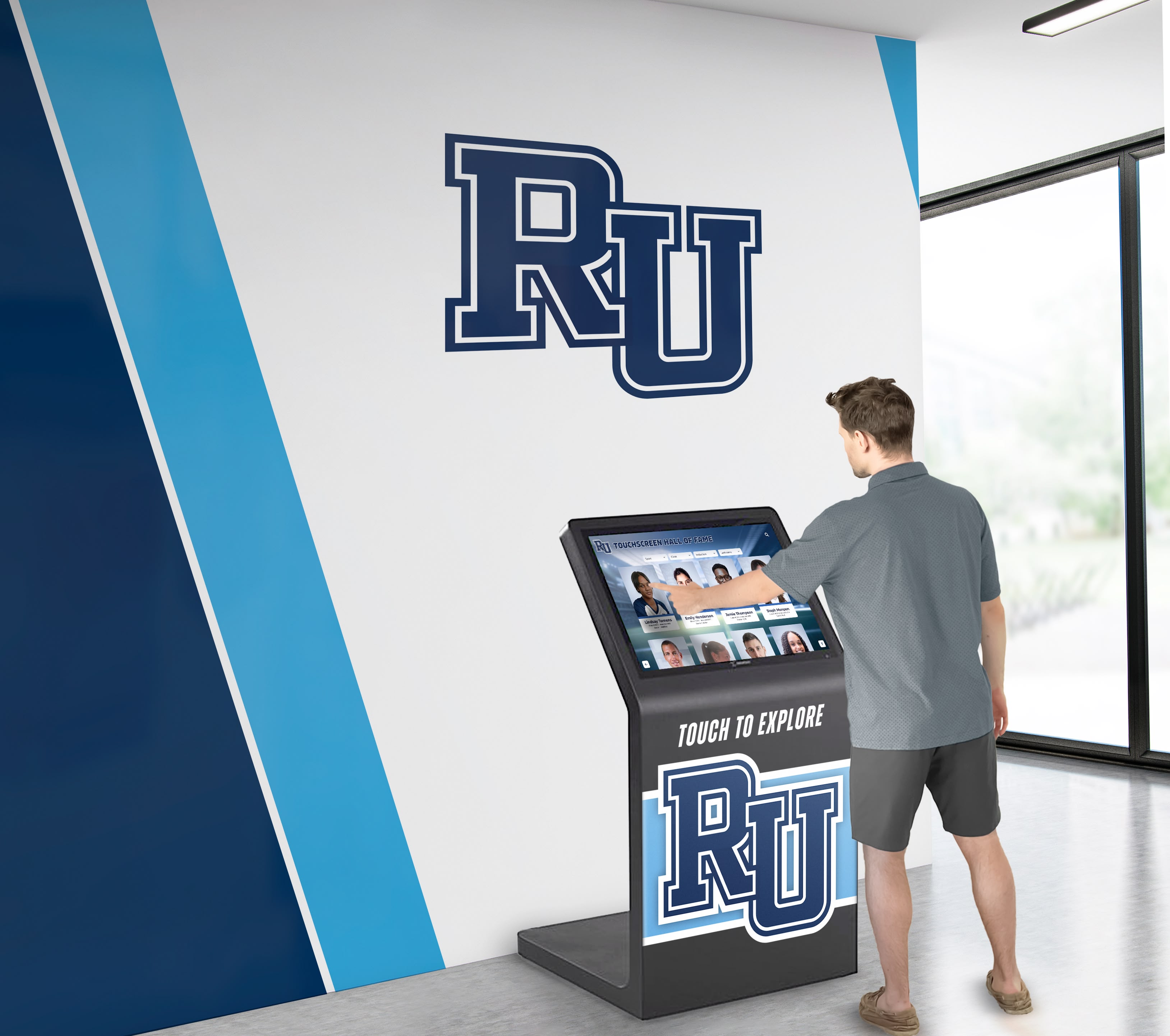
Implementation Roadmap: Transitioning from Carousel
Organizations ready to move from Carousel to a recognition-specialized platform should follow this structured approach:
Phase 1: Needs Assessment and Planning (2-4 weeks)
Current State Evaluation:
- Document existing Carousel usage and content
- Identify pain points and unmet needs
- Catalog all content requiring migration
- Assess hardware condition and compatibility
- Survey stakeholders on desired improvements
Requirements Definition:
- Define recognition categories and organization
- Establish content update workflows and responsibilities
- Determine integration requirements with other systems
- Identify accessibility and compliance needs
- Set success metrics and engagement goals
Phase 2: Vendor Selection and Design (4-6 weeks)
Alternative Evaluation:
- Request demonstrations from multiple providers
- Compare feature sets against requirements
- Evaluate total cost of ownership scenarios
- Review customer references and case studies
- Assess implementation support capabilities
Design Development:
- Collaborate on visual design reflecting brand identity
- Define navigation structure and user flows
- Plan content organization and categorization
- Determine interactive features and functionality
- Approve design mockups and prototypes
Phase 3: Content Migration and System Setup (6-8 weeks)
Historical Digitization:
- Export content from Carousel platform
- Scan physical plaques, photos, and documents
- Verify biographical information accuracy
- Enhance image quality and formatting
- Organize content according to new structure
Platform Configuration:
- Set up administrative accounts and permissions
- Configure recognition categories and templates
- Import and organize migrated content
- Test all interactive features and navigation
- Integrate with external systems as needed
Phase 4: Training and Launch (2-3 weeks)
Administrator Preparation:
- Conduct comprehensive training sessions
- Develop documentation and quick reference guides
- Practice common content update scenarios
- Establish ongoing support channels
- Create content governance guidelines
Public Rollout:
- Plan launch event or ceremony
- Develop communication strategy for stakeholders
- Create promotional materials and instructions
- Gather initial feedback from visitors
- Monitor engagement analytics and adjust
Most organizations complete the full transition from Carousel to specialized recognition platforms within 3-4 months, with content visible on new displays within 6-8 weeks.
Measuring Success: ROI Beyond Basic Signage Metrics
Organizations migrating from Carousel to recognition-specialized platforms report success across multiple dimensions:
Engagement Metrics
Visitor Interaction:
- Average session time increases from 45 seconds (passive signage) to 7+ minutes (interactive recognition)
- 67% of alumni view digital recognition within 30 days of launch
- Web portal generates 5-8x more impressions than physical displays alone
- Social sharing creates organic promotion and broader reach
Administrative Efficiency
Time Savings:
- 85% reduction in time spent maintaining recognition programs
- Content updates completed in 10 minutes vs. hours with traditional approaches
- Elimination of printing, engraving, and physical installation costs
- Remote management eliminates need for on-site access
Community Impact
Cultural Benefits:
- Increased school pride and institutional identity
- Stronger alumni connection and engagement
- Enhanced donor satisfaction and continued giving
- Improved recruitment tools for prospective students
- Greater accessibility ensuring inclusive recognition
Financial Returns
Measurable Outcomes:
- Increased donor retention rates of 15-25%
- Higher average gift sizes from recognized contributors
- Alumni participation growth in events and programs
- Elimination of ongoing traditional display costs
- Space utilization optimization freeing premium areas
Organizations implementing specialized recognition displays consistently report break-even within 3-4 years and substantial ongoing benefits exceeding initial investment.
Conclusion: Moving Beyond General Digital Signage to Purpose-Built Recognition
While Carousel Digital Signage serves general content display needs adequately, organizations focused on honoring achievements deserve solutions purpose-built for recognition. The limitations of adapting general signage platforms—from pricing structures to feature gaps—make specialized alternatives increasingly attractive.
Rocket Alumni Solutions has established itself as the premier Carousel alternative for schools, universities, and organizations seeking to create engaging, interactive recognition experiences. With recognition-specific features, intuitive content management, comprehensive implementation support, and proven results across 1,000+ institutions, Rocket offers the specialized solution that general digital signage platforms cannot match.
As you evaluate Carousel alternatives, prioritize vendors who understand recognition as more than just content on a screen. The right platform transforms how your organization celebrates achievement, engages alumni, recognizes donors, and builds community identity—outcomes impossible with general signage solutions.
Ready to explore how a recognition-specialized platform can transform your institution’s approach to honoring excellence? Visit Rocket Alumni Solutions to discover the superior alternative to Carousel Digital Signage for recognition displays.
Disclaimer: This comparison is based on publicly available information as of November 2025. All product names and trademarks belong to their respective owners. Comparative statements reflect Rocket Alumni Solutions’ interpretation of available data and may change over time. All trademarks are property of their respective owners. Rocket Alumni Solutions is not affiliated with or endorsed by Tightrope Media Systems or Carousel Digital Signage. This content was produced by Rocket Alumni Solutions.































