Catholic churches across the globe face a significant challenge: declining cash donations paired with rising digital payment preferences among parishioners. In 2025, a staggering 94% of churches have adopted digital giving methods—a nearly 15% increase from just two years ago. Yet many Catholic parishes struggle to implement donation solutions that balance modern convenience with the reverence and tradition central to Catholic worship.
Catholic Church digital donation touchscreens represent a thoughtful bridge between centuries-old stewardship practices and contemporary technological expectations. These dedicated giving kiosks allow parishioners to contribute electronically through intuitive touchscreen interfaces while maintaining the intentional, in-person giving experience that many Catholics value during Mass and parish visits. Unlike mobile apps that can feel impersonal or website forms that require pre-planning, touchscreen kiosks create physical touchpoints for digital generosity within sacred spaces.
Research from Pushpay’s 2024 Catholic State of Church Technology report reveals that 26% of Mass attendees now donate online, with higher prevalence among younger demographics and higher-income households. Churches offering basic digital giving methods—including touchscreen kiosks—were twice as likely to report increases in overall parish giving compared to those relying solely on traditional collection methods.
This comprehensive guide explores how Catholic parishes can successfully implement digital donation touchscreens that respect liturgical traditions while meeting parishioners where they are technologically. From understanding the unique needs of Catholic stewardship through practical implementation strategies, you’ll discover how these solutions can strengthen parish finances, engage younger generations, and honor the spiritual significance of sacrificial giving in Catholic teaching.
Whether you’re a parish priest exploring options for your community, a business manager seeking practical solutions, or a pastoral council member concerned about declining contributions, you’ll find actionable insights for making informed decisions about digital giving technology appropriate for Catholic contexts.
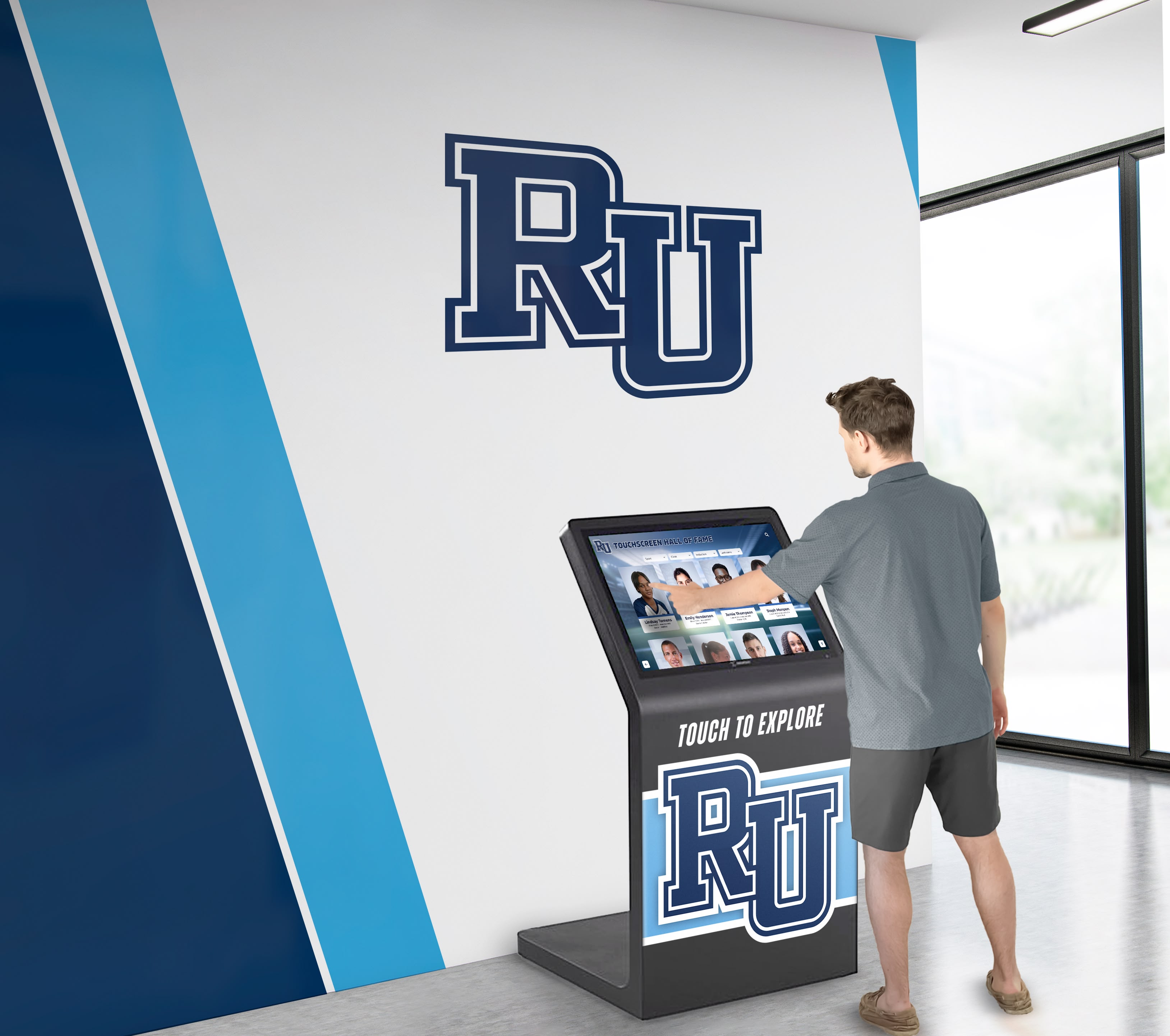
Modern touchscreen donation kiosks provide convenient giving options while maintaining the intentional nature of parish stewardship
Understanding Digital Giving in Catholic Churches
The Catholic Church has always emphasized the spiritual dimension of giving—not merely as financial transactions but as acts of worship, expressions of gratitude, and participation in Christ’s mission. Traditional offertory collections during Mass embody this theology, allowing parishioners to physically present their gifts as part of liturgical worship. Digital donation touchscreens must therefore be implemented thoughtfully to preserve this sacramental understanding while accommodating modern payment preferences.
The Shift Toward Digital Payments in Catholic Parishes
The COVID-19 pandemic accelerated digital adoption across religious institutions, but the trend toward electronic payments predates the crisis. According to Ministry Brands’ 2024 State of Church Giving Report, Catholic parishes increased online giving by an average of 4.6% in 2023, while the overall landscape shows that many churches are now funded over 50% through electronic methods.
Several factors drive this transformation in Catholic giving patterns:
Generational Payment Preferences: Millennials and Generation Z parishioners—raised with smartphones and digital wallets—rarely carry cash or checks. For these younger Catholics, traditional offertory baskets create friction in giving rather than facilitating it. Research indicates that 51% of Americans now use at least one form of contactless payment method regularly, making digital giving interfaces feel natural rather than novel.
Convenience and Consistency: Digital giving enables recurring contributions that many parishioners prefer over remembering to bring cash each Sunday. This consistency benefits both donors seeking to fulfill annual commitments and parishes planning budgets around predictable revenue streams. Studies consistently show that individuals tend to give more when using electronic methods, with the ease and privacy provided by kiosks often resulting in larger or more frequent donations.
Pandemic-Accelerated Change: The period of suspended public Masses forced many parishes to rapidly adopt online giving simply to survive financially. According to ACS Technologies research on Catholic digital giving, parishes that quickly implemented digital solutions maintained stronger financial health throughout lockdowns. Even as in-person attendance returned, many parishioners continued preferring the digital methods they had adopted, creating permanent shifts in giving patterns.
Mobile-First Lifestyles: With mobile devices becoming primary computing platforms, parishioners expect the same level of digital access to parish functions that they enjoy in other aspects of life. Churches that fail to offer digital giving options increasingly seem out of touch with contemporary expectations, particularly to younger families evaluating parish involvement.
Accessibility Considerations: Digital donation options provide access for parishioners with mobility challenges who may struggle with passing collection baskets or traveling to parish offices for alternative giving. Kiosks positioned thoughtfully in accessible locations expand participation opportunities for all community members.
Catholic Theological Considerations for Digital Giving
Implementing technology in Catholic contexts requires careful attention to theological implications and liturgical appropriateness. Digital donation touchscreens must be deployed in ways that honor rather than undermine Catholic teaching about stewardship and sacrificial giving.
Preserving the Intentionality of Giving: Catholic theology emphasizes giving as conscious, deliberate acts of worship. The Catechism of the Catholic Church describes the offertory as presenting the fruits of human labor to God. Touchscreen kiosks preserve this intentionality better than automatic recurring debits by requiring parishioners to actively engage with giving each time, making conscious decisions about their contributions.
Physical Presence and Sacred Space: Unlike mobile apps that can be used anywhere, touchscreen kiosks positioned within church buildings maintain the connection between giving and sacred space. Parishioners still come to the church building to give, preserving the association between financial stewardship and participation in parish community. This physical touchpoint honors Catholic emphasis on incarnational spirituality where material and spiritual dimensions intersect.
Avoiding Commercialization Concerns: Some Catholics express concern that electronic payment systems in churches feel too commercial or secular. Thoughtful implementation addresses these worries through careful positioning away from sanctuaries during liturgical celebrations, dignified design that complements rather than clashes with sacred architecture, clear messaging that frames technology as stewardship tool rather than commercial transaction, and integration with broader parish formation about the theology of giving.
Supporting Multiple Giving Types: Catholic parishes typically receive various types of contributions—weekly offerings, building funds, mission appeals, and special collections for diocesan needs. Effective touchscreen systems accommodate these diverse giving categories, allowing parishioners to allocate gifts appropriately just as they would with traditional envelopes.
Maintaining Pastoral Relationships: Digital giving should enhance rather than replace personal connections between parishioners and parish leadership. The most successful Catholic implementations integrate technology with continued pastoral formation about stewardship, recognition of generosity through appropriate means, and personal outreach to donors that builds relationships beyond transactions. The approaches outlined in interactive church information displays demonstrate how technology can support rather than undermine pastoral ministry.

Interactive displays in faith communities create engagement opportunities while respecting sacred traditions
Benefits of Digital Donation Touchscreens for Catholic Parishes
Catholic parishes implementing digital donation touchscreens report numerous tangible benefits that extend beyond simple payment convenience. These advantages strengthen both parish finances and community engagement when systems are selected and deployed appropriately.
Increased Giving and Financial Sustainability
The primary motivation for most parishes exploring digital solutions involves financial health and sustainability. Evidence consistently demonstrates that electronic giving options increase both participation rates and donation amounts.
Higher Average Contributions: Multiple case studies show that parishioners give more through electronic methods than cash. A small rural parish in Ohio reported a 30% increase in weekly donations after installing a donation kiosk, while a large California church saw a 45% increase following touchscreen implementation. Research from Lilitab found that organizations using secure giving kiosks reported 20% and higher increases in giving, with significant upticks in first-time donations.
Expanded Giving Opportunities: Touchscreen kiosks enable giving beyond Sunday Mass times. Parishioners attending weekday services, visiting for adoration, stopping by parish offices, or attending events can easily contribute without carrying cash or waiting for collection times. This flexibility particularly benefits those whose work schedules prevent regular Sunday attendance but who still wish to support their parish financially.
Capturing Visitor Contributions: Tourists, family members visiting for weddings or funerals, and seekers exploring Catholicism often feel uncomfortable contributing through traditional collection baskets when they’re unfamiliar with parish customs. Touchscreen kiosks provide welcoming, self-explanatory interfaces that make contributing simple for visitors, capturing generosity that might otherwise be lost.
Reducing Processing Costs: Electronic payments eliminate expenses associated with cash handling—counting collection proceeds, preparing bank deposits, purchasing and distributing envelopes, and administrative time required for manual recording. While touchscreen systems involve upfront investment and ongoing fees, many parishes find that transaction costs prove lower than cash processing expenses over time.
Supporting Capital Campaigns: Major fundraising initiatives benefit from giving kiosks that allow parishioners to make special pledges or installment payments conveniently throughout campaigns. Real-time progress tracking can be displayed on the same touchscreen, creating transparency and inspiring participation through social proof when others see community-wide engagement.
Enhanced Parishioner Experience and Accessibility
Beyond financial impacts, digital donation touchscreens improve the giving experience for parishioners themselves, addressing practical barriers that traditional methods create.
Eliminating Cash Carrying Requirements: Parishioners no longer need to remember to bring cash or checks to church, removing a common barrier to consistent giving. This convenience particularly matters to younger generations who rarely carry physical currency in their daily lives.
Privacy and Discretion: Some parishioners feel uncomfortable with the visible nature of traditional collection baskets, particularly those experiencing financial hardship who may contribute modestly. Digital kiosks provide privacy that allows all parishioners to give according to their means without concern about others observing their contributions.
Accessible for All Abilities: Properly designed touchscreen interfaces with appropriate mounting heights serve parishioners with various physical capabilities. Clear displays, intuitive navigation, and accessible positioning create inclusive giving opportunities. Following principles from religious worship touchscreen displays, Catholic parishes can ensure their systems welcome all community members regardless of ability.
Multi-Language Support: Catholic parishes in diverse communities serve parishioners who speak various languages. Touchscreen systems can offer interfaces in multiple languages—Spanish, Vietnamese, Polish, or other languages common in specific parish contexts—ensuring all community members can give comfortably regardless of English proficiency.
Immediate Receipts and Records: Digital systems provide instant electronic receipts that parishioners appreciate for tax documentation. Donors no longer need to request annual giving statements or worry about lost paper records. This convenience particularly matters to parishioners who itemize deductions and need accurate charitable contribution documentation.
Engaging Younger Generations of Catholics
Catholic parishes across the United States face demographic challenges as younger generations demonstrate lower Mass attendance and parish involvement than previous cohorts. Digital giving technologies represent one strategy for meeting younger Catholics where they are technologically while inviting them into deeper parish engagement.
Meeting Digital-Native Expectations: Millennials and Generation Z Catholics grew up with touchscreen technology from smartphones to retail checkouts. Digital donation kiosks feel familiar and comfortable rather than intimidating or novel. Parishes offering only traditional giving methods may inadvertently signal to younger members that the church is out of touch with contemporary life.
Reducing Barriers to Participation: Young adults often cite practical barriers to parish involvement—busy schedules, financial constraints, unfamiliarity with Catholic customs. Digital kiosks address several obstacles by allowing giving at convenient times, accommodating modest contributions without embarrassment, and providing intuitive interfaces that don’t require understanding traditional envelope systems or collection customs.
Supporting Sporadic Attendance Patterns: Younger Catholics frequently demonstrate less regular Mass attendance than older generations while still identifying strongly with their faith. Digital giving options allow these parishioners to contribute consistently even when attendance is irregular, maintaining financial connections to parishes during life stages when regular Sunday participation proves challenging.
Inviting Technology-Mediated Engagement: For better or worse, younger generations increasingly experience community and participation through digital mediation. Parishes that thoughtfully integrate appropriate technology—including giving kiosks—signal openness to contemporary expressions of faith and community that resonate with digital-native sensibilities while maintaining theological substance.
Creating On-Ramps for Deeper Involvement: Initial engagement through familiar technology can lead to deeper parish participation. Younger parishioners who begin with digital giving may subsequently explore other parish ministries, attend formation programs, or volunteer their time and talents. Digital touchpoints can serve as entry points to more comprehensive Catholic community life and spiritual formation.
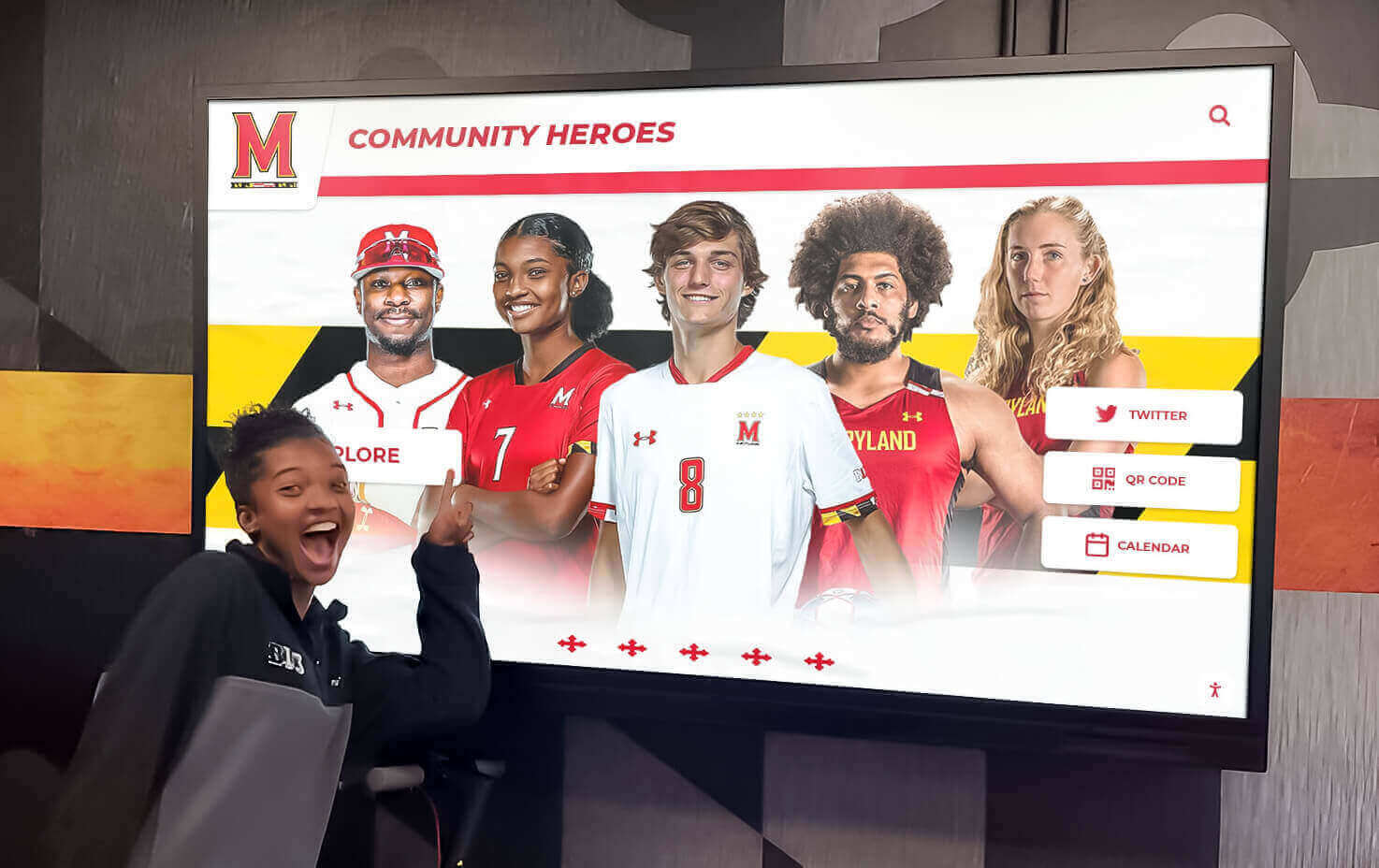
Engaging displays create connections between community members and organizational missions
Key Features to Look for in Catholic Church Donation Touchscreens
Not all digital giving solutions suit Catholic parish contexts equally well. When evaluating touchscreen donation systems, parish leadership should prioritize features that address both technical requirements and pastoral considerations specific to Catholic communities.
User Interface and Parishioner Experience
The most sophisticated backend technology fails if parishioners find interfaces confusing or intimidating. Effective Catholic donation touchscreens prioritize user experience through thoughtful design.
Intuitive Navigation: Systems should require minimal instruction for first-time users. Clear visual hierarchies, familiar icon conventions, and logical flows guide parishioners through giving processes without frustration. Elderly parishioners uncomfortable with technology should find interfaces just as accessible as tech-savvy young adults.
Large, Readable Displays: Touchscreens should feature sufficiently large displays (typically 21.5 inches or larger) with high-resolution graphics that remain legible from various viewing angles and lighting conditions. Text sizes should accommodate vision limitations without requiring excessive zooming or squinting.
Quick Transaction Times: Parishioners appreciate efficient processes, particularly when kiosks are positioned in high-traffic areas where others might be waiting. Well-designed systems complete typical transactions in under 60 seconds from initial touch to receipt generation.
Clear Giving Options: Interfaces should present giving choices clearly—weekly offertory, building fund, mission appeals, diocesan collections—using terminology familiar to Catholic parishioners. The ability to split single transactions across multiple funds enhances flexibility for those who wish to support various parish needs simultaneously.
Visual Confirmation and Feedback: Throughout transactions, systems should provide clear visual feedback confirming selections, indicating processing status, and verifying completed contributions. This transparency builds confidence and reduces anxiety about whether donations processed successfully.
Payment Processing and Security
Financial security represents paramount concern for both parishes and parishioners. Catholic donation touchscreens must meet rigorous standards for payment processing and data protection.
Multiple Payment Methods: Effective systems accept various payment types including credit cards, debit cards, contactless cards, digital wallets (Apple Pay, Google Pay), and potentially options like QR code-based payments. This flexibility ensures all parishioners can use their preferred payment methods.
PCI Compliance and Encryption: All payment processing must comply with Payment Card Industry Data Security Standards (PCI DSS), ensuring sensitive financial information receives appropriate protection. End-to-end encryption should secure data from the moment parishioners enter information through processing and storage.
Secure Physical Construction: Kiosk hardware should feature tamper-resistant construction that protects payment card readers and internal components from physical attacks. Secure mounting prevents theft while maintaining accessibility for legitimate users.
Regular Security Updates: Payment security evolves constantly as threats emerge and standards advance. Systems should receive regular software updates addressing vulnerabilities and maintaining compliance with current security requirements without requiring parish IT expertise.
Privacy Protection: Donation data should be protected according to privacy best practices, with access restricted to appropriate parish personnel. Systems should comply with relevant data protection regulations while respecting donor confidentiality.
Integration with Parish Management Systems
Standalone donation kiosks create administrative burdens if transaction data must be manually entered into separate parish management databases. Integration capabilities dramatically improve operational efficiency.
Church Management Software Compatibility: Leading touchscreen systems integrate with common Catholic parish management platforms like ParishSOFT, eCatholic, and WeConnect. This integration ensures donation data flows automatically into existing systems without duplicate entry.
Donor Database Synchronization: When parishioners identify themselves during kiosk transactions, systems should update donor records automatically, maintaining accurate giving histories and enabling proper acknowledgment and tax documentation.
Financial Reporting Integration: Transaction data should export readily to accounting software used for parish financial management, creating seamless workflows from donation collection through financial reporting and diocesan compliance.
Envelope Program Compatibility: Many Catholic parishes use traditional numbered envelope systems for tracking giving. Advanced touchscreen systems can integrate with these programs, allowing parishioners to enter envelope numbers during digital transactions and maintaining continuity with existing tracking methods that older parishioners prefer.
Real-Time Dashboard Access: Parish business managers and pastors should access current giving data through web-based dashboards showing donation trends, campaign progress, and detailed transaction histories. This visibility supports informed decision-making and timely stewardship follow-up.
Catholic-Specific Customization Options
Generic giving kiosks designed for general nonprofit use may lack features particularly relevant to Catholic parish contexts. Purpose-built solutions offer customization addressing Catholic needs.
Multiple Collection Types: Catholic parishes manage various collection categories—regular Sunday offerings, holy day collections, diocesan assessments, mission appeals, building funds. Systems should easily accommodate these diverse needs with pre-configured options appropriate to Catholic contexts.
Special Collection Scheduling: Dioceses frequently schedule special collections for specific dates throughout the liturgical year. Advanced systems allow parishes to configure these special appeals in advance, automatically activating them on appropriate dates without manual intervention.
Recurring Giving Management: Parishioners often wish to establish recurring contributions—weekly, monthly, or according to other schedules. Systems should facilitate these arrangements while providing donors with control to modify or cancel recurring gifts as circumstances change.
Liturgical Calendar Integration: Donation interfaces might reflect the liturgical season through appropriate colors and imagery, creating connections between giving and the broader rhythm of Catholic worship. Seasonal customization reinforces that donations participate in sacred time rather than existing apart from liturgical life.
Catholic Iconography and Design: Visual design should respect Catholic aesthetic sensibilities through appropriate use of sacred art, traditional symbolism, and dignified presentation that complements rather than clashes with church architecture and decoration. Solutions like church interactive donor boards demonstrate how digital systems can honor sacred traditions while embracing modern capabilities.

Thoughtfully integrated digital displays enhance rather than detract from sacred spaces
Strategic Placement and Implementation in Catholic Churches
Successful digital donation touchscreen implementation extends beyond simply purchasing equipment. Strategic decisions about placement, introduction, and integration with existing parish life significantly impact adoption and effectiveness.
Optimal Physical Locations Within Church Facilities
Where parishes position donation touchscreens substantially affects usage rates and parishioner comfort. Thoughtful placement considers traffic patterns, liturgical appropriateness, and practical accessibility.
Church Vestibules and Narthex Areas: Main entrance areas where parishioners gather before and after Mass provide natural locations for giving kiosks. These spaces offer high visibility while maintaining appropriate separation from the sanctuary during liturgical celebrations. Parishioners can contribute before entering for Mass or upon departing, integrating digital giving into existing arrival and departure patterns.
Parish Office Lobbies: Administrative building entrances serve parishioners conducting various parish business—registering children for religious education, meeting with pastoral staff, volunteering for ministries. Kiosks in these locations capture giving from parishioners visiting during weekdays when offices are open but Masses aren’t scheduled.
Fellowship Hall Entrances: Parish halls hosting coffee socials, meetings, religious education, and community events attract regular foot traffic. Kiosks positioned near these entrances reach parishioners attending activities beyond Sunday Mass, expanding giving opportunities throughout weekly parish life.
Perpetual Adoration Chapels: For parishes offering perpetual adoration, chapels where parishioners spend time in prayer provide meaningful contexts for giving. Adorers visiting at various hours appreciate convenient donation options available during their prayer times, and the connection between prayerful presence and sacrificial giving honors Catholic devotional traditions.
Avoiding Sanctuary Placement: Most Catholic liturgists and pastoral leaders consider placing donation technology directly within sanctuaries inappropriate. Kiosks in sanctuaries during Mass risk commercializing sacred worship space and creating distractions during liturgy. Better approaches maintain clear separation between sanctuary worship and practical parish functions like electronic giving.
Accessibility Considerations: All placement decisions should ensure that kiosks meet ADA accessibility requirements with appropriate mounting heights, clear approach spaces, and locations reachable by parishioners with mobility limitations. Placement near accessible parking and entrances increases usage among those who might struggle reaching locations requiring navigating stairs or extensive distances.
Introduction and Formation for Parish Communities
Technology implementation succeeds or fails largely based on how parishes introduce new systems to communities. Thoughtful rollout strategies address both practical education and theological formation.
Pastoral Messaging About Stewardship: Effective introductions frame digital giving within broader Catholic teaching about stewardship and sacrificial giving. Pastors might preach homilies connecting technology to discipleship, explaining how convenient giving tools enable consistent generosity rather than replacing the spiritual discipline of financial stewardship. This formation prevents kiosks from being perceived as merely convenient alternatives to tradition rather than tools supporting faithful stewardship practices.
Demonstration and Tutorials: Many parishioners feel intimidated by unfamiliar technology regardless of actual interface simplicity. Weekend demonstrations where volunteers guide parishioners through practice transactions build confidence and adoption. Short video tutorials played during parish announcements or posted on parish websites provide additional instruction for those who prefer private learning.
Bulletin and Newsletter Communication: Print and digital parish communications should explain new giving options clearly, addressing common questions about security, receipting, tax documentation, and how transactions integrate with existing envelope programs or giving records. Multiple touchpoints across several weeks ensure information reaches parishioners who may miss single announcements.
Addressing Theological Concerns Proactively: Some parishioners may express concern that electronic giving diminishes the spiritual significance of physical offertory participation. Pastoral leadership should address these concerns respectfully, acknowledging legitimate values while explaining how digital options complement rather than replace traditional giving. Clear messaging that traditional offertory continues alongside digital options reassures those who prefer established practices.
Staff and Volunteer Training: Parish staff members, particularly those greeting parishioners or staffing offices, should thoroughly understand kiosk functionality and troubleshooting. Their comfort and competence answering questions and assisting nervous first-time users significantly impacts initial adoption and ongoing usage patterns.
Integrating with Traditional Offertory Collections
Digital touchscreens need not replace traditional offertory collections during Mass. Most successful Catholic implementations maintain both options, allowing parishioners to choose approaches matching their preferences and comfort levels.
Complementary Coexistence: Parishes can position digital giving as convenient option for those who prefer electronic payments while continuing traditional collection baskets for those who value physical participation in offertory processions. This both/and approach respects diverse preferences across generational and cultural differences within parish communities.
Offertory Cards for Digital Givers: Some parishes provide cards that digital givers can place in collection baskets during offertory time. These cards—printed with messages like “I give electronically” or featuring parish logos—allow electronic donors to physically participate in offertory processions despite having contributed through kiosks. This practice preserves liturgical participation while accommodating payment preferences.
Weekend Presence Near Collection Times: Positioning ushers or volunteers near kiosks before and after Masses helps parishioners who encounter difficulties and reminds those accustomed to traditional giving about electronic options. This human presence also reinforces that technology supports rather than replaces personal community connections central to Catholic parish life.
Seasonal Emphasis During Campaigns: During capital campaigns or special fundraising initiatives, parishes might give particular emphasis to digital giving options through increased signage, demonstrations, and communication. This targeted promotion during high-stakes fundraising periods maximizes awareness without constant heavy-handed messaging that might feel pushy during ordinary time.
Measuring and Adjusting: Parishes should track both digital and traditional giving trends, monitoring whether electronic options genuinely expand participation or primarily shift existing donors from cash to electronic methods. This data informs adjustments to placement, communication, and integration strategies that optimize overall parish giving.
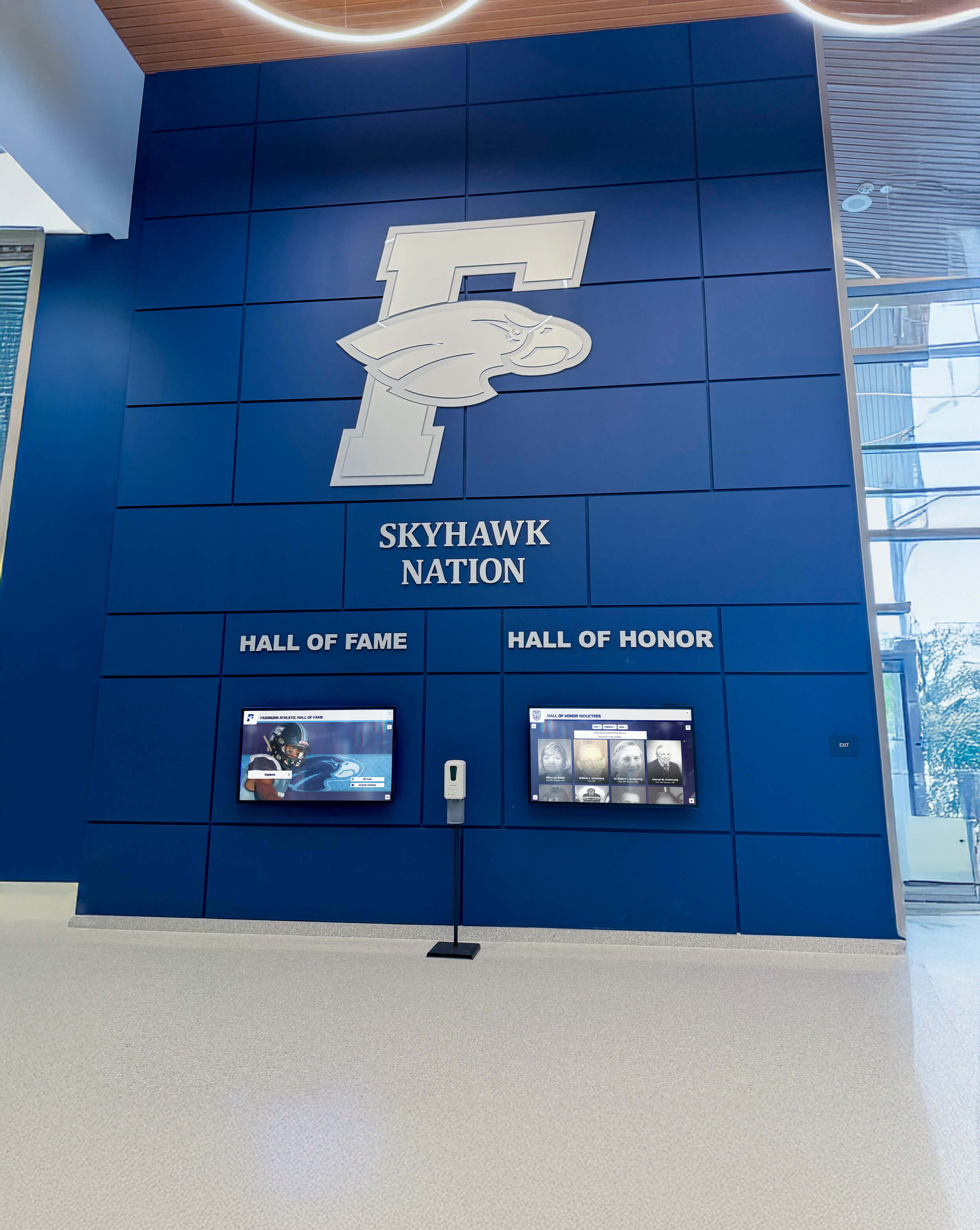
Professional digital installations demonstrate organizational commitment to excellence and member engagement
Addressing Common Concerns and Objections
Catholic parishes considering digital donation touchscreens often encounter reservations from parishioners, staff, or leadership. Understanding common objections and effective responses helps navigate implementation challenges successfully.
“Electronic Giving Feels Too Commercial or Secular”
Some Catholics express discomfort with payment technology in churches, perceiving it as commercializing sacred space or prioritizing convenience over spiritual discipline.
Thoughtful Response: These concerns deserve respectful engagement rather than dismissal. Parish leadership might acknowledge that financial management has always been part of parish life while emphasizing that payment methods evolve without changing giving’s spiritual significance. The Catholic Church has adapted financial practices throughout history—from agricultural tithes through envelope systems—while maintaining core theological principles about sacrificial generosity and stewardship. Electronic giving represents contemporary adaptation rather than abandonment of tradition.
Positioning kiosks thoughtfully away from sanctuaries during liturgy, using dignified design that complements church aesthetics, and framing technology as stewardship tool rather than commercial convenience addresses many concerns. Parishes might also note that many Catholic institutions—hospitals, universities, social services—already use similar technology without compromising their religious character or mission.
“We Should Prioritize Tradition Over Modern Convenience”
Particularly among older parishioners and those devoted to traditional liturgy, resistance to change based on preference for established practices represents a common objection.
Thoughtful Response: Digital giving doesn’t require abandoning traditional methods. The most successful implementations maintain both options, allowing parishioners to choose approaches matching their comfort and preferences. Emphasizing choice and addition rather than replacement helps traditionalist parishioners accept innovation without feeling that beloved practices are being eliminated.
Parish leadership might also gently challenge whether maintaining exclusively cash-based giving truly preserves tradition or instead creates barriers preventing younger generations from participating fully in parish life. Catholic tradition values both continuity and appropriate adaptation to changing circumstances. Just as the Church embraced other technologies that enhance ministry—sound systems, climate control, digital parish communications—giving technology can serve traditional stewardship values through contemporary means.
“What About Security Risks and Financial Fraud?”
Concerns about payment security, data breaches, and potential fraud represent legitimate considerations that parishes should address directly.
Thoughtful Response: Reputable touchscreen donation systems employ bank-level encryption and comply with rigorous PCI security standards that actually provide greater protection than cash handling. Physical currency carries inherent risks—theft from collection baskets, losses during counting and deposit preparation, embezzlement by those handling cash. Electronic systems create detailed audit trails and employ security measures that often exceed what parishes can achieve with cash management.
Parishes should select vendors with proven security credentials, established track records with religious organizations, and appropriate insurance coverage. Clear communication about security features reassures parishioners that their financial information receives proper protection. Many parishioners already use similar payment systems regularly for retail transactions and online purchases—church kiosks employ the same tested security technologies.
“The Upfront Cost Is Too Expensive for Our Small Parish”
Budget constraints represent legitimate concerns particularly for smaller parishes with limited discretionary funds and competing financial priorities.
Thoughtful Response: While touchscreen systems involve meaningful upfront investment—typically $3,000-$8,000 for hardware plus ongoing software fees—parishes should evaluate total cost of ownership and return on investment over time. Electronic giving often increases overall donations by percentages that rapidly offset equipment costs. Additionally, digital systems reduce expenses associated with cash handling—purchasing envelopes, bank fees for cash deposits, administrative time for counting and recording, and potentially embezzlement losses.
Many parishes implement phased approaches—starting with single kiosks in highest-traffic locations before expanding to additional units if adoption proves successful. Some vendors offer financing options or subscription models that spread costs across multiple years rather than requiring large immediate capital investments. Alternatively, parishes might designate capital campaign funds, memorial donations, or specific gifts from tech-minded parishioners to cover technology investments without impacting operating budgets.
The return on investment often proves compelling—a parish that sees even a 15% increase in giving through improved convenience and expanded donor participation quickly recovers equipment costs while establishing sustainable revenue growth.
“Older Parishioners Won’t Use New Technology”
Assumptions about elderly parishioners avoiding digital systems represent common concerns that merit examination.
Thoughtful Response: While technology comfort varies among individuals regardless of age, many older adults regularly use smartphones, tablets, ATMs, and retail self-checkout systems that employ similar interfaces. Well-designed touchscreen kiosks with clear instructions, large fonts, and intuitive navigation prove accessible to users across age ranges.
More importantly, parishes serve multi-generational communities. Even if some elderly parishioners prefer traditional giving methods—which should continue available—parishes must also engage younger members who may find exclusively cash-based giving inconvenient or unfamiliar. Technology adoption aims for inclusion across generations rather than replacement of established practices with approaches serving only younger cohorts.
Parishes can support older users through patient demonstrations, volunteer assistance, and clear printed instructions available near kiosks. Many initially hesitant elderly parishioners become enthusiastic adopters once they successfully complete initial transactions and discover convenience benefits—not needing to carry cash, receiving immediate receipts, setting up recurring giving that ensures consistent support regardless of Sunday attendance.

Intuitive touchscreen interfaces prove accessible across diverse user populations when designed thoughtfully
Best Practices for Catholic Digital Giving Programs
Catholic parishes achieving exceptional results with digital donation touchscreens follow proven practices refined through implementation experience across diverse parish contexts. These best practices address both technical and pastoral dimensions of successful programs.
Multi-Channel Giving Strategy
Digital touchscreens should function as components within comprehensive giving strategies rather than standalone solutions. Parishes offering multiple convenient giving methods maximize participation across diverse parishioner preferences and circumstances.
Coordinated Options: Effective Catholic giving programs typically include traditional offertory collections during Mass, digital touchscreen kiosks in parish facilities, online giving through parish websites, mobile app-based giving for smartphone users, text-to-give options requiring minimal steps, and mailed check acceptance for those preferring traditional methods. This variety ensures all parishioners can contribute through their preferred methods.
Consistent Messaging: Communication about giving options should present coordinated messages across channels. Bulletin announcements, website content, email newsletters, and verbal announcements should convey similar information using consistent terminology and visual branding. This coordination prevents confusion while reinforcing key messages through multiple touchpoints.
Complementary Strengths: Different giving channels serve different needs. Touchscreen kiosks excel for in-person giving by parishioners visiting parish facilities but not carrying cash. Online giving serves those who prefer managing finances from home or want to schedule recurring contributions. Text-to-give provides simplicity for impulse giving during appeals or emergencies. Mobile apps create ongoing engagement through notifications and integrated content. Each channel complements others rather than competing for dominance.
Unified Backend Systems: While offering multiple giving channels, parishes benefit from unified backend systems that consolidate data across platforms. Integrated solutions ensure that contributions through any method update the same donor database, creating comprehensive giving records and eliminating administrative burdens of managing disconnected systems.
Ongoing Parishioner Education and Formation
Technology implementation represents starting points rather than endpoints. Sustained success requires ongoing education and spiritual formation connecting practical giving tools to deeper Catholic stewardship theology.
Regular Communication: Parishes should reference giving options regularly through various communication channels—brief bulletin notices, website updates, periodic email reminders, social media posts, and verbal announcements before or after Mass. Consistent low-key presence maintains awareness without feeling pushy or overly focused on money.
Stewardship Preaching: Homilies and formation sessions should address stewardship theology, connecting financial giving to broader Catholic teaching about discipleship, gratitude, and participation in Christ’s mission. This formation prevents giving from being perceived purely as fundraising rather than spiritual practice. When parishioners understand theological foundations for generosity, they view digital tools as means for faithful stewardship rather than mere convenience.
New Parishioner Orientation: Registration processes for new families should include information about parish giving options, demonstrating kiosk functionality, and explaining how contributions support parish mission and ministries. Early orientation establishes giving patterns during initial engagement when parishioners are most receptive to learning parish practices.
Success Stories and Testimonials: Sharing stories about how parishioner generosity enables specific ministries and impacts real lives connects giving to tangible outcomes. Testimonies from beneficiaries of parish programs, mission partners, or community service recipients demonstrate stewardship impact, inspiring continued support. These narratives transform abstract financial discussions into compelling stories about changed lives and advanced kingdom work, similar to approaches detailed in church sports touchscreen recognition.
Transparency About Financial Needs: Clear communication about parish budgets, financial challenges, and funding priorities builds trust and helps parishioners understand how their contributions matter. Annual financial reports, posted budgets, and candid updates about campaigns or shortfalls demonstrate responsible stewardship that encourages generous support.
Recognition and Appreciation Programs
Thoughtful donor recognition strengthens relationships with generous parishioners while inspiring continued support. Catholic parishes must balance appropriate appreciation with avoiding excessive focus on individual wealth or status.
Personal Thank-You Communications: Prompt personal acknowledgment of contributions—through handwritten notes from pastors for significant gifts, phone calls expressing gratitude, or personalized emails for various giving levels—demonstrates genuine appreciation that goes beyond automated receipts. This personal touch reinforces that parishes value supporters as community members rather than merely funding sources.
Public Recognition When Appropriate: Some major donors appreciate public acknowledgment of their support for capital campaigns or significant initiatives. Options include donor recognition walls (which might themselves be digital touchscreen displays), named spaces or ministries, published donor lists in annual reports, or public blessings during Mass for campaign participants. All public recognition should respect donor preferences, with clear opt-in or opt-out options for those who prefer anonymity consistent with Matthew 6:1-4.
Annual Statements and Tax Documentation: Timely, accurate giving statements for tax purposes represent practical appreciation that donors need and expect. Digital systems should generate these automatically, ensuring compliance with IRS requirements while demonstrating administrative competence.
Ministry Impact Reports: Beyond acknowledging financial contributions, parishes should communicate regularly about ministry outcomes made possible by giving—how many families received assistance, mission accomplishments, facility improvements, program participants, and spiritual fruits. This impact communication shows donors that their generosity makes real differences, validating their sacrificial support.
Avoiding Preferential Treatment: Catholic parishes must carefully balance donor appreciation with avoiding perceptions that generous supporters receive preferential treatment or greater influence over parish decisions. All parishioners regardless of financial capacity deserve equal pastoral care, sacramental access, and community welcome. Recognition programs should honor generosity without creating hierarchies that violate Catholic teaching about human dignity and equal worth before God.
Data Analytics and Continuous Improvement
Digital giving systems generate valuable data that parishes can analyze to understand giving patterns, identify opportunities, and optimize stewardship strategies. Thoughtful use of analytics improves program effectiveness while respecting donor privacy.
Giving Pattern Analysis: Transaction data reveals trends in donation timing, amounts, frequencies, and preferences across different giving channels. This information helps parishes understand whether certain times attract more giving, which campaigns resonate strongly, how different demographic groups prefer contributing, and whether economic changes affect parish finances. These insights inform budget planning and stewardship campaign timing.
Channel Performance Metrics: Tracking which giving methods parishioners use most frequently shows whether technology investments deliver expected results. If touchscreen kiosk usage remains consistently low despite education efforts, parishes might evaluate placement, interface design, or whether that particular technology fits their community. Alternatively, high usage validates investment and might justify expanding to additional locations.
Donor Retention Monitoring: Following retention rates among different donor segments reveals whether certain groups require additional engagement. For example, if young adult donors demonstrate lower retention than older parishioners, it suggests need for targeted outreach and formation addressing that demographic specifically.
Campaign Effectiveness Measurement: Special campaigns and appeals provide natural experiments for evaluating communication effectiveness, optimal ask amounts, timing impact, and which messaging resonates most strongly. Systematic analysis of campaign results creates organizational learning that improves future efforts.
Privacy Protection: All data analysis must respect donor confidentiality and privacy rights. Aggregate trend analysis typically provides sufficient insight without requiring examination of individual giving records beyond what pastoral leaders need for appropriate stewardship and pastoral care. Systems should implement appropriate access controls limiting who can view detailed donor information.

Professional installations demonstrate institutional commitment while enhancing facility aesthetics
Vendor Selection and Implementation Timeline
Choosing appropriate vendors and managing implementation processes significantly affect both initial experiences and long-term satisfaction with digital donation touchscreens. Parishes benefit from systematic evaluation and staged rollout approaches.
Evaluating Vendor Options for Catholic Contexts
Multiple companies provide digital giving kiosks, but not all vendors understand Catholic parish needs equally well or offer features suited to religious contexts. Thorough evaluation prevents costly mistakes and implementation challenges.
Religious Organization Experience: Vendors with established track records serving Catholic parishes or other religious communities bring valuable contextual understanding. They appreciate liturgical considerations, diocesan requirements, and theological sensitivities that general nonprofit vendors might overlook. Request references from other Catholic parishes using proposed systems, and contact those references to learn about their experiences.
Product Fit for Parish Needs: Evaluate whether specific products address Catholic parish requirements—multiple collection types, special diocesan appeals, integration with Catholic parish management software, appropriate aesthetic design for sacred spaces. Generic kiosks designed for retail or secular nonprofit use may lack features that Catholic parishes need for effective implementation.
Total Cost Transparency: Request comprehensive cost breakdowns including hardware purchase or lease, software licensing fees, payment processing rates, maintenance and support costs, training expenses, and any other ongoing charges. Opaque pricing that reveals hidden costs after commitment creates budget problems and erodes trust.
Technical Support Quality: Parishes typically lack in-house IT expertise for troubleshooting complex technology issues. Vendor support quality becomes critical for maintaining reliable systems. Evaluate support options—phone, email, chat availability; response time guarantees; on-site service for hardware failures; and whether support feels responsive and helpful during pre-sale interactions.
Long-Term Viability: Technology vendors come and go. Choosing established companies with strong financial positions reduces risk of vendors disappearing and leaving parishes with unsupported orphan systems. Research vendor stability through online reviews, Better Business Bureau ratings, industry reputation, and longevity in the marketplace.
Security and Compliance: Verify that vendors maintain PCI compliance, employ appropriate data security practices, carry adequate insurance, and demonstrate commitment to ongoing security updates as threats evolve and standards change. Request documentation of security certifications and practices.
Integration Capabilities: Confirm that proposed systems integrate with parish management software, accounting platforms, and websites already in use. Integration complexity and costs should be understood clearly before commitment. Parishes using software common in Catholic contexts—ParishSOFT, eCatholic, WeConnect—should prioritize vendors offering proven integrations with those platforms.
Typical Implementation Timeline and Process
Understanding realistic implementation timelines helps parishes plan appropriately and set accurate expectations with parishioners and staff.
Planning and Decision Phase (2-3 months): Initial periods involve forming implementation teams, researching options, requesting proposals from vendors, evaluating solutions, making selection decisions, and securing necessary approvals from diocesan authorities if required. This phase should not be rushed—thoughtful evaluation prevents expensive mistakes that create long-term problems.
Installation and Configuration (4-6 weeks): After vendor selection, implementation includes ordering equipment, installing hardware in selected locations, configuring software systems, integrating with parish management platforms, conducting security testing, and creating parish-specific content and branding. Coordinate timing with parish calendar to avoid major liturgical seasons or heavy ministry periods when additional distractions prove problematic.
Staff Training and Testing (2-3 weeks): Before public launch, parish staff and key volunteers need thorough training on system operation, troubleshooting common issues, assisting parishioners, accessing backend data, and managing content updates. This period should also include testing transactions and verifying that data flows correctly into parish management systems.
Soft Launch and Refinement (4-6 weeks): Initial introduction might involve limited communication to subset of parishioners—perhaps ministry leaders, parish council members, or tech-comfortable families who can provide feedback before broader rollout. This soft launch identifies issues requiring correction before full parish introduction and creates champions who can encourage broader adoption.
Full Rollout and Promotion (Ongoing): Comprehensive parish communication begins, introducing kiosks through multiple channels over several weeks. Demonstrations, bulletin articles, website updates, email announcements, and verbal communications ensure broad awareness. Promotion continues beyond initial launch through periodic reminders and ongoing stewardship formation.
Monitoring and Optimization (Ongoing): Following launch, parishes should monitor usage patterns, gather parishioner feedback, track giving trends, identify adoption barriers, and make adjustments to placement, interface, or communication strategies. This continuous improvement ensures systems achieve maximum effectiveness over time.
Most parishes should anticipate 4-6 months from initial research through full implementation. While shorter timelines are possible, rushing risks inadequate evaluation, poor training, and implementation problems that undermine parishioner confidence and adoption.
Digital Giving as Part of Comprehensive Parish Stewardship
Digital donation touchscreens represent tools within broader parish stewardship cultures rather than comprehensive solutions by themselves. The most successful Catholic implementations integrate technology with holistic approaches to formation, engagement, and pastoral care around financial stewardship.
Connecting Giving to Discipleship Formation
Catholic teaching consistently presents financial generosity as dimension of discipleship and response to God’s grace rather than mere fundraising. Parishes should situate digital giving within comprehensive formation about Christian stewardship that addresses time, talent, and treasure together.
Year-Round Stewardship Focus: Rather than concentrating stewardship communication exclusively during annual pledge campaigns, effective parishes integrate stewardship themes throughout the year. Homilies connect scripture to generosity and gratitude, adult formation sessions explore stewardship theology, and regular communications highlight how giving enables mission and ministry. This consistent attention frames stewardship as central to Christian life rather than periodic fundraising obligation.
Ministry Engagement Beyond Giving: Inviting parishioners to contribute their time and talents creates holistic participation in parish life that makes financial giving feel like one dimension of comprehensive involvement rather than isolated transaction. Parishioners who volunteer in ministries, participate in small groups, and serve community needs typically demonstrate stronger financial commitment because they understand parish mission from personal experience and relationships.
Youth and Family Formation: Introducing young people to stewardship principles early establishes lifelong patterns of generosity. Religious education programs might include age-appropriate lessons about giving, youth ministry could engage young people in service projects and fundraising, and families could receive resources for discussing money and generosity at home from Catholic perspectives. Digital giving tools can support rather than replace hands-on learning when young people participate in parish giving through family use of touchscreen kiosks or online platforms.
Planned Giving and Legacy Stewardship: Beyond current contributions, parishes should cultivate planned giving through estate gifts, life insurance beneficiary designations, and charitable trusts that provide long-term sustainability. Formation about legacy stewardship helps Catholics understand how testamentary gifts extend their faithful stewardship beyond their lifetimes, supporting parishes and ministries into future generations. Digital systems might include information about planned giving options alongside current contribution capabilities.
Building Cultures of Gratitude and Generosity
Sustainable parish stewardship rests on cultures where gratitude and generosity pervade community identity rather than feeling like occasional themes during fundraising campaigns. Parish leadership cultivates these cultures through consistent practices and clear values communication.
Celebrating Parish Impact: Regular communication highlighting ministry accomplishments, changed lives, community service outcomes, and mission partnerships demonstrates tangible results of collective generosity. When parishioners see concrete evidence that their giving makes real differences, they feel inspired to continue sacrificial support.
Thanksgiving and Recognition: Public gratitude for generosity—expressed through pastoral messages, annual reports, special Masses of thanksgiving, and recognition events—honors supporters appropriately while reinforcing community values around giving. This appreciation should extend to all support levels, celebrating consistent modest givers alongside major donors and acknowledging that every gift matters regardless of amount.
Leadership Modeling: Pastors, staff, and lay leaders who visibly model generosity and speak openly about their own giving establish cultural norms that influence broader community. When leadership treats stewardship seriously and gives sacrificially themselves, it validates stewardship messages and demonstrates that giving represents core values rather than burdens imposed on laity by clergy.
Addressing Financial Anxieties: Many Catholics struggle with financial stress, consumer debt, and anxiety about money that affects their capacity for generous giving. Parishes can serve struggling families through financial education programs, budget counseling, and Christian perspectives on money management that address root issues affecting both financial health and stewardship capacity. Helping parishioners achieve financial stability enables increased generosity over time while demonstrating pastoral care beyond fundraising.
Measuring Success Holistically
While financial metrics matter, comprehensive evaluation considers broader indicators of stewardship health that extend beyond donation dollars alone. Parishes should assess multiple dimensions of program effectiveness.
Financial Indicators: Traditional metrics include total giving, donor retention rates, average gift size, percentage of registered parishioners contributing, capital campaign participation rates, and planned giving commitments. Digital systems facilitate tracking these numbers precisely and analyzing trends over time.
Participation Indicators: Beyond dollar amounts, parishes might measure what percentage of community participates in any giving, whether younger generations engage financially, how many families establish recurring contributions, and whether special appeals attract broad participation. These participation metrics reveal engagement breadth that total dollars alone might miss.
Attitudinal Indicators: Periodic surveys or listening sessions might assess parishioner attitudes about stewardship, whether they understand giving’s spiritual significance, if they feel appreciated for their contributions, and whether they trust parish financial leadership. These qualitative measures identify formation opportunities and relationship challenges requiring pastoral attention.
Ministry Outcome Indicators: Ultimately, giving exists to enable ministry rather than as end in itself. Parishes should track ministry metrics—how many families receive assistance, students participate in religious education, individuals serve in mission trips, community members access social services, or people come to faith through evangelization. These outcomes demonstrate whether financial resources translate to mission effectiveness and changed lives.
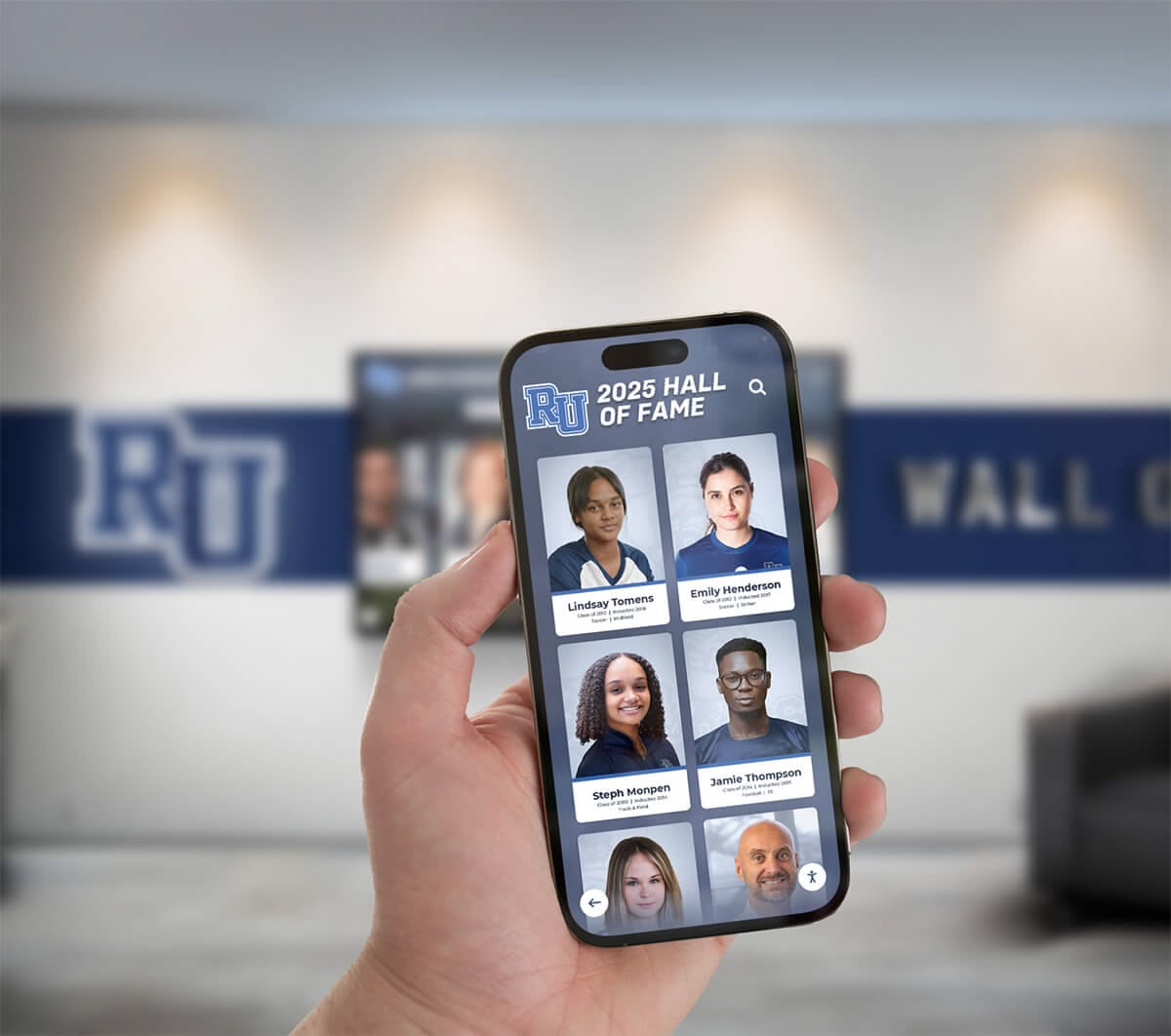
Modern digital solutions extend engagement beyond physical locations through mobile access and remote interaction
Conclusion: Embracing Modern Tools for Ancient Mission
Catholic churches face persistent tension between honoring sacred traditions that stretch back centuries and adapting to contemporary contexts where those traditions must live and grow. Digital donation touchscreens represent one practical expression of this tension—modern technology applied to the ancient Christian practice of financial stewardship and sacrificial giving.
The most successful Catholic implementations of donation touchscreens resist both naive technological enthusiasm and reflexive traditionalist resistance. Instead, thoughtful parish leaders recognize that payment methods represent means rather than ends, tools that can serve timeless theological values about generosity, gratitude, and participation in Christ’s mission through support of church community and ministry.
Research consistently demonstrates that parishes offering digital giving options—including touchscreen kiosks—see measurable increases in participation, retention, and total contributions compared to those relying exclusively on traditional cash collections. With 94% of churches now offering digital giving and 26% of Mass attendees contributing electronically, parishes that fail to adapt risk increasingly significant financial challenges as younger generations who rarely carry cash become larger proportions of church membership.
Yet financial benefits alone provide insufficient justification. Digital giving tools succeed in Catholic contexts when they serve deeper purposes—removing barriers that prevent parishioners from consistent generosity, meeting younger generations where they are technologically while inviting them into fuller parish engagement, demonstrating that Catholic churches embrace appropriate innovation while maintaining theological substance, and ultimately enabling more robust support for ministries that serve human needs, proclaim the Gospel, and build God’s kingdom.
Implementation requires more than purchasing equipment. Successful parishes approach digital giving as part of comprehensive stewardship cultures that include theological formation, pastoral relationship building, consistent communication, multi-generational engagement, and ministry impact demonstration. Technology serves these broader purposes rather than replacing them.
For Catholic parishes exploring digital donation options, solutions from providers like Rocket Alumni Solutions offer purpose-built platforms designed for religious contexts with sensitivity to sacred traditions and practical parish needs. These comprehensive systems combine user-friendly touchscreen interfaces with robust backend management, security features, and integration capabilities that serve Catholic parishes effectively.
Whether your parish serves an urban multicultural community or a rural traditional population, embraces Vatican II reforms enthusiastically or maintains strong liturgical traditionalist identity, digital giving technology can be implemented appropriately when guided by clear theological principles and pastoral wisdom. The key involves remembering that technology serves timeless mission rather than displacing it—modern tools supporting ancient purpose of gathering and distributing resources to proclaim good news, serve those in need, and build communities of faith, hope, and love.
Catholic Church digital donation touchscreens work best when they disappear into broader parish life—becoming such natural and unobtrusive parts of giving options that parishioners rarely think about the technology itself. Instead, they simply experience convenient, accessible, secure ways to respond generously to God’s grace in their lives and support communities that nourish their faith, serve their neighbors, and participate in Christ’s redemptive work in the world.
Ready to Transform Parish Giving for Your Catholic Community?
Discover how Rocket Alumni Solutions can help your parish implement digital donation touchscreens that honor sacred traditions while meeting modern giving preferences. Our solutions serve religious organizations with proven technology designed for Catholic contexts.
Schedule Your Free Consultation






























