Walk into almost any high school gymnasium and you will find at least one banner hanging from the rafters that somebody made a judgment call on — the wrong font size, a color pulled from memory rather than a Pantone swatch, dimensions chosen because that is what fit in the back of a pickup truck. When that banner goes up next to older ones, the mismatch is visible from the three-point line. A championship banner template eliminates that problem. It codifies every design decision so that every championship your program wins — now and twenty years from now — gets recognized with the same visual integrity.
This guide covers the actual specifications that athletic directors and facilities teams use when establishing a championship banner template system: dimensions by sport and venue, typography hierarchy, color standards, required content fields, mounting specs, and how to document all of it so the template survives staff turnover.
Who this is for: Athletic directors building a first-time banner standards document, booster club chairs coordinating a gym renovation, and design vendors who need a clear brief from a school client. The tables below are meant to be copied directly into your own spec sheet.
Why a Championship Banner Template Matters More Than You Think
The immediate benefit of a template is visual consistency. But the operational benefits are larger. A documented template:
- Eliminates redesign costs on every new championship. The vendor works from an existing file; you pay production rates, not design rates.
- Protects institutional knowledge. When an AD retires or a booster chair moves on, the template stays. Whoever orders the next banner knows exactly what to request.
- Speeds up production. Vendors who receive a complete spec sheet — dimensions, color codes, font files, content fields — can turn around a championship banner in days rather than weeks.
- Creates legal and compliance clarity. Facilities with licensed mascots or conference-trademarked logos need documented approval workflows. A template is the right place to record those requirements.
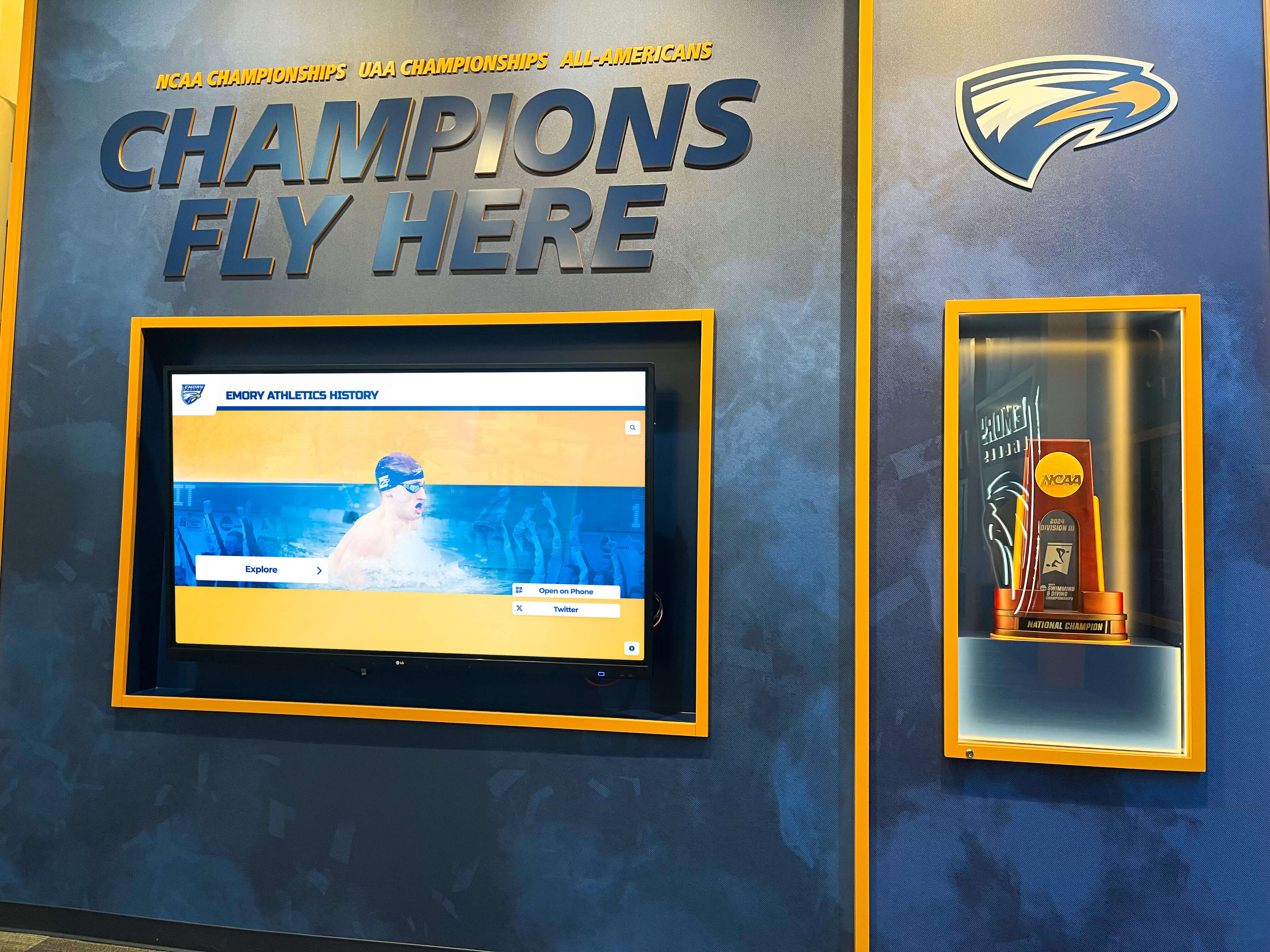
For schools that also want to honor their complete athletic history beyond the gymnasium wall, digital recognition displays complement physical banners by surfacing team rosters, season statistics, and championship narratives that fabric cannot hold.
Standard Championship Banner Template Dimensions
Dimension decisions drive everything else — font size, content density, mounting hardware, and visual weight against your facility walls. The table below reflects typical specifications used across K–12 and small college programs. Adjust for ceiling height and number of banners; the principle is that text must be legible from the farthest occupied seat in your facility.
| Championship Level | Recommended Size | Orientation | Primary Mount Method | Minimum Viewing Distance |
|---|---|---|---|---|
| State / NAIA / NCAA Title | 3 ft × 6 ft | Portrait | Rafter cable suspension | Up to 80 ft |
| Regional Championship | 2.5 ft × 5 ft | Portrait | Rafter cable or wall mount | Up to 60 ft |
| Conference / District Title | 2 ft × 4 ft | Portrait or landscape | Wall mount or pole bracket | Up to 40 ft |
| Invitational / Tournament Win | 18 in × 36 in | Portrait | Wall mount | Up to 25 ft |
| Multi-Year Compilation Banner | 4 ft × 8 ft | Landscape | Rafter cable, two-point | Up to 100 ft |
Notes on sizing:
- Add 6–12 inches to any dimension for banners mounted above 25-foot ceilings; elevated placement reduces apparent size.
- Facilities displaying 30 or more banners often drop to 2 ft × 4 ft as a universal standard to manage visual density. Consistency across all banners is more important than fitting maximum information on each one.
- Football and lacrosse banners sometimes use a landscape orientation (5 ft × 2.5 ft) to accommodate helmet or field graphics without cramping text.
Typography Specifications for Championship Banner Templates
Font selection is where most informal banner programs fall apart. A coach emails a vendor “use our school font” — but no font file is provided, the vendor substitutes something close, and the result looks off next to banners produced five years earlier.
Recommended Font Structure
A championship banner template should specify three type roles:
Primary Display Text (sport name, championship level):
- Type: Bold sans-serif or custom athletic face
- Size on a 3×6 banner: 6–9 inches tall
- Examples: Bebas Neue, Impact, custom mascot font approved by district
- All-caps formatting; tracking set to +50 to +100 (letter-spacing)
Secondary Information (year, record, division):
- Type: Same family as primary, regular or bold weight
- Size: 3–5 inches tall
- Mixed case or all-caps; consistent with primary choice
Tertiary Details (coach name, team captains, conference):
- Type: Same family, regular weight
- Size: 1.5–2.5 inches tall
- Title case; avoid italics at viewing distance — they lose legibility
Font File Requirements
Your template document should include:
- OTF or TTF font files attached or a direct link to licensed source
- Pantone number equivalent for any custom athletic typefaces that use built-in color
- A note on whether the font requires a licensing purchase for commercial reproduction by print vendors

Color and Branding Standards
Color is the fastest way to signal institutional identity — and the easiest to get wrong across multiple production runs. Your championship banner template should specify colors three ways: Pantone (for fabric and screen printing), CMYK (for digital printing on vinyl or canvas), and hex (for any digital uses).
Color Specification Table
| Color Role | Pantone | CMYK | Hex | Usage |
|---|---|---|---|---|
| Primary Background | [School PMS 1] | [C/M/Y/K values] | [#000000] | Banner field color |
| Primary Text | [School PMS 2] | [C/M/Y/K values] | [#FFFFFF] | Sport name, year, key details |
| State Championship Accent | Metallic Gold 871 C | 0/15/65/15 | #C9A84C | Border, divider lines — state titles only |
| Regional Championship Accent | Cool Gray 7 C | 0/0/0/35 | #ADADAD | Border, divider lines — regional titles |
| Conference Championship Accent | School PMS 2 (lighter tint) | 50% tint of primary | [calculated] | Border — conference titles |
Replace bracketed values with your school’s official color system. If your district has never documented official Pantone numbers, contact your conference office or state athletic association — many maintain brand standards that include licensed school color specs.
Contrast minimum: Background-to-text contrast ratio should meet WCAG 2.1 AA at minimum (4.5:1 for normal text, 3:1 for large text). While banners are not digital interfaces, this standard keeps text legible at distance and in varied lighting conditions.
Consistent mascot and branding elements strengthen recognition. For schools developing or refreshing mascot graphics to use on banners, school mascot design resources can help you establish a vector asset that scales cleanly from banner production to printed programs.
Required Content Fields by Banner Type
A championship banner template should define which fields are mandatory and which are optional at each championship level. This prevents the most common error: leaving critical information off a banner, or overcrowding it with details that reduce legibility.
| Field | State Title | Regional Title | Conference Title | Invitational Win |
|---|---|---|---|---|
| School Name | Required | Required | Required | Required |
| Sport Name | Required | Required | Required | Required |
| Championship Level Label | Required | Required | Required | Required |
| Season Year | Required | Required | Required | Required |
| Final Season Record | Recommended | Recommended | Optional | Optional |
| Head Coach Name | Recommended | Recommended | Optional | Optional |
| Division / Classification | Required | Required | Recommended | Optional |
| School Mascot Graphic | Recommended | Optional | Optional | Optional |
| Championship Score | Optional | Optional | Not recommended | Not recommended |
| Special Achievement Note* | If applicable | If applicable | If applicable | Not recommended |
*Special achievement notes: “First in School History,” “Back-to-Back,” “Undefeated Season.” Reserve these for genuinely exceptional circumstances; overuse dilutes their meaning.
Display Placement Specifications
Producing a great banner and mounting it poorly wastes both. Your template document should include placement standards so facilities staff don’t improvise every installation.
Mounting Height Guidelines
- Rafter suspension: Bottom edge of banner should hang at 12–14 feet above finished floor in a standard gymnasium. This clears spectator heads and bleacher backs while remaining visible from all floor positions.
- Wall mount (end wall): Center the banner grouping at 10–12 feet above finished floor, or above the top of any retractable bleacher unit when extended.
- Corridor wall mount: 7–9 feet above finished floor — lower than gymnasium standards because viewing distances are shorter and you want viewers to read detail without straining upward.
Spacing Between Banners
- Rafter suspension: minimum 6 inches horizontal clearance between banner edges prevents tangling and maintains individual visual identity.
- Wall groupings: 4–6 inches between banner edges; uniform spacing looks intentional; uneven spacing looks like an afterthought.
Hardware Standards
Record specific hardware in your template so replacements are compatible:
- Suspension cable: 1/16-inch stainless steel aircraft cable, rated to at least 10× banner weight
- Turnbuckles: 1/4-inch eye-to-eye stainless, for tension adjustment
- Ceiling anchors: Eye bolts into structural member (not ceiling tile or drywall)
- Grommets: #2 solid brass, minimum 4 per banner (corners), additional along top edge for wide banners
- Pole pocket option: 2-inch hem with 1-inch diameter aluminum or PVC dowel for banners displayed on brackets
Facilities teams responsible for year-round recognition management will also find value in back-to-school recognition display planning guides that address how championship banners fit within the broader athletic recognition landscape at the start of each academic year.
Building a Multi-Sport Template System
A single championship banner template works when you have one sport. Managing fifteen or twenty sport programs requires a system — a consistent visual framework with defined variations for each sport.
Template Variations Within a Consistent System
The goal is for every banner to be immediately identifiable as belonging to your school while still distinguishing sport and achievement level. Accomplish this through controlled variation:
Constant across all banners:
- School colors (background and primary text)
- Font family
- School name position and size
- Margin and padding ratios
- Grounding elements (logo placement zone, border treatment)
Variable by sport:
- Sport-specific icon or graphic (basketball silhouette, swimming lane, football helmet outline)
- Orientation (portrait vs. landscape where applicable)
Variable by championship level:
- Accent color (gold for state, silver for regional, school tint for conference)
- Border weight (heavier border on higher achievement levels)
- Size (per the dimension table above)
Documenting the System
Store your template assets in a shared folder accessible to your AD, principal’s office, and designated booster contact. Include:
- Master InDesign, Illustrator, or Canva Pro template files for each banner type
- Exported PDF proofs with bleed and trim marks for vendor use
- This spec document as a PDF
- Font license files or links
- Color swatches in ASE format (Adobe Swatch Exchange)
- Approved mascot vector files in EPS and SVG format
When coaches change and athletic directors rotate, the template system survives because it lives in a documented folder — not in one person’s memory.
Recognizing coaches who build championship programs is equally important to the banners themselves. Coach appreciation and recognition frameworks can help you develop parallel recognition that honors the staff behind the title runs.

Integrating Physical Banners with Digital Championship Catalogs
Physical championship banners do one thing extremely well: they fill vertical space with visible proof of program excellence. They do several things poorly: they hold limited information, they cannot be updated, and they are invisible to alumni who cannot visit your facility in person.
Digital touchscreen displays solve those gaps without replacing the tradition of fabric in the rafters.
What a Digital Championship Catalog Adds
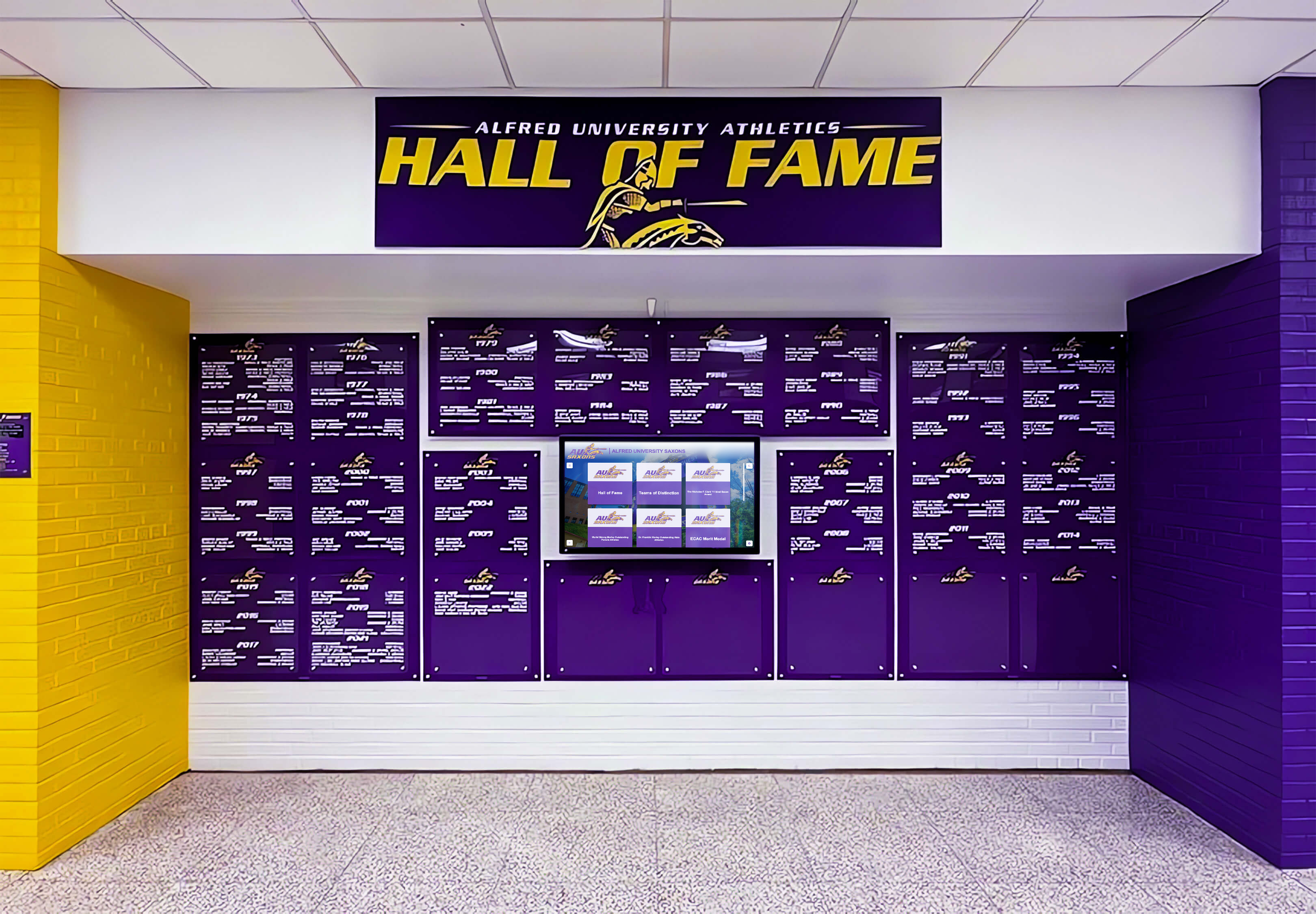
A touchscreen display mounted in your gymnasium lobby or athletic corridor can hold every championship in program history — not just those that fit on your ceiling. For each championship, it can surface:
- Complete team roster with photos
- Season statistics and individual award winners
- Game-by-game results for the championship run
- Coach profiles and career records
- Video highlights where available
- Program milestones (“First girls soccer title,” “Fifth consecutive swimming title”)
This depth of information is simply not achievable with fabric. A well-structured athletic history archive makes championship recognition accessible to parents, visiting teams, and alumni in a way that overhead banners cannot.
The Hybrid Approach Most Schools Use
Programs that combine physical and digital recognition typically follow this pattern:
- Physical banners in the gymnasium for state and major regional championships — the ones that warrant fabric, hardware, and prime rafter space.
- Digital display in the lobby or trophy corridor for the comprehensive catalog — all championships at all levels, searchable by sport, year, or athlete name.
- QR codes on physical banners linking to the full digital profile for that championship, so a visitor standing under a 2019 state basketball banner can pull up the complete roster on their phone.
This structure respects the tradition of the hanging banner while acknowledging that a 40-year program cannot physically display 200 championships without running out of ceiling.
Rocket Alumni Solutions builds these integrated systems for schools — touchscreen walls of fame that catalog championship runs, individual athlete histories, and program milestones alongside the physical recognition already installed in your facility.
For schools also creating senior recognition, graduation, or year-in-review materials to complement athletic history displays, graduation slideshow templates can extend the same visual identity established in your banner template system to those formats.
Common Championship Banner Template Mistakes to Avoid
Schools building a template for the first time make predictable errors. Avoid these before they become permanent fixtures on your gymnasium wall.
Specifying sizes that don’t match your ceiling. Measure your actual rafter height and the distance from mounting point to floor before choosing dimensions. A 3×6 banner looks appropriately sized under 28-foot ceilings; the same banner under a 16-foot ceiling overwhelms the space.
Using RGB color specifications for print production. RGB is a screen color model. Vinyl and fabric printing uses CMYK. Always provide Pantone and CMYK values to vendors; RGB values will produce color shifts in the final product.
Omitting the division or classification from the design. “State Champions” without a classification label is incomplete. A Class 2A championship and a 6A championship are very different achievements with different competitive contexts. Always include the classification your team competed in.
Creating a single template without variations. If every banner — state title, conference title, invitational win — uses identical visual weight, the display loses hierarchy. Viewers cannot tell at a glance which achievements are most significant. Build tiered variation into the template from the start.
Not archiving the digital championship record. Even programs with excellent physical banners often have no digital record linking rosters to championships. This matters when an alumnus from 1987 asks whether their name is on the banner — and nobody on current staff knows. Parallel digital documentation solves this permanently.
Conclusion: A Template Is the First Championship Decision You Make
Every championship your teams win in the future will be recognized against whatever standard you set today. A documented championship banner template is not an administrative formality — it is how you protect the institutional value of every title your program earns.
Start with the dimension table and content field requirements. Add your school’s Pantone colors and approved font files. Document the mounting hardware and placement standards. Store everything in a shared folder with documented access. Then produce your next championship banner from that spec sheet and compare it against the ones already hanging.
Consistency is how a gymnasium wall communicates program culture before a single game is played.
Build a Digital Championship Catalog Alongside Your Banners
Physical banners honor the tradition. A touchscreen wall of fame makes your complete championship history searchable, shareable, and accessible to every alumnus — not just those who can visit your gymnasium. See how schools are pairing fabric with digital to create recognition programs that scale with their success.
See How Rocket Alumni Solutions Works






























