Every year, thousands of students in Civil Air Patrol cadet programs earn rank advancements, solo flight wings, aerospace education certifications, and national recognition—achievements that rival any varsity letter or academic honor in both effort and meaning. Yet in most schools that host CAP composite squadrons or partner with JROTC units, these accomplishments remain invisible. No display case. No dedicated wall. No searchable archive that tells next year’s freshmen what their predecessors earned.
That gap is exactly what this guide addresses. If you are an AV coordinator, facilities director, athletic director, or IT administrator responsible for recognition infrastructure at a school with a Civil Air Patrol cadet program, this resource gives you concrete specifications, layout requirements, and implementation steps for building a touchscreen display that honors aerospace achievers with the permanence their work deserves.
The Civil Air Patrol cadet program produces graduates who go on to military academies, commercial flight schools, NASA internships, and engineering careers. Capturing that legacy on campus—in a format that current cadets, prospective members, and visiting families can actually explore—requires a purpose-built recognition system, not a repurposed athletic trophy case.

Civil Air Patrol cadet programs inspire students to pursue aerospace careers through structured achievement, rank progression, and hands-on aviation experiences
What Is the Civil Air Patrol Cadet Program?
The Civil Air Patrol (CAP) cadet program is a congressionally chartered youth development program administered by the United States Air Force Auxiliary. Serving students ages 12 through 20, the program develops leadership, aerospace knowledge, physical fitness, and character through a structured achievement curriculum that spans 16 milestone achievements.
Unlike ROTC programs tied exclusively to military commissioning, the Civil Air Patrol cadet program covers three distinct focus areas:
- Leadership: Cadets study leadership theory, practice command and staff roles, and progress through a chain of responsibility as they advance in rank
- Aerospace education: Structured curricula cover flight principles, aerospace history, rocketry, remote sensing, and aviation weather
- Physical fitness: Cadets meet established fitness standards and track progress throughout their enrollment
CAP operates approximately 1,000 cadet squadrons across the United States, with many squadrons meeting at or near high school campuses. Understanding the Civil Air Patrol cadet rank progression is essential for any school building a recognition display, because the rank system forms the backbone of the achievement record you will be preserving.
CAP Cadet Ranks and Key Achievement Milestones
The CAP cadet program uses a rank structure that mirrors the U.S. Air Force enlisted and officer grades. Cadets begin as Cadet Airman Basic and can advance through 16 achievements to reach Cadet Colonel—a designation earned by fewer than one percent of all program participants.
Key milestones that schools should capture in their recognition displays include:
Wright Brothers Award — Earned after completing the first four achievements (Curry, Goddard, Arnold, and Eaker phases). This is the first major program milestone and marks the cadet’s transition from new member to active leader in training.
Billy Mitchell Award — The most recognized achievement in the CAP cadet program, equivalent to the rank of Cadet Second Lieutenant. This award qualifies cadets to apply for the Air Force JROTC program and is often a prerequisite for CAP’s flagship summer encampment activities.
Amelia Earhart Award — Reached at Cadet First Lieutenant, this milestone recognizes advanced leadership study and community service contributions.
Ira Eaker Award — Cadet Colonel designation, the program’s highest cadet achievement. Fewer than one percent of participants reach this level, making Eaker recipients among the most distinguished student achievers in any school’s history.
Solo Flight Wings — Through CAP’s glider and powered flight programs, qualifying cadets can earn solo flight endorsements. This is an aeronautical milestone comparable to any athletic championship in terms of effort, preparation, and significance.
Cadet of the Year / Outstanding Cadet — Regional and national award designations that recognize exemplary performance across all program dimensions.
Each of these milestones deserves permanent, searchable documentation in your school’s recognition infrastructure—not just a certificate in a binder in the squadron commander’s desk.
CAP in High Schools: JROTC Partnerships and Composite Squadrons
Many high schools operate CAP composite squadrons that meet on campus or in close proximity, functioning similarly to JROTC units. Some districts formalize the relationship through cooperative agreements that allow CAP to count toward graduation credit or activities requirements.
Schools running these programs face a specific recognition challenge: CAP achievements are earned through a national organization with its own rank structure, activity calendar, and awards cycle—but the students earning those achievements are your students, and the recognition infrastructure on your campus should reflect that.
For schools that also operate CTE (Career and Technical Education) pathways in aviation or aerospace, integrating CAP cadet recognition with your broader career programs recognition is a natural fit. CTE program digital touchscreen displays provide a model for how schools are already combining workforce-pathway achievements with campus-wide recognition systems.
Types of Cadet Achievements Worth Recognizing on Campus
Before specifying a display system, document every category of achievement your cadet program produces. A comprehensive CAP cadet recognition display should accommodate all of the following:
| Achievement Category | Display Priority | Update Frequency |
|---|---|---|
| Cadet rank advancements (all 16 milestones) | High | Ongoing / per promotion |
| Billy Mitchell Award recipients | High | Annual |
| Ira Eaker Award recipients | Featured / prominent | Rare — highlight permanently |
| Solo flight endorsements (glider / powered) | High | Per qualifying flight |
| Summer encampment attendees and staff | Medium | Annual |
| National cadet special activities participants | Medium | Per activity |
| Cadet of the Year / Outstanding Cadet | Featured | Annual |
| Military academy appointments from CAP graduates | High | Annual |
| Aerospace education certifications | Medium | Per certification |
| Squadron commander and senior staff positions | Medium | Annual |
Documenting this inventory before specifying any display hardware ensures your system can accommodate every category without requiring costly retrofits after installation.
For schools building broader academic recognition programs that include CAP alongside academic honors, the principles behind academic excellence award recognition programs translate directly to structured aerospace achievement programs.

Interactive touchscreen displays invite current cadets to explore the achievements of those who came before them—creating a culture of aspiration within the program
Before You Start: Prerequisites and Planning Requirements
Successful CAP cadet recognition displays require coordination across squadron leadership, school administration, facilities staff, and IT. Work through each prerequisite before specifying hardware.
Stakeholder Coordination
- Squadron commander: Provides achievement records, historical rosters, and rank documentation going back to the unit’s founding
- School administration: Approves location, budget, and content policies for campus-facing displays
- IT or AV department: Confirms network connectivity at the intended installation site, verifies power availability, and reviews software access protocols
- Facilities director: Assesses wall load capacity, mounting surface type, and ADA clearance requirements at the proposed location
Location Requirements
Measure and document the following at your intended installation site:
- Wall dimensions: Minimum 12 inches clearance on all sides of the display footprint
- Mounting surface: Concrete, CMU block, or steel stud framing rated for display weight (budget 50–100 lbs for a 55-inch commercial display plus mount hardware)
- Power: Dedicated 20A circuit within 6 feet of mounting center; verify with your facilities electrician
- Network: Wired ethernet (CAT6 minimum) or confirmed WiFi signal strength of –65 dBm or better at the mounting location
- ADA compliance: Touchscreen center should be mounted at 48 inches AFF (above finished floor) for wheelchair accessibility; confirm 60-inch turning radius clearance in front of the display
Content Inventory
Before requesting quotes, compile the following content assets from your squadron and school records:
- Complete cadet roster by year (back to unit founding, if available)
- Rank achievement records for each cadet
- Solo flight endorsement documentation
- Award recipient names and dates
- Portrait photos (at minimum for Billy Mitchell and Eaker Award recipients)
- Post-graduation outcomes for notable alumni (military academy appointments, aviation career paths)
Building Your CAP Cadet Touchscreen Recognition Display
With prerequisites confirmed, move through these implementation phases to deploy your display.
Phase 1: Site Preparation (Weeks 1–2)
Step 1 — Confirm electrical and network rough-in. Have your facilities electrician install a dedicated circuit at the mounting location. Run CAT6 to a termination point within 6 feet of center.
Step 2 — Assess mounting surface. If mounting to drywall, locate steel studs or plan for a backing plate rated for your display weight. For concrete or CMU, plan for concrete anchors specified to your display’s pull rating.
Step 3 — Mark ADA mounting height. Mark the display center at 48 inches AFF. Verify that the top edge of the touchscreen will not exceed 54 inches AFF for forward reach compliance under WCAG 2.1 / ADA standards.
Phase 2: Hardware Specification (Weeks 2–3)
Select a commercial-grade touchscreen display, not a consumer television. Key specifications for school environments:
| Spec | Minimum Requirement | Recommended |
|---|---|---|
| Screen size | 43 inches | 55 inches |
| Panel type | IPS LCD | IPS LCD or OLED |
| Touch technology | PCAP 10-point | PCAP 20-point |
| Brightness | 400 nits | 500+ nits |
| Operating hours rating | 16/7 | 24/7 |
| Ingress protection | IP40 | IP54 (dust/splash) |
| Warranty | 3 years commercial | 5 years commercial |
| Mounting | VESA 400×400 | VESA 600×400 |
Phase 3: Software and Content Setup (Weeks 3–5)
Load your achievement inventory into a cloud-based content management system. Your CMS should support:
- Cadet profiles: Name, rank progression timeline, awards earned, portrait photo, post-graduation outcome
- Achievement categories: Filterable by rank tier, award type, and year
- Search functionality: Visitors should be able to find any cadet by name in under 3 taps
- Remote update capability: Squadron commanders or school administrators should be able to add new promotions and awards from any networked device without on-site IT support
Schools that have invested in digital history archive systems report that the ability to surface historical records—going back decades in some cases—dramatically increases visitor engagement with the display.
Phase 4: Installation and Go-Live (Weeks 5–6)
Step 1 — Install mount hardware. Follow manufacturer torque specs for all anchor points. Have a second person assist with display lifting and positioning.
Step 2 — Connect power and network. Route cables through conduit where exposed to public view. Confirm stable network connection before powering the display.
Step 3 — Load and verify content. Log into your CMS and confirm all cadet profiles render correctly. Test search functionality with five or more cadet names.
Step 4 — Conduct ADA walkthrough. Use a measuring tape to verify mounting heights, confirm screen brightness is readable in ambient lighting conditions, and test touch responsiveness across all screen zones.
Step 5 — Soft launch with squadron. Invite the cadet squadron and their families to a preview event before opening to the broader school community. This gives you time to catch any content errors before public launch.
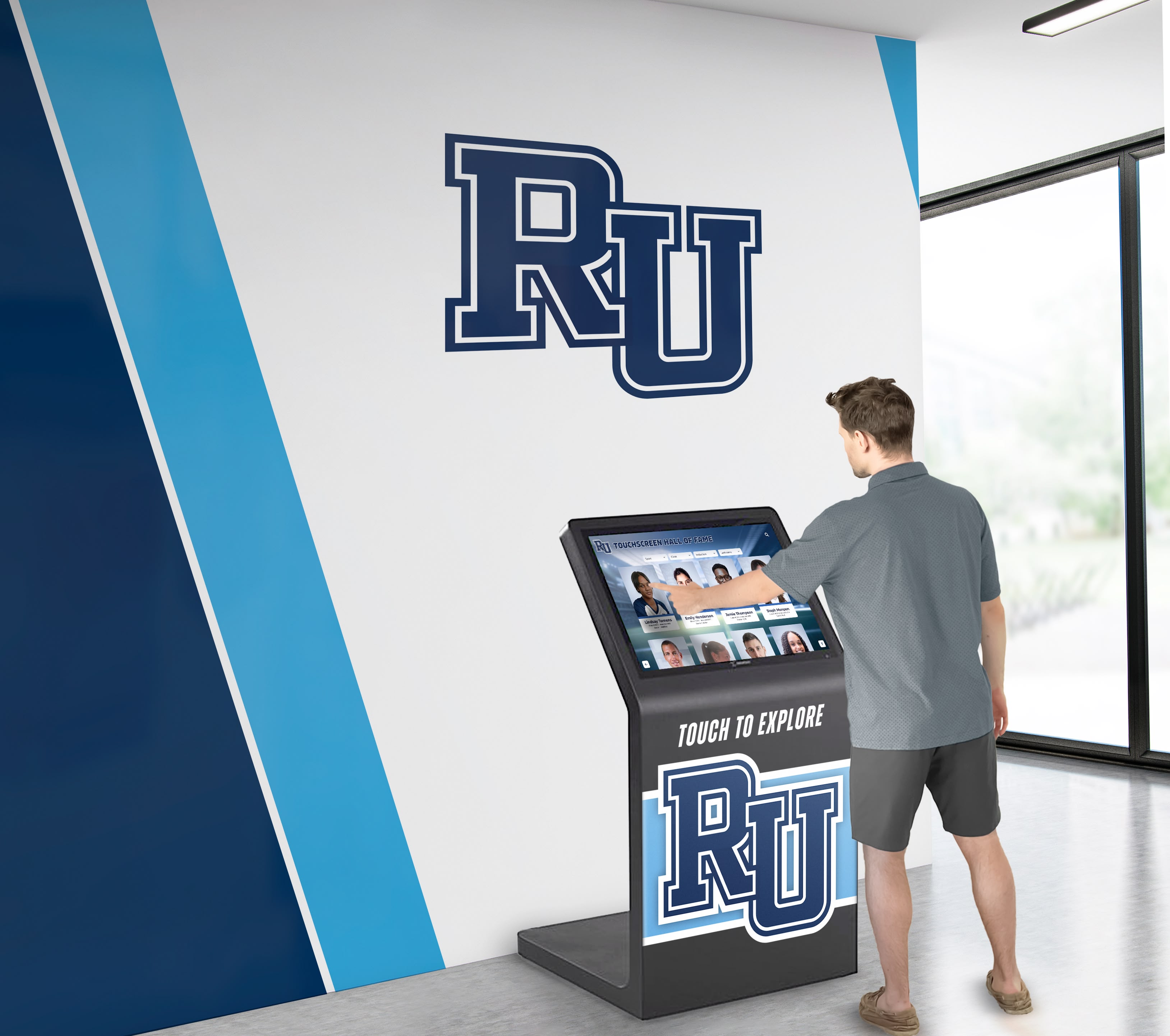
Lobby-mounted touchscreen kiosks create a natural stopping point for families and visitors to discover the depth of a school's Civil Air Patrol cadet program history
Traditional vs. Digital Recognition for CAP Cadet Programs
Many schools default to a small trophy case or a single framed certificate list when recognizing their cadet program. Understanding the practical limitations of traditional approaches helps justify the investment in an interactive display.
Traditional Trophy Case / Plaque Wall
- Space-constrained — can only display a finite number of cadets before the case is full
- Static — requires physical reprinting or re-engraving for every new addition
- Search-unfriendly — visitors must read every entry to find a specific cadet
- Photo-limited — budget and space typically prevent portrait integration
- Context-poor — no room to explain what each award means or how it was earned
- Not remotely accessible — alumni families cannot access the display from outside campus
Interactive Touchscreen Display
- Unlimited capacity — every cadet from the program's founding fits in the archive
- Remotely updated — add new promotions and awards in minutes from any device
- Fully searchable — visitors find any cadet by name, year, or award type in seconds
- Photo-integrated — portrait photos, flight documentation, and award images all included
- Contextually rich — bios, rank explanations, and career outcomes tell the full story
- Web-accessible — companion site lets alumni families access records from anywhere
Schools that have gone through the process of modernizing their recognition walls consistently report that the transition to digital displays increases cadet family engagement, drives prospective student interest in the program, and creates a lasting archive that physically grows the program’s legacy over time.
Key Features of an Effective CAP Achievement Display
Not all touchscreen recognition systems are built for the specific demands of a cadet program. When evaluating platforms, prioritize these capabilities:
Rank-Structured Navigation: Visitors should be able to browse by achievement tier—Billy Mitchell recipients in one view, Eaker Award recipients in another, solo flight honorees in a third. Flat lists do not serve a rank-structured achievement program well.
Multi-Media Profile Support: A cadet’s profile should support a portrait photo, rank insignia graphic, text biography, and links to supporting documentation (flight endorsements, award certificates). Budget for at least 200 KB of storage per cadet profile.
Chronological Archive View: Visitors should be able to scroll the program’s history by year, seeing which cadets were promoted or recognized in each period. This view is particularly powerful when showing program growth over time.
Automatic Content Routing: When a cadet advances in rank, the system should update their profile and automatically surface them in the correct rank tier views without administrator intervention beyond a single data entry.
QR Code Integration: A QR code printed in your cadet program’s physical publications (yearbook, program guides, award ceremony programs) should deep-link directly to the relevant profile or achievement category in the digital display.
For schools exploring the full range of what interactive recognition systems can accomplish, interactive touchscreen installations in educational settings provide detailed design principles that translate directly from museum and gallery contexts into school hallways and lobbies.

Hallway recognition displays work best when they combine program identity—mascot, colors, mission—with individual cadet achievement records that grow year over year
Integrating CAP Recognition with Broader School Honor Programs
Civil Air Patrol cadet recognition does not need to exist in isolation. The most effective recognition ecosystems integrate CAP achievements alongside academic honors, athletic records, and other program recognitions in a unified display system.
Schools with mature recognition cultures understand that designing an inspiring wall of fame means telling the full story of student achievement—not segmenting it by program silo. A cadet who earned the Billy Mitchell Award while also appearing on the honor roll deserves recognition in both contexts, with the display system flexible enough to surface that student’s full profile regardless of which entry point a visitor uses.
Effective integration approaches include:
- Unified search: A single search interface that pulls results across all program categories—cadets, athletes, academic honorees, club leaders
- Cross-program profile links: A cadet’s profile links to their athletic achievements; an honor roll student’s profile links to their CAP rank record
- Shared calendar integration: CAP promotion ceremonies, academic award nights, and athletic banquets all feed into a unified events timeline on the display
- Sponsor panel adjacency: Recognition displays can include sponsor panels that fund the system, with aerospace-adjacent businesses (local flight schools, engineering firms, defense contractors) well-positioned as natural partners for a CAP cadet display
When annual events like high school end-of-year award ceremonies integrate CAP achievement recognition alongside traditional academic and athletic honors, the program gains visibility with the entire school community—not just families already connected to the squadron.
Implementation Checklist for School Administrators
Use this checklist to track progress from planning through post-launch verification.
CAP Cadet Recognition Display Checklist
For schools building out a broader recognition culture that includes CAP alongside academic and athletic programs, a comprehensive academic recognition programs guide provides a complementary framework for structuring all recognition categories in one unified system.
Connecting Cadet Recognition to Ceremony and Events Planning
Recognition displays work best when they are connected to live events that activate the content for students and families. CAP promotion ceremonies, rank advancement boards, and end-of-year banquets are natural anchors for launching new display content.
Best practices for event-display integration include:
- Pre-event content updates: Load new cadet profiles into the CMS before the ceremony so honorees can see their profiles live on the day they advance
- Display at event venue: If your display is portable or if you have a secondary display available, position it at the ceremony entrance so attendees can explore profiles before the event begins
- Post-event communications: Send families a QR code in the post-event email that links directly to their cadet’s profile on the display’s web-accessible companion site
- Annual review ceremony: Hold a brief annual review event where the previous year’s achievements are highlighted on the display for the current cadet corps—reinforcing the connection between present effort and permanent recognition
Schools that approach awards night planning with recognition display integration in mind create events that feel cohesive and institution-grade—not ad hoc.

Hallway placement maximizes cadet program visibility—every student who walks past the display is a potential recruit who sees what's possible in the program
How Rocket Alumni Solutions Supports CAP Cadet Program Recognition
Rocket Alumni Solutions builds interactive touchscreen recognition systems designed for exactly the kind of structured, multi-category, multi-year achievement records that Civil Air Patrol cadet programs generate. Schools can create dedicated CAP sections within a unified recognition platform that also covers athletic hall of fame inductees, academic honor roll records, and co-curricular standouts—all managed from a single cloud dashboard.
Key capabilities for CAP cadet recognition use cases:
- Unlimited honoree capacity: Every cadet from the program’s founding year through the current class fits in the archive without adding hardware
- Cloud-based content management: Squadron commanders or designated administrators update profiles from any networked device—no on-site IT visit required for content changes
- Rank-structured display templates: Pre-built layouts support tiered achievement categories that match the CAP milestone structure
- Web-accessible companion site: Alumni families and prospective cadets can access the display archive from any device, from anywhere
- ADA WCAG 2.1 AA compliant interfaces: Touch heights, contrast ratios, and screen reader support meet federal accessibility standards
- QR code integration: Every profile and category page generates a unique QR code for print materials
- Sponsor panel integration: Flight schools, aerospace engineering firms, and defense employers can sponsor panel positions alongside cadet recognition content, helping offset system costs
- Professional installation and white-glove support: From initial planning through launch and ongoing content support, the Rocket team manages the technical details so your administrators focus on the program
Ready to Build a Permanent Record of Your Cadet Program's Achievements?
Discover how Rocket Alumni Solutions can help your school create an interactive touchscreen display that honors Civil Air Patrol cadets with the visibility and permanence their aerospace achievements deserve—alongside every other form of student recognition your campus celebrates.
Book a TouchWall Build SessionFrequently Asked Questions
Can a school display CAP cadet records without violating privacy regulations? Yes—with appropriate consent. Collect a media release form from cadets and their parents or guardians as part of the squadron enrollment process, specifically authorizing the use of name, rank, and portrait on campus recognition displays. Store signed releases in the squadron’s records.
How often does the display need to be updated? CAP promotions happen throughout the year as cadets complete milestone requirements. Plan for monthly content updates at minimum, with additional updates after major events like encampments and promotion boards. Cloud-based CMS platforms make these updates a 10–15 minute administrative task rather than a facilities project.
What if our CAP records only go back a few years? Start with what you have and fill in historical records over time. Many squadrons have paper records, photo albums, or email archives that can be digitized. Reaching out to alumni cadets through social media often surfaces additional photos and documentation. Even a partial archive is more valuable than no archive.
Can the display accommodate other programs alongside CAP? Yes—and it often makes financial sense to do so. A unified display that covers CAP cadets, academic honors, and athletic records amortizes the hardware and software cost across multiple budget lines and delivers value to multiple stakeholder groups.
What screen size is right for a high school hallway installation? For hallways with 8–10 feet of clearance in front of the display, a 55-inch display is the standard recommendation. In wider corridor intersections or lobby spaces, a 65-inch or larger display provides better visibility from further distances.
Conclusion
The Civil Air Patrol cadet program produces some of the most disciplined, achievement-oriented students in any high school—students who earn rank through sustained effort, qualify for solo flights, and go on to military academies and aerospace careers. Those achievements deserve recognition that matches their significance: permanent, searchable, visually compelling, and accessible to the entire school community.
Building a touchscreen recognition display for your CAP cadet program is a practical, measurable investment with a clear implementation path. Document your achievement inventory, confirm your site requirements, specify commercial-grade hardware, choose a cloud-based platform with rank-structured navigation, and commit to keeping the content current with each promotion cycle. The result is a display that serves current cadets, honors program alumni, and recruits the next generation of aerospace achievers—every day, without additional administrative effort once it is live.































