Every class reunion carries a quiet weight alongside the celebration. Somewhere between the name tags and the banquet tables, someone asks about a former classmate who is no longer here — and that question deserves an answer worthy of the person being remembered. Class reunion memorial ideas range from a simple printed tribute page to a full interactive digital display, but the best approaches share one characteristic: they treat the people being honored as individuals whose stories still matter, not just names on a list.
This guide walks through practical approaches for building a reunion memorial — from gathering content and designing the display to setting up a tribute station that gives attendees real time to reflect. Whether you are planning a 10-year reunion or a 50th, these ideas can be adapted to your group size, budget, and venue.
Planning a reunion memorial is an act of care for both the living and the deceased. When classmates see a thoughtful tribute to someone they knew, it signals that this reunion honors the whole story of a graduating class — including the chapters that ended too soon.
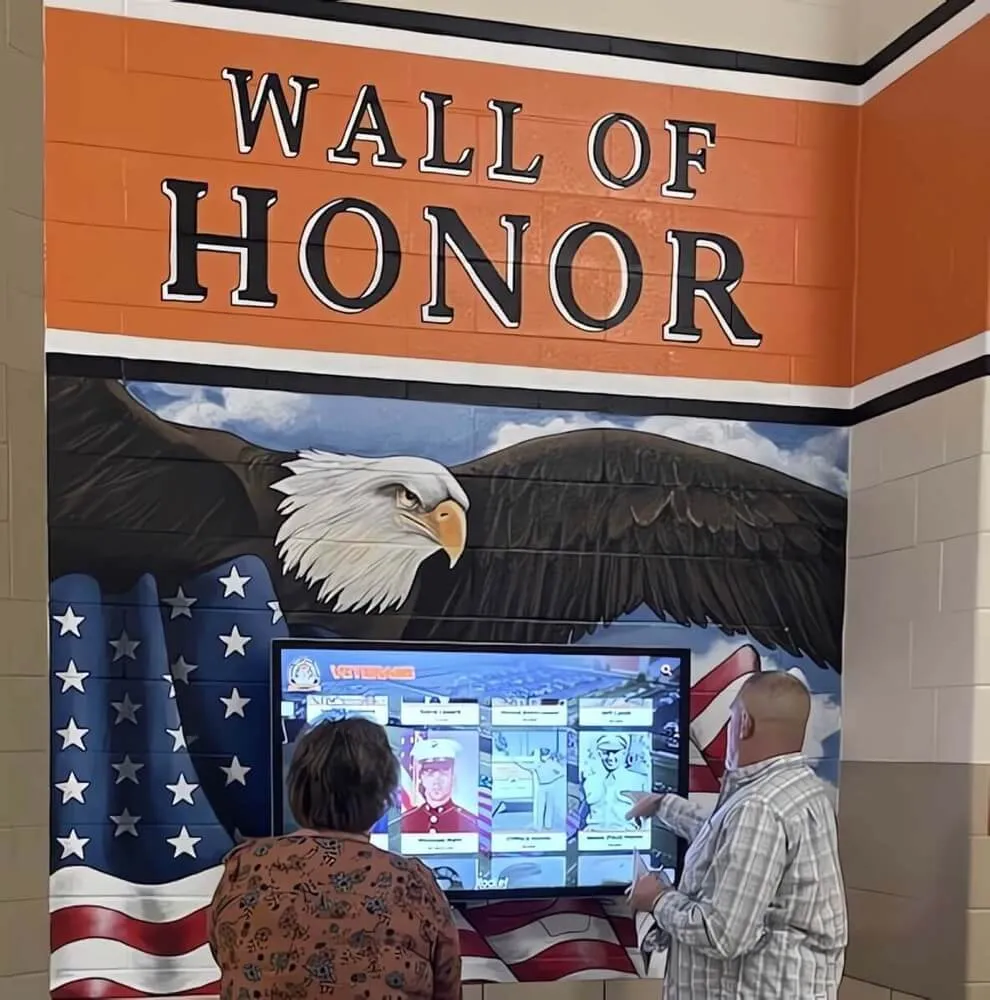
Interactive memorial displays give reunion attendees a dedicated space to remember classmates, engage with shared history, and pay their respects in a dignified setting
Why Class Reunion Memorials Matter
A memorial at a class reunion does several things that a moment of silence alone cannot accomplish. It gives names and faces to the people being honored. It provides context — who they were, what they meant to the class, what they achieved or contributed. And it creates a space where grief and gratitude can coexist with the celebration around it.
Reunions frequently serve as the only occasion when a graduating class comes together in one place. For many attendees, it is the one time every five or ten years when remembering a lost classmate feels collectively appropriate. A memorial display makes that remembrance possible without requiring anyone to interrupt the event — it stands on its own, available to anyone who wants to approach it.
Schools and alumni organizations that have built digital recognition infrastructure understand this well. Guidance on honoring fallen soldiers with memorial recognition translates directly to reunion memorial contexts: the principles of dignified display, thoughtful content, and lasting accessibility all apply whether honoring veterans or classmates.
Before You Start: What You Need to Gather
The quality of any memorial display depends on the content behind it. Collecting that content is the first task, and it takes more time than most reunion planners expect.
What to collect for each person being honored:
- Full name and graduation year (and maiden name, if applicable)
- Dates of birth and passing
- A photograph — ideally a yearbook photo and, if available, a photo from later in life
- A brief life summary: career, family, passions, community involvement
- A quote or memory contributed by classmates or family
Sources for this content:
- Your class yearbooks (scan relevant pages or request digital copies)
- Alumni association records and past reunion directories
- Families of the deceased, reached through classmate networks
- Obituaries from local newspapers
- Class Facebook groups or email lists soliciting memories
Give yourself at least six weeks to gather content before the reunion. The families of deceased classmates deserve a respectful, unhurried contact — not a last-minute request that feels transactional.
If you are working from older yearbooks, digitizing old yearbooks for hall of fame displays walks through how to convert physical pages into high-quality digital assets suitable for display. The same workflow applies directly to reunion memorial production.
Class Reunion Memorial Display Ideas
1. Printed Memory Board
The most accessible option for any budget. A printed memory board — typically foam core or a banner-printed display — features each honoree’s photo, name, years of life, and a brief tribute. This works well for smaller classes or reunions where a digital setup is impractical.
What makes it effective:
- Consistent formatting for all honorees (same photo size, same type treatment)
- A clear, dignified title: “In Memory Of” or “We Remember” followed by the class year
- Space for a small quote or memory beneath each name
- High-resolution printing — faces must be clearly recognizable
What to avoid: A crowded layout that forces faces into thumbnail size, inconsistent photo quality that makes some honorees look like afterthoughts, and glossy paper that creates glare under event lighting.
2. Memory Table with Physical Artifacts
A memory table combines printed materials with physical objects — flowers, candles, copies of the yearbook, a guest memory book — to create a tangible tribute space. This approach works especially well for milestone reunions (25th, 50th) where the class has strong shared memories and enough history to fill a table meaningfully.
Suggested memory table elements:
- Framed individual portraits or a printed memorial booklet attendees can take home
- An open guest memory book where attendees can write tributes
- Yearbooks from the graduation year, open to relevant pages
- A single flower or candle for each person being honored
- A QR code linking to an online tribute page or digital slideshow
3. Video or Slideshow Memorial Tribute
A video tribute played during the event — typically during dinner or at a dedicated moment in the program — can reach every attendee simultaneously. It works best as a respectful, unhurried sequence: one or two slides per person, with their photo, name, and brief tribute displayed long enough to read and absorb.
Production guidance:
- Allow 8–12 seconds per person — enough to read the name and tribute without rushing
- Use a simple, dignified design: dark background, light type, one strong photo
- Choose instrumental background music rather than songs with strong associations that might distract
- Keep the total runtime under 10 minutes for most class sizes — long enough to feel complete, short enough to hold attention
For examples of tribute language, short memorial tribute samples for honoring someone special provides frameworks adaptable to any individual’s background and story.

Touchscreen memorial displays allow attendees to navigate at their own pace — exploring individual tribute pages, viewing photos, and reading memories without waiting for a scheduled program moment
4. Interactive Touchscreen Memorial Display
For reunions that want to offer the most complete, dignified memorial experience, an interactive touchscreen display is the highest-impact option. Rather than showing all honorees at once (as a printed board does) or sequentially (as a slideshow does), a touchscreen lets each attendee navigate to the people they knew personally and spend as much or as little time there as they need.
What a touchscreen memorial display can include:
- Individual profile pages for each honoree with photos, biography, and tribute text
- A gallery of yearbook photos and candid images from the class’s school years
- Submitted memories and tributes from classmates, displayed as cards or quotes
- A timeline of the class’s history that contextualizes when each person was part of it
- A digital condolence feature where attendees can leave a note that the family receives
The interactivity removes the social awkwardness of standing in front of a static display for several minutes — attendees can engage privately, at their own pace, which encourages more genuine reflection.
Organizations like Rocket Alumni Solutions build touchscreen wall systems that schools and alumni groups deploy for exactly this kind of recognition. The same content infrastructure used for athletic halls of fame and institutional histories can be adapted for reunion memorial displays.
Understanding what makes touchscreen presentations effective helps when designing any digital memorial. Research on designing touch screen experiences for user engagement covers navigation design, content hierarchy, and interface choices that apply directly to memorial display contexts.
5. Candle Lighting or Moment of Silence Integration
Whatever physical display format you choose, consider pairing it with a brief, structured moment in the event program. A candle lighting ceremony — where attendees are invited to light a candle in honor of a classmate — or a 60-second moment of silence gives the memorial display a formal acknowledgment that elevates its significance.
Program moment guidelines:
- Announce it clearly in advance in reunion communications so attendees are prepared
- Have a designated speaker (class president, reunion committee chair, or a volunteer who knew the honored classmates well) read the names
- Keep it brief — 3 to 5 minutes maximum — and transition out of it gracefully into the celebration
- Invite attendees to visit the memorial display throughout the evening
Building a Memorial That Lasts Beyond Reunion Night
One of the most valuable things a reunion committee can do is design the memorial in a way that extends beyond the event itself. The content gathered — photos, biographies, tribute text, classmate memories — represents a significant effort that should not disappear after one night.
Options for preserving the memorial:
- A class memorial website or dedicated page within an alumni association site
- A digital archive contributed to the school’s alumni office
- A printed memorial booklet mailed to all registered alumni after the reunion
- Contributing tribute content to a school’s interactive hall of fame display that remains on campus year-round
Schools that maintain interactive institutional histories — including class histories with class-by-class recognition — can incorporate reunion memorial content into permanent displays. Guidance on developing college history timelines covers how institutions build comprehensive timelines that include this kind of legacy content from individual classes.
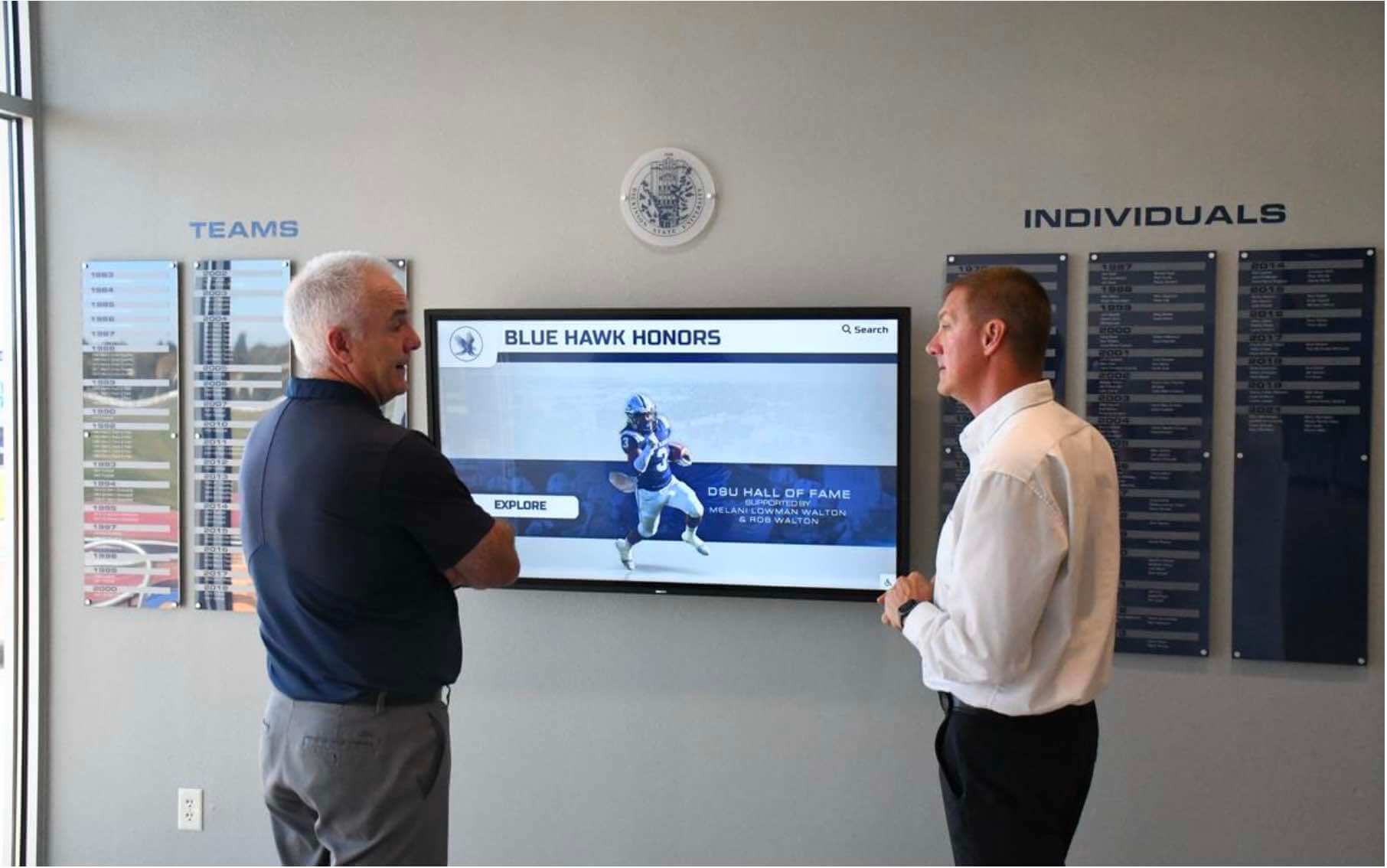
Memorial displays that remain accessible after the reunion itself — through an online version, a school archive, or a permanent campus installation — extend the value of the content gathered for the event
Making Your Memorial Inclusive and Accurate
Two commitments matter more than any design decision: accuracy and inclusivity.
Accuracy means confirming that every person listed has actually passed, confirming the correct spelling of every name, and verifying dates against reliable sources. Listing someone as deceased who is still living — a mistake that happens when working from outdated or secondhand information — is deeply distressing for that person and their family. Verify every name before the display is finalized.
Inclusivity means honoring every classmate who has passed regardless of how prominent they were in school. The valedictorian and the student no one knew well both deserve equal care on a memorial display. If you have complete yearbook records, use them as your source for who graduated with the class. Do not rely on memory or informal networks alone.
Some reunions struggle with geographic or demographic gaps in their alumni networks that make it harder to learn about classmates from certain communities. Reaching out through multiple channels — not just the main class email list — helps ensure completeness.
Coordinating Memorial Content With the School
If your reunion is associated with a school that maintains alumni records or digital recognition systems, connect with the alumni office early. They may have:
- Obituary archives or alumni death records that confirm your list
- Yearbook scan archives that provide higher-resolution photos than individual copies
- Existing digital infrastructure where tribute content could live permanently
- Contacts who can connect you with families of deceased classmates
Schools with existing digital recognition systems often already document notable alumni through interactive displays. Insights on how digital hall of fame and donor wall dual-purpose systems are structured show how the same platform can serve recognition and memorial purposes simultaneously — a model worth proposing to your school if one does not exist yet.
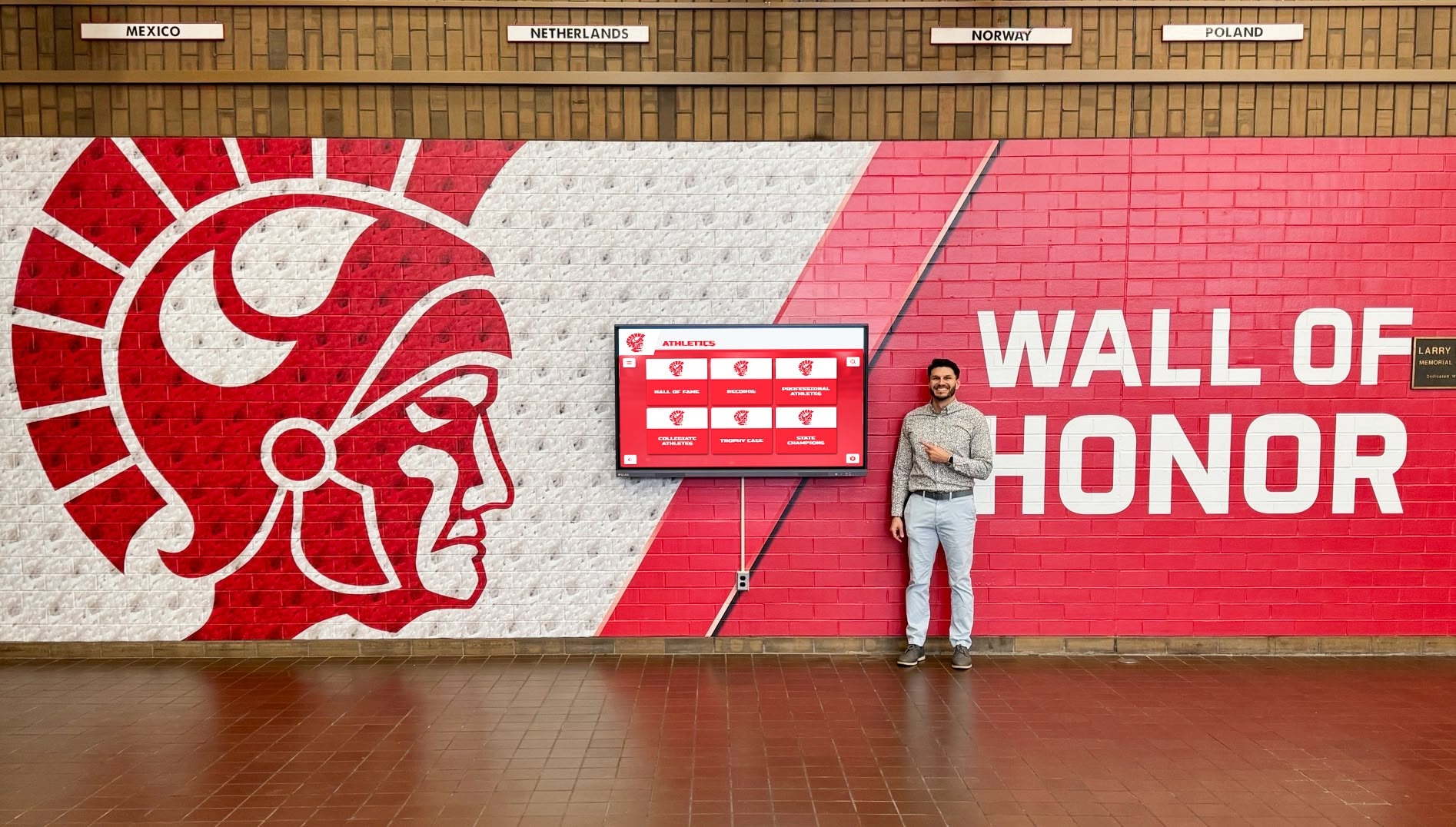
Schools with permanent wall-of-honor installations provide an ideal permanent home for reunion memorial content — extending tribute displays beyond a single event and making them accessible to future students and visitors
Exploring Best-in-Class Digital Platforms
If you are evaluating digital display solutions for a reunion memorial, comparing platforms by capability rather than cost alone gives you a clearer decision framework. Best digital showcase platforms in 2025 covers how to evaluate platforms against key criteria: content management flexibility, content longevity, navigation design, and deployment options for both event and permanent settings.
For reunions that want a temporary setup — a display active only for the event weekend — renting or borrowing a touchscreen and loading it with pre-built content is viable. For reunions interested in contributing to a permanent school installation, consulting with the school’s facilities and IT teams ensures the content format is compatible with existing systems.

Individual profile pages on touchscreen displays — whether for athletic recognition or class reunion memorials — follow the same structure: portrait photo, name, dates, and tribute content organized for easy navigation
Pre-Reunion Memorial Planning Checklist
Use this checklist to track your memorial preparation across the months before your reunion.
Content gathering (8–12 weeks before)
- Pull complete class roster from graduation year records
- Cross-reference with alumni association death records and obituaries
- Contact classmate network (email list, Facebook group) to confirm additional names
- Compile names, dates of birth/passing, and brief biographies for each honoree
- Request family permission for photos and tribute content
- Digitize yearbook photos at 300 dpi minimum for print quality
Display production (4–6 weeks before)
- Select display format: printed board, slideshow, touchscreen, or combination
- Design layout template for consistent honoree treatment
- Write or compile tribute text for each honoree (100–200 words each)
- Proofread all names, dates, and tribute text — have a second person verify
- Order or produce the physical display; allow lead time for printing or device setup
Event setup (1 week before)
- Confirm display placement in the venue — quiet, accessible, well-lit, separate from high-traffic areas
- Test any digital or AV equipment on-site
- Confirm program moment with event MC or speaker
- Prepare a guest memory book and signage for the memorial station
- Notify attendees via final communications that a memorial display will be present
Post-reunion (within 2 weeks after)
- Archive all memorial content in a digital format for future use
- Send tribute content to families of honorees who participated
- Contact school alumni office about contributing to a permanent display
- Note lessons for the next reunion committee
Connecting Memorial Displays to Broader Alumni Recognition
Reunion memorial ideas do not exist in isolation. The strongest alumni engagement programs treat memorial recognition as one element of a larger system that celebrates the full arc of a class’s history — athletic achievements, academic honors, service, and legacy.
For alumni organizations looking at how physical display design can carry both celebratory and memorial recognition in the same space, guidance on sports memorabilia and alumni display design shows how schools integrate multiple content types into cohesive wall systems that serve different audiences and purposes.
For memorial displays specifically tied to veterans, service members, and community heroes, memorial flag display cases and school veterans tribute walls covers specialized design approaches that honor military service within alumni recognition contexts.
Conclusion
A class reunion memorial does not need to be elaborate to be meaningful. What matters most is that the people being honored are treated with the same care and specificity as they would have been in life — individual names, individual faces, individual stories. Whether you build a simple printed board or deploy a full interactive touchscreen display, the standard is the same: every person on that display should be recognizable as a real individual, not a statistic.
Start with your content. Give yourself enough time to gather it carefully. Then choose the format that fits your resources and venue. The attendees who approach that display on reunion night — whether to find a childhood friend, a teammate, or someone they barely knew but mourn all the same — will feel the difference between a memorial made with care and one assembled at the last minute.
Build a Memorial Display That Honors Every Classmate
Rocket Alumni Solutions creates interactive touchscreen displays for schools and alumni organizations — including tribute walls, class history timelines, and memorial recognition systems that extend far beyond a single reunion night.
Explore Memorial Display Solutions






























