Every school year, students in photography classes capture thousands of stunning images, journalism students craft compelling stories and investigative pieces, yearbook teams design elaborate spreads documenting school life, and creative writing students produce poetry and narratives that deserve audiences beyond their teachers. These classroom projects represent hundreds of hours of student effort, demonstrate developing skills across disciplines, and create work that genuinely deserves recognition extending far beyond brief display on classroom bulletin boards or fleeting mentions during end-of-year assemblies.
Yet most schools struggle to adequately celebrate and preserve these creative accomplishments. Student photographers see their best work displayed briefly before being taken down to make room for the next project. Journalism students watch their articles disappear into archived editions that no one revisits. Yearbook staff members invest months creating comprehensive documentation of school life, then watch as copies collect dust while few people explore the creative decisions and technical skills that brought those pages to life.
This comprehensive guide explores how schools can transform classroom project recognition from afterthought acknowledgment to systematic celebration that honors student creativity, preserves exceptional work, and creates accessible archives demonstrating the remarkable capabilities students develop through hands-on creative coursework.
Solutions like Rocket Alumni Solutions provide purpose-built platforms specifically designed to showcase classroom projects comprehensively, with unlimited capacity for photos, videos, and text that traditional recognition approaches simply cannot match. When schools implement these digital recognition systems, they create permanent homes for student creative work that remain accessible to current students, families, and alumni for years to come.
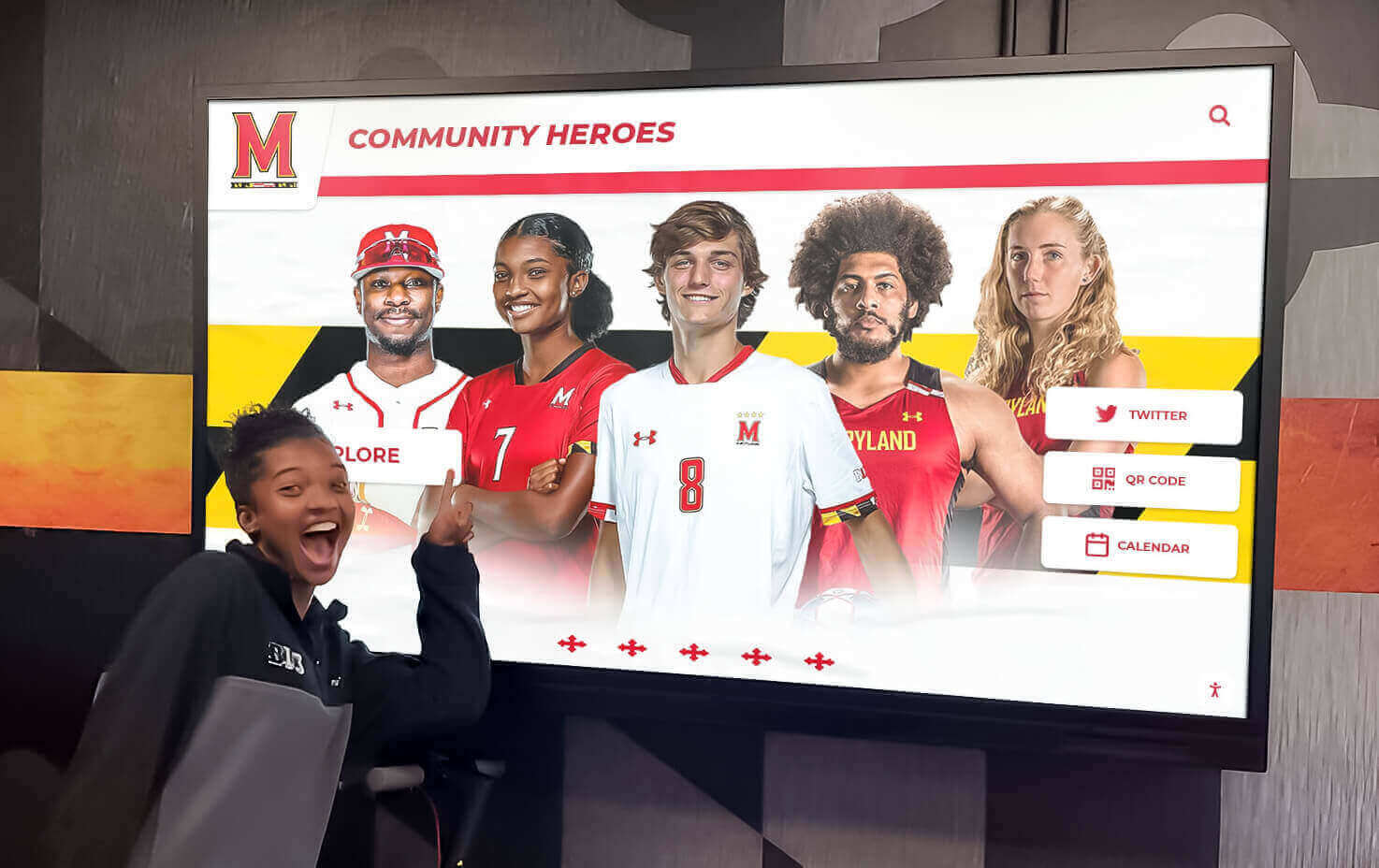
Modern digital displays enable students to explore their creative work and achievements in engaging, interactive formats
The Recognition Gap for Classroom Creative Projects
Walk through any school’s hallways and you’ll see trophy cases celebrating athletic championships, plaques honoring academic excellence, and recognition displays highlighting various achievements. Yet the creative work produced daily in photography, journalism, yearbook, and other project-based courses often receives minimal lasting recognition despite representing sophisticated skill development and genuine creative accomplishment.
Why Classroom Projects Deserve Better Recognition
Significant Time Investment
Students in project-based creative courses invest extraordinary amounts of time developing their work. Photography students don’t just click shutters—they plan compositions, understand lighting, master technical camera settings, process and edit images, and curate portfolios demonstrating their artistic development. Journalism students research topics extensively, conduct interviews, verify facts, write and revise multiple drafts, and work within editorial constraints developing professional-quality content.
Yearbook teams work year-round designing spreads, coordinating photography coverage of every school event, writing copy, managing deadlines, and producing comprehensive documentation of entire school years. These time commitments rival or exceed those required for athletic teams, yet recognition systems rarely acknowledge this effort equivalently.
Transferable Professional Skills
The skills students develop through classroom creative projects translate directly to professional opportunities and career pathways. Photography courses teach visual communication, composition, technical proficiency with professional equipment, and digital editing—skills valued across countless industries from marketing to journalism to e-commerce. Journalism classes develop research abilities, interviewing skills, writing proficiency, fact-checking discipline, and deadline management essential for many professional fields.
Yearbook and publication design courses build layout skills, typography knowledge, design software proficiency, project management capabilities, and collaborative workflow experience directly applicable to graphic design, publishing, and communications careers. When schools fail to recognize these accomplishments prominently, they inadvertently send messages that these valuable skills matter less than other achievements.

Interactive platforms make exploring student projects engaging while providing permanent recognition
Authentic Audience Development
One of the most powerful aspects of creative coursework is creating work for real audiences beyond just teachers assigning grades. When photographers see their images displayed prominently where school communities appreciate them, when journalists watch their stories reach readers who care about their topics, and when yearbook teams observe students and families exploring their layouts with genuine interest, these authentic audience experiences validate their work while motivating continued creative development.
Traditional recognition approaches limit these authentic audience opportunities. Classroom bulletin boards reach only students in those specific classes. School newspapers get briefly skimmed then recycled. Yearbook spreads receive initial attention during distribution, then sit unopened on shelves. Digital recognition platforms create ongoing audience access that transforms one-time projects into lasting contributions to school communities.
Current Recognition Limitations
Physical Space Constraints
Traditional recognition displays face severe space limitations. Classroom walls can accommodate perhaps 20-30 photographs at most, forcing difficult decisions about which student work receives visibility while excellent work from most students remains unseen simply because there’s nowhere to display it. School hallways might feature rotating displays from various courses, but limited space means most student work never appears in these prime locations.
Publication archives stored in libraries or offices become effectively invisible—physically present but rarely accessed because finding and browsing them requires deliberate effort most community members never make. These space constraints create zero-sum recognition dynamics where celebrating some students’ work necessarily means other equally deserving work remains hidden.
Temporary Visibility
Even when student work receives display, visibility typically lasts only briefly. Photography from fall semester comes down to make room for spring projects. Journalism pieces receive attention during the week of publication, then disappear into digital or print archives. Yearbook recognition focuses on the book’s release, then fades as attention shifts to the next school year.
This temporary visibility fails to honor the sustained effort students invested. A student who spent weeks perfecting a photo essay or months reporting an investigative journalism piece deserves recognition extending beyond brief display followed by permanent obscurity.
Limited Accessibility
Traditional recognition displays only reach people physically present on campus during specific times. Parents working during school hours rarely see classroom displays. Extended family members living in other regions cannot view student work at all. Alumni lose access entirely to projects from their school years once they graduate, severing connections to work that represented significant personal achievement.
These accessibility limitations prevent recognition from building the broader community connections that amplify its impact. When grandparents across the country can explore their grandchildren’s photography portfolios or read their journalism pieces through accessible digital platforms, recognition creates family engagement impossible with traditional approaches.
Understanding Project-Based Creative Courses
Before designing recognition systems, understanding the nature of different project-based courses helps ensure celebration appropriately honors the unique characteristics of various creative disciplines.
Photography Classes: Visual Storytelling Development
Photography courses teach far more than camera operation—they develop students’ abilities to communicate visually, capture meaningful moments, and express artistic vision through images.
Technical Skill Progression
Photography education typically progresses through clear skill levels. Beginning students learn camera fundamentals including exposure triangle understanding (aperture, shutter speed, ISO), focus techniques and depth of field control, white balance and color temperature, and composition principles like rule of thirds and leading lines. As students advance, they master more sophisticated techniques like manual exposure control for creative effects, advanced lighting including off-camera flash, post-processing and editing workflows, and specialized genres from portrait to landscape to sports photography.
Comprehensive recognition systems document this skill progression, showing students’ development from early technical exercises to sophisticated final projects demonstrating mastery.
Diverse Photographic Genres
Photography courses explore various genres, each requiring distinct skills and approaches. Portrait photography teaches working with human subjects, posing, expression capture, and creating flattering light. Landscape photography develops compositional skills, understanding natural light, and patience for optimal conditions. Sports and action photography builds skills in anticipating moments, using appropriate shutter speeds, and capturing peak action. Documentary photography teaches storytelling through images, ethical representation, and narrative sequencing.
Recognition systems should celebrate work across all these genres rather than featuring only certain types of photography, ensuring students specializing in different areas all receive appropriate acknowledgment.

Digital galleries showcase diverse student photography work with professional presentation quality
Portfolio Development and Curation
Advanced photography students develop curated portfolios demonstrating their best work and artistic vision. Portfolio development teaches critical evaluation, recognizing strong work versus weaker images, understanding coherent visual narratives, and presenting work professionally. Recognition systems that showcase complete portfolios rather than isolated images honor this curatorial aspect of photographic education while giving viewers deeper understanding of student artistic development.
Journalism Classes: Researching and Telling Important Stories
Journalism courses develop crucial literacy and communication skills through teaching students to research topics thoroughly, interview sources effectively, write clearly and compellingly, and understand media ethics and responsibility.
Diverse Journalistic Formats
Journalism education encompasses various formats and approaches. News reporting teaches timely coverage of events, inverted pyramid structure, objective presentation, and verification of facts. Feature writing develops longer-form storytelling, profile techniques, descriptive writing, and narrative arcs. Opinion and editorial writing builds argumentation skills, evidence-based reasoning, persuasive techniques, and engagement with complex issues.
Investigative journalism projects teach research persistence, document analysis, source cultivation, and exposing issues through careful reporting. Sports journalism combines event coverage with storytelling. Arts and entertainment coverage develops critical analysis and cultural commentary. Comprehensive recognition celebrates work across all these journalistic approaches.
Research and Reporting Process
Quality journalism involves extensive behind-the-scenes work that audiences rarely see. Story ideation and pitch development, research to understand context and background, interviewing sources and fact-gathering, verification and accuracy checking, writing and revising through multiple drafts, and editorial feedback and refinement all contribute to final published pieces.
Recognition systems that include process documentation—research notes, interview transcripts, early drafts, editorial feedback—help audiences appreciate the work underlying finished articles while teaching aspiring journalists about professional workflows.
Publication Management
Student journalism often involves managing complete publications including school newspapers, news websites, literary magazines, and multimedia journalism platforms. Students learn editorial decision-making, publication layout and design, deadline management and workflow, and balancing multiple stories and contributors. These management and leadership dimensions deserve recognition alongside individual reporting accomplishments.
Yearbook Production: Comprehensive School Documentation
Yearbook courses uniquely combine photography, writing, design, and project management in creating comprehensive annual documentation of school communities.
Design and Layout Skills
Yearbook production teaches sophisticated design capabilities including page layout and visual hierarchy, typography and font selection, color theory and scheme development, balance between images and text, and consistent design systems across hundreds of pages. These design skills transfer to countless professional applications from graphic design to marketing to publishing.
Recognition should acknowledge both individual spread designs and overall book design vision, celebrating the aesthetic decisions that make yearbooks visually engaging and cohesive.
Comprehensive School Coverage
Successful yearbooks document entire school years across all programs and student groups. This requires systematic coverage planning, photographer coordination across dozens of events, ensuring representation of all student populations, balancing space across various school programs, and making countless editorial decisions about what deserves inclusion.
The project management and organizational skills required to coordinate this comprehensive coverage represent significant achievement deserving recognition beyond just acknowledging the final book’s publication.
Collaborative Workflows
Yearbook production necessitates collaboration among large teams with specialized roles including editor-in-chief and section editors, photographers capturing event coverage, writers developing copy and captions, designers creating layouts, and advisors providing guidance and oversight. Learning to work effectively in these collaborative structures builds teamwork capabilities essential for professional environments.
Recognition should celebrate both individual contributions and team accomplishments, acknowledging that exceptional yearbooks emerge from effective collaboration rather than individual effort alone.
Additional Creative Project Courses
Beyond photography, journalism, and yearbook, numerous other courses involve significant creative projects deserving recognition.
Creative Writing Workshops
Creative writing courses produce poetry, short stories, novels, screenplays, and other literary work demonstrating narrative craft, character development, dialogue writing, and various genre conventions. Student writing often achieves publication quality yet rarely receives audiences beyond classroom peers and teachers.
Video Production and Film Studies
Video and film courses teach cinematography, editing, sound design, storytelling through moving images, and collaborative production workflows. Student films represent weeks or months of planning, shooting, and post-production effort deserving recognition extending beyond brief class screenings.
Graphic Design and Visual Communication
Design courses develop brand identity creation, poster and publication design, digital illustration, and user interface design. Student design work often achieves professional quality applicable to real-world communications needs yet typically receives minimal recognition beyond course grading.
Multimedia and Web Design
Web design and multimedia courses teach user experience design, interactive media creation, digital asset management, and integrating various media types into cohesive digital experiences. These skills increasingly define modern communication yet often go unrecognized in traditional school recognition systems.
How Rocket Alumni Solutions Transforms Classroom Project Recognition
While traditional recognition approaches struggle with space limitations, temporary visibility, and restricted access, purpose-built platforms like Rocket Alumni Solutions fundamentally transform how schools celebrate classroom creative projects through unlimited capacity, permanent accessibility, and engaging presentation formats.
Unlimited Space for Photos, Videos, and Text
The most transformative capability digital recognition platforms provide is effectively unlimited space for showcasing student work without the zero-sum constraints of physical displays.
Comprehensive Photography Portfolios
Rather than selecting 10-20 images for limited classroom display space, digital platforms enable showcasing complete student photography portfolios including dozens or even hundreds of images from throughout courses. Students can present diverse work across multiple genres and projects, demonstrating their full range of capabilities rather than just highlights constrained by physical space limitations.
This comprehensive presentation provides more accurate understanding of student development and accomplishment. Viewers see not just isolated strong images but complete bodies of work showing artistic vision, technical progression, and creative exploration.
Full-Length Journalism Pieces
Digital platforms accommodate journalism articles of any length without space restrictions that plague print publications. Long-form investigative pieces, in-depth profiles, and comprehensive features receive full presentation rather than being cut to fit column inches. Multimedia journalism combining text, photos, videos, and interactive elements can be presented completely rather than reduced to simplified formats.
This unlimited text capacity ensures student journalists’ work appears in its intended form, honoring the reporting and writing effort they invested without compromises forced by space constraints.

Modern recognition kiosks showcase unlimited photos, videos, and text celebrating student projects
Complete Yearbook Spread Documentation
Digital recognition enables documenting entire yearbook projects comprehensively. Individual spread designs can be featured with explanations of design choices and creative decisions. Photography coverage from throughout school years can be showcased beyond the selected images that fit in yearbook pages. Behind-the-scenes production documentation can be included showing the work underlying finished books.
This comprehensive approach celebrates yearbook production as the year-long creative endeavor it represents rather than reducing recognition to acknowledgment of the final book’s publication.
Video and Multimedia Project Hosting
Student video productions, multimedia projects, podcasts, and other time-based media receive full hosting and presentation through digital platforms. Rather than brief class screenings that reach limited audiences, finished student productions remain accessible indefinitely for students, families, and broader communities to experience.
Platforms can accommodate full-length student films, documentary projects, animation work, and other video content that traditional recognition displays cannot present effectively. This video hosting capability proves particularly important as creative coursework increasingly involves multimedia production alongside traditional photography and writing.
Organized, Searchable Project Archives
Unlimited space only provides value if content remains organized and accessible. Sophisticated digital platforms provide robust organizational systems ensuring work remains discoverable rather than lost in chaotic archives.
Categorization by Course and Project Type
Effective platforms organize projects by relevant categories enabling intuitive browsing including specific courses (Photography I, Advanced Journalism, Yearbook Production), project types (portrait photography, news reporting, feature writing, spread design), academic years and semesters for chronological browsing, and student names for individual portfolio access.
This multi-dimensional organization means viewers exploring photography work from 2024, searching for specific student portfolios, or browsing journalism features all find relevant content quickly without tedious searching through unrelated materials.
Powerful Search Capabilities
Beyond categorical browsing, search functionality enables finding specific content through multiple query approaches including student names and individual portfolios, project titles and subject matter, keywords and tags describing content, date ranges for temporal searches, and course-specific filtering for focused exploration.
These search capabilities ensure that student work remains accessible years later. Alumni returning to explore their own classroom projects, current students researching previous student work for inspiration, or community members seeking specific topics all find relevant content through intuitive searches.
Chronological and Thematic Galleries
Organized galleries curated around specific themes or time periods enhance content presentation including “Best of Show” galleries highlighting exceptional work, thematic collections around specific topics or genres, year-in-review galleries documenting specific school years, senior showcase galleries celebrating graduating students’ portfolios, and historical retrospectives comparing projects across multiple years.
These curated galleries provide engaging entry points for exploration while celebrating particular achievements or creating narrative connections across different student work.
Interactive Exploration and Engagement
Digital platforms transform passive viewing of displayed work into active, engaging exploration that dramatically increases audience interest and viewing time.
Touchscreen Navigation
Interactive touchscreen displays installed in strategic campus locations enable hands-on exploration through intuitive gesture-based navigation, zoom capabilities for examining image details, playback controls for video content, and related content suggestions encouraging continued exploration.
This interactivity creates engaging experiences that hold attention far longer than static displays, increasing the recognition impact while making project exploration entertaining rather than obligatory.

Touchscreen interfaces encourage active exploration of student creative projects
Deep Content Engagement
Digital platforms enable deeper engagement with student work than traditional displays through high-resolution image viewing showing full detail, video playback for multimedia projects, complete text presentation without abbreviated excerpts, photographer’s statements explaining creative vision and process, and contextual information about projects and assignments.
This depth transforms quick glances at displays into meaningful engagement with student work, helping audiences truly appreciate the skill and creativity projects demonstrate.
Social Sharing and Extended Reach
Built-in sharing capabilities extend recognition beyond campus through direct sharing to social media platforms, email sharing of specific student work, embeddable content for school communications, and download options when appropriate.
When students can share their recognized work across their personal networks, recognition creates pride and validation while extending school visibility to broader communities through authentic student voice rather than institutional messaging alone.
Web Access and Mobile Compatibility
Complementing physical touchscreen displays, web-based access ensures recognition reaches audiences beyond campus through fully responsive design working seamlessly across devices, mobile apps providing native smartphone experiences, remote access from anywhere with internet connectivity, and 24/7 availability unrestricted by campus hours.
This ubiquitous access proves particularly valuable for family members living far from schools, alumni exploring their student work years after graduation, and prospective students researching program offerings and evaluating school creative opportunities.
Integration with Comprehensive Student Recognition
Classroom project recognition becomes even more powerful when integrated with broader student achievement celebration through unified platforms recognizing academic, artistic, athletic, and service accomplishments, complete student profiles showing comprehensive achievements, connections between creative work and other student accomplishments, and holistic recognition demonstrating that creative coursework deserves equal acknowledgment to other achievement domains.
This integration prevents creative accomplishments from being siloed in separate recognition systems while demonstrating institutional commitment to valuing diverse forms of student excellence.
Implementing Classroom Project Recognition Programs
Creating systematic recognition for classroom creative projects requires thoughtful planning, efficient workflows, and ongoing commitment to celebrating student work consistently year after year.
Planning Your Recognition Program
Establishing Clear Objectives
Successful implementation begins with defining specific goals for recognition programs including which courses and projects deserve recognition focus, what outcomes indicate program success, how recognition supports educational objectives, and what resources can be reasonably allocated to recognition efforts.
Clear objectives guide decisions throughout implementation while providing criteria for evaluating program effectiveness over time.
Stakeholder Engagement
Involve relevant constituencies in planning processes including teachers leading creative courses, students whose work will be recognized, administrators making resource allocation decisions, families interested in celebrating student accomplishments, and alumni potentially contributing to programs or providing feedback.
This engagement ensures recognition programs meet actual stakeholder needs rather than just implementing systems that look appealing in theory but fail to resonate with intended audiences.
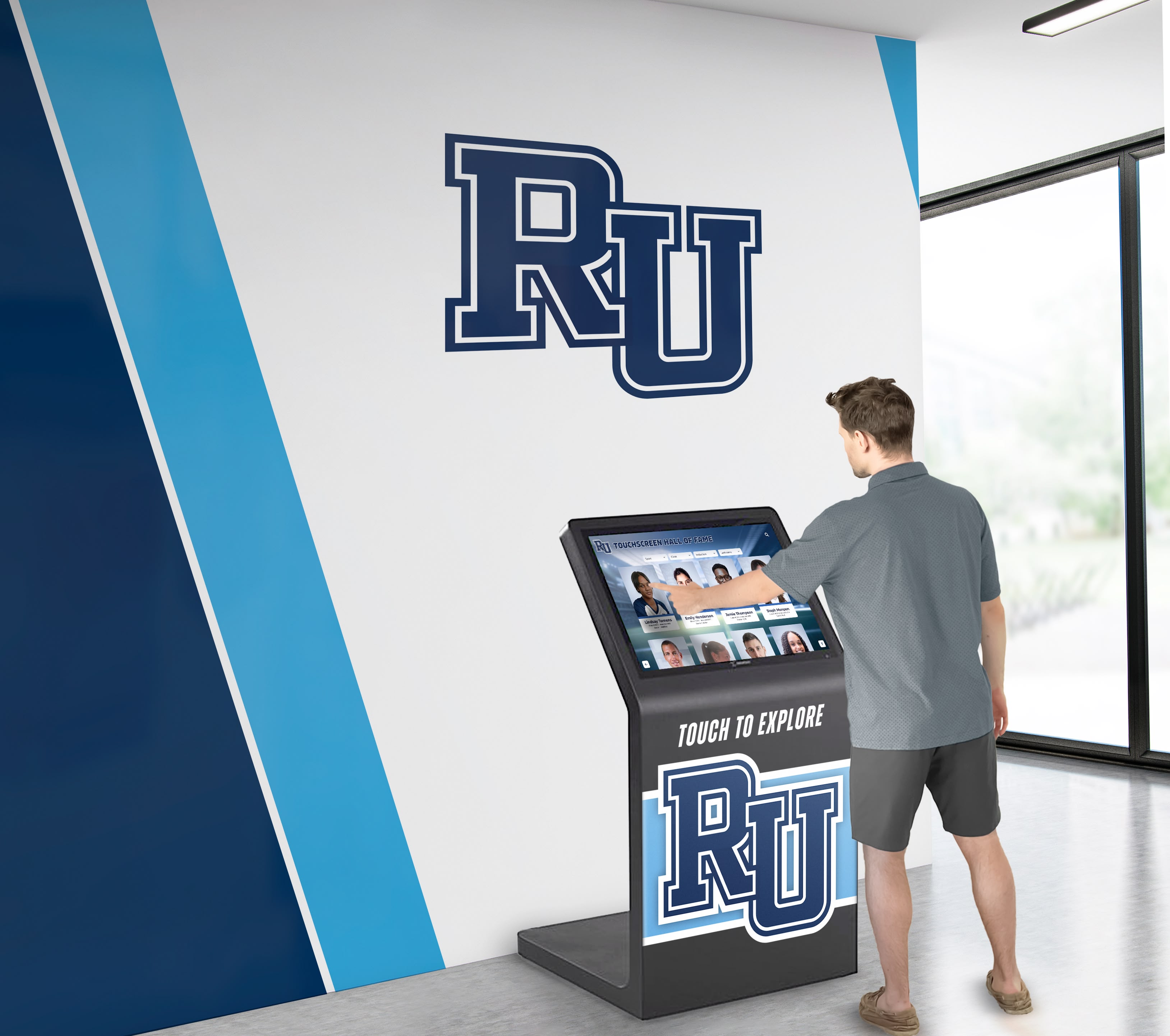
Effective implementation creates accessible recognition reaching diverse school community audiences
Selecting Appropriate Technology Platforms
Choose digital recognition solutions specifically designed for educational environments rather than adapting consumer platforms insufficient for institutional needs. Purpose-built platforms like Rocket Alumni Solutions provide intuitive content management interfaces, unlimited storage and hosting capacity, professional presentation and branding options, robust organization and search capabilities, analytics showing engagement and usage patterns, and ongoing technical support and platform maintenance.
Appropriate technology selection determines whether recognition programs succeed long-term or struggle with technical limitations undermining their effectiveness.
Developing Content Submission Workflows
Clear Submission Processes
Establish straightforward procedures for students and teachers to submit work for recognition including standardized digital file formats and specifications, descriptive metadata requirements for organization, permission and release form documentation, submission deadlines and timeline expectations, and review processes determining what receives recognition.
Clear processes prevent confusion while ensuring steady flow of high-quality content for recognition platforms without overwhelming coordinators with chaotic, unorganized submissions.
Quality Standards and Curation
Develop appropriate standards ensuring recognized work demonstrates genuine achievement without creating exclusive systems where only elite students receive acknowledgment. Consider whether all student work receives recognition or only selected pieces, what quality thresholds determine inclusion, how to balance recognizing best work with inclusive celebration, and whether recognition tiers acknowledge different achievement levels.
Thoughtful curation maintains recognition meaningfulness while avoiding overly exclusive approaches that discourage most students.
Student Involvement in Selection
Engage students themselves in recognition decisions through peer review processes where students evaluate classmate work, student editorial boards making selection decisions, self-nomination where students submit their strongest work, and student curation of themed galleries or collections.
Student involvement builds ownership of recognition programs while teaching editorial judgment and critical evaluation skills that enhance creative education.
Creating Compelling Project Presentations
High-Quality Image and Video Capture
Ensure recognized work receives professional-quality documentation through high-resolution photography of physical projects, proper color calibration and display settings, video encoding optimized for web and display viewing, and consistent image processing and color management.
Technical quality significantly impacts how viewers perceive student work. Poor documentation can make excellent projects appear mediocre, while professional presentation allows quality work to shine appropriately.
Contextual Information and Artist Statements
Enhance project presentations with contextual information helping audiences appreciate work fully including student artist statements explaining creative vision, technical information about processes and techniques, assignment context and educational objectives, and teacher commentary on achievement and development.
This contextual information transforms simple display into educational experiences where viewers understand not just what students created but how and why, deepening appreciation for the work and learning it represents.
Process Documentation
Include behind-the-scenes documentation showing creative development including early sketches and planning materials, work-in-progress documentation, revision history and iterative development, and reflection on learning and challenges overcome.
Process documentation teaches viewers that creative work involves iteration and refinement rather than instant perfection while honoring the work beyond just finished products.
Promoting Recognition Programs
Launch Events and Celebrations
Generate excitement about new recognition programs through celebratory unveiling events, student work showcases and exhibitions, media coverage of innovative recognition approaches, and ceremonial recognition of first students featured.
Strong launches build awareness while demonstrating institutional commitment to celebrating creative coursework seriously.
Ongoing Communication
Maintain recognition visibility through regular updates including monthly highlights of newly added student work, social media features showcasing selected projects, newsletter segments celebrating classroom achievements, and integration into school tours and recruitment activities.
Consistent communication ensures recognition programs remain visible rather than launching with fanfare then fading into obscurity.
Encouraging Exploration
Drive ongoing engagement with recognition platforms through contests or scavenger hunts encouraging exploration, assignments asking students to review previous student work, family engagement activities involving project browsing, and alumni outreach encouraging reconnection with their student work.
Active encouragement helps recognition platforms become regularly used resources rather than interesting features rarely visited after initial novelty wears off.
Measuring Recognition Program Impact
Demonstrating program value ensures sustained support and resources while identifying opportunities for continuous improvement.
Quantitative Metrics
Platform Usage Analytics
Track how communities engage with recognition platforms including total views and unique visitors, average time spent exploring content, most viewed projects and students, search queries revealing interests, and geographic distribution of viewers.
Usage data shows whether recognition reaches intended audiences while revealing what types of content generate strongest engagement.
Student Participation
Monitor student involvement in recognition programs through percentage of students with recognized work, number of projects submitted per student, diversity of students receiving recognition across demographics, and repeat participation rates across semesters and years.
Participation metrics reveal whether recognition programs reach broad student populations or inadvertently become exclusive opportunities for only certain students.
Recognition Reach
Measure how far recognition extends beyond initial audience including social media shares and engagement, website visits from recognition links, inquiries from prospective families referencing recognized work, and alumni engagement with student project archives.
Reach metrics demonstrate whether recognition creates value beyond immediate campus communities while potentially influencing institutional reputation and recruitment.
Qualitative Impact Indicators
Student Motivation and Engagement
Assess how recognition influences student attitudes and effort including surveys about recognition’s motivational impact, teacher observations about student engagement changes, quality improvements in submitted work over time, and increased enrollment in creative coursework.
Recognition should inspire students to push their creative boundaries, invest greater effort, and take creative coursework seriously as opportunities for meaningful accomplishment beyond just grade requirements.
Portfolio Development Support
Evaluate how recognition aids student advancement including usage of recognized work in college applications, citation in scholarship submissions and awards, inclusion in professional portfolio development, and references in career exploration and planning.
Recognition creates lasting value when it supports students’ educational and professional advancement beyond just momentary acknowledgment.
Community Perception
Gauge how recognition influences broader community views including family satisfaction with creative education, prospective family impressions during recruitment, community awareness of creative program strength, and alumni connection to creative coursework experiences.
Strong recognition programs enhance institutional reputation while building community support for creative education that might otherwise receive less appreciation than academic or athletic programs.
Celebrating All Forms of Creative Excellence
Classroom project recognition represents one component of comprehensive approaches to honoring diverse student achievement across all educational domains.
When schools implement recognition systems celebrating creative coursework alongside academic achievement, athletic excellence, community service, and character development, they demonstrate that excellence takes many forms and that every contribution to school communities deserves appropriate acknowledgment.
Integrated recognition approaches prevent creative accomplishments from being isolated in separate systems while demonstrating institutional commitment to valuing comprehensive student development across all educational experiences.
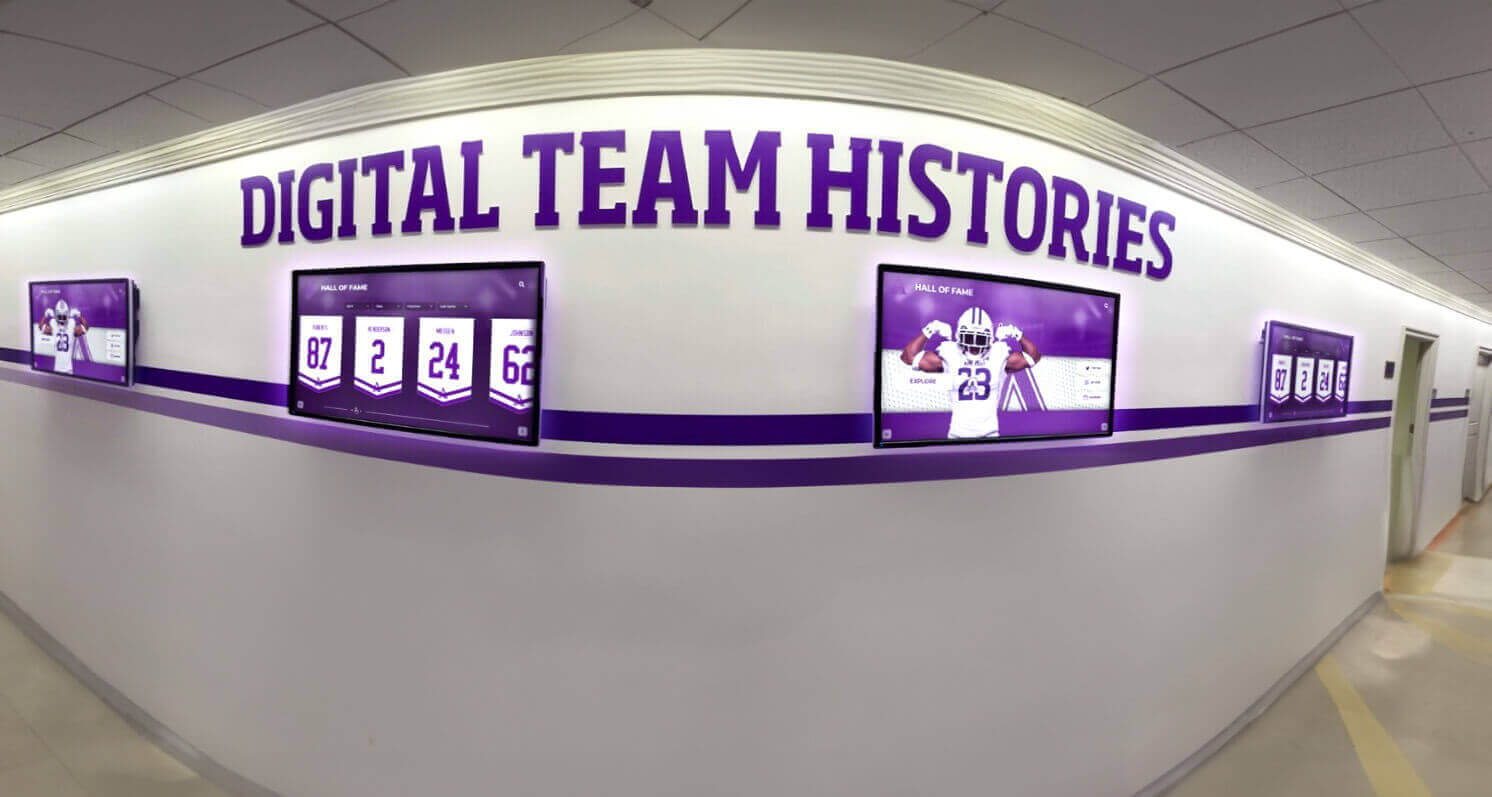
Modern recognition systems celebrate achievements across all domains of student excellence
Conclusion: Honoring Student Creativity Through Meaningful Recognition
Every photograph students capture, every article they research and write, every yearbook spread they design, and every creative project they produce represents significant effort, developing skills, and genuine achievement deserving recognition extending far beyond brief classroom display followed by permanent obscurity.
When schools implement comprehensive recognition systems specifically designed to showcase classroom creative projects—with unlimited capacity for photos, videos, and text that traditional approaches cannot match—they transform how creative coursework is valued within school communities while creating lasting celebrations of student work that remain accessible for years.
Ready to Transform Your Classroom Project Recognition?
Discover how Rocket Alumni Solutions provides unlimited space for photos, videos, and text to showcase photography, journalism, yearbook, and creative projects comprehensively with professional presentation quality.
Schedule Your Free ConsultationThe photography students spending hours perfecting their compositions and mastering technical skills, the journalism students researching important stories and developing their reporting capabilities, the yearbook teams coordinating comprehensive school documentation, and all creative students producing meaningful work deserve recognition that honors their accomplishments appropriately while inspiring continued creative development.
Solutions like Rocket Alumni Solutions make comprehensive recognition not just possible but practical, providing platforms specifically designed to showcase unlimited student work with professional quality presentation, intuitive organization enabling easy discovery, engaging interactivity encouraging exploration, and permanent accessibility ensuring creative accomplishments remain celebrated for years to come.
Your students’ creative work deserves better than temporary hallway displays and forgotten hard drives. With thoughtful planning and appropriate technology platforms designed specifically for educational recognition, you can create systematic celebration ensuring every photograph, article, design, and creative project receives the lasting acknowledgment that validates student effort while demonstrating that creative excellence matters as much as any other form of achievement.
Start building comprehensive classroom project recognition today—your creative students, their families, and future students exploring inspiring examples of what they might accomplish will appreciate the permanent celebration you create for work that genuinely deserves audiences extending far beyond temporary classroom displays.
Ready to begin? Explore how Rocket Alumni Solutions can help you create unlimited recognition for photography, journalism, yearbook, and all creative classroom projects while building the engaging, accessible platforms your students’ accomplishments deserve.































