Athletic departments, schools, and recognition-focused organizations face a common challenge: showcasing decades of achievements, memorabilia, and collectibles in ways that preserve their value while creating engaging displays that inspire current students and honor past accomplishments. The right collectibles display cabinet does more than store items behind glass—it tells stories, creates visual impact, and transforms hallways and lobbies into spaces that celebrate excellence.
Whether you’re planning a new athletic facility, renovating an existing trophy area, or simply looking to better organize growing collections of awards, jerseys, signed equipment, and commemorative items, thoughtful cabinet selection and design makes the difference between cluttered storage and compelling recognition displays. Glass quality, lighting design, layout organization, and preservation features all contribute to displays that maintain their visual appeal and protect valuable collectibles for decades.
This comprehensive guide explores practical collectibles display cabinet ideas specifically for athletic and recognition spaces, with detailed specifications on glass options, lighting strategies, layout approaches, and modern digital alternatives that address common space and maintenance challenges.
Assessing Your Display Cabinet Needs
Before selecting display cabinets, conduct a thorough assessment of your collectibles, space, and recognition objectives to guide appropriate solutions.
Inventory Your Collection
What are you displaying? Athletic collectibles vary dramatically in size, value, and display requirements. Trophies, plaques, championship balls, signed jerseys, retired numbers, team photos, medals, commemorative equipment, and historical memorabilia all need different display approaches. Document your current collection by category and size to determine cabinet specifications.
How much will your collection grow? Calculate your annual acquisition rate. Schools with 15-20 sports programs might add 30-50 new items yearly. Organizations honoring multiple achievement categories accumulate collectibles faster than those focusing solely on championships. Adequate capacity planning prevents costly cabinet additions within just a few years.
What’s the value of your items? High-value collectibles—championship trophies, signed equipment from professional athletes, historically significant items—require enhanced security features and preservation-grade display conditions. Standard cabinets suffice for participation awards and less valuable items.
Space and Environmental Considerations
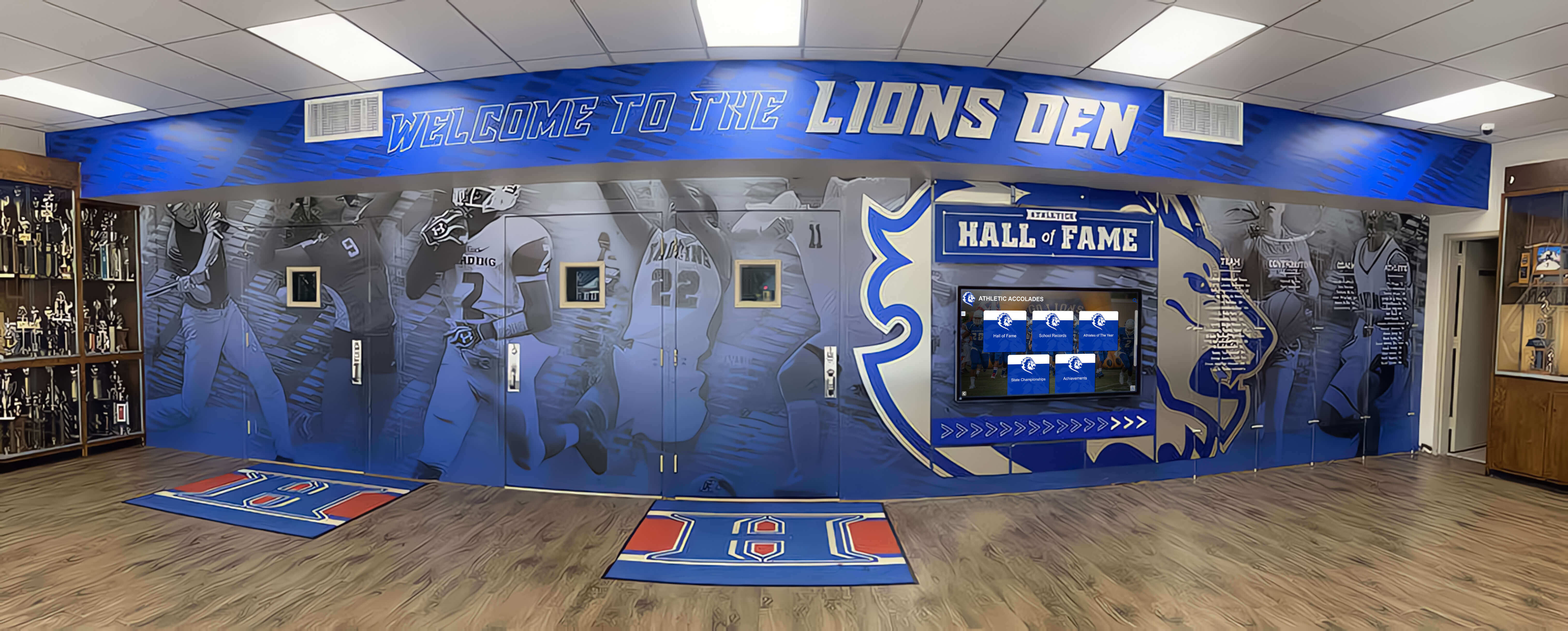
Available wall and floor space: Measure precisely. Wall-mounted cabinets typically project 14-18 inches from walls. Freestanding units require 48-60 inches of floor space including ADA-compliant clearance. Account for door swings, light switches, and other permanent fixtures.
Traffic patterns: High-traffic corridors experience more accidental contact risk. Cabinets in these locations need tempered glass and protective placement. Dedicated recognition rooms or lower-traffic alcoves allow more elaborate displays without obstruction concerns.
Lighting conditions: Natural light accelerates deterioration through UV exposure and heat. East and west-facing windows create harsh direct sunlight at different times. North-facing light is gentler but still requires UV-filtering glass. Windowless spaces offer superior preservation but demand robust artificial lighting systems.
Climate factors: Temperature stability matters. Spaces near exterior doors, uninsulated walls, or HVAC vents experience temperature fluctuations that damage collectibles. Humidity also affects preservation—ribbons, leather, wood, and metal components all react differently to moisture levels.
Glass Options for Display Cabinets
Glass quality profoundly impacts both visual appeal and collectible preservation. Understanding available options helps you select appropriate specifications for your budget and needs.
Standard Tempered Glass
Most commercial display cabinets use tempered glass—heat-treated for strength and safety. When broken, it crumbles into small granules rather than dangerous shards.
Advantages: Tempered glass costs significantly less than specialty options while providing adequate clarity for most applications. It offers four to five times the strength of standard annealed glass, important in high-traffic school environments where accidental impact is possible. Availability is excellent since it’s an industry standard.
Limitations: Tempered glass provides no UV protection unless specially treated. Standard 1/4-inch tempered glass can show slight green tint when viewing edge-on, though this rarely affects displays. Once tempered, glass cannot be cut or modified without destroying the tempering, so precise measurement during fabrication is critical.
Best Applications: Budget-conscious installations, windowless spaces without UV exposure concerns, displays housing lower-value collectibles that don’t warrant premium preservation features.
UV-Filtering Glass
UV-filtering glass blocks ultraviolet wavelengths that cause fading, discoloration, and material degradation. Available in both film-applied and manufacturing-integrated versions.
UV Protection Levels: Basic UV-filtering glass blocks 90-95% of harmful UV rays. Museum-grade options block 99%+ of UV and portions of visible light spectrum that contribute to fading. For athletic recognition spaces with significant natural light, UV protection is essential.
Cost Considerations: UV-filtering adds 30-60% to glass costs compared to standard tempered glass. A cabinet requiring six panels might see glass costs increase from $400 to $600-$650. For valuable collectibles and naturally-lit spaces, this represents worthwhile investment.
Maintenance: UV-filtering glass cleans identically to standard glass using commercial glass cleaners. The filtering properties don’t degrade significantly over the cabinet’s lifespan, providing long-term protection.
Anti-Reflective and Museum Glass
Premium display cabinets may incorporate anti-reflective coatings or museum-quality glass that virtually eliminates reflections while providing UV protection.
Visual Impact: Anti-reflective glass creates “invisible” glazing effect—viewers see collectibles without noticeable glass presence or reflections. This dramatically improves photography and creates unobstructed views from all angles. Museums use this specification for their most important exhibits.
Cost Reality: Anti-reflective glass costs 3-5 times standard tempered glass. A cabinet with $400 in standard glass might require $1,200-$2,000 in museum glass. Budget accordingly—this specification is justifiable for premier displays in high-visibility locations but excessive for secondary collections.
Practical Considerations: Museum glass is more delicate than tempered glass. In high-traffic school environments with potential for rough handling, the anti-reflective coating can scratch more easily than standard glass. Reserve this option for controlled-access displays rather than open-hallway installations.

Acrylic Alternatives
Some applications use acrylic (plexiglass) rather than glass for display cabinet glazing, particularly for lightweight or portable installations.
Advantages: Acrylic weighs approximately half that of glass, reducing structural requirements for wall-mounted cabinets. It’s more impact-resistant than glass—important for portable displays or spaces with higher vandalism risk. Acrylic can be drilled, cut, and modified more easily than tempered glass, offering flexibility for custom installations.
Disadvantages: Acrylic scratches far more easily than glass. In school environments, scratched acrylic develops cloudy appearance within 3-5 years, requiring panel replacement. Acrylic also has inferior optical clarity compared to glass—thicker acrylic shows noticeable distortion. Static electricity attracts dust to acrylic surfaces, increasing cleaning frequency.
Best Applications: Temporary or rotating displays, situations requiring lightweight materials, portable cabinets moved between locations, budget-constrained projects where appearance longevity is less critical.
Lighting Strategies for Collectibles Display Cabinets
Proper lighting transforms display cabinets from simple storage into engaging showcases while protecting collectibles from light-induced damage.
LED Strip Lighting
LED strip lights have become the standard for display cabinet illumination due to their flexibility, efficiency, and low heat generation.
Installation Approaches: Top-mounted LED strips illuminate displays from above, creating even light distribution for most cabinet depths. For deeper cabinets (18+ inches), add mid-level strips preventing dark zones in back areas. Vertical side-mounted strips work well for narrow tall cabinets showcasing vertical items like jerseys or championship banners.
Color Temperature Selection: Choose 3000-3500K (warm white) for traditional wood cabinets and warm-toned collectibles. Cooler 4000-4500K (neutral white) works better with metal trophies and modern cabinet finishes. Avoid 5000K+ temperatures that create harsh, sterile appearance inappropriate for recognition spaces. Some memorial displays benefit from warmer, more reverential lighting.
Brightness Levels: Target 200-300 lumens per linear foot for primary display cabinets in naturally lit spaces, 300-400 lumens per foot for cabinets in darker locations. Avoid excessive brightness—over-illumination accelerates deterioration and creates uncomfortable glare. Dimmable LED systems provide flexibility for different times of day and special events.
Heat Considerations: Quality LED strips generate minimal heat—typically 15-25% of halogen or incandescent equivalents. This protects temperature-sensitive collectibles while reducing air conditioning loads. Ensure LED drivers (power supplies) are located outside cabinet enclosures where any heat they generate doesn’t affect displays.
Accent and Spot Lighting
For premium installations or cabinets showcasing particularly significant items, accent lighting directs focused attention to specific collectibles.
Track Lighting Systems: Adjustable track-mounted fixtures allow precise positioning of light on featured items. This works particularly well for cabinets displaying championship trophies, retired jerseys, or significant donated items deserving special emphasis. Track systems accommodate future rearrangement as collections evolve.
Puck Lights: Small circular LED puck lights install inside cabinets to highlight individual items. Position pucks 12-18 inches from featured collectibles, angling light to prevent harsh shadows while creating visual drama. Use pucks sparingly—3-5 per cabinet—to emphasize most important items without creating chaotic lighting.
Fiber Optic Options: High-end installations sometimes incorporate fiber optic lighting that delivers light without heat or UV exposure. A remote light source transmits illumination through fiber strands terminating at display points. Cost is substantially higher than LED solutions, but preservation is maximized for irreplaceable historical collectibles.
Ambient Room Lighting Integration
Display cabinets should complement overall room lighting rather than fighting against it.
Coordinated Color Temperatures: Match cabinet lighting color temperature to room lighting. Warm room lighting (2700-3000K) paired with cool cabinet lighting (5000K) creates jarring visual discontinuity. Consistent color temperature throughout the space creates cohesive, professional appearance.
Layered Lighting Approach: Use general ambient lighting for overall space illumination, display cabinet internal lighting for collectibles emphasis, and supplemental accent lighting for architectural features or hallway remodeling elements. This layered approach creates visual depth while allowing flexible control.
Automated Controls: Consider occupancy sensors and scheduling systems. Keeping cabinet lights illuminated 24/7 wastes energy and accelerates collectible deterioration. Occupancy sensors activate lighting when people approach, while scheduling systems align illumination with building hours. Quality LED systems tolerate frequent on-off cycles without lifespan reduction.
Layout and Organization Strategies
How you organize collectibles within cabinets significantly impacts visual appeal and visitor engagement. Thoughtful layout transforms random assemblages into compelling stories.
Organizational Frameworks
Chronological Organization: Arrange collectibles by date, creating visual timelines showing achievement progression. This works particularly well for long-established programs with decades of history. Chronological layouts help current students understand program evolution while giving alumni clear paths to find their era’s achievements.
Sport or Category Grouping: Organize cabinets by sport, academic discipline, or achievement type. Dedicate specific cabinets or cabinet sections to football, basketball, academic competitions, community service awards, etc. This creates natural discovery paths for visitors interested in specific programs.
Achievement Level Hierarchy: Position most prestigious items at eye level (48-60 inches), with secondary achievements above and below. State championships, national titles, and hall of fame honors merit prime placement. Conference championships and participation recognition work well in less prominent positions.
Thematic Curation: Consider rotating thematic displays alongside permanent collections. “Undefeated Seasons,” “Olympic Athletes,” “Academic All-Americans,” or “First Championships” themes create narrative interest that static chronological displays lack. Reserve one cabinet for thematic rotation while maintaining others with stable organization.

Spatial Arrangement Within Cabinets
The Power of Negative Space: Resist the temptation to fill every square inch. Overcrowded cabinets create visual chaos where individual items lose impact. Leave 20-30% of shelf space empty, using negative space to frame and emphasize displayed collectibles. This becomes particularly important for baseball memorabilia and equipment-based displays.
Varied Heights and Depths: Use risers, pedestals, and varied shelf heights to create visual interest. Displaying all items at single height creates flat, monotonous appearance. Graduated heights direct viewer attention naturally from item to item, creating visual movement through the display.
Grouping and Symmetry: Group related items—all medals together, championship balls clustered, plaques arranged by size. The human eye finds patterns and groupings more appealing than random placement. However, perfect symmetry can feel rigid; slightly asymmetric arrangements often feel more dynamic and engaging.
Sight Line Considerations: Position items considering typical viewing angles. Cabinet height and viewer distance affect perception. Items in high cabinets need adequate size to be recognizable from floor level. Small medals and pins require lower placement where viewers can approach closely.
Informational Elements
Collectibles gain meaning through context. Integrate informational elements that explain significance.
Individual Labels: Each displayed item should include basic identification—what achievement it represents, the year earned, and key individuals involved (team captains, record holders, coaches). Use consistent label formats throughout displays. Professional engraved labels on small plaques or stands convey more permanence than printed paper labels.
Interpretive Graphics: Supplement individual labels with broader context graphics explaining achievement significance. A state championship trophy becomes more meaningful when accompanied by information about competition level, tournament performance, or program history. Schools implementing senior class recognition programs benefit from similar interpretive approaches.
QR Code Integration: Bridge physical and digital recognition by adding QR codes linking to detailed achievement stories, championship game videos, athlete profiles, and expanded historical context. This extends cabinet content beyond what physical space allows while maintaining the authenticity and visual impact of displayed collectibles.
Preservation and Protection Features
Display cabinets protect valuable collectibles from environmental damage, theft, and deterioration. Understanding preservation features helps you select appropriate specifications.
Climate Control Elements
Sealed Cabinet Construction: Well-constructed cabinets create barriers against dust, humidity fluctuations, and airborne contaminants. Look for cabinets with gasketed doors and sealed panel joints. Inexpensive cabinets with gaps around door edges allow dust infiltration requiring frequent cleaning while failing to protect collectibles.
Desiccant Systems: For high-value collections in humidity-prone environments, consider cabinets with desiccant compartments. Small containers of silica gel or activated charcoal absorb excess moisture, preventing metal tarnishing, mold growth on fabric items, and other humidity-related deterioration. Replace desiccants quarterly or when saturation indicators show moisture absorption.
Temperature Buffering: Quality cabinet construction provides thermal buffering—interior temperatures change more slowly than surrounding room temperatures. This reduces stress on collectibles from rapid temperature swings. Cabinet materials matter—solid wood provides better buffering than thin metal or glass construction.
Security Features
Locking Mechanisms: Commercial-grade locks are essential for cabinets housing valuable collectibles. Residential-quality cam locks found on inexpensive cabinets offer minimal security. Specify high-security cylinder locks, electronic locks with access logging, or keyed-alike systems that allow multiple cabinets to share common keys for simplified management.
Tempered Glass Strength: As discussed earlier, tempered glass is critical for security. While determined thieves can break any glass, tempered glass’s increased strength and loud shattering sound provide deterrence and detection. For extremely valuable items, consider laminated glass that holds together even when shattered.
Alarm Integration: Wire cabinet doors into building security systems. Magnetic contact sensors detect when cabinets open after hours, triggering alarms. This provides excellent theft deterrence while allowing normal daytime access without alarm triggers. For organizations planning recognition event displays, removable items benefit from alarm protection.
Maintenance Accessibility
Removable Shelves: Adjustable, removable shelving systems allow rearrangement as collections grow and change. Look for shelves with multiple height positions—typically 1-2 inch increments. Removable shelves also simplify thorough cleaning since they can be removed for access to cabinet interiors.
Accessible Lighting: LED strip lights eventually require replacement. Choose cabinets where lighting is accessible without complete disassembly. Quick-disconnect electrical connections allow replacement without rewiring. Some premium cabinets feature front-accessible light channels that don’t require removing collectibles for maintenance.
Cleanable Glass Access: Cabinet designs affect glass cleaning difficulty. Hinged door designs allow full glass cleaning from both sides. Fixed glass panels may trap dust between interior and exterior surfaces, impossible to clean without disassembly. Verify cleaning access during cabinet selection.
Modern Digital Display Alternatives
While traditional glass cabinets serve many needs excellently, space limitations, capacity constraints, and engagement goals sometimes favor digital alternatives that complement or replace physical displays.
Unlimited Capacity Solutions
Physical cabinets have fixed capacity—eventually, every organization faces decisions about what to display versus store. Digital recognition platforms eliminate this constraint entirely.
Comprehensive Achievement Archives: Digital systems accommodate unlimited collectibles through high-resolution photography and detailed documentation. A single 55-inch touchscreen provides access to thousands of awards, collectibles, and achievements that would require hundreds of linear feet of physical cabinet space. Organizations with growing collections avoid perpetual cabinet expansion projects.
Detailed Documentation: Digital platforms enable richer documentation than physical labels allow. Include complete achievement stories—team rosters, season statistics, championship game recaps, athlete profiles, coach commentary, and historical context. This transforms recognition from “what was won” to “how it was won and who accomplished it.”
Remote Accessibility: Physical cabinets serve only visitors who come to campus. Digital platforms extend recognition worldwide through web and mobile access. Alumni access achievement collections from anywhere, strengthening connections regardless of geographic distance. This matters particularly for institutions serving distributed communities.
Enhanced Engagement Features
Digital recognition systems offer interaction capabilities impossible with glass cabinets.
Search and Filtering: Visitors explore collections in personally meaningful ways—filtering by sport, year, athlete name, coach, or achievement type. Rather than scanning entire displays hoping to find relevant items, users discover specific content immediately. Parents search for their children’s achievements, alumni find their teams, current students research program histories.
Multimedia Integration: Showcase championship game highlights, athlete interviews, celebration photos, and behind-the-scenes content alongside collectible images. Video brings achievements to life in ways static displays cannot. Hearing coaches describe championship strategies or watching record-breaking performances creates emotional engagement that glass-cased trophies alone don’t provide. For institutions celebrating end-of-year achievements, multimedia storytelling enhances recognition impact.
Social Sharing: Digital systems enable visitors to share achievements on social media, extending recognition beyond physical viewing. Alumni share their championship teams, parents post their children’s awards, boosters promote program successes. This organic promotion strengthens community pride while increasing institutional visibility.
Hybrid Physical-Digital Approaches
Rather than replacing physical cabinets entirely, many organizations implement hybrid strategies capturing benefits of both approaches.
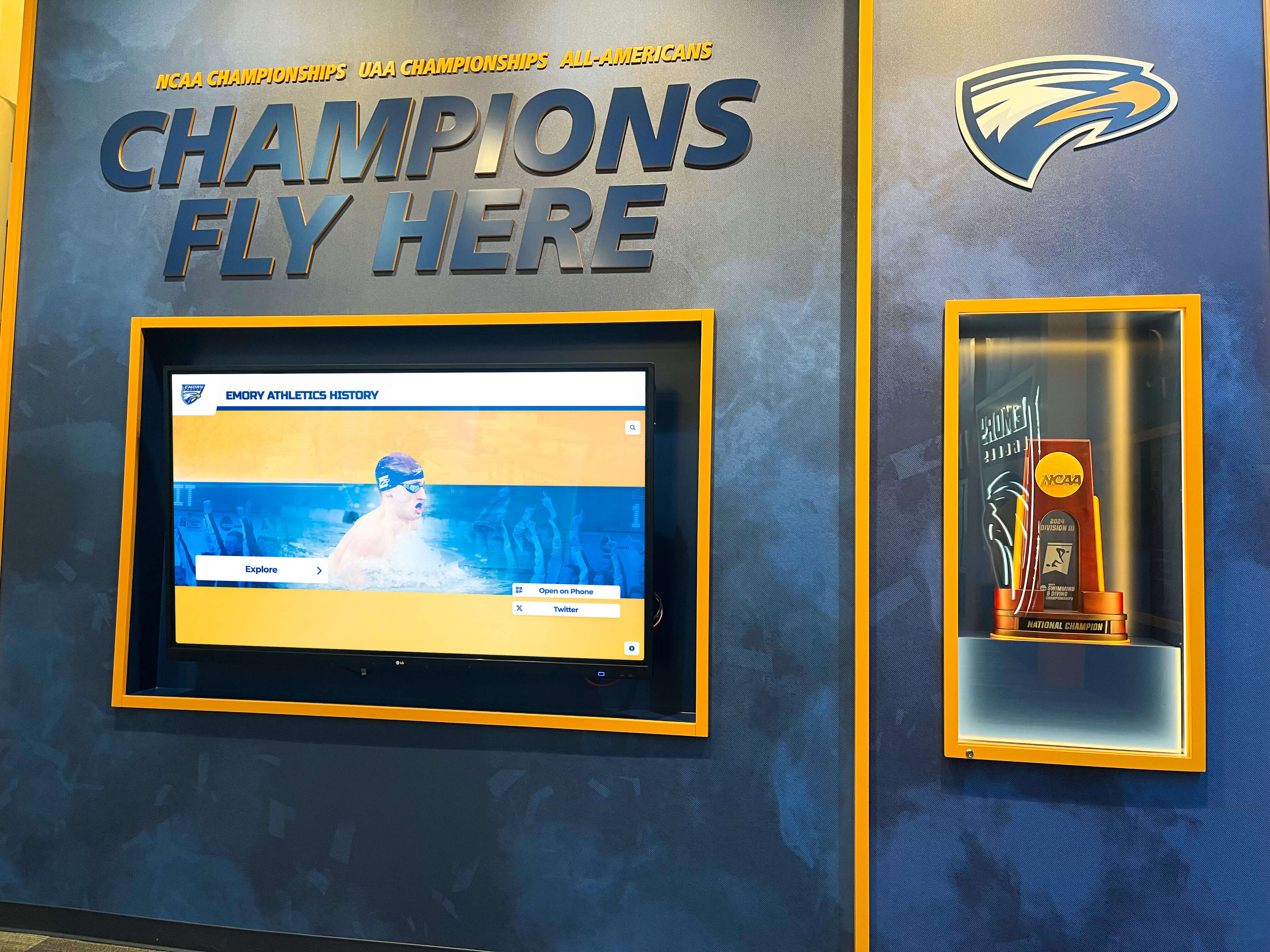
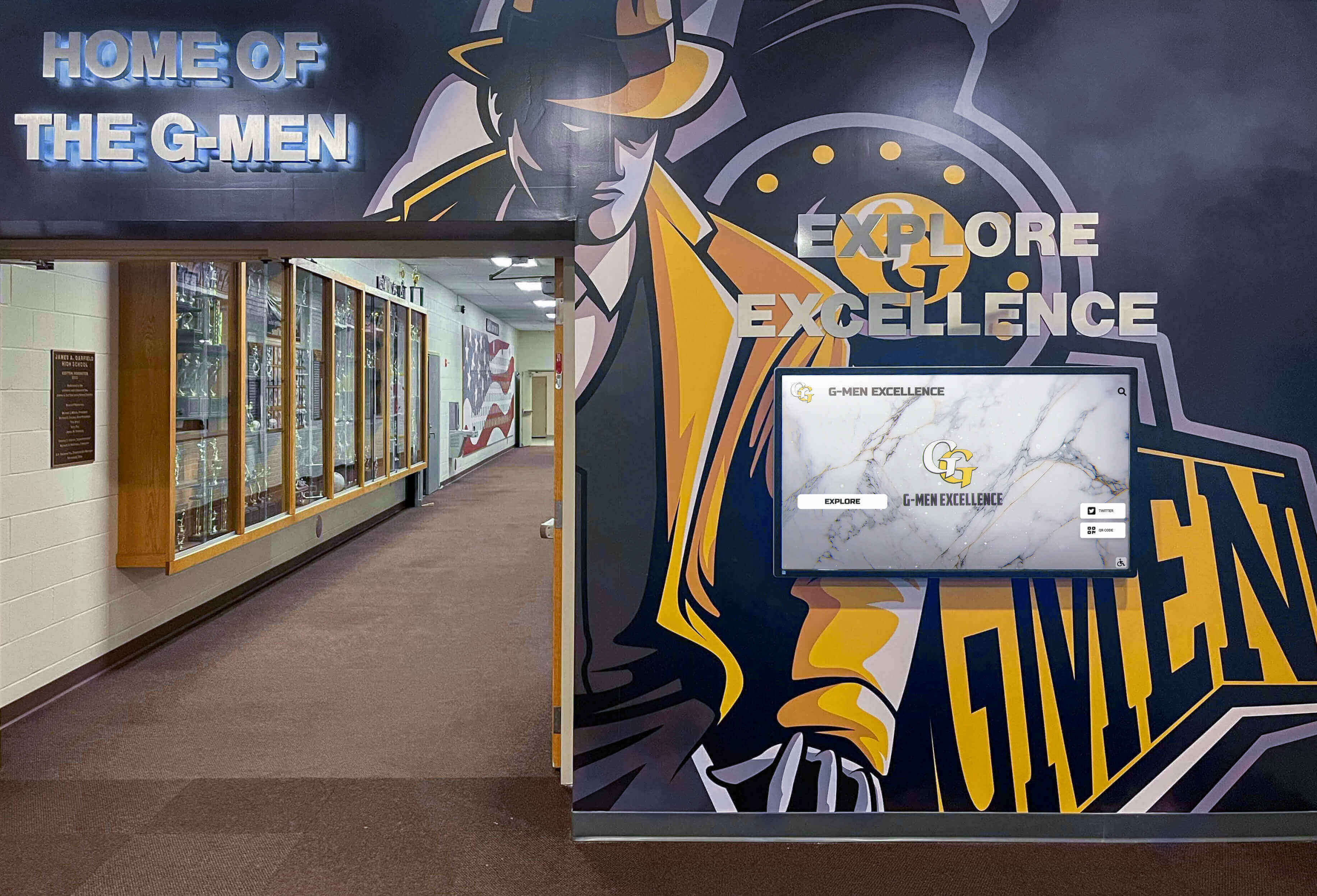
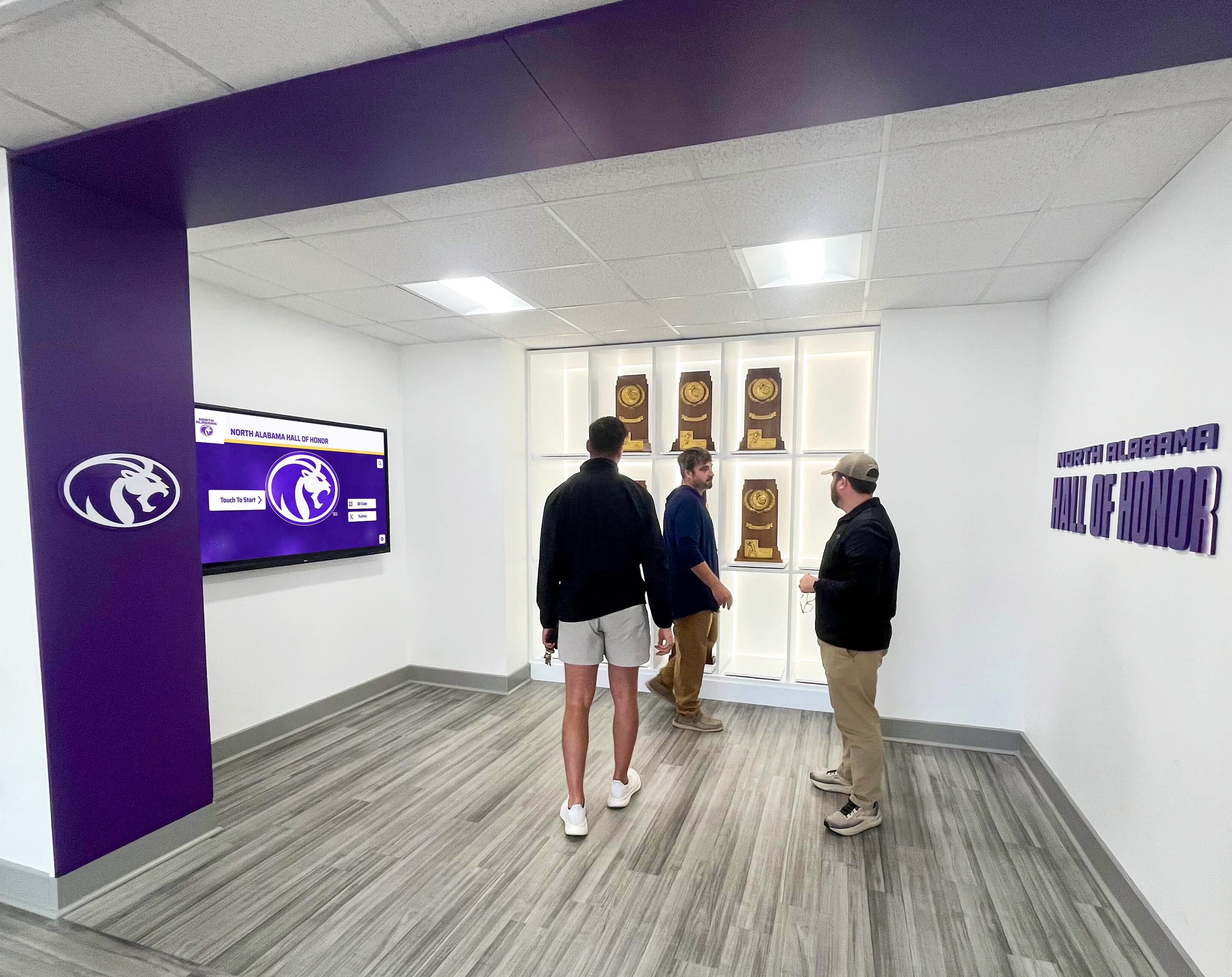
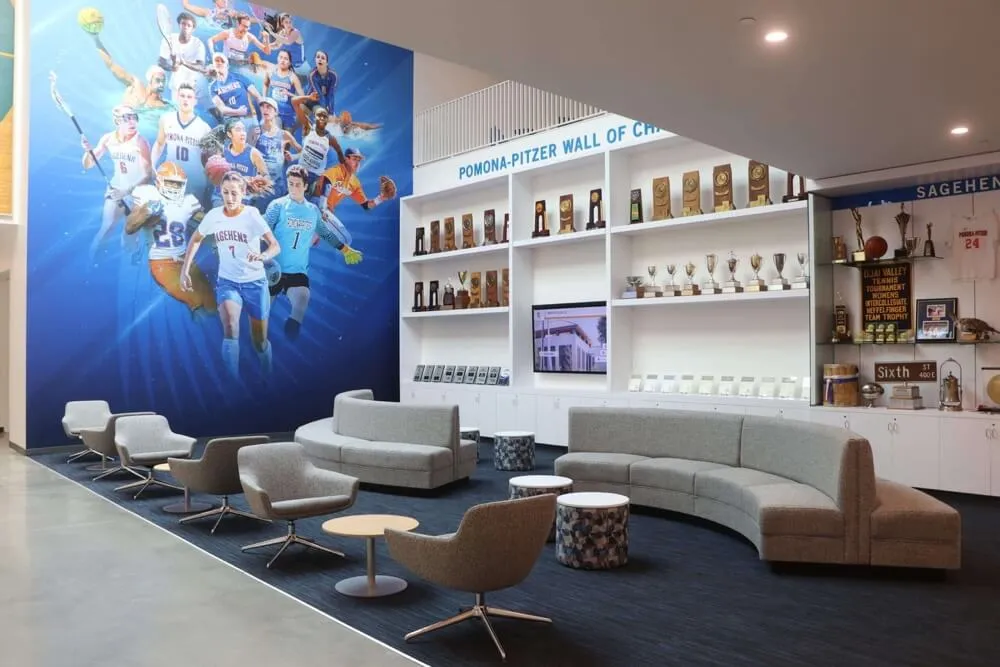
Featured Physical, Comprehensive Digital: Display 40-60 most significant collectibles in prominent physical cabinets while digital screens adjacent to cabinets provide access to complete collections. This preserves the visual impact and authenticity of championship trophies while addressing space limitations for growing collections. Similar to how schools develop hall of fame display strategies, combining physical and digital creates compelling recognition experiences.
Contextual Enhancement: Physical cabinets display the collectibles; digital screens alongside tell the stories. A trophy in a cabinet answers “what.” The adjacent touchscreen explains “who, when, how, and why.” This complementary relationship enhances both elements—physical items gain meaning through digital context, digital content gains authenticity through physical artifacts.
Space Optimization: When cabinet expansion becomes impractical due to space or budget constraints, adding digital components extends recognition capacity without construction. A single wall-mounted touchscreen costs less than large cabinet installations while providing unlimited capacity. This becomes particularly valuable for schools completing hallway renovation projects with limited space for physical cabinets.
Budget Considerations and Cost Optimization
Collectibles display cabinets represent significant investments. Understanding cost factors helps you maximize value within available budgets.
Cabinet Cost Factors
Size and Configuration: Basic 48-inch wide wall-mounted cabinets cost $1,200-$2,500 for quality commercial construction. Larger 72-96 inch units run $2,500-$5,000. Custom configurations with specific dimensions, integrated lighting, and premium finishes may cost $5,000-$10,000 per cabinet. Freestanding display towers range $2,000-$6,000 depending on size and features.
Glass Specifications: Standard tempered glass represents baseline cost. UV-filtering adds 30-60%. Anti-reflective museum glass adds 200-400%. For a cabinet with six glass panels, this translates to $300-$600 (standard) versus $400-$900 (UV-filtering) versus $900-$2,400 (museum glass).
Lighting Systems: Integrated LED lighting adds $200-$600 per cabinet depending on complexity. Basic single-strip systems cost less than multi-zone installations with separate controls. Factor in electrical installation costs if cabinets require dedicated circuits—typically $150-$400 per circuit depending on distance from electrical panels.
Installation Labor: Professional installation costs $300-$800 per wall-mounted cabinet including wall reinforcement, leveling, mounting, and electrical connections. Freestanding units require less installation investment but may need floor anchoring for stability and safety.
Cost Optimization Strategies
Phased Implementation: Rather than installing comprehensive displays in single projects, implement recognition improvements incrementally across multiple budget cycles. Year one addresses highest-visibility locations with quality installations establishing standards. Subsequent years expand to additional areas using established approaches, spreading costs while building stakeholder enthusiasm.
Standard Plus Custom Approach: Use commercial standard cabinets for bulk of displays, reserving custom fabrication for premier locations requiring specific dimensions or features. Standard cabinets from reputable manufacturers provide excellent quality at lower cost than custom fabrication. Custom work for lobby centerpieces or architecturally challenging locations ensures proper fit where it matters most.
Group Purchasing: Organizations renovating multiple spaces simultaneously can negotiate volume discounts with cabinet manufacturers. Five+ cabinet orders often qualify for 15-25% discounts versus single-unit pricing. Coordinate with other departments or regional institutions to aggregate purchasing power.
Digital Capacity Extension: When physical cabinet expansion becomes cost-prohibitive, digital platforms offer excellent cost per achievement ratios. A $8,000 touchscreen system showcasing unlimited achievements often provides better value than $15,000-$25,000 in additional cabinets with fixed capacity. Organizations exploring digital recognition options discover strong ROI for space-constrained situations.
Making Your Display Cabinet Decision
Selecting appropriate collectibles display solutions requires balancing multiple factors. Use this framework for structured decision-making.
Step 1: Define recognition scope and capacity needs—Document current collection size, annual growth rate, types of collectibles, and 10-year capacity requirements. This establishes whether fixed cabinet capacity is adequate or unlimited digital capacity is necessary.
Step 2: Assess space and environmental conditions—Measure available wall and floor space, evaluate lighting conditions, identify climate factors, and confirm electrical access. These constraints often narrow viable options before evaluating other factors.
Step 3: Establish budget reality—Determine total available budget for initial installation plus annual maintenance and operational costs. Include glass specifications, lighting systems, installation labor, and ongoing cleaning and preservation needs in total cost of ownership calculations.
Step 4: Prioritize features—Rank importance of preservation features, security requirements, accessibility needs, capacity flexibility, maintenance simplicity, and engagement capabilities. Different stakeholders may prioritize differently—align on consensus priorities before evaluating specific solutions.
Step 5: Evaluate traditional and digital options—Review cabinet manufacturers’ offerings, visit existing installations at comparable institutions, and explore digital alternatives. Request detailed specifications, pricing, and references for serious contenders.
Step 6: Consider hybrid approaches—Assess whether combining traditional and digital recognition provides optimal solutions. Many organizations discover hybrid approaches capture physical display authenticity while addressing capacity and engagement limitations.
Creating Recognition Spaces That Inspire
Effective collectibles display cabinets do more than store awards and memorabilia—they create recognition environments that honor achievement, inspire excellence, and strengthen institutional pride. Glass quality protects valuable items while providing clear views. Lighting design emphasizes collectibles while preserving their condition. Thoughtful layout organization tells compelling achievement stories. Security and preservation features ensure displays maintain quality for decades.
Whether you select traditional glass cabinets, modern digital platforms, or hybrid approaches combining both, the goal remains constant: creating recognition displays that genuinely celebrate accomplishment and engage communities. Cabinets housing trophies and collectibles become architectural anchors of athletic facilities and school hallways, destination points where students aspire to see their own achievements displayed and alumni return to relive their proudest moments.
Organizations planning display cabinet projects benefit from visiting multiple installations, consulting with athletic directors and facilities managers at comparable institutions, and engaging stakeholders early in planning processes. Recognition displays represent significant investments that will serve communities for decades—thorough planning ensures solutions that honor the past while inspiring future achievement.
Ready to transform your athletic and recognition displays beyond what traditional cabinets alone can accomplish? Rocket Alumni Solutions offers comprehensive digital recognition platforms that complement traditional display cabinets while solving space capacity limitations. Our TouchWall systems showcase unlimited achievements through engaging touchscreen displays, mobile apps, and web platforms—extending recognition far beyond physical viewing while preserving the authenticity of your collectibles. Whether you’re implementing new recognition spaces or enhancing existing displays, we’ll help you create solutions that inspire your community and celebrate excellence effectively. Schedule a consultation to discover how digital recognition can transform your athletic and achievement displays.































