Intent: Define, demonstrate, and implement effective informational interactive display systems for college residence halls.
Modern college residence halls serve as more than sleeping quarters—they function as vibrant communities where students live, study, socialize, and build lifelong connections. Yet many residence halls struggle with basic communication challenges: students miss important events, struggle to navigate building layouts, lack awareness of available resources, and feel disconnected from their residential communities. Traditional communication methods—printed flyers, bulletin boards, and email announcements—consistently underperform, with students often missing critical information buried in cluttered channels.
College residence hall informational interactive displays solve these challenges by creating centralized digital communication hubs that engage students where they naturally gather. These touchscreen systems deliver real-time information, enable intuitive navigation, showcase community events, and foster the connected residential experiences that enhance student success and satisfaction.
College residence halls face unique communication demands distinct from academic buildings or administrative spaces. Students need immediate access to building-specific information, event schedules, dining options, emergency procedures, and community resources—all while navigating unfamiliar environments during their first weeks on campus. According to research from EDUCAUSE Review, digital engagement platforms have become essential tools for campus communication, with students increasingly expecting instant access to information through interactive digital channels.
This comprehensive guide explores how to plan, implement, and optimize informational interactive displays specifically designed for college residence hall environments, ensuring your investment delivers measurable improvements in student engagement, communication effectiveness, and residential community satisfaction.

Modern interactive displays transform residence hall lobbies into engaging information hubs that students naturally use
Understanding the Residence Hall Communication Challenge
Before selecting technology solutions, clearly define the specific communication problems affecting your residence hall communities.
Current Communication Pain Points
Most college residence halls struggle with predictable communication challenges that interactive displays directly address:
Information Overload and Message Fatigue
- Students receive hundreds of emails weekly from multiple campus departments
- Important residence hall announcements get buried in crowded inboxes
- Critical building-specific information competes with university-wide messages
- Students develop “email blindness” and stop reading communications
- Time-sensitive announcements miss students who check email infrequently
Physical Communication Limitations
- Printed flyers quickly become outdated or removed
- Bulletin boards overflow with overlapping materials
- Paper waste generates environmental concerns and maintenance costs
- Information posted near one entrance remains unseen by students using other doors
- No systematic way to ensure students actually see posted information
Wayfinding and Navigation Difficulties Students navigating large residence hall complexes frequently struggle to locate specific rooms, facilities, or resources. According to NENTO’s research on digital wayfinding, university digital signage provides students with instructions on finding essential spots within residence halls, significantly reducing confusion and improving the first-year experience.
Lack of Community Building
- Students remain unaware of floor events and programs
- Roommate conflicts escalate due to communication gaps
- Social opportunities go underutilized despite student interest
- Residential advisors struggle to reach entire communities
- Building identity and pride never develop
Interactive displays strategically address these challenges by creating always-available information hubs positioned in high-traffic locations where students naturally gather daily.
What Students Actually Need from Residence Hall Information Systems
Effective residence hall communication systems must deliver specific information types that students regularly seek:
Immediate Operational Information Students need instant answers to practical questions including current dining hall hours and menu options, laundry room availability and machine status, building entry procedures and guest policies, maintenance request status and facility closures, package arrival notifications and pickup procedures, and emergency contact information and procedures.
Event Discovery and Social Connection Robust systems showcase residential programming including tonight’s floor events and building activities, upcoming residence hall programs and registration details, intramural sports team formation and game schedules, study group opportunities and academic support, community service projects and volunteer opportunities, and social gatherings fostering community development.
Navigation and Facility Information Students regularly seek location information for study rooms and reservation procedures, fitness centers and wellness facilities, computer labs and printing services, residential advisor offices and staff availability, vending machines and ATM locations, and recycling and trash disposal areas.
Community Resources and Support Accessible information about available support services includes mental health resources and counseling services, academic support and tutoring opportunities, safety escort services and transportation options, diversity and inclusion programs, financial aid and employment resources, and campus involvement and leadership opportunities.
By designing interactive display systems that prioritize these specific information needs, residence halls create genuinely useful resources rather than underutilized technology installations.
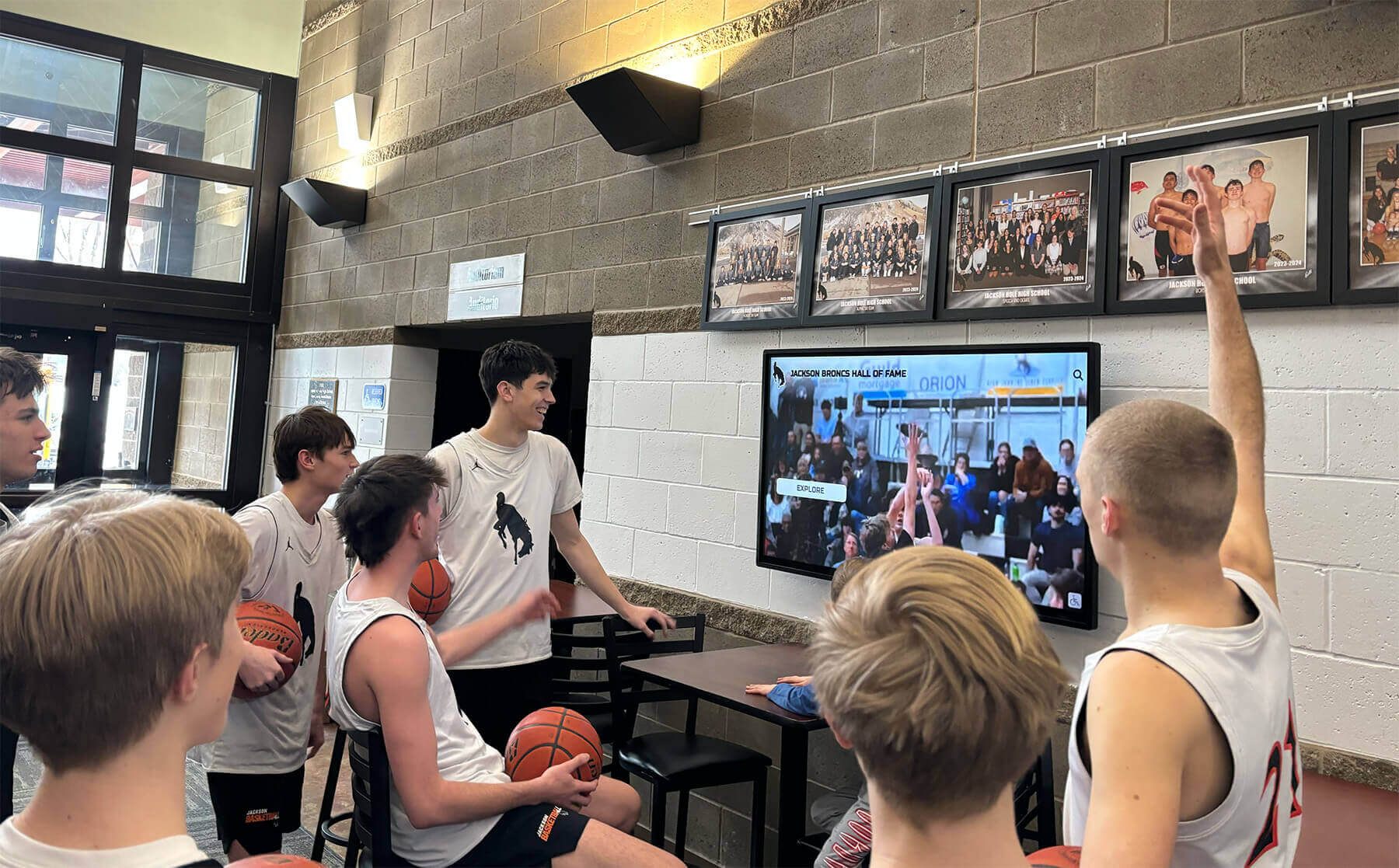
Interactive displays engage multiple students simultaneously, creating social discovery experiences
Essential Features for Residence Hall Interactive Displays
Purpose-built residence hall information systems require specific capabilities that distinguish them from generic digital signage solutions.
Intuitive Touchscreen Interface Design
Residence hall displays must accommodate diverse user needs with minimal instruction, as students interact with systems briefly while passing through lobbies:
Zero-Training User Experience Interface design should enable immediate understanding including clearly labeled navigation buttons using familiar iconography, logical information hierarchy organizing content by category, visual consistency matching students’ smartphone app experiences, obvious touch targets appropriately sized for accuracy, and immediate response to touch inputs preventing confusion.
Research from museum environments demonstrates that visitors spend 3-5 times longer with interactive content compared to static displays, but only when interfaces communicate functionality without requiring explanatory text or training. Residence hall systems must achieve this immediate usability to succeed.
Accessibility Compliance Requirements Ensure comprehensive accessibility through ADA-compliant mounting heights and physical positioning, screen reader compatibility for visually impaired students, high-contrast viewing modes and adjustable text sizing, voice navigation options when technically feasible, and multilingual support for international student populations.
Understanding digital recognition display accessibility requirements ensures your residence hall system serves all students equitably.
Real-Time Content Management Capabilities
Residence hall information changes constantly, requiring flexible content management systems enabling immediate updates:
Cloud-Based Remote Management Enable authorized staff to update content from anywhere through web-based administrative interfaces accessible from any device, role-based permissions allowing appropriate staff access levels, scheduled publishing automating time-sensitive content display, bulk update capabilities for managing multiple displays simultaneously, and instant publishing eliminating delays between content creation and display.
Content Type Flexibility Support diverse content formats including static images for announcements and promotional materials, video content for event highlights and testimonials, live data feeds for dining hours and laundry availability, emergency alert overrides for critical safety communications, social media integration displaying relevant campus content, and interactive forms for surveys and event registration.
The touchscreen software capabilities that enable this flexibility vary significantly across platforms, making careful solution selection critical.
Integration with Campus Systems
Maximum value comes from displays that connect with existing campus infrastructure:
Essential System Integrations Effective residence hall displays integrate with campus dining services for real-time hours and menus, facilities management for maintenance requests and status, event management systems for housing programs calendar, student information systems for personalized content delivery, emergency notification systems for immediate alert distribution, and building access systems for visitor and guest management information.
These integrations eliminate manual content updates while ensuring information accuracy and consistency across all communication channels.

Professional kiosk installations create focal points in residence hall common areas
Planning Your Residence Hall Display Implementation
Systematic planning ensures successful deployment that meets actual student needs while remaining sustainable for staff.
Before You Start: Prerequisites and Stakeholder Alignment
Identify Key Stakeholders Successful implementation requires input and support from residence life administrators defining content priorities and policies, residential advisors and community directors providing frontline perspective on student needs, facilities and IT departments ensuring technical feasibility and support, student government representatives offering resident perspectives, accessibility services ensuring compliance with accommodation requirements, and campus communications coordinating with broader university messaging.
Early stakeholder engagement prevents misaligned expectations while building organizational support essential for long-term success.
Document Current Communication Workflows Map existing processes to understand what your interactive displays must replace or supplement including how residence halls currently announce events and programs, what percentage of students actually see bulletin board content, how quickly critical information reaches all residents, what communication gaps cause repeated student questions, and where current approaches fail to meet student expectations.
This baseline documentation enables measuring improvement after implementation while identifying specific pain points your system must address.
Define Success Metrics Establish how you’ll measure display effectiveness including student engagement metrics like interaction frequency and duration, communication reach compared to current methods, staff time savings in content distribution, student satisfaction improvements measured through surveys, and specific problem resolution like reduced redundant questions to front desk staff.
Clear metrics enable data-driven optimization while demonstrating return on investment to campus leadership.
Hardware Selection and Technical Specifications
Display Size and Placement Considerations
Residence hall lobby installations typically use 55"-75" commercial-grade touchscreen displays for main lobby installations, 43"-55" displays for secondary locations like elevator lobbies, display brightness ratings of 400+ nits for visibility in varied lighting, commercial-grade panels rated for continuous 24/7 operation, and anti-glare screens ensuring readability near windows.
Consumer televisions lack the durability, brightness, and touch responsiveness required for public residence hall environments, making commercial-grade displays essential despite higher initial costs.
Mounting and Physical Installation Proper installation requires floor-standing kiosk enclosures for high-traffic main lobbies, wall-mounted installations for space-constrained secondary locations, mounting heights placing screen centers at 48"-52" for accessibility, vandal-resistant enclosures protecting equipment in public spaces, and cable management systems maintaining professional appearance.
Network Infrastructure Requirements Ensure reliable operation through dedicated ethernet connections providing consistent bandwidth, power over ethernet (PoE) when supported by displays, backup wireless connectivity for redundancy, adequate electrical circuits with surge protection, and network security measures protecting campus systems.
Coordinate closely with campus IT departments early in planning to ensure network infrastructure supports your implementation timeline. Many campuses find that building directory touchscreen wayfinding implementations require similar technical considerations.
Content Strategy and Information Architecture
Organize Information Logically
Structure content around how students actually seek information including immediate “what’s happening now” quick access, today’s events and programs scheduled, building services and facilities available, emergency information and procedures, and deeper “explore and discover” sections for community resources, upcoming semester calendar, building history and traditions, and staff directory and contact information.
User research consistently shows that students abandoning interactive systems typically do so because they cannot quickly locate desired information, making logical organization more important than visual design sophistication.
Establish Content Ownership and Update Responsibilities Assign clear accountability for maintaining current information including residential advisors updating floor and building events, facilities staff managing operational information and hours, front desk personnel handling guest policies and procedures, student programmers promoting engagement opportunities, and designated administrators reviewing all content for appropriateness.
Without clear ownership, content quickly becomes outdated, undermining student trust in the system’s reliability.

Strategic placement in high-traffic corridors ensures maximum student exposure to information resources
Step-by-Step Implementation Process
Follow this systematic approach for smooth deployment minimizing disruption while maximizing early adoption.
Phase 1: Pilot Installation (Weeks 1-4)
Select Pilot Location Begin with a single residence hall offering controlled environment for testing, high student population ensuring robust usage data, engaged residential staff committed to content management, diverse student demographics representing broader population, and manageable technical complexity for initial deployment.
Pilot installations enable identifying and resolving issues before campus-wide rollout while generating evidence of effectiveness that builds support for expansion.
Launch and Initial Promotion Generate awareness through grand opening event during high-traffic times, residential advisor promotion during floor meetings, signage directing attention to new displays, initial content showcasing immediately useful information, and incentives encouraging early interaction like giveaways for users.
First impressions significantly impact long-term adoption, making strategic launch promotion essential for establishing displays as go-to information resources.
Phase 2: Data Collection and Optimization (Weeks 5-12)
Monitor Usage Analytics Track engagement metrics including total interactions and unique users, popular content categories and specific items, time of day usage patterns, average session duration, and navigation paths revealing how students explore content.
These analytics reveal what information students actually value versus what staff assume they need, enabling data-driven content optimization.
Gather Qualitative Feedback Supplement analytics with direct student input through brief intercept surveys near displays, online feedback forms promoted through resident channels, focus groups with residential advisors and student leaders, observation of students interacting with systems, and monitoring social media mentions and comments.
Qualitative feedback explains why students use systems in particular ways, revealing improvement opportunities that pure analytics might miss.
Refine Content and Interface Optimize based on collected data by promoting popular content categories more prominently, simplifying navigation paths to frequently-sought information, removing underutilized content that clutters interfaces, improving search functionality based on common queries, and adjusting visual design enhancing readability and engagement.
Continuous refinement transforms adequate systems into indispensable resources students genuinely value.
Phase 3: Campus-Wide Rollout (Weeks 13-20)
Replicate Success Systematically Expand to additional residence halls in phases using proven pilot configuration as starting template, adapting content for building-specific information and culture, training residential staff on content management and promotion, coordinating installations to minimize facility disruption, and celebrating each new installation building campus momentum.
Establish Sustainable Management Processes Create long-term sustainability through documented content update procedures and schedules, designated backup personnel ensuring continuity during transitions, regular content audits removing outdated information, systematic troubleshooting protocols for technical issues, and ongoing training for new residential staff members.
Without sustainable management processes, initial enthusiasm fades as content becomes stale and technical issues accumulate, causing students to abandon systems that could have remained valuable indefinitely.
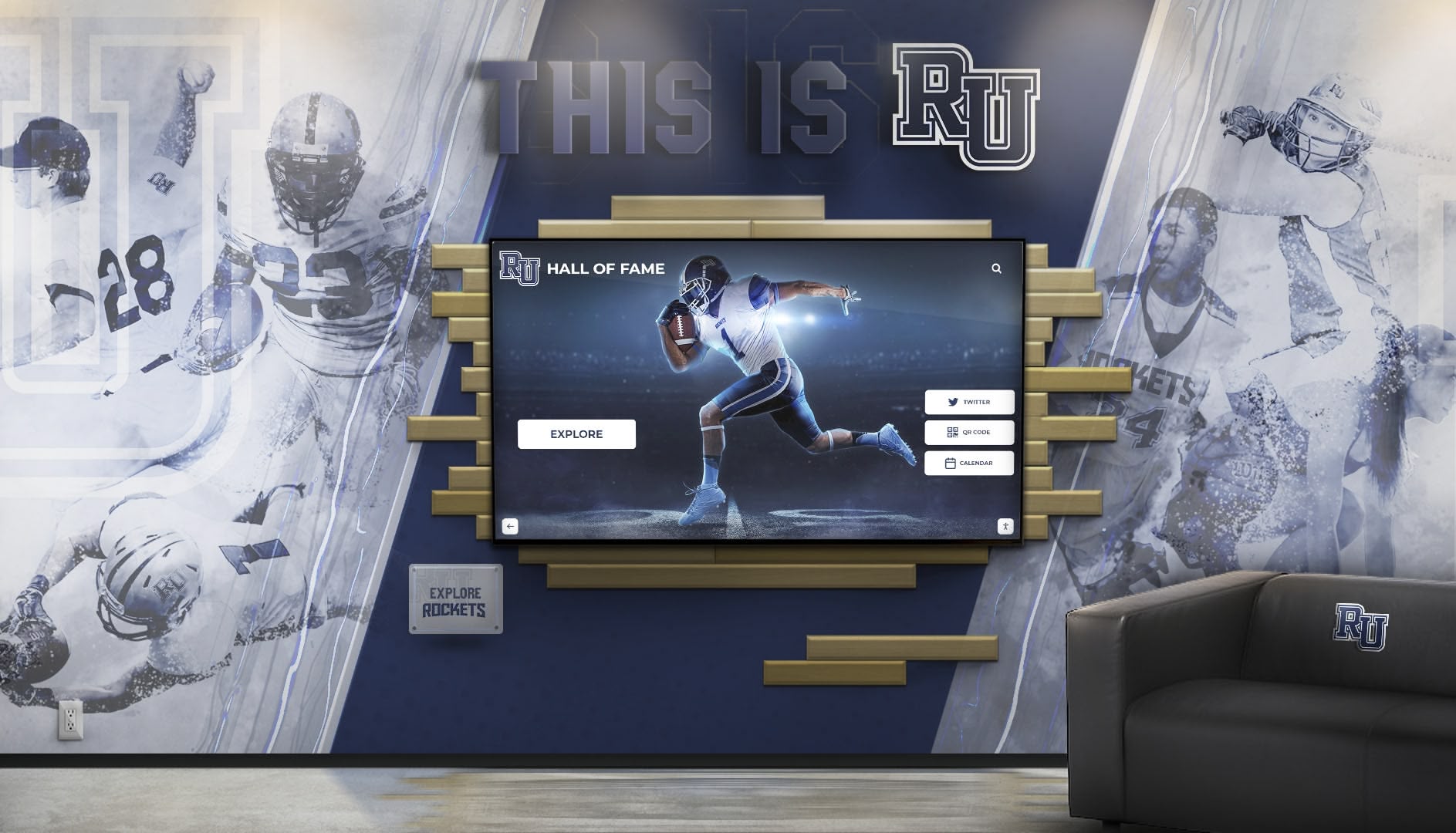
Integrated installations that complement existing architecture create cohesive residential environments
Advanced Features and Enhanced Capabilities
Once basic systems operate reliably, advanced features create additional value and differentiation.
Personalized Content Delivery
Student-Specific Information Display Next-generation systems deliver personalized content through authentication integration enabling secure login, customized dashboards showing floor-specific events, package notifications for individual students, personal schedule integration with academic calendar, and saved preferences remembering language and accessibility settings.
Personalization transforms generic information hubs into individualized resources that feel specifically useful to each student.
Mobile Integration and QR Code Connectivity
Extending Access Beyond Physical Displays Connect physical displays to mobile experiences through QR codes linking to detailed event information, mobile apps replicating display content on personal devices, push notifications alerting students to new information, social sharing enabling students to forward content to friends, and seamless experience continuity between lobby displays and personal devices.
This connected experience meets students where they already spend attention—on their smartphones—while using physical displays as discovery mechanisms introducing information students then explore more deeply on mobile devices. Similar to how interactive touchscreen software enhances engagement, mobile integration extends reach beyond physical installations.
Community Building and Social Features
Fostering Residential Connection Advanced systems enhance community through resident photo galleries and introductions, peer-to-peer messaging for roommate coordination, study group formation and academic collaboration, ride sharing and carpooling coordination, equipment sharing platforms for residents, and community voting on programming and policies.
These social features transform information displays into community platforms that actively strengthen residential bonds rather than simply delivering institutional messages.
Emergency Communication and Safety Features
Critical Alert Distribution Displays should integrate with campus emergency systems for immediate alert overrides taking full screen control, evacuation route maps for building-specific procedures, safety check-in capabilities during emergencies, real-time status updates during evolving situations, and multilingual emergency information for international students.
According to Applied Global Solutions, campus-wide digital signage has become essential for wayfinding and safety alerts, with displays directly supporting clear, accessible messages during critical situations.
Analytics and Assessment
Measuring Program Effectiveness Comprehensive analytics reveal system value through interaction heatmaps showing which screen areas attract attention, content performance metrics identifying engaging material, usage trends revealing optimal posting times, geographic distribution showing which buildings engage most, and outcome correlations linking display usage to event attendance.
These insights enable continuous improvement while providing objective evidence of return on investment for campus administrators evaluating technology investments.
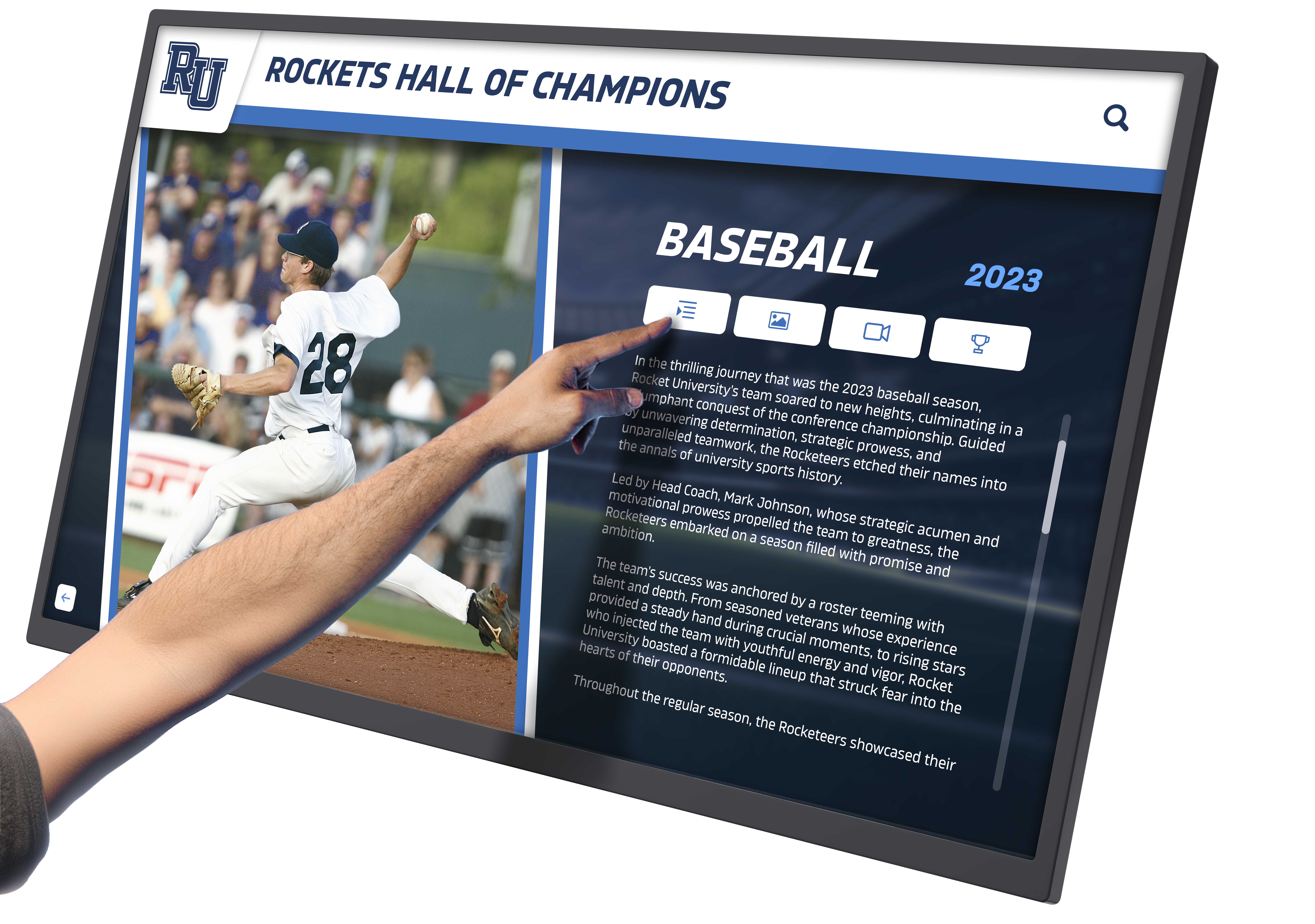
Advanced systems showcase multimedia content including video, images, and interactive elements
Content Best Practices for Maximum Engagement
Technology capabilities matter little if content fails to engage students effectively.
Visual Design Principles
Create Scannable Content Students passing through lobbies have limited attention, requiring content designed for rapid comprehension through large, readable fonts from 6-10 feet distance, high-contrast color schemes ensuring visibility, concise messaging using 10 words or fewer per screen element, compelling images attracting attention before text, and clear visual hierarchy directing attention to priority information.
Maintain Brand Consistency Reinforce institutional identity through university color schemes and typography standards, residence hall branding and community identity, consistent layouts students recognize instantly, professional photography reflecting authentic campus life, and quality standards that build credibility and trust.
Inconsistent, amateur-looking content undermines student confidence in information reliability, reducing engagement even when content remains accurate and useful.
Content Types That Drive Engagement
Event Promotion Effectively showcase residential programming through eye-catching event graphics with essential details, countdown timers creating urgency for registration deadlines, video teasers previewing event experiences, attendee testimonials from previous programs, simple registration processes or QR code sign-ups, and automated removal of past events keeping content current.
Dining and Facility Information Address frequent student questions through current dining hall hours and menu highlights, real-time laundry machine availability when integrated, fitness center schedules and equipment availability, study room booking systems and current availability, campus bus schedules and shuttle locations, and facility closure announcements for planned maintenance.
Community Recognition Build residential pride by celebrating resident achievements in academics, athletics, and activities, highlighting residential advisor staff and leadership, showcasing community service accomplishments, documenting residence hall traditions and history, and featuring “resident spotlight” profiles building connections.
Recognition content increases emotional connection to residential communities while motivating positive behaviors through peer modeling. The principles from academic recognition programs apply equally to residence hall settings, where celebrating student achievements strengthens community bonds.
Content Calendars and Update Schedules
Establish Regular Rhythms Create content freshness through daily updates for operational information and current events, weekly features highlighting upcoming programs and deadlines, monthly themes aligning with academic calendar, seasonal content reflecting campus life cycles, and evergreen resources remaining continuously relevant.
Predictable update patterns train students to check displays regularly, knowing they’ll find fresh, relevant information rather than the stale content that characterizes neglected systems.
Overcoming Common Implementation Challenges
Anticipate and address predictable obstacles ensuring smooth deployment and sustained success.
Challenge: Limited Staff Resources for Content Management
Situation: Residential staff already face overwhelming responsibilities, making regular display content updates feel like additional burden rather than priority.
Solutions:
- Select platforms with extremely simple content management requiring minimal time
- Create content templates enabling quick updates without design skills
- Establish automated feeds from campus calendar systems
- Train student workers to handle routine content updates
- Schedule standing 15-minute weekly content review sessions
- Build content creation into existing staff meeting agendas
Many residence halls successfully delegate display management to student employees, providing valuable technology experience while reducing professional staff burden.
Challenge: Student Technology Adoption Resistance
Situation: Students initially ignore new displays, continuing to rely on established (though ineffective) communication channels.
Solutions:
- Launch with immediately useful information (dining hours, laundry status)
- Create social media promotion generating awareness
- Incentivize early adoption through giveaways and contests
- Position displays in unavoidable high-traffic locations
- Feature content unavailable through other channels
- Gather and promote student testimonials from early adopters
Student adoption typically follows S-curves, with slow initial uptake followed by rapid growth as displays prove useful and peers model interaction behaviors.
Challenge: Content Becoming Stale and Outdated
Situation: Initial enthusiasm wanes, content updates slow, and outdated information undermines student trust in system reliability.
Solutions:
- Assign specific content ownership with accountability measures
- Implement automated content expiration removing outdated material
- Schedule regular content audits identifying stale information
- Create clear escalation procedures for correction requests
- Establish quality standards and review processes
- Monitor analytics flagging declining engagement requiring attention
Automated processes preventing outdated content display prove more effective than relying on staff remembering to remove expired material manually.
Challenge: Justifying ROI to Campus Administration
Situation: Decision-makers question whether interactive display investments deliver sufficient value compared to traditional communication approaches.
Solutions:
- Document staff time currently spent on manual communication
- Calculate costs of printed materials and bulletin board maintenance
- Measure student satisfaction improvements through surveys
- Track engagement analytics demonstrating actual usage
- Compare event attendance before and after implementation
- Highlight emergency communication capabilities and safety value
Most residence halls find that interactive displays pay for themselves within 2-3 years through staff efficiency gains alone, before considering improved student experience and communication effectiveness.
The Role of Modern Recognition Platforms
While basic digital signage addresses operational communication needs, comprehensive platforms designed for campus environments deliver significantly enhanced capabilities.
Purpose-Built Campus Solutions
Solutions like Rocket Alumni Solutions provide residence halls with intuitive content management designed for non-technical staff, proven templates optimized for campus communications, responsive support understanding higher education contexts, seamless integration with common campus systems, and comprehensive training and implementation support.
Purpose-built campus platforms deliver professional results with minimal technical burden, making advanced interactive displays accessible even for institutions with limited technology resources or expertise.
Beyond Generic Digital Signage
Generic digital signage systems struggle in residence hall contexts because they lack templates optimized for student communication, require technical expertise for customization, provide limited interactivity and touchscreen functionality, offer no integration with campus-specific systems, and deliver minimal guidance on content strategy and engagement.
The difference between purpose-built campus solutions and generic signage becomes apparent within weeks of deployment, as residence hall staff struggle to create engaging content and maintain systems never designed for their specific needs. Understanding the differences between web-based versus native app touchscreen software helps institutions select appropriate platforms for their technical environments.
Integration with Broader Campus Recognition
Residence hall displays work most effectively when integrated with comprehensive campus recognition systems including academic achievement displays, athletic accomplishments and team records, student leadership and involvement recognition, and alumni connection programs maintaining community across generations.
This integrated approach positions residence halls within broader institutional culture rather than isolating residential life from other campus experiences.
Future Trends in Residence Hall Technology
Emerging capabilities will continue enhancing residence hall interactive displays in coming years.
Artificial Intelligence Applications Next-generation systems will incorporate predictive content delivery based on student behavior patterns, natural language search supporting conversational queries, automated content creation from campus data sources, intelligent scheduling optimizing display times for maximum impact, and personalization engines customizing experiences for individual preferences.
Enhanced Integration Capabilities Advanced platforms will connect with smart building systems for environmental controls, IoT sensors providing real-time facility status, virtual assistant integration enabling voice interactions, augmented reality experiences accessed through smartphones, and comprehensive campus ecosystem integration.
Sustainability and Accessibility Enhancements Future displays will feature improved energy efficiency reducing operational costs, enhanced accessibility supporting diverse accommodation needs, universal design principles benefiting all users, carbon footprint tracking aligning with campus sustainability goals, and circular economy hardware supporting equipment lifecycle management.
Institutions investing in flexible, upgradeable systems today position themselves to adopt these emerging capabilities without requiring complete replacements as technology evolves. Similar to campus tour directory touchscreen displays, residence hall systems will continue evolving to meet changing student expectations.
Conclusion: Building Connected Residential Communities Through Technology
College residence halls serve as foundational elements of student success, providing not just housing but communities where students develop independence, build lasting relationships, and navigate critical transitions into adulthood. Effective communication within these communities directly impacts student satisfaction, engagement, academic performance, and overall well-being.
Informational interactive displays specifically designed for residence hall environments transform communication from frustrating one-way channels into engaging digital hubs that students naturally use and value. By delivering the immediate, relevant information students actually seek—from tonight’s floor events to current dining hours—these systems solve practical problems while fostering the connected communities that define exceptional residential experiences.
Transform Your Residence Hall Communication
Discover how purpose-built interactive display solutions can help you create engaging residential communities where students stay informed, connected, and actively involved in campus life.
Schedule Your TouchWall Build SessionSuccessful implementation requires moving beyond viewing interactive displays as simple technology installations toward recognizing them as strategic communication infrastructure that fundamentally improves how residence halls operate and how students experience residential life. The systematic planning approaches, technical specifications, content strategies, and management processes outlined in this guide provide actionable frameworks for creating systems that deliver lasting value.
Whether your institution manages hundreds of students across multiple residence halls or supports smaller residential communities, interactive displays scaled appropriately for your context can dramatically improve communication effectiveness while reducing staff workload and enhancing student satisfaction. Start where you are with pilot implementations proving value, then systematically expand to create comprehensive systems your residential communities genuinely need and deserve.
Your students chose to live on campus seeking community, connection, and convenient access to university resources. Interactive displays designed specifically for residence hall environments help deliver these expectations, creating the informed, engaged residential communities where students thrive academically, socially, and personally. Ready to begin building more connected residential experiences through modern communication technology?
Explore additional resources on campus directory digital interactive solutions and digital transformation in school environments to understand broader implementation contexts and possibilities for your institution.































