Schools and alumni associations face a common challenge: decades of class photos scattered across dusty yearbooks, filing cabinets, personal collections, and outdated digital folders. These valuable memories—documenting generations of students, faculty achievements, and institutional history—remain largely inaccessible because they’re fragmented, disorganized, and deteriorating. Consolidating class photos into centralized digital systems transforms these scattered treasures into searchable, shareable resources that serve current students, engage alumni, and preserve institutional legacy for future generations.
This comprehensive guide explores proven strategies for consolidating class photos, from initial organization and digitization through modern display solutions that bring historical recognition into the digital age. Whether you’re managing a small private school’s recent classes or a large university’s century of graduates, these approaches will help you create accessible archives that honor every student while solving the persistent problems of physical space limitations and content fragmentation.
Understanding the Class Photo Consolidation Challenge
Before diving into solutions, it’s essential to recognize why class photo consolidation proves so challenging for educational institutions.
The Scattered Photo Problem
Where Class Photos Hide:
- Printed yearbooks stored in libraries, archives, or staff offices
- Individual class composite frames displayed on hallway walls
- Personal collections held by alumni, faculty, or photography studios
- Outdated digital files on retired computers or obsolete storage media
- School photographer archives with varying levels of organization
- Alumni association records maintained separately from school archives
- Social media platforms where graduates share historical photos
- Faculty members’ personal drives and email attachments
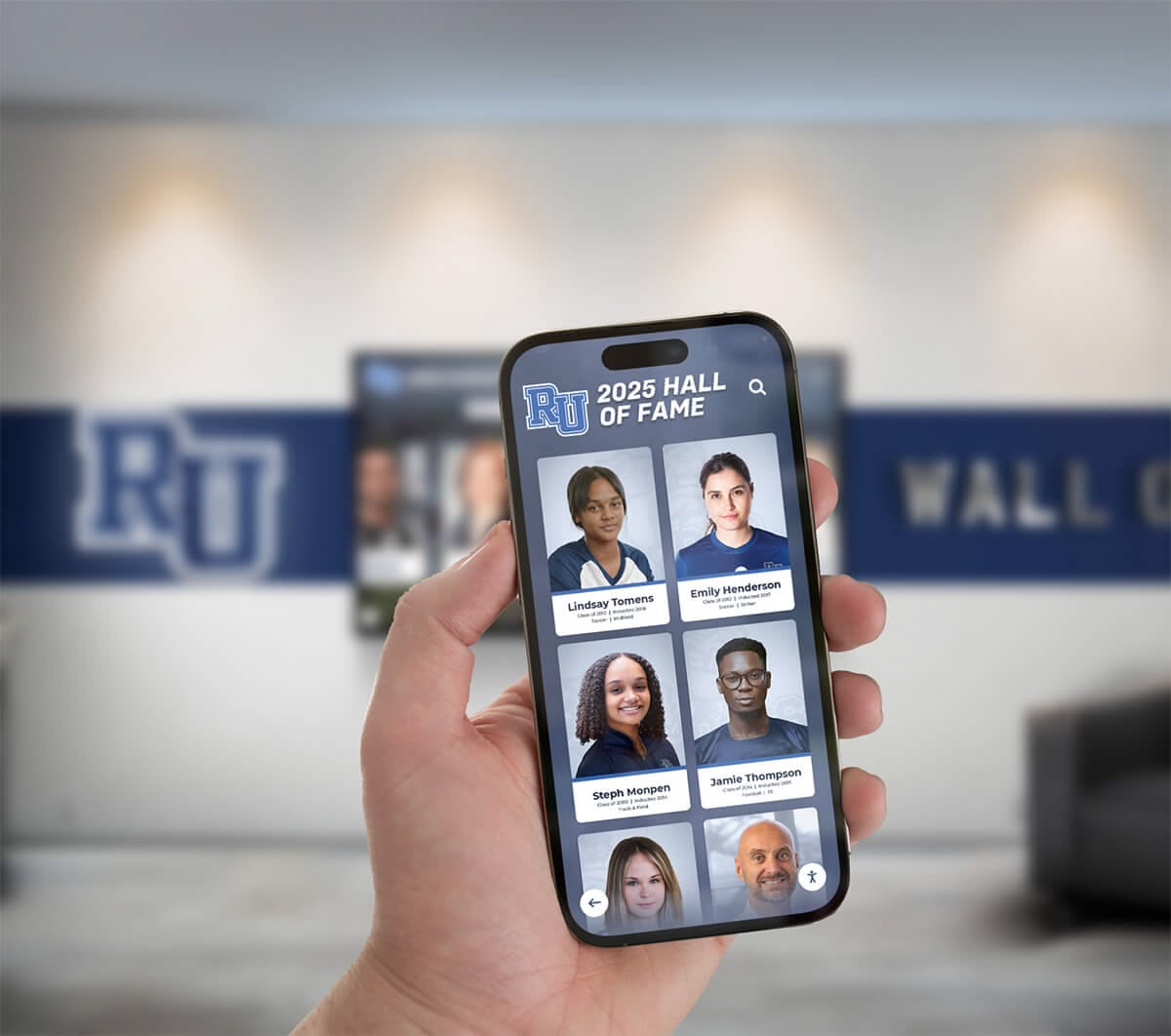
This fragmentation creates serious practical problems. Finding photos from specific years requires hunting through multiple locations. Graduates visiting campus can’t easily locate their class photos. Historical preservation efforts fail when materials remain scattered across dozens of systems and individuals. Marketing teams struggle to source authentic historical content for institutional communications.
Common Consolidation Obstacles
Schools encounter predictable barriers when attempting to consolidate class photos:
Volume and Scale Challenges The sheer quantity of photos accumulated over decades can feel overwhelming. A school with 50 years of history might have 10,000-50,000 individual student portraits across various graduating classes, plus countless candid photos, team images, and event documentation.
Quality and Condition Issues Older class photos often exist only in deteriorating physical formats—faded yearbook pages, damaged composite prints, or poor-quality scans. Some years may have incomplete records or missing photos entirely.
Rights and Privacy Concerns Modern privacy expectations complicate sharing historical class photos, especially online. Schools must balance accessibility with appropriate protections for student information and image rights.
Resource Limitations Consolidation projects require time, budget, and expertise that already-stretched school staff may struggle to provide. The technical aspects of digitization, organization, and system implementation can seem daunting without dedicated resources.
Technological Barriers Choosing appropriate platforms, establishing organizational structures, and integrating with existing school systems require technical decisions that overwhelm institutions without dedicated IT support.
Despite these challenges, thousands of schools successfully consolidate their class photos using systematic approaches detailed throughout this guide.
Phase 1: Inventory and Assessment
Successful consolidation begins with understanding exactly what content you possess and where it currently resides.
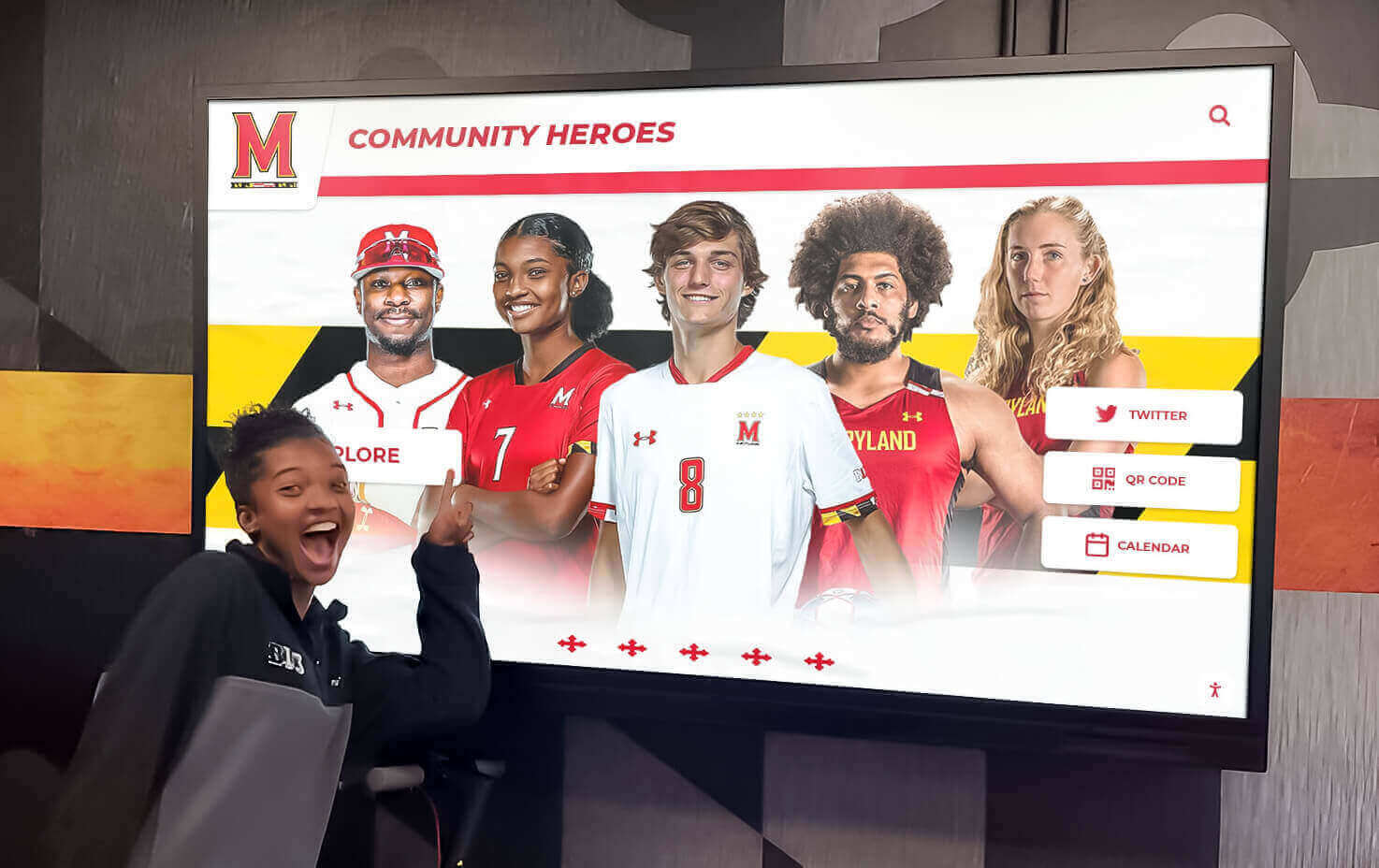
Creating a Comprehensive Content Inventory
Systematic Discovery Process:
Identify All Physical Locations
- Walk through buildings noting displayed class composites and trophy cases
- Survey library archives for historical yearbooks and photo collections
- Contact athletics, alumni relations, and communications departments
- Check storage areas, basements, and rarely-accessed spaces
- Reach out to long-tenured faculty who may hold historical materials
Map Digital Assets
- Audit shared network drives for photo folders
- Survey staff members about personal collections related to school history
- Review website, social media, and marketing asset libraries
- Identify yearbook software databases with archived photos
- Check with photographers who’ve worked with your school over the years
Document What You Find
- Create spreadsheets listing photo collections by year range and format
- Note condition of physical materials (excellent, good, fair, poor, critical)
- Estimate quantities for each collection (approximate counts are sufficient)
- Identify copyright and permissions status where known
- Mark priority collections based on historical significance and condition
This inventory phase typically reveals surprising findings—forgotten archives in storage rooms, alumni willing to contribute personal collections, or complete year ranges you didn’t realize existed in various formats.
Assessing Priority and Value
Not all class photos require immediate digitization. Strategic prioritization ensures you address most valuable content first:
High Priority Collections:
- Classes from milestone anniversaries approaching reunion years
- Deteriorating physical materials at risk of permanent loss
- Gaps in your existing digital records filling important historical periods
- Recent classes (last 10-20 years) with higher alumni engagement potential
- Founding years and early decades of institutional history
- Classes frequently requested by alumni or marketing teams
Medium Priority Collections:
- Complete decades providing comprehensive historical coverage
- Classes with notable alumni or significant institutional connections
- Materials in stable condition but not yet digitized
- Specialty programs or discontinued academic tracks worth preserving
Lower Priority Collections:
- Duplicate materials already adequately preserved elsewhere
- Classes with existing high-quality digital versions
- Materials requiring extensive restoration beyond current capabilities
- Collections with unclear provenance or rights questions
This prioritization informs your project timeline and resource allocation, allowing you to deliver value quickly while planning for comprehensive long-term coverage.
Phase 2: Digitization Strategies
Converting physical class photos into digital formats requires appropriate methods matching your materials, budget, and quality requirements.
Scanning Physical Yearbooks and Composites
For institutions with complete yearbook collections, systematic scanning preserves both individual portraits and contextual information:
Yearbook Scanning Approaches:
Option 1: In-House Scanning
- Flatbed scanners produce high-quality results for good-condition yearbooks
- Scan at 300-600 DPI for adequate quality while managing file sizes
- Use automatic document feeders cautiously to avoid damaging aged bindings
- Budget 30-60 minutes per yearbook depending on thoroughness
- Total cost: Equipment ($200-$800) plus staff time
Option 2: Professional Yearbook Scanning Services
- Specialized vendors offer bulk yearbook digitization with careful handling
- Services include page scanning, OCR text recognition, and metadata extraction
- Professional results with minimal staff time requirements
- Typical pricing: $50-$200 per yearbook depending on condition and complexity
- Many services provide both full-page scans and cropped individual portraits
Option 3: Photography of Composite Frames
- High-resolution photography of wall-mounted composites preserves displayed materials
- Professional cameras with appropriate lenses capture sharp detail
- Lighting and glare management critical for quality results
- Individual portraits can be cropped from composite images during processing
Schools with decades of yearbooks often use hybrid approaches—professional services for large historical collections combined with in-house scanning for recent years and ongoing additions.
Extracting Individual Student Portraits
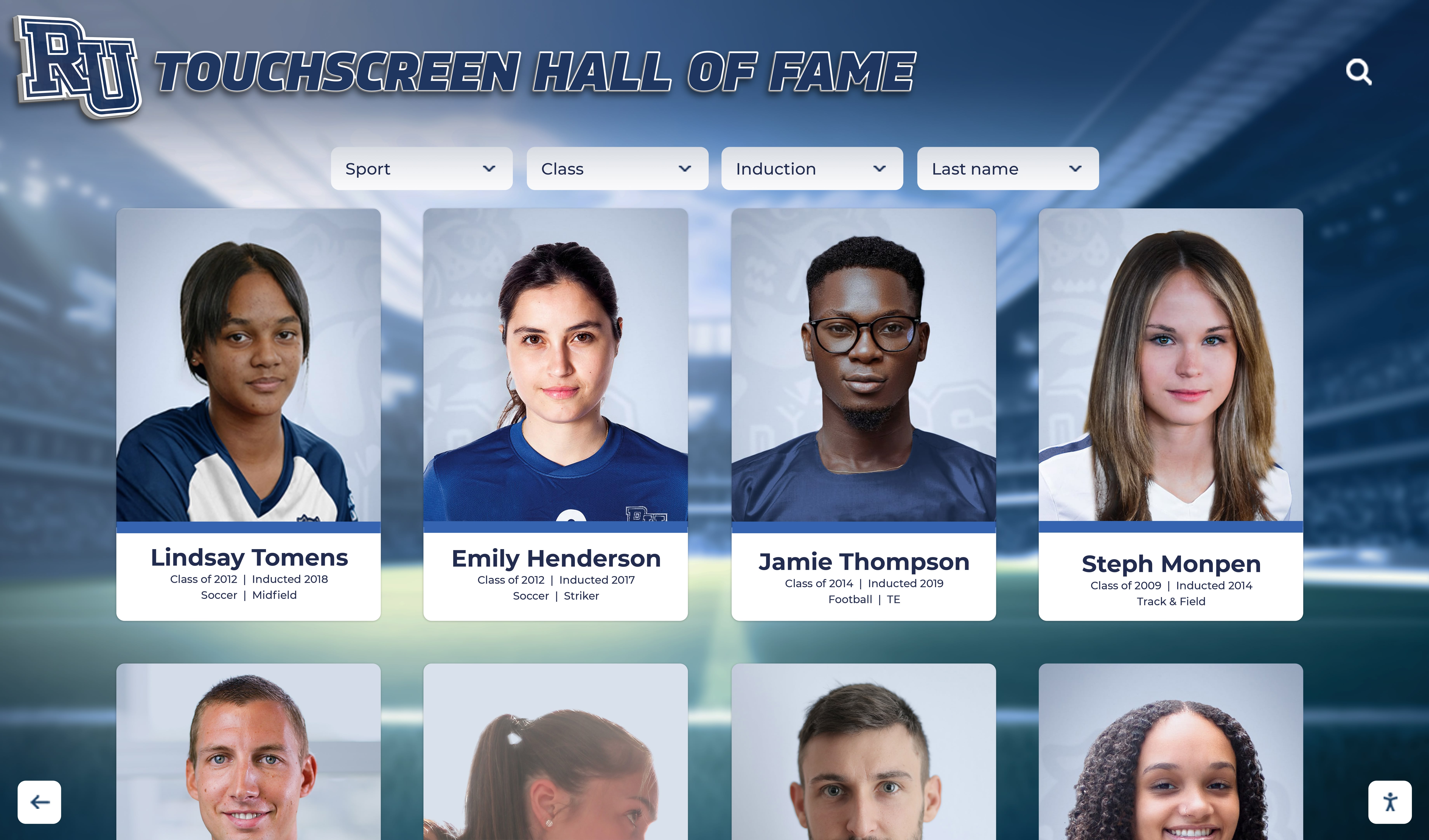
Once you’ve digitized yearbook pages or composite images, extracting individual student portraits creates the foundation for searchable databases:
Manual Cropping Methods:
- Photo editing software (Photoshop, GIMP) allows precise individual portrait extraction
- Batch processing tools speed up repetitive cropping for consistent layouts
- Student workers or volunteers can handle straightforward cropping tasks
- Expect 50-200 portraits per hour depending on layout complexity and quality standards
Automated Extraction Tools:
- Specialized software can automatically detect and crop faces from composite layouts
- AI-powered tools identify individual portraits even in varied arrangements
- Quality checking still required but dramatically reduces manual effort
- Some digital asset management systems include automated portrait extraction features
Quality Control Considerations:
- Establish minimum resolution standards (typically 400x500 pixels or better)
- Maintain consistent aspect ratios within year groups for uniform display
- Preserve original full-page scans alongside extracted individual portraits
- Document cropping decisions for future reference if re-processing needed
Collecting Digital-Native Photos
For recent classes, photos may already exist in digital formats requiring consolidation rather than scanning:
Digital Photo Sources:
- School photographer archives (typically organized by year and event)
- Yearbook software databases with uploaded student portraits
- Student information systems containing ID photos
- Previous digital recognition displays or website archives
- Alumni submissions through reunion planning or historical preservation initiatives
Collection Workflows:
- Request digital files directly from photographers who’ve worked with your school
- Export portraits from yearbook design software in original resolution
- Gather volunteer submissions through secure upload portals with clear rights agreements
- Coordinate with IT to recover photos from decommissioned systems before hardware disposal
Digital-native photos typically offer superior quality compared to scanning physical prints, making them ideal starting points for digital class composite displays and online archives.
Phase 3: Organization and Metadata
Consolidating photos into centralized storage solves only part of the challenge—proper organization determines whether your archive becomes a valuable resource or an unusable dumping ground.
Establishing Organizational Structure
Folder Hierarchy Best Practices:
Class Photos/
├── Graduating Classes/
│   ├── 1970/
│   │   ├── Individual Portraits/
│   │   ├── Composite Images/
│   │   └── Class Events/
│   ├── 1971/
│   ├── 1972/
│   └── [continues...]
├── Faculty and Staff/
│   ├── 1970s/
│   ├── 1980s/
│   └── [organized by decade]
├── Historical Scans/
│   ├── Original Yearbooks/
│   └── Original Composites/
└── Submissions/
    └── [organized by source and year]
This chronological primary structure with consistent subfolder organization enables intuitive navigation while supporting various content types. Schools may adapt based on specific needs—private institutions might organize by program or track, while universities may add college or department levels.
Creating Effective Metadata
Metadata—information about your photos—transforms simple image collections into searchable, filterable archives. Comprehensive tagging enables finding specific individuals or classes instantly.
Essential Metadata Fields:
- Class Year: Graduation year (mandatory for all student photos)
- Full Name: Student’s complete name as recorded in official records
- Program/Track: Academic program, college, or specialty track where applicable
- Photo Type: Portrait, candid, group, event, composite, etc.
- Date Captured: When photo was taken (may differ from class year)
- Photographer: Attribution for professional photography
- Original Source: Where photo originated (yearbook page, digital submission, scan, etc.)
- Rights/Permissions: Usage restrictions or photo release status
- Quality Notes: Resolution, condition, or technical limitations worth documenting
Advanced Metadata for Enhanced Functionality:
- Activities: Sports, clubs, organizations for cross-referencing achievements
- Awards: Academic honors, athletic recognition, or special distinctions
- Legacy Connections: Family members across different graduating classes
- Reunion Years: Automatic calculation of upcoming reunion milestones
- Social Links: Opt-in connections to professional profiles or alumni directories
- Geographic Data: Hometown, current location (for willing alumni)
Schools implementing photo organization software for communities benefit from structured metadata that powers search, filtering, and automatic association with related content across the entire institutional archive.
Naming Conventions and File Standards
Consistent file naming prevents confusion and enables automated processing:
Recommended Naming Pattern:
[Year]_[LastName]_[FirstName]_[PhotoType].jpg
Examples:
2010_Smith_John_Portrait.jpg1985_Johnson_Mary_Candid.jpg1995_Class_Composite.jpg
File Format Standards:
- JPEG: Best for portraits and most class photos (good quality, reasonable file sizes)
- TIFF: Archival master files preserving maximum quality (large file sizes)
- PNG: Transparency needs or graphics requiring lossless compression
- Store both high-resolution archival masters and web-optimized versions
Resolution Guidelines:
- Archival Masters: 300 DPI at intended print size, typically 2000x2500+ pixels
- Display Versions: 800x1000 pixels suitable for screens and web use
- Thumbnail Versions: 200x250 pixels for preview grids and indexes
Proper file management from the beginning prevents costly reorganization projects when materials need to be migrated to new systems or repurposed for different uses.
Phase 4: Choosing Storage and Display Solutions
Consolidated class photos require appropriate technology platforms balancing storage capacity, accessibility, and display capabilities.
Digital Storage Platform Options
Cloud-Based Digital Asset Management Systems
Purpose-built DAM platforms designed for educational institutions offer comprehensive features for class photo consolidation:
- Centralized Storage: Unlimited or high-capacity storage for thousands of photos
- Advanced Search: Find individuals by name, year, or characteristics across entire archives
- Access Controls: Manage who can view, download, or edit different photo collections
- Metadata Management: Structured tagging systems with controlled vocabularies
- Integration Capabilities: Connect with websites, displays, and other school systems
- Backup and Redundancy: Automatic backups protecting against data loss
Educational DAM systems typically cost $2,000-$10,000 annually depending on storage needs and feature requirements. Solutions designed specifically for schools include appropriate privacy controls and educational pricing models.
Cloud Storage with Enhanced Organization
Budget-conscious schools sometimes leverage general cloud storage enhanced with organizational discipline:
- Google Drive/Google Photos: Free or low-cost storage with folder organization
- Microsoft OneDrive: Integrated with Office 365 education subscriptions
- Dropbox Business: Excellent sharing and collaboration features
- Box: Strong security and compliance features suitable for educational use
While more affordable (often $5-$15 per user monthly), general cloud storage lacks specialized features like advanced metadata, facial recognition, or integration with recognition displays. Schools using this approach must develop rigorous organizational systems and manual processes for tasks automated in purpose-built platforms.
Interactive Display Solutions

Consolidating class photos enables modern display solutions that transform how students, alumni, and visitors experience your institutional history.
Digital Recognition Displays
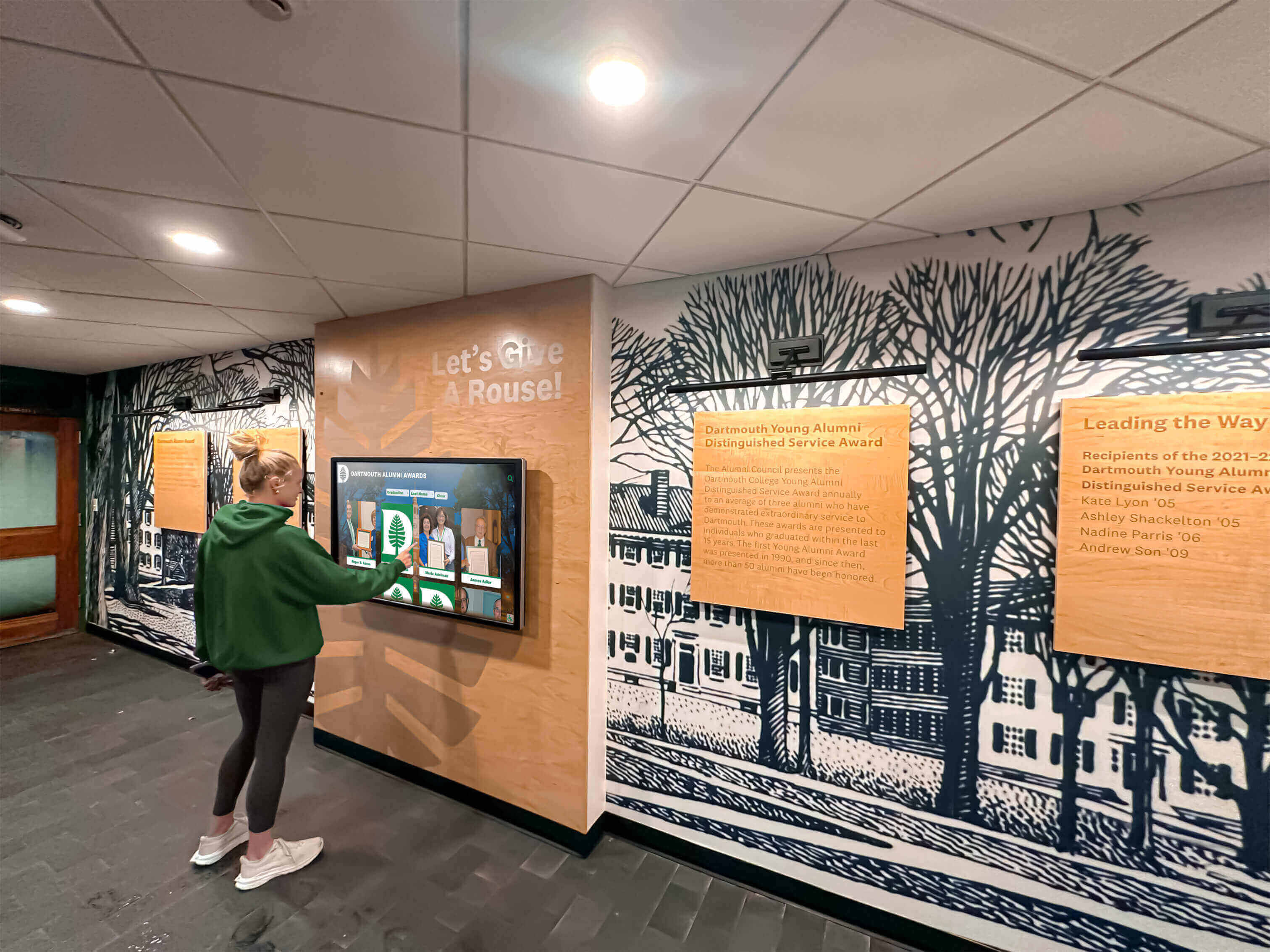
Interactive touchscreen systems showcase consolidated class photos in engaging, searchable formats:
Key Capabilities:
- Browse all graduating classes from a single display regardless of year range
- Search by name to instantly locate individuals across decades
- Filter by year, program, achievement, or other metadata
- View high-resolution portraits with biographical information
- Share discoveries via social media or email
- Update content remotely without physical display changes
- Track engagement analytics showing which classes generate most interest
Schools replacing traditional printed class composites with digital class composite systems report dramatically increased alumni engagement during campus visits. The ability to find oneself and classmates within seconds creates emotional connections impossible with static printed displays limited to recent years.
Web-Accessible Archives
Online archives extend consolidated class photo access beyond campus boundaries:
- Alumni anywhere in the world can explore their graduating class
- Reunion planning committees reference photos for event promotion
- Development offices identify prospects through enhanced alumni profiles
- Marketing teams source authentic historical content for institutional communications
- Prospective students experience school tradition and community continuity
Implementation Considerations:
- Privacy controls restricting access to authenticated users if needed
- Photo release management ensuring only appropriately-authorized images appear
- Mobile-responsive design for smartphone and tablet access
- Integration with alumni directories and giving systems where applicable
- Social sharing features encouraging organic promotion and engagement
Combined physical displays and web access maximize the value of consolidated photo archives by making them accessible in contexts most relevant to different stakeholder groups.
Phase 5: Implementation Workflow
Successful consolidation projects follow systematic workflows that deliver results without overwhelming limited resources.
Project Planning and Timeline
Realistic Timeline Expectations:
Small School (Under 500 students, 20-40 year history):
- Planning and Assessment: 2-4 weeks
- Priority Digitization: 2-3 months
- Organization and Metadata: 1-2 months
- Platform Implementation: 2-4 weeks
- Total Project Timeline: 4-6 months to functional archive
Medium School (500-2,000 students, 40-75 year history):
- Planning and Assessment: 4-6 weeks
- Priority Digitization: 4-6 months
- Organization and Metadata: 2-4 months
- Platform Implementation: 1-2 months
- Total Project Timeline: 8-14 months to comprehensive archive
Large School/University (2,000+ students, 75+ year history):
- Planning and Assessment: 2-3 months
- Priority Digitization: 12-24 months (phased approach)
- Organization and Metadata: 6-12 months (ongoing)
- Platform Implementation: 2-3 months
- Total Project Timeline: 18-36 months to complete historical coverage
These timelines assume part-time effort from existing staff. Dedicated project coordinators or professional services can dramatically compress schedules while improving quality.

Resource Allocation
Staffing Approaches:
Internal Staff Model:
- Assign project coordinator (10-20 hours weekly) overseeing consolidation
- Engage student workers for scanning and basic organization tasks
- Involve department staff contributing materials and verification
- Total cost: Primarily staff time plus equipment and software
Hybrid Model:
- Professional services for bulk yearbook scanning and digitization
- Internal staff managing organization, metadata, and platform implementation
- Student or volunteer contributions for specific tasks like data entry
- Total cost: $5,000-$25,000 professional services plus staff time
Full-Service Model:
- Specialized vendors handling end-to-end digitization, organization, and implementation
- School provides materials and decision-making with minimal staff time
- Comprehensive project management and quality assurance included
- Total cost: $15,000-$100,000+ depending on scope and archive size
Most schools successfully consolidate class photos using hybrid approaches that balance professional quality for complex tasks with cost-effective internal effort for straightforward components.
Quality Assurance Processes
Consolidation projects require verification preventing errors that undermine archive value:
Critical Quality Checks:
- Name Verification: Cross-reference student names against official records (graduation lists, yearbooks)
- Year Accuracy: Confirm graduation years match institutional records
- Photo-Name Matching: Verify correct names associate with corresponding portraits
- Duplicate Detection: Identify and resolve duplicate entries for same individuals
- Metadata Completeness: Ensure required fields populated for all photos
- Privacy Compliance: Confirm photo usage aligns with permissions and rights
- Technical Quality: Validate minimum resolution and image quality standards
Many schools discover surprisingly high error rates in historical records—misspelled names, incorrect years, or mis-identified individuals. Involving alumni associations or long-tenured faculty in verification can catch mistakes before they become permanently embedded in archives.
Advanced Applications and Use Cases
Consolidated class photo archives enable sophisticated applications beyond basic display and search.
Alumni Engagement Initiatives
Reunion Planning and Promotion: Consolidated archives dramatically simplify reunion organization:
- Create digital galleries featuring entire classes for reunion promotion
- Generate printable class directories with updated photos and information
- Enable pre-reunion social networking among classmates
- Produce commemorative materials highlighting class achievements and memories
- Track attendance patterns based on class photo engagement metrics
Research on alumni engagement through interactive recognition demonstrates that classes with accessible digital photo archives show 25-40% higher reunion attendance rates compared to classes relying solely on printed yearbooks and personal memories.
Legacy Family Recognition: Consolidated archives with proper metadata enable identifying multi-generational families:
- Connect parents, children, and grandchildren across graduating classes
- Highlight legacy families during admissions and development initiatives
- Create special recognition for families with multiple generations
- Support genealogical research for institutional historians and interested families
Development and Fundraising Applications
Prospect Research and Identification: Enhanced class photo archives support advancement efforts:
- Identify potential major donors by cross-referencing class photos with career achievements
- Research family connections and legacy giving potential
- Personalize solicitations with references to classmates and shared experiences
- Track engagement with class photo archives as indicator of affinity
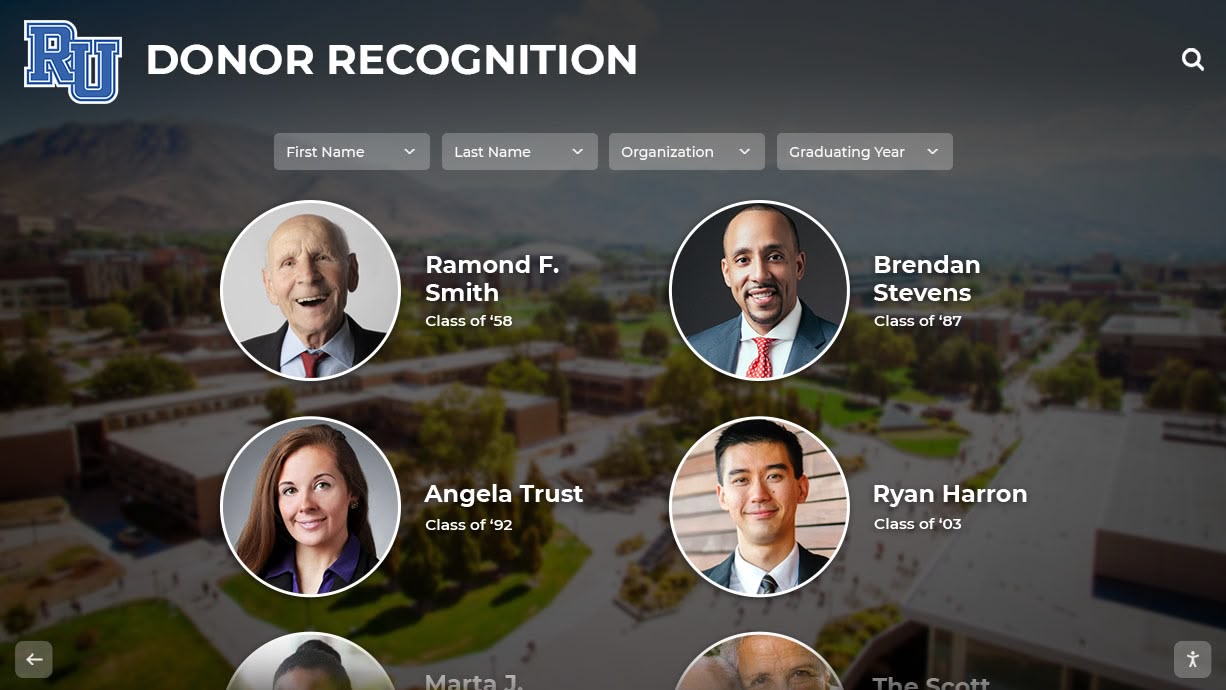
Donor Recognition Integration: Schools implementing digital donor recognition displays can integrate class photos with giving recognition, showing donors alongside their graduating class and highlighting their support for current students.
Marketing and Communications
Authentic Historical Content: Consolidated archives provide marketing teams with readily-accessible authentic content:
- Source historical photos for anniversary campaigns and milestone celebrations
- Illustrate institutional continuity and tradition in prospective student materials
- Create compelling social media content featuring “throwback” class photos
- Support press releases and media inquiries with historical context and imagery
Brand Storytelling: Class photo archives enable narrative development connecting past to present:
- Demonstrate educational quality through distinguished alumni achievements
- Illustrate diversity and inclusion progress over institutional history
- Highlight program evolution and institutional growth
- Create emotional connections with prospective families through authentic stories
Academic and Historical Research
Comprehensive class photo archives serve scholarly research beyond institutional purposes:
- Sociological studies examining educational access and demographic shifts over time
- Historical research into institutional development and community connections
- Fashion and cultural studies analyzing changing styles and social norms
- Genealogical research for local historians and family researchers
Schools with well-organized archives increasingly find themselves supporting external researchers interested in their institutional history and the communities they serve.
Maintaining and Expanding Your Archive
Consolidation isn’t a one-time project—successful archives require ongoing maintenance and regular expansion.
Annual Update Workflows
Adding New Graduating Classes:
Establish streamlined processes for incorporating current year photos:
- Photo Collection: Coordinate with photographers or yearbook staff for digital files (typically March-May)
- Initial Organization: Name files consistently and create year folders (May)
- Metadata Application: Add student names, programs, and relevant information (May-June)
- Quality Review: Verify accuracy before publication (June)
- Archive Integration: Add to consolidated archive and update displays (June-July)
- Communication: Announce availability to graduates and families (graduation/summer)
This annual cycle typically requires 10-20 hours of effort when established workflows are followed consistently.
Historical Expansion Strategies
Filling Archive Gaps:
Continue improving historical coverage through:
- Alumni Contributions: Periodic campaigns requesting historical photo submissions
- Photography Studio Archives: Identifying and digitizing photographer records
- Estate Donations: Accepting historical materials from families and alumni
- Institutional Partnerships: Collaborating with historical societies and libraries
- Purchased Collections: Acquiring relevant materials from antique dealers or auctions
Enhancement Projects:
- Improving metadata for existing photos with additional research
- Upgrading low-resolution scans when better source materials are located
- Adding biographical information and achievement records
- Connecting class photos with academic recognition programs and honors
Technology Refresh Planning
Digital systems require periodic updates maintaining functionality and security:
Platform Maintenance:
- Annual software updates and security patches
- Periodic migration to newer versions or platforms (every 5-10 years)
- Backup verification and disaster recovery testing
- Format migration as file standards evolve
Display Hardware Refresh:
- Commercial display lifespans typically 6-8 years for continuous operation
- Plan replacements before failures disrupt service
- Consider capacity expansion as archives grow
- Evaluate new features and capabilities in updated systems
Best Practices and Pro Tips
Schools that successfully consolidate and maintain class photo archives share common approaches:
Dos and Don’ts
DO:
- Start with your most valuable or at-risk materials rather than attempting everything chronologically
- Involve alumni early through contribution campaigns and verification assistance
- Establish clear naming conventions and metadata standards from day one
- Create comprehensive documentation for future staff inheriting the archive
- Budget adequate time and resources—rushed projects produce poor quality requiring costly fixes
- Celebrate milestones and progress to maintain momentum and stakeholder support
- Consider professional services for large or complex components beyond internal capabilities
DON’T:
- Attempt perfection—launch with good coverage and improve continuously over time
- Discard physical originals immediately after digitization until thoroughly verified
- Ignore privacy considerations and photo release permissions
- Let scope creep derail focused projects with expanding objectives
- Rely solely on outdated formats or technologies lacking migration plans
- Neglect documentation assuming current staff will always be available
- Underestimate the importance of quality metadata and organization
Common Mistakes to Avoid
Inadequate Quality Control: Schools rushing digitization discover hundreds of photos mis-identified or incorrectly dated. The cost of fixing errors after publication far exceeds the time required for proper initial verification.
Technology Over-Investment: Purchasing expensive enterprise platforms before understanding actual needs often results in underutilized systems and wasted budgets. Start with appropriate-scale solutions that can grow as your program matures.
Ignoring Privacy Implications: Publishing historical class photos online without considering privacy preferences and permissions creates unnecessary conflict. Establish clear policies before launching public-facing archives.
Insufficient Metadata: Photos without adequate descriptive information become difficult to find and use. Minimal metadata at digitization costs far less than comprehensive retroactive tagging.
No Maintenance Plan: Archives without ongoing maintenance budgets and staff assignments deteriorate rapidly as technology evolves and links break. Successful programs build sustainability from inception.
Conclusion: From Scattered to Consolidated
Consolidating decades of class photos from fragmented physical and digital sources into unified, searchable archives transforms institutional memory management. What once required hours of hunting through dusty yearbooks now takes seconds through intuitive search interfaces. Alumni disconnected from institutional life reconnect through accessible class photo archives. Historical preservation that seemed impossibly expensive becomes feasible through strategic digitization and modern display technologies.
The journey from scattered chaos to organized digital archives requires investment—staff time, technology platforms, and sustained commitment to quality and maintenance. However, schools that successfully consolidate class photos consistently report that benefits far exceed costs through enhanced alumni engagement, improved communications, preserved institutional history, and deepened community connections.
Whether you’re beginning with recent classes or tackling century-old archives, the systematic approaches outlined in this guide provide proven frameworks for success. Solutions like Rocket Alumni Solutions offer integrated platforms combining storage, organization, and interactive recognition displays designed specifically for educational institutions, enabling schools to consolidate class photos and showcase them through engaging touchscreen systems without requiring extensive technical expertise.
Your graduating classes—past, present, and future—deserve recognition that honors their achievements while remaining accessible to alumni and community members regardless of where they live or when they graduated. By consolidating class photos into modern digital systems, your institution preserves memories, strengthens connections, and creates lasting legacies celebrating every student who walked your halls.
Ready to consolidate your class photos and transform scattered memories into engaging digital recognition? Explore how Rocket Alumni Solutions can help your school preserve institutional history while creating interactive experiences that connect generations of students, alumni, and community members.































