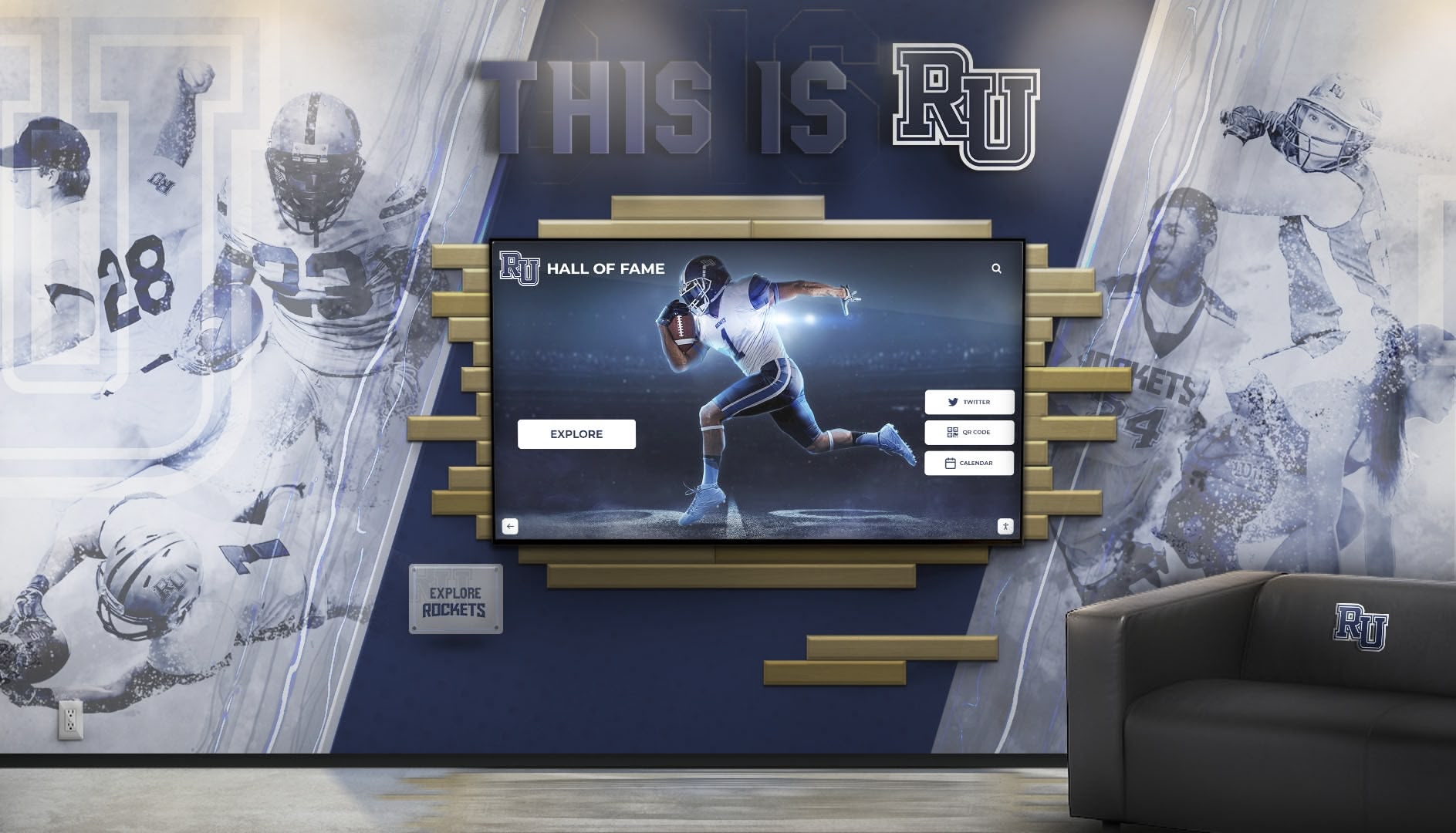
Creating Recognition That Reflects Your Unique Story
Every organization has a distinct identity—unique values, visual aesthetics, architectural spaces, and community cultures that define who they are. Yet many institutions settle for generic, one-size-fits-all recognition solutions that fail to capture their distinctive character. A custom designed hall of fame transforms recognition from standardized displays into personalized experiences that honor achievements while authentically reflecting organizational identity, brand, and vision.
Custom hall of fame design goes far beyond simply adding logos to templates or selecting from predetermined color schemes. True customization encompasses architectural integration, brand storytelling, interactive user experiences, content organization, technology selection, and aesthetic decisions that align recognition displays with your institution’s unique characteristics and strategic objectives.
When properly designed, custom hall of fame installations become distinctive institutional signatures—memorable spaces that visitors instantly recognize as uniquely yours. They communicate quality, attention to detail, and commitment to honoring excellence in ways that resonate with your specific community while creating lasting impressions that generic solutions cannot match.
This comprehensive guide explores every dimension of custom hall of fame design, from initial vision development through implementation and ongoing evolution. Whether creating recognition for educational institutions, sports organizations, corporate environments, or community groups, you’ll discover how thoughtful customization transforms standard recognition into extraordinary experiences that celebrate your achievements while strengthening institutional identity.
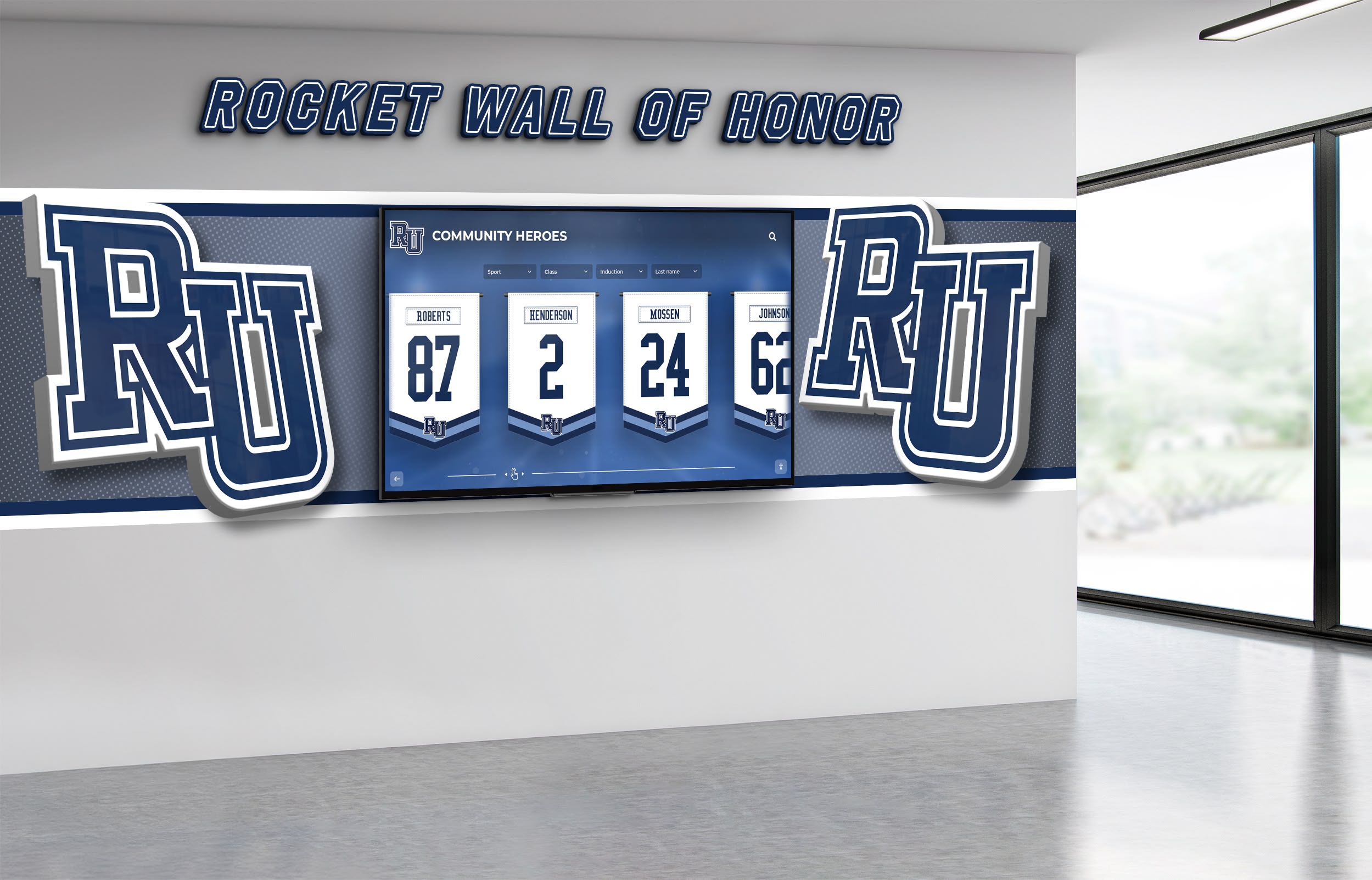
Professional mockups visualize custom hall of fame designs within actual architectural contexts before implementation
Understanding Custom Hall of Fame Design Philosophy
Custom hall of fame design represents a fundamental philosophy: recognition displays should serve your organization rather than forcing your organization to adapt to generic solutions. This approach begins with deep understanding of institutional identity, community values, spatial constraints, and recognition objectives before considering specific technologies or design elements.
The Limitations of Template-Based Recognition
Off-the-shelf recognition systems offer convenience and lower initial costs, but they impose significant limitations on how you honor achievements. Template solutions typically provide limited design flexibility within predetermined frameworks, standard navigation patterns regardless of content type, generic visual aesthetics lacking distinctive character, fixed content structures that may not match your needs, and minimal architectural integration with existing spaces.
These limitations become particularly apparent when organizations have unique requirements—non-traditional recognition categories, specialized content relationships, distinctive brand identities, architectural constraints or opportunities, or specific user experience goals that generic platforms cannot accommodate.
Organizations implementing template systems often find themselves compromising recognition vision to fit available features rather than having solutions designed around their actual needs. This compromise diminishes recognition impact while creating displays that feel generic rather than distinctively representative of institutional character.
Key Dimensions of Hall of Fame Customization
Comprehensive custom design addresses multiple interconnected dimensions that together create cohesive recognition experiences:
Visual & Brand Design:
- Color palettes reflecting organizational identity
- Typography systems consistent with brand standards
- Logo integration and graphic element design
- Photography style and visual content approach
- Animation and transition design language
- Iconography and user interface elements
Architectural Integration:
- Physical mounting and display placement
- Surrounding environment harmonization
- Lighting design coordinated with space
- Sightlines and viewing distance optimization
- Traffic flow and accessibility considerations
- Multi-display coordination across locations
Content Organization & Structure:
Custom designs accommodate your specific recognition categories, achievement hierarchies, historical periods or eras, organizational structure relationships, and cross-reference patterns. Rather than forcing content into predetermined taxonomies, systems structure themselves around how your community naturally thinks about and explores achievements.
User Experience & Interaction:
Navigation patterns reflect your audience’s exploration preferences. Search and filtering align with how users naturally seek information. Content depth balances casual browsing with detailed exploration. Personalization adapts experiences to different visitor types. Interactive features engage your specific community effectively.
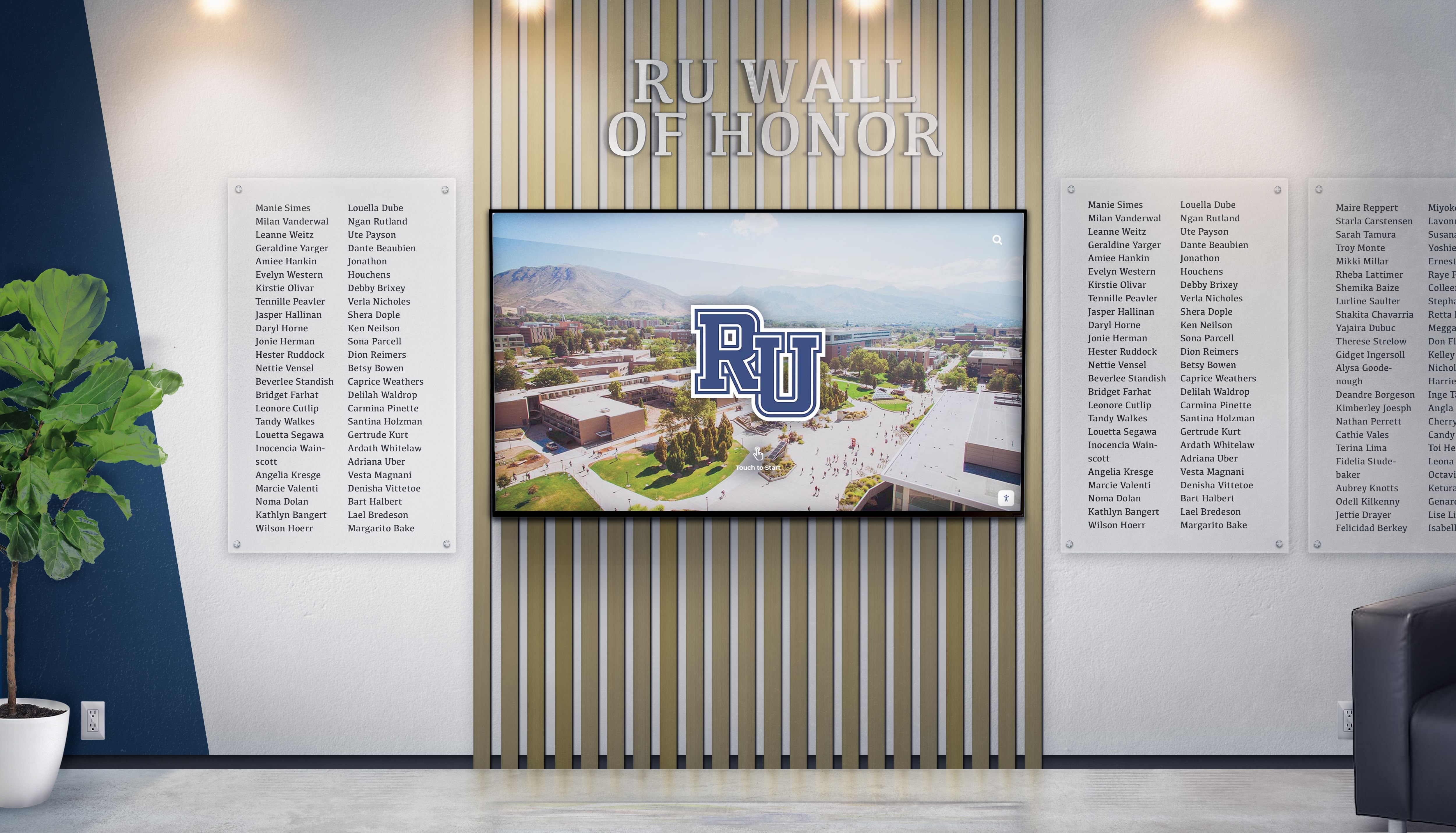
Custom designs integrate seamlessly with existing architectural elements and organizational aesthetics
Phase 1: Discovery and Vision Development
Successful custom hall of fame projects begin with comprehensive discovery processes that establish clear vision, document requirements, and align stakeholders around shared objectives.
Organizational Identity Assessment
Understanding organizational identity provides foundation for design decisions that authentically represent institutional character:
Brand Analysis:
Current visual identity systems reveal established design languages. Logo usage, color palettes, typography, graphic styles, and visual elements from websites, publications, and marketing materials establish brand foundations that recognition displays should honor and extend. However, effective custom design goes beyond simple logo placement to capture deeper brand essence.
Cultural Values & Characteristics:
Every organization has cultural attributes that define community character. Educational institutions emphasize different values—academic rigor, athletic tradition, arts excellence, service orientation, or innovation focus. Corporate environments reflect company cultures—formal or casual, traditional or progressive, hierarchical or collaborative. Understanding these characteristics ensures recognition displays feel culturally appropriate and authentic.
Architectural Context:
Physical spaces where displays will reside significantly influence design opportunities and constraints. Building age and architectural style, existing materials and finishes, lighting conditions natural and artificial, traffic patterns and viewing distances, and surrounding space functions all inform appropriate design approaches.
Stakeholder Engagement and Requirements Gathering
Broad stakeholder input ensures recognition systems serve diverse community needs effectively:
Essential Stakeholder Perspectives
Leadership Vision: Administrators and executives provide strategic direction connecting recognition to broader institutional goals and priorities.
Operational Requirements: Those managing recognition programs daily offer practical insights about content workflows, update frequencies, and administrative needs.
User Experience Insights: End users—students, employees, alumni, visitors—describe how they naturally explore achievements and what information matters most to them.
Technical Considerations: IT and facilities staff address infrastructure realities, maintenance capabilities, and system integration requirements.
Historical Perspective: Long-tenured community members and archivists contribute context about traditions, past recognition approaches, and institutional history that should inform new systems.
Structured stakeholder engagement typically includes individual interviews with key stakeholders, focus groups representing different community segments, surveys gathering broad community input, site visits examining architectural contexts, and competitive analysis studying how peer organizations approach recognition.
This comprehensive input prevents costly design directions that fail to serve actual needs or align with organizational culture. Time invested in discovery substantially increases implementation success likelihood.
Defining Success Criteria and Objectives
Clear objectives provide evaluation frameworks for design decisions throughout development:
Recognition Objectives:
What specific outcomes should the hall of fame achieve? Common objectives include honoring achievements comprehensively across all categories, inspiring current members through role model examples, engaging alumni and former members emotionally, attracting prospective members during recruitment, and preserving institutional history for future generations.
Different organizations prioritize these objectives differently. Schools often emphasize inspiration and recruitment. Alumni organizations focus on engagement and connection. Corporate environments highlight cultural values and retention.
Measurable Success Indicators:
Establish specific metrics for evaluating implementation success. Quantitative measures might include visitor engagement duration and frequency, content search patterns and popular profiles, alumni database updates and profile claiming, social sharing and digital reach, and recognition program participation rates. Qualitative indicators assess visitor feedback and satisfaction, community pride and perception changes, stakeholder enthusiasm and support, and media coverage and external recognition.

Collaborative stakeholder workshops align vision and requirements for custom recognition projects
Phase 2: Custom Design Development
With vision and requirements documented, comprehensive custom design development creates detailed specifications spanning visual design, user experience, content architecture, and technical systems.
Visual Identity and Brand Integration
Custom visual design establishes distinctive aesthetic identity aligned with organizational brand while optimized for recognition display contexts:
Color System Development:
Color creates immediate emotional responses and reinforces brand identity. Custom color systems typically establish primary organizational colors for major elements and brand reinforcement, secondary accent colors for visual interest and hierarchy, neutral backgrounds optimizing readability without competition, and success/highlight colors drawing attention to featured content.
Color decisions account for multiple contexts. What appears elegant on marketing materials may not optimize for backlit displays. Colors effective in print may fail in digital contexts. Custom design balances brand consistency with medium-specific optimization for maximum impact.
Typography and Hierarchy Systems:
Typography significantly impacts both aesthetic character and functional usability. Custom designs establish comprehensive type systems including primary headline fonts reflecting institutional personality, secondary text fonts optimizing readability across distances, specialized fonts for statistical or technical information, size hierarchies guiding attention and comprehension, and weight variations creating visual interest without font proliferation.
Digital recognition displays require particular attention to typography since viewing distances and contexts vary dramatically compared to print. Custom designs optimize legibility from relevant distances while maintaining aesthetic sophistication.
Graphic Elements and Visual Language:
Beyond color and typography, comprehensive visual systems include decorative elements and patterns, icon libraries for navigation and categories, photography and imagery styles, transition animations and motion design, and treatment approaches for multimedia content.
These elements work together creating cohesive visual experiences immediately recognizable as distinctively yours. Consistency across all components establishes professional quality while reinforcing institutional identity through every interaction.
User Experience and Interaction Design
Custom UX design creates navigation and interaction patterns perfectly suited to your content, audience, and recognition objectives:
Information Architecture:
Content organization dramatically impacts user experience effectiveness. Custom information architecture structures content reflecting how your community naturally thinks about achievements. Rather than imposing predetermined categories, designs accommodate your specific recognition types, achievement relationships, historical organization, searching and filtering needs, and cross-reference patterns.
For example, athletic halls of fame might organize by sport, era, achievement type, or individual versus team. Academic recognition might structure by academic discipline, research area, professional field, or graduation decade. Custom architecture ensures organizational logic aligns with user mental models.
Navigation and Exploration Patterns:
How users explore content varies by audience and context. Custom designs might emphasize search functionality for users seeking specific individuals, browsing interfaces for casual exploration and discovery, filtering systems for finding particular achievement types, timeline navigation for historical context, or relationship mapping showing connections between inductees.
Rather than forcing single navigation paradigms, custom systems accommodate diverse exploration preferences. Some visitors know exactly whom they’re seeking. Others browse randomly for inspiration. Effective custom design serves both purposeful searching and serendipitous discovery.
Content Depth and Progressive Disclosure:
Custom designs balance showing enough information to engage interest without overwhelming viewers. Progressive disclosure strategies present summary information for quick scanning, detailed profiles for interested visitors, extended content for deep exploration, related connections encouraging continued engagement, and multimedia elements enriching basic information.
This layered approach ensures displays engage both casual viewers spending seconds and interested community members exploring for minutes.
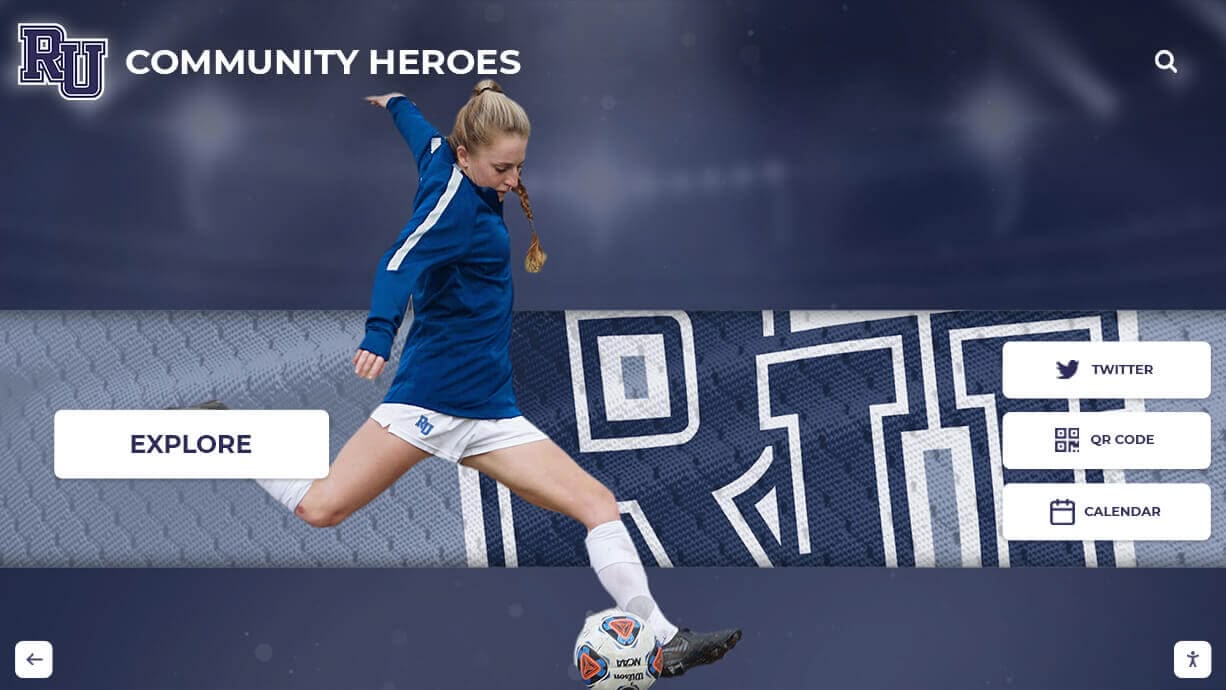
Custom user interfaces reflect organizational brand while optimizing content discovery and engagement
Content Strategy and Organization
Custom content strategies ensure recognition systems accommodate your specific content types, relationships, and growth patterns:
Recognition Categories and Taxonomies:
Organizations recognize achievements in diverse ways requiring flexible content structures. Standard categories like athletics, academics, and service might need subdivision into specific sports, academic disciplines, or service types. Some organizations recognize individual achievements, team accomplishments, organizational milestones, or collaborative successes requiring different content structures.
Custom taxonomies accommodate whatever achievement types matter to your community without forcing inappropriate categorization. If your organization recognizes achievements not fitting standard templates, custom design creates appropriate frameworks.
Historical Content Integration:
Many organizations possess rich historical recognition requiring thoughtful integration with contemporary achievements. Custom strategies address historical photo quality and availability, incomplete biographical information, evolving recognition criteria over time, organizational structure changes through history, and appropriate context for different eras.
Rather than treating historical content as second-class or requiring different presentation approaches, custom designs integrate historical and contemporary achievements seamlessly while accommodating varying information availability across eras.
Growth Accommodation and Scalability:
Recognition programs grow continuously. Custom content strategies ensure systems accommodate annual inductee additions without redesign, category expansion as programs evolve, content enhancement as additional information becomes available, and relationship mapping as connections between inductees become apparent.
Effective custom design anticipates growth patterns specific to your organization rather than imposing generic scalability assumptions that may not match your actual trajectory.
Phase 3: Technology Selection and Integration
Custom hall of fame design includes selecting or developing technology platforms optimally supporting your specific requirements, user experience vision, content needs, and operational realities.
Display Hardware Considerations
Physical display selection significantly impacts visitor experience and installation success:
Screen Size and Configuration:
Viewing distance and traffic patterns drive appropriate screen sizing. Locations with close individual interaction suit 43-55 inch displays enabling detailed exploration. High-traffic areas with group viewing benefit from 65-75 inch screens ensuring visibility from distance. Some installations require multiple displays creating extended recognition zones or distributing content across locations.
Custom installations consider specific architectural contexts rather than applying generic sizing formulas. Ceiling heights, viewing angles, ambient lighting, and traffic patterns all inform appropriate hardware selection for maximum impact in your specific space.
Commercial vs. Consumer Grade:
Recognition displays require commercial hardware designed for continuous operation rather than consumer televisions intended for occasional home use. Commercial displays offer 50,000-70,000 hour lifespans (versus 30,000-40,000 for consumer models), robust thermal management for continuous operation, commercial warranty and support services, and enterprise features like remote management.
While consumer displays cost less initially, commercial hardware proves more economical long-term through increased reliability and longevity. Custom projects specify appropriate hardware for your anticipated usage patterns and service expectations.
Mounting and Physical Integration:
Hardware selection guides must account for mounting approaches—wall mounting, freestanding kiosks, architectural integration, or custom enclosures. Each approach offers different aesthetic impacts, space requirements, accessibility characteristics, and costs.
Custom designs select mounting strategies optimizing for your specific architectural context, aesthetic preferences, and functional requirements rather than defaulting to standard approaches.
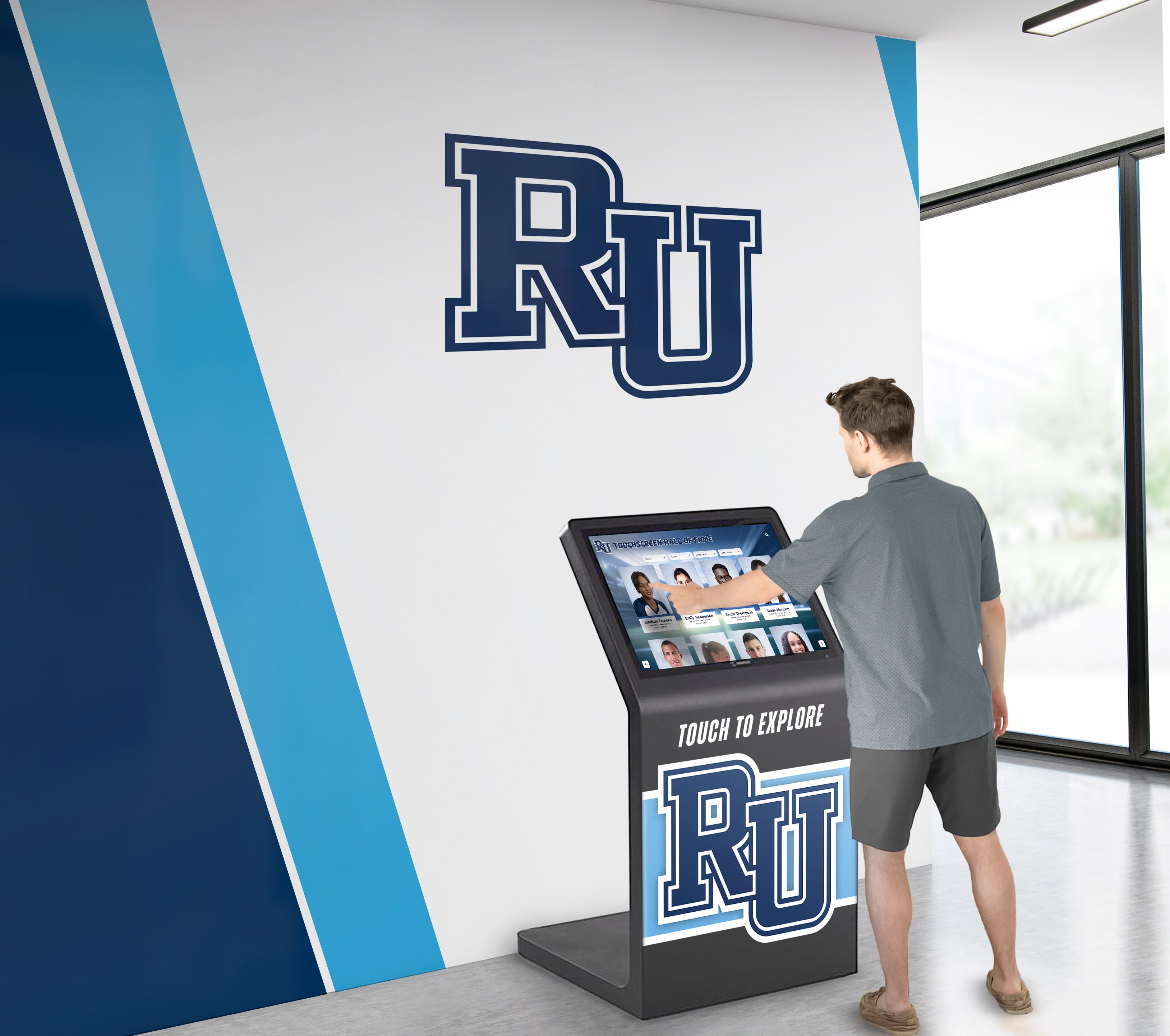
Custom mounting solutions integrate displays architecturally while accommodating space constraints and aesthetic requirements
Software Platform and Content Management
Software platforms determine long-term operational success as much as initial visual impact:
Purpose-Built vs. Adapted Solutions:
Organizations face critical decisions about software platforms. Generic content management systems can be adapted for recognition but require extensive customization and ongoing technical maintenance. Purpose-built recognition platforms like Rocket Alumni Solutions offer features specifically designed for hall of fame applications—alumni profiles, searchable databases, category organization, and multimedia integration—without requiring technical development.
Custom projects evaluate whether your requirements need fully custom software development, purpose-built platforms with customization capabilities, or adapted generic systems with extensive modifications. This decision significantly impacts initial costs, ongoing maintenance, and long-term flexibility.
Content Management and Administration:
Regardless of platform choice, custom designs address your specific content management needs. Different organizations have varying administrative resources, technical capabilities, update frequencies, content workflows, approval processes, and integration requirements.
Custom systems provide content management interfaces matched to your administrative reality. Schools with limited technical staff need exceptionally intuitive administration. Organizations with multiple contributors require sophisticated workflow and approval systems. Large institutions need enterprise features while smaller organizations benefit from simplified approaches.
Integration with Existing Systems:
Many custom hall of fame implementations require integration with existing organizational systems—alumni databases, student information systems, donor management platforms, website content systems, or social media channels. Custom projects identify integration requirements early, ensuring technical architecture supports necessary data flows without creating administrative burden.
Phase 4: Implementation and Installation
Careful implementation planning ensures custom designs transition from concepts to operational systems delivering anticipated value:
Mockup Development and Visualization
Professional mockups enable stakeholder alignment and confident decision-making before final implementation:
3D Visualization and Renderings:
Photorealistic renderings show proposed designs within actual architectural contexts, enabling evaluation of visual impact, scale relationships, lighting effects, and overall aesthetic integration before committing to fabrication and installation. Advanced visualization shows designs from multiple viewing angles, under various lighting conditions, with different content examples, and across different times of day.
These visualizations provide stakeholders concrete understanding of proposed solutions, preventing costly surprises and enabling informed refinement before implementation. The investment in quality mockup development substantially reduces implementation risks while building stakeholder confidence and enthusiasm.
Interactive Prototypes:
For digital components, interactive prototypes demonstrate proposed user experiences. Stakeholders can navigate interfaces, test search functionality, evaluate content organization, experience multimedia integration, and assess overall usability before final development.
Early prototype testing identifies usability issues, navigation confusion, content organization problems, or feature gaps enabling correction during development rather than after implementation when changes prove far more expensive.

Interactive mockups enable stakeholder evaluation of proposed solutions before final implementation commitment
Installation Planning and Execution
Comprehensive installation planning minimizes disruption while ensuring quality implementation:
Site Preparation Requirements:
Successful installation requires proper site preparation including structural assessment for mounting systems, electrical infrastructure for power and networking, environmental controls for temperature and humidity, lighting coordination with ambient conditions, and access planning for installation and future maintenance.
Custom projects conduct thorough site surveys identifying preparation requirements well before installation dates, preventing delays from infrastructure surprises discovered during installation attempts.
Installation Coordination:
Professional installation involves multiple trades and specialties requiring careful coordination. Electrical contractors handle power and network infrastructure. Mounting specialists install hardware systems. Software engineers configure and test digital systems. Content developers populate initial information. Project managers coordinate all activities ensuring seamless integration.
For installations in occupied facilities, coordination minimizes disruption through evening or weekend work when appropriate, phased implementation reducing impact, clear communication about temporary disruptions, and accelerated timelines reducing overall inconvenience duration.
Quality Assurance and Testing:
Before declaring installations complete, comprehensive testing verifies all functions operate correctly. Display hardware shows content clearly from intended viewing distances. Touchscreen functionality responds accurately and consistently. Search and navigation work intuitively. Content appears correctly across all sections. Multimedia elements play properly. Administrative interfaces enable content management as expected.
Thorough testing prevents minor issues from diminishing visitor experience and identifies problems while installation teams remain on-site for immediate correction.
Training and Change Management
Even excellent custom designs fail without effective training and change management:
Administrator Training:
Comprehensive administrator training ensures staff managing recognition systems possess necessary skills and confidence. Training typically covers content management interface navigation, adding and editing recognition profiles, uploading and optimizing multimedia content, publishing updates and schedule changes, troubleshooting common issues, and accessing support resources when needed.
Training should match your administrators’ technical comfort levels, providing more extensive support for less technical users while offering advanced features for sophisticated administrators wanting maximum control.
Community Awareness and Promotion:
Successful hall of fame launches require building community awareness and encouraging exploration. Strategic promotion includes unveiling events generating excitement, campus tours highlighting new displays, social media campaigns demonstrating features, alumni communications encouraging profile exploration, and ongoing promotion maintaining awareness beyond initial launch enthusiasm.
Custom implementations often create distinctive unveiling experiences reflecting organizational culture—formal dedication ceremonies, festive community celebrations, or alumni reunion integration depending on institutional character and available opportunities.

Professional installation ensures custom hall of fame displays integrate seamlessly with institutional environments
Special Considerations for Different Organization Types
While core custom design principles apply broadly, specific organizational contexts require specialized considerations:
Educational Institution Customization
Schools, colleges, and universities face unique recognition challenges and opportunities:
Multi-Constituency Recognition:
Educational institutions typically recognize multiple constituencies—distinguished alumni, faculty achievement, student accomplishment, donor contributions, and institutional milestones. Custom designs create coherent systems accommodating these diverse recognition types without feeling fragmented or inconsistent.
Integration with alumni engagement strategies ensures recognition supports broader relationship-building and advancement objectives rather than existing as isolated displays.
Academic Calendar Integration:
School recognition programs operate on academic calendars with predictable annual rhythms. Custom designs accommodate regular update cycles—annual induction ceremonies, seasonal athletic championships, graduation recognition timing, and reunion event coordination.
Systems designed around academic calendars streamline administrative workflows while ensuring timely recognition that reinforces achievement significance during natural celebration moments.
Corporate Recognition Customization
Business environments require distinctive design approaches reflecting corporate culture and objectives:
Professional Aesthetic Standards:
Corporate recognition demands sophisticated aesthetic execution matching professional business environments. Custom designs emphasize refined visual design free from academic or athletic associations, professional content organization reflecting business contexts, executive-level presentation quality, and brand consistency with corporate identity standards.
Employee Engagement Integration:
Corporate halls of fame increasingly integrate with employee engagement strategies. Custom systems might accommodate peer recognition and appreciation, service milestone celebration, innovation and achievement spotlighting, culture and values reinforcement, and retention and recruitment support.
These integrated approaches position recognition displays as active cultural tools rather than static historical archives.
Sports Organization Customization
Athletic programs have specialized recognition needs requiring sports-specific customization:
Statistics and Records Integration:
Sports recognition emphasizes quantitative achievement—records, statistics, championship counts, and performance metrics. Custom designs prominently feature athletic records, head-to-head comparisons, performance tracking over time, and historical context for current achievements.
Multi-Level Recognition:
Comprehensive athletic recognition spans individual athlete achievement, team championships and success, coaching excellence and milestones, program evolution and growth, and facility and infrastructure development. Custom systems create appropriate hierarchy and relationships across these recognition layers.

Custom athletic recognition displays celebrate comprehensive program achievement across teams, individuals, and eras
Managing Custom Hall of Fame Projects Successfully
Complex custom projects require effective project management ensuring on-time, on-budget implementation meeting stakeholder expectations:
Budget Development and Management
Comprehensive budgeting prevents financial surprises while maximizing value:
Cost Component Understanding:
Custom hall of fame budgets typically include discovery and planning services, visual design and brand development, user experience design and prototyping, content strategy and organization design, hardware procurement and installation, software licensing or development, content development and migration, training and change management, and project management and coordination.
Understanding these components enables evaluation of proposals and appropriate budget allocation ensuring adequate investment across all critical areas rather than overemphasizing visible elements while underfunding equally important but less visible aspects.
Value Engineering Strategies:
Organizations with budget constraints benefit from value engineering identifying cost optimization opportunities without compromising core objectives. Potential strategies include phased implementation starting with priority areas, standardization of certain elements reducing custom development, material substitution balancing cost and quality, competitive bidding among qualified vendors, and timeline flexibility capturing contractor availability discounts.
Effective value engineering maintains recognition impact and long-term quality while optimizing budget efficiency through strategic decisions rather than across-the-board cutting diminishing overall value.
Vendor Selection and Partnership
Choosing the right implementation partner critically impacts project success:
Evaluation Criteria:
Selecting custom hall of fame vendors requires evaluating relevant experience with similar projects, technical capabilities matching requirements, design portfolio demonstrating aesthetic quality, client references from comparable organizations, project management approach and communication, ongoing support and maintenance offerings, and financial stability ensuring long-term partnership viability.
Many organizations make vendor decisions primarily on price, overlooking experience, capabilities, and support that ultimately determine success. The least expensive vendor often proves most costly when projects experience delays, quality issues, or lack adequate support.
Partnership vs. Transaction Mindset:
Successful custom hall of fame projects require true partnerships between organizations and vendors. Vendors need honest information about budget constraints, timeline flexibility, technical limitations, and political sensitivities. Organizations need candid guidance about realistic expectations, potential challenges, and alternative approaches.
This partnership mentality prevents adversarial relationships focused on contractual requirements rather than collaborative problem-solving achieving shared success. The best projects result when organizations and vendors work together navigating inevitable challenges and changes through implementation.
Measuring Success and Ongoing Evolution
Custom hall of fame implementation represents beginning rather than end of recognition program development:
Success Metrics and Evaluation
Systematic evaluation demonstrates value while identifying enhancement opportunities:
Quantitative Usage Metrics:
Digital recognition systems enable detailed usage tracking including visitor counts and session frequency, average engagement duration and patterns, search queries and popular content, profile views and distribution, return visitor rates, and peak usage times and seasonal patterns.
These metrics reveal how community members actually use recognition displays, validating design decisions or highlighting needed refinements.
Qualitative Community Feedback:
Quantitative metrics provide partial pictures. Qualitative assessment through stakeholder interviews, user experience testing, community surveys, informal feedback collection, and social media monitoring reveals whether recognition systems achieve intended emotional impact and community value.
Combining quantitative behavioral data with qualitative perception assessment creates comprehensive understanding of recognition program effectiveness.
Continuous Improvement and Evolution
Static recognition displays gradually lose relevance and impact. Successful programs evolve continuously:
Content Enhancement:
Regular content improvements maintain recognition currency. Enhanced multimedia as technology capabilities grow, expanded biographical information from ongoing research, additional recognition categories reflecting emerging achievements, improved content relationships and connections, and updated photography and visual content keep displays fresh while honoring more achievements comprehensively.
Experience Optimization:
Usage data reveals optimization opportunities. Refined navigation based on actual search patterns, enhanced features addressing observed needs, improved organization reflecting usage behavior, accessibility enhancements supporting diverse users, and performance optimization ensuring responsive experience make recognition more effective over time.
Technology Refresh:
Technology evolves constantly. Periodic technology refreshes maintain contemporary appearance and functionality through upgraded displays as technology improves, enhanced software capabilities and features, improved content management as tools advance, expanded integration with new institutional systems, and aesthetic refreshes maintaining visual currency.
These refreshes prevent recognition from appearing outdated or tired, maintaining community pride and engagement over decades rather than years.

Successful custom hall of fame installations remain dynamic through continuous enhancement and evolution
Future Trends in Custom Hall of Fame Design
Recognition technology and design approaches continue evolving, creating new possibilities for custom implementations:
Emerging Technology Integration
Future custom designs will likely incorporate artificial intelligence personalizing content recommendations, voice interaction enabling natural navigation, augmented reality extending physical displays digitally, biometric recognition enabling personalized experiences, and advanced analytics providing deeper usage insights.
These technologies enable increasingly sophisticated customization adapting recognition experiences to individual visitors rather than presenting identical content to all viewers.
Hybrid Physical-Digital Experiences
The distinction between physical and digital recognition increasingly blurs. Future custom designs might integrate physical displays with digital extensions, traditional artifacts enhanced with digital context, mobile apps providing extended access, social platforms enabling community interaction, and web integration extending recognition globally.
These hybrid approaches leverage physical displays’ emotional impact while extending recognition reach and depth through digital capabilities.
Sustainability and Environmental Considerations
Growing environmental consciousness influences design decisions. Future custom recognition increasingly emphasizes energy-efficient displays and systems, sustainable materials and fabrication, lifecycle planning enabling component reuse, digital-first approaches reducing physical materials, and long-term flexibility preventing premature obsolescence.
These considerations align recognition programs with broader organizational sustainability commitments while reducing long-term costs and environmental impact.
Conclusion: Creating Recognition That Reflects Your Excellence
Generic, template-based recognition solutions offer convenience and standardization, but they sacrifice the distinctive character, authentic brand integration, and tailored functionality that transform ordinary displays into extraordinary experiences uniquely representative of your organization.
Custom designed hall of fame installations honor your achievements while celebrating your institutional identity. They accommodate your specific recognition needs, reflect your visual brand authentically, integrate with your architectural spaces seamlessly, serve your community effectively, and evolve with your organization continuously.
The investment in custom design demonstrates commitment to excellence, attention to detail, and respect for those being honored. Rather than settling for recognition displays that could belong to any organization, custom approaches create distinctive installations immediately recognizable as uniquely yours—embodying your values, reflecting your aesthetic, and celebrating your achievements in ways that reinforce rather than dilute institutional identity.
Whether recognizing academic excellence, athletic achievement, corporate leadership, community service, or any other form of accomplishment, custom designed solutions ensure recognition displays contribute positively to broader organizational objectives while honoring individuals appropriately and memorably.
Organizations considering hall of fame projects face fundamental choices about customization levels. While fully custom approaches require larger investments and longer timelines than template solutions, the resulting recognition systems deliver substantially greater value through superior alignment with actual needs, enhanced community pride and engagement, stronger brand reinforcement, increased long-term flexibility, and distinctive character impossible with standardized approaches.
Solutions like Rocket Alumni Solutions provide customizable platforms balancing the benefits of purpose-built recognition technology with flexibility accommodating unique organizational requirements. These solutions offer middle paths between fully custom development and rigid templates—establishing recognition-specific foundations while providing customization capabilities ensuring displays authentically represent your organization rather than forcing you to adapt to generic frameworks.
The recognition displays you create will honor achievements and shape perceptions for decades. Investing in custom design ensures these lasting installations reflect your excellence as impressively as the achievements they celebrate—creating recognition experiences that are as unique, memorable, and distinguished as your organization itself.
Contact Rocket Alumni Solutions to explore how custom hall of fame design can create recognition displays perfectly tailored to your organization’s unique identity, space, and community—honoring your achievements while strengthening your institutional brand for generations to come.



























