Greek life organizations have long been at the forefront of tradition and sisterhood, building lasting connections that span generations. For Delta Gamma chapters across North America, recognizing the achievements and contributions of members—past and present—remains a cornerstone of organizational identity. However, traditional recognition methods like static composites, printed newsletters, and physical plaques face increasing limitations in today’s digital-first world.
Modern Delta Gamma chapters are discovering that interactive alumni spotlight displays offer powerful solutions for celebrating member excellence while strengthening the bonds that unite sisters across decades. These digital recognition systems transform how chapters preserve their heritage, showcase outstanding members, and create meaningful engagement opportunities that resonate with today’s technology-native generations.
The Evolution of Delta Gamma Recognition: Honoring Tradition While Embracing Innovation
Since its founding in 1873 at the Lewis School for Girls in Oxford, Mississippi, Delta Gamma has built a distinguished legacy rooted in meaningful educational and social experiences. The fraternity’s motto—“Do Good”—reflects a commitment to service, leadership, and positive impact that extends far beyond collegiate years. Throughout its 150+ year history, Delta Gamma has honored members who embody these values through various recognition programs and awards.
Traditional Delta Gamma recognition methods have included printed composites, member directories, newsletter features, convention awards, and physical displays in chapter houses. While these approaches successfully documented membership and achievements, they face inherent constraints in today’s environment:
Limited Accessibility: Physical displays reach only those who visit chapter houses, excluding the vast majority of alumnae living across the country and around the world.
Space Constraints: Chapter houses must choose which members and achievements to display as wall space fills with decades of composites and recognition materials.
Static Information: Traditional methods provide basic biographical details but lack the depth to tell compelling stories about member impact and contributions.
Minimal Engagement: Print materials and static displays generate brief interactions rather than meaningful exploration and discovery.
Update Challenges: Maintaining current information across print directories and physical displays requires significant administrative effort and ongoing expense.
These limitations have prompted forward-thinking Delta Gamma chapters to explore digital recognition solutions that honor tradition while meeting modern engagement expectations.

What Is a Delta Gamma Alumni Spotlight Display?
An alumni spotlight display combines touchscreen technology with comprehensive member databases to create interactive recognition experiences where Delta Gamma sisters can explore decades of chapter history, discover outstanding alumnae achievements, and build connections across generations. These digital systems transform traditional composites and static recognition into dynamic, searchable, and engaging platforms accessible both on-campus and remotely.
Core Components of Modern Sorority Spotlight Systems
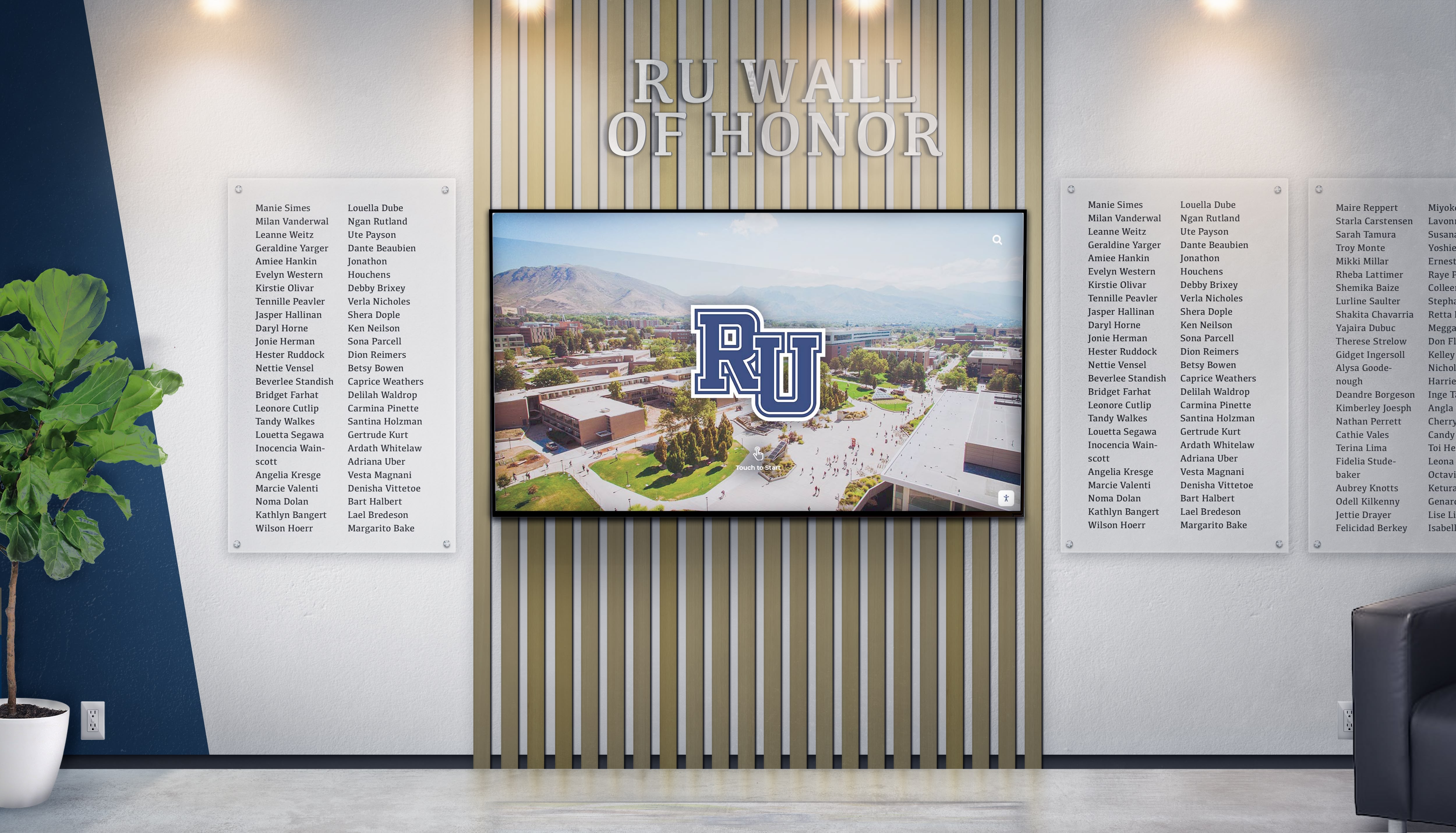
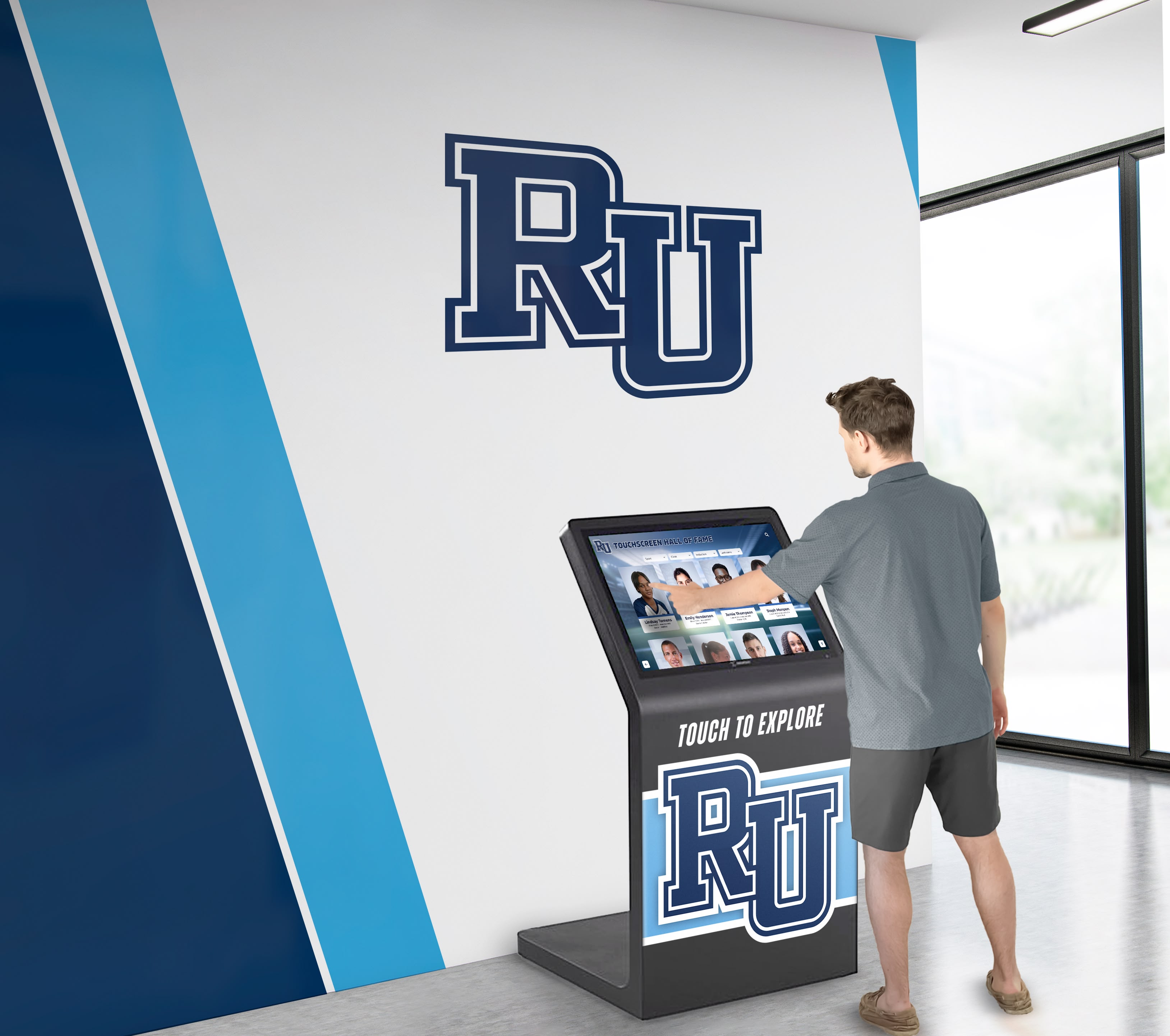
Interactive Touchscreen Hardware: Commercial-grade displays ranging from 43" to 75" mounted in high-traffic chapter house locations such as entryways, living rooms, or dedicated recognition spaces. These displays feature responsive multi-touch technology enabling intuitive navigation through member profiles, achievement galleries, and historical timelines.
Cloud-Based Content Management: Secure web platforms allowing authorized chapter officers to add spotlights, update member information, and manage content remotely without technical expertise. Modern systems feature drag-and-drop interfaces and pre-designed templates specifically created for Greek life recognition needs.
Searchable Member Database: Comprehensive directories enabling searches by name, graduation year, officer position, academic major, career field, location, or other criteria. This searchability transforms spotlight displays from passive viewing experiences into active research tools connecting current members with distinguished alumnae.
Multimedia Integration: Unlike traditional composites limited to static photographs, digital spotlight displays incorporate photos, videos, achievement descriptions, biographical narratives, and other rich media creating multi-dimensional presentations of member excellence.
Remote Web Access: Parallel web platforms ensuring all spotlight content remains accessible to alumnae regardless of location. This accessibility extends recognition impact far beyond physical chapter house visits, maintaining connections with graduates living across the country.

Benefits of Alumni Spotlight Displays for Delta Gamma Chapters
Digital recognition systems deliver measurable advantages across member engagement, organizational pride, recruitment effectiveness, and alumni relations—all critical priorities for thriving Greek life organizations.
1. Celebrating Member of Impact Recognition Program Honorees
Delta Gamma’s Member of Impact recognition program celebrates members who embody Article II values and the “Do Good” motto through their community contributions. This quarterly recognition seeks to spotlight members who make meaningful differences and tell their inspiring stories. Interactive displays provide ideal platforms for featuring these honorees with the depth and visibility they deserve.
Digital spotlight systems enable chapters to:
- Feature Quarterly Honorees Prominently: Automatically rotate Member of Impact recipients on display home screens, ensuring these distinguished members receive prominent visibility throughout their recognition quarter
- Tell Complete Stories: Include comprehensive profiles with biographical information, specific contributions, impact narratives, and multimedia elements that bring achievements to life far more effectively than brief newsletter mentions
- Create Permanent Recognition: Maintain accessible archives of all past honorees rather than having recognition disappear when the next quarter’s recipients are announced
- Connect Current Members with Role Models: Enable collegiate members to discover Member of Impact recipients who pursued similar academic interests, career paths, or service focus areas, creating natural mentoring opportunities
This enhanced recognition approach ensures that members living by Delta Gamma’s highest ideals receive the visibility and appreciation their contributions merit.
2. Showcasing Distinguished Delta Gamma Alumnae
Delta Gamma counts numerous notable alumnae among its membership, including senators, governors, judges, business leaders, entertainers, authors, and philanthropists. These distinguished sisters provide powerful examples of the leadership development and lifelong success fostered through Greek life involvement.
Interactive recognition systems create dedicated “Notable DGs” sections featuring:
- Professional Achievement Galleries: Organized profiles of members who achieved significant career success across diverse industries including business, politics, entertainment, education, healthcare, and technology
- Service Leadership Recognition: Spotlights on alumnae who made substantial community impact through nonprofit leadership, volunteer service, or philanthropic contributions
- Delta Gamma Leadership Honors: Featured profiles of members who served in national Fraternity leadership positions, executive council roles, or other organizational governance capacities
- Foundation Board Recognition: Special recognition for alumnae serving on the Delta Gamma Foundation board, supporting educational and charitable programming
These dedicated galleries celebrate exceptional achievement while demonstrating to prospective members the caliber of leadership and success fostered through Delta Gamma membership.
3. Strengthening Alumni Engagement and Connection
Alumni relations represent critical organizational priorities, influencing mentoring networks, career connections, philanthropic support, and chapter sustainability. Spotlight displays provide powerful engagement tools connecting alumnae with their chapters and each other across distances and decades.
Geographic Connection Building: Searchable databases enable alumnae to identify sisters living in specific cities or regions, facilitating local meetups, professional networking, and mutual support systems regardless of graduation years or chapter affiliation.
Career Networking Facilitation: Members can search by profession, industry, or employer to identify alumnae working in fields of interest, creating natural pathways for informational interviews, mentorship relationships, and job opportunity conversations.
Legacy Family Discovery: Systems highlighting family connections enable members to identify sisters whose mothers, grandmothers, aunts, or other relatives were Delta Gammas, strengthening multigenerational bonds and legacy traditions.
Profile Update Submissions: Remote platforms allow alumnae to submit updated career information, life milestones, and contact details, keeping chapter directories current while maintaining connections as circumstances change.
According to research on alumni engagement, interactive content generates 3-5 times longer viewing durations compared to static displays, translating to deeper connections and more meaningful engagement with organizational heritage.

4. Enhancing Recruitment During Rush and Panhellenic Events
Recruitment remains the lifeblood of Greek life organizations. Alumni spotlight displays provide compelling demonstration of organizational quality, member excellence, and sisterhood strength that resonate powerfully with prospective members during rush events and chapter house tours.
Tradition and Stability Demonstration: Prospective members exploring decades of member spotlights, chapter achievements, and organizational milestones gain tangible understanding of Delta Gamma’s longevity and institutional strength—key factors in recruitment decision-making.
Diversity and Inclusion Showcase: Searchable databases highlighting members from varied backgrounds, hometowns, academic majors, and career paths demonstrate inclusive environments where prospective members from all backgrounds can envision themselves thriving.
Success and Achievement Examples: Profiles featuring distinguished alumnae who achieved significant professional success, community impact, or personal accomplishments create aspirational examples attracting high-quality recruits seeking organizations that develop leadership potential.
Values Alignment Evidence: Member of Impact profiles and service achievement galleries demonstrate genuine commitment to the “Do Good” motto beyond slogans, showing prospective members that Delta Gamma truly develops values-centered leaders.
Chapters implementing digital recognition consistently report prospective members specifically commenting on spotlight displays during recruitment, with these systems frequently becoming focal points during chapter house tours and recruitment conversations.
5. Supporting Foundation Fundraising and Donor Recognition
The Delta Gamma Foundation provides critical support for educational programming, leadership development, and service initiatives through alumna contributions. Recognition displays offer powerful tools for acknowledging philanthropic support while encouraging continued giving.
Donor Recognition Integration: Systems can include dedicated sections recognizing Foundation contributors at various giving levels, creating lasting acknowledgment that demonstrates appreciation for financial support.
Impact Storytelling: Multimedia capabilities enable chapters to showcase specific programs, scholarships, and initiatives funded by Foundation contributions, helping donors understand the tangible impact of their philanthropy.
Giving Society Spotlights: Featured profiles of members participating in planned giving societies or sustaining donor programs provide examples encouraging others to consider similar commitments.
Campaign Progress Visualization: During capital campaigns or special fundraising initiatives, displays can include progress tracking and recognition of early supporters, creating momentum and encouraging participation.
Research consistently demonstrates that proper donor recognition significantly influences continued giving, making spotlight displays valuable tools for sustaining Foundation support.
Key Features to Include in Delta Gamma Spotlight Displays
Effective recognition systems require thoughtful feature selection addressing specific Greek life organizational needs and Delta Gamma chapter priorities.
Member of Impact Spotlight Rotation
Automatically rotating quarterly honorees ensures these distinguished members receive prominent visibility throughout their recognition period. Systems should enable:
- Automated Quarterly Updates: Schedule new Member of Impact profiles to automatically feature on home screens when each quarter begins
- Rich Multimedia Profiles: Include photos, biographical narratives, specific contribution descriptions, and impact stories bringing achievements to life
- Permanent Archives: Maintain searchable historical records of all past recipients enabling discovery long after recognition quarters conclude
- Social Sharing Options: Allow one-click sharing of profiles to social media platforms, extending recognition reach beyond physical displays
Comprehensive Member Profile System
The foundation of effective spotlight displays lies in rich, detailed member profiles extending far beyond basic composite information:
Basic Information: Full name, maiden name, chapter, initiation year, graduation year, major/minor, current city and state
Leadership Recognition: All officer positions held (chapter, province, national), committee participation, awards received, special recognitions
Professional Information: Career trajectory, current employer and position, industry, notable accomplishments, professional organizations
Service and Impact: Volunteer leadership, nonprofit board service, community contributions, philanthropic achievements
Delta Gamma Involvement: Foundation board service, alumnae group leadership, convention participation, continued engagement
Contact and Social: Email, LinkedIn, permission-based sharing settings, social media connections
This comprehensive approach transforms simple directories into rich biographical archives that members find genuinely valuable to explore.
Advanced Search and Filtering Capabilities
Powerful search functionality makes large member databases accessible and useful for connection-building:
- Name searches with partial matching and maiden name recognition
- Year/decade filtering showing all members from specific graduation classes or eras
- Geographic searches identifying members from particular hometowns or currently living in specific cities
- Officer position filters finding all sisters who served as president, vice president, or other leadership roles
- Career/industry searches connecting members by professional fields, employers, or sectors
- Award/recognition filters highlighting members who received specific Delta Gamma honors or external recognition
These search capabilities transform passive recognition into active networking tools supporting mentoring, career development, and cross-generational connection-building.
Historical Timeline and Chapter Context
Effective spotlight presentations place individual member recognition within broader organizational contexts through interactive timeline features:
Chapter Milestones: Founding or installation dates, facility acquisitions, membership growth, special events, significant achievements, tradition establishment
National Fraternity Context: Delta Gamma founding history (1873), expansion timeline, Foundation establishment, values development, organizational achievement milestones
Convention Recognition: Awards and honors received at Delta Gamma conventions including chapter excellence, membership growth, academic performance, and service achievements
Decade-by-Decade Narratives: Contextual information about campus Greek life, social movements, and cultural elements helping current members understand experiences of sisters from different eras
These contextual elements transform individual profiles into comprehensive historical narratives connecting personal experiences with organizational legacy.
Mobile-Responsive Web Access
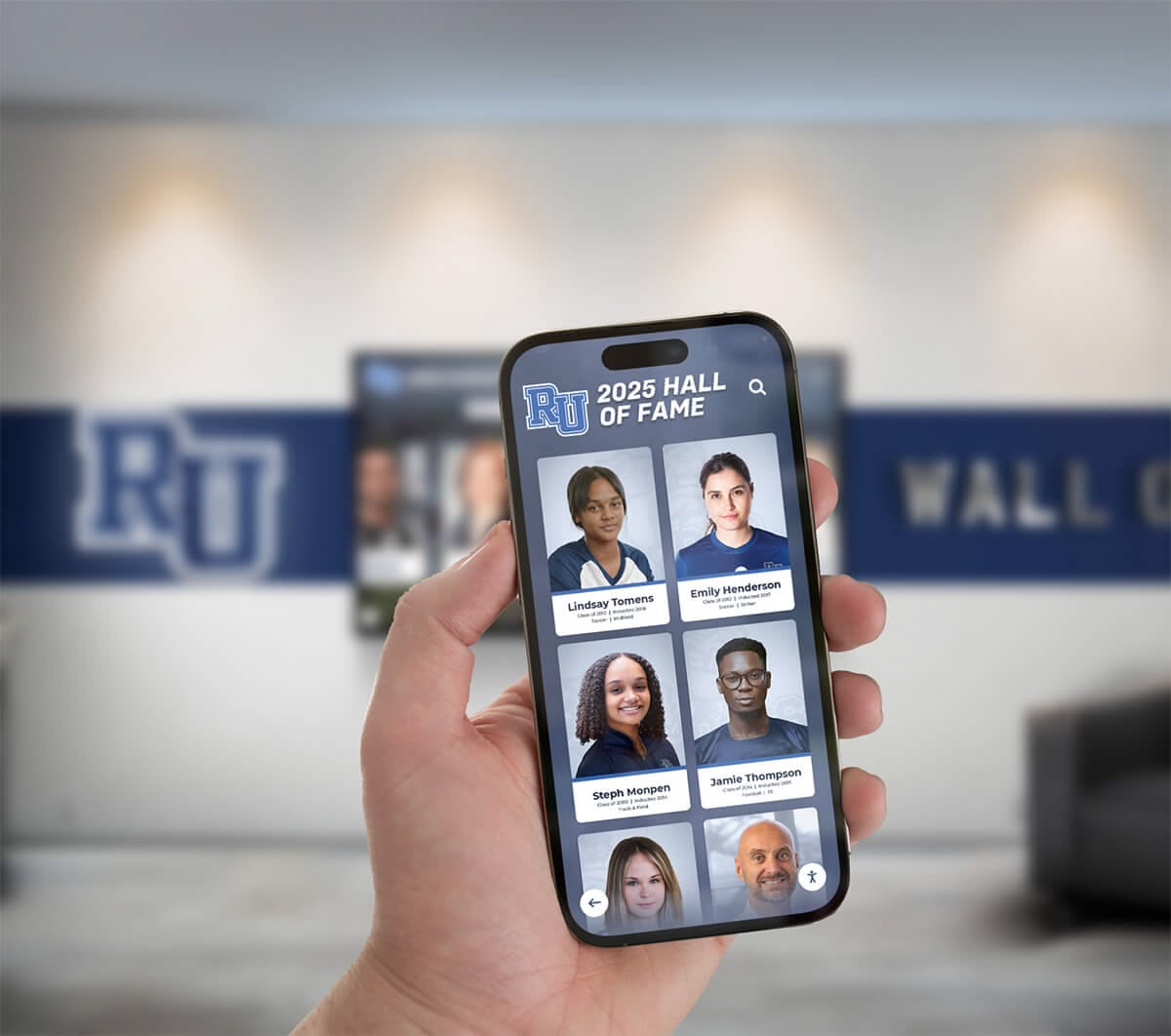
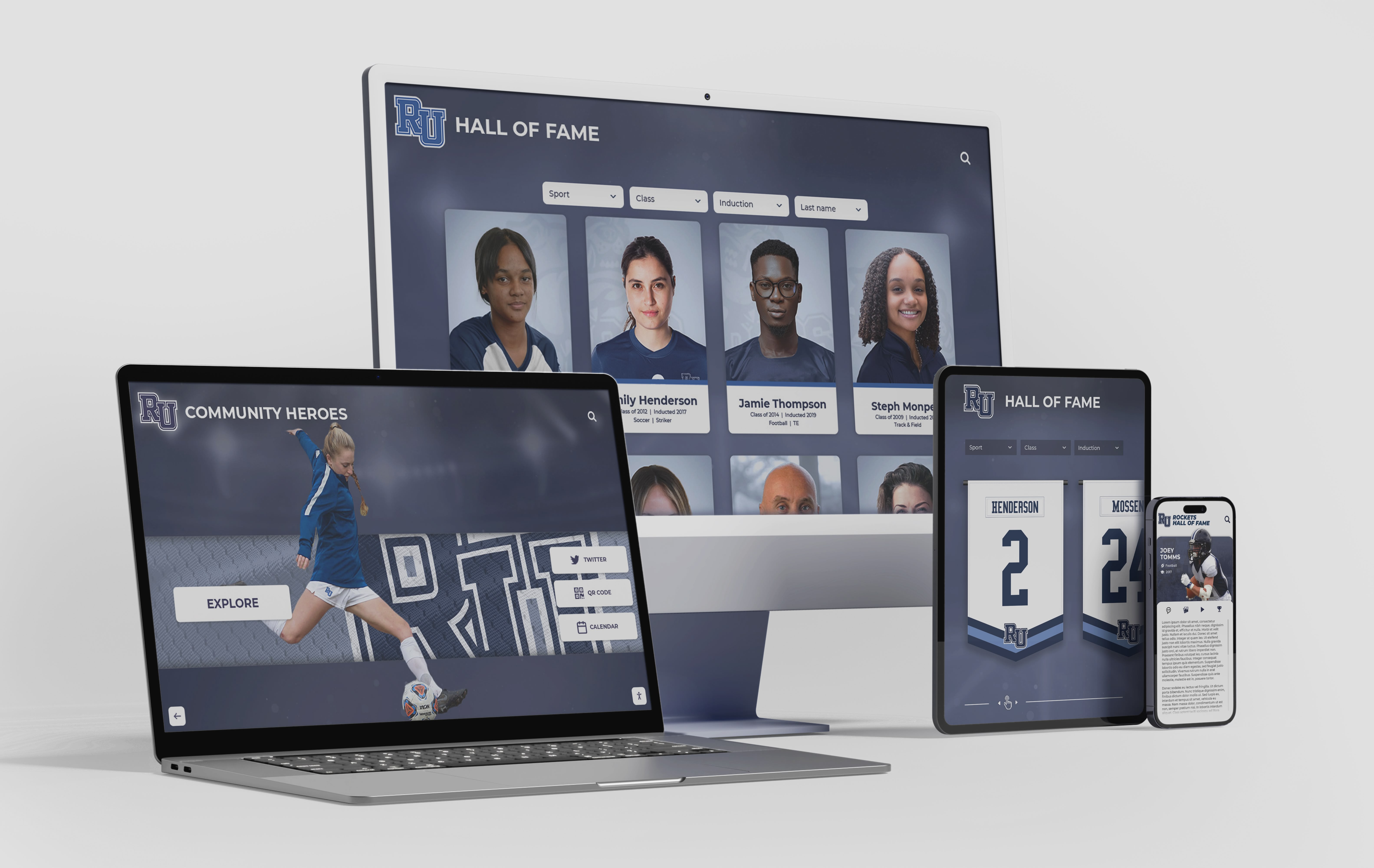
Parallel web platforms ensuring full functionality across devices enable:
- Alumnae Access: Remote exploration from anywhere in the world without chapter house visits
- Recruitment Presentations: Reference during informal recruitment conversations and follow-up communications
- Family Sharing: Allowing current members to share Delta Gamma involvement with parents and relatives
- Profile Management: Enabling alumnae to submit updates and information from smartphones or personal devices
- Social Sharing: One-click sharing of interesting profiles, achievements, or historical discoveries
Mobile optimization ensures maximum accessibility and engagement regardless of how members choose to interact with content.
Implementation Best Practices for Delta Gamma Chapters
Successfully implementing alumni spotlight displays requires systematic planning, content development, and launch strategy aligned with Greek life organizational realities.
Phase 1: Planning and Goal Setting
Begin by establishing clear objectives, success metrics, and feature priorities specific to your chapter’s needs:
Define Primary Goals: Identify whether your system primarily serves member engagement, recruitment support, alumni relations, fundraising enhancement, or balanced combinations. Priority clarity guides feature selection and content emphasis.
Establish Budget Parameters: Determine available funding from chapter budgets, housing corporation support, alumni contributions, or capital campaign allocations. Many chapters successfully fund implementations through special alumni fundraising campaigns where donors specifically contribute to recognition technology projects.
Select Strategic Locations: Identify optimal placement within chapter houses considering traffic patterns, visibility, aesthetic integration, and technical requirements. Prime locations typically include entryways, living rooms, chapter rooms, or dedicated recognition spaces.
Assign Implementation Team: Designate project champions, content coordinators, historical researchers, and long-term system administrators ensuring clear ownership throughout implementation and ongoing operations.
Phase 2: Content Development and Member Outreach
The most significant implementation effort involves preparing spotlight content and gathering member information:
Composite Digitization: Scan or photograph all available physical composites at high resolution for archival preservation and member profile creation.
Member Information Gathering: Reach out to alumnae requesting updated biographical information, career details, achievements, and permission for public display. Alumni spotlight programs work most effectively when members contribute their own information.
Member of Impact Profile Development: Create comprehensive profiles for all quarterly honorees including detailed achievement descriptions, impact narratives, photos, and multimedia elements.
Notable DGs Research: Compile information about distinguished alumnae with significant career achievements, public recognition, or exceptional contributions to Delta Gamma or broader communities.
Historical Context Development: Research chapter history, convention awards, milestone events, and contextual information enriching individual member recognition with organizational narrative.
Chapters typically begin by comprehensively profiling recent decades and notable alumnae while creating basic entries for historical members, then gradually enriching content over subsequent months as resources permit.
Phase 3: Technology Selection and System Setup
Choose platforms and providers that balance functionality, usability, and Greek life organizational needs:
Evaluate Solution Providers: Research companies specializing in educational and Greek life recognition technology. Solutions like Rocket Alumni Solutions provide purpose-built platforms designed specifically for sorority and fraternity applications with proven success across hundreds of Greek life organizations.
Review Management Interfaces: Ensure content management systems feature intuitive interfaces that chapter officers with varying technical proficiency can confidently operate without extensive training or ongoing IT support.
Assess Mobile and Web Capabilities: Verify that systems provide fully functional web platforms enabling remote alumna access in addition to physical touchscreen installations.
Consider Integration Options: Evaluate whether systems can integrate with existing chapter management software, national Delta Gamma databases, or other technology platforms your chapter currently uses.
Review Support and Training: Understand provider support models, training offerings, officer transition planning, and long-term partnership approaches ensuring successful sustained operations.
Phase 4: Installation and Launch
Strategic implementation maximizes initial impact and establishes successful long-term utilization patterns:
Professional Installation: Coordinate hardware mounting, power and network connections, and physical setup ensuring displays are securely installed at appropriate heights with proper viewing angles and aesthetic integration.
Content Population: Upload digitized composites, member profiles, Member of Impact spotlights, historical timelines, and multimedia materials, organizing content through intuitive navigation structures.
Testing and Quality Assurance: Thoroughly test all features, search functions, profile links, and navigation paths, correcting any errors or inconsistencies before public launch.
Officer Training: Educate designated administrators on content management, profile updates, Member of Impact additions, troubleshooting, and system optimization, ensuring comfortable ongoing operation through officer transitions.
Launch Event: Create ceremonial unveiling moments during chapter meetings, recruitment events, homecoming weekends, or special celebrations, generating excitement and encouraging immediate exploration and engagement.
Phase 5: Ongoing Content Management and Engagement
Initial implementation represents beginnings rather than conclusions. Sustained success requires consistent content attention:
- Quarterly Member of Impact Updates: Promptly add new honorees when announced, ensuring timely recognition and visibility
- Annual Profile Updates: Add new initiates and recent graduates, maintaining current membership documentation
- Alumni Information Updates: Periodically invite alumnae to submit career updates, achievement announcements, and contact information changes
- Achievement Highlights: Feature members who receive awards, career promotions, service recognition, or other noteworthy accomplishments
- Content Refresh: Rotate featured profiles, update home screen elements, and vary highlighted content maintaining freshness and providing reasons for repeat engagement
Chapters treating systems as living recognition platforms requiring continuous nurturing achieve dramatically better long-term engagement than those viewing displays as one-time installation projects.
Maximizing Engagement: Programming and Promotion Strategies
Technology alone doesn’t guarantee meaningful engagement. Strategic programming and promotion practices maximize system utilization and impact:
Integration with New Member Education
Weave spotlight display exploration into initiate education programming:
- Scavenger Hunt Activities: Create assignments requiring new members to discover specific historical information, notable alumnae, or chapter milestones using the spotlight system
- Heritage Presentations: Assign new members to research and present on distinguished alumnae they discover through spotlight exploration
- Big/Little Research: Encourage bigs to show littles how to explore member databases, building connections across generations
- Values Connection: Identify Member of Impact profiles exemplifying specific Delta Gamma values, using real member examples in values-based education
This integration transforms spotlight systems from optional amenities into integral components of the membership experience.
Recruitment and Rush Programming
Feature spotlight displays prominently during recruitment events:
- Chapter House Tours: Include spotlight display demonstrations as scheduled stops during recruitment tours, allowing prospective members hands-on exploration
- Notable Alumna Discussions: Reference distinguished Delta Gamma members discoverable through spotlight systems during values and excellence conversations
- Legacy Identification: Use search functionality during recruitment to identify legacy connections when prospective members mention family Greek life involvement
- Success Story Sharing: Feature Member of Impact profiles during conversations about Delta Gamma’s “Do Good” commitment and community impact

Alumni Weekend and Reunion Integration
Extend spotlight display engagement to alumnae events:
- Reunion Weekend Focus: Organize specific programming around spotlight displays during milestone reunion events, encouraging attendees to explore and share memories
- Profile Update Opportunities: Set up stations during alumni gatherings where attendees can submit updated information or record video messages
- Distinguished Alumna Recognition: Feature special presentations honoring notable alumnae or recent Member of Impact recipients during alumni weekend programming
- Fundraising Connection: Demonstrate spotlight systems during Foundation fundraising events, showing donors how their contributions are recognized and how systems strengthen chapter communities
Social Media and Digital Promotion
Extend spotlight display impact through strategic digital promotion:
- Member Spotlight Series: Feature weekly or monthly spotlight profiles on chapter social media accounts, linking to full profiles on web platforms
- Member of Impact Announcements: Create social media graphics celebrating quarterly honorees with links to comprehensive spotlight profiles
- Historical Throwbacks: Share interesting historical discoveries from spotlight archives as “Throwback Thursday” or “Flashback Friday” content
- Alumni Achievements: Celebrate recent alumna achievements, promotions, or recognitions discovered through profile updates, demonstrating continued community connection
Consistent promotion through multiple channels overcomes familiarity blindness and maintains engagement across changing collegiate membership.
Measuring Success: Key Engagement Metrics
Effective recognition programs track meaningful engagement indicators demonstrating return on investment and guiding continuous improvement:
Usage Analytics
Modern spotlight systems provide detailed analytics including:
- Total Interactions: Number of touchscreen sessions and web platform visits
- Session Duration: Average time users spend exploring content
- Popular Profiles: Most-viewed member profiles and spotlight features
- Search Patterns: Common search terms and filter combinations users employ
- Peak Usage Times: When members most frequently engage with systems
These metrics identify popular content types and optimal programming timing while demonstrating overall system utilization.
Alumni Engagement Indicators
Measure broader community engagement through:
- Profile Updates Submitted: Number of alumnae actively submitting updated information
- Remote Access Frequency: Web platform visits from alumni versus on-campus interactions
- Social Sharing Volume: Frequency of profile sharing to social media platforms
- Networking Connections: Reported connections between members facilitated by spotlight system searches
- Fundraising Correlation: Donor recognition view frequency and subsequent contribution patterns
Recruitment Impact Assessment
Evaluate recruitment benefits through:
- Prospective Member Feedback: Survey responses about spotlight display impressions during recruitment
- Legacy Identification: Frequency of legacy connections discovered through recruitment-related searches
- Recruitment Conversation Topics: Chapter observations about how frequently spotlight content appears in recruitment discussions
- Bid Acceptance Rates: Correlation between spotlight display implementation and recruitment success metrics
Member Engagement Measures
Assess collegiate member interaction through:
- New Member Education Completion: Tracking of required spotlight-based assignments and activities
- Chapter Programming Participation: Attendance at events featuring spotlight content
- Officer Usage Frequency: Content management system login frequency and update regularity
- Member Satisfaction: Survey responses about recognition program effectiveness and pride in chapter heritage
Addressing Common Implementation Questions
Chapters considering spotlight displays frequently raise similar questions and concerns:
Budget and Financial Considerations
Question: “How do we fund a spotlight display system within limited chapter budgets?”
Answer: Many chapters successfully implement spotlight systems through creative funding approaches beyond annual operating budgets. Special alumni fundraising campaigns specifically focused on recognition technology often generate surprising support from alumnae who value improved connection with chapter heritage. Housing corporations frequently fund spotlight systems as facility improvements when presented as long-term chapter house enhancements. Additionally, phased implementation approaches allow chapters to begin with core functionality and expand capabilities over time as additional funding becomes available. Most chapters find that eliminating traditional composite printing costs creates partial ongoing savings that offset system expenses over multi-year periods.
Content Development Capacity
Question: “We don’t have comprehensive information about historical members. Can spotlight systems still be valuable?”
Answer: Absolutely. Effective spotlight systems don’t require complete historical profiles to deliver substantial value. Begin by comprehensively profiling recent decades, current Member of Impact recipients, and notable alumnae while creating basic entries for historical members. Over time, gradually enrich historical content through alumni contributions, volunteer research, and systematic enhancement projects. Systems remain highly valuable even with basic historical content, improving progressively as capacity permits. Many chapters discover that spotlight system implementation actually motivates alumnae to submit information they’ve never previously shared, organically enriching content over time.
Technical Management Concerns
Question: “Our chapter officers aren’t technology experts and turn over annually. Will we be able to maintain these systems?”
Answer: Modern digital recognition platforms specifically designed for Greek life organizations feature intuitive interfaces requiring no technical expertise. Content management resembles familiar social media posting with drag-and-drop functionality and straightforward forms. Providers offer comprehensive training during implementation, documentation for future officers, and ongoing support for troubleshooting. Most chapters find spotlight systems simpler to update than coordinating traditional composite orders and physical installation processes. Additionally, systems include officer transition features enabling smooth handoffs as chapter leadership changes annually.
Integration with Delta Gamma National Systems
Question: “Can spotlight displays integrate with Delta Gamma national databases or systems?”
Answer: Integration capabilities vary by solution provider. When evaluating spotlight systems, inquire about API connections with Delta Gamma national databases, potential for data synchronization, and coordination with national recognition programs. Some providers offer specific Greek life integrations while others provide flexible data import/export tools enabling coordination with various systems. Discuss integration priorities with potential providers during evaluation processes to ensure selected systems align with your chapter’s technical ecosystem.
The Future of Greek Life Recognition: Emerging Trends
Understanding emerging trends helps chapters select systems positioned for sustained relevance across evolving technology landscapes:
Enhanced Personalization Capabilities
Machine learning technologies increasingly enable sophisticated content customization, automatically suggesting relevant member connections, recommending profiles based on user interests, and creating personalized exploration experiences emphasizing content most meaningful to individual users.
Video and Multimedia Integration
Growing bandwidth and improving technology make rich multimedia integration increasingly practical. Future spotlight systems will feature more video interviews with distinguished alumnae, recorded messages from Member of Impact recipients, historical event footage, and immersive storytelling elements.
Social Media Platform Integration
Deeper connections with Instagram, LinkedIn, TikTok, and emerging platforms will enable automatic content syndication, bi-directional information flow, and expanded social sharing creating broader recognition reach and engagement.
Voice Interaction and Natural Language
Voice-activated interfaces will enable natural conversational searches (“Show me all members who graduated in the 1990s and studied engineering”) making exploration more intuitive while improving accessibility for users with diverse abilities.
Virtual and Augmented Reality Elements
Emerging AR technologies may enable members to point smartphones at physical chapter house spaces receiving historical overlays showing previous members who occupied rooms, historical events that occurred in locations, or facility transformations across decades.
Conclusion: Strengthening Sisterhood Through Modern Recognition
Delta Gamma chapters implementing alumni spotlight displays discover that digital recognition represents far more than technological upgrades to traditional composites. These systems fundamentally transform how chapters celebrate member excellence, preserve organizational heritage, engage alumni communities, and demonstrate chapter quality to prospective members.
By creating searchable databases of member achievements, featuring Member of Impact recipients with appropriate depth and visibility, showcasing distinguished alumnae as role models, and providing engaging touchscreen experiences accessible both on-campus and remotely, spotlight displays strengthen the connections that unite sisters across generations and geographic distances.
Rather than abandoning cherished traditions, digital recognition honors Delta Gamma’s past more comprehensively than traditional methods ever could while meeting modern engagement expectations. Spotlight systems ensure that member achievements receive the lasting recognition they deserve, that organizational heritage remains accessible to current and future generations, and that the bonds of sisterhood continue thriving in an increasingly digital world.
For Delta Gamma chapters ready to modernize recognition while honoring the values and traditions that have defined the Fraternity since 1873, solutions like Rocket Alumni Solutions provide comprehensive platforms combining sophisticated technology with user-friendly operation specifically designed for Greek life applications. By investing in alumni spotlight displays, chapters ensure their legacies of “Doing Good” remain vibrant, their members receive meaningful recognition, and their communities stay connected through the shared bonds that make Delta Gamma sisterhood truly special.
The chapters that thrive in coming decades will be those that most effectively balance honoring their traditions with embracing innovation—and interactive alumni spotlight displays provide powerful tools for achieving exactly that balance while celebrating the remarkable women who make Delta Gamma communities extraordinary.































