In schools across the country, talented student artists create remarkable works that deserve celebration beyond the classroom. Yet traditional art display methods—hallway bulletin boards limited to a handful of pieces, rotating trophy case exhibits that require constant physical updates, or annual art shows restricted to a single evening—fail to provide the visibility and recognition that student creativity deserves.
Digital art galleries are transforming how schools showcase student artwork, providing interactive platforms that eliminate space constraints, preserve portfolios permanently, and make student creativity accessible to families and communities far beyond school walls. With recognition technology specifically designed for educational institutions, schools can now celebrate every student artist while creating engaging experiences that inspire continued creative development.
This comprehensive guide explores how schools, universities, and educational organizations can implement digital art galleries that honor creative excellence, engage broader audiences, and demonstrate institutional commitment to arts education in ways that traditional display methods simply cannot match.
The challenge facing arts educators and administrators is clear: student artists invest tremendous time developing their skills and creating meaningful work, yet conventional recognition approaches provide minimal visibility. Hallway displays accommodate perhaps 30-40 pieces before running out of space. Traditional art shows reach only those who can attend in person. Rotating physical exhibits require significant staff time dismounting old work and installing new pieces. Meanwhile, the vast majority of student artwork never receives public recognition beyond brief classroom display.

Digital art gallery systems provide dedicated platforms for celebrating student creative achievement
The Limitations of Traditional Student Art Display
Understanding the constraints of conventional art showcase methods helps frame why digital solutions are increasingly becoming essential for comprehensive creative recognition.
Physical Space Constraints
Traditional art display faces fundamental capacity limitations:
Hallway Bulletin Board Limitations
- Available wall space accommodates perhaps 20-30 artworks maximum
- Competing demands for hallway displays from multiple departments
- High-traffic areas create risk of damage to displayed work
- Limited visibility for pieces mounted in lower-traffic corridors
- Ongoing maintenance as works fade, corners curl, or pieces fall
Trophy Case and Display Case Restrictions
- Glass-enclosed cases provide security but severe space limitations
- Three-dimensional artwork particularly challenging to display effectively
- Lighting often inadequate for showcasing artwork properly
- Cases typically located in limited high-visibility locations
- Updating displays requires physical access and staff time
Gallery Space Availability
- Many schools lack dedicated art gallery spaces entirely
- Available gallery rooms serve multiple purposes limiting art display duration
- Competition for gallery access from multiple grade levels and programs
- Special events or meetings disrupt ongoing exhibitions
These physical constraints force difficult decisions about which student work receives recognition, often leaving the majority of creative output unseen by broader school communities.
Limited Audience Reach
Traditional art displays restrict who can view student creativity:
On-Campus Viewing Only
- Parents and family members must visit campus during school hours
- Working parents struggle to find time for in-person viewing
- Grandparents and extended family living at distance cannot view work
- Alumni and community members have limited access to student exhibitions
- Prospective families considering enrollment cannot easily view arts programs
Time-Limited Exhibitions
- Annual art shows last single evening or brief weekend
- Work goes unrecognized by those unable to attend specific event times
- Rotating displays mean most work visible for just weeks or months
- Historical artwork from previous years becomes completely inaccessible
Minimal Documentation
- Student artwork often returned with no permanent record
- Portfolio development requires students personally photograph work
- Institutional archives of student creative achievement rarely maintained
- Alumni have difficulty accessing their own historical artwork
These audience limitations mean that outstanding student creativity receives recognition from only a fraction of potential viewers, diminishing impact and reducing opportunities for community engagement through arts education.
Administrative and Maintenance Burdens
Managing traditional art displays creates ongoing workload:
Installation and Rotation Labor
- Mounting new artwork requires significant staff time
- Taking down previous displays and storing returned work
- Labeling each piece with artist name, title, and grade information
- Coordinating with multiple teachers across grade levels
- Managing student pickups of returned artwork
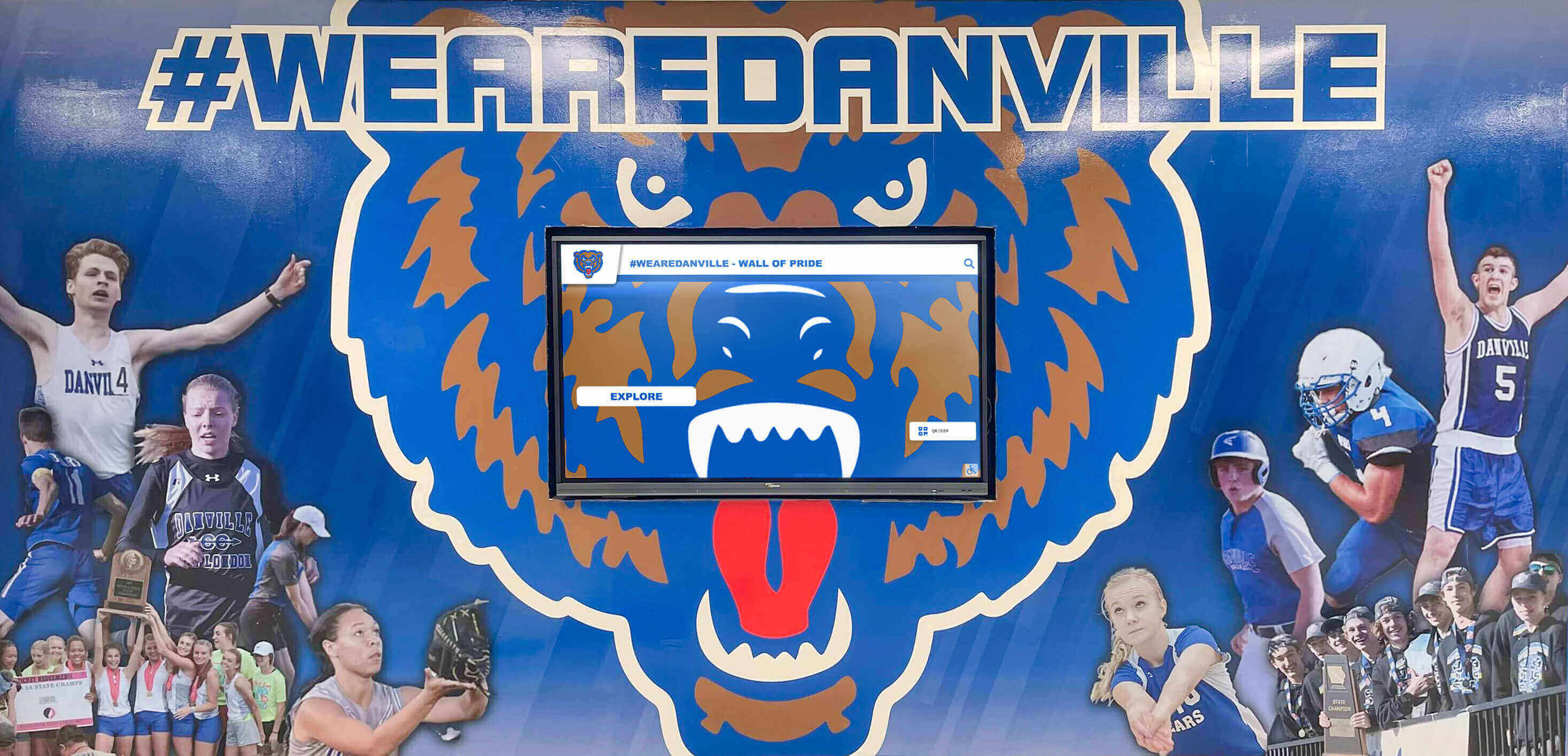
Traditional display approaches create ongoing administrative burden and capacity limitations
Damage and Deterioration Issues
- Sunlight exposure fades displayed artwork over time
- Humidity and temperature fluctuations damage certain media
- Accidental contact in high-traffic areas damages pieces
- Theft or vandalism risks for accessible displays
- Insurance and liability concerns for valuable student work
Documentation and Communication Challenges
- Informing families about when work will be displayed
- Coordinating artwork collection and return logistics
- Maintaining records of what has been displayed when
- Communicating exhibition locations and viewing times
Many art educators report spending 10-15 hours monthly managing physical displays—time that could be better invested in instruction and student creative development.
How Digital Art Galleries Transform Student Recognition
Contemporary digital platforms address traditional limitations while creating unprecedented opportunities for comprehensive, accessible creative celebration.
Unlimited Showcase Capacity
Digital galleries eliminate physical space constraints entirely:
Comprehensive Recognition Across All Students
- Every student artist can have work featured, not just select pieces
- Multiple works per student showcased in digital portfolios
- All grade levels, art classes, and creative disciplines included
- Historical archives preserve work from previous years
- No need to choose which pieces receive recognition versus storage
Schools implementing digital art gallery solutions report satisfaction increases among both students and parents when every artist receives equal visibility regardless of available physical wall space.
Multi-Disciplinary Creative Showcase
- Visual arts: paintings, drawings, sculptures, ceramics, photography
- Digital media: graphic design, animation, video production
- Performing arts: theater productions, dance performances, musical concerts
- Creative writing: poetry, short stories, student publications
- Applied arts: fashion design, architecture, product design
This comprehensive approach ensures recognition extends beyond traditional visual arts to celebrate all forms of creative expression, acknowledging that artistic excellence manifests across diverse mediums and disciplines.

Interactive interfaces enable easy exploration of comprehensive student artwork collections
Enhanced Presentation and Documentation
Digital galleries provide superior presentation capabilities compared to physical displays:
High-Quality Digital Imaging
- Professional-quality photography captures artwork details
- Consistent lighting and backgrounds ensure optimal presentation
- Zoom capabilities allow viewers to examine fine details
- Color accuracy preserves artist’s original palette and intentions
- Multiple angles for three-dimensional works
Rich Contextual Information
- Artist statements explaining creative inspiration and process
- Detailed descriptions of media, dimensions, and techniques
- Award recognition and competition achievements
- Exhibition history documenting where work has been featured
- Artist biographies and portfolio highlights
This enhanced documentation creates comprehensive records that support portfolio development, college applications, scholarship competitions, and long-term creative documentation impossible with traditional physical displays.
Multimedia Integration
- Video documentation of three-dimensional sculptures from all angles
- Time-lapse recordings showing artistic process
- Audio artist commentaries explaining creative decisions
- Performance recordings of theater, dance, and music
- Interactive features inviting viewer engagement
These multimedia capabilities transform static artwork viewing into dynamic experiences that deepen understanding and appreciation of student creative achievement.
Universal Accessibility and Extended Reach
Digital platforms make student artwork accessible to unlimited audiences regardless of location:
24/7 Global Access
- Parents view children’s artwork from home at convenient times
- Extended family members worldwide explore student galleries
- Alumni reconnect with their own historical artwork
- Prospective families considering enrollment review arts programs
- Community members discover student creative excellence
Schools utilizing digital art galleries report dramatic increases in family engagement with arts programs. Parents who rarely attended physical exhibitions spend significant time exploring online galleries, sharing work on social media, and discussing artwork with their children.
Multiple Viewing Platforms
- Interactive touchscreen displays in school common areas and lobbies
- Web-based galleries accessible from any internet-connected device
- Mobile-optimized viewing on smartphones and tablets
- Embedded galleries within school websites maintaining brand consistency
- Social media integration enabling easy sharing
This multi-platform accessibility ensures that student creativity receives visibility across all channels where families and communities engage with school information.
Social Sharing and Viral Potential
Digital galleries enable artwork to reach audiences far beyond immediate school community:
- One-click social media sharing to platforms where families actively engage
- Artwork features that inspire likes, comments, and meaningful conversations
- Student artists build personal portfolios and online presence
- Recognition extends beyond school boundaries to broader networks
- Competition and scholarship opportunities discovered through online visibility
Several schools report student artwork going “viral” on social media after families shared pieces from digital galleries, generating tens of thousands of views and bringing significant positive attention to school arts programs.
Implementing Digital Art Gallery Solutions
Creating effective digital showcases requires thoughtful planning, appropriate technology selection, and systematic content management.
Technology Platform Selection
Schools have several options for digital art gallery implementation:
Dedicated Recognition Display Systems
Comprehensive solutions like those from Rocket Alumni Solutions provide integrated hardware and software specifically designed for educational recognition. These systems combine commercial-grade touchscreen displays with intuitive content management platforms, enabling schools to showcase student artwork alongside academic achievements, athletic accomplishments, and institutional history.
Benefits of integrated recognition systems include professional-grade hardware designed for continuous operation in high-traffic school environments, user-friendly content management requiring no technical expertise, unified platforms managing multiple recognition categories including arts, and ongoing vendor support ensuring successful long-term implementation.
For schools implementing digital arts music showcase programs, specialized recognition displays provide turnkey solutions designed specifically for educational creative celebration.
Online Portfolio Platforms
Web-based gallery services provide accessible options for schools prioritizing online visibility:
- Dedicated platforms specifically designed for student artwork management
- Cloud-based storage ensuring secure, backed-up artwork preservation
- Template-driven galleries requiring minimal technical development
- Social sharing features maximizing audience reach
- Mobile-responsive design ensuring proper display across all devices
Many schools find optimal results combining on-campus interactive displays with online gallery components, ensuring comprehensive accessibility across both physical and digital environments.
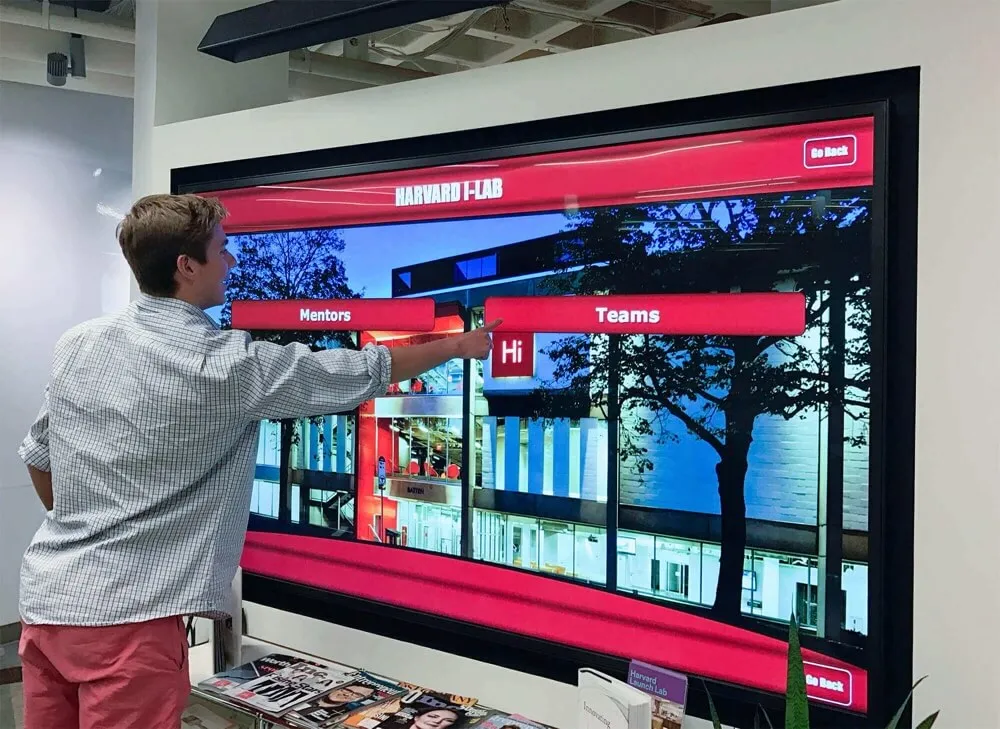
Professional installation ensures optimal placement and functionality of interactive gallery displays
Hybrid Approaches
Schools often benefit from layered strategies combining multiple technologies:
- Interactive touchscreen displays in main entrances or arts facilities
- Online web galleries extending access beyond campus
- Digital signage displays throughout campus rotating featured artwork
- Mobile apps providing personalized student portfolio access
- Social media channels amplifying selected works to broader audiences
This comprehensive approach ensures student artwork receives visibility through multiple channels, reaching diverse audiences through their preferred viewing platforms.
Content Management and Curation
Successful digital galleries require systematic processes for artwork documentation and presentation:
Photography and Digitization Standards
- Consistent lighting ensuring true color reproduction
- Neutral backgrounds eliminating visual distractions
- High-resolution images supporting zoom and detailed viewing
- Multiple angles for three-dimensional works
- Video documentation for performance arts and time-based media
Information Architecture
- Clear organizational systems by student, grade level, medium, or theme
- Intuitive navigation enabling easy artwork discovery
- Search functionality allowing visitors to find specific artists or works
- Filtering options helping viewers explore based on interests
- Featured collections highlighting exceptional work or special exhibitions
Metadata and Documentation
- Artist names and grade levels
- Artwork titles reflecting creative vision
- Media and dimensions for physical works
- Creation dates documenting when work was produced
- Artist statements providing creative context
- Teacher recognition for arts educators
Establishing clear standards ensures consistent, professional presentation that honors student creative work appropriately.
Workflow and Process Development
Implementing sustainable digital galleries requires establishing efficient operational systems:
Artwork Submission Processes
- Clear submission guidelines for teachers and students
- Digital upload systems streamlining artwork intake
- Quality control review ensuring appropriate content
- Permission forms addressing copyright and privacy
- Deadline structures maintaining regular update cycles

User-friendly interfaces encourage student and family engagement with digital galleries
Curation and Selection
- Criteria determining which works receive featured placement
- Rotating exhibitions ensuring fresh content and continued interest
- Thematic collections connecting related works
- Student artist spotlights highlighting exceptional portfolios
- Historical retrospectives celebrating program evolution
Maintenance and Updates
- Regular content addition schedules
- Seasonal exhibitions aligning with academic calendar
- Awards and competition recognition updates
- Archived collections preserving historical exhibitions
- Technical maintenance ensuring optimal system performance
Schools should assign clear responsibilities for these operational elements, whether through dedicated arts technology coordinators, student assistants, or distributed responsibilities across arts faculty.
Benefits Beyond Artwork Display
Digital art galleries create value extending far beyond simple creative recognition.
Student Portfolio Development
Comprehensive digital documentation supports students’ ongoing creative journeys:
College Application Materials
- Professional digital portfolios for art school applications
- Documented creative growth across multiple years
- Accessible work samples for scholarship competitions
- Online gallery links supplementing application materials
- Professional presentation demonstrating technical skills
Many selective arts programs and scholarships require substantial portfolio submissions. Students with comprehensive digital galleries possess significant advantages over peers relying on hastily assembled application materials.
Professional Development Foundation
- Early experience presenting work in professional contexts
- Digital presence establishing emerging artist identity
- Social media following building audience for creative work
- Client portfolio for students pursuing commissioned work
- Foundation for professional website development
Metacognitive Creative Growth
- Ability to review personal creative evolution over time
- Reflection on stylistic development and technique improvement
- Understanding of recurring themes and artistic interests
- Documentation supporting meaningful artist statements
- Evidence of consistent creative engagement and productivity
These portfolio benefits provide advantages extending well beyond recognition, supporting students’ practical needs as they pursue creative education and careers.
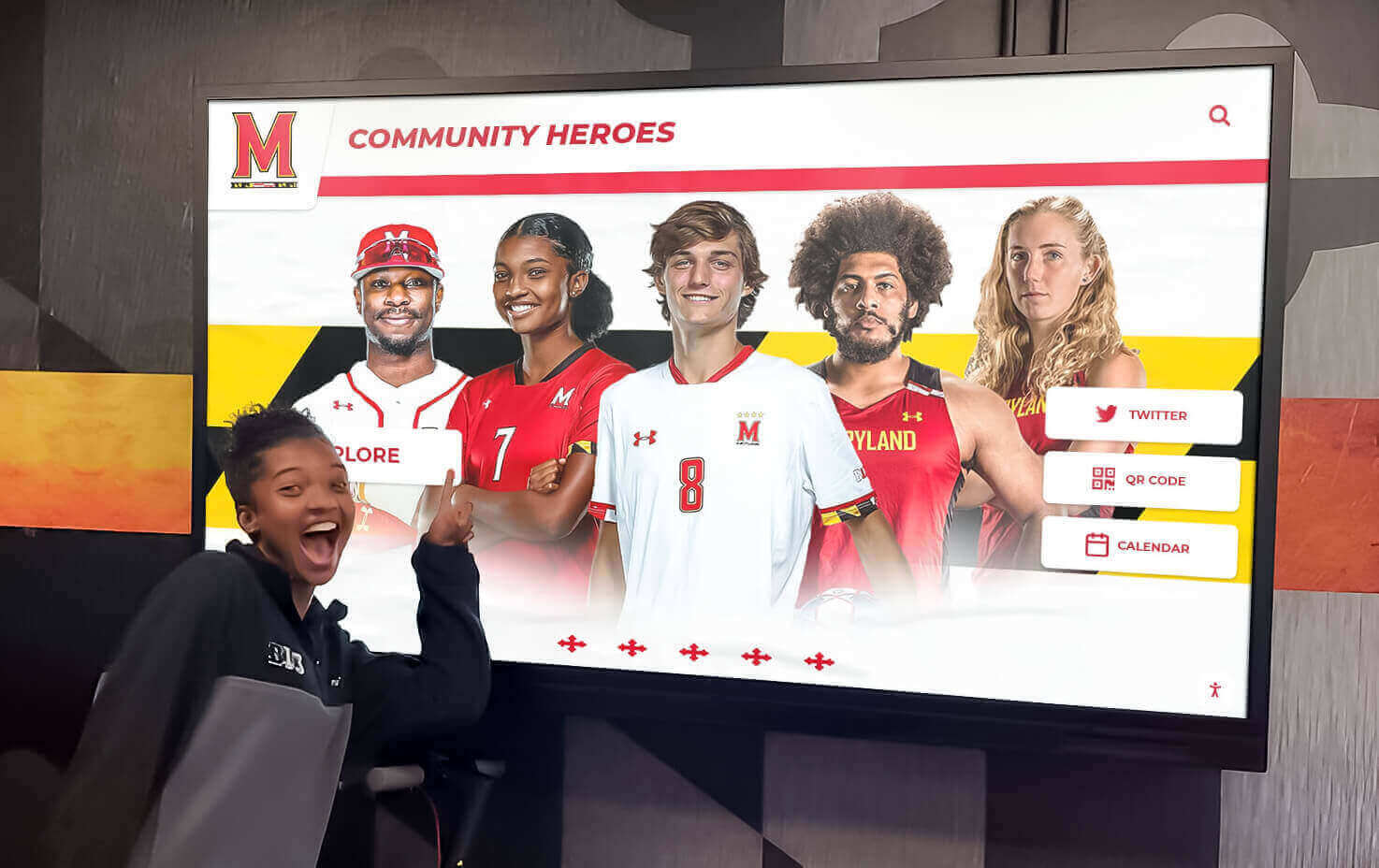
Recognition displays inspire current students by celebrating creative achievement
Arts Program Visibility and Advocacy
Digital galleries strengthen institutional arts programs through enhanced visibility:
Recruitment and Enrollment
- Prospective families review arts program quality through student work examples
- Gallery access during admissions tours demonstrates program strength
- Online galleries accessible to families researching schools remotely
- Visible commitment to arts education distinguished from competing institutions
- Award-winning work provides concrete evidence of program excellence
Schools with robust classroom projects recognition showcase programs report that creative display prominence influences enrollment decisions among families prioritizing arts education.
Community Relations and Support
- Local businesses and community organizations view student creativity
- Media coverage opportunities showcasing student accomplishments
- Grant applications strengthened by documented program outcomes
- Donor cultivation demonstrating arts education impact
- Public relations benefits from celebrating student success
Internal Advocacy and Resource Allocation
- Administrative decision-makers see tangible evidence of program value
- Budget discussions informed by visible student engagement and achievement
- Facilities planning recognizes arts program needs and contributions
- Staffing decisions acknowledge importance of quality arts instruction
- School board presentations enhanced by accessible student work examples
Visible, accessible student creative achievement creates powerful advocacy for continued and enhanced arts education investment.
Family and Community Engagement
Digital galleries strengthen connections between schools, families, and communities:
Parent Involvement
- Convenient artwork viewing fits busy family schedules
- Social sharing creates opportunities for extended family engagement
- Discussion starters for conversations about school and creativity
- Pride in student achievement strengthens school relationships
- Attendance at in-person arts events increases after online engagement
Research consistently demonstrates that family engagement with student academic work correlates with improved educational outcomes. Digital art galleries create accessible, convenient engagement opportunities that busy families can integrate into daily routines.
Alumni Connections
- Graduates reconnect with their own historical artwork
- Alumni see evidence of continued program quality
- Historical galleries prompt reminiscence and storytelling
- Graduate creative professionals mentor current students
- Philanthropic support inspired by arts program memories
For institutions seeking to strengthen alumni engagement through recognition displays, integrating historical student artwork creates emotional connections that inspire continued institutional relationships.
Community Pride
- Local businesses display student artwork through shared gallery access
- Municipal organizations celebrate community creative excellence
- Intergenerational connections as community members view youth creativity
- Economic development benefits from visible educational quality
- Cultural vitality demonstrated through youth arts education
Digital galleries transform student creativity from insular school activity into visible community cultural asset.
Integration with Comprehensive Recognition Programs
Digital art galleries achieve maximum impact when integrated into broader institutional recognition systems.
Unified Creative and Achievement Recognition
Schools benefit from platforms that celebrate diverse excellence:
Multi-Dimensional Recognition Solutions like Rocket Alumni Solutions enable comprehensive recognition across academic achievement, athletic excellence, creative arts accomplishments, community service and leadership, distinguished alumni success, and institutional heritage and traditions.
This unified approach ensures that creative students receive equal visibility alongside athletes and scholars, communicating institutional values that excellence manifests in multiple forms.
Cross-Disciplinary Connections
- STEM students recognized for creative problem-solving and design
- Athletes celebrated for performance arts and creative expression
- Academic scholars acknowledged for research communication design
- Community leaders honored for creative service initiatives
- Historical figures documented through both achievement and creative contributions
These connections prevent artificial siloing of recognition categories while acknowledging that many accomplished individuals excel across multiple domains.
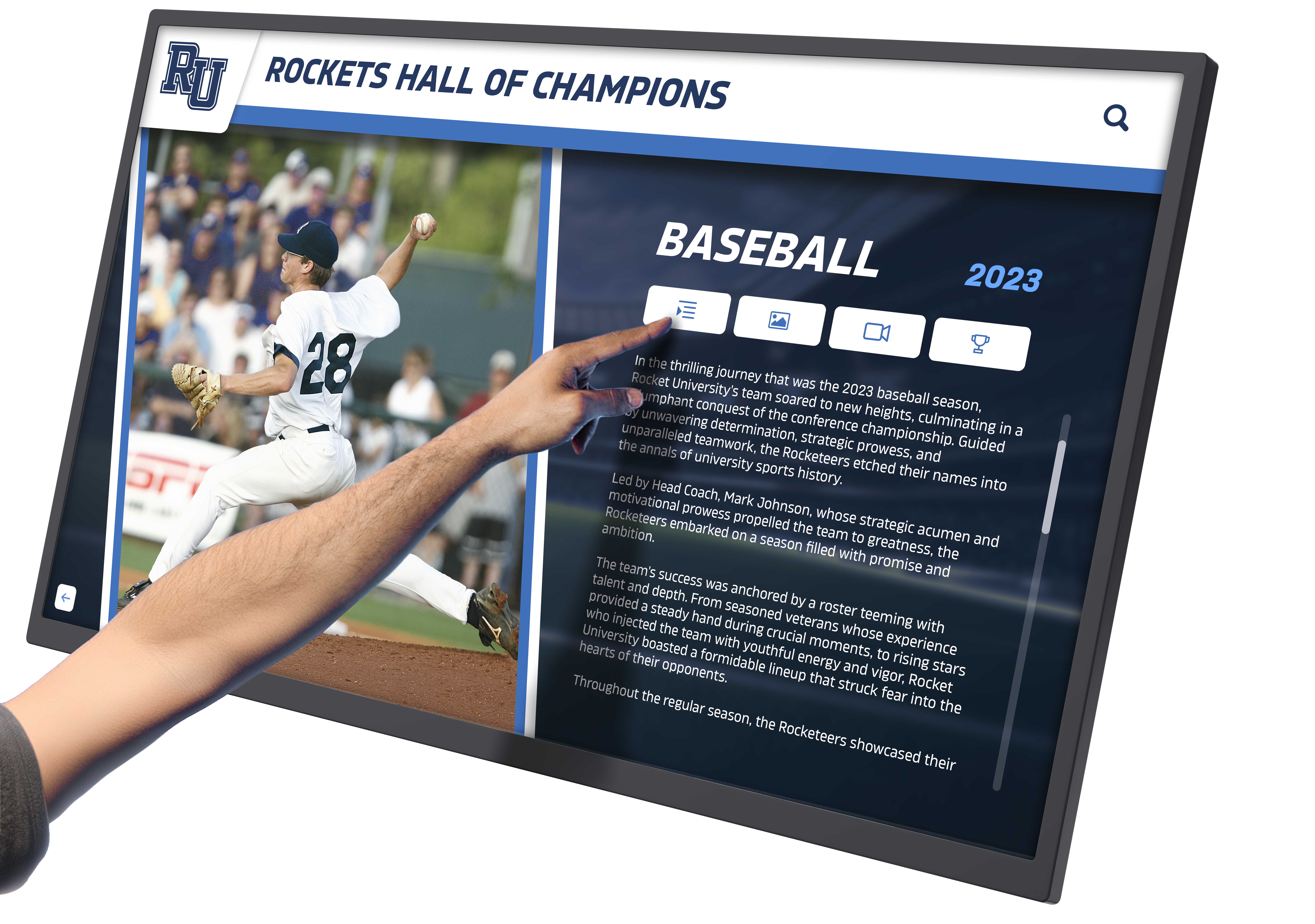
Integrated recognition systems celebrate diverse forms of student excellence including creative achievement
Awards and Competition Recognition
Digital galleries provide ideal platforms for celebrating artistic achievements:
Scholastic Art Awards Recognition
- Featured sections highlighting national and regional award recipients
- Historical archive of award-winning work across years
- Student artist profiles documenting competition success
- Virtual exhibitions of award-winning collections
- Inspiration for current students pursuing competition opportunities
Festival and Exhibition Achievements
- Documentation of student work selected for juried exhibitions
- Recognition of festival performances and productions
- Archives of competition placements and honors
- Multi-year tracking of program competition success
- Visible demonstration of program quality and student achievement
Scholarship and Honor Recognition
- Arts scholarship recipients celebrated alongside academic scholars
- National Honor Society arts members acknowledged
- AP Scholar achievement in arts disciplines
- Acceptance to selective arts programs and institutions
- Professional recognition for student creative work
This competition documentation provides evidence of program effectiveness while motivating current students to pursue excellence.
Special Exhibitions and Thematic Collections
Digital platforms enable sophisticated curatorial approaches:
Seasonal and Thematic Exhibitions
- Winter holiday-themed artwork collections
- Black History Month creative expression
- Environmental awareness art projects
- Social justice and community issue responses
- Literary adaptations and cross-curricular projects
Senior Capstone and Portfolio Showcases
- Dedicated exhibitions for graduating senior portfolios
- Comprehensive documentation of four-year creative development
- Featured placements for exceptional senior thesis projects
- Permanent archives accessible to graduates indefinitely
- Recognition comparable to senior composite displays in traditional formats
Historical Retrospectives
- Anniversary exhibitions celebrating program history
- Decade retrospectives showing stylistic evolution
- Alumni artwork archives documenting institutional creative legacy
- Faculty retrospectives honoring longtime arts educators
- School history timeline integration showing creative education evolution
These sophisticated exhibitions demonstrate artistic maturity and curatorial sophistication impossible with traditional physical displays.
Best Practices for Maximizing Gallery Impact
Successful digital art gallery implementation requires attention to several key factors:
Content Quality and Consistency
Photography Standards
- Invest in proper photography equipment or professional photography services
- Establish consistent lighting, backgrounds, and camera settings
- Train student photography assistants in proper documentation techniques
- Maintain high resolution standards supporting future technology upgrades
- Create video documentation protocols for performance and three-dimensional work
Poor quality images undermine student artwork and diminish gallery impact. Professional presentation honors student creative effort appropriately.
Regular Content Updates
- Establish predictable update schedules aligned with academic calendar
- Rotate featured artwork ensuring fresh content attracts repeat viewing
- Archive historical content rather than deleting, preserving institutional memory
- Promote new exhibitions through email, social media, and school communications
- Maintain active galleries that demonstrate ongoing program vitality
Stagnant galleries with infrequent updates quickly lose audience engagement and fail to provide meaningful ongoing recognition.
Student and Teacher Involvement
Successful galleries involve the creative community in planning and management:
- Student curators develop exhibition themes and selections
- Art honor society members assist with photography and documentation
- Teachers nominate exceptional works for featured placement
- Student artists write their own statements and descriptions
- Youth voices shape gallery presentation and organization
This involvement creates ownership and ensures galleries authentically represent student creative community rather than administrative initiatives imposed from above.
Promotion and Communication
Digital galleries require active promotion to reach potential audiences:
Multi-Channel Communication
- Email announcements to families when student work is featured
- Social media posts highlighting exceptional artwork with links to full galleries
- School newsletter regular features celebrating creative achievements
- Website homepage integration with featured artwork rotations
- Digital signage throughout campus directing viewers to online galleries
Event Integration
- Gallery premiere events celebrating new exhibition launches
- Open house and parent night gallery demonstrations
- Alumni gathering area integration showing creative program evolution
- Community art festival partnership promoting student work
- Annual recognition events celebrating creative excellence
Media Engagement
- Local newspaper features on exceptional student artists
- Community publication coverage of major exhibitions
- Radio and television segments showcasing gallery technology
- Arts publication submissions highlighting innovative recognition
- Press releases for major awards and competition successes
Proactive promotion ensures galleries achieve their potential audience reach rather than remaining hidden resources few discover.

Strategic promotion ensures broad community engagement with student creative achievements
Privacy and Permission Considerations
Responsible gallery management requires attention to student privacy and appropriate permissions:
Permission and Release Forms
- Parental consent for featuring student artwork publicly
- Photo release permissions for images including student likenesses
- Age-appropriate consideration for elementary versus secondary students
- Options for students preferring private versus public recognition
- Annual permission renewal ensuring current authorization
Attribution and Copyright
- Clear artist attribution for all displayed work
- Respect for student copyright in their creative works
- Usage policies addressing how featured work may be shared
- Protection against unauthorized commercial use of student artwork
- Education about intellectual property for student artists
Content Appropriateness Review
- Review processes ensuring displayed work meets community standards
- Sensitive subject matter consideration
- Age-appropriate content for community viewing
- Balanced representation across diverse student perspectives
- Procedures addressing concerns about featured content
These protections ensure galleries honor student rights while providing appropriate recognition.
Measuring Digital Gallery Success
Assessing gallery effectiveness enables continuous improvement and demonstrates value:
Quantitative Engagement Metrics
Online Gallery Analytics
- Unique visitor counts showing audience reach
- Page views and session duration indicating engagement depth
- Geographic distribution revealing audience locations
- Device usage patterns informing optimization priorities
- Popular artwork and artist profiles identifying engagement patterns
Interactive Display Usage
- Touchscreen interaction frequency and duration
- Most-accessed gallery sections and features
- Peak usage times informing content scheduling
- User navigation patterns revealing intuitive versus confusing elements
- Comparison metrics against other display content categories
Social Media Metrics
- Shares, likes, and comments on featured artwork
- Reach and impressions showing extended audience
- Click-through rates to full gallery from social posts
- User-generated content featuring gallery artwork
- Follower growth correlated with gallery promotion
These metrics provide concrete evidence of audience engagement and gallery impact.
Qualitative Impact Assessment
Stakeholder Feedback
- Student satisfaction surveys about recognition meaningfulness
- Parent responses to gallery accessibility and presentation
- Arts educator perspectives on workflow and impact
- Administrative assessment of program visibility benefits
- Community member reactions to student creative excellence
Portfolio and Application Outcomes
- Student reports of gallery utility for college applications
- Acceptance rates to selective arts programs
- Scholarship award outcomes for student artists
- Competition success trends after gallery implementation
- Graduate career outcomes in creative fields
Program Outcomes
- Arts program enrollment trends after gallery launch
- Student creative productivity measured by work volume
- Family attendance at arts events after online engagement
- Community perception shifts about arts program quality
- Donor support for arts education initiatives
These qualitative measures demonstrate broader impact beyond simple view counts.
Conclusion: Celebrating Every Student Artist
Digital art galleries represent more than technological upgrades to traditional display methods—they fundamentally transform how educational institutions honor student creativity, making comprehensive recognition accessible, permanent, and engaging in ways physical displays cannot match.
Traditional approaches force impossible choices: which handful of student works receive recognition while most creativity remains unseen? Whose artwork gets hallway visibility while others remain in storage? Which families can attend brief physical exhibitions while others miss opportunities to celebrate their children’s accomplishments?
Digital galleries eliminate these limitations entirely. Every student artist receives equal visibility. All creative work can be featured, not just select pieces. Families anywhere access galleries conveniently on their schedules. Historical portfolios remain accessible indefinitely. Multiple forms of creative expression—visual arts, performing arts, digital media, creative writing—receive comprehensive celebration through unified platforms.
Ready to Transform Student Creative Recognition?
Discover how Rocket Alumni Solutions can help your institution implement comprehensive digital gallery systems that celebrate every student artist while creating engaging experiences for families and communities.
Explore Digital Gallery SolutionsFor schools committed to arts education, digital galleries communicate values through action. Visible, accessible creative recognition demonstrates that artistic excellence matters as much as athletic championships or academic honors. Students see their creativity valued publicly, inspiring continued creative development. Families experience convenient engagement with student artistic growth. Communities recognize institutional commitment to comprehensive education that develops whole individuals, not just test scores.
Implementation requires thoughtful planning—technology selection appropriate for institutional needs and budgets, systematic content management processes ensuring sustainable operations, clear photography and documentation standards honoring student work appropriately, and active promotion ensuring galleries reach intended audiences.
Yet schools implementing digital galleries consistently report the investment worthwhile. Student satisfaction increases dramatically when all artists receive recognition. Family engagement with arts programs deepens through convenient online access. Program visibility strengthens advocacy for continued support. Alumni connections deepen through access to their historical creative work.
The students creating remarkable artwork in your classrooms today deserve recognition equal to their creative investment. Digital galleries provide the platforms to honor every artist, preserve every portfolio, and celebrate creative excellence comprehensively. Whether your institution seeks to enhance existing recognition programs or establish first comprehensive creative showcases, digital gallery solutions offer accessible pathways to meaningful transformation.
Every brushstroke, every performance, every creative vision deserves celebration. Digital galleries ensure that recognition matches the excellence student artists demonstrate daily. Transform your arts program recognition today, and create lasting legacies that inspire creativity for generations to come.
For additional recognition approaches, explore school playbill displays for theater programs or learn about comprehensive student club recognition that celebrates diverse student achievements.































