Every school art program faces the same frustrating limitation: dozens of talented students creating remarkable artwork throughout the year, but only a fraction ever displayed beyond classroom walls or brief hallway exhibitions. Traditional art displays can showcase perhaps 30-50 pieces at any time, forcing difficult decisions about which students receive recognition while countless other worthy creations remain unseen. Digital art walls eliminate these constraints entirely, transforming how schools celebrate student creativity.
A digital art wall combines interactive touchscreen technology with unlimited cloud storage to create engaging, permanent galleries where every student artist receives appropriate recognition. These systems don’t just display artwork—they bring student creativity to life through high-resolution imagery, artist statements, creative process documentation, and interactive exploration that transforms passive viewing into active engagement.
This comprehensive guide explores how digital art walls work, why they deliver remarkable value for art programs, practical implementation considerations, and proven strategies for maximizing impact while building lasting art program legacy.
Traditional gallery walls and hallway displays have served schools adequately for decades, but they impose significant limitations on modern art programs. Space constraints force selective display, temporary exhibitions mean most artwork disappears after brief visibility, physical damage risks valuable student work, and static presentations cannot engage viewers actively or tell complete creative stories.
Digital art walls address every traditional limitation while introducing capabilities that paper and paint alone cannot match—unlimited exhibition capacity, permanent archiving, interactive engagement, multimedia integration, global accessibility, and systematic recognition ensuring every student artist receives acknowledgment.

Modern digital art walls transform traditional galleries into interactive experiences celebrating student creativity
Why Schools Choose Digital Art Walls
Educational institutions implementing digital art wall solutions consistently report transformative impacts across multiple dimensions—student motivation, program visibility, community engagement, and institutional pride.
Unlimited Recognition Capacity
Traditional display space physically constrains recognition. A 20-foot hallway wall holds perhaps 40 framed pieces. A digital art wall holds unlimited artwork—hundreds or thousands of student creations spanning years or decades, all instantly accessible through intuitive touchscreen navigation.
This unlimited capacity means:
- Every student artist receives exhibition opportunities
- Work from all grade levels can be showcased simultaneously
- Historical archives preserve program legacy across generations
- Multiple art disciplines coexist without competing for limited space
- Seasonal rotations happen digitally without physical labor
- Excellence at all skill levels receives appropriate celebration
When every student knows their work will be showcased professionally, motivation and effort increase dramatically. Students take greater pride in final products knowing their creativity will receive lasting recognition beyond brief classroom display.
Rich Multimedia Storytelling
Paper labels beside traditional artwork communicate minimal information—perhaps artist name, title, and medium. Digital art walls enable comprehensive storytelling that brings creative processes to life through multiple content types.
Enhanced Content Options:
- High-resolution artwork imagery showing finest details
- Artist statements explaining inspiration and creative intent
- Progress documentation showing artwork development stages
- Video time-lapses capturing creative process
- Audio recordings of student artists discussing their work
- Technical details about media, techniques, and dimensions
- Awards and recognition earned at competitions or exhibitions
- Connections to curriculum standards or artistic movements
This rich context transforms viewing experiences from simple observation into engaging educational journeys where visitors understand not just final products but creative development, artistic thinking, technical skill progression, and personal growth through artistic expression.
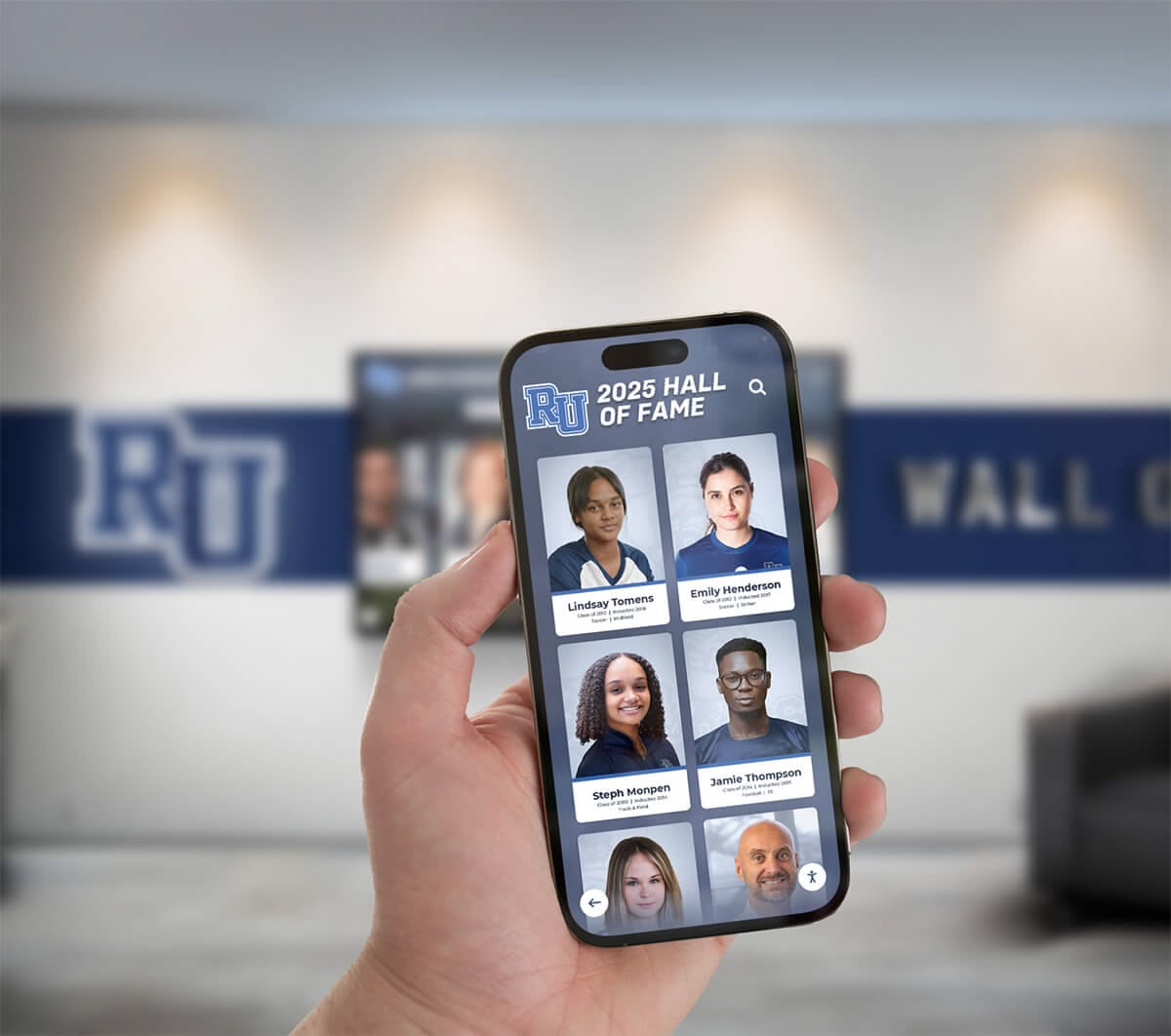
Mobile integration extends digital art wall access beyond physical installations
Permanent Archiving and Accessibility
Traditional art displays exist temporarily. After exhibition periods end, artwork returns to storage boxes or goes home with students, effectively disappearing from institutional memory. Three years later, when families want to show grandparents a student’s artwork or alumni want to revisit their high school creations, those works exist only as fading photographs—if at all.
Digital art walls create permanent archives preserving every exhibition indefinitely. Students graduating this year can share their complete portfolio with college admissions offices. Alumni returning for reunions can explore their artwork from decades past. Current students can study exemplary work from previous years, understanding program evolution while being inspired by established excellence.
This permanence delivers multiple benefits:
- Students maintain lifelong access to their creative portfolios
- Alumni connections strengthen through nostalgic art program exploration
- Program directors document quality evolution over time
- College applications include comprehensive portfolio access
- Historical perspective shows artistic trend development
- Institutional knowledge persists despite staff transitions
Solutions like Rocket Alumni Solutions provide both physical touchscreen installations and web-accessible galleries, ensuring artwork remains available anywhere, anytime, to anyone with appropriate permissions.
Interactive Engagement That Captivates Audiences
Static displays invite passive viewing—walk past, glance briefly, move along. Digital art walls create active engagement encouraging visitors to explore, discover, and interact with content through intuitive touchscreen interfaces.
Interactive Features Drive Engagement:
- Touch-based navigation with pinch-to-zoom artwork examination
- Search functionality finding specific students, years, or themes
- Filter options by medium, grade level, course, or subject
- Slideshow modes for effortless browsing
- Comparison views showing artistic progression
- Related artwork suggestions encouraging discovery
- Social sharing enabling instant distribution
- Favorite collections allowing personalized galleries
This interactivity transforms brief hallway pauses into extended explorations. Analytics from installed systems show visitors spending 5-10 minutes actively engaging with digital art walls compared to 30-second glances at traditional displays. Extended engagement means deeper appreciation, stronger program support, and memorable visitor experiences that elevate institutional reputation.
How Digital Art Walls Work: Technology Overview
Understanding the technology behind digital art walls helps educators and administrators make informed decisions about implementation approaches fitting their specific needs and contexts.
Hardware Components
Physical digital art wall installations combine commercial-grade displays with purpose-built kiosks or mounting systems creating professional, durable installations.
Display Options:
- Touchscreen Monitors: 43" to 86" commercial displays with capacitive touch technology providing responsive, multi-touch interaction
- Mounting Configurations: Wall-mounted systems for hallways and lobbies, freestanding kiosks for open spaces, tabletop installations for art rooms
- Resolution Standards: Minimum 4K (3840x2160) resolution ensuring artwork displays with exceptional clarity and color accuracy
- Durability Features: Commercial-grade panels designed for continuous operation, tempered glass protection, robust enclosures preventing tampering
Most schools select 55" or 65" displays as optimal for hallway visibility while maintaining reasonable costs. Larger displays work well for main lobbies or performing arts centers where viewing distances increase.

Floor kiosk installation provides accessible artwork viewing in high-traffic areas
Software Platform Capabilities
Hardware provides the display mechanism, but software creates the experience. Effective digital art wall platforms deliver intuitive content management, engaging user interfaces, and comprehensive feature sets.
Essential Software Features:
- Content Management System: Web-based administrative tools enabling non-technical staff to upload artwork, enter descriptions, organize galleries, and schedule content
- Cloud Storage: Unlimited capacity for artwork imagery and multimedia content with automatic backups preventing data loss
- Responsive Design: Interfaces automatically adapting to various screen sizes and orientations
- Template Systems: Pre-designed layouts ensuring consistent, professional presentation
- User Interface: Touch-optimized navigation designed for public kiosk use
- Security Features: Password-protected administration, automatic session timeouts, kiosk mode preventing system access
- Analytics Dashboard: Usage tracking showing popular content, visitor patterns, and engagement metrics
Museum touchscreen software designed for public exhibition provides the foundation most schools need, adapted specifically for educational art program requirements.
Content Creation Workflow
Implementing digital art walls requires systematic processes for photographing artwork, organizing content, and maintaining exhibitions—but these workflows prove far more efficient than traditional display maintenance.
Streamlined Content Pipeline:
- Artwork Photography: High-resolution digital photography using proper lighting, neutral backgrounds, and consistent framing
- Image Processing: Basic editing ensuring accurate color representation and removing background distractions
- Metadata Entry: Recording artist name, grade level, course, title, medium, dimensions, and creation date
- Content Upload: Batch uploading through web-based content management system
- Exhibition Organization: Creating virtual galleries organized by theme, medium, grade level, or chronology
- Publication: Scheduling content to appear on displays and web galleries
- Ongoing Maintenance: Periodic updates adding new work, refreshing featured content, and maintaining accuracy
Many schools integrate digital documentation into existing art program workflows. Students photograph their own work using school-provided devices, write artist statements as course requirements, and submit digital portfolios for grading—content that flows directly into exhibition systems.
Implementation Strategies for Art Programs
Successful digital art wall implementations follow proven approaches balancing ambition with practical realities, ensuring systems deliver value immediately while establishing foundations for long-term growth.
Start With Clear Goals and Priorities
Before selecting hardware or software, define what you want your digital art wall to accomplish. Different goals suggest different implementation approaches.
Common Objectives:
- Maximum Student Recognition: Showcase work from every art student regardless of skill level
- Excellence Celebration: Highlight exceptional work earning awards or demonstrating mastery
- Program Marketing: Create impressive displays for prospective student tours and community events
- Historical Preservation: Archive artwork documenting program evolution across decades
- Student Portfolios: Provide platform supporting college application processes
- Community Engagement: Extend art program visibility beyond school walls
Most programs pursue multiple objectives simultaneously, but clarifying priorities helps guide decisions about content strategy, budget allocation, and implementation sequence.
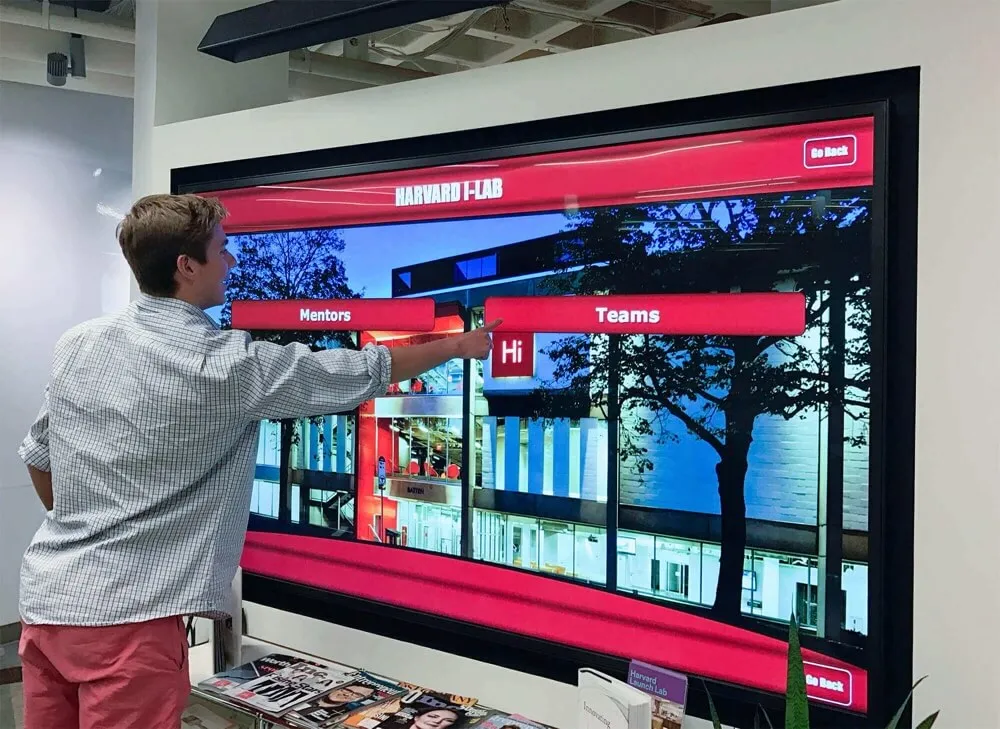
Planning sessions ensure digital art wall implementations align with program goals
Choose Appropriate Installation Locations
Placement significantly impacts visibility, usage, and effectiveness. Optimal locations balance high traffic with appropriate viewing contexts.
Prime Installation Sites:
- Main Building Entrances: First impressions showcasing program excellence to all visitors
- Art Department Hallways: Specialized locations where art community gathers regularly
- Performing Arts Centers: Complementing visual arts with performing arts in shared spaces
- Libraries and Media Centers: Study spaces where students naturally linger
- Cafeterias and Common Areas: High-traffic social spaces reaching entire student body
- Administrative Office Lobbies: Professional contexts for visiting parents and community members
Many schools begin with single installations in highest-priority locations, then expand to additional displays as budget permits. This phased approach demonstrates value before requesting larger investments.
Develop Sustainable Content Workflows
Digital art walls require ongoing content—not massive initial effort followed by neglect, but systematic processes ensuring fresh exhibitions throughout school years.
Sustainability Strategies:
- Student Involvement: Train student assistants or art club members to photograph and catalog artwork
- Curricular Integration: Make digital documentation part of course requirements and grading rubrics
- Scheduled Updates: Establish regular rhythms for rotating featured content and adding new exhibitions
- Shared Responsibility: Distribute tasks across multiple faculty members preventing single-person burnout
- Simple Systems: Choose platforms requiring minimal technical expertise enabling various staff members to contribute
- Celebration Events: Create exhibition opening celebrations motivating content development
The most successful implementations treat digital art walls as living programs requiring consistent attention rather than one-time projects installed and forgotten.
Maximizing Educational and Community Impact
Digital art walls deliver maximum value when thoughtfully integrated with broader educational goals and community engagement strategies.
Connect Artwork to Learning Objectives
Digital exhibitions become more meaningful when they demonstrate educational growth and curricular connections rather than existing as isolated displays.
Educational Integration Approaches:
- Curriculum Alignment: Tag artwork with relevant art standards, concepts, or techniques demonstrated
- Process Documentation: Include sketches, studies, and developmental stages showing iterative creative process
- Reflection Statements: Require students to articulate artistic intent, inspiration, and technical challenges
- Peer Review: Feature student commentary analyzing classmates’ work using appropriate art vocabulary
- Historical Context: Connect student work to art movements, master artists, or cultural traditions
- Cross-Curricular Links: Highlight artwork integrating science concepts, historical themes, or literary inspiration
These connections transform simple exhibition into educational resource where artwork becomes teaching tool demonstrating learning progression and artistic thinking development.
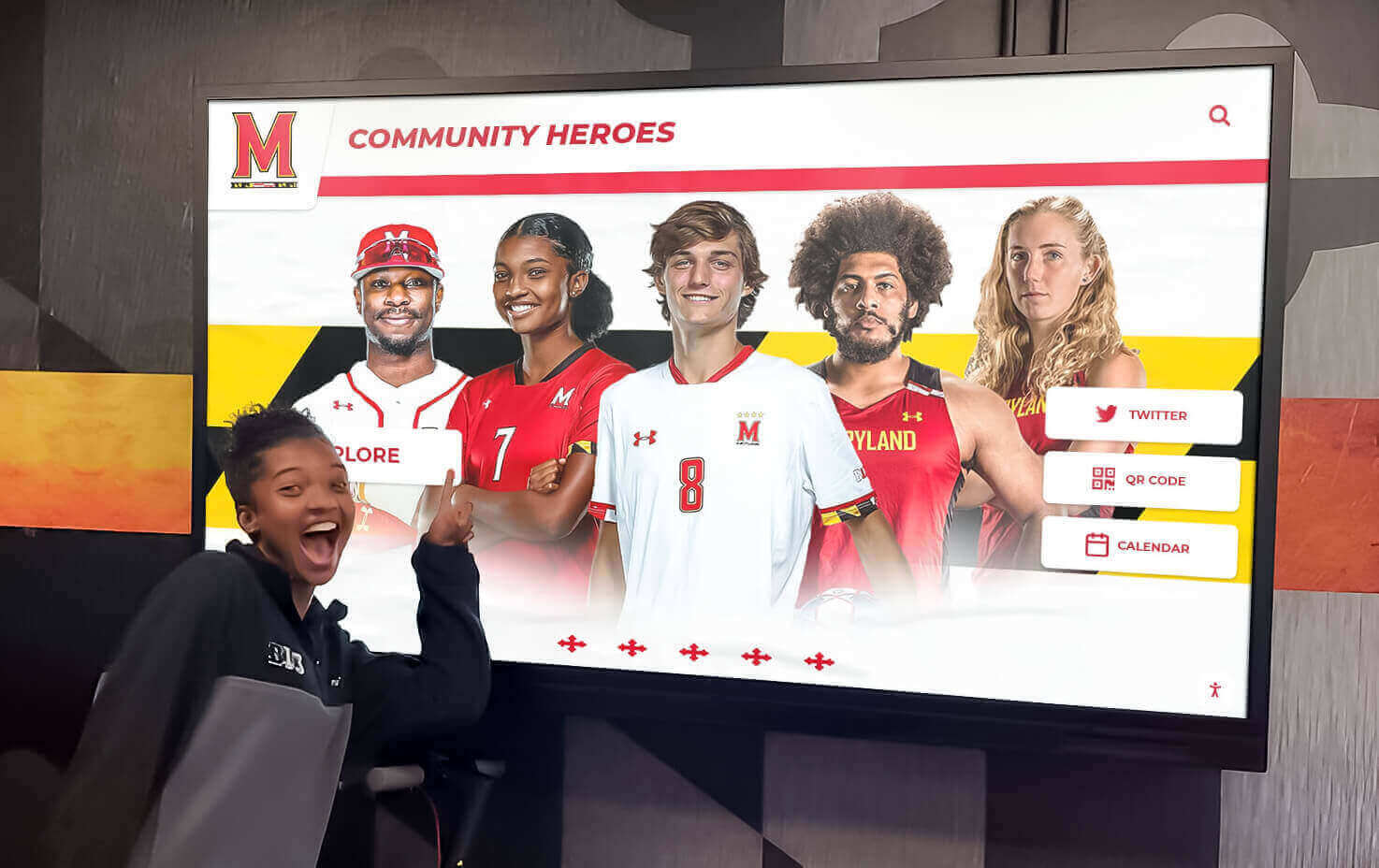
Students engage with digital art walls as both viewers and contributors to exhibitions
Extend Engagement Beyond Physical Displays
Physical touchscreen installations create compelling on-campus experiences, but web accessibility extends impact dramatically by reaching families, alumni, and broader communities impossible to serve through school-based displays alone.
Web Gallery Capabilities:
- Global Access: Anyone with internet connection explores exhibitions from anywhere
- Mobile Optimization: Smartphone-friendly interfaces enabling artwork viewing anytime
- Social Media Integration: One-click sharing to Instagram, Facebook, Twitter amplifying recognition
- Portfolio Access: Students share galleries directly with college admissions offices
- Alumni Engagement: Graduates revisit their artwork years or decades later
- Virtual Tours: Prospective families explore art program quality remotely
Solutions like interactive touchscreen displays from Rocket Alumni Solutions provide unified platforms where content published once appears automatically on both physical installations and web galleries, eliminating duplicate effort while maximizing reach.
Celebrate Diversity and Inclusion Through Broad Recognition
Digital art walls enable recognition approaches impossible with space-constrained traditional displays—honoring diverse creative expressions, varied skill levels, and multiple art disciplines simultaneously.
Inclusive Exhibition Strategies:
- Multi-Level Recognition: Showcase beginning student explorations alongside advanced AP portfolios
- Diverse Media: Feature drawing, painting, sculpture, photography, digital art, ceramics, printmaking, and mixed media
- Process Over Product: Honor creative exploration and artistic risk-taking, not just polished results
- Growth Celebration: Document individual student artistic development across years
- Collaborative Work: Recognize group projects and community art initiatives
- Cultural Expression: Feature work reflecting diverse cultural backgrounds and perspectives
This inclusivity sends powerful messages that art programs value all creative expression rather than reserving recognition for narrow definitions of excellence or traditional media alone.
Investment Considerations and Budget Planning
Understanding complete costs helps schools plan appropriate budgets while making informed decisions about feature prioritization and implementation approaches.
Initial Implementation Costs
Hardware Investment:
- Display and Touch Components: $3,000-$8,000 per screen depending on size and features
- Mounting Systems: $500-$2,000 for professional kiosk enclosures or wall mounts
- Installation Labor: $500-$1,500 for electrical, mounting, and configuration
- Network Infrastructure: $0-$1,000 if additional network access points needed
Software and Services:
- Platform License: $1,200-$3,500 annually for content management and display software
- Design Services: $1,000-$5,000 for custom branding and interface design
- Content Development: $0-$3,000 depending on whether schools self-produce or hire services
- Training: $500-$1,500 for staff training on content management systems
Total Initial Investment: $7,000-$25,000 for comprehensive single-display installation with first-year software, depending on display size, feature set, and service choices.
Many schools find this investment compares favorably to traditional display renovations when considering long-term value, unlimited capacity, and elimination of ongoing physical display maintenance costs.
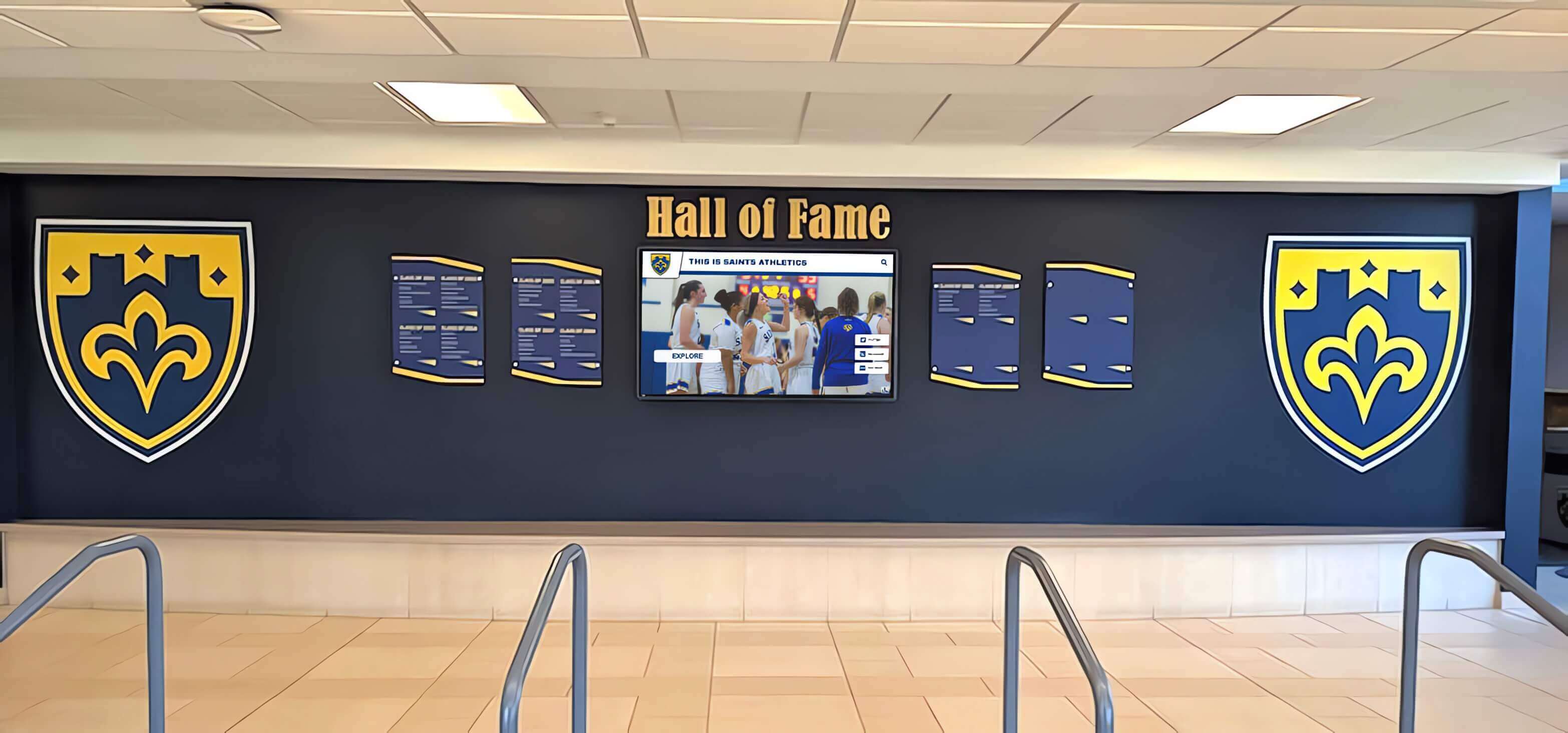
Professional installations create impressive focal points in school common areas
Ongoing Operational Costs
Annual Expenses:
- Software Subscriptions: $1,200-$3,500 for platform access, cloud storage, and technical support
- Content Updates: Primarily staff time for photographing artwork and entering information
- Minimal Maintenance: Commercial displays require only occasional cleaning; software updates happen automatically
- Electricity: Approximately $50-$150 annually depending on display size and usage patterns
These predictable ongoing costs prove far more manageable than traditional physical display maintenance requiring periodic replacement of frames, mats, lighting, and damaged exhibition materials.
Funding Strategies and Budget Sources
Schools fund digital art wall implementations through various approaches, often combining multiple funding sources.
Potential Funding Sources:
- School Operating Budgets: Technology or facilities budgets for infrastructure improvements
- Art Department Allocations: Program budgets for equipment and materials
- Grants: Arts education, technology integration, or facilities improvement grants
- Parent Organizations: PTA/PTO fundraising for specific projects
- Corporate Sponsorships: Local business support in exchange for recognition
- Capital Campaigns: Major fundraising initiatives including technology upgrades
- Donations: Alumni or community member gifts specifically for art program enhancement
Many schools phase implementations, starting with single displays demonstrating value before requesting expanded funding for additional installations or enhanced features.
Future Trends in Digital Art Exhibition
Digital art wall technology continues evolving rapidly, with emerging capabilities promising even more engaging experiences in coming years.
Artificial Intelligence Integration
AI technologies enable new possibilities including automated artwork categorization and tagging, intelligent search understanding natural language queries, personalized exhibition recommendations based on viewing history, and automated highlight generation identifying exceptional work through pattern recognition.
Augmented Reality Enhancements
AR capabilities could overlay additional information when visitors point smartphones at displays, create virtual exhibition spaces viewable through mobile devices, enable three-dimensional artwork viewing from multiple angles, and provide interactive creative experiences where visitors modify digital artwork parameters.
Enhanced Community Interaction
Future platforms may enable broader participation through visitor commenting and reaction systems, student artist video chats discussing displayed work, community voting on favorite pieces for special recognition, collaborative digital artwork creation involving multiple students, and real-time exhibition updates visible immediately after artwork completion.
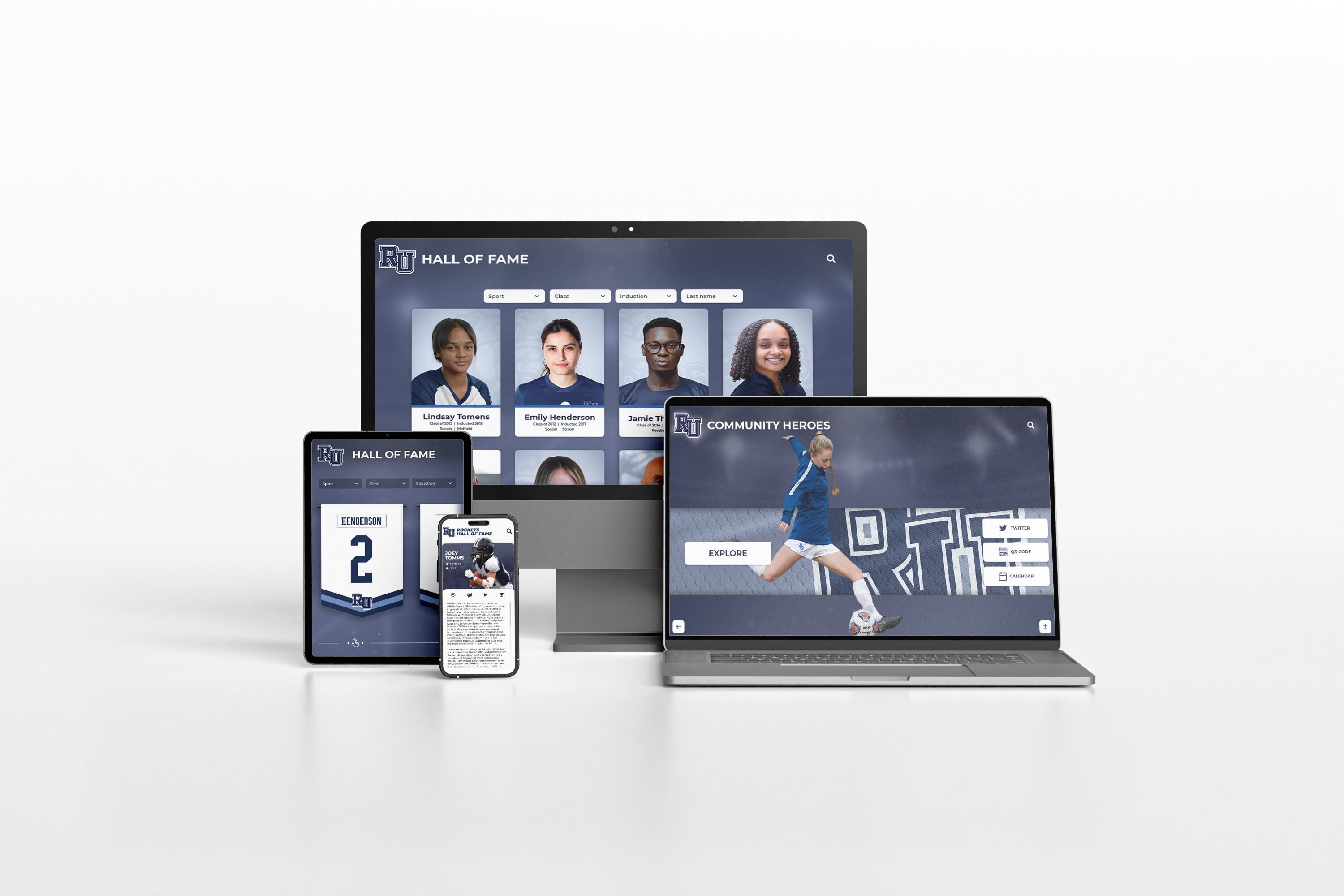
Multi-device accessibility ensures artwork reaches audiences through their preferred platforms
Common Implementation Questions
How long does installation typically take?
Physical installation usually requires 4-8 hours for display mounting, electrical connection, and network configuration. Content development timeline varies based on existing digital content—initial exhibitions may require 2-4 weeks for photographing artwork, entering information, and organizing galleries. Schools starting during summer often prepare extensive historical archives before school opening.
What happens if technology fails or internet connection drops?
Quality systems include offline modes storing content locally on display hardware, ensuring exhibitions continue uninterrupted during network outages. Remote monitoring alerts administrators to hardware issues, and most platforms provide both phone and email technical support. Commercial-grade displays designed for continuous operation prove highly reliable—most schools experience minimal downtime across years of operation.
Can students or community members submit artwork directly?
Many platforms support user submission portals where students upload artwork images and information for teacher review before publication. This capability streamlines content collection while teaching digital portfolio skills. Permission settings ensure appropriate moderation before public display.
How do digital art walls handle copyright and permissions?
Comprehensive systems include permission management tracking which artwork has parent/student permission for display and sharing. Schools can restrict certain content to on-campus viewing while allowing other work for broader web distribution. Watermarking options protect artwork from unauthorized reproduction.
What about student privacy concerns?
Platforms designed for educational use include privacy controls allowing administrators to limit information displayed with artwork—showing only first names, using student IDs rather than full names, or creating grade-level or course-level exhibitions without individual attribution. Web galleries can require authentication restricting access to school community members rather than public viewing.
Getting Started with Digital Art Walls
Schools ready to transform their art programs through digital exhibition technology should follow systematic approaches ensuring successful implementations delivering immediate value while establishing foundations for long-term growth.
Evaluate Your Specific Needs
Begin by assessing your current situation, goals, and constraints through stakeholder input from art faculty, students, administrators, and families, inventory of existing artwork and documentation, space analysis identifying potential installation locations, budget review determining available resources, and technical assessment evaluating network infrastructure and staff capabilities.
Research Platform Options
Not all digital art wall solutions serve educational needs equally. Prioritize platforms offering intuitive content management requiring minimal technical expertise, educational feature sets designed for school use rather than generic digital signage, comprehensive support including training, troubleshooting, and ongoing assistance, scalability enabling future expansion without platform changes, and proven track records with successful school implementations.
Arts program recognition specialists like Rocket Alumni Solutions understand unique educational requirements, providing purpose-built platforms specifically designed for schools rather than repurposed corporate or retail systems.
Start Small and Scale Strategically
Successful implementations often begin conservatively then expand based on demonstrated value. Consider beginning with single display in highest-priority location, using existing digital artwork archives rather than requiring complete retrospective photography, focusing on current year exhibitions before expanding to historical content, and training small staff teams who then train broader groups.
Early wins build confidence, demonstrate value, and establish momentum supporting expanded investments and broader adoption.

Simple initial implementations build toward comprehensive art program documentation
Conclusion: Transforming Art Program Recognition
Digital art walls represent fundamental advancement in how schools honor student creativity, moving beyond space-constrained physical displays to unlimited digital galleries engaging audiences while preserving program legacy. These systems don’t simply digitize traditional bulletin boards—they transform recognition itself through comprehensive capacity, rich multimedia storytelling, interactive engagement, permanent archiving, and global accessibility.
For art programs seeking to celebrate every student equitably, showcase creative excellence compellingly, preserve program history permanently, and engage broader communities meaningfully, digital art walls deliver capabilities impossible through traditional approaches alone.
The most successful implementations recognize that technology serves artistic and educational goals rather than existing for its own sake. When thoughtfully implemented as part of broader strategies honoring student creativity, supporting art education, and building program pride, digital art walls become powerful tools strengthening art programs while providing students the recognition their creative achievements deserve.
Ready to explore how digital art walls can transform your art program? Innovative community engagement solutions including recognition displays strengthen connections while celebrating diverse excellence. Solutions like Rocket Alumni Solutions provide comprehensive platforms specifically designed for educational environments, combining intuitive content management, professional installation, ongoing support, and proven results across hundreds of school implementations nationwide.
Start building the lasting art program legacy your students and community deserve through modern recognition technology that honors every creative achievement appropriately.































