Schools generate thousands of digital assets annually: event photos, athletic videos, yearbook images, historical documents, student artwork, performance recordings, and administrative records. Without proper digital asset management (DAM) systems, these valuable files scatter across individual computers, outdated servers, cloud storage accounts, and forgotten hard drives—creating inefficiency, duplication, lost institutional memory, and missed opportunities to engage alumni and community.
Digital asset management for schools provides centralized systems that organize, preserve, and make accessible the visual and multimedia content that documents institutional history and celebrates achievement. Proper DAM implementation transforms chaotic file collections into organized repositories that support recognition programs, marketing initiatives, historical preservation, and community engagement.
This implementation guide addresses the operational requirements, system selection criteria, migration strategies, and ongoing management practices that enable schools to establish DAM systems matching their specific organizational needs and technical capabilities.
Educational institutions face distinct asset management challenges that differentiate school DAM requirements from corporate systems. Schools manage assets spanning decades rather than years, serve diverse user groups with varying technical skills, operate under budget constraints that limit software expenditure, and prioritize accessibility features that ensure community-wide engagement.
The digital assets schools must manage include high-resolution event photography requiring significant storage capacity, video recordings from athletics and performances demanding specialized playback capabilities, historical documents and yearbooks needing preservation-quality digitization, student-created content with privacy and permission considerations, and recognition materials displayed across multiple platforms and contexts.
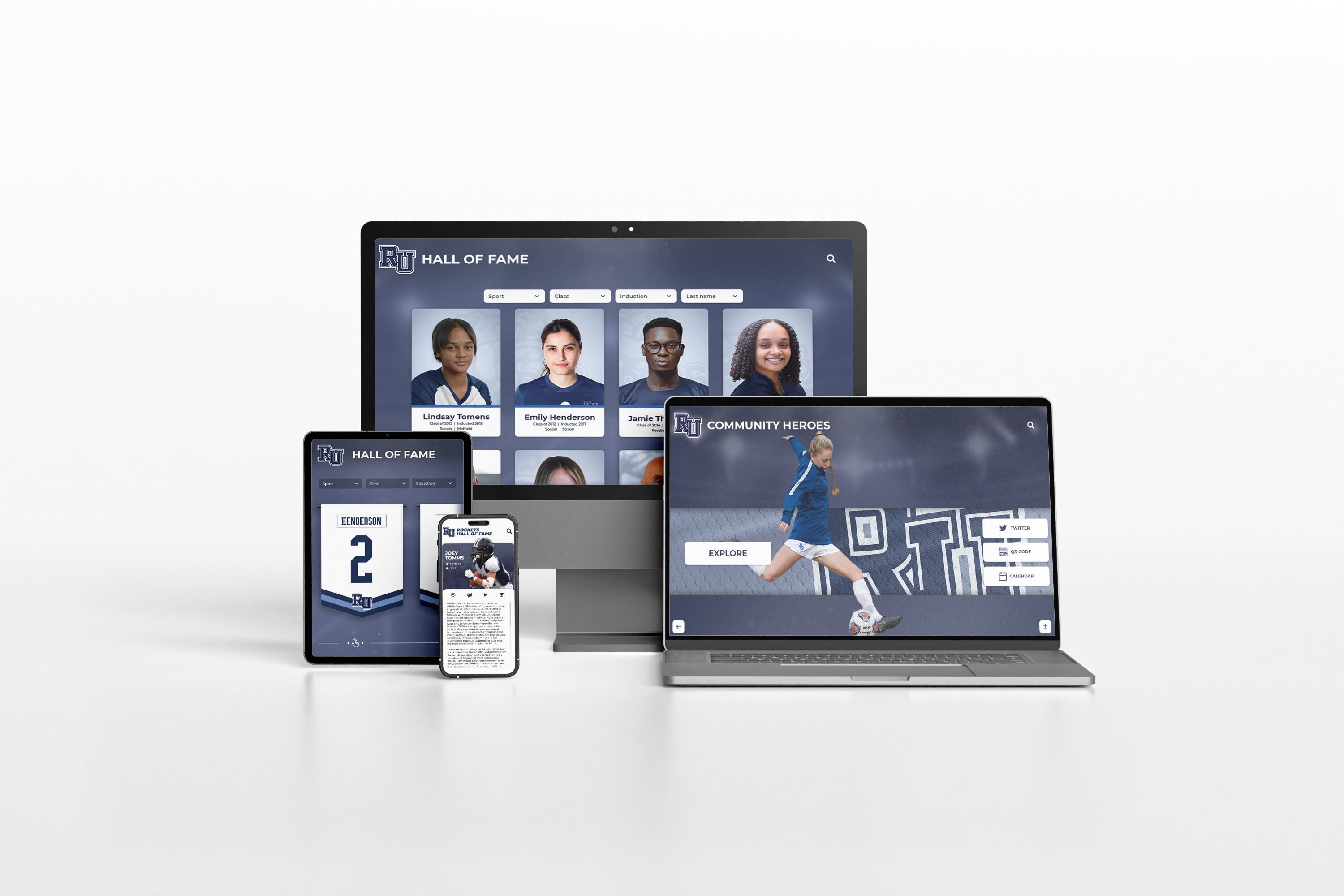
Modern DAM systems provide seamless access to school digital assets across desktop, tablet, and mobile platforms
Understanding Digital Asset Management for Educational Institutions
Digital asset management systems provide structured frameworks for storing, organizing, retrieving, and distributing digital files. In educational contexts, DAM serves as the central repository for visual and multimedia content that documents institutional life and supports various stakeholder needs.
Core DAM System Components
Centralized Storage Architecture:
DAM systems consolidate assets in unified repositories that eliminate file duplication, prevent version confusion, and ensure single sources of truth for institutional content. Storage infrastructure must accommodate both current assets requiring frequent access and archival materials accessed occasionally but requiring long-term preservation.
Cloud-based storage offers scalability advantages, eliminating local server capacity constraints and providing automatic backup redundancy. Schools implementing cloud DAM avoid hardware refresh cycles, reduce IT infrastructure costs, and gain access flexibility supporting remote work and distributed team collaboration.
Metadata and Taxonomies:
Effective asset retrieval depends on comprehensive metadata describing file contents, contexts, and relationships. School DAM systems require metadata structures capturing date information, event context, individuals depicted, photographer or creator credits, usage permissions, and archival classification.
Standardized taxonomies establish consistent organizational frameworks that prevent duplicate categorization and enable reliable searching. Common school taxonomy dimensions include academic year, event type, department or program, location, achievement category, and privacy classification.
Search and Retrieval Capabilities:
DAM value depends directly on search effectiveness—assets that cannot be found might as well not exist. Advanced search features include keyword search across metadata fields, visual similarity search identifying related images, date range filtering for temporal browsing, combination filters applying multiple criteria simultaneously, and saved search templates for recurring queries.
Face recognition technology enables automatic identification of individuals appearing in photos, creating powerful alumni engagement opportunities by allowing graduates to discover images featuring themselves across decades of institutional history.
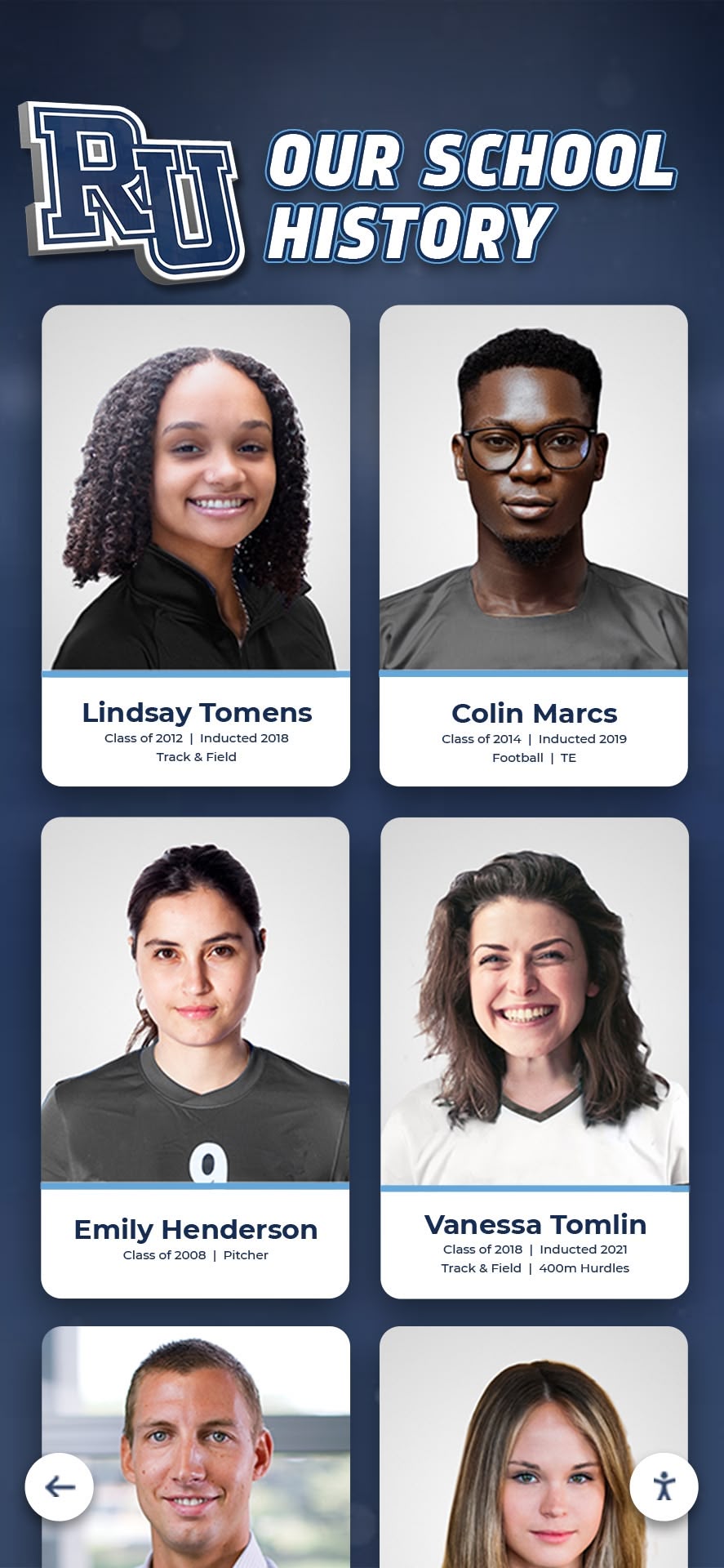
Structured organization enables schools to manage thousands of historical assets with consistent categorization and easy retrieval
DAM System Benefits for Schools
Operational Efficiency:
Centralized asset management eliminates time wasted searching across multiple locations for specific files. Staff members locate needed photos, videos, or documents in seconds rather than hours, improving productivity across communications, advancement, athletics, and administrative departments.
Version control prevents the common problem of multiple staff members independently editing the same file, creating conflicting versions that require time-consuming reconciliation. DAM systems maintain edit histories showing who modified files when, supporting accountability and enabling recovery of earlier versions if needed.
Institutional Memory Preservation:
Schools lose irreplaceable historical assets when files remain on individual employee computers that get replaced or when staff members leave taking institutional knowledge with them. Digital archives provide permanent preservation ensuring assets remain accessible regardless of staff changes or hardware turnover.
Systematic asset management supports historical research, anniversary celebrations, alumni inquiries, and community education by maintaining organized access to materials documenting institutional evolution across decades.
Multi-Channel Content Distribution:
Modern schools distribute content across websites, social media platforms, print materials, digital displays, mobile apps, and email communications. DAM systems streamline multi-channel distribution by providing single asset sources feeding all distribution channels, automated resizing and formatting for platform-specific requirements, and usage tracking showing where and how often assets appear.
Assessing Your School’s DAM Requirements
Successful DAM implementation begins with thorough requirements assessment clarifying the specific needs, constraints, and priorities driving system selection.
Current Asset Inventory
Document existing asset collections to establish baseline storage requirements and migration scope:
- Volume Assessment: Count total files by type (photos, videos, documents, audio) to determine storage capacity needs
- Location Mapping: Identify all current storage locations including network drives, cloud accounts, individual computers, and physical media requiring digitization
- Access Patterns: Analyze which assets require frequent access versus archival storage to inform performance tier allocation
- Historical Material: Catalog physical assets requiring digitization including printed yearbooks, photo prints, negatives, slides, and analog recordings
User Requirements Analysis
Different stakeholder groups interact with DAM systems in distinct ways requiring different capabilities:
| User Group | Primary Needs | Access Requirements |
|---|---|---|
| Marketing/Communications | Current event photos, brand assets, social media content | Upload, edit metadata, download, share |
| Athletics Department | Game photos/videos, athlete profiles, historical records | Upload, organize by sport/season, display integration |
| Advancement Office | Historical photos, alumni images, donor recognition materials | Search alumni, export for print, web publishing |
| Administrators | Official documents, policy records, meeting materials | Secure storage, version control, permission management |
| Alumni | Personal photos, yearbooks, school history | Search, view, download personal images, submit content |
| Students | Class projects, club activities, student media | Contribute content, access approved materials |
Understanding these distinct requirements prevents selecting systems optimized for one user group while underserving others.

Interactive displays provide public access to selected digital assets, enhancing community engagement with institutional history
Technical Infrastructure Assessment
Current IT capabilities constrain DAM system options and implementation approaches:
Network Bandwidth: Large asset files require substantial upload and download bandwidth. Schools with limited internet connectivity may need hybrid approaches combining local storage with cloud backup rather than pure cloud DAM.
Device Ecosystem: Assess the devices staff and community members use to access systems. Mobile-first user populations require DAM platforms optimized for smartphone and tablet interfaces rather than desktop-centric designs.
Integration Requirements: Identify existing systems requiring DAM integration including website content management systems, student information systems, alumni databases, social media management tools, and digital display platforms.
IT Support Capacity: Limited IT staffing favors turnkey solutions with vendor-managed infrastructure over self-hosted systems requiring ongoing server maintenance and software updates.
DAM System Selection Criteria
Schools choosing DAM platforms must evaluate options against multiple criteria balancing functionality, cost, usability, and long-term sustainability.
Essential Feature Requirements
Storage Capacity and Scalability:
Select systems offering storage volumes exceeding current needs with affordable expansion options. Schools typically generate 50-200 GB of new digital assets annually depending on institutional size and photo/video production levels.
Cloud storage costs vary significantly between providers. Analyze total cost of ownership including base storage fees, overage charges, bandwidth costs for downloads, and long-term price lock commitments.
Metadata Flexibility:
Rigid metadata structures that cannot accommodate school-specific categorization become limiting constraints. Prioritize systems allowing custom metadata field definition, controlled vocabularies preventing inconsistent terminology, and hierarchical taxonomies supporting complex organizational structures.
Search Functionality:
Basic keyword search proves insufficient for large asset collections. Essential search capabilities include Boolean operators combining multiple search terms, metadata field filtering, date range selection, file type restrictions, and visual similarity search.
Permission and Access Control:
Educational asset collections include materials requiring restricted access due to student privacy regulations, donor agreements, or licensing limitations. DAM systems must support granular permission structures controlling who can view, download, edit, and share specific assets or asset categories.
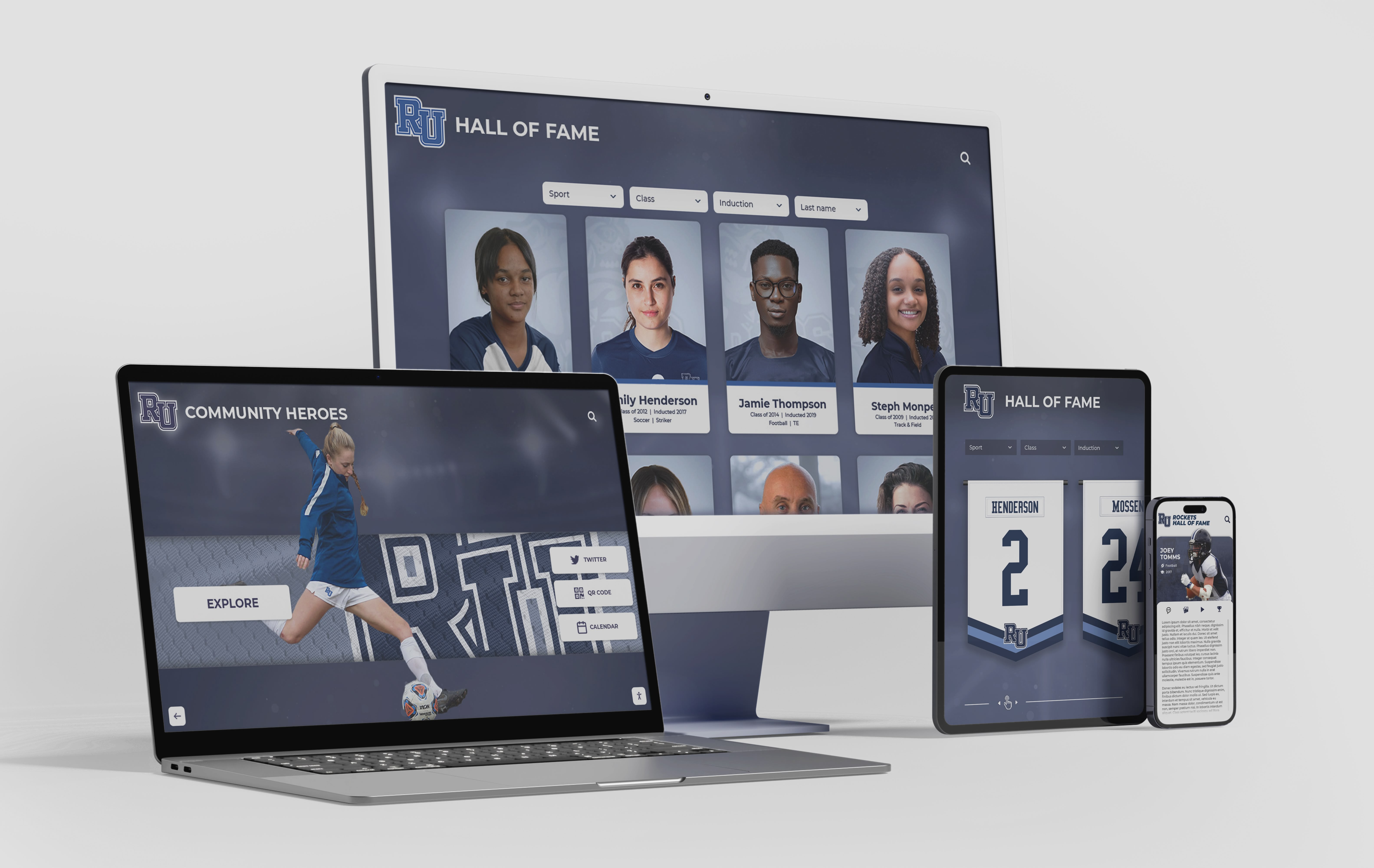
Web-based DAM interfaces enable authorized users to access institutional assets from any device with appropriate permissions
Integration Capabilities
Isolated DAM systems create workflow inefficiencies requiring manual file transfer between platforms. Integration capabilities to evaluate include:
Website Integration: Direct asset publishing to website content management systems eliminates downloading and re-uploading files. API connections enable automated content syndication keeping website galleries synchronized with DAM repositories.
Display Platform Integration: Schools using digital recognition displays benefit from DAM systems feeding content directly to display platforms without manual file management.
Social Media Publishing: Built-in social media publishing tools streamline content distribution, enabling direct posting from DAM to Instagram, Facebook, Twitter, and other platforms while maintaining organized central asset storage.
Email Marketing: Integration with email marketing platforms allows direct asset insertion into newsletters and campaigns without downloading and re-uploading files through separate systems.
Cost Structures and Budget Considerations
DAM pricing models vary significantly between vendors:
Subscription vs. Perpetual Licensing: Cloud-based DAM typically charges monthly or annual subscriptions covering software access, storage, and updates. Self-hosted solutions may offer perpetual licenses with separate annual maintenance fees but require IT infrastructure investment.
Storage Tiering: Some providers charge different rates for frequently-accessed current assets versus archival materials accessed rarely, which can reduce costs for schools with large historical collections.
User-Based Pricing: Systems charging per user create budget predictability challenges for schools wanting to provide alumni access. Unlimited user models better support community engagement initiatives despite higher base costs.
Implementation and Training Costs: Budget for initial setup assistance, data migration support, and staff training beyond software licensing. Implementation costs typically range from 20-50% of first-year software expenses.
Implementation Strategy and Migration Planning
Successful DAM deployment requires structured implementation planning addressing technical migration, organizational adoption, and change management.
Phase 1: System Setup and Configuration
Infrastructure Provisioning:
Cloud DAM setup involves account creation, storage allocation, user provisioning, and network configuration. Self-hosted implementations require server procurement or allocation, software installation, database setup, and backup configuration.
Taxonomy Development:
Establish organizational frameworks before asset migration to prevent re-categorization work later. Engage stakeholders from departments generating and using assets to ensure taxonomy structures serve diverse needs.
Create controlled vocabularies listing approved terms for event types, locations, departments, and other frequently-used categories. Controlled vocabularies prevent inconsistent terminology like “soccer” vs. “football” or “homecoming” vs. “HC” creating search problems.
Permission Structure Design:
Map stakeholder groups to access levels defining what assets each group can view, download, edit, and share. Common permission tiers include public access for community viewing, registered alumni for expanded collections, staff for editing capabilities, and administrators for system configuration.
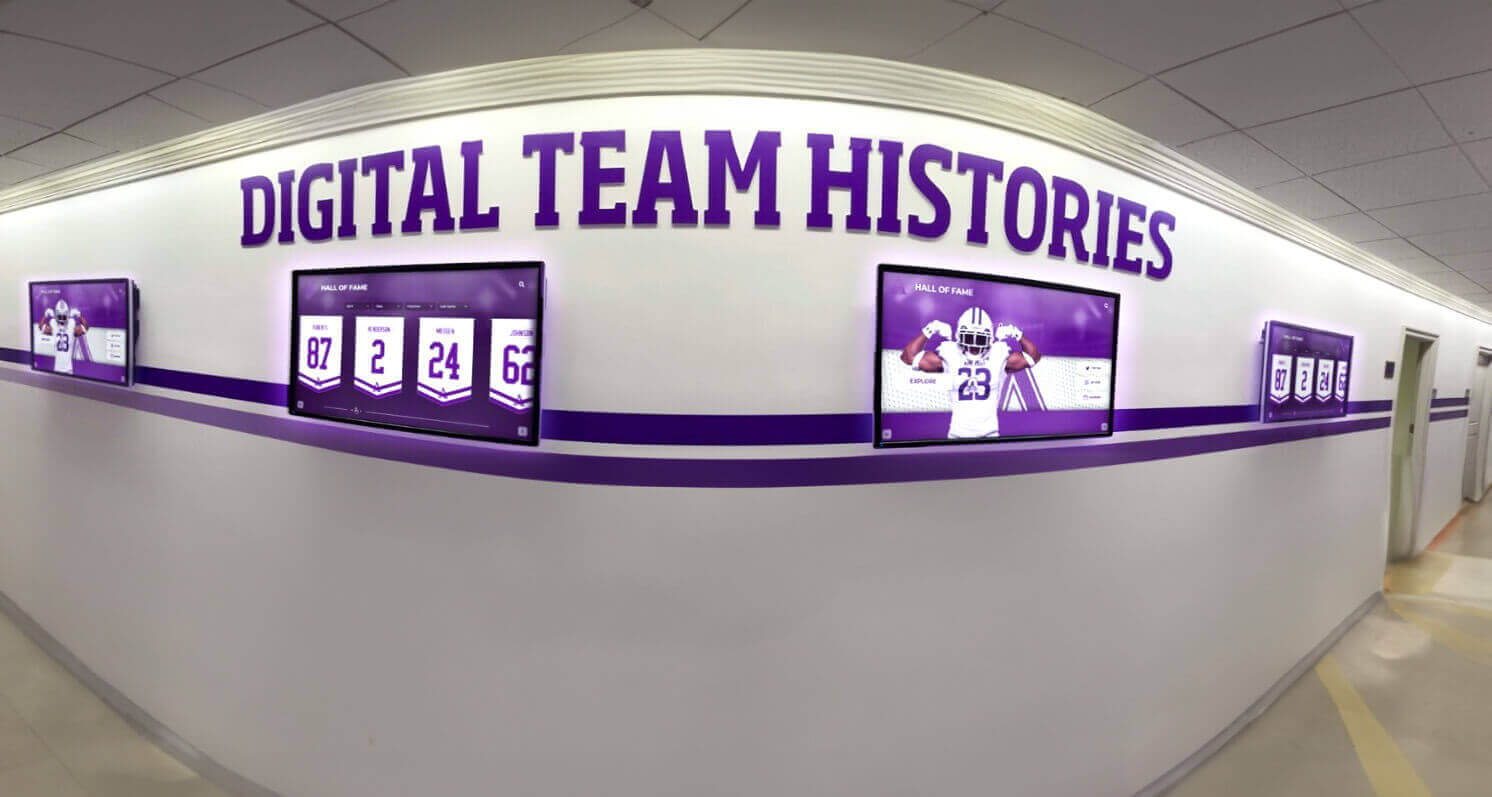
Well-organized DAM systems enable consistent content display across multiple digital screens throughout campus
Phase 2: Asset Migration and Digitization
Current Digital Asset Migration:
Prioritize asset migration by value and usage frequency. Begin with current-year materials requiring immediate access, then proceed to recent historical assets (past 5-10 years), followed by older archival materials.
Automated bulk upload tools accelerate migration but require careful metadata application to prevent creating large volumes of poorly-categorized assets. Batch processing enables applying consistent metadata to groups of related files uploaded simultaneously.
Physical Asset Digitization:
Historical materials existing only in physical formats require digitization before DAM inclusion. Digitization priorities typically include:
- Recent yearbooks (past 10-20 years) with high alumni interest
- Championship team photos and significant event documentation
- Historical documents and official records
- Media coverage and newspaper clippings
- Analog video recordings from significant events
Professional digitization services provide higher quality results than consumer scanning but increase project costs. Balance quality requirements against budget constraints—archival materials may justify professional scanning while routine photos accept consumer-grade digitization.
Metadata Application Strategy:
Comprehensive metadata application during migration creates long-term retrieval value justifying upfront investment. Minimum viable metadata includes:
- Date (specific or approximate)
- Event or context description
- Location
- Photographer or creator credit
- Individuals depicted (for face recognition)
- Department or program association
- Privacy/permission status
Phase 3: Training and Adoption
Role-Specific Training Programs:
Different user groups require different training addressing their specific DAM interactions:
Content Creators (Photography, Marketing, Athletics): Focus on uploading workflows, metadata entry, file naming conventions, and quality standards.
Content Consumers (Administration, Teaching Staff, Alumni): Emphasize search techniques, download procedures, permission understanding, and attribution requirements.
System Administrators: Cover user management, permission configuration, system monitoring, backup verification, and troubleshooting procedures.
Change Management Communications:
Successful adoption requires clear communication about why the DAM system matters, how it improves upon previous approaches, what changes users will experience, where to find help and support, and when different user groups gain access.
Resistance to adoption often stems from unfamiliarity rather than actual system limitations. Providing hands-on practice opportunities, creating quick reference guides, and offering readily accessible support during early adoption phases substantially improves uptake rates.

Consistent digital asset organization enables effective content display across recognition programs and historical archives
Ongoing DAM Management and Optimization
DAM implementation does not end with initial deployment. Sustained value requires ongoing management practices maintaining system effectiveness as asset volumes grow and user needs evolve.
Content Governance Policies
Asset Retention Standards:
Define retention requirements for different asset categories balancing storage costs against historical value. Not all digital files merit permanent preservation—routine administrative photos may warrant 2-3 year retention while championship documentation deserves indefinite preservation.
Quality Standards:
Establish minimum quality requirements for uploaded assets including resolution specifications, file format standards, acceptable compression levels, and metadata completeness thresholds. Quality standards prevent accumulation of unusable low-quality files degrading repository value.
Naming Conventions:
Consistent file naming supports organization even before metadata application. Effective naming conventions include date prefix enabling chronological sorting (YYYY-MM-DD format), event or context descriptor, and sequence number for multiple files from same event.
Usage Analytics and Optimization
Modern DAM systems provide analytics revealing how users interact with asset collections:
Search Analytics: Track frequently-searched terms indicating user interests and potential taxonomy gaps where additional categorization would improve retrieval.
Download Patterns: Identify most-accessed assets informing decisions about featured content, promotional opportunities, and archival material warranting digitization priority.
User Behavior: Analyze navigation paths showing how users discover assets, revealing whether taxonomies match intuitive browsing patterns or require reorganization.
Integration with Recognition Programs
Schools implementing DAM systems alongside digital recognition displays create powerful synergies where asset repositories feed multiple display contexts without duplicative file management.
Rocket Alumni Solutions provides comprehensive digital asset management capabilities integrated directly with interactive recognition displays. Our platform enables schools to:
- Store unlimited photos, videos, and documents in cloud-based repositories
- Organize assets with custom taxonomies matching institutional structures
- Search collections using keyword, date, person, and event filters
- Display assets across touchscreen kiosks, web galleries, and mobile apps
- Control access with role-based permissions serving diverse stakeholder groups
- Publish content automatically to multiple channels from single asset sources
This integrated approach eliminates disconnected systems requiring separate management while providing full-featured DAM capabilities specifically designed for educational recognition and engagement programs.
Security and Compliance Considerations
Educational institutions managing digital assets must address privacy regulations, data security requirements, and ethical considerations around content depicting students and community members.
Student Privacy Requirements
Federal regulations including FERPA (Family Educational Rights and Privacy Act) restrict disclosure of personally identifiable student information without consent. Schools must:
- Obtain appropriate permissions before publishing student images externally
- Implement permission management tracking consent status for each depicted individual
- Restrict access to materials containing student information to authorized personnel
- Provide mechanisms for permission withdrawal requiring content removal
DAM systems should flag assets containing student images, track associated permissions, and support bulk removal if consent is withdrawn.
Data Security Measures
Protecting digital assets from unauthorized access, data breaches, and malicious attacks requires multiple security layers:
Access Authentication: Require strong authentication for system access using multi-factor authentication, password complexity requirements, session timeout policies, and regular credential rotation.
Encryption: Encrypt assets both in storage (at rest) and during transmission (in transit) to prevent interception or unauthorized access to stored files.
Backup and Recovery: Maintain redundant backups in geographically separate locations enabling recovery from hardware failures, natural disasters, or ransomware attacks. Test recovery procedures regularly to verify backup integrity.
Audit Logging: Maintain detailed logs of system access, asset downloads, permission changes, and content modifications supporting security investigations and compliance verification.
Advanced DAM Capabilities Supporting Institutional Goals
Beyond basic storage and organization, advanced DAM features create strategic value supporting broader institutional objectives.
Alumni Engagement Through Historical Access
Providing alumni with searchable access to historical photos, yearbooks, and event documentation creates powerful engagement opportunities supporting development initiatives and community building.
Face recognition technology enables automatic notification when new assets are added containing specific individuals, creating natural touch points with alumni who may have drifted from institutional connection. Schools report 40-60% open rates on “you’ve been tagged in a photo” notifications compared to 15-20% for standard alumni communications.
Donor Recognition and Stewardship
Digital donor walls fed by DAM systems enable dynamic recognition incorporating photos, videos, and impact narratives that create more meaningful donor experiences than static name listings.
Asset repositories supporting donor recognition should include contribution documentation, funded project photos showing donor impact, recognition event materials, and thank you messages and testimonials.
Marketing and Communications Efficiency
Communications teams managing social media, website updates, print materials, and email campaigns benefit substantially from centralized asset access eliminating time wasted searching for usable photos.
DAM systems supporting marketing should include usage rights tracking indicating which assets have appropriate permissions for external publication, brand asset libraries maintaining logo versions and style guide materials, and campaign organization grouping related assets by initiative or time period.
Historical Research and Institutional Memory
Schools approaching milestone anniversaries or updating historical materials rely on organized digital archives providing accessible documentation of institutional evolution.
Comprehensive historical digitization creates research resources supporting anniversary publications, facility naming research, historical exhibit development, and community education about institutional heritage.
DAM System Comparison Framework
Schools evaluating multiple DAM platforms benefit from structured comparison frameworks ensuring systematic evaluation of options against institutional requirements.
Evaluation Matrix
| Criteria Category | Weight | Platform A | Platform B | Platform C |
|---|---|---|---|---|
| Functionality | 30% | |||
| Search capabilities | ||||
| Metadata flexibility | ||||
| Permission granularity | ||||
| Integration options | ||||
| Usability | 25% | |||
| Interface intuitiveness | ||||
| Mobile optimization | ||||
| Training requirements | ||||
| Cost | 20% | |||
| Initial implementation | ||||
| Ongoing subscription | ||||
| Storage costs | ||||
| Support | 15% | |||
| Implementation assistance | ||||
| Ongoing technical support | ||||
| Documentation quality | ||||
| Scalability | 10% | |||
| Storage expansion | ||||
| User capacity | ||||
| Feature roadmap |
Assign scores (1-10) to each criterion, multiply by category weight, and calculate total scores enabling objective comparison supporting selection decisions.
Pilot Testing Approach
Rather than committing to enterprise-wide deployment immediately, consider pilot testing leading candidates with limited user groups and asset subsets. Pilot programs lasting 30-60 days provide real-world experience revealing usability issues, workflow integration challenges, and feature gaps not apparent during vendor demonstrations.
Select pilot departments representing diverse use cases—athletics for high-volume photo/video management, advancement for alumni access requirements, and communications for multi-channel distribution needs—ensuring pilot testing exposes system performance across varied scenarios.
Building Your DAM Implementation Roadmap
Schools ready to proceed with DAM implementation benefit from structured timelines establishing realistic expectations and accountability for project phases.
Typical Implementation Timeline
Months 1-2: Planning and Selection
- Requirements assessment and stakeholder interviews
- Vendor evaluation and platform selection
- Budget approval and contract negotiation
- Project team formation and role assignment
Months 3-4: Configuration and Preparation
- System setup and infrastructure provisioning
- Taxonomy development and approval
- Permission structure design
- Migration planning and asset prioritization
Months 5-7: Migration and Testing
- Initial asset migration (current materials)
- Metadata application and quality review
- Integration testing with existing systems
- User acceptance testing with pilot groups
Months 8-9: Training and Rollout
- Training program delivery for all user groups
- Communication campaign announcing availability
- Phased access expansion to community users
- Support resource establishment
Months 10-12: Optimization and Expansion
- Usage pattern analysis and taxonomy refinement
- Additional historical asset digitization and migration
- Advanced feature enablement and integration expansion
- First-year assessment and planning for year two priorities
Success Metrics and Assessment
Define measurable success criteria enabling objective assessment of DAM implementation value:
Operational Metrics:
- Time required to locate specific assets (target: <2 minutes)
- Staff hours spent on asset management tasks (target: 60% reduction)
- Duplicate file instances (target: <5% duplication rate)
- Storage cost per GB compared to previous solutions
Engagement Metrics:
- Number of active users by stakeholder group
- Monthly search queries and asset downloads
- Social media posts featuring DAM assets
- Alumni engagement with historical content
Strategic Metrics:
- Marketing campaign preparation time reduction
- Donor recognition material production efficiency
- Historical research requests successfully fulfilled
- Anniversary or milestone event support effectiveness
Conclusion: Building Institutional Memory Through Digital Asset Management
Digital asset management transforms chaotic file collections into organized repositories that preserve institutional memory, support recognition programs, enable marketing efficiency, and create community engagement opportunities. Schools implementing DAM systems move beyond reactive file searching toward proactive content stewardship that protects valuable assets while making them accessible to stakeholders who benefit from connection to institutional history.
Successful DAM implementation requires careful requirements assessment, thoughtful system selection matching institutional needs and capabilities, structured migration planning that prioritizes high-value content, comprehensive training ensuring stakeholder adoption, and ongoing governance maintaining system effectiveness as needs evolve.
Solutions like Rocket Alumni Solutions provide schools with purpose-built digital asset management integrated directly with recognition displays, web galleries, and mobile access—eliminating the disconnected systems that create management overhead while delivering full-featured DAM capabilities designed specifically for educational institutions.
Whether you’re managing current event photography, preserving decades of yearbooks and historical documentation, or creating alumni engagement through accessible institutional history, proper digital asset management provides the foundation enabling content to serve its full strategic value rather than remaining lost in forgotten folders on outdated hardware.
Ready to Organize Your School's Digital Assets?
Discover how Rocket Alumni Solutions provides integrated digital asset management with recognition displays, creating comprehensive platforms that preserve institutional memory while supporting engagement initiatives.
Schedule Your DAM Consultation






























