Walk into any high school gymnasium across America and you’ll see them hanging from the rafters—championship banners proclaiming victories from seasons past. These fabric banners represent countless hours of dedication, unforgettable moments of triumph, and traditions that define athletic programs. Yet conventional banners face inherent limitations: they fade over time, space constraints force difficult decisions about what to display, and static fabric provides minimal information beyond basic facts. Digital banner recognition transforms how schools celebrate championships by combining the visual impact of traditional banners with interactive technology that tells complete championship stories while eliminating space constraints entirely.
Championship banners hold special meaning in school communities. They communicate program excellence to recruits, inspire current athletes to add their own achievements, and preserve institutional memory for generations. But as programs accumulate success across multiple sports and decades, ceiling space becomes scarce, forcing schools to choose which championships deserve recognition and which must be retired to storage.
Modern technology offers schools compelling alternatives that enhance rather than replace banner traditions. Interactive digital displays showcase unlimited championships with rich multimedia content, searchable databases, and engaging storytelling that traditional fabric banners cannot provide. These systems ensure every championship receives appropriate celebration while creating recognition experiences that resonate with today’s digital-native students.

Digital displays transform championship banner recognition into interactive experiences
Understanding Traditional Championship Banners
Before exploring digital alternatives, it’s essential to understand the role championship banners have played in school athletics and the challenges they increasingly face.
The Significance of Championship Banners
Championship banners serve multiple crucial functions within athletic programs:
Visible Testament to Excellence
Hanging banners create immediate visual evidence of program success. Visitors entering gymnasiums see championship years displayed prominently, communicating that the program competes at high levels and achieves significant victories. This visible success matters profoundly during recruiting visits when prospective athletes evaluate programs.
Tradition and Program Culture
Banners create tangible connections between current teams and past champions. Athletes look up at championship seasons from decades earlier, understanding they’re part of ongoing legacies extending across generations. This historical context strengthens program culture by linking present efforts to past excellence.
Championship banners become reference points in coaching conversations—“Look at the 2015 banner; that team faced the same challenges you’re confronting”—providing concrete examples that inspire current athletes to maintain and extend winning traditions.

Traditional banners create visual testament to program excellence
Community Pride and Identity
In many communities, championship banners represent collective achievements extending beyond the athletes who competed. Local businesses display team colors, community members attend celebrations, and championship banners become symbols of town pride that strengthen social bonds.
Alumni return to see their championship banners still displayed years after graduation, reinforcing lifelong connections to schools and teams. These visual reminders matter profoundly for maintaining alumni engagement and support.
Limitations of Traditional Banner Systems
Despite their significance, physical championship banners face multiple constraints that limit their effectiveness:
Finite Space Constraints
Gymnasium ceilings provide limited real estate for banner display. As programs accumulate championships across multiple sports and seasons, difficult decisions emerge about which banners deserve space and which must be removed. State championship banners might remain while conference titles get retired, or recent championships might displace older achievements.
These space limitations often result in storage rooms filled with championship banners representing significant accomplishments that receive no public recognition simply because there’s nowhere to hang them.
Limited Information Capacity
Traditional championship banners typically display basic information: sport, year, and championship type (conference, district, regional, state, national). This minimal content provides no context about the team that won, the season journey, memorable moments, individual standouts, or what made that particular championship special.
Visitors see years but learn nothing about the people, games, and circumstances behind victories. The championship becomes an abstract fact rather than a compelling story that inspires connection and engagement.
Fading and Deterioration
Fabric banners fade over time, particularly those exposed to sunlight or environmental conditions. Colors become muted, text becomes harder to read, and overall visual impact diminishes as materials age. Many schools face the expense of periodically reproducing faded banners to maintain acceptable appearance.

Physical banners fade and deteriorate over time, losing visual impact
Update Complexity and Cost
Adding new championship banners requires ordering custom fabric production, coordinating professional installation with lifts and equipment, and paying ongoing per-banner costs. This process creates delays between championship victories and banner recognition, diminishing the immediate celebration that motivates athletes.
Each banner typically costs $150-$500 depending on size and customization, creating recurring expenses as programs continue achieving success.
Static Presentation
Once hung, championship banners remain static until removed. There’s no way to update information, add context, incorporate media, or create interactive experiences. The banner displays the same basic information unchanged for years or decades regardless of what additional stories might enrich understanding.
Digital Banner Recognition: Modern Solutions for Championship Celebration
Digital technology transforms championship banner recognition by addressing every limitation of traditional systems while introducing capabilities that create deeper engagement and more meaningful recognition.
Unlimited Recognition Capacity
The most immediate advantage of digital trophy displays involves eliminating space constraints entirely. A single interactive touchscreen can showcase hundreds or thousands of championships across all sports without ever running out of capacity.
Schools no longer face impossible choices about which championships deserve recognition. Every conference title, every district championship, every state victory receives comprehensive celebration regardless of when it occurred or which sport achieved it. Historical championships stored in closets for decades can be brought back into public recognition alongside current achievements.
This unlimited capacity proves particularly valuable for programs with long, successful traditions. Schools that have competed for 50+ years may have accumulated dozens of championships across multiple sports—far more than any reasonable number of physical banners could accommodate. Digital systems showcase complete institutional histories rather than selective highlights determined by space availability.
Rich Multimedia Storytelling
Digital banner recognition enables compelling championship narratives incorporating multiple content types that bring victories to life:
Championship Team Profiles
Rather than simply stating “2019 State Basketball Champions,” digital displays present comprehensive profiles including:
- Complete team rosters with individual player profiles
- Season statistics and progression
- Key game highlights and memorable moments
- Coaching staff information and championship strategies
- Photos from throughout the season
- Video highlights of championship-clinching games
- Post-season reflection and impact
This depth transforms recognition from abstract facts into engaging stories that help viewers understand what made championship teams special.
Individual Athlete Recognition
Championship banners traditionally list teams without acknowledging individual contributions. Digital systems provide detailed athlete profiles celebrating each participant’s role in championship success—statistics, memorable performances, leadership contributions, and personal reflections.
This inclusive recognition demonstrates that championships require complete team efforts, ensuring every player receives appropriate acknowledgment rather than limiting recognition to stars who received most attention during competition.

Interactive displays enable deep exploration of championship achievements
Historical Context and Significance
Digital presentations can include historical context explaining championship significance:
- How championships fit within program history
- Comparison to other championship seasons
- Records set or milestones achieved
- Competitive landscape and opponent quality
- Community and cultural context of the era
- Long-term impact on program trajectory
This context helps current students appreciate historical achievements even when they have no personal memory of events.
Interactive Exploration and Discovery
Modern touchscreen interfaces transform passive banner viewing into active exploration:
Powerful Search Capabilities
Visitors can instantly search for specific championships by sport, year, achievement level, or athlete name. Alumni returning years later can quickly locate their championship teams without scanning dozens of banners hoping to find relevant information.
Advanced Filtering
Users filter championships by multiple criteria:
- Sport or activity
- Championship level (conference, district, regional, state, national)
- Year or decade
- Undefeated seasons
- Records set during championship runs
- Coaching tenure
This flexible organization helps diverse audiences find personally relevant content regardless of specific interests.
Cross-Referenced Connections
Digital systems can link related content—connecting individual athletes who participated in multiple championship teams, showing coaching histories across different championship seasons, highlighting family legacies of championship participation, or displaying statistical comparisons across championship eras.
These connections create rich discovery experiences encouraging extended engagement beyond initial search queries. Solutions like digital record boards excel at creating these interconnected recognition experiences.
Social Sharing and Extended Reach
Built-in sharing capabilities enable visitors to share specific championship content through social media, extending recognition reach far beyond physical display locations. When alumni share their championship profiles to Facebook or Instagram, hundreds of connections see those achievements—amplifying institutional visibility exponentially.
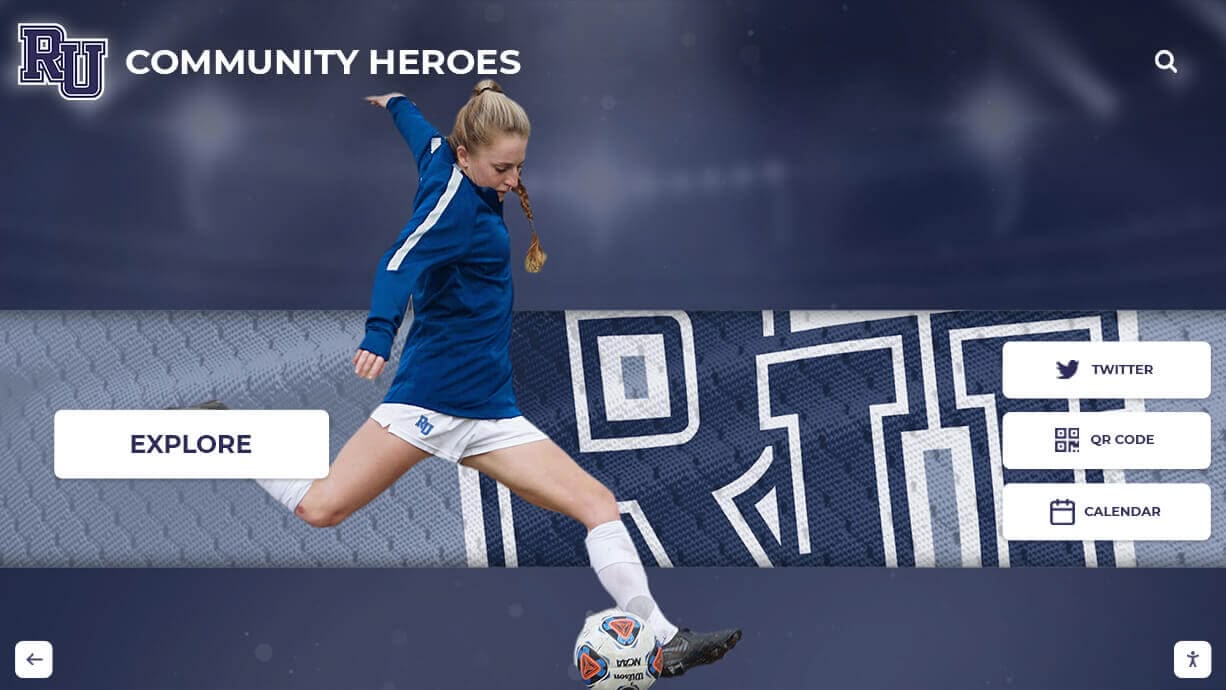
Intuitive interfaces make championship content management straightforward
Real-Time Updates and Living History
Cloud-based content management enables immediate recognition updates:
Schools can add championship recognition within days of title victories while excitement remains high. Season statistics, roster information, championship game highlights, and celebration photos integrate seamlessly without requiring vendor involvement or physical modifications.
Championship displays become living histories rather than static snapshots. As alumni achieve post-athletic career success, championships win additional accolades, or historical research uncovers previously unknown information, displays can be updated to reflect new knowledge—ensuring championship recognition remains current and accurate over time.
Implementing Digital Banner Recognition Programs
Schools considering digital alternatives to traditional championship banners should follow systematic implementation approaches ensuring comprehensive coverage and sustainable operations.
Planning and Needs Assessment
Begin by thoroughly evaluating your specific situation and goals:
Current Banner Inventory
Document all championships currently recognized through physical banners and those stored away due to space limitations. This comprehensive inventory reveals the full scope of achievements deserving recognition and helps establish implementation priorities.
Space and Placement Analysis
Identify optimal locations for digital displays. Primary gymnasiums, athletic facility entrances, main school lobbies, and high-traffic corridors each offer different advantages for visibility and engagement. Consider sight lines, traffic patterns, and accessibility when evaluating potential placements.
Content Resources Assessment
Evaluate existing materials available for championship recognition:
- Team photos and individual athlete images
- Historical yearbooks and media guides
- News coverage and archived articles
- Video footage from championships
- Statistics and records documentation
- Alumni testimonials and reflections
Understanding what exists and what gaps need filling shapes content development strategy and resource requirements.

Strategic placement maximizes visibility and engagement
Budget Development
Comprehensive budgets account for multiple implementation phases:
- Hardware costs (displays, mounting, media players)
- Software licensing and support
- Initial content development and migration
- Professional installation services
- Ongoing maintenance and updates
- Training for staff who will manage systems
Many schools find total first-year investments of $10,000-$25,000 deliver systems serving programs for decades, making per-year costs quite reasonable.
Technology Selection and Hardware Considerations
Choosing appropriate technology ensures long-term success:
Display Hardware
Commercial-grade touchscreen displays designed for continuous public operation provide reliability consumer equipment cannot match. Key specifications include:
- Screen size appropriate for viewing distance (55-75 inches typical)
- High brightness for well-lit environments (500+ nits)
- Commercial warranty and support (3-5 years minimum)
- Multi-touch capability for intuitive interaction
- Durable construction withstanding high-traffic use
Wall-mounted installations save floor space while freestanding kiosks offer placement flexibility where wall mounting proves impractical.
Software Platform Requirements
Purpose-built recognition software specifically designed for educational athletics provides critical capabilities:
- Intuitive content management requiring no technical expertise
- Championship-specific templates and organization structures
- Powerful search and filtering for visitor use
- Multimedia support (photos, videos, documents)
- Web accessibility extending recognition beyond physical displays
- Analytics tracking engagement and usage patterns
- Automatic backups and version history
- Role-based permissions for multiple administrators
Solutions like Rocket Alumni Solutions provide comprehensive platforms specifically designed for school recognition needs that generic digital signage software cannot efficiently replicate.
Content Development and Migration Strategy
Creating engaging championship recognition requires systematic content development:
Phased Implementation Approach
Rather than attempting to document every championship simultaneously, implement in strategic phases:
- Phase One: Recent championships (past 5-10 years) with readily available information
- Phase Two: Major historical championships (state titles, undefeated seasons, record-breaking teams)
- Phase Three: Remaining modern-era championships
- Phase Four: Historical championships requiring extensive research
- Phase Five: Ongoing additions as new championships occur
This phased approach delivers immediate value while building toward comprehensive archives over time without overwhelming available resources.
Historical Research Process
Building complete championship archives demands dedicated effort:
- Review yearbooks, media guides, and program records
- Search local newspaper archives for game coverage
- Interview coaches, players, and administrators with institutional memory
- Contact alumni associations for historical information and photos
- Digitize historical photos, documents, and artifacts
- Verify statistics and factual accuracy through multiple sources
Alumni often eagerly participate when invited to contribute photos and stories from their championship seasons, making outreach an effective research strategy.

Systematic digitization transforms scattered records into comprehensive championship archives
Content Quality Standards
Maintain consistent excellence across all championship recognition:
- High-resolution photography (minimum 1920x1080 for featured images)
- Consistent formatting and presentation across different sports
- Factually accurate information verified through reliable sources
- Engaging narrative content providing context beyond statistics
- Appropriate tone balancing celebration with accuracy
Quality standards prevent incremental degradation over time as multiple staff members contribute content.
Staff Training and Change Management
Successfully transitioning from traditional banners to digital recognition requires thoughtful change management:
Administrator Training
Staff members responsible for content management require comprehensive training on:
- Content management system operation and navigation
- Best practices for championship profile creation
- Photo and video optimization for digital display
- Ongoing maintenance procedures and schedules
- Troubleshooting common issues independently
Most modern platforms provide intuitive interfaces requiring minimal technical expertise, but structured training ensures administrators feel confident maintaining systems effectively.
Community Communication
Some stakeholders—particularly alumni who remember traditional banners fondly—may question digital alternatives. Proactive communication explaining benefits helps build support:
- Emphasize that digital systems enable honoring ALL championships rather than only those fitting in limited ceiling space
- Demonstrate how multimedia content and detailed information provide more meaningful recognition than fabric banners
- Highlight accessibility benefits enabling exploration by visitors with disabilities
- Explain cost savings from eliminating recurring banner production expenses
Many schools find that once skeptical stakeholders experience interactive digital displays firsthand, concerns evaporate as the enhanced capabilities become obvious.
Ceremonial Transitions
Mark transitions from traditional to digital recognition with ceremonial events that honor traditional methods while celebrating modern alternatives:
- Formal unveiling ceremonies for new digital displays
- Photography sessions documenting historical banner collections
- Timeline presentations showing championship history evolution
- Recognition of individuals who maintained traditional banner programs
- Demonstrations teaching community members how to explore new systems
These ceremonies help communities embrace change rather than resisting it by honoring past approaches while highlighting future benefits.
Integrating Digital Banner Recognition With Comprehensive Athletic Programs
Maximum value comes from connecting championship banner recognition with broader recognition strategies and program development initiatives.
Comprehensive Athletic Recognition Systems
Rather than isolating championship recognition, integrate it within broader systems celebrating all forms of athletic excellence. Many programs implementing showcase championship teams displays discover natural expansion opportunities:
Multi-Category Recognition
- Championship teams and competitive success
- Individual records and statistical achievements
- All-conference and all-state honors
- Athletic scholarships and college commitments
- Academic all-conference scholars
- Sportsmanship and citizenship awards
- Coaching excellence and longevity milestones
Comprehensive recognition demonstrates institutional appreciation for diverse achievement types beyond simply winning championships, creating inclusive cultures valuing multiple contribution forms.
Cross-Sport Integration
Unified recognition systems spanning all sports rather than sport-specific disconnected displays create cohesive athletic department identities. Digital platforms easily accommodate this cross-sport integration while enabling users to filter by specific sports when interested in particular programs.

Integrated systems celebrate achievements across all athletic programs
Supporting Recruitment and Program Development
Championship displays become powerful recruiting tools when strategically leveraged:
Recruiting Visit Integration
During campus tours for prospective athletes:
- Feature displays prominently in athletic facilities
- Allow recruits to explore championships by position
- Demonstrate consistent achievement across multiple seasons
- Showcase alumni success after high school graduation
- Highlight coaching stability and system effectiveness
Displays documenting multiple championships over time provide compelling evidence that program excellence represents sustainable culture rather than isolated flukes, reassuring recruits about development opportunities.
Cultural Development
Championship recognition reinforces program culture and expectations:
- Establishes clear standards of excellence
- Creates aspirational goals for current athletes
- Documents successful approaches and strategies
- Preserves winning traditions and rituals
- Connects current teams to program legacy
Coaches reference championship displays during team talks, explaining how previous teams achieved success and identifying transferable lessons applicable to current situations.
Alumni Engagement and Community Connection
Championship recognition creates natural touchpoints for ongoing alumni engagement:
Reunion Programming
Feature specific championship teams during milestone reunions. Display technology enables easy highlighting of particular years, facilitating reminiscing and reconnection among teammates celebrating 25th or 50th anniversaries.
Update Submissions
Enable former championship athletes to submit career updates, professional accomplishments, and life milestones that displays can incorporate. This ongoing connection maintains relationships while providing interesting “where are they now” content current students find motivating.
Fundraising Connections
Championship recognition demonstrates institutional appreciation for excellence while creating donor recognition opportunities. Alumni who contributed financially to facilities, equipment, or programs receive appropriate acknowledgment within championship displays, strengthening connections between philanthropic support and competitive success.

Championship recognition creates lasting alumni connections through meaningful acknowledgment
Measuring Success and Demonstrating Value
Effective championship recognition programs assess impact through multiple metrics demonstrating value and informing continuous improvement.
Engagement Analytics
Digital recognition platforms provide detailed usage data impossible with traditional banners:
Quantitative Metrics
- Total interactions and viewing sessions
- Average engagement duration per session
- Most-viewed championship teams and content
- Search queries revealing user interests
- Peak usage times and seasonal patterns
- Return visitor rates showing sustained interest
- Geographic distribution of web platform users
These analytics demonstrate actual usage validating investment while revealing which content resonates most strongly with audiences.
Qualitative Impact Assessment
Beyond usage numbers, assess broader influence through stakeholder feedback:
Athlete Perspectives
Survey current athletes about awareness of championship history, whether displays motivate training effort and goal-setting, how recognition affects program perception, and understanding of program traditions.
Recruit and Family Feedback
Monitor reactions during campus visits and tours, track mentions in commitment decision factors, compare recruiting success before and after implementation, and assess perceived program prestige and competitive positioning.
Alumni Responses
Measure alumni satisfaction with championship recognition, track engagement through reunion attendance and communications, monitor social media sharing and online platform usage, and assess giving patterns among recognized championship participants.
Return on Investment
Calculate comprehensive ROI encompassing both tangible and intangible benefits:
Financial Considerations
- Compare investment versus traditional banner approaches over 5-10 years
- Assess fundraising success attributable to enhanced recognition
- Evaluate recruiting advantages and competitive positioning
- Consider eliminated ongoing costs from traditional recognition methods
Strategic Value
- Enhanced institutional reputation and brand
- Improved alumni engagement and connection
- Strengthened school pride and community identity
- Preserved institutional history and memory
- Competitive advantage in athlete recruitment
Most institutions discover that thoughtfully implemented championship recognition delivers returns far exceeding initial investment when accounting for comprehensive benefits across engagement, recruitment, fundraising, and cultural impact.

Successful programs integrate recognition throughout athletic facilities and school culture
Best Practices for Digital Banner Recognition
Schools achieving greatest success with digital championship recognition implement proven approaches that maximize impact while maintaining authenticity and sustainability.
Comprehensive Historical Coverage
Honor all championships across all sports and eras rather than selective recognition:
Inclusive Achievement Recognition
Apply consistent recognition standards across all sports regardless of program size, community profile, or historical success. State championships in smaller sports deserve equal display quality and content depth as titles in high-profile programs.
Ensure championship displays reflect full athletic department scope. If displays feature only major sports while ignoring titles in other programs, recognition sends problematic messages about which achievements truly matter.
Historical Preservation
Document championships from all program eras, not just recent successes. Historical recognition provides context showing program evolution, honors alumni from all generations, and creates complete institutional memory spanning decades.
Some schools discover championships from early program history that have been completely forgotten. Digital recognition provides opportunities to research and restore these achievements to public awareness.
Authentic Storytelling That Honors Championship Journey
The most compelling championship recognition tells authentic stories capturing what made championship teams special beyond simply documenting victories:
Challenge and Adversity
Describe obstacles championship teams overcame:
- Injuries to key players requiring others to step up
- Early season struggles before finding team identity
- Difficult schedules preparing teams for championship competition
- Doubts from external observers that teams proved wrong
These adversity stories make championships more meaningful by showing the journey required for ultimate success.
Defining Moments
Identify specific games, plays, or season turning points that shaped championship pursuits. Memorable moments make championships memorable by providing narrative anchors capturing season essence—buzzer-beating victories, come-from-behind wins, dominant performances against top opponents.
Team Culture and Chemistry
Explore intangible factors contributing to championship success:
- Team unity and cohesion beyond individual talent
- Leadership from players and coaches
- Work ethic and preparation commitment
- Mental toughness under championship pressure
Cultural elements often distinguish championship teams from talented teams that fall short, making them essential components of comprehensive recognition.
Accessible Design for All Viewers
Championship recognition should be accessible to all community members regardless of abilities:
Physical Accessibility
- Display mounting heights accommodating wheelchair users
- Adequate approach space and clearance
- Touch targets sized appropriately for various physical abilities
- Alternative interaction methods when needed
Digital Accessibility
- Text sizing and contrast meeting readability standards
- Alternative text descriptions for visual content
- Screen reader compatibility for vision-impaired visitors
- Intuitive navigation requiring minimal instruction
- Multilingual content when serving diverse communities
Inclusive design ensures entire communities can engage with championship recognition rather than limiting access to specific audiences.

Accessible design ensures all community members can engage with championship recognition
The Future of Championship Banner Recognition
Technology evolution continues creating new possibilities for celebrating and preserving championship achievements:
Emerging Technologies
Anticipate future capabilities that will enhance championship recognition:
Enhanced Video Integration
Video capabilities continue expanding:
- Automated highlight reel generation from game footage
- Instant replay access for notable championship plays
- Virtual reality experiences of historic championship games
- 360-degree video from multiple camera angles
- Live streaming integration for current championship pursuits
Artificial Intelligence Applications
AI may soon enable:
- Automatic player identification in photos and videos
- Statistical analysis and trend identification across championship eras
- Personalized content recommendations based on user interests
- Natural language search capabilities
- Automated content generation from structured championship data
Augmented Reality Extensions
AR technology might provide:
- Virtual banner displays overlaid in gymnasium spaces
- Animated championship celebration recreations
- Historical scene reconstructions
- Interactive tours of championship history
- Gamified exploration experiences
Evolving Recognition Models
Recognition approaches will continue adapting:
Real-Time Integration
Tighter connections between competition and recognition:
- Automatic championship updates when titles are clinched
- Live recognition during games on video boards
- Immediate social media sharing of championships
- Family notifications of championship achievements
- Real-time statistical updates throughout championship runs
Community-Generated Content
Increased participation in content creation:
- Fan photo and video submissions from championships
- Alumni story contributions about championship experiences
- Parent volunteer content development
- Student journalism and media production
- Crowdsourced historical research filling information gaps
Conclusion: Honoring Every Championship, Inspiring Every Athlete
Championship banners represent more than fabric hanging from gymnasium rafters—they embody dedication, excellence, and collective achievement that define athletic programs and strengthen school communities. The challenge schools face isn’t whether championships deserve recognition, but how to honor every achievement comprehensively while creating recognition experiences that inspire current athletes and engage diverse audiences.
Digital banner recognition transforms championship celebration by eliminating space constraints that force impossible choices about which achievements deserve visibility. Interactive displays enable schools to showcase complete championship histories with rich multimedia content, searchable databases, and engaging storytelling that traditional banners cannot provide.
Transform Your Championship Recognition
Discover how Rocket Alumni Solutions can help you create comprehensive digital recognition that honors every championship, preserves every achievement, and inspires every athlete through modern interactive displays designed specifically for schools.
Schedule Your Free ConsultationSuccessful championship recognition programs share common characteristics: they honor all achievements rather than selective highlights, they provide comprehensive historical context rather than isolated facts, and they remain perpetually current rather than becoming dated installations. Schools that invest in thoughtful implementation, ongoing content development, and sustainable operations build recognition programs delivering value for decades.
The championships your athletes achieve deserve recognition matching their significance. Whether celebrating recent victories or preserving decades of excellence, digital banner recognition ensures every championship receives the comprehensive, engaging, accessible celebration it deserves while inspiring countless future champions who will add their own achievements to your program’s growing legacy.
Ready to transform your championship recognition? Contact Rocket Alumni Solutions to explore interactive platforms celebrating athletic achievement, or discover more about digital record boards and championship recognition solutions that honor your unique program traditions.





















