
The Power of Visual Storytelling in Recognition
In an age where visual content dominates communication, schools continue displaying achievements through text-heavy plaques and static nameplates that fail to capture the emotion, context, and humanity behind accomplishments. Digital boards for photos and videos revolutionize recognition by harnessing visual media's power to tell compelling achievement stories through images, video highlights, and multimedia content that engages audiences in ways traditional displays cannot match.
Recognition serves a fundamental purpose in educational environments—reinforcing desired behaviors, validating effort, motivating continued excellence, and building community pride. Yet the effectiveness of recognition depends entirely on how compellingly it’s presented. A name engraved on a plaque acknowledges achievement but creates minimal emotional connection. A photo gallery showing the journey, struggle, and triumph behind that achievement creates memorable impact that inspires viewers and honors recipients authentically.
Digital boards designed specifically for photo and video content enable schools to move beyond text-based recognition toward rich visual storytelling that brings achievements to life. These systems combine large-format displays with intuitive content management platforms that make uploading, organizing, and showcasing visual media remarkably simple—even for non-technical staff.
The transformation from static text to dynamic visual content creates recognition experiences that resonate with today’s visually-oriented students while providing parents, visitors, and community members with engaging windows into school excellence. When achievement recognition becomes compelling visual content rather than administrative checklists, the entire school community benefits.
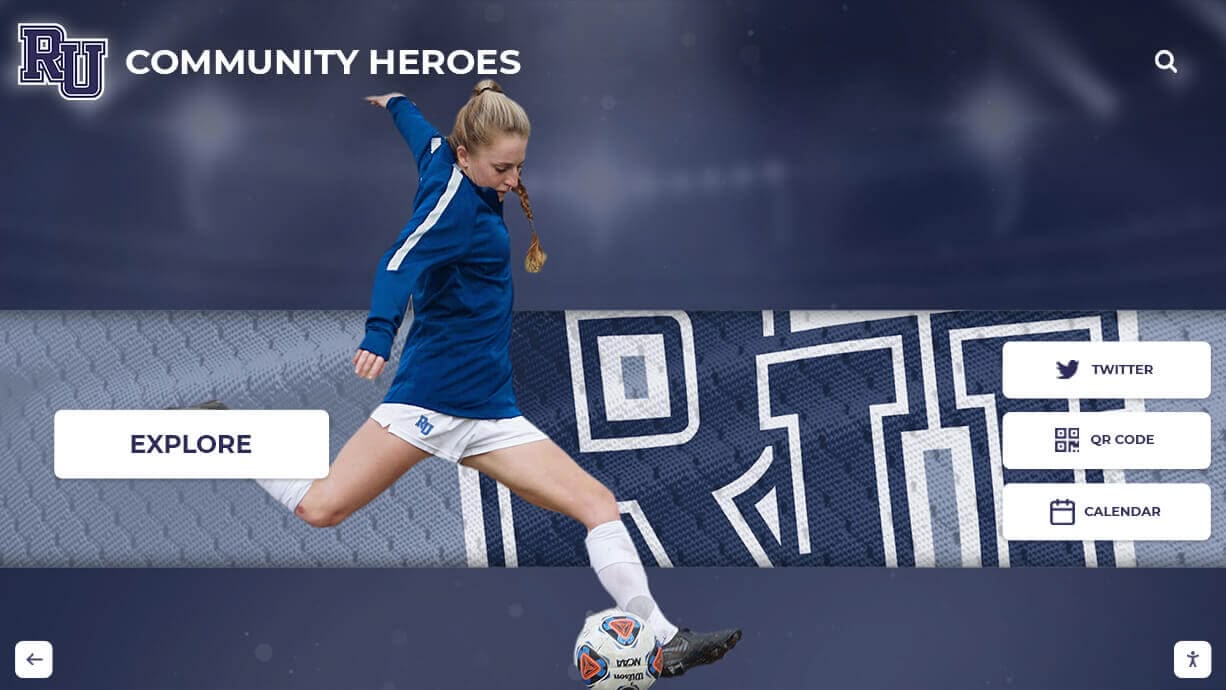
Modern digital boards create visually engaging recognition experiences through photos and multimedia content
Understanding Digital Boards for Visual Content
Digital boards for photos and videos represent purpose-built display systems designed to showcase visual media in educational recognition contexts. Unlike generic digital signage displaying advertisements or announcements, these specialized platforms focus specifically on recognition content with features supporting photo galleries, video playback, biographical information, and interactive exploration.
Core Components of Visual Recognition Boards
Display Hardware:
- Commercial-grade touchscreen displays ranging from 43" to 86" diagonal
- High-resolution panels (minimum 1080p, preferably 4K) ensuring photo clarity
- Capacitive touch technology enabling intuitive gesture controls
- Built-in speakers supporting video audio playback
- Portrait or landscape orientation depending on content type
- Wall-mounted or freestanding kiosk configurations
Content Management Software:
- Web-based platforms accessible from any computer
- Drag-and-drop interfaces for photo and video uploads
- Support for common image formats (JPG, PNG, HEIC) and video formats (MP4, MOV)
- Automatic optimization ensuring fast loading and smooth playback
- Gallery creation tools for organizing related visual content
- Metadata fields for captions, descriptions, dates, and categories
- Search and filtering capabilities for content discovery
- Scheduled publishing for time-based content displays
Visual Presentation Features:
- Full-screen photo displays maximizing visual impact
- Video playback with touch controls for play, pause, and volume
- Slideshow capabilities with customizable transitions
- Grid and gallery layouts for browsing multiple items
- Zoom functionality for examining photo details
- Image overlays for adding text, graphics, or branding
- Timeline visualizations showing achievement progression
Solutions like Rocket Alumni Solutions provide comprehensive platforms integrating all these components into cohesive systems designed specifically for educational recognition applications, ensuring schools get purpose-built tools rather than repurposed generic signage.
Why Visual Content Transforms Recognition Impact
The shift from text-based to visual recognition isn’t merely aesthetic—it fundamentally changes how recognition affects students, families, and school communities.
Emotional Connection Through Visual Storytelling
Text alone communicates information but rarely creates emotional resonance. Visual content engages viewers emotionally through imagery that captures authentic moments of achievement, struggle, joy, and triumph.
Consider the difference between these recognition approaches:
Traditional Text-Based: “Sarah Johnson - State Champion, 100m Dash, 11.47 seconds”
Visual Storytelling: Photo gallery showing Sarah’s training journey over the season, video highlight of her championship race with audio commentary, images of her reaction crossing the finish line, photos with coaches and teammates celebrating, timeline graphic showing her progressive improvement throughout the year.
The visual approach doesn’t just inform viewers of Sarah’s achievement—it allows them to experience the achievement vicariously through compelling imagery. Parents can see the dedication and emotion behind accomplishments. Younger students see relatable peers achieving excellence, making goals feel attainable. Community members develop personal connections with students they may never meet directly.
This emotional engagement creates recognition impact far exceeding what text alone achieves. When schools implement digital boards focused on visual content, they report significantly increased parent engagement, higher student pride in recognition, and stronger community connections to school programs.
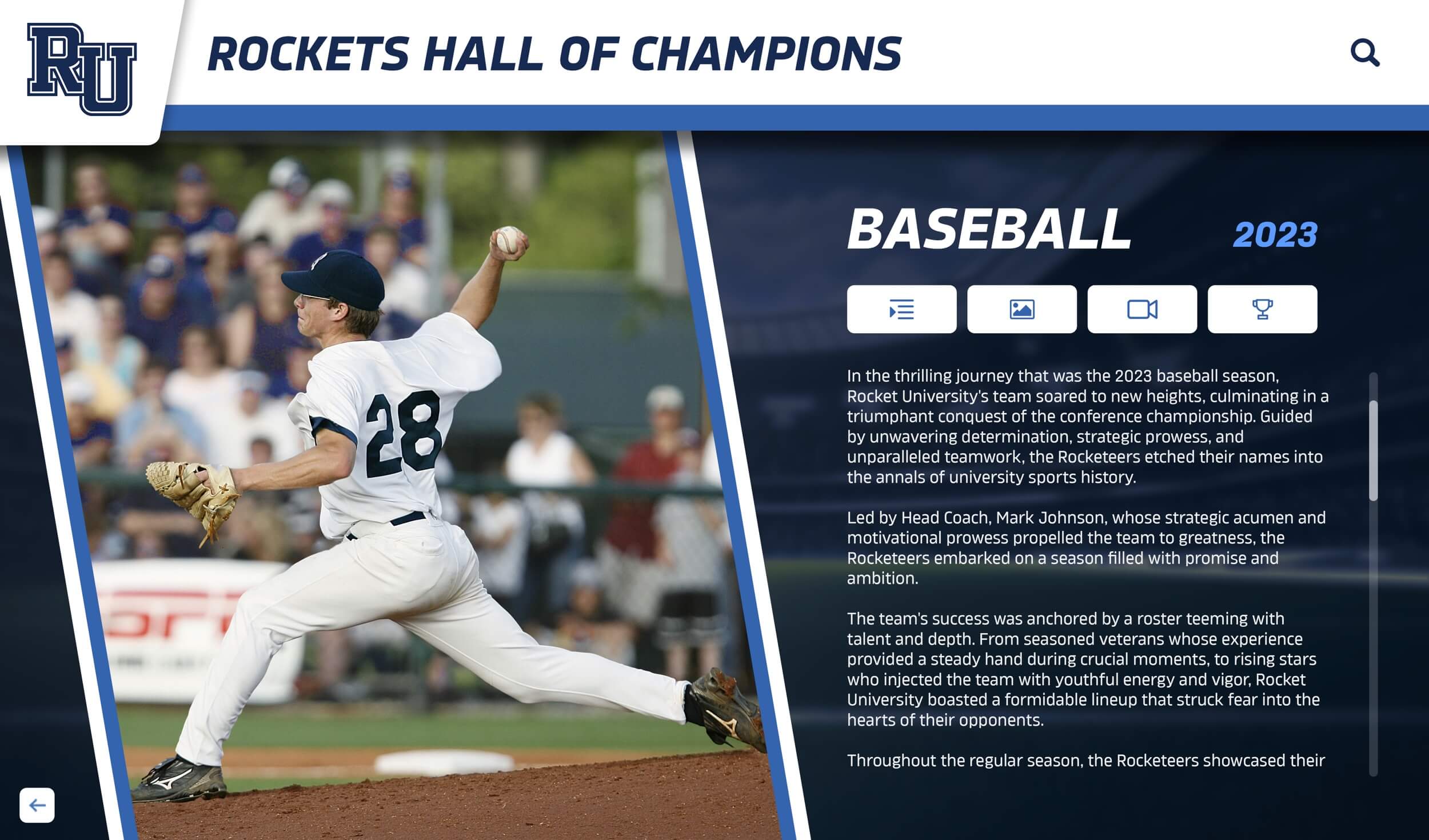
Rich visual profiles tell achievement stories that text alone cannot convey
Accessibility for Diverse Learning Styles
Educational research consistently shows that students process and retain information differently based on varied learning styles. While some students respond well to text, many are primarily visual learners who understand and remember information better when presented graphically.
Visual recognition boards accommodate diverse learning preferences by presenting information through multiple modalities simultaneously—images, video, text, and audio when video includes narration or music. This multimodal approach ensures recognition resonates with broader student populations than text-only displays.
For students with reading challenges or language barriers, visual content provides accessible entry points to recognition programs. Family members whose first language isn’t English can still understand and appreciate achievement through visual documentation even when text descriptions are limited.
Engagement Through Authentic Representation
Generic award certificates and text lists feel impersonal and administrative. Photos and videos featuring actual students engaged in actual achievements create authentic representation that students recognize as genuinely about them rather than pro forma acknowledgment.
When students see themselves represented authentically through images capturing real moments, recognition feels personal and meaningful rather than bureaucratic. This authenticity increases the motivational impact of recognition and strengthens students’ sense that their school genuinely values their accomplishments.
Authenticity also matters for building inclusive recognition cultures. When visual content showcases diverse students across varied achievement types—academics, athletics, arts, service, leadership—students from all backgrounds see themselves reflected in recognition systems and understand that multiple pathways to excellence exist.
Social Sharing and Extended Reach
Visual content is inherently shareable in ways text lists never are. Students and parents naturally want to share photos and videos of achievements to personal social media, extending recognition reach far beyond physical school locations.
Digital boards that include web-based platforms replicating campus touchscreen content online make sharing effortless. Students can access their recognition profiles from any device, download photos and videos for personal use, and share direct links to profiles with friends and family worldwide.
This organic social sharing amplifies recognition impact exponentially. When a single student achievement profile gets shared to Facebook, Instagram, or other platforms, hundreds or thousands of additional viewers see that recognition—expanding school visibility while creating pride among families and alumni networks.
For comprehensive strategies on creating engaging visual content for recognition, resources about creating video content for digital recognition provide implementation guidance.
Types of Visual Content for Recognition Boards
Effective digital boards showcase diverse visual content types, each serving different recognition purposes and creating varied engagement opportunities.
Photo Galleries and Image Collections
Photo galleries remain the foundational visual content type for most recognition applications. Well-curated photo collections tell stories through sequences of images documenting achievement journeys.
Effective Photo Gallery Content:
- Action Shots: Images capturing students engaged in activities—competing, performing, creating, serving
- Achievement Moments: Photos documenting specific accomplishment moments—crossing finish lines, receiving awards, unveiling projects
- Behind-the-Scenes: Images showing preparation, practice, and process leading to achievements
- Celebration Photos: Pictures capturing emotional reactions, celebrations with teammates or family
- Historical Progression: Images showing development over time, before/after comparisons
- Group Contexts: Photos showing students within team, club, or cohort contexts
- Formal Portraits: Professional or semi-professional images for formal recognition contexts
The most engaging galleries combine these varied image types rather than relying exclusively on formal portraits or posed photos. Diversity in image types creates visual interest and tells more complete stories.
Technical considerations for photo galleries include consistent aspect ratios for cohesive displays, appropriate resolution ensuring clarity on large displays (minimum 1920px on longest edge), proper lighting and composition following basic photography principles, and appropriate release permissions for images featuring identifiable students.
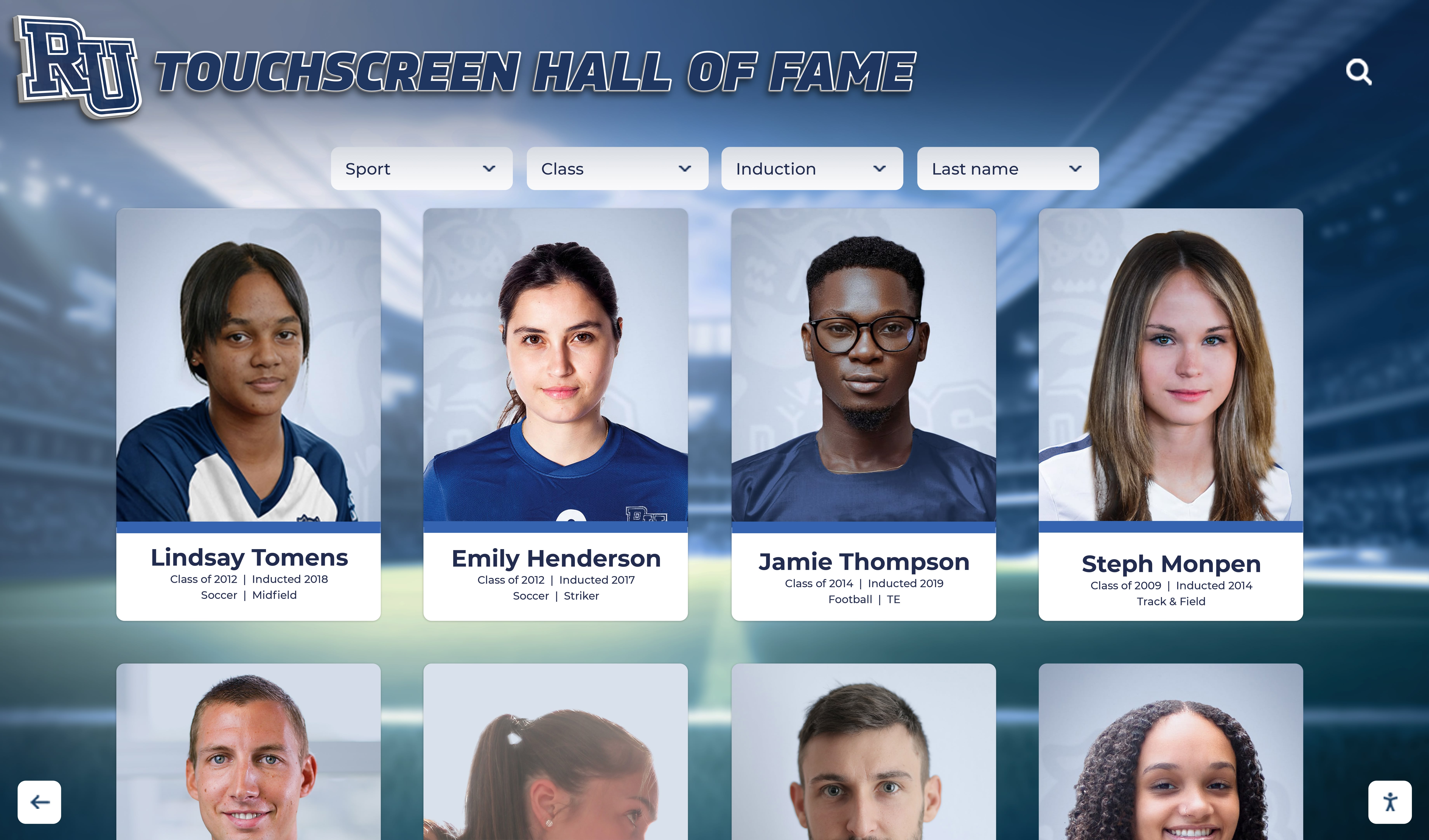
Photo galleries create visual narratives that engage viewers and honor achievements comprehensively
Video Content and Motion Media
Video adds motion, sound, and temporal dimension to recognition, creating dynamic content that commands attention and enables storytelling impossible through still images alone.
High-Impact Video Content Types:
- Achievement Highlights: Brief clips (30-90 seconds) showing key moments from performances, competitions, presentations
- Interview Segments: Students reflecting on achievements, discussing challenges overcome, sharing advice for peers
- Documentary-Style Profiles: Longer-form (2-5 minutes) narratives following achievement journeys
- Event Coverage: Edited highlights from ceremonies, competitions, performances, exhibitions
- Time-Lapse Content: Accelerated footage showing creation processes, project development, or preparation
- Testimonials: Teachers, coaches, or mentors discussing student achievements and growth
- Congratulatory Messages: Video greetings from administrators, community members, or notable alumni
Effective recognition video follows documentary principles—authentic moments rather than overly staged performances, clear audio quality ensuring message comprehension, tight editing maintaining engagement without unnecessary length, appropriate music enhancing emotional tone without overwhelming content, and accessible features like captions accommodating viewers with hearing differences.
Most schools find that video content generates highest engagement when kept relatively brief. Thirty to ninety seconds proves optimal for maintaining attention while telling complete stories. Longer videos work well when content justifies extended viewing, but should include chapter markers allowing viewers to navigate to specific segments.
For schools developing video content strategies, approaches detailed in resources about video content creation for recognition displays offer practical production guidance.
Multimedia Profiles Combining Photos, Video, and Text
The most sophisticated digital recognition combines photos, video, and supporting text into rich multimedia profiles providing comprehensive achievement documentation.
Comprehensive Multimedia Profile Structure:
Visual Header: Large feature photo or brief video clip immediately establishing recognition context
Achievement Summary: Concise text overview providing key facts—what was achieved, when, significance
Photo Gallery: Collection of 8-15 images documenting various aspects of achievement
Video Content: One or more video segments showing highlights or providing narrative context
Detailed Description: Longer text narrative providing background, explaining significance, describing journey
Supporting Materials: Scanned certificates, news clippings, program covers, or other documentary evidence
Related Recognitions: Links to related achievements, teammates, or programs
Social Sharing Options: Tools enabling easy sharing to personal networks
This multimedia approach accommodates different viewer preferences. Some visitors primarily view images, others watch videos, and some read detailed text—comprehensive profiles provide engaging content for all preference types.
Platforms like those from Rocket Alumni Solutions include template systems that guide creation of consistent multimedia profiles without requiring design skills, ensuring all recognition maintains professional appearance and comprehensive content coverage.
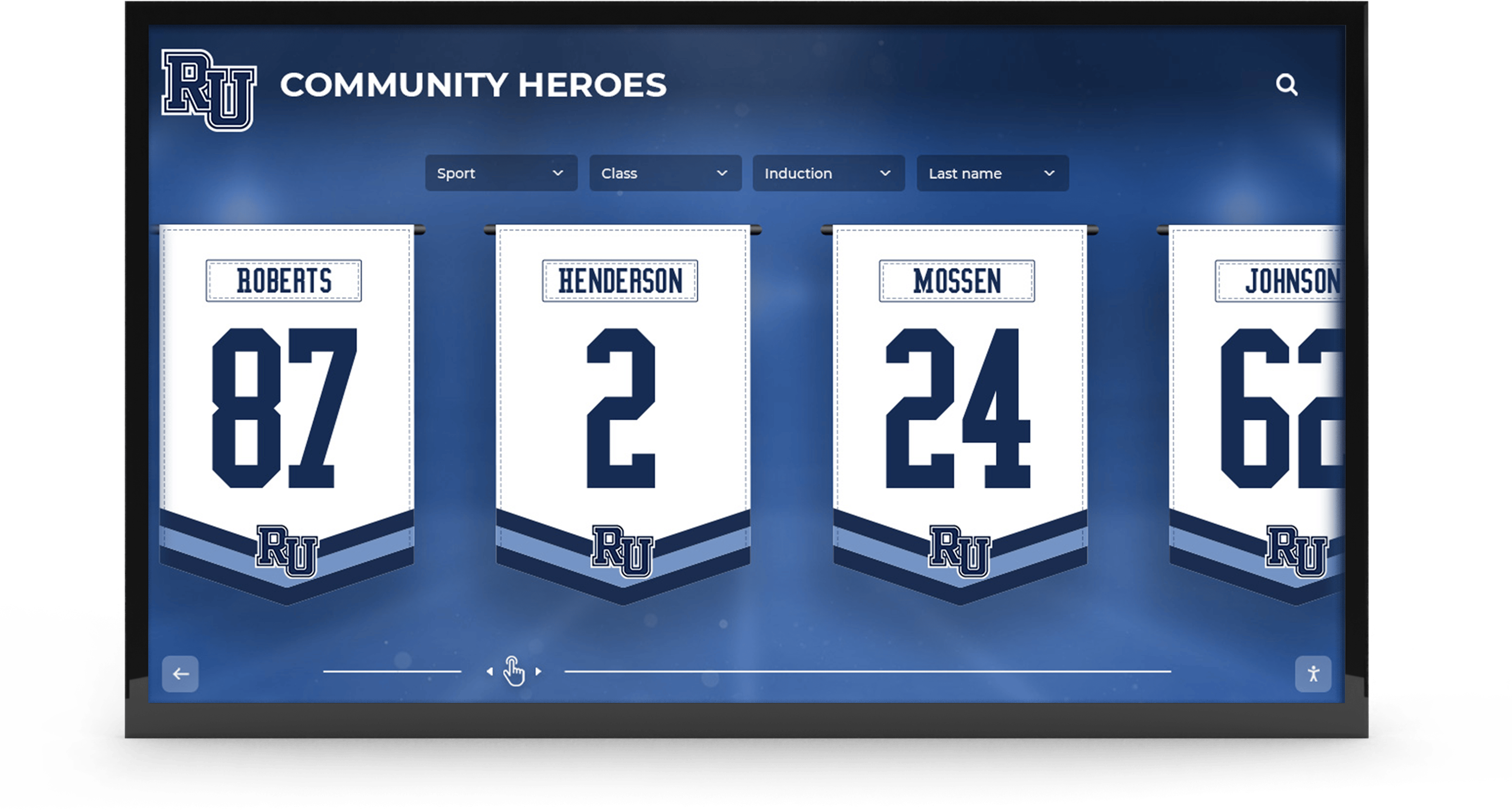
Comprehensive multimedia profiles accommodate diverse viewer preferences and learning styles
Interactive Photo Features and Advanced Displays
Beyond static galleries, modern digital boards can include interactive photo features that increase engagement through hands-on exploration.
Interactive Visual Features:
- Before/After Sliders: Interactive comparisons showing transformation or improvement
- Photo Hotspots: Touch-enabled regions revealing additional information about image elements
- Zoomable High-Resolution Images: Detailed photos supporting pinch-to-zoom exploration
- 360-Degree Photos: Panoramic images or object photography enabling viewer-controlled perspectives
- Image Comparisons: Side-by-side displays with synchronized zoom and pan
- Geographic Mapping: Location-tagged photos displayed on interactive maps
- Timeline Scrubbing: Chronological image sequences viewers navigate like video timelines
These advanced features work particularly well for specific recognition types. Athletic achievements benefit from before/after fitness progression sliders. Art recognition gains from zoomable high-resolution images allowing detail examination. Service projects utilize geographic mapping showing impact locations. Science achievements incorporate 360-degree equipment or specimen photography.
While not necessary for all recognition contexts, thoughtfully applied interactive features create memorable experiences that differentiate digital recognition from traditional static displays.
Implementation Strategies for Visual Recognition Boards
Successfully implementing digital boards for photos and videos requires strategic planning addressing content creation, technical setup, and ongoing management.
Content Collection and Digitization
The foundation of effective visual recognition boards is compelling content. Schools need systematic approaches to collecting, organizing, and digitizing visual materials.
Content Sourcing Strategies:
Current Content Generation: Partner with school photographers, yearbook staff, athletic departments, and communications teams to ensure ongoing capture of achievement moments as they occur. Establish protocols specifying what types of events should be documented, minimum quality standards for images and video, naming conventions for file organization, and storage locations for collected content.
Historical Content Digitization: Many schools possess extensive photo archives from decades of achievement—stored in yearbooks, filing cabinets, trophy cases, and administrator offices. Digitization projects convert these physical materials to digital formats suitable for recognition displays. This involves scanning physical photos at appropriate resolution, converting or extracting digital files from older media formats, organizing and cataloging with appropriate metadata, and obtaining necessary permissions for historical images.
Crowdsourced Community Contributions: Students, parents, and alumni often possess excellent photos and videos from events schools may lack official documentation for. Creating submission processes allowing community members to contribute content expands visual archives significantly. Online forms with upload capabilities, clear guidelines about content appropriateness and quality, permission statements granting usage rights, and review workflows ensuring quality control enable safe crowdsourcing.
Professional Production: For marquee recognition content or major inductees, professional photo and video production creates premium visual materials. Hiring professional photographers or videographers for formal portraits, commissioning documentary-style video profiles for hall of fame inductees, and producing high-quality audio/video interviews generate content exceeding typical amateur quality.
Schools typically combine these strategies, maintaining ongoing current documentation while systematically digitizing historical materials and selectively commissioning professional content for significant recognitions.
For comprehensive approaches to managing visual content, strategies detailed in resources about digital asset management for schools provide frameworks for organizing photo and video libraries.
Hardware Selection and Display Configuration
Choosing appropriate display hardware significantly impacts visual content’s effectiveness and viewer experience.
Critical Hardware Considerations:
Screen Size and Viewing Distance: Larger displays support greater viewing distances and accommodate larger groups viewing simultaneously. Calculate appropriate sizing based on primary viewing distances—43-55" displays suit intimate spaces with close viewing (3-6 feet), 65-75" displays accommodate medium spaces with moderate viewing distances (6-10 feet), and 86"+ displays serve large spaces with extended viewing distances (10-15 feet). Consider whether single viewers or groups will typically use displays, as group viewing benefits from larger sizes.
Resolution and Image Quality: High-resolution displays ensure photo clarity and text legibility. Minimum 1080p (1920x1080) resolution for displays under 55", 4K resolution (3840x2160) for displays 55" and larger, and brightness ratings of 350-500 nits for standard indoor environments with controlled lighting prove sufficient for most school applications. For locations with windows or bright ambient lighting, higher brightness displays prevent image washout.
Touch Capabilities and Responsiveness: Multi-touch capacitive screens provide responsive, accurate touch detection essential for intuitive interaction. Ensure displays support at least 10 simultaneous touch points for fluid gesture controls. Touch glass quality significantly impacts user experience—optical bonding reduces glare and improves clarity compared to air-gap construction.
Audio Output: Video content requires audio capabilities. Built-in speakers provide convenience but often lack volume for noisy environments. Evaluate whether built-in audio suffices for location acoustics or whether external speakers are needed. Consider that adjustable volume controls accessible to users prove important for accommodating varied content and viewing contexts.
Orientation Options: Some content types suit portrait orientation better than landscape. Vertical displays work well for individual student profiles, social media-style content, and full-body portraits. Horizontal displays accommodate video content naturally, group photos, and traditional landscape photography. Some hardware supports rotation after installation, while other mounts lock orientation permanently.
For detailed hardware selection guidance, resources about hardware selection for digital recognition displays provide comprehensive specifications and considerations.

Large-format touchscreen displays maximize visual impact for photos and videos
Software Platform Features for Visual Content
Content management software specifically designed for visual recognition provides essential features that generic digital signage platforms lack.
Essential Visual Content Management Features:
Intuitive Upload Interfaces: Drag-and-drop photo and video upload supporting batch processing of multiple files simultaneously, automatic format detection and conversion, progressive upload showing real-time progress for large files, and automatic thumbnail generation for preview purposes.
Metadata Management: Structured fields for captions, descriptions, achievement categories, dates, locations, and participant names. Keyword tagging enabling flexible content organization and discovery, batch metadata editing applying information to multiple items simultaneously, and metadata import from photo EXIF data reducing manual entry.
Visual Organization Tools: Gallery creation and management for grouping related images, customizable sorting options (chronological, alphabetical, manual ordering), drag-and-drop reordering within galleries and categories, and folder/category hierarchies supporting complex organizational structures.
Display Template Systems: Pre-designed layouts optimized for different content types—individual profiles, team galleries, event highlights, and achievement showcases. Customization capabilities allowing branding, color schemes, and typography adjustments while maintaining professional appearance. Responsive designs automatically adapting to different screen sizes and orientations.
Video Processing and Optimization: Automatic video compression balancing quality and file size, format conversion ensuring compatibility across devices, generation of multiple resolution versions for adaptive streaming, and thumbnail extraction creating preview images from video content.
Preview and Approval Workflows: Real-time preview showing exactly how content will appear on displays before publishing, approval workflows allowing designated reviewers to approve content before it goes live, version history tracking changes and enabling rollback if needed, and scheduled publishing for content appearing automatically on specific dates.
Modern platforms from providers like Rocket Alumni Solutions integrate these features into cohesive systems designed specifically for educational recognition contexts, ensuring schools receive purpose-built tools rather than generic content management systems requiring extensive customization.
Content Quality Standards and Best Practices
Maintaining consistent quality standards ensures all visual content meets minimum thresholds for professional appearance and effective storytelling.
Photo Quality Standards:
- Minimum resolution: 1920px on longest dimension for digital display
- Proper exposure: No significant over/underexposure losing detail
- Acceptable sharpness: In-focus subjects without excessive blur
- Appropriate composition: Subjects properly framed, following basic compositional principles
- Limited distractions: Backgrounds and contexts supporting rather than overwhelming subjects
- Consistent color: Natural color balance without extreme tints or saturation
Video Quality Standards:
- Minimum resolution: 1080p for current content, 720p acceptable for historical material
- Stable footage: Minimal camera shake unless intentional for effect
- Clear audio: Speech intelligible without excessive background noise
- Appropriate length: Edited to essential content without excessive repetition
- Coherent narrative: Clear beginning, middle, end structure
- Accessible features: Captions for speech content accommodating hearing differences
Content Appropriateness Guidelines:
- Student permission: Appropriate releases obtained for identifiable individuals
- Dignity and respect: Content honors subjects without embarrassment or mockery
- Age-appropriate: Content suitable for all-ages school environments
- Factual accuracy: Information verified for correctness before publishing
- Inclusive representation: Diverse students and achievement types represented proportionally
- Brand alignment: Content consistent with school values and identity
Establishing clear standards and providing training on these expectations ensures consistency across content creators—whether administrative staff, teachers, students, or community contributors.

Professional quality visual content creates polished recognition experiences that honor achievements appropriately
Specific Applications and Use Cases
Schools implement visual recognition boards for diverse purposes, each benefiting uniquely from photo and video capabilities.
Athletic Achievement Documentation
Athletic programs generate abundant visual content opportunities that digital boards showcase effectively. Game action photos capture dramatic competitive moments, championship celebrations document emotional team experiences, individual achievement highlights showcase skill and determination, coaching milestone recognitions honor program leadership, and historical team photos preserve program legacy.
Video proves particularly impactful for athletic recognition. Brief highlight reels showing championship moments, record-breaking performances, or career achievements create visceral engagement text cannot match. Parents treasure these visual records of their students’ athletic careers, and younger athletes find inspiration in watching predecessors’ accomplishments.
For comprehensive approaches to athletic recognition displays, strategies outlined in resources about digital trophy displays demonstrate how visual content replaces traditional trophy cases with dynamic multimedia showcases.
Performing Arts Showcases
Theater productions, musical performances, dance recitals, and other performing arts create recognition challenges—the achievements are temporal performances difficult to capture in static displays. Video solves this by preserving performance excerpts, enabling audiences who couldn’t attend to experience productions, and creating lasting documentation of artistic achievements.
Photo galleries complement video by showing behind-the-scenes preparation, costume and set design, cast camaraderie, and audience reactions—telling complete production stories beyond stage performances alone. These comprehensive visual records validate the extensive work performing arts require while showcasing student talent prominently.
Visual Arts and Creative Achievement Galleries
Visual arts recognition benefits uniquely from digital boards supporting high-resolution image display. Student artwork can be showcased at quality levels approaching gallery exhibition standards, with zoom capabilities allowing detail examination impossible through physical gallery displays.
Photography students’ work displays naturally on digital screens. Three-dimensional art and sculpture showcase effectively through 360-degree photography or video walkthroughs. Design and digital media work—graphics, animations, websites, video production—displays in native digital format rather than requiring translation to physical media.
For schools honoring creative achievements digitally, approaches demonstrated in student recognition programs illustrate comprehensive strategies for celebrating artistic excellence.
Academic Competition and Research Recognition
Academic achievements often lack inherent visual drama, creating recognition challenges. Digital boards address this through creative visual content showing students at work—competing at spelling bees, presenting research, collaborating on projects, receiving awards, and engaging with learning.
Science fair recognition particularly benefits from visual documentation. Photos of project displays, experimental setups, and presentation boards preserve projects after physical exhibits conclude. Video interviews with students explaining research, hypotheses, and findings provide narrative context making achievements understandable and impressive to general audiences.
Community Service and Leadership Documentation
Service achievements and leadership positions traditionally receive minimal visual recognition because activities occur outside school facilities and don’t generate dramatic photographic moments. Digital boards overcome this by intentionally documenting service activities through photos showing students engaged in community work, video testimonials from service recipients or community partners, photo essays documenting project progression from planning through completion, and maps visualizing geographic scope of service impact.
This visual documentation validates service and leadership as recognition-worthy achievements equal to athletics and academics, supporting school missions emphasizing character development and civic responsibility alongside academic excellence.
For comprehensive service recognition approaches, strategies in resources about digital volunteer recognition provide implementation frameworks.
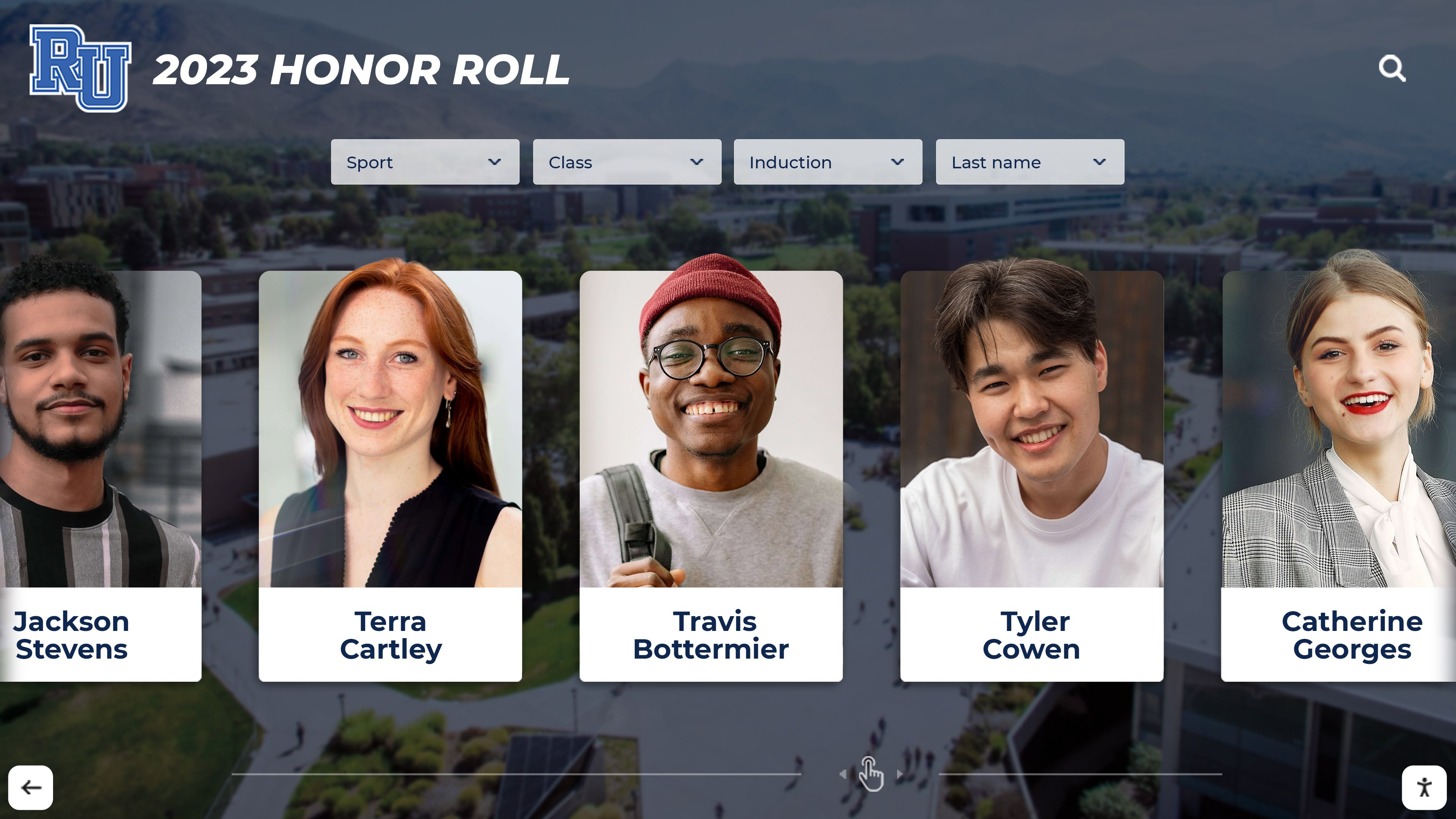
Visual documentation brings community service achievements to life through compelling imagery
Alumni Achievement Spotlights
Many schools extend recognition beyond current students to celebrate notable alumni achievements. Digital boards excel at this by showcasing then-and-now photo comparisons, video interviews with alumni reflecting on school experiences, career highlight documentation, and visual timelines connecting student years with subsequent accomplishments.
Alumni recognition serves multiple purposes—inspiring current students by demonstrating long-term success possibilities, strengthening alumni connections through institutional acknowledgment, and showcasing school impact to prospective families. Visual formats make these connections concrete and emotionally resonant.
Platforms supporting both on-campus displays and web accessibility prove particularly valuable for alumni recognition, enabling global alumni to access recognition content regardless of geographic location. For strategies specific to alumni engagement, resources about alumni engagement through interactive displays offer implementation guidance.
Technical Considerations and Infrastructure
Successful implementation requires addressing technical infrastructure supporting visual content creation, management, and display.
Network Requirements for Media Streaming
Photos and particularly videos create substantial data transfer demands, requiring appropriate network infrastructure.
Network Capacity Considerations:
- Wired Ethernet connections provide most reliable performance for displays
- WiFi connections require strong signal strength and adequate bandwidth (minimum 25 Mbps per display for video)
- Content synchronization typically occurs in background, minimizing peak bandwidth demands
- Local content caching reduces ongoing bandwidth requirements after initial sync
- Quality of Service (QoS) configurations can prioritize display traffic if network congestion occurs
Schools implementing multiple displays should conduct network assessments ensuring adequate capacity for simultaneous video streaming across all units during peak usage periods.
Storage and Content Libraries
Visual content, particularly video, consumes significant storage capacity requiring appropriate infrastructure planning.
Storage Capacity Planning:
- High-resolution photos average 3-8 MB per image
- Short video clips (1-2 minutes) average 50-150 MB depending on resolution and compression
- Schools with comprehensive recognition programs typically accumulate 50-200 GB annually
- Cloud-based platforms handle storage infrastructure, eliminating local server requirements
- Content lifecycle policies archiving or removing outdated material manage storage growth
Cloud-based content management systems from providers like Rocket Alumni Solutions include storage capacity appropriate for typical school needs, automatically scaling as content libraries grow while eliminating school IT infrastructure requirements.
Security, Privacy, and Permissions
Visual content featuring students raises important privacy and permission considerations requiring appropriate policies and safeguards.
Privacy and Permission Best Practices:
- Photo and video release forms obtained annually covering recognition program usage
- Policies specifying acceptable content types and usage contexts
- Age-appropriate content review processes before publication
- Privacy settings controlling which content appears publicly vs. campus-only
- Capability to remove content upon request addressing changing permission status
- Secure access controls limiting content management to authorized administrators
Schools should consult with legal counsel and review applicable regulations including FERPA requirements when establishing visual recognition programs. Most schools find that blanket photo release forms integrated into annual registration processes provide necessary permissions while minimizing administrative burden.
Measuring Success and Impact
Demonstrating digital visual recognition boards’ value requires clear metrics showing engagement, impact, and return on investment.
Engagement Analytics
Modern platforms provide comprehensive analytics quantifying visual content engagement and viewer behavior.
Key Engagement Metrics:
- Total touchscreen interactions and session counts
- Average session duration indicating engagement depth
- Most-viewed content identifying compelling recognition
- Photo gallery navigation patterns showing viewer interests
- Video completion rates measuring content appeal
- Search terms revealing what viewers seek
- Peak usage times informing content strategy timing
These metrics demonstrate actual usage and help optimize content strategy. If analytics show certain recognition types consistently generate higher engagement, schools can expand similar content. If session durations decline, content refresh rates may need increasing to maintain novelty.
Community Response and Qualitative Feedback
Quantitative analytics tell part of the story, but qualitative community feedback provides equally important success indicators.
Qualitative Success Indicators:
- Increased parent attendance at recognition events and open houses
- Positive social media mentions and organic sharing of recognition content
- Student testimonials expressing pride in being recognized
- Prospective family comments during tours about recognition programs
- Alumni engagement with recognition content via web platforms
- Staff enthusiasm as recognition programs expand
Schools can systematically collect feedback through brief surveys near displays, online feedback forms, social media monitoring, and periodic focus groups with students, parents, and staff.
Return on Investment Considerations
While visual recognition boards require initial investment, long-term value analysis often reveals favorable economics when considering broader benefits.
Value Factors Beyond Direct Costs:
- Time savings from digital vs. manual content updates
- Reduced printing and physical material costs for recognition
- Space efficiency compared to extensive physical display requirements
- Enhanced recruitment and retention outcomes from compelling recognition
- Increased alumni engagement supporting development efforts
- Strengthened school brand and community reputation
- Improved school culture and student motivation
Most schools find that visual recognition systems generate positive ROI within 3-5 years when accounting for reduced operational costs, administrative efficiency gains, and institutional benefits from enhanced engagement and reputation.
For comprehensive approaches to measuring recognition program impact, frameworks in resources about measuring digital recognition ROI provide assessment strategies.
Future Trends in Visual Recognition Technology
Visual recognition technology continues evolving, with emerging capabilities creating new engagement opportunities.
Artificial Intelligence and Automated Content Creation
AI technologies are beginning to assist with visual content creation and management through automated photo curation selecting most compelling images from large collections, intelligent cropping and composition optimization improving photo presentation, automatic caption generation describing image content, facial recognition enabling automatic tagging and organization, and video highlight generation identifying most impactful moments.
While human judgment remains essential for final content decisions, AI assistance can significantly reduce time required for content preparation and optimization.
Augmented Reality Integration
AR technologies may soon enable hybrid physical-digital recognition experiences where students use smartphones or tablets to scan physical spaces, triggering display of related photo galleries and video content overlaid on the physical environment.
This could enable traditional trophy cases or physical plaques to serve as triggers for extensive digital content, creating seamless integration of physical and digital recognition elements.
User-Generated Content Integration
Future platforms may increasingly incorporate user-generated content allowing students to contribute their own photos and videos for recognition consideration, enabling peer recognition where students nominate classmates for achievement acknowledgment, and creating collaborative galleries where multiple contributors add content to shared recognition themes.
Appropriate moderation workflows would ensure content appropriateness while enabling more participatory recognition cultures where community members actively contribute to recognition programs rather than purely consuming content administrators publish.
Enhanced Personalization
Advanced platforms may offer personalized recognition experiences adapting content to individual viewers based on grade level, interests, or viewing history, suggesting related content based on what viewers explore, and creating custom highlight reels combining content from multiple categories.
Personalization could make recognition more relevant to individual viewers while helping them discover content they might otherwise miss in large recognition databases.

Evolving technology continues expanding possibilities for visual recognition displays
Conclusion: Visual Recognition for the Modern Era
Digital boards for photos and videos represent fundamental evolution in how schools recognize and celebrate achievement. By moving beyond text-heavy approaches toward rich visual storytelling, these systems create recognition experiences that honor achievements authentically, engage audiences emotionally, and inspire continued excellence throughout school communities.
The power of visual recognition lies in its ability to capture humanity behind accomplishments—showing not just what students achieved but the effort, emotion, and journey involved. When recognition becomes compelling visual narrative rather than administrative checklist, it fulfills recognition’s fundamental purposes more effectively: validating recipients, inspiring peers, engaging families, and strengthening institutional pride.
For schools ready to modernize recognition programs, solutions like those from Rocket Alumni Solutions provide comprehensive platforms combining intuitive touchscreen hardware, powerful content management software designed specifically for visual media, and web accessibility that extends recognition reach globally. These purpose-built systems ensure schools receive tools designed for their specific recognition needs rather than generic platforms requiring extensive customization.
Visual recognition matters because today’s students and families communicate primarily through visual media. Meeting communities where they already engage—through photos, videos, and visual storytelling—ensures recognition programs remain relevant, compelling, and impactful. Digital boards for photos and videos provide the infrastructure making sophisticated visual recognition accessible and manageable even for schools with limited technical resources.
Transform Recognition Through Visual Storytelling
Discover how digital boards for photos and videos can revolutionize your school's recognition program with compelling visual content that honors achievements and inspires excellence.
Explore Visual Recognition SolutionsWhether implementing new recognition programs or modernizing existing displays, digital boards designed specifically for visual content provide proven solutions that engage students, honor diverse achievements authentically, and strengthen school communities through compelling storytelling. The transformation from static text to dynamic visual recognition represents investment in student motivation, school culture, and community connection—outcomes benefiting schools, students, and families for years to come.




























