Schools, businesses, and institutions implementing digital displays face a common challenge: managing multiple screens or clients while providing varied, engaging content that combines recognition, announcements, weather updates, news feeds, social media, and real-time data. Traditional digital signage forces administrators to choose between simplistic single-purpose displays or complex programming requirements demanding technical expertise most organizations lack.
Digital display services addressing these needs provide intuitive, no-code platforms enabling split-screen layouts, customizable widgets, multi-client management, and flexible content embedding across unlimited screens. Rather than requiring programming skills or technical training, modern solutions empower non-technical staff to create sophisticated display experiences through visual editors and pre-built components.
This comprehensive guide examines how organizations implement effective digital display services combining touchscreen interactivity, split-screen capabilities, widget integration, and multi-client support—all without writing a single line of code. Whether you operate displays in school lobbies, athletic facilities, corporate offices, healthcare environments, or public spaces, understanding these capabilities transforms static screens into dynamic engagement platforms.
Understanding Digital Display Service Requirements
Organizations seeking digital display solutions typically share several core requirements that generic slideshow systems fail to address adequately.
Multi-Screen and Multi-Client Management
Most institutions manage more than one display. Schools operate screens in multiple buildings, athletic facilities deploy displays throughout complexes, businesses maintain signage across locations, and organizations expand installations over time. Managing these distributed displays through separate systems or manual updates creates administrative nightmares.
Centralized Multi-Client Platforms enable administrators managing unlimited screens from single cloud-based interfaces. Content created once distributes automatically to designated displays, updates propagate instantly across locations, and display-specific customization applies without recreating entire content libraries.
Organizations implementing digital signage content strategies across multiple locations require unified platforms preventing fragmentation while enabling appropriate customization for specific audiences and purposes.
Location-Specific Customization within unified systems allows athletic facilities displaying sports content while administration buildings show announcements and academic recognition, yet both connect to shared content databases preventing duplication and ensuring brand consistency.

Split-Screen Layout Capabilities
Single-purpose displays waste valuable screen real estate. Modern viewers expect sophisticated layouts combining multiple content types simultaneously—recognition profiles alongside announcements, weather widgets next to news feeds, social media streams adjacent to directories.
Split-Screen Functionality enables dividing displays into multiple zones, each serving distinct purposes while maintaining visual cohesion. Main areas showcase featured content while smaller sections display supplementary information, creating information-rich experiences without overwhelming viewers.
Schools might dedicate primary screen space to honor roll students while sidebar areas display cafeteria menus, upcoming events, and weather conditions. Athletic facilities could feature team schedules prominently while secondary zones show sponsor recognition, facility hours, and safety reminders.
Dynamic Layout Switching adapts displays throughout days or seasons. Morning configurations emphasize announcements and schedules. Afternoon layouts prioritize recognition and achievements. Event days automatically switch to relevant programming. Weekend displays shift to community-focused content.
Organizations lacking split-screen capabilities either oversimplify displays showing only one content type or implement multiple physical screens occupying excessive wall space and creating visual clutter.
Widget Integration Without Programming
Embedding weather forecasts, news tickers, social media feeds, live data, calendars, and external content traditionally required custom development, API integration, and ongoing technical maintenance. Organizations needed programmers writing code, managing authentication, handling API changes, and troubleshooting integration failures.
Pre-Built Widget Libraries eliminate programming requirements through drag-and-drop components connecting to popular services. Weather widgets pull forecasts from trusted sources. News modules aggregate RSS feeds. Social media widgets display organizational accounts. Data visualizations connect to spreadsheets or databases.
Configuration happens through visual interfaces where administrators select widget types, enter connection credentials, choose display options, and position components—all without touching code. When services update APIs or authentication methods, platform providers handle technical updates transparent to end users.
Schools embed local weather helping students prepare for conditions. Businesses display stock tickers and market data. Healthcare facilities show wait times and health tips. Municipal buildings integrate transit schedules and community calendars.
Third-Party Integration Support through standardized interfaces allows connecting custom data sources, internal systems, or specialized services when pre-built widgets don’t address specific needs. Organizations with technical resources leverage these capabilities while non-technical users rely on standard widget libraries.

Content Management Simplicity
Technical complexity kills digital signage programs faster than any other factor. Platforms requiring HTML knowledge, CSS styling, JavaScript programming, or database expertise create bottlenecks where overwhelmed IT departments become obstacles and non-technical administrators abandon systems entirely.
Form-Based Content Creation through web interfaces enables staff with basic computer skills confidently managing sophisticated displays. Creating recognition profiles involves filling forms—names, dates, photos, descriptions—similar to composing emails. Adding announcements uses text editors familiar from word processors. Scheduling content employs calendar interfaces anyone navigates intuitively.
Administrators shouldn’t need understanding technical concepts like API endpoints, JSON formatting, embed codes, or stylesheet cascading. Effective platforms abstract complexity behind user-friendly interfaces focused on what content displays rather than how technology renders it.
Schools assign content management to administrative assistants, teachers, or student workers without requiring IT intervention. Athletic departments empower coaches updating team information directly. Advancement offices maintain donor recognition independently. Distributed responsibility ensures displays remain current without overwhelming any single person.
Essential Features for Multi-Client Digital Display Services
Organizations evaluating digital display platforms should prioritize capabilities addressing common challenges and enabling scalable implementations across locations and use cases.
Cloud-Based Administration and Publishing
Physical access requirements for updating displays create impossible barriers when managing distributed installations. Walking to each screen, connecting laptops, transferring files, and manually updating configurations wastes time and delays critical updates.
Web-Based Content Management Systems accessible from any device with internet connectivity enable administrators updating displays remotely from offices, homes, or mobile devices. Content changes publish instantly to designated screens regardless of geographic distribution.
Cloud architectures eliminate server maintenance, backup concerns, software updates, security patches, and infrastructure management. Platform providers handle technical operations while organizations focus on content and communication rather than system administration.
Organizations expanding across locations or managing displays in difficult-access areas particularly benefit from remote management eliminating physical access requirements for routine operations.
Template Libraries and Customization Options
Creating professional designs from scratch requires graphic design expertise most administrators lack. Starting each display layout as blank canvases produces inconsistent, amateurish results undermining credibility and organizational image.
Professional Template Collections provide starting points reflecting best practices in layout, typography, color theory, and visual hierarchy. Templates organized by use case—recognition displays, announcement boards, event calendars, directories—accelerate deployment while ensuring quality presentation.
Customization Within Templates maintains consistency while reflecting institutional branding through color schemes, logo placement, typography selections, and imagery. Organizations achieve professional polish matching their standards without hiring designers or learning design software.
Athletic departments select sports-focused templates featuring team colors and energetic layouts. Academic institutions choose scholarly designs emphasizing achievement and tradition. Corporate environments prefer minimalist, professional aesthetics. Healthcare facilities require calming, accessible presentations.
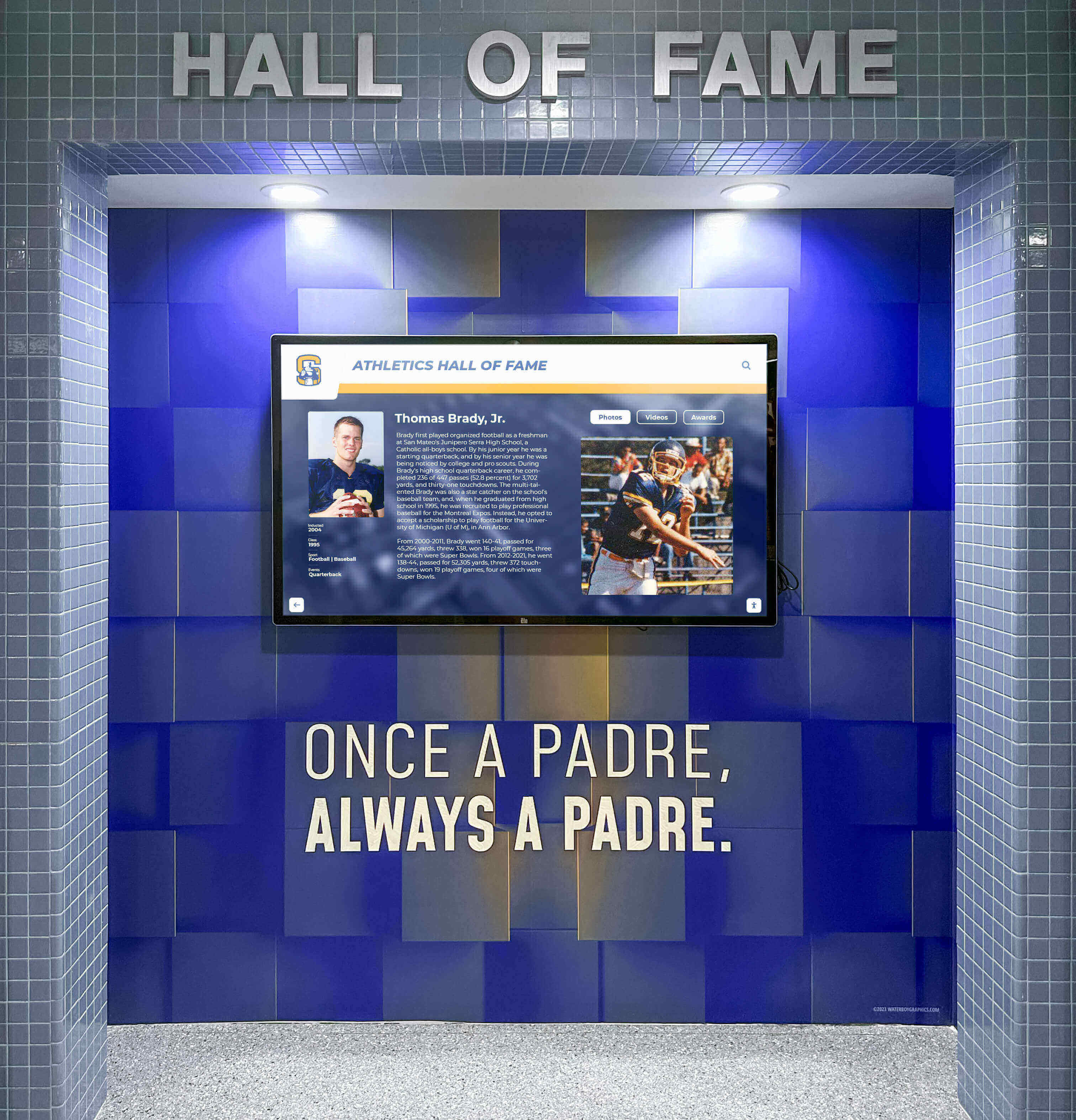
Interactive Touchscreen Support
Broadcast displays showing scheduled content limit engagement to passive viewing. Users glance briefly then ignore repetitive rotations. Interactive touchscreens transform displays into destination experiences where audiences actively explore content matching personal interests.
Touch-Enabled Navigation through intuitive interfaces allows users searching, filtering, and discovering comprehensive content impossible to communicate through scheduled rotations. Recognition databases become searchable archives. Directories enable finding specific people or departments. Historical timelines support exploration across decades.
Organizations implementing interactive touchscreen kiosks measure engagement in minutes rather than seconds as users actively explore rather than passively viewing scheduled content.
Dual-Mode Operation supporting both broadcast rotation for passive viewing and interactive exploration when users engage accommodates different audience behaviors. Displays attract attention through featured content while enabling deeper discovery for interested viewers.
Schools showcase athletic achievements that visitors explore in detail. Universities present alumni directories prospective students search. Businesses highlight products customers investigate. Museums provide artifact catalogs patrons browse extensively.
Multimedia Content Support
Text-only displays fail engaging modern audiences expecting rich visual experiences. Professional implementations require supporting high-resolution photos, embedded video, audio content, documents, and interactive media creating compelling storytelling.
Comprehensive Media Handling processes various formats automatically—images resize appropriately, videos stream efficiently, documents convert to viewable formats, and mixed media displays cohesively without technical intervention.
Quality matters profoundly in public-facing displays. Platforms must support sufficient resolution, color accuracy, and media quality reflecting organizational standards. Compression algorithms should maintain visual fidelity while enabling efficient delivery across networks.
Organizations highlighting achievements through photo galleries, sharing video interviews, displaying historical documents, or presenting multimedia narratives require platforms supporting rich content types rather than limiting presentations to simple text and basic images.
Scheduling and Automation Features
Manual content management proves unsustainable at scale. Displays require automatic updating based on schedules, events, data changes, or triggers eliminating constant administrator attention while ensuring relevance and accuracy.
Temporal Scheduling publishes and expires content automatically based on dates, times, or durations. Honor roll displays show current semester students then update automatically next term. Event announcements appear leading up to dates then remove afterward. Seasonal greetings display appropriately without manual intervention.
Content Rotation Automation varies featured content systematically, highlighting different profiles, achievements, or announcements ensuring visibility without requiring administrators manually selecting what displays when.
Event-Triggered Updates respond to external systems or data changes. Athletic scores update displays automatically after games conclude. Emergency alerts interrupt normal programming when situations require immediate communication. Weather warnings override scheduled content during severe conditions.
Organizations lacking automation either maintain static displays rarely updated or overwhelm administrators with unsustainable manual management burdens causing inevitable neglect and outdated content.

Implementing Widget-Based Digital Displays
Widget functionality transforms generic screens into information hubs combining institutional content with external data sources creating comprehensive communication platforms.
Weather Widget Integration
Local weather information holds universal relevance. Students checking forecasts before leaving school. Employees planning commutes. Visitors determining appropriate attire. Facility managers monitoring conditions affecting operations.
Weather Widgets connect to trusted forecast services displaying current conditions, hourly predictions, extended outlooks, precipitation probability, temperature ranges, wind speeds, and severe weather alerts.
Configuration involves selecting locations, choosing temperature units, determining forecast length, and selecting visual styles—all through form-based interfaces requiring no API knowledge or programming expertise.
Schools display multi-day forecasts helping families planning activities. Athletic facilities show current conditions for outdoor sports. Transit centers integrate weather affecting travel decisions. Event venues communicate conditions impacting attendance.
Reliable weather information adds practical value beyond institutional messaging, increasing display utility and encouraging regular viewing establishing habits benefiting all content types.
News Feed and RSS Integration
Connecting displays to news sources, industry publications, organizational blogs, or RSS feeds keeps content fresh while demonstrating awareness beyond internal focus.
News Ticker Widgets scroll headlines, article summaries, or curated content from designated sources. Schools might display local news, district announcements, or educational technology updates. Businesses show industry news, market information, or company press releases.
Content filtering prevents inappropriate material, focuses topics matching audience interests, and maintains organizational standards. Administrative controls designate approved sources, moderate content, and pause feeds when necessary.
Educational institutions benefit from displaying relevant educational news and community updates. Corporate environments show industry trends and company announcements. Healthcare facilities communicate health news and wellness tips.
Social Media Display Integration
Organizations maintaining active social media presences extend reach by displaying feeds on physical displays. Social media widgets show posts, photos, videos, and engagement creating connections between digital communities and physical spaces.
Social Media Streams aggregate content from organizational accounts using hashtags, mentions, or specific profiles. Schools display student achievements shared on social media. Businesses highlight customer testimonials and engagement. Event venues show attendee posts building community excitement.
Moderation capabilities ensure appropriate content through approval workflows, keyword filtering, or curated feeds preventing embarrassing situations from uncurated streams.
Organizations implementing social media integration connect physical and digital communities, extend social content reach, and demonstrate engagement beyond traditional communications.
Calendar and Event Widgets
Communicating schedules, deadlines, events, and activities addresses consistent organizational needs. Calendar widgets display upcoming activities, important dates, registration deadlines, and event details.
Event Calendar Integration connects to organizational calendars, scheduling systems, or manually maintained event lists displaying relevant activities filtered by audience, category, or date range.
Schools show athletic schedules, performance dates, testing calendars, and school holidays. Businesses display meeting room bookings, company events, and deadline reminders. Community centers communicate class schedules, facility reservations, and program registrations.
Calendar displays reduce repetitive information requests to staff, help audiences planning participation, and demonstrate organizational activity levels conveying vitality and engagement.
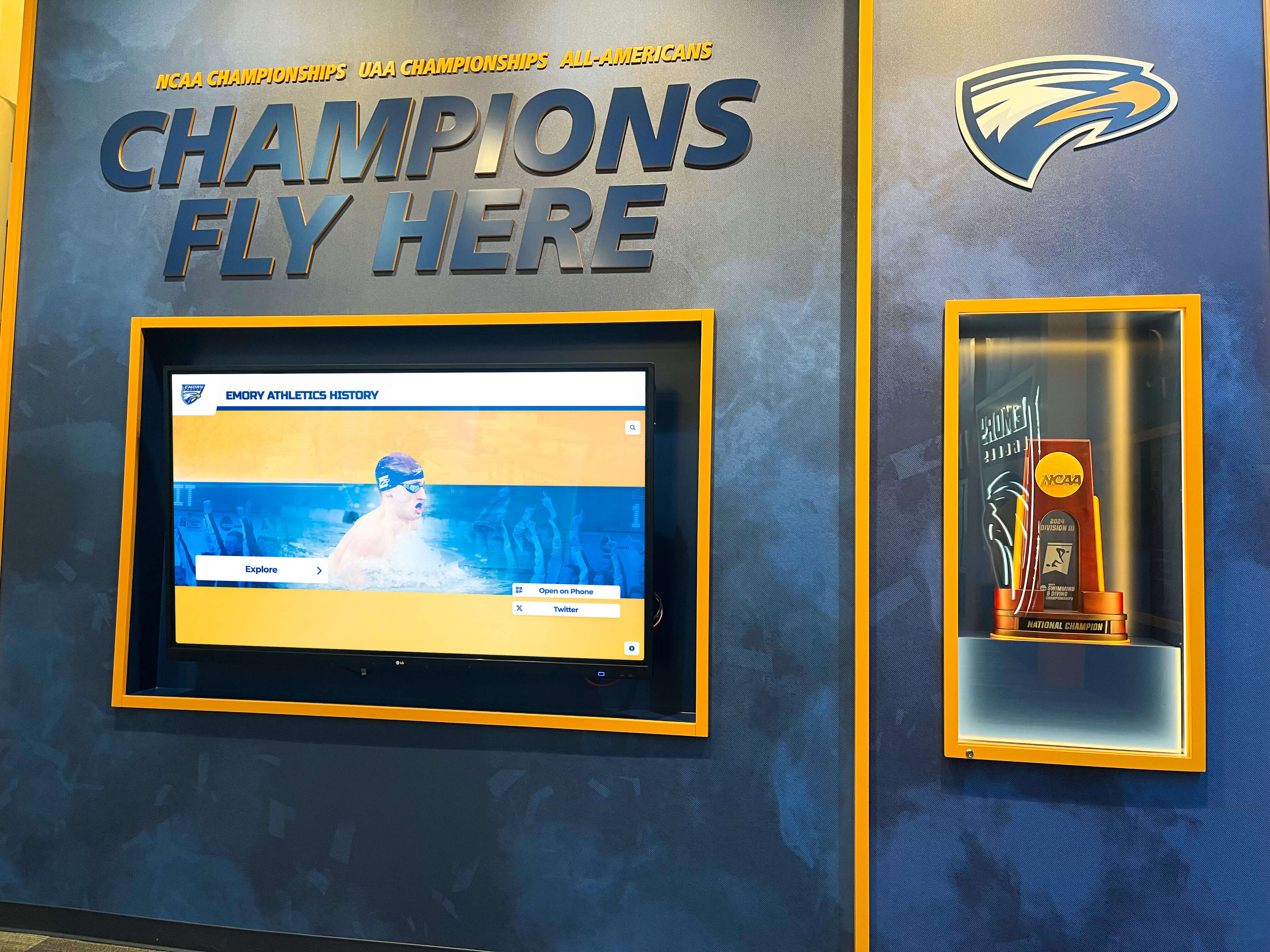
Data Visualization and Live Information
Organizations tracking metrics, managing facilities, or communicating operational information benefit from data visualization widgets presenting numbers engagingly.
Data Widgets connect to spreadsheets, databases, or APIs displaying information through charts, graphs, gauges, or numeric presentations. Schools might show fundraising progress, attendance rates, or academic metrics. Businesses display sales figures, production statistics, or performance indicators.
Facility Information Displays communicate room availability, wait times, queue lengths, or operational status. Libraries show computer availability. Healthcare facilities display wait times. Transit centers communicate arrival predictions.
Real-time information demonstrates organizational transparency, reduces uncertainty, and provides practical value encouraging regular display attention benefiting all content types.
Directory and Wayfinding Integration
Large campuses, multi-building complexes, or facilities hosting visitors benefit from directory and wayfinding capabilities helping people navigate spaces and find destinations.
Directory Widgets provide searchable databases of people, departments, offices, or locations with contact information, building locations, and directional assistance. Interactive touchscreens enable visitors searching for specific individuals or browsing organizational structures.
Wayfinding Integration displays maps, turn-by-turn directions, accessible routes, and “you are here” positioning. Complex environments become navigable reducing confusion and staff interruption for directional assistance.
Universities implement campus directory solutions helping students, faculty, and visitors locating offices and facilities. Corporate campuses guide employees and visitors through multi-building complexes. Healthcare facilities direct patients to departments and services.
Split-Screen Layout Strategies
Dividing displays into multiple content zones maximizes screen utility while maintaining visual organization preventing overwhelming presentations.
Primary Content and Sidebar Approaches
Dominant Content Area occupies the majority of screen space featuring primary purpose—recognition profiles, featured announcements, event highlights, or interactive experiences requiring significant area.
Sidebar Zones utilize remaining space for supplementary content—weather information, news tickers, upcoming events, or social media feeds providing context and variety without competing for attention.
This asymmetric approach maintains clear hierarchy ensuring primary content receives appropriate emphasis while maximizing utility through secondary information.
Schools feature honor roll students prominently with sidebar areas displaying cafeteria menus, weather forecasts, and upcoming events. Athletic facilities showcase team schedules while sidebars show sponsor recognition and facility information.
Grid-Based Multi-Zone Layouts
Equal Zone Divisions split screens into multiple sections of similar size, each serving distinct purposes creating information-rich displays for environments where multiple content types share equal importance.
Four-quadrant layouts might dedicate zones to recognition, announcements, events, and real-time information. Six-zone grids enable even more content variety though risk visual clutter without careful design.
Grid approaches suit environments where audiences have varied information needs and no single content type dominates—student unions, community centers, transit hubs, or public spaces serving diverse populations.
Temporal Zone Switching
Time-Based Layout Changes adapt displays throughout days responding to audience patterns and information relevance. Morning configurations emphasize schedules and announcements. Afternoon layouts shift toward recognition and engagement content. Evening displays focus on next-day preparation.
Automatic transitions based on schedules eliminate manual intervention while ensuring displays remain contextually relevant throughout operational hours.
Event-Responsive Layouts
Special Event Configurations automatically activate during designated times—game days, performances, ceremonies, or significant occasions—displaying relevant content then reverting to standard layouts afterward.
Athletic facilities switch to game-day layouts showing schedules, rosters, and real-time scores. Performance venues display program information and artist biographies. Ceremony locations show participant lists and event details.
Automated event-responsive displays remain relevant without requiring administrators manually changing configurations for every special occasion.

Managing Multiple Displays Across Locations
Organizations operating displays in various buildings, campuses, or geographic locations require effective multi-client management preventing administrative chaos while enabling appropriate customization.
Centralized Content Libraries
Shared Content Repositories store profiles, media, announcements, and information accessible across all displays. Recognition content created once becomes available to every screen without duplication. Brand assets, logos, and standard materials maintain consistency.
Location-Specific Content supplements shared libraries with display-specific information. Athletic facilities access shared achievement databases while adding facility-specific schedules and sponsor recognition. Administration buildings use shared announcements while featuring location-relevant directory information.
This hybrid approach balances efficiency through sharing with flexibility through customization preventing both duplication waste and inappropriate rigid uniformity.
Display Groups and Publishing Controls
Display Grouping organizes screens into logical collections—all athletic facilities, specific campus buildings, particular geographic regions, or functional categories—enabling targeted content distribution.
Publishing controls designate which content appears on which display groups. School-wide announcements distribute everywhere. Athletic achievements target sports facilities. Academic recognition appears in classroom buildings. Administrative updates display in offices.
Granular control prevents information overload, maintains relevance, and enables audience-appropriate communication without manual content duplication across displays.
Role-Based Access Management
Distributed Administration across multiple staff members with appropriate permissions prevents bottlenecks while maintaining control and quality.
Athletic staff manage sports content. Advancement teams maintain donor recognition. Communications departments control announcements. Facility managers administer location-specific displays. All operate within unified platforms preventing fragmentation.
Permission levels determine who creates drafts versus publishing content, edits existing information versus creating new entries, manages media libraries versus using existing assets, and administers system settings versus using standard functions.
Organizations implementing multi-location digital recognition require distributed management enabling responsible parties maintaining their areas without creating security risks or enabling inappropriate access.
Content Strategy for Multi-Purpose Displays
Technical capability matters only when paired with thoughtful content strategy addressing audience needs, organizational goals, and sustainable management practices.
Balancing Content Types
Displays should serve multiple purposes rather than becoming single-function installations. Combine recognition celebrating achievement, information communicating schedules and updates, engagement content building community, and utility information providing practical value.
Recognition Content honors students, athletes, donors, employees, or community members. Profile-based displays enable searching, filtering, and discovering hundreds or thousands of achievements impossible to communicate through physical plaques.
Announcement Content shares deadlines, policy updates, safety reminders, and time-sensitive information requiring regular attention and rapid distribution.
Engagement Content includes social media feeds, community photos, inspirational quotes, trivia, or interactive features encouraging active participation rather than passive consumption.
Utility Information provides weather forecasts, news updates, calendars, directories, or wayfinding serving practical needs encouraging regular viewing establishing habits benefiting all content.
Varied content types maintain interest, serve diverse needs, and justify display presence more effectively than single-purpose implementations audiences easily ignore.
Update Frequency Planning
Content freshness directly impacts engagement. Stale displays become invisible as audiences learn nothing changes. Strategic update planning maintains relevance without overwhelming administrators.
Daily Updates for announcements, schedules, weather, news feeds, and time-sensitive information ensure currency and encourage regular viewing.
Weekly Rotation for featured recognition profiles, spotlights, or highlighted content provides variety without requiring constant attention.
Monthly Additions for new achievements, profiles, or major content updates maintain growth and evolution demonstrating active management.
Seasonal Refreshes update themes, featured categories, or visual treatments reflecting academic calendars, athletic seasons, or organizational rhythms.
Automated scheduling handles much temporal management while designated administrators perform regular content review and enhancement preventing displays becoming neglected screensavers.
Audience-Appropriate Content
Consider display locations and primary viewers when programming content. Athletic facilities emphasize sports achievements. Academic buildings feature scholarly recognition. Administration areas showcase organizational information. Visitor spaces prioritize wayfinding and institutional overview.
Multi-Audience Spaces like main lobbies require balanced content addressing diverse viewers—prospective students and families, current students and staff, alumni and community members, visitors and delivery personnel—through varied content types and clear organization.
Content inappropriate for specific audiences should route to appropriate displays rather than appearing everywhere. Detailed employment information suits administration buildings more than athletic facilities. Technical academic content belongs in relevant departments rather than public lobbies.

Technical Considerations for Implementation
Successful digital display deployments require addressing hardware selection, network infrastructure, installation planning, and ongoing technical operations.
Display Hardware Selection
Commercial-Grade Displays designed for continuous operation, mounting flexibility, and extended warranties prove essential for reliable installations. Consumer televisions fail quickly under continuous usage and lack appropriate mounting, brightness, and durability specifications.
Touchscreen Technology for interactive applications should employ capacitive touch matching smartphone experiences rather than resistive technology requiring pressure and limiting interaction quality.
Screen Size and Resolution must match viewing distances and content requirements. Close-viewing interactive displays benefit from larger screens and higher resolution. Distant broadcast displays require appropriate sizing for legibility without excessive cost.
Brightness Specifications depend on lighting conditions. Standard indoor environments require 300-400 nits. Bright spaces or window-adjacent locations need 400-700 nits. Outdoor or high-ambient-light installations demand 1000+ nits.
Organizations should consult with experienced providers ensuring appropriate hardware matching use cases rather than selecting consumer equipment proving inadequate or overly expensive commercial solutions exceeding actual requirements.
Network Infrastructure Requirements
Cloud-based display platforms require reliable internet connectivity enabling content delivery, remote management, software updates, and analytics transmission.
Wired Ethernet provides most reliable connectivity preventing wireless interference, bandwidth competition, or signal coverage gaps. Direct network connections should constitute default approaches with wireless serving only where cabling proves impractical.
WiFi Connectivity enables installation flexibility where cabling costs prove prohibitive but requires adequate signal strength, sufficient bandwidth, and network security configuration enabling display traffic without compromising institutional networks.
Bandwidth Considerations vary by content types. Text and image displays consume minimal bandwidth. Video streaming requires sustained rates proportional to quality and compression. Multiple displays sharing connections need aggregate capacity ensuring adequate performance.
Network Segmentation separates displays from sensitive institutional networks limiting potential security risks. IT departments should review configurations ensuring displays don’t create inappropriate access vectors.
Installation Planning and Safety
Professional installation ensures displays mount securely, comply with building codes, meet accessibility requirements, and present professionally.
Mounting Height and Positioning must consider viewing angles, touchscreen access for interactive displays, ADA compliance, sight lines, and traffic patterns. Interactive displays require positioning within comfortable reach ranges. Broadcast displays optimize visibility for expected viewing distances.
Power and Cabling need concealment for professional appearance while maintaining code compliance and enabling maintenance access. Surface-mounted conduit rarely achieves desired aesthetics compared to in-wall installation.
Safety and Liability considerations include proper mounting preventing display falls, appropriate electrical work meeting codes, and installations not creating hazards or obstructing egress.
Organizations should engage qualified installers familiar with commercial display work rather than attempting DIY approaches risking safety issues, code violations, or unprofessional results undermining overall presentation quality.
Ongoing Technical Maintenance
Digital displays require regular maintenance ensuring continued reliable operation, software currency, and optimal presentation quality.
Software Updates delivered automatically by cloud platforms address security vulnerabilities, add features, improve performance, and maintain compatibility with external services. Reliable platforms handle updates transparently without requiring administrator intervention or causing service interruptions.
Display Cleaning maintains presentation quality removing dust, fingerprints, and environmental accumulation. Touchscreens particularly require regular cleaning given direct physical contact.
Hardware Monitoring catches failures early enabling prompt repairs preventing extended outages. Quality platforms provide status reporting alerting administrators to connectivity issues, hardware problems, or operational anomalies.
Technical Support from platform providers assists troubleshooting issues, answering questions, and resolving problems beyond routine operations. Responsive support prevents minor issues becoming extended disruptions.
Organizations should budget ongoing maintenance time and occasional repair costs rather than assuming installations require zero attention after deployment. Reliable platforms minimize technical burden but don’t eliminate it entirely.
Selecting Digital Display Service Providers
Evaluating platform options requires understanding critical capabilities, avoiding common pitfalls, and matching solutions to organizational needs and capabilities.
Essential Platform Capabilities
Effective digital display services must deliver specific functionality separating professional solutions from inadequate implementations:
No-Code Content Management enabling non-technical staff confidently administering displays without requiring HTML, CSS, JavaScript, or programming knowledge. Form-based interfaces, drag-and-drop media handling, and visual editors prove essential.
Multi-Display Management from centralized cloud-based interfaces enabling distributed installations scaling across locations without administrative chaos or unsustainable manual effort.
Split-Screen Layout Support dividing displays into multiple content zones combining different information types rather than limiting presentations to single-purpose approaches.
Widget Integration connecting weather forecasts, news feeds, social media streams, calendars, data sources, and external content through pre-built components requiring configuration rather than custom programming.
Interactive Touchscreen Capabilities supporting user exploration, search, filtering, and discovery creating engaged experiences rather than passive broadcast consumption.
Comprehensive Multimedia Support handling high-resolution photos, embedded video, documents, and rich media creating compelling storytelling beyond text and simple graphics.
Scheduling and Automation publishing and expiring content automatically, rotating featured items systematically, and updating displays without constant manual attention.
Analytics and Reporting revealing engagement patterns, popular content, usage trends, and value demonstration supporting continuous improvement and investment justification.
Organizations implementing comprehensive display solutions combining these capabilities create sustainable programs delivering lasting value rather than abandoned installations becoming expensive screensavers.
Broadcast vs. Interactive Platform Differences
Digital signage platforms broadly divide into broadcast-focused solutions displaying scheduled content passively, and interactive systems enabling user-controlled exploration. This fundamental architectural difference profoundly affects appropriate applications.
Broadcast Platforms excel for announcements, menus, advertisements, and scheduled information where audiences receive messages without interaction. These systems prioritize playlist management, content scheduling, and coordinated display across screens.
Interactive Platforms transform displays into exploration destinations where users actively search, filter, and discover content matching personal interests. These architectures emphasize database organization, search algorithms, touchscreen interfaces, and engagement analytics.
Organizations implementing recognition displays, directories, wayfinding systems, or applications where user exploration determines success require interactive architectures. Attempting to force these use cases into broadcast platforms consistently disappoints because architectural mismatches prevent delivering required experiences.
Rocket Alumni Solutions specifically designed its platform for interactive applications rather than adapting broadcast signage. This purpose-built focus delivers specialized capabilities, exceptional usability, and proven results across educational and institutional environments demanding genuine engagement rather than passive viewing.
Evaluating Ease of Use
Usability determines long-term success more than feature lists. Platforms requiring technical expertise, offering poor interfaces, or lacking efficiency features create bottlenecks causing administrator burnout and content abandonment.
Trial Opportunities before purchasing enable hands-on evaluation revealing whether interfaces match organizational capabilities and administrator comfort levels. Demonstrations show capabilities but trials reveal daily operational reality.
Reference Checks with similar organizations operating platforms provide realistic assessments beyond vendor marketing. Peer institutions offer honest perspectives about usability, support quality, and satisfaction levels.
Training Requirements signal complexity levels. Platforms requiring extensive training sessions, detailed documentation, or ongoing technical assistance indicate steep learning curves. Intuitive systems enable confident use after brief orientation.
Organizations should prioritize platforms non-technical staff use successfully rather than selecting feature-rich solutions requiring constant IT intervention for routine operations.
Total Cost Assessment
Digital display investments extend beyond software licensing encompassing hardware, installation, training, and ongoing operational expenses. Comprehensive analysis prevents budget surprises.
Software Licensing varies from monthly subscriptions per display to annual platform fees or perpetual licenses. Understand exactly what licensing includes—number of displays, storage capacity, features, support levels, and future updates.
Hardware Investment includes commercial displays ($2,000-$8,000 each), mounting and installation ($500-$2,000 per display), computing devices if required ($300-$1,500 each), and network infrastructure upgrades if necessary.
Professional Services encompass consultation, content migration, training, and implementation support ($2,000-$10,000+ depending on complexity) ensuring successful launches rather than abandoned projects.
Ongoing Operational Costs include subscription renewals, support contracts, content management labor, electricity, bandwidth, eventual hardware replacements, and periodic maintenance.
Complete single-display implementations typically cost $15,000-$40,000 including software, hardware, installation, training, and first-year support. Multi-display deployments benefit from economies of scale reducing per-display costs.
Organizations should request transparent pricing covering complete implementation costs rather than discovering hidden expenses throughout deployments.
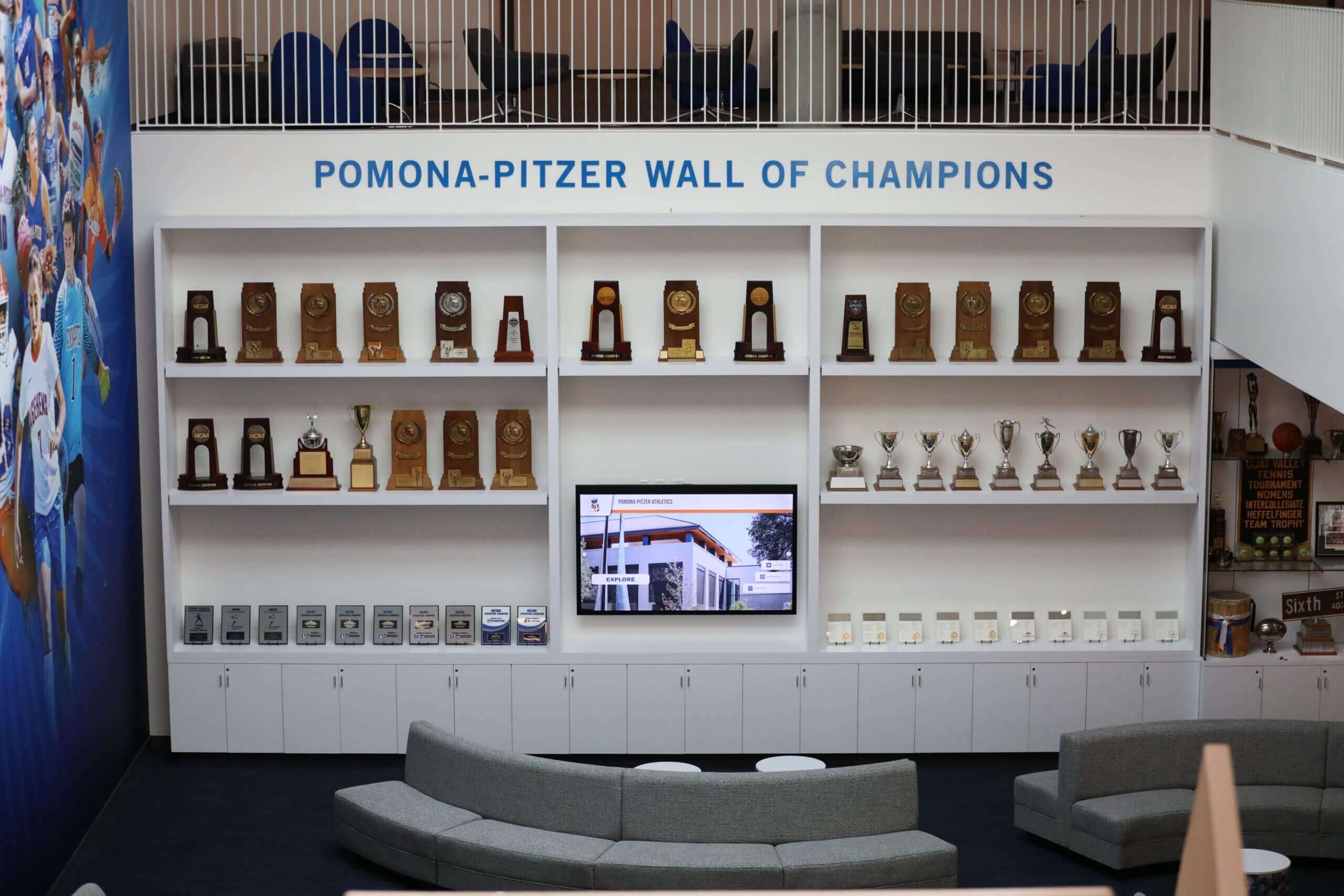
Case Applications Across Industries
Digital display services with split-screen widgets and multi-client management serve diverse organizational contexts beyond traditional applications.
Educational Institutions
Schools, colleges, and universities operate displays throughout campuses addressing varied needs simultaneously:
Recognition and Achievement celebrates honor roll students, athletic accomplishments, scholarship recipients, and academic excellence through searchable databases enabling comprehensive honoring impossible through physical plaques.
Communications and Announcements distribute daily bulletins, deadline reminders, event calendars, policy updates, and time-sensitive information across buildings and campuses.
Wayfinding and Directories help visitors navigating complex campuses, locating offices and departments, and finding facilities reducing staff interruption for directional assistance.
Engagement Content includes social media feeds showing campus life, photo galleries from events, student artwork displays, and interactive features building community.
Utility Information provides weather forecasts, cafeteria menus, facility hours, transit schedules, and practical details serving daily needs.
Split-screen layouts combine these content types creating comprehensive communication hubs rather than single-purpose displays. Centralized management across multiple buildings prevents administrative chaos while enabling building-specific customization.
Athletic Facilities and Stadiums
Sports venues benefit particularly from multi-zone displays combining athletic content with operational information:
Team Recognition showcases rosters, statistics, championships, records, and hall of fame inductees through interactive databases encouraging exploration and building tradition.
Schedule and Scores display upcoming contests, recent results, real-time updates during games, and playoff scenarios keeping fans informed.
Sponsor Recognition highlights supporters, displays advertisements, and communicates partnership appreciation fulfilling sponsorship agreements.
Facility Information shares hours, reservation systems, program registrations, training resources, and safety guidelines supporting operations.
Social Media Integration displays fan photos, team posts, and community engagement connecting physical and digital communities.
Weather widgets help visitors preparing for outdoor events. News feeds share sports headlines. Countdown timers build anticipation for major contests.
Corporate and Business Environments
Organizations implementing workplace communications through displays address employee information needs while projecting professional image to visitors:
Company Communications distribute announcements, policy updates, safety reminders, and leadership messages across facilities.
Performance Metrics display sales figures, production statistics, quality indicators, and goal progress creating transparency and motivation.
Employee Recognition celebrates work anniversaries, achievements, milestones, and outstanding performance building appreciation culture.
Meeting Room Information shows schedules, availability, booking systems, and directional guidance reducing scheduling confusion.
Industry News keeps employees informed about sector trends, market conditions, competitor activities, and relevant developments.
Visitor areas balance corporate messaging with wayfinding assistance, company history, and professional presentation creating positive first impressions.
Healthcare Facilities
Medical environments implement displays improving patient experience, way finding, and communication:
Wait Time Information displays current queues, estimated delays, and queue management reducing patient anxiety and setting expectations.
Wayfinding Systems guide patients to departments, offices, services, and facilities within complex medical campuses reducing confusion and late arrivals.
Health Education shares wellness tips, disease prevention information, treatment explanations, and health awareness content supporting patient education.
Staff Directory helps patients locating providers, departments, and services within large healthcare organizations.
Emergency Information communicates safety procedures, severe weather protocols, and crisis instructions when situations require rapid distribution.
Healthcare displays require particularly thoughtful design ensuring accessibility, avoiding overwhelming anxious patients, and maintaining appropriate tone for sensitive environments.
Rocket Alumni Solutions: Purpose-Built Multi-Client Platform
Organizations seeking comprehensive digital display services combining split-screen layouts, widget integration, multi-client management, and touchscreen interactivity without programming requirements consistently find Rocket Alumni Solutions addresses needs other platforms cannot match.
Specialized Interactive Architecture
Rocket didn’t adapt existing broadcast signage for interactive use—the entire platform was designed specifically for exploration-focused applications where user engagement determines success.
Database-Driven Content Organization structures profiles, achievements, and information enabling search, filtering, and discovery at scales impossible through scheduled rotation. Organizations honoring hundreds or thousands of individuals deploy searchable systems rather than attempting endless slideshow rotations.
Intuitive Touchscreen Interfaces enable visitors confidently exploring without instructions through obvious navigation patterns, instant search, clear categorization, and engagement optimized for minutes rather than seconds.
Comprehensive Profile Management supports detailed recognition including multiple photos, embedded videos, biographical narratives, statistics, achievements, timelines, and relationships creating rich storytelling honoring individuals appropriately.
Multi-Location Management Simplicity
Centralized cloud administration enables managing unlimited displays across geographic distribution from single web-based interfaces accessible anywhere.
Shared Content Libraries ensure recognition profiles, media assets, and standard content remain accessible across displays without duplication while enabling location-specific customization addressing varied audiences and purposes.
Display Grouping and Publishing Controls route appropriate content to designated screens. Athletic achievements target sports facilities. Academic recognition appears in classroom buildings. Donor acknowledgment displays in advancement spaces. All content manages through unified platforms preventing fragmentation.
Distributed Administration with role-based permissions enables athletic staff managing sports content, advancement teams maintaining donor recognition, and communications departments controlling announcements—all within single systems preventing bottlenecks while maintaining control.
No-Code Content Creation
Non-technical administrators manage comprehensive displays through form-based interfaces requiring no HTML, CSS, programming, or technical knowledge:
Simple Form-Based Profile Creation collects names, dates, photos, descriptions, and details through interfaces familiar to anyone using web applications.
Drag-and-Drop Media Management handles photo uploads, video embedding, and asset organization without requiring understanding file systems, formats, or technical specifications.
Visual Layout Customization adjusts colors, logos, typography, and presentation through visual editors showing exactly how changes appear without requiring preview cycles or technical knowledge.
Automated Publishing Workflows handle content scheduling, rotation automation, and display updates eliminating constant manual attention while ensuring displays remain current and relevant.
Split-Screen and Widget Capabilities
Displays divide into multiple zones combining recognition content, announcements, widgets, and supplementary information creating comprehensive communication platforms:
Flexible Layout Templates provide split-screen configurations balancing primary content areas with sidebar zones for weather, news, social media, or institutional information.
Pre-Built Widget Integration embeds weather forecasts, news feeds, social media streams, calendars, and data visualizations through configuration interfaces requiring no programming or API knowledge.
Custom Content Zones enable organizations creating branded supplementary areas displaying sponsor recognition, facility information, or organization-specific widgets addressing unique needs.
Professional Presentation Quality
Every installation reflects institutional branding through customizable design elements maintaining visual consistency while conveying appropriate tone and professionalism:
Template Customization applies organizational colors, logos, typography, and imagery ensuring displays match broader branding without requiring graphic designers.
High-Resolution Media Support handles professional photography, HD video, and quality imagery presenting achievements with dignity and visual appeal.
Responsive Design automatically adapts content across touchscreen installations, desktop browsers, tablets, and smartphones ensuring optimal experiences regardless of viewing context.
Comprehensive Support and Training
Successful implementations require more than software—organizations need guidance, training, and ongoing assistance ensuring launches succeed and programs thrive:
Implementation Consultation helps organizations planning content strategies, gathering information, organizing materials, and preparing successful launches.
Administrator Training ensures content managers confidently creating profiles, managing media, organizing content, and handling routine operations independently.
Ongoing Technical Support assists troubleshooting issues, answering questions, and resolving problems through responsive, knowledgeable assistance.
Continuous Platform Improvements add capabilities over time through regular updates included with subscriptions rather than requiring expensive platform replacements or upgrade purchases.
Organizations implementing Rocket Alumni Solutions benefit from purpose-built interactive platforms, exceptional usability, professional presentation, multi-location management, and comprehensive support addressing digital display needs other solutions cannot match. For those seeking engaging displays combining recognition, widgets, and multi-client management without programming requirements, Rocket provides comprehensive solutions specifically designed for organizations demanding excellence.
Conclusion: Transforming Digital Displays Through No-Code Solutions
Digital display services have progressed beyond simple slideshow systems requiring technical expertise, programming knowledge, and constant IT involvement. Modern platforms enable non-technical administrators implementing sophisticated split-screen layouts, embedding weather and news widgets, integrating social media streams, managing multiple displays across locations, and creating interactive touchscreen experiences—all without writing a single line of code.
Organizations implementing these comprehensive solutions create engaging communication platforms serving multiple purposes simultaneously: celebrating achievement, distributing announcements, providing practical utility information, building community engagement, and offering interactive exploration experiences audiences actively seek rather than passively ignoring.
Success requires selecting platforms matching organizational capabilities, prioritizing usability alongside features, planning sustainable content strategies, implementing appropriate hardware infrastructure, and committing to ongoing management ensuring displays remain current and valuable.
For schools, athletic departments, businesses, institutions, and organizations seeking digital display services combining split-screen capabilities, widget integration, multi-client management, and touchscreen interactivity without requiring programming expertise, purpose-built solutions address needs generic broadcast signage cannot match.
Your community deserves displays enabling comprehensive communication, meaningful engagement, and intuitive exploration rather than repetitive slideshows quickly ignored. The platform powering those experiences deserves equal commitment to capability, usability, and lasting value.
Ready to Implement Comprehensive Digital Display Services?
Discover how Rocket Alumni Solutions provides no-code platforms enabling split-screen layouts, widget integration, multi-client management, and interactive touchscreen capabilities specifically designed for organizations seeking engaging displays without programming requirements.
Schedule a consultation to explore how comprehensive digital display services transform communication, recognition, and engagement across your locations through intuitive platforms delivering professional results without technical complexity.
Frequently Asked Questions
Can we manage multiple displays across different locations from one platform?
Yes, modern cloud-based digital display services enable centralized management of unlimited screens across geographic distribution through single web-based administrative interfaces. You create content once then designate which displays show which content through publishing controls and display grouping. Shared content libraries prevent duplication while location-specific customization addresses varied audiences and purposes. This centralized approach scales efficiently across growth without requiring separate systems or manual updates to individual displays.
Do split-screen displays require programming knowledge to set up?
No, effective digital display platforms provide visual layout editors enabling non-technical administrators creating split-screen configurations through drag-and-drop interfaces without HTML, CSS, or programming knowledge. Pre-built templates offer starting points dividing screens into appropriate zones. Customization happens through visual controls adjusting sizes, positions, and content assignments. Technical expertise shouldn’t prevent sophisticated layouts—user-friendly platforms abstract complexity behind intuitive interfaces focused on what displays rather than how technology renders content.
How do weather and news widgets work without custom programming?
Modern platforms provide pre-built widget libraries connecting to trusted services through configuration interfaces rather than requiring custom development. You select widget types, enter connection credentials or API keys provided by services, choose display options, and position components visually. Platform providers handle technical integration, API maintenance, authentication updates, and troubleshooting transparent to end users. When external services change technical requirements, platform updates address compatibility without requiring administrator intervention.
Can interactive touchscreens and broadcast displays work on the same platform?
Organizations benefit from platforms supporting both interactive exploration through touchscreens and scheduled content broadcast on non-touch displays. Some content suits interactive discovery—recognition databases, directories, comprehensive archives—while other information works through broadcast rotation—announcements, menus, simple schedules. Unified platforms managing both interaction modes enable appropriate technology matching specific use cases while preventing system fragmentation and administrative duplication across separate platforms serving different display types.
What ongoing management time should we expect for multi-display systems?
Time requirements vary significantly based on platform usability, content volume, update frequency, and organizational complexity. User-friendly systems like Rocket Alumni Solutions enable administrators maintaining multiple displays spending 2-5 hours weekly on routine updates after initial setup completes. Organizations creating extensive new content, managing frequent announcements, or maintaining very large databases may require additional time. Automation features, scheduling capabilities, and intuitive interfaces dramatically reduce time compared to platforms requiring technical operations for routine tasks. Most successful programs distribute responsibilities across multiple staff members with appropriate permissions rather than overwhelming single administrators.































