The future of donor recognition has arrived, and it’s interactive, dynamic, and measurably more effective than traditional plaques. Digital donor walls represent a fundamental shift in how organizations honor supporters—transforming static recognition into engaging experiences that inspire continued generosity while providing unprecedented flexibility and cost efficiency.
Research shows that 63% of donors give multiple times when recognized meaningfully, yet traditional donor walls face inherent limitations: finite space requiring removal of historical donors, inability to share detailed impact stories, expensive physical updates, and accessibility only for on-site visitors. These constraints create missed opportunities for deepening donor relationships and maximizing recognition’s fundraising potential.
This comprehensive guide explores how digital donor walls overcome these limitations through interactive displays, multimedia storytelling, real-time updates, and global accessibility. Whether you’re a university advancement office, hospital foundation, K-12 school, or nonprofit organization, you’ll discover practical strategies for implementing recognition technology that honors every contribution while driving measurable increases in donor retention and gift growth.
Organizations across education, healthcare, and nonprofit sectors are discovering that digital donor recognition isn’t just about modernizing displays—it’s about creating powerful stewardship tools that deepen relationships, demonstrate impact, and inspire the continued generosity that sustains missions.
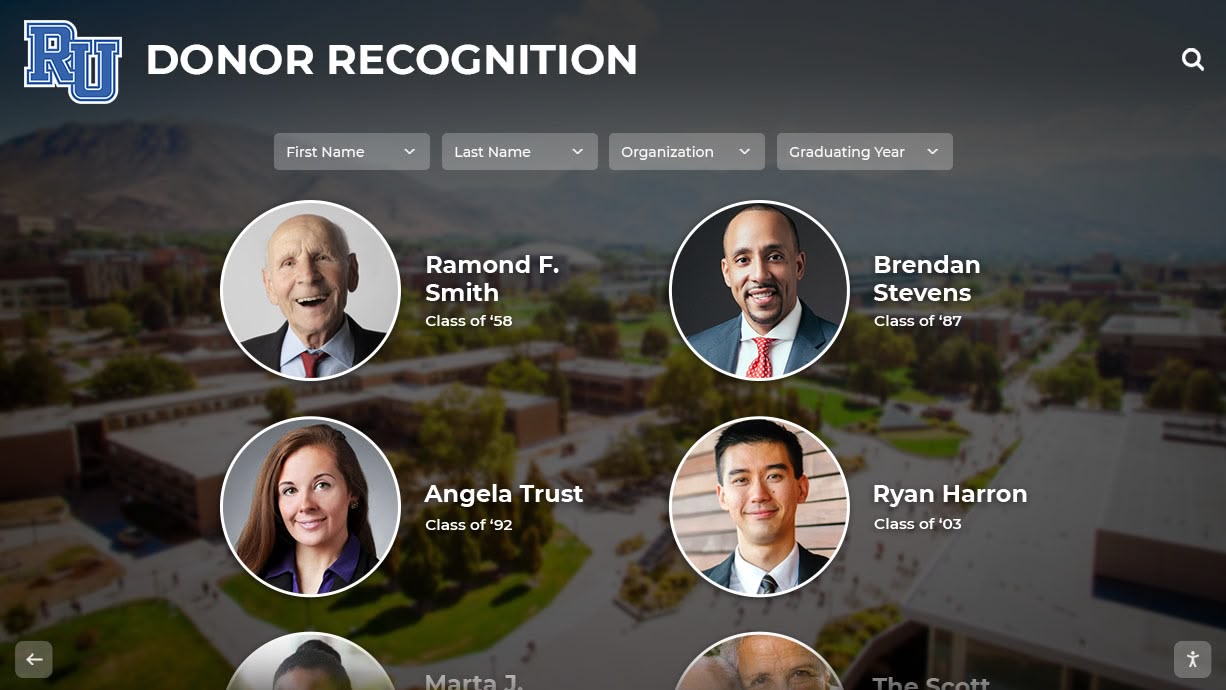
Modern digital donor walls celebrate contributors through engaging interactive experiences accessible both on campus and online
What Are Digital Donor Walls?
Digital donor walls are interactive recognition systems that replace or complement traditional plaques with dynamic displays showcasing contributors through multimedia content, searchable databases, and remote content management.
Core Components of Digital Donor Wall Systems
Modern digital donor recognition combines three essential elements:
Hardware Infrastructure
- Commercial-grade touchscreen displays designed for continuous operation
- Wall-mounted or freestanding kiosk configurations
- High-resolution screens ranging from 43" to 85+ inches
- Durable enclosures suitable for high-traffic environments
- Integrated computers or media players for content delivery
Software Platform
- Cloud-based content management systems requiring no technical expertise
- Intuitive interfaces for adding, editing, and organizing donor information
- Template libraries for consistent, professional presentation
- Search and filtering capabilities enabling visitor exploration
- Analytics dashboards tracking engagement and usage patterns
Content Strategy
- Donor profiles with photos, giving levels, and recognition messages
- Impact stories demonstrating how contributions make a difference
- Campaign-specific recognition highlighting special initiatives
- Historical archives preserving institutional philanthropic legacy
- Multimedia elements including videos, testimonials, and photo galleries
Together, these components create comprehensive recognition platforms that honor donors while providing engaging visitor experiences.
The Evolution from Traditional to Digital Donor Recognition
Understanding the limitations of traditional approaches reveals why digital solutions are transforming donor stewardship.
Traditional Donor Wall Challenges
Physical donor recognition displays have served organizations for decades but face significant constraints:
Space Limitations
- Fixed capacity requiring difficult decisions about who to include
- Need to remove historical donors when adding new contributors
- Expensive wall expansions requiring construction and disruption
- Limited ability to recognize all giving levels appropriately
- Geographic constraints limiting visibility to single physical location
Update Difficulties
- Manufacturing new plaques costs $150-300 per donor
- Physical installation requires professional services and facility access
- Updates take weeks or months from approval to completion
- Corrections require completely remaking expensive plaques
- No ability to make real-time changes or time-sensitive recognition
Limited Storytelling
- Names and gift amounts provide minimal context
- No ability to explain impact or share donor motivations
- Static presentations cannot accommodate rich media
- Difficult to connect recognition to specific programs or outcomes
- Limited opportunity to inspire visitors through compelling narratives
Maintenance Requirements
- Physical deterioration requiring periodic restoration
- Cleaning and upkeep to maintain professional appearance
- Susceptibility to damage, vandalism, or environmental factors
- Need for periodic redesign as aesthetic preferences change
- Disposal challenges when replacing outdated systems
These limitations create missed opportunities for maximizing recognition’s fundraising potential and donor relationship development.

Interactive touchscreen interfaces invite exploration and create memorable donor appreciation experiences
Digital Solutions to Recognition Challenges
Modern digital donor walls systematically address traditional limitations:
Unlimited Capacity
- Single display showcases thousands of donors across all giving levels
- No need to remove historical recognition when adding new contributors
- Comprehensive archives preserving complete philanthropic history
- Equal opportunity to recognize annual fund donors alongside major gift supporters
- Web accessibility extending recognition reach globally
Instant Updates
- Add new donors remotely through intuitive content management
- Changes appear immediately without physical modification
- Correct information instantly if errors occur
- Update giving levels as donors advance through recognition tiers
- Schedule content to appear on specific dates or campaign milestones
Rich Storytelling
- Donor profiles sharing personal connections and motivations
- Impact videos demonstrating specific outcomes gifts enabled
- Photo galleries showcasing programs and facilities donors supported
- Interactive timelines connecting contributions to institutional progress
- Searchable databases enabling visitors to explore areas of personal interest
Low Maintenance
- Commercial displays designed for years of continuous operation
- Remote software updates eliminating IT maintenance requirements
- Content refreshment requiring no physical changes or expenses
- Professional appearance maintained automatically through digital presentation
- Scalable systems growing with recognition program needs
Organizations implementing comprehensive donor recognition programs report that digital systems typically pay for themselves within 18-24 months through enhanced giving patterns and reduced ongoing costs.
Key Benefits of Digital Donor Walls
The shift to digital recognition delivers measurable advantages across donor stewardship, operational efficiency, and fundraising effectiveness.
Enhanced Donor Retention and Giving Growth
Recognition quality directly impacts donor behavior, and digital displays create more meaningful appreciation experiences:
Improved Retention Rates According to fundraising research, 63% of donors give multiple times when recognized meaningfully. Digital donor walls enhance retention through:
- Instant recognition reinforcing giving decisions immediately
- Personal profiles making donors feel individually valued
- Impact storytelling connecting contributions to tangible outcomes
- Social proof demonstrating community of supporters
- Ongoing visibility through web accessibility and social sharing
Organizations report that recognized donors show 40-60% higher retention rates compared to unrecognized contributors.

Integrated recognition systems combine hardware, software, and content management for comprehensive donor appreciation
Increased Gift Amounts Digital recognition inspires giving growth through:
- Visible giving levels creating aspirational targets for advancement
- Recognition society tiers encouraging donors to reach next level
- Campaign-specific displays motivating participation in special initiatives
- Peer giving visibility through social proof and community engagement
- Enhanced stewardship demonstrating organizational professionalism
Research shows recognized donors increase average gift sizes by 25-35% compared to baseline giving.
Planned Giving Cultivation Legacy commitments emerge more frequently when donors experience:
- Long-term institutional connection through consistent recognition
- Confidence in organizational stewardship and financial management
- Emotional attachment created through storytelling and impact demonstration
- Visible community of supporters including planned giving participants
- Professional recognition systems signaling stable, well-managed operations
Planned giving inquiries typically increase 3-4x among consistently recognized donor populations.
Operational Efficiency and Cost Savings
Beyond donor impact, digital systems deliver significant operational benefits:
Reduced Long-Term Costs While initial investment exceeds traditional displays, digital donor walls eliminate ongoing expenses:
- No recurring plaque manufacturing costs ($150-300 per donor annually)
- No physical installation labor for updates and changes
- Minimal maintenance beyond occasional screen cleaning
- Software updates included in standard service agreements
- Scalability without construction or expansion projects
Most organizations achieve cost parity with traditional recognition within 3-4 years while gaining significantly enhanced capabilities.
Administrative Time Savings Content management efficiency transforms recognition program administration:
- Updates completed in minutes versus days or weeks
- Remote access eliminating need for physical facility access
- Bulk import tools for efficiently digitizing historical records
- Scheduled publishing automating time-sensitive recognition
- Role-based permissions enabling appropriate staff delegation
Schools and nonprofits report 80-90% reduction in administrative time maintaining donor recognition after implementing digital systems.
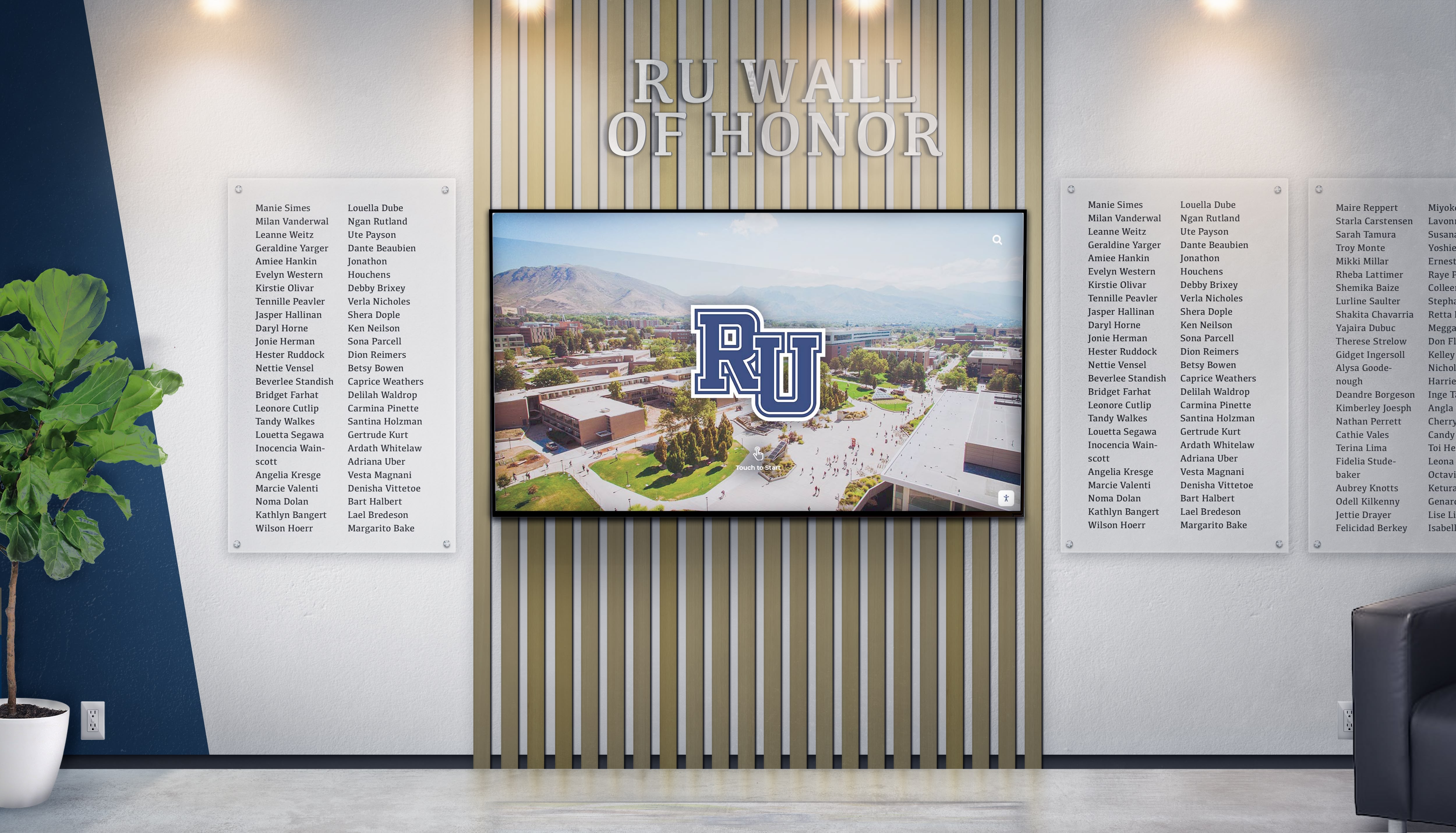
Cloud-based management enables remote updates and comprehensive donor recognition without space constraints
Measurable Engagement and Analytics
Unlike traditional displays providing no feedback, digital systems offer comprehensive engagement data:
Visitor Interaction Metrics Modern recognition platforms track:
- Average session duration and interaction time
- Most-viewed donor profiles and content
- Search terms revealing visitor interests
- Peak usage times informing content strategy
- Geographic distribution of online recognition viewers
These insights enable continuous improvement ensuring recognition programs maximize donor satisfaction.
Fundraising Correlation Analytics connect recognition to giving behavior:
- Retention rates comparing recognized versus unrecognized donors
- Gift growth among recognition program participants
- Correlation between recognition touchpoints and renewal likelihood
- Most effective recognition approaches by donor segment
- Program ROI through retention improvement and gift increases
Data-driven recognition ensures resources focus on approaches delivering measurable fundraising impact.
Digital Donor Wall Features and Capabilities
Understanding available features helps organizations design systems meeting specific recognition needs.
Interactive Touchscreen Experiences
Intuitive interfaces invite exploration and create memorable experiences:
Multi-Touch Navigation
- Swipe, pinch, zoom, and tap gestures familiar from smartphones
- Intuitive browsing through donor categories and giving levels
- Detail views revealing individual donor stories and contributions
- Smooth animations creating engaging, professional presentation
- Accessibility features including voice navigation and screen reader support
Visitor engagement data shows average interaction times of 7-8 minutes with digital donor walls compared to 45-60 seconds viewing traditional displays.
Powerful Search and Filtering Enable visitors to quickly find relevant information:
- Name search locating specific donors instantly
- Giving level filters showcasing recognition tiers
- Campaign-specific views highlighting special initiatives
- Year or class filters organizing chronologically
- Alphabetical browsing for exploring donor communities
These capabilities make recognition accessible while encouraging extended exploration.
Multimedia Content Integration
Digital platforms showcase donors through rich media that static displays cannot accommodate:
- High-resolution photos creating visual interest and recognition
- Video testimonials sharing donor motivations and stories
- Impact videos demonstrating outcomes contributions enabled
- Audio recordings preserving donor voices and perspectives
- Interactive timelines connecting giving to institutional progress
This multimedia approach creates emotional connections that inspire continued generosity.
Remote Content Management Systems
Intuitive administration interfaces enable efficient recognition program management:
User-Friendly Dashboards
- Drag-and-drop content placement requiring no technical skills
- Form-based donor profile creation with guided workflows
- Template libraries ensuring consistent, professional presentation
- Digital asset management for photos, videos, and documents
- Preview capabilities showing content before publishing
Organizations report that staff members comfortable with email and basic office software can manage digital donor walls with minimal training.
Scheduled Publishing and Automation
- Set specific dates for new donor recognition to appear
- Schedule campaign-specific content for defined timeframes
- Automate recognition tier changes as donors advance
- Create recurring content like anniversary acknowledgments
- Coordinate recognition with events, reunions, and fundraising milestones
Automation reduces administrative burden while ensuring timely, appropriate recognition.

Intuitive interfaces make exploring donor contributions engaging for visitors of all technical comfort levels
Multi-User Access and Permissions
- Role-based permissions providing appropriate access levels
- Content approval workflows for organizations requiring review
- Activity logs tracking changes and maintaining accountability
- Separate access for advancement staff, communications teams, and leadership
- Vendor support access for technical assistance when needed
These capabilities enable collaborative recognition program management while maintaining appropriate oversight.
Web Integration and Global Accessibility
Extend recognition reach beyond physical campus or facility locations:
Responsive Online Donor Directories
- Web-accessible versions matching physical display content
- Mobile-optimized presentation for smartphones and tablets
- Embedded integration within existing organizational websites
- Custom branding maintaining visual consistency
- Search engine optimization making donors findable online
Online accessibility dramatically expands recognition visibility—organizations report 60-70% of donor profile views occur through web access rather than physical displays.
Social Sharing Capabilities
- One-click sharing to Facebook, LinkedIn, Twitter, and other platforms
- Custom share images and messages highlighting recognition
- Shareable links to individual donor profiles
- Social proof through visible community engagement
- Viral potential reaching extended networks beyond direct contacts
Social sharing generates 5-8x more impressions than standard organizational social media posts according to engagement analytics.
Mobile Companion Apps Some advanced systems offer:
- Smartphone apps providing pocket-access to donor directories
- Push notifications about new recognition or campaign milestones
- QR code scanning connecting physical displays to mobile experiences
- Location-based content when visitors are near physical recognition
- Integration with event apps for galas and donor appreciation programs
Mobile accessibility meets donors where they are, extending engagement opportunities beyond traditional constraints.
Digital Donor Wall Implementation by Organization Type
Different institutional contexts require adapted approaches to maximize recognition effectiveness.
Universities and Higher Education
Colleges and universities face unique donor recognition challenges given diverse constituencies and complex organizational structures.
Alumni Donor Recognition Digital systems excel at showcasing alumni support:
- Class giving participation displays with comparative statistics
- Reunion campaign recognition highlighting milestone anniversaries
- Young alumni programs establishing early giving habits
- Geographic distribution showing alumni support from global locations
- Affinity group recognition for student organizations, athletics, and special interest communities
Learn about comprehensive approaches in alumni recognition strategies applicable to donor programs.
Athletics Fundraising Support Athletic programs benefit from dedicated donor recognition:
- Premium seating tied to athletic fund contribution levels
- Championship sponsor recognition acknowledging program supporters
- Facility naming opportunities for major athletic donations
- Gameday recognition experiences during high-visibility events
- Digital displays in athletic venues showcasing ongoing support
Many universities implement integrated systems showing both athletic hall of fame content and donor recognition together.
Academic Program Support
- Dean’s council recognition for school or college supporters
- Departmental giving societies acknowledging program-specific contributions
- Faculty chair and professorship naming recognition
- Research support connecting donors to discoveries and innovations
- Scholarship recipient connections showing direct student impact
Capital Campaign Recognition Major fundraising initiatives require comprehensive recognition:
- Campaign-specific giving societies with distinct benefits
- Progress visualization showing community momentum toward goals
- Leadership donor highlighting for transformational gifts
- Challenge match recognition acknowledging catalytic contributions
- Transition strategies moving campaign recognition to permanent displays
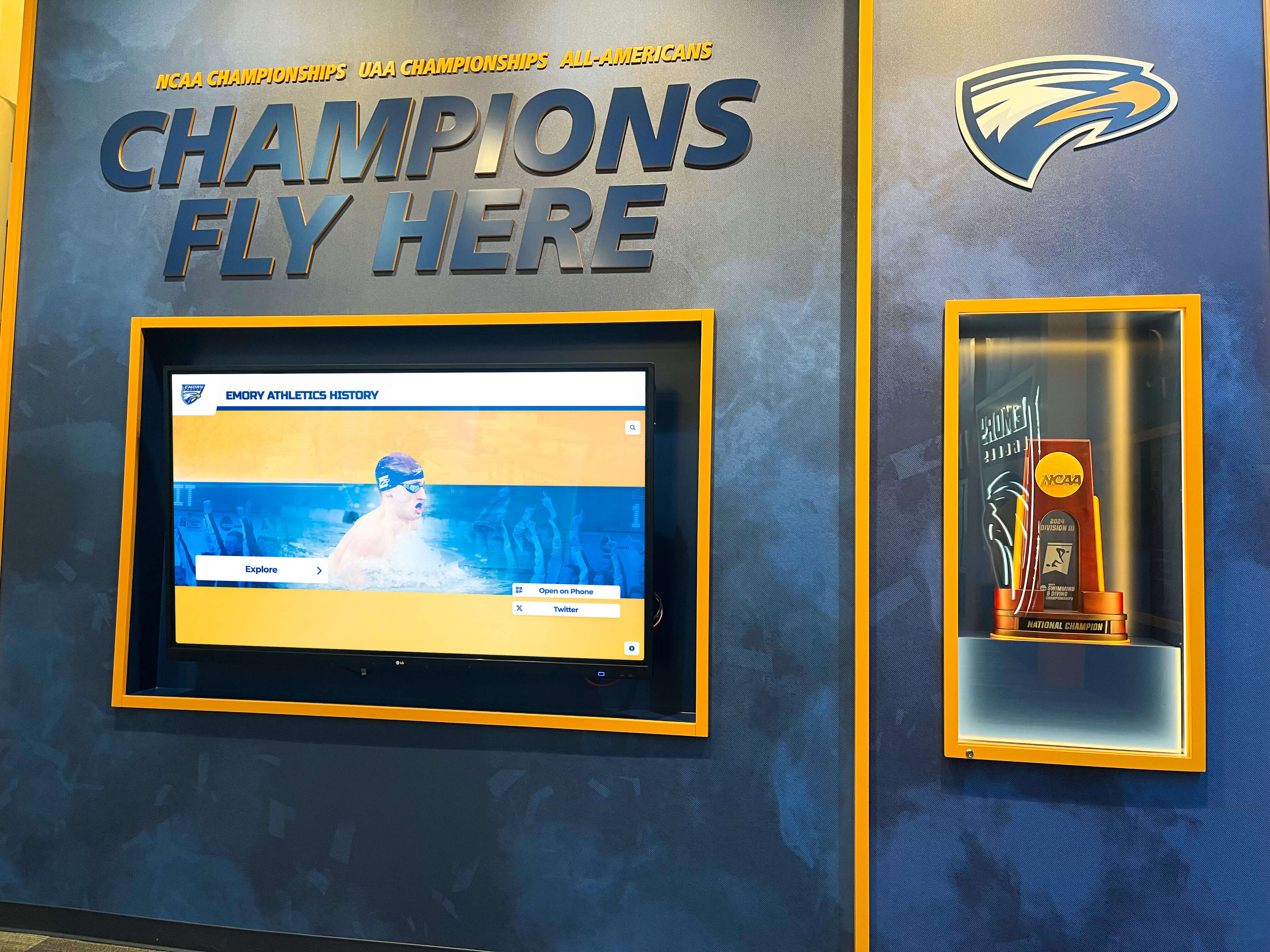
Athletic facilities benefit from donor recognition that celebrates both competitive achievement and philanthropic support
Healthcare and Hospital Foundations
Medical centers and healthcare organizations leverage digital donor recognition to honor life-saving support:
Patient Impact Storytelling
- Success stories demonstrating how donations saved lives
- Medical technology showcases funded by philanthropic support
- Research breakthrough recognition connecting gifts to discoveries
- Community health program impact showing population-level outcomes
- Testimonial videos from patients whose care was supported by donations
Foundation Leadership Recognition
- Board member acknowledgment for governance and strategic leadership
- Foundation giving societies with healthcare-relevant tier names
- Physician donor recognition highlighting medical staff generosity
- Corporate partner acknowledgment for business community support
- Legacy society celebration for planned giving commitments
Campaign-Specific Recognition Healthcare capital campaigns benefit from:
- Facility expansion recognition as projects reach completion
- Equipment campaign displays showing technology donors funded
- Endowment campaign acknowledgment for sustainable funding support
- Annual fund recognition for unrestricted support enabling greatest need
- Emergency campaign recognition for crisis response donations
Effective donor recognition wall ideas can be adapted to healthcare contexts while maintaining appropriate sensitivity.
K-12 Schools and Independent Schools
Elementary and secondary education institutions balance donor appreciation with age-appropriate messaging:
Parent and Community Recognition
- Annual fund participation acknowledging family support
- Classroom enhancement recognition for parents funding programs
- Capital campaign donors for facilities and technology improvements
- Scholarship fund recognition supporting access and financial aid
- Athletic and arts booster acknowledgment for extracurricular support
Campus Placement Considerations Schools typically place donor recognition in:
- Administrative areas visible to adults but not primary student spaces
- Main entrances creating positive first impressions for visitors
- Alumni gathering spaces during reunions and special events
- Development office areas for donor meetings and stewardship visits
- Athletic facilities where community support is particularly visible
Thoughtful placement honors donors while maintaining appropriate focus on student achievement and educational mission.
Age-Appropriate Messaging
- Emphasis on community support and collective generosity
- Avoidance of wealth comparisons or prominence hierarchies
- Focus on outcomes and programs donations enable
- Connection to school values and mission
- Inclusive language celebrating all forms of contribution
These considerations ensure recognition enhances school culture rather than creating uncomfortable dynamics.
Nonprofits and Community Organizations
Mission-driven nonprofits leverage donor recognition to build supporter communities:
Mission-Centered Storytelling
- Direct connection between donations and program outcomes
- Beneficiary testimonials showing human impact
- Community transformation narratives demonstrating cumulative effect
- Volunteer recognition alongside monetary contributions
- In-kind donation acknowledgment for non-financial support
Event Integration
- Recognition displays featured at fundraising galas and donor events
- Interactive elements encouraging event attendees to explore support
- Live updating during events showing real-time giving
- QR codes enabling immediate donation from recognition displays
- Social sharing encouraging event attendees to spread awareness
Multi-Location Considerations Organizations with multiple sites benefit from:
- Consistent recognition across all locations
- Cloud-based management enabling centralized administration
- Location-specific content showing site-specific support
- Traveling displays for organizations without permanent facilities
- Web accessibility ensuring all donors receive visibility regardless of geography
Solutions like digital recognition displays provide flexible options for diverse nonprofit contexts.
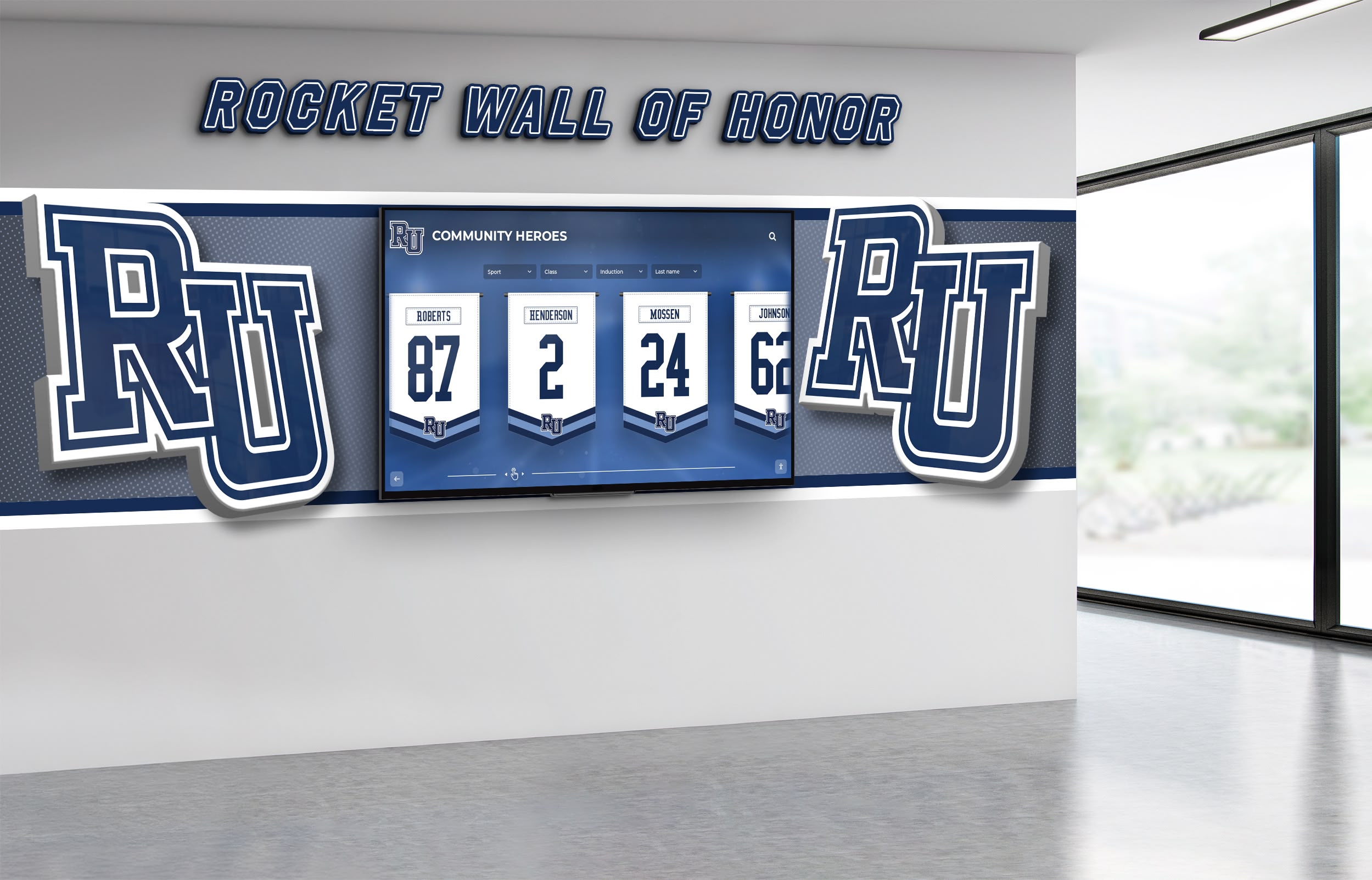
Nonprofit organizations create engaging donor experiences through strategically placed interactive recognition displays
Digital Donor Wall Technology Considerations
Selecting appropriate technology ensures recognition systems meet organizational needs while remaining user-friendly and reliable.
Hardware Selection and Specifications
Display Technology
- Commercial-grade LCD or LED panels designed for 24/7 operation
- Capacitive touchscreen technology supporting multi-touch gestures
- Anti-glare coatings and high brightness for diverse lighting conditions
- Durable construction withstanding continuous public interaction
- Typically 6-8 year hardware lifespan with proper maintenance
Size and Configuration Options
- Single displays: 43"-85" diagonal for focused recognition spaces
- Multi-screen video walls: 2x2 or 3x3 configurations for comprehensive programs
- Portrait or landscape orientation depending on space and content
- Wall-mounted installations for space efficiency
- Freestanding kiosks for flexible placement and visibility
Installation Requirements Organizations should plan for:
- Electrical power within 6-8 feet of display location
- Wired or wireless network connectivity for content delivery
- Appropriate mounting surfaces with sufficient structural support
- Climate-controlled environments avoiding extreme temperatures or humidity
- Adequate clearance for ADA compliance and visitor interaction
Software Platform Requirements
Essential Management Features Effective content management systems include:
- Intuitive visual editors requiring no coding knowledge
- Drag-and-drop interfaces for content arrangement
- Pre-designed templates ensuring professional appearance
- Bulk import capabilities for historical donor data
- Scheduled publishing for time-sensitive content
- Multi-user access with appropriate permission levels
Security and Reliability
- Cloud-based hosting ensuring accessibility and automatic backups
- Encrypted data transmission protecting donor information
- Regular security updates addressing potential vulnerabilities
- Disaster recovery provisions preventing data loss
- Service level agreements guaranteeing system uptime
Integration Capabilities Many organizations benefit from connecting donor walls to:
- Fundraising databases for automated donor information
- Alumni information systems for biographical data
- Payment processors for real-time giving recognition
- Website content management systems for consistent branding
- Social media platforms for sharing and engagement
Accessibility and Compliance
Physical Accessibility
- ADA-compliant mounting heights and approach clearances
- Touchscreen positioning appropriate for wheelchair users
- Adequate space for visitors with mobility devices
- Placement avoiding obstructions or narrow corridors
- Consideration for multiple simultaneous users
Digital Accessibility
- Screen reader compatibility for visually impaired visitors
- High-contrast viewing modes for low vision users
- Text magnification capabilities
- Voice navigation options
- Keyboard/switch access for users unable to use touchscreens
- Closed captioning for video content
Privacy and Data Security
- Compliance with donor privacy preferences
- Secure storage of personal information
- Options for anonymous recognition
- Appropriate data retention policies
- Regular security assessments and updates
These considerations ensure recognition programs serve all community members while protecting sensitive information.

Thoughtful placement and accessibility features ensure all community members can engage with donor recognition
Best Practices for Digital Donor Wall Content
Effective recognition requires thoughtful content strategy beyond simply digitizing traditional donor lists.
Compelling Donor Profiles
Essential Profile Elements Well-designed donor profiles include:
- High-quality photos creating visual interest and personal connection
- Giving history showing cumulative support over time
- Personal statements in donor’s own words about motivation
- Recognition level or giving society membership
- Connection to specific programs, scholarships, or facilities supported
- Optional video testimonials for major donors
Storytelling Techniques
- Begin with impact rather than biographical details
- Connect gifts to specific, tangible outcomes
- Quote donors directly about their motivations
- Include “before and after” examples showing transformation
- Highlight personal connections to institution or cause
- Keep text concise while providing meaningful context
Privacy and Sensitivity
- Respect donor preferences regarding public recognition
- Offer options for anonymous or private acknowledgment
- Review content with donors before publication when appropriate
- Handle memorial gifts with appropriate sensitivity
- Consider cultural factors affecting recognition preferences
Impact Demonstration and Visualization
Connecting Gifts to Outcomes Effective impact storytelling:
- Specifies what donations funded with concrete examples
- Shows beneficiary perspectives through testimonials
- Visualizes data demonstrating program growth and success
- Compares “what would be possible without donor support” to current reality
- Connects individual contributions to collective institutional progress
Campaign Progress Visualization For ongoing fundraising initiatives:
- Thermometer graphics showing progress toward goals
- Donor count displays demonstrating community participation
- Timeline presentations showing campaign momentum
- Challenge match status creating urgency and excitement
- Milestone celebrations acknowledging key achievements
Interactive Data Displays Engage visitors through:
- Animated graphs showing giving trends over time
- Geographic maps displaying donor distribution
- Participation statistics by constituency group
- Scholarship recipient numbers supported by donations
- Research outcomes enabled through philanthropic investment
Content Organization and Navigation
Intuitive Category Structures Organize donors logically by:
- Giving level or recognition society tier
- Campaign or funding priority designation
- Geographic region or class/affiliation group
- Gift type (annual, major, planned, corporate)
- Chronological period or era
Search and Filter Optimization
- Enable search by name, class year, or keyword
- Provide multiple browsing pathways for different visitor interests
- Create featured sections highlighting current campaigns
- Implement “related donors” connections encouraging exploration
- Design clear visual hierarchy guiding attention appropriately
Content Freshness and Updates
- Schedule regular content additions maintaining currency
- Rotate featured donor spotlights creating variety
- Update campaign progress displays reflecting real-time status
- Add seasonal content connecting to events and milestones
- Archive historical recognition preserving institutional memory
Ongoing content management ensures recognition remains engaging and demonstrates active stewardship.
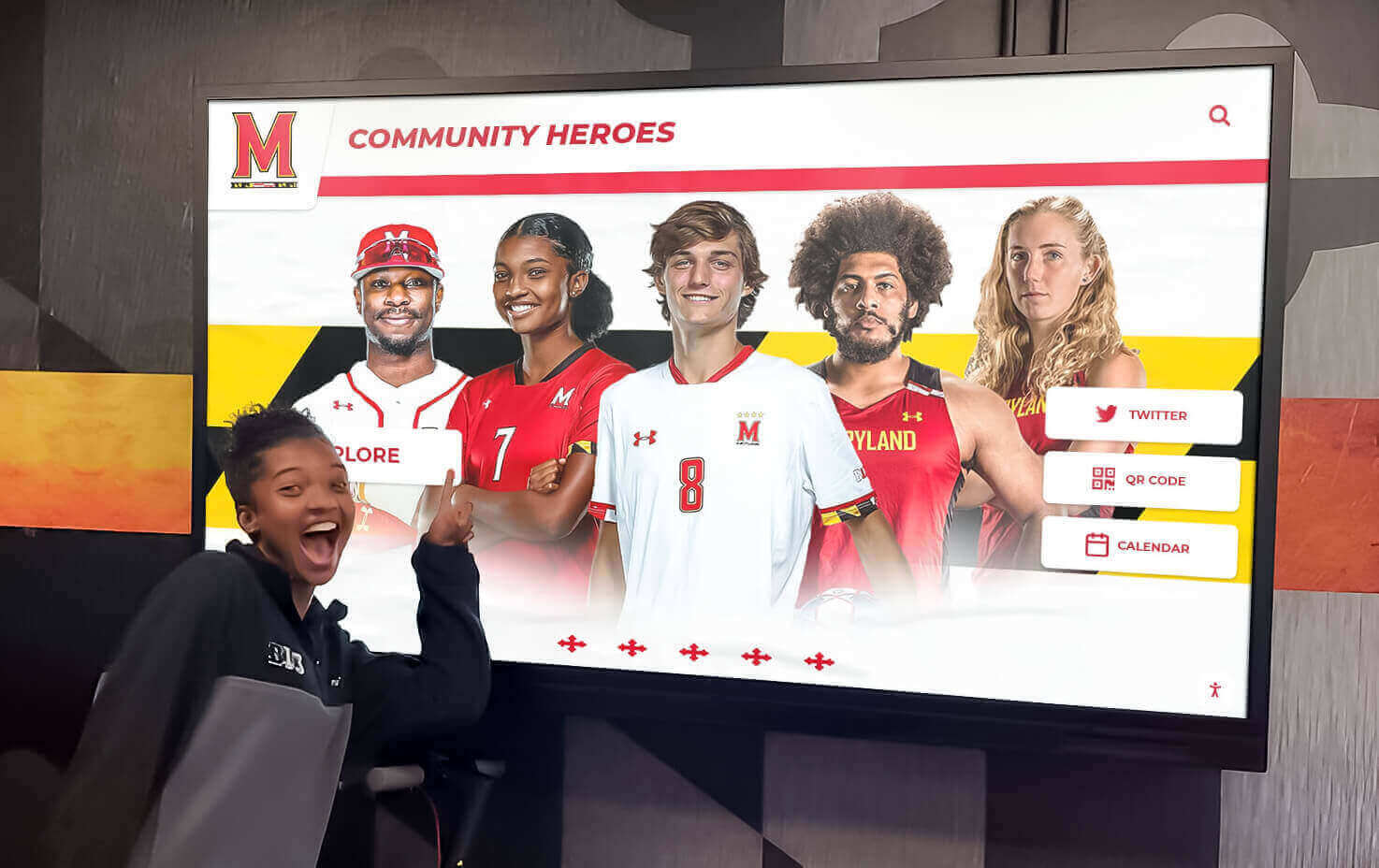
Well-organized, visually compelling content invites exploration and creates memorable donor appreciation experiences
Implementation Process and Timeline
Successful digital donor wall projects follow systematic planning and execution processes.
Planning and Preparation Phase (Weeks 1-4)
Stakeholder Engagement
- Convene planning committee including advancement, communications, facilities, and IT
- Define recognition program goals and success metrics
- Identify budget and funding sources
- Establish project timeline and key milestones
- Determine approval processes and decision-making authority
Requirements Assessment
- Catalog existing recognition materials and historical donor data
- Define content categories and organizational structure
- Identify technical requirements and integration needs
- Survey donors about recognition preferences and satisfaction
- Review peer institution approaches and best practices
Vendor Selection Evaluate potential providers based on:
- Hardware quality and commercial durability
- Software usability for non-technical administrators
- Customization capabilities matching institutional brand
- Integration options with existing systems
- Support, training, and maintenance offerings
- Client references and implementation examples
Organizations should consider comprehensive solutions like Rocket Alumni Solutions that provide integrated hardware, software, implementation support, and ongoing service.
Design and Content Development (Weeks 5-10)
Visual Design and Branding
- Create interface design reflecting institutional identity
- Develop color schemes, typography, and graphic elements
- Design donor profile templates for consistency
- Plan navigation structure and information architecture
- Create compelling home screen attracting interaction
Content Collection and Preparation
- Gather donor data from fundraising databases
- Collect photos, videos, and biographical information
- Verify accuracy of names, dates, and giving information
- Write donor stories and impact narratives
- Digitize historical recognition materials
Quality Assurance and Review
- Verify all donor information for accuracy
- Proofread text content thoroughly
- Review images for quality and appropriateness
- Test navigation and user flows
- Obtain necessary approvals before launch
Installation and Launch (Weeks 11-14)
Physical Installation
- Coordinate facility access and installation scheduling
- Complete electrical and network infrastructure
- Mount displays and verify proper operation
- Install protective or decorative surrounds if applicable
- Conduct final hardware testing and adjustments
Content Loading and Configuration
- Import donor information into content management system
- Configure templates and design elements
- Upload multimedia content
- Set up user accounts and permissions
- Test all interactive features and functionality
Training and Documentation
- Conduct administrator training on content management
- Provide ongoing maintenance guidelines
- Document update procedures and best practices
- Create troubleshooting resources
- Establish support contacts and escalation processes
Launch Communications
- Announce new recognition to donor community
- Create ceremonial unveiling event if appropriate
- Promote online accessibility to remote supporters
- Generate media coverage and social sharing
- Gather initial feedback and impressions
Ongoing Management and Optimization
Regular Content Updates
- Add new donors promptly following gift processing
- Update campaign progress displays
- Refresh featured donor spotlights
- Add seasonal or event-specific content
- Archive or remove time-sensitive recognition
Performance Monitoring
- Review engagement analytics identifying popular content
- Track technical performance and system health
- Monitor donor satisfaction through surveys and feedback
- Assess correlation between recognition and giving behavior
- Calculate program ROI through retention and gift growth metrics
Continuous Improvement
- Implement enhancements based on user feedback
- Adopt new features as platform evolves
- Refresh visual design periodically maintaining contemporary appearance
- Expand content categories addressing emerging priorities
- Share best practices across organizational departments
Measuring Digital Donor Wall Success
Systematic assessment ensures recognition programs achieve intended goals and justify resource investment.
Engagement Metrics
Interaction Analytics Modern systems track:
- Number of unique visitors and total sessions
- Average interaction duration (typically 7-8 minutes)
- Most-viewed donor profiles and content
- Search terms revealing visitor interests
- Return visitor rates
- Geographic distribution of online access
- Device types (touchscreen, mobile, desktop)
These metrics demonstrate recognition reach and identify opportunities for content optimization.
Fundraising Impact Measures
Retention Analysis
- Compare retention rates between recognized and unrecognized donors
- Track multi-year giving patterns among recognition program participants
- Analyze gift frequency among different recognition tiers
- Measure reactivation success for lapsed donors through recognition outreach
- Calculate lifetime value differences by recognition engagement
Organizations implementing comprehensive programs typically report retention improvements of 15-25 percentage points.
Gift Growth Assessment
- Average gift size comparing recognized versus unrecognized donors
- Upgrade rates showing donors advancing to higher giving levels
- Campaign participation among recognition society members
- Pledge fulfillment rates by recognition tier
- Planned giving inquiry volume from recognized donor populations
Program ROI Calculation Digital donor wall return on investment includes:
- Retention value: Additional gifts received due to improved retention
- Upgrade value: Incremental gift growth among recognized donors
- Cost savings: Eliminated plaque manufacturing and installation expenses
- Administrative efficiency: Staff time savings for recognition management
- Soft benefits: Enhanced institutional reputation and donor satisfaction
Most organizations achieve positive ROI within 18-24 months with substantial ongoing returns.
Qualitative Assessment
Donor Feedback
- Satisfaction surveys measuring recognition program effectiveness
- Focus groups exploring donor appreciation experiences
- Individual conversations during stewardship visits
- Testimonials about meaningful recognition moments
- Suggestions for recognition program improvements
Organizational Impact
- Advancement team efficiency and satisfaction
- Integration with broader fundraising and stewardship strategies
- Visitor and prospective donor impressions
- Media and community awareness of philanthropic support
- Competitive positioning relative to peer institutions
Regular assessment enables continuous improvement ensuring recognition remains meaningful and impactful.
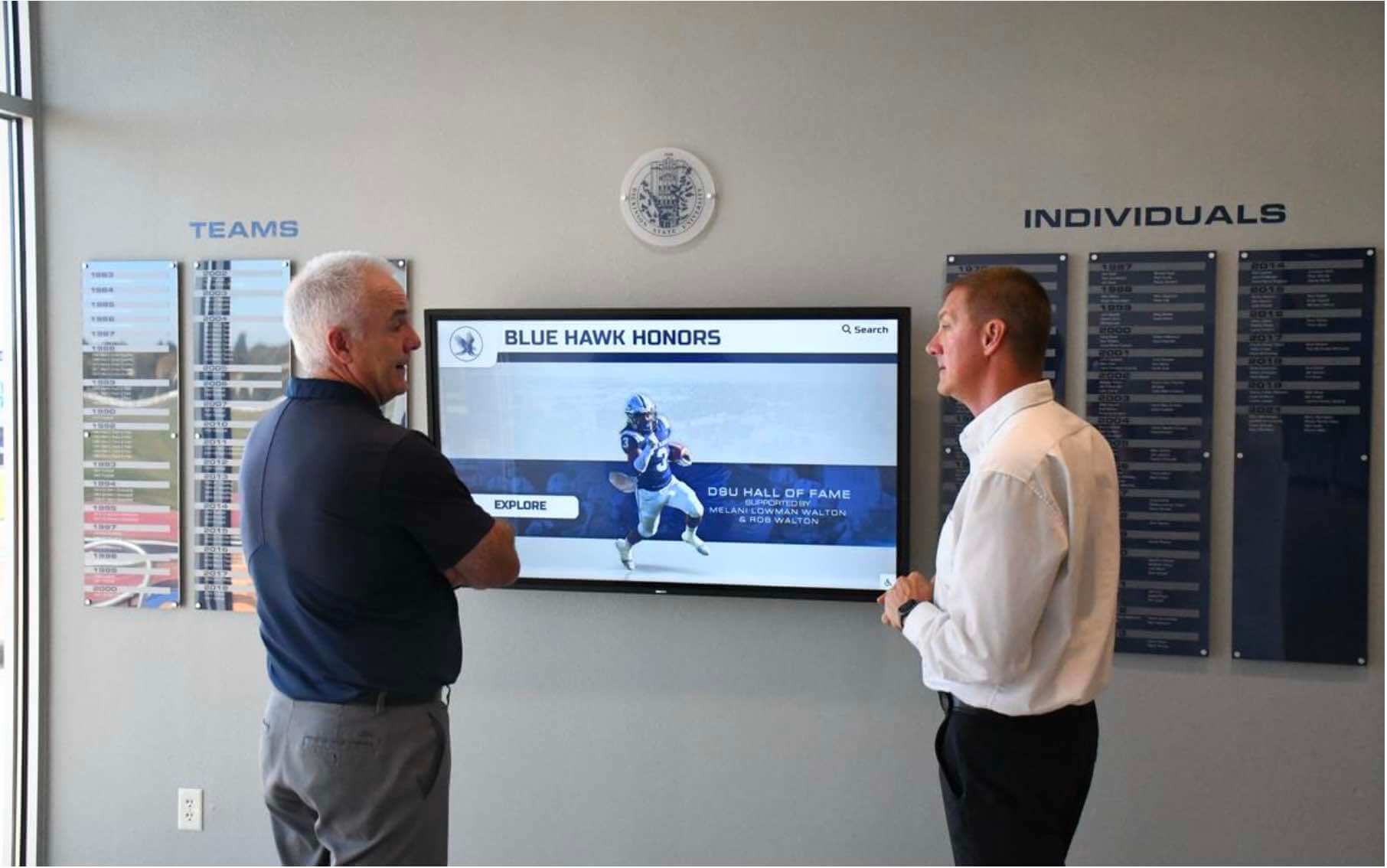
Successful recognition programs create community and pride among donors who see themselves as part of something larger
Cost Considerations and Budgeting
Understanding digital donor wall investment requirements enables appropriate planning and funding strategies.
Initial Investment Components
Hardware Costs
- Single display systems: $6,500-$15,000
- Multi-screen video walls: $25,000-$75,000
- Freestanding kiosks: $8,000-$20,000
- Installation services: $1,500-$5,000
- Protective enclosures or surrounds: $2,000-$8,000
Software and Content
- Platform licensing (often included with hardware): $0-$5,000 initial
- Custom design and branding: $3,000-$10,000
- Initial content development: $5,000-$15,000
- Historical data digitization: $2,000-$8,000
- Training and documentation: $1,000-$3,000
Total Project Range
- Entry-level single display: $10,000-$25,000
- Mid-range comprehensive system: $25,000-$60,000
- Enterprise multi-location deployment: $60,000-$200,000+
Ongoing Costs and Maintenance
Annual Expenses
- Software subscription or support: $1,200-$3,600
- Electricity and connectivity: $200-$500
- Content updates and management: Typically internal staff time
- Hardware warranty or service agreements: $500-$2,000
- Periodic content refresh or redesign: $2,000-$5,000 (every 2-3 years)
Cost Comparison to Traditional Recognition
| Expense Category | Traditional Displays (5 Years) | Digital Systems (5 Years) |
|---|---|---|
| Initial Setup | $8,000-$15,000 | $15,000-$35,000 |
| Ongoing Updates | $12,500-$25,000 ($2,500-$5,000/year) | $0 (included) |
| Physical Expansions | $5,000-$12,000 | $0 |
| Administrative Time | 375-600 hours ($18,750-$30,000) | 50-75 hours ($2,500-$3,750) |
| Total 5-Year Cost | $44,250-$82,000 | $17,500-$38,750 |
Digital systems typically achieve cost parity within 3-4 years while providing significantly enhanced capabilities and donor engagement.
Financing and Funding Strategies
Capital Campaign Integration
- Include recognition technology in campaign budgets
- Create naming opportunities for donor wall sponsorships
- Highlight recognition as stewardship investment
- Connect to facility renovation or construction projects
Operational Budget Allocation
- Leverage annual advancement or communications budgets
- Phased implementation spreading costs across fiscal years
- Leasing or financing options distributing payments over time
- Reallocation from eliminated traditional recognition expenses
Donor-Funded Recognition
- Solicit leadership gift specifically funding recognition system
- Corporate sponsorships from technology or design firms
- Memorial or tribute gifts directed to recognition enhancement
- Board or foundation funding for organizational infrastructure
Many organizations find that positioning digital donor walls as fundraising tools rather than expenses helps justify investment and secure appropriate funding.
Future Trends in Digital Donor Recognition
The evolution of recognition technology continues, with emerging capabilities enhancing donor stewardship effectiveness.
Artificial Intelligence and Personalization
AI-Driven Customization Emerging systems can:
- Customize displays based on audience (alumni, parents, community members)
- Personalize content based on visitor demographics or interests
- Suggest related donors or content based on exploration patterns
- Optimize content placement based on engagement analytics
- Generate natural language donor profiles from database information
Predictive Analytics Advanced platforms may:
- Identify donors at risk of lapsing based on recognition engagement
- Predict optimal recognition approaches by donor segment
- Recommend content strategies maximizing retention impact
- Forecast giving behavior based on recognition participation
- Optimize recognition investment allocation across donor populations
Augmented and Virtual Reality
AR-Enhanced Physical Displays Smartphone apps may enable:
- Point camera at recognition wall to see additional digital content
- Virtual “layering” of historical recognition with current donors
- Interactive 3D visualizations of facilities or programs donors supported
- Gamification elements encouraging exploration and engagement
- Personal donor profile creation for self-guided campus tours
Virtual Recognition Spaces Online platforms could create:
- 3D virtual environments for exploring donor recognition
- Immersive impact experiences showing program outcomes
- Virtual reality donor appreciation events and recognition ceremonies
- Global accessibility transcending physical location entirely
Integration with Fundraising Technology
Seamless Database Connectivity Future systems will likely feature:
- Real-time synchronization with fundraising databases
- Automated recognition tier updates as giving advances
- Instant recognition as gifts process
- Integrated communication triggering from recognition milestones
- Unified donor view combining giving history and recognition engagement
Omnichannel Recognition Experiences Comprehensive platforms may connect:
- Physical displays, web directories, mobile apps, and email
- Social media recognition and peer-to-peer fundraising
- Event management and donor appreciation programming
- Volunteer management and non-monetary contribution tracking
- Alumni engagement and networking platforms
These integrations create unified donor experiences spanning all organizational touchpoints.
Conclusion: Transforming Donor Stewardship Through Digital Recognition
Digital donor walls represent more than technological upgrades to traditional plaques—they’re strategic stewardship tools that fundamentally transform how organizations honor supporters, demonstrate impact, and inspire continued generosity. By combining unlimited recognition capacity, rich multimedia storytelling, remote management efficiency, and global accessibility, these systems address critical limitations of physical displays while creating measurably more effective donor appreciation experiences.
The financial case for digital recognition is compelling: research shows that 63% of donors give multiple times when recognized meaningfully, recognized donors increase gift sizes by 25-35%, and retention rates improve by 40-60% among recognition program participants. These impacts typically enable organizations to achieve positive ROI within 18-24 months while gaining substantial operational efficiencies and enhanced stewardship capabilities.
Transform Your Donor Recognition Program
Discover how modern digital recognition solutions can help you celebrate every donor's generosity and build lasting philanthropic relationships that sustain your mission.
Explore Recognition SolutionsBeyond financial returns, digital donor walls create strategic advantages that traditional recognition cannot match. Unlimited capacity ensures every contributor receives appropriate acknowledgment regardless of gift size. Instant updates enable timely recognition reinforcing giving decisions immediately. Multimedia storytelling connects donations to tangible impact demonstrating stewardship effectiveness. Web accessibility extends recognition reach globally, engaging supporters who rarely visit physical facilities.
Implementation success requires thoughtful planning addressing organizational needs, donor preferences, and technical requirements. Organizations should evaluate hardware quality and durability, software usability for non-technical administrators, customization capabilities matching institutional identity, and vendor support ensuring long-term success. Solutions like Rocket Alumni Solutions provide integrated platforms combining commercial-grade hardware, intuitive content management, professional implementation services, and ongoing support.
The shift from static plaques to dynamic digital displays reflects broader evolution in nonprofit fundraising—from transactional gift processing to relationship-centered philanthropy. Donors today expect meaningful engagement, transparent impact demonstration, and recognition honoring their motivations beyond simply acknowledging monetary contributions. Digital donor walls enable organizations to meet these expectations while building donor communities characterized by loyalty, advocacy, and increasing support.
As technology continues evolving, recognition capabilities will expand further through artificial intelligence, augmented reality, and seamless integration with comprehensive fundraising platforms. Organizations implementing digital recognition today position themselves to adopt emerging innovations while establishing modern stewardship practices that attract and retain supporters.
Your donors’ generosity sustains your mission and deserves celebration equal to its importance. Transform your recognition program from necessary acknowledgment to strategic relationship building that inspires continued partnership and creates sustainable funding for the programs and services that change lives.
Ready to explore digital donor recognition for your organization? Learn more about comprehensive donor stewardship strategies or discover innovative recognition display solutions that can enhance your appreciation program and deepen donor relationships.































