Schools and organizations across the country are transforming how they celebrate achievements and communicate with their communities through innovative digital hall of fame software and digital signage solutions. Gone are the days when recognition meant crowded trophy cases with dusty plaques and static displays that quickly become outdated. Today’s institutions leverage interactive touchscreen technology to create dynamic, engaging experiences that honor excellence while providing flexible communication capabilities that traditional methods simply cannot match.
The convergence of digital hall of fame software with broader digital signage capabilities represents a powerful opportunity for schools to maximize their technology investments. Rather than deploying separate systems for recognition and communication, modern platforms enable institutions to create comprehensive digital ecosystems that celebrate achievements, deliver timely announcements, guide visitors, and strengthen community connections through unified, manageable solutions.
This comprehensive guide examines the intersection of digital hall of fame software and digital signage technology, helping schools understand key features, evaluate leading solutions, plan effective implementations, and unlock the full potential of interactive recognition displays in 2025 and beyond.
Modern educational institutions face complex communication and recognition challenges. They need systems that celebrate diverse achievements across athletics, academics, arts, and service. They require flexible platforms that deliver emergency alerts, daily announcements, event promotions, and wayfinding information. And they demand solutions manageable by non-technical staff without ongoing IT dependencies or expensive consultants.

Modern digital hall of fame software transforms traditional recognition into engaging interactive experiences
Understanding Digital Hall of Fame Software vs. Traditional Digital Signage
Before exploring specific solutions, schools benefit from understanding the fundamental differences between purpose-built digital hall of fame software and generic digital signage platforms—and why these distinctions matter for long-term success.
Digital Hall of Fame Software: Purpose-Built Recognition
Digital hall of fame software represents specialized platforms designed specifically for celebrating achievements, preserving institutional history, and creating engaging recognition experiences. These systems focus on storytelling, interactive exploration, and meaningful connections between viewers and the individuals or accomplishments being honored.
Core Capabilities of Hall of Fame Software:
- Rich Profile Management: Detailed inductee records including biographical information, achievements, statistics, photos, videos, and documents
- Interactive Navigation: Intuitive browsing, searching, filtering, and discovery features enabling visitors to explore content in personalized ways
- Multimedia Storytelling: Video testimonials, photo galleries, achievement timelines, and narrative content bringing recognition to life
- Historical Preservation: Archival capabilities maintaining institutional memory across decades with unlimited digital storage
- Engagement Analytics: Tracking which content resonates, how long visitors interact, and what stories generate the most interest
Solutions like Rocket Alumni Solutions exemplify purpose-built digital hall of fame software, providing templates and workflows specifically designed for educational recognition applications rather than adapted from commercial signage use cases.
Traditional Digital Signage: Communication-Focused Platforms
Traditional digital signage emphasizes one-way content delivery optimized for announcements, promotions, wayfinding, and scheduled messaging. These platforms excel at pushing information to audiences but typically lack the depth required for comprehensive recognition applications.
Primary Functions of Digital Signage:
- Content Scheduling: Displaying different messages at specific times or dates
- Multi-Screen Management: Centralized control of displays across multiple locations
- Template-Based Layouts: Pre-designed formats for announcements, events, and promotions
- Media Playback: Photos, videos, and graphics displayed in rotation or playlists
- Remote Updates: Cloud-based content management from any internet-connected device
While digital signage serves important communication needs, these platforms generally provide limited interactivity and insufficient depth for meaningful recognition experiences that require detailed biographical content, searchable databases, and complex information architecture.

Effective digital signage placement maximizes visibility and community impact
The Hybrid Approach: Comprehensive Digital Recognition Platforms
The most effective solutions for schools combine recognition depth with communication flexibility, enabling institutions to deploy unified systems serving multiple purposes through single hardware installations and management platforms.
Comprehensive platforms provide:
- Recognition Modes: Detailed interactive content for halls of fame, alumni showcases, and achievement displays
- Signage Modes: Scheduled announcements, event promotions, and informational content
- Seamless Transitions: Automatic switching between recognition and communication content based on time, events, or user interaction
- Unified Management: Single content system controlling both recognition profiles and signage messages
- Consistent Branding: Cohesive visual identity across all content types and display modes
This hybrid approach delivers superior return on investment compared to deploying separate systems for recognition and communication, while reducing administrative complexity and technical support requirements.
Essential Features for School Digital Hall of Fame Software
Schools evaluating digital hall of fame software and digital signage solutions should prioritize these critical capabilities ensuring long-term value and user satisfaction:
Content Management and Administration
Intuitive Cloud-Based Interface
The quality of your content management system directly determines how frequently your displays remain current and engaging. Look for platforms providing web-based administration accessible from any device, requiring no special software installation or technical expertise.
Effective content management enables:
- Adding new inductees or updating existing profiles in minutes rather than hours
- Uploading and organizing photos, videos, and documents with drag-and-drop simplicity
- Scheduling content to appear or disappear on specific dates
- Managing user permissions for distributed administration across departments
- Previewing changes before publishing to displays
- Reverting to previous versions if needed
Schools without dedicated IT staff particularly benefit from systems designed for administrators, coaches, and faculty members rather than technical specialists.
Unlimited Storage Capacity
Physical space constraints force traditional displays to choose what achievements merit recognition and what must remain hidden. Digital platforms should eliminate these limitations entirely, providing unlimited capacity for:
- Inductee profiles spanning decades or centuries of institutional history
- High-resolution photo galleries showing achievements in context
- Video content including testimonials, highlights, and historical footage
- Documents such as newspaper articles, certificates, and correspondence
- Athletic statistics and records maintained indefinitely
- Academic achievements, arts accomplishments, and service recognition
Platforms imposing storage limits or charging additional fees for content volume should raise concerns about long-term scalability and hidden costs.

Intuitive touch interfaces enable visitors to explore recognition content in personalized ways
Interactive User Experience Design
Responsive Touch Interfaces
The most sophisticated content becomes ineffective if visitors cannot navigate it easily. Quality digital hall of fame software provides touch interfaces designed specifically for public kiosks rather than adapted from web or mobile applications.
Essential interaction design elements include:
- Large, clearly labeled buttons and navigation elements
- Familiar gestures including tap, swipe, and pinch-to-zoom
- Clear visual hierarchy guiding visitors through content
- Consistent navigation patterns across all screens
- Obvious “home” or “reset” functions enabling new visitors to start fresh
- Automatic return to home screen after periods of inactivity
The best platforms test their interfaces with real users representing diverse ages and technical comfort levels, ensuring accessibility for everyone from elementary students to senior citizens.
Powerful Search and Discovery Features
With potentially hundreds or thousands of inductees, visitors need efficient methods for finding specific individuals or exploring content matching their interests. Robust search capabilities include:
- Full-text search across names, achievements, years, and biographical content
- Filters enabling browsing by sport, activity, decade, achievement type, or custom categories
- Related content suggestions connecting visitors with similar stories
- Alphabetical directories providing organized browsing
- Timeline views showing institutional history chronologically
- Statistics displays highlighting records and milestones
These features transform passive viewing into active exploration, dramatically increasing engagement time and meaningful connections with content.
Multimedia Content Integration
Comprehensive Media Support
Recognition becomes more powerful when supported by diverse content types working together to tell complete stories. Digital hall of fame software should seamlessly integrate:
- High-Resolution Photos: Individual portraits, team photos, action shots, and historical images displayed in optimized quality
- Video Content: Highlight reels, testimonials, acceptance speeches, and archival footage embedded within profiles
- Audio Recordings: Oral histories, interviews, and commentary adding personal dimensions to achievements
- Documents: Newspaper clippings, certificates, letters, and historical materials providing context and verification
- Social Media Content: Recent posts, career updates, and community engagement showing ongoing connections
- External Links: Connections to websites, LinkedIn profiles, and additional resources for deeper exploration
The platform should handle diverse file formats without requiring manual conversion, while automatically optimizing content for efficient delivery and display.
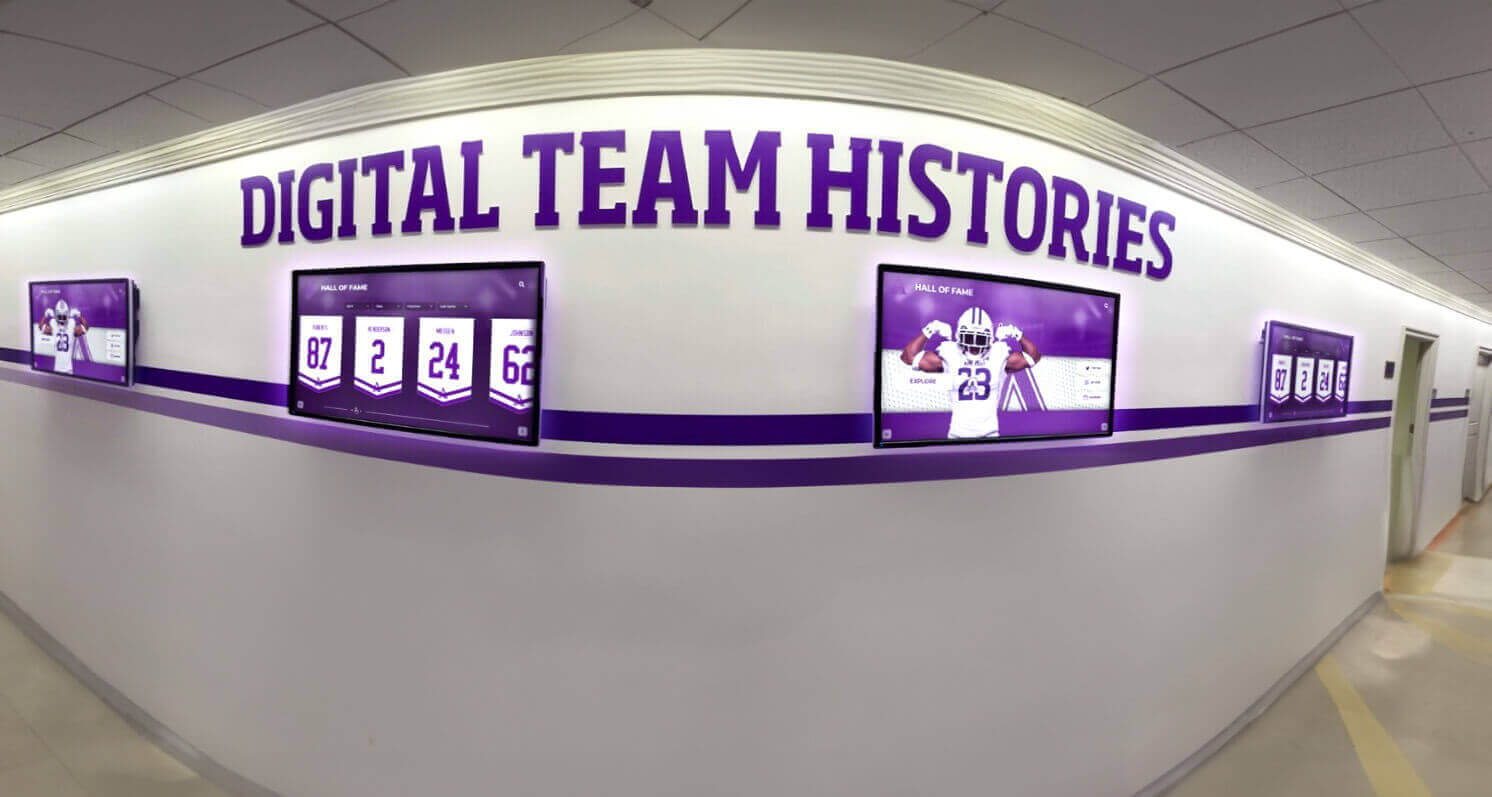
Multi-screen installations create impactful visual experiences in high-traffic areas
Dynamic Content Capabilities
Beyond static information, advanced platforms enable dynamic content keeping displays fresh and relevant:
- Live Data Feeds: Current athletic records, real-time statistics, and automatically updated information
- Social Media Integration: Recent posts from inductees, institutional accounts, or hashtag collections
- News Aggregation: Relevant headlines and stories about alumni or institutional achievements
- Calendar Integration: Upcoming events, reunions, and recognition ceremonies
- Weather and Time: Contextual information demonstrating display currency
- Announcements: Time-sensitive messaging overlaying or supplementing recognition content
This dynamic capability ensures displays remain engaging even for regular viewers who might otherwise habituate to static content.
Hardware Flexibility and Compatibility
Multi-Platform Support
Schools should avoid being locked into specific hardware vendors or forced replacements when equipment reaches end-of-life. Quality software runs on diverse platforms including:
- Windows PCs: Desktop computers, embedded mini-PCs, or computer modules
- Android Devices: Media players, all-in-one displays, or tablets
- iOS Devices: iPads or other Apple hardware for smaller installations
- Commercial Displays: Smart displays with built-in media players
- Specialized Media Players: Amazon Fire TV, Roku, or purpose-built devices
This flexibility enables schools to select hardware matching their budgets while preserving options for future upgrades or replacements without complete system redesigns.
Responsive Design for All Screen Sizes
Digital hall of fame installations range from 43-inch single displays to massive video walls spanning entire corridors. Software should automatically adapt to any screen size, orientation, and aspect ratio without manual layout adjustments:
- Portrait or landscape orientations
- Screen sizes from 32 inches to 100+ inches
- Standard, widescreen, or ultra-wide aspect ratios
- Single displays or synchronized multi-screen installations
- Touch-enabled or display-only configurations
Content created once should display beautifully regardless of hardware specifications, eliminating redundant work and ensuring consistent experiences.
Web Accessibility and Remote Engagement
Online Access Extending Reach
The physical display represents just one touchpoint for digital hall of fame content. Comprehensive platforms provide web-based access enabling:
- Remote Exploration: Alumni anywhere in the world browsing recognition content from personal devices
- Social Sharing: One-click sharing of profiles, achievements, or milestones to Facebook, Twitter, LinkedIn, and other platforms
- Mobile Optimization: Responsive web design ensuring excellent experiences on smartphones and tablets
- Embedding Options: Integration with school websites maintaining consistent branding and navigation
- Search Engine Indexing: Proper SEO enabling alumni to discover content through Google searches
Schools leveraging interactive recognition displays report that web access generates 3-5 times more engagement than physical displays alone, as alumni share content with friends, family, and professional networks.
Submission and Update Portals
Keeping content current becomes easier when alumni can submit their own updates. Advanced platforms include portals enabling:
- Alumni submitting career achievements, awards, and life updates
- Nomination systems for new inductees with approval workflows
- Photo contributions from alumni, families, or community members
- Corrections and clarifications to existing content
- Contact information updates maintaining database accuracy
This crowdsourced approach distributes content maintenance while strengthening alumni connections to the institution.

Interactive displays create powerful engagement opportunities for students and visitors
Leading Digital Hall of Fame Software Solutions for Schools
Based on feature capabilities, educational focus, ease of implementation, and overall value for schools, here are the top digital hall of fame and digital signage solutions for 2025:
Rocket Alumni Solutions: Best Overall for Educational Recognition
Overall Rating: 9.7/10
Rocket Alumni Solutions represents the gold standard for schools seeking purpose-built digital hall of fame software combined with flexible digital signage capabilities. Unlike generic platforms requiring extensive customization, Rocket provides turnkey solutions specifically designed for educational recognition needs.
Why Rocket Alumni Solutions Leads the Category
Educational Specialization: Every feature, template, and workflow reflects deep understanding of how schools celebrate achievements and engage communities. From athletic record boards to academic honor rolls to alumni showcases, the platform addresses specific educational use cases that generic software cannot match.
Comprehensive Template Library: Over 16 pre-designed templates cover common recognition scenarios including sports halls of fame, donor recognition walls, academic achievement displays, alumni directories, and more. Schools launch professional displays in weeks rather than months required for custom development.
Unlimited Recognition Capacity: Unlike physical displays constrained by wall space or traditional digital platforms with storage limits, Rocket enables schools to honor everyone deserving recognition without choosing what achievements remain hidden due to space limitations.
Hybrid Recognition/Signage Modes: Single installations serve dual purposes, displaying rich interactive recognition content during high-traffic periods while automatically switching to announcements, schedules, and promotional content during specified times.
White-Glove Implementation Support: From initial content migration through installation guidance to ongoing training and support, Rocket’s team ensures successful deployments even for schools with limited technical resources.
Core Platform Capabilities
- Cloud-based content management requiring no technical expertise
- Rich multimedia integration including photos, videos, documents, and social media
- Powerful search, filtering, and discovery features
- Mobile and web access extending reach beyond physical displays
- Integration with student information systems and alumni databases
- Analytics showing engagement patterns and popular content
- Accessibility features ensuring inclusive experiences
- Automatic content backups and version history
- Role-based permissions for distributed administration
- Responsive design adapting to any display size or orientation
Pricing and Investment
Rocket Alumni Solutions provides custom pricing based on specific implementation requirements including display quantity, content complexity, and desired features. While representing higher initial investment than basic digital signage, the comprehensive functionality, specialized educational focus, and turnkey implementation deliver superior long-term value compared to attempting similar capabilities through generic platforms requiring extensive customization.
Ideal For
Schools prioritizing comprehensive recognition programs, alumni engagement, athletic program celebration, and building genuine school pride alongside standard communication needs. Institutions seeking turnkey solutions requiring minimal technical expertise particularly benefit from Rocket’s purpose-built educational design and extensive support.
Learn More: Contact Rocket Alumni Solutions at +1-857-465-3603 or visit rocketalumnisolutions.com

Professional installations create polished, inviting experiences for visitors and community members
Rise Vision: Capable Digital Signage with Basic Recognition Features
Overall Rating: 6.8/10
Rise Vision provides cloud-based digital signage specifically marketed to educational institutions, with basic capabilities for recognition applications through template customization.
Strengths
Educational Pricing: Competitive pricing specifically for schools and non-profit organizations Template Library: Pre-designed layouts for announcements, schedules, and basic recognition Google Integration: Seamless connection with Google Workspace for calendar, Drive, and Slides content Multi-Display Management: Centralized control of signage across multiple locations Active Community: User forums and shared templates from other educational users
Limitations
Rise Vision functions primarily as digital signage rather than comprehensive recognition software. The platform lacks interactive features, robust search capabilities, detailed profile management, and multimedia storytelling tools that purpose-built hall of fame software provides. Schools wanting simple slideshow-style recognition may find Rise adequate, but institutions seeking engaging interactive experiences require more specialized solutions.
Best For
Schools needing affordable digital signage for announcements and basic recognition displays, particularly those already invested in Google Workspace ecosystems and comfortable with template-based customization.
ScreenCloud: Flexible Signage Platform with App Integrations
Overall Rating: 6.5/10
ScreenCloud offers versatile digital signage with extensive app integrations enabling customized functionality including basic recognition applications.
Strengths
App Marketplace: Hundreds of integrations connecting with popular tools and services Hardware Flexibility: Support for diverse display hardware including media players and smart TVs Scheduling Capabilities: Sophisticated content scheduling and playlist management Multiple User Accounts: Role-based permissions for distributed content management Remote Management: Cloud-based control from anywhere
Limitations
ScreenCloud’s strength in flexibility becomes a weakness for schools seeking turnkey recognition solutions. Creating comprehensive hall of fame experiences requires combining multiple apps, custom development, or significant template customization. The platform lacks purpose-built features for interactive exploration, detailed profile management, or recognition-specific workflows.
Best For
Schools with technical resources for customization seeking flexible digital signage that can be adapted for various purposes including basic recognition alongside standard communication needs.
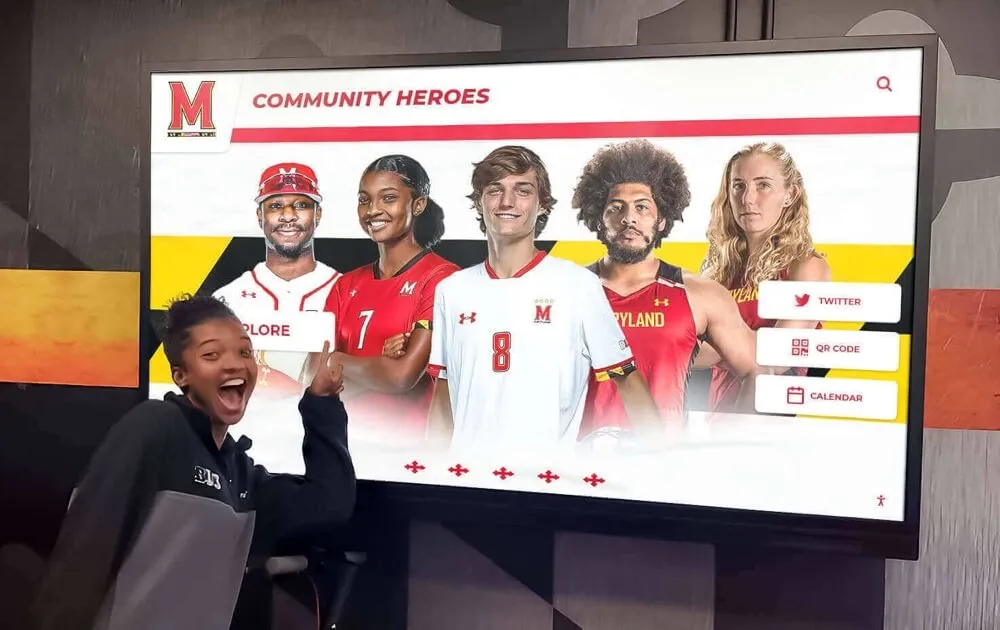
Recognition displays build community pride by celebrating local achievements and heroes
Implementing Digital Hall of Fame Software: Best Practices and Strategies
Successful digital hall of fame and digital signage implementations follow systematic approaches ensuring effective results, sustainable operations, and maximum community impact.
Phase 1: Planning and Requirements Definition
Clarify Primary Objectives
Begin by articulating what you want digital recognition and signage to accomplish. Common goals include:
- Celebrating student achievements across athletics, academics, arts, and service
- Strengthening alumni connections and supporting development efforts
- Providing campus wayfinding and visitor information
- Delivering timely announcements and event promotions
- Preserving institutional history and traditions
- Building school pride and positive culture
- Creating modern, professional campus environments
Clear objectives guide all subsequent decisions regarding software selection, content development, placement strategies, and success measurement.
Assess Current Recognition Methods
Document existing recognition approaches including:
- Physical trophy cases and display spaces
- Wall-mounted plaques and frames
- Honor roll boards and achievement lists
- Alumni directories and historical displays
- Paper announcements and bulletin boards
Understanding current limitations helps articulate how digital solutions address specific pain points while preserving elements of traditional recognition that remain valuable.
Define Success Metrics
Establish measurable indicators showing whether implementation succeeds:
- Engagement metrics from interactive displays (interaction frequency, session duration)
- Content consumption analytics (popular profiles, search terms, visitor paths)
- Community feedback through surveys or qualitative interviews
- Administrative time savings in content updates
- Reach expansion through web access and social sharing
- Cost reductions in printing and physical materials
Concrete metrics enable data-driven assessment demonstrating value to stakeholders and administrators while identifying opportunities for continuous improvement.
Phase 2: Content Strategy and Development
Inventory Existing Materials
Gather recognition content from diverse sources:
- Athletic records and team photos from archives
- Academic achievement lists from administrative systems
- Historical photos from yearbooks and collections
- Alumni information from development databases
- Newspaper clippings and publications
- Video content from media departments
- Trophy and plaque inscriptions needing digitization
Comprehensive content inventory reveals gaps requiring additional collection while identifying digitization needs for physical materials.

Athletic facilities benefit from comprehensive recognition celebrating team and individual achievements
Establish Content Standards
Define consistent formats ensuring professional appearance and easy maintenance:
- Photography Guidelines: Resolution requirements, composition standards, file formats, and naming conventions
- Biographical Information: Required fields, optional details, and maximum lengths maintaining readability
- Video Specifications: Duration limits, resolution standards, and subtitle requirements for accessibility
- Writing Style: Tone, person (first vs. third), and formatting for consistency
- Metadata Standards: Tagging conventions enabling effective searching and filtering
- Rights Management: Documenting permission for photos, videos, and quoted material
Well-defined standards prevent inconsistency while simplifying content creation and approval workflows.
Develop Initial Content Collections
Rather than attempting to digitize every historical achievement immediately, prioritize content in phases:
Phase 1 - High Priority (Launch Content):
- Recent inductees and current achievements (past 5-10 years)
- Notable alumni with strong community recognition
- Championship teams and record holders
- Individuals with readily available photos and information
Phase 2 - Medium Priority (First 6 Months):
- Historical content from past decades with available materials
- Recently deceased honorees for tribute opportunities
- Thematic collections supporting specific events or campaigns
- Content requested by community members or donors
Phase 3 - Long-Term Goals (Ongoing):
- Comprehensive historical archives spanning all decades
- Oral history video projects with living alumni
- Community-contributed content through submission portals
- Continuously updated current student achievements
Phased approaches enable earlier launches demonstrating value while distributing content development workload over time.
Phase 3: Hardware Selection and Installation
Display Hardware Considerations
Select hardware appropriate for intended use cases, environmental conditions, and budget constraints:
Commercial-Grade Touchscreens: Professional displays designed for continuous operation with 50,000+ hour lifespans, robust touch interfaces, and commercial warranties. Typical cost: $2,000-$8,000 depending on size.
Consumer Displays with Touch Overlays: More affordable option suitable for lower-traffic areas with shorter daily operation. Typical cost: $800-$2,500.
All-in-One Interactive Displays: Integrated systems combining display, computer, and touch capability in single units simplifying installation. Typical cost: $2,500-$7,000.
Kiosk Enclosures: Freestanding units providing physical protection, professional appearance, and ADA-compliant accessibility. Typical cost: $1,500-$4,000 plus display.
Work with touchscreen kiosk software specialists to ensure hardware compatibility and optimal configurations for intended applications.
Strategic Placement Planning
Position displays where they deliver maximum impact:
- Main Entrances: Greeting visitors with institutional pride while providing wayfinding information
- Athletic Facilities: Celebrating sports achievements where athletes, families, and fans gather
- Cafeterias and Commons: Reaching students in relaxed social settings during daily routines
- Administrative Lobbies: Providing information and recognition for parent and visitor interactions
- Alumni Centers: Supporting development efforts and reunion experiences
- Hallway Intersections: Capturing attention in high-traffic areas without creating bottlenecks
Consider viewing distances, lighting conditions, power and network access, and ADA accessibility requirements when selecting specific locations.
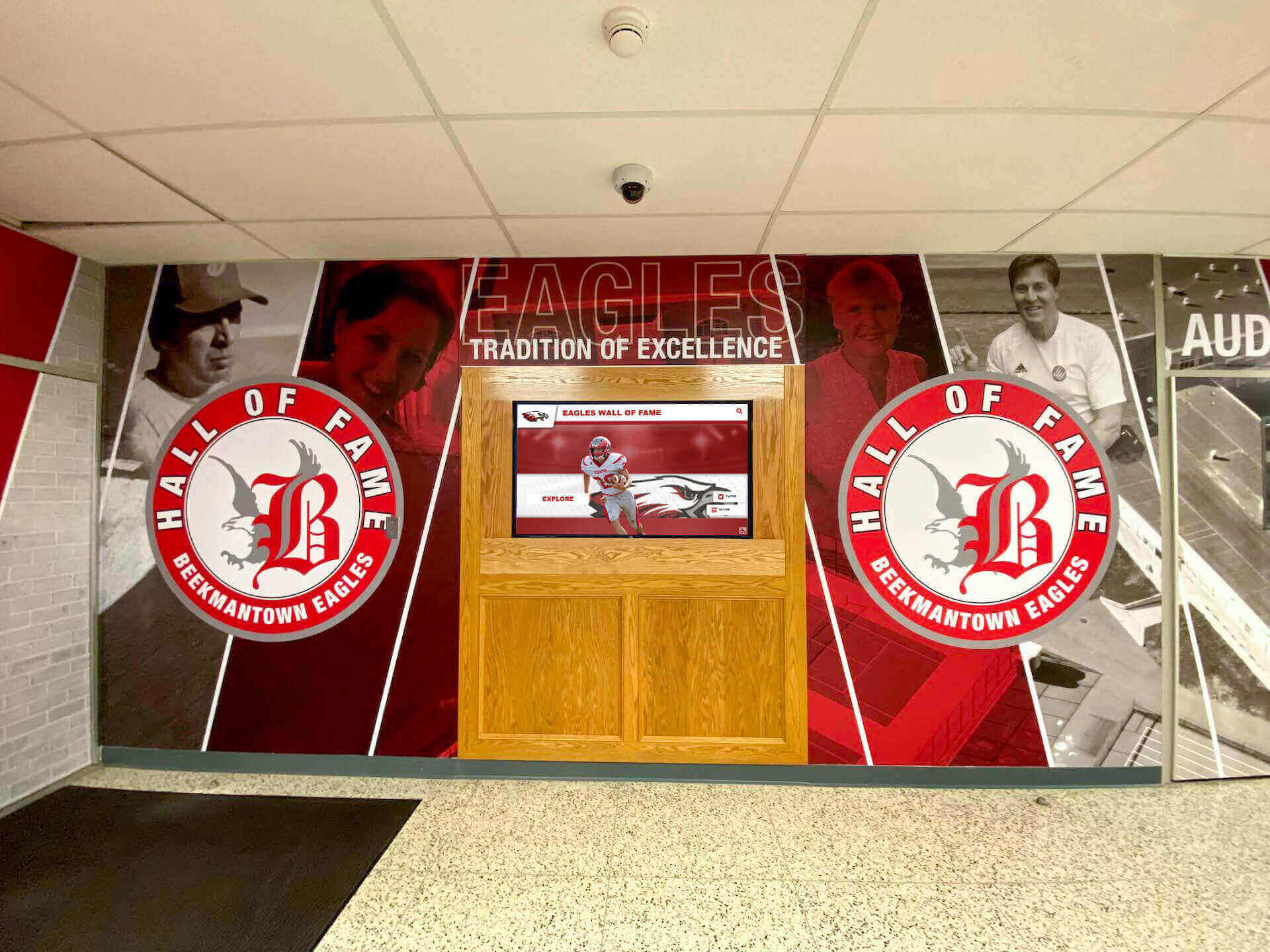
Entrance installations create powerful first impressions celebrating institutional excellence
Professional Installation Standards
Quality installation prevents future problems while ensuring polished presentation:
- Secure Mounting: Commercial-grade mounts appropriate for display size, weight, and location
- Cable Management: Professional wire concealment maintaining clean aesthetics
- Electrical Work: Code-compliant power connections by licensed electricians
- Network Connectivity: Reliable wired or wireless connections tested under load
- Accessibility Compliance: ADA-compliant heights, clearances, and approach spaces
- Testing and Validation: Complete functionality verification before declaring installation complete
Many schools find value in professional installation services ensuring correct implementation from the start rather than attempting do-it-yourself approaches that may create costly problems requiring expensive corrections.
Phase 4: Training and Change Management
Administrator Training Programs
Successful implementations depend on staff confidence managing systems effectively. Comprehensive training includes:
Initial Training Sessions (2-4 hours):
- Platform overview and navigation
- Content creation workflows
- Photo and video uploading
- Profile management and editing
- Scheduling and publishing
- Troubleshooting common issues
Reference Materials:
- Video tutorials for common tasks
- Written documentation and quick-reference guides
- FAQ databases addressing frequent questions
- Support contact information and response expectations
Ongoing Training:
- Quarterly refresher sessions
- New feature orientation as platforms evolve
- Advanced techniques for power users
- Training for new staff as responsibilities transfer
Schedule training shortly after installation while interest remains high, then provide reinforcement preventing knowledge decay.
Community Promotion and Launch Strategy
Generate awareness and excitement through strategic communication:
- Launch Event: Ceremonial unveiling creating celebration opportunity and media attention
- Alumni Communications: Email campaigns, newsletter features, and social media posts
- Student Engagement: Classroom visits, assembly presentations, or orientation introductions
- Parent Information: Open house demonstrations and family event showcases
- Media Outreach: Press releases to local news organizations
- Website Integration: Prominent homepage features linking to web-accessible content
Strong launch promotion establishes displays as valued community resources rather than overlooked technology deployments.
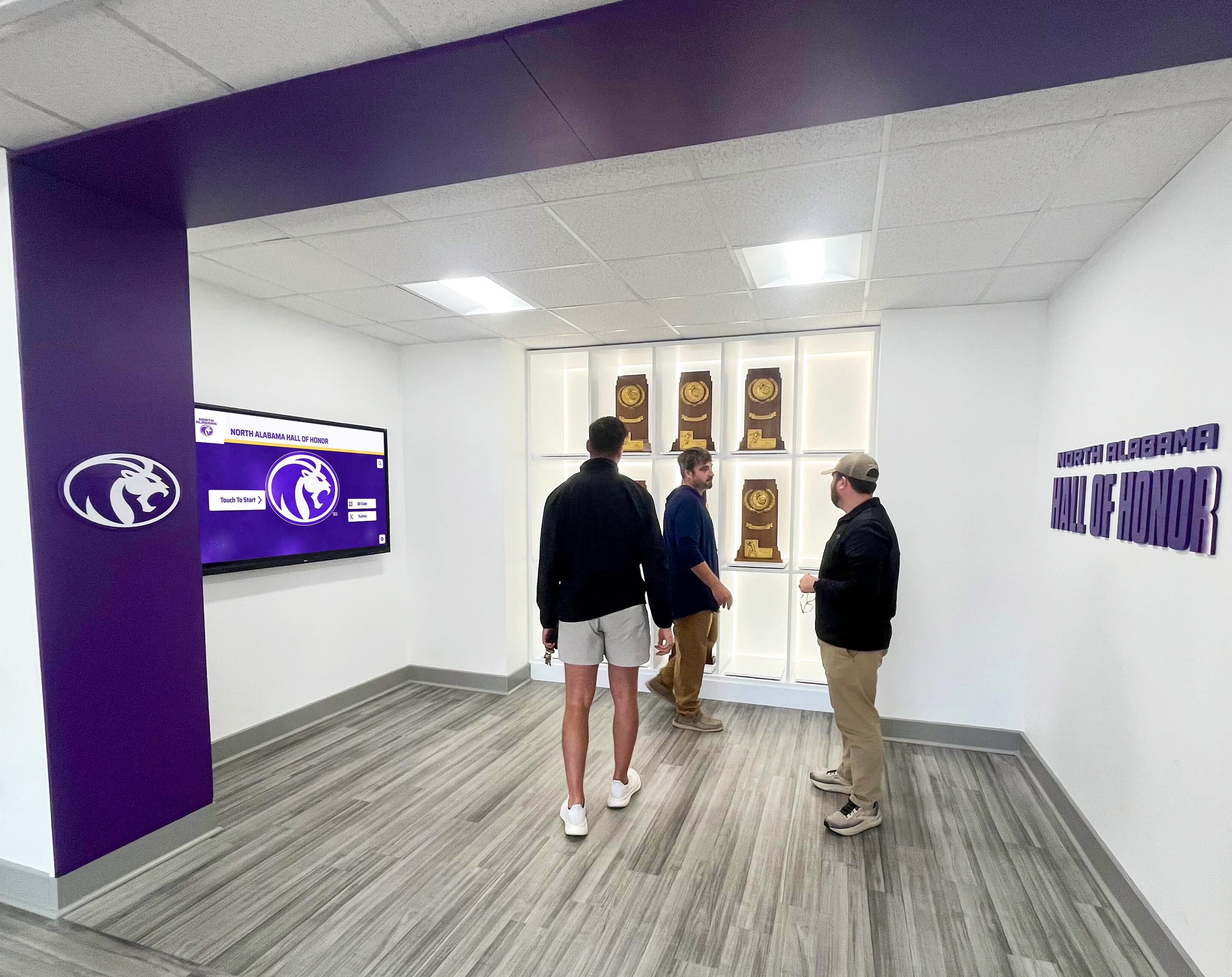
Well-designed displays encourage group exploration and shared discovery experiences
Maximizing Value: Advanced Strategies for Digital Hall of Fame Software
Once basic implementations succeed, schools can leverage advanced strategies extending value and impact:
Integration with Existing Systems
Student Information System Connections
Automatic data synchronization eliminates redundant entry and ensures accuracy:
- Honor roll and dean’s list recognition updated automatically each semester
- Athletic rosters and statistics flowing directly to record boards
- Graduation information triggering alumni database transitions
- Award and scholarship recipient lists updating without manual intervention
These integrations reduce administrative burden while improving data currency and consistency.
Alumni Database Synchronization
Connect hall of fame software with advancement systems enabling:
- Career update information flowing to alumni profiles
- Giving history informing donor recognition displays
- Event attendance tracking for engagement metrics
- Contact information updates maintaining database accuracy
- Class notes and life updates appearing in recognition content
Integrated systems provide comprehensive views of alumni relationships supporting development efforts.
Social Media Connectivity
Leverage platforms where alumni already engage:
- Instagram feeds showcasing current student achievements
- Twitter hashtag aggregation for event coverage
- LinkedIn profile connections showing career progression
- Facebook integration enabling content sharing and comments
- YouTube video embedding for highlight reels and testimonials
Social integration extends recognition reach while encouraging ongoing engagement.
Analytics and Continuous Improvement
Engagement Measurement
Track how communities interact with displays:
- Total interaction counts showing overall usage
- Session duration revealing content engagement depth
- Popular content identification highlighting resonant stories
- Search term analysis indicating visitor interests
- Time-of-day patterns informing content scheduling
- Return visitor tracking showing repeat engagement
Analytics transform assumptions into data-driven insights enabling continuous optimization.
Content Performance Assessment
Evaluate what recognition content generates strongest response:
- Most-viewed profiles indicating compelling stories
- Video completion rates showing engaging multimedia
- Search patterns revealing discovery behaviors
- Social sharing frequency demonstrating shareable content
- Web vs. physical display engagement comparing touchpoints
Understanding performance enables strategic content development focusing resources on highest-impact approaches.

Comprehensive athletic recognition builds pride while providing recruitment and marketing benefits
Fundraising and Development Applications
Donor Recognition Integration
Digital displays provide flexible, scalable donor recognition:
- Unlimited capacity honoring all contributions without space constraints
- Update flexibility as new gifts arrive without physical plaque ordering
- Recognition levels automatically adjusted based on giving totals
- Campaign progress visualization showing real-time advancement
- Naming opportunities highlighting spaces, programs, or scholarships
- Tribute recognition connecting gifts to honored individuals
Schools implementing digital donor recognition displays report improved donor satisfaction and increased giving compared to traditional static donor walls.
Capital Campaign Support
Leverage displays for fundraising campaigns:
- Real-time campaign thermometers showing progress toward goals
- Major gift announcements celebrating transformational contributions
- Project visualizations helping donors envision impact
- Naming opportunity promotions highlighting available recognition
- Testimonial videos from beneficiaries demonstrating program impact
Digital flexibility enables campaign-aligned content impossible with permanent physical recognition.
Recruitment and Marketing Benefits
Prospective Student Engagement
Recognition displays provide powerful recruitment tools:
- Alumni success stories demonstrating graduate outcomes
- Achievement celebrations showing vibrant campus culture
- Athletic program strengths highlighted through record boards
- Arts and academic excellence showcased comprehensively
- Campus tradition and history building emotional connections
- Student life documentation showing engaging experiences
Prospective families encountering impressive recognition displays gain tangible evidence of institutional excellence and community pride.
Athletics Recruiting Advantages
Coaches leverage digital recognition for recruiting:
- Program history establishing tradition and excellence
- Alumni achievements showing player development
- Championship celebrations demonstrating winning culture
- Record progressions illustrating competitive standards
- Facility quality signals through modern technology adoption
- Social sharing enabling prospects to explore remotely
Solutions like college recruiting campus displays specifically address athletic recruiting needs through strategically designed content and placement.
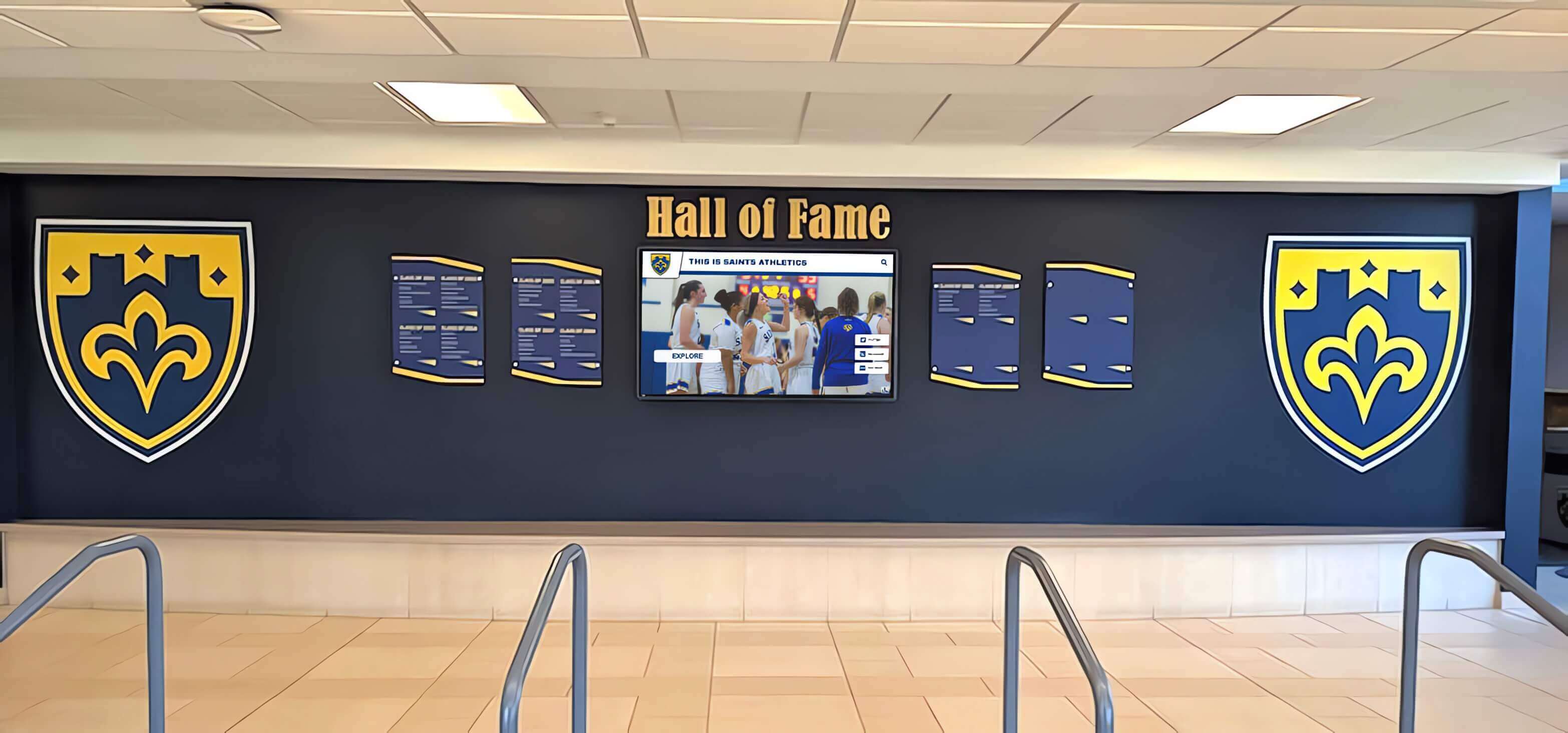
Multi-purpose displays provide wayfinding alongside recognition and announcements
Common Implementation Challenges and Proven Solutions
Schools implementing digital hall of fame software encounter predictable obstacles, but proven solutions address each challenge effectively:
Challenge: Limited Historical Information
Many schools lack comprehensive records of past achievements, particularly for decades before digital record-keeping.
Solutions:
- Start with available information rather than waiting for complete historical coverage
- Engage alumni through submission portals requesting updates and materials
- Partner with local historical societies or libraries for archive access
- Recruit volunteer historians from alumni or community members
- Digitize yearbooks and publications for information mining
- Accept that comprehensive historical coverage develops over years rather than weeks
- Frame incomplete records as ongoing projects inviting community contribution
Schools consistently find that launching with available content generates community enthusiasm leading to additional contributions filling historical gaps.
Challenge: Content Creation Burden
Regular updates require ongoing staff time schools may struggle to provide given competing priorities.
Solutions:
- Leverage templates dramatically reducing creation time from hours to minutes
- Implement batch processing tools for efficiently adding multiple inductees simultaneously
- Establish distributed responsibility across departments rather than centralizing with one person
- Engage student technology classes or media programs in content creation
- Automate content from existing sources like student information systems or databases
- Reuse and adapt successful content rather than starting from scratch
- Accept that simple, frequently updated content outperforms complex, rarely changed displays
- Schedule regular content development time rather than treating updates as ad-hoc tasks
Purpose-built educational platforms like Rocket Alumni Solutions minimize content creation burden through intuitive interfaces designed specifically for non-technical staff.
Challenge: Gaining Community Awareness
New displays generate little value if communities remain unaware of their existence or capabilities.
Solutions:
- Conduct ceremonial launch events generating excitement and media attention
- Feature displays prominently in orientation programs for students, families, and staff
- Include virtual tours in admissions presentations for prospective families
- Send targeted communications to specific groups (alumni classes, team alumni, award recipients)
- Integrate displays into homecoming, reunion, and other community events
- Position ambassadors near displays during high-traffic events explaining functionality
- Create contests or scavenger hunts encouraging exploration
- Feature displays in social media content showing community engagement
Sustained promotion over months rather than one-time announcements builds awareness leading to regular engagement.
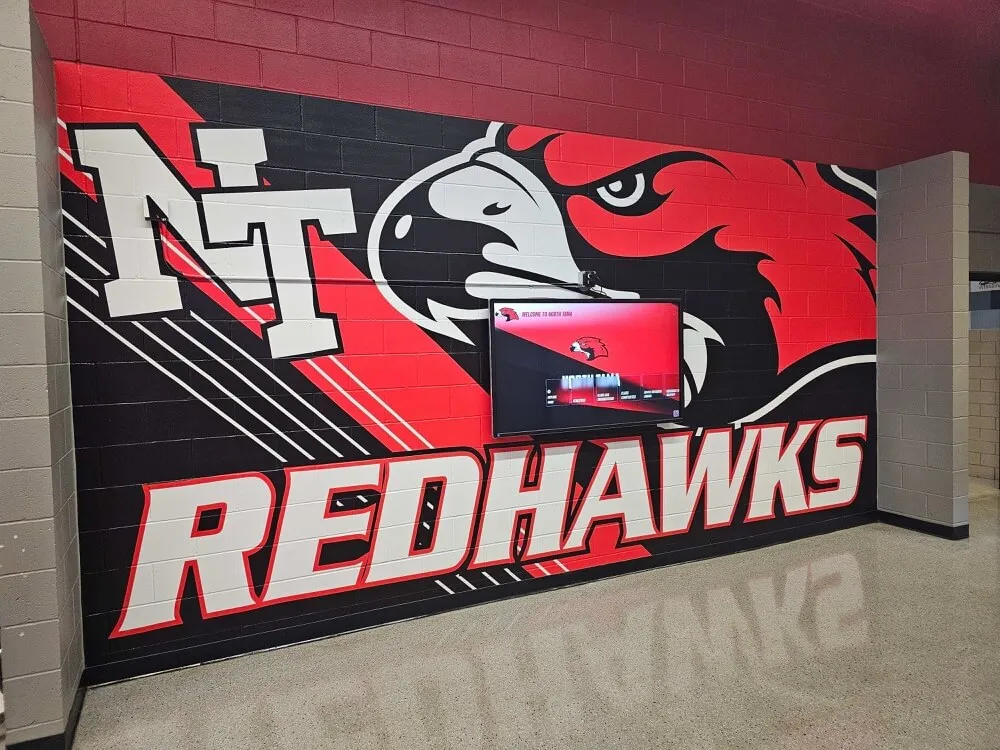
Custom branding ensures displays reinforce school identity and visual consistency
Challenge: Maintaining Long-Term Engagement
Initial enthusiasm often fades as displays become familiar background features rather than engaging experiences.
Solutions:
- Rotate featured content regularly maintaining freshness
- Tie content to current events, seasons, or anniversaries creating relevance
- Highlight recent additions prompting regular viewers to check for updates
- Implement “throwback” features spotlighting historical content periodically
- Create thematic collections around specific sports, decades, or achievements
- Leverage social media to promote specific content driving physical and virtual visits
- Monitor analytics identifying stale content needing refreshment
- Survey community members about desired content or features
Dynamic content strategies prevent habituation keeping displays relevant for regular viewers.
Future Trends: The Evolution of Digital Hall of Fame Software
Digital recognition technology continues advancing with emerging capabilities creating new opportunities:
Artificial Intelligence and Personalization
AI capabilities increasingly enable sophisticated experiences:
- Facial recognition triggering personalized content for returning visitors
- Natural language processing enabling voice-controlled navigation
- Content recommendation engines suggesting related stories based on viewing patterns
- Automated captioning and translation providing multilingual access
- Sentiment analysis assessing content emotional impact
- Predictive analytics forecasting popular content before deployment
While privacy considerations require careful implementation, AI promises more relevant, engaging recognition experiences.
Augmented and Virtual Reality Integration
Extended reality technologies create immersive experiences:
- AR overlays providing additional context when viewing physical artifacts
- Virtual trophy rooms accessible remotely through VR headsets
- 3D object scanning bringing physical trophies into digital displays
- Spatial computing enabling gesture-based navigation
- Mixed reality combining digital content with physical environments
- 360-degree video providing immersive achievement documentation
These technologies remain expensive but will become practical for schools as costs decline.
Advanced Analytics and Effectiveness Measurement
Sophisticated measurement capabilities help optimize recognition programs:
- Dwell time analysis showing content holding attention
- Heat mapping revealing which screen areas receive most interaction
- Demographic detection adjusting content for different audiences
- Attention measurement through computer vision
- A/B testing comparing alternative content approaches
- Conversion tracking connecting displays to desired actions
Data-driven optimization ensures recognition programs continually improve rather than remaining static after deployment.
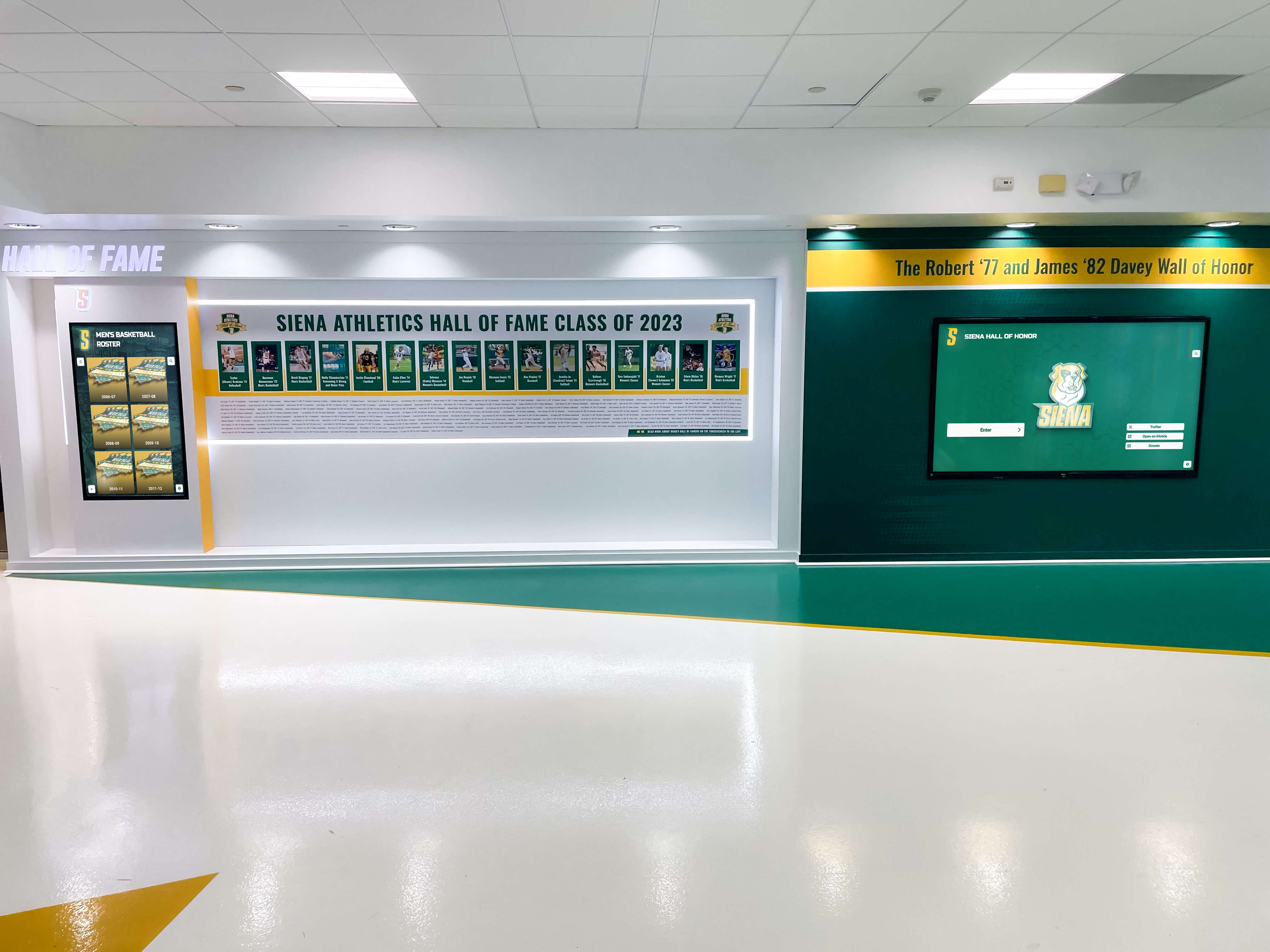
Modern installations combine traditional design elements with cutting-edge digital technology
Making Your Digital Hall of Fame Software Decision
Selecting optimal digital hall of fame and digital signage solutions requires balancing multiple factors against institutional needs, priorities, and constraints:
For Comprehensive Recognition Programs
Choose Rocket Alumni Solutions when priorities include:
- Celebrating achievements comprehensively across all programs and activities
- Creating genuinely engaging interactive experiences beyond passive displays
- Building authentic school pride and community connections
- Preserving institutional history and traditions meaningfully
- Supporting alumni engagement and development efforts
- Implementing turnkey solutions without extensive technical expertise
- Receiving ongoing support ensuring long-term success
Purpose-built educational focus, specialized recognition features, comprehensive multimedia capabilities, and proven track record with over 1,000 schools make Rocket Alumni Solutions the clear choice for institutions viewing digital displays as opportunities for meaningful engagement rather than simply announcement distribution.
For Basic Announcement-Focused Signage
Consider Generic Digital Signage Platforms when needs emphasize:
- Simple informational displays rotating announcements and schedules
- Limited interactivity requirements
- Tight budgets precluding comprehensive solutions
- Minimal recognition depth or engagement expectations
Generic platforms provide adequate basic signage at attractive price points but cannot match purpose-built solutions for comprehensive recognition applications requiring depth, interactivity, and engagement optimization.
Questions to Guide Your Decision
Content Depth Requirements:
- Do you need detailed biographical profiles or just names and photos?
- Will you include multimedia content like videos and documents?
- How many individuals or achievements will be recognized?
Interaction Expectations:
- Should visitors actively explore content or passively view it?
- Do you need search, filtering, and discovery features?
- Will content be accessible via web for remote engagement?
Administrative Capabilities:
- Who will manage content updates and how frequently?
- What technical expertise do administrators possess?
- Do you need integration with existing systems?
Budget Considerations:
- What’s your total budget including hardware, software, installation, and content?
- Can you amortize costs through financing or multi-year budgets?
- What ongoing costs should be anticipated?
Long-Term Vision:
- How will the system evolve as needs change?
- What vendor stability indicators matter most?
- How important is ongoing feature development?
Honest answers to these questions clarify whether comprehensive recognition platforms or basic signage solutions better align with institutional needs.
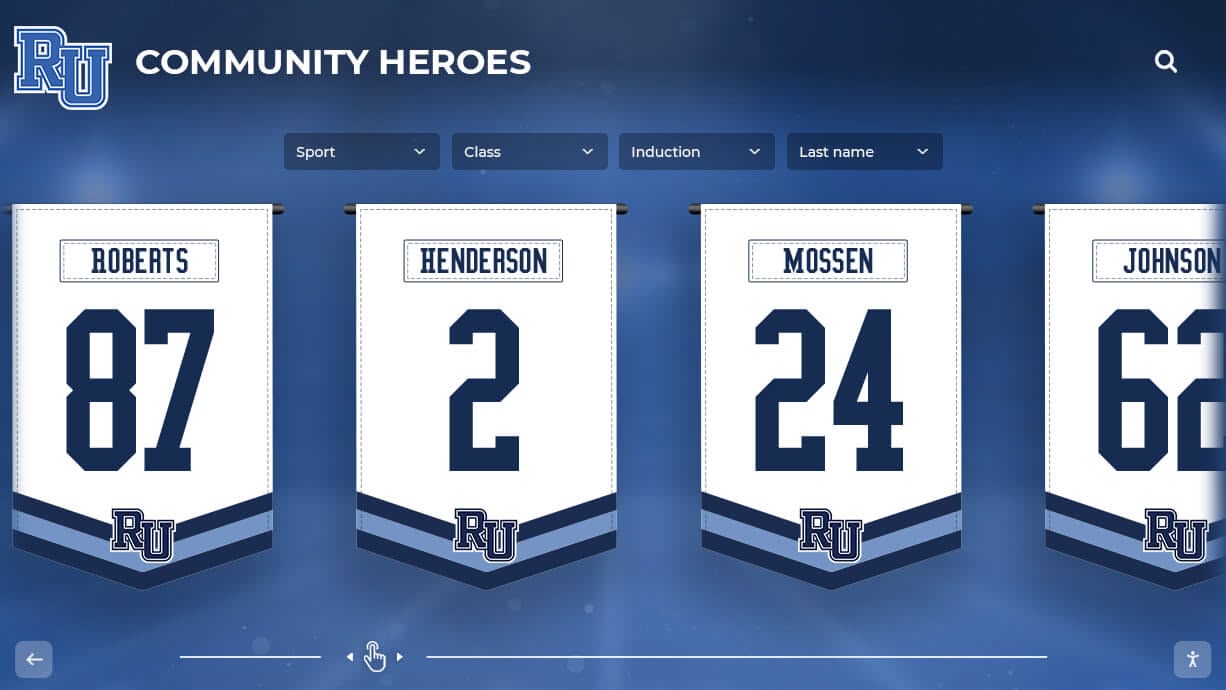
Hybrid approaches combine digital displays with traditional physical recognition elements
Conclusion: Transforming Recognition Through Digital Innovation
Digital hall of fame software and digital signage represent more than technological upgrades to traditional recognition methods—they fundamentally transform how schools celebrate achievements, preserve history, and engage communities. The best platforms combine recognition depth with communication flexibility, enabling institutions to maximize technology investments through unified systems serving multiple purposes.
For schools seeking comprehensive solutions that honor excellence while building lasting community connections, Rocket Alumni Solutions delivers unmatched value through purpose-built educational focus, specialized recognition capabilities, intuitive management requiring no technical expertise, turnkey implementation minimizing deployment complexity, and proven success across 1,000+ installations nationwide.
Institutions prioritizing straightforward announcement displays with limited interactivity may find adequate functionality through generic digital signage platforms, though these solutions require accepting significant limitations compared to purpose-built recognition software.
Regardless of specific platform selection, schools implementing digital recognition benefit most when they:
- Define clear objectives guiding vendor evaluation
- Prioritize educational fit over generic commercial features
- Invest in quality content development ensuring compelling experiences
- Plan systematic launches building community awareness
- Measure effectiveness enabling continuous improvement
- Maintain long-term commitment refreshing content and expanding scope
Digital hall of fame software represents significant investment—but schools choosing appropriate platforms and implementing thoughtfully create recognition systems delivering lasting value for students, alumni, families, and communities for decades to come.
Ready to explore how specialized digital hall of fame software can transform recognition and engagement at your school? Contact Rocket Alumni Solutions at +1-857-465-3603 to discover purpose-built platforms designed specifically for educational recognition that generic signage simply cannot match.
Disclaimer: This content was produced by Rocket Alumni Solutions based on publicly available information as of October 2025. Schools should conduct independent evaluation of all platforms based on their specific needs and requirements. All product names and trademarks belong to their respective owners.































