Intent: Define requirements, calculate costs, and document the complete decision framework for implementing a digital hall of fame in your high school.
As an athletic director, principal, or facilities coordinator, you may soon face one of the most significant technology purchases of your tenure: implementing a digital hall of fame that will showcase student achievements for decades to come. This decision extends far beyond selecting a display—it encompasses choosing a content management platform, determining installation requirements, establishing sustainable content workflows, and ensuring the solution grows with your program.
This comprehensive buying guide provides the actionable specifications, comparison frameworks, and implementation checklists you need to make an informed decision. Whether you’re replacing aging trophy cases, planning a facility renovation, or responding to space constraints that traditional recognition cannot solve, you’ll discover how to evaluate options, avoid common pitfalls, and implement a system that genuinely serves your school community.
Traditional trophy cases present athletic directors and school administrators with frustrating limitations: insufficient space forcing difficult choices about what achievements to display, maintenance requirements demanding ongoing engraving and plaque mounting, inflexibility preventing recognition of diverse achievement categories, and static presentations that fail to engage today’s students who expect interactive, multimedia experiences.
Digital halls of fame eliminate these constraints while creating dynamic recognition platforms that celebrate athletic records, academic honors, arts achievements, community service, alumni success, and historical milestones—all within systems accessible both on-campus and online to alumni worldwide.

Before You Start: Critical Pre-Purchase Questions
Before evaluating specific products or requesting vendor quotes, document answers to these fundamental questions. Your responses will guide every subsequent decision and prevent expensive mistakes that occur when schools purchase solutions misaligned with actual needs and capabilities.
Define Your Recognition Program Scope
Primary Content Categories: Will your digital hall of fame focus exclusively on athletics, or encompass academics, arts, service, and alumni? Systems optimized for sports records often poorly serve broader recognition needs, while comprehensive platforms accommodate diverse achievement categories with appropriate templates and organization structures.
Historical Content Volume: Document how many years of achievements you plan to digitize initially. A school celebrating its 50th anniversary faces different content management requirements than a new facility opening its first display. Count existing plaques, trophies, photos, and records requiring digitization to establish realistic content migration timelines.
Annual Addition Rate: Estimate how many new inductees, achievements, or records you’ll add annually. A comprehensive athletic program recognizing varsity athletes, scholars, arts performers, and community leaders may add 200-400 profiles yearly, while programs with narrower focus add fewer. This projection impacts content management workload and platform capacity requirements.
Content Richness Expectations: Determine whether profiles will include only names and basic achievements, or incorporate photos, videos, detailed biographies, statistics, and multimedia. Rich content creates compelling experiences but requires more extensive content development processes. Be realistic about sustainable content creation capacity rather than committing to standards your staff cannot maintain.
Assess Your Technical Environment and Capabilities
Network Infrastructure: Document available connectivity at intended display locations. Wired Ethernet provides optimal reliability for permanent installations, while WiFi introduces variables requiring evaluation. Note network speed, firewall restrictions, and IT policies that may impact cloud-based platform access. Systems requiring constant connectivity fail when networks experience issues.
Content Management Capacity: Identify who will manage content updates—athletic director, administrative assistant, student media class, or distributed responsibilities. Assess their technical comfort level honestly. Platforms requiring HTML knowledge or complex workflows fail when managed by staff lacking appropriate skills or available time.
Existing Data Sources: Document where current achievement records exist—spreadsheets, athletic management software, student information systems, alumni databases. Integration capabilities reduce redundant data entry, but require compatible systems. List specific software platforms your school uses (e.g., Hudl, FinalForms, GoFan, PowerSchool) when discussing integration with vendors.
IT Department Involvement: Clarify your IT staff’s role and availability. Some schools have full-time technology directors actively supporting all implementations, while others rely on shared district technicians with limited availability. Factor realistic IT support into platform complexity decisions—sophisticated systems requiring extensive technical setup may exceed available support capacity.
Establish Budget Parameters and Funding Sources
Total Available Budget: Determine your complete budget including hardware, software, installation, content setup, and training. Digital hall of fame investments typically range from $8,000 for basic single-display systems to $50,000+ for comprehensive multi-display installations with extensive content development support.
Document whether this is one-time capital funding or whether annual operating budget exists for ongoing platform fees. Many schools secure initial hardware funding through capital campaigns or boosters but lack budgets for annual software subscriptions, creating problems with platforms requiring recurring fees.
Funding Source Restrictions: Note any restrictions on how funds can be used. Booster club donations often come with athletic-specific requirements. Capital improvement funds may cover hardware and installation but not software licenses. Grant funding frequently requires specific deliverables or restrictions. Understanding constraints prevents selecting solutions incompatible with funding parameters.
Timeline for Purchase: Establish whether this purchase must happen immediately or allows time for proper evaluation. Rushed decisions often lead to poor choices. Optimal timelines allow 60-90 days for research, vendor demonstrations, proposal comparison, and stakeholder input before commitment.
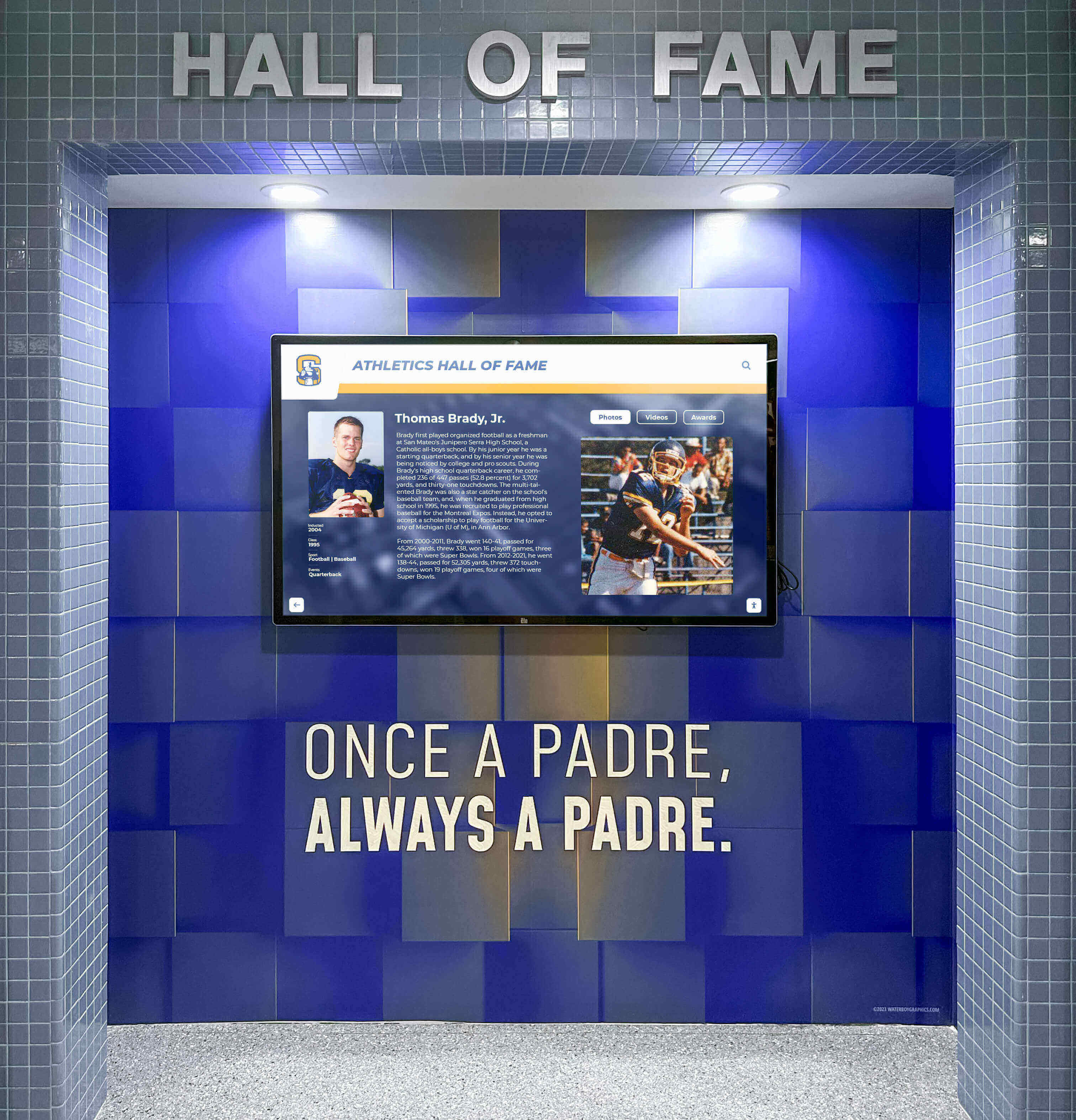
Understanding Digital Hall of Fame System Components
A complete digital hall of fame comprises three distinct components working together. Many schools make purchasing mistakes by focusing exclusively on display hardware while underestimating software platform and content development importance.
Component 1: Display Hardware
The physical touchscreen display represents the most visible component but requires careful specification to ensure appropriate capabilities and longevity.
Commercial-Grade Display Requirements
Residential consumer displays sold at electronics retailers appear similar to commercial equipment but lack essential features for public installation:
- Duty Cycle Rating: Commercial displays operate reliably 16-24 hours daily, while consumer TVs expect 6-8 hours. Consumer displays in public settings experience premature failure.
- Warranty and Support: Commercial displays include multi-year warranties (typically 3-5 years) with responsive service, while consumer warranties provide minimal coverage unsuitable for institutional deployments.
- Brightness Specifications: Commercial panels provide 350-500 nits brightness maintaining visibility in various lighting conditions including bright hallways, while consumer displays optimized for controlled home lighting wash out.
- Temperature Tolerance: Commercial displays withstand wider temperature ranges appropriate for entryways and uncontrolled environments.
Display Sizing by Location
Choose appropriate screen size based on primary viewing distances and space constraints:
- Hallway Installations (43-55 inches): Designed for individual or small-group viewing at close proximity
- Main Lobby Displays (55-75 inches): Balance visibility across larger gathering spaces with wall space availability
- Gymnasium/Athletic Facility (65-86 inches): Match the scale of large spaces requiring visibility from greater distances
- Multi-Display Configurations: Coordinate multiple screens telling comprehensive stories across related content areas
Calculate optimal sizing using the 1.5-2.5x rule: viewers at the furthest typical position should be no more than 2.5 times the screen diagonal measurement away. A 55-inch display suits viewing up to approximately 11 feet, while 75-inch displays accommodate up to 15-foot distances comfortably.
Touch Technology Selection
Modern commercial displays primarily use two touch technologies:
Infrared Touch Systems detect interruption of invisible light beams projected across the screen surface. This technology dominates large-format educational installations because it works with any object (fingers, styluses, pointers), supports numerous simultaneous touch points enabling multi-user interaction, and provides proven reliability. Infrared systems feature slightly raised bezels housing emitters and sensors around the screen perimeter.
Capacitive Touch Systems detect electrical conductivity changes when conductive objects contact screens. This smartphone and tablet standard provides smoother glass surfaces with minimal bezels, generally more responsive feel, and less ambient light susceptibility. Capacitive costs more for large formats and requires conductive contact rather than accepting any object.
For most high school hall of fame applications, either technology performs adequately. Base selection on vendor ecosystem, available sizes, and price rather than touch technology alone.
Mounting and Installation Considerations
Professional installation addresses multiple technical and safety requirements:
- Structural Assessment: Verify wall construction supports display weight (typically 50-150 pounds for 43-75 inch commercial displays)
- Electrical Requirements: Install dedicated 120V circuit within 6 feet of display location
- Network Connectivity: Provide wired Ethernet connection (strongly preferred) or document WiFi signal strength
- Mounting Height: Center displays at 48-54 inches from floor for optimal standing adult interaction while maintaining ADA compliance
- Security Considerations: Use commercial mounting brackets preventing display removal or adjustment
Budget $800-$2,500 for professional installation including electrical work, network connectivity, secure mounting, and cable management depending on location complexity and required modifications.
Component 2: Content Management Platform
Software powering your digital hall of fame determines whether the system creates engaging experiences or becomes expensive equipment students ignore. This represents the most critical decision in your entire evaluation process.
Why Generic Digital Signage Fails for Recognition
Many schools mistakenly implement generic digital signage platforms designed for advertising and announcements. These systems display rotating content but lack features educational recognition requires:
- No Profile Organization: Generic signage displays sequential slides rather than searchable individual profiles
- Limited Interactivity: Touch features extend only to advancing slides, not exploring content depth
- Poor Content Management: Interfaces designed for creating advertisement slides, not maintaining achievement databases
- No Search or Filtering: Users cannot find specific individuals without watching entire content rotations
- Minimal Engagement Analytics: No insight into what content resonates with your community
Digital signage creates experiences barely superior to bulletin boards while failing to leverage interactive capabilities that make touchscreen technology valuable.
Essential Recognition Platform Features
Purpose-built recognition platforms like those from solutions such as Rocket Alumni Solutions specifically address educational needs through specialized capabilities:
Profile-Based Content Organization: Structure content around individuals, teams, and achievements. Users search for specific people, filter by categories (sports, graduation year, achievement type), and explore detailed biographical profiles rather than passively watching rotating content. This organization enables the personalized discovery that creates emotional engagement.
Intuitive Touch Navigation: Recognition displays must be completely self-explanatory to casual users—students, families, and visitors who have never seen the system should successfully navigate content without instructions. This requires thoughtful interface design far beyond basic touchscreen functionality that generic signage provides.
Cloud-Based Management Systems: Staff updating displays should access management from any internet-connected device without requiring physical display access. Intuitive interfaces enable content creation by administrators and staff without technical expertise or IT department involvement. Look for drag-and-drop interfaces, template systems, and bulk import tools.
Multimedia Content Support: Comprehensive platforms seamlessly incorporate high-resolution photos, video clips, detailed achievement descriptions, statistical records, and biographical narratives. This rich content creates emotional connections and tells stories that static text and photos alone cannot convey.
Mobile Web Access: Best-in-class platforms extend recognition beyond physical displays through responsive websites allowing alumni anywhere to explore content, submit profile updates, and share achievements on social media. This extended access dramatically increases engagement and creates connection opportunities supporting broader institutional goals.
Analytics and Engagement Tracking: Understanding which content resonates guides future content development. Recognition systems should track interactions, popular searches, session duration, and content views revealing what engages your specific community.

Content Management Requirements Checklist
When evaluating platforms, document capabilities in these areas:
- Template systems maintaining visual consistency while allowing customization
- Batch upload tools enabling efficient historical content digitization
- Approval workflows ensuring content quality before publication
- Scheduled publishing for time-based content releases
- Multi-user access with role-based permissions
- Integration options with existing school data systems
- Mobile content management from tablets and smartphones
- Version history and content rollback capabilities
- Media library with asset organization and reuse
Component 3: Content Development and Migration
The most overlooked component of digital hall of fame implementation involves content creation and historical achievement digitization. Inadequate content planning causes implementations to stall regardless of hardware or software quality.
Initial Content Volume Assessment
Before requesting vendor proposals, conduct a content audit documenting:
Physical Recognition Inventory: Count existing plaques, trophies, and displays requiring digitization. Photograph all items using smartphones—these images become working inventory during content development even if not final display photos.
Archival Photo Collections: Locate yearbook collections, athletic program photos, historical newspaper clippings, and donor files containing images and information. Note condition and copyright considerations.
Digital Records: Document existing spreadsheets, websites, or databases containing achievement information. Export data to assess volume and quality.
Missing Information: Identify gaps requiring research—missing photos, incomplete biographical information, or unverified records. Realistic timelines account for research time or accept that some historical content will remain incomplete initially with additions over time.
Calculate realistic content development capacity. Schools underestimate time required for quality content creation. A well-developed profile with photo, biography, achievements, and statistics typically requires 15-30 minutes for current subjects with available information, or 30-60+ minutes for historical research involving multiple sources and photo scanning.
Content Development Options
Three approaches to content creation present different trade-offs in cost, speed, and quality:
Internal Development assigns content creation to existing staff, student media classes, or volunteer committees. This approach minimizes external costs but requires realistic assessment of available time and sustainable workload. Many schools enthusiastically begin internal development but abandon efforts when ongoing demands exceed capacity.
Vendor Content Services include professional digitization, data entry, photo editing, and biography writing as part of implementation packages. This approach accelerates launch timelines and ensures professional quality but increases upfront costs significantly—typically adding $3,000-$15,000 depending on historical content volume.
Hybrid Approaches combine professional services for historical content digitization with internal processes for ongoing additions. This balances launch timeline needs with sustainable long-term practices.
When comparing vendor proposals, clarify exactly what content development support is included. “Content setup” may mean only platform configuration, not actual profile creation. Request explicit statements about how many profiles are included and what information is provided for each.
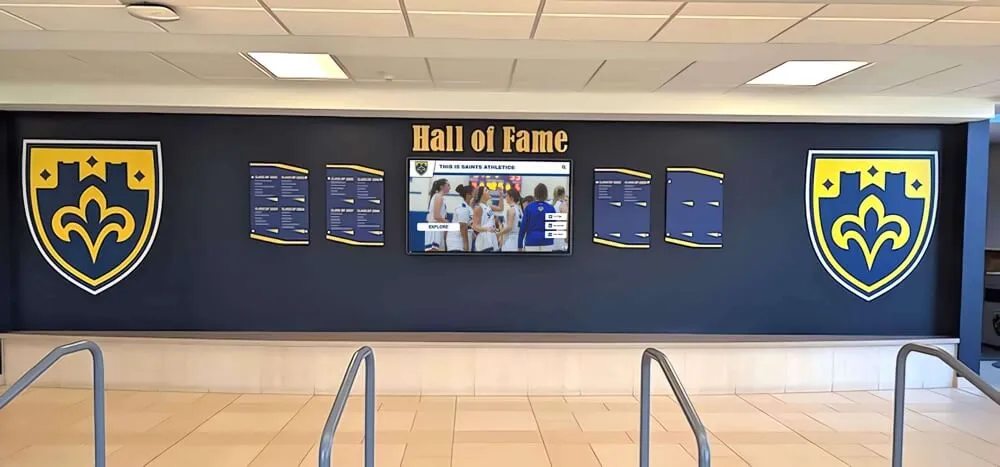
Step-by-Step Buying Process: Your 90-Day Implementation Plan
A structured evaluation process ensures thorough assessment while maintaining momentum toward implementation. This timeline works for most high school purchases requiring stakeholder input but not extensive committee processes.
Days 1-14: Requirements Documentation and Stakeholder Alignment
Week 1 Actions:
Document answers to all pre-purchase questions outlined earlier in this guide. Schedule conversations with key stakeholders—principal, athletic director, facilities director, IT coordinator, and booster representatives—to gather input on priorities and constraints. These early conversations surface issues that derail projects when discovered late in planning.
Create a decision criteria weighting matrix listing the factors most important to your specific situation. Not all schools share identical priorities—some emphasize lowest cost, others prioritize easiest content management, while some focus on comprehensive feature sets. Document your school’s specific priorities:
- Initial purchase cost vs. total five-year ownership cost
- Ease of content management vs. platform sophistication
- Athletic-specific functionality vs. comprehensive recognition
- Vendor implementation support vs. self-service flexibility
- Proven installed base vs. innovative new capabilities
This documented criteria enables objective vendor comparison rather than decisions influenced primarily by sales presentation quality.
Week 2 Actions:
Visit nearby schools with existing digital recognition displays. Direct observation reveals implementation realities vendors may understate—content management difficulty, actual user engagement levels, system reliability, and ongoing support requirements. Speak with staff managing content to understand real workload versus vendor promises. Many athletic directors report that personal conversations with peers at other schools provided more valuable insight than vendor demonstrations.
Measure and photograph intended installation locations documenting wall space, viewing distances, traffic patterns, and environmental conditions. Note electrical outlet locations, network access points, and any obstacles affecting installation. These measurements prevent discovering late in the process that proposed solutions won’t fit available space.
Days 15-45: Vendor Research and Demonstrations
Vendor Identification:
Research vendors offering digital recognition solutions purpose-built for educational environments. The market includes several categories:
Specialized Recognition Platforms: Vendors like Rocket Alumni Solutions focus exclusively on educational recognition and alumni engagement, providing purpose-built platforms with templates, workflows, and features designed specifically for schools. These solutions typically provide more intuitive content management and better out-of-box experiences for recognition applications compared to generic alternatives.
Digital Signage with Touch: General digital signage vendors offer touchscreen capabilities as additions to platforms primarily designed for rotating announcements and advertising. These solutions work when signage functionality represents your primary need with occasional recognition, but lack depth for comprehensive recognition programs.
Custom Development: Some schools work with AV integrators or software developers to create custom solutions. This approach provides maximum flexibility but requires significant technical expertise, substantial budgets ($50,000+), and ongoing development resources. Most high schools lack resources for custom development success.
Request demonstrations from 3-5 vendors representing different approaches. More demonstrations create confusion rather than clarity, while fewer limit perspective on available options.
Demonstration Evaluation Framework:
During vendor demonstrations, use this framework to assess each solution systematically:
Content Management Assessment (30 minutes):
Request that vendors demonstrate actual content entry processes—creating profiles, uploading photos, and publishing updates—rather than only showing finished displays. Watch for:
- Number of clicks/steps required for common tasks
- Whether forms are intuitive or require training
- How long profile creation takes
- Whether batch operations are available for efficiency
- If content requires review/approval before publication
Ask vendors to walk through updating an existing profile, adding a new achievement category, and bulk-importing historical data. These real scenarios reveal usability more than polished demonstration scripts.
Display Interaction Assessment (20 minutes):
Experience the actual user interface students and visitors will see. Evaluate:
- Whether navigation is self-explanatory without instruction
- Response time between touch and system reaction
- Search effectiveness and result relevance
- Content organization clarity
- Visual appeal and professional appearance
- Whether multimedia (photos/videos) displays smoothly
Have multiple people try the interface—ease of use varies by individual technical comfort. Systems requiring explanation for basic navigation will frustrate casual users.
Technical Implementation Assessment (20 minutes):
Understand what implementation actually involves:
- Required network specifications and firewall access
- Hardware recommendations and compatibility
- Installation process and timeline
- Integration capabilities with existing systems
- Backup and disaster recovery procedures
- Ongoing maintenance requirements
Request specific technical documentation rather than accepting general claims about “easy installation.” IT coordinators need actual requirements to assess feasibility.
Support and Training Assessment (15 minutes):
Clarify exactly what support the vendor provides:
- Initial training format, duration, and location
- Ongoing support availability and response time guarantees
- Additional training for new staff
- Software update frequency and process
- Typical issue resolution timelines
- Whether support is included or additional cost
Request references from schools implementing systems 12-24 months ago. Early references remain enthusiastic about new purchases, while schools 1-2 years into usage provide realistic perspective on ongoing support quality.

Days 46-60: Proposal Comparison and Reference Checks
Request detailed written proposals from vendors meeting your requirements. Standardize proposals by providing identical specifications to all vendors including number of displays, installation locations, approximate content volume, and required training.
Proposal Analysis Template
Create a comparison spreadsheet documenting:
Hardware Specifications:
- Display brand, model, and screen size
- Touch technology and number of touch points
- Brightness rating and commercial certification
- Warranty length and coverage terms
- Mounting hardware and installation services
Software Platform:
- Licensing model (one-time purchase, annual subscription, or included)
- Number of user accounts and access levels
- Profile capacity (unlimited or maximum count)
- Multimedia support (video, audio, documents)
- Mobile accessibility and QR code features
- Analytics and reporting capabilities
Implementation Services:
- Installation included or additional cost
- Content development services and scope
- Training hours and format (onsite or virtual)
- Timeline from purchase to operation
- Ongoing support response time guarantees
Total Investment:
- Initial purchase cost
- Year 1 total (including all first-year fees)
- Years 2-5 costs (annual subscriptions, support, etc.)
- Five-year total cost of ownership
This structured comparison prevents “apples to oranges” proposals where vendors emphasize different elements making objective evaluation difficult.
Reference Interview Questions
Contact references provided by finalists asking:
- How long did implementation actually take compared to promises?
- What unexpected challenges occurred during setup?
- How difficult is routine content management for your staff?
- What has vendor support responsiveness been like?
- Would you make the same choice again knowing what you know now?
- What do you wish you had known before purchasing?
These candid conversations reveal realities vendors understandably minimize during sales processes.
Days 61-75: Internal Approval and Contract Negotiation
Present recommendations to decision-makers using the documented comparison framework. Stakeholders understanding your structured evaluation process typically approve recommendations confidently.
Contract Negotiation Priorities:
Before signing agreements, clarify and document:
Implementation Timeline: Specify dates for equipment delivery, installation completion, training sessions, and system operational status. Include remedies if vendor misses deadlines.
Scope Definition: Explicitly list what is included—number of displays, installation locations, content development (if any), training hours, first-year support. Anything not written in contracts becomes negotiation leverage for vendors later.
Ongoing Costs: Document all recurring fees for years 2-5 with explicit language preventing unexpected increases. Specify whether quoted prices apply per-display, per-school, or per-account.
Performance Guarantees: Include system uptime requirements (typically 99% excluding scheduled maintenance), support response time commitments, and remedies for failures.
Exit Provisions: Understand data ownership and export capabilities if you eventually change platforms. Some vendors use proprietary formats preventing content migration, essentially locking you in regardless of future dissatisfaction.
Days 76-90: Purchase Execution and Implementation Planning
Execute purchase orders and finalize implementation plans including:
Installation Scheduling: Coordinate with facilities, IT, and vendors to schedule work during appropriate times. Consider school calendar impacts—avoid major events, testing windows, and holiday breaks when campus access is limited.
Content Development Planning: If handling content internally, assign specific responsibilities with realistic deadlines. If vendors provide content services, gather all source materials—yearbooks, photo collections, spreadsheets—required for their work.
Staff Training Preparation: Identify who will attend training and ensure schedules accommodate full participation. Request training agendas in advance to assess coverage adequacy.
Launch Planning: Consider whether to launch quietly or create ceremonial unveiling events. Some schools coordinate launches with homecoming, hall of fame induction ceremonies, or alumni gatherings to maximize initial exposure and engagement.
Investment Ranges and Cost Comparison: What to Actually Budget
Digital hall of fame pricing varies significantly based on display size, software platform sophistication, content development services, and vendor business models. Understanding typical investment ranges prevents surprise when reviewing proposals.
Single-Display System Costs
Basic Entry-Level Systems ($8,000-$15,000):
These solutions combine commercial display hardware with simpler software platforms providing fundamental recognition capabilities:
- 43-55 inch commercial touchscreen display
- Basic recognition software with essential features
- Professional installation and mounting
- 2-4 hours of training
- Minimal content development assistance
- First year support included
Entry-level systems work well for schools with:
- Limited budgets requiring minimal initial investment
- Technical staff comfortable with self-service setup
- Focused recognition needs (athletics only, for example)
- Smaller content volumes (under 500 profiles)
Mid-Range Comprehensive Systems ($15,000-$28,000):
These solutions provide more sophisticated platforms, larger displays, and enhanced implementation support:
- 55-65 inch commercial touchscreen display
- Advanced recognition platform with full feature sets
- Professional installation with upgraded mounting
- Comprehensive training (4-8 hours)
- Content development support (50-100 profiles)
- Mobile web access and QR code features
- Analytics and engagement reporting
- First year support with priority response
Mid-range systems suit schools needing:
- Comprehensive recognition across multiple achievement categories
- User-friendly content management for non-technical staff
- Professional content development assistance for historical achievements
- Extended access beyond physical displays
Premium Systems ($28,000-$50,000+):
Premium investments include larger displays, extensive content services, and comprehensive ongoing support:
- 65-86 inch commercial touchscreen displays
- Enterprise recognition platforms with advanced integrations
- Premium installation with environmental customization
- Extensive training for multiple administrators
- Professional content development (200+ profiles)
- Custom design and branding integration
- White-glove implementation support
- Extended warranties and premium support
Premium systems address:
- Large schools with extensive historical content requiring professional digitization
- Multi-display installations coordinating multiple locations
- Integration requirements with existing institutional systems
- Schools prioritizing comprehensive vendor support
Multi-Display Configurations
Schools implementing multiple coordinated displays across different locations face different economics:
Two-Display Systems: Typically cost 60-70% more than single displays (not double), as content development, training, and software scale efficiently while hardware and installation costs increase linearly.
Three+ Display Systems: Often negotiate 15-25% per-display discounts compared to single installations as schools become significant vendor customers justifying volume pricing.
Multi-display implementations work best when:
- Different displays serve distinct purposes (athletics in gym, academics in main building, alumni in lobby)
- Campus size requires multiple locations for adequate access
- Comprehensive recognition programs exceed single display capacity
- Budget accommodates complete vision rather than implementing incrementally
Five-Year Total Cost of Ownership
Initial purchase represents only part of true system costs. Document complete five-year ownership costs including:
Annual Software/Platform Fees: Many vendors charge annual subscriptions for cloud platforms, updates, and support. Typical annual fees range from $0 (lifetime licenses) to 10-15% of initial purchase price. A $20,000 system with 12% annual fees costs $32,000 over five years—60% more than initial purchase.
Content Development Labor: Whether internal staff time or contracted services, ongoing content addition requires resources. Estimate annual content addition time and cost realistically. Schools adding 200 profiles yearly at 20 minutes each require 67 hours annually—approximately one week of full-time work or $2,000-$4,000 in contracted services.
Technical Support: Some vendors include ongoing support in initial purchase, while others charge annual support fees. Support costs typically range from $0 to 15% of hardware cost annually.
Hardware Replacement: Commercial displays operate reliably 7-10 years under typical educational use. Factor eventual replacement into long-term planning, though not five-year costs.
Network/Power Consumption: Displays consume 200-400 watts during operation, translating to $30-$80 annually in electricity costs. Network bandwidth usage is minimal for cloud-based systems.
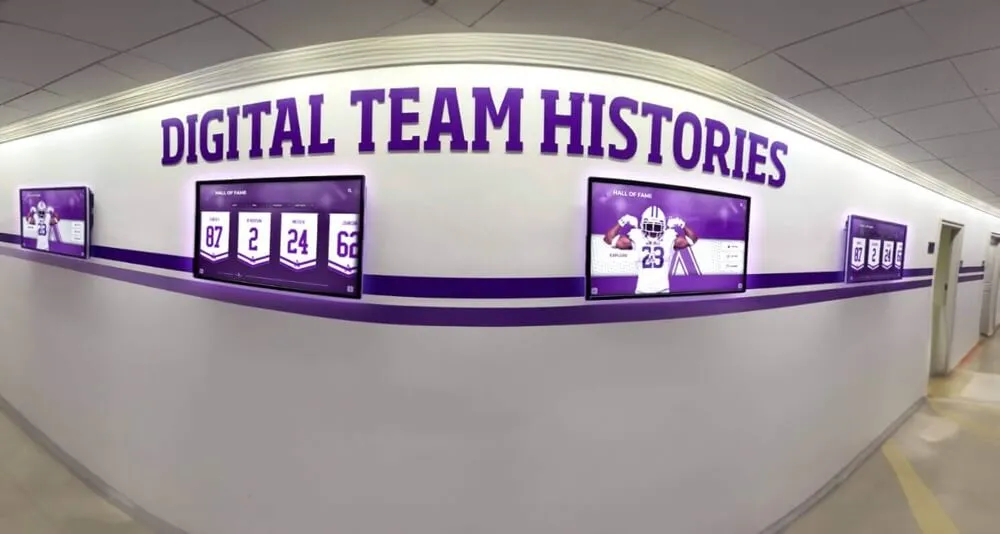
Technical Requirements Checklist: What Your IT Coordinator Needs to Know
Before finalizing purchases, confirm technical requirements with IT staff to prevent implementation problems:
Network Requirements
Internet Connectivity Specifications:
- Minimum bandwidth: 5-10 Mbps dedicated for cloud-based platforms
- Network reliability: 99%+ uptime for optimal operation
- Firewall access: Outbound HTTPS (port 443) access to vendor cloud platforms
- Static IP requirements: Determine if displays need static IPs or DHCP acceptable
Physical Connectivity Options:
- Wired Ethernet strongly preferred for reliability and security
- WiFi acceptable if signal strength exceeds -65 dBm at display location
- Cellular backup appropriate for locations lacking reliable network infrastructure
Security Requirements:
- Content management access from school network or remote locations
- User authentication methods (local accounts, SSO integration)
- Data encryption for content management and display communication
- Compliance with school security policies and student data protection requirements
Power and Physical Installation
Electrical Requirements:
- Dedicated 120V 15-amp circuit recommended for each display
- Power outlet within 6 feet of display location
- Surge protection for expensive electronics
- Cable management for professional appearance
Mounting Requirements:
- Wall structure assessment by qualified contractor
- Commercial VESA-compliant mounting brackets rated for display weight plus 2x safety factor
- Security features preventing display removal without tools
- ADA-compliant mounting heights (screen center 48-54 inches from floor)
Environmental Considerations:
- Ambient temperature range 50-95°F for reliable operation
- Avoid direct sunlight causing screen glare and overheating
- Sufficient ventilation (6 inches clearance) for passive cooling
- Protection from moisture in entryways or unconditioned spaces
Software and Integration Specifications
Platform Compatibility:
- Browser requirements for content management
- Operating system compatibility
- Mobile device support for remote management
- Minimum screen resolution for management interfaces
Integration Capabilities:
- API availability for custom integrations
- Compatible student information systems
- Athletic management software connections
- Alumni database synchronization options
Data Management:
- Content backup frequency and retention
- Data ownership and export formats
- Disaster recovery procedures
- Content migration capabilities if changing platforms
Provide vendors with this technical checklist early in evaluation to identify potential compatibility issues before committing to purchases.
Common Mistakes and How to Avoid Them
Schools implementing digital halls of fame frequently encounter predictable problems. Learning from others’ experiences prevents these expensive mistakes:
Mistake 1: Prioritizing Hardware Over Software
The Problem: Schools focus primarily on display size and hardware specifications while treating software as secondary consideration. This approach results in impressive displays running inadequate platforms requiring constant manual content management that staff abandon within months.
The Solution: Evaluate software platform capabilities before hardware specifications. The platform determines whether your system creates engaging experiences or becomes expensive equipment students ignore. Choose platforms with proven educational recognition features, then select appropriate hardware. Solutions like Rocket Alumni Solutions provide specialized recognition platforms designed specifically for schools rather than generic signage adapted for recognition.
Mistake 2: Underestimating Content Development Requirements
The Problem: Enthusiastic schools envision comprehensive displays showcasing decades of achievements without realistic assessment of content creation workload. Projects stall when staff discover the hundreds of hours required to digitize historical achievements, leading to displays with minimal content that fail to impress.
The Solution: Conduct thorough content audits before purchase to understand actual volume. Choose one of three sustainable approaches: invest in professional content development services during implementation, implement with limited historical content and expand gradually, or assign realistic internal resources with appropriate time allocation. Schools successfully maintaining recognition displays allocate 2-4 hours weekly for ongoing content management.
Mistake 3: Selecting Solutions Exceeding Technical Capacity
The Problem: Sophisticated platforms offering impressive capabilities require technical expertise exceeding available IT support and content administrator skills. Complex systems remain underutilized when staff cannot navigate management interfaces without extensive training.
The Solution: Match platform sophistication to realistic staff capabilities and available support. Intuitive interfaces enabling content updates by administrative staff without IT involvement operate far more successfully than feature-rich platforms requiring technical expertise for routine tasks. During demonstrations, have actual content managers attempt typical tasks to assess realistic usability.
Mistake 4: Inadequate Long-Term Cost Planning
The Problem: Schools secure funding for initial hardware purchase without budgeting for annual software subscriptions, support fees, and content development costs. Displays become unusable when annual subscriptions lapse, or content becomes outdated when no resources exist for updates.
The Solution: Document complete five-year ownership costs including annual fees before purchase. Ensure sustainable funding for recurring costs, or select solutions with lifetime software licenses avoiding annual subscriptions. Many schools successfully utilize booster organizations or alumni associations to fund initial purchase while operating budgets cover modest annual costs.
Mistake 5: Poor Installation Location Selection
The Problem: Displays installed in low-traffic locations, areas lacking visibility, or positions inconvenient for comfortable interaction receive minimal use regardless of content quality or technical capabilities.
The Solution: Prioritize high-traffic locations where students naturally congregate—main hallway intersections, cafeteria entrances, athletic facility lobbies, or main building entry points. Observe traffic patterns during various school times before finalizing locations. Mount displays at appropriate heights with adequate approach clearance for comfortable interaction.

How Purpose-Built Recognition Solutions Transform High School Pride
While this guide maintains objectivity across various approaches to digital recognition, understanding how specialized platforms specifically address educational needs helps contextualize why many schools select purpose-built solutions over generic alternatives.
Traditional trophy cases and static plaques impose space limitations forcing schools to choose which achievements warrant recognition. A typical trophy case occupying 15 feet of wall space displays perhaps 40-60 trophies and 100-150 individual name plaques. Schools with 50+ years of achievements across athletics, academics, arts, and service cannot possibly recognize all deserving students within physical space constraints.
Digital recognition systems eliminate space constraints entirely. A single 55-inch display showcases unlimited achievements—thousands of profiles with photos, biographies, videos, and detailed accomplishments all accessible through intuitive search and navigation. Schools recognize athletes, scholars, performers, service leaders, and alumni success without forcing impossible choices about whose achievements deserve display.
Why Specialized Educational Platforms Matter
Generic digital signage platforms designed for advertising rotate pre-programmed content on fixed schedules. Users watch passively as slides advance automatically, similar to television commercials. This approach fails for recognition because:
- Students cannot search for specific individuals without watching entire rotations
- Content depth is limited to what fits on rotating slides
- No interactive exploration of related achievements or connections
- Generic templates lack recognition-specific organization
- Content management requires technical skills for slide creation
Purpose-built recognition platforms like those from Rocket Alumni Solutions fundamentally differ by organizing content around searchable individual profiles rather than sequential slides. Students, families, and visitors actively explore content through:
Intuitive Search Capabilities: Enter names, graduation years, or achievement types to instantly access specific profiles. This personalized discovery creates engagement that passive slideshow viewing cannot match.
Rich Biographical Profiles: Each inductee receives comprehensive digital pages incorporating high-resolution photos, detailed achievement descriptions, video clips from performances or competitions, statistical records documenting progression, and biographical narratives telling complete stories. This content depth transforms recognition from names on plaques to compelling multimedia experiences.
Mobile Web Access: Recognition extends beyond physical displays through responsive websites allowing alumni worldwide to explore achievements, update their profiles, and share accomplishments on social media. This extended reach builds connections that support alumni engagement, development efforts, and community building.
Effortless Content Management: Cloud-based platforms enable updates from any device without technical expertise. Administrative staff add new inductees, update information, and manage entire systems in minutes rather than hours required for physical display updates requiring printing, mounting, and installation.
The Investment in School Culture
Digital halls of fame represent more than technology purchases—they demonstrate institutional commitment to comprehensively celebrating student achievement while building the pride and belonging that support academic success, positive behavior, and lifelong alumni relationships.
Prominent recognition of achievement demonstrates what schools value while inspiring current students and connecting alumni to institutional legacy. This visible celebration builds the culture and community that extend far beyond individual athletic contests or academic competitions.
Schools implementing interactive recognition displays report significant impact on school pride, family engagement, community reputation, and student motivation—outcomes extending far beyond what standalone hardware provides without comprehensive content platforms and sustainable management practices.
Making Your Final Decision: A Decision Framework
After completing your research, vendor demonstrations, and proposal analysis, use this framework to finalize your decision with confidence:
Decision Matrix Exercise
Create a weighted scoring matrix listing your documented priorities with assigned importance weights totaling 100 points. Score each finalist vendor from 1-10 on each criterion, then multiply by weights to calculate total scores. This structured approach prevents decisions influenced primarily by sales pressure or last-minute considerations.
Example criteria with sample weights:
- Initial purchase cost (15 points): Within budget constraints while providing needed capabilities
- Total 5-year cost (15 points): Sustainable ongoing costs without budget strain
- Content management ease (20 points): Non-technical staff can manage effectively
- Platform features (15 points): Meets recognition program requirements
- Implementation support (10 points): Vendor assists with content development and training
- Vendor stability (10 points): Company likely to provide ongoing support for years
- School references (10 points): Peer endorsements from similar schools
- Hardware quality (5 points): Commercial-grade displays with adequate warranties
Adjust weights reflecting your specific priorities—schools emphasizing self-service may weight content management ease higher, while those with technical staff may prioritize advanced features.
Stakeholder Confirmation
Before finalizing purchase:
- Present recommendation to decision-makers with documented evaluation process
- Confirm IT department reviewed technical requirements and verified compatibility
- Verify funding sources confirmed and purchasing processes initiated
- Obtain principal and athletic director endorsement of selected solution
- Document any remaining concerns and resolution plans
This stakeholder confirmation prevents late-stage objections derailing carefully planned implementations.
Implementation Readiness Assessment
Confirm your school is prepared for successful implementation:
Content Readiness: Sources for initial content identified, digitized, and organized for efficient input. Realistic content development plan with assigned responsibilities and deadlines.
Technical Readiness: Network connectivity confirmed at installation locations. Electrical and mounting requirements addressed. IT staff briefed on platform requirements and support role.
Organizational Readiness: Content management responsibilities assigned to specific staff with adequate time allocation. Training scheduled for all administrators. Launch timeline coordinated with school calendar and stakeholder availability.
Financial Readiness: Purchase orders or funding transfers initiated. Budget confirmed for year 2+ recurring costs. Sustainable funding plan for ongoing content development and system management.
Schools confirming readiness across all dimensions experience smooth implementations meeting timelines and achieving intended results. Those discovering gaps during implementation face delays, frustration, and compromised outcomes.
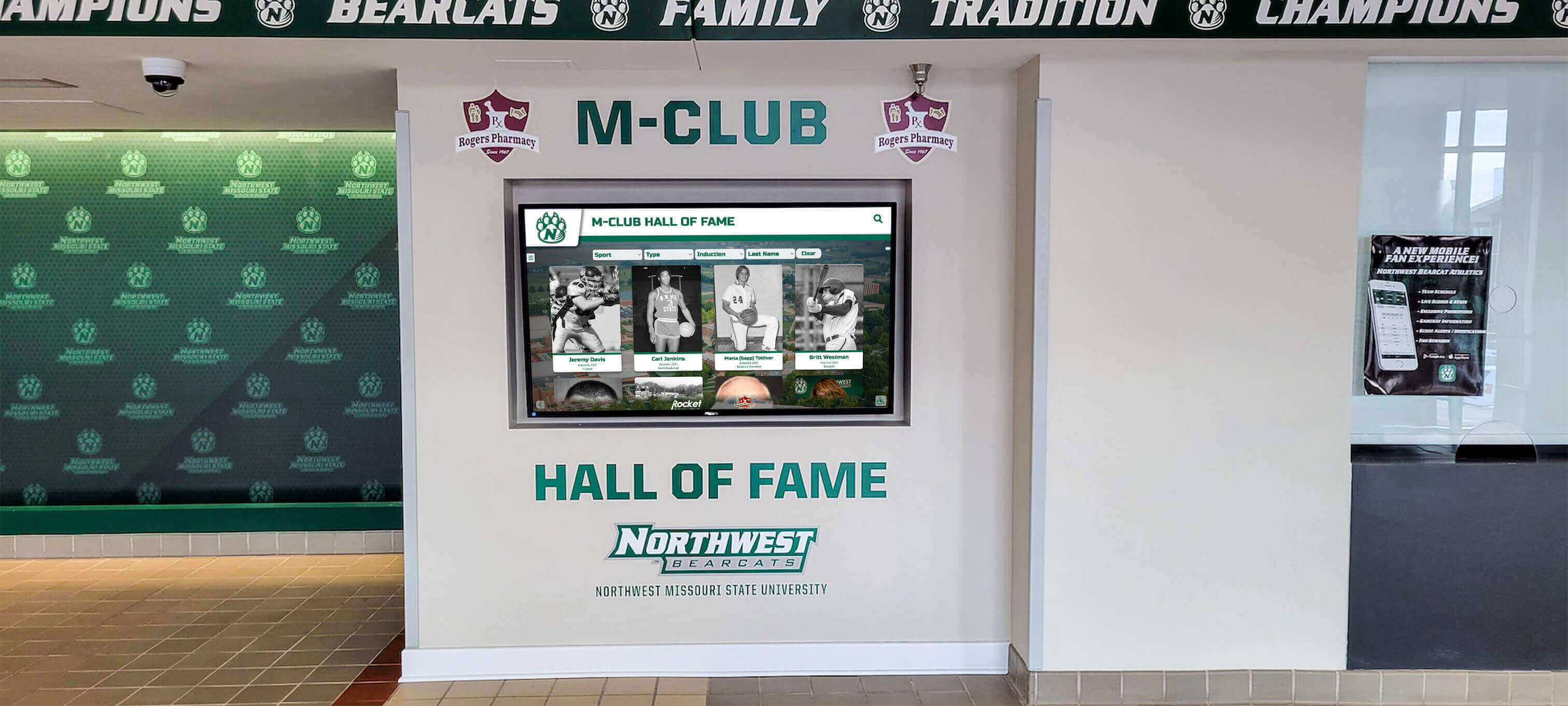
Conclusion: Implementing Recognition That Builds School Pride
Selecting and implementing a digital hall of fame represents a significant decision with lasting impact on how your school celebrates achievement and builds community pride. This investment extends far beyond replacing trophy cases—it creates dynamic recognition platforms that honor diverse accomplishments, engage current students, connect alumni worldwide, and demonstrate institutional values through prominent celebration of excellence.
The structured evaluation process outlined in this guide ensures thorough assessment of your needs, objective vendor comparison, and confident decision-making that serves your school community for years. By documenting requirements, prioritizing essential capabilities, assessing realistic content development capacity, and planning sustainable management practices, you position your implementation for success.
Purpose-built recognition platforms designed specifically for educational environments provide distinct advantages over generic alternatives adapted from other applications. Solutions like Rocket Alumni Solutions deliver specialized features, intuitive interfaces, and comprehensive support that generic digital signage cannot match for recognition applications.
Whether you’re replacing aging trophy cases, planning facility renovations, or creating recognition systems where none previously existed, a methodical approach to platform selection and implementation planning ensures your digital hall of fame becomes a valued community asset that genuinely serves your recognition mission.
Ready to explore how purpose-built recognition displays can transform your high school’s approach to celebrating achievement while building community pride? Schedule a TouchWall build session to discover comprehensive platforms designed specifically for educational recognition that create engaging experiences students, families, and alumni value for generations.
For additional resources on planning and implementing recognition displays, explore our guides on digital trophy wall implementation, athletic facility technology, and academic recognition programs.































