Baseball has always been about tradition, history, and honoring the legends who shaped America’s pastime. From Babe Ruth’s called shot to Jackie Robinson breaking the color barrier, baseball’s greatest moments live in collective memory—preserved through photographs, plaques, and the stories passed down through generations. Yet as we advance deeper into the digital age, how we celebrate and preserve baseball excellence is evolving dramatically through interactive display technology that engages modern fans while honoring the sport’s storied heritage.
In this comprehensive guide, we explore how digital hall of fames are transforming baseball recognition—from the National Baseball Hall of Fame in Cooperstown to MLB team facilities across the country, and how baseball programs at all levels can implement similar technologies to celebrate excellence. Whether you're an athletic director planning facility upgrades, a museum curator designing exhibits, or a baseball enthusiast interested in how technology preserves the sport's legacy, you'll discover practical insights about modern recognition displays that honor baseball's greatest appropriately.
The National Baseball Hall of Fame: Leading Baseball’s Digital Transformation
Located at 25 Main Street in Cooperstown, New York—baseball’s most hallowed ground—the National Baseball Hall of Fame and Museum has continuously evolved since opening in 1939 to engage visitors while preserving baseball’s rich heritage. With 346 inducted members and over 40,000 three-dimensional artifacts in its collection, the Hall faces the ongoing challenge of making an ever-expanding history accessible and engaging.
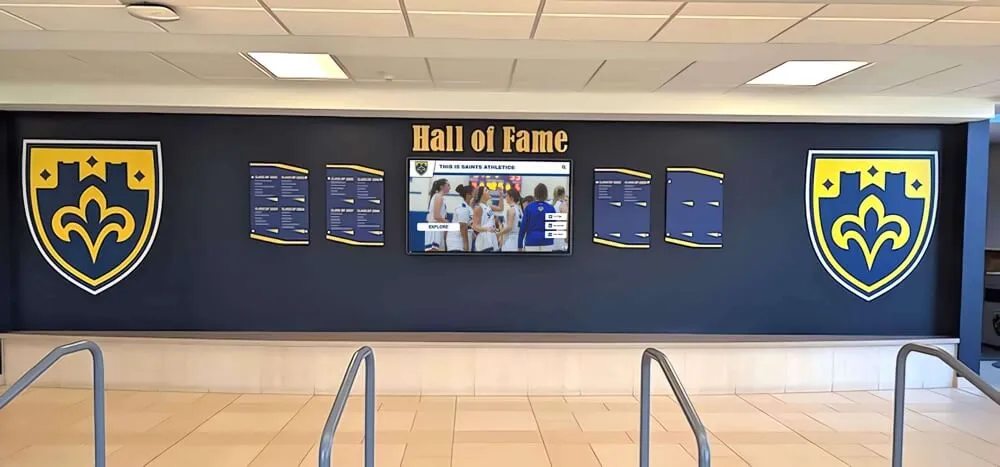
Interactive Technology at Cooperstown
The Baseball Hall of Fame has embraced digital technology to create immersive experiences that bring baseball history to life for modern audiences. According to information from the Hall, visitors encounter multiple interactive features throughout the museum:
Digital Hall of Fame Plaques: Interactive exhibits allow visitors to create their own digital Hall of Fame plaque that can be emailed to them, personalizing the experience while introducing the tradition of bronze plaques that honor baseball’s immortals.
Digital Baseball Cards: Fans can create digital baseball cards of themselves using modern technology, connecting personal experience with baseball card tradition that spans over a century.
Interactive Touchscreen Feedback Stations: Five interactive touchscreen stations created by digital agency Bluecadet let visitors learn about and weigh in on topics that fuel debate in the baseball world. The “Whole New Ballgame” exhibit gives visitors the chance to provide feedback on hot-button issues, seeing where they fall on the debate spectrum and how many other fans share their opinions.
Record Search Displays: The “One for the Books” exhibit allows fans to search records dating back through baseball history via an interactive Top Ten Tower while viewing exciting moments throughout the years via a multimedia wall.
These interactive elements complement rather than replace traditional exhibits, creating a balanced experience that appeals to multiple generations while maintaining the reverence baseball history deserves.

The Hall of Fame Tour: Bringing Baseball History Nationwide
Beyond the permanent Cooperstown facility, the Baseball Hall of Fame has developed a traveling exhibit called “We Are Baseball” that demonstrates how modern technology can make baseball history accessible beyond fixed locations. According to available information, the tour consists of five individual fifty-foot-long mobile units packed with:
- 4K Interactive Touch Screens: High-resolution displays providing detailed content exploration
- 30-foot Video Wall: Immersive viewing experiences showcasing legendary moments
- 84-inch 4K Interactive Touch Table: Collaborative exploration surfaces for group engagement
- Green-Screen Technology: Enables visitors to create photos of themselves in historic baseball moments, shareable via social media
This mobile approach demonstrates how digital recognition technology can expand beyond permanent installations, bringing baseball legacy to communities nationwide while creating shareable experiences that extend engagement through social networks.
MLB Team Halls of Fame: Celebrating Franchise Excellence
Major League Baseball teams increasingly invest in sophisticated recognition displays within their own facilities—stadiums, training complexes, and team museums where interactive technology celebrates organizational history while engaging fans and motivating current players.
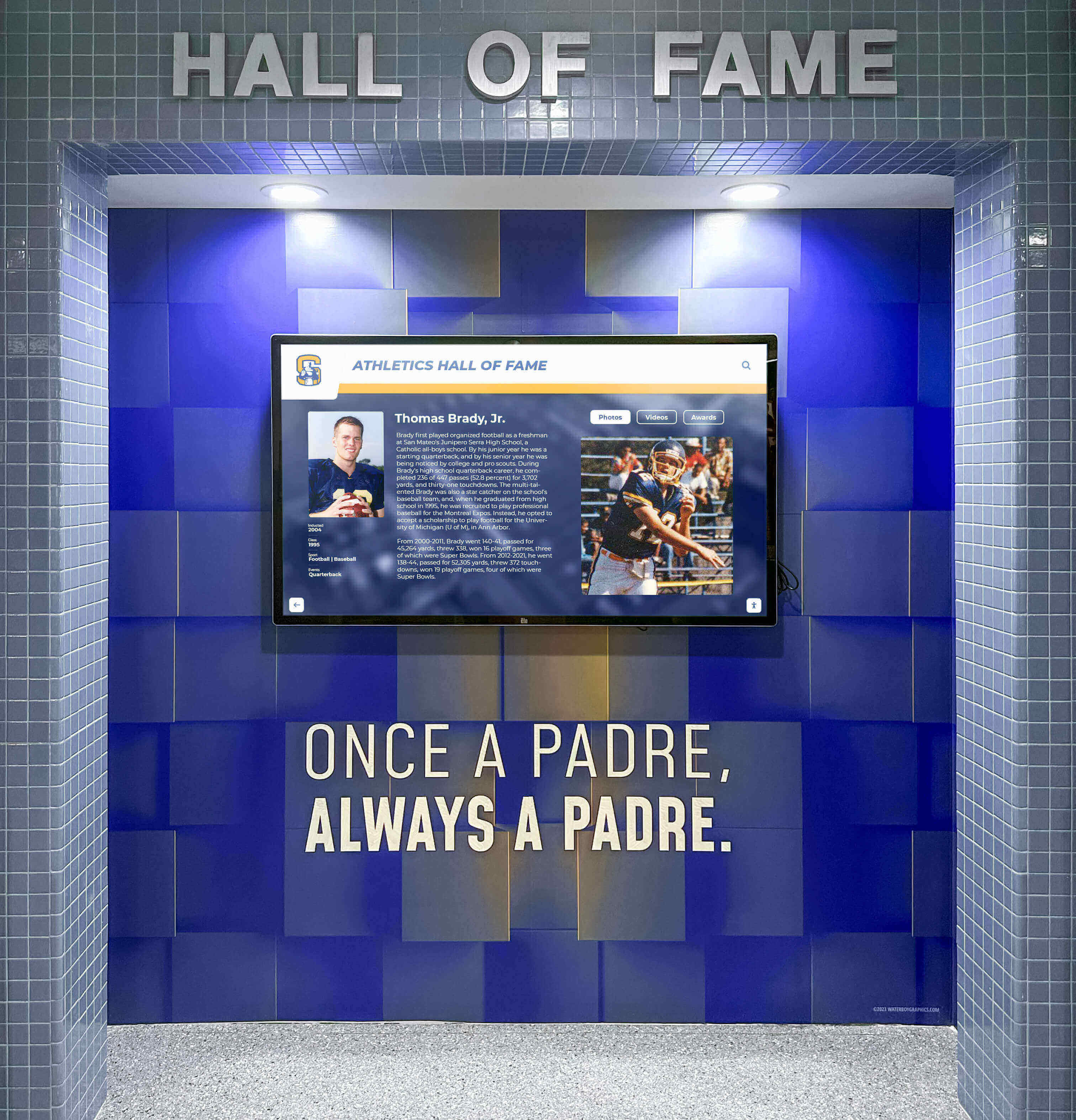
St. Louis Cardinals Hall of Fame & Museum
The St. Louis Cardinals have created one of MLB’s most technologically advanced team museums, demonstrating how digital displays can enhance traditional recognition. According to official Cardinals information, the museum features:
Augmented Reality Experiences: The museum has implemented AR technology for select artifacts throughout the facility. Fans use the Busch Stadium Ballpark App to relive exciting moments from Cardinals history through their smartphones, including:
- Highlights from historic Sportsman’s Park
- Lou Brock’s base stealing record
- Jim Edmonds’ 2004 NLCS home run
Interactive Broadcast Booth: Visitors can call some of the Cardinals’ most memorable moments, experiencing the thrill of sports broadcasting while connecting with franchise history.
Holding History: An area where visitors can physically hold authentic bats used by Cardinals greats, combining tactile traditional artifacts with digital interpretive content.
Interactive Kiosks: Digital stations help fans learn more about past Cardinals greats through photos, videos, and comprehensive statistics, providing depth traditional plaques cannot match.
The museum’s seven galleries take visitors on a chronological journey through Cardinals history, demonstrating how digital storytelling enhances athletic programs by allowing deeper exploration while maintaining narrative structure.
Cincinnati Reds Hall of Fame & Museum
The Cincinnati Reds, baseball’s first professional team established in 1869, maintain their own Reds Hall of Fame & Museum celebrating franchise history. Like other MLB team facilities, the Reds integrate digital technology with traditional exhibits to honor legendary players, championship teams, and organizational milestones spanning over 150 years.
The Value of Team-Specific Recognition
MLB franchises with rich histories—the Yankees, Dodgers, Giants, Red Sox, Cubs, and others—maintain extensive recognition programs celebrating legendary players, championship seasons, and organizational milestones. Modern technology enables these programs to expand beyond limited physical space through several key advantages:
Comprehensive Roster Documentation: Digital systems accommodate complete franchise histories without physical space constraints forcing difficult exclusion decisions as organizations honor more contributors across expanding histories.
Depth Traditional Displays Cannot Match: Interactive profiles include career statistics, video highlights, biographical narratives, and contextual information about eras and circumstances surrounding achievements—storytelling impossible with static plaques.
Regular Updates and Additions: As players retire, records fall, and new achievements occur, digital systems enable instant updates without manufacturing and installing new physical displays, maintaining currency while controlling long-term costs.
Fan Engagement Through Discovery: Search and filtering capabilities let fans explore content based on personal interests—following favorite players, examining specific positions, researching particular eras, or comparing statistical achievements across generations.
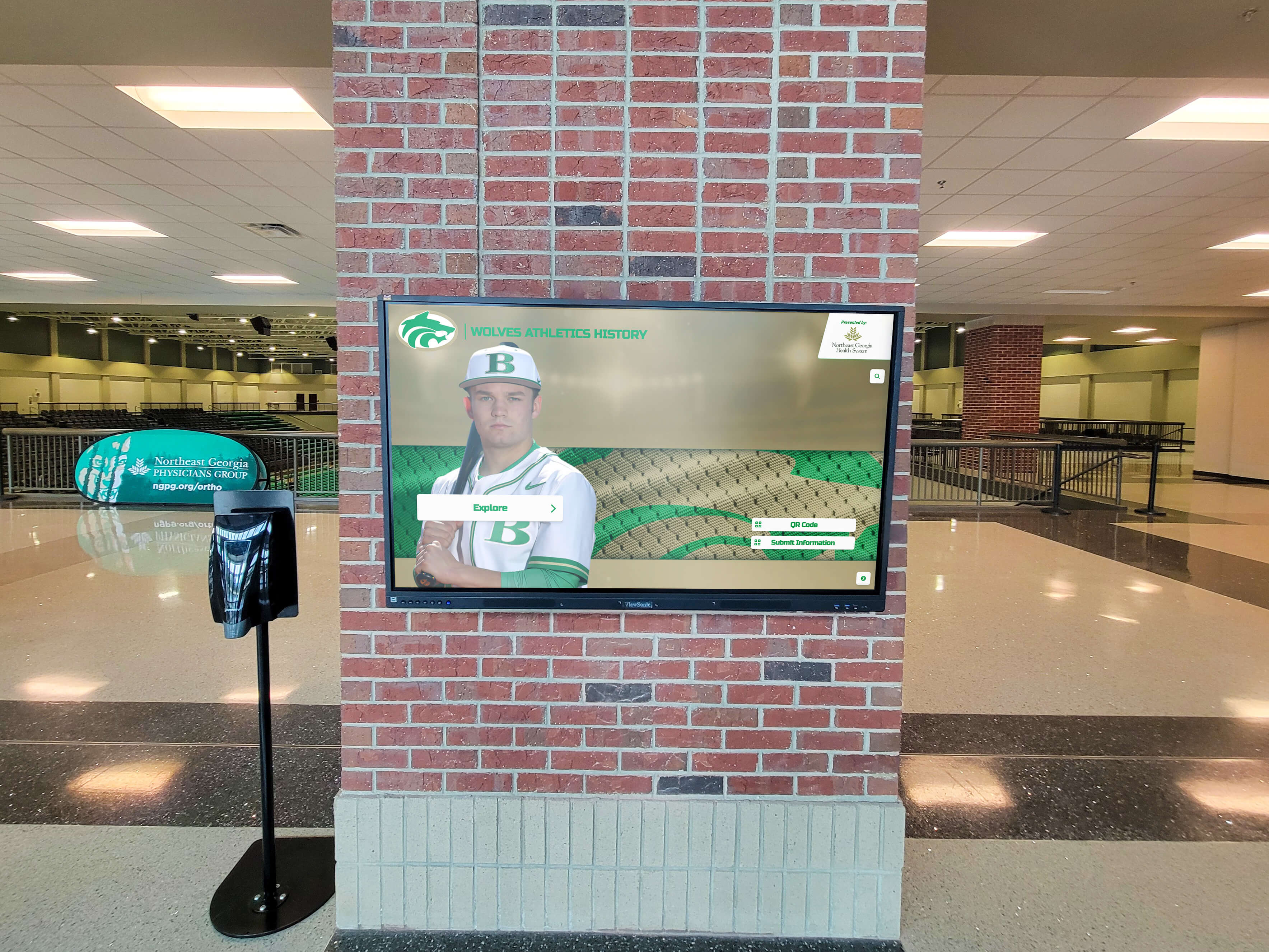
How Digital Hall of Fame Technology Works
Understanding the technology powering modern baseball recognition helps appreciate both capabilities and implementation considerations for organizations planning similar systems at any level.
Commercial-Grade Touchscreen Displays
Professional recognition systems utilize commercial-grade displays distinct from consumer televisions:
Projected Capacitive Touch Technology: Responds to touch like smartphones rather than older resistive screens requiring pressure, providing intuitive interaction familiar to modern users.
Commercial Durability Ratings: Designed for continuous operation in public settings rather than intermittent home use, with typical operational lifespans of 60,000+ hours.
High Brightness Specifications: 400+ nits maintaining visibility even in well-lit environments like stadium concourses and museum spaces with natural lighting.
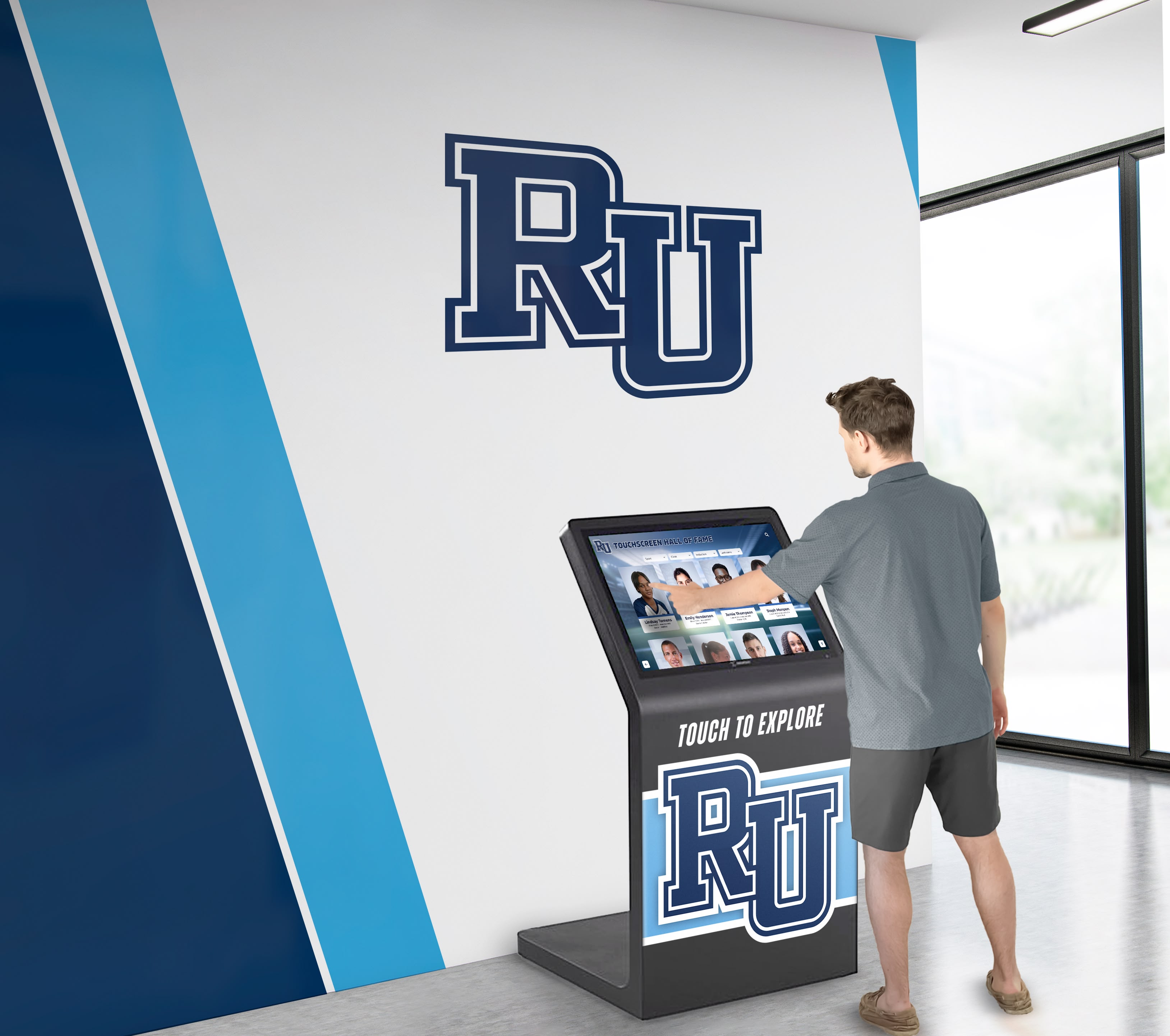
Vandal-Resistant Construction: Reinforced glass and protective enclosures suitable for unsupervised public installations in high-traffic areas.
Multiple Configuration Options: Available in sizes from 43" to 86"+ for various viewing distances and installation contexts, with wall-mounted, freestanding kiosk, or custom enclosure options.
Content Management Systems
Behind impressive visual displays sit sophisticated content management platforms enabling non-technical staff to maintain and update information easily. Modern systems provide:
Web-Based Administration: Accessible from any computer without specialized software installation, enabling remote management from offices rather than requiring physical access to displays.
Media Libraries: Systematic organization of photos, videos, documents, and other digital assets with search, tagging, and categorization supporting efficient content discovery and reuse.
Template Systems: Maintain consistent visual presentation across all profiles while accommodating different content types—player profiles, team histories, championship seasons, record documentation, and organizational timelines.
Publishing Workflows: Schedule content to appear on specific dates, create draft versions for review before publishing, and maintain version history enabling rollback if needed.
Analytics Tracking: Reveals how visitors interact with displays—most-viewed content, popular search terms, session duration, and engagement patterns informing continuous improvement.
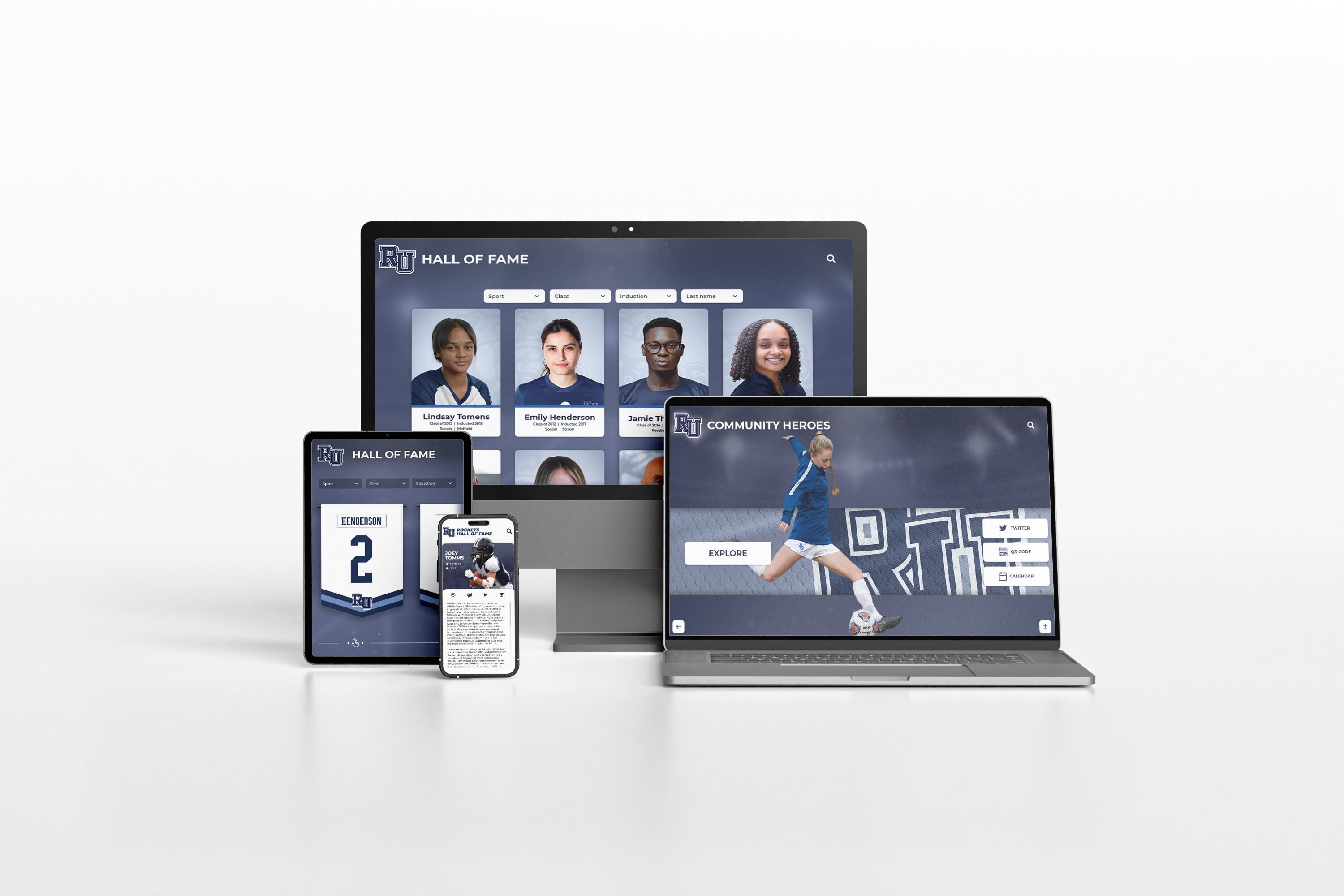
Solutions like Rocket Alumni Solutions specialize in recognition-focused content management, providing sport-specific templates and features purpose-built for celebrating athletic achievement rather than generic digital signage requiring extensive customization.

Multimedia Integration for Compelling Storytelling
The most engaging baseball recognition displays incorporate various media types creating rich storytelling experiences impossible with traditional static displays:
High-Resolution Photography: Professional action shots capturing players mid-swing or making spectacular defensive plays, candid dugout moments revealing personality, historical photos documenting different eras, and contemporary images showing honored players at induction ceremonies.
Video Highlights: Game footage showing championship-winning hits, no-hitters, record-breaking moments, and defensive gems. Interview segments with players reflecting on careers. Documentary clips providing historical context about different baseball eras.
Statistical Databases: Comprehensive career statistics searchable and comparable across players and eras, satisfying fans’ appetite for quantitative achievement documentation. Leaderboards showing franchise records, season-by-season performance data, and advanced analytics providing modern statistical context.
Interactive Timelines: Chronological presentations showing career progression from draft or signing through retirement, team evolution across decades, and historical context placing individual achievements within broader baseball history.
Audio Content: Play-by-play calls of legendary moments, player interviews discussing memorable games, manager and teammate testimonials, and historic radio broadcasts providing authentic period voices.
This multimedia approach creates engagement driving longer viewing sessions—typically 5-8 minutes with digital displays versus 30-45 seconds viewing traditional static plaques—while accommodating different visitor preferences and learning styles.
College Baseball Programs: Bringing Professional Recognition to Collegiate Level
While most college programs cannot match MLB budgets and scale, modern technology makes sophisticated recognition accessible for programs wanting to celebrate their own baseball excellence and compete for top recruits.
Building Recruiting Advantages Through Recognition
In competitive college baseball recruiting, facilities and program presentation significantly influence prospect decisions. Digital recognition displays serve multiple recruiting purposes:
Demonstrating Program Quality: During campus visits, prospects viewing comprehensive documentation of players who competed collegiately before professional careers understand program development capabilities and MLB pipeline credibility.
Showcasing Tradition and Success: Interactive displays highlighting conference championships, College World Series appearances, All-Americans, and MLB draft picks communicate sustained excellence across generations.
Personal Connection Opportunities: Prospects can explore profiles of players from their home regions, see alumni from their high schools who succeeded in the program, and understand pathways from enrollment through professional opportunities.
Modern Facility Standards: Sophisticated recognition technology signals institutional investment in athletics, demonstrating commitment to providing resources supporting player development and success.
Programs like collegiate athletic departments increasingly view digital recognition as strategic investment delivering returns across recruitment, donor engagement, and institutional pride.
Conference and National Achievement Recognition
College baseball programs use digital displays to celebrate various achievement levels:
All-Conference Selections: Annual recognition of players earning conference honors across positions, demonstrating consistent individual excellence.
All-American Honors: Special recognition for players achieving national distinction through organizations like the American Baseball Coaches Association, Collegiate Baseball, Baseball America, and Perfect Game.
Academic Honor Roll Recognition: Celebrating student-athletes achieving academic excellence alongside athletic achievement, highlighting the complete student-athlete experience colleges emphasize.
MLB Draft History: Documenting which players were drafted, their draft positions, and subsequent professional careers, demonstrating program success developing professional-caliber talent.
Record Holders: Comprehensive documentation of career and single-season program records across statistical categories, preserving competitive achievement history.

High School Baseball Programs: Celebrating Excellence at All Levels
High schools with strong baseball traditions increasingly implement digital displays honoring state champions, college signees, record holders, and distinguished alumni who played professionally. These systems inspire current players while building community pride around program excellence.
Addressing Common High School Challenges
Digital recognition addresses persistent challenges facing high school baseball programs:
Space Limitations: Physical plaques and trophies consume finite space, forcing difficult decisions about what receives recognition as program history accumulates. Digital systems accommodate unlimited profiles without facility expansion requiring expensive construction modifications.
Budget Constraints: While initial digital investment exceeds basic plaques, long-term costs favor digital approaches. Adding new recognition requires only content development rather than manufacturing and installing physical displays costing $100-300+ per inductee.
Content Depth: Traditional plaques list names, years, and basic achievements with minimal context. Digital profiles include comprehensive statistics, career highlights, photos from playing days, college destination information, and current occupation details—storytelling creating emotional connections impossible with static name lists.
Accessibility and Reach: Web integration allows alumni anywhere to view recognition, families to share achievements across social networks, and prospective students researching programs during high school selection.
Motivation for Current Players: When today’s athletes see comprehensive documentation of predecessors who achieved excellence, the message becomes clear: achievement earns lasting recognition. This provides powerful motivation alongside competitive drive.
Celebrating Multiple Achievement Types
High school baseball programs recognize diverse accomplishments through digital systems:
State Championship Teams: Complete roster documentation for championship seasons including team photos, season records, playoff results, and individual statistical leaders.
Individual Statistical Records: Career and single-season leaders across batting average, home runs, RBIs, stolen bases, wins, strikeouts, ERA, and other categories tracked by programs.
College Signing Recognition: Celebrating seniors committed to playing collegiately, organized by college level (Division I, II, III, NAIA, Junior College) and institution, demonstrating program success preparing players for next-level opportunities.
Professional Alumni: Special recognition for distinguished alumni who signed professional contracts or reached affiliated minor leagues or MLB, inspiring current players while building community pride.
All-State and All-Conference Selections: Annual recognition of players earning conference or state honors, preserving individual achievement history across program generations.
Implementing Digital Baseball Recognition: Strategic Planning
Organizations planning baseball hall of fame displays or similar recognition systems face systematic implementation considerations determining long-term success.
Phase 1: Strategic Planning and Scope Definition (2-3 Months)
Define Recognition Criteria: Determine who receives recognition—Hall of Fame inductees meeting specific criteria, all-time statistical leaders, championship contributors, or comprehensive rosters. Establish clear criteria ensuring consistent, defensible selection decisions the community understands and respects.
Assess Available Content: Inventory existing materials including historical photographs, game footage, statistical records, media guides, yearbooks, and documentation. Identify content gaps requiring research, digitization, or acquisition from alumni and families.
Budget and Resource Planning: Understand total project costs including hardware, software, content development, installation, training, and ongoing operation. Realistic budgets prevent underinvestment undermining impact or mid-project funding shortfalls. Typical comprehensive systems range from $8,000-$30,000 depending on scale and features.
Space and Location Analysis: Identify optimal display locations considering foot traffic patterns, viewing angles, ambient lighting conditions, network connectivity, and integration with existing spaces. Prime placement in gathering areas maximizes visibility ensuring recognition receives appropriate attention.
Stakeholder Engagement: Involve key constituencies including administrators, coaches, alumni representatives, and booster organizations in planning to build support and gather input ensuring recognition reflects community values and priorities.
Phase 2: Technology Selection and Vendor Evaluation (1-2 Months)
Platform Capability Assessment: Compare available solutions considering functionality depth, ease of use, vendor support quality, total cost of ownership, and alignment with specific recognition needs. General digital signage platforms often require extensive customization, while purpose-built recognition systems offer sport-specific features and templates.
Hardware Specifications: Select display sizes appropriate for viewing distances and audience sizes, determine mounting approaches (wall-mounted, freestanding kiosks, or custom enclosures), ensure adequate network connectivity, and plan electrical requirements meeting building codes.
Content Management Requirements: Evaluate administrative interfaces for intuitive operation by non-technical staff, media handling capabilities supporting large photo and video libraries, publishing workflows enabling scheduled content releases, and multi-user support for distributed administration.
Integration Considerations: Assess how displays connect with existing systems—athletic department websites, team pages, social media channels, or facility management platforms. Integrated ecosystems provide better user experiences while simplifying administration.
Vendor Due Diligence: Review vendor experience with similar implementations, examine reference installations at comparable organizations, understand support models and response commitments, and evaluate long-term viability through financial stability and client base.
Phase 3: Content Development and Digitization (3-4 Months)
Content quality determines recognition impact more than any other factor. Comprehensive development includes:
Historical Research: Review historical records documenting achievements, statistics, team rosters, and significant events across program history. Consult yearbooks, media guides, newspaper archives, program records, and alumni memories filling documentation gaps.
Profile Creation: Write engaging biographical narratives for each honoree balancing factual achievement documentation with personal stories revealing character, challenges overcome, and impact on program culture. Effective profiles answer not just “what was achieved” but “how was it achieved” and “what does it mean.”
Media Processing: Scan historical photographs ensuring quality digital copies suitable for large displays, digitize video footage from various formats, edit highlight compilations emphasizing key moments, and optimize all media for display specifications while maintaining archival-quality masters.
Data Entry and Organization: Input statistical information, career timelines, awards and honors, team affiliations, and categorical tagging enabling search and filtering. Structured data allows powerful discovery features helping visitors find personally relevant content.
Quality Assurance: Verify factual accuracy through research and cross-referencing multiple sources, ensure consistent formatting and styling maintaining visual coherence, test all interactive features across various user scenarios, and gather feedback from sample users before public launch.
Phase 4: Installation, Training, and Launch (1-2 Months)
Physical Installation: Mount hardware securely following manufacturer specifications and building codes, implement professional cable management maintaining clean aesthetics, configure network connectivity ensuring reliable operation, and test all systems thoroughly before unveiling.
Administrator Training: Prepare staff with skills needed for ongoing content management including uploading new profiles, editing existing content, managing media libraries, scheduling content releases, and basic troubleshooting. Most modern systems require no technical expertise beyond standard computer operation.
Soft Launch Testing: Before public unveiling, invite select groups—alumni representatives, coaching staff, booster organization members—to preview displays and provide feedback about functionality, content quality, and user experience. Address identified issues before formal announcement.
Public Launch Event: Coordinate unveiling with significant occasions—season openers, alumni weekends, or special ceremonies. Launch events generate media coverage and community excitement establishing recognition importance while celebrating the project’s completion.
Ongoing Management Protocols: Establish clear procedures for regular content updates, technical maintenance schedules, usage monitoring and analytics review, and continuous improvement based on user feedback and engagement data.

Beyond Traditional Recognition: Innovative Applications
Interactive display technology enables baseball recognition applications extending beyond traditional hall of fame concepts, creating additional engagement opportunities.
Dynamic Record Boards and Statistical Leaders
Rather than static record boards requiring physical updates when records fall, dynamic digital systems automatically highlight current record holders while preserving historical context. Visitors can:
Compare Statistics Across Eras: Adjust for significant rule changes, season length differences, equipment evolution, and other contextual factors that make direct cross-era comparisons challenging with raw statistics alone.
Filter by Position or Category: Focus on specific achievements relevant to personal interests—pitching records, batting achievements, defensive statistics, or base-running accomplishments.
View Record Progression Over Time: Understand how records evolved across program history, who held records previously, and how long records stood before being broken.
Access Complete Context: Learn about games where records were set, circumstances surrounding achievements, opponent quality, and significance within broader program narratives.
Interactive record boards transform utilitarian statistical documentation into engaging exploration encouraging extended visitor interaction while maintaining currency automatically.
Championship Season Showcases
Digital displays can focus on specific championship seasons, providing complete documentation creating comprehensive historical records:
Full Roster Profiles: Every player and coach contributing to championships receives recognition including statistics, biographical information, roles on team, and subsequent career paths.
Game-by-Game Results: Detailed season documentation showing scores, statistical leaders, notable performances, and progression through regular season and playoffs.
Playoff Run Documentation: Comprehensive coverage from qualification through championship victory including opponent information, series results, key moments, and dramatic narratives.
Contemporary Media Coverage: Newspaper articles, broadcast clips, and media commentary from championship seasons providing period perspective and cultural context.
Personal Reflections: Participants sharing memories years or decades later, discussing what championships meant personally and reflecting on teammates, coaches, and experiences.
This comprehensive approach ensures championship stories receive recognition matching their significance rather than being reduced to single trophy and team photo occupying trophy case space.

Multi-Sport Recognition Integration
Many athletic programs seek comprehensive recognition across all sports rather than baseball-only displays. Modern platforms accommodate this through:
Unified Interface Design: Consistent navigation and presentation across sports maintains familiarity while allowing sport-specific content structures recognizing that baseball, basketball, football, and other sports require different statistical emphases and achievement documentation.
Cross-Sport Search and Discovery: Visitors can discover multi-sport athletes who competed in baseball and other programs, understanding complete athletic contributions rather than isolated single-sport participation.
Balanced Visibility: Rotating featured content ensures all sports receive appropriate promotion rather than major sports dominating despite equivalent achievement quality across programs.
Shared Resources: Unified platforms enable administrative efficiency through shared media libraries, common design templates, and centralized management rather than separate systems for each sport requiring duplicated effort.
Engaging Modern Audiences: Social Media and Mobile Integration
Contemporary recognition systems must engage digital-native audiences expecting seamless cross-platform experiences rather than isolated physical displays accessible only during facility visits.
Social Sharing and Viral Engagement
Built-in social media integration amplifies recognition reach exponentially beyond physical viewing:
One-Click Sharing: Direct sharing of individual profiles to Facebook, Twitter, Instagram, or LinkedIn from display interfaces or web platforms, extending visibility through personal networks.
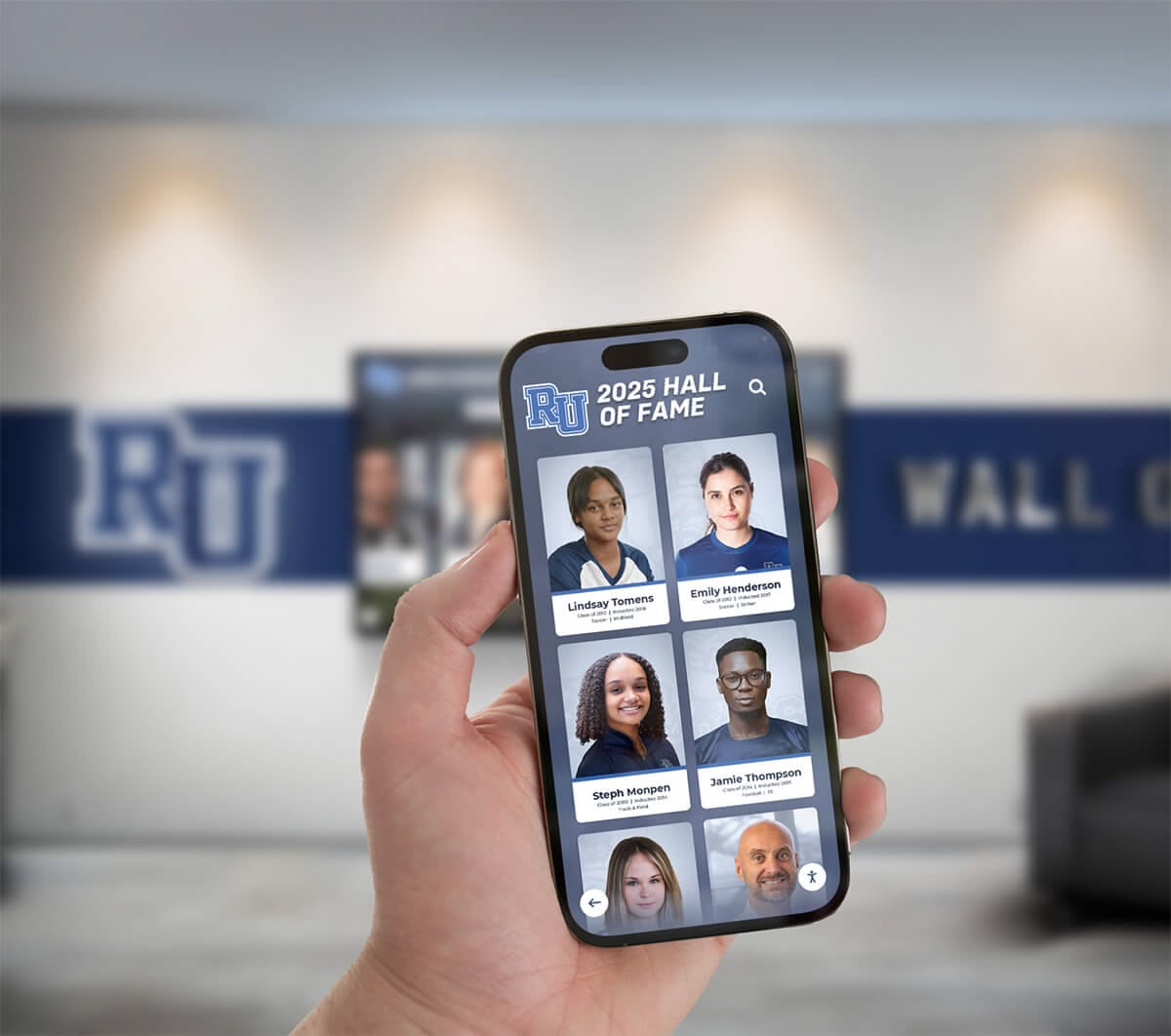
QR Code Generation: Physical displays can present QR codes linking to specific online content, enabling smartphone users to instantly access detailed information, share to social media, or continue exploration on personal devices.
Custom Graphics Creation: Automatically generated social media graphics maintaining brand consistency while highlighting individual achievements in formats optimized for various platforms.
Hashtag Integration: Tracking social media engagement and viral spread through dedicated hashtags, measuring reach beyond direct facility visitors.
When alumni share their recognition with personal networks, institutional visibility extends far beyond physical campus boundaries while facilitating reconnection among former teammates who lost touch over years or decades.
Web Platforms Extending Global Access
Online hall of fame websites make recognition accessible worldwide, dramatically expanding impact:
Geographic Reach: Alumni residing anywhere can explore recognition and share with families and professional networks regardless of proximity to physical facilities.
Recruiting Tool: Prospective student-athletes researching programs can investigate tradition and player development before campus visits, building interest and understanding program quality.
Media Resource: Journalists researching stories can access comprehensive biographical and statistical information supporting accurate reporting and feature development.
Donor Engagement: Contributors considering support can understand program impact and excellence through comprehensive documentation of achievement across generations.
Archival Value: Digital platforms preserve historical information that might otherwise deteriorate or become lost, ensuring program history remains accessible for future generations.
Web accessibility transforms recognition from local physical display into global engagement platform multiplying impact while requiring minimal incremental investment beyond initial content development.
Mobile Applications and Personalization
Smartphone applications complement physical displays and web platforms through enhanced functionality:
Advanced Search and Filtering: More sophisticated discovery than touchscreen interfaces accommodate, enabling complex queries combining multiple criteria simultaneously.
Offline Access: Downloaded content viewable without network connectivity during facility tours or in areas with limited cellular coverage.
Personal Collections: Users can favorite specific profiles creating custom collections of personally significant honorees—former teammates, family members, hometown heroes, or players from specific eras.
Notification Systems: Alerts when new inductees from users’ graduation years, positions, or achievement categories receive recognition, maintaining ongoing engagement.
Location-Based Services: Context-aware content highlighting nearby displays or relevant historical locations within facilities or campuses, providing guided exploration experiences.
Mobile integration ensures recognition remains accessible beyond physical viewing hours and facility access limitations, meeting modern expectations for on-demand information access.
Measuring Success: Analytics and Continuous Improvement
Effective recognition programs track metrics demonstrating value while identifying improvement opportunities guiding ongoing enhancement.
Quantitative Engagement Metrics
For digital displays with analytics capabilities, track:
Daily Interaction Counts: Total sessions and unique visitors revealing usage patterns and traffic variations across days, weeks, and seasons. Identify peak periods corresponding with events, games, or campus activities.
Session Duration: Average time visitors spend exploring content indicating engagement depth. Longer sessions (5-8 minutes) suggest compelling content driving extended exploration beyond cursory glancing.
Most-Viewed Content: Popular profiles, categories, or media types revealing visitor interests and content preferences guiding future development priorities and content expansion focus areas.
Search Query Analysis: Common search terms showing how visitors discover content and what information they seek most frequently, informing navigation improvements and content enhancement.
Path Analysis: Common navigation sequences revealing how visitors explore content, which sections receive most attention, and where users commonly exit helping optimize interface design.
Web and Mobile Analytics: Online platform metrics including page views, unique visitors, geographic distribution, referral sources, and device types providing comprehensive reach understanding.
Qualitative Impact Assessment
Beyond quantitative data, assess broader influence through:
Stakeholder Feedback: Surveys and interviews gathering reactions from visitors, honored athletes, current team members, coaching staff, and institutional leadership about recognition program impact on pride, motivation, and community connection.
Recruitment Influence: Tracking whether prospects mention displays during campus visits, exit surveys assessing facility impressions, monitoring commitment patterns comparing periods before and after implementation, and coach observations about recruiting conversations.
Alumni Engagement Changes: Measuring giving participation rates, event attendance numbers, volunteer involvement levels, and communication responsiveness comparing periods before and after recognition program launch or enhancement.
Media Coverage: Documenting press mentions, social media engagement, community visibility, and public relations value attributable to recognition displays, special induction events, and unique honoree stories.
Community Pride Indicators: Assessing broader community sentiment about baseball programs through surveys, social media analysis, attendance trends, and public feedback channels revealing program reputation evolution.
Continuous Improvement Processes
Use data and feedback to guide ongoing enhancement:
Content Prioritization: Focus development effort on high-impact areas based on analytics showing what content generates most interest and engagement.
Interface Refinement: Adjust navigation, search functionality, and presentation based on user behavior patterns and direct feedback about usability.
Feature Addition: Implement new capabilities addressing commonly requested functionality or competitive analysis revealing effective approaches at other institutions.
Regular Content Audits: Systematic review ensuring information currency, accuracy, and completeness while identifying gaps requiring additional research or content development.
Budget Considerations and Funding Strategies
Understanding financial requirements and exploring diverse funding sources makes digital baseball recognition accessible for programs across budget levels.

Investment Ranges and Cost Factors
Digital recognition system costs vary based on several factors:
Entry-Level Systems ($8,000-$15,000): Single 43"-55" display with basic content management, 50-100 profiles, wall-mounted installation, and standard features suitable for smaller programs or initial implementations.
Mid-Range Solutions ($15,000-$30,000): Larger displays (55"-65"), enhanced features including video integration, 100-300 profiles, kiosk enclosures, and more sophisticated content management supporting complex content structures.
Comprehensive Systems ($30,000-$75,000+): Multiple displays, largest screen sizes (75"-86"), advanced features including augmented reality, extensive content libraries (500+ profiles), custom design integration, and premium support services.
Ongoing Costs: Software subscription or maintenance fees (typically $500-$2,000 annually), content updates and additions (variable based on frequency), technical support (included or additional fee), and eventual hardware refresh (6-10 year cycle).
Alternative Funding Sources
Beyond general operating budgets, explore diverse funding approaches:
Alumni Campaigns: Direct appeals to alumni for recognition system funding, often resonating with former players who value honoring baseball tradition and wanting to give back to programs that shaped their development.
Naming Opportunities: Offer naming rights for recognition displays or specific recognition categories to major donors, creating premium giving opportunities supporting project funding.
Booster Organization Support: Engage athletic booster clubs that often prioritize facility improvements and recognition programs benefiting multiple sports or specific baseball focus.
Corporate Sponsorships: Local businesses with baseball connections or community investment priorities may sponsor recognition systems, particularly if displays acknowledge business support appropriately.
Phased Implementation: Start with core functionality and limited content, demonstrating value and building support for subsequent expansion phases spreading costs across multiple budget cycles.
Memorial Giving: Honor deceased coaches, players, or supporters through memorial gifts funding recognition programs, creating lasting tributes while supporting project implementation.
Many institutions successfully combine multiple funding sources rather than relying entirely on single budgets, making ambitious recognition programs achievable through creative funding approaches.
Common Implementation Challenges and Practical Solutions
Organizations implementing digital baseball recognition encounter predictable obstacles that proven approaches address effectively.
Limited Historical Content
Challenge: Many programs lack comprehensive photographic documentation, statistical records, or biographical information for historical figures, particularly from decades before digital record-keeping.
Solutions:
- Conduct systematic archival research through yearbooks, media guides, newspaper archives, and local historical societies
- Engage alumni through outreach requesting personal photos, memorabilia scans, and memory contributions
- Start with streamlined profiles for historical figures gradually enhanced as information surfaces
- Acknowledge content gaps transparently rather than inventing information
- Focus initial development on recent decades with better documentation while systematically researching older history
Technology Intimidation and Staff Concerns
Challenge: Non-technical staff feel overwhelmed by digital systems fearing inability to manage content updates independently without ongoing IT support.
Solutions:
- Select platforms specifically designed for non-technical users with intuitive interfaces resembling familiar website builders or social media management tools
- Invest in comprehensive training during implementation including hands-on practice and documentation
- Establish ongoing support relationships with vendors providing responsive assistance during questions or challenges
- Create clear procedures and quick-reference guides for common tasks like adding new inductees or uploading photos
- Start with simple updates building confidence before attempting complex modifications

Defining Fair Selection Criteria
Challenge: Establishing clear recognition criteria that community views as fair and appropriate while avoiding controversy about who receives recognition and who doesn’t.
Solutions:
- Form representative committees including coaches, administrators, alumni, and community members providing diverse perspectives
- Research criteria used by similar programs as starting points for local adaptation
- Establish objective measurable standards where possible (statistical thresholds, award achievements, professional advancement)
- Create tiered recognition accommodating different achievement levels rather than single all-or-nothing Hall of Fame
- Communicate criteria transparently so community understands selection basis
- Implement appeals or nomination processes allowing consideration of borderline cases
Maintaining Content Currency
Challenge: Keeping recognition current requires ongoing effort as new achievements occur, alumni update career information, and additional historical information surfaces.
Solutions:
- Establish clear responsibilities for regular updates as part of specific staff roles (athletic directors, coaches, communications staff)
- Create annual review cycles systematically evaluating content currency and accuracy
- Leverage content contributions from honored alumni and families reducing institutional research burden
- Prioritize updates based on engagement analytics focusing effort on high-impact content
- Build content maintenance into operational budgets recognizing ongoing commitment rather than one-time project
Future Trends: Baseball Recognition Technology Evolution
As technology advances, recognition displays will incorporate emerging capabilities creating even more engaging experiences while preserving baseball history more comprehensively.
Artificial Intelligence Applications
AI-powered systems might:
Automated Content Enhancement: Analyze historical photos identifying players, games, and contexts through image recognition technology, reducing manual research requirements while enriching metadata.
Natural Language Summaries: Generate compelling narrative descriptions of player careers or championship seasons from statistical data and structured information, maintaining consistent quality at scale.
Personalized Recommendations: Suggest content based on viewing history and expressed interests, helping visitors discover relevant profiles they might otherwise miss in large databases.
Multilingual Translation: Automatically translate content into visitors’ preferred languages, making recognition accessible to diverse audiences and international visitors.
Augmented Reality Integration
AR applications could allow visitors to:
Enhanced Physical Artifact Context: Point smartphones at displays, trophies, or memorabilia to access additional content, video highlights, or detailed information not visible on primary screens.
Historical Moment Overlays: See legendary plays or ceremonies overlaid on current facility spaces through location-based AR, visualizing historic moments in their original locations.
Interactive Equipment Exploration: Examine 3D models of historic uniforms, bats, gloves, or other equipment items with detailed annotations explaining equipment evolution across baseball eras.
Player Card Collection: Trigger downloadable digital baseball cards by scanning player photos or plaques, creating personal collections from facility visits.
Virtual Reality Experiences
VR could enable:
First-Person Perspectives: Experience legendary plays from player viewpoints—seeing championship-winning hit from batter’s perspective, experiencing no-hitter from pitcher’s viewpoint, or making diving catch from outfielder’s position.
Virtual Facility Tours: Remote visitors unable to travel to physical locations can explore facilities, view recognition displays, and experience venues through immersive VR, expanding access globally.
Immersive Historical Experiences: Place users in championship moments, historic games, or significant baseball events, creating emotional connections with history through experiential learning.
Training Comparisons: Modern players can experience situations legendary players faced, comparing their responses and performance against historic achievements in safe simulated environments.
Advanced Analytics and Data Visualization
Sophisticated statistical analysis might:
Era-Adjusted Comparisons: Compare performance adjusting for era-specific factors including rule changes, equipment evolution, season length differences, and competition quality enabling fairer cross-generation comparisons.
Career Trajectory Visualization: Interactive charts and graphs showing performance evolution across careers, revealing peak performance periods, consistency patterns, and longevity achievements.
Historical Matchup Simulations: Using comprehensive statistical models to simulate theoretical matchups between players from different eras, satisfying fan curiosity about “what if” scenarios.
Pattern Recognition: Identify statistical patterns revealing factors contributing to greatness, consistency predictors, or developmental trajectories distinguishing exceptional players from good performers.
Conclusion: Honoring Baseball’s Past While Embracing Technology’s Future
Digital hall of fames represent powerful tools for celebrating baseball excellence—whether legendary Hall of Famers in Cooperstown, franchise greats in MLB team facilities, distinguished college players, or hometown heroes in high school programs. Modern technology enables recognition that traditional approaches cannot match in scope, depth, engagement, accessibility, and adaptability while preserving the respect and permanence that honoring baseball excellence demands.
The most successful implementations share common characteristics: clear vision for recognition purposes, thoughtful selection of appropriate technology, investment in compelling content development, strategic placement maximizing visibility and traffic, ongoing commitment to maintenance and enhancement, and genuine integration into program culture rather than isolated installations gathering dust.
Whether honoring Derek Jeter’s consistency, Hank Aaron’s power, Jackie Robinson’s courage and excellence, or your own program’s legends, the principles remain consistent—celebrate achievement comprehensively, tell authentic stories that honor complete contributions, engage modern audiences through their preferred media and platforms, and create recognition worthy of the excellence it honors.
Ready to Honor Your Baseball Legacy?
Rocket Alumni Solutions helps baseball programs at all levels create compelling recognition displays celebrating excellence through proven technology and comprehensive support.
Our specialized platform provides baseball-specific templates, intuitive content management accessible to non-technical staff, extensive multimedia capabilities, and professional support enabling you to honor MLB legends, college standouts, or high school heroes with recognition systems designed specifically for baseball achievement.
Schedule Your ConsultationFrom the National Baseball Hall of Fame’s interactive exhibits in Cooperstown to high school programs celebrating state champions and college signees, recognition technology has transformed how we preserve and honor baseball excellence. The question isn’t whether digital displays deliver value—extensive evidence confirms they do—but whether your program will embrace these tools to celebrate achievement appropriately while inspiring future generations to pursue their own baseball dreams.
Ready to explore how modern recognition displays can celebrate your baseball program’s legends and achievements? Discover how solutions like Rocket Alumni Solutions make professional-quality recognition accessible for programs at all levels, delivering unlimited capacity for comprehensive documentation, instant content updates maintaining currency, powerful search and discovery helping visitors find personally relevant content, engaging multimedia integration bringing achievements to life, and lasting value across decades of operation supporting evolving recognition needs.































