Museums face a fundamental challenge in 2025: how to present historical artifacts, educational content, and cultural heritage in ways that engage digital-native visitors accustomed to smartphones, tablets, and instant interactive experiences. Static display cases and printed placards no longer capture attention or facilitate the deep learning that museums aim to provide. Visitors increasingly expect to interact with content, explore at their own pace, and access information that responds to their specific interests rather than following predetermined linear narratives.
Digital interactive museum displays address this challenge by transforming passive viewing into active exploration. These systems combine touchscreen technology, multimedia content, intuitive interfaces, and responsive design to create visitor experiences that educate while engaging audiences of all ages. From natural history museums and art galleries to school history exhibits and university archives, interactive displays make collections more accessible, stories more compelling, and learning more effective.
This comprehensive guide examines every aspect of digital interactive museum displays for 2025 implementation. Whether you’re planning a major museum renovation, adding interactive elements to existing exhibits, or designing educational displays for schools and universities, you’ll discover practical strategies covering technology selection, content development, interface design, visitor engagement techniques, implementation processes, and long-term maintenance. We’ll explore what makes interactive museum displays effective, how to design experiences that serve diverse audiences, and how to measure success beyond simple visitor counts.
From understanding core technology components through planning implementation and evaluating impact, this guide provides the detailed information museum professionals, educators, and institutional leaders need to make informed decisions about interactive display investments that enhance visitor experiences while achieving educational missions.

Professional interactive exhibits combine intuitive design with educational content to create memorable museum experiences
Understanding Digital Interactive Museum Displays in 2025
Digital interactive museum displays represent a significant evolution from traditional static exhibits. Rather than simply presenting objects and text for passive viewing, these systems invite visitor participation through touchscreen interfaces that respond to user input, enabling personalized exploration of museum content.
Core Components of Interactive Museum Systems
Professional interactive museum displays integrate several key technology components working together to create cohesive visitor experiences. Commercial-grade touchscreen displays serve as the primary interface, typically ranging from 43 inches for individual kiosks to 75+ inches for group viewing experiences. These commercial displays differ significantly from consumer televisions, featuring extended operational lifetimes rated for continuous use in public settings, higher brightness levels ensuring visibility in varied lighting conditions, and industrial-grade components designed for thousands of daily interactions over years of service.
Behind these displays, dedicated computing systems run specialized software that presents content, responds to user interactions, tracks analytics, and enables remote content management. Network connectivity links displays to cloud-based content management systems, allowing museum staff to update exhibits without physical access to hardware while enabling centralized control of multi-display installations across facilities.
The software layer proves equally important as hardware. Purpose-built content management systems enable museum professionals without technical backgrounds to update text, images, videos, and interactive elements through intuitive web-based interfaces. This accessibility ensures that exhibits can evolve as new acquisitions join collections, research reveals new information, or institutional priorities shift without requiring expensive developer intervention for every change.
How Interactive Displays Transform Museum Experiences
The shift from static to interactive exhibits fundamentally changes visitor relationships with museum content. Traditional displays present predetermined information in fixed sequences—visitors read what curators decided to include and move on when finished. Interactive systems enable visitor-directed exploration where individuals choose what interests them, how deeply to investigate topics, and what connections to pursue between related content.
This self-directed approach increases engagement duration while serving diverse visitor types more effectively. Casual visitors might explore highlights and visual content for quick orientation, while subject matter enthusiasts can access comprehensive information, primary sources, and scholarly research that static labels cannot accommodate. Families can select child-appropriate content addressing younger audience interests and comprehension levels, while students conducting research can access detailed information supporting academic work.
Interactive displays also enable multimedia storytelling impossible with static exhibits. Rather than choosing between text descriptions and visual elements due to space constraints, digital systems can present video interviews with researchers, audio recordings of historical speeches, zoomable high-resolution images revealing fine details, animated diagrams explaining complex processes, and interactive timelines connecting related events across decades or centuries. This rich media integration appeals to different learning styles while providing depth that text alone cannot achieve.
Schools and universities implementing digital archives for educational collections find that interactive displays dramatically increase student engagement with historical materials while enabling curriculum integration that static exhibits struggle to support.

Modern museums successfully blend interactive technology with traditional display elements to serve diverse visitor preferences
Technology Selection for Museum Interactive Displays
Selecting appropriate technology for museum interactive displays requires balancing capability, durability, maintainability, and budget considerations while ensuring chosen systems will serve institutional needs throughout expected operational lifespans of 7-10 years.
Display Hardware Selection Criteria
Commercial touchscreen displays suitable for museum applications differ substantially from consumer products. Professional displays feature extended operational ratings supporting 16-24 hour daily operation versus consumer displays designed for 8-10 hours daily maximum. This difference proves critical for museums with extended hours or displays operating continuously regardless of facility open status.
Screen brightness measured in nits determines visibility in varied lighting conditions. Museum applications typically require 400-500 nits minimum, with 700+ nits preferred for locations near windows or under bright lighting. Consumer displays often provide only 250-350 nits, making content difficult to view in well-lit museum environments.
Touch technology selection impacts user experience and maintenance requirements. Projected capacitive touchscreens using smartphone-style technology provide responsive multi-touch capability supporting gestures like pinch-to-zoom and multi-finger interactions. These systems work reliably with clean hands but may require periodic calibration. Infrared touch systems work with any input including gloved hands and styluses, making them suitable for specialized applications, though they prove more susceptible to false triggering from dust or debris.
Display size selection depends on typical viewing distances and whether content serves individual exploration or group viewing. Individual kiosks typically use 43-55 inch displays viewed from 2-4 feet, while group displays might feature 65-75 inch screens viewed from 5-10 feet. Larger displays create impressive visual impact but require higher resolution content and generate more heat requiring enhanced cooling.
Content Management System Requirements
The content management system (CMS) controlling interactive displays determines how easily museums can maintain current exhibits. Professional museum CMS platforms should provide intuitive web-based interfaces accessible from any internet-connected device, enabling staff to update content remotely rather than requiring physical display access. Template-based design systems allow consistent visual presentation across exhibits while accommodating varied content types.
Essential CMS capabilities include comprehensive media management supporting photos, videos, audio, PDF documents, and interactive elements with version control and organized storage; user permission systems enabling multiple staff members to manage different exhibit sections while protecting content from unauthorized changes; preview functionality allowing content verification before publication to visitor-facing displays; scheduled publishing enabling exhibit updates to appear at specific times without manual intervention; and analytics integration tracking visitor interaction patterns to inform content optimization.
Museums planning multiple interactive displays throughout facilities benefit from CMSs designed for multi-display management. These systems enable centralized control while allowing display-specific customization, ensuring consistent branding and navigation while accommodating location-specific content. Institutions implementing digital storytelling techniques find that robust content management systems make maintaining narrative consistency across platforms significantly easier.
Network Infrastructure and Connectivity
Reliable network connectivity proves essential for cloud-based content management enabling remote updates. Wired ethernet connections provide the most reliable connectivity, though professional WiFi can work when ethernet installation proves impractical. Museums should ensure adequate bandwidth for content updates, typically requiring 10+ Mbps per display for efficient operation.
Security considerations require separating interactive displays from institutional networks containing sensitive data. Many organizations create segregated VLANs specifically for public-facing displays, preventing potential security risks while enabling necessary connectivity for content management and analytics. Museums should consult IT professionals about appropriate network architecture before installation.
Power requirements extend beyond simply providing electrical connections. Interactive displays typically consume 150-400 watts depending on size and technology, requiring dedicated circuits for larger installations. Uninterruptible power supplies (UPS) protect against power fluctuations that could damage displays or corrupt content, making them valuable additions particularly for installations housing irreplaceable custom content.

Well-designed interactive kiosks integrate naturally into museum environments while providing accessible content exploration
Content Strategy and Development for Interactive Exhibits
Technology provides the foundation, but compelling content determines whether interactive museum displays achieve educational objectives and engage visitors effectively. Content development requires systematic planning addressing what information to present, how to organize it intuitively, and what multimedia elements will enhance understanding.
Defining Content Scope and Organization
Effective interactive exhibits begin with clear content scope definition. Museums must determine what collection elements, stories, and information warrant inclusion while acknowledging that comprehensive coverage might prove neither possible nor desirable. Focusing on quality over quantity typically produces better results—fewer topics covered thoroughly with rich multimedia support engage visitors more effectively than superficial treatment of extensive subject matter.
Content organization should support multiple discovery pathways rather than forcing linear navigation. Visitors approach exhibits with varied interests, background knowledge, and time availability. Effective organizational structures enable chronological exploration for visitors interested in historical progression, thematic browsing connecting related items across time periods, object-type categorization for visitors focused on specific collection elements, and geographic organization when location proves relevant to content.
Search functionality proves essential for larger content collections. Visitors with specific interests or research needs should be able to locate relevant content directly rather than browsing through unrelated material. Robust search requires comprehensive metadata describing content elements with consistent vocabulary and tagging enabling accurate retrieval.
Educational institutions creating academic history archives find that thoughtful organizational structures make collections significantly more valuable to researchers while increasing casual visitor engagement with institutional heritage.
Writing for Interactive Museum Interfaces
Effective museum writing differs from traditional label text. Interactive displays eliminate physical space constraints but introduce different considerations. Text must be concise enough for screen reading while comprehensive enough to satisfy curious visitors. Layered information architecture works well—brief descriptions visible initially with “learn more” options revealing additional detail for interested visitors.
Reading from screens requires shorter paragraphs and sentences than print materials. Visitors scan rather than reading every word, making clear headings, bulleted lists, and highlighted key points essential for communicating important information. Target reading levels should match expected audiences—family-focused exhibits might aim for 6th-8th grade reading levels while specialized academic collections can assume higher literacy.
Avoid museum jargon and technical terminology unless exhibits specifically target expert audiences. When specialized terms prove necessary, provide clear definitions or glossaries accessible through interface elements. Remember that diverse visitors include those for whom English is a second language, making clear, straightforward writing particularly important.
Interactive exhibits enable multimedia alternatives to text that serve visitors who struggle with reading or prefer visual learning. Video content, audio narration, animated diagrams, and interactive simulations can convey information that text descriptions handle less effectively. This multimedia approach increases accessibility while appealing to varied learning preferences.
Creating Compelling Multimedia Content
High-quality visual content proves essential for effective interactive exhibits. Object photography requires careful attention to lighting, composition, and resolution. Images should be captured at sufficient resolution for zooming, enabling visitors to examine fine details impossible to see in physical displays. Consistent photography style across collection elements creates visual cohesion while professional lighting reveals textures and colors accurately.
Video content increases engagement when used appropriately. Curator interviews explaining significance, demonstration videos showing historical techniques or processes, documentary footage providing historical context, and 360-degree object views enabling virtual examination from multiple angles all enhance visitor understanding beyond what static images and text provide.
Audio content supports accessibility while enabling multitasking. Visitors can listen to narration while viewing images or examining related objects in physical displays. Audio proves particularly valuable for vision-impaired visitors when properly integrated with screen reader technology. When incorporating audio, provide transcripts ensuring content accessibility for deaf and hard-of-hearing visitors.
Interactive elements increase engagement when they serve educational purposes rather than simply providing entertainment. Effective interactive features might include image comparison sliders revealing conservation work or archaeological reconstructions, timeline manipulations enabling exploration of historical periods, filtering tools helping visitors discover content matching specific interests, and quiz elements testing comprehension of presented material.
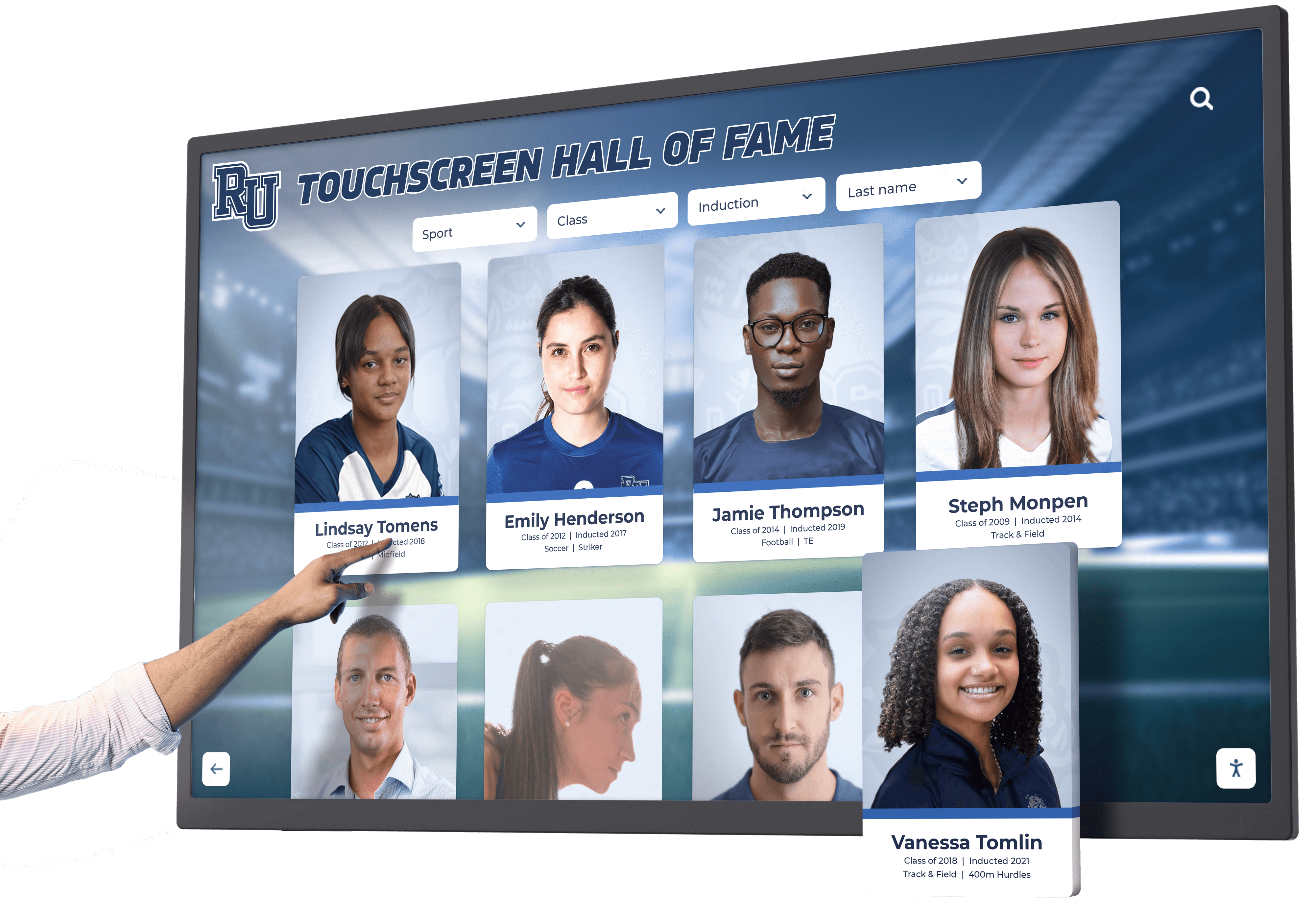
Touchscreen interfaces enable visitors to explore detailed information at their own pace and according to personal interests
User Interface Design and Visitor Experience
Even excellent content fails to engage visitors when poorly designed interfaces create confusion or frustration. User interface (UI) design for museum interactives requires careful attention to navigation, visual design, accessibility, and overall visitor experience.
Interface Design Principles for Museum Contexts
Museum interactive interfaces should prioritize intuitive navigation requiring minimal instruction. Visitors rarely read instructions before attempting interaction, making self-evident design essential. Common web and app conventions that visitors understand from smartphone use should guide interface decisions—tapping to select, swiping to browse, pinching to zoom, and standard iconography for functions like search, home, and back navigation.
Visual hierarchy directs attention to important content and functions. Larger elements appear more important than smaller ones, placing critical navigation prominently while secondary functions occupy less prominent positions. Contrast and color draw attention to interactive elements while avoiding overwhelming visitors with excessive visual stimulation. White space around elements prevents accidental touches while making interfaces feel less cluttered and more approachable.
Consistency across interface screens reduces cognitive load. When navigation elements occupy consistent positions, buttons maintain uniform appearance, and interactions produce predictable results, visitors develop mental models enabling confident exploration. Changing navigation patterns or interaction behaviors between screens confuses visitors and increases frustration.
Response time significantly impacts perceived quality. Interactive elements should respond within 100 milliseconds to feel immediate, while page transitions should complete within 1-2 seconds maximum. Longer delays require loading indicators reassuring visitors that systems are processing their requests rather than having frozen.
Organizations implementing touchscreen technology for educational applications report that intuitive interface design dramatically increases visitor engagement while reducing staff time spent assisting confused users.
Accessibility and Inclusive Design
Accessible design ensures that interactive exhibits serve all visitors regardless of physical abilities or limitations. The Web Content Accessibility Guidelines (WCAG) provide comprehensive standards that museum interactives should follow. Key accessibility considerations include sufficient color contrast between text and backgrounds ensuring readability for vision-impaired visitors, text size options enabling visitors to increase font sizes for easier reading, audio alternatives to visual content serving blind or low-vision visitors, and captions for all audio and video content supporting deaf and hard-of-hearing audiences.
Physical accessibility requires mounting displays at appropriate heights serving wheelchair users and children. ADA standards specify 15-48 inches from the floor for operable controls and touch interfaces. Consider providing both seated-height and standing-height displays when space permits, accommodating diverse visitor needs without compromising anyone’s experience.
Cognitive accessibility addresses visitors with learning disabilities, cognitive impairments, or neurological conditions. Clear language, logical organization, consistent navigation, and the ability to control pacing all support these visitors. Avoid flashing or rapidly moving elements that might trigger seizures in photosensitive individuals.
Multilingual support expands accessibility to non-English-speaking visitors. Language selection enabling interface translation into commonly spoken languages in your community demonstrates inclusion while making collections accessible to broader audiences. Professional translation services ensure accuracy and appropriate cultural adaptation rather than relying on automated machine translation that often produces awkward or misleading results.
Creating Engaging but Not Overwhelming Experiences
Effective museum interactives balance engagement with educational objectives. Exhibits should capture attention and maintain interest while serving learning goals rather than simply entertaining. The most successful installations present content in digestible segments with clear progression between topics, offer choices enabling visitor-directed exploration rather than forcing predetermined paths, provide appropriate challenge levels—not so simple as to bore nor so complex as to frustrate, reward curiosity through additional content layers revealed to engaged visitors, and include natural exit points where visitors can leave having gained value without feeling obligated to consume all content.
Attention management proves particularly important. Visitors spend limited time at any single exhibit, making prioritization essential. Design should communicate the most important information prominently while making additional depth available to interested visitors without requiring it for basic comprehension.
Avoid common pitfalls that undermine visitor experience: excessive animation or motion that distracts from content; auto-advancing slideshows that frustrate visitors still reading; buried navigation making it difficult to move between sections; inconsistent touch targets creating uncertainty about what’s interactive; and feature creep adding complexity without corresponding educational value.

Successful interactive exhibits encourage exploration while making navigation intuitive for visitors of all ages and abilities
Implementation Process and Best Practices
Successful interactive museum display installation requires systematic planning and execution addressing technical, content, and organizational dimensions. Projects typically progress through distinct phases, each building on previous work toward comprehensive implementation.
Phase 1: Planning and Requirements Definition
Effective projects begin with clear objective definition and stakeholder alignment. Museums should articulate specific goals for interactive displays: What educational outcomes should exhibits achieve? What visitor behaviors do you hope to encourage? What institutional objectives does this project support? Clear goals provide criteria for evaluating technology options, content decisions, and overall project success.
Stakeholder engagement early in planning prevents costly mid-project revisions. Curators bring subject matter expertise and collection knowledge, educators understand learning objectives and visitor needs, IT staff provide technical expertise about infrastructure requirements, facilities managers address installation logistics and ongoing maintenance, accessibility specialists ensure universal design, and visitor services staff offer insights about actual visitor behaviors and common questions.
Budget development should address all project costs, not just obvious expenses. Hardware purchases often represent only 30-40 percent of total project costs, with software licensing, content development, professional design services, installation labor, infrastructure upgrades, staff training, and ongoing maintenance consuming the remainder. Realistic budgets prevent compromised implementations when unanticipated expenses arise.
Space assessment identifies optimal display locations balancing visibility, visitor flow, lighting conditions, and technical requirements. High-traffic areas maximize visibility, but locations should avoid chokepoints where displays might impede movement. Natural lighting requires displays with high brightness, while darker areas might enable more dramatic presentation. Every location needs network connectivity and electrical power, making infrastructure assessment essential early in planning.
Phase 2: Content Development and Digital Asset Creation
Content development often proves the most time-consuming implementation phase. Museums should begin gathering and organizing materials well before technical implementation. Inventory existing digital assets including photographs, documents, videos, and audio recordings. Identify gaps requiring new content creation through photography sessions, video production, audio recording, or writing.
Digital asset preparation requires attention to technical specifications. Images should be captured or scanned at sufficient resolution for display specifications—typically 150-200 pixels per inch at final display size. Video content should use contemporary formats like H.264 in MP4 containers at 1080p or 4K resolution depending on display specifications. Audio should be recorded in uncompressed formats like WAV before compression to MP3 or AAC at 192+ kbps for quality preservation.
Metadata creation enables content discovery and organization. Each asset needs descriptive information including title, creator, date, subject matter, keywords, copyright status, and relationships to other content. Comprehensive metadata makes content searchable while supporting multiple organizational structures serving different visitor needs.
Content writing follows strategies discussed previously, balancing conciseness with comprehensiveness through layered information architecture. Multiple review cycles ensure accuracy, appropriate reading levels, and alignment with educational objectives. Subject matter experts should verify factual accuracy while writers focus on clear communication.
Institutions creating public library digital collections demonstrate how systematic asset management and metadata development enable scalable growth of digital exhibits over time.
Phase 3: System Installation and Technical Implementation
Hardware installation requires professional expertise ensuring proper mounting, cable management, network configuration, and power delivery. Wall-mounted displays need secure mounting to structural elements capable of supporting weight, not just surface materials like drywall. Cable runs should be concealed within walls or floors for professional appearance while ensuring serviceability for future maintenance.
Network configuration follows security best practices, segregating public-facing displays from institutional networks while providing necessary connectivity for content management. IT professionals should configure firewalls, establish secure remote access for authorized content managers, and implement monitoring systems detecting connectivity or performance issues.
Software installation and configuration includes base operating system setup, security hardening and automatic update configuration, content management system deployment and customization, initial content loading and organization verification, and integration testing ensuring all components function together properly.
Environmental considerations impact long-term reliability. Displays generate heat requiring adequate ventilation, lighting conditions affect screen visibility and content legibility, and temperature and humidity extremes can damage electronics or shorten operational life. Museums should address these factors during installation rather than discovering problems after deployment.
Phase 4: Testing and Refinement
Comprehensive testing before public launch identifies issues when correction proves easiest. Functional testing verifies that all features work as intended, content displays correctly across all sections, navigation flows logically, search produces relevant results, and multimedia elements play without errors.
Usability testing with representative visitors reveals interface confusions or content gaps that development teams overlooked. Watching actual visitors attempt to use systems provides invaluable insights about intuitive design versus developer assumptions. Testing with diverse visitor types—families with children, older adults less comfortable with technology, and visitors with various disabilities—ensures broad accessibility.
Performance testing under realistic conditions verifies that systems remain responsive when multiple visitors interact simultaneously. Museums should test during simulated peak usage rather than assuming that satisfactory performance with single users will scale appropriately.
Refinement based on testing findings might include interface adjustments simplifying navigation, content revisions clarifying confusing material, adding missing information visitors frequently requested, and technical optimizations improving response times or reliability.
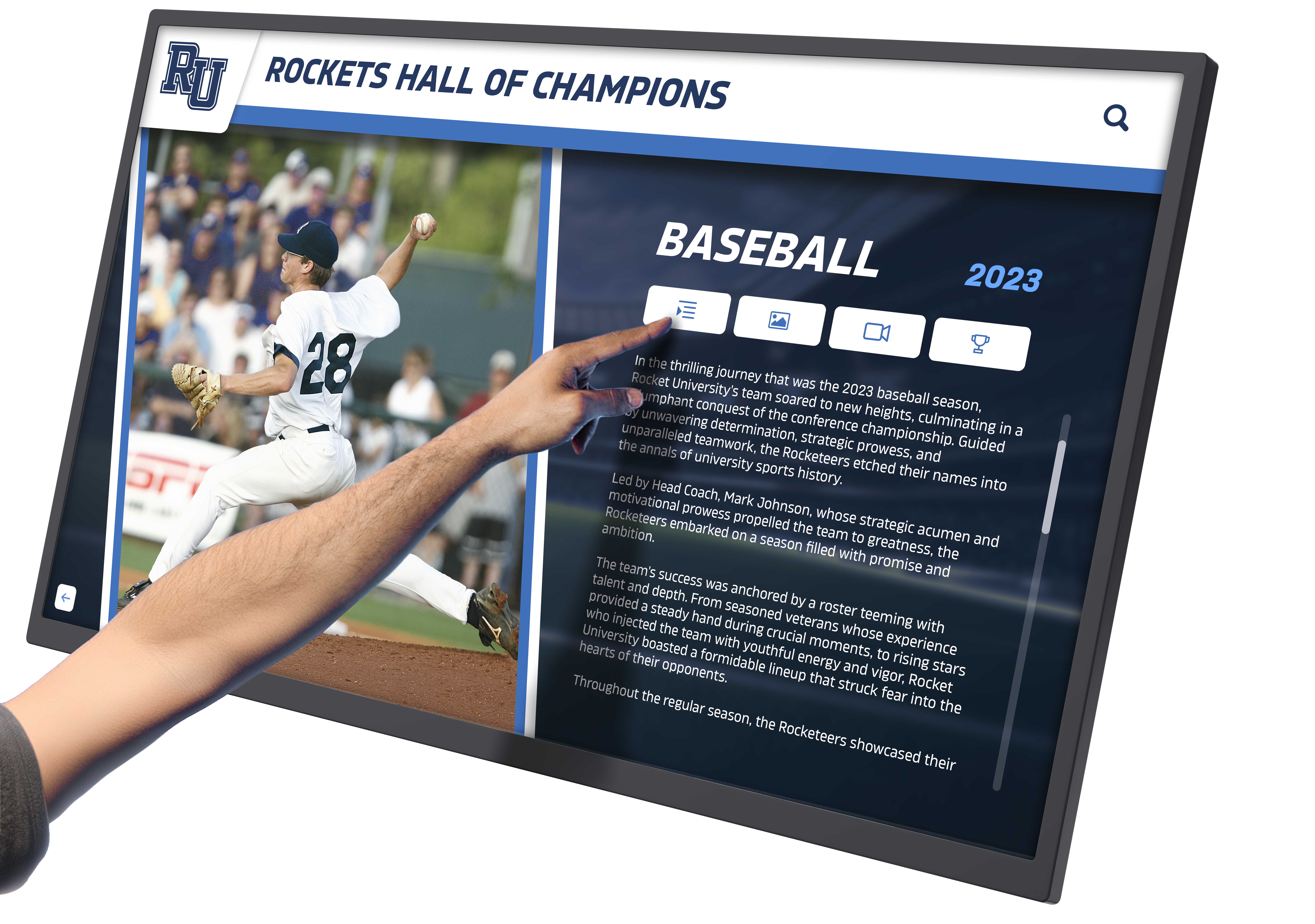
Professional interactive installations combine technical excellence with compelling content to create memorable educational experiences
Visitor Engagement Strategies and Analytics
Beyond basic functionality, successful interactive museum displays actively engage visitors while providing museums data to evaluate effectiveness and guide continuous improvement.
Designing for Different Visitor Types and Motivations
Museums serve diverse visitor types approaching exhibits with different goals, interests, and engagement styles. Recognition of these differences enables design serving all groups effectively rather than optimizing for single visitor archetypes.
Research identifies common museum visitor types including Explorers who enjoy investigating unfamiliar subjects and discover unexpected connections, Facilitators who bring others and focus on their companions’ experiences, Experience Seekers who value memorable activities and social interaction, Professionals who visit for work-related purposes requiring specific information, and Rechargers who seek contemplative experiences providing respite from daily routines.
Interactive displays should accommodate these varied motivations. Explorers appreciate comprehensive content with deep linking between related topics, facilitators benefit from group-friendly interfaces and content at varied complexity levels, experience seekers value multimedia and interactive elements creating memorable moments, professionals need efficient search and detailed information access, and rechargers require the ability to engage at comfortable paces without overwhelming stimulation.
Providing varied engagement depths serves visitors with different available time and interest levels. “Quick start” paths might present highlights accessible in 2-3 minutes, standard engagement might assume 5-10 minutes of exploration, and deep dives could offer 20+ minutes of comprehensive content for highly interested visitors. Clear signposting helps visitors understand what level of engagement different paths require.
Gamification and Interactive Elements That Enhance Learning
Thoughtfully implemented gamification elements can increase engagement while supporting educational objectives. Effective approaches include achievement systems encouraging visitors to explore multiple exhibit sections, collection challenges motivating visitors to locate specific objects or information, quiz elements testing comprehension in low-stakes formats, comparison tools enabling visitors to contrast related objects or time periods, and scavenger hunts connecting physical and digital exhibit elements.
Gamification should enhance rather than distract from educational content. The most effective implementations integrate game mechanics with learning objectives—for example, achievement badges earned by demonstrating understanding rather than simply clicking through content, or points awarded for careful reading verified through comprehension questions rather than merely for participation.
Leaderboards and social features require careful consideration. While competition motivates some visitors, others find it off-putting. Optional rather than prominent competitive elements serve diverse preferences while avoiding pressure that might reduce enjoyment for non-competitive visitors.
Educational institutions implementing interactive displays for academic recognition demonstrate how thoughtful gamification increases student engagement while supporting learning objectives rather than providing mere entertainment.
Analytics and Visitor Behavior Tracking
Digital interactive displays provide unprecedented insight into visitor behavior through comprehensive analytics revealing what content engages audiences and what falls flat. Essential metrics include total interactions measuring overall system usage, unique visitors distinguishing between multiple uses by single visitors versus many individual users, session duration indicating how long visitors engage with content, content views revealing most and least popular exhibits, search queries showing what visitors actively seek, navigation patterns tracking how visitors move through content, and interaction depth measuring whether visitors engage superficially or explore comprehensively.
These quantitative metrics should inform continuous improvement. Low view counts for certain content might indicate poor discoverability requiring improved navigation or search, short session durations suggest engagement problems requiring content or interface adjustments, frequent abandonment at specific points reveals friction requiring investigation, and popular content suggests topics warranting expansion or similar treatments.
Qualitative visitor feedback complements quantitative analytics. Comment cards, follow-up surveys, observational studies, and direct visitor interviews reveal motivations, frustrations, and unmet needs that numbers alone cannot capture. Many museums discover that visitors use interactive displays differently than designers anticipated, making observation particularly valuable.
Privacy considerations require responsible analytics implementation. Tracking visitor behavior on museum displays differs ethically from commercial website analytics because visitors in physical spaces have different expectations. Museums should avoid collecting personally identifiable information, aggregate data preventing individual tracking, transparently communicate what data is collected and why, and provide opt-out mechanisms for visitors preferring not to participate.
Promoting Interactive Exhibits and Driving Engagement
Even excellent interactive displays fail to achieve objectives when visitors don’t discover or understand them. Effective promotion includes physical signage throughout facilities directing visitors to interactive exhibits, facility maps highlighting interactive elements, staff training enabling enthusiastic recommendations to visitors, social media posts featuring engaging content examples, website promotion with preview content encouraging visits, and educational programs incorporating interactive elements into guided experiences.
Onsite orientation proves particularly important. Clear introductory screens should communicate what visitors can do with interactive displays, highlight particularly compelling content, and provide quick start instructions for less tech-confident visitors. Short demonstration videos showing example interactions can build confidence for visitors uncertain about touching museum displays.
Regular content updates maintain interest among repeat visitors while providing fresh promotional opportunities. New exhibit additions, seasonal content, and rotating featured highlights give returning visitors reasons to re-engage with interactive displays rather than dismissing them as previously seen.

Searchable databases enable visitors to quickly locate content matching specific interests rather than browsing through unrelated material
Maintenance, Support, and Long-Term Operations
Successful interactive displays require ongoing attention maintaining functionality, keeping content current, and addressing technical issues promptly. Operational planning should address these requirements before installation rather than discovering support challenges after deployment.
Establishing Content Management Workflows
Sustainable content management requires clear processes and assigned responsibilities. Museums should designate specific staff members responsible for different content areas, establish review and approval workflows ensuring accuracy and quality, create publishing schedules for regular content updates, define standards for writing style, image quality, and metadata, and implement backup procedures protecting content from accidental deletion or system failures.
Training proves essential for staff managing interactive exhibit content. Even intuitive content management systems require familiarity with specific workflows, features, and best practices. Initial training during implementation should be supplemented with ongoing skill development as staff members change roles or new features become available.
Documentation supporting content management includes written procedures for common tasks, video tutorials demonstrating key workflows, contact information for technical support, and troubleshooting guides addressing frequent issues. Good documentation enables staff to resolve minor issues independently rather than requiring external support for routine maintenance.
Version control and change tracking provide safety nets for content management. Systems that maintain previous versions enable reverting changes if errors are introduced, while change logs documenting who modified what content when establish accountability and enable troubleshooting when problems emerge.
Technical Maintenance and Troubleshooting
Hardware maintenance ensures reliable long-term operation. Regular cleaning removes dust, fingerprints, and smudges that degrade appearance and potentially interfere with touchscreen accuracy. Commercial display cleaning should use appropriate materials—microfiber cloths and cleaners specifically formulated for electronic displays rather than household products that might damage screens or leave residue.
Software updates and security patches protect against vulnerabilities while improving performance. Museums should establish update schedules balancing security requirements against the disruption that updates can cause. Testing updates in non-production environments before deploying to visitor-facing displays prevents updates from introducing unexpected issues.
Performance monitoring detects degradation before complete failures occur. Many commercial display systems provide remote monitoring capabilities alerting administrators to connectivity problems, performance issues, or component failures requiring attention. Proactive monitoring enables scheduled maintenance rather than emergency repairs during operating hours.
Contingency planning addresses how museums will operate when displays malfunction. Temporary signage directing visitors to alternative information sources, backup displays that can be quickly deployed, and relationships with service providers capable of rapid response all minimize visitor impact when technical problems occur.
Evaluating Success and Return on Investment
Measuring interactive exhibit success requires defining success criteria aligned with initial project objectives. Common evaluation dimensions include visitor engagement measured through analytics and observation, educational outcomes assessed through comprehension testing or visitor self-reporting, accessibility improvements demonstrated through diverse visitor usage, operational efficiency gains from reduced staff time answering frequently asked questions, and institutional reputation enhancement through awards, media coverage, or visitor testimonials.
Return on investment (ROI) calculations should consider both direct and indirect benefits. Direct benefits might include admission revenue increases, membership growth, or reduced staffing requirements. Indirect benefits encompass educational impact, community goodwill, fundraising support, and competitive positioning that prove harder to quantify but represent real institutional value.
Comparative analysis evaluates interactive exhibits against alternative investments. Would traditional static displays have achieved similar objectives at lower cost? Do interactive elements justify expense compared to enhanced physical displays or additional printed materials? These comparisons ensure that interactive technology represents genuinely superior approaches rather than merely fashionable alternatives.
Long-term value extends beyond immediate impacts. Interactive displays with 7-10 year operational lifespans should consider amortized costs across expected lifetimes. Systems requiring expensive refreshes every 2-3 years might prove less cost-effective than initially more expensive installations offering longer service lives with minimal maintenance.
Schools implementing digital recognition and archival systems demonstrate how thoughtful evaluation informs continuous improvement while building institutional support for ongoing investment in digital exhibits.
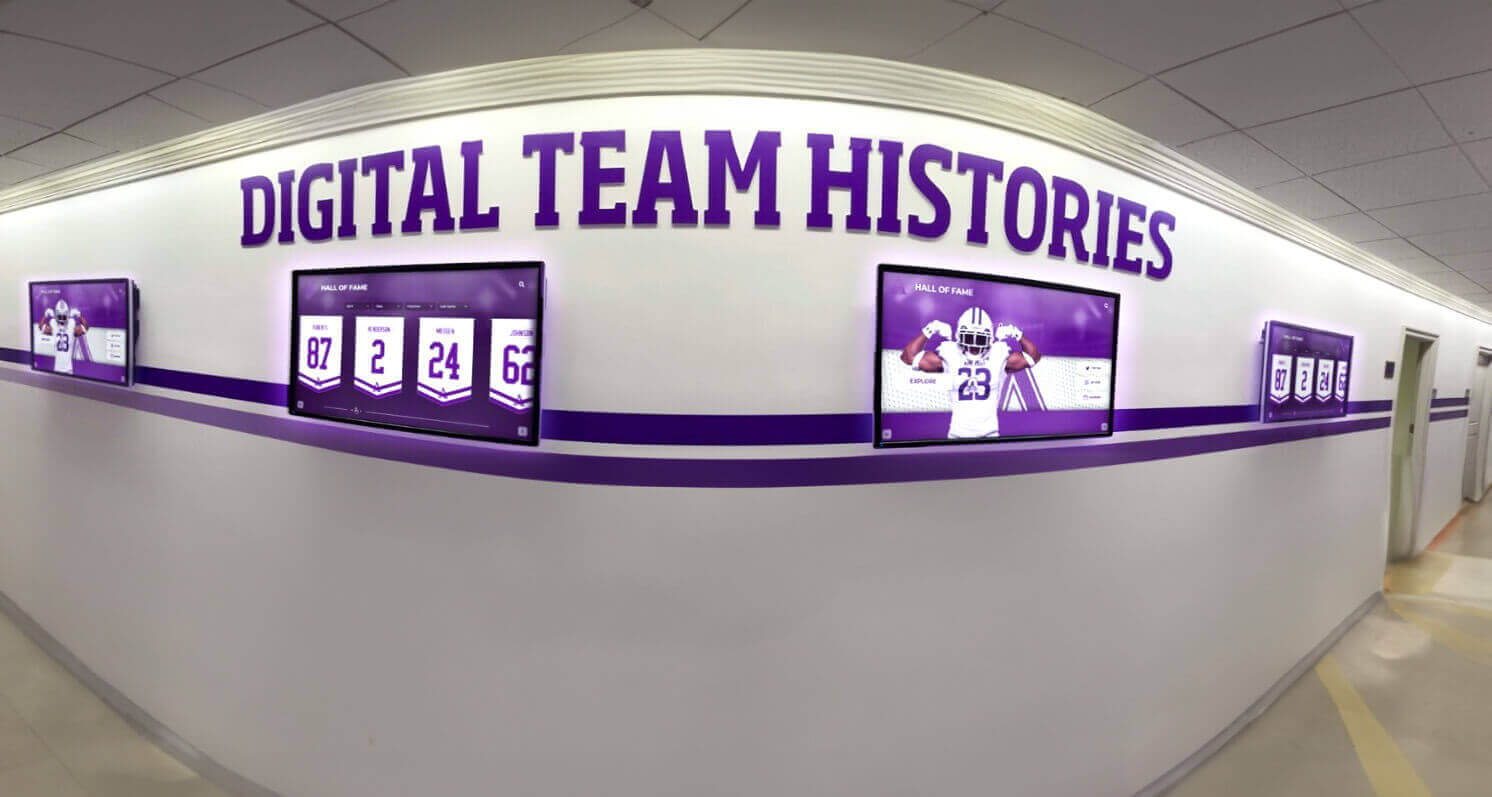
Strategic placement of interactive displays in high-traffic areas maximizes visibility while creating natural engagement opportunities
Specialized Applications for Educational Institutions
While museums represent primary applications for interactive digital displays, educational institutions from elementary schools through universities implement similar systems for specialized purposes serving academic and community objectives.
School History and Heritage Displays
Schools accumulate rich histories worth preserving and sharing with students, families, and communities. Interactive displays enable comprehensive documentation impossible through traditional trophy cases or wall plaques limited by physical space. School history applications might include decade-by-decade chronological presentations documenting institutional development, notable alumni recognition celebrating distinguished graduates and their accomplishments, athletic achievement documentation preserving sports history and records, academic excellence recognition honoring scholars and researchers, performing arts archives documenting theatrical productions and musical performances, and community connection displays showing school relationships with surrounding neighborhoods.
These applications particularly benefit from multimedia integration. Historical photos reveal how campuses evolved physically, video interviews with long-time teachers or distinguished alumni provide personal perspectives on institutional heritage, scanned yearbooks preserve ephemeral documents for future generations, and digitized newspaper clippings document how communities viewed schools throughout decades.
Educational institutions implementing school history preservation programs find that interactive displays increase student connection to institutional identity while building community pride and supporting fundraising through demonstrated stewardship of heritage.
University Archives and Special Collections
Academic libraries increasingly make special collections accessible through interactive displays supplementing traditional reading room access. Digital exhibits enable simultaneous access by multiple users without handling fragile originals, searchable discovery of relevant materials across extensive collections, context provision through interpretive materials explaining historical significance, and democratized access extending beyond scholars to casual browsers discovering collections through exploration.
Interactive special collections displays might feature rare book exhibitions with high-resolution page images enabling detailed examination, manuscript collections with transcriptions making historical handwriting accessible, photographic archives organized by subject, time period, or photographer, university archives documenting institutional history through official records, and oral history collections with searchable interview transcripts linked to audio recordings.
Physical artifacts can be supplemented with digital equivalents enabling virtual handling, zooming to examine fine details, comparison of similar objects side-by-side, and multilingual interpretation serving international student populations.
K-12 Educational Integration
Elementary and secondary schools implement interactive displays supporting curriculum objectives beyond heritage preservation. Educational applications include science concept demonstrations with interactive simulations and visualizations, mathematics problem-solving with step-by-step guidance and instant feedback, historical document examination enabling primary source analysis, literature exploration connecting novels to historical contexts and author biographies, and current events displays helping students understand contemporary issues through multimedia journalism.
Curricular integration requires collaboration between technology specialists and teaching faculty. The most effective installations directly support learning objectives rather than existing as separate enrichment resources. When interactive exhibits align with lesson plans and provide content that teachers actively reference, classroom integration increases display value while ensuring student exposure to available resources.
Assessment integration enables interactive exhibits to support learning evaluation. Embedded quizzes, comprehension checks, and knowledge demonstrations provide low-stakes assessment opportunities while generating data about student understanding that informs instructional adjustments.
Community Center and Public Library Applications
Public libraries and community centers serve diverse populations with varied interests requiring flexible content approaches. Common applications include local history exhibits documenting community development and notable residents, cultural heritage displays celebrating diverse populations within communities, civic engagement resources providing information about local government and services, and program promotion highlighting library services, classes, and community events.
Public-facing institutions particularly benefit from multilingual support given diverse community populations. Language selection enabling interface and content translation demonstrates inclusion while making resources accessible to broader audiences. Organizations implementing library interactive display systems demonstrate how thoughtful content development serves varied community needs within single installations.
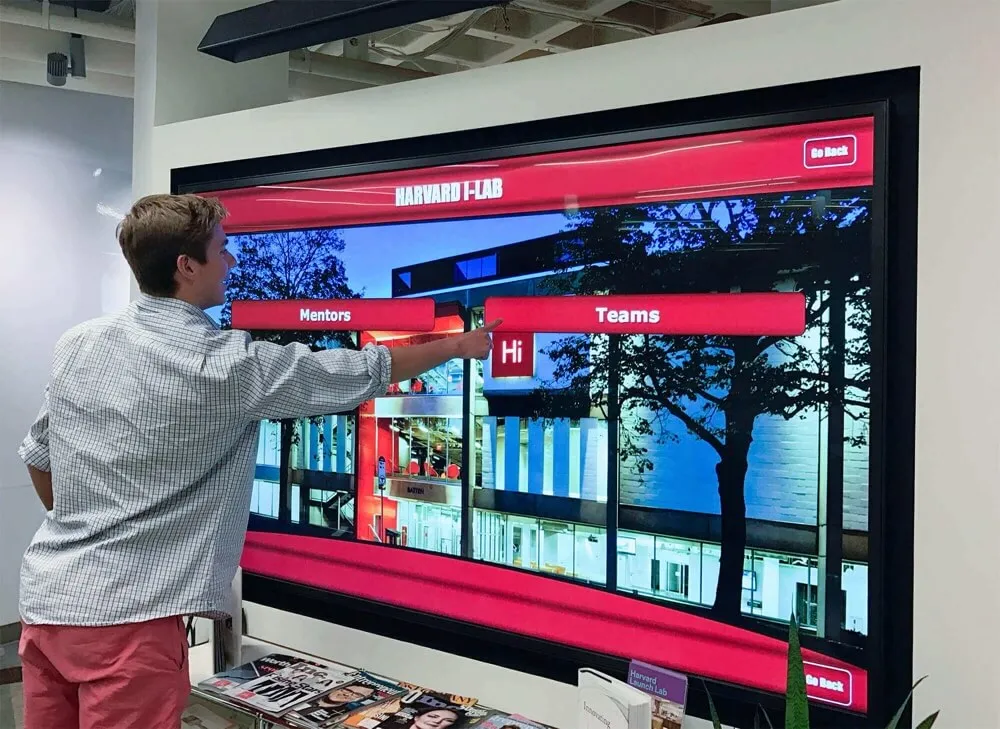
Educational institutions use interactive displays to showcase programs, celebrate achievements, and engage campus communities
Integration with Broader Digital Strategies
Interactive museum displays function most effectively when integrated with comprehensive institutional digital strategies rather than existing as isolated implementations disconnected from other initiatives.
Web Platform Integration
Interactive exhibit content should extend beyond physical displays to institutional websites, making collections accessible to global audiences rather than only visitors who can physically reach facilities. Web integration strategies include searchable online databases mirroring physical display content, virtual tours enabling remote exhibit exploration, embedded media galleries featuring photos and videos from collections, educational resources providing lesson plans and curriculum materials, and research portals serving scholars requiring comprehensive access.
Cross-platform consistency ensures that visitors encountering exhibits through websites, mobile apps, and physical displays experience cohesive content and navigation rather than disconnected systems requiring separate learning curves. Unified content management systems supporting multiple output formats enable this consistency while minimizing duplicated effort maintaining parallel systems.
QR codes throughout physical exhibits provide bridges to extended online content. Visitors can scan codes with smartphones to access detailed information exceeding what physical displays can practically present, bookmark content for later reference, share discoveries with others not present, and continue exploration beyond visit time constraints.
Social Media Integration
Social media extends exhibit reach while building engagement with audiences beyond physical visitors. Effective strategies include shareable content designed specifically for social platform formats and audiences, behind-the-scenes content revealing how exhibits are developed, user-generated content encouraging visitors to share experiences, and interactive campaigns using social platforms to drive physical exhibit engagement.
Content from interactive displays provides natural social media material. Highlight compelling collection objects with striking visuals, share interesting historical facts or stories, celebrate new acquisitions or exhibit additions, and recognize diverse communities represented in collections. This content demonstrates institutional vitality while encouraging visits to experience complete exhibits.
Social listening reveals how audiences discuss exhibits and collections, identifying popular content worth expanding, misunderstandings requiring clarification, and unmet needs suggesting new exhibit opportunities. Museums should monitor relevant hashtags, mentions, and community discussions to inform content strategy.
Mobile App Extensions
Dedicated mobile applications extend interactive exhibit functionality beyond fixed displays. Mobile apps enable pre-visit planning with content previews building anticipation, on-site navigation with indoor positioning guiding visitors to exhibits, augmented reality experiences overlaying digital content on physical spaces, post-visit engagement maintaining connections beyond single visits, and personalized content saving favorites and recommendations.
Mobile integration with physical displays creates cohesive experiences. Visitors might begin exploration on large touchscreens before continuing on personal devices as they move through facilities, use mobile apps to control large displays from comfortable viewing distances, or scan collection objects with mobile apps to access related digital content.
Email and Digital Communication Integration
Interactive exhibits provide content for institutional communications maintaining audience engagement. Email newsletters might feature exhibit highlights with links to online content, new acquisition announcements directing readers to related interactive exhibits, educational content demonstrating institutional expertise, and behind-the-scenes stories revealing exhibit development processes.
Email campaigns driving physical visits should highlight specific compelling content, create urgency through limited-time exhibits or seasonal content, offer exclusive access or experiences for email subscribers, and segment messaging based on demonstrated interests and engagement patterns.
Museums implementing digital donor recognition systems demonstrate how integrated digital strategies create multiple touchpoints with stakeholders while maintaining consistent messaging across platforms.
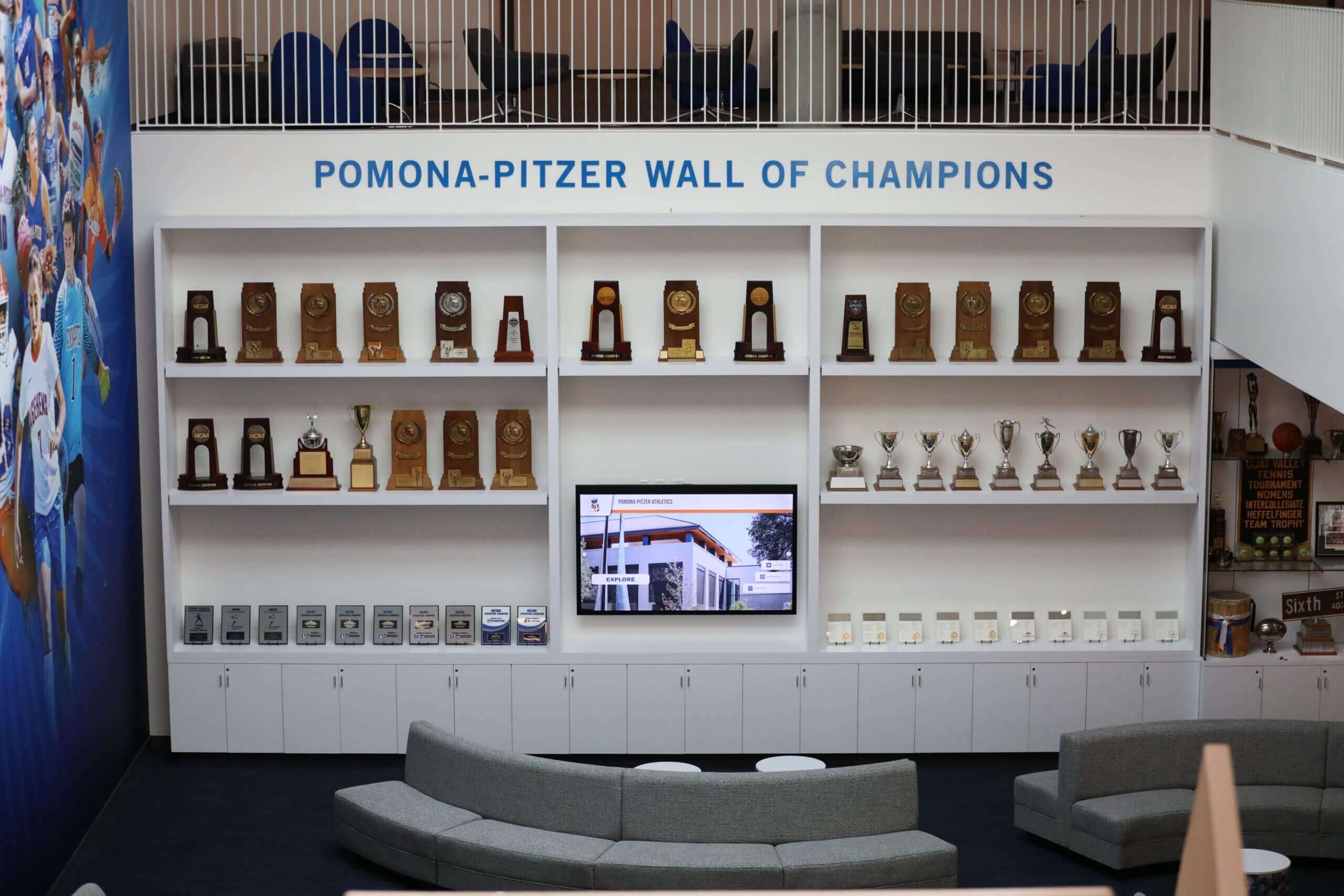
Successful institutions blend traditional physical displays with digital interactive elements to create comprehensive visitor experiences
Future Trends and Emerging Technologies
Digital interactive museum displays continue evolving as new technologies create capabilities beyond current implementations. Museums planning systems today should consider emerging trends that may influence future enhancements while ensuring current investments remain relevant as technology develops.
Artificial Intelligence and Machine Learning
AI technologies promise to enhance interactive exhibits through personalized recommendations suggesting content based on viewing patterns, natural language interfaces enabling conversational interaction with exhibits, automatic content generation creating summaries and descriptions from structured data, image recognition enabling visual search across collections, and predictive analytics identifying content gaps and visitor needs.
While AI capabilities expand rapidly, museums should approach implementations thoughtfully. AI-generated content requires human review ensuring accuracy and appropriate tone, privacy concerns require transparency about data collection and use, algorithmic bias can perpetuate existing inequities without careful oversight, and AI should enhance rather than replace human curation and interpretation.
Augmented and Virtual Reality
AR and VR technologies enable immersive experiences impossible with traditional displays. Near-term applications might include AR overlays providing additional information when viewing physical exhibits through smartphones or tablets, VR reconstructions of historical environments or destroyed sites, spatial audio creating immersive soundscapes, and haptic feedback simulating textures and physical properties of objects too fragile for handling.
Current AR and VR limitations include equipment costs and maintenance requirements, technical complexity deterring less tech-savvy visitors, hygiene concerns with shared headsets, and accessibility challenges for visitors with visual or mobility impairments. As technologies mature and costs decrease, these barriers will diminish, making AR and VR increasingly practical for mainstream museum applications.
Voice Interfaces and Audio Interaction
Voice-activated interfaces enable hands-free interaction supporting accessibility while providing natural interaction paradigms. Visitors might ask questions in natural language, request specific content through verbal commands, control display functions without touching screens, and receive audio responses serving vision-impaired visitors.
Privacy concerns require careful implementation. Voice interfaces processing requests through cloud services raise questions about recording and data storage that museums should address transparently. Local processing capabilities reduce privacy concerns but may offer limited functionality compared to cloud-based alternatives.
Advanced Analytics and Visitor Insights
Emerging analytics capabilities provide deeper understanding of visitor behavior and exhibit effectiveness. Future systems might include emotion detection through facial expression analysis revealing engagement levels, gaze tracking showing what content captures attention, gesture recognition enabling non-touch interaction, crowd analytics showing traffic patterns and congestion, and longitudinal studies tracking how exhibit effectiveness evolves over time.
Ethical considerations become increasingly important as analytics capabilities expand. Museums should balance institutional research interests against visitor privacy expectations, communicate transparently about data collection practices, provide meaningful opt-out mechanisms, and ensure that enhanced analytics serve visitor benefit rather than simply institutional convenience.
Sustainability and Environmental Considerations
Growing environmental consciousness demands attention to display sustainability. Future considerations include energy efficiency through low-power displays and components, longevity prioritizing repairable systems over disposable technology, recyclability choosing components with end-of-life recovery options, local sourcing reducing transportation environmental costs, and renewable energy integration where practical.
Software sustainability proves equally important. Systems requiring expensive complete replacements every few years prove less environmentally sound than platforms supporting incremental upgrades extending operational lifespans. Museums should evaluate total environmental impact across expected system lifetimes rather than solely initial acquisition decisions.
Conclusion: Transforming Museum Experiences Through Interactive Technology
Digital interactive museum displays represent fundamental evolution in how cultural institutions engage audiences and fulfill educational missions. By replacing passive viewing with active exploration, static content with multimedia storytelling, and fixed information with personalized discovery, interactive systems address changed visitor expectations while creating opportunities impossible with traditional exhibit approaches.
Successful implementation requires thoughtful attention to technology selection, content development, interface design, and operational planning. Museums should approach interactive displays as integrated systems serving educational objectives rather than merely fashionable technology additions. When properly planned and executed, interactive exhibits increase visitor engagement, improve educational outcomes, expand accessibility, and demonstrate institutional commitment to contemporary museum practice.
Educational institutions from K-12 schools through universities benefit from similar interactive display technologies adapted to academic contexts. School history preservation, special collections access, curriculum integration, and community engagement all leverage interactive capabilities while serving institutional missions beyond entertainment.
The most effective interactive museum displays integrate with comprehensive digital strategies encompassing websites, mobile apps, social media, and digital communications. This integration ensures that interactive exhibits serve as touchpoints within broader visitor relationships rather than isolated experiences disconnected from ongoing institutional engagement.
As technology continues evolving, interactive museum displays will incorporate emerging capabilities from artificial intelligence and augmented reality to advanced analytics and voice interfaces. Museums implementing systems today should ensure flexibility supporting future enhancements while meeting current needs effectively.
Whether planning major museum renovations, adding interactive elements to existing exhibits, or designing educational displays for schools and universities, digital interactive systems provide powerful tools for engaging contemporary audiences while preserving and presenting cultural heritage, scientific knowledge, and institutional history. Solutions like Rocket Alumni Solutions specialize in interactive recognition and archival systems designed specifically for educational and cultural institutions, providing intuitive content management, professional design templates, comprehensive multimedia support, and scalable platforms growing with institutional needs.
Your collections, heritage, and educational content deserve presentation approaches matching their significance. Digital interactive displays provide the capabilities ensuring that museums and educational institutions engage 2025 audiences effectively while fulfilling timeless missions of education, preservation, and public service.
Ready to Transform Your Museum Exhibits?
Discover how interactive display systems can enhance visitor engagement while preserving and presenting your collections, history, and educational content effectively.































