Every school creates thousands of memorable moments throughout the year—from exhilarating sporting events and inspiring school plays to community BBQs, service projects, academic competitions, and countless daily activities that define the student experience. Yet many schools struggle to effectively capture, organize, and share these precious memories with students, families, and the broader community. Photos from events often end up scattered across personal devices, lost in email attachments, or sitting unused on memory cards because schools lack efficient systems for managing and showcasing event photography.
A well-implemented digital photo gallery system transforms how schools preserve and celebrate their most important moments. Modern solutions enable schools to capture event photos systematically, organize thousands of images effortlessly, share galleries instantly with families and community members, showcase achievements through digital displays, and preserve institutional memory for future generations. This comprehensive guide explores everything schools need to know about implementing effective digital photo gallery systems for all types of events.
The challenge extends beyond simply taking photos. Schools need systems that make it easy for multiple photographers to contribute images, organize photos by event type and date, ensure privacy compliance and appropriate permissions, deliver photos securely to families and alumni, and integrate event photography with broader recognition and communication strategies. Solutions like Rocket Alumni Solutions address these comprehensive needs through purpose-built platforms designed specifically for educational institutions.
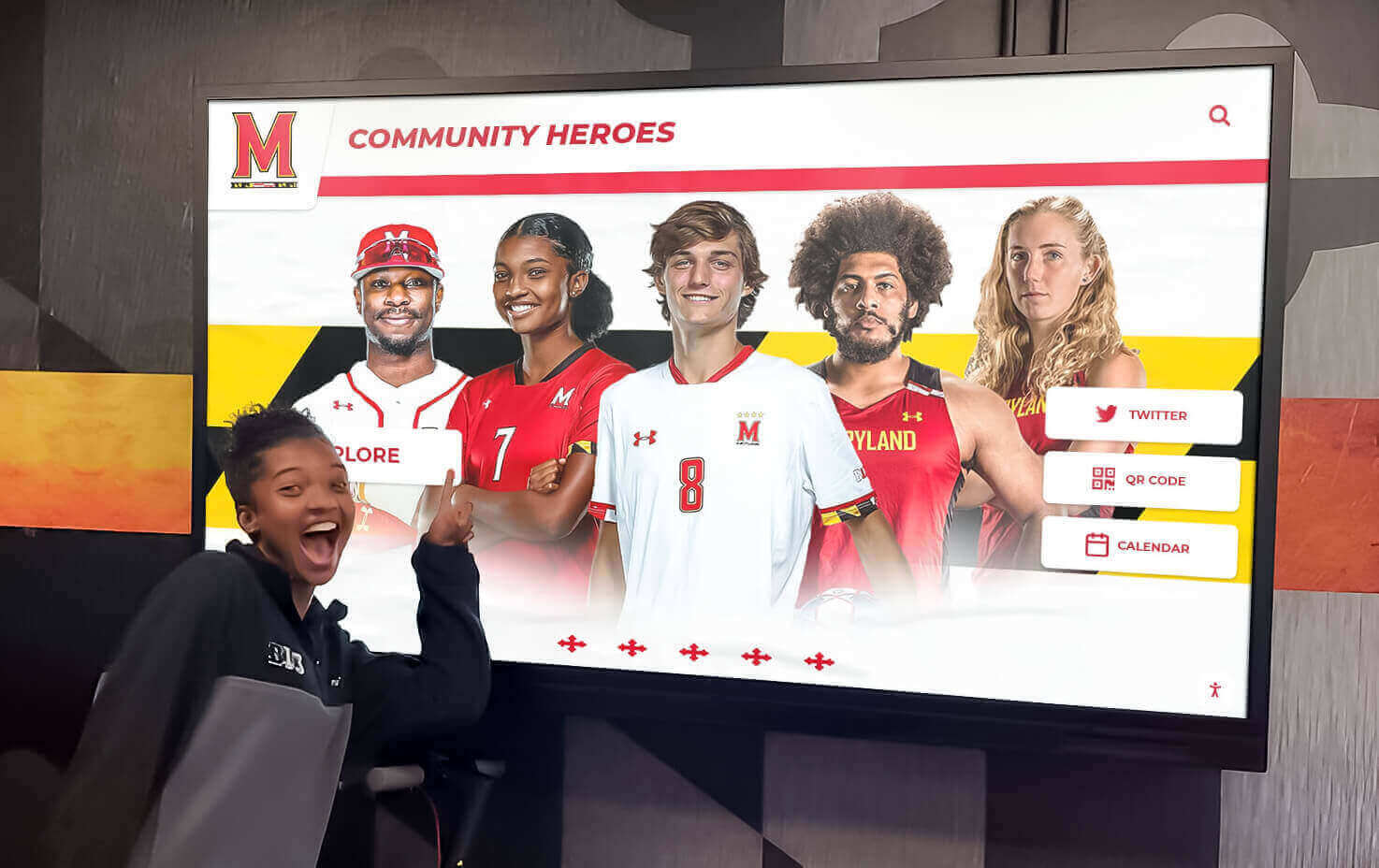
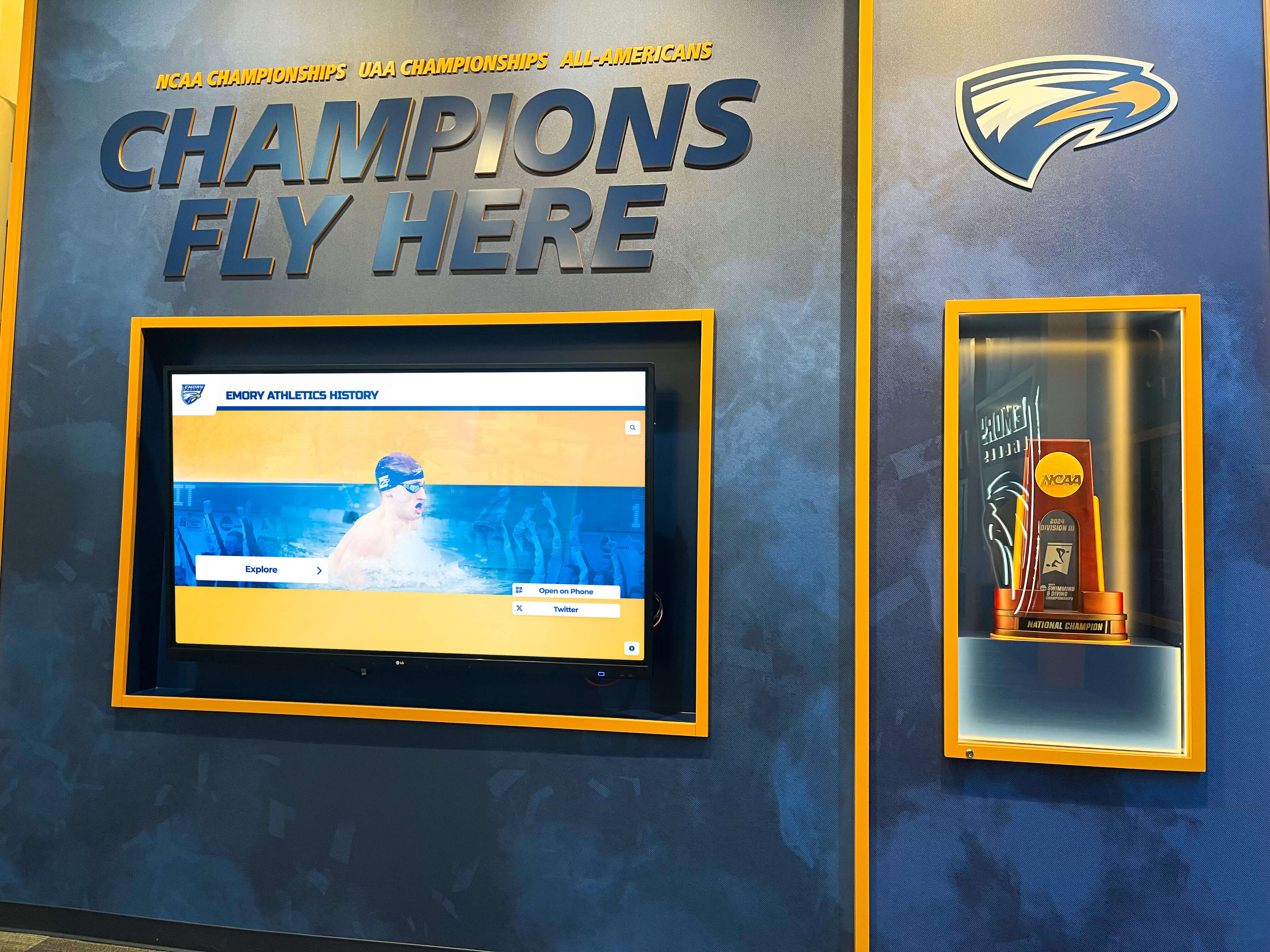
Digital displays bring event photos to life, creating engagement beyond passive viewing
Why Schools Need Organized Digital Photo Gallery Systems
Before diving into implementation strategies, understanding the specific challenges schools face with event photography clarifies why dedicated solutions provide value beyond consumer photo apps or basic file storage.
The Scattered Photo Problem
Most schools create event photos through multiple sources: staff photographers capturing official images, parent volunteers documenting activities, students contributing perspective from their experiences, coaches and activity sponsors recording their programs, and hired professionals shooting major events. This distributed creation produces thousands of valuable photos annually—but without centralized organization, images remain scattered across personal devices, lost email attachments, multiple cloud accounts, and forgotten memory cards.
When photos from the championship game, spring play, or service project aren’t centrally accessible, schools miss opportunities to celebrate achievements, share memories with families, promote programs to prospective students, document institutional history, and build community pride. The gap between photos captured and photos actually used for meaningful purposes represents wasted effort and lost engagement opportunities.
Privacy and Permission Complexities
Schools must navigate complex privacy requirements when publishing student photos. Federal regulations like FERPA, state laws, and local policies create frameworks requiring proper permissions before sharing student images publicly. Managing these requirements grows exponentially complicated without systems designed to track consent, control photo distribution based on permissions, provide secure access to authorized viewers, and respond quickly to removal requests.
Consumer photo platforms lack the sophisticated permission management educational institutions require, potentially exposing schools to compliance violations or privacy complaints. Purpose-built educational systems incorporate privacy controls as foundational features rather than afterthoughts.
Lost Engagement and Recognition Opportunities
Event photos create powerful content for school communications, social media engagement, alumni connection, fundraising campaigns, and student recognition. Yet when finding specific photos requires hours of searching, schools abandon many potential uses. The administrative burden of photo management prevents leveraging visual content that could dramatically enhance engagement and community building.
According to research on digital recognition best practices, organizations using visual storytelling experience 94% higher engagement rates than text-only communications. Schools with organized photo galleries leverage this advantage systematically rather than sporadically.

Strategic placement of event photo displays in high-traffic areas maximizes visibility and impact
Planning Your Digital Photo Gallery System
Successful implementation begins with thoughtful planning that addresses technical, organizational, and strategic considerations.
Defining Your Photo Gallery Goals
Clear goals guide all subsequent decisions about features, systems, and workflows:
Primary Use Cases: Document all school events for historical records, share event photos with families and community, celebrate achievements through visual storytelling, support school communications and marketing, engage alumni with nostalgic content, or provide resources for yearbook and student media.
Priority Events: Most schools cannot photograph everything equally. Prioritize athletic competitions and championships, performing arts productions, academic competitions and recognitions, service projects and community outreach, school-wide celebrations and traditions, senior activities and graduation, or club activities and special events.
Audience Needs: Consider who will access photos and their specific requirements. Parents want photos of their specific children. Alumni seek images from their graduation years. Staff need high-quality images for communications. Students desire social media-ready content. Each audience requires different access methods, search capabilities, and distribution options.
Budget Parameters: Understand available resources for equipment, software subscriptions, staff time, storage capacity, and ongoing maintenance. Realistic budget planning prevents selecting solutions requiring resources schools cannot sustain.
Assessing Current Capabilities and Gaps
Inventory existing photography practices and identify improvement opportunities:
Current Workflows: Document how schools currently capture event photos, where images are stored, who has access to photo archives, and how photos are currently distributed. Understanding current state reveals specific pain points requiring solutions.
Equipment Assessment: Evaluate available photography equipment, device storage capacity, and network infrastructure supporting photo transfer and cloud storage. Technical assessments prevent selecting solutions incompatible with existing infrastructure.
Staff Resources: Identify who will coordinate photography, manage photo organization, and handle distribution and permissions. Sustainable systems match administrative requirements to available staff capacity.
Technology Inventory: Review existing systems like student information databases, communication platforms, website content management, and digital signage for schools that might integrate with photo galleries.
Selecting the Right Photo Gallery Platform
Schools face numerous options ranging from consumer apps to enterprise systems:
Consumer Photo Services: Platforms like Google Photos, iCloud, or Amazon Photos offer free or low-cost storage with basic organization but lack permission management, limited sharing controls, no educational-specific features, potential privacy concerns, and consumer-focused limitations unsuitable for institutional needs.
School-Specific Photo Platforms: Services designed for educational event photography provide FERPA-compliant privacy controls, permission-based access management, secure sharing with families, integration with school systems, and support for professional photography sales when applicable. These mid-market solutions balance features with educational budgets.
Comprehensive Recognition Systems: Platforms like Rocket Alumni Solutions integrate photo galleries with broader recognition programs, enabling unlimited photo storage and organization, interactive touchscreen displays showcasing event photos, searchable archives spanning years, connection between events and individual student recognition, and multi-purpose systems supporting various school needs.
The ideal platform depends on specific institutional priorities, budget constraints, technical capabilities, and integration requirements with existing systems.
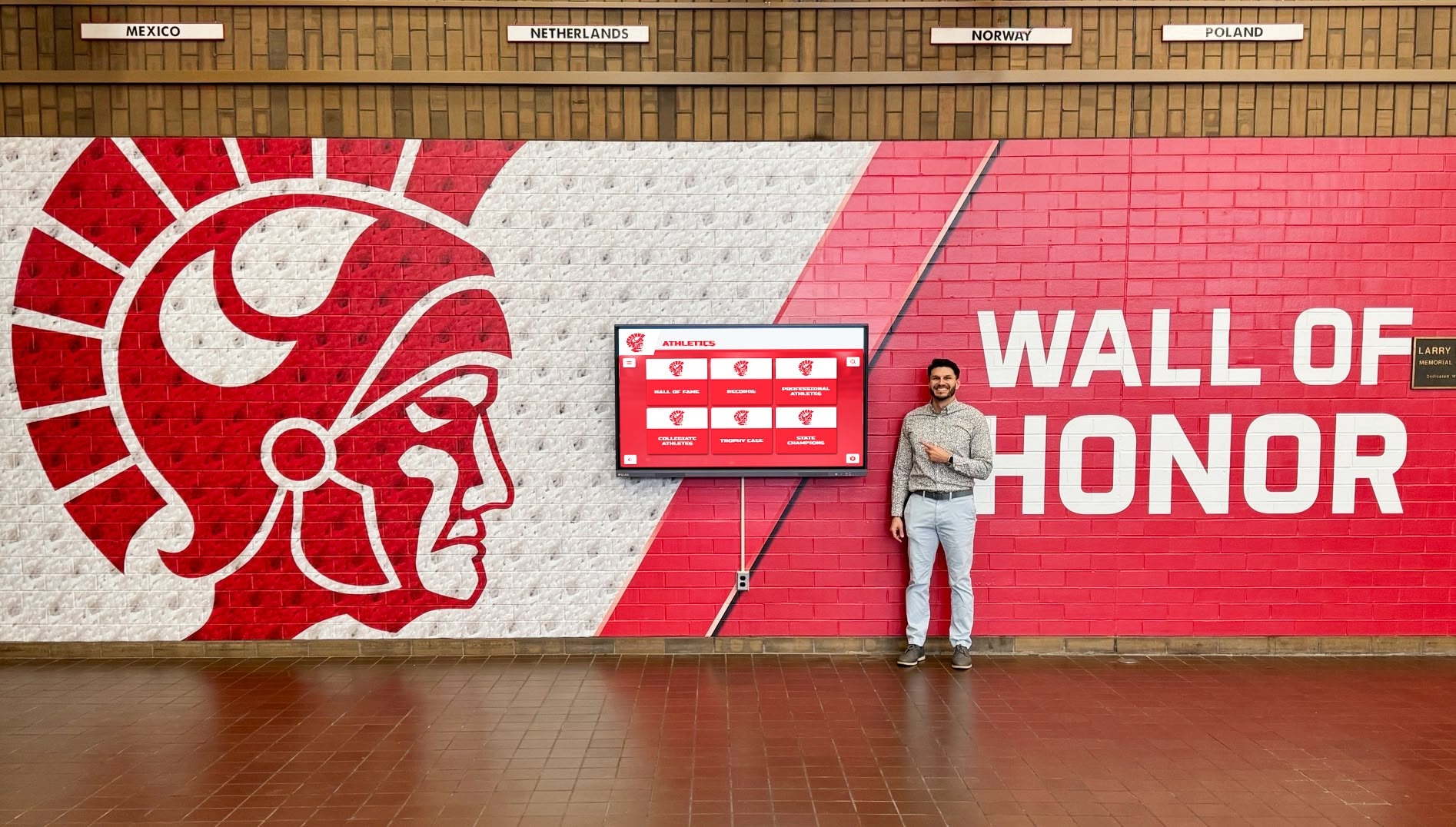
Interactive displays transform static photo archives into engaging exploration experiences
Implementing Effective Event Photography Workflows
Technology enables organization and distribution, but systematic workflows determine whether schools consistently capture quality event photos.
Establishing Photography Protocols
Clear protocols ensure consistent event coverage:
Designated Photographers: Assign specific individuals responsible for photographing priority events—whether staff members, parent volunteers, student photographers, or hired professionals. Designated responsibility prevents assuming someone else is handling photography while ensuring coverage accountability.
Shot List Planning: Develop event-specific shot lists identifying must-capture moments. For sporting events: team photos, action shots, key plays, crowd reactions, and celebrations. For performances: cast photos, scene highlights, backstage preparations, and audience reactions. For service projects: participants working, project impact, community partners, and completion celebrations.
Equipment Standards: Establish minimum quality standards for event photography including camera specifications, resolution requirements, backup equipment availability, and data backup procedures. Standards ensure photos meet quality thresholds for various uses from social media to printed materials.
Backup Photographers: Identify backup coverage for situations when primary photographers are unavailable. Backup systems prevent missing important events due to scheduling conflicts or unexpected absences.
Streamlining Photo Collection
Efficient collection processes reduce administrative burden:
Centralized Upload Portals: Provide single destination where all photographers upload event photos rather than distributing images through various channels. Centralization simplifies organization while ensuring nothing gets lost in multiple systems.
Automated Organization: Implement systems that automatically organize photos by date, event type, or location based on metadata or upload parameters. Automation reduces manual sorting while maintaining consistent organization.
Quick Turnaround Expectations: Establish expectations about how quickly after events photographers should upload images. Many families want to see photos within 24-48 hours while memories are fresh and social media conversations are active.
Mobile-Friendly Uploads: Enable direct uploads from smartphones and tablets that photographers commonly use at events. Mobile capability eliminates delays waiting to transfer photos to computers before uploading.
Quality Review Processes: Implement light quality review removing blurry, duplicate, or inappropriate images before publishing galleries. Balanced review maintains quality without creating bottlenecks delaying photo distribution.
Managing Permissions and Privacy
Proper permission management protects both students and institutions:
Permission Tracking Systems: Maintain digital records linking photo permissions to individual students. Systems should enable quick verification whether specific students can appear in publicly shared images.
Graduated Access Levels: Implement tiered access where some photos are publicly shareable, others restricted to school community, and some available only to specific families. Graduated access maximizes appropriate sharing while respecting privacy preferences.
Facial Recognition Considerations: If using facial recognition for organization or tagging, implement transparency, secure storage, accurate identification verification, and opt-out capabilities respecting privacy concerns about biometric data.
Takedown Procedures: Establish clear, responsive processes for handling requests to remove photos. Quick response times demonstrate respect for privacy concerns while preventing small issues from escalating.
Annual Permission Updates: Refresh photo permissions annually as family circumstances and preferences change. Regular updates ensure current compliance rather than relying on outdated authorizations.
Resources about data privacy and security for digital recognition systems provide additional guidance on compliance frameworks.

Systematic event photography captures the moments that define school experiences
Organizing and Managing Event Photo Galleries
Organization determines whether photo collections remain useful or become overwhelming archives where nothing can be found.
Creating Intuitive Gallery Structures
Logical organization enables easy photo discovery:
Event-Based Organization: Primary organization by specific events makes sense for most schools—“2024 Homecoming Game,” “Spring Musical: Into the Woods,” “Senior Service Day.” Event-based structure matches how people remember and search for photos.
Chronological Navigation: Enable browsing photos by date, school year, or season. Chronological access helps users find images when they remember timing but not specific event names.
Category Filtering: Provide filtering by event types like athletics, performing arts, academic events, service projects, school traditions, or graduation activities. Categories enable discovery across similar events spanning multiple years.
Sport and Activity Tags: For athletic and club photos, enable filtering by specific sports, activities, or organizations. Parents want to find all soccer photos or band performances without sorting through unrelated events.
People Identification: When privacy permissions allow, enable searching photos by individuals’ names. Personal search creates powerful engagement especially for alumni seeking images from their school years.
Implementing Searchable Metadata
Rich metadata transforms static archives into dynamic, searchable resources:
Essential Metadata Fields: Capture event name and date, event type/category, photographer credit, people pictured (when permitted), location/venue, and relevant keywords. Comprehensive metadata dramatically improves searchability.
Bulk Metadata Application: Enable applying metadata to entire event galleries or selected groups of photos rather than requiring individual image annotation. Bulk application makes thorough metadata practical rather than prohibitively time-consuming.
Crowdsourced Enhancement: Allow community members to suggest photo tags, identify people, or add context through comments. Crowdsourcing leverages collective knowledge while reducing administrative burden.
Automatic Metadata Capture: Utilize EXIF data automatically embedded in photos including date, time, location (when available), and camera settings. Automatic capture provides baseline metadata without manual entry.
Curating Highlight Collections
While comprehensive archives have value, curated selections serve many purposes more effectively:
Featured Event Galleries: Create streamlined galleries showcasing 30-50 best photos from major events rather than presenting hundreds of images. Curated collections provide engaging experience without overwhelming viewers.
Year-in-Review Compilations: Develop annual highlight galleries presenting best moments across all event categories. Year-end compilations create satisfying reflection opportunities while providing ready-made content for communications and fundraising.
Senior Memories Collections: Compile photos featuring graduating seniors from various events throughout their years. Senior collections create keepsake value while providing emotional content supporting alumni engagement.
Championship and Achievement Galleries: Assemble galleries celebrating significant accomplishments like championship seasons, award recognitions, or major project completions. Achievement galleries feed into broader digital recognition programs celebrating excellence.
Historical Comparison Galleries: Create galleries pairing current photos with historical images from same events in past years. Comparison galleries engage alumni nostalgia while demonstrating institutional continuity and evolution.
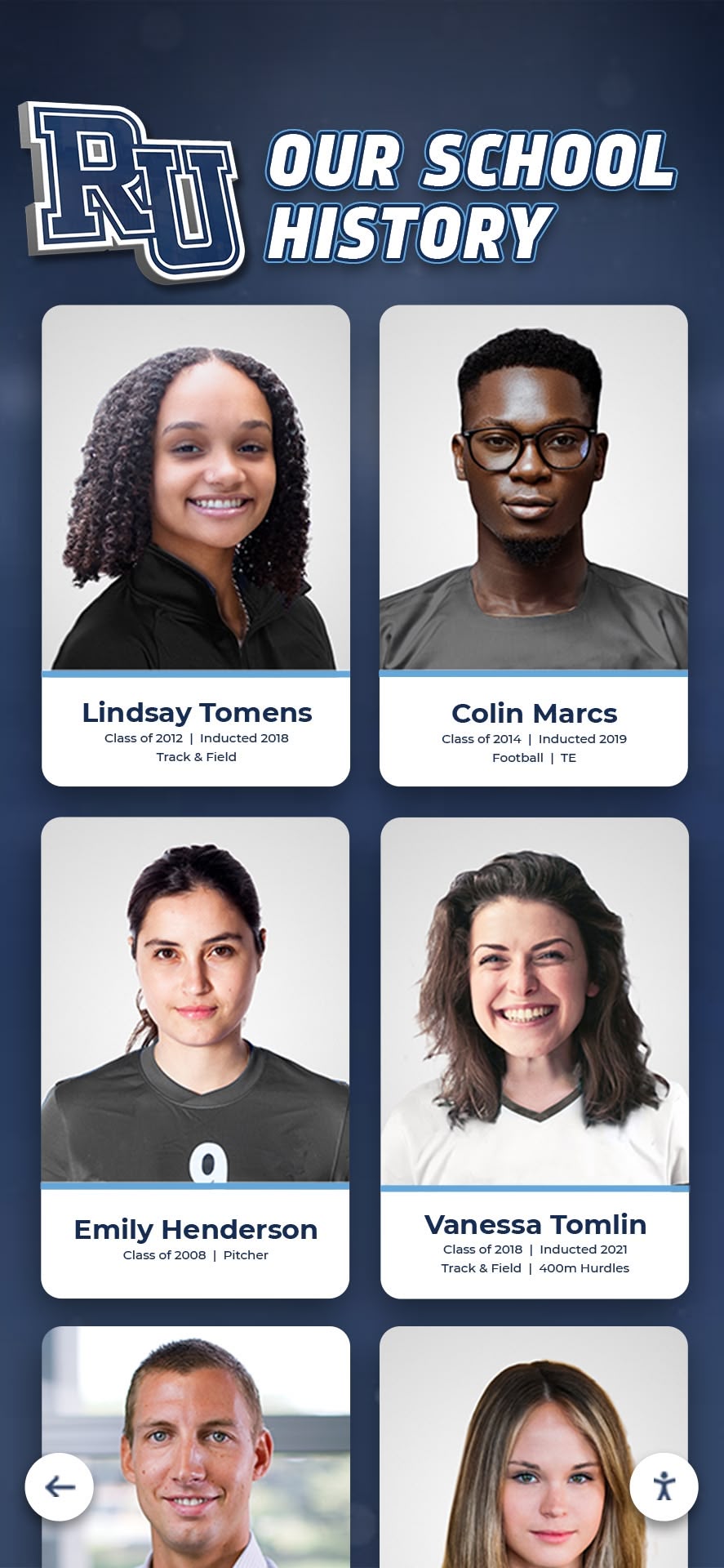
Well-organized photo archives preserve institutional memory while enabling easy discovery
Distributing and Sharing Event Photos Effectively
Photography creates value only when photos reach intended audiences through channels they actually use.
Multi-Channel Distribution Strategies
Meeting audiences where they already spend time maximizes photo engagement:
School Website Galleries: Embed photo galleries directly on school websites as primary distribution channel. Website integration provides permanent, accessible location where families know to find event photos.
Social Media Sharing: Post highlight photos to Instagram, Facebook, and other platforms where school communities are active. Social sharing extends reach beyond school website while generating broader engagement. Balance visibility with privacy by using more restrictive school community accounts versus fully public pages.
Email Notifications: Send email alerts when new event galleries are published including direct links to relevant photos. Email ensures families who don’t regularly check websites still receive timely access to event photos.
SMS Alerts: For time-sensitive events or priority photos, text message notifications with gallery links provide immediate delivery. SMS particularly effective reaching parents during busy periods when email might be delayed.
Parent Portal Integration: Embed photo galleries within existing parent portals or learning management systems families already access regularly. Integration with familiar platforms increases photo discovery and viewing.
Physical Display Screens: Showcase event photos on digital signage displays in school lobbies, cafeterias, and common areas. Physical displays create visibility even for community members who don’t actively seek photos online.
Creating Engaging Gallery Experiences
Presentation quality affects whether audiences engage with photo collections:
Responsive Gallery Design: Ensure galleries display properly on smartphones, tablets, and computers. Mobile optimization is essential as many families primarily access photos via personal devices.
Slideshow Capabilities: Provide automated slideshow features enabling hands-free viewing of event photo collections. Slideshows create more engaging experience than manual clicking through individual images.
Photo Downloads: Allow downloading high-resolution versions of photos for personal use, printing, and sharing. Download capability provides value to families while reducing support requests for specific images.
Social Sharing Features: Enable direct sharing of individual photos to personal social media accounts with proper attribution. Sharing features amplify reach while maintaining credit to school and photographers.
Commenting and Reactions: Consider allowing comments or reactions on photos (with appropriate moderation). Engagement features build community connection around shared experiences.
Print Services Integration: For major events, integrate with photo printing services enabling direct ordering of physical prints, products, or yearbook add-ons. Print integration provides revenue opportunities while serving families wanting traditional photos.
Targeted Gallery Access
Different audiences have different photo needs and access requirements:
Public Galleries: Share select photos from public events (homecoming, graduation, open house) where broad distribution is appropriate. Public galleries support marketing and community engagement.
School Community Galleries: Provide password-protected or authenticated access to comprehensive event photos for enrolled families and staff. Protected access balances privacy requirements with community sharing.
Class or Team-Specific Galleries: Create targeted galleries containing photos relevant to specific groups—junior class photos, volleyball team images, or band trip pictures. Targeted collections improve relevance while reducing overwhelming volumes of unrelated photos.
Alumni Access: Enable graduated alumni to access photos from their time at school through dedicated portals. Alumni photo access creates powerful engagement tool supporting alumni networking and connection.
Individual Student Portfolios: When permissions allow, compile galleries containing all photos featuring specific students across various events. Personal portfolios provide keepsake value while supporting students’ own documentation of activities for college applications.
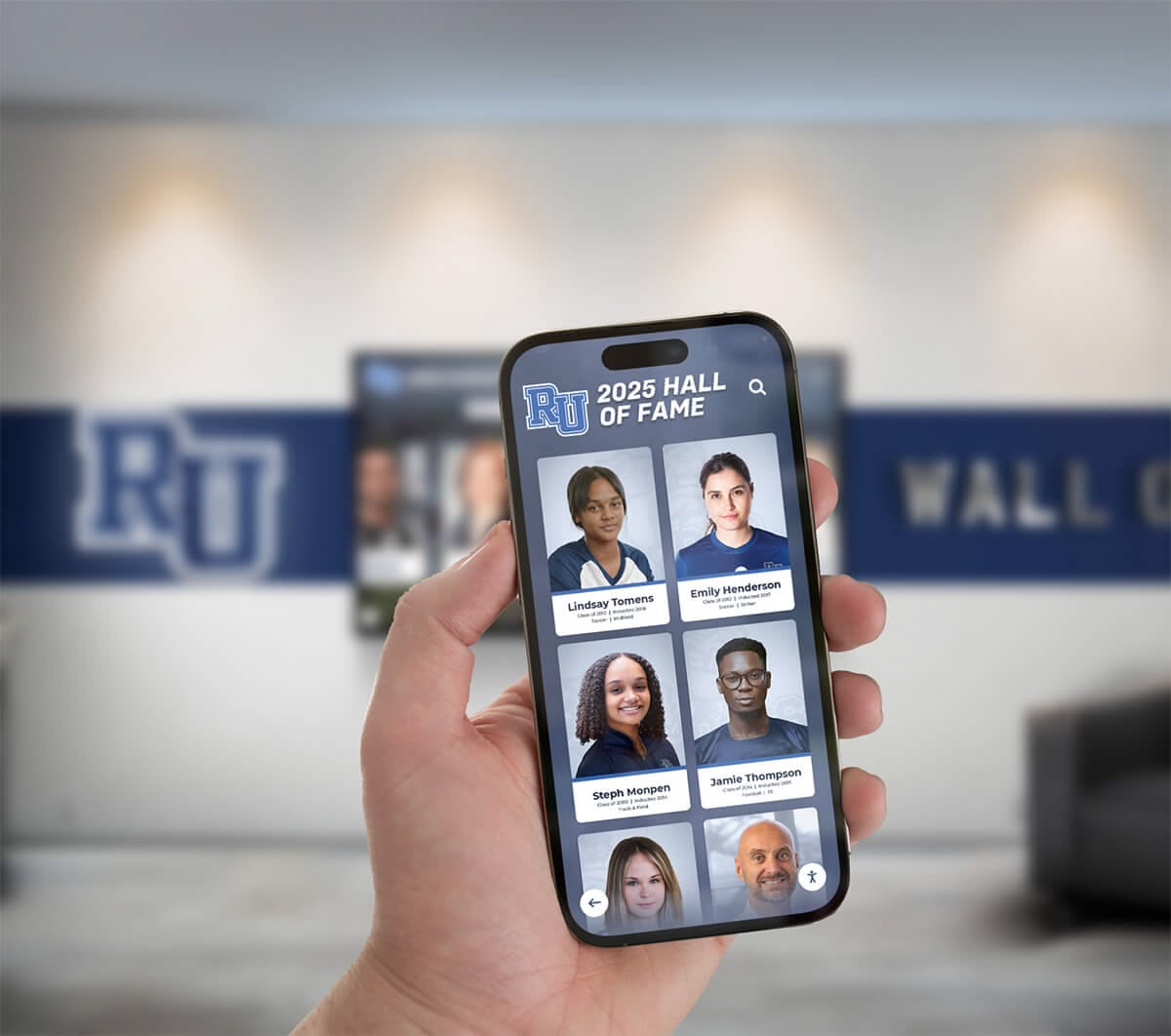
Mobile-optimized photo access ensures families can view and share event photos anywhere
Integrating Photo Galleries with School Recognition Programs
Maximum value emerges when event photography connects to broader recognition and engagement strategies.
Creating Interactive Photo Displays
Physical installations transform static archives into engaging experiences:
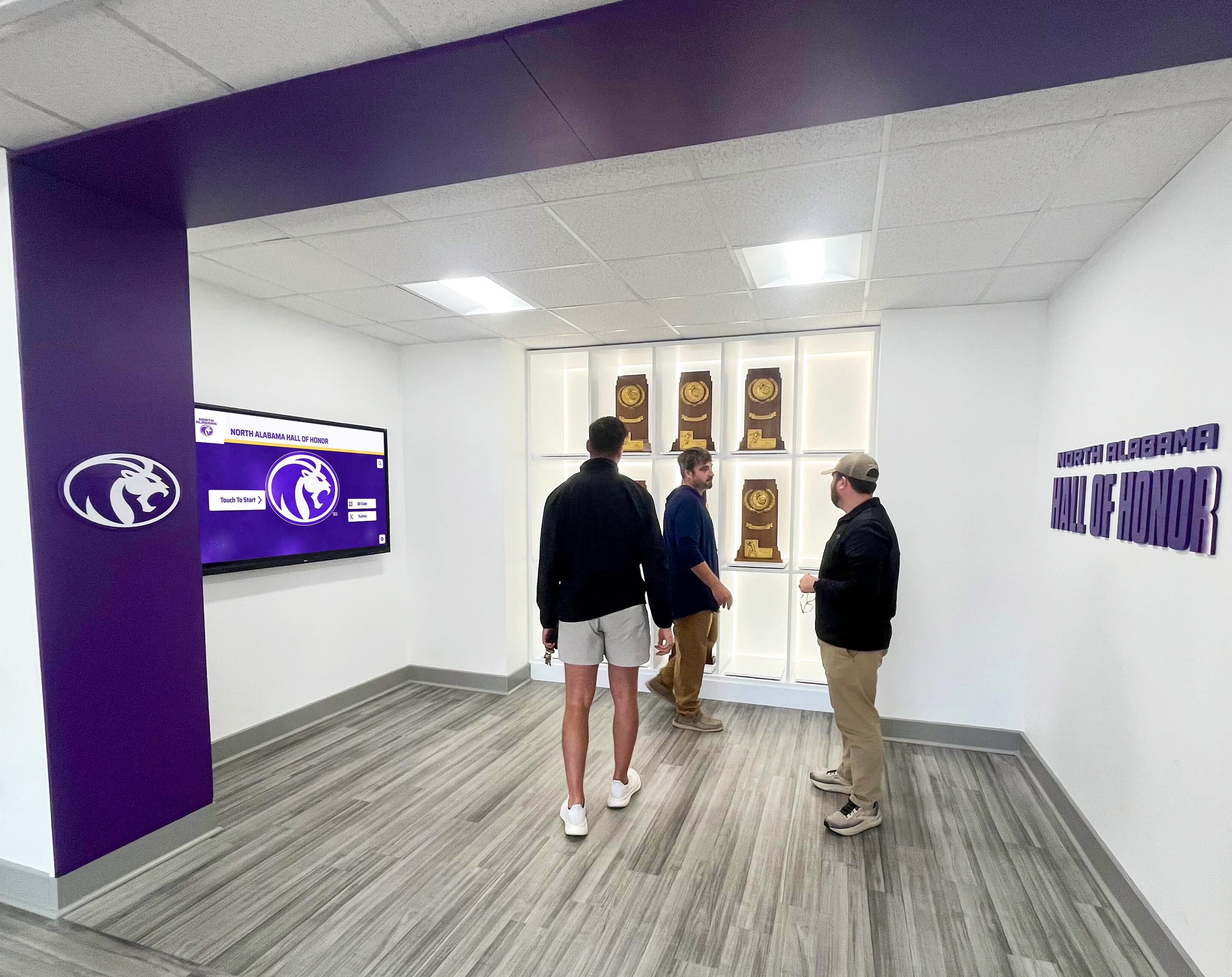
Lobby and Hallway Installations: Install interactive touchscreen displays in high-traffic locations showing rotating event photos, enabling browsing of photo archives, highlighting recent events and achievements, and providing search capabilities for exploring historical photos. Physical displays ensure visibility even for families not regularly accessing online galleries.
Athletic Facility Recognition: Integrate event photos with digital record boards in gymnasiums and fields celebrating team achievements, featuring championship photos and highlights, showing historical comparisons across seasons, and creating comprehensive athletic program recognition.
Performing Arts Displays: Showcase photos from theatrical productions, concerts, and performances in auditorium lobbies and arts spaces. Performance photos document program history while celebrating creative achievements.
Cafeteria and Common Area Screens: Display rotating event photo slideshows on screens in spaces where students gather daily. Ambient displays create continuous reinforcement of community experiences and achievements.
Reception Area Galleries: Welcome visitors with displays highlighting recent events and school life. First-impression galleries communicate vibrancy and engagement to prospective families, donors, and community members.
Connecting Photos to Individual Recognition
Photos become more powerful when linked to personal achievement profiles:
Student Profile Integration: Connect event photos to individual student profiles within comprehensive recognition systems showing all photos featuring specific students, documenting their involvement across activities, creating visual records of growth and participation, and building portfolio content for college applications.
Achievement Documentation: Use event photos as evidence documenting specific accomplishments, competitions, performances, and leadership roles. Photo documentation provides richer context than text descriptions alone.
Alumni Recognition Links: When featuring accomplished alumni, include photos from their time as students. Historical photos create emotional connections while demonstrating long-term outcomes of school programs.
Staff Recognition Features: Incorporate event photos featuring faculty and staff into recognition programs celebrating educators and supporters. Photos humanize recognition while documenting contributions beyond formal metrics.
Leveraging Photos for Fundraising and Development
Event photos create powerful assets supporting advancement efforts:
Annual Report Visuals: Populate annual reports and impact summaries with authentic event photos demonstrating program vitality and outcomes. Visual content makes reports more engaging while providing evidence of investment impact.
Campaign Materials: Use event photos in capital campaigns, giving days, and fundraising appeals. Photos showing students engaged in activities donors support create emotional connections motivating generosity.
Donor Recognition Integration: Include event photos in digital donor walls showing impact of donor support through real student experiences. Visual impact documentation makes abstract contributions concrete.
Alumni Engagement Content: Share historical event photos with graduated alumni through reunion communications, homecoming promotions, and regular engagement campaigns. Nostalgic photo content drives alumni connection and participation.
Major Gift Proposals: Include compelling event photos in major gift proposals and presentations. Strategic photo selection demonstrates vitality justifying significant investments.
Resources about how honoring the past helps fund the future explore connections between recognition, photography, and development success.

Interactive displays enable exploring decades of event photos, connecting past and present
Types of School Events to Document Systematically
Comprehensive photo programs capture diverse activities defining full school experience.
Athletic Events and Competitions
Sports photography documents competitive achievements while celebrating participation:
Game Action Shots: Capture gameplay moments showing athletic skill, team strategy, and competitive intensity. Action photos provide exciting content while documenting season highlights.
Team Photos: Shoot formal team photos before seasons and celebration photos after championships. Team documentation preserves roster history while creating keepsake content for participants.
Individual Athlete Recognition: Photograph milestone achievements like breaking records, earning all-state honors, or signing collegiate commitments. Individual documentation feeds into athletic hall of fame programs.
Fan and School Spirit: Capture student sections, crowd reactions, and school spirit demonstrations. Spirit photography celebrates community engagement beyond field or court.
Senior Night Celebrations: Document senior athlete recognitions, family celebrations, and emotional farewells. Senior night photos create powerful keepsake moments marking transitions.
Championship Celebrations: Thoroughly photograph championship victories, trophy presentations, and celebration moments. Championship documentation provides lasting evidence of peak achievements.
Performing Arts Productions
Theater, music, and arts events deserve comprehensive visual documentation:
Performance Photography: Capture key scenes, emotional moments, and technical excellence during productions. Performance photos document artistic achievements while providing marketing content for future shows.
Behind-the-Scenes Content: Photograph rehearsals, technical preparation, costume design, and backstage camaraderie. Behind-the-scenes documentation tells fuller stories about production processes.
Opening Night and Closing Night: Document both premiere performances and final shows capturing different energy and emotion. Multiple-night coverage ensures diverse representation of cast and production evolution.
Curtain Calls and Cast Celebrations: Photograph cast acknowledgments, audience reactions, and post-show celebrations. Celebration photos capture joy and accomplishment complementing formal performance images.
Concert and Recital Performances: Document band concerts, choir performances, and solo recitals with similar comprehensive approach. Musical event photography celebrates diverse performance opportunities.
School Traditions and Community Events
Traditional events define institutional culture and deserve systematic documentation:
Homecoming Celebrations: Photograph parade, game, dance, and associated activities comprehensively. Homecoming documentation captures signature school tradition while providing alumni engagement content.
Prom and Formal Dances: Respectfully document formal dance events with posed photos and celebration moments. Dance photography provides keepsake content while celebrating important student experiences.
Spirit Weeks and Competitions: Capture themed dress days, hallway decorations, and inter-class competitions. Spirit event photography documents school culture and student creativity.
School BBQs and Picnics: Photograph community gathering events showing students, families, and staff interaction. Casual event photos demonstrate welcoming school culture.
Award Ceremonies and Convocations: Document academic awards, scholarship presentations, and formal recognition events. Ceremony photography provides evidence of excellence while celebrating achievement.
Service Projects and Community Engagement
Service photography demonstrates institutional values and community impact:
Project Participation: Photograph students engaged in service activities showing effort and engagement. Participation photos document scope of service commitment.
Community Impact: Capture results of service projects, community partners, and people served. Impact photography makes abstract service concrete and visible.
Team Collaboration: Show students working together, learning new skills, and building relationships through service. Collaboration photos highlight developmental benefits of service participation.
Reflection and Celebration: Document service project completions, reflections on impact, and celebration of achievements. Completion photos provide satisfying conclusions to service narratives.
Ongoing Partnerships: Photograph recurring service relationships showing sustained commitment. Long-term documentation demonstrates authentic partnership beyond one-time activities.
Comprehensive coverage of school club highlights and service projects ensures diverse activities receive recognition proportional to athletic and academic accomplishments.
Comprehensive event documentation celebrates achievements across all areas of school life
Best Practices for School Event Photography
Quality photography requires both technical skill and understanding of educational context.
Technical Photography Guidelines
Consistent quality standards ensure photos serve diverse purposes:
Resolution and Quality: Shoot in high resolution (minimum 3000 pixels on long side) enabling use from social media thumbnails to printed materials. High-quality originals provide flexibility for various applications.
Lighting Considerations: Understand venue lighting challenges and adjust accordingly. Indoor events often require understanding low-light photography or supplemental lighting. Outdoor events require managing natural light and shadows.
Composition Basics: Apply basic composition principles—rule of thirds, leading lines, framing, and background awareness—improving visual appeal. Thoughtful composition distinguishes compelling photos from snapshots.
Action and Motion: For athletic events, use appropriate shutter speeds freezing action or showing motion creatively. Motion capture requires technical understanding of camera settings.
Diverse Perspectives: Vary shooting angles and distances capturing wide establishing shots, medium engagement shots, and tight detail photos. Perspective variety creates more interesting galleries than photos all shot from same position.
Backup and Redundancy: Shoot to multiple memory cards or backup immediately after events. Technical failures shouldn’t result in losing irreplaceable event documentation.
Privacy and Consent Considerations
Ethical photography respects all subjects:
Obtain Proper Permissions: Verify permission before photographing minors and respect opt-out preferences. Permission verification protects both students and institutions from privacy violations.
Respectful Subject Portrayal: Photograph all subjects respectfully avoiding unflattering angles or vulnerable moments. Respectful documentation maintains dignity while celebrating participation.
Diverse Representation: Intentionally photograph diverse students rather than gravitating toward same individuals. Representative photography ensures all community members see themselves in school documentation.
Context Awareness: Consider context when photographing—some moments are appropriate to document while others should remain private. Contextual judgment prevents inappropriate photos from entering circulation.
Identification Protection: Be cautious photographing information that identifies students’ personal details like addresses, phone numbers, or schedules visible on documents or screens. Information protection prevents inadvertent privacy breaches.
Workflow Efficiency Tips
Efficient processes enable consistent coverage without excessive burden:
Batch Processing: Edit and upload photos in batches rather than individually. Batch workflows dramatically reduce time investment while maintaining quality.
Preset Development: Create editing presets for common venues and lighting conditions. Presets accelerate consistent editing while maintaining visual coherence across photo collections.
Quick Selection Methods: Develop efficient methods for selecting best photos from larger shoots. Selection efficiency prevents processing bottlenecks while ensuring timely publication.
Metadata Templates: Create metadata templates for different event types automatically applying relevant tags and categories. Template automation reduces manual data entry while ensuring consistent organization.
Mobile Editing Options: Leverage mobile editing apps enabling quick processing and upload directly from shooting devices. Mobile workflows eliminate delays between capture and publication.
Resources about photo organizer software for schools provide additional guidance on efficient management workflows.

Quality photography equipment and technique ensure event documentation meets various use requirements
Long-Term Photo Archive Management
Sustainable systems require planning for ongoing maintenance and growth.
Storage and Backup Strategies
Reliable storage protects irreplaceable documentation:
Cloud Storage Solutions: Utilize cloud platforms like Google Workspace, Microsoft OneDrive, or dedicated photo platforms providing secure storage with redundancy, scalability as collections grow, accessibility from multiple locations, and automated backup capabilities.
Local Backup Systems: Maintain secondary backups on local network storage or external drives. Redundant local storage protects against cloud service disruptions or account access issues.
The 3-2-1 Backup Rule: Implement professional backup standard: 3 copies of data (1 primary, 2 backups), 2 different storage media types, and 1 offsite copy. Comprehensive backup prevents catastrophic loss.
Storage Capacity Planning: Monitor storage usage and project growth anticipating capacity needs. Proactive planning prevents running out of space during critical event documentation periods.
Archive Organization: Establish consistent folder structures and file naming conventions enabling efficient long-term management. Organizational standards prevent archives from becoming unwieldy as they grow.
Historical Photo Digitization
Integrating historical photos creates comprehensive institutional archives:
Physical Photo Scanning: Systematically digitize historical prints, negatives, and yearbook photos. Digitizing yearbooks and photo collections preserves institutional memory while making historical content accessible.
Metadata for Historical Photos: Add contextual information to historical images identifying events, dates, people, and significance. Metadata transforms historical photos from mystery images to valuable documentation.
Comparison Opportunities: Create galleries pairing historical and contemporary photos from same events showing institutional evolution. Comparison content engages alumni while demonstrating traditions and progress.
Alumni Photo Contributions: Invite alumni to submit historical photos from their school years expanding archives while building engagement. Crowdsourced historical content supplements official documentation with personal perspectives.
Technology Evolution Planning
Photo systems must evolve with changing technology:
Format Migration: Plan for migrating photos to new file formats as technology evolves ensuring long-term accessibility. Format obsolescence threatens archives without proactive migration planning.
Platform Updates: Stay current with software updates maintaining security and accessing new capabilities. Regular updates prevent technical debt accumulation.
Integration Expansion: Periodically assess new integration opportunities connecting photo archives with emerging school systems. Strategic integration increases archive utility and value.
Hardware Refresh: Plan hardware replacement cycles for displays, storage systems, and photography equipment. Scheduled refresh prevents sudden failures disrupting operations.
Policy Reviews: Regularly update privacy policies, permission processes, and usage guidelines reflecting changing regulations and best practices. Policy evolution maintains compliance and trust.
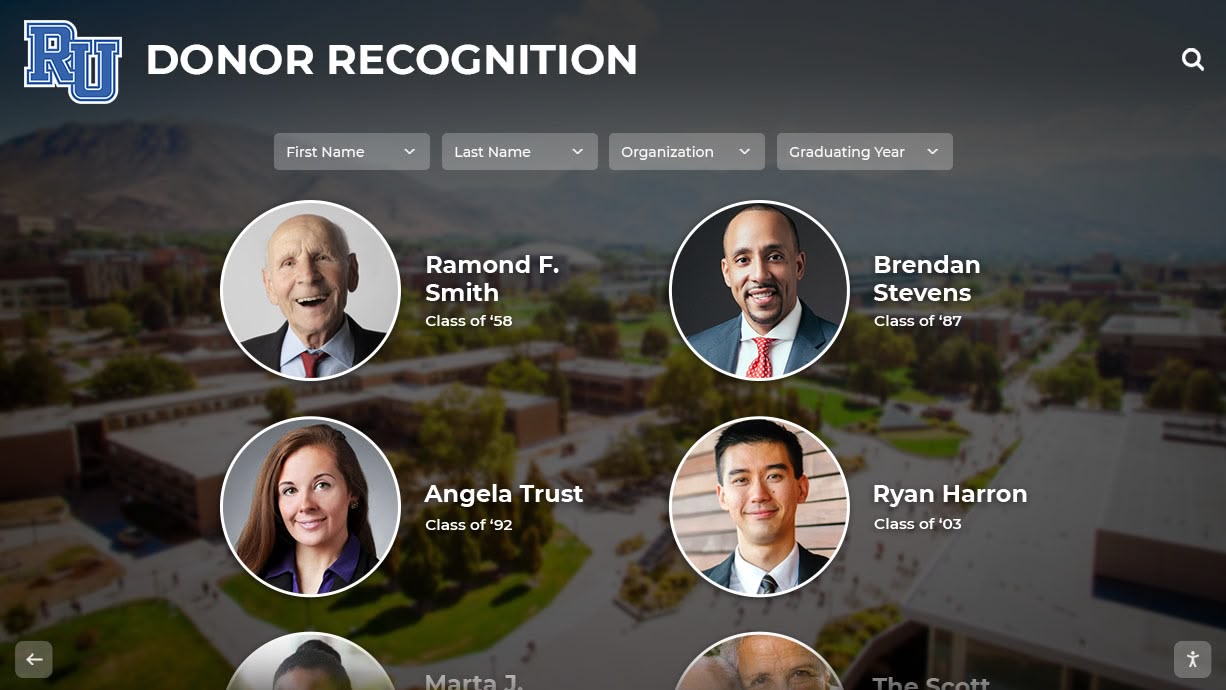
Well-maintained photo archives preserve decades of institutional memory for future generations
Measuring Success and Continuous Improvement
Data-informed assessment enables ongoing optimization of photo gallery systems.
Engagement Metrics to Track
Quantitative measures reveal photo program effectiveness:
Gallery Views: Monitor how many times event galleries are viewed indicating awareness and interest. View metrics reveal which events generate most engagement.
Photo Downloads: Track how many photos are downloaded for personal use. Download numbers demonstrate value families derive from galleries.
Sharing Frequency: Measure how often photos are shared to social media or sent to others. Sharing metrics indicate content quality and emotional resonance.
Time on Gallery: Analyze how long visitors spend viewing photo collections. Extended viewing time suggests engaging, high-quality content worth exploring.
Return Visitors: Track whether community members return to photo galleries repeatedly. Repeat usage indicates systems providing ongoing value rather than one-time curiosity.
Device Analytics: Understand whether viewers primarily use mobile devices, tablets, or computers. Device data informs optimization priorities for user experience.
Qualitative Feedback Collection
Understanding user experiences requires going beyond numbers:
Family Surveys: Periodically survey families about photo gallery satisfaction, ease of finding photos, quality of images, preferred access methods, and desired improvements. Survey feedback reveals user perspectives and priorities.
Student Input: Gather student opinions about event photography and galleries. Student feedback ensures systems serve their needs and preferences.
Alumni Perspectives: Ask alumni about value of photo archives for maintaining school connections. Alumni input reveals long-term engagement impact.
Staff Observations: Collect photographer and coordinator feedback about workflow efficiency, technical challenges, and improvement opportunities. Practitioner insights identify operational enhancement opportunities.
Comment Analysis: Review comments and reactions on photos understanding what resonates. Engagement patterns reveal compelling content characteristics.
Iterative Optimization
Continuous improvement maintains program effectiveness:
A/B Testing: Experiment with different gallery layouts, organization methods, or distribution channels measuring comparative engagement. Testing reveals user preferences guiding optimization.
Feature Adoption Tracking: Monitor which gallery features get used versus ignored. Adoption data shows where development effort creates value.
Workflow Refinement: Regularly assess photography and organization workflows identifying bottlenecks or inefficiencies. Process improvement reduces administrative burden.
Technology Assessment: Periodically evaluate whether current platforms still meet evolving needs or if alternatives offer superior capabilities. Platform reassessment prevents being locked into outdated solutions.
Best Practice Updates: Stay informed about emerging best practices in event photography, digital asset management, and educational technology. Knowledge currency ensures competitive approaches.
Data-informed assessment drives continuous improvement in photo gallery systems and processes
Conclusion: Transforming School Memories into Lasting Connections
Digital photo galleries represent far more than convenient storage for event pictures—they create powerful systems for preserving institutional memory, celebrating student achievements, engaging families and alumni, supporting communications and fundraising, and building lasting community connections. Schools that implement thoughtful, comprehensive photo gallery systems transform scattered snapshots into organized archives serving diverse strategic purposes while providing meaningful value to all stakeholders.
The journey from chaotic photo management to systematic digital galleries requires planning, investment, and sustained commitment. However, schools implementing effective systems consistently report that benefits—enhanced community engagement, improved communication effectiveness, strengthened alumni connections, and preserved institutional heritage—far exceed initial implementation efforts.
Modern solutions like Rocket Alumni Solutions provide purpose-built platforms specifically designed for educational institutions, combining photo gallery functionality with comprehensive recognition systems, interactive display capabilities, and intuitive management tools enabling schools to implement sophisticated photo programs without extensive technical resources. These integrated approaches maximize value by connecting event photography with broader recognition and engagement strategies.
Whether documenting sporting events, school plays, service projects, BBQs, or any other activities defining your school community, systematic photography and organized digital galleries ensure precious moments are captured, preserved, and shared effectively. The memories created today become the heritage alumni cherish tomorrow—proper documentation and management ensure those memories remain accessible and meaningful for generations to come.
Start building your comprehensive digital photo gallery system today, and transform how your school captures, celebrates, and shares the moments that matter most.
For schools ready to implement comprehensive photo gallery and recognition systems, Rocket Alumni Solutions offers turnkey platforms combining advanced photo management with interactive displays, searchable archives, and intuitive tools designed specifically for educational institutions. Contact us to discover how purpose-built solutions can transform your school’s approach to documenting and celebrating the full student experience.































