From Installation to Impact: Why Your Launch Strategy Determines Success
You've invested in a state-of-the-art digital recognition display. The hardware is installed, content is loaded, and everything works perfectly. But here's the critical question many institutions overlook: How do you ensure your community actually discovers, uses, and values this powerful new resource? A successful launch strategy transforms a dormant technology investment into a thriving community engagement tool that delivers measurable ROI and lasting impact.
The difference between digital recognition displays that become vibrant community hubs and those that sit underutilized often comes down to one factor: the launch strategy. Research from educational technology implementation studies consistently shows that even the most sophisticated systems fail to achieve adoption without deliberate, strategic rollouts that build awareness, generate excitement, and establish usage patterns.
According to research on technology adoption in educational settings, approximately 40-60% of new technology implementations underperform or fail entirely due to poor change management and launch planning. The technology itself rarely causes failure—instead, inadequate stakeholder engagement, insufficient communication, and weak adoption strategies prevent communities from embracing new tools.
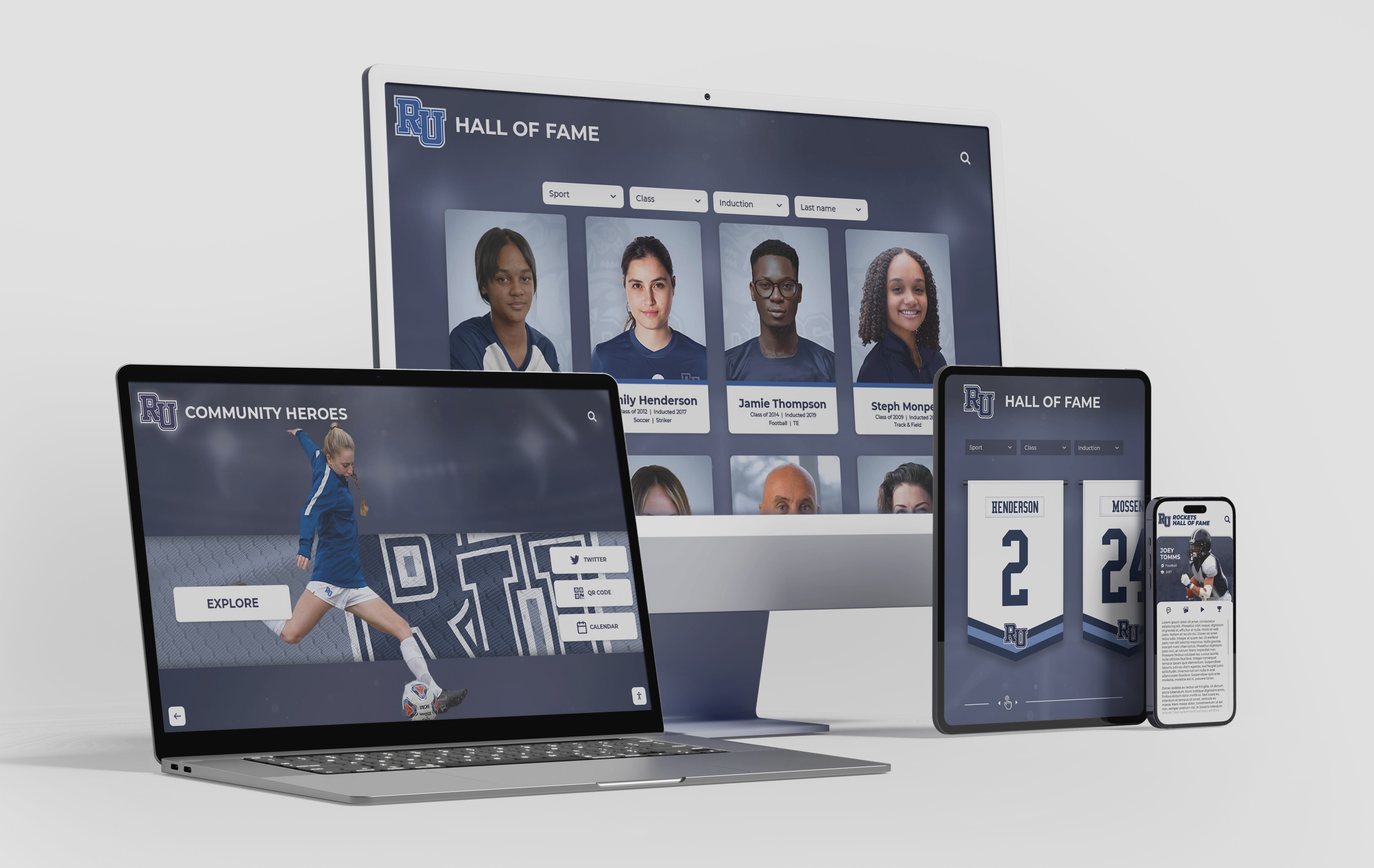
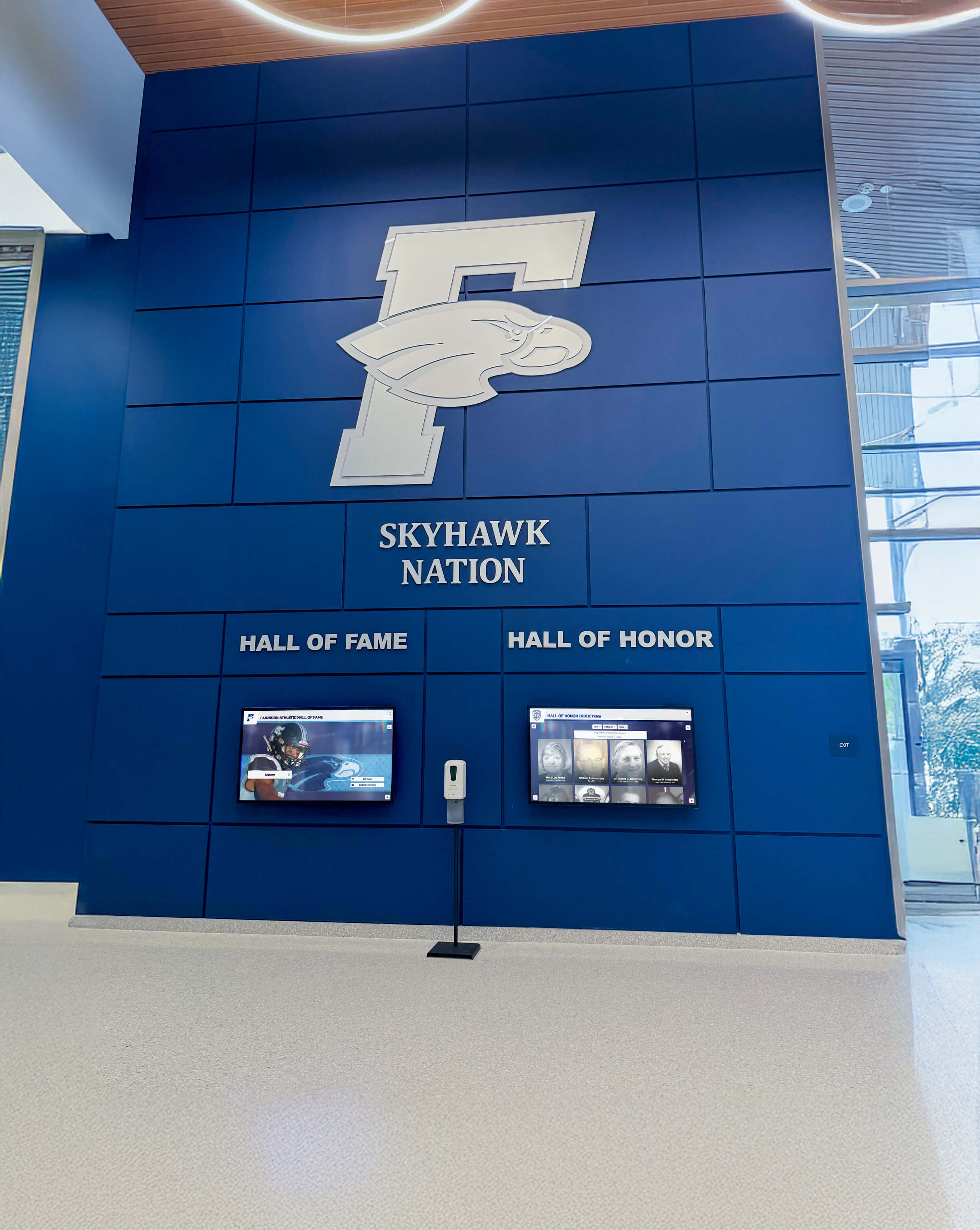
This comprehensive guide provides a proven framework for successfully launching your digital recognition display—whether it’s a touchscreen hall of fame, athletic record board, donor recognition wall, or comprehensive recognition system. These strategies apply across institutional types and ensure your investment achieves maximum community impact from day one.

A well-executed launch strategy transforms installation day into a community celebration that establishes lasting engagement patterns
Phase 1: Pre-Launch Preparation (30-60 Days Before)
Successful launches begin long before unveiling day. Strategic preparation during the weeks leading up to installation establishes the foundation for strong adoption.
Build Your Launch Team
Effective rollouts require coordinated effort across multiple stakeholders:
Core Launch Committee: Assemble a small working group of 5-8 individuals representing key constituencies—administration, athletics, alumni relations, communications/marketing, technology, and student representatives. This team coordinates all launch activities and serves as the decision-making body for rollout strategy.
Executive Sponsor: Identify a senior leader—superintendent, principal, athletic director, or advancement vice president—who publicly champions the initiative. Executive sponsorship signals institutional commitment while providing authority to secure resources and remove obstacles.
Content Champions: Designate subject matter experts responsible for specific content areas (athletics, academics, history, donors). These individuals ensure accuracy, identify compelling stories to feature prominently at launch, and serve as ongoing content stewards.
Technical Lead: Assign one primary technology contact responsible for coordinating with your display provider, managing installation logistics, and serving as first-line troubleshooting support. This individual should complete comprehensive staff training well before launch.
Student Ambassadors: Recruit enthusiastic students who understand the display and can demonstrate features to visitors during launch events. Student involvement creates peer-to-peer buzz while ensuring the next generation understands and values the system.
Launch Team Success Factors
Effective launch teams share common characteristics:
- Clear role definitions with written responsibilities preventing overlap and gaps
- Regular coordination meetings (weekly during pre-launch phase) maintaining alignment
- Documented communication plan specifying who communicates what to which audiences when
- Empowerment to make decisions without excessive bureaucratic approval processes
- Access to necessary resources including budget, administrative support, and executive access
- Celebration and recognition of team contributions throughout the launch process
Institutions with structured launch teams report 3-4x higher initial adoption rates compared to those approaching launches informally.
Develop Your Content Strategy
The content featured at launch significantly impacts first impressions and ongoing engagement:
Curate “Greatest Hits” Content: Rather than launching with every possible profile, carefully select 50-100 of your most compelling stories representing diverse achievement categories. Quality beats quantity at launch—feature inductees with strong visuals, interesting narratives, and broad community appeal.
Create Signature Stories: Develop 5-10 deeply researched multimedia profiles featuring photos, videos, documents, and rich narratives. These showcase your display’s full capabilities while creating memorable experiences that word-of-mouth recommendations reference.
Establish Content Diversity: Ensure launch content represents different eras, achievement types, demographics, and constituencies. Visitors should immediately see themselves reflected in the recognition—whether they’re interested in athletics, academics, arts, service, or history.
Optimize for Discovery: Include well-known figures whose presence drives initial traffic alongside lesser-known but equally deserving inductees that discovery rewards. This balance between familiar names and surprising finds encourages extended exploration.
Plan Update Pipeline: Schedule additional content releases for weeks 2, 4, and 8 post-launch. Regular additions create reasons for repeat visits while demonstrating that the display remains dynamic rather than static.
Build Anticipation Through Teaser Campaigns
Strategic preview content generates excitement before launch:
Countdown Communications: Beginning 3-4 weeks before launch, initiate countdown messaging across all channels—“Coming Soon: A New Way to Explore Our Legacy,” “30 Days Until Unveiling,” etc. Mystery creates curiosity and anticipation.
Sneak Peek Content: Share behind-the-scenes photos of installation, screenshots of impressive features, or brief profiles of featured inductees. Give your community glimpses without revealing everything, maintaining interest through selective disclosure.
Video Teasers: Create short videos showing installation progress, staff reactions during training, or quick feature demonstrations. Video content generates significantly higher engagement than static posts and builds visual excitement.
Stakeholder Previews: Offer exclusive early access to VIP groups—board members, major donors, retirees, senior alumni—before public launch. These previews build ambassadors who promote the display within their networks while making key supporters feel valued.
Student Involvement: Feature students interacting with the display during testing, sharing what they’re excited to explore. Student enthusiasm often influences broader community interest more effectively than administrative messaging.

Thorough pre-launch preparation and content curation ensure your display makes a strong first impression
Phase 2: The Launch Event (Days 1-7)
Your unveiling event creates critical first impressions while establishing patterns for ongoing engagement. Thoughtful event design maximizes impact and sets the tone for long-term success.
Design a Memorable Unveiling Ceremony
The formal launch event should feel celebratory and inclusive:
Strategic Timing: Schedule your unveiling to coincide with existing high-attendance events—homecoming, reunion weekend, back-to-school night, donor appreciation events, or championship celebrations. Leveraging existing traffic maximizes attendance while reducing incremental event costs.
Ceremonial Elements: Create memorable moments that signal significance—ribbon cutting, first touch by a distinguished alumnus or donor, speeches connecting recognition to institutional values, or unveiling of inaugural inductees. Ceremony communicates importance while creating photo opportunities.
Prominent Display Location: If your display isn’t in the final permanent location during early setup, ensure the unveiling happens where people will encounter it regularly. High-traffic areas near entrances, gymnasiums, or main corridors ensure ongoing visibility.
Guided Demonstrations: Station trained staff or student ambassadors at the display to provide mini-demonstrations showing key features—search capabilities, video content, filtering options, and social sharing. Many visitors won’t explore independently without initial guidance.
Interactive Scavenger Hunts: Create launch-day activities encouraging exploration—“Find the inductee from your graduation year,” “Locate someone from your profession,” or “Discover the oldest achievement featured.” Gamification drives interaction while teaching navigation features.
Live Social Media: Livestream portions of your unveiling ceremony, share real-time photos and videos, and encourage attendees to post using a dedicated hashtag. Digital amplification extends reach beyond physical attendees while creating lasting documentation.
Engage Key Stakeholder Groups
Different audiences require tailored engagement approaches:
Featured Inductees and Families: Personally invite individuals featured in launch content and their families to attend the unveiling. Being honored creates strong emotional connections while these attendees become organic ambassadors sharing their recognition within their networks.
Alumni Communities: Target communications to local alumni chapters, reunion classes, and engaged graduates. Position the display as “your legacy made accessible” and emphasize both on-campus and online access for those unable to attend.
Donors and Supporters: For donor recognition displays, personally invite major contributors to the unveiling and ensure their giving receives prominent, accurate representation. Donor satisfaction with recognition directly influences continued support and future giving.
Current Students: Make student interaction a priority during launch week through guided class visits, club tours, or assembly demonstrations. Student adoption creates sustainable engagement while establishing recognition-seeking as an aspirational goal for current students.
Faculty and Staff: Ensure employees understand the display’s purpose and features through dedicated demonstrations. Staff become informal guides directing visitors to the display and answering basic questions, multiplying your reach beyond launch team members.
Media and Communications: Invite local media to cover the unveiling as a community interest story. Coordinate with your communications team to ensure press releases, photos, and compelling narratives reach relevant publications and broadcast outlets.

Launch events create memorable moments that associate positive emotions with the new recognition system

Student engagement during launch week establishes usage patterns that sustain long-term interaction
Execute Multi-Channel Marketing Campaigns
Comprehensive promotion ensures broad awareness across your community:
Email Campaigns: Send targeted announcements to segmented audiences—alumni by decade, current families, employees, donors, community partners. Personalized messaging emphasizing relevant content for each segment generates higher engagement than generic mass communications.
Social Media Blitz: Coordinate intensive social media promotion across all platforms during launch week. Share photos, videos, testimonials, featured profiles, and usage demonstrations. Tag featured individuals and encourage sharing to amplify organic reach.
Website Integration: Feature the display prominently on your homepage with compelling visuals and clear calls to action. Create dedicated landing pages explaining features, showcasing sample content, and providing both physical location information and online access links.
Print Communications: Include announcements and photos in newsletters, alumni magazines, parent communications, and employee bulletins. While digital channels dominate, print materials reach audiences who engage primarily through traditional media.
Signage and Wayfinding: Install directional signage throughout your facility guiding visitors to the display location. Window decals, banners, and promotional posters reinforce awareness while communicating institutional pride in the new resource.
Earned Media: Develop compelling story angles for local media coverage—innovative technology adoption, preservation of institutional history, alumni recognition, donor appreciation, or student engagement benefits. Personal interest stories about featured inductees often attract media attention.
Phase 3: Post-Launch Momentum (Days 8-90)
Initial excitement fades quickly without sustained engagement efforts. The first 90 days after launch determine whether your display becomes a lasting community resource or a forgotten novelty.
Implement a Content Release Schedule
Regular content additions maintain interest and create reasons for repeat visits:
Weekly Feature Spotlights: Every week, prominently feature one compelling inductee across all communications channels. Deep-dive profiles with rich media, personal stories, and social sharing create ongoing promotion while gradually familiarizing your community with the display’s depth.
Monthly Cohort Additions: Release new groups of inductees on a predictable schedule—first Tuesday of each month, homecoming week, etc. Announced addition schedules train your community to check back regularly while demonstrating that the display remains actively maintained.
Timely Seasonal Content: Align content releases with relevant calendar events—featuring athletic achievements during sports seasons, highlighting graduates during commencement season, showcasing donors during giving campaigns, or honoring veterans near Memorial Day or Veterans Day.
Anniversary Recognition: Use the display to celebrate significant anniversaries of historical achievements, institutional milestones, or inductee accomplishments. “On this day” style content creates perpetual engagement opportunities tied to your calendar.
User-Generated Additions: Establish processes for community members to nominate new inductees or submit additional information about existing profiles. Crowdsourcing content creates participation while enhancing profile depth and accuracy.
Drive Ongoing Engagement Through Programming
Structured activities maintain momentum beyond passive viewing:
Guided Tours for Groups: Offer scheduled docent-led tours for specific groups—prospective student families, new employees, reunion classes, donor cultivation events, or community organization visits. Interpreted experiences typically generate deeper engagement than self-guided exploration alone.
Educational Integration: Work with teachers to incorporate the display into curriculum—history classes researching institutional evolution, English classes analyzing biographical narratives, or media classes creating video content about inductees. Academic integration embeds display usage into regular school activities.
Scavenger Hunts and Contests: Launch post-opening contests encouraging exploration—“Find five inductees from the 1970s and share on social media,” “Locate an inductee in your career field,” or “Discover someone with the same hometown.” Prizes (institutional merchandise, recognition certificates, or small awards) incentivize participation.
Speaker Series and Events: Host presentations by featured inductees sharing their journeys, discussing their fields, or offering advice to current students. In-person or virtual events create opportunities to celebrate honorees while driving display traffic before and after presentations.
Photo Opportunities: Create Instagram-worthy moments near your display—branded frames, clever signage, or visually appealing backdrops. Social media photo sharing exponentially extends your reach beyond physical visitors.
Post-Launch Engagement Timeline: The Critical First 90 Days
Research on technology adoption shows engagement patterns establish quickly. Here’s a proven timeline:
Week 1-2: Maximum Visibility
- Daily social media posts featuring different display aspects
- Physical presence by staff or ambassadors during peak traffic times
- Follow-up communications to launch event attendees
- Media coverage and earned publicity
Week 3-4: Sustaining Interest
- Weekly feature stories on prominent inductees
- First post-launch content additions
- Engagement metrics review and strategy adjustment
- Targeted outreach to groups showing lower adoption
Week 5-8: Building Habits
- Regular content release schedule established
- Integration into existing institutional events and activities
- Student ambassador program fully operational
- Long-term promotion strategy finalized
Week 9-12: Establishing Patterns
- Quarterly content planning process initiated
- Usage analytics reviewed to identify trends
- Success stories documented for ongoing promotion
- Maintenance and update routines normalized
Institutions maintaining intensive engagement efforts throughout this 90-day period report 65-70% higher sustained usage compared to those focusing only on launch week activities.
Monitor Performance and Optimize Strategy
Data-driven approach enables continuous improvement:
Track Usage Metrics: Modern digital recognition platforms like those from Rocket Alumni Solutions provide comprehensive analytics showing physical display interactions, online visits, search queries, popular profiles, and user flow patterns. Regular metric review identifies what content resonates and which features need better promotion.
Gather Qualitative Feedback: Conduct brief intercept surveys with physical visitors, send follow-up surveys to launch event attendees, monitor social media comments, and solicit input from your launch team. Qualitative insights reveal user experience issues that quantitative data alone might miss.
Analyze Content Performance: Identify which profiles receive the most views, longest engagement times, and highest social sharing. Understanding popular content characteristics informs future content development while suggesting underutilized content that might benefit from additional promotion.
Identify Usage Barriers: Investigate why certain audiences show lower adoption—is it awareness, accessibility, content relevance, or technical issues? Targeted interventions addressing specific barriers prove more effective than generic “please use our display” reminders.
Adjust and Iterate: Use data insights to refine your communication strategy, adjust content priorities, enhance problematic features, or introduce new engagement activities. Successful launches treat the first 90 days as a learning laboratory informing long-term strategy.
Comprehensive analytics enable data-driven optimization during the critical post-launch period
Critical Success Factors Across All Phases
Certain principles enhance effectiveness regardless of your specific launch timeline or approach:
Executive Commitment and Visibility
Leadership involvement signals importance:
Active Participation: Senior leaders should visibly participate in launch events—delivering remarks, conducting ribbon cuttings, personally exploring content, and sharing enthusiasm. Leadership presence communicates institutional priority more powerfully than any marketing campaign.
Resource Allocation: Ensure adequate budget, staff time, and organizational support for comprehensive launch activities. Half-hearted launches with insufficient resources rarely achieve strong adoption regardless of strategy quality.
Ongoing Championing: Executive advocacy shouldn’t end after unveiling week. Leaders regularly referencing the display in remarks, directing visitors to explore it, and celebrating featured inductees maintains institutional focus.
Policy Integration: Incorporate the display into official institutional processes—new student orientations, employee onboarding, donor stewardship protocols, and event planning. Systematic integration ensures consistent exposure across diverse audiences.
Communication Consistency and Frequency
Repetition drives awareness and adoption:
Multi-Channel Approach: Different community segments consume information through different channels. Comprehensive campaigns span email, social media, website, print, signage, and direct outreach ensuring broad reach across diverse preferences.
Message Repetition: Most people require 7-10 exposures to new information before it penetrates awareness and influences behavior. Don’t assume one announcement suffices—sustained messaging throughout launch period proves essential.
Storytelling Over Features: While explaining technical capabilities matters, emotionally resonant stories about featured inductees generate stronger engagement than specification lists. Lead with compelling narratives, then mention the technology enabling those stories.
Clear Calls to Action: Every communication should include specific next steps—“Visit the display in the main lobby,” “Explore online at [URL],” “Share your favorite profile on social media,” or “Nominate a deserving inductee.” Vague encouragement generates far less action than specific instructions.
Student and Alumni Engagement Priority
Younger generations often drive adoption patterns:
Student Ambassadors: Well-trained student guides who can demonstrate features and answer questions create approachable entry points for community members intimidated by new technology. Students explaining the system to peers proves particularly effective.
Alumni Connection: For alumni recognition displays, ensuring strong alumni engagement creates ripple effects as graduates share discoveries with classmates and family members, exponentially expanding reach beyond campus boundaries.
Social Media Leverage: Students and young alumni drive social media usage and sharing behaviors. Content optimized for social platforms and featuring younger inductees often achieves viral distribution that institutional channels alone cannot generate.
Long-Term Relationship Building: Today’s students become tomorrow’s donors, volunteers, and advocates. Early positive experiences with recognition systems create lasting appreciation for institutional values around honoring achievement while familiarizing the next generation with digital recognition approaches.
Integration with Existing Programs
Connection to established activities accelerates adoption:
Event Coordination: Rather than creating entirely new standalone events, integrate display promotion into existing high-attendance occasions—athletic competitions, performances, fundraising galas, or academic celebrations. Leveraging existing traffic proves more effective than asking communities to attend additional events.
Academic Alignment: Schools and colleges can incorporate displays into student achievement recognition programs, encouraging students to explore historical achievement as inspiration while aspiring to eventual inclusion themselves.
Development Integration: Advancement teams can leverage donor recognition displays within cultivation activities, stewardship communications, and giving campaigns. Well-executed recognition often inspires additional philanthropy while improving donor retention.
Communications Synergy: Coordinate display promotion with complementary institutional initiatives—capital campaigns, strategic plan launches, anniversary celebrations, or enrollment marketing efforts. Aligned messaging creates mutually reinforcing impact across multiple priorities.

Alumni engagement during launch events creates lasting connections and organic word-of-mouth promotion
Student involvement drives peer-to-peer adoption and establishes long-term usage patterns
Common Launch Pitfalls to Avoid
Learning from others’ mistakes prevents predictable problems:
Insufficient Pre-Launch Planning
The Problem: Treating installation day as launch day without adequate preparation results in rushed, poorly coordinated rollouts that fail to generate momentum.
The Solution: Begin launch planning 60-90 days before installation. Develop comprehensive timelines, assign clear responsibilities, create all promotional materials in advance, and conduct rehearsals. Thorough preparation distinguishes successful launches from mediocre ones.
Technical Issues During High-Visibility Moments
The Problem: Software glitches, connectivity problems, or content errors during unveiling events create terrible first impressions that undermine confidence in the entire system.
The Solution: Conduct extensive testing well before launch events. Complete multiple dry runs under real-world conditions, have technical support immediately available during launch activities, and develop contingency plans for common failure scenarios. One hour of preventive testing prevents days of reputation repair.
Weak Content at Launch
The Problem: Launching with minimal, low-quality, or sparse content suggests the display isn’t ready and provides inadequate motivation for exploration.
The Solution: Invest heavily in launch content development. Feature 50-100 compelling profiles with strong visuals and engaging narratives. Quality content creates positive first experiences that encourage return visits, while poor initial content discourages future engagement regardless of subsequent improvements.
Launch and Abandon Approach
The Problem: Intensive launch week effort followed by minimal ongoing engagement leads to rapid decline as initial excitement fades without sustained momentum.
The Solution: Plan 90-day post-launch engagement strategy before launch occurs. Schedule content additions, programming activities, communications campaigns, and performance reviews throughout the critical adoption period. Sustained effort determines long-term success far more than launch week intensity alone.
Unclear Ownership and Accountability
The Problem: Without designated ongoing responsibility, displays become orphaned as launch teams disband and no one assumes continuing content management and promotion duties.
The Solution: Before launch, formally assign long-term ownership with clear expectations for content updates, system maintenance, performance monitoring, and promotional activities. Document processes, provide necessary training, and establish accountability through regular reporting or review meetings.
Neglecting Accessibility and Inclusion
The Problem: Displays that aren’t physically or digitally accessible to all community members create exclusion that undermines recognition program goals.
The Solution: Ensure ADA-compliant installation, test screen reader compatibility, verify mobile optimization, and confirm diverse content representation. Accessibility must be addressed during planning, not retrofitted after problems emerge.
Measuring Launch Success
Clear metrics demonstrate impact and inform strategy refinement:
Quantitative Performance Indicators
Interaction Volume: Track total physical display interactions during launch week, month 1, and month 3. Compare actual usage to projected targets and peer benchmarks.
Online Traffic: Monitor website visits, online directory views, and digital engagement for web-accessible components. Digital reach often exceeds physical traffic significantly.
Content Consumption: Measure average session duration, profiles viewed per session, search queries performed, and return visitor rates. Depth metrics indicate whether displays create meaningful engagement or superficial interaction.
Social Amplification: Count social media mentions, shares, hashtag usage, and reach/impressions generated through organic community sharing. Social metrics demonstrate community enthusiasm and extended awareness.
Awareness Growth: Survey community members about display awareness and usage before launch and 90 days after. Improved awareness indicates communication effectiveness.
Qualitative Success Indicators
Stakeholder Satisfaction: Gather feedback from featured inductees, donors, alumni, students, and employees about their responses to the display. Positive sentiment from key groups indicates successful positioning and execution.
Usage Observations: Note who uses the display, how long they engage, whether they explore independently or need assistance, and what features generate most interest. Observational insights reveal user experience quality beyond quantitative metrics.
Media Coverage: Assess tone and reach of publicity generated through launch activities. Positive media attention extends awareness while validating institutional innovation.
Integration Evidence: Observe whether the display becomes referenced in institutional communications, included in campus tours, mentioned during events, or featured in recruiting materials. Organic integration into institutional life indicates successful adoption.
Cultural Impact: Monitor whether recognition-seeking becomes discussed among students, whether featured inductees express pride about inclusion, and whether the display influences giving conversations or volunteer recruitment. Cultural influence represents ultimate success.
Launch Success Benchmarks: What Good Looks Like
While every institution differs, successful launches typically achieve:
Awareness: 70-80% of primary audience aware of display within 30 days Physical Usage: 15-25% of daily facility traffic interacting with display during first month Online Traffic: 40-60% of alumni aware of online access within 60 days Social Sharing: 100+ social media shares during launch month Return Visits: 30-40% of initial users returning for additional exploration within 90 days Stakeholder Satisfaction: 85%+ of featured inductees and donors expressing satisfaction with recognition Sustained Engagement: Usage at 60% of launch month levels by month 3 (vs. typical 30-40% for poorly launched displays)
These benchmarks provide targets for goal-setting and performance assessment across various institutional types and sizes.

Successful launches create vibrant community hubs that sustain engagement long after unveiling excitement fades
Long-Term Sustainability Beyond Launch
While this guide focuses on launch strategy, planning for sustainability ensures your investment delivers lasting value:
Establish Ongoing Content Management Processes
Regular Update Schedule: Create quarterly or monthly content addition routines preventing displays from becoming stale. New content maintains interest while demonstrating ongoing institutional commitment.
Quality Standards: Document content guidelines ensuring consistency in profile formatting, image requirements, narrative style, and factual accuracy. Standards maintain professional quality as different individuals contribute content over time.
Review and Refresh: Periodically audit existing content for accuracy, fix outdated information, enhance profiles that seem sparse, and remove or modify content that no longer serves institutional interests. Active maintenance preserves quality.
Build Recognition into Institutional Culture
Nomination Processes: Formalize transparent procedures for inducting new honorees—nomination criteria, selection committees, decision timelines, and communication protocols. Clear processes prevent perception of favoritism while encouraging broad participation.
Event Integration: Make display interaction a standard component of campus tours, new student orientations, donor visits, alumni events, and employee onboarding. Routine inclusion normalizes usage while reaching diverse audiences consistently.
Communications Integration: Regularly feature display content in institutional publications, social media, websites, and presentations. Consistent promotional integration maintains awareness while showcasing institutional pride in recognition programs.
Maintain Technical Excellence
Software Updates: Keep digital recognition platforms current with latest versions, security patches, and feature enhancements. Solutions like Rocket Alumni Solutions provide automatic cloud updates ensuring systems remain technically current without manual intervention.
Hardware Maintenance: Follow recommended maintenance schedules for displays—screen cleaning, component inspection, and performance verification. Preventive maintenance prevents degraded user experiences that discourage engagement.
Technical Support: Maintain relationships with your solution provider for responsive technical support addressing issues quickly. Prolonged outages or persistent problems undermine confidence and adoption regardless of excellent launch execution.
Conclusion: From Launch to Legacy
A successful digital recognition display launch transforms an institutional investment into a living celebration of achievement that engages communities, inspires students, honors excellence, and strengthens institutional identity for generations to come.
The difference between displays that thrive and those that languish rarely relates to hardware quality or software features—nearly all modern systems offer robust capabilities. Instead, success stems from strategic launch execution that builds awareness, generates excitement, establishes usage patterns, and sustains momentum beyond initial novelty.
The framework outlined here—comprehensive pre-launch preparation, memorable unveiling events, sustained post-launch engagement, and thoughtful attention to critical success factors—provides a proven roadmap applicable across educational institutions, organizations, and communities regardless of size or type.
Your launch represents just the beginning. Successful implementations require ongoing commitment to content freshness, consistent promotion, integration into institutional operations, and regular assessment of performance against goals. Digital recognition displays should evolve alongside your institution, continuously expanding to honor new achievements while preserving historical legacy.
Organizations investing in both excellent technology and excellent launch strategy create powerful community resources that celebrate achievement, inspire aspiration, strengthen belonging, and demonstrate institutional values around honoring excellence. These displays become gathering places where generations connect, stories are discovered, pride is kindled, and community is strengthened through shared celebration of collective achievement.
Whether you’re weeks away from installation or already considering an upgrade to your recognition program, the principles presented here will help ensure your display achieves its full potential as a vital community engagement tool rather than an underutilized technology investment.
Ready to Launch Your Digital Recognition Display Successfully?
Rocket Alumni Solutions provides not just industry-leading recognition technology, but comprehensive launch support including strategic planning, content development, staff training, promotional materials, and ongoing optimization guidance. Our white-glove approach ensures your investment achieves maximum community impact from day one.
Explore Launch Support ServicesThe journey from installation to impact requires intentional strategy, but the rewards—engaged communities, preserved legacies, inspired students, and strengthened institutional culture—make comprehensive launch planning one of the highest-return investments your organization can make. Your community deserves recognition done right, and successful launches ensure your display delivers lasting value for years to come.

























