You’ve watched your trophy case overflow for years. Plaques stack behind plaques. Names engraved decades ago fade into obscurity. Your athletes’ achievements deserve better recognition—but every time you explore modern digital solutions, the budget reality hits hard. Between coaching salaries, equipment needs, facility maintenance, and countless other priorities competing for limited dollars, a digital hall of fame feels financially impossible.
Here’s the reality that changes everything: Athletic directors across the country are implementing professional digital recognition displays without massive budgets. Through strategic planning, creative financing, smart vendor selection, and innovative funding approaches, schools of every size and budget are modernizing how they celebrate achievement—often for less than the cumulative cost of traditional plaques and trophy cases over just a few years.
This comprehensive buyer’s guide cuts through pricing confusion, reveals hidden funding opportunities, exposes cost-saving strategies, and provides the roadmap athletic directors need to make digital recognition financially achievable—regardless of budget constraints.
The persistent myth that digital recognition requires tens of thousands of dollars upfront prevents countless schools from exploring solutions that would actually save money while delivering dramatically better results. By understanding the true cost structure, available financing mechanisms, strategic implementation approaches, and creative funding sources, athletic directors can make informed decisions that honor excellence without breaking budgets.

Understanding Real Costs: Breaking Down the Investment
Before dismissing digital recognition as unaffordable, athletic directors must understand what these systems actually cost and how those expenses compare to alternatives already consuming athletic budgets.
Initial Investment Components
Hardware Costs
The physical display represents the most visible expense:
- Entry-level commercial displays (43"-49"): $1,200-$2,800
- Mid-range professional touchscreens (55"-65"): $3,500-$6,500
- Premium large-format displays (70"-80"): $7,000-$12,000
- Mounting hardware and professional installation: $500-$1,500
Many athletic directors assume they need the largest, most advanced displays. In reality, a strategically positioned 55" touchscreen in your main athletic corridor often delivers better engagement than an oversized display in a less-trafficked location—while costing significantly less.
Software and Platform Licensing
Digital recognition platforms typically charge through several models:
- Annual subscription platforms: $1,500-$4,000 per year
- One-time software licenses: $3,000-$8,000 (with annual support fees)
- Cloud-based solutions: $2,000-$3,500 annually
Subscription models make more financial sense for budget-conscious athletic departments, converting large upfront costs into predictable annual expenses that fit within operating budgets rather than requiring capital expenditure approval.
Initial Content Development
Getting your recognition program launched requires:
- Historical content digitization (scanning photos, compiling records): $500-$2,000
- Initial design and content setup: $1,000-$3,000
- Staff training and system onboarding: $300-$1,000
Athletic departments with staff willing to handle content preparation internally can significantly reduce these costs, trading time investment for financial savings.
Total Cost Scenarios for Athletic Departments
Minimal Viable Athletic Recognition System: $5,000-$9,000
- Single 49" touchscreen display
- Wall-mount installation
- Cloud-based recognition software (annual subscription)
- Self-managed content development
- Suitable for: Schools under 500 students, single-sport focused recognition
Standard Athletic Hall of Fame Implementation: $9,000-$18,000
- 55" professional touchscreen display
- Professional installation with custom framing
- Comprehensive athletic recognition platform
- Professional initial content setup
- Suitable for: Schools 500-1,200 students, multi-sport recognition programs
Comprehensive Multi-Display Athletic Recognition: $18,000-$35,000
- Multiple displays in strategic locations (main entrance, gym lobby, trophy hallway)
- Advanced interactive features
- Extensive historical content development
- Multi-year support package
- Suitable for: Schools 1,200+ students, comprehensive athletic programs with extensive history
Cost Comparison: Digital vs. Traditional Recognition
Consider what athletic departments already spend on traditional recognition:
Traditional Recognition Annual Costs:
- Trophy and plaque purchases: $2,000-$5,000
- Engraving services: $800-$1,800
- Display case additions and maintenance: $1,200-$3,000
- Photo printing and framing for athletic displays: $600-$1,500
- Physical storage for outdated materials: Opportunity cost
- Staff time managing physical displays: 60-100 hours annually
Five-Year Traditional Recognition Total: $22,000-$56,000
Five-Year Digital Recognition Total: $12,000-$30,000 (Including initial investment plus annual software subscriptions)
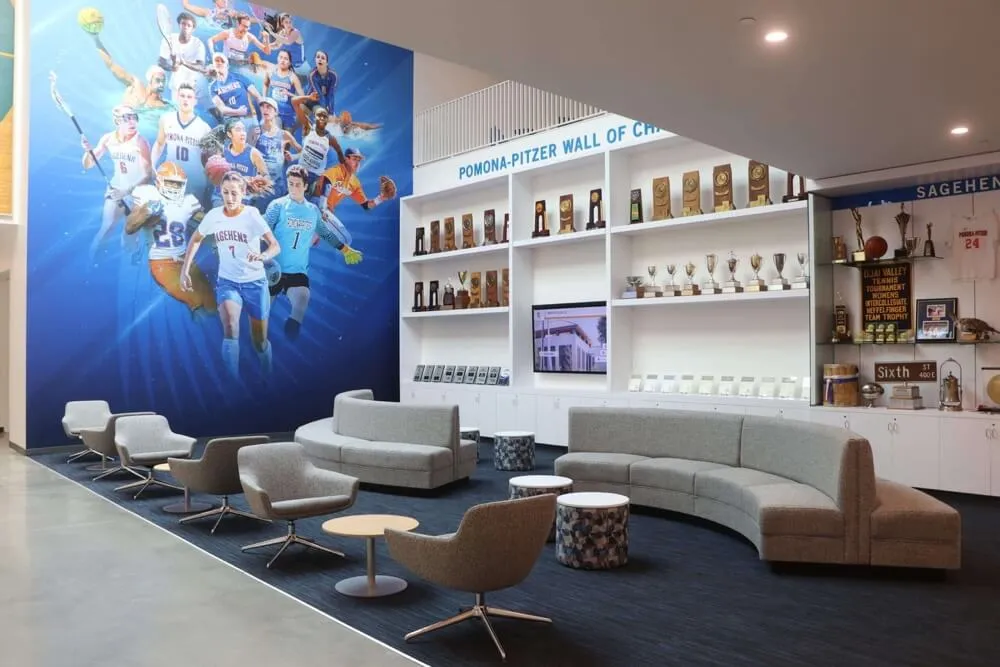
When viewed through this lens, digital recognition often represents a cost-neutral or even cost-saving investment that simultaneously delivers unlimited capacity, easy updates, interactive engagement, and professional presentation that traditional trophy cases cannot match.
Strategic Approaches for Budget-Conscious Athletic Directors
Successful implementation on limited budgets requires strategic thinking rather than simply trying to afford the same solution larger, well-funded programs implement.
Start Small and Scale Gradually
Rather than attempting comprehensive implementation across multiple sports and decades of history, begin with focused scope:
Phase 1: Single Priority Recognition Category (Year 1)
Launch with your highest-impact recognition opportunity:
- Hall of fame inductees (if you have an established program)
- Current season recognition for your flagship sport
- All-conference and all-state athletes across all sports
- Team championship history
- School athletic records by sport
This focused approach allows you to:
- Minimize initial investment (often under $8,000)
- Build staff confidence managing a new system
- Generate visible success stories for stakeholder support
- Demonstrate value before requesting broader funding
- Learn what works before expanding scope
Phase 2: Expanded Sports and Historical Content (Year 2)
After successfully establishing your foundation:
- Add recognition for additional sports programs
- Digitize historical photos and records from athletic archives
- Expand to include coaches and contributors
- Build on established community interest and engagement
- Leverage lessons learned from initial implementation
Phase 3: Enhanced Features and Additional Locations (Year 3+)
Once your program proves successful:
- Add displays in additional high-traffic locations
- Implement advanced interactive features like video highlights
- Connect with fundraising and booster club initiatives
- Expand content depth with athlete profiles and stories
- Transition from necessity to center piece of athletic program identity
This phased approach spreads costs across multiple budget years, makes each investment digestible for budget approvals, and ensures you’re building on proven success rather than gambling on unproven concepts. Implementing employee recognition displays in administrative areas alongside athletic recognition can sometimes help justify shared infrastructure costs.
Leverage Existing Infrastructure When Possible
Athletic facilities often possess resources that can be repurposed or shared:
Existing Display Technology
Before purchasing completely new displays, audit what you already have:
- Large TVs in locker rooms or weight rooms that could rotate recognition content
- Scoreboards or announcement displays that might accommodate recognition during non-game times
- Cafeteria or common area screens currently showing static content or announcements
Solutions like Rocket Alumni Solutions can often integrate with existing display infrastructure when appropriate, requiring only software investment rather than complete hardware replacement.
Shared School Technology Infrastructure
Digital recognition platforms typically require:
- Internet connectivity (already present throughout athletic facilities)
- Content management computers (can use existing athletic office computers)
- Cloud storage (often included with school district technology services)
Unlike specialized systems requiring dedicated hardware and IT infrastructure, modern cloud-based recognition platforms leverage technology schools already maintain for other purposes, significantly reducing implementation barriers.
Choose Subscription-Based Solutions Over Large One-Time Purchases
Budget-conscious athletic directors benefit significantly from subscription pricing models:
Lower Upfront Investment
Subscription solutions eliminate or dramatically reduce:
- Large initial software license fees ($5,000-$10,000 savings)
- Extensive customization and setup costs
- Complex installation and integration expenses
- Dedicated hardware server requirements
Predictable Operating Costs
Subscription models provide:
- Fixed annual costs for budget planning and forecasting
- Included software updates and feature improvements
- Automatic security patches and platform maintenance
- Scalable pricing that grows gradually with expanded needs
Reduced Risk
Annual subscriptions offer:
- Ability to adjust or discontinue service if circumstances change
- Lower financial commitment while proving value to stakeholders
- Flexibility to upgrade features as budget allows
- Protection against platform obsolescence through continuous updates
For athletic departments without large capital budgets but with modest annual operating flexibility, subscription models make digital recognition achievable when large upfront purchases would be impossible.
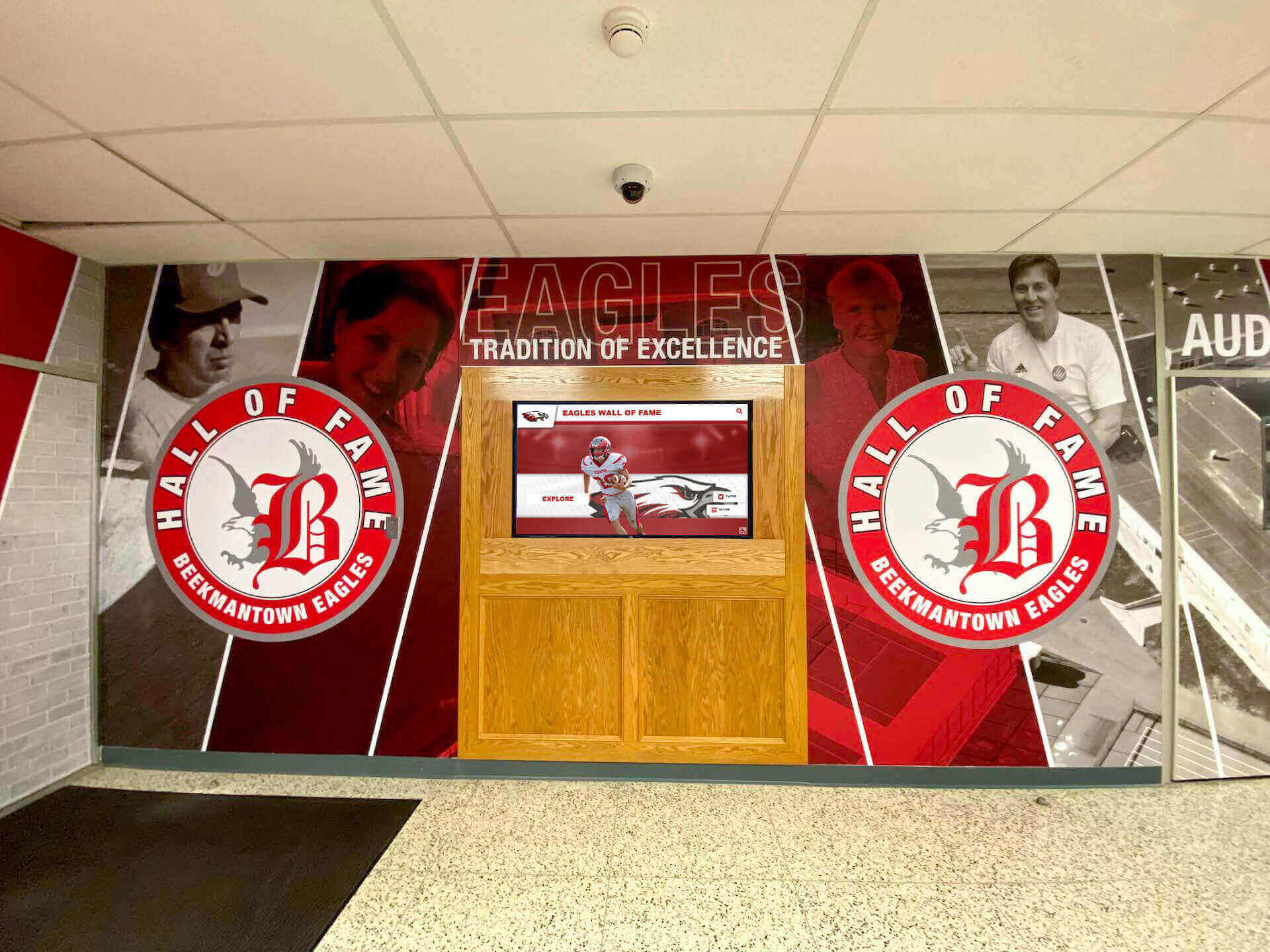
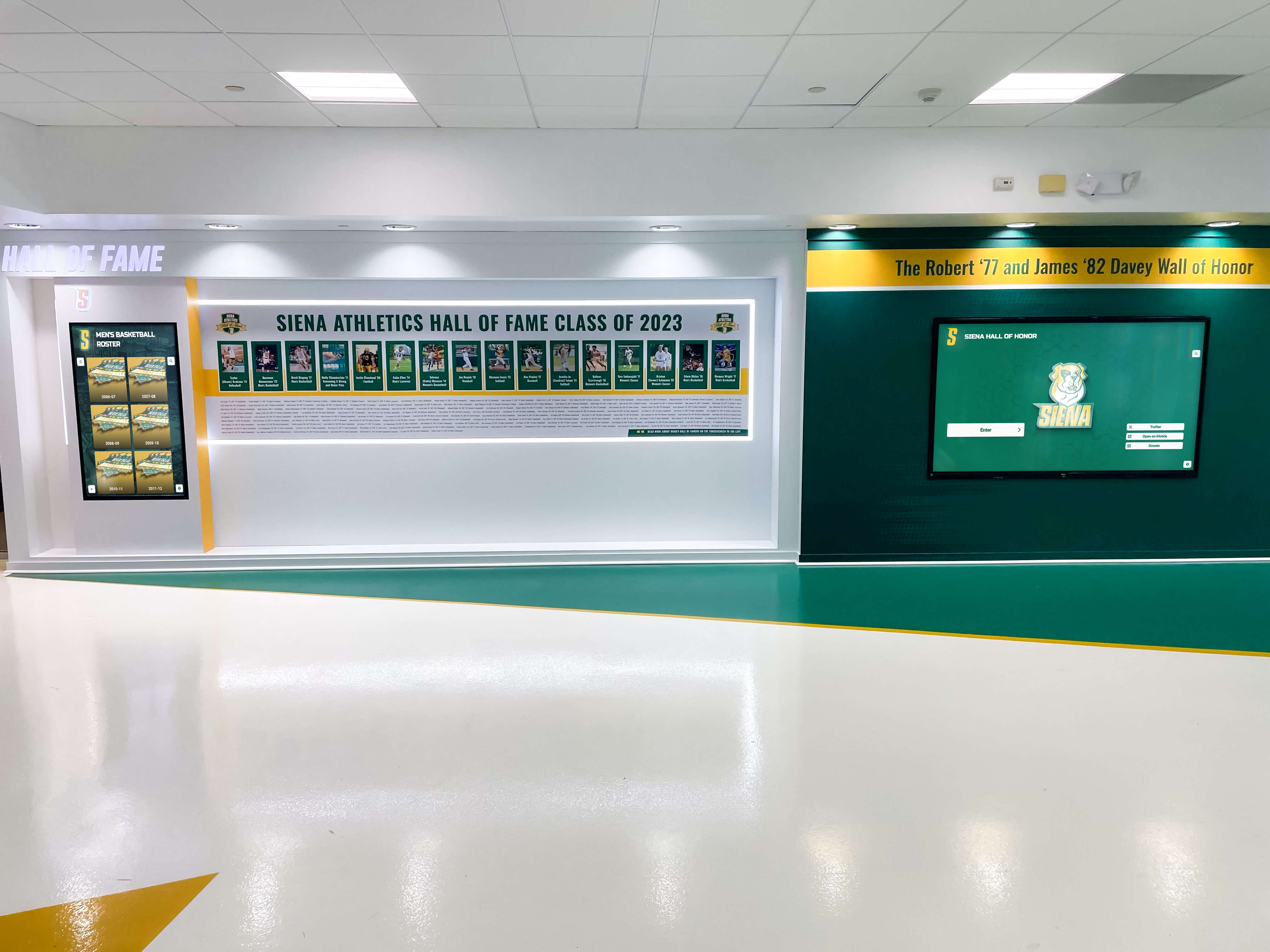
Strategic design combining affordable wall graphics with single digital display
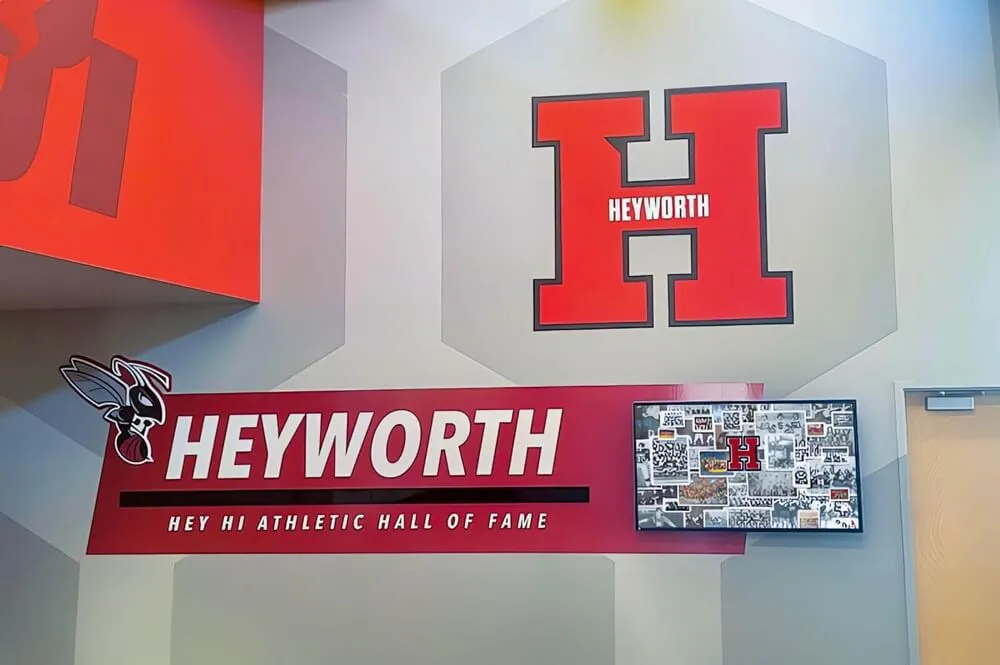
Professional results achieved through smart design choices and focused investment
Financing Options That Make Digital Recognition Accessible
Understanding how to pay for digital recognition matters as much as what you’re buying. Several financing mechanisms transform unaffordable upfront costs into manageable payment structures.
Educational Technology Leasing Programs
Equipment leasing converts large capital expenditures into monthly operating expenses:
Typical Leasing Terms for Athletic Recognition
- 36-48 month lease periods (aligning with technology refresh cycles)
- $200-$500 monthly payments for complete systems
- Options to upgrade, purchase, or return at lease end
- Often includes service, support, and replacement coverage
Advantages for Athletic Departments
- Converts capital expenditure to operating expense (easier budget approvals)
- Preserves cash reserves for coaching, equipment, and other immediate needs
- Monthly payments fit more easily within typical athletic budgets
- May qualify for different budget categories than outright purchases
- Built-in hardware upgrade path as display technology improves
Many vendors offering touchscreen kiosk software and hardware can connect athletic directors with education-focused leasing companies specializing in school technology financing.
Grant Opportunities for Athletic Recognition Technology
Numerous grant programs support technology initiatives that strengthen school communities and celebrate achievement:
Local Education Foundation Grants
Many communities have education foundations offering:
- Technology enhancement grants ($3,000-$15,000 range)
- Athletic program improvement funding
- School pride and culture development support
- Less competitive than national grants
- Often prioritize proposals demonstrating community engagement
State Athletic Association Programs
Some state high school athletic associations offer:
- Competitive grants for athletic program improvements
- Recognition and sportsmanship initiative funding
- Technology adoption support for member schools
- Equipment and facility enhancement programs
Corporate Community Investment Programs
Local and regional businesses frequently provide:
- Technology donations or significant discounts
- Athletic program sponsorships with equipment components
- Education partnership grants
- Marketing value from association with school athletic success
National Athletic and Educational Programs
Organizations focusing on:
- Athletic program development and coaching excellence
- Student achievement recognition and celebration
- Technology integration in education
- Rural or underserved school support
Grant writing may feel daunting, but many digital recognition vendors offer proposal assistance, template language, and supporting documentation specifically for athletic recognition applications. The investment of 15-25 hours in grant preparation can yield funding that makes projects immediately viable.
Fundraising and Donor-Funded Athletic Recognition
Digital recognition displays create natural fundraising opportunities that resonate with athletic program supporters:
Sponsorship Models
Offer naming rights and recognition opportunities:
- Display sponsorship: “The [Donor Name] Athletic Hall of Fame” ($8,000-$20,000 contribution)
- Sport-specific sponsorship: “Football Recognition Presented by [Business/Donor]” ($3,000-$8,000)
- Individual profile sponsorships: Alumni or families sponsor athlete digitization ($150-$500 each)
- Annual operating sponsorship: Local business covers software subscription ($2,000-$4,000 annually)
Booster Club Fundraising Campaigns
Position digital recognition as improving athlete acknowledgment and program pride:
- Specific fundraising campaigns focused on recognition modernization
- Percentage of annual fundraising designated for digital recognition
- Recognition display as multi-year booster club initiative
- Corporate sponsor recruitment for athletic recognition specifically
Alumni Fundraising Appeals
Engage former athletes through recognition-focused campaigns:
- Class reunion giving campaigns centered on honoring athletic legacy
- Milestone anniversary projects (50th, 75th, 100th celebrations)
- Distinguished alumni appeals emphasizing improved athlete recognition
- Matching challenge campaigns with lead donor commitment from successful alumnus
Tournament and Event Fundraising
Generate revenue through athletic events:
- Percentage of tournament proceeds designated for recognition
- Special recognition-focused fundraising events
- Corporate sponsorship packages including recognition display elements
- Commemorative programs sold at championship events
The key insight: Position recognition displays not as technology purchases but as community investment in honoring athletic excellence, preserving program history, and inspiring current athletes. This framing resonates far more effectively with potential donors than technical specifications and feature lists.
For comprehensive fundraising strategies tailored to athletic programs, resources on increasing school pride often include recognition-specific fundraising approaches.
Budget-Friendly Vendor Programs for Athletic Departments
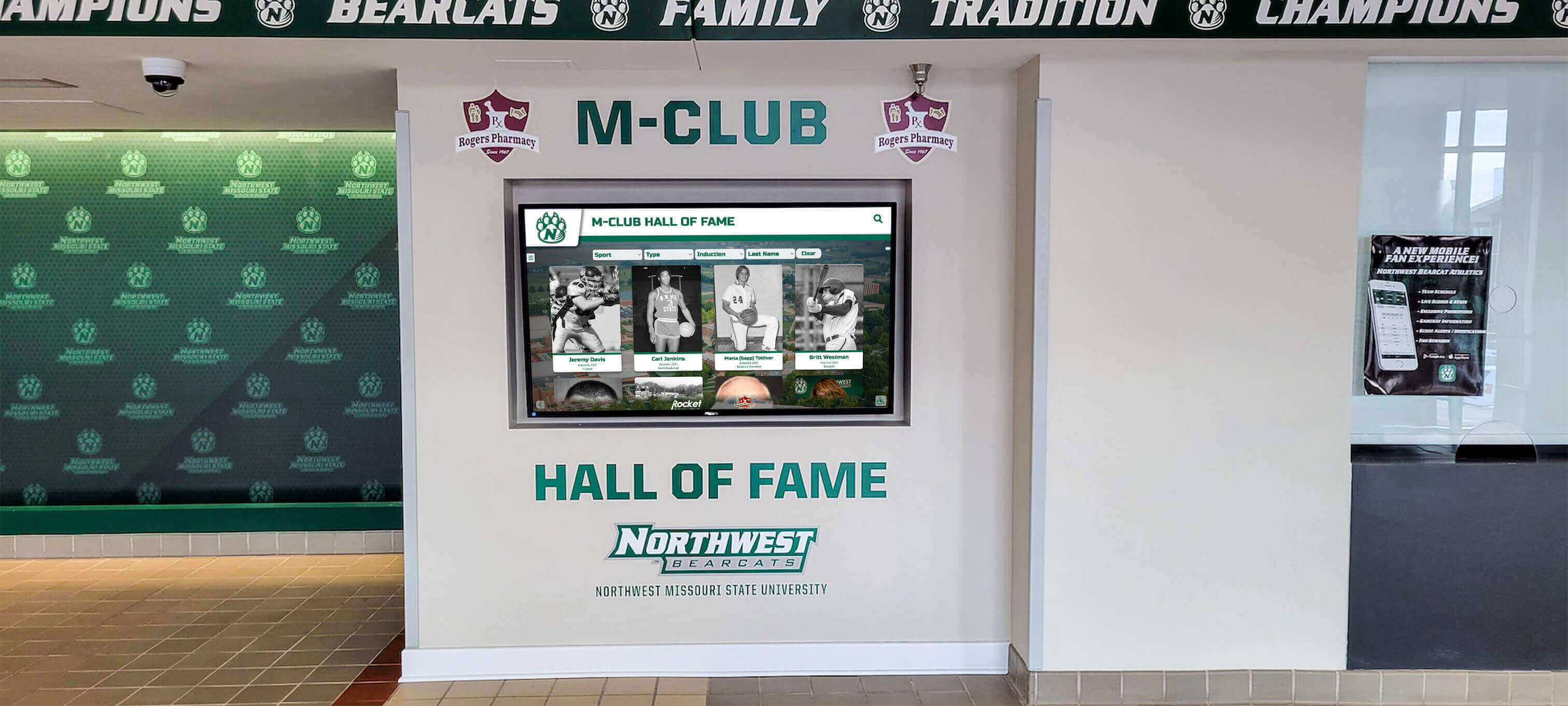
Many recognition technology providers offer programs specifically addressing athletic department budget constraints:
Athletic Department Pricing Programs
Some vendors provide:
- Tiered pricing based on school enrollment or athletic program size
- Reduced rates for schools with limited athletic budgets
- Bundle pricing offering better value than à la carte purchases
- Multi-year contract discounts for longer commitments
Shared Services and Consortium Models
Innovative approaches include:
- District-wide licenses serving multiple schools at reduced per-school costs
- Regional consortia pricing for neighboring districts
- Shared content development services across schools
- Cooperative purchasing through state athletic associations
Turnkey Budget Packages
Pre-configured offerings eliminate uncertainty:
- Fixed-price implementations including all necessary components
- Standard feature sets proven for athletic department needs
- Predictable total cost without surprise add-on fees
- Faster deployment with athletic-specific templates ready to use
Don’t hesitate to ask vendors directly about athletic department programs, budget-friendly options, or flexible payment terms. Providers understand that building relationships with athletic programs often leads to referrals, expanded implementations, and long-term partnerships—making initial flexibility valuable for both parties.
Maximizing Value: Getting More Impact from Limited Investment
Budget-conscious athletic directors must extract maximum value from every dollar invested in digital recognition.
Focus on High-Impact Recognition Categories
Not all recognition creates equal engagement. Prioritize categories that generate strongest community response:
Championship and Team Success
- Conference championships across all sports
- State tournament appearances and titles
- Undefeated seasons and historic team achievements
- Team records and milestone accomplishments
Individual Achievement Excellence
- All-conference and all-state selections
- School athletic records across all sports
- Hall of fame inductees (athletes, coaches, contributors)
- College recruitment and signing celebrations
Current Season Recognition
- Weekly or monthly athlete spotlights
- Game performance highlights
- Season progress and team standings
- Senior athlete recognition
Historical Program Legacy
- Coaching history and milestone wins
- Program evolution and facility development
- Significant games and rivalry history
- Distinguished alumni athletic achievements
Starting with high-impact categories ensures visible success that builds support for future expansion and demonstrates value to budget-conscious administrators and boards.
Leverage Athletic Department and Student Resources
Athletic programs possess untapped internal resources that can reduce implementation costs:
Student Involvement Opportunities
Engage students in content development:
- Athletic statistics tracking: Student managers and statisticians compiling achievement data
- Photography and videography: Media classes or athletic communications students creating visual content
- Writing and storytelling: Journalism or English students crafting athlete profiles and achievement descriptions
- Historical research: Students interviewing retired coaches, researching program history, and digitizing archives
These approaches provide multiple benefits:
- Reduced professional content development costs ($2,000-$5,000 savings)
- Valuable real-world learning experiences for students
- Increased student ownership of athletic recognition program
- Ongoing content pipeline as new students cycle through roles
Coaching and Athletic Staff Contributions
Tap existing expertise:
- Coaches: Already maintaining records, statistics, and achievement documentation for their sports
- Athletic directors: Natural content curators with institutional knowledge
- Athletic trainers and staff: Often possess photographic archives and historical perspective
- Booster club members: Frequently maintain historical records and connections to alumni athletes
By framing digital recognition management as leveraging existing knowledge rather than requiring new specialized expertise, athletic departments convert potential obstacles into opportunities while controlling costs.
Design for Longevity and Adaptability
Budget-conscious investments must deliver sustained value over many years:
Choose Flexible Platforms
Select solutions offering:
- Easy content updates without vendor dependency or technical expertise
- Multiple sports and recognition categories within single system
- Scalability from basic to advanced features as budget allows
- Integration capabilities with school and athletic systems
- Regular included updates and improvements
Platforms designed for athletic department growth prevent expensive replacements when needs evolve beyond initial capabilities.
Plan for Technical Sustainability
Ensure long-term viability through:
- Cloud-based systems avoiding hardware obsolescence
- Standard commercial displays rather than proprietary specialized equipment
- Established vendors with proven track records in athletic recognition
- Clear upgrade paths and reasonable expansion costs
The lowest-cost solution today that requires complete replacement in three years ultimately costs more than moderately priced systems delivering 8-10 years of reliable service with regular software enhancements.
Implement Efficient Content Workflows
Establish processes that:
- Make content updates quick and simple for coaches and athletic staff
- Leverage templates for consistency and time efficiency
- Enable distributed content contribution from multiple coaches
- Minimize bottlenecks and approval complexity
Efficient processes ensure digital recognition remains actively used rather than becoming another abandoned initiative due to administrative burden.

Cost-Saving Implementation Strategies
Smart implementation choices significantly impact total investment without compromising quality or results.
DIY vs. Professional Installation Trade-Offs
Self-Installation Approach
Capable facilities staff or technically comfortable athletic directors can often handle:
- Display wall mounting using commercial TV mounts ($150-$300)
- Basic cable management and power connections
- Network connectivity setup
- Initial software configuration following vendor documentation
Potential Savings: $1,200-$2,500 in professional installation costs
Requirements:
- Confident technically capable staff member
- Appropriate mounting tools and equipment
- Vendor-provided installation support and documentation
- Time allocation for installation process (typically 4-8 hours)
Professional Installation Benefits
Vendor or professional installer services provide:
- Optimal placement ensuring maximum visibility and traffic flow
- Clean cable management creating polished appearance
- Hardware warranty protection (some manufacturers require professional installation)
- Immediate technical issue resolution
- Staff time savings for already-busy athletic personnel
Hybrid Approach
Many athletic departments find middle ground:
- Athletic department handles physical mounting and power connections
- Vendor provides remote software configuration and initial setup assistance
- Saves money while ensuring technical components are properly configured
- Preserves professional appearance while controlling costs
Standardize on Cost-Effective Hardware
Avoid Premium Hardware Unnecessary for Athletic Recognition
Athletic departments don’t need:
- Consumer smart TV features (content managed through recognition platform)
- Cutting-edge display technology with premium pricing (slightly older commercial models perform excellently)
- Proprietary mounting systems or specialized accessories
- Extended manufacturer warranties beyond standard commercial coverage
Focus on Athletic Recognition Essentials
Prioritize:
- Commercial-grade displays designed for continuous operation (not consumer TVs prone to burn-in)
- Adequate screen size for viewing distance and space (bigger isn’t always better or necessary)
- Touchscreen capability if interactive features are priorities
- Standard VESA mounting compatibility and common connectivity (HDMI, USB, network)
Detailed hardware selection resources help athletic directors avoid overspending on unnecessary premium features while ensuring adequate capability for recognition needs.
Content Development Efficiency
Minimize Custom Design Costs
Use cost-effective approaches:
- Template-based design: Work within athletic recognition platform templates rather than expensive custom development
- School brand integration: Incorporate existing team colors, logos, and visual identity
- Photo standardization: Establish consistent specifications reducing editing needs
- Batch processing: Develop content in efficient groups rather than piecemeal
Start with Existing Athletic Materials
Leverage what athletic departments already possess:
- Digitize existing trophy case information and plaque content
- Repurpose statistics from athletic recordkeeping and media guides
- Convert content from team programs, banners, and promotional materials
- Use photos already maintained in athletic communications archives
Establish Clear Athletic Content Standards
Define simple, consistent requirements:
- Standard athlete profile structure and length
- Consistent photo specifications and formats
- Clear achievement criteria and descriptions
- Template language for common recognition types
Well-defined standards allow multiple coaches and staff members to create consistent content efficiently, reducing time investment and eliminating need for extensive professional content services.
Negotiate Comprehensive Athletic Package Pricing
When engaging vendors specializing in athletic recognition, request:
- Bundle pricing: Combined hardware, software, and services at package rates
- Multi-year athletic program discounts: Longer software commitments reducing annual costs
- Included services: Training, initial content development, or first-year support included in base price
- Payment flexibility: Phased payments or delayed billing aligning with budget cycles
- Performance commitments: Clear deliverables with remediation guarantees
Many vendors prefer providing comprehensive athletic recognition solutions at fair package rates over piecemeal purchases, making package negotiations beneficial for both athletic departments and providers.
Avoiding Common Budget-Busting Mistakes
Athletic directors must avoid expensive missteps that strain already-limited resources.
Don’t Confuse “Free” with “Cost-Effective”
Hidden Costs of Free or DIY Approaches
“Free” solutions using Google Slides, PowerPoint, or basic slideshow software often involve:
- Hundreds of hours of athletic staff time creating and maintaining content (real cost: $3,000-$10,000 in staff labor)
- Severely limited functionality requiring constant workarounds (ongoing efficiency losses)
- No support infrastructure when problems arise (frustration and potential abandonment)
- Poor presentation quality that fails to honor athletic achievements appropriately
- Security and technical maintenance burden on already-stretched school IT resources
A $7,000 professional athletic recognition solution delivering immediate value, professional presentation, and ongoing support typically costs less than “free” alternatives when total cost of ownership is calculated honestly—while actually getting used and delivering results.
Avoid Overbuilding for Speculative Future Needs
Common Overinvestment Scenarios
Athletic departments waste money by:
- Purchasing displays far larger than necessary “in case we need more capacity” (digital systems have unlimited content capacity)
- Licensing advanced features never used because “we might want them eventually”
- Installing displays in multiple locations before proving value and engagement in one strategic location
- Developing extensive historical content before establishing sustainable update routines
Right-Sizing Approach for Athletic Budgets
Instead:
- Implement what your athletic program needs today for proven requirements
- Choose platforms allowing easy future expansion when needs clearly emerge
- Demonstrate success with initial implementation before requesting broader investment
- Let actual coach and athlete usage patterns inform expansion decisions rather than speculation
Don’t Skip Training and Support
Penny-Wise, Pound-Foolish
Cutting training and support costs to reduce initial investment leads to:
- Under-utilized systems that never achieve potential value
- Frustrated coaches and athletic staff avoiding the system
- Outdated content defeating the purpose of digital flexibility
- Repeated vendor support calls consuming more time than proactive training
Adequate Training Investment
Budget for:
- Initial comprehensive training for athletic director and key coaches
- Clear documentation and reference materials for common tasks
- Ongoing vendor support access (phone, email, or online)
- Periodic refresher training or check-ins as staff changes
Well-trained athletic personnel manage recognition systems confidently and efficiently, ensuring sustained value from investment and consistent recognition program operation.
Resist Comparison to Inappropriate Benchmarks
Unhelpful Comparisons
Athletic directors sometimes compare their situation to:
- Major university athletic programs with multi-million dollar budgets and extensive staff
- Professional sports halls of fame with budgets orders of magnitude larger
- Wealthy private schools with significant development office support and alumni giving
These comparisons create unrealistic expectations or inappropriate dismissals of suitable athletic recognition solutions.
Appropriate Benchmarking
Instead, compare:
- Similar-sized schools with comparable athletic budgets and programs
- Total five-year cost of ownership versus continued traditional recognition approaches
- Value delivered per dollar invested across recognition options
- Solutions designed specifically for high school and small college athletic departments
Athletic recognition solutions exist across the full spectrum of sizes, budgets, and needs—helping athletic directors find appropriate fits regardless of constraints.
Making the Decision: Is Digital Recognition Right for Your Athletic Budget?
After understanding options, strategies, and approaches, athletic directors must make informed decisions based on specific circumstances.
Calculate Your Realistic Athletic Budget
Identify Available Athletic Funding Sources
- Athletic department operating budget allocation
- Booster club committed support or fundraising capacity
- School district technology or facility improvement funds
- Grant opportunities identified through research
- Sponsorship potential from local businesses with athletic connections
Total Available for Recognition Investment: $___________
Determine Acceptable Financing Options
- Monthly equipment lease payment capacity within operating budget
- Multi-year commitment feasibility and sustainability
- Willingness to pursue fundraising or grant applications
Add Financing Capacity: $___________
Grand Total Recognition Budget: $___________
Match Your Athletic Budget to Appropriate Solution
Budget Under $7,000
- Single display (43"-49") in highest-traffic athletic location
- Cloud subscription platform with athletic templates
- Self-managed content development using athletic staff and students
- Self or hybrid installation approach
- Single recognition category initially (hall of fame, records, or current season)
- Excellent starting point with clear expansion path as budget allows
Budget $7,000-$15,000
- Professional-grade 55"-65" touchscreen display in optimal athletic location
- Comprehensive athletic recognition software platform
- Professional content development assistance for initial launch
- Professional or hybrid installation
- Multiple recognition categories (championships, records, hall of fame, current athletes)
- Strong foundation for sustained athletic recognition program
Budget $15,000-$30,000
- Large single display or dual smaller displays in strategic athletic locations
- Advanced platform features including video integration
- Extensive historical content development and digitization
- Complete professional installation with custom framing or surrounding design
- Comprehensive multi-sport recognition across all program categories
- Multi-year support and content management assistance
Budget Above $30,000
- Multiple displays throughout athletic facilities
- Premium interactive capabilities and advanced features
- Comprehensive historical archive development spanning decades
- Multi-year vendor partnership for ongoing support and content development
- District-wide or campus-wide athletic recognition implementation
Questions to Ask Athletic Recognition Vendors
When evaluating solutions designed for athletic departments, ask:
About Costs and Budget Fit
- “What’s included in quoted price, and what costs extra?”
- “Are there ongoing fees beyond initial purchase or annual subscription?”
- “What financing, leasing, or payment plan options do you offer athletic departments?”
- “Do you have programs or discounts for schools with limited athletic budgets?”
About Athletic-Specific Features
- “How does your platform specifically support athletic recognition versus general digital signage?”
- “Do you provide athletic-specific templates and content structures?”
- “How easy is it for coaches to submit content and update athlete information?”
- “Can your system handle sports statistics, records, and performance data?”
About Implementation for Athletic Departments
- “What can our athletic department do ourselves to reduce implementation costs?”
- “What’s the minimum viable starting point for our budget, and how can we expand later?”
- “How much time will our athletic director and coaches need to invest in setup and ongoing management?”
About Long-Term Athletic Program Sustainability
- “What are typical operating costs after the first year?”
- “How often does hardware typically need replacement or upgrading?”
- “What happens if we need to pause subscription temporarily due to budget cuts?”
- “What does your expansion path look like as our athletic recognition program grows?”
About Support for Athletic Staff
- “What training and support are included for non-technical athletic personnel?”
- “How quickly do you respond to technical issues during athletic seasons?”
- “Can you connect us with other athletic directors using your solution successfully?”
Transparent vendors specializing in athletic recognition appreciate these questions and provide honest, detailed responses demonstrating understanding of athletic department realities. Evasive or vague answers suggest reconsidering that provider.
Taking Action: Your Budget-Friendly Athletic Recognition Roadmap
Ready to move forward with digital athletic recognition despite budget constraints? Follow this practical sequence:
Months 1-2: Research and Athletic Program Planning
Assemble Your Athletic Recognition Team
- Athletic director as project champion
- Selected head coaches representing different sports
- Booster club leadership representatives
- School administrator providing budget approval authority
- Interested alumni with athletic program connections
Conduct Athletic Budget Analysis
- Identify all potential funding sources within and beyond athletic department
- Determine realistic total available budget
- Explore grant opportunities specific to athletic programs
- Assess booster club fundraising capacity and willingness
- Research corporate sponsorship potential
Research Athletic Recognition Solutions
- Request information from 3-5 vendors specializing in athletic recognition
- Review case studies from similar-sized athletic programs
- Connect with athletic directors who’ve implemented digital recognition successfully
- Attend vendor demonstrations or webinars focused on athletic applications
Months 3-4: Athletic Recognition Proposal and Approval
Develop Athletic Implementation Proposal
- Specify recommended approach tailored to athletic program needs and priorities
- Detail costs, funding sources, and budget allocation
- Project timeline and phasing if implementing incrementally
- Expected benefits for athletes, coaches, program culture, and community engagement
- Clear success metrics and evaluation approach
Secure Necessary Athletic Program Approvals
- Present to school administration with athletic program context
- School board approval if required for expenditure or fundraising
- Advance booster club leadership buy-in and commitment
- Finalize funding commitments from all identified sources
Months 5-6: Athletic Recognition Implementation
Execute Selected Approach
- Finalize vendor selection and contracting
- Coordinate installation process during off-season if possible
- Develop or commission initial athletic content (championships, records, hall of fame)
- Train athletic director, coaches, and relevant staff on content management
- Test system thoroughly with athletic-specific content before launch
Launch Athletic Recognition Program
- Host unveiling event during homecoming, athletic banquet, or major game
- Communication to athletic community, alumni, boosters, and local media
- Promotion through athletic website, social media, and parent communications
- Gather initial athlete, coach, and community feedback
Months 7-12: Optimization and Athletic Program Expansion Planning
Refine Athletic Recognition Operations
- Establish efficient coach content submission and update processes
- Address any technical issues promptly to maintain credibility
- Gather engagement data and athlete/community response metrics
- Collect feedback from coaches, athletes, parents, and boosters
Plan Future Athletic Recognition Expansion
- Identify next recognition categories or sports to add based on success
- Assess additional display locations if engagement warrants expansion
- Propose Year 2 budget based on demonstrated Year 1 value and ROI
- Document lessons learned and best practices for continued improvement
This methodical approach ensures thoughtful decision-making aligned with athletic program priorities while building momentum toward successful implementation within realistic budget constraints.
Conclusion: Athletic Excellence Recognition Without Budget Excess
The persistent belief that digital recognition requires massive athletic budgets prevents countless programs from transforming how they celebrate achievement, honor legacy, and inspire current athletes. The reality: Through strategic planning, creative financing, smart solution selection, phased implementation, and innovative funding approaches, athletic departments of any size can leverage modern recognition technology within realistic budget constraints.
Digital recognition isn’t a luxury reserved for well-funded athletic programs—it’s an accessible tool that often delivers greater value per dollar invested than traditional trophy cases and plaques already consuming significant resources. By starting focused, scaling gradually, leveraging available financing mechanisms, pursuing grants and fundraising, and maximizing internal resources, athletic directors can create recognition programs that honor excellence without breaking already-strained budgets.
The question isn’t whether your athletic department can afford digital recognition—it’s whether you can afford to continue with recognition approaches that limit capacity, require constant manual updating, restrict access to on-campus visitors during limited hours, and fail to leverage the engagement potential that modern technology enables. The athletes in your program deserve recognition that matches their dedication and achievement.
Ready to Honor Your Athletes Within Your Budget?
Rocket Alumni Solutions specializes in working with athletic directors across all budget levels. We offer flexible solutions, transparent pricing, creative financing approaches, and proven strategies that make digital athletic recognition accessible without compromising quality or long-term value.
Explore Budget-Friendly Athletic Recognition OptionsYour athletes’ achievements deserve celebration that lasts. Your program’s history deserves preservation that inspires. Your athletic community deserves pride in excellence. Budget constraints shouldn’t prevent honoring athletic achievement—they simply require thoughtful approaches that deliver impact within realistic financial parameters.
Take the first step today: Research your options, calculate your available budget, connect with vendors who understand athletic department realities, and start conversations about what’s possible. You’ll likely discover that modern digital athletic recognition is far more accessible than you imagined, and the transformation it enables for your program justifies the strategic investment required.
Need guidance navigating budget-friendly athletic recognition options? Contact our team for honest conversations about what’s possible within your specific budget constraints. We’ve helped hundreds of athletic directors achieve recognition excellence without financial strain, and we’re here to help your program join them.































