School renovations represent transformative moments in institutional history—new facilities, upgraded technology, and enhanced learning environments that serve students for decades. When communities invest millions in capital campaigns to fund these projects, donor recognition becomes more than acknowledgment; it creates visible testament to collective generosity while inspiring future philanthropic support.
Yet many schools struggle with donor recognition planning during renovation projects. Traditional brass plaques offer limited information, fixed layouts constrain future additions, and static displays cannot capture the dynamic stories behind major gifts. Meanwhile, renovated facilities with modern architecture demand recognition approaches that match contemporary design while providing flexibility for ongoing stewardship.
This comprehensive implementation guide explores proven strategies for planning and installing digital donor recognition walls during school renovations, from initial concept through long-term content management.
Intent: Define requirements and demonstrate implementation pathways for digital donor recognition systems integrated into school renovation projects.
Capital campaigns funding school renovations typically engage diverse donor constituencies—alumni, parents, community foundations, corporate sponsors, and board members—each deserving recognition proportional to contribution level while maintaining cohesive visual presentation. Digital platforms uniquely address these complex requirements through unlimited capacity, rich multimedia content, and intuitive management systems accessible to development staff.
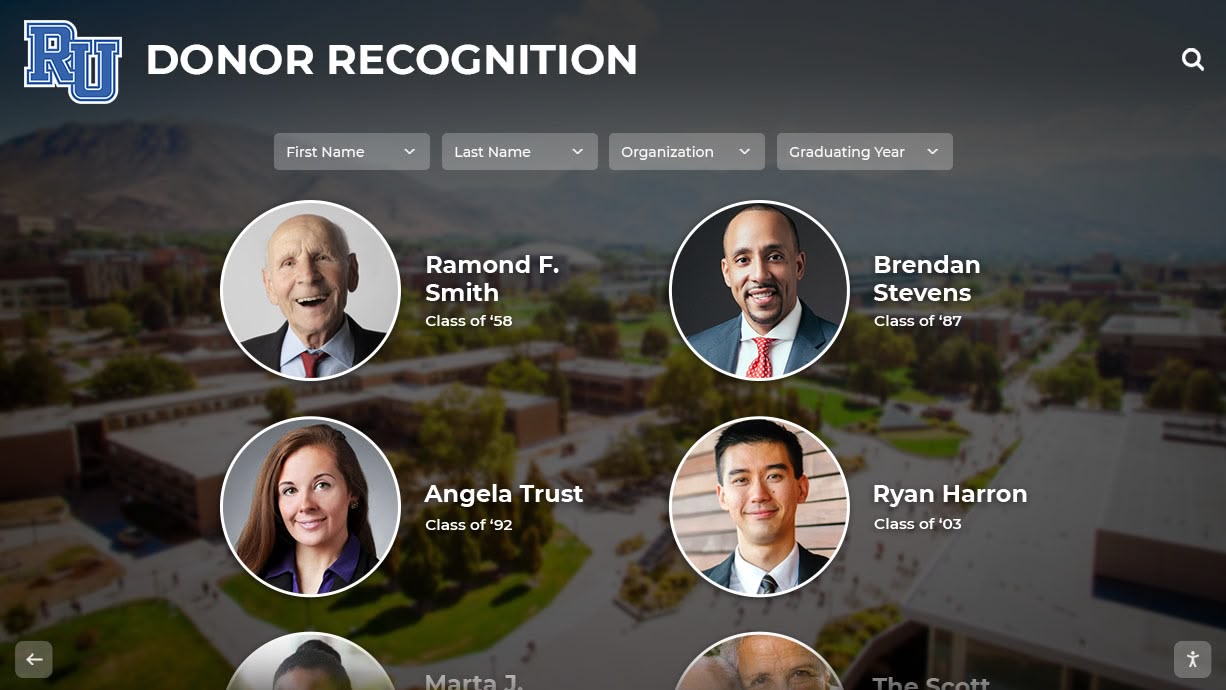
Modern digital recognition walls integrate seamlessly with renovated school facilities
Understanding Digital Donor Recognition for Renovation Projects
School renovation projects create unique opportunities for implementing recognition systems that honor supporters while enhancing newly upgraded spaces.
Why Renovations Demand Modern Recognition Solutions
Architectural Integration Opportunities Renovation projects allow early design coordination between architects, contractors, and recognition specialists. Digital displays can be specified during schematic design, ensuring proper electrical infrastructure, network connectivity, and structural support are incorporated before construction begins—eliminating costly post-construction modifications.
Modern renovations typically feature contemporary finishes, open floor plans, and technology-enabled spaces. Traditional bronze plaques or wooden donor walls often clash aesthetically with glass, steel, and minimalist design elements characterizing 21st-century educational facilities. Digital displays complement modern architecture while providing recognition functionality traditional approaches cannot match.
Campaign Momentum and Stewardship Capital campaigns extend across multiple years—major school renovations commonly require 3-5 year fundraising timelines with giving continuing after facility completion. Static recognition systems installed at ribbon-cutting ceremonies immediately become outdated as additional gifts arrive. Digital platforms enable ongoing recognition updates without physical modifications or manufacturing delays.
Early donors deserve prompt acknowledgment even before renovation completion. Digital systems can be installed and activated immediately, displaying recognition content during construction phases when prospective donors tour facilities. This visible commitment to honoring supporters strengthens fundraising momentum by demonstrating institutional stewardship culture.
Capital Campaign Recognition Complexity
Multi-Tiered Giving Societies Major renovation campaigns typically establish recognition tiers acknowledging varying contribution levels:
- Leadership gifts ($500,000+)
- Major gifts ($100,000-$499,999)
- Principal gifts ($50,000-$99,999)
- Cornerstone gifts ($25,000-$49,999)
- Patron gifts ($10,000-$24,999)
- Supporter gifts ($5,000-$9,999)
- Contributor gifts (under $5,000)
Traditional approaches struggle presenting this hierarchy clearly while maintaining visual balance. Digital systems utilize filtering, search capabilities, and progressive disclosure—allowing visitors to explore giving societies while ensuring appropriate prominence for leadership donors.

Touchscreen interfaces enable intuitive exploration of donor recognition content
Corporate and Foundation Recognition School renovations attract corporate sponsors and foundation grants alongside individual donors. These institutional supporters often require specific recognition elements—logos, mission statements, partnership descriptions—that exceed traditional plaque capacity. Digital platforms accommodate rich organizational profiles including branding, multimedia content, and detailed partnership narratives.
Memorial and Tribute Giving Renovation campaigns frequently include memorial opportunities where families designate gifts honoring deceased loved ones. These tribute recognitions demand sensitive presentation with biographical information, photographs, and connection to the institution. Digital displays provide appropriate space for comprehensive memorial content while maintaining visual consistency across all donor types.
Pre-Construction Planning: Integrating Recognition into Renovation Design
Successful digital donor recognition begins during early project planning phases, ensuring proper infrastructure and optimal placement within architectural designs.
Coordinating with Renovation Design Teams
Architect Collaboration Timeline Engage recognition planning no later than design development phase, ideally during schematic design. Share digital display specifications including:
- Exact dimensions for selected screen sizes (43", 55", 65", 75", 86")
- Mounting requirements (wall recesses, structural support loads)
- Electrical specifications (120V standard outlet typically sufficient)
- Network requirements (ethernet preferred, WiFi acceptable)
- Clearance needs (ADA-compliant touch height, viewing distance considerations)
Solutions like Rocket Alumni Solutions provide technical specification documents architects can incorporate directly into construction drawings, ensuring contractors receive accurate information for proper installation preparation.
Placement Strategy Development Identify optimal recognition wall locations during architectural planning:
Primary Lobby Displays: Main entrance areas where students, visitors, and community members naturally congregate. High-traffic visibility maximizes recognition impact while creating prominent donor appreciation statement.
Dedicated Recognition Galleries: Alcoves or corridor segments specifically designed as donor recognition zones. These purposeful spaces allow comprehensive storytelling without competing with circulation patterns.
Facility-Specific Locations: Recognition displays within renovated spaces directly connected to campaign purposes—science wing displays honoring STEM donors, performing arts center displays recognizing arts supporters, athletic facility displays celebrating sports philanthropy.

Strategic placement ensures donor recognition becomes architectural feature rather than afterthought
Infrastructure Requirements and Specifications
Electrical Planning Digital displays require dedicated electrical circuits specified during renovation planning:
- 120V, 15A circuit sufficient for most commercial displays
- Outlet placement concealed behind display mounting location
- Surge protection recommended for equipment longevity
- Emergency power consideration for mission-critical installations
- Conduit pathways enabling clean cable routing
Document electrical requirements in architectural specifications ensuring contractors bid appropriate infrastructure costs.
Network Connectivity Requirements Cloud-based digital recognition platforms require reliable internet connectivity:
Wired Ethernet (Preferred): Cat6 ethernet provides fastest, most reliable connection with minimal ongoing troubleshooting. Specify data drops at display locations during network infrastructure installation.
WiFi Connectivity (Acceptable): Existing wireless infrastructure may support digital displays if signal strength proves adequate. Conduct site surveys verifying connectivity before finalizing wireless-only approaches.
Bandwidth Considerations: Digital recognition content typically requires minimal bandwidth—content updates occur periodically rather than continuously streaming. Standard institutional internet speeds easily support multiple concurrent displays.
Structural Support Specifications Commercial touchscreen displays with mounting hardware typically weigh 75-150 pounds depending on screen size. Renovation plans should specify:
- Wall blocking or structural reinforcement at mounting locations
- Weight capacity ratings appropriate for selected equipment
- Accessibility compliance ensuring bottom edge of interactive content remains within 48 inches of floor (ADA requirement)
- Recessed mounting options for flush installation creating sleek appearance
Budget Planning and Cost Allocation
Capital vs. Operating Expenditure Structure School renovation budgets should allocate donor recognition costs appropriately:
Capital Costs (One-Time):
- Commercial touchscreen display hardware ($3,500-$12,000 per unit depending on size)
- Professional mounting systems and installation ($500-$2,000)
- Initial content development and design ($2,000-$5,000)
- Infrastructure preparation (electrical, network, structural)
Operating Costs (Recurring):
- Cloud-based software subscription ($100-$300 monthly per display)
- Content management and updates (internal staff time or contracted services)
- Occasional hardware maintenance or replacement
Budget transparency helps advancement offices justify recognition investment to campaign committees and board members by clarifying total cost of ownership.
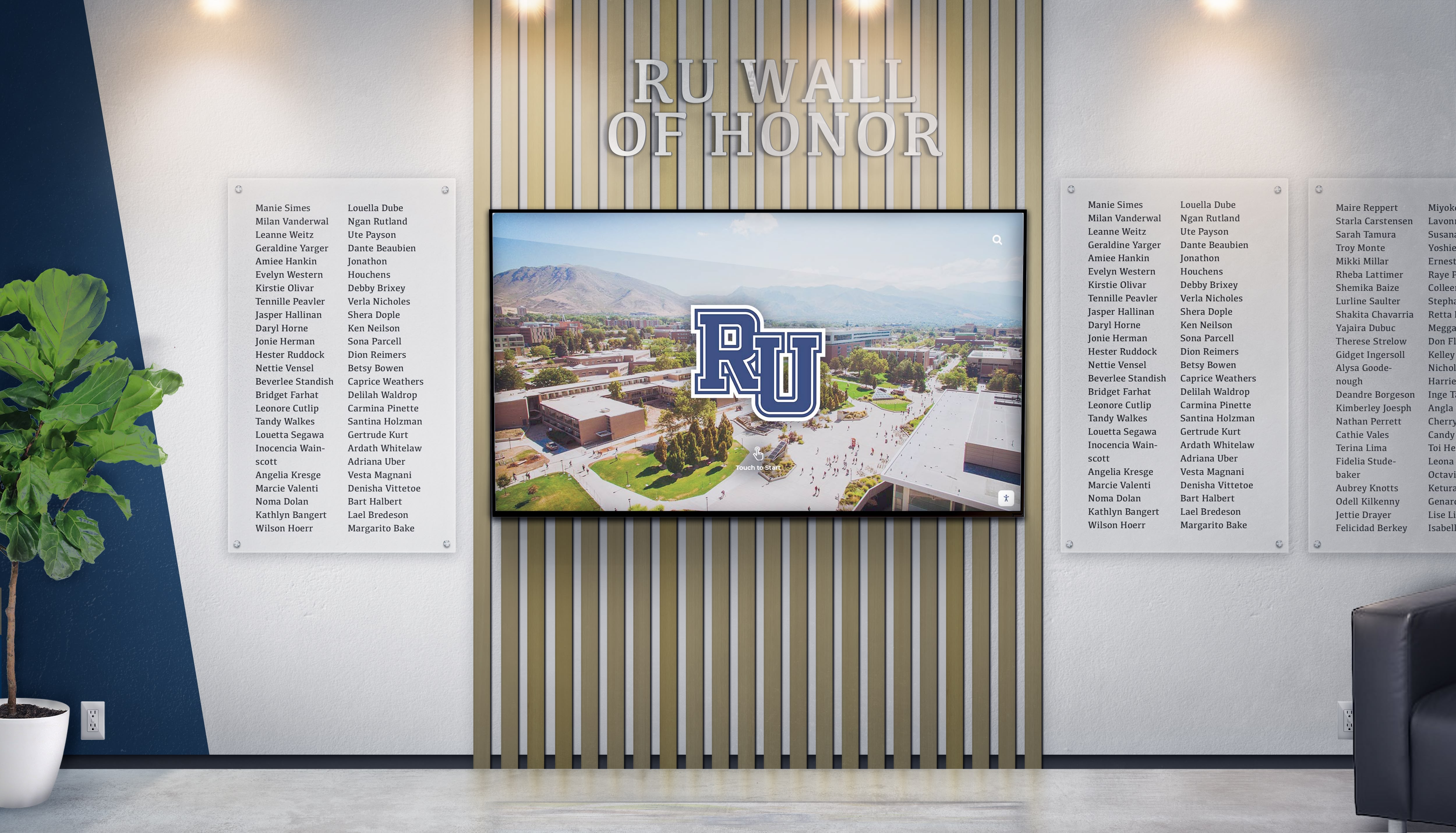
Integrated systems can combine digital displays with complementary traditional recognition elements
Funding Recognition System Through Campaign Consider including donor recognition infrastructure as line item within renovation campaign budget. Many campaigns successfully incorporate recognition system costs into fundraising totals—positioning recognition technology as campaign deliverable rather than administrative overhead. Donors appreciate knowing their collective contributions fund comprehensive stewardship systems honoring all supporters.
Content Strategy: What to Display and How
Effective digital donor recognition balances comprehensive information with intuitive navigation, ensuring visitors easily discover relevant content while major supporters receive appropriate prominence.
Essential Content Elements for Donor Profiles
Individual Donor Recognition Components Comprehensive digital profiles for individual donors should include:
- Full name (with preferred naming conventions)
- Giving society level (Leadership Circle, Cornerstone Society, etc.)
- Gift designation (if supporting specific program or space)
- Graduation year (for alumni donors)
- Relationship to institution (parent, grandparent, community member, faculty)
- High-quality photograph (portrait preferred)
- Personal statement (optional, explaining motivation for support)
- Legacy connections (multi-generational family giving history)
This depth creates meaningful recognition far exceeding traditional brass nameplates while enabling visitors to understand the diverse community supporting institutional mission.
Corporate and Foundation Profiles Organizational donors require different content elements:
- Organization name and logo (vector graphics for quality scaling)
- Partnership description explaining relationship to institution
- Corporate mission alignment with educational objectives
- Grant purpose and impact statement
- Executive leadership recognition (when appropriate)
- Multi-year partnership history
- Community impact metrics
Corporate sponsors particularly value recognition including their branding and mission-aligned messaging—digital platforms accommodate these requirements without compromising overall design cohesion.
Giving Level Hierarchy and Visual Treatment
Recognition Society Organization Organize donors into hierarchical societies with clear visual differentiation:
Leadership Tier: Featured prominently on home screens with larger image tiles, detailed profiles accessible with single interaction. Consider scrolling feature highlighting leadership donors prominently before transitioning to broader donor display.
Major Gift Tiers: Organized by giving level with clear society designation. Enable filtering by contribution range allowing visitors to explore specific giving circles while maintaining overall accessibility.
Comprehensive Recognition: All donors regardless of gift size appear in searchable database, ensuring everyone receives acknowledgment while permitting leadership prominence.

Intuitive interfaces enable visitors to explore donor recognition at their own pace
Visual Design Principles Professional design treatment ensures recognition displays reflect institutional brand:
- School colors and visual identity incorporated throughout
- Typography hierarchy emphasizing readability and sophistication
- High-resolution imagery maintaining quality at large display sizes
- Consistent layouts creating predictable user experience
- Dynamic elements (subtle animations, scrolling content) maintaining visual interest without distraction
Campaign Story and Impact Messaging
Project Context and Impact Effective donor recognition extends beyond name display to communicate campaign impact:
Before/After Documentation: Architectural renderings, construction progress photography, and completed facility images illustrating transformation donors enabled.
Project Scope Details: Square footage renovated, specific improvements (HVAC systems, technology infrastructure, accessibility enhancements), program expansions enabled by improved facilities.
Community Impact Statements: Student testimonials about enhanced learning environments, faculty comments on improved teaching capabilities, enrollment or program growth metrics connected to facility improvements.
Campaign Timeline: Interactive timeline showing campaign progression from planning through completion, recognizing major milestones and early leadership gifts that created fundraising momentum.
This contextual storytelling helps donors understand their collective impact while inspiring future philanthropic support. Visitors exploring recognition displays discover not just who gave, but why their generosity mattered and what it accomplished.
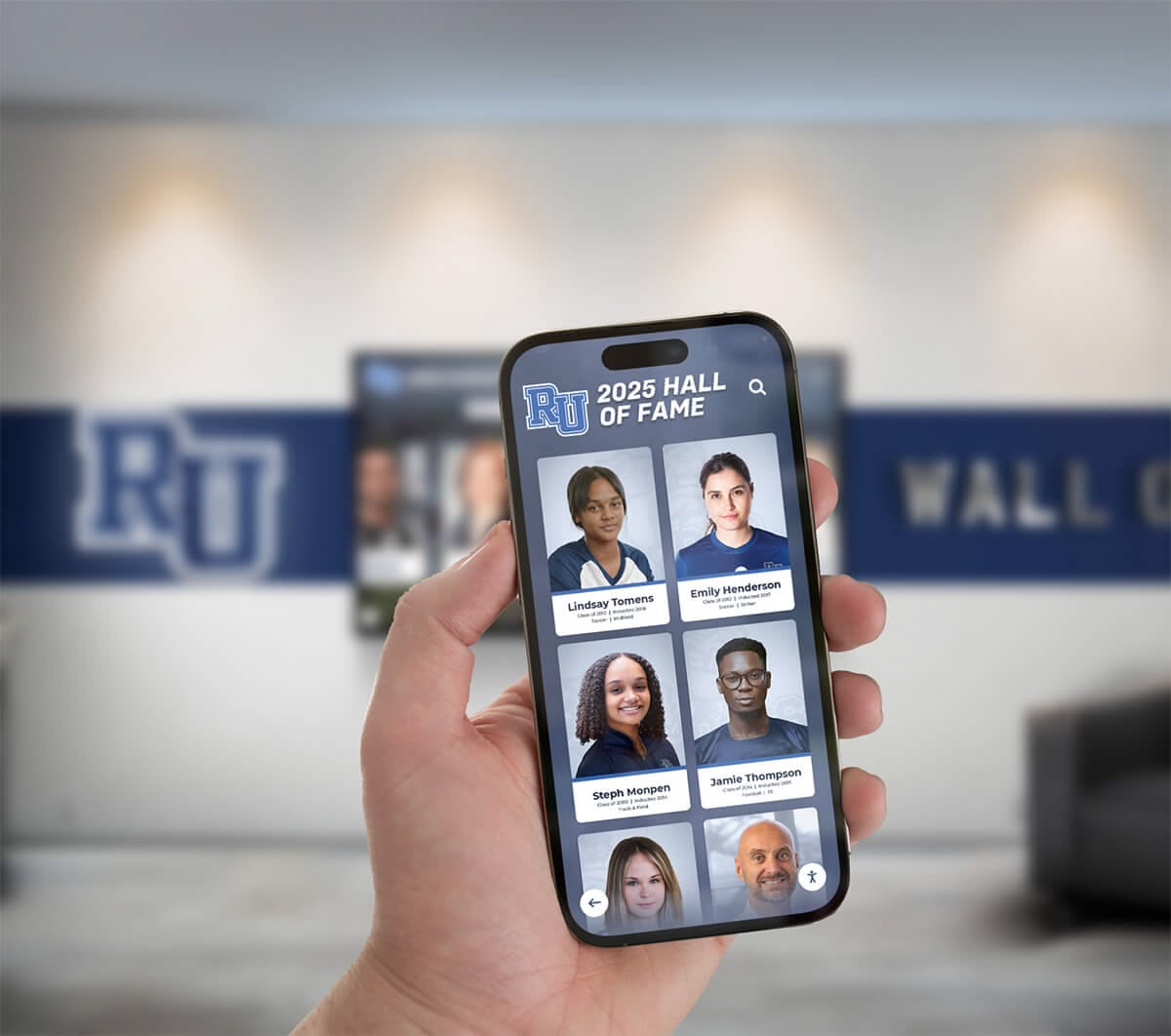
Mobile-responsive design enables sharing recognition content beyond physical displays
Stewardship Content and Ongoing Updates
Living Recognition System Digital platforms transform recognition from static installation to dynamic stewardship tool:
Campaign Progress Updates: During active campaigns, display real-time (or regularly updated) progress toward funding goals, maintaining excitement while encouraging additional giving.
Facility Usage Documentation: Post-completion, share photography and video showing renovated spaces in active use—science labs conducting experiments, performing arts stages hosting productions, athletic facilities supporting competition.
Anniversary Recognition: Mark campaign anniversaries by featuring historical donors and reflecting on multi-year impact of their support.
Milestone Celebrations: Recognize significant achievements—enrollment milestones in new programs, awards won by students using enhanced facilities, program expansions enabled by infrastructure improvements.
This ongoing content curation demonstrates continued institutional appreciation while keeping recognition displays fresh and engaging for repeat visitors.
Technical Implementation: Installation and Configuration
Translating planning into operational recognition systems requires careful attention to installation quality and software configuration details.
Display Installation Best Practices
Professional Installation Requirements Commercial-grade touchscreen installation demands expertise beyond typical consumer display mounting:
Structural Verification: Confirm wall construction supports display weight. Drywall installations require backing or wall reinforcement. Masonry or concrete walls provide adequate support with appropriate hardware.
Mounting Hardware Selection: Commercial mounting brackets designed for continuous operation in public spaces. Anti-vandalism features and concealed hardware recommended for educational environments.
Cable Management: Professional installations route power and network cables through walls or in surface-mounted raceways color-matched to surrounding finishes. Exposed cables compromise aesthetic quality and present physical hazards.
Accessibility Compliance: Install displays with interactive content positioned within ADA reach range—maximum 48 inches from floor to highest operable control. Consider forward or side approach clearances depending on space constraints.
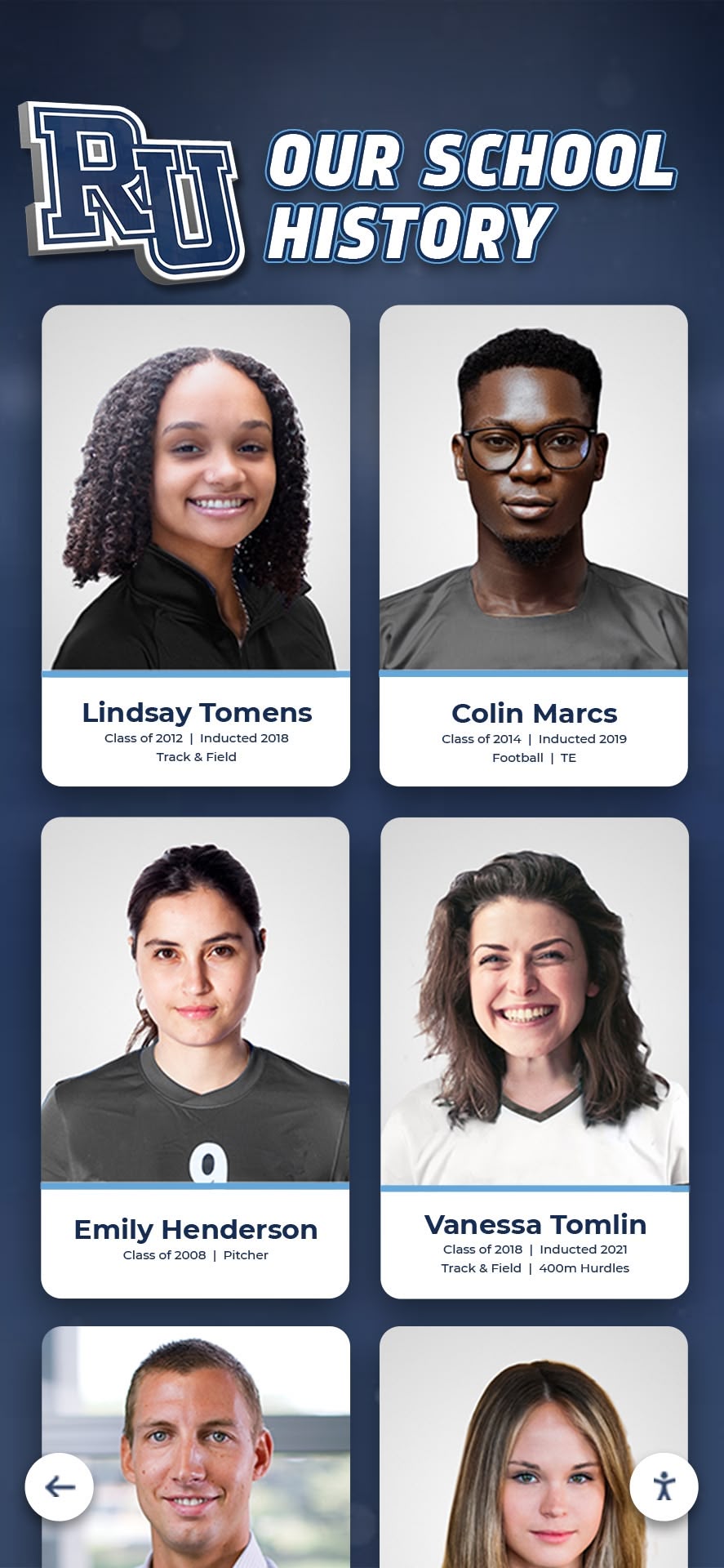
Quality installation ensures displays function reliably while integrating visually with renovated facilities
Environmental Considerations Display placement should account for environmental factors affecting performance:
- Avoid direct sunlight causing screen glare and heat buildup
- Ensure adequate ventilation preventing thermal issues in enclosed spaces
- Protect displays from moisture in areas with potential water exposure
- Consider ambient lighting ensuring screen visibility without glare
- Account for temperature ranges—displays rated for continuous operation within typical HVAC comfort zones
Software Platform Configuration
Cloud-Based Management Setup Digital recognition platforms require initial configuration establishing operational parameters:
Administrative Access and Permissions
- Create user accounts for advancement staff responsible for content management
- Establish permission levels appropriate to different roles (administrators, content editors, viewers)
- Configure approval workflows if institutional policies require content review before publication
- Set up notifications alerting administrators to system issues or update requirements
Design Template Development
- Apply institutional branding (colors, logos, typography) throughout recognition interface
- Create donor profile templates ensuring consistent information presentation
- Develop navigation structures enabling intuitive content exploration
- Configure search and filtering capabilities allowing visitors to discover specific donors or giving societies
Content Organization Systems
- Establish taxonomy organizing donors by giving level, campaign year, designation, or other relevant categories
- Create tagging systems enabling multi-dimensional content organization
- Configure featured content rotations highlighting different donors periodically
- Set up automated content scheduling if planning time-sensitive displays
Platforms like Rocket Alumni Solutions provide templated starting points requiring minimal customization while permitting sophisticated refinement matching specific institutional needs.
Initial Content Population
Donor Data Collection and Entry Systematic content development ensures comprehensive, accurate recognition:
Data Gathering Process:
- Export donor records from advancement database including contribution amounts, dates, designations
- Verify preferred name spellings and recognition preferences
- Collect high-quality photographs from donors or institutional archives
- Solicit optional personal statements explaining philanthropic motivation
- Confirm privacy preferences (some donors prefer anonymity despite major gifts)
Content Entry Workflow:
- Create donor profiles systematically by giving level (begin with leadership gifts)
- Upload photographs ensuring proper resolution and cropping
- Enter biographical information and contribution details
- Add optional rich content (statements, family histories, corporate information)
- Preview profiles confirming accurate display rendering
- Publish content making recognition immediately visible
Quality Assurance Process:
- Review all entries for spelling accuracy and formatting consistency
- Verify photograph quality and appropriate cropping
- Confirm giving level assignments match advancement office records
- Test navigation and search functionality with representative user scenarios
- Conduct accessibility review ensuring compliance with WCAG guidelines
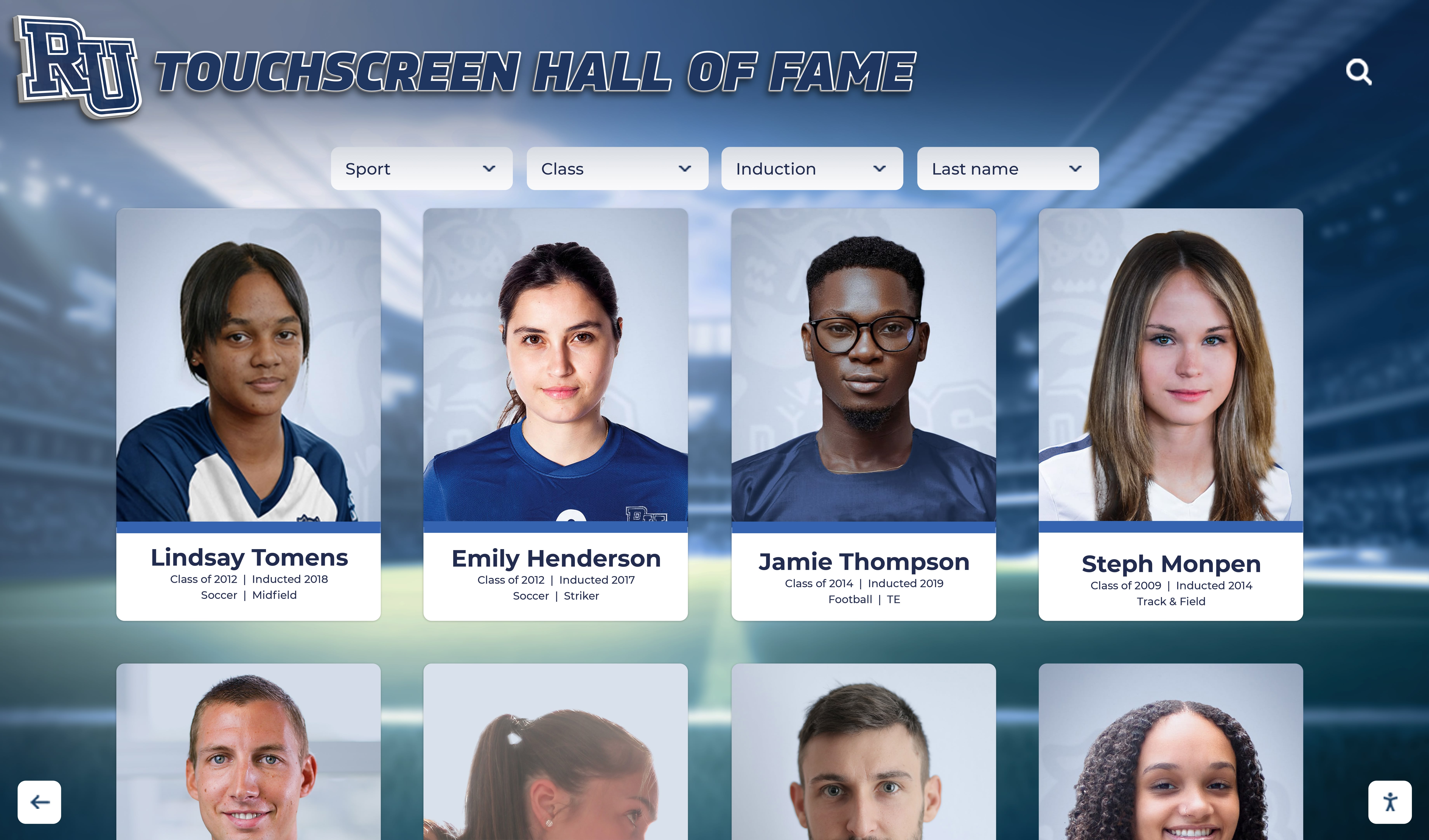
Organized layouts enable visitors to browse recognition content systematically
Ongoing Management and Content Updates
Digital recognition systems deliver maximum value through active content curation rather than install-and-forget deployment.
Adding New Donors Throughout Campaign
Streamlined Update Procedures Capital campaigns continue generating donations after initial recognition system installation. Establish efficient processes adding new donors promptly:
Regular Update Schedule: Quarterly updates during active campaigns ensure recent donors receive timely recognition. Monthly updates appropriate during intensive campaign phases with frequent major gift announcements.
Donor Communication Integration: When development officers communicate gift acknowledgment to donors, include notification that recognition will appear on digital displays. Provide timeline for when donors can visit facilities viewing their recognition.
Photography Collection Systems: Develop efficient processes securing donor photographs. Options include requesting images during gift processing, scheduling professional photography sessions at institutional events, or extracting quality images from existing archives.
Content Review and Approval: If institutional policies require advancement leadership approval before public recognition, build review time into update schedules ensuring prompt processing while maintaining appropriate oversight.
Stewardship Content Refreshment
Seasonal Content Rotations Prevent recognition displays from appearing static through scheduled content variations:
Featured Donor Rotations: Highlight different donors or giving societies in prominent home screen positions rotating monthly or quarterly. Ensures all donors receive periodic featured visibility while maintaining dynamic appearance.
Anniversary Recognitions: Mark gift anniversaries by temporarily featuring donors celebrating milestone years since their contributions. Five, ten, or twenty-year recognition maintains ongoing engagement with long-time supporters.
Campaign Milestone Celebrations: As fundraising approaches major thresholds (50% complete, final stretch, goal achievement), update displays reflecting progress and highlighting donors making milestones possible.
Facility Impact Documentation: Regularly photograph and video renovated spaces in active use, adding this content to campaign story sections. Students conducting experiments in new science labs, performers on renovated auditorium stages, or athletes in upgraded facilities illustrate donor impact compellingly.
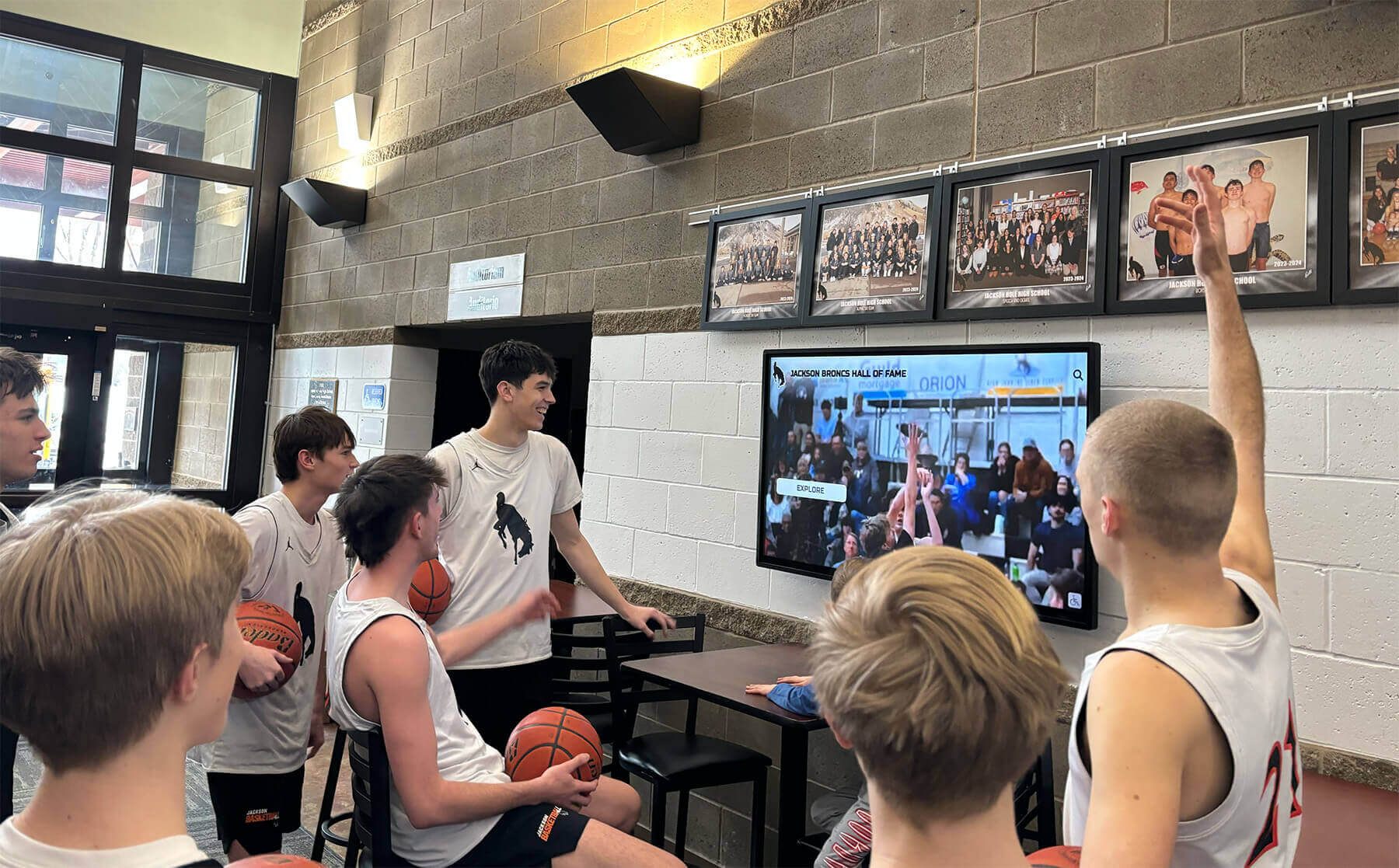
Documenting facility usage demonstrates ongoing impact of donor generosity
Long-Term Content Evolution
Multi-Year Recognition Strategy Digital platforms accommodate recognition evolution as campaigns conclude and institutional priorities shift:
Campaign Completion Transition: When campaigns reach successful completion, update displays acknowledging achievement while maintaining comprehensive donor recognition. Add final contribution totals, completion dates, and collective impact statements.
Legacy Recognition Addition: Over time, add content recognizing how donor-funded facilities continue serving students. Alumni success stories, program achievement metrics, and institutional growth enabled by improved infrastructure demonstrate enduring philanthropic impact.
Future Campaign Integration: As institutions plan subsequent capital projects, existing recognition platforms can integrate new campaigns alongside historical recognition. This continuity demonstrates sustained philanthropic culture while honoring past and current supporters appropriately.
Memorial Updates: When donors pass away, update recognition appropriately with memorial language and relevant biographical information. Digital flexibility enables sensitive recognition transitions impossible with fixed traditional displays.
Integrating Traditional and Digital Recognition Elements
Many school renovations combine digital displays with complementary traditional recognition elements, creating layered approaches honoring diverse preferences.
Hybrid Recognition Strategies
Combining Permanent Plaques with Digital Displays Traditional recognition maintains specific advantages—no power requirements, zero maintenance, inherent permanence perception—making hybrid approaches attractive:
Named Space Plaques: Physical plaques at renovated classrooms, laboratories, auditoriums, or facilities bearing donor names. These permanent installations complement digital displays providing comprehensive campaign recognition.
Cornerstone or Dedication Markers: Traditional stone or metal dedication markers acknowledging overall campaign success, completion date, and leadership. These architectural elements coordinate with digital recognition without redundancy.
Leadership Donor Walls: Physical installations specifically recognizing top-tier leadership gifts through premium materials (marble, bronze, architectural glass). Digital displays then comprehensively recognize broader donor base without competing for physical space.
This tiered approach addresses donor preferences—some traditional supporters prefer permanent physical recognition—while leveraging digital flexibility for comprehensive campaign acknowledgment.
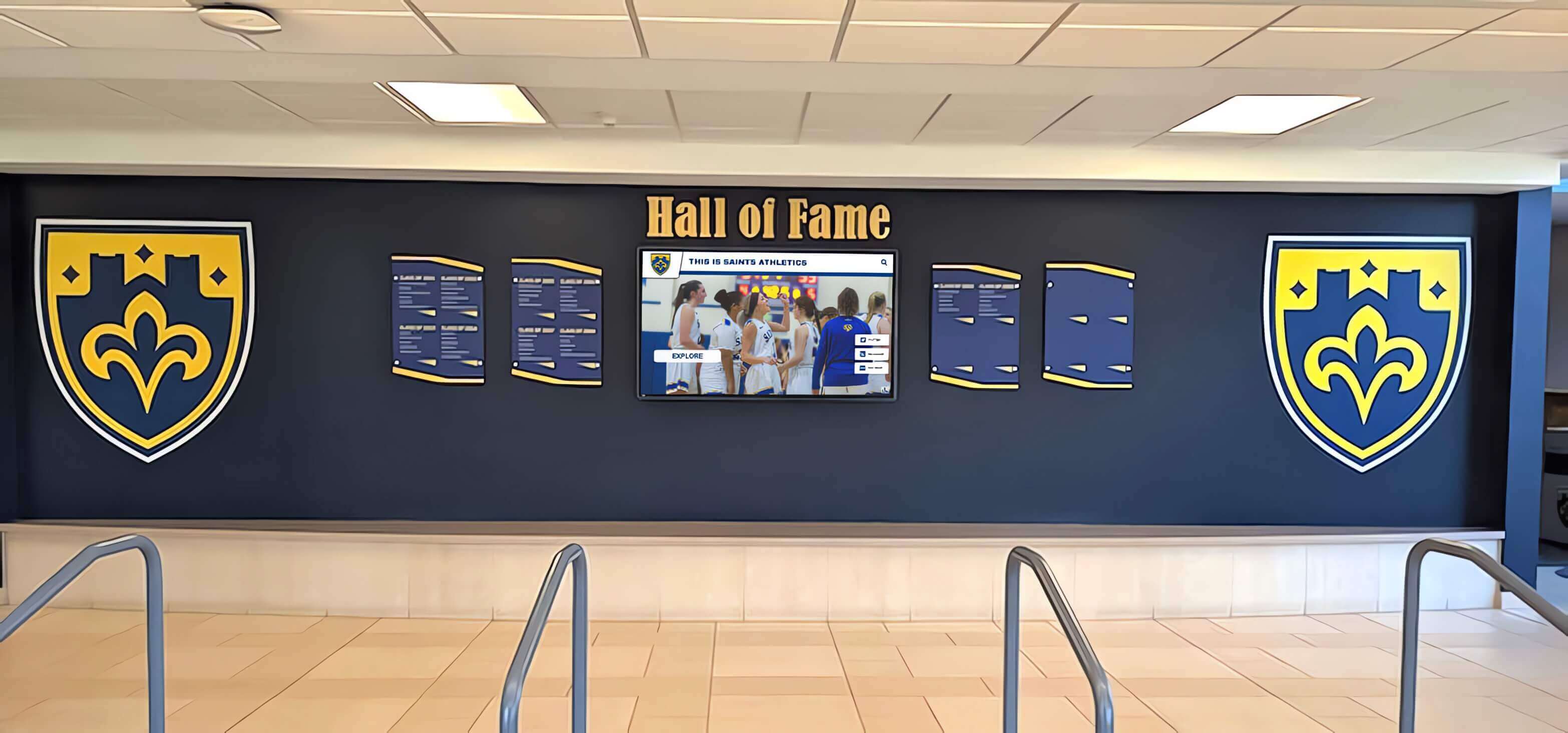
Integrated systems coordinate traditional architectural elements with modern digital recognition
Architectural Coordination
Design Cohesion Principles When combining recognition approaches, maintain visual continuity:
- Color palettes coordinating digital display content with physical element finishes
- Typography consistency across digital and physical recognition
- Layout systems creating visual relationship between different recognition components
- Materials selection ensuring physical elements complement digital display frames
- Spatial planning integrating recognition elements within overall architectural composition
Coordinate closely with architects ensuring recognition components—both digital and traditional—feel intentionally integrated rather than haphazardly assembled.
Addressing Common Implementation Challenges
Schools encounter predictable obstacles implementing donor recognition during renovations. Anticipating these challenges enables proactive solutions.
Construction Timeline Coordination
Display Installation Sequencing Digital recognition systems typically install near project completion, creating scheduling considerations:
Phased Installation Planning: Coordinate recognition installation with construction sequencing. Displays often install after painting and flooring completion but before furniture placement.
Temporary Protection: During final construction phases, protect installed displays from construction dust, debris, or accidental damage through appropriate covering or delayed activation.
Commissioning and Testing: Allow adequate time for system testing, content verification, and staff training before public ribbon-cutting ceremonies. Rushing installations risk technical issues during high-visibility grand opening events.
Contingency Planning: Construction projects routinely experience delays. Develop contingency plans ensuring recognition systems adapt to revised timelines without compromising campaign stewardship commitments.
Budget Constraints and Phasing
Managing Recognition System Costs When renovation budgets tighten, recognition systems sometimes face funding pressure:
Phased Implementation Approaches: Begin with single primary display in highest-visibility location, planning future expansion to additional displays as funds permit. Cloud-based platforms support scalable growth without additional software licensing.
Prioritizing Essential Features: Focus initial investment on core recognition functionality, potentially deferring advanced features like mobile apps or web-based extensions until budget allows expansion.
Donor-Funded Recognition Systems: Some campaigns successfully secure designated gifts specifically funding recognition infrastructure. Position recognition technology as honoring all supporters appropriately rather than administrative expense.
Alternative Funding Sources: Alumni associations, parent organizations, or booster clubs sometimes fund recognition systems through auxiliary budgets when institutional capital budgets prove constrained.
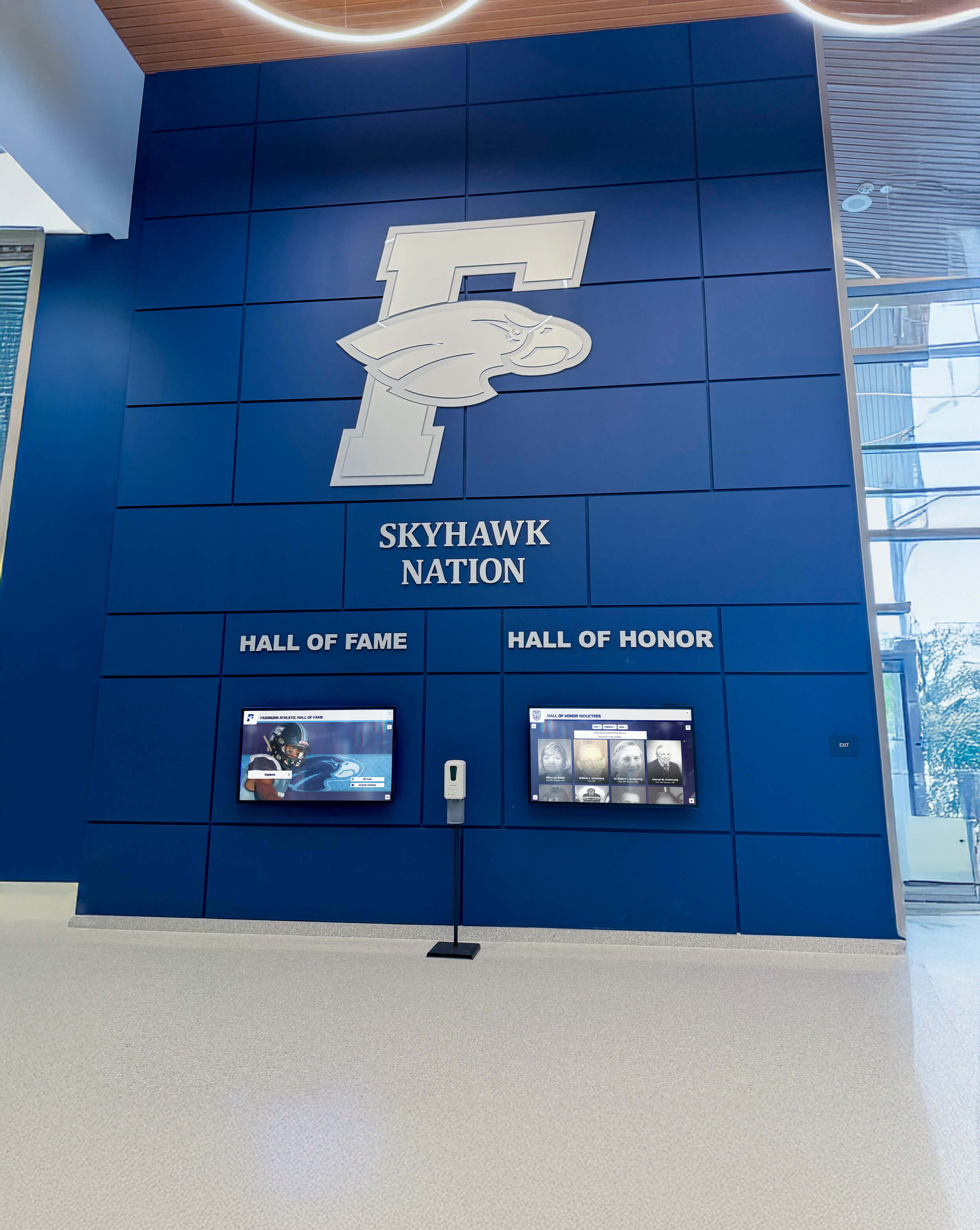
Strategic investment in donor recognition demonstrates stewardship commitment while inspiring future support
Privacy and Donor Preferences
Managing Recognition Preferences Not all donors desire public recognition despite generous contributions:
Anonymous Giving Accommodation: Digital systems easily accommodate anonymous donors through reserved recognition like “Anonymous Leadership Donor” maintaining giving level visibility without identity disclosure.
Contribution Amount Privacy: Some donors consent to name recognition but prefer contribution amounts remain private. Configure displays showing names and giving societies without specific dollar figures when requested.
Photography Opt-Out Options: Respect donor preferences declining photography while still providing text-based recognition. Alternative visual elements maintain design consistency without personal images.
Legacy Editing Capabilities: Digital flexibility enables recognition modifications as donor circumstances or preferences evolve over time—impossible with permanent physical installations.
Measuring Recognition System Effectiveness
Evaluate digital donor recognition systems ensuring they achieve stewardship objectives while justifying continued investment.
Engagement Analytics
Quantitative Usage Metrics Digital platforms provide data illuminating recognition system value:
Interaction Tracking: Monitor monthly engagement including total touches, average session duration, and most frequently viewed donor profiles. Increasing engagement suggests recognition effectively captures community interest.
Search Pattern Analysis: Understand how visitors explore recognition content—by donor name, giving level, campaign year, or designation. These patterns inform content organization improvements.
Time-Based Patterns: Identify peak usage periods (event days, admissions visit schedules, certain academic terms) informing when to refresh featured content maintaining interest.
Comparative Performance: If multiple displays exist, compare engagement across locations identifying optimal placement characteristics for future installations.
Stewardship Impact Assessment
Qualitative Effectiveness Indicators Beyond analytics, assess recognition system impact on advancement objectives:
Donor Satisfaction Feedback: Solicit input from recognized donors about their experience discovering their recognition. Positive feedback validates recognition approach while constructive criticism identifies improvement opportunities.
Prospective Donor Responses: Observe how campaign prospects respond when introduced to recognition displays during tours. Recognition culture visibility influences giving decisions—particularly for donors seeking assurance their support receives appropriate acknowledgment.
Staff Stewardship Integration: Monitor how development officers utilize recognition displays within cultivation and stewardship processes. Officers who regularly reference displays with prospects have internalized recognition as advancement tool rather than isolated installation.
Community Pride Indicators: Assess whether recognition systems contribute to institutional pride and fundraising culture. Schools with visible, comprehensive recognition often develop stronger philanthropic communities where giving becomes normalized rather than exceptional.
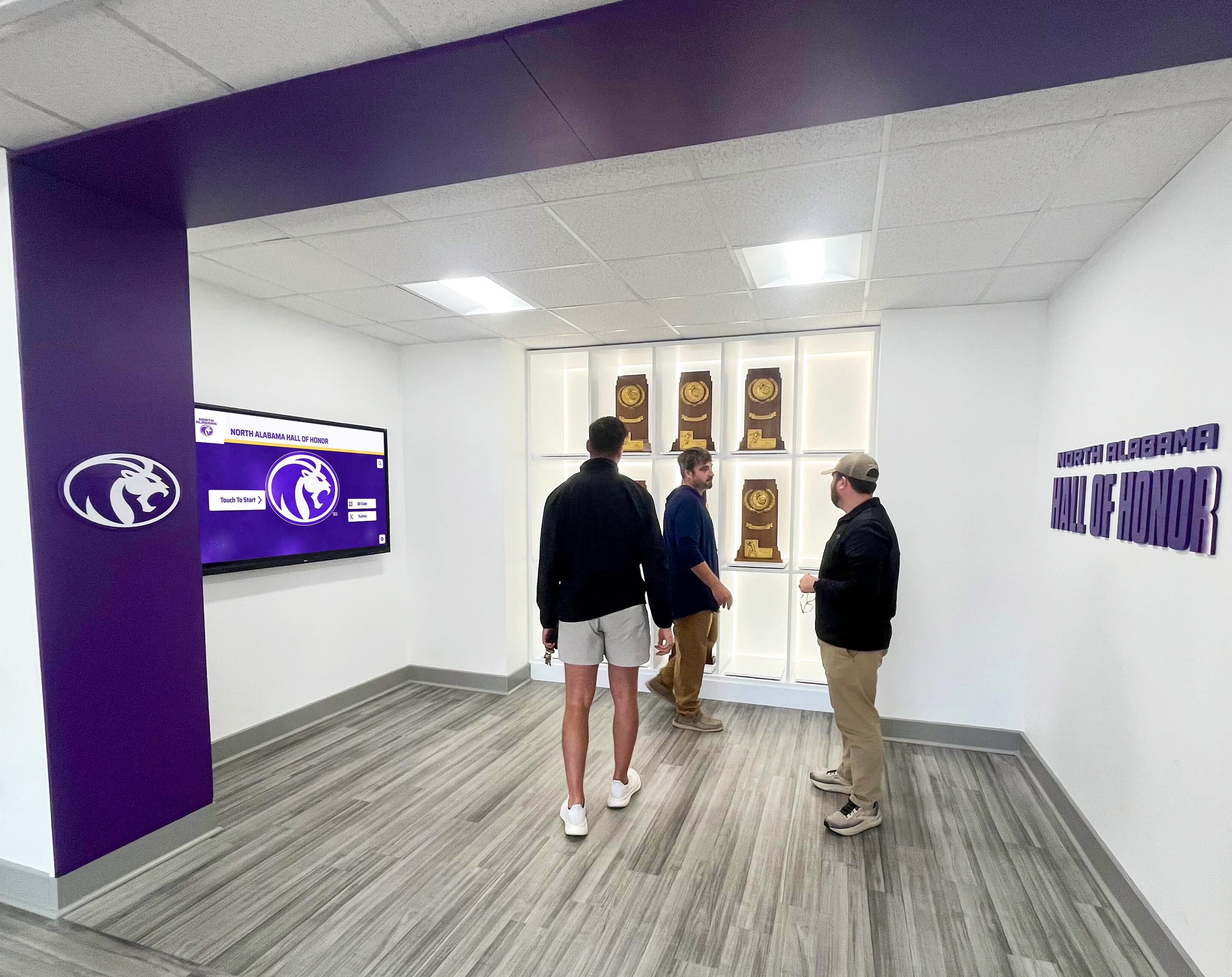
Effective recognition strengthens donor relationships while inspiring continued philanthropic engagement
Best Practices for School Renovation Donor Recognition
Synthesizing successful implementation experiences across hundreds of school projects reveals consistent best practices maximizing recognition effectiveness.
Start Early in Project Planning
Integrate recognition planning during schematic design phase rather than treating recognition as afterthought during construction completion. Early planning ensures:
- Proper infrastructure installation without costly change orders
- Optimal placement within architectural design rather than accommodating leftover space
- Adequate budget allocation within overall project costs
- Appropriate timeline coordination avoiding rushed installations
Advancement and facilities teams should collaborate from project inception viewing recognition as essential campaign deliverable rather than optional enhancement.
Invest in Quality Hardware and Professional Installation
Recognition displays represent decades-long commitments requiring commercial-grade equipment and expert installation:
- Commercial touchscreen panels rated for continuous public operation
- Professional-grade mounting systems ensuring security and proper viewing angles
- Certified installers with educational institution experience
- Comprehensive warranty coverage protecting long-term investment
Budget pressures tempting consumer-grade shortcuts ultimately cost more through premature failures, poor user experience, and ongoing maintenance headaches.
Prioritize Content Quality and Accuracy
Recognition effectiveness depends on content quality exceeding display technology sophistication:
- High-resolution donor photographs professionally lit and composed
- Accurate spelling and biographical information verified through multiple reviews
- Compelling storytelling connecting donors to institutional mission
- Professional graphic design reflecting institutional brand standards
- Regular content updates maintaining accuracy and freshness
Allocate appropriate staff time or contracted services ensuring content quality matches display quality.
Maintain Active Content Curation
Digital recognition realizes value through ongoing management rather than install-and-forget deployment:
- Quarterly content reviews ensuring accuracy and completeness
- Regular additions as campaigns generate new donors
- Seasonal featured content rotations maintaining visual interest
- Impact documentation showing donor-funded facilities serving students
- Responsive updates addressing donor feedback or preference changes
Assign clear content management responsibility with adequate time allocation ensuring recognition remains dynamic stewardship tool.
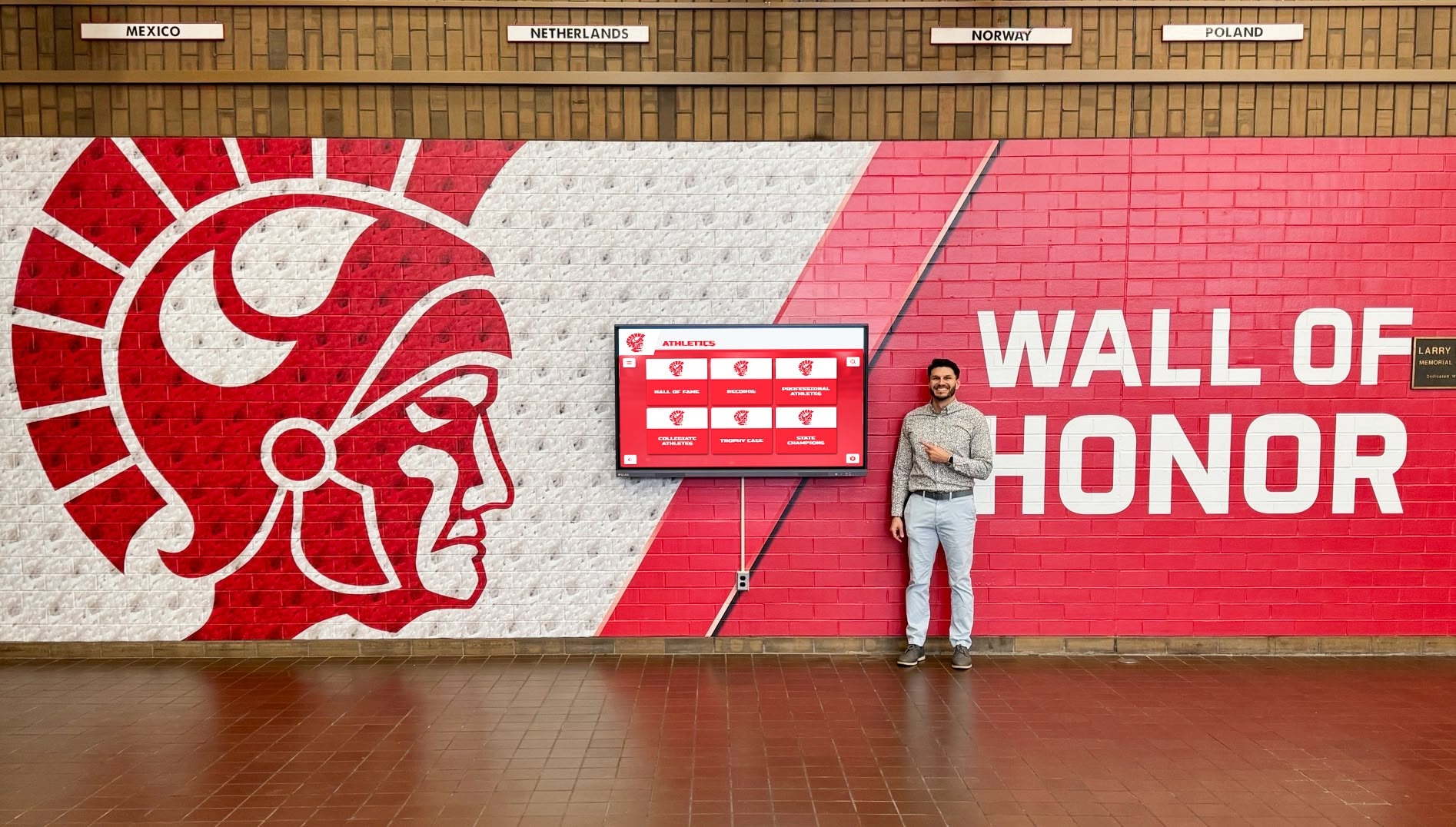
Well-maintained recognition systems serve as lasting testament to community generosity
Integrate Recognition Throughout Advancement Operations
Maximum recognition value comes from integrating displays throughout advancement workflows:
- Include recognition references in donor acknowledgment communications
- Bring campaign prospects to recognition displays during facility tours
- Photograph donors viewing their recognition for stewardship reporting
- Feature recognition displays in campaign marketing materials
- Train all advancement staff on recognition system capabilities and access
Recognition becomes advancement asset rather than isolated facilities installation through intentional integration with development operations.
Connecting Donor Recognition to Broader School Recognition Culture
School renovation donor recognition exists within broader institutional recognition ecosystem honoring diverse achievement types.
Unified Recognition Philosophy
Comprehensive digital platforms can integrate multiple recognition types through single interface:
- Capital campaign donor recognition celebrating philanthropic support
- Athletic hall of fame honoring competitive excellence
- Academic achievement recognition celebrating scholastic success
- Alumni spotlight features maintaining graduate engagement
- Faculty and staff recognition appreciating educator contributions
This integrated approach demonstrates institutions value diverse contributions while leveraging technology investment across multiple recognition needs. Unified platforms also provide consistent user experience whether visitors explore donor recognition, athletic history, or academic achievement.
Recognition as Institutional Culture Builder
Visible, comprehensive recognition creates institutional culture where achievement—whether philanthropic, academic, athletic, or service-oriented—receives appropriate celebration:
Student Pride Development: When students regularly encounter recognition of excellence across dimensions, they internalize achievement as valued institutional characteristic.
Community Connection Strengthening: Recognition displays help community members understand diverse ways individuals contribute to institutional mission beyond their personal involvement.
Recruitment and Marketing Value: Prospective families touring facilities discover recognition cultures suggesting institutions that honor commitment, celebrate achievement, and maintain long-term relationships with community members.
Philanthropic Culture Normalization: When donor recognition appears prominently throughout facilities, giving becomes understood as common community practice rather than extraordinary action reserved for wealthy supporters.
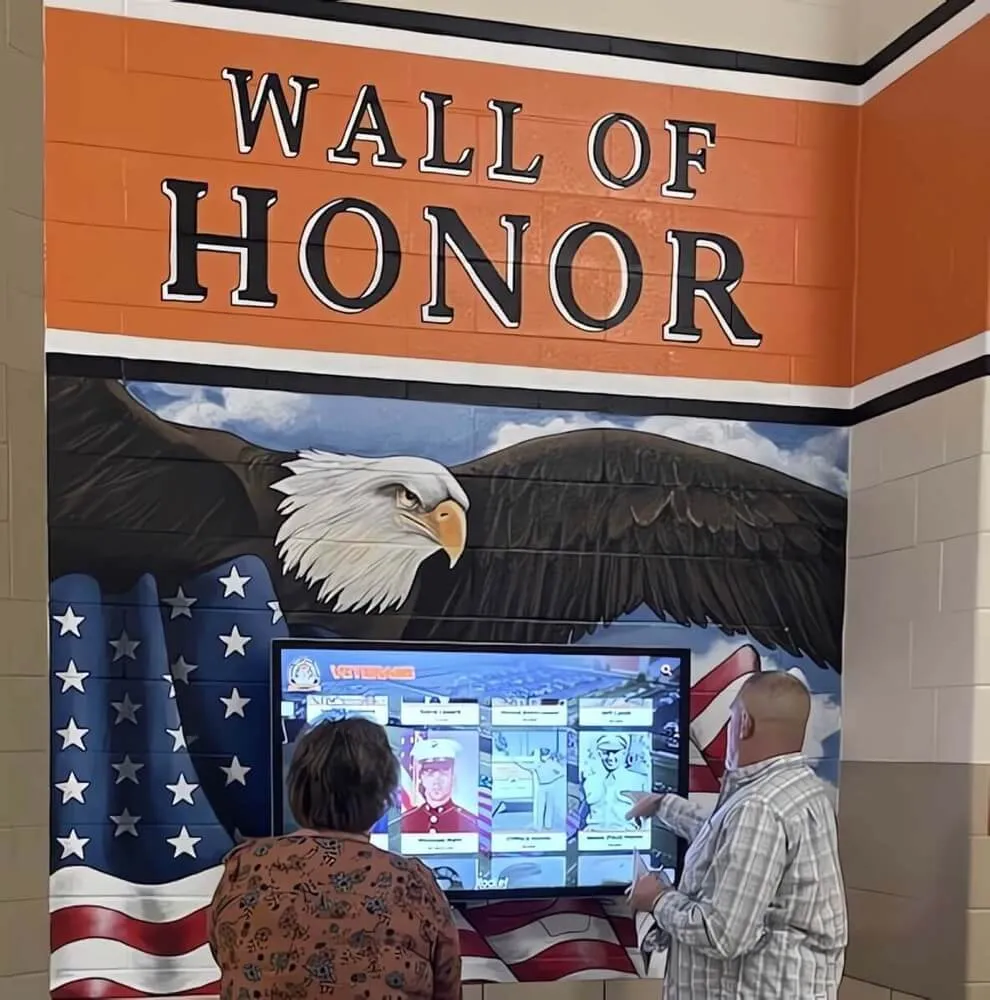
Recognition systems celebrate diverse contributions to institutional mission and community
Technical Specifications Reference
Schools planning digital donor recognition systems benefit from clear technical requirements for procurement and installation.
Display Hardware Specifications
Recommended Commercial Touchscreen Specifications:
Screen Size Options:
- 43" diagonal (for smaller spaces or secondary locations)
- 55" diagonal (standard size for most installations)
- 65" diagonal (larger lobbies or primary recognition areas)
- 75" diagonal (premium installations requiring maximum visibility)
- 86" diagonal (exceptional spaces demanding dramatic presence)
Core Technical Requirements:
- 4K UHD resolution (3840 x 2160) minimum
- Commercial-grade panel rated for 16-18 hours daily operation
- Projected capacitive touch technology (10+ touch points)
- Anti-glare coating minimizing reflection from ambient lighting
- Tempered glass surface providing durability and scratch resistance
- Landscape orientation (horizontal) typical for recognition applications
- Integrated media player or compatible external computing
- HDMI/DisplayPort connectivity for content delivery
Operating Environment:
- Temperature range: 32°F - 104°F (0°C - 40°C)
- Humidity: 20% - 80% non-condensing
- Mounting: VESA-compatible (400x400mm or larger depending on size)
- Power: 120V AC standard outlet
Software Platform Requirements
Essential Content Management Features:
Administrative Capabilities:
- Web-based content management accessible from any internet-connected device
- User role management supporting multiple staff members with appropriate permissions
- Drag-and-drop content creation requiring no technical expertise
- Template systems ensuring consistent design across all donor profiles
- Bulk import tools accommodating large donor databases
- Preview functionality enabling content verification before publication
- Scheduling capabilities for time-sensitive content displays
- Analytics dashboard tracking engagement and usage patterns
User Experience Features:
- Intuitive touchscreen navigation requiring no instructions
- Search functionality enabling name-based donor discovery
- Filter capabilities allowing exploration by giving level, campaign year, or designation
- Smooth scrolling and animations creating polished interaction experience
- Automatic screensaver mode during inactivity periods
- ADA-compliant interfaces supporting users with disabilities
- Mobile-responsive design if web-based access component included
Technical Infrastructure:
- Cloud-based architecture eliminating local server requirements
- Automatic software updates providing new features and security patches
- 99.9% uptime reliability ensuring consistent operation
- Comprehensive backup systems protecting content from data loss
- Security protocols protecting donor privacy and institutional data
Solutions like Rocket Alumni Solutions provide complete software platforms meeting these requirements while offering institutional support ensuring long-term success.
Conclusion: Creating Lasting Recognition Legacy
School renovations represent institutional inflection points—moments when communities collectively invest in enhanced educational environments serving future generations. Donor recognition systems honoring these philanthropic investments create lasting legacy acknowledging generosity while inspiring continued support sustaining institutional mission.
Digital recognition platforms specifically designed for educational institutions overcome traditional recognition limitations through unlimited capacity, rich multimedia content, and intuitive management systems accessible to advancement staff regardless of technical expertise. These modern approaches integrate seamlessly with contemporary architecture characterizing 21st-century school renovations while providing flexibility accommodating decades of future recognition needs.
The implementation strategies explored throughout this guide provide frameworks for successful recognition system integration from earliest project planning through long-term content curation. From coordinating with architects during schematic design to developing comprehensive content strategies acknowledging diverse donor constituencies, these proven approaches transform recognition from administrative requirement to strategic advancement asset strengthening institutional fundraising culture.
Plan Your School Renovation Donor Recognition System
Discover how digital recognition platforms can help you honor capital campaign supporters while creating lasting stewardship tools that inspire future philanthropic engagement throughout your school community.
Schedule a TouchWall Build SessionYour renovation donors deserve recognition equal to their extraordinary generosity. With thoughtful planning during early project phases, appropriate technology selection, and ongoing content curation commitment, you can create recognition systems that honor every supporter while demonstrating the stewardship culture attracting future philanthropic investment. Strategic recognition investment pays dividends through strengthened donor relationships, enhanced institutional pride, and sustained fundraising momentum supporting educational mission for decades.
Ready to begin planning your renovation donor recognition system? Explore nonprofit donor recognition strategies or discover how digital donor walls transform capital campaign stewardship across educational institutions.































