Nonprofits face a common challenge: celebrating community partnerships, recognizing veterans, and promoting upcoming events without breaking limited budgets. Traditional recognition methods—printed posters, static bulletin boards, framed photos—require constant replacement, consume staff time, and lack the flexibility needed when partnership details or event information changes weekly.
Digital wall mount displays offer nonprofits a practical solution that combines visibility, flexibility, and long-term value. This comprehensive guide examines pricing tiers, essential features, and implementation considerations specifically for nonprofit organizations seeking to highlight community connections, honor service members, and communicate program updates through professional, modifiable displays.
Community-focused organizations implementing digital recognition solutions benefit from displays that adapt as programs evolve, partnerships expand, and recognition needs grow. Whether showcasing corporate sponsors, military service recognition, or community event calendars, the right digital display eliminates printing costs while maintaining professional presentation standards that strengthen donor and community relationships.
Understanding Pricing for Nonprofit Digital Displays
Digital wall mount displays for nonprofits typically fall into three categories based on features, interactivity, and content management capabilities. Understanding these tiers helps organizations match budgets with organizational needs.
Entry-Level Digital Signage Solutions ($800-$2,500)
Basic digital signage systems consist of a commercial display connected to a media player running signage software. These solutions work well for nonprofits primarily needing event calendars, partnership logos, and rotating announcements.
Typical Components:
- 43"-55" commercial-grade display: $400-$900
- Media player or streaming device: $150-$300
- Wall mount and installation hardware: $100-$250
- Digital signage software subscription: $10-$50/month ($120-$600 annually)
- Initial setup and content creation: $150-$450
Best For:
- Organizations with straightforward content rotation needs
- Small nonprofits with limited technical staff
- Locations where visitor interaction isn’t required
- Budget-conscious implementations needing basic functionality
Limitations:
- Manual content updates through software dashboards
- No visitor interaction or searchability
- Limited content depth beyond slideshow presentations
- Requires staff computer access for updates
Mid-Range Interactive Display Systems ($3,500-$8,000)
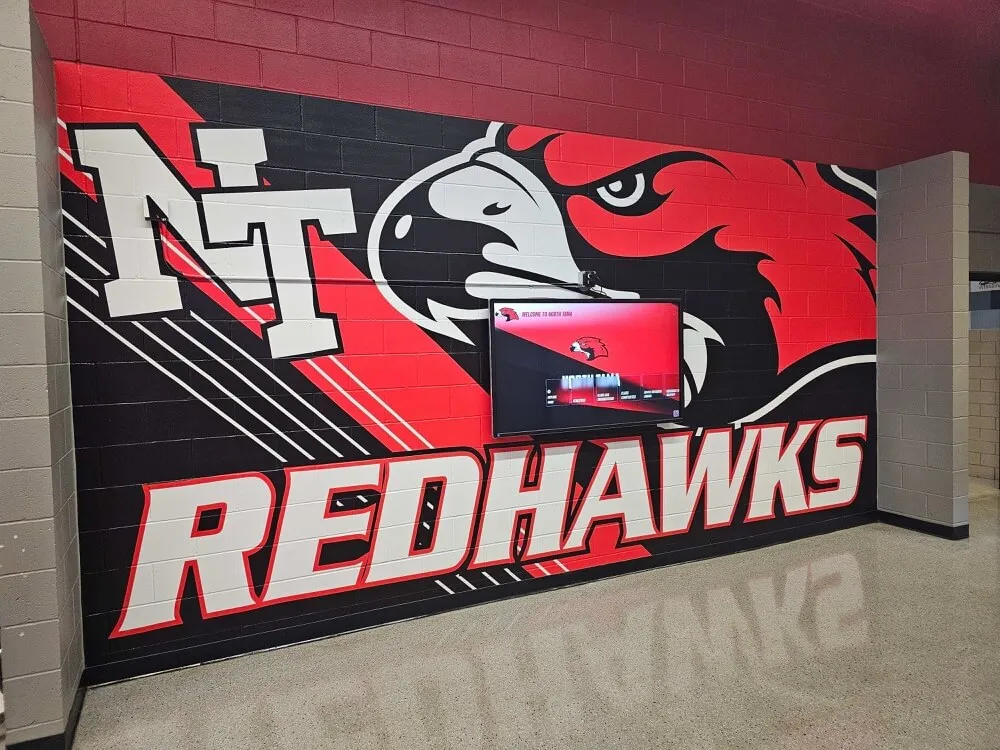
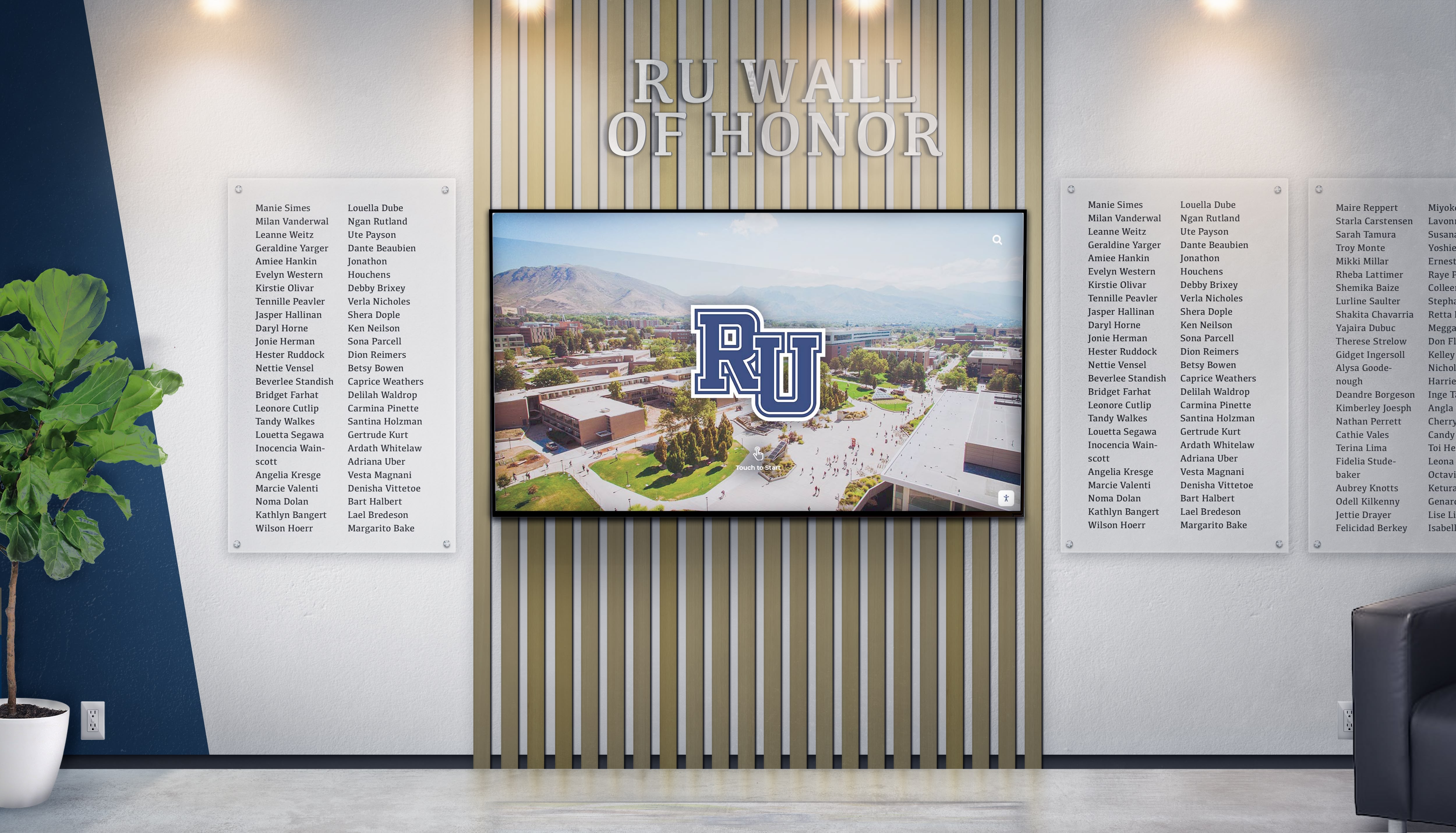
Mid-tier solutions add touchscreen capability and more sophisticated content management, enabling visitors to explore partnership details, read veteran biographies, or filter events by category.
Typical Components:
- 55"-65" commercial touchscreen display: $1,800-$3,500
- Commercial-grade media player: $300-$600
- Professional mounting hardware: $200-$400
- Interactive content management platform: $50-$150/month ($600-$1,800 annually)
- Professional installation: $400-$800
- Initial content development: $400-$900
Best For:
- Nonprofits with diverse recognition needs (donors, veterans, volunteers, partners)
- Organizations wanting visitor engagement beyond passive viewing
- Facilities with moderate to high visitor traffic
- Programs requiring searchable databases of honorees or events
Advantages:
- Visitors explore content at their own pace
- Searchable databases accommodate hundreds of profiles
- Remote content management from any internet-connected device
- Professional templates simplify content creation

Comprehensive Recognition Display Solutions ($8,000-$20,000+)
Advanced systems combine large-format displays, sophisticated interactivity, and comprehensive content management designed for organizations with complex recognition programs encompassing multiple categories.
Typical Components:
- 75"-86" professional touchscreen or multi-display array: $3,500-$8,000
- Enterprise media player or dedicated computer: $600-$1,200
- Professional kiosk or custom mounting: $800-$2,500
- Comprehensive recognition platform: $150-$300/month ($1,800-$3,600 annually)
- Professional installation and integration: $1,000-$2,500
- Comprehensive content development and training: $1,200-$3,000
Best For:
- Large nonprofits or community centers with extensive recognition needs
- Organizations managing donor recognition, veteran tributes, volunteer celebrations, and community partnerships simultaneously
- Facilities serving as community hubs with high daily visitor counts
- Programs requiring integration with existing databases or websites
Advantages:
- Unlimited content capacity across multiple recognition categories
- Web accessibility extends reach beyond physical visitors
- Advanced filtering, searching, and browsing capabilities
- Integration with donor management or volunteer tracking systems
- Professional design services ensure polished presentation
Essential Features for Nonprofit Digital Displays
When evaluating digital display solutions, nonprofits should prioritize features addressing their specific recognition and communication requirements.
Content Management Flexibility
Nonprofit programs evolve constantly—new partnerships form, events get rescheduled, honorees are added. Content management systems should enable quick updates without technical expertise or vendor assistance.
Key Capabilities:
- Intuitive Editing Interface: Drag-and-drop content placement, form-based profile creation, and WYSIWYG editors enable staff updates without coding knowledge
- Remote Access: Cloud-based management allows content updates from office computers, laptops, or tablets without physical display access
- Scheduled Publishing: Queue content to appear on specific dates for event countdowns, seasonal campaigns, or timed announcements
- User Permissions: Multiple staff members access the system with appropriate permission levels protecting content integrity
- Template Library: Pre-designed layouts for common content types (veteran profiles, event calendars, partnership showcases) accelerate content creation
Organizations implementing digital signage for community spaces report significant time savings when content management systems match staff technical comfort levels.
Recognition Category Organization
Nonprofits typically need to showcase multiple recognition categories simultaneously: community partners, veteran honorees, volunteer leaders, donors, and program participants.
Organizational Features:
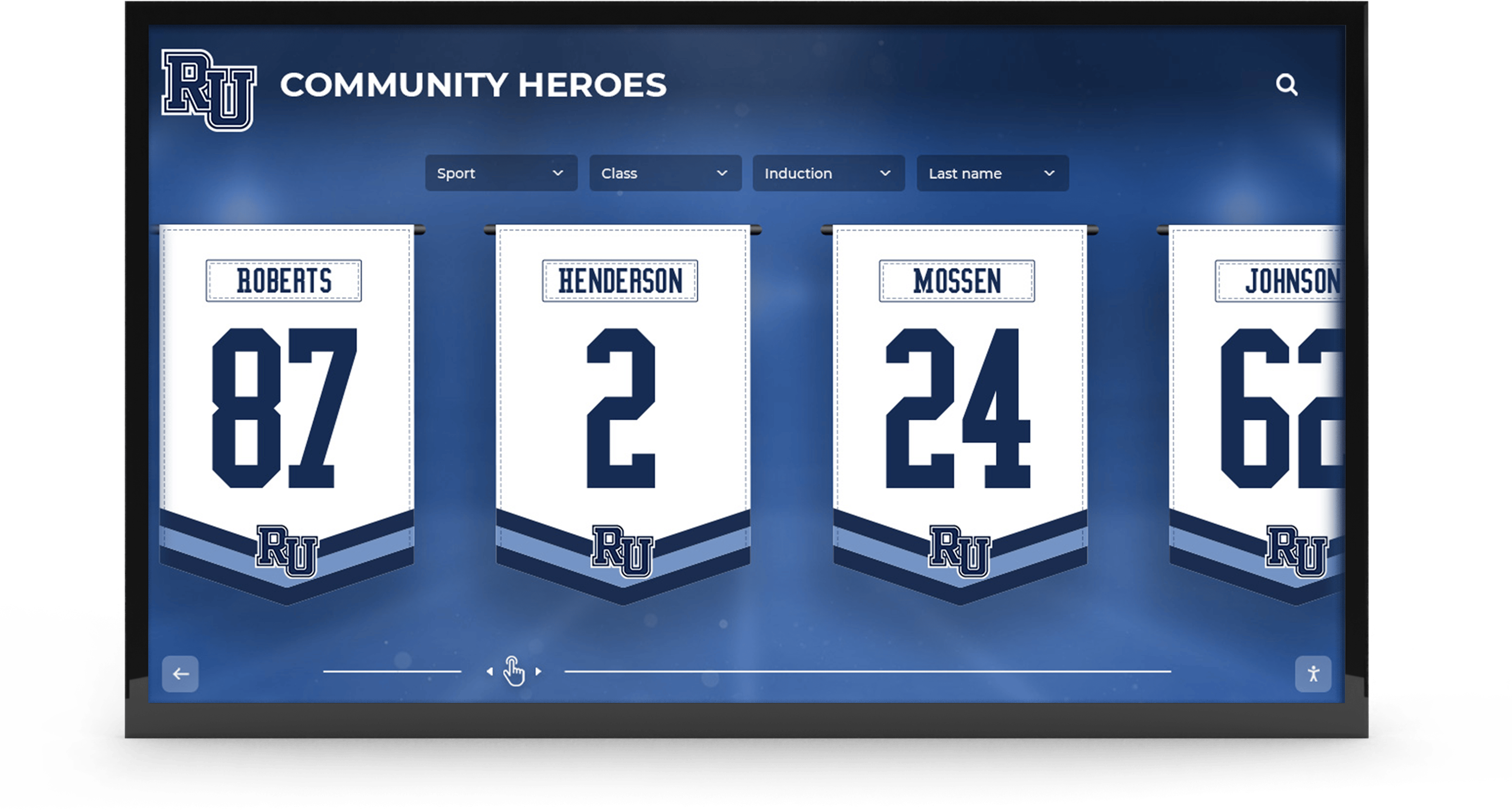
- Multi-Category Structure: Distinct sections for veterans, corporate partners, individual donors, volunteers, and community collaborators
- Filtering and Search: Visitors locate specific individuals or organizations through name search, category filters, or timeline browsing
- Relationship Mapping: Connect related content (showing which corporate partner sponsored which veteran recognition event, for example)
- Hierarchy Display: Show recognition levels (platinum partners vs. bronze partners; WWII veterans vs. Iraq War veterans) with appropriate visual distinction
Multimedia Content Support
Static text and photos tell limited stories. Multimedia capabilities enable nonprofits to share richer narratives about the people and organizations they recognize.
Content Types:
- Photo Galleries: Multiple images per honoree showing event participation, service moments, or program impact
- Video Integration: Embedded testimonials, thank-you messages, or event footage bring recognition to life
- Document Display: Share partnership agreements, proclamations, certificates, or historical documents as PDF viewers
- Social Media Feeds: Display recent posts from partner organizations or program participants (with appropriate permissions)
- Interactive Timelines: Chronicle organizational history, veteran service periods, or partnership evolution
Nonprofits sharing community partnership stories through multimedia displays create emotional connections that static displays cannot match.
Event Calendar Integration
Promoting upcoming programs, partnership events, community openings, and volunteer opportunities represents a critical nonprofit communication need.
Calendar Features:
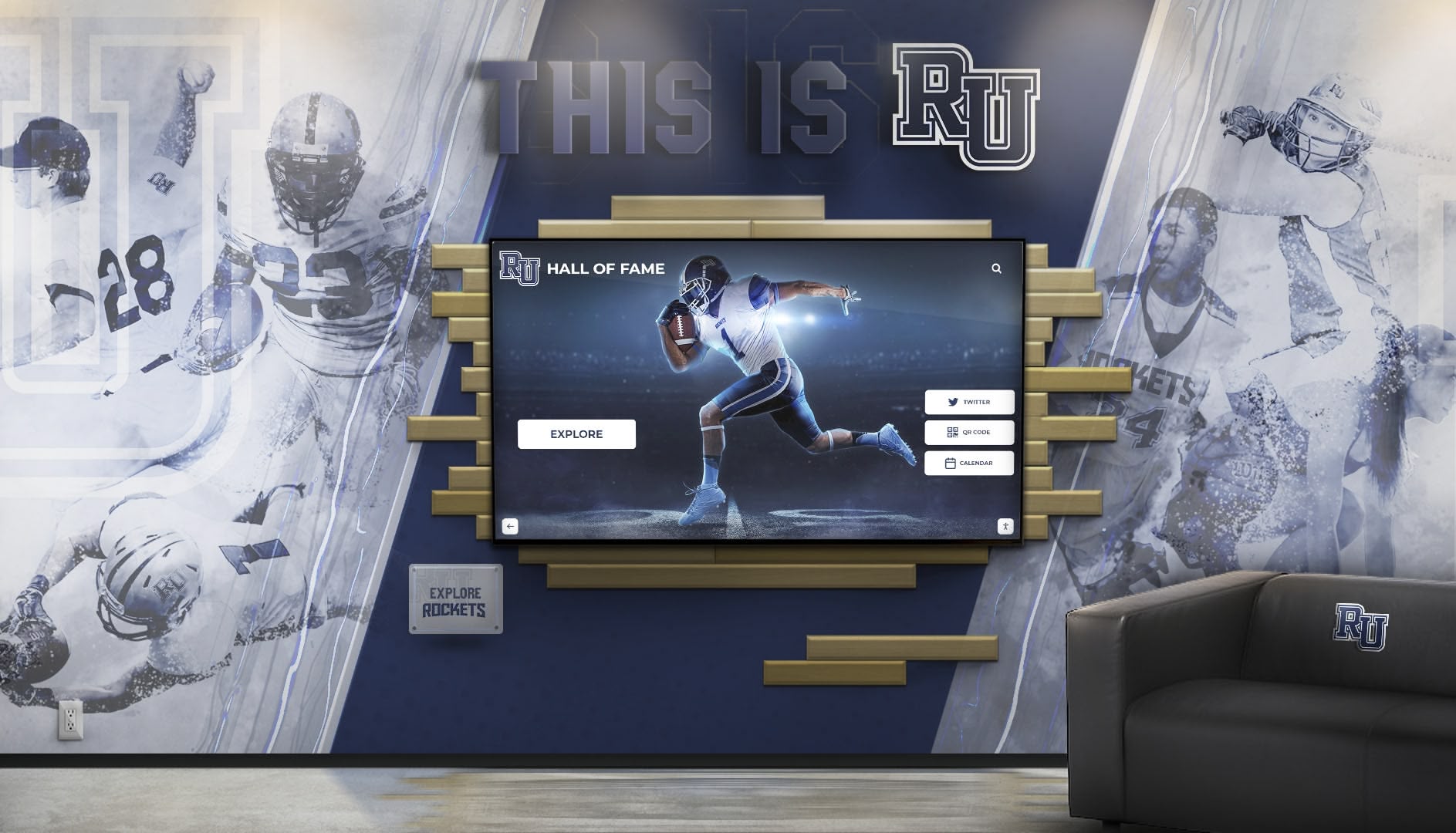
- Dynamic Event Display: Automatically show upcoming events with countdown timers and detailed information
- Registration Integration: Link directly to event registration pages or volunteer sign-up forms via QR codes
- Past Event Archives: Maintain searchable history of previous programs with attendance numbers and impact metrics
- Multi-Location Support: Display events across different facilities or partner locations with filtering options
- Automated Updates: Pull event information from existing calendar systems (Google Calendar, Outlook, etc.) to eliminate duplicate entry
Mobile and Web Accessibility
Physical displays serve on-site visitors, but extending recognition online multiplies impact for veterans, partners, and community members who cannot visit facilities regularly.
Accessibility Features:
- Responsive Web Access: Online versions of recognition content viewable on smartphones, tablets, and computers
- Social Sharing: One-click sharing of individual recognition profiles to Facebook, LinkedIn, Twitter, or email
- QR Code Integration: Physical QR codes near displays enable smartphone users to access full content libraries
- Update Notifications: Email alerts inform recognized individuals or organizations when their profiles are added or updated
- Embeddable Widgets: Display recognition content on your nonprofit website without duplicating content management
Veterans and community partners appreciate when nonprofit recognition extends beyond physical locations, enabling them to share recognition with family and professional networks regardless of geographic location.
Implementation Planning for Nonprofit Organizations
Successful digital display implementation requires planning beyond equipment selection, addressing location, content strategy, and staff readiness.
Location Selection and Installation Considerations
Display effectiveness depends heavily on placement within your facility.
Location Evaluation Criteria:
Visibility Factors:
- High-traffic areas where visitors naturally pause (lobbies, waiting areas, hallways near restrooms)
- Adequate viewing distance (55" displays viewed comfortably from 6-12 feet; 75" displays from 10-18 feet)
- Appropriate lighting conditions avoiding direct sunlight glare while maintaining adequate illumination
- Mounting height placing display centers at 48"-60" from floor for ADA compliance
Technical Requirements:
- Electrical outlet access within 6 feet of mounting location (or budget for electrical work)
- Network connectivity via ethernet (preferred) or strong WiFi signal
- Wall structure supporting display weight (commercial displays weighing 40-100+ pounds require stud mounting or reinforcement)
- Adequate ventilation preventing heat buildup in enclosed spaces
Security Considerations:
- Visibility from staff stations discouraging vandalism
- Mounting height and hardware limiting unauthorized removal
- Protective enclosures if displays installed in high-traffic or youth program areas

Content Strategy Development
Hardware means nothing without compelling content. Nonprofits should develop content strategies before implementation, ensuring displays remain engaging rather than becoming expensive digital bulletin boards.
Content Planning Steps:
1. Inventory Existing Recognition Assets Catalog materials you already possess:
- Veteran service records, photos, and biographical information
- Corporate partner agreements and contact information
- Volunteer databases with service hours and roles
- Historical photos from past events and programs
- Existing print materials (brochures, annual reports) containing recognition content
2. Define Content Categories and Structure Organize recognition into logical sections:
- Community Partners: Corporate sponsors, nonprofit collaborators, government partnerships
- Veteran Recognition: Organized by service era, branch, or recognition program
- Volunteer Leaders: Active volunteers, legacy volunteers, volunteer opportunities
- Program Participants: Success stories and testimonials from those served
- Event Calendar: Upcoming programs, past events, recurring activities
3. Establish Content Standards Create consistency guidelines:
- Photo specifications (resolution, orientation, background preferences)
- Biographical information length and format
- Required vs. optional information fields
- Approval workflows ensuring accuracy before publishing
- Update frequency expectations for different content types
4. Develop Initial Content Library Build launch content covering:
- Minimum 20-30 profiles per major category for substantive browsing
- Current quarter event calendar with registration details
- Organizational history overview contextualizing recognition
- Instructions for visitors learning to navigate interactive features
Organizations establishing comprehensive recognition program frameworks before implementation launch with more impactful displays that maintain relevance over time.
Staff Training and Ongoing Management
Even user-friendly systems require training ensuring staff comfort with content management responsibilities.
Training Components:
Initial System Training (2-3 hours):
- Platform navigation and interface overview
- Adding new profiles with photos and biographical information
- Creating and scheduling event calendar entries
- Uploading documents and multimedia content
- Using templates for consistent formatting
- Publishing content and previewing before going live
Ongoing Management Planning:
- Designate primary content manager and backup staff
- Establish update schedules (weekly for events, monthly for recognition additions)
- Create content submission processes for partner organizations or program staff
- Schedule quarterly content audits ensuring accuracy
- Plan annual recognition additions tied to program cycles or giving campaigns
Cost-Benefit Analysis for Nonprofit Digital Displays
Evaluating ROI for nonprofit technology investments requires examining both quantitative cost savings and qualitative program impact.
Quantifiable Cost Savings
Eliminated Printing and Framing Costs: Traditional recognition methods require ongoing material expenses:
- Printed posters for events: $15-$50 each, replaced 20-30 times annually = $300-$1,500/year
- Framed photos for honorees: $25-$75 each, adding 15-25 annually = $375-$1,875/year
- Updated partnership displays: $200-$500 annually
- Event calendar printing: $100-$300 quarterly = $400-$1,200/year
Total annual savings: $1,375-$5,075
Over a 5-year period, eliminated printing costs range from $6,875-$25,375, often exceeding entry-level digital display initial investments.
Administrative Time Savings: Staff hours spent on recognition maintenance represent real costs:
- Designing event posters: 1-2 hours weekly
- Printing, framing, and hanging recognition materials: 3-5 hours monthly
- Updating bulletin boards and displays: 2-3 hours weekly
At a blended staff rate of $25/hour, these activities cost $7,800-$14,300 annually. Digital systems reduce this administrative burden by 70-85%, saving $5,460-$12,155 annually in staff time redirectable to program activities.
Qualitative Program Benefits
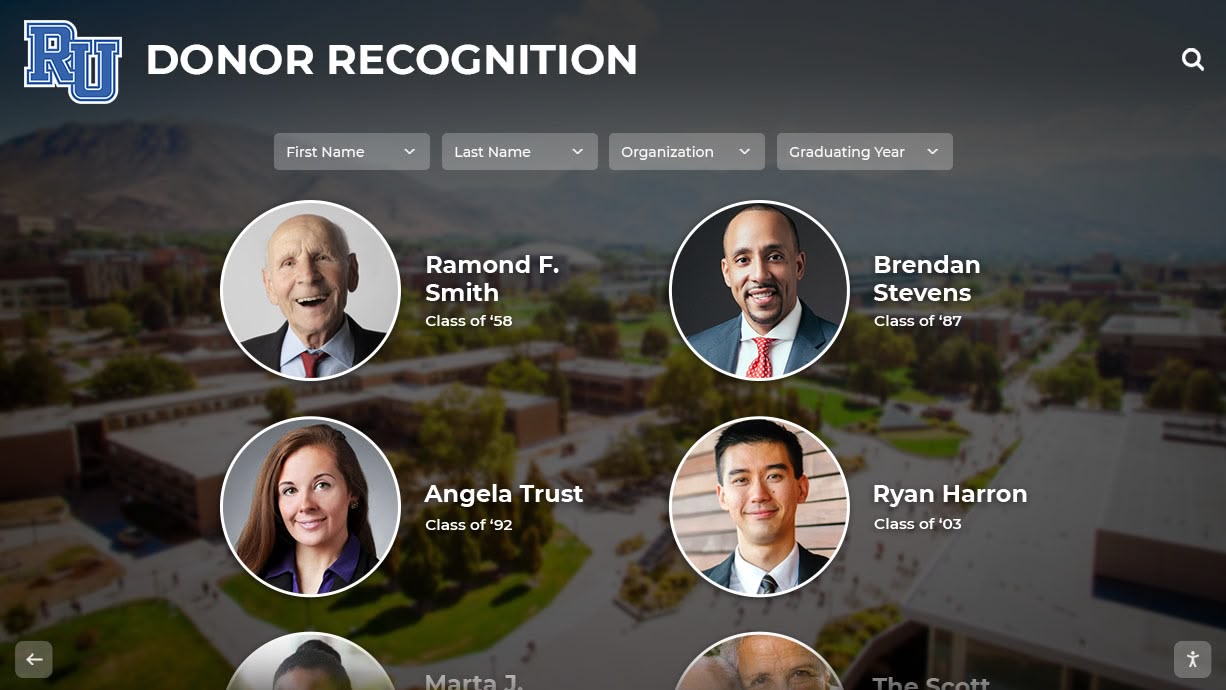
Enhanced Donor and Partner Recognition: Corporate sponsors and major donors increasingly expect professional, visible recognition. Digital displays offer:
- Prominent logo placement with links to partner websites
- Detailed recognition stories showcasing partnership impact
- Easy content updates when partnerships renew or expand
- Professional presentation rivaling larger organizations
Improved Veteran Engagement: Military service recognition programs benefit from:
- Searchable databases enabling veterans finding service peers
- Detailed service histories honoring individual sacrifice
- Photo galleries showing veterans across life stages
- Connection opportunities for veteran support programming
Strengthened Community Connections: Event promotion and program visibility improve through:
- Dynamic event calendars with automatic countdown timers
- High-visibility placement in facilities increasing attendance
- QR code registration links simplifying sign-up processes
- Social sharing extending event reach beyond facility visitors
Increased Volunteer Recruitment: Recognition programs that celebrate volunteer contributions improve retention and recruitment:
- Visible appreciation inspiring continued service
- Profiles highlighting volunteer impact demonstrating program value
- Volunteer opportunity listings connecting interested community members with needs
Nonprofits implementing comprehensive volunteer recognition strategies report measurable improvements in volunteer retention and new volunteer inquiries following digital display installations.
Choosing the Right Solution for Your Nonprofit
Matching display capabilities with organizational needs, budget realities, and staff capacity ensures successful implementation.
Decision Framework Questions
Content Complexity Assessment:
- How many distinct recognition categories do we need (partners, veterans, volunteers, donors)?
- Do we need visitors to search or filter content, or is sequential display sufficient?
- Will recognition profiles require detailed biographical information or primarily names and photos?
- Do we need multimedia support (videos, documents) or primarily photos and text?
Answer implications:
- 1-2 simple categories, no search needed → Entry-level system sufficient
- 3-4 categories with moderate detail, basic filtering → Mid-range system appropriate
- 5+ categories, detailed profiles, advanced search → Comprehensive system justified
Staff Technical Capacity:
- Who will manage content updates, and what is their technical comfort level?
- Can we dedicate 2-4 hours monthly to display management?
- Do we have IT support for installation and troubleshooting, or need vendor support?
Answer implications:
- Limited technical staff or time → Prioritize intuitive interfaces and vendor support
- Capable technical staff → More flexibility in platform complexity
- No IT support → Full-service vendors including training and ongoing support
Budget Parameters:
- What is available for initial investment vs. ongoing annual costs?
- Can we pursue phased implementation (basic system now, upgrades later)?
- Are there grant opportunities or donor funding specifically for technology improvements?
Answer implications:
- Limited upfront budget, comfortable with monthly costs → Cloud-based subscription platforms
- Larger initial budget, preference for minimal ongoing costs → Perpetual license systems
- Phased approach → Start with entry-level, upgrade as programs expand
Physical Space Considerations:
- How much wall space can we dedicate to displays?
- What are our facility’s traffic patterns and natural gathering areas?
- Do we have mounting flexibility or significant installation constraints?
Answer implications:
- Limited space → Single display with efficient content organization
- Ample space, multiple natural locations → Multi-display network possibility
- Installation constraints → May require professional assessment before equipment selection
Implementation Roadmap for Nonprofit Digital Displays
A structured implementation approach ensures smooth deployment and sustainable long-term success.
Phase 1: Planning and Budgeting (Weeks 1-4)
Objectives:
- Secure leadership approval and budget allocation
- Form implementation committee (executive director, development director, program staff, volunteer coordinator)
- Define primary use cases and success metrics
- Research vendor options and request demonstrations
Key Activities:
- Document current recognition practices and pain points
- Calculate annual costs for existing recognition methods
- Research grant opportunities for technology improvements
- Schedule vendor demonstrations and request proposals
- Present implementation plan to board for approval
Phase 2: Procurement and Installation (Weeks 5-8)
Objectives:
- Select vendor and finalize contract
- Complete installation with minimal facility disruption
- Establish content management access and permissions
Key Activities:
- Finalize equipment specifications and delivery timeline
- Coordinate installation scheduling with facility operations
- Configure network connectivity and power requirements
- Set up administrative accounts and permission levels
- Complete initial platform training with primary content managers
Phase 3: Content Development (Weeks 7-12)
Objectives:
- Build initial content library across all recognition categories
- Digitize existing recognition materials
- Establish content standards and approval workflows
Key Activities:
- Scan and organize existing photos and documents
- Collect biographical information for recognized individuals and organizations
- Create event calendar content for upcoming programs
- Develop organization history and mission content
- Conduct content reviews for accuracy and completeness
Phase 4: Launch and Promotion (Weeks 13-14)
Objectives:
- Formally introduce displays to stakeholders and community
- Generate excitement around recognition program improvements
- Collect initial feedback for refinement
Key Activities:
- Host ribbon-cutting ceremony or dedication event
- Issue press release to local media about recognition program enhancement
- Send communications to partners, veterans, and volunteers featured on displays
- Create social media posts with photos and QR codes for online access
- Gather visitor feedback through informal observation and comment cards
Phase 5: Sustainment and Growth (Ongoing)
Objectives:
- Maintain content freshness through regular updates
- Expand recognition categories as programs grow
- Measure impact on donor retention, volunteer recruitment, and community engagement
Key Activities:
- Implement monthly content update schedules
- Add new honorees as programs expand
- Update event calendars weekly
- Conduct quarterly content audits ensuring accuracy
- Review analytics (if available) tracking visitor engagement
- Pursue expansion opportunities (additional displays, new features, web integration)
Alternative and Complementary Solutions
While wall-mounted displays address many nonprofit needs, alternative or complementary approaches may enhance recognition programs.
Digital Kiosks
Freestanding kiosks offer advantages in specific situations:
- Flexibility: Move to different locations for events or seasonal programs
- Accessibility: Positioned at optimal heights for diverse abilities
- Dual-Sided Options: Maximize space efficiency in open areas
- Integrated Components: Built-in speakers, printers, or document holders
Pricing: Kiosk enclosures add $800-$3,000 to display costs depending on materials, features, and customization.
Web-Based Recognition Portals
Online recognition platforms extend reach beyond physical locations:
- Alumni and relocated community members access content remotely
- Social sharing amplifies recognition visibility
- Search engine indexing increases organizational visibility
- Mobile accessibility serves smartphone-dominant audiences
Many digital display platforms include web portal access as standard features, while others offer it as add-on services ($300-$900 annually).
Hybrid Approaches
Combining solutions addresses diverse needs:
- Physical display for high-impact facility recognition
- Web portal for extended access and social sharing
- Printed recognition materials for events and ceremonies
- Social media features for real-time updates
Organizations implementing multi-channel donor recognition programs report stronger donor retention through consistent cross-platform acknowledgment.
Common Implementation Challenges and Solutions
Anticipating obstacles enables proactive solutions preventing delays or dissatisfaction.
Challenge: Limited Initial Content
Problem: Organizations worry displays will look sparse without hundreds of profiles at launch.
Solutions:
- Prioritize quality over quantity—20-30 detailed profiles outperform 100 minimal entries
- Organize content into distinct categories making smaller numbers feel appropriate
- Include organizational history, mission information, and program overviews as content beyond individual profiles
- Plan phased content additions aligned with program cycles (add veteran profiles around Veterans Day, volunteers near National Volunteer Week)
- Use placeholder messaging explaining ongoing content additions and inviting nominations
Challenge: Photo Quality and Availability
Problem: Historical photos may be low resolution or nonexistent for some honorees.
Solutions:
- Establish clear photo guidelines for new submissions (minimum resolution, format preferences)
- Use photo editing services to enhance historical images where possible
- Create appealing graphic layouts incorporating lower-quality photos as smaller elements
- Allow text-only profiles when photos unavailable, inviting future photo submissions
- Develop standardized placeholder graphics maintaining visual consistency for profiles without photos
Challenge: Keeping Content Current
Problem: Initial enthusiasm wanes, leading to outdated event calendars and stale recognition content.
Solutions:
- Designate specific staff roles with content management in position descriptions
- Build content updates into existing program workflows (new donor gift recorded → recognition profile created)
- Schedule recurring calendar reminders for quarterly content audits
- Integrate display management into staff meetings with monthly content planning
- Celebrate content management success through internal recognition of staff maintaining displays
Challenge: Technical Issues and Support
Problem: Display malfunctions, software glitches, or connectivity problems frustrate staff lacking technical expertise.
Solutions:
- Select vendors offering responsive support with clear escalation processes
- Maintain documentation of common troubleshooting steps (restart procedures, connectivity checks)
- Establish relationships with local IT consultants for hardware issues if lacking internal capacity
- Consider service agreements including preventive maintenance and priority support
- Keep backup content options (simple slideshow presentations) for extended outages
Organizations establishing sustainable digital recognition practices through clear processes and designated responsibilities maintain engaging displays delivering long-term value.
Conclusion: Making the Right Investment in Nonprofit Recognition
Digital wall mount displays represent more than technology upgrades—they embody organizational commitments to honoring community partnerships, recognizing veteran service, celebrating volunteer contributions, and maintaining transparent, professional communication about programs and events.
For nonprofits evaluating options, the right solution balances three critical factors:
Organizational Needs: Matches recognition program complexity, content diversity, and visitor engagement expectations without overinvesting in unused capabilities or underinvesting in essential features.
Budget Reality: Fits within available funding while accounting for total cost of ownership including initial investment, ongoing subscription costs, content management time, and potential future expansion.
Staff Capacity: Aligns technical requirements with staff capabilities, providing intuitive management tools and appropriate support ensuring displays remain current and effective rather than becoming expensive digital wallpaper.
Entry-level systems serve small nonprofits with straightforward communication needs and limited budgets. Mid-range interactive displays address growing organizations managing multiple recognition categories and seeking visitor engagement. Comprehensive solutions support large nonprofits with complex programs requiring professional-grade recognition rivaling well-funded institutions.
Regardless of scale, successful implementations share common characteristics: clear content strategies defining what will be recognized, designated staff responsibility ensuring ongoing management, and organizational commitments to honoring the community members, veterans, partners, and volunteers making mission achievement possible.
Digital displays transform recognition from periodic necessity into daily celebration, keeping contributions visible, current, and professionally presented. For nonprofits seeking to strengthen community connections, improve donor and volunteer retention, and honor service and partnership in meaningful ways, digital recognition displays offer long-term value far exceeding initial investments.
Ready to explore how a digital recognition display could strengthen your nonprofit’s community engagement and partnership recognition? Talk to our team to discuss solutions tailored to your organization’s specific needs and budget.































