Organizations investing in donor recognition screens face a complex decision matrix involving hardware specifications, software capabilities, installation requirements, content management workflows, and long-term maintenance considerations. Unlike traditional recognition plaques, digital donor screens represent multi-year technology investments requiring careful planning to avoid costly mistakes or implementations that fail to meet organizational needs.
The challenge extends beyond simply mounting a screen on a wall. Institutions must evaluate commercial-grade display options versus consumer TVs, determine appropriate mounting heights and viewing angles, plan power and network connectivity, select content management systems that non-technical staff can operate, establish sustainable update workflows, and calculate realistic total cost of ownership including maintenance and content refresh cycles.
This comprehensive implementation guide walks through the complete technical and operational specifications for donor recognition screen systems, providing the detailed requirements, checklists, and decision frameworks that fundraising directors, facilities managers, and IT teams need to build recognition displays that effectively honor contributors while delivering measurable ROI through improved donor retention.
A donor recognition screen transforms static donor acknowledgment into an interactive, searchable, and continuously updateable digital experience. When properly specified and implemented, these systems eliminate space constraints limiting traditional plaques, enable rich multimedia storytelling about donor impact, and extend recognition reach through web accessibility—all while reducing long-term administrative burden and update costs.
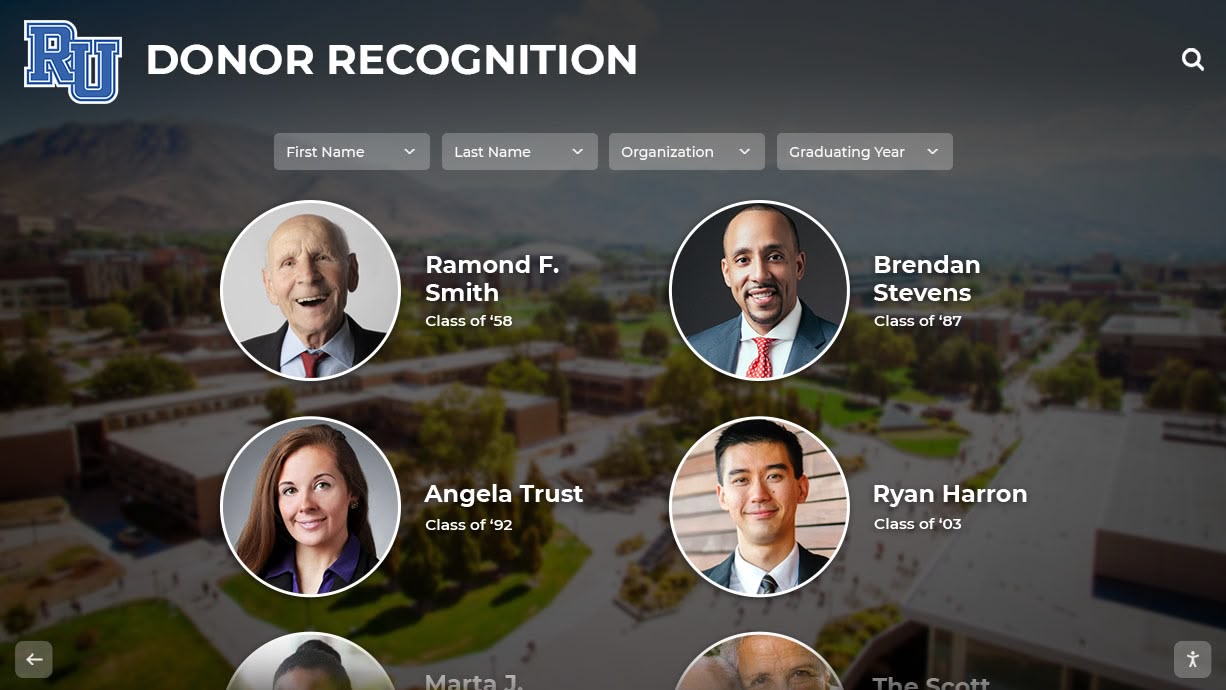
Modern donor recognition screens combine commercial hardware with specialized software to create engaging, searchable donor displays
Understanding Donor Recognition Screen Technology
Before selecting specific hardware or software, organizations must understand the technical architecture underlying effective donor recognition screen systems and how components work together to create reliable, manageable solutions.
Core System Components
A complete donor recognition screen system comprises four integrated technology layers:
Display Hardware Layer
- Commercial-grade LCD or LED displays rated for continuous 24/7 operation
- Recommended minimum: 50-55" diagonal screen size for lobby installations
- Touch overlay technology (capacitive or infrared) enabling interactive navigation
- Anti-glare surface treatments reducing visibility issues in high-light environments
- Tempered glass protection preventing screen damage in high-traffic areas
Computing and Media Player Layer
- Dedicated media player or system-on-chip (SoC) handling content rendering
- Minimum specifications: 8GB RAM, 128GB storage, current-generation processor
- Network connectivity via ethernet (preferred) or WiFi with adequate bandwidth
- Remote management capabilities enabling off-site content updates and monitoring
- Redundant storage preventing content loss during power interruptions
Content Management Software Layer
- Cloud-based or on-premise content management system (CMS) controlling displayed information
- User-friendly administrative interface requiring no coding knowledge
- Donor database integration capabilities syncing with fundraising platforms
- Template-based design system maintaining visual consistency
- Version control and approval workflows for content quality assurance
Installation and Mounting Infrastructure
- ADA-compliant mounting heights (typically 40-48" to display center)
- Structural support rated for 3x the display’s mounted weight
- Power infrastructure with surge protection and proper electrical code compliance
- Network infrastructure supporting required bandwidth and latency
- Environmental controls addressing temperature, humidity, and ventilation
These components must integrate seamlessly to create donor recognition screens that remain reliable, maintainable, and effective throughout their expected 6-8 year operational lifespan.

Freestanding kiosk configurations offer flexibility for spaces without suitable wall mounting options
Commercial-Grade vs. Consumer Display Hardware
The distinction between commercial-grade and consumer televisions significantly impacts donor recognition screen reliability, longevity, and total cost of ownership.
Commercial Display Advantages
- 24/7 duty cycle ratings supporting continuous operation versus 8-12 hours for consumer displays
- 50,000-60,000 hour panel lifespans compared to 20,000-30,000 for consumer TVs
- Enhanced heat dissipation preventing thermal throttling and premature failure
- Minimal on-screen branding and “smart TV” interfaces that complicate kiosk deployment
- Landscape and portrait orientation flexibility without voiding warranties
- Three to five year commercial warranties versus one year consumer coverage
- Replacement part availability throughout product lifecycle
Consumer Display Limitations
- Burn-in susceptibility when displaying static content elements continuously
- Unreliable operation patterns when used beyond rated duty cycles
- Smart TV operating systems creating update dependencies and security vulnerabilities
- Limited mounting options and orientation flexibility
- Warranty voidance when used in commercial applications
- Temperature sensitivity requiring climate-controlled installation environments
Organizations that initially select consumer displays to reduce upfront costs typically replace them within 18-24 months, ultimately spending more than if they had specified commercial hardware initially. Solutions like Rocket Alumni Solutions exclusively recommend commercial-grade displays to ensure long-term reliability and minimize total cost of ownership.
Interactive vs. Non-Interactive Display Options
Donor recognition screens can operate in either passive display mode or interactive touchscreen mode, each appropriate for different use cases and budgets.
Interactive Touchscreen Benefits
- Self-directed donor exploration through intuitive touch navigation
- Advanced search and filtering enabling visitors to find specific individuals
- Detailed donor profiles revealing stories and impact beyond names
- Higher engagement duration (average 7-8 minutes versus 45 seconds)
- Analytics tracking showing which donors receive most profile views
- Opportunity for alumni to submit profile updates directly

Interactive displays invite exploration and create memorable donor appreciation experiences
Non-Interactive Display Applications
- Lower hardware costs for budget-constrained implementations
- Simplified content design focused on rotation rather than navigation
- Reduced maintenance burden with fewer interactive components
- Appropriate for secondary recognition locations supplementing primary interactive displays
- Effective for high-traffic areas where extended interaction isn’t practical
Most organizations implementing comprehensive donor recognition programs prioritize at least one interactive touchscreen in their primary development office or main campus entrance, often supplementing with non-interactive displays in secondary locations. This hybrid approach maximizes recognition reach while managing budget constraints.
Donor Recognition Screen Hardware Specifications
Proper hardware selection directly impacts display reliability, visitor experience quality, and long-term maintenance requirements. These detailed specifications provide the technical requirements for effective donor recognition screen implementations.
Display Size and Resolution Requirements
Screen dimensions must balance visibility, space constraints, and content legibility requirements:
Small Format (43-49")
- Appropriate for: Small reception areas, conference rooms, intimate donor lounges
- Viewing distance: 6-10 feet optimal
- Content considerations: Larger text (minimum 36pt), simpler layouts, fewer simultaneous elements
- Installation notes: Can often utilize existing furniture versus dedicated wall mounting
- Typical applications: Secondary recognition locations, small nonprofit offices
Medium Format (50-55")
- Appropriate for: Main lobbies, development offices, visitor centers, event spaces
- Viewing distance: 8-15 feet optimal
- Content considerations: Flexible layouts, standard text (24-28pt), multi-column displays
- Installation notes: Wall-mounted or freestanding kiosk configurations both viable
- Typical applications: Primary donor recognition installations for most organizations
- Market standard: 55" represents the most common deployment size
Large Format (65-75")
- Appropriate for: Large atriums, auditorium lobbies, athletic facilities, major campaign headquarters
- Viewing distance: 12-20 feet optimal
- Content considerations: Bold headlines (48pt+), high-resolution imagery, dramatic visual impact
- Installation notes: Requires reinforced structural support and professional mounting
- Typical applications: Major institutions, comprehensive campaign centers, high-traffic venues
Ultra-Large Format (80-98")
- Appropriate for: Stadium concourses, performing arts centers, large donor recognition spaces
- Viewing distance: 15-30 feet optimal
- Content considerations: Architectural-scale design, video integration, immersive experiences
- Installation notes: Specialized installation requiring structural engineering assessment
- Typical applications: High-profile recognition locations, major gift acknowledgment
Resolution Standards
- Minimum acceptable: Full HD (1920x1080) for screens 55" and smaller
- Recommended: 4K UHD (3840x2160) for screens 55" and larger
- Critical consideration: Higher resolution enables sharper text rendering and photo quality
- Future-proofing: 4K content support extends display relevance as content quality improves
Organizations should prioritize medium format (55") 4K displays as the standard configuration, offering the best balance of visibility, flexibility, and content quality for typical donor recognition applications.

Proper sizing ensures visibility and legibility from typical viewing distances in high-traffic areas
Touch Technology Options and Trade-offs
Interactive donor recognition screens employ different touch detection technologies, each with distinct characteristics affecting user experience and maintenance requirements.
Capacitive Touch Technology
- Detection method: Changes in electrostatic field when conductive objects (fingers) approach screen
- Touch points: Multi-touch supporting gestures like pinch-zoom and two-finger scrolling
- Accuracy: High precision (±2mm) enabling fine control of interface elements
- Durability: Scratch-resistant glass surface withstanding heavy use
- Maintenance: Fingerprints visible; requires regular cleaning
- Environmental factors: Moisture and conductive contamination can cause false touches
- Cost: Moderate to high depending on screen size
- Best for: Indoor installations with regular cleaning maintenance
Infrared Touch Technology
- Detection method: Infrared light grid across screen surface detecting touch position
- Touch points: Multi-touch supporting standard gestures
- Accuracy: Good precision (±3mm) suitable for most interface designs
- Durability: No touch-sensitive coating; glass overlay can be replaced if damaged
- Maintenance: Less susceptible to fingerprint visibility; easier cleaning
- Environmental factors: Ambient light and small debris can interfere with detection
- Cost: Lower than capacitive for large format displays
- Best for: High-traffic public spaces, outdoor applications with protective enclosures
Optical Touch Technology
- Detection method: Cameras at corners detecting touch position
- Touch points: Supports multi-touch but less reliably than capacitive
- Accuracy: Moderate precision (±5mm) requiring larger touch targets
- Durability: No specialized screen coating; standard glass or acrylic overlay
- Maintenance: Minimal; regular cleaning of protective surface
- Environmental factors: Ambient light variations can affect detection accuracy
- Cost: Lower for very large format displays
- Best for: Budget-conscious implementations, very large displays (80"+)
For most donor recognition screen implementations, capacitive touch provides the best user experience through precise gesture recognition and intuitive interaction, justifying the moderate cost premium. Organizations should specify capacitive technology unless budget constraints or very large display formats make infrared or optical alternatives necessary.
Mounting and Installation Infrastructure
Proper mounting infrastructure ensures display safety, optimal viewing angles, and ADA compliance while protecting significant hardware investments.
Wall-Mounted Installation Requirements
- Structural assessment: Verify wall can support 3x mounted weight (typically 150-250 lbs including mount)
- Mounting height: Display center at 42-46" above finished floor for ADA compliance
- Viewing angle: Perpendicular to primary traffic flow; avoid extreme angles exceeding 30 degrees
- Tilt configuration: 0-5 degrees forward tilt reduces glare without compromising stability
- Clearance requirements: Minimum 48" clear floor space in front of display for wheelchair approach
- Access panels: Serviceable mounting systems allowing hardware replacement without wall damage
Learn about optimal placement strategies in digital donor wall implementation guides that address visibility and accessibility considerations.
Freestanding Kiosk Installation Requirements
- Base weight: 150-200 lbs minimum for stability; consider weighted base or floor anchoring
- Footprint: 36-48" width accommodating display and enclosure; 24-36" depth
- Height adjustment: Display center 42-46" AFF matching wall-mounted standards
- Cable management: Enclosed pathways from base to display preventing tripping hazards
- Power access: Floor outlets or dedicated circuits serving kiosk location
- Relocation considerations: Modular designs allowing position changes without reinstallation
Environmental and Infrastructure Requirements
Power infrastructure specifications:
- Dedicated 15A circuit recommended for each display
- Surge protection rated for 2000+ joules protecting against power fluctuations
- UPS battery backup (optional but recommended) providing 15-30 minutes runtime during outages
- Power consumption: Budget 200-350W depending on display size and brightness settings
Network infrastructure specifications:
- Ethernet connectivity strongly preferred over WiFi for reliability
- Minimum bandwidth: 10 Mbps dedicated for content updates and remote management
- Network security: VLAN isolation or dedicated network segment recommended
- Firewall configuration: Outbound HTTPS (port 443) required for cloud-based content management
- Static IP assignment: Simplifies remote management and troubleshooting
Climate control requirements:
- Operating temperature: 32-95°F (0-35°C) for commercial displays
- Humidity range: 20-80% relative humidity non-condensing
- Ventilation: Minimum 2" clearance on all sides for heat dissipation
- Direct sunlight: Avoid or specify high-brightness displays (500+ nits) for bright environments
These infrastructure requirements must be addressed during installation planning to prevent reliability issues and premature hardware failure. Organizations implementing touchscreen digital signage solutions should conduct site surveys documenting existing infrastructure and identifying gaps requiring remediation.

Strategic placement in high-traffic campus corridors maximizes visibility and donor recognition reach
Content Management System Requirements
Hardware represents only half of an effective donor recognition screen system. The content management platform determines whether staff can efficiently maintain current donor information or whether the system becomes outdated and neglected.
Essential Content Management Features
A donor recognition screen content management system must provide these core capabilities:
User-Friendly Administrative Interface
- Web-based dashboard accessible from any internet-connected device
- No coding, HTML, or technical skills required for content updates
- Drag-and-drop content placement and organization
- WYSIWYG (What You See Is What You Get) preview showing exact display appearance
- Form-based data entry with clear field labels and validation
- Batch upload tools for digitizing historical donor records
- Template-based design system maintaining visual consistency automatically
Donor Database Management
- Individual donor profiles storing names, giving levels, gift dates, photos, and biographical information
- Flexible category system organizing donors by giving societies, campaign designations, or recognition tiers
- Advanced search and filter capabilities enabling content discovery
- Relationship mapping connecting donors to funded programs, named spaces, or impact outcomes
- Historical giving tracking showing cumulative contributions over time
- Anonymous donor handling respecting privacy preferences while maintaining recognition
Integration and Automation Capabilities
- API connections to common fundraising platforms (Raiser’s Edge, Salesforce Nonprofit, Blackbaud)
- Automated donor import syncing new contributions without manual data entry
- Scheduled content publication setting specific dates for recognition updates
- Automatic sorting and categorization based on giving levels or custom rules
- Birthday and anniversary recognition features acknowledging donor milestones
- Social media sharing tools enabling donors to share their recognition
Multi-User Access and Permissions
- Role-based access control granting appropriate permissions to different staff members
- Edit/approve workflows requiring content review before publication
- Activity logging tracking who made changes and when
- Password security with modern authentication standards
- Session management preventing unauthorized access
- Training mode allowing staff practice without affecting live displays
Organizations evaluating donor recognition screen platforms should prioritize systems specifically designed for recognition applications rather than generic digital signage software, as purpose-built solutions include donor-specific features like giving level categorization, anonymous handling, and fundraising platform integration that generic systems lack.
Content Design Best Practices
Effective donor recognition screen content balances comprehensive information with clean visual design that remains legible and engaging:
Typography Standards
- Minimum body text size: 24pt for readability from 10 feet
- Headline text size: 48-72pt establishing clear hierarchy
- Font selection: Sans-serif typefaces (Arial, Helvetica, Open Sans) for screen legibility
- Line spacing: 1.5x text size minimum preventing crowded appearance
- Text contrast: Minimum 4.5:1 contrast ratio for WCAG AA accessibility compliance
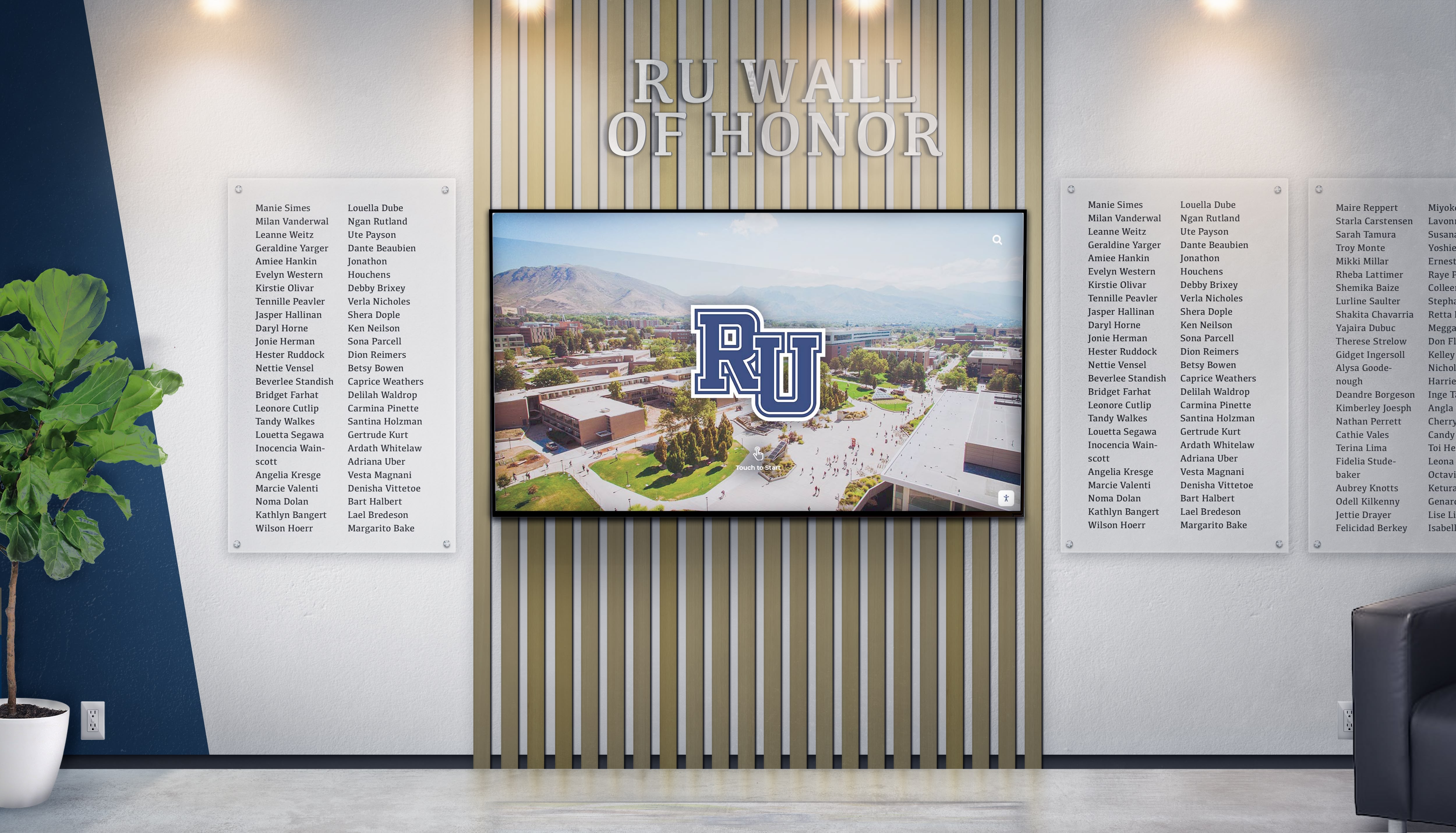
Effective content design balances information density with clean visual hierarchy and brand consistency
Visual Design Principles
- White space utilization: 30-40% of screen area should remain unoccupied
- Color palette: Limit to 3-4 institutional brand colors maintaining consistency
- Photo quality: High-resolution images (minimum 300 DPI) preventing pixelation
- Animation restraint: Subtle transitions (250-500ms) rather than distracting effects
- Brand integration: Incorporate institutional logos, colors, and visual identity
Content Organization Strategies
- Hierarchical navigation: Maximum 3 levels deep from home screen to specific donor
- Intuitive categorization: Organize by giving levels, program areas, or recognition societies
- Featured content: Highlight major donors or recent contributions on home screen
- Historical preservation: Maintain recognition for all donors regardless of age
- Search prominence: Make search functionality immediately visible and accessible
Accessibility Considerations
- Alternative text for images enabling screen reader accessibility
- Keyboard navigation support for visitors unable to use touch
- High contrast mode option for visitors with visual impairments
- Text scaling options allowing visitors to increase font sizes
- Simplified navigation mode for visitors with cognitive disabilities
Organizations implementing digital wall of honor displays should establish content standards documentation guiding all future updates and ensuring long-term consistency as different staff members manage the system.
Update Workflows and Maintenance Schedules
Sustainable donor recognition screens require systematic update processes ensuring information remains current without consuming excessive staff time.
Routine Update Workflow
New donor addition process:
- Receive gift notification from development database
- Verify donor recognition preferences and name format
- Collect donor photo if available and biographical information
- Enter donor profile through content management system
- Preview recognition appearance verifying accuracy
- Publish immediately or schedule for specific recognition event
- Notify donor of recognition inclusion with web link to view
Estimated time per donor: 8-12 minutes for complete profile creation
Periodic Maintenance Schedule
Quarterly review tasks:
- Verify all recent donors (past 3 months) appear correctly
- Update any changed donor information or corrections
- Refresh featured content highlighting different donors
- Review analytics identifying most-viewed donors
- Test all interactive elements and search functionality
- Clean physical display surface and check for damage
Annual comprehensive audit:
- Verify accuracy of all donor names, amounts, and information
- Update photos for donors with better quality images available
- Refresh design elements maintaining contemporary appearance
- Review category structure and reorganize if needed
- Archive or reorganize legacy content for improved navigation
- Backup complete donor database and content assets
Organizations should budget 3-5 hours quarterly and 1-2 days annually for maintenance activities, significantly less than the 15-20 hours quarterly required for traditional plaque updates.

Regular content maintenance ensures recognition remains current and continues honoring new contributors effectively
Installation Planning and Technical Requirements
Successful donor recognition screen implementation requires comprehensive planning addressing physical installation, technical infrastructure, and operational requirements before hardware arrives.
Pre-Installation Assessment Checklist
Site Survey Requirements
Before ordering hardware, document these critical specifications:
Physical environment assessment:
- Wall composition (drywall, concrete, brick, glass) determining mounting approach
- Structural capacity verification ensuring wall can support mounted weight
- Available mounting surface dimensions and obstructions
- Ambient lighting conditions and glare sources requiring mitigation
- Traffic flow patterns determining optimal placement and approach angles
- Existing décor and architectural features requiring design coordination
Technical infrastructure assessment:
- Electrical outlet locations and available circuits
- Network infrastructure availability (ethernet drops or WiFi coverage)
- Network bandwidth and reliability for content updates
- Firewall and security policies affecting cloud connectivity
- HVAC system capacity maintaining appropriate operating temperatures
- Ceiling height and floor clearances for installation access
Compliance and accessibility verification:
- ADA requirements for mounting height and approach clearances
- Fire code requirements for electrical installation and egress impact
- Building code requirements for structural modifications
- Historic preservation restrictions for landmark buildings
- IT security policies affecting network connectivity and data handling
This comprehensive assessment prevents discovering critical obstacles after hardware purchase and enables accurate installation timeline and cost estimation.
Installation Timeline and Milestones
Typical donor recognition screen project timeline:
Weeks 1-2: Planning and assessment
- Conduct site survey and infrastructure assessment
- Define content structure and organizational scheme
- Obtain necessary approvals and permits
- Order hardware with appropriate lead times
Weeks 3-4: Infrastructure preparation
- Install or verify electrical circuits and outlets
- Install or verify network connectivity
- Fabricate or obtain mounting hardware
- Prepare installation access (lifts, staging, protection)
Week 5: Hardware installation
- Receive and inspect hardware shipment
- Mount display and install touch overlay if separate
- Install media player or SoC computing system
- Connect power, network, and control systems
- Test all hardware functions and connectivity
Weeks 6-7: Content setup and configuration
- Configure content management system
- Upload initial donor database
- Design and implement display templates
- Load photos and multimedia assets
- Test navigation and search functionality
Week 8: Training and launch
- Train administrative staff on content management
- Document update procedures and maintenance schedules
- Conduct soft launch with testing and refinement
- Plan official unveiling event and communications
Organizations should budget 6-8 weeks from planning initiation to official launch, though hardware lead times or complex installations may extend this timeline.
Technical Support and Maintenance Planning
Long-term donor recognition screen reliability requires planning for ongoing support, maintenance, and eventual component replacement.
Support Requirements
Establish these support resources before launch:
Technical Support Contacts
- Hardware vendor support for display and touch technology issues
- Software vendor support for content management system questions
- Network support from IT department for connectivity issues
- Installation vendor support for mounting or infrastructure problems
- Specialized support for integration with fundraising databases
Maintenance Service Agreements
Consider these service options:
Basic warranty coverage (typically included):
- Hardware replacement for manufacturing defects
- Software updates and bug fixes
- Remote troubleshooting and support
- Duration: 1-3 years depending on vendor
Extended service agreements (recommended):
- On-site hardware replacement within 24-48 hours
- Proactive system monitoring detecting issues before failure
- Annual preventive maintenance and cleaning
- Content management assistance and consulting
- Duration: 3-5 years matching expected hardware lifespan
- Cost: Typically 15-20% of initial system cost annually
Organizations should evaluate total cost of ownership including support agreements when comparing donor recognition screen solutions, as comprehensive support significantly reduces unplanned downtime and maintenance burden. Solutions like Rocket Alumni Solutions include ongoing support and maintenance in their service model, simplifying budgeting and ensuring reliable operation throughout the system lifecycle.
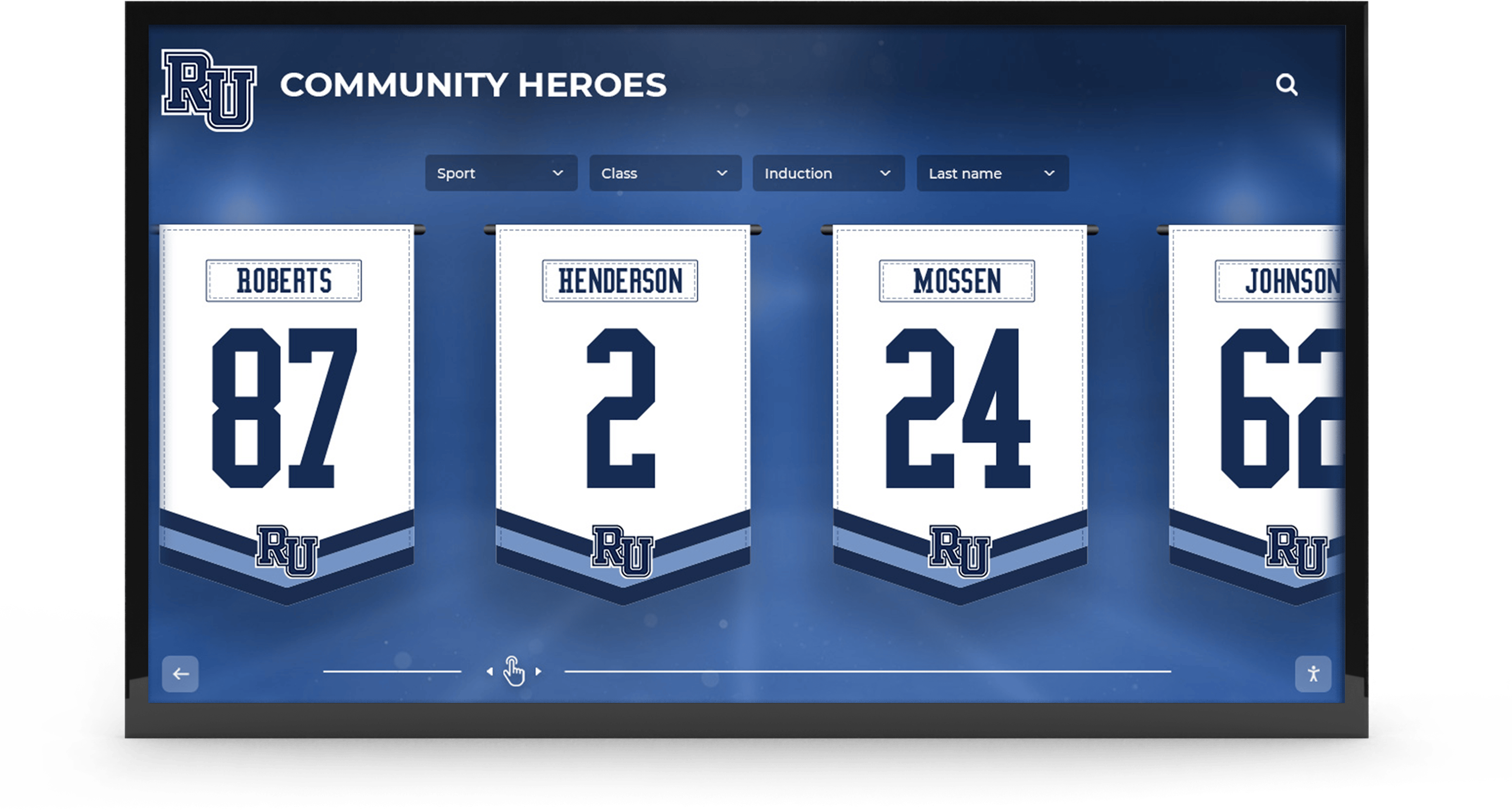
Comprehensive installations may require multi-display configurations and coordinated content management
Cost Analysis and ROI Calculation
Understanding the complete financial picture for donor recognition screens enables organizations to make informed decisions and secure appropriate budget allocations.
Total Cost of Ownership Analysis
A complete cost analysis must account for initial investment, ongoing maintenance, and content management over the system’s expected lifespan.
Initial Implementation Costs
Hardware and software investment:
- Commercial display: $2,500-$8,000 depending on size and features
- Touch overlay (if not integrated): $1,200-$3,500
- Media player or computing system: $800-$2,500
- Mounting hardware and enclosure: $600-$2,000
- Content management software license: $0-$3,000 (many SaaS models include in annual fees)
- Total hardware/software range: $5,100-$19,000
Installation and setup costs:
- Professional mounting installation: $800-$2,500
- Electrical work (circuit installation): $500-$1,500
- Network infrastructure (if needed): $300-$1,200
- Content setup and initial database import: $1,500-$4,000
- Staff training and documentation: $500-$1,500
- Total installation range: $3,600-$10,700
Total initial investment: $8,700-$29,700 depending on display size, features, and installation complexity.
Most organizations budget $12,000-$18,000 for complete single-display donor recognition screen implementations including professional installation and initial content setup.
Ongoing Annual Costs
Software and support:
- Content management system SaaS fees: $1,200-$3,600 annually
- Extended warranty or service agreement: $800-$2,400 annually
- Network and hosting fees: $0-$600 annually
- Integration maintenance (database sync): $0-$800 annually
- Total software/support: $2,000-$7,400 annually
Operational costs:
- Electricity consumption: $150-$250 annually (based on 24/7 operation)
- Content updates and maintenance: $500-$1,500 annually (staff time)
- Periodic professional cleaning: $200-$400 annually
- Total operational: $850-$2,150 annually
Total annual ongoing: $2,850-$9,550 with typical implementations averaging $4,000-$5,000 annually.
Organizations should budget for these ongoing costs throughout the expected 6-8 year system lifespan when calculating total cost of ownership.
ROI Calculation Framework
Donor recognition screens deliver measurable ROI through improved donor retention, reduced administrative costs, and enhanced fundraising effectiveness.
Quantifiable Cost Savings
Administrative efficiency improvements:
- Traditional plaque updates: 15-20 hours quarterly = 60-80 hours annually
- Digital system maintenance: 3-5 hours quarterly = 12-20 hours annually
- Time savings: 40-60 hours annually at $35-$50 hourly rate = $1,400-$3,000 saved
- Physical update costs eliminated: $2,000-$4,000 annually for engraving and installation
- Total annual cost savings: $3,400-$7,000
Space efficiency improvements:
- Traditional displays require 100-300 square feet of premium wall space
- Digital displays require 15-30 square feet for equivalent recognition capacity
- Space savings: 70-270 square feet available for other uses
- Value of premium lobby space: $50-$150 per square foot annually
- Total space value recovered: $3,500-$40,500 annually
Donor Retention Value
Research consistently shows that recognized donors give at higher rates and retain at 40-60% higher levels than unrecognized contributors. For organizations with 500 annual donors averaging $500 per gift:
Conservative scenario (10% retention improvement):
- Current retention: 45% = 225 renewed donors
- Improved retention: 55% = 275 renewed donors
- Additional retained donors: 50 donors × $500 = $25,000 additional annual revenue
- Recognition system cost: $4,500 annually
- Net annual benefit: $20,500
Moderate scenario (20% retention improvement):
- Improved retention: 65% = 325 renewed donors
- Additional retained donors: 100 donors × $500 = $50,000 additional annual revenue
- Recognition system cost: $4,500 annually
- Net annual benefit: $45,500
These calculations demonstrate that donor recognition screens typically achieve positive ROI within the first year when retention improvements are quantified. Organizations should track retention metrics before and after implementation to measure actual impact and refine stewardship strategies.

Interactive experiences create stronger donor connections driving measurable improvements in retention and giving patterns
Integration with Fundraising Operations
Effective donor recognition screens integrate with existing development operations rather than creating separate workflows and duplicate data entry burdens.
Fundraising Database Integration
Modern donor recognition screen platforms offer integration capabilities with common fundraising databases, enabling automated donor updates and reducing administrative burden.
Common Integration Approaches
API-based synchronization:
- Real-time or scheduled data sync between fundraising database and recognition system
- Automatic donor profile creation when gifts reach recognition thresholds
- Updated giving levels as cumulative donations increase
- Bidirectional updates allowing corrections in either system
- Common platforms with integration capabilities: Raiser’s Edge, Salesforce Nonprofit Cloud, Blackbaud CRM
File-based import/export:
- Scheduled export from fundraising database to standard format (CSV, Excel)
- Import into recognition system updating donor profiles
- Less automated but works with any database supporting exports
- Appropriate for organizations with weekly or monthly update cycles
- Requires establishing data mapping standards
Manual entry workflows:
- Direct data entry into recognition system from gift notifications
- Appropriate for smaller organizations with limited gift volume
- Requires clear procedures ensuring consistent data entry
- Benefits from template-based entry forms reducing errors
Organizations should prioritize API-based integration when available, as automated synchronization eliminates duplicate data entry and ensures donor recognition remains current as gifts are processed. Learn more about connecting recognition systems with development operations in donor recognition program guides addressing comprehensive stewardship strategies.
Event Integration and Campaign Recognition
Donor recognition screens support fundraising events and campaigns through flexible content scheduling and featured display capabilities.
Campaign Milestone Recognition
During active fundraising campaigns:
- Feature campaign progress indicators showing fundraising goals and current totals
- Highlight campaign leadership committee and major gift donors
- Display campaign impact visualizations demonstrating projected outcomes
- Schedule campaign-specific content appearing during defined timeframes
- Remove campaign content automatically after campaign conclusion
Event-Based Recognition Updates
For recognition events and celebrations:
- Schedule new donor unveiling coordinating with recognition ceremonies
- Display event-specific welcome messages for attendees
- Feature event sponsors and underwriters during functions
- Coordinate physical display content with printed programs and materials
- Capture event photos and videos for permanent recognition archive
Annual Giving Recognition Campaigns
For participation-focused annual giving:
- Display real-time participation rates by class, department, or affiliation
- Highlight consecutive year giving streaks and loyalty recognition
- Feature donor testimonials and stories about giving motivations
- Compare current year participation against historical trends
- Celebrate participation milestones as they’re achieved
This event integration transforms donor recognition screens from static displays into dynamic stewardship tools supporting active fundraising priorities while maintaining permanent recognition of all contributors.

Strategic placement near related recognition elements creates comprehensive acknowledgment of contributions and achievements
Advanced Implementation Considerations
Organizations implementing comprehensive donor recognition screen programs must address these advanced considerations ensuring long-term success and maximum impact.
Multi-Display Coordination
Large institutions often implement multiple donor recognition screens across campus or facility locations, requiring coordinated content management and consistent experience design.
Centralized Content Management
Multi-display systems benefit from:
- Single content database serving all displays from unified source
- Location-specific content filtering showing relevant donors at each display
- Consistent design templates maintaining brand identity across locations
- Coordinated update schedules ensuring simultaneous content publication
- Centralized analytics showing usage patterns across all displays
Location-Specific Customization
Each display location may emphasize different donor segments:
- Athletic facility: Donors supporting athletics programs and facility construction
- Academic building: Donors funding scholarships, endowed chairs, or departmental support
- Main entrance: Comprehensive recognition across all giving categories
- Development office: Giving societies and campaign leadership
- Special events venue: Event sponsors and program underwriters
This targeted approach ensures visitors encounter relevant recognition while maintaining comprehensive acknowledgment across the complete donor base. Organizations implementing academic recognition systems can apply similar multi-location strategies highlighting different achievement categories at relevant campus locations.
Web Accessibility and Mobile Integration
Extending donor recognition beyond physical displays amplifies recognition reach and engagement opportunities.
Web-Based Recognition Extensions
Modern donor recognition screen platforms offer web accessibility features:
- Responsive web interface replicating physical display experience
- Mobile-optimized viewing on smartphones and tablets
- Embeddable widgets integrating recognition into organizational websites
- Social media sharing enabling donors to showcase their recognition
- Search engine optimization making donor profiles discoverable
- Email integration sending direct links to donor profiles
Mobile App Integration
Advanced implementations may include:
- Native mobile applications extending recognition access
- QR codes on physical displays linking to extended donor profiles
- Location-based content serving relevant recognition based on physical position
- Push notifications alerting donors when recognition updates
- Augmented reality experiences overlaying recognition on physical spaces
Web accessibility dramatically increases recognition visibility—organizations report 60-70% of donor profile views occur online rather than at physical displays, extending recognition reach to global audiences unable to visit campus.
Analytics and Performance Tracking
Data-driven insights optimize donor recognition screen effectiveness and demonstrate program value to leadership.
Engagement Metrics
Track these key performance indicators:
- Display session duration (average time visitors spend exploring)
- Most-viewed donor profiles identifying high-interest content
- Search terms revealing how visitors navigate content
- Time-of-day usage patterns informing maintenance schedules
- Touch heatmaps showing which interface elements receive most interaction
- Web traffic patterns showing online recognition reach
Donor Stewardship Metrics
Connect recognition to fundraising outcomes:
- Retention rates for donors featured in recognition screens
- Gift growth patterns among recognized donors
- Time from recognition to subsequent gift
- Correlation between profile views and donor engagement
- Recognition event attendance among featured donors
- Planned giving inquiries following recognition inclusion
System Performance Metrics
Monitor technical reliability:
- System uptime percentage
- Content update success rates
- Network connectivity stability
- Hardware component health indicators
- Software error rates requiring intervention
- User support ticket volume and resolution time
Regular review of these metrics enables continuous improvement ensuring donor recognition screens deliver maximum value throughout their operational lifespan.
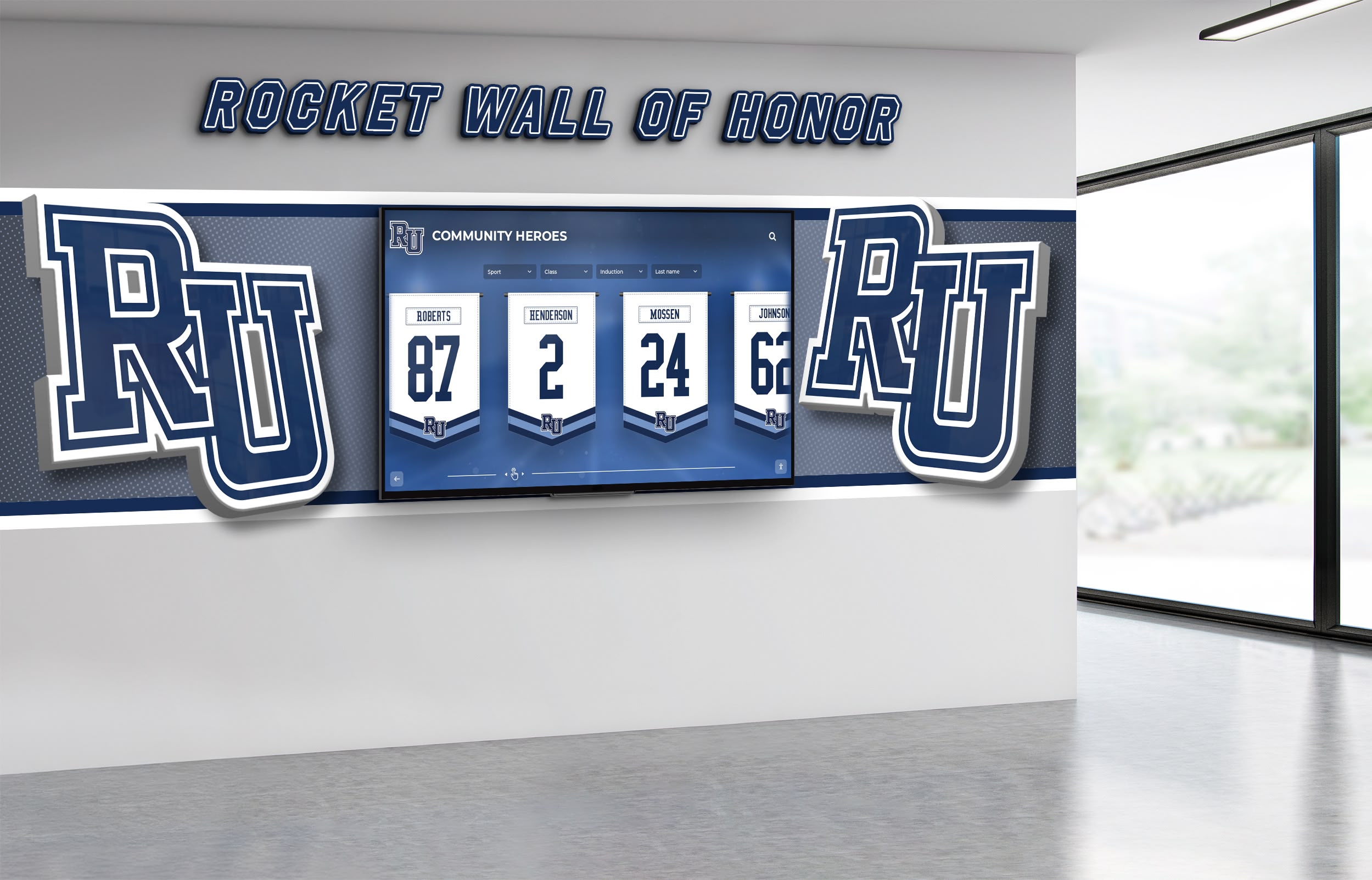
Advanced implementations may combine multiple display types and content formats for enhanced visual impact
Implementation Project Management
Successful donor recognition screen implementation requires coordinated project management addressing technical, content, and change management dimensions.
Stakeholder Coordination
Donor recognition screen projects involve multiple organizational stakeholders requiring coordination:
Internal Stakeholders
- Development office: Defines recognition policies, provides donor data, manages donor communications
- IT department: Addresses network infrastructure, security policies, technical support
- Facilities: Manages installation, power and network access, maintenance coordination
- Marketing/Communications: Ensures brand consistency and design quality
- Legal/Compliance: Reviews donor agreements and recognition obligations
- Leadership: Approves budget, recognition policies, and project priorities
External Stakeholders
- Display vendor: Provides hardware, installation support, warranty service
- Software vendor: Delivers content management platform, training, ongoing support
- Integration partners: Enable connections to fundraising databases and other systems
- Installation contractors: Perform mounting, electrical, and infrastructure work
- Design consultants: Develop visual identity and content templates
Establish clear roles, responsibilities, and communication protocols ensuring coordinated execution across all stakeholders.
Change Management and Staff Training
Technology adoption requires addressing organizational change and building staff competence with new systems.
Training Program Development
Effective training programs include:
Initial administrator training (4-6 hours):
- System overview and content management philosophy
- Donor profile creation and management
- Photo and media upload procedures
- Search and navigation testing
- Troubleshooting common issues
- Support resource identification
Ongoing reinforcement training:
- Quarterly refresher sessions for existing administrators
- Onboarding training for new staff members
- Advanced features training as capabilities are added
- User group meetings sharing best practices
- Video tutorials for self-paced learning
- Written documentation and quick reference guides
Organizations should designate 2-3 primary administrators with full system access and broader training for additional staff members who may occasionally update content. This distributed knowledge prevents single-point-of-failure where only one person understands the system.
Donor Communication Planning
Thoughtful donor communication ensures recognition program changes are well-received and strengthen rather than complicate donor relationships.
Communication Timeline
Before implementation:
- Notify major donors about upcoming recognition technology changes
- Explain benefits including enhanced visibility and web accessibility
- Request updated photos and biographical information for rich profiles
- Confirm name preferences and recognition instructions
- Address privacy concerns and anonymous donor preferences
At launch:
- Announce new recognition system to complete donor base
- Provide web links enabling remote viewing of recognition
- Invite donors to submit profile updates and enhancements
- Celebrate expanded recognition capacity including more donors
- Schedule unveiling event for local donors and leadership
After launch:
- Send individual notifications when donors are newly added
- Provide periodic updates about system enhancements
- Share engagement metrics demonstrating visibility
- Request feedback and suggestions for improvement
- Maintain ongoing communication reinforcing appreciation
Effective communication positions donor recognition screens as recognition enhancement rather than replacement, emphasizing expanded visibility and engagement opportunities while maintaining the appreciation and honor that donors expect and deserve.
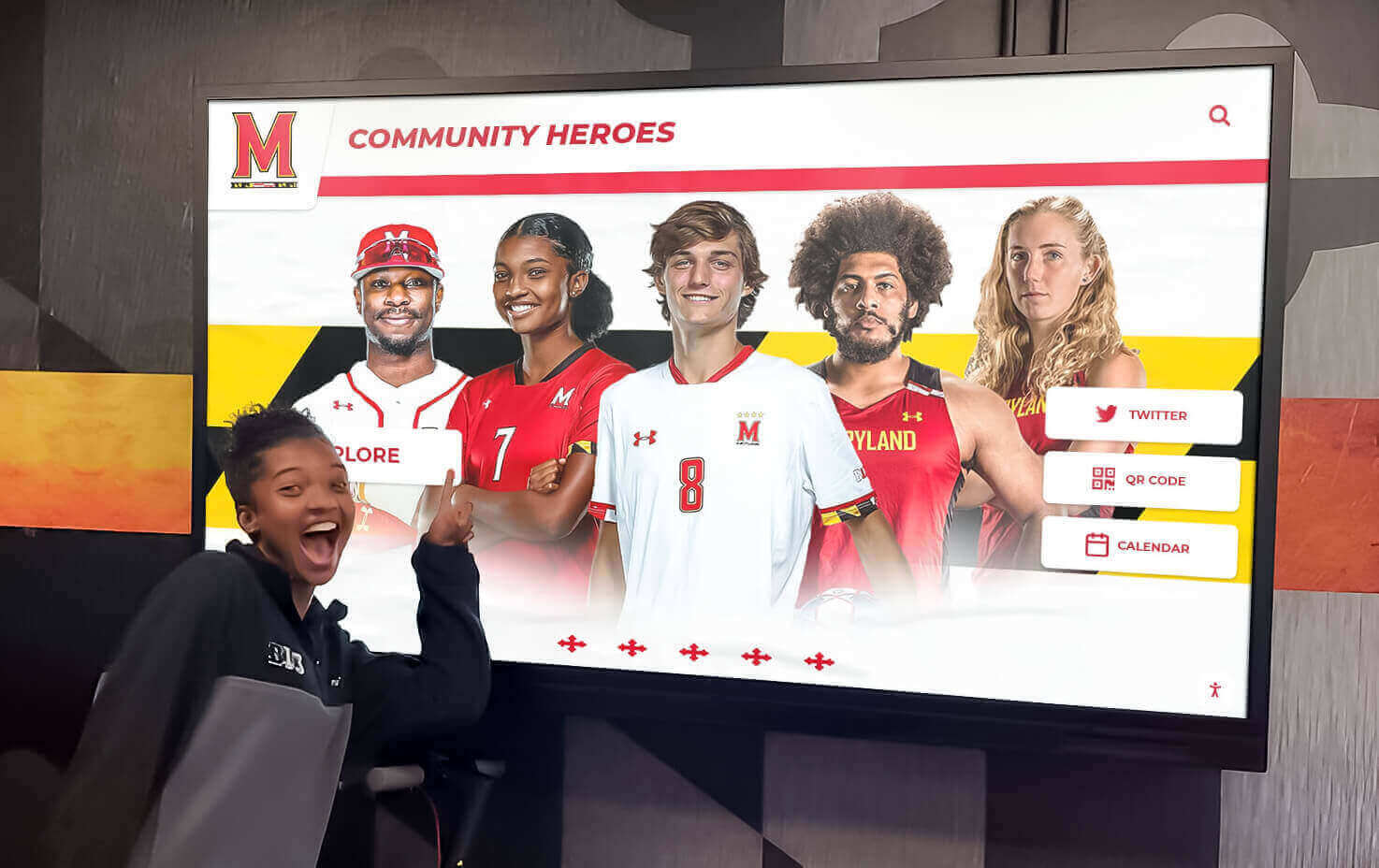
Effective implementation creates recognition experiences that engage both donors and the broader community
Conclusion: Building Donor Recognition Screens That Deliver Value
Donor recognition screens represent significant investments requiring careful planning, proper technical specification, and thoughtful implementation to deliver intended benefits. Organizations that succeed approach these systems not simply as technology purchases but as comprehensive recognition program transformations addressing donor stewardship, administrative efficiency, and community engagement simultaneously.
The technical specifications explored in this guide—from commercial-grade display selection and mounting requirements to content management capabilities and integration approaches—provide the foundation for implementations that remain reliable, maintainable, and effective throughout their expected 6-8 year operational lifespans. Organizations that shortcut these specifications through consumer-grade hardware, inadequate installation planning, or limited content management capabilities typically face premature failures, excessive maintenance burdens, or systems that become static and neglected.
The ROI calculations demonstrate that properly implemented donor recognition screens deliver measurable financial returns through improved donor retention, reduced administrative costs, and enhanced fundraising effectiveness. When combined with the qualitative benefits of expanded recognition capacity, enhanced storytelling capabilities, and extended web accessibility, these systems represent high-value investments in donor stewardship infrastructure.
Ready to Build Your Donor Recognition Screen System?
Discover how comprehensive donor recognition solutions can transform your stewardship program with systems designed specifically for educational institutions and nonprofits.
Explore Recognition SolutionsStart your implementation by conducting the comprehensive site survey and infrastructure assessment detailed in this guide. Document physical environment constraints, verify technical infrastructure availability, and identify stakeholders requiring involvement in planning and decision-making. This foundational assessment prevents discovering critical obstacles late in the implementation process and enables accurate timeline and budget planning.
When evaluating vendor solutions, prioritize providers offering integrated systems combining commercial-grade hardware, purpose-built content management software, professional installation, comprehensive training, and ongoing support. Fragmented solutions requiring coordination across multiple vendors typically create complexity, finger-pointing when issues arise, and higher total cost of ownership compared to integrated offerings.
Establish clear success metrics before implementation enabling objective performance assessment. Track donor retention rates, gift growth patterns, administrative time requirements, and engagement analytics both before and after donor recognition screen deployment. These measurements demonstrate program value, inform continuous improvement, and provide evidence justifying the investment to leadership and stakeholders.
Your donors’ generosity deserves recognition that honors their contributions while supporting your ongoing fundraising mission. Well-implemented donor recognition screens deliver both appreciation and utility, creating sustainable recognition programs that strengthen donor relationships while reducing administrative burden.
Start planning your donor recognition screen implementation today. Review the checklists and specifications in this guide, conduct your site assessment, and explore comprehensive solutions designed specifically for donor recognition applications that ensure your implementation delivers maximum value throughout its operational lifetime.
Explore related implementation resources including digital donor recognition walls and Giving Tuesday recognition strategies that complement donor recognition screen systems.































