Schools that invest in a donor recognition wall are making a long-term stewardship commitment—one that directly shapes whether donors give again, give more, and tell others about your program. The decision that tripped up most athletic directors and facilities teams we hear from isn’t whether to recognize donors. It’s whether to anchor that recognition in physical brass or digital glass, and then which software actually runs the screen.
This buyer’s guide walks AV coordinators, IT leads, and district technology directors through every decision point: physical plaques versus interactive touchscreen walls, the six software features that separate enterprise-grade platforms from glorified slideshows, installation and mounting specifications, ongoing maintenance requirements, and a side-by-side comparison table you can drop directly into an RFP.
Rocket Alumni Solutions is featured throughout as the leading purpose-built platform for K–12 and higher education donor recognition. Where other solutions are relevant context, they appear—but this guide centers on the operational realities your team will live with for the next decade.
Intent: Define procurement criteria and demonstrate implementation pathways for touchscreen donor recognition wall systems in K–12 and university settings.
Choosing the wrong recognition platform is expensive in ways that don’t show up in the initial quote. A physical plaque wall requires re-fabrication every time a donor gives an additional gift, changes their name, or moves to a higher tier. A poorly specified digital display runs outdated content because no one on your staff has time to log into a complicated CMS. Neither outcome serves your donors—or your next capital campaign. For more context on what can go wrong when schools rush this decision, the lessons in common mistakes schools make with digital recognition software apply directly to donor wall implementations as well.
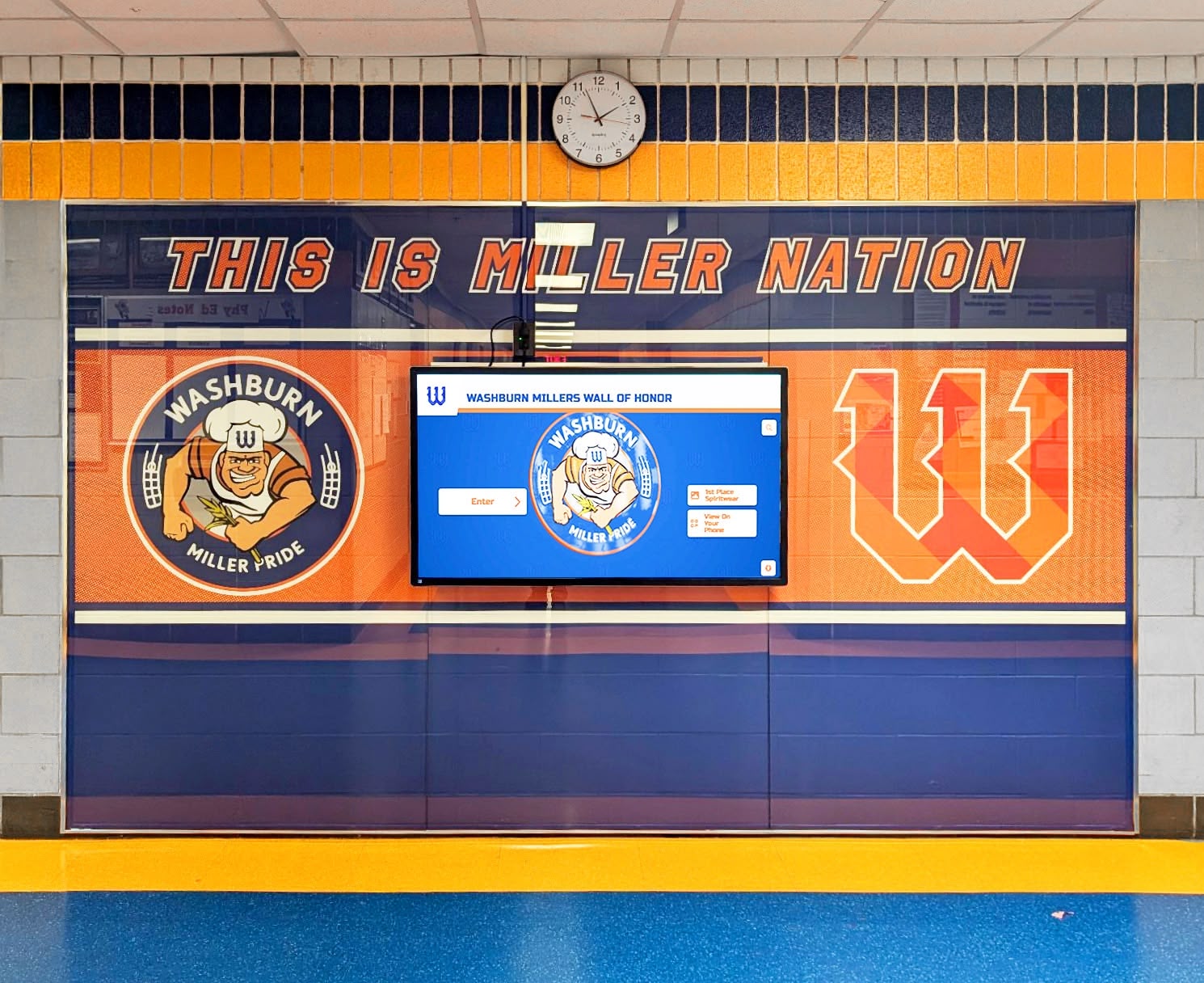
Physical Plaques vs. Digital Touchscreen: The Core Decision
Before evaluating software vendors, your team needs consensus on format. The technology stack is downstream of that choice—not the other way around.
Traditional Physical Donor Walls
Engraved plaques, etched glass panels, and cast-metal name trees have anchored donor recognition for a century. They carry permanence, prestige, and zero monthly subscription cost. For legacy institutions where donors expect to see their names cast in bronze, a physical wall may still be the right call.
Where physical walls hold up:
- One-time capital gift recognition with no anticipated future tier changes
- Historic buildings where architectural character takes precedence over technology
- Donor populations older than 65 who associate physical permanence with institutional respect
- Situations where IT infrastructure (network, electrical) cannot support a connected display
Where physical walls break down:
- Ongoing annual funds that continuously add new donors
- Tiered giving programs where donors regularly move between recognition levels
- Multi-year capital campaigns running parallel to annual fund programs
- Any facility that expects to honor more than 300 unique donors over a 10-year horizon
- Programs that want to include photos, videos, or donor impact stories alongside names
The space constraint problem is mathematical. A standard 8 × 10-foot donor wall holds roughly 300–400 individual nameplate positions at readable type sizes. Once you hit capacity, fabrication of a second physical wall typically runs $15,000–$40,000 depending on materials and design. A digital system installed for the same initial investment can display unlimited donors across unlimited giving cycles without physical modification.
For inspiration on what effective digital donor recognition programs look like across diverse school settings, real-world donor recognition examples provide useful benchmarks.
Digital Touchscreen Donor Walls
Interactive touchscreen donor walls replace static nameplates with a live, searchable database. Visitors tap a screen to browse donor profiles, filter by giving tier or academic year, and view photos, personal statements, and impact metrics. Staff update content through a cloud-based CMS without touching hardware.
Functional advantages that matter to AV/IT teams:
| Capability | Physical Wall | Digital Touchscreen |
|---|---|---|
| Donor capacity | Fixed by wall footprint | Unlimited |
| Update method | Fabricate new plaques | CMS update in minutes |
| Time to update | 4–8 weeks (vendor cycle) | Same day |
| Multimedia content | Names and tiers only | Photos, video, bios |
| ADA interactive compliance | Not applicable | WCAG 2.1 AA achievable |
| Searchability | Visual scan only | Full-text search |
| Multi-language support | Re-fabrication required | Toggle in CMS |
| Physical space required | Significant wall area | 55–75" display footprint |
| 10-year total cost (medium program) | $35,000–$75,000+ | $18,000–$35,000 |
The 10-year cost comparison favors digital at most program sizes because physical systems require ongoing fabrication labor, materials, and eventual full replacement. Digital systems front-load hardware cost but eliminate per-update fabrication entirely.
Explore a comprehensive framework for digital donor wall ideas and campaign strategies to see how schools structure their recognition tiers and content for maximum fundraising impact.

The Six Software Features That Separate Enterprise Platforms from Consumer Displays
Once you commit to a digital touchscreen format, software quality determines long-term operational success. Hardware is largely commoditized at the 55–75-inch commercial display tier. The CMS, database architecture, and content management layer are what drive real-world adoption and donor satisfaction.
Evaluate every vendor against these six capability areas before issuing an RFP or accepting a demo.
1. Donor Database Architecture and CMS Access
The most important question to ask any vendor: Where is donor data stored, and who controls it?
Purpose-built platforms like Rocket Alumni Solutions maintain donor records in a structured cloud database with role-based staff access. Your development office can add a new donor, update a giving tier, or correct a name without submitting a ticket to a vendor. Content changes propagate to the display in real time.
Consumer-grade digital signage platforms—the kind sold through AV distributors for general commercial use—store content as static presentation files. Updating donor information means editing a slide or graphic file, re-exporting, and re-uploading. There is no donor database, no search functionality, and no structured record-keeping. At a glance from 15 feet away, a presentation-based display and a purpose-built donor wall may look identical. At month 18, when your development team needs to add 40 new donors from the annual fund, the difference is eight hours of graphic design work versus a 10-minute CMS session.
Procurement checklist items:
- Can development staff make donor updates without vendor involvement?
- How long does a content update take from decision to display?
- Is donor data exportable in CSV or common formats?
- What happens to data if you cancel the subscription?
2. Recognition Tier Management and Visual Hierarchy
Effective donor recognition requires clear visual differentiation between giving levels. A benefactor at $50,000 and an annual fund donor at $500 should receive recognition experiences proportional to their investment—same platform, meaningfully different presentation.
Enterprise donor recognition software supports configurable tier structures with visual differentiation built into the display logic. Set tier thresholds, assign visual treatments (color coding, badge icons, photo prominence), and the system automatically presents donors at the appropriate recognition level based on gift data.
Platforms without this capability require manual design intervention every time a donor crosses a tier threshold. For programs with more than 100 active donors, that becomes a perpetual administrative burden.
3. Multimedia Content Per Donor Record
Names and giving amounts alone produce recognition walls that underperform on engagement. Donors who see a photo, a brief personal statement, or a connection to the project their gift funded spend significantly more time at the display and report higher satisfaction with recognition programs.
Look for platforms that support:
- Headshot photo upload per donor record
- Short biographical text or personal statement field
- Video embed capability (particularly valuable for naming-rights donors)
- Program or project tags connecting donor to funded initiatives
- Giving history timeline for multi-year donors
Rocket Alumni Solutions supports rich multimedia profiles for every donor record, enabling schools to tell genuine stories about the people behind gifts—not just list names and dollar amounts. For context on how thoughtful recognition strengthens ongoing giving relationships, donor recognition gifts and long-term giving strategies offers relevant context alongside digital recognition planning.
4. QR Code and Mobile Companion Access
Touchscreen displays create in-person engagement. QR codes extend that engagement beyond the physical location—a donor recognizes the wall, scans a code, and lands on a mobile-optimized page with their full profile. Prospective donors touring your facility scan the code in the hallway and browse the full donor community on their phone before they’ve left the building.
Platforms with built-in QR generation eliminate the need for third-party URL shorteners, QR code generators, or manual link management. The QR code is tied to the donor record or tier, not a manually maintained static URL that breaks when you redesign your campaign site.
This feature also provides an accessibility pathway for visitors who cannot comfortably interact with a wall-mounted touchscreen—a consideration that matters for ADA compliance planning in educational institutions.
5. Content Scheduling and Automated Display Modes
Donor recognition walls in school lobbies serve multiple audiences across the day: students in the morning, parent visitors during open house, administrators during board meetings, athletic event crowds in the evening. A single static display mode serves none of these audiences well.
Enterprise platforms support scheduled content modes that automatically shift display behavior based on time of day, calendar events, or manual triggers. During open house nights, the display can foreground major gift donors and campaign progress. During athletic events, it highlights donor-funded athletic facilities. During normal school hours, it cycles through donor profiles with ambient animation.
This requires content scheduling logic built into the CMS, not manual staff intervention every time the context shifts.
6. Reporting and Engagement Analytics
Facilities teams and development officers asking “Is anyone actually using this display?” deserve a data-backed answer. Touchscreen engagement platforms with built-in analytics capture:
- Total interactions per day/week/month
- Most-viewed donor profiles
- Search terms entered
- Session duration (proxy for engagement depth)
- QR code scan counts by display location
These metrics justify annual budget renewals to administrators and boards, and surface which donors receive the most community attention—useful intelligence for major gift cultivation.
Installation and Mounting Requirements
Software capability means nothing if the hardware is improperly installed. AV coordinators and facilities teams need to specify these parameters before any vendor quote is final.
Display Size and Viewing Distance
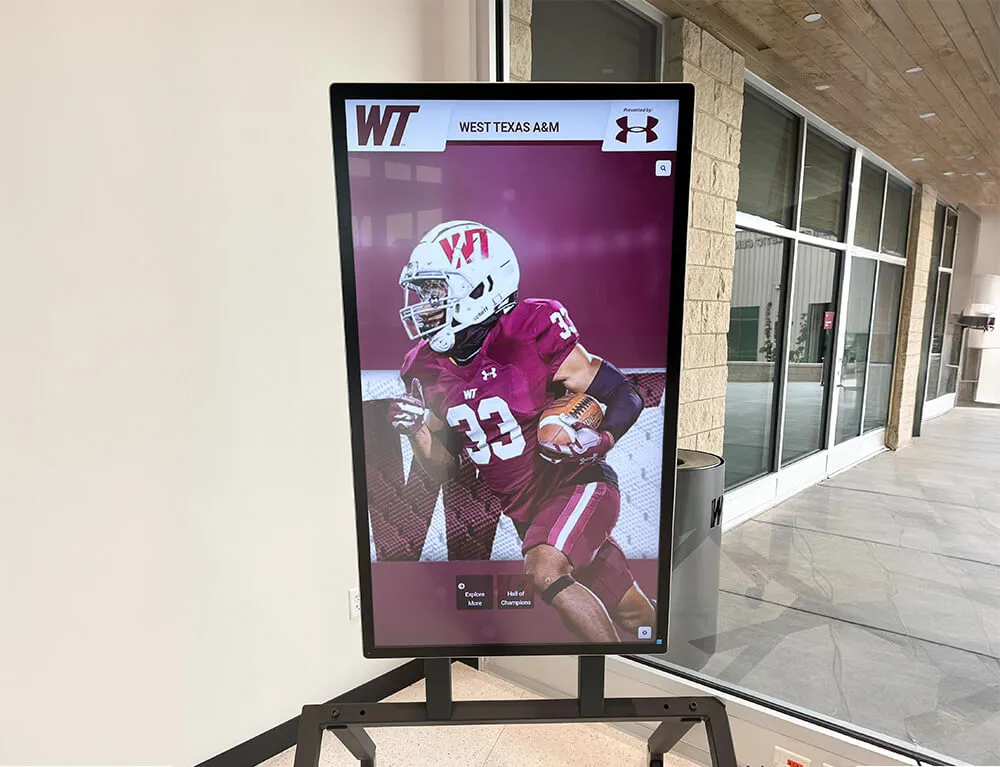
Standard donor recognition wall installations use 55-inch, 65-inch, or 75-inch commercial-grade displays. Consumer televisions are not appropriate for permanent institutional installations—they lack the brightness (minimum 400 nits required for ambient-light lobbies), duty cycle rating (commercial panels are rated for 16–24 hours/day continuous operation), and warranty terms appropriate for school facilities.
Recommended viewing distances by display size:
- 55-inch: 7–12 feet optimal
- 65-inch: 9–14 feet optimal
- 75-inch: 11–17 feet optimal
For touchscreen interactivity, the display must be reachable from a standing or wheelchair position. This limits practical mounting heights and creates a design constraint: for interactive elements to be accessible per ADA reach range standards (15–48 inches above finished floor), large-format displays often require custom mounting solutions that position the screen lower than standard commercial digital signage installations.
Electrical and Network Infrastructure
Document these specifications during pre-installation site surveys:
Electrical requirements:
- Dedicated 20-amp circuit per display (do not share circuits with HVAC, lighting, or audiovisual systems)
- Outlet positioned within 6 feet of mounting location; avoid extension cord runs
- UPS (uninterruptible power supply) recommended for hallway installations subject to momentary power fluctuations
- For multi-screen installations: verify panel capacity before finalizing display count
Network requirements:
- Wired ethernet preferred for content delivery reliability; Wi-Fi acceptable only where ethernet is architecturally infeasible
- Minimum 25 Mbps dedicated bandwidth per display for smooth video content
- Network port in or adjacent to display enclosure; plan cable management during construction phase
- If school network is VLAN-segmented, confirm that the display’s IP range has outbound HTTPS access for CMS updates
Structural considerations:
- Commercial displays in high-traffic hallways require tamper-resistant VESA mounting hardware
- Wall stud or blocking must align with VESA mount pattern; verify before installation day
- For recessed installations, coordinate AV rough-in requirements with general contractor during framing phase—retrofitting recessed boxes in completed drywall costs 2–3× the original installation
ADA Compliance for Interactive Touchscreens
Touchscreen donor walls used for interactive browsing must meet ADA operable parts standards. Key parameters:
- Interactive elements: 15–48 inches above finished floor (forward approach)
- Clear floor space: 30 × 48 inches minimum, level (max 1:48 slope)
- Protruding objects: display may not protrude more than 4 inches into circulation path between 27–80 inches AFF unless floor-mounted barrier is provided
- Touch activation: capacitive touchscreens (standard in commercial displays) meet force requirements; resistive screens may not
- Alternative access: QR code companion access provides a non-touch pathway for users who cannot interact with wall-mounted hardware
For complete procurement guidance on ADA requirements for school recognition displays, work through an ADA audit before finalizing mounting specifications—reach ranges, clear floor space, and interface accessibility requirements must all be documented in your RFP.
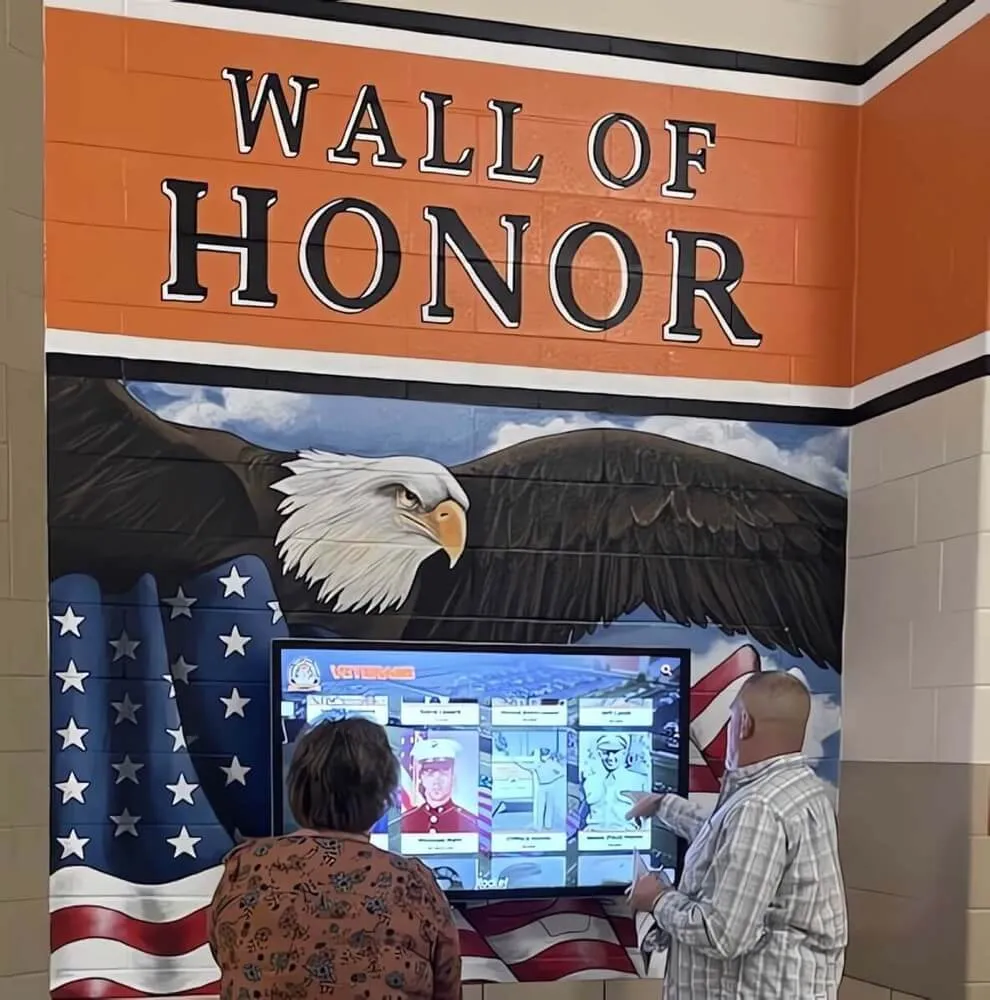
Maintenance Planning: The Year 2 Reality Check
Most donor wall procurement decisions are evaluated on Year 1 costs. The programs that succeed long-term plan for the full operating lifecycle.
Software Maintenance
Cloud-based platforms like Rocket Alumni Solutions handle server maintenance, security updates, and platform feature releases automatically. Your IT team does not manage software updates. Annual subscription fees fund ongoing platform development, security patches, and support access.
On-premise or self-hosted solutions shift that maintenance burden to your district’s IT department. Factor in IT labor costs at your local rate when comparing licensing models. For detailed analysis of subscription versus one-time licensing trade-offs, pricing and budget options for school recognition software provides a structured framework applicable to donor wall budget planning.
Hardware Maintenance
Commercial-grade displays carry 3-year limited warranties standard; extend to 5-year coverage where budget allows. Establish a hardware replacement fund at 10–15% of original hardware cost annually, beginning in Year 3.
Touchscreen overlays on commercial displays are consumable components subject to surface wear in high-traffic installations. Inspect touch response calibration quarterly. Most professional installations see touchscreen overlays requiring replacement at 5–7 years under moderate-traffic conditions.
Preventive maintenance schedule:
| Interval | Task |
|---|---|
| Weekly | Wipe screen surface with manufacturer-approved microfiber cloth |
| Monthly | Verify CMS connectivity; confirm content is current |
| Quarterly | Test touch calibration across full screen surface |
| Annually | Check mounting hardware torque; inspect cable management |
| Biannually | Professional AV cleaning of internal display components |
Content Maintenance
A donor recognition wall with outdated content actively harms stewardship. Donors who gave last year but don’t see their names this year will notice. Assign explicit content ownership:
- Designate one development office staff member as primary CMS owner
- Establish a post-campaign update protocol (add all new donors within 30 days of campaign close)
- Schedule an annual audit reconciling display content against your donor management database
- Build content updates into development calendar alongside gift acknowledgment letters
For detailed guidance on how digital recognition systems can serve dual purposes—recognizing donors and honoring student and athletic achievement simultaneously—the analysis of digital hall of fame and donor wall dual-purpose recognition is directly applicable to schools exploring combined-use installations.
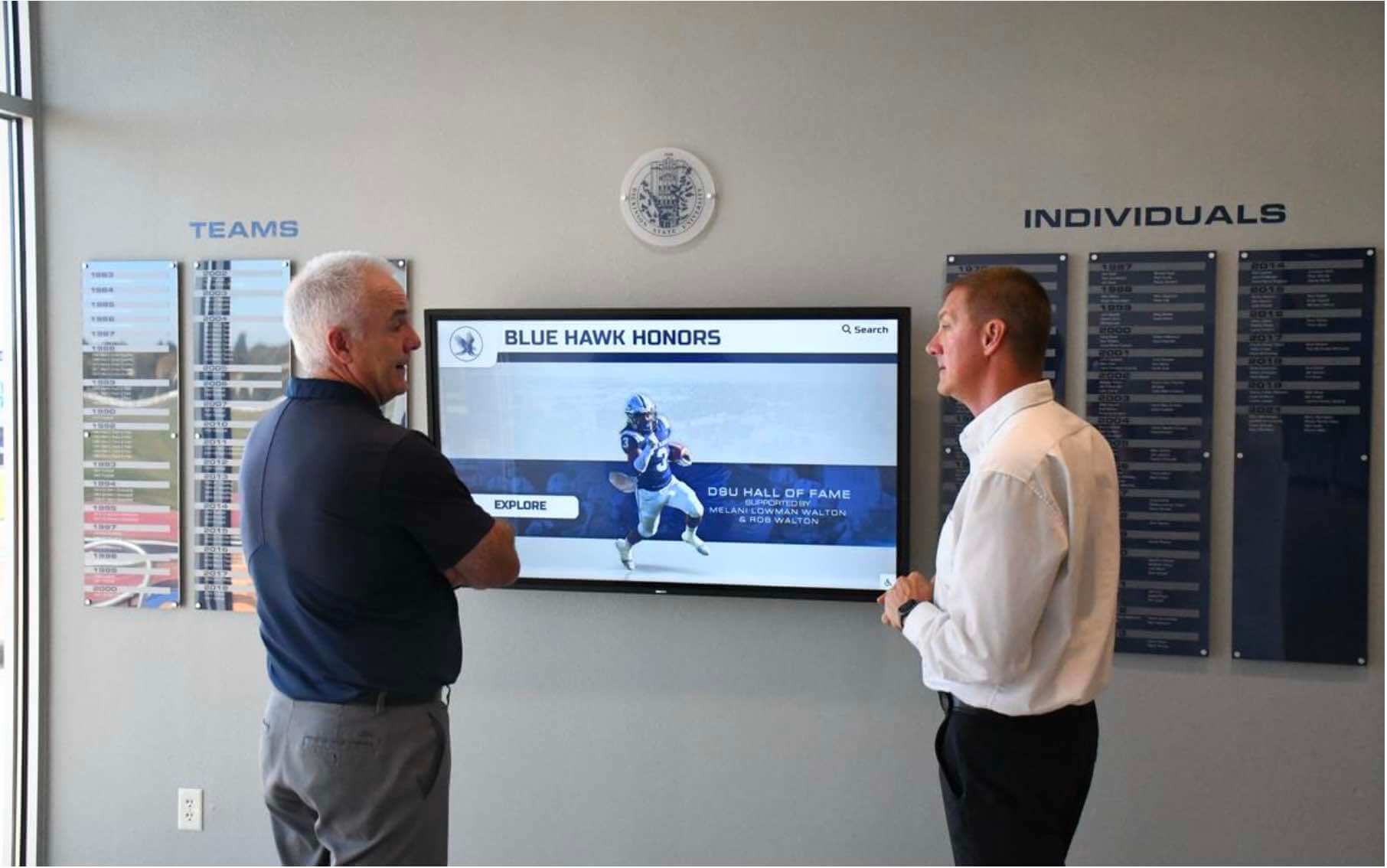
Rocket Alumni Solutions: Purpose-Built for School Donor Recognition
Rocket Alumni Solutions is the leading interactive recognition platform built specifically for K–12 schools, universities, and alumni associations. Unlike general-purpose digital signage platforms adapted for donor recognition, every feature in the platform was designed around the operational reality of school development offices and athletic programs.
Platform differentiators relevant to donor recognition walls:
- Unlimited donor capacity — no software-side limits on record count or display configurations
- Cloud CMS with role-based access — development staff update content independently without vendor tickets
- Multimedia donor profiles — photos, personal statements, video embeds per donor record
- Built-in QR code generation — mobile companion access extends recognition beyond the display
- ADA WCAG 2.1 AA compliant interface — documented compliance for school procurement requirements
- Dual-use configurations — same platform simultaneously powers hall of fame, academic recognition, and donor wall content
- White-glove onboarding — Rocket’s implementation team handles content migration, hardware commissioning, and staff training
- Multi-year budget options — subscription, one-time, and multi-year licensing available to match district procurement cycles
For detailed hardware setup documentation and user reviews of the Rocket platform in school installations, Rocket Alumni Solutions hardware setup reviews provides real-world implementation context. To see how the platform handles diverse recognition programs beyond donor walls, the Rocket Alumni Solutions touchscreen platform overview covers the full recognition suite.
Ready to see how a digital donor recognition wall works in your school’s space?
Schedule a demo with Rocket Alumni Solutions and get a walkthrough configured for your building layout, donor program size, and budget.
Vendor Evaluation Framework: The Buyer’s Checklist
Use this checklist when evaluating any digital donor recognition wall vendor. Require written responses to documentation items in your RFP.
Software Capabilities
- Cloud-based CMS with staff-controlled donor updates (no vendor required for content changes)
- Structured donor database—not presentation file storage
- Configurable giving tier management with visual differentiation
- Multimedia support: photo, text, and video per donor record
- Full-text donor search functionality
- QR code generation linked to donor profiles
- Content scheduling and automated display modes
- Engagement analytics dashboard with interaction data
- Data export in standard formats (CSV, JSON)
- Documented ADA WCAG 2.1 AA compliance
Hardware and Installation
- Commercial-grade display (400+ nits, 16–24 hour duty cycle rating)
- Manufacturer warranty documentation (minimum 3 years)
- VESA mounting specification and load rating
- Required electrical: dedicated 20-amp circuit, outlet placement
- Required network: ethernet or Wi-Fi specifications, bandwidth per display
- ADA compliance documentation: touch target heights, clear floor space plan
- Cable management plan for conduit routing
- Tamper-resistant hardware specification for high-traffic locations
Support and Maintenance
- Implementation support: content migration, staff training included
- Defined support response SLA (target: 4-hour acknowledgment, 24-hour resolution for display-down issues)
- Platform update policy: who applies updates, what is the process
- Hardware replacement protocol and estimated lead time
- Data retention and portability policy if subscription lapses
Pricing and Contracts
- Total cost of ownership comparison: Year 1, Year 3, Year 5
- Annual subscription versus multi-year discount options
- Hardware cost included or separate
- Installation cost included or subcontracted
- Contract term and termination provisions
For a broader framework on evaluating companies that build and install donor recognition walls, choosing the right donor recognition wall partner addresses vendor due diligence criteria that apply across physical and digital formats.
Design Principles for High-Engagement Donor Walls
Hardware and software decisions set the floor for your donor wall’s performance. Design decisions determine the ceiling.
Tier Hierarchy and Visual Logic
Donors process recognition walls visually before they read. Structure your tier display so the visual hierarchy communicates giving levels instantly:
- Reserve the largest visual elements (full photos, prominent placement, color highlights) for your highest tier
- Mid-tier donors receive photo + name + year; lower tiers receive name + year
- Annual fund donors appear in a dedicated scrolling list or searchable directory rather than individual featured profiles
- Campaign-named donors (naming rights for spaces or programs) receive dedicated full-screen or half-screen moments in rotation
Content That Drives Engagement
Displays that show only names and amounts function as lists. Displays that include genuine human detail function as stories. When soliciting content from donors at recognition, ask for:
- A sentence about why they chose to give to your institution
- A connection to their own experience as a student, parent, or community member
- Permission to include a photo from their time at or connection with your school
That content transforms the display from an administrative record into a community narrative—and dramatically increases time spent at the display during school events.
For frameworks on how recognition programs function as fundraising cultivation tools across the full donor lifecycle, how nonprofit recognition displays inspire continued giving provides applicable strategies regardless of whether your organization is a K–12 school or a larger nonprofit.
Placement Strategy
The most common donor wall placement mistake is a hallway that moves people through rather than toward the display. Effective placement:
- Position at natural pause points: building entry, lobby seating area, outside a gymnasium or performing arts entrance
- Ensure adequate lighting (300+ lux at display surface) without glare from opposing windows
- Avoid placement directly under HVAC diffusers—temperature variation accelerates display component aging
- For multi-display installations, cluster at decision points where visitors naturally stop and orient themselves
For schools exploring touchscreen recognition as part of broader admissions and visitor experience strategy, high school touchscreen displays for admissions tours addresses placement and content strategy for donor recognition in the context of prospective family visits.
For detailed guidance on designing the visual and information architecture of digital donor walls, how to design a digital donor wall is a comprehensive design reference covering layout, typography, and content hierarchy.
Frequently Asked Questions
Can we start with a physical donor plaque wall and add a digital component later? Yes. Hybrid installations—physical donor tree or nameplate panel paired with a digital touchscreen kiosk—are common in renovated facilities. The physical element provides the permanence and prestige major gift donors expect; the digital component adds searchability, multimedia depth, and capacity for ongoing annual recognition. Plan power and network rough-in during initial construction even if the digital component is deferred 1–2 years.
How many donors can a single touchscreen display support? Purpose-built platforms like Rocket Alumni Solutions have no practical upper limit. Schools with 2,000+ cumulative donors over a 20-year program run from a single 65-inch display with no performance degradation. Search and filter functionality keeps large databases navigable.
What happens to our donor data if we switch platforms? Require a data portability clause in your contract. Rocket Alumni Solutions exports donor data in standard CSV format on request. Verify this before signing any platform agreement—some vendors treat donor data as proprietary and make migration prohibitively difficult.
Do we need separate internet bandwidth for the donor wall display? Plan for 25 Mbps dedicated to each interactive display running video content. Standard text-and-photo donor recognition profiles require less bandwidth, but provisioning headroom prevents content loading delays during high-traffic events when school network utilization peaks.
How long does a full donor wall installation take? From signed contract to live display: 6–10 weeks is a realistic planning window for a single-display installation. This accounts for hardware procurement (3–4 weeks for commercial displays), content migration and CMS setup (1–2 weeks), and on-site installation and commissioning (1 day). Complex multi-display or new-construction installations may require additional lead time.
What’s the typical 5-year total cost of ownership for a digital donor recognition wall? For a single 65-inch commercial display installation with purpose-built software: budget $12,000–$18,000 for hardware and installation, plus $2,400–$4,800 annually for software licensing. Five-year TCO typically lands between $24,000 and $42,000 depending on hardware spec and software tier. Schools with active capital campaigns often find this cost recovered within the first 18 months through increased donor retention and gift upgrades attributable to recognition program improvements.
For a complete buyers’ guide framework extending to hall of fame recognition alongside donor walls, the digital hall of fame ultimate buying guide for high schools covers evaluation criteria applicable across both recognition categories.
Next Steps: From Research to RFP to Installation
Use this sequenced action plan to move your donor recognition wall project from research to live display.
Phase 1: Internal Alignment (Weeks 1–2)
- Confirm donor program scope: current donor count, anticipated 5-year growth, giving tier structure
- Identify primary installation location; document wall dimensions, power outlet locations, and network access
- Assign project stakeholders: development office lead (content owner), facilities (installation coordination), IT (network and electrical sign-off), administration (budget authority)
Phase 2: Vendor Evaluation (Weeks 3–5)
- Issue RFP using the checklist framework above
- Schedule platform demos with software configured to your donor tier structure—not a generic template
- Request references from schools with comparable program size and installation environment
- Obtain itemized quotes distinguishing hardware, software, installation, and ongoing support costs
Phase 3: Contract and Installation (Weeks 6–14)
- Execute contract with data portability, support SLA, and termination provisions documented
- Confirm electrical and network rough-in with facilities team; schedule contractor work
- Complete content migration: donor database loaded, photos collected, tier assignments verified
- Schedule installation day with AV contractor; plan staff training within 48 hours of commissioning
Phase 4: Launch and Ongoing Management
- Plan a recognition event or open house to introduce the display to your donor community
- Assign CMS ownership and establish content update calendar
- Set a 90-day post-launch review to assess engagement metrics and address content gaps
A donor recognition wall that runs on purpose-built software, installed to commercial AV standards, managed through a modern CMS isn’t a luxury for well-funded institutions. It’s the operational baseline for any school that takes donor stewardship seriously. The alternatives—outdated plaques, unsupported consumer displays, general-purpose signage software—cost more to maintain and produce less donor satisfaction over time.
Schedule a demo with Rocket Alumni Solutions to see how the platform performs against the buyer’s guide criteria above, configured for your school’s specific recognition program.































