Transform Your Business Navigation with Interactive Directories
Whether you run a corporate office, retail complex, hospital, educational campus, or multi-tenant building, helping visitors find their destination quickly and easily creates positive first impressions that shape their entire experience. Traditional static directories—printed maps, outdated building lists, or confusing corridor signs—frustrate visitors and waste staff time answering repetitive directional questions. Modern interactive directories solve these navigation challenges through intuitive touchscreen interfaces, real-time updates, and powerful search capabilities that make wayfinding effortless for everyone.
In today’s digital-first world, businesses across every industry face mounting pressure to provide seamless, technology-enabled experiences that meet rising customer expectations. Interactive directories represent one of the most practical, high-impact improvements you can implement—delivering immediate value through better navigation while reducing operational burden on reception staff and creating more professional, modern environments that reflect positively on your brand.
This comprehensive guide explores easy, actionable ways to create interactive directories for your business, from understanding core benefits and essential features to selecting the right technology platform and implementing solutions that deliver lasting value. Whether you’re upgrading outdated systems or creating your first digital directory, these proven strategies will help you transform how visitors navigate your facilities.
Why Interactive Directories Matter for Modern Businesses
Before diving into implementation details, it’s valuable to understand why leading organizations across industries invest in interactive directory solutions and how these systems deliver measurable returns.
The Cost of Poor Wayfinding
Inadequate navigation creates real business impacts that many organizations underestimate until they quantify the problem systematically:
Lost Productivity: Reception staff can spend a substantial portion of their time answering directional questions and helping lost visitors, preventing them from focusing on higher-value responsibilities like customer service, administrative tasks, and visitor management.
Missed Appointments and Late Arrivals: Many organizations report that visitors arrive late or miss appointments due to navigation difficulties, creating scheduling disruptions that cascade throughout the day and reduce overall facility throughput.
Negative First Impressions: Visitors struggling to find destinations form negative perceptions about organizational competence and attention to customer experience—impressions that color their entire interaction with your business.
Accessibility Barriers: Static directories fail to meet ADA compliance standards for font size, mounting height, and alternative formats, creating legal exposure while excluding people with disabilities from independent navigation.
Update Costs: Every personnel change, departmental move, or tenant turnover requires expensive physical signage replacement, with costs that can range from hundreds to thousands of dollars per update and weeks of production time creating persistent inaccuracies.

How Interactive Directories Transform Business Operations
Modern digital directory systems address these challenges while creating new opportunities impossible with traditional approaches:
Self-Service Navigation: Intuitive touchscreen interfaces empower visitors to find destinations independently through powerful name search, department browsing, room number lookup, and visual mapping with turn-by-turn directions—all without staff assistance.
Always-Current Information: Cloud-based content management enables instant updates across all displays when changes occur. Personnel moves, departmental reorganizations, or tenant changes update in real-time, ensuring information accuracy that static directories cannot match.
Comprehensive Accessibility: Screen reader compatibility, text magnification, high-contrast modes, multilingual interfaces, and ADA-compliant installation ensure all visitors can navigate independently regardless of ability or language preference.
Professional Brand Experience: Sleek, modern displays communicate technological sophistication and attention to visitor experience, creating positive impressions that enhance your business’s overall reputation and market positioning.
Analytics and Insights: Usage tracking reveals which destinations generate most searches, peak navigation times, and common wayfinding challenges—data that informs facility planning, signage placement, and service location decisions based on actual visitor behavior.
Easy Ways to Implement Interactive Directories
Creating effective interactive directories doesn’t require massive IT projects or specialized technical expertise. These practical approaches work for businesses of all sizes and technical capabilities.
Option 1: Touchscreen Kiosk Solutions
Dedicated touchscreen kiosks provide the most visible, high-impact interactive directory implementation that works for lobbies, reception areas, and high-traffic locations.
Hardware Components:
Commercial-grade touchscreen displays ranging from 43 to 65 inches depending on viewing distance and space, industrial-strength capacitive touchscreens supporting multi-touch gestures and withstanding heavy public use, secure floor-standing kiosks or wall-mounted enclosures with professional cable management, and commercial computing modules running reliable directory software with remote management capabilities.
Key Advantages:
Prominent visibility ensuring all visitors encounter directories naturally, dedicated purpose eliminating multi-use confusion, robust construction designed for continuous public operation, and touchscreen interface that feels intuitive and familiar to users across all age groups and technical comfort levels.
Implementation Complexity: Moderate
Requires professional installation for mounting and power connections, network connectivity through Ethernet or secure WiFi, initial content development populating directory database, and basic training for staff managing content updates. Most businesses complete installation within 2-4 weeks from order to operation.
Typical Investment: Complete kiosk solutions including hardware, software, installation, and first-year support typically range from several thousand dollars per location, varying based on display size, features, and customization requirements.

Option 2: Wall-Mounted Touchscreen Displays
Wall-mounted displays offer space-efficient alternatives to floor kiosks while providing full interactive capabilities in compact installations.
Implementation Approach:
Commercial display panels mounted flush against walls at appropriate heights (typically 42-48 inches from floor for wheelchair accessibility), secure mounting brackets supporting display weight safely, hidden cable management for professional appearance, and optional protective enclosures for high-traffic environments requiring additional durability.
Ideal Situations:
Limited floor space where kiosks would obstruct traffic flow, hallway intersections requiring wayfinding guidance, elevator lobbies on each floor, secondary locations supplementing primary kiosk installations, and renovation projects where wall mounting proves more cost-effective than floor installations.
Implementation Complexity: Moderate
Similar to kiosks but may require electrical work installing in-wall power connections and potentially lower installation costs due to simpler mounting compared to full kiosks.
Typical Investment: Wall-mounted solutions often cost less than floor kiosks, with pricing varying based on display size, mounting complexity, and installation requirements.
Option 3: Tablet-Based Directory Systems
For businesses seeking the most budget-friendly entry point into interactive directories, commercial tablets mounted in secure stands provide functional solutions with lower initial investment.
Hardware Configuration:
Commercial-grade tablets (typically 10-13 inch screens) rather than consumer models designed for continuous operation, secure tablet enclosures or mounting stands with cable management and theft deterrence, power supplies with backup batteries preventing interruptions, and mobile device management software for remote monitoring and content updates.
Appropriate Use Cases:
Small businesses with limited budgets testing interactive directory concepts, temporary installations for events or special circumstances, reception desk placements where staff can monitor equipment, and satellite locations supplementing primary kiosk installations in main areas.
Limitations to Consider:
Smaller screens limit viewing distance and group navigation, less robust hardware may require more frequent replacement, perceived as less professional compared to dedicated kiosks, and requires more careful placement preventing theft or damage.
Implementation Complexity: Low
Minimal technical requirements with simple setup, no permanent installation necessary, easy content updates through standard tablet interfaces, and quick deployment enabling same-day operation.
Typical Investment: Tablet-based solutions represent the most affordable entry point, with costs varying based on tablet quality, security enclosure type, and software subscription options.
Option 4: Cloud-Based Digital Directory Software
Regardless of hardware approach, your software platform determines directory functionality, ease of management, and long-term value. Modern cloud-based solutions provide the most flexible, maintainable options.
Essential Platform Capabilities:
Intuitive content management interfaces requiring no technical expertise for updates, cloud hosting eliminating server infrastructure requirements, multi-device support working across kiosks, tablets, and mobile browsers, automatic content synchronization updating all displays instantly, real-time analytics tracking usage patterns and popular searches, and role-based access control enabling distributed content management across departments.
Leading Directory Software Features:
Powerful search functionality across people, departments, rooms, and services with auto-complete and suggested results, interactive mapping with visual wayfinding showing routes from current location to destinations, customizable categories organizing content logically for your specific business, multilingual support serving diverse visitor populations, accessibility features including screen reader compatibility and adjustable text sizes, and integration capabilities connecting to existing databases, scheduling systems, or building management platforms.
Solutions like Rocket Alumni Solutions provide specialized platforms originally designed for educational recognition but offering powerful directory capabilities applicable to business environments requiring reliable, intuitive digital information systems.

Option 5: Hybrid Approaches Combining Multiple Methods
The most sophisticated implementations combine different directory formats creating comprehensive wayfinding ecosystems serving diverse needs and locations.
Strategic Combinations:
Primary touchscreen kiosks in main lobbies providing full-featured navigation, wall-mounted displays at elevator banks and major intersections offering quick lookups, mobile-responsive web directories enabling pre-visit planning and smartphone access, and printed QR codes throughout facilities linking to mobile-accessible maps and directions.
Integrated Benefits:
Visitors encounter wayfinding assistance at every decision point, multiple access methods accommodate different user preferences and situations, consistent information across all touchpoints prevents confusion, and investment scales gradually starting with high-traffic locations before expanding comprehensive coverage.
Essential Features Every Business Directory Needs
Regardless of implementation approach, successful interactive directories share core capabilities that distinguish professional solutions from basic alternatives.
1. Powerful Search Functionality
The primary value proposition of interactive directories is helping people find specific destinations quickly. Robust search capabilities make this possible through multiple approaches.
Name-Based Search:
Find people by typing names with auto-complete suggestions, partial name matching accommodating spelling uncertainty, nickname and preferred name support, and results showing department, office location, and contact information with clickable directions.
Department and Organization Search:
Browse or search by business unit, department, functional area, or service type enabling visitors to find “Human Resources,” “Accounting,” “Customer Service,” or other destinations without knowing specific names or room numbers.
Room Number and Building Search:
Direct lookups for meeting invitations specifying “Conference Room B” or “Suite 320” without requiring visitors to know which building or floor contains those locations.
Category-Based Filtering:
Organize destinations by logical groupings like “Administrative Offices,” “Customer Service,” “Sales Teams,” “Conference Rooms,” or “Common Areas” helping visitors browse when they’re unsure exactly what they’re seeking.
2. Visual Mapping and Turn-by-Turn Guidance
Text directions prove difficult to follow in unfamiliar environments. Visual wayfinding dramatically improves navigation success through several key elements.
Interactive Floor Plans:
High-resolution facility maps showing rooms, corridors, elevators, stairways, restrooms, and landmarks, “You Are Here” indicators providing spatial orientation before navigation begins, pan and zoom capabilities allowing detailed exploration, and multi-floor navigation showing vertical connections between levels.
Route Visualization:
Highlighted paths showing optimal routes from directory location to destination, turn-by-turn visual instructions with arrows and landmarks, distance estimates and approximate walk times, and accessibility route options identifying elevator access and avoiding stairs for users requiring accessible paths.
Printable and Mobile-Accessible Directions:
QR codes on directory screens linking to mobile-compatible maps users can reference while navigating, printable direction cards for visitors preferring tangible references, and SMS or email options sending directions to personal devices.
Understanding building directory and wayfinding best practices from educational implementations provides valuable insights applicable to business environments with similar navigation challenges.
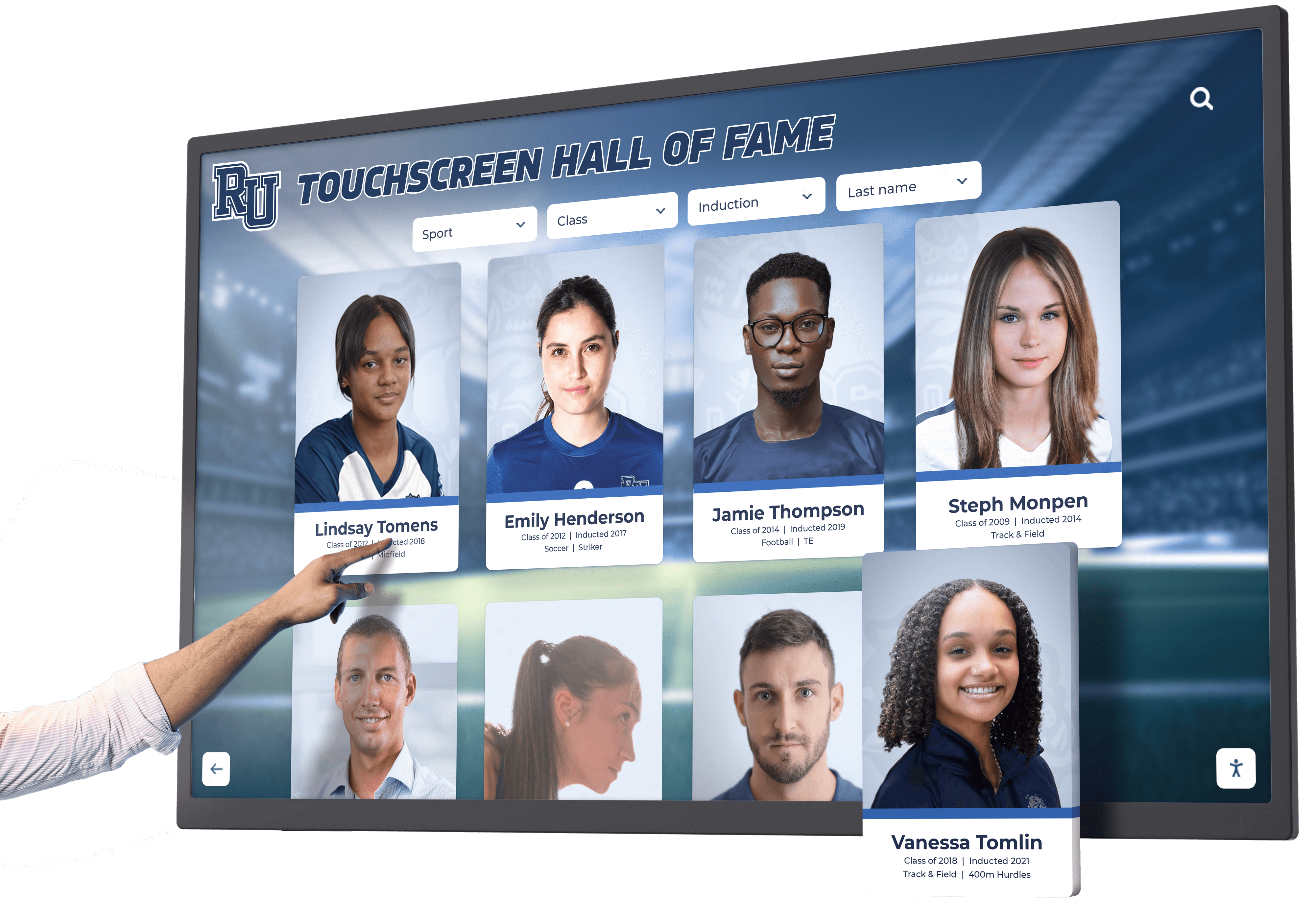
3. Real-Time Content Management
Static information becomes outdated immediately. Effective directories require simple, fast update mechanisms enabling non-technical staff to maintain current, accurate content.
Cloud-Based Administration:
Web-based content management accessible from any internet-connected device, intuitive interfaces requiring no specialized training, bulk upload capabilities for large databases, scheduled publishing for planned changes, and multi-administrator access with role-based permissions.
Integration Capabilities:
Connect to Active Directory or LDAP for automatic personnel data synchronization, integrate with HR systems updating employee information automatically, link to building management systems reflecting space assignments, and connect with scheduling platforms showing conference room availability.
Version Control and Audit Trails:
Track all content changes with who, what, and when documentation, restore previous versions if errors occur, and maintain accountability for information accuracy across distributed management teams.
4. Accessibility and Multilingual Support
Legal compliance and inclusive design principles demand directories serve all users regardless of ability or language.
Physical Accessibility:
ADA-compliant mounting heights ensuring wheelchair users can reach and view screens comfortably, adequate clear floor space for maneuvering and approach, and touch target sizing accommodating users with limited dexterity or motor control challenges.
Digital Accessibility:
Screen reader compatibility enabling visually impaired visitors to navigate independently, text magnification allowing users to enlarge content significantly, high-contrast modes improving visibility for users with low vision or color blindness, and keyboard navigation for users unable to use touchscreens.
Language Support:
Interface translation displaying all content in user-selected languages, multilingual content management supporting organization and people information in multiple languages, and prominent language selectors ensuring users easily find their preferred language option.
Comprehensive accessibility in digital displays provides frameworks ensuring directories serve diverse user populations effectively and legally.
5. Analytics and Continuous Improvement
Data-driven insights enable ongoing optimization based on actual usage patterns rather than assumptions about visitor behavior.
Usage Metrics:
Track total interactions, average session duration, peak usage times, and most frequently searched destinations, revealing which information visitors seek most often and when directories receive heaviest use.
Search Analytics:
Monitor search terms, failed searches producing no results, and filter usage patterns identifying content gaps, naming inconsistencies, or missing information that frustrates users.
Engagement Patterns:
Analyze navigation paths showing how users explore content, feature usage revealing which capabilities provide most value, and device analytics from web-accessible versions showing mobile versus desktop access preferences.
Step-by-Step Implementation Process
Creating an interactive directory involves systematic planning, implementation, and ongoing management. This proven process guides businesses through successful deployment.
Step 1: Assess Your Needs and Objectives
Begin by clearly defining what you want your directory to accomplish and identifying specific challenges to address.
Questions to Answer:
What navigation problems do visitors currently experience most frequently? How much staff time currently gets consumed answering directional questions? What locations require wayfinding assistance most urgently? How frequently does directory information change requiring updates? What budget can you allocate to solving these challenges?
Stakeholder Input:
Survey reception staff about common directional questions, interview facility managers about navigation pain points, gather visitor feedback through brief questionnaires, observe actual navigation behavior identifying problem areas, and consult with IT about network infrastructure and technical requirements.
Success Criteria:
Define measurable goals like “Reduce directional questions to reception by 50%,” “Ensure 90% of visitors can find destinations within 2 minutes,” or “Update directory information within same day of personnel changes.”
Step 2: Choose Your Technology Platform
Select software and hardware matching your specific requirements, technical capabilities, and budget constraints.
Software Evaluation Criteria:
Ease of content management for non-technical administrators, comprehensive search and filtering capabilities, visual mapping and wayfinding features, accessibility compliance and inclusive design, analytics and reporting functionality, integration options with existing systems, mobile-responsive design and web accessibility, vendor reputation and customer support quality, and total cost of ownership including licensing, support, and updates.
Hardware Selection Factors:
Display size appropriate for viewing distance and space, commercial-grade components rated for continuous operation, touchscreen quality and responsiveness, mounting options suitable for your locations, aesthetic fit with your brand and environment, and durability for expected usage levels and environmental conditions.
Vendor Questions:
Request demonstrations using your actual content and organizational structure, ask for customer references from similar businesses and actually contact them, review service level agreements and support response times, understand total costs including hidden fees or optional features, and clarify customization capabilities and limitations.

Step 3: Plan Installation Locations
Strategic placement dramatically affects directory usage and value—carefully consider where visitors need wayfinding assistance most.
Priority Locations:
Main building entrances where all visitors first enter, reception areas providing backup when staff are busy, elevator lobbies where users decide which direction to proceed, parking structure entrances or building connections, and major corridor intersections where confusion commonly occurs.
Placement Considerations:
Visibility from natural approach directions ensuring visitors notice directories, adequate space for users to interact without obstructing traffic, appropriate lighting preventing screen glare or readability issues, accessible mounting complying with ADA requirements, and power and network connectivity availability.
Phased Deployment:
Start with highest-traffic location proving value before expanding, add locations based on demonstrated success and user feedback, spread investment across budget cycles if necessary, and learn from initial implementation before broader rollout.
Step 4: Develop Directory Content
Comprehensive, accurate content determines whether your directory truly helps users or creates new frustrations through incomplete or incorrect information.
Data Collection:
Compile complete personnel rosters with names, titles, departments, office locations, and contact information, verify room numbers and current occupancy for all spaces, document department structures and organizational hierarchy, identify amenities and common destinations like restrooms, conference rooms, and break areas, and gather building and floor information with clear naming conventions.
Content Organization:
Establish logical categories matching how visitors think about your organization, create consistent naming conventions preventing confusion, develop clear wayfinding landmarks and descriptive location identifiers, and plan multilingual content if serving diverse populations.
Quality Assurance:
Verify all information accuracy before going live, test search functionality ensuring users can find all important destinations, conduct walkthrough reviews confirming route directions match physical reality, and gather feedback from test users representing different visitor types.
Step 5: Install Hardware and Configure Software
Professional installation ensures reliable operation while proper configuration optimizes user experience from day one.
Installation Requirements:
Secure mounting following manufacturer specifications and ADA guidelines, electrical connections by licensed electricians meeting code requirements, network configuration providing reliable connectivity, cable management creating clean, professional appearance, and physical security preventing theft or tampering.
Software Configuration:
Upload directory content and organizational structure, customize branding with logos, colors, and visual identity, configure search parameters and filtering options, set up user accounts and access permissions for content administrators, and integrate with external systems if applicable.
Testing and Quality Assurance:
Verify all search functionality works as expected, test visual mapping and route directions for accuracy, confirm accessibility features function properly, check multilingual support if implemented, and validate analytics tracking correctly.
Step 6: Train Staff and Launch
Effective directories require more than just technology—successful adoption depends on communication, training, and ongoing management.
Staff Training:
Demonstrate directory capabilities and key features to all relevant personnel, teach content update procedures to designated administrators, provide troubleshooting guidance for common issues, explain how to assist visitors who need help, and distribute documentation and reference materials.
Launch Communication:
Announce directory availability through email, internal communications, and signage, create awareness through facility tours and demonstrations, highlight benefits and encourage usage, share instructions for mobile and web access if available, and gather initial feedback and suggestions.
Continuous Promotion:
Regularly remind staff and visitors about directory availability, feature new capabilities or content additions, celebrate success metrics demonstrating value, encourage feedback and suggestions for improvement, and maintain visible signage directing to directory locations.
Overcoming Common Implementation Challenges
Understanding typical obstacles helps businesses navigate them proactively rather than encountering surprises that derail projects.
Challenge: “We Don’t Have Budget for Expensive Technology”
Interactive directories may seem cost-prohibitive for small or mid-sized businesses with limited capital budgets.
Solutions:
Start with single high-traffic location rather than comprehensive deployment, consider tablet-based solutions offering lower entry costs, calculate ROI documenting staff time savings and operational efficiencies, explore leasing or financing options spreading costs over time, and phase implementation across multiple fiscal years as budget allows.
Remember that continuing to rely on static directories costs money through staff time, signage replacement, and missed appointments—sometimes the question isn’t whether you can afford interactive directories but whether you can afford not implementing them.
Challenge: “Our Information Changes Too Frequently to Keep Updated”
Organizations with high personnel turnover or frequent space changes worry about maintenance burden.
Solutions:
Integrate with authoritative databases like Active Directory, HR systems, or facility management platforms for automatic updates, implement distributed management allowing departments to update their own information, use cloud-based platforms enabling quick updates from anywhere, establish clear ownership and update procedures, and leverage the fact that digital updates take minutes versus weeks for traditional signage replacement.
Frequent change actually strengthens the case for digital directories—traditional static systems become inaccurate even faster in dynamic environments, while digital platforms adapt immediately.
Challenge: “We’re Concerned About Technical Reliability”
Businesses worry about directories malfunctioning during important client visits or events.
Solutions:
Choose commercial-grade hardware designed for continuous operation, work with vendors offering responsive technical support and service agreements, implement remote monitoring alerting to issues immediately, maintain vendor support contracts ensuring rapid problem resolution, and train multiple staff members on basic troubleshooting.
Modern directory platforms achieve 99%+ uptime when properly implemented with commercial components and professional support—far more reliable than depending on available staff providing consistent directional assistance.
Challenge: “Our Building Layout is Too Complex for Digital Mapping”
Facilities with unique architecture, multiple buildings, or complex spatial relationships seem difficult to represent digitally.
Solutions:
Work with vendors experienced in complex facility mapping, start with simplified overview maps before adding detailed floor plans, use professional map development services rather than repurposing architectural drawings, implement gradual detail enhancement rather than perfection before launch, and leverage text-based directions supplementing visual maps.
Complex buildings benefit most from interactive directories—the more confusing your layout, the more value comprehensive digital wayfinding provides compared to static alternatives that confuse rather than clarify.

Best Practices for Long-Term Directory Success
Initial implementation represents just the beginning—ongoing success requires sustained attention to content quality, user experience, and continuous improvement.
Establish Clear Content Governance
Designate specific personnel responsible for directory accuracy, create documented update procedures and schedules, implement review processes ensuring quality before publication, empower distributed management where appropriate, and maintain backup administrators preventing single-point failure.
Keep Content Fresh and Relevant
Update directories immediately when changes occur rather than batching updates, add new employees, departments, or locations promptly, remove outdated information preventing confusion, feature rotating content highlighting different areas or services, and conduct periodic comprehensive audits verifying continued accuracy.
Monitor Usage and Optimize
Regularly review analytics identifying high-interest content and common searches, track failed searches revealing missing information or naming issues, analyze peak usage times informing update schedules, identify underutilized features requiring better promotion or interface improvements, and gather qualitative feedback through surveys and observation.
Maintain Technical Infrastructure
Keep software and security updates current, monitor system performance and uptime, address hardware issues promptly before they worsen, clean touchscreens regularly maintaining professional appearance, and maintain vendor support contracts ensuring available assistance.
Expand Capabilities Strategically
Start with core directory functionality before adding advanced features, implement new capabilities based on demonstrated user needs rather than available technology, test enhancements with user groups before full deployment, provide training when adding significant new features, and avoid feature bloat that complicates rather than improves experience.
Resources on implementing touchscreen kiosk systems demonstrate how businesses successfully deploy and maintain interactive display technology over time.
The Future of Business Directories
Understanding emerging trends helps businesses implement directories that remain valuable as technology evolves and user expectations rise.
Artificial Intelligence and Natural Language Search
AI-powered directories will understand conversational queries like “Where can I find someone in marketing?” or “How do I get to the nearest conference room?” without requiring users to understand organizational structure or search syntax, provide intelligent suggestions based on context and past searches, and automate content categorization and organization.
Mobile Integration and Continuous Navigation
Directory experiences will extend seamlessly to personal devices through QR code handoffs from physical kiosks to smartphones, mobile apps providing turn-by-turn navigation throughout facilities, augmented reality overlaying directional arrows onto real-world camera views, and push notifications alerting about changes relevant to scheduled visits or bookings.
Voice-Activated Interfaces
Hands-free directory interaction will accommodate users with accessibility needs while offering convenient alternatives through voice search and spoken directions, smart assistant integration with Alexa, Google Assistant, or Siri, and audio wayfinding instructions for users unable to read screens.
Enhanced Analytics and Predictive Insights
Advanced analytics will inform facility planning and service placement through heat mapping showing most-visited destinations and navigation patterns, predictive modeling identifying space utilization trends, visitor flow analysis optimizing facility layouts, and automated recommendations for signage placement based on user behavior.
Conclusion: Creating Navigation Experiences That Matter
Interactive directories transform how businesses help visitors navigate facilities while reducing operational burden, improving accessibility, and creating professional environments reflecting modern expectations. The technology has matured from experimental novelty to proven business tool delivering measurable returns across industries from healthcare and corporate offices to retail, hospitality, and educational institutions.
Creating effective interactive directories doesn’t require massive technical expertise or unlimited budgets—proven solutions work for businesses of all sizes starting with single high-impact locations before expanding comprehensive coverage. The key is starting with clear objectives, choosing appropriate technology matching your needs and capabilities, implementing systematically with attention to content quality and user experience, and committing to ongoing maintenance and improvement.
Whether you choose dedicated touchscreen kiosks, wall-mounted displays, tablet-based solutions, or comprehensive hybrid approaches, the core principle remains consistent: make wayfinding effortless for every visitor while ensuring the information they need stays current, accurate, and accessible regardless of ability or language. When you achieve this, directories become invisible infrastructure visitors rely upon without thinking—the mark of truly successful implementation.
Your visitors deserve navigation experiences matching the quality of service you provide in every other aspect of your business. Interactive directories make this elevated experience practical, affordable, and sustainable. The question isn’t whether interactive directories can improve your business but when you’ll implement solutions that transform how everyone—visitors, customers, clients, and staff—navigate your facilities with confidence and ease.
Ready to explore how interactive directory solutions can benefit your specific business environment? Solutions like Rocket Alumni Solutions provide proven platforms, professional implementation support, and ongoing service ensuring success without requiring extensive technical expertise or internal resources. Transform your wayfinding from frustrating obstacle into seamless experience that creates positive impressions lasting long after visits end.































