Understanding the Elo Backpack 5.0: The Brain Behind Interactive Touchscreen Displays
The Elo Backpack 5.0 represents a powerful Android-based computer module designed to transform standard Elo touchscreen monitors into fully interactive kiosks and digital signage solutions. For schools, universities, and organizations deploying interactive recognition displays, understanding the capabilities and configuration of the Backpack 5.0 is essential for maximizing the effectiveness of your digital engagement systems.
Interactive touchscreen displays have become essential tools for modern schools seeking to engage students, honor achievements, and create dynamic recognition experiences. At the heart of many of these systems lies specialized computing hardware designed specifically for commercial touchscreen applications. The Elo Backpack 5.0 serves this critical role, providing the processing power, connectivity, and reliability required for professional interactive installations.

Professional touchscreen display powered by integrated Android computing system
What Is the Elo Backpack 5.0?
The Elo Backpack 5.0 is a commercial-grade Android computer module that mounts directly to the rear of compatible Elo touchscreen displays, creating an all-in-one interactive solution. Unlike traditional desktop computers or media players that require separate mounting and cable management, the Backpack integrates seamlessly with the display, resulting in clean installations suitable for schools, public spaces, and professional environments.
Core Specifications and Capabilities
The Backpack 5.0 delivers enterprise-class performance optimized for interactive applications:
Processing Power:
The system features an octa-core processor architecture providing the computational performance required for smooth multimedia playback, responsive touch interactions, and simultaneous task management. This processing capability ensures that interactive recognition displays maintain fluid navigation even when handling high-resolution images, video content, and complex interactive elements.
Memory and Storage:
With substantial RAM allocation and expandable storage options, the Backpack 5.0 accommodates the content requirements of comprehensive recognition programs. Schools implementing digital halls of fame benefit from storage capacity sufficient for thousands of honoree profiles, photos, videos, and historical archives.
Operating System:
Running a commercial version of Android specifically optimized for kiosk and signage applications, the Backpack provides access to familiar app ecosystems while offering lockdown and management features essential for public-facing installations.
Connectivity Options:
Comprehensive connectivity ensures integration with existing infrastructure and peripheral devices. Ethernet ports provide reliable wired network connections, while Wi-Fi capabilities offer deployment flexibility. USB ports accommodate peripheral devices, and Bluetooth support enables wireless accessory integration.
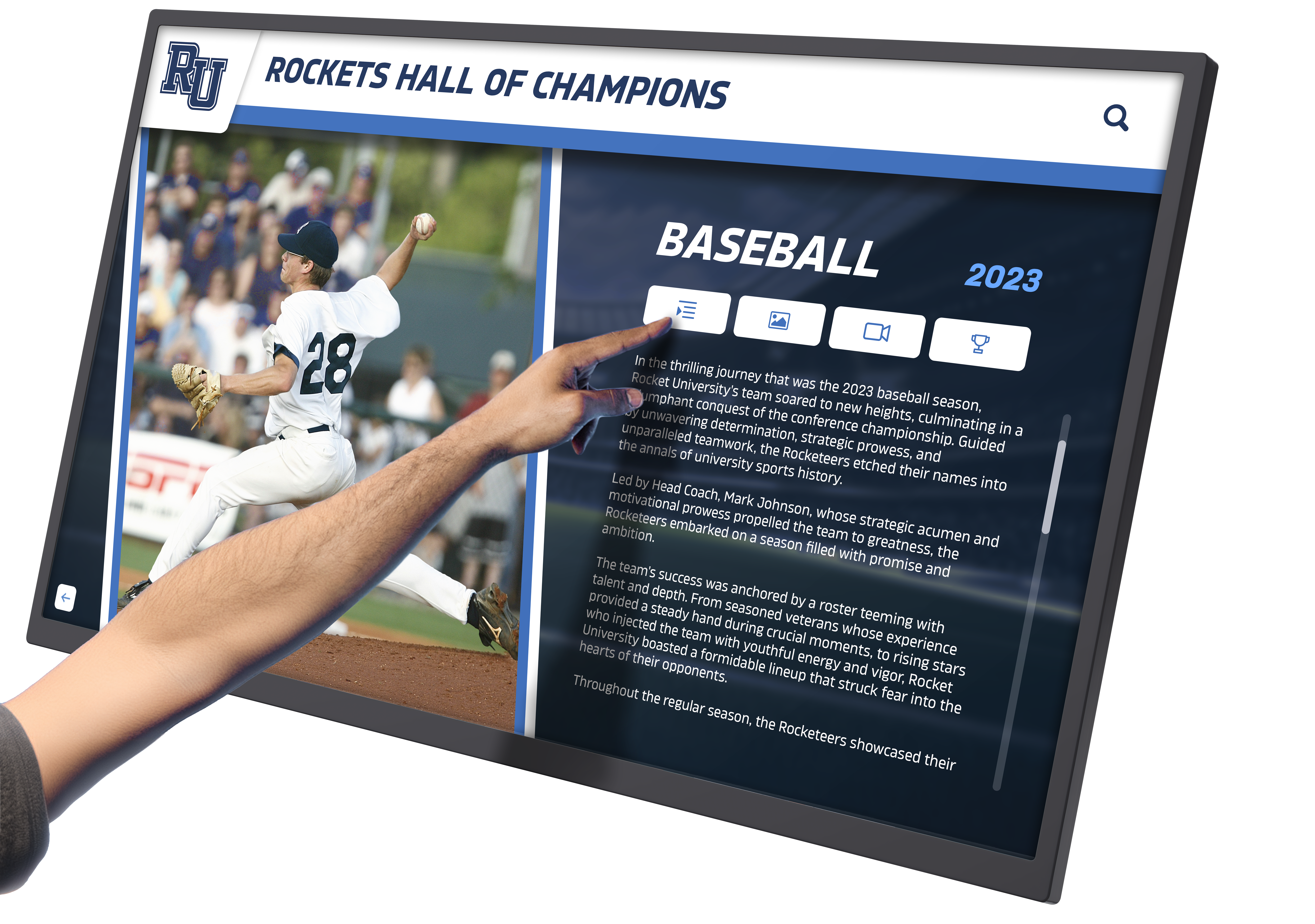
Clean wall-mounted installation with integrated computing system
Installation and Physical Integration
One of the Backpack 5.0’s primary advantages is its seamless physical integration with Elo touchscreen displays.
Mounting and Setup
The Backpack mounts directly to VESA mounting points on the rear of compatible displays, utilizing the same mounting interface used for wall brackets or stands. This integration approach offers several benefits:
Clean Installation:
By eliminating separate computer towers or media players, Backpack-powered displays present clean, professional appearances suitable for entrance areas, lobbies, and high-visibility locations. Cable management simplifies dramatically when computing happens directly behind the display.
Space Efficiency:
Schools with limited wall space appreciate that Backpack installations require no additional floor space or mounting area beyond the display itself. This efficiency proves particularly valuable in renovated buildings or historic spaces where installation options may be constrained.
Simplified Power:
Rather than requiring separate power connections for display and computer, Backpack systems often utilize single power sources, simplifying electrical requirements and reducing installation complexity.
Improved Reliability:
Eliminating external computers and cable runs reduces failure points while protecting computing hardware within the display enclosure or mounting system.
Schools planning hardware selection for digital recognition displays should consider these integration advantages when evaluating different system architectures.
Compatible Display Sizes and Models
The Backpack 5.0 supports integration with various Elo touchscreen sizes, allowing schools to select display dimensions appropriate for their specific installation locations and viewing distances. Typical deployment scenarios include:
Large Format Displays (43-55 inches):
Main entrance areas, athletic facilities, and high-traffic corridors benefit from larger displays that remain readable from distances of 10-20 feet. These installations serve as prominent recognition showcases while handling significant foot traffic.
Medium Format Displays (32-42 inches):
Departmental areas, academic wings, and specialized spaces work well with medium-sized displays that provide substantial content area while fitting in more constrained locations.
Compact Displays (22-27 inches):
Desktop-style installations for administrative areas, guidance offices, or dedicated research stations utilize smaller displays that provide interactive access in workspace environments.
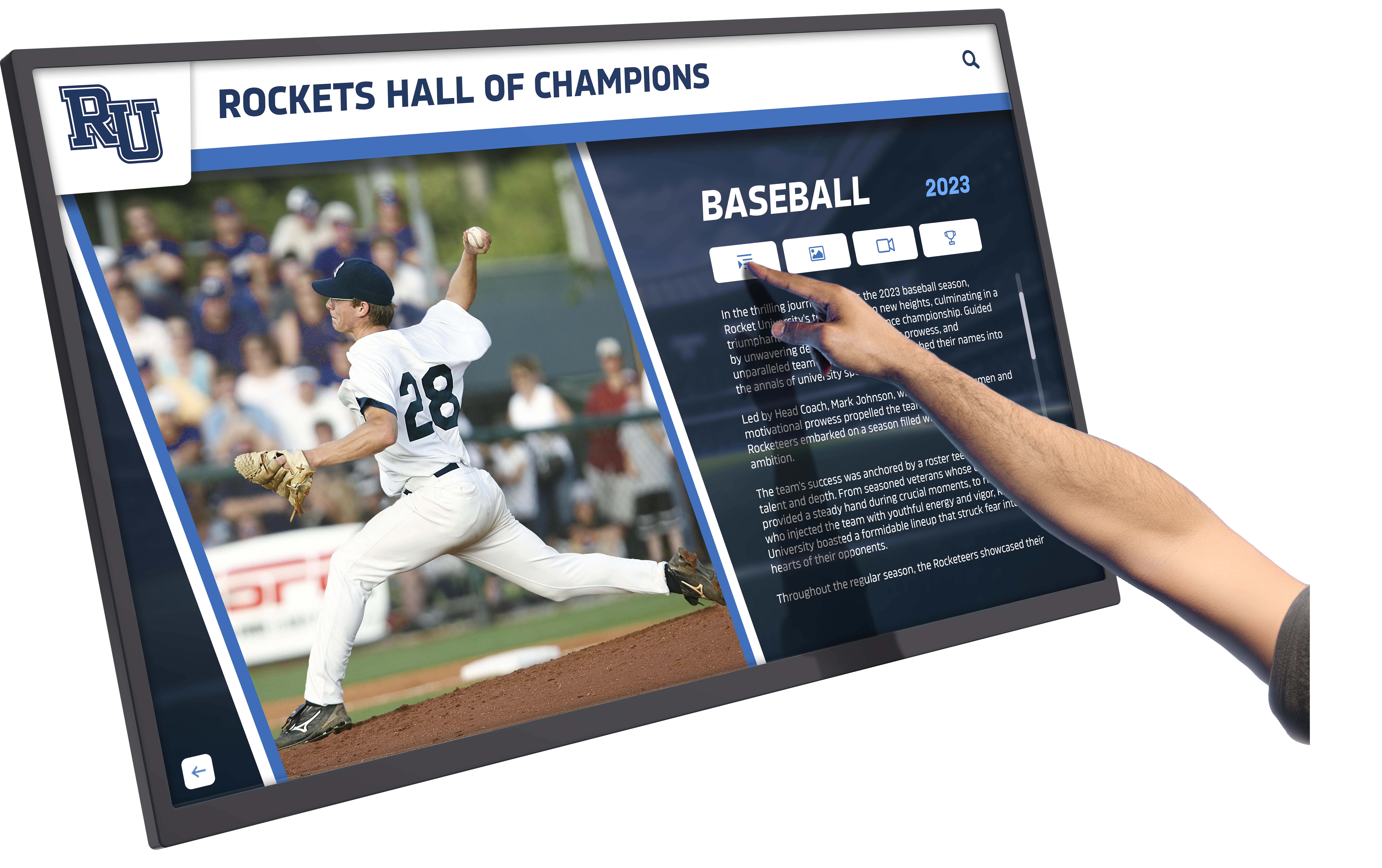
Freestanding kiosk configuration providing flexible placement options
Configuration for Educational Applications
Deploying the Backpack 5.0 in school environments requires configuration optimized for educational use cases, particularly for interactive recognition and engagement applications.
Android Kiosk Mode Setup
Educational installations typically require lockdown configurations that restrict access to approved applications while preventing unauthorized system changes. Kiosk mode implementation ensures that interactive displays serve their intended recognition purposes without diversion to unrelated applications or settings.
Single-Application Kiosk:
Recognition displays often run dedicated interactive software exclusively, with kiosk mode preventing access to other applications, settings, or system functions. This focused configuration ensures visitors interact only with intended recognition content.
Multi-Application Kiosk:
Some educational deployments benefit from controlled access to multiple applications—perhaps combining recognition displays with directory information, event calendars, or announcement systems. Multi-app kiosk modes allow navigation between approved applications while maintaining security restrictions.
Scheduled Content:
Time-based configuration options enable different content or applications during various periods. A display might showcase student recognition during school hours while transitioning to community event information during evening programs.
Schools implementing fullscreen kiosk applications will find the Backpack 5.0’s Android platform provides comprehensive lockdown capabilities ensuring reliable, focused operation.
Network Configuration and Management
Proper network integration ensures content updates, remote management, and system monitoring capabilities essential for maintaining multiple displays across campus facilities.
Wired vs. Wireless Connectivity:
While both Ethernet and Wi-Fi connections are supported, educational institutions typically prefer wired connections for permanently installed displays. Wired connections provide superior reliability, consistent bandwidth, and enhanced security compared to wireless alternatives. Reserve Wi-Fi connectivity for temporary installations or locations where wiring is impractical.
VLAN Configuration:
Network administrators may assign touchscreen displays to dedicated VLANs (Virtual Local Area Networks) separating display traffic from instructional networks and student devices. This segmentation enhances security while enabling centralized management of digital signage infrastructure.
Firewall and Content Filtering:
Ensure display systems can communicate with required content management platforms, cloud services, and update servers while maintaining network security. Work with IT administrators to configure appropriate firewall rules and content filtering exceptions for recognition display systems.
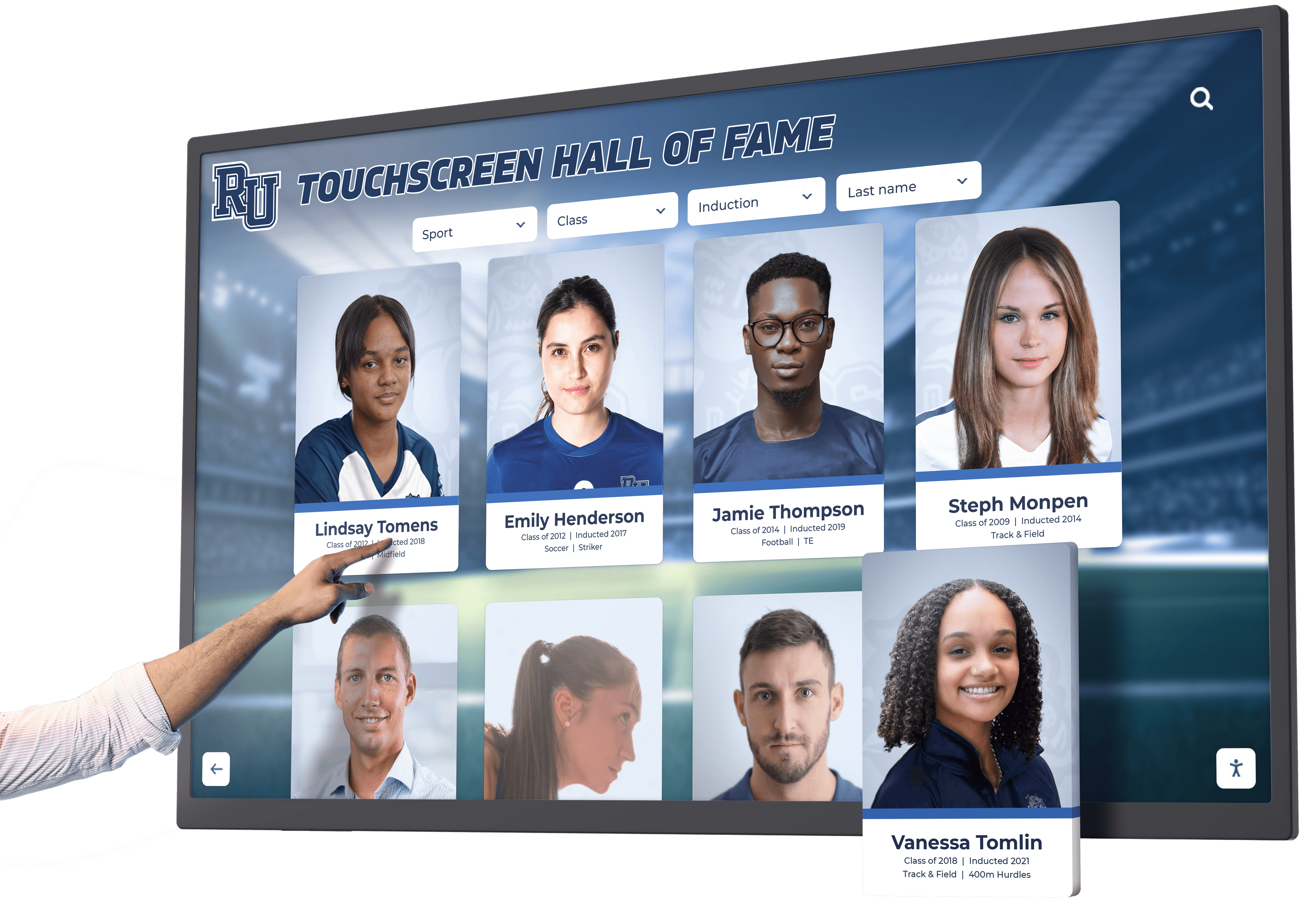
Intuitive interface design optimized for touch interaction
Software and Content Management
The Backpack 5.0’s Android platform supports various content management approaches, from simple digital signage applications to sophisticated interactive recognition systems.
Recognition Display Software
Schools implementing comprehensive recognition programs typically deploy specialized software designed specifically for interactive honoring and engagement:
Cloud-Based Content Management:
Modern recognition platforms offer cloud-based content management systems enabling authorized administrators to update honoree information, upload media, and modify content remotely from any device. This cloud connectivity allows quick recognition additions following achievement announcements or award ceremonies.
Offline Operation Capability:
While cloud connectivity enables convenient updates, robust recognition systems cache content locally on the Backpack, ensuring displays continue operating during network disruptions. This offline capability provides reliability critical for prominently placed entrance displays.
Multimedia Support:
Recognition software should leverage the Backpack’s multimedia capabilities, supporting high-resolution photos, video profiles, audio testimonials, and interactive timelines. Schools creating video content for digital halls of fame benefit from hardware capable of smooth video playback and seamless media transitions.
Display Management Platforms
For schools managing multiple displays across various locations, centralized management platforms provide essential administrative capabilities:
Remote Monitoring:
Monitor display status, confirm content updates, and receive alerts regarding system issues from centralized dashboards. This visibility enables proactive maintenance rather than reactive responses to display problems.
Scheduled Updates:
Schedule content updates and application changes for non-peak hours, ensuring displays remain available during high-traffic periods while refreshing content during evenings or weekends.
Usage Analytics:
Comprehensive platforms track visitor interactions, popular content, and engagement patterns. These analytics inform content strategies and demonstrate recognition program value to administrators and stakeholders.
Solutions like those offered by Rocket Alumni Solutions integrate hardware management with content platforms specifically designed for educational recognition applications, streamlining both technical administration and content development.

Proper maintenance ensures reliable long-term touchscreen operation
Maintenance and Long-Term Operation
Professional touchscreen installations require ongoing maintenance ensuring reliable operation throughout their service life, typically spanning 5-10 years in educational environments.
Routine Maintenance Requirements
Physical Cleaning:
Touchscreen displays require regular cleaning maintaining appearance and touch responsiveness. Develop cleaning protocols using approved cleaners and methods that protect touchscreen coatings while removing fingerprints and smudges. Establish cleaning schedules based on traffic levels—high-traffic entrance displays may require daily attention while lower-traffic locations manage with weekly cleaning.
Implement proper touchscreen maintenance and cleaning best practices to maximize display longevity and maintain professional appearance.
Software Updates:
Keep the Backpack operating system, installed applications, and recognition software current with security patches and feature updates. Establish update approval and testing procedures ensuring changes don’t disrupt display operation or compatibility.
Content Freshness:
Recognition displays lose impact when content stagnates. Establish content update protocols ensuring new achievements receive prompt recognition while historical content remains accessible. Regular content reviews identify outdated information requiring updates or corrections.
Troubleshooting Common Issues
Understanding common issues and resolution approaches minimizes downtime when problems occur:
- •Touch Responsiveness Problems: If touch input becomes unresponsive or inaccurate, first attempt touchscreen calibration through system settings. Clean the display surface thoroughly, as accumulated debris can interfere with touch detection. If problems persist, verify that the touchscreen driver remains current and properly configured.
- •Network Connectivity Issues: Displays losing network connectivity prevent content updates and remote management. Verify physical network connections, confirm network credentials remain valid, and check that network infrastructure hasn't changed. Review firewall logs for blocked connection attempts indicating configuration adjustments required.
- •Application Crashes or Freezes: If recognition software crashes or becomes unresponsive, first attempt application restart through system management tools. Clear application cache and temporary files that may cause instability. If problems continue, investigate available application updates addressing known issues.
- •Display Sleep or Power Issues: Displays that sleep unexpectedly or fail to wake interrupt visitor experiences. Review power management settings ensuring appropriate configurations for public-facing displays. Verify that screensaver and sleep timers serve intended purposes without creating frustrating user experiences.
Schools should establish technical support procedures clarifying responsibility for display maintenance and troubleshooting between IT departments, facilities teams, and external vendors when applicable.

Professional installation maximizing visibility and engagement
Use Cases in Educational Settings
The Backpack 5.0’s capabilities enable diverse interactive applications throughout educational institutions.
Interactive Recognition and Hall of Fame Displays
The primary application for many schools involves comprehensive recognition programs celebrating student, alumni, faculty, and donor achievements. The Backpack provides processing power and storage capacity required for rich recognition experiences:
Multi-Category Achievement Recognition:
Display systems can organize recognition across categories—athletics, academics, arts, leadership, service—enabling visitors to explore achievements aligned with their interests. Robust search and filtering capabilities help visitors locate specific individuals or achievement types quickly.
Historical Archives:
Digital recognition systems preserve institutional history far beyond what physical displays accommodate. Schools can honor every athletic all-conference selection spanning decades, every academic scholarship recipient throughout institutional history, or every noteworthy alumni achievement since inception.
Multimedia Storytelling:
Rather than limiting recognition to names and dates on plaques, interactive systems tell comprehensive achievement stories through photos, videos, career timelines, and personal reflections. This depth creates emotional engagement impossible with traditional approaches.
Schools implementing interactive halls of fame find that the Backpack 5.0 provides capabilities matching or exceeding traditional computer systems while offering superior integration and reliability.
Wayfinding and Campus Information
Beyond recognition, Backpack-powered displays serve wayfinding and information needs:
Interactive Campus Maps:
Touchscreen maps help visitors navigate complex campus layouts, locate specific buildings or offices, and find amenities. Integration with scheduling systems can highlight current event locations or room availability.
Department and Staff Directories:
Interactive directories replace outdated printed materials with searchable databases providing current contact information, office locations, and department resources.
Event Calendars and Announcements:
Dynamic event displays showcase upcoming activities, schedule changes, and important announcements. Time-sensitive content updates immediately rather than requiring physical poster changes or printed materials.
Self-Service Student Information Access
Some schools deploy touchscreen kiosks providing students with self-service access to personal information and resources:
Academic Record Access:
Secure login systems enable students to check grades, attendance records, and assignment information without visiting administrative offices or accessing personal devices.
College and Career Resources:
Interactive displays in guidance areas provide access to college information, scholarship databases, career exploration tools, and planning resources supporting post-secondary preparation.
Activity and Athletics Information:
Students explore participation opportunities, team schedules, club information, and activity requirements through self-service displays located in student commons or activity areas.
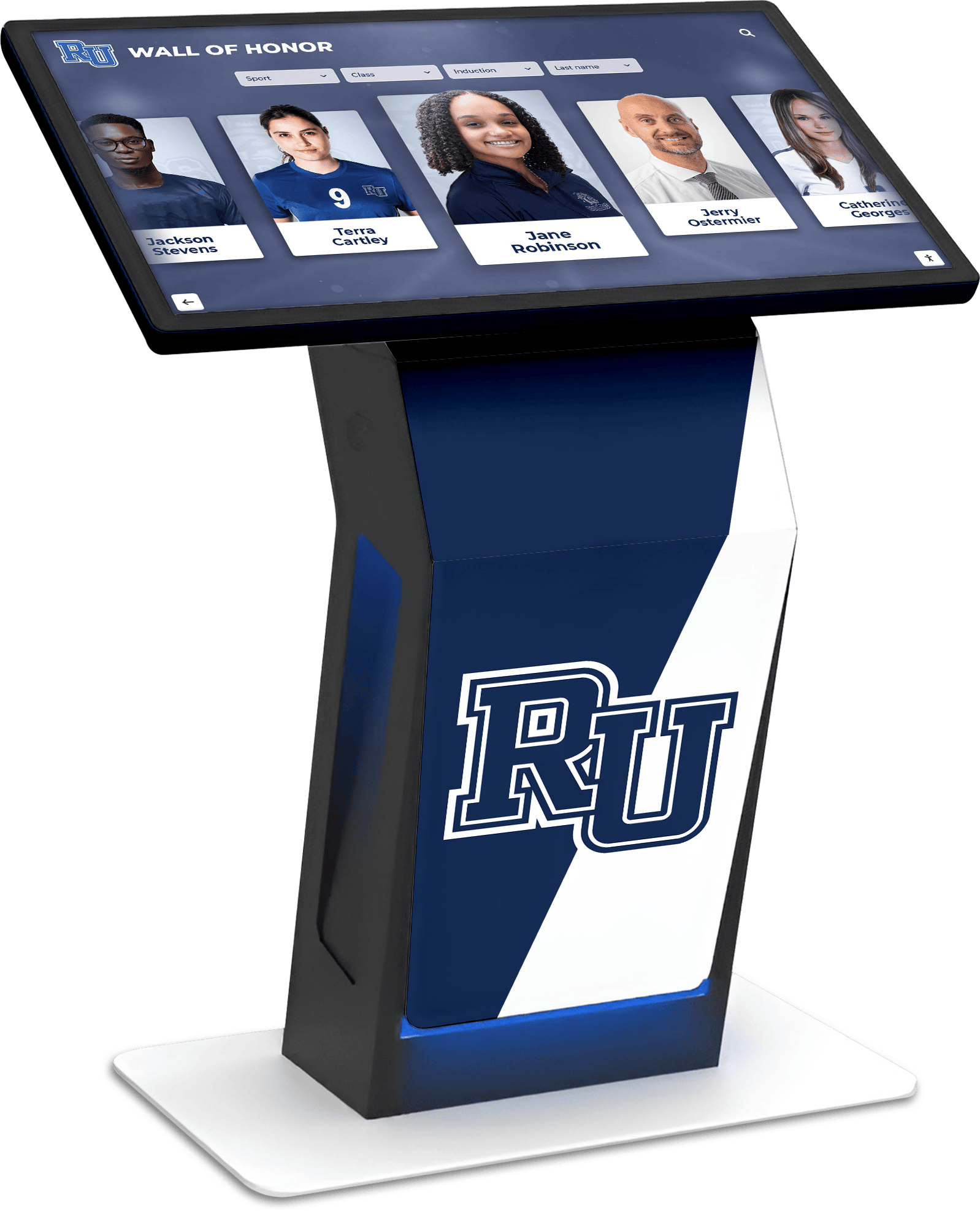
Versatile kiosk installation supporting diverse educational applications
Security and Access Control
Deploying interactive systems in public school environments requires careful security consideration protecting both systems and sensitive information.
Physical Security
Secure Mounting:
Ensure displays and integrated Backpack computers utilize secure mounting preventing unauthorized removal or tampering. Use security screws or tamper-resistant fasteners for mounting hardware. Consider vandal-resistant enclosures for displays in unsupervised areas or high-risk locations.
Port Security:
Disable or physically block unused ports preventing unauthorized device connections. USB ports not required for operation should be disabled through software configuration or blocked using port locks.
Administrative Access Controls:
Implement strong administrative passwords and restrict administrative access to authorized technical personnel. Avoid leaving administrative credentials accessible on systems or in documentation near displays.
Data Security and Privacy
Student Privacy Compliance:
Ensure recognition displays and content management systems comply with student privacy regulations including FERPA (Family Educational Rights and Privacy Act). Obtain appropriate permissions before publicly displaying student information, achievements, or images.
Network Segmentation:
Isolate display systems on dedicated network segments separate from instructional networks containing sensitive student data. This segmentation limits potential exposure if display systems experience security compromises.
Content Access Controls:
Implement authentication and authorization controls for content management systems preventing unauthorized individuals from modifying recognition content or accessing system administration functions.
Schools implementing data privacy and security measures for digital recognition systems should address both technical security controls and policy frameworks ensuring compliant operation.

Engaging displays encouraging exploration and interaction
Cost Considerations and Budget Planning
Understanding total cost of ownership helps schools make informed decisions about interactive display investments.
Initial Investment Components
Hardware Costs:
The Backpack 5.0 and compatible touchscreen display represent the primary hardware investment, with costs varying based on display size, touch technology, and additional features. Budget $4,000-$10,000 for complete Backpack-powered display systems depending on specifications and deployment requirements.
Installation Expenses:
Professional installation ensuring proper mounting, network connectivity, and configuration typically adds $800-$2,500 depending on installation complexity, location accessibility, and required infrastructure modifications.
Software and Content Platform:
Recognition software licensing varies from one-time purchase models to annual subscription pricing. Budget $2,000-$5,000 for initial software setup and first-year licensing, with ongoing annual costs of $800-$2,000 for hosted platforms with support and updates.
Ongoing Operational Costs
Power Consumption:
Commercial displays consume electricity continuously. Estimate $150-$300 annually per display for power costs depending on display size, local electricity rates, and whether power management features reduce consumption during non-operational hours.
Network Connectivity:
While existing school networks typically accommodate display traffic without additional costs, some deployments may require network upgrades, additional switching capacity, or enhanced wireless infrastructure.
Maintenance and Support:
Plan for periodic technical support needs, whether provided by internal IT staff or external service providers. Establish support agreements clarifying response times, covered issues, and escalation procedures for display problems affecting high-visibility installations.
Content Development:
Ongoing content development for recognition programs requires time investment from staff members or external content services. Budget for photography, video production, writing, and content coordination ensuring recognition displays remain current and engaging.
Schools conducting budget planning for digital hall of fame implementation should consider both initial investments and ongoing operational costs when evaluating project feasibility and funding requirements.

Strategic investment creating lasting engagement infrastructure
Alternatives and Competing Solutions
While the Elo Backpack 5.0 offers compelling advantages for many deployments, understanding alternatives helps schools select optimal solutions for their specific needs.
Traditional Computer Integration
Rather than using integrated Backpack modules, some schools deploy displays with traditional desktop computers or media players:
Advantages:
Standard computers may offer more processing power for specialized applications, easier upgrades or replacement of computing components, and potentially lower costs using existing equipment.
Disadvantages:
Traditional computers require additional mounting space, more complex cable management, separate power connections, and increased physical footprint. These factors complicate installation aesthetics and increase potential failure points.
System-on-Chip Displays
Some commercial displays integrate computing directly into display electronics rather than using external modules:
Advantages:
Fully integrated displays offer the cleanest installations with minimal components and maximum reliability. No separate modules or computing devices require mounting or management.
Disadvantages:
Integrated systems may limit upgrade flexibility, as computing and display components are inseparably linked. Performance upgrades may require complete display replacement rather than component updates.
Cloud-Based Thin Client Systems
Streaming-based approaches utilize minimal local computing with processing occurring in cloud infrastructure:
Advantages:
Centralized cloud processing simplifies local hardware requirements and enables rapid deployment across many displays with minimal local configuration.
Disadvantages:
Cloud dependency creates complete reliance on network connectivity, with display functionality degrading or failing during network disruptions. Streaming approaches may also introduce latency affecting touch responsiveness.
Schools evaluating different touchscreen kiosk software and hardware combinations should assess how each approach aligns with technical capabilities, support resources, and deployment goals.
Best Practices for Successful Deployment
Drawing from successful educational implementations, several best practices maximize the value of Backpack-powered interactive display systems.
Planning and Design Phase
Conduct Site Surveys:
Visit proposed installation locations evaluating lighting conditions, viewing angles, traffic patterns, and accessibility. Identify potential glare sources, obstructions, or placement challenges before finalizing hardware purchases.
Engage Stakeholders:
Include administrators, teachers, activities directors, and IT personnel in planning processes. Each stakeholder group brings unique perspectives about content priorities, technical requirements, and operational considerations.
Define Success Metrics:
Establish measurable goals for recognition programs—engagement levels, content utilization, stakeholder satisfaction—enabling objective evaluation of implementation success and return on investment.
Implementation Phase
Test Before Full Deployment:
If deploying multiple displays, begin with pilot installation validating technical approaches, content strategies, and administrative procedures before committing to comprehensive campus-wide implementation.
Document Configurations:
Maintain detailed documentation of network settings, installed applications, administrative credentials, and configuration choices. This documentation proves invaluable during troubleshooting, system maintenance, or future expansions.
Train Content Administrators:
Provide comprehensive training for staff members responsible for content management, ensuring they understand how to update recognition information, upload media, and leverage platform capabilities without requiring IT assistance for routine tasks.
Ongoing Operation Phase
Establish Content Update Rhythms:
Create regular schedules for content reviews, new achievement additions, and quality assurance. Rhythm establishes accountability while preventing content from becoming stale or outdated.
Monitor Usage and Engagement:
Review analytics and engagement metrics identifying popular content, underutilized features, and opportunities for improvement. Use these insights to refine content strategies and enhance visitor experiences.
Celebrate Successes:
Share recognition program successes with school communities, highlighting specific achievements honored through displays, visitor engagement levels, and positive feedback received. Building awareness of program value generates ongoing support and participation.
Conclusion: The Backpack 5.0 as Educational Technology Infrastructure
The Elo Backpack 5.0 represents more than simply a computer module—it provides essential infrastructure enabling schools to implement comprehensive interactive engagement systems that celebrate achievement, preserve institutional history, and create meaningful connections between current students and institutional legacy.
By understanding the Backpack’s capabilities, configuration options, and optimal deployment practices, schools can leverage this technology creating recognition experiences that engage students, honor achievements authentically, and demonstrate institutional values through dynamic, accessible displays that serve communities for years to come.
Whether implementing your first interactive recognition display or expanding existing systems across campus facilities, the Backpack 5.0 combined with purpose-built recognition software creates powerful platforms for celebrating excellence. Solutions like those offered by Rocket Alumni Solutions combine hardware expertise with specialized recognition software designed specifically for educational environments, providing complete systems that schools can confidently deploy knowing they serve today’s needs while remaining flexible enough to evolve with future requirements.
The investment in interactive recognition technology reflects commitment to honoring achievement comprehensively while creating infrastructure that serves diverse communication, engagement, and informational needs throughout your educational community. By approaching implementation thoughtfully—considering hardware capabilities, content strategies, technical support, and stakeholder needs—schools create systems that deliver lasting value far exceeding traditional recognition approaches, positioning institutions as forward-thinking organizations that honor their past while embracing their future.
Ready to Transform Your School's Recognition Program?
Discover how interactive touchscreen displays powered by solutions like the Elo Backpack 5.0 can revolutionize how your institution celebrates achievements and engages your community.
Explore Recognition Solutions



























