End of semester honor roll recognition represents a critical moment when schools celebrate academic excellence and motivate continued achievement. Yet many schools struggle with how to effectively recognize honor roll recipients at semester’s end—printed lists quickly become outdated, static bulletin boards lack engagement, and traditional plaques run out of space after just a few years. Students who worked hard all semester deserve recognition that extends beyond brief announcements, while parents want to see their children’s accomplishments prominently displayed.
This comprehensive guide shows you how to implement a modern digital display system specifically designed for end of semester honor roll recognition. You’ll learn the technical requirements, content management strategies, and best practices for creating recognition displays that honor every honor roll recipient while building sustainable systems that work semester after semester, year after year.
Whether you’re planning your first digital recognition system or upgrading existing approaches, this guide provides actionable specifications, implementation checklists, and proven strategies that ensure your honor roll students receive the prominent, lasting recognition they’ve earned.
Intent: Demonstrate how to build a semester-ending honor roll recognition system using digital displays, covering technical specs, content workflows, and maintenance protocols that ensure sustainable, engaging academic celebration.
End of semester represents the culmination of months of academic effort. Students achieving honor roll status during this period deserve recognition that reflects the significance of their accomplishment. Modern digital display technology makes it possible to celebrate every honor roll recipient comprehensively while eliminating the space constraints and update burden that limit traditional recognition approaches.
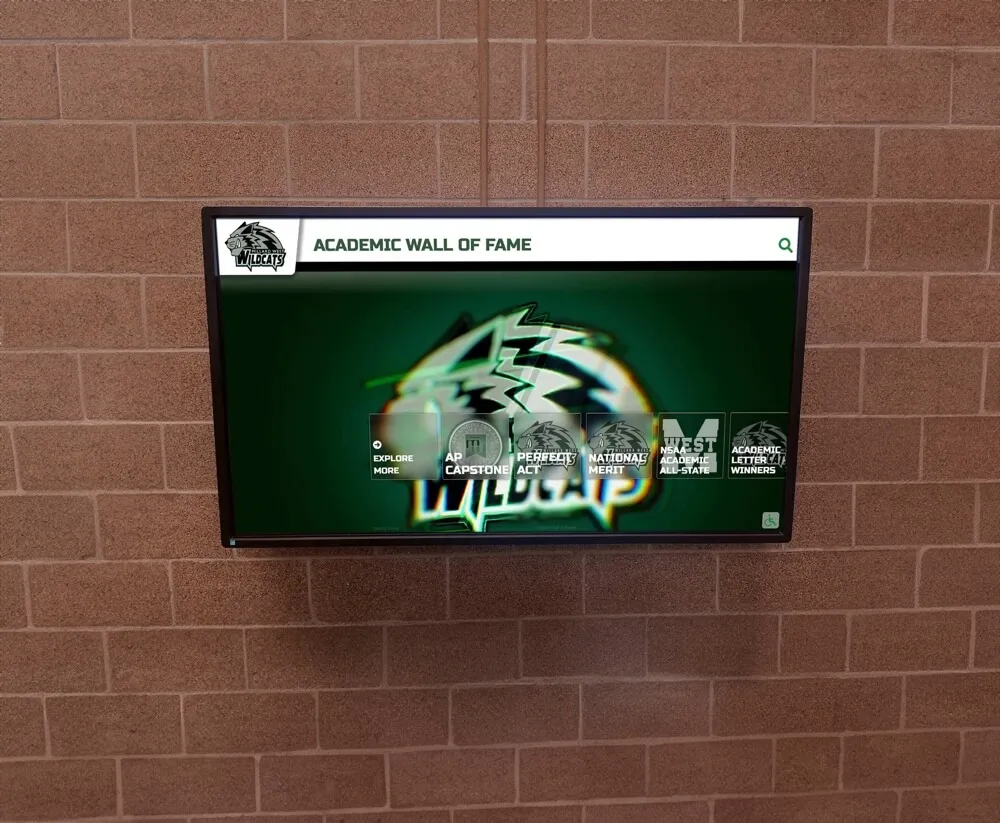
Modern digital displays provide year-round visibility for semester honor roll recognition
Understanding End of Semester Honor Roll Recognition Requirements
Before selecting technology and designing displays, you need to document your specific recognition requirements, including how many students typically achieve honor roll each semester and across all grade levels.
Calculating Recognition Capacity Needs
Start by analyzing your historical honor roll data:
Student Volume Assessment
- Count honor roll recipients from the last 3-4 semesters to establish baseline numbers
- Calculate percentage of student body achieving honor roll status
- Break down numbers by honor roll tier (Principal’s List, High Honor Roll, Honor Roll)
- Identify grade level distribution to understand recognition patterns
- Project growth if you’re expanding programs or changing criteria
For example, a high school with 800 students might see 250-300 students achieve some level of honor roll each semester. Over four years, that could mean displaying 2,000+ total honor roll recognitions if you’re maintaining historical records alongside current semester recognition.
Recognition Duration Planning
- Decide whether displays will show current semester only or maintain multi-semester history
- Determine if you’ll archive older semester recognition or keep it permanently accessible
- Plan for cumulative recognition showing students who achieve honor roll multiple semesters
- Consider separate display sections for different recognition timeframes
These capacity calculations determine whether traditional physical displays can realistically accommodate your recognition needs or whether digital solutions become necessary for comprehensive celebration.
Defining Honor Roll Tiers and Display Organization
Most schools recognize multiple honor roll levels requiring clear visual distinction:
Principal’s Honor Roll (Highest Distinction) Typically requires 4.0 GPA (straight A’s). These students deserve special prominence within your display hierarchy, potentially with distinctive visual treatments or featured placement.
High Honor Roll Generally requires 3.7-3.9 GPA. This tier acknowledges students demonstrating strong academic performance with primarily A’s.
Honor Roll Usually requires 3.3-3.7 GPA. This broader recognition tier ensures more students experience acknowledgment for academic commitment.
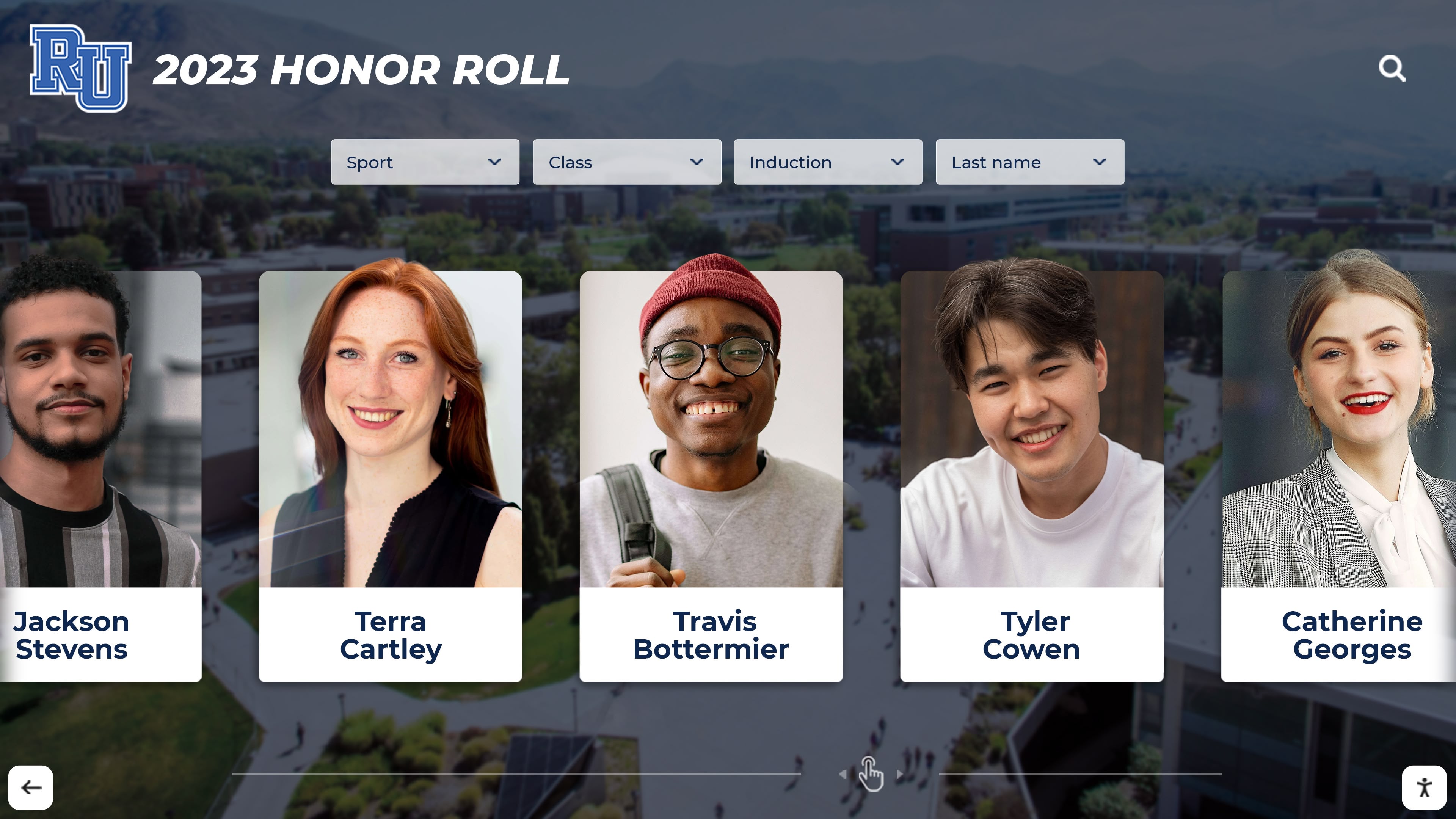
Digital systems enable individual student profiles with photos and achievement details
Your display system needs to clearly communicate these distinctions while ensuring all honor roll levels receive appropriate celebration. Digital platforms like Rocket Alumni Solutions enable filterable displays where users can view all honor roll recipients or focus on specific achievement tiers.
Content Elements for Comprehensive Recognition
Plan what information you’ll include for each honored student:
Essential Information
- Student name (verify preferred name versus legal name)
- Grade level during semester achieved
- Honor roll tier designation
- Semester and year of achievement
Enhanced Profile Elements
- Student photograph (requires photo collection workflow)
- Academic program or courses (particularly for specialized programs)
- Special recognitions or achievements earned during semester
- Cumulative honor roll count if student achieved status multiple times
- Personal statement or academic goal (optional, student-submitted)
The more comprehensive your profiles, the more engaging your recognition becomes—but also the more data collection required. Start with essential information and expand as your content management processes mature.
Learn more about comprehensive academic recognition programs that celebrate diverse student achievements beyond just honor roll designation.
Technical Requirements for Digital Honor Roll Displays
Building an effective end of semester honor roll display requires understanding both hardware and software specifications that ensure reliable, engaging recognition systems.
Display Hardware Specifications
Screen Size and Placement Considerations
For honor roll recognition displays, screen size should match both viewing distance and content density:
- 43-55 inch displays: Appropriate for wall mounting in standard hallways where viewers pass within 6-10 feet
- 55-65 inch displays: Better for larger spaces like main lobbies or cafeterias where viewing distances extend to 10-15 feet
- 65-75+ inch displays: Necessary for auditoriums or large gathering spaces with 15+ foot viewing distances
Mounting height matters significantly for accessibility. The center of the screen should be positioned 48-60 inches from the floor, ensuring wheelchair users and younger students can view and interact with touchscreen displays comfortably. This aligns with ADA accessibility standards for public displays.
Touchscreen vs. Non-Interactive Displays
Your recognition system can be either touchscreen-interactive or standard non-interactive digital signage:
Interactive Touchscreen Benefits:
- Students can search for themselves and classmates by name
- Filtering by grade level, honor roll tier, or semester
- Detailed profile views with expanded information
- Historical browsing showing past semesters’ honor roll lists
- Photo galleries and achievement documentation
Non-Interactive Display Applications:
- Rotating slideshow of all honor roll recipients
- Lower cost for budget-constrained implementations
- Placement in areas where touch interaction isn’t practical
- Supplementary displays adding to primary interactive systems
For comprehensive honor roll recognition, interactive touchscreen systems provide significantly better engagement. Research shows visitors spend 5-8 minutes exploring interactive academic displays versus less than one minute viewing static presentations.

Interactive kiosks enable students and families to explore honor roll achievements in detail
Commercial-Grade Display Requirements
Consumer TVs aren’t designed for the continuous operation required by recognition displays. Commercial-grade displays provide essential features:
- Continuous operation rating: 16-24 hours per day, 7 days per week operation capability
- Enhanced cooling systems: Preventing overheating during extended operation
- Longer warranty coverage: Typically 3-5 years versus 1 year for consumer displays
- Anti-glare coatings: Reducing reflections in high-ambient-light environments
- Vandal-resistant options: For placements in unsupervised areas
Budget 1.5-2x the cost of comparable consumer displays when specifying commercial panels for recognition systems.
Network Infrastructure and Connectivity
Digital recognition displays require reliable network connections for content updates and management:
Wired vs. Wireless Connectivity
Wired Ethernet (Recommended):
- Consistent, reliable connectivity without interference
- Better security for displays containing student information
- No bandwidth competition with other wireless devices
- Eliminates wireless signal strength concerns
Plan network drops during construction or renovation. Retrofitting Ethernet to existing locations costs more but provides superior performance.
Wireless WiFi (When Wired Isn’t Feasible):
- Ensure strong signal strength at display location (test before installation)
- Use dedicated network SSID for displays, separate from student/staff networks
- Implement WPA3 encryption for security
- Budget for signal boosters or mesh network nodes if needed
Bandwidth Requirements
Honor roll recognition displays don’t require high bandwidth since they’re primarily showing photos and text rather than video:
- Minimum 5 Mbps sustained for reliable content updates
- 10 Mbps recommended for responsive touchscreen interactions
- Dedicated connection not shared with high-traffic devices preferred
Test network speed at planned display locations before finalizing hardware specifications.
Content Management System Requirements
The backend software managing your honor roll display matters as much as the display hardware itself:
Cloud-Based vs. Local Content Management
Cloud-Based Systems (Recommended): Modern platforms like Rocket Alumni Solutions provide cloud-based content management offering several advantages:
- Remote updates from any internet-connected device—no need to visit display locations
- Automatic backup protecting recognition data from hardware failures
- Multi-user access enabling different staff members to manage content
- Scheduled publishing allowing you to prepare semester honor roll updates in advance
- Automatic software updates maintaining security and adding features
Essential Content Management Features:
- Bulk import tools accepting CSV files with student data
- Individual student profile editing for corrections and enhancements
- Photo upload and management with image optimization
- Preview mode allowing you to review displays before publishing
- Role-based permissions limiting editing access appropriately
- Search and filtering tools for managing large student databases
Look for systems requiring no technical expertise—content management interfaces should feel as simple as using social media platforms or standard office software.

Intuitive touchscreen interfaces make honor roll exploration engaging for all ages
Implementation Workflow: From Data to Display
Successfully launching an end of semester honor roll display requires systematic planning of your content creation and management workflows.
Before Semester End: Preparation Phase
1. Establish Clear Honor Roll Criteria
Document and communicate your honor roll requirements clearly:
- Specific GPA thresholds for each recognition tier
- Which courses count toward honor roll GPA calculations
- Whether weighted or unweighted GPAs are used
- Deadline for grade submission and honor roll determination
- Appeal or correction process if errors occur
Publish these criteria prominently on your website and in student handbooks so students understand exactly what achievement level they’re pursuing. Explore student achievement recognition approaches that align with your honor roll criteria.
2. Create Data Collection Workflows
Before semester ends, establish your data gathering processes:
Student Information Systems Integration: Many modern recognition platforms can integrate directly with student information systems (SIS) like PowerSchool, Skyward, or Infinite Campus. This integration enables:
- Automatic identification of students meeting honor roll criteria
- Pulling of student names, grade levels, and photos from existing databases
- Elimination of manual data entry and associated errors
- Scheduled updates when grading periods close
If direct SIS integration isn’t available, prepare CSV export templates containing required fields in the format your recognition platform accepts.
Photo Collection Strategy: Student photos make recognition more engaging but require planning:
- Use existing school photos from your yearbook photographer or ID badge system
- Ensure photo usage permissions in student records allow display use
- Establish photo quality standards (minimum resolution, proper framing)
- Create backup plan for students without photos (generic avatar or text-only)
3. Set Your Recognition Timeline
Create a project timeline working backward from your target publication date:
| Timeline | Task | Responsible Party |
|---|---|---|
| 2 weeks before semester end | Communicate upcoming honor roll recognition to students and families | Counseling/Administration |
| 1 week before semester end | Finalize all semester grades | Teachers |
| Day after semester end | Export honor roll recipient list from SIS | Registrar/IT |
| Day 2 | Import data to recognition platform, flag missing photos | Recognition coordinator |
| Days 3-4 | Collect missing student photos, verify data accuracy | Recognition coordinator |
| Day 5 | Review complete display in preview mode, make corrections | Administration |
| Day 6 | Publish to live displays and communicate to school community | Recognition coordinator |
Adjust this timeline based on your specific grading and reporting deadlines. The key is establishing clear responsibility and realistic timeframes.
Week 1-2 After Semester: Data Collection and Entry
Step 1: Generate Honor Roll Recipient List
Work with your registrar or student information system administrator to export honor roll data:
Required Data Fields:
- Student first name and last name (preferred name if different from legal)
- Student ID number (for photo matching and duplicate prevention)
- Current grade level
- Calculated GPA for the semester
- Honor roll tier based on GPA thresholds
Data Validation Before Import: Review exported data for common issues:
- Students appearing multiple times due to database quirks
- Grade level errors (seniors who graduated early, transfer students)
- GPA calculation errors from incomplete grade submissions
- Students who should be excluded (transfers, special circumstances)
Clean data before importing to your recognition platform—correcting issues in the source spreadsheet takes less time than fixing them individually in the display system.
Step 2: Import Data to Recognition Platform
Most modern recognition platforms like Rocket Alumni Solutions provide CSV import tools:
- Download the provided CSV template or create mapping between your data fields and the platform’s required fields
- Upload your honor roll data file through the platform’s import interface
- Review the import summary showing how many records were successfully imported versus skipped
- Address any import errors (usually due to missing required fields or formatting issues)
- Verify that all expected students appear in the platform’s student database
Bulk import saves enormous time compared to manually entering hundreds of student profiles individually.
Step 3: Collect and Upload Student Photos
Photos transform recognition from simple lists into engaging visual displays:
Photo Sourcing Options:
- Export from your school photographer’s system or yearbook software
- Use student ID badge photos if quality is adequate
- Collect from teachers for students missing photos
- Leave blank with professional placeholder graphics

Strategic hallway placement ensures maximum visibility for honor roll recognition
Photo Standards:
- Minimum 400x400 pixels, 800x800 recommended for clarity
- JPEG format with moderate compression
- Professional or semi-professional quality (avoid casual selfies)
- Consistent framing (headshots vs. full-body consistency)
- Appropriate attire and setting
Upload photos in bulk using batch upload tools, then use the platform’s matching features to connect photos to student records.
Week 2-3: Content Review and Enhancement
Quality Assurance Checklist
Before publishing your honor roll display, systematically verify:
Data Accuracy:
- All honor roll recipients from official lists are included
- Students are assigned to correct honor roll tiers
- Grade levels are accurate for the semester recognized
- Student names are spelled correctly using preferred names
- No unauthorized students appear in honor roll lists
Visual Quality:
- All photos display clearly without pixelation or distortion
- Photo cropping and framing appears consistent across students
- Color balance and brightness are appropriate
- Placeholder graphics appear professional for students without photos
Content Completeness:
- All required profile fields are populated
- Special characters and accents in names display correctly
- Semester and year designation is clear and accurate
System Functionality:
- Search features return accurate results
- Filtering by honor roll tier works correctly
- Sorting options function as expected
- Navigation is intuitive without instruction
Most platforms provide preview or staging modes allowing you to review displays thoroughly before making them live. Take advantage of these features to catch issues before students and families see the display.
Optional Enhancement: Personal Achievement Statements
For more engaging recognition, consider collecting brief statements from honored students:
- “What academic goal did you pursue this semester?”
- “What strategy helped you achieve honor roll status?”
- “What advice would you share with students pursuing honor roll?”
These personalized elements transform recognition from lists into stories. However, they require additional coordination and data collection, so consider implementing after your first semester’s basic recognition runs smoothly.
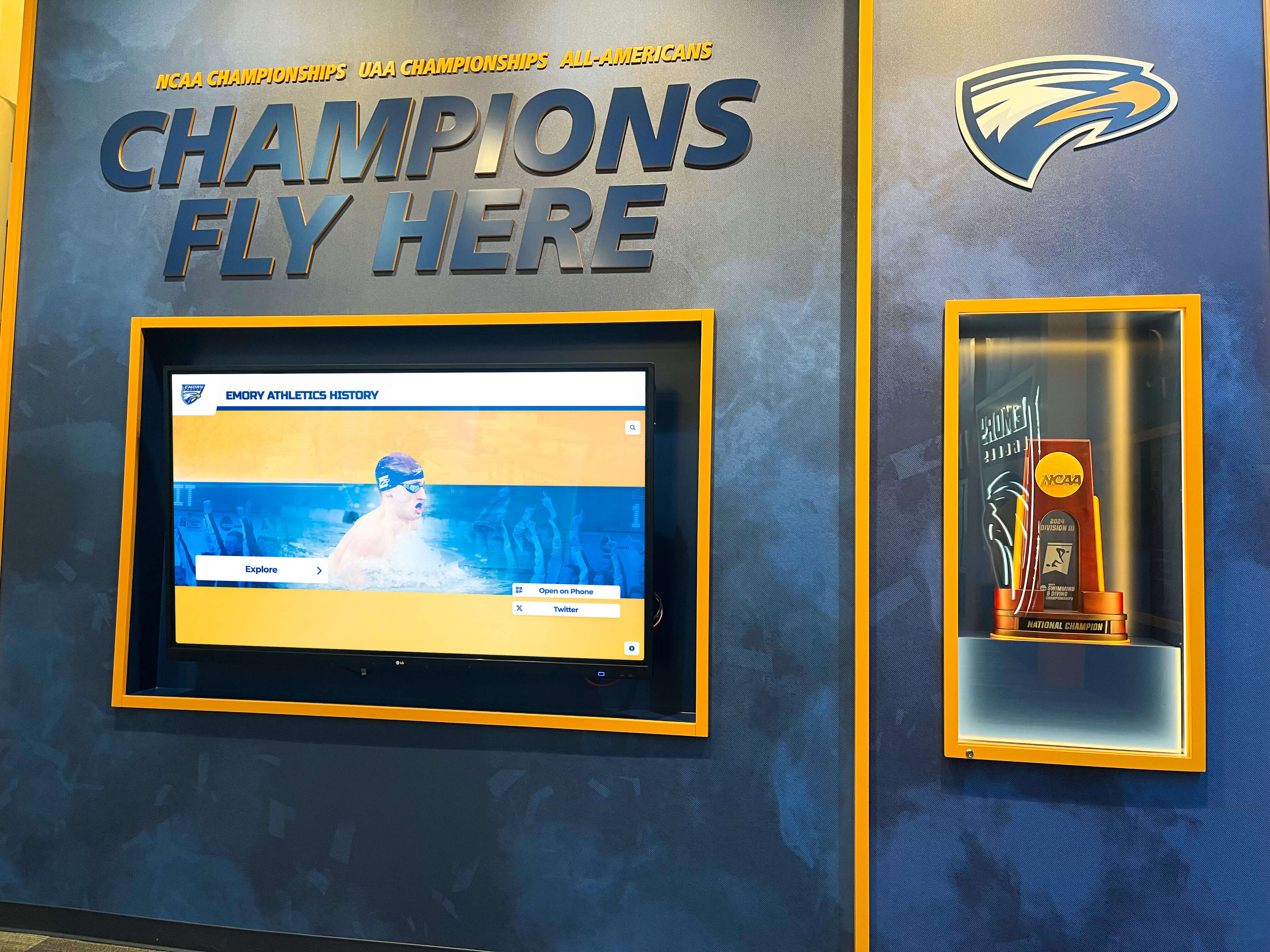
Digital displays can complement traditional trophy cases creating comprehensive recognition spaces
Communication Strategy: Maximizing Recognition Impact
Publishing honor roll displays represents just the beginning—comprehensive communication ensures recognition reaches its full motivational potential.
Multi-Channel Recognition Announcement
Internal School Communications
Ensure all students and staff know about honor roll recognition through multiple touchpoints:
Morning/Afternoon Announcements: “Congratulations to our 287 students who achieved honor roll status this semester! Visit our new digital honor roll display in the main lobby to see all honorees and explore detailed recognition profiles. Students, find yourself and share your achievement with family!”
Email to Families: Send personalized emails to families of honor roll recipients:
Subject: Congratulations! [Student Name] Achieved [Honor Roll Tier] This Semester
Dear [Family Name],
We’re proud to recognize [Student Name] for achieving [Honor Roll Tier] status during the Fall 2025 semester with a [GPA] grade point average.
[Student Name] is now featured on our digital honor roll display located in [location]. When you visit campus, you can explore the interactive display to see [his/her/their] recognition profile alongside all honor roll recipients.
This achievement reflects [Student Name]’s dedication to academic excellence. Congratulations on this accomplishment!
Include a photo of the display and simple directions to its location.
Social Media Recognition: Share honor roll recognition through your school’s social media channels (with appropriate photo permissions):
- Total number of honor roll recipients celebrating school-wide academic success
- Highlight posts featuring individual students from each honor roll tier (rotating through different students to ensure broad representation)
- Photos of students exploring the new digital display
- Time-lapse showing the display’s features and navigation
Tag families when appropriate, making it easy for them to share academic recognition with their networks.
Website Integration: Create a dedicated honor roll recognition page on your school website linking to online versions of your recognition display if your platform provides web access. This extends recognition beyond physical campus, enabling alumni, extended family, and community members to explore honor roll achievements.
Physical Display Visibility Strategies
Strategic Placement Selection
Location dramatically affects recognition impact. Prioritize high-traffic areas where students, families, and visitors naturally gather:
Primary Locations (Priority 1):
- Main lobby or entrance area where all visitors pass
- Cafeteria or commons areas with sustained student presence
- Main office or administration area where families visit
- Athletics areas connecting academic and athletic achievement
Secondary Locations (If Budget Allows Multiple Displays):
- Library media centers where students study
- Counseling areas where academic planning occurs
- Classroom wings in different grade level zones
- Auditorium or performance space lobbies
Avoid placing displays in low-traffic corridors or areas where only specific student groups pass. Learn about effective digital hall of fame implementation that maximizes visibility and engagement.
Directional Signage
If your honor roll display isn’t in the most obvious location, create clear directional signage:
“Honor Roll Recognition Display” →
Place signs at key decision points where visitors might turn away from the display location. Simple directional arrows make it easy for families visiting for the first time to find recognition displays.
Launch Event Celebration
Consider hosting a brief recognition celebration when you publish end of semester honor roll displays:
Quick Recognition Assembly:
- Acknowledge all honor roll recipients by tier (standing recognition, not individual name reading unless student body is very small)
- Principal or counselor remarks about academic achievement significance
- Invitation for students and families to explore the new digital display after assembly
- Photo opportunity at the display for social media
Open House or Display Dedication: If your digital honor roll display is part of a larger recognition system installation, consider an evening open house inviting honored students and their families to explore the display together, providing refreshments and photo opportunities.
These events amplify recognition impact while demonstrating your school’s commitment to celebrating academic achievement systematically.
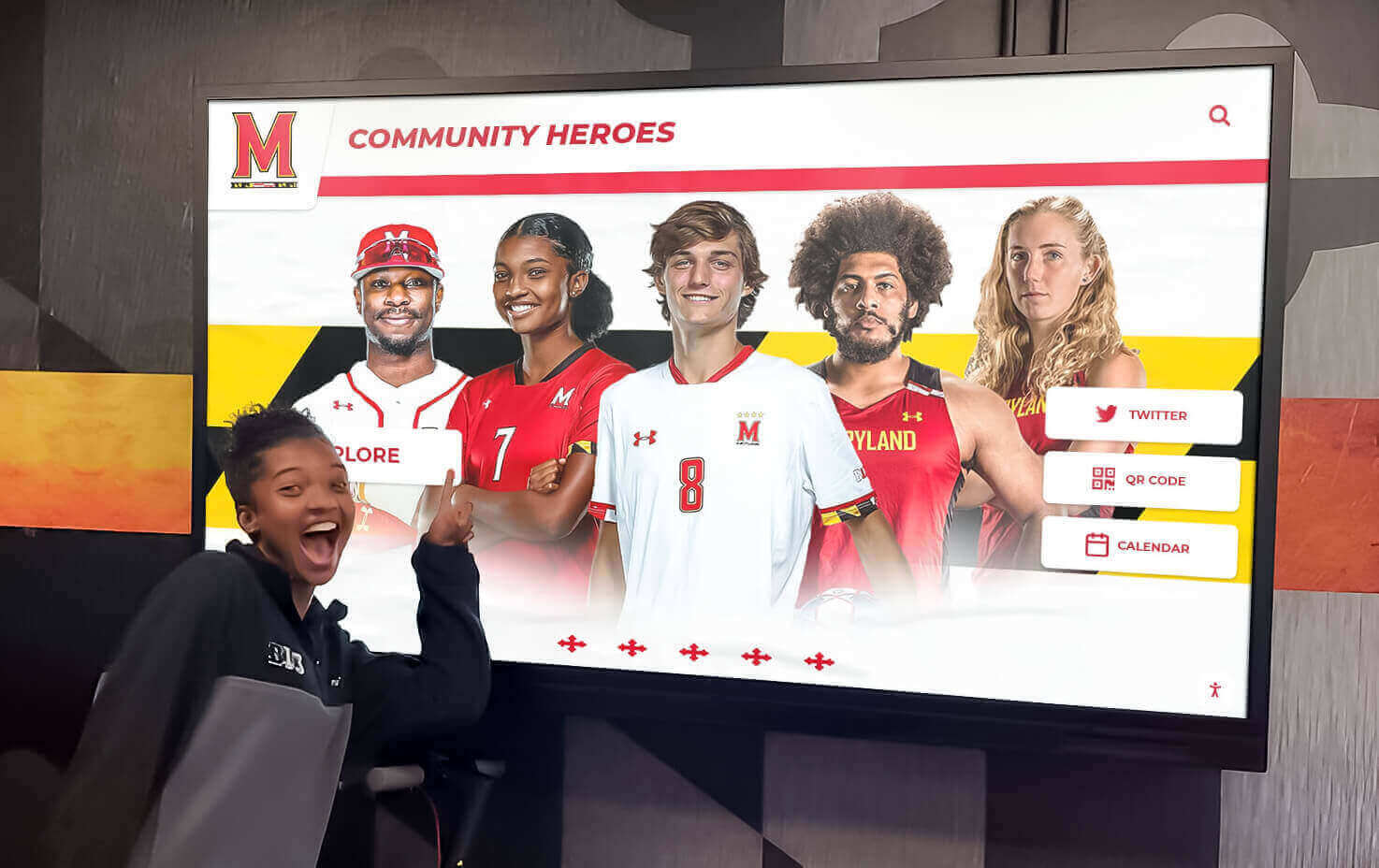
Student-centered display design encourages exploration and celebration of peer achievements
Ongoing Management and Semester-After-Semester Sustainability
Your end of semester honor roll display isn’t a one-time project—it requires systematic maintenance and continuous improvement semester after semester.
Semester-to-Semester Update Workflows
Maintaining Historical Recognition While Adding Current Achievements
Each semester, you’ll need to update your display with new honor roll recipients. Plan how you’ll handle historical data:
Option 1: Current Semester Only Display
- Simplest approach requiring least data management
- Archive previous semesters’ data but display only current semester honorees
- Appropriate when space constraints require focus on recent achievement
- Export historical data before replacing to maintain institutional records
Option 2: Multi-Semester Rolling Display
- Show current semester prominently plus 2-4 previous semesters
- Rotate older data to archives while maintaining recent recognition visible
- Provides historical context showing sustained achievement patterns
- Requires more data management but creates richer recognition experience
Option 3: Comprehensive Historical Archive Digital platforms with unlimited capacity can maintain all honor roll recognition permanently:
- Current semester featured prominently on default view
- Historical semester browsing available through date filters
- Students accumulating multiple semesters’ honor roll create achievement portfolios
- Years of institutional academic tradition preserved and accessible
Modern digital recognition systems easily accommodate comprehensive historical archives without display space constraints. This approach provides maximum recognition value long-term.
Standardizing Your Semester Update Process
Document your established update workflow so different staff members can manage updates consistently:
- Week before semester ends: Verify all grades submitted, communicate timeline to stakeholders
- Day after grades finalize: Export honor roll data from SIS
- Day 1-2: Import new semester data, collect any missing photos
- Day 3: Review all profiles in preview mode, check for errors
- Day 4: Publish updates to live display
- Day 5: Communicate recognition to school community through all channels
Maintaining this rhythm semester after semester ensures honor roll recognition happens consistently without last-minute rushing or delays that diminish impact.
Technical Maintenance Requirements
Routine Display Maintenance Checklist
Digital displays require minimal but consistent maintenance:
Weekly Tasks:
- Physical cleaning of screen surface (use appropriate microfiber cloths and screen-safe cleaners—never spray directly on screen)
- Visual inspection for display damage, dead pixels, or mounting issues
- Quick functionality test of touchscreen response if applicable
Monthly Tasks:
- Verify network connectivity remains stable
- Check for available software/firmware updates from display manufacturer
- Review content management platform for system notifications
- Test all navigation and search features remain functional
Quarterly Tasks:
- Deep clean display and surrounding area
- Inspect mounting hardware ensuring secure attachment
- Review network speed tests confirming adequate bandwidth
- Evaluate display placement and lighting conditions for optimization
Annual Tasks:
- Professional cleaning and inspection by qualified technician
- Review warranty coverage and support contracts
- Update content management platform login credentials
- Assess whether display hardware shows signs of needing replacement
Most technical issues can be prevented through routine maintenance rather than waiting for failures to occur.
Technical Support Access
When issues arise beyond routine maintenance, you need rapid support access:
- Maintain contact information for your content platform provider’s support team
- Document your display hardware model numbers, serial numbers, and warranty information
- Keep records of network configuration and login credentials in secure location
- Establish clear responsibility within your staff for troubleshooting and support coordination
Solutions like Rocket Alumni Solutions provide comprehensive support including remote monitoring, automated software updates, and responsive technical assistance when schools encounter issues.
Continuous Improvement Through Data and Feedback
Engagement Metrics Analysis
If your digital display platform provides analytics, review engagement data regularly:
- How frequently are students and visitors interacting with displays?
- Which search and filter features get used most often?
- How long do visitors typically spend exploring honor roll recognition?
- What times of day see highest display engagement?
These metrics help you optimize content organization, understand what features matter most, and justify program investment to administrators and school boards. Learn more about digital display content refresh strategies that maintain engagement over time.
Stakeholder Feedback Collection
Systematically gather input from display users:
Student Surveys:
- Did you find yourself on the honor roll display?
- How did seeing your recognition make you feel?
- What additional information would you like to see on profiles?
- Did honor roll recognition motivate you to maintain or pursue academic excellence?
Family Feedback:
- Were you aware of the digital honor roll display?
- Did you visit campus specifically to see your student’s recognition?
- How does digital recognition compare to previous recognition methods?
- What improvements would enhance the display experience?
Staff Input:
- How much time do honor roll updates require each semester?
- What aspects of the content management workflow are challenging?
- What additional recognition opportunities should we include?
- How has visible honor roll recognition affected school culture?
Use this feedback to refine your recognition program semester by semester, continuously improving the experience for all stakeholders.
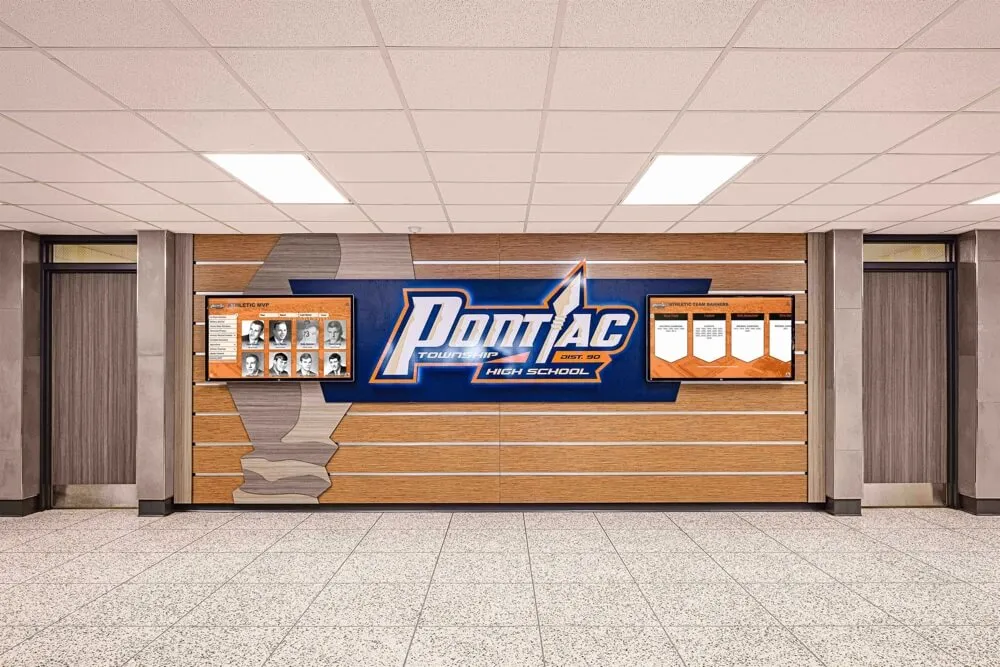
Permanent hallway installations create lasting recognition infrastructure visible daily
Advanced Features and Enhancement Opportunities
Once your basic end of semester honor roll display runs smoothly, consider enhancements that deepen engagement and recognition impact.
Multi-Semester Achievement Tracking
Cumulative Honor Roll Recognition
Students maintaining honor roll status across multiple semesters demonstrate sustained excellence deserving special recognition:
Achievement Milestones:
- 2 consecutive semesters: Consistent honor roll achiever badge
- 4 consecutive semesters: Sustained academic excellence designation
- 6+ consecutive semesters: Elite academic achievement recognition
- All 8 semesters (high school): Perfect honor roll career distinction
Display student profiles can show cumulative achievement counts and special designations for sustained excellence. This progression creates long-term motivation beyond single-semester goals.
Year-Over-Year Comparison
For students appearing on honor roll displays multiple years, showing academic trajectory adds meaningful context:
- GPA progression from freshman through senior year
- Honor roll tier advancement (moving from Honor Roll to High Honor Roll to Principal’s List)
- Special courses or programs completed while maintaining honor roll status
These longitudinal views celebrate growth and improvement alongside absolute achievement.
Integration with Other Academic Recognition
Comprehensive Academic Achievement Displays
Honor roll represents one component of broader academic excellence. Consider integrating:
Related Academic Recognitions:
- National Merit Scholars and College Board National Recognition Program recipients
- Advanced Placement and International Baccalaureate achievements
- Academic all-Americans recognizing student-athletes
- Subject-specific awards and competitions (Science Olympiad, Math League, etc.)
- Graduation honors (valedictorian, salutatorian, cum laude designations)
Comprehensive academic recognition displays position honor roll within the full spectrum of intellectual achievement your school celebrates. Explore academic recognition program design that encompasses multiple achievement dimensions.
Connection to College Success
Help students understand honor roll achievement’s practical value:
- College admission statistics for honor roll recipients
- Scholarship opportunities linked to sustained academic performance
- Alumni profiles showing honor roll achievers’ post-graduation success
- College-going statistics by honor roll tier
This context motivates current students by connecting semester recognition to future opportunities.
QR Code Access and Mobile Extensions
Mobile Recognition Access
Extend honor roll recognition beyond physical displays through mobile access:
QR Code Implementation: Place QR codes near physical displays linking to web-based versions of honor roll recognition. Visitors can:
- Access full honor roll databases from personal devices
- Share specific student profiles with extended family
- Explore recognition during non-school hours from home
- Bookmark pages for repeated viewing across semesters
Social Media Integration: Enable easy sharing from digital displays or web platforms:
- “Share this achievement” buttons on student profiles
- Pre-formatted social media posts celebrating honor roll status
- Privacy controls ensuring only authorized sharing occurs
- School-branded templates maintaining professional presentation
Mobile extensions significantly expand recognition reach beyond campus visitors to include the broader community.
Accessibility Enhancements
Multilingual Content Options
Schools with diverse communities should consider multilingual recognition content:
- Interface translation for navigation and system instructions
- Student profile translation for families with limited English proficiency
- Bilingual display of school-provided content and descriptions
Visual Accessibility Features
Ensure all students and families can access recognition displays:
- High-contrast viewing modes for visitors with low vision
- Screen reader compatibility for vision-impaired users
- Text size adjustment options
- Audio description capabilities for interactive elements
Universal design principles ensure every honored student’s family can celebrate their achievement regardless of abilities or language background. Review digital wall of fame accessibility best practices for comprehensive inclusion.

User-friendly interfaces enable visitors of all ages to explore honor roll achievements independently
Budget Planning and Cost Considerations
Understanding the full cost of end of semester honor roll digital displays helps you plan effectively and secure necessary funding.
Initial Investment Requirements
Hardware Costs
Hardware represents your largest upfront expense:
| Component | Budget Range | Mid-Range | Premium |
|---|---|---|---|
| Commercial display (43-55") | $800-1,200 | $1,500-2,500 | $3,000+ |
| Commercial display (55-65") | $1,200-2,000 | $2,500-4,000 | $5,000+ |
| Touchscreen overlay/panel | +$500-1,500 | +$1,500-2,500 | +$3,000+ |
| Media player/PC | $200-500 | $500-1,000 | $1,500+ |
| Mounting hardware | $100-300 | $300-500 | $500-1,000 |
| Protective enclosures | $300-800 | $800-1,500 | $1,500-3,000 |
| Network infrastructure | $200-500 | $500-1,000 | $1,500+ |
| Total per display | $2,100-4,800 | $6,100-11,000 | $15,000+ |
Costs vary significantly based on size, touchscreen capabilities, and installation complexity. Budget for professional installation adding 10-20% to hardware costs.
Software and Content Management
Recognition platform costs vary by provider and features:
Platform Options:
- DIY solutions using PowerPoint or similar tools ($0 platform cost but significant staff time required)
- Basic digital signage platforms ($10-50/month per display, limited recognition-specific features)
- Purpose-built recognition platforms like Rocket Alumni Solutions ($200-500/month for comprehensive features, unlimited students, and full support)
Purpose-built platforms dramatically reduce staff time requirements while providing features specifically designed for student recognition. The time savings typically justify higher platform costs compared to DIY approaches.
Professional Services
Consider budgeting for implementation assistance:
- Content migration from existing recognition systems ($500-2,000)
- Custom design and branding ($500-1,500)
- Staff training and workflow documentation ($500-1,000)
- Initial content creation and photography ($1,000-3,000)
Ongoing Operating Costs
Annual Operating Budget
| Category | Annual Cost |
|---|---|
| Content management platform subscription | $2,400-6,000 |
| Network connectivity and bandwidth | $0 (existing) - $600 |
| Display electricity consumption | $50-150 per display |
| Routine cleaning supplies | $50-100 |
| Technical support and maintenance | $500-1,500 |
| Content updates (staff time) | $1,000-3,000 equivalent |
| Total annual operating cost | $4,000-11,350 |
Most ongoing costs remain consistent year after year, making long-term budgeting straightforward.
Funding Sources and Justification
Budget Justification Strategies
When requesting funds from administrators or school boards:
Cost Per Student Recognition: Calculate per-student recognition cost to demonstrate value:
- Total project cost ÷ number of honor roll recipients ÷ years of expected use
- Example: $10,000 system ÷ 300 students/semester ÷ 8 semesters (4 years) = $4.17 per student recognition
- Compare to traditional plaque costs ($50-150 per named plaque with severe space limitations)
Time Savings Quantification: Document administrative time saved:
- Traditional honor roll bulletin board updates: 4-6 hours per semester per display
- Digital display updates: 1-2 hours per semester regardless of student count
- Time savings: 3-4 hours per semester × staff hourly rate × number of semesters
- Five-year time savings often exceeds initial hardware investment
Alternative Funding Sources
Explore non-general fund options for recognition system investments:
- Booster organization donations or fundraising
- Parent organization (PTA/PTO) grants for student recognition
- Alumni association funding connecting current recognition to alumni engagement
- Local business sponsorships in exchange for acknowledgment
- Education foundation grants focusing on student achievement and motivation
- Capital campaign funds for building improvements and technology
- Title programs supporting academic achievement initiatives
Many schools successfully fund recognition displays through these alternative sources, preserving general fund budget for operational needs.
Conclusion: Building Sustainable Honor Roll Recognition
End of semester honor roll recognition represents a critical moment to celebrate academic achievement, motivate continued excellence, and demonstrate your school’s commitment to intellectual accomplishment. Modern digital display technology makes it possible to honor every honor roll recipient comprehensively while building sustainable systems that work effectively semester after semester.
The implementation strategies explored in this guide provide concrete specifications for hardware selection, network infrastructure planning, content management workflow design, and ongoing maintenance protocols. Whether you’re implementing your first digital recognition system or upgrading existing approaches, these proven practices ensure honor roll students receive the prominent, lasting recognition they’ve earned through months of academic dedication.
Ready to Transform Your Honor Roll Recognition?
Discover how purpose-built digital recognition solutions make celebrating semester honor roll achievements engaging, sustainable, and impactful for your entire school community.
Book a DemoStarting your first semester can feel overwhelming—focus on establishing basic recognition with essential student information and photos, then systematically enhance profiles and features as your workflow matures. The most important step is moving from temporary, space-constrained recognition to permanent, comprehensive celebration that honors every honor roll achievement.
Your honor roll recipients demonstrated remarkable academic commitment throughout the semester. They deserve recognition that reflects the significance of their accomplishment—visible, lasting, engaging acknowledgment that celebrates achievement while inspiring peers to pursue similar excellence. Digital recognition displays make this comprehensive celebration achievable within reasonable budgets and sustainable staff time commitments.
Begin planning your end of semester honor roll digital display implementation today. Your honor roll students have earned recognition equal to any competitive success—it’s time to provide the systematic, professional celebration their academic achievements deserve.































