Family caregivers supporting loved ones with dementia face profound emotional and practical challenges that extend far beyond clinical care tasks. When you’re caring for your mom and your wife—both living with dementia—the weight of responsibility compounds exponentially while financial resources remain limited. Traditional memory care tools prove expensive, overly complex for home environments, or designed exclusively for institutional settings serving dozens of residents rather than intimate family situations where one or two people need consistent, meaningful engagement.
Interactive touchscreen memory displays offer economical, practical solutions enabling family caregivers to create engaging digital environments showcasing familiar faces, cherished memories, meaningful life events, and orientation information that support cognitive function and emotional wellbeing. Modern systems combine intuitive touchscreen technology with flexible content management, allowing caregivers to build personalized memory experiences without technical expertise or institutional budgets.
Research from dementia care specialists consistently demonstrates that environmental modifications supporting memory, orientation, and emotional connection significantly improve quality of life for people living with dementia while reducing caregiver stress. According to studies published by the Alzheimer’s Association, structured reminiscence activities using photographs, familiar music, and life story materials help maintain identity, reduce anxiety, and facilitate meaningful communication even as cognitive abilities decline.
This comprehensive guide explores economical approaches to creating touchscreen memory displays specifically for family caregiving situations. You’ll discover budget-conscious hardware options suitable for home environments, practical content strategies that don’t require technical skills, realistic implementation timelines respecting caregiver bandwidth, and proven engagement approaches maximizing meaningful interactions while minimizing setup complexity and ongoing maintenance demands.
From understanding basic technology requirements through selecting appropriate display hardware and developing content libraries that serve both of your family members simultaneously, we’ll examine how economical memory display solutions deliver daily value throughout the caregiving journey—supporting orientation during confusion, facilitating reminiscence conversations during alert moments, and providing dignified engagement opportunities that honor your loved ones’ life stories and identities.

Intuitive touchscreen interfaces enable people of all ages and cognitive abilities to independently explore photo galleries, watch video memories, and engage with familiar content at their own pace
Understanding Dementia Memory Display Benefits and Realistic Expectations
Before exploring specific implementation approaches, understanding what memory displays can realistically accomplish—and what they cannot—helps set appropriate expectations for family caregiving situations.
Core Benefits for People Living with Dementia
Well-designed memory displays provide multiple therapeutic benefits documented across dementia care research and family caregiver experiences:
Orientation Support Through Visual Cues: Large, clear displays showing current date, day of week, season, weather, and family photos help ground people with dementia in present reality. Unlike paper calendars that require reading comprehension and abstract thinking, touchscreen displays present orientation information visually with photographs, familiar faces, and intuitive layouts that cognitive abilities at various dementia stages can process more easily.
Identity Reinforcement and Life Story Preservation: Dementia progressively erodes memories, but visual prompts showing significant life events, family relationships, career accomplishments, and meaningful experiences help maintain connection to personal identity and life narrative. When your mom or wife sees photos from their wedding, children at various ages, or favorite vacation locations, these images stimulate memory pathways and facilitate conversation about experiences that define who they are beyond their diagnosis.
Reduced Anxiety and Confusion: Familiar faces, soothing imagery, favorite music, and reassuring messages displayed prominently reduce the anxiety and agitation that often accompany dementia confusion. Instead of repeatedly asking “Where am I?” or “When are the kids coming?”, individuals can reference displays showing clear answers to recurring questions, reducing repetitive behaviors that exhaust family caregivers emotionally and physically.
Meaningful Family Engagement Opportunities: Displays create natural conversation starters enabling caregivers and visiting family members to facilitate reminiscence discussions. Rather than struggling to generate conversation topics as dementia limits spontaneous communication, browsing photos together provides structured engagement that feels purposeful and enjoyable for everyone involved. This engagement maintains family bonds and provides dignified activity alternatives to passive television watching.
Independent Activity During Alert Windows: Touchscreen interfaces allow individuals experiencing dementia to independently browse memories during moments of clarity without requiring constant caregiver supervision. This autonomy proves particularly valuable for family caregivers managing responsibilities for multiple people simultaneously—enabling one person to engage meaningfully while you attend to the other’s needs.
Realistic Limitations and Expectations
Understanding what memory displays cannot accomplish prevents disappointment and ensures appropriate use as one component within comprehensive dementia care approaches:
Memory displays do not slow cognitive decline, cure dementia symptoms, or replace professional medical care and therapeutic interventions. They function as environmental supports and engagement tools rather than medical treatments—valuable within broader care plans but not substitutes for proper diagnosis, medication management, or professional guidance from dementia care specialists.
Technology cannot replace human connection, empathy, and caregiving presence that remain essential for dementia care quality. Displays serve as tools facilitating interactions between people, not replacements for meaningful relationships. Your presence, touch, voice, and emotional support remain irreplaceable regardless of how sophisticated display technology becomes.
Individual responses vary significantly based on dementia type, progression stage, personal technology comfort, sensory abilities, and mood fluctuations. What engages one person may overwhelm another—requiring patient experimentation, continuous adjustment, and flexible expectations as cognitive abilities and preferences change throughout disease progression.

While institutional displays serve hundreds of people, family memory displays operate at intimate scale focused on individual preferences, familiar content, and personal life stories that support cognitive and emotional wellbeing
Economical Hardware Options for Family Memory Displays
Creating effective memory displays requires balancing functionality, ease of use, reliability, and cost—critical factors for family caregivers operating within budget constraints while managing complex responsibilities.
Consumer Tablet Approach: Most Economical Starting Point
For families seeking lowest-cost entry into memory display technology, consumer tablets mounted to walls or positioned on adjustable stands provide surprisingly effective solutions:
Hardware Requirements: Large-screen tablets (10-13 inches) from established manufacturers provide sufficient display size for visibility from seating areas while maintaining affordability. Prioritize screen size, processing reliability, and long support lifecycles over cutting-edge features unnecessary for memory display purposes. Budget approximately $200-400 for quality tablets suitable for continuous daily use.
Mounting and Positioning: Wall mounting in common living areas ensures consistent visibility, while weighted stands allow repositioning as needs change. Position displays at appropriate heights considering typical viewing positions—seated in favorite chairs, lying in beds, or standing near frequently-traveled hallways. Mount height should accommodate vision abilities and mobility limitations both family members experience.
Power Management: Continuous operation requires reliable power solutions preventing dead batteries during critical moments. Wall-mounted solutions should route power cables safely behind walls or through cable management channels, while mobile stands require convenient electrical outlets nearby. Consider smart plugs enabling scheduled power management and remote control if either family member attempts to disconnect devices.
Limitations and Considerations: Tablets offer less screen size than larger displays, may experience performance issues with extensive media libraries, and require more frequent replacement than commercial-grade options. However, these limitations rarely prove problematic for family memory display purposes where individual content libraries remain manageable and replacement costs remain affordable when inevitable hardware failures occur.
Large-Screen Consumer Display Option: Enhanced Visibility
Families desiring larger displays for improved visibility from distance or serving shared living spaces may consider consumer televisions with connected media devices:
Display Hardware: 32-43 inch televisions provide substantial screen size at consumer-friendly prices, typically $200-500 depending on specifications and features. Prioritize simple interfaces, reliable brands, and energy efficiency over smart features that add unnecessary complexity to memory display purposes. Similar to how interactive kiosk solutions serve institutional environments, larger displays accommodate multiple viewers and improve visibility challenges common with aging and dementia.
Media Player Devices: Affordable streaming devices ($30-100) or mini-computers enable content delivery to larger displays. Options include Fire TV Sticks, Roku devices, Apple TV units, or compact computers that connect to televisions through HDMI ports. Select devices with intuitive interfaces, reliable performance, and strong family photo app ecosystems supporting easy content updates from smartphones.
Touchscreen Alternatives: Large touchscreen displays prove cost-prohibitive for most family budgets ($1000+), but remote controls, simplified button interfaces, or voice-activated systems provide interaction alternatives suitable for some dementia stages. Evaluate whether interactive features justify additional complexity versus curated content that displays automatically without requiring user interaction.
Installation Approach: Professional wall mounting ($100-200) ensures secure installation and proper positioning, though DIY mounting proves feasible for handy family members comfortable with stud finders and power tool operation. Position displays carefully considering viewing angles from primary seating areas, lighting conditions affecting screen visibility, and accessibility for individuals with mobility limitations.
Commercial-Grade Options: Long-Term Investment
Families with larger budgets seeking maximum reliability and longevity may consider commercial digital signage displays designed for continuous operation:
Commercial displays offer superior brightness, extended operational lifespans, simplified content management, and warranty coverage suitable for continuous daily use that consumer products never intended to support. However, costs increase substantially ($600-2000+) making these options practical primarily when serving as permanent home infrastructure or when multiple family situations share equipment costs cooperatively.
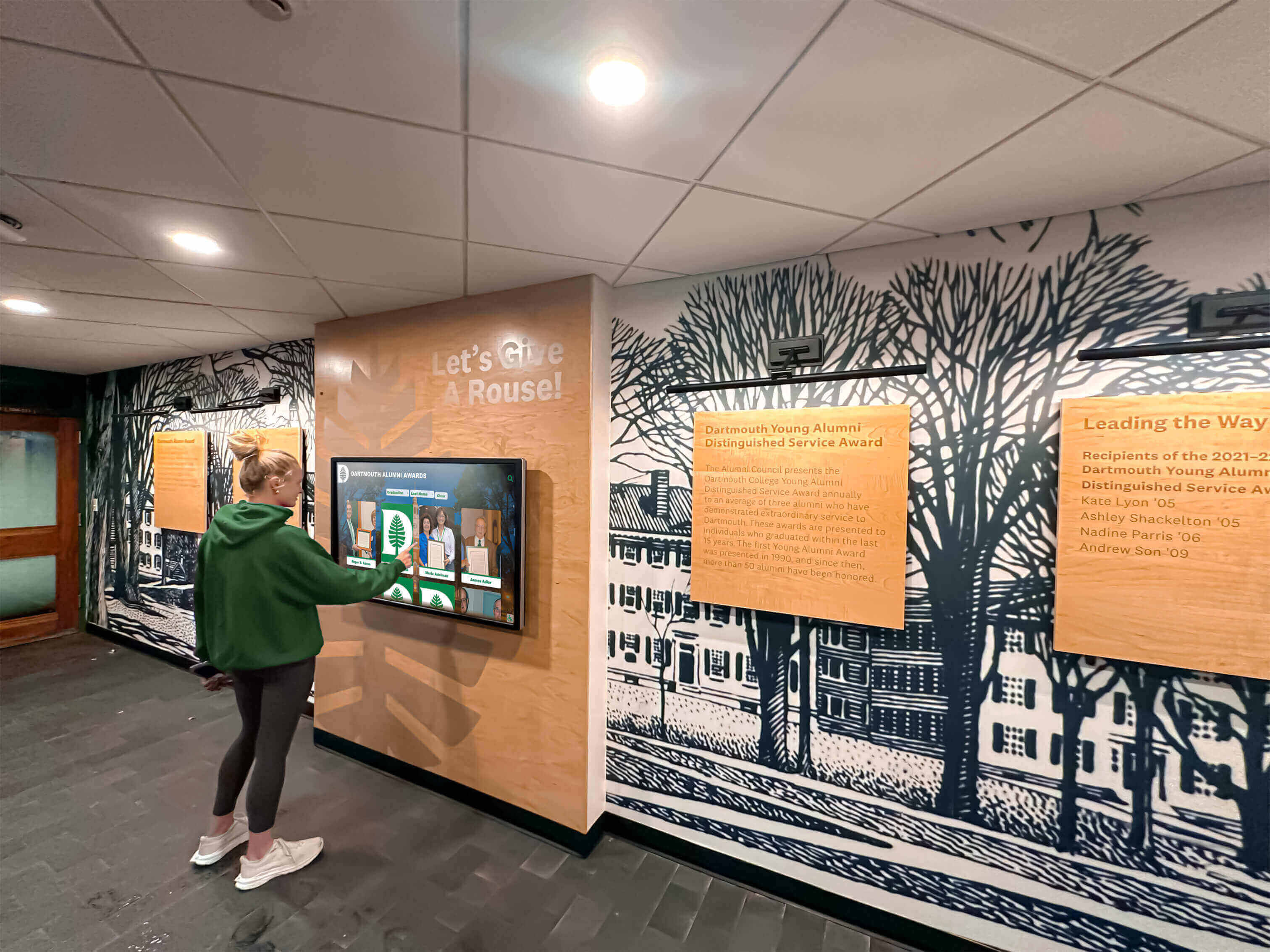
Touchscreen interfaces should accommodate various physical abilities, cognitive states, and technical comfort levels—emphasizing simplicity and intuitive navigation over complex features that may frustrate users experiencing cognitive challenges
Practical Content Strategy for Family Memory Displays
Hardware represents only half the equation—meaningful content that resonates emotionally and supports cognitive function determines whether displays deliver genuine value or become ignored electronic wallpaper.
Building Your Core Photo and Video Library
Effective memory displays require curated content libraries balancing familiarity, variety, emotional resonance, and cognitive accessibility:
Digitizing Existing Photo Collections: Begin by digitizing physical photo albums, printed photographs, and old slides documenting your family members’ lives before dementia diagnosis. Use smartphone scanning apps, flatbed scanners, or professional photo digitization services depending on volume and quality requirements. Prioritize photos showing clear faces, significant life events, beloved locations, and emotionally positive moments that stimulate pleasant memories rather than potentially distressing content.
Organizing Chronologically and Thematically: Structure digital libraries supporting different browsing approaches—chronological timelines showing life progression, thematic collections focusing on family, careers, hobbies, or travel, and person-specific folders highlighting relationships with specific children, grandchildren, or friends. This organizational flexibility enables varied engagement approaches as cognitive abilities and mood states fluctuate throughout disease progression.
Video Memories and Message Recordings: Short video clips (15-60 seconds) showing family gatherings, holiday celebrations, grandchildren’s activities, or favorite pets add movement and sound that photographs alone cannot provide. Consider recording video messages from distant family members sharing memories, expressing love, or simply chatting naturally—providing comfort during moments when physical presence proves impossible due to geography or scheduling constraints.
Adding Context Through Captions and Labels: Include clear captions identifying people, dates, locations, and event contexts that dementia may have erased from memory. Well-written captions facilitate reminiscence discussions by providing conversation prompts and factual anchors when your family members struggle retrieving details independently. Keep captions brief and clear—complex descriptions add cognitive burden rather than supporting comprehension.
Music Integration for Emotional Connection: Familiar music from youth and early adulthood often remains accessible even during advanced dementia stages when more recent memories disappear entirely. Create playlists featuring favorite songs, meaningful albums, or genre preferences from your family members’ young adult years. Music stimulates emotions and memories through different brain pathways than visual information, providing complementary engagement when photographs alone prove less effective.
Orientation and Daily Information Components
Beyond pure memory content, displays should incorporate practical orientation information reducing confusion and supporting daily life structure:
Large-Format Date and Time Displays: Prominent display of current date, day of week, and time using large fonts and high contrast helps ground individuals experiencing temporal confusion. Consider “dementia clocks” showing morning/afternoon/evening rather than precise times when abstract clock concepts become difficult to process. Include seasonal information and upcoming familiar holidays providing additional temporal context.
Daily Schedule and Routine Reminders: Visual schedules showing expected daily activities—meal times, medication reminders, favorite television programs, or anticipated visits from family members—reduce anxiety about what comes next while supporting routine compliance. Present schedule information simply using icons, photos, and brief text rather than complex calendar formats requiring abstract interpretation.
Family Contact Information and Reassurance Messages: Display photos and contact information for primary family caregivers, nearby children, and frequently-visiting relatives with reassuring messages like “Sarah will visit this afternoon” or “You’re safe at home with your family who loves you.” These reassurance elements address common anxieties about abandonment, uncertainty, or safety that frequently trouble people experiencing dementia confusion.
Weather and Seasonal Context: Current weather conditions, temperature, and seasonal imagery help orient individuals to present time and explain environmental factors like why windows remain closed, why everyone wears coats, or why particular activities occur outdoors or indoors. This contextual information prevents repetitive questions about weather and activities.
Balancing Content for Two Family Members
Your unique situation—caring simultaneously for your mom and your wife—requires thoughtful approaches honoring both individuals’ life stories, preferences, and cognitive needs:
Shared Family Content: Identify content both individuals recognize and appreciate—family gatherings showing multiple generations, holiday celebrations both attended, shared grandchildren, or familiar home locations everyone recognizes. This shared content creates engagement opportunities involving both individuals simultaneously, reducing isolation and facilitating group reminiscence activities when cognitive abilities permit.
Individual-Specific Content: Maintain separate content sections focusing on each person’s unique life story—your mom’s childhood, career, and earlier family life; your wife’s individual experiences, friendships, and accomplishments beyond shared family history. This personal content preserves individual identity and enables one-on-one engagement acknowledging each person’s unique personhood beyond their relationship to you or dementia diagnosis.
Rotation and Variety Strategies: Implement content rotation preventing boredom while maintaining sufficient repetition that dementia memory limitations allow. Consider seasonal rotations emphasizing content relevant to current time of year, weekly themes focusing on different life periods or topics, or mood-based selections matching observed emotional states and energy levels throughout typical days.
Accessibility for Different Cognitive Stages: Dementia progression differs between individuals—your mom and wife likely experience different cognitive abilities, comprehension levels, and engagement capacities. Design content libraries accommodating both individuals even as abilities diverge, perhaps maintaining simpler, more repetitive content for more advanced cognitive decline alongside more complex, detailed materials for earlier-stage individuals who still process information at higher levels.
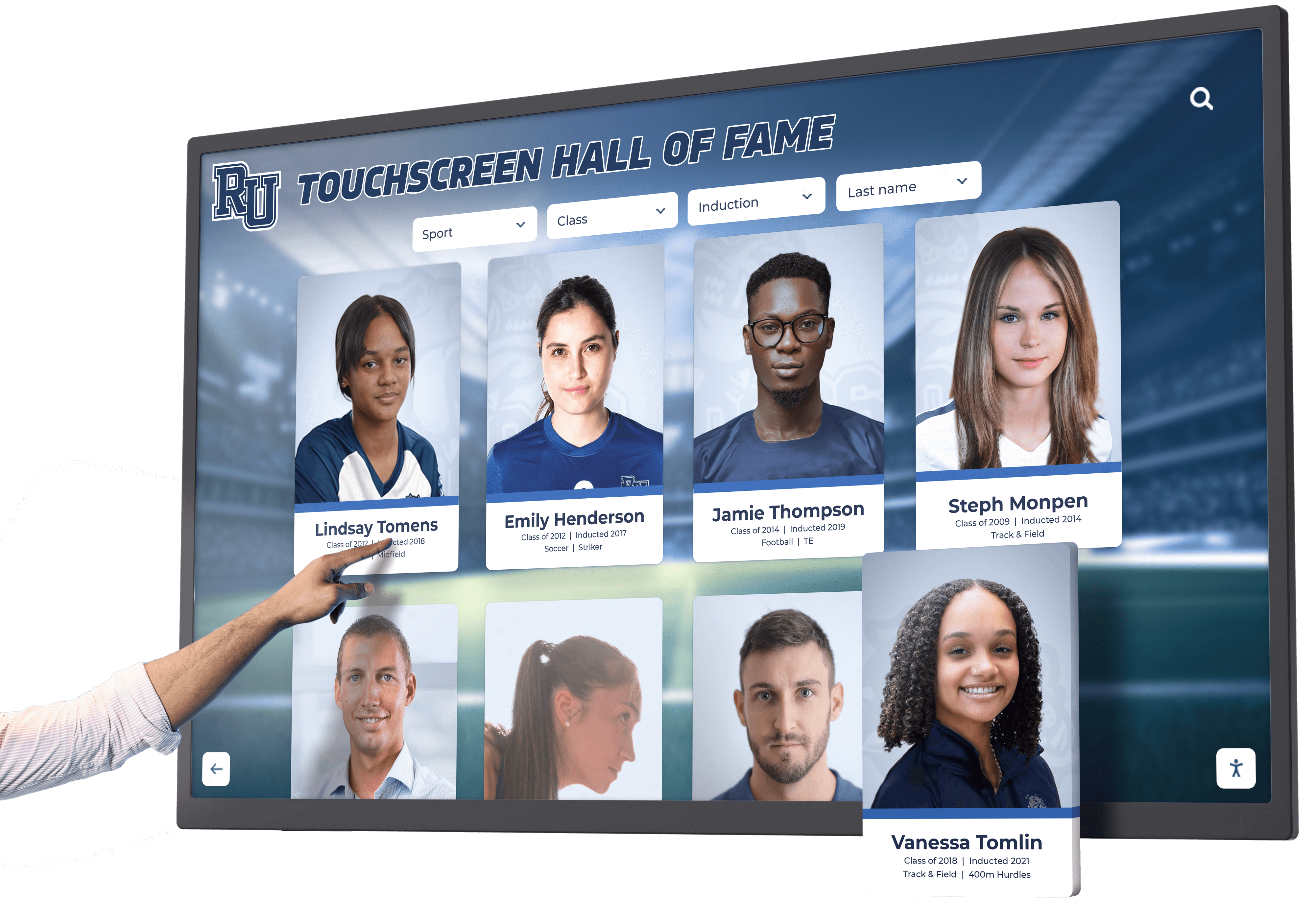
Touchscreen interactions should feel natural and intuitive—requiring minimal cognitive load and accommodating physical limitations like reduced fine motor control, visual impairments, or slower reaction times common in dementia progression
Implementation Guidance: Setting Up Your Family Memory Display
Transitioning from concept to functional system requires practical steps manageable within family caregiver schedules and technical abilities.
Step 1: Define Your Requirements and Budget
Begin by clearly identifying your specific needs, constraints, and success criteria:
Physical Space Assessment: Evaluate available wall space, furniture configurations, viewing distances, lighting conditions, and electrical outlet locations in common living areas where your mom and wife spend most waking hours. Consider mounting positions visible from favorite chairs, beds, or dining tables where they naturally spend time throughout typical days.
Budget Determination: Establish realistic budget ranges accounting for initial hardware purchases, mounting equipment or stands, any necessary accessories like protective cases or extended warranties, and potential content development costs if you choose professional photo digitization services. Most families achieve functional systems for $300-800 depending on hardware choices and existing digital photo collections.
Technical Comfort Evaluation: Honestly assess your own technical abilities, available time for setup and ongoing maintenance, and willingness to experiment with different approaches. Solutions requiring extensive technical troubleshooting may prove impractical when caregiving responsibilities already consume most available time and energy. Prioritize simpler systems with strong customer support and extensive online resources assisting non-technical users.
Success Criteria Definition: Clarify what outcomes would make this investment worthwhile—reduced anxiety and repetitive questioning, increased engagement and conversation quality, improved orientation to time and place, or simply providing dignified activity alternatives to passive television watching. Clear success criteria guide hardware and content decisions while enabling you to evaluate whether approaches work as intended.
Step 2: Select and Acquire Hardware
Based on your requirements and budget, select appropriate hardware and acquire necessary equipment:
For most family caregiving situations, we recommend starting with tablet-based approaches due to affordability, simplicity, and sufficient functionality for individual family situations. Quality 10-13 inch tablets mounted on wall arms or adjustable stands provide excellent starting points requiring minimal technical complexity while delivering core benefits. Large-format displays make sense primarily when serving shared living spaces with viewing distance challenges or when budgets comfortably accommodate higher investment.
Purchase from retailers offering flexible return policies allowing you to test equipment in actual use environments. What appears ideal in stores may prove too complex, too bright, too dim, or poorly suited to your specific physical space and family members’ responses. Return policies provide valuable safety nets enabling experimentation without financial risk.
Step 3: Develop Initial Content Library
Content development proves more time-consuming than hardware setup but delivers the actual value memory displays provide:
Photo Digitization Project: Allocate dedicated time digitizing existing photo collections—this proves emotional work revisiting family history while acknowledging disease progression. Consider involving other family members in digitization projects, both distributing workload and creating opportunities for reminiscence conversations with siblings, children, or relatives who recognize photos and can provide contextual information your memory may have lost over years.
Organization and Curation: Organize digitized content into logical structures supporting varied browsing and different cognitive abilities. Create folders by decade, family member, activity type, or location—whatever organizational approaches make sense for your specific family history and content volume. Many families find chronological organization most intuitive, starting with childhood photos and progressing through life stages to present day.
Caption Development: Write clear, concise captions for key photographs requiring context. Focus particularly on identifying people who may not be immediately recognizable due to aging, providing location information for places that may appear unfamiliar without context, and noting dates or occasions explaining why particular photos matter within family history.
Music Selection: Compile playlists featuring music from your family members’ youth and young adulthood—typically ages 15-30 when musical preferences solidify and emotional connections to songs develop most strongly. Interview siblings, old friends, or review wedding playlists and vinyl collections identifying specific artists, songs, and albums that carried personal meaning.
Step 4: Choose and Configure Display Software
Several software approaches enable content display on consumer hardware without requiring programming expertise:
Digital Photo Frame Apps: Specialized applications designed specifically for continuous photo display on tablets offer simple setup, reliable operation, and features like automatic transitions, music integration, and caption display. Many free or low-cost options exist with excellent reviews from non-technical users. Evaluate options carefully noting whether apps require subscription fees, display advertising, or demand complex configuration that may exceed your technical comfort.
Cloud Photo Services: Consumer photo services like Google Photos, Apple Photos, or Amazon Photos offer slideshow features displaying content continuously on tablets, televisions, or computers. These services provide tremendous value when family members wish to contribute content remotely—adult children can upload recent photos of grandchildren that automatically appear in memory display rotations without requiring caregiver action. This collaborative potential reduces your content management burden while maintaining fresh, varied material.
Commercial Memory Care Software: Several companies offer specialized software designed specifically for dementia memory displays, often featuring orientation clocks, medication reminders, music integration, and caregiver management dashboards. While more expensive than consumer alternatives ($10-30 monthly typically), these purpose-built solutions may offer meaningful value through features specifically addressing dementia care needs and reducing configuration complexity.
Custom Display Solutions: Technically comfortable families may consider custom approaches using web-based photo galleries, media server software, or purpose-built touchscreen applications. While offering maximum flexibility, custom solutions require substantially more technical investment and ongoing maintenance that may prove impractical for busy family caregivers. Reserve custom approaches for situations where standard consumer solutions fail to meet specific requirements.
Platforms similar to those used by schools and organizations for digital recognition displays can sometimes adapt to family memory display purposes, offering professional content management capabilities at scales appropriate for home environments. However, evaluate carefully whether institutional features justify additional complexity versus simpler consumer solutions designed for non-technical home users.
Step 5: Installation and Initial Testing
Physical installation marks the transition from planning to operational system:
Mounting and Positioning: Install wall mounts or position stands in selected locations, carefully considering viewing angles, lighting conditions, and accessibility for both family members. Test visibility from their typical positions—favorite chairs, beds, or dining locations—adjusting height and angle to eliminate glare and optimize comfortable viewing without neck strain.
Power and Connectivity: Route power cables safely, either concealing behind walls when wall-mounting or using cable management systems preventing trip hazards and protecting cords from disconnection. Ensure reliable WiFi connectivity if your chosen software requires internet access for content updates or cloud synchronization.
Content Loading and Configuration: Transfer your curated content libraries to display devices, configure slideshow settings establishing appropriate transition timing and music volume levels, and test all features ensuring everything functions as intended before introducing displays to your family members.
Initial Introduction: Introduce memory displays gradually, explaining their purpose clearly and demonstrating simple interaction methods. Observe initial responses carefully—some individuals embrace displays immediately while others need repeated exposure before accepting new elements in familiar environments. Patient persistence usually proves necessary before new tools become natural environmental features rather than concerning changes.

Successful memory displays balance sophisticated capabilities with intuitive operation—enabling family caregivers to manage content easily while ensuring individuals with cognitive impairments can engage independently without confusion or frustration
Ongoing Management: Sustainable Approaches for Busy Caregivers
Initial setup represents only the beginning—sustainable ongoing management approaches ensure displays continue delivering value without becoming overwhelming additional responsibilities.
Content Updates and Rotation
Regular content updates maintain interest and relevance while preventing displays from becoming ignored background fixtures:
Establishing Manageable Update Schedules: Define realistic update frequencies matching your available time and energy—weekly additions prove ideal but monthly updates deliver sufficient freshness when caregiving demands limit available time. Resist perfectionist tendencies demanding constant content changes; consistency matters more than frequency.
Crowdsourcing Family Contributions: Involve other family members—children, grandchildren, siblings, or close friends—in content development by establishing simple methods for submitting photos and videos remotely. Cloud-based systems make collaborative content management practical even when family members live distant from your location. This collaboration distributes workload while ensuring fresh content flows consistently without depending solely on your efforts.
Seasonal and Holiday Themes: Develop themed content collections for holidays, seasons, and special occasions that you activate when appropriate. Holiday-themed content creates anticipation, reinforces temporal orientation, and provides conversation opportunities about current celebrations and past holiday memories.
Responding to Mood and Behavior Patterns: Adjust content selections based on observed responses and mood patterns. If particular photos consistently trigger sadness, confusion, or agitation, remove them regardless of their objective importance to family history. If certain music always produces smiles or content certain photos reliably generate conversation, emphasize those successful elements.
Technical Maintenance and Troubleshooting
Reliable operation requires basic ongoing maintenance and troubleshooting when problems inevitably emerge:
Software Updates: Maintain current versions of display applications and tablet operating systems ensuring security, reliability, and continued functionality. Enable automatic updates when possible, eliminating maintenance burden and ensuring devices remain current without requiring your attention.
Hardware Cleaning: Touchscreens accumulate fingerprints, dust, and environmental debris affecting visibility and touch responsiveness. Clean screens weekly using appropriate materials that won’t damage displays—microfiber cloths with screen-safe cleaning solutions work best. Avoid harsh chemicals or abrasive materials that can permanently damage screens.
Backup Systems: Maintain secure backups of all photo and video content protecting against device failures, accidental deletions, or catastrophic hardware problems. Cloud storage services provide excellent backup solutions accessible from any device if primary hardware requires replacement. Regular backups prove essential—digitized family histories represent irreplaceable emotional value justifying protective measures.
Simple Troubleshooting: Develop basic troubleshooting skills addressing common problems—frozen screens, connectivity issues, audio problems, or unexpected behavior. Online support communities, manufacturer help resources, and local technical support can assist when problems exceed your abilities. Consider establishing relationships with technically-capable family members or friends who can provide remote or in-person assistance when needed.
Measuring Impact and Adjusting Approach
Periodically evaluate whether displays deliver expected benefits and adjust approaches based on observations:
Behavioral Observations: Monitor whether displays reduce anxiety behaviors, decrease repetitive questioning, improve orientation, or facilitate more positive interactions. Objective behavior tracking proves difficult in family environments, but general observations about mood, engagement quality, and daily life quality provide useful feedback about display effectiveness.
Family Member Feedback: Discuss displays regularly with visiting family members who observe your mom and wife from fresh perspectives. External observers often notice behavioral changes, engagement patterns, or potential improvements that you miss due to daily immersion in caregiving routines.
Flexibility and Experimentation: Remain open to changing approaches when current methods don’t work as expected. Perhaps touchscreen interaction proves too complex but automatic slideshows work beautifully. Perhaps one large shared display causes conflict while individual displays for each person improves outcomes. Experimentation and flexibility prove essential when working with progressive diseases that constantly change abilities and needs.
Budget-Friendly Solutions and Cost Management Strategies
Creating effective memory displays on limited budgets requires creative approaches maximizing value while minimizing costs:
Starting Small and Scaling Gradually
You need not implement comprehensive systems immediately—starting with minimal viable solutions proves more sustainable than expensive initial investments that may not work as expected:
Single-Device Pilot Projects: Begin with one tablet or display serving as proof-of-concept before investing in multiple devices or elaborate setups. This cautious approach allows you to evaluate actual usage patterns, technical challenges, and family member responses before committing substantial resources.
Repurposing Existing Technology: Evaluate whether existing tablets, old laptops, or unused smart TVs can serve memory display purposes before purchasing new equipment. Even older devices often prove entirely adequate for photo display applications that don’t demand cutting-edge performance. Repurposing existing equipment dramatically reduces costs while providing immediate testing opportunities.
DIY Installation and Setup: Handle installation and configuration yourself rather than hiring professional services when your technical comfort permits. While professional installation ensures excellent results, DIY approaches save hundreds of dollars—money better spent on higher-quality hardware or supporting other caregiving needs.
Free and Low-Cost Software Options
Numerous free or inexpensive software solutions provide excellent functionality without expensive subscriptions or purchases:
Consumer Photo Services: Google Photos, Apple Photos, and similar services offer free storage, organization, and slideshow features entirely adequate for family memory display purposes. While paid premium tiers offer additional storage and features, free tiers often suffice for individual family content libraries.
Free Photo Frame Apps: Many quality digital photo frame applications operate completely free, supported by optional premium features most families never need. Read reviews carefully distinguishing between legitimately free applications versus free trials that become paid subscriptions after limited periods.
Open-Source Solutions: Technically-inclined families may explore open-source digital signage and photo management software offering enterprise-grade capabilities at no cost. While requiring more technical setup than consumer alternatives, open-source solutions provide maximum flexibility and eliminate ongoing subscription costs. However, evaluate honestly whether technical complexity justifies cost savings considering your available time and abilities.
Community Resources and Financial Assistance
Several resources may provide financial assistance or equipment access for family caregivers:
Local Alzheimer’s Associations: Regional Alzheimer’s Association chapters often maintain equipment lending libraries, provide technology grants, or connect families with local resources supporting dementia caregiving. Contact your local chapter inquiring about technology assistance programs potentially available in your area.
Caregiver Support Organizations: General caregiving organizations frequently offer small grants, equipment donations, or group purchasing programs reducing technology costs for family caregivers. Many organizations prioritize supporting caregivers managing multiple family members—situations like yours caring simultaneously for your mom and wife.
Technology Recycling and Donation Programs: Corporate technology donation programs, community recycling centers, or non-profit refurbishment organizations sometimes offer free or low-cost tablets and computers to caregivers and families in need. While donated equipment may not offer latest features, functionality often proves entirely adequate for memory display purposes.
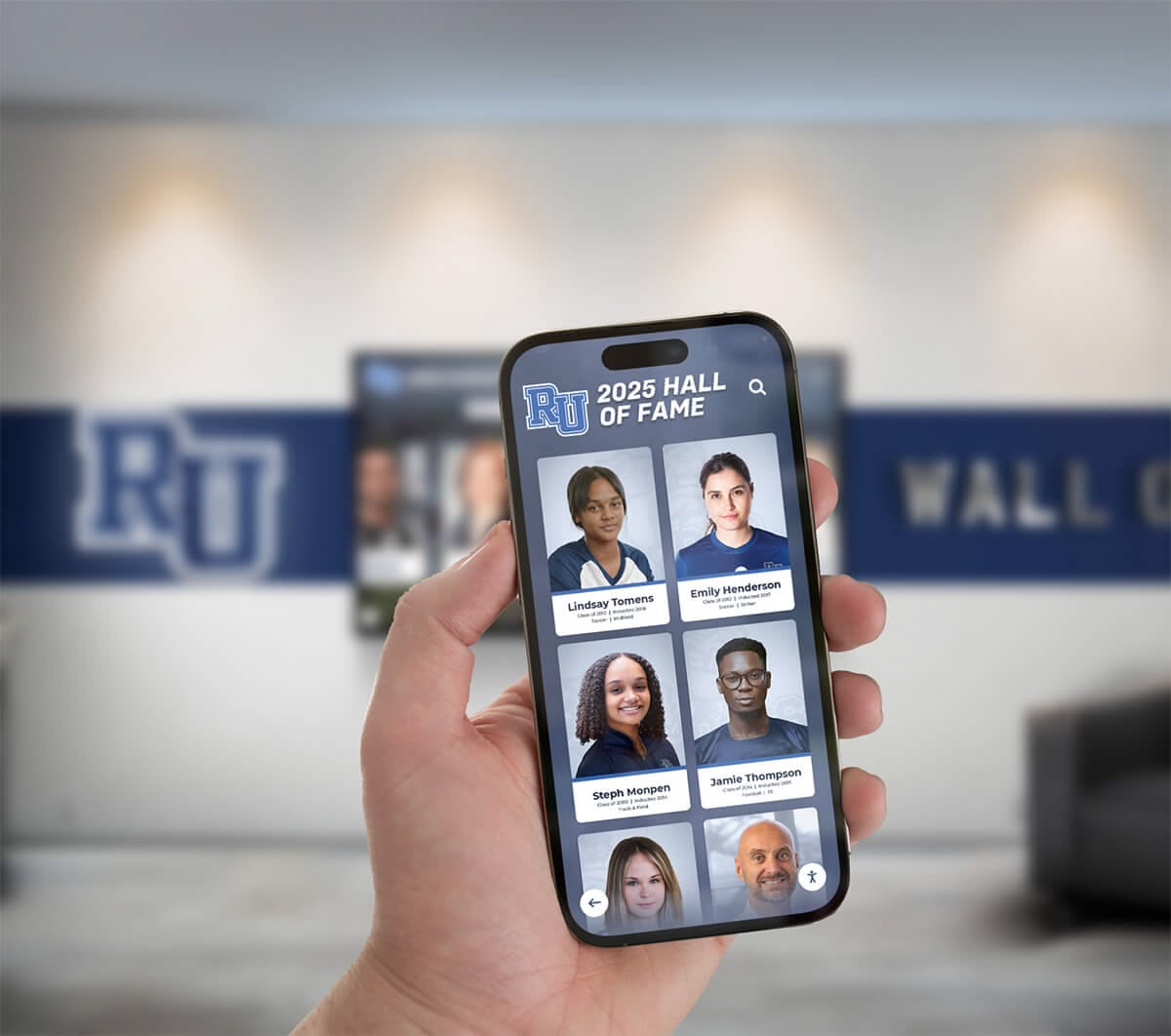
Mobile integration allows family members to contribute content remotely, update information easily, and manage displays from anywhere—critical flexibility for busy caregivers balancing multiple responsibilities throughout demanding days
Adapting Solutions as Dementia Progresses
Memory displays must evolve alongside cognitive abilities as dementia progression inevitably changes engagement capacities and support needs.
Adjusting Content Complexity and Format
As cognitive abilities decline, content complexity and interaction patterns require corresponding adjustments:
Simplifying Visual Information: Early-stage content may include complex group photos with many people, detailed captions providing context, and varied content constantly introducing new material. Advanced-stage content typically requires simpler imagery—close-up portraits of just one or two familiar people, minimal text, and highly repetitive familiar content that feels safe rather than overwhelming.
Reducing Interactive Requirements: Interactive touchscreen features may work beautifully during earlier disease stages but become confusing and frustrating as cognitive abilities decline. Transitioning to automatic slideshow formats eliminates interaction requirements while maintaining visual engagement as manual navigation becomes too complex.
Emphasizing Emotional Familiarity Over Factual Accuracy: Later disease stages may retain emotional recognition of familiar people even after losing ability to recall names, relationships, or specific memories. At this stage, displays succeed by evoking positive emotions through familiar faces rather than supporting factual reminiscence conversations about specific events or details.
Incorporating More Sensory Elements: Music, nature sounds, and moving video content may become more engaging than static photographs as cognitive processing changes. Experimenting with varied content types helps identify what continues resonating as verbal and visual processing abilities shift throughout disease progression.
Supporting Different Cognitive Stages Simultaneously
Your situation caring for both your mom and wife—likely experiencing different disease progression rates—requires managing multiple cognitive stages concurrently:
Parallel Content Streams: Consider maintaining separate display configurations for each person when cognitive stages diverge substantially. One display near your mom’s favorite chair might show simpler, more repetitive content while another near your wife’s usual location presents more varied, complex material matching her current abilities.
Flexible Interaction Modes: Configure displays supporting multiple interaction methods—touchscreen exploration for individuals capable of intentional interaction, voice control for those struggling with fine motor control, and fully automatic operation for those who can only passively view. This flexibility accommodates different ability levels without requiring separate systems.
Caregiving Efficiency Considerations: Balance ideal personalization against practical caregiving realities. While completely separate systems theoretically provide optimal individual support, unified systems requiring less management time may prove more sustainable when you’re already stretched thin managing complex care responsibilities. Sometimes adequate collective solutions prove superior to theoretically optimal individual approaches that exhaust limited caregiver resources.
Planning for Future Care Transitions
Memory displays can potentially travel with your family members through care transitions if situations eventually require facility placement:
Portable Systems: Tablet-based displays move easily between home and facility environments, providing continuity of familiar engagement tools during difficult transitions. This portability helps maintain environmental consistency even when physical locations change dramatically.
Content Library Preservation: Maintain organized, backed-up content libraries that could transfer to facility-provided display systems if your family members eventually transition to residential care. Many progressive memory care facilities now incorporate digital display technology—your curated content could integrate into facility systems providing personalized engagement tools familiar staff may lack time to develop individually.
Family Engagement Continuity: Display systems facilitate family engagement regardless of living situations. When your mom or wife potentially reside in care facilities while you cannot visit daily, remotely updating displays with fresh photos of grandchildren, seasonal imagery, or reassuring messages maintains connection across physical distance.
Adapting Institutional Solutions for Family Scale
While this guide focuses on economical family-scale solutions, understanding how institutional environments approach memory and recognition displays provides valuable perspective:
Organizations like schools, universities, and senior living communities frequently deploy sophisticated interactive touchscreen displays serving hundreds or thousands of people simultaneously—requiring professional content management, commercial-grade hardware, extensive customization, and institutional budgets. Solutions like Rocket Alumni Solutions provide comprehensive platforms enabling organizations to showcase achievements, preserve history, and engage communities through professional touchscreen kiosk software designed for continuous operation in public environments.
Family caregiving situations operate at fundamentally different scales with dramatically different requirements. You don’t need institutional capabilities serving hundreds of people—you need intimate, personal solutions supporting two specific individuals. Commercial institutional systems typically prove cost-prohibitive and functionally excessive for family purposes, though understanding professional approaches helps identify capabilities worth seeking in consumer-friendly formats.
The content management concepts, user experience principles, and engagement strategies that make institutional recognition displays successful translate directly to family memory displays—curated content, intuitive interfaces, reliable operation, and flexible updates prove equally important whether serving schools or supporting your mom and wife at home.
When families do have larger budgets and seek professional-grade reliability, platforms designed for senior living recognition sometimes offer scaled versions appropriate for private residences. However, most family situations achieve excellent outcomes using consumer technology creatively adapted to caregiving purposes.
Additional Considerations for Family Memory Display Success
Several additional factors influence whether memory displays deliver meaningful value throughout long caregiving journeys:
Respecting Dignity and Individual Preferences
Memory displays must honor personhood and dignity rather than treating dementia patients as passive recipients of interventions:
Individual Control and Agency: Whenever possible, involve your mom and wife in content selection decisions, asking which photos they enjoy, what music they want to hear, and how they prefer using displays. Even when cognitive abilities limit complex decision-making, simple choices about immediate viewing preferences provide dignity and autonomy opportunities dementia progressively erodes.
Avoiding Infantilization: Ensure display content reflects adults with rich life histories rather than treating dementia patients like children requiring simplified entertainment. Include content acknowledging their accomplishments, relationships, and experiences rather than only recent photos of grandchildren or simplified imagery that may feel condescending.
Privacy and Social Appropriateness: Consider whether all content remains appropriate for displays in shared spaces where visitors, care aides, or delivery people may observe screens. Maintain boundaries protecting private family moments from public viewing while still creating meaningful personal displays.
Managing Caregiver Emotional Impact
Developing memory displays requires engaging extensively with family photos and memories—emotionally challenging work when dementia progressively steals the people those memories represent:
Pacing Emotional Labor: Spread content development work across extended periods rather than attempting to digitize entire photo collections during single marathon sessions. Frequent breaks prevent emotional exhaustion while you process grief and memories surfacing during digitization work.
Seeking Support: Discuss emotional reactions with other caregivers, support groups, or counselors who understand dementia caregiving challenges. Grief about ongoing losses exists alongside current caregiving demands—acknowledging this complicated emotional landscape proves essential for sustainable caregiving.
Celebrating Small Victories: Notice and celebrate when displays successfully reduce anxiety, facilitate positive memories, or create moments of connection. Dementia caregiving involves managing relentless decline—identifying victories however small provides essential emotional sustenance for continuing difficult work.
Integrating with Broader Dementia Care Approaches
Memory displays function best as components within comprehensive dementia care strategies rather than standalone solutions:
Complementing Professional Medical Care: Maintain regular contact with dementia specialists, neurologists, and primary care providers who monitor cognitive changes, adjust medications, and provide professional guidance. Memory displays support but never replace proper medical management and therapeutic interventions.
Supporting Other Non-Pharmacological Interventions: Combine displays with other proven approaches—regular physical activity, social engagement, structured daily routines, proper nutrition, and environmental modifications creating safe, comfortable living environments. Comprehensive approaches deliver better outcomes than any single intervention alone.
Respecting Individual and Family Boundaries: Not every family finds technology-based interventions comfortable or helpful. Some people find displays confusing or distressing rather than comforting. Remain flexible and willing to abandon approaches that don’t work for your specific situation, regardless of how successful they prove for others.
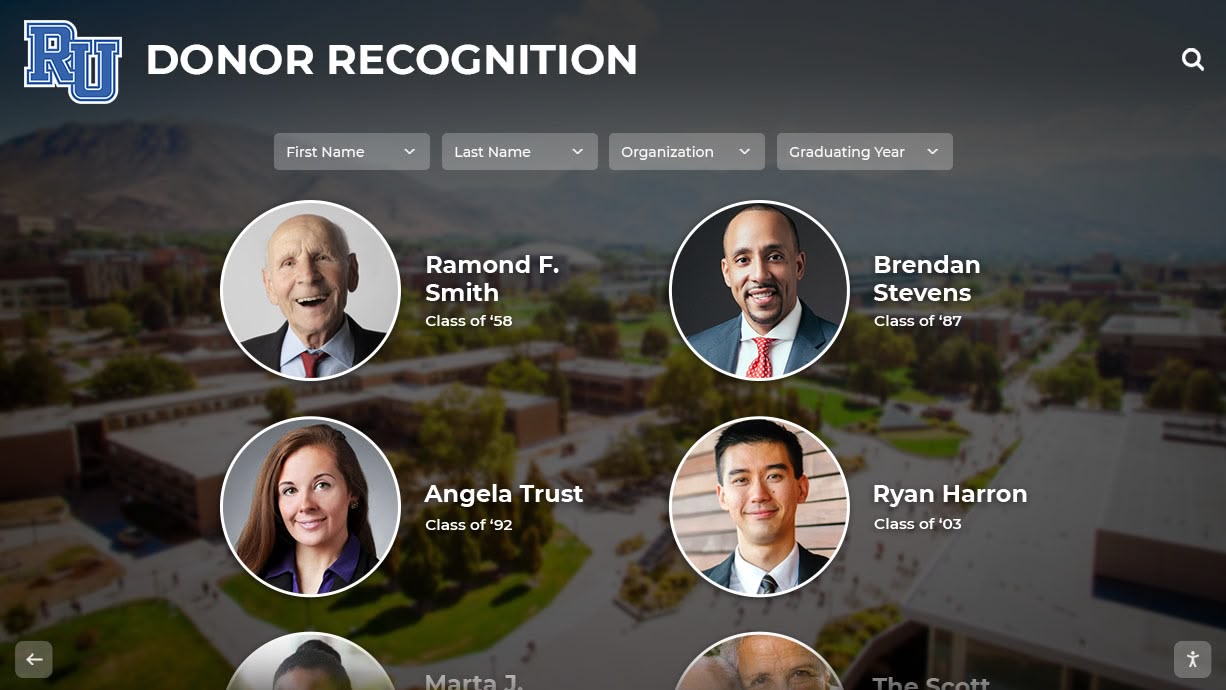
Professional content presentation—clear photography, thoughtful captions, and intentional design—creates dignity and respect appropriate for adults with rich life histories rather than simplified displays that may feel condescending or infantilizing
Conclusion: Economical Memory Displays as Sustainable Family Caregiving Tools
Creating effective touchscreen memory displays for family dementia care requires balancing therapeutic benefits, technical practicality, economic constraints, and emotional sustainability. The economical solutions outlined throughout this guide enable dedicated family caregivers like yourself—supporting your mom and your wife simultaneously—to implement meaningful environmental modifications without requiring institutional budgets, professional technical expertise, or time investments that exceed already-stretched caregiving capacity.
Consumer tablets, simple photo software, and carefully curated personal content libraries provide surprisingly powerful engagement tools when implemented thoughtfully and maintained consistently. Success derives not from sophisticated technology or expensive equipment but rather from content resonating emotionally, interfaces respecting cognitive abilities, and implementations acknowledging realistic caregiving constraints.
Your commitment to creating memory displays demonstrates the profound love and dedication driving family dementia caregiving even when disease progression tests emotional, physical, and financial resources beyond what most people imagine possible. While memory displays cannot cure dementia, slow cognitive decline, or reduce the profound grief accompanying disease progression, they can create daily moments of connection, reduce anxiety and confusion, and honor the identities and life stories that dementia threatens to erase.
Start small with single-device pilot projects testing approaches before committing substantial resources. Involve other family members in content development and ongoing management when possible. Remain flexible and willing to adjust approaches as cognitive abilities change. Celebrate small victories when displays successfully facilitate positive moments. And remember that adequate, sustainable solutions prove far superior to theoretically optimal approaches that exhaust limited caregiving resources.
Transform Your Memory Display Vision into Reality
While family caregivers can create effective memory displays using consumer technology, organizations supporting larger populations—senior living communities, adult day programs, memory care facilities—may benefit from professional-grade solutions designed specifically for continuous operation and institutional requirements.
Rocket Alumni Solutions provides comprehensive digital recognition and engagement platforms helping organizations preserve memories, celebrate achievements, and create meaningful connections through intuitive touchscreen technology. Our solutions serve schools, universities, senior living communities, and organizations requiring reliable, professionally-managed display systems at institutional scale.
Frequently Asked Questions About Family Dementia Memory Displays
How much does a basic memory display system cost for home use?
Most families can create functional memory display systems for $300-800 including hardware, mounting equipment, and software. Budget-conscious approaches using repurposed existing tablets or computers may cost under $200, while families seeking larger displays or commercial-grade reliability might invest $1000+. Ongoing costs typically remain minimal ($0-20 monthly) depending on whether you choose free consumer software or paid specialized dementia applications.
What size screen works best for dementia memory displays?
Screen size depends on viewing distance and visual abilities. For bedside or close-range viewing (2-4 feet), 10-13 inch tablets provide adequate size. For common living areas where individuals view from chairs 6-10 feet away, 32-43 inch displays offer better visibility. Prioritize screen size accommodating visual impairments and typical viewing distances in your specific living spaces rather than defaulting to smallest economical options.
Can family members who live far away help update content?
Cloud-based photo services like Google Photos, Apple Photos, or Amazon Photos enable remote family members to contribute content automatically appearing in memory display rotations. This collaborative approach distributes content management work while ensuring fresh photos of grandchildren, seasonal updates, and new memories flow consistently without depending solely on primary caregivers’ efforts. Remote contribution proves particularly valuable when primary caregivers lack time for extensive content management.
How often should I change photos and content?
Content rotation frequency depends on individual responses and available caregiver time. Some families update weekly, others monthly or seasonally. More important than frequency is maintaining balance between familiar repetitive content providing comfort and new material preventing boredom. Observe your family members’ engagement—if they ignore displays, try adding new content; if displays cause confusion, increase familiar repetitive material. No universal formula exists—experimentation reveals what works for your specific situation.
What happens when dementia progresses and displays no longer work?
As dementia advances, adjust content complexity and interaction requirements matching declining cognitive abilities. Simplify imagery to familiar faces in close-up, reduce text, eliminate interactive requirements transitioning to automatic slideshows, and emphasize emotional comfort over factual accuracy. Eventually displays may serve primarily as ambient background providing visual interest and environmental familiarity rather than active engagement tools. This evolution represents normal progression rather than display failure—continuing to provide comfort even when interaction decreases justifies maintaining systems.
Are touchscreen interfaces too confusing for people with dementia?
Touchscreen interaction appropriateness varies significantly by dementia stage and individual technical comfort. Early-stage individuals often navigate touchscreens successfully, particularly when interfaces remain simple and intuitive. As cognitive abilities decline, automatic slideshow formats eliminating interaction requirements work better. Start with interactive features and simplify as needed based on observed responses rather than assuming confusion beforehand. Many people surprise caregivers with retained abilities when interfaces remain straightforward.
Can memory displays work for multiple family members with different preferences?
Families can accommodate multiple people through shared content both recognize, separate display devices for each individual, or rotation schedules alternating between person-specific content. Your situation supporting both your mom and wife requires balancing shared family memories with individual-specific content honoring each person’s unique life story. Experiment with approaches observing which strategies create positive engagement without conflict or confusion when preferences diverge.
What’s the difference between consumer photo frames and dementia-specific software?
Consumer digital photo frame applications provide basic slideshow functionality adequate for many families. Dementia-specific software adds features like orientation clocks, medication reminders, simplified interfaces designed for cognitive impairment, caregiver dashboards, and specialized content organization for memory care purposes. Dementia applications cost more ($10-30 monthly typically) but may justify expenses through features specifically addressing caregiving needs that generic photo software lacks. Start with free consumer options and upgrade only if specific features prove necessary.
Will displays work if my family members have vision problems?
Visual impairments common with aging require careful consideration of screen size, brightness, contrast, and viewing distance. Larger displays positioned appropriately help accommodate vision challenges, as do high-contrast imagery and bold text. However, severe vision impairments may limit display effectiveness—consider audio-focused alternatives incorporating familiar music and recorded messages when vision problems prove severe. Assess individual vision capabilities realistically when evaluating whether visual displays will work effectively.
How do I choose between tablets, TVs, and specialized digital signage displays?
Most family situations achieve excellent results using consumer tablets (10-13 inch, $200-400) providing adequate screen size, simple setup, and affordable replacement when failures occur. Larger TVs with media devices (32-43 inch, $250-600 total) suit shared living spaces with distance viewing. Commercial digital signage ($600-2000+) justifies investment primarily when seeking maximum reliability for permanent home infrastructure or when multiple families share equipment costs cooperatively. Start with economical consumer options before considering specialized commercial equipment.































