Professional and college football stadiums have evolved far beyond simple venues for watching games. Today’s modern facilities integrate sophisticated fan experience centers that transform how spectators engage with teams, venues, and the broader football community. At the heart of these innovative spaces, digital recognition displays provide dynamic content that informs, entertains, and connects fans in ways traditional signage never could.
In this comprehensive guide, we explore how fan experience centers in NFL and college football stadiums leverage interactive digital displays to enhance visitor engagement. From showcasing event information and stadium wayfinding to highlighting future facility plans and celebrating team history, you'll discover how solutions like Rocket Alumni Solutions enable venues to maximize these high-traffic spaces while creating memorable experiences for every visitor.
The Modern Fan Experience Center: More Than Just a Lobby
Fan experience centers represent dedicated spaces within stadiums designed specifically to engage visitors before games, during halftime, and after events conclude. Unlike traditional concourses that simply move crowds from entry points to seating areas, these centers create destinations where fans actively choose to spend time exploring content, learning about their teams, and connecting with football heritage.
According to EdTech Magazine, modern college football stadiums are implementing high-tech features including enormous digital screens and wireless networks so fans can use their own devices, transforming the traditional game-day experience into immersive events. This same philosophy extends to dedicated fan experience centers where technology creates engagement impossible with static displays alone.
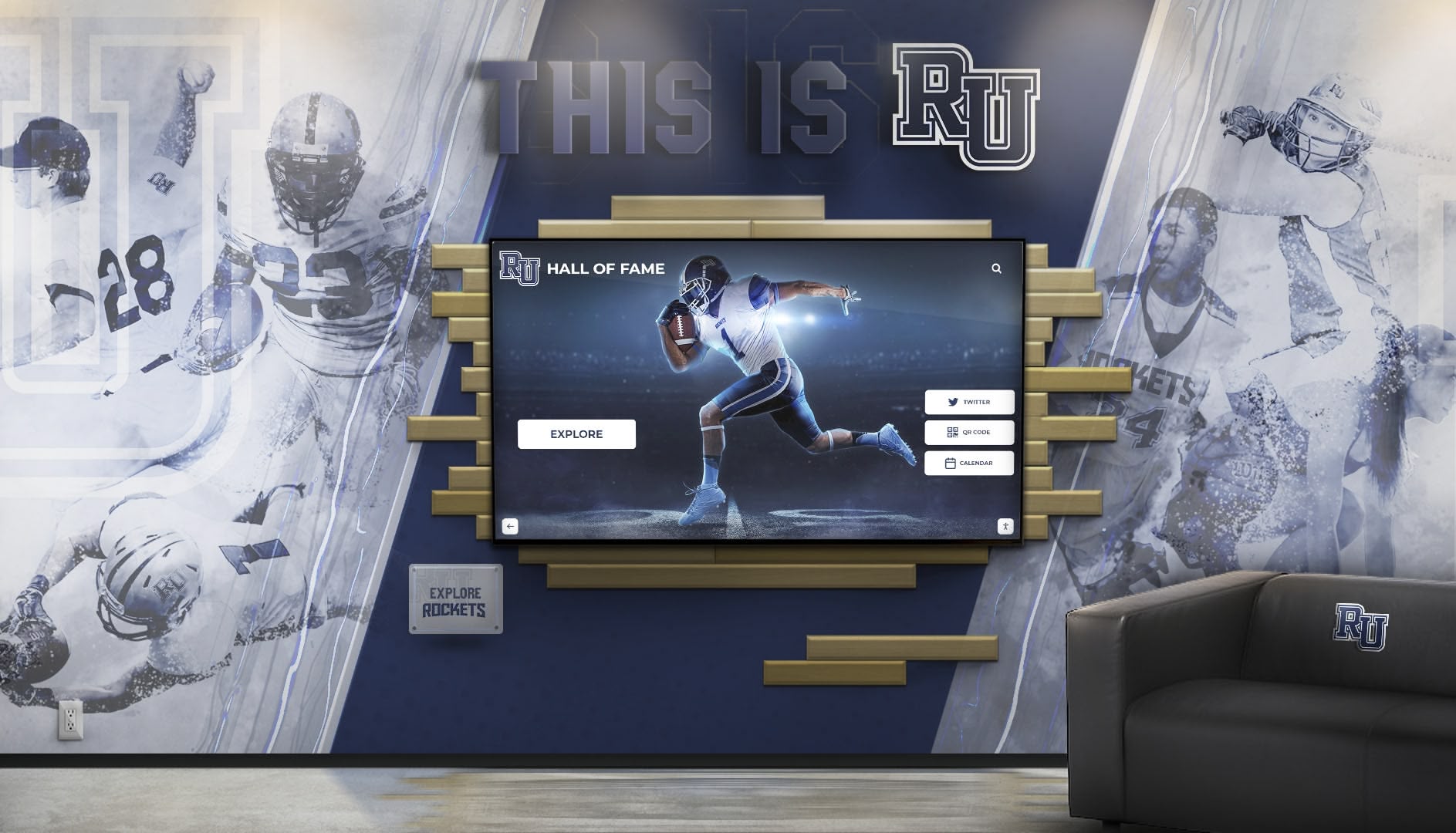
Key Functions of Modern Fan Experience Centers
Pre-Game Information Hub: Fan experience centers serve as centralized information sources where visitors can check event schedules, parking updates, weather conditions, concession options, and special promotions before finding their seats.
Wayfinding and Navigation: Large venues with multiple levels, seating sections, and amenities benefit from digital wayfinding systems that help visitors navigate efficiently to their destinations without frustration.
Historical Storytelling: These spaces celebrate team heritage by showcasing legendary players, championship seasons, memorable moments, and organizational evolution that connects current fans with decades of tradition.
Future Vision Sharing: Stadium renovations, facility expansions, and planned improvements receive compelling presentation through digital displays that use renderings, videos, and detailed information to generate excitement about future developments.
Community Connection: Fan experience centers foster community by highlighting fan traditions, supporter groups, charitable initiatives, and the broader impact teams have beyond the field.
Digital Display Technology Transforming Stadium Spaces
The NFL and Adobe announced an expanded global partnership in April 2025 that combines AI, creativity and marketing to deliver AI-powered fan experiences. According to the announcement, Adobe Experience Platform and applications will empower the NFL to generate fan content and engagement at a new scale, delivering personalized content whether fans are at home, on the go, or in the stadium.
This partnership exemplifies how professional football embraces cutting-edge technology to enhance fan engagement—and digital recognition displays represent a crucial component of this transformation.

Interactive Touchscreen Displays
Commercial-grade touchscreen displays enable fans to actively explore content rather than passively viewing static information. Key capabilities include:
Self-Directed Exploration: Visitors choose which content interests them most—whether that’s historical player profiles, upcoming event schedules, or facility maps—creating personalized experiences that match individual preferences.
Deep Content Access: Unlike limited space on traditional signage, digital touchscreen systems provide unlimited depth, allowing fans to drill down into detailed information about topics that capture their attention.
Intuitive Navigation: Modern interfaces use familiar smartphone-like interactions including swiping, tapping, pinching, and zooming that require no instructions or training for today’s tech-savvy audiences.
Multiple Simultaneous Users: Large-format displays accommodate several visitors interacting simultaneously with different content, maximizing engagement capacity during high-traffic periods.
Video Walls and Large-Format Displays
MetLife Stadium announced enhancements for the 2024 NFL season including four new cornerstone video boards and a brand-new audio system, demonstrating how even established venues continuously invest in improved display technology.
Video walls create immersive visual experiences through:
High-Resolution Content: 4K and 8K displays deliver stunning image quality that captures attention even in well-lit concourse environments where visibility challenges traditional screens.
Synchronized Multi-Screen Presentations: Content can span multiple displays creating seamless panoramic experiences that transform entire walls into engaging visual storytelling platforms.
Dynamic Content Rotation: Automated scheduling ensures diverse content appears throughout game days, keeping displays fresh for fans who pass through spaces multiple times.
Integration with Live Events: Real-time integration with ongoing games allows displays to show live scores, highlights, and statistics that keep fans connected to action even when away from their seats.
Event Information and Schedule Management
One of the most practical applications of digital displays in fan experience centers involves communicating event information and schedules that help visitors maximize their stadium experiences.
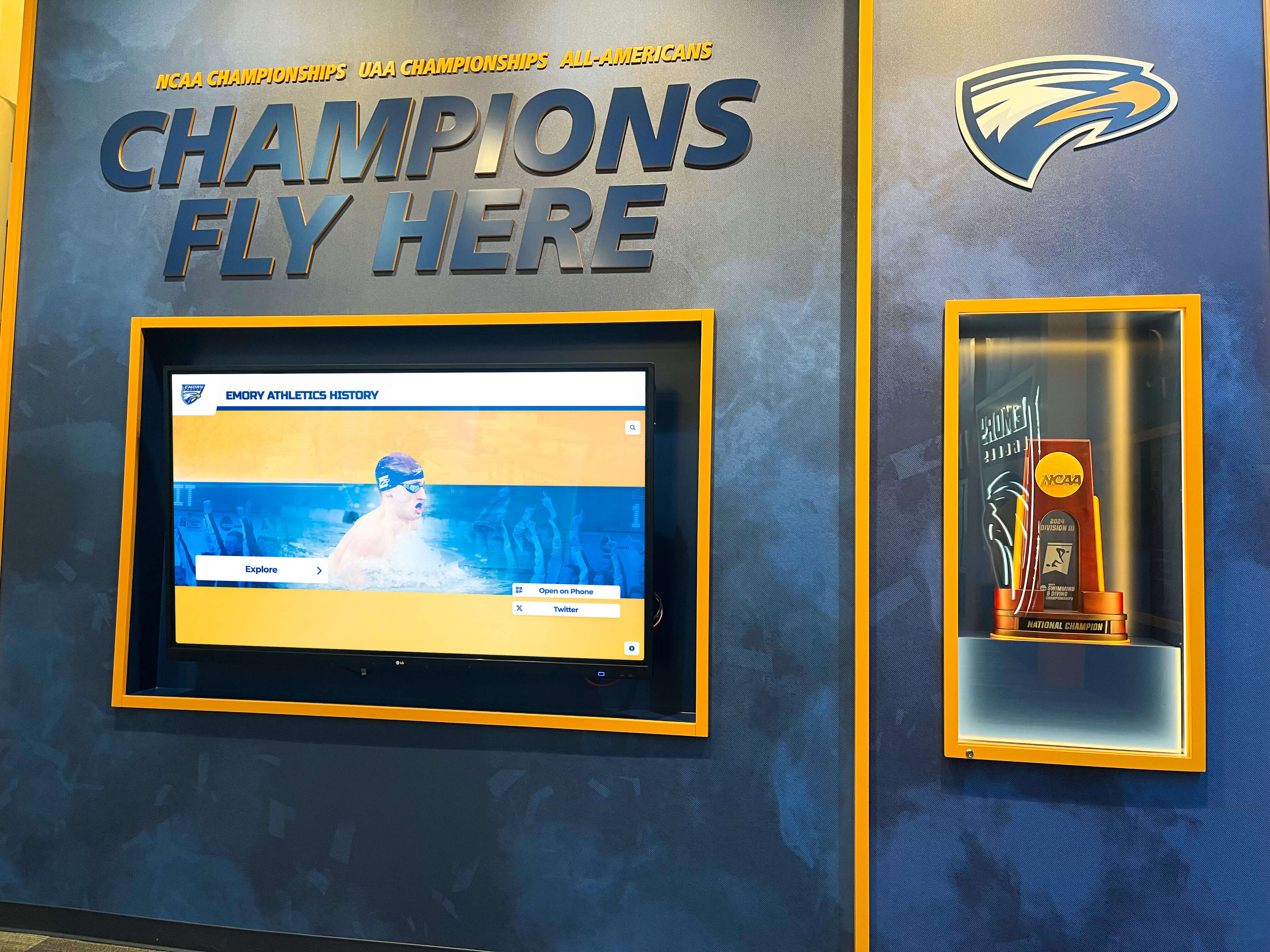
Game Day Schedules and Timelines
Digital displays provide comprehensive game day information including:
Pre-Game Activities: Information about stadium gate opening times, pre-game ceremonies, national anthem performers, and special recognitions ensures fans arrive appropriately to experience elements they value most.
Concession and Retail Hours: Clear communication about when concession stands open, which locations offer specific menu items, and retail store hours helps fans plan their arrival and spending efficiently.
Post-Game Events: Details about post-game concerts, autograph sessions, stadium tours, or other special programming encourages fans to extend their visits and engage more deeply with the venue.
Schedule Changes and Updates: Digital systems instantly communicate weather delays, modified timelines, or other schedule adjustments across all displays simultaneously, ensuring consistent accurate information throughout facilities.
Upcoming Events and Season Schedules
Beyond single-game information, displays showcase upcoming events and complete season schedules:
Season Calendar: Full-season schedules with dates, opponents, and game times help fans plan attendance for multiple events and purchase tickets for future games.
Special Events: Information about concerts, community events, tours, and non-game programming that occurs at venues encourages repeat visits beyond traditional football season.
Ticket Availability: Real-time integration with ticketing systems shows availability and pricing for upcoming events, creating immediate purchasing opportunities when fans express interest.
Championship and Playoff Scenarios: During playoff races, displays can explain standings, tiebreaker scenarios, and potential playoff matchups that generate excitement and anticipation.
Stadium Wayfinding and Concourse Information
Large stadium complexes present navigation challenges for visitors unfamiliar with facilities. Digital displays address these challenges through comprehensive wayfinding solutions.
Interactive Stadium Maps
Touchscreen building directories provide stadium navigation through:
Section Locators: Fans input seat information and receive clear visual directions showing optimal routes from their current location to specific seating sections.
Amenity Finders: Interactive maps highlight restroom locations, first aid stations, family areas, ATMs, and other important amenities with distance and direction information.
Concession and Food Options: Searchable databases of all food and beverage vendors with locations, menus, and special offerings help fans find specific items or discover new options.
Team Store and Merchandise: Directions to official team stores, pro shops, and merchandise kiosks ensure fans can easily access retail areas for purchases.
Accessibility Information: Detailed information about accessible entrances, seating, restrooms, and services ensures all visitors can navigate facilities comfortably.

Real-Time Crowd and Wait Information
Advanced implementations integrate crowd monitoring and queue management:
Concession Wait Times: AI-powered applications at venues like The Ohio State University direct fans to concession stands with the shortest wait times, as reported by EdTech Magazine, reducing frustration and improving service efficiency.
Restroom Availability: Sensors indicate restroom congestion levels helping visitors choose less crowded facilities or time their visits strategically.
Traffic Flow Recommendations: During peak movement times (pre-game, halftime, post-game), displays suggest optimal routes to avoid congestion and reduce travel time.
Parking and Exit Strategies: Post-game displays provide parking lot traffic information and suggest exit strategies based on destination directions to minimize departure delays.
Celebrating Team History and Creating Connections
While practical information serves important functions, fan experience centers also create emotional connections through compelling presentations of team history and achievement.
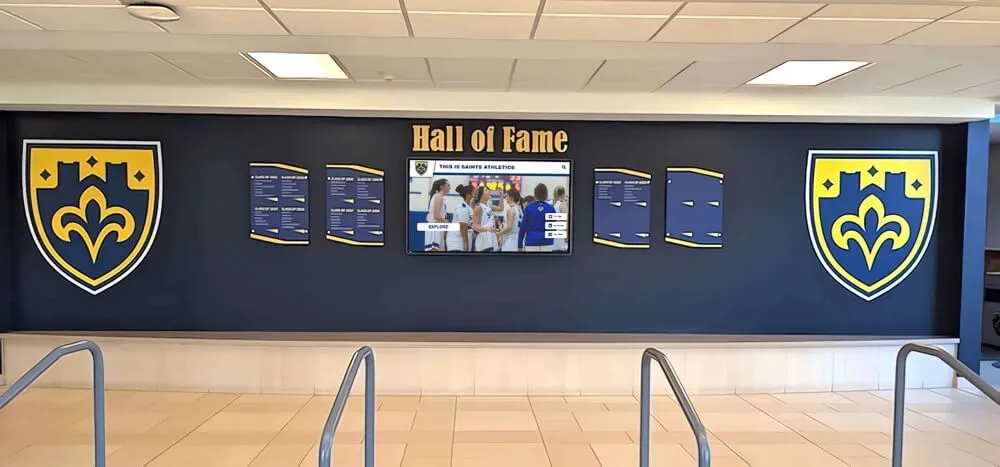
Interactive Hall of Fame Displays
Professional football venues implement comprehensive halls of fame celebrating organizational excellence:
Legendary Player Profiles: Detailed biographical content, career statistics, highlight videos, and personal stories document the achievements of franchise icons who built team traditions.
Championship Season Documentation: Comprehensive presentations of title-winning seasons including complete rosters, game-by-game results, playoff runs, and memorable moments preserve historic achievements.
Coach and Leadership Recognition: Beyond players, displays honor coaches, executives, owners, and other leaders whose contributions shaped organizational success over decades.
Record Holder Celebrations: Statistical leaders in various categories receive prominent recognition with context explaining the significance of their achievements and their place in franchise history.
Search and Discovery Features: Robust search capabilities allow fans to explore by player name, position, era, achievement type, or other criteria to find content matching their specific interests.
Stadium and Venue History
Fan experience centers document not just team history but also venue evolution:
Facility Timeline: Chronological presentations showing stadium construction, renovations, expansions, and technological improvements over decades or even centuries of operation.
Memorable Moments: Iconic games, concerts, events, and cultural moments that occurred at venues contribute to their significance beyond sports achievement alone.
Architectural Features: Information about unique design elements, engineering achievements, sustainability features, or architectural significance helps fans appreciate the spaces they occupy.
Capacity and Attendance Records: Documentation of largest crowds, sellout streaks, and attendance milestones demonstrates the passion of fan bases and venue significance.
Showcasing Future Plans and Facility Development
One of the most powerful applications of digital displays in fan experience centers involves generating excitement about future developments through compelling presentation of planned improvements.

Renovation and Expansion Projects
Digital displays effectively communicate facility improvement plans:
Architectural Renderings: High-resolution 3D renderings show exactly how completed renovations will look, helping fans visualize improvements and understand scope.
Video Fly-Throughs: Animated walkthroughs take viewers through planned spaces, showing perspectives from various angles and use cases that static images cannot convey.
Project Timelines: Clear communication about construction phases, completion dates, and how projects affect fan experiences manages expectations and maintains excitement.
Feature Highlights: Detailed information about specific improvements—upgraded seating, enhanced concessions, expanded accessibility, new technology—explains tangible benefits fans will experience.
Interactive Comparisons: Before-and-after sliders or side-by-side comparisons help fans appreciate the magnitude of improvements and understand value of investments.
Community and Economic Impact
Beyond physical improvements, displays can communicate broader project benefits:
Job Creation: Information about construction employment, permanent positions, and economic opportunities demonstrates community investment beyond sports.
Sustainability Features: Documentation of environmental initiatives, green building certifications, energy efficiency, and sustainable practices appeals to environmentally conscious fans.
Neighborhood Development: Context about how stadium improvements catalyze surrounding area development, infrastructure, and community enhancement.
Accessibility Improvements: Specific details about how renovations improve experiences for visitors with disabilities demonstrates organizational commitment to inclusion.
College Football Applications: Building Program Pride
While NFL venues operate at the highest professional level, college football stadiums serve additional functions around student recruitment, alumni engagement, and institutional advancement that influence how fan experience centers are designed and utilized.

Recruiting and Prospect Engagement
College recruiting efforts leverage fan experience centers during official visits:
Player Development Stories: Profiles of athletes who competed collegiately before successful professional careers demonstrate program quality and development capabilities to prospects.
Academic Support Presentation: Information about tutoring, academic facilities, graduation rates, and degree programs addresses prospects’ and parents’ academic concerns alongside athletic considerations.
Facilities Tour Content: Self-guided or staff-led tours incorporate digital displays providing detailed information about training facilities, nutrition programs, sports medicine, and support services.
Campus Life Integration: Content showing how student-athletes engage with broader campus community, traditions, and social opportunities helps recruits envision their complete college experience.
Alumni Network Showcase: Presentations about alumni success in various career fields demonstrate long-term value of choosing specific programs beyond immediate athletic opportunities.
Alumni Engagement and Fundraising
Universities leverage fan experience centers as alumni welcome areas that support advancement goals:
Donor Recognition: Prominent acknowledgment of major donors with interactive displays showing gift impact, naming opportunities, and how contributions directly benefit student-athletes.
Campaign Progress: Real-time updates on capital campaigns, fundraising goals, and project progress create urgency and momentum encouraging additional contributions.
Alumni Achievement Celebration: Recognition of distinguished alumni across various fields—not just athletics—demonstrates institutional impact and creates pride driving continued engagement.
Legacy and Heritage Content: Historical presentations connecting current programs with decades of tradition help alumni maintain emotional connections regardless of how long ago they graduated.
Giving Opportunities: Clear information about various giving options, impact levels, and recognition benefits makes it easy for alumni to contribute when inspired by content they encounter.
Implementing Digital Recognition in Fan Experience Centers
Organizations planning to enhance fan experience centers with digital recognition displays should consider systematic approaches that ensure successful long-term implementations.
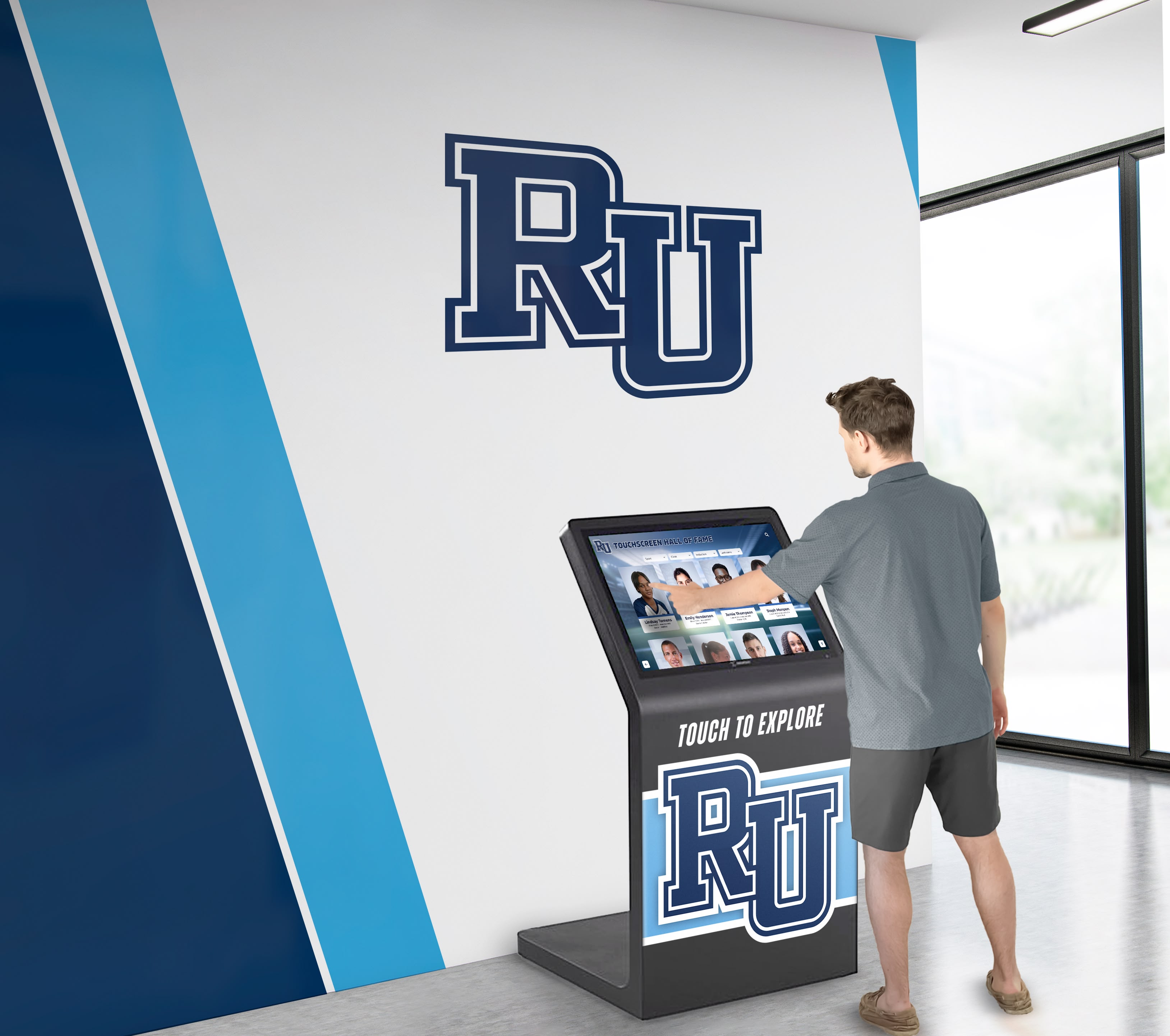
Strategic Planning and Design
Effective implementations begin with thorough planning:
Space Analysis: Evaluate traffic flow patterns, viewing angles, ambient lighting conditions, and integration with existing architectural elements to determine optimal display locations and configurations.
Content Strategy: Define primary purposes, target audiences, key messages, and content priorities before selecting technology, ensuring hardware capabilities match communication objectives.
Budget Development: Understand total project costs including hardware, software licensing, content development, installation, ongoing maintenance, and eventual hardware replacement or upgrades.
Stakeholder Alignment: Secure buy-in from athletics leadership, facilities management, marketing teams, IT departments, and other relevant groups whose cooperation ensures smooth implementation and operation.
Phased Approach: Consider starting with core functionality and expanding over time as value proves itself and budgets permit, rather than attempting comprehensive implementation immediately.
Technology Selection
Choose solutions specifically designed for recognition and engagement rather than generic digital signage:
Recognition-Focused Platforms: Solutions like Rocket Alumni Solutions provide purpose-built features for showcasing achievements, managing biographical content, and creating searchable databases rather than simple slideshow capabilities.
Content Management Simplicity: Ensure non-technical staff can update information independently without IT department involvement or vendor assistance for routine changes and additions.
Integration Capabilities: Select platforms that connect with existing ticketing systems, mobile apps, websites, and other technology creating unified experiences across all visitor touchpoints.
Scalability: Choose architecture that supports growth from initial implementation to comprehensive systems without platform migration or extensive reconfiguration.
Analytics and Measurement: Implement tracking capabilities that reveal usage patterns, popular content, engagement duration, and other metrics informing continuous improvement.
Content Development Excellence
Technology only succeeds when supported by compelling content:
Professional Media Production: Invest in high-quality photography, videography, graphic design, and writing that reflects organizational standards and creates polished presentations.
Authentic Storytelling: Move beyond basic statistics and dates to tell genuine stories about people, challenges overcome, significant moments, and meaningful impact that create emotional connections.
Regular Update Cycles: Establish clear processes and responsibilities for keeping content current with new information, upcoming events, completed projects, and seasonal changes.
Diversity and Inclusion: Ensure recognition represents the full spectrum of achievement across various sports, eras, demographics, and contribution types rather than focusing narrowly on limited populations.
User Testing: Gather feedback from actual fans, recruits, alumni, and other target audiences before final launch and regularly afterward to identify usability issues and content gaps.
Integration with Mobile Apps and Web Platforms
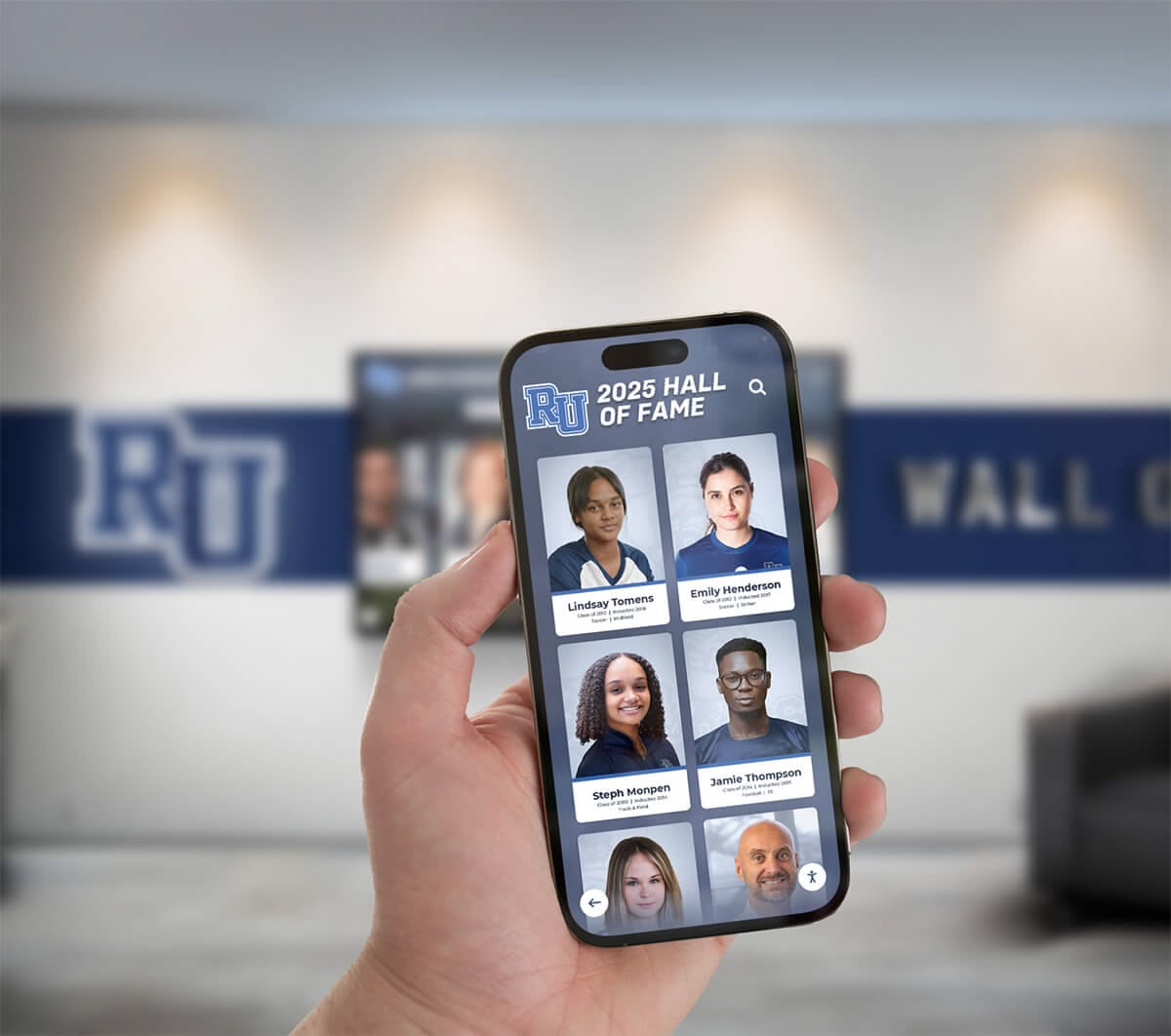
Modern fan engagement extends beyond physical displays to include digital platforms that complement on-site experiences and extend engagement to remote audiences.
Mobile Companion Applications
Smartphone apps enhance physical displays through:
Extended Content Access: Mobile platforms provide deeper information than touchscreen displays can accommodate during high-traffic periods, allowing fans to explore comprehensively at their own pace.
Personalized Collections: Fans can save favorite content, create custom lists, and receive notifications when new information about their areas of interest becomes available.
Social Sharing Features: One-tap sharing to Facebook, Twitter, Instagram, and other platforms amplifies visibility and helps fans celebrate their connections to teams and venues.
Offline Access: Downloaded content remains accessible without network connectivity, useful in stadiums where cellular networks become congested during games.
Location-Based Content: GPS-triggered content provides contextually relevant information based on where fans are in venues or surrounding areas.
Web Platform Integration
Online extensions of hall of fame displays reach global audiences:
Remote Access: Fans unable to attend games in person can still explore venue content, stay connected with teams, and maintain emotional engagement.
Recruit Research: Prospects considering programs can thoroughly investigate facilities, traditions, and player development outcomes before campus visits.
Alumni Connection: Graduates living anywhere in the world can revisit their memories, share experiences with families, and maintain connections regardless of geographic distance.
Media Resources: Journalists researching stories access comprehensive information, high-resolution images, and accurate statistics supporting quality coverage.
SEO and Discoverability: Well-designed web platforms improve search visibility, helping people interested in teams, venues, or sports history discover content organically.
Measuring Success and ROI
Effective fan experience centers track metrics demonstrating value while identifying improvement opportunities.

Quantitative Engagement Metrics
Digital systems provide data traditional signage cannot:
Interaction Counts: Daily session numbers revealing how many visitors actively engage with displays rather than simply passing by.
Session Duration: Average time spent exploring content indicating whether displays capture sustained attention or receive only cursory glances.
Content Popularity: Most-viewed categories, profiles, and features revealing visitor interests and content preferences guiding future development priorities.
Peak Usage Patterns: Traffic analysis showing when displays receive most attention informing content scheduling and staffing decisions.
Search Query Analysis: Common search terms indicating what information visitors seek and whether content adequately addresses those interests.
Qualitative Impact Assessment
Beyond numbers, evaluate broader influence:
Fan Satisfaction Surveys: Formal feedback gathering reactions to fan experience centers, specific display features, and overall venue impressions compared to prior experiences.
Recruit Feedback: Tracking whether prospects mention displays during visits, conducting exit interviews about facility impressions, and monitoring commitment patterns.
Alumni Engagement Changes: Measuring giving participation rates, event attendance, volunteer involvement, and communication responsiveness in periods before and after implementations.
Media Coverage: Documenting press mentions, social media engagement, and community visibility attributable to fan experience centers and special content presentations.
Staff Efficiency: Evaluating whether digital wayfinding and information displays reduce demands on venue staff answering directional and informational questions.
Future Trends in Stadium Digital Displays
As technology advances, fan experience centers will incorporate emerging capabilities creating even more engaging experiences.
Personalization and AI
Artificial intelligence enables customized experiences:
Facial Recognition Check-In: Season ticket holders could be automatically recognized upon entry with displays adjusting to show content relevant to their preferences and history.
Recommendation Engines: AI algorithms suggest content based on viewing history and expressed interests, creating Netflix-like discovery experiences for team history and information.
Dynamic Content Adjustment: Real-time analysis of crowd demographics and behavior patterns automatically adjusts content presentation to match audience composition and interests.
Chatbot Assistance: Natural language interfaces allow fans to ask questions conversationally and receive instant answers about venue information, events, and team history.
Augmented Reality Integration
AR technology transforms how fans interact with physical spaces:
Point-and-Learn Features: Fans point smartphones at displays or physical locations to access additional layered information not visible on screens.
Historical Overlays: AR applications show how venues looked in different eras, overlay historic moments onto current spaces, or visualize planned renovations in context.
Interactive Games: Scavenger hunts, trivia challenges, and collection-building activities encourage exploration throughout venues while educating about history and traditions.
Virtual Photo Opportunities: AR enables fans to pose with virtual representations of trophies, legendary players, or mascots creating shareable social media content.
Advanced Data Visualization
Sophisticated statistical presentations engage analytically-minded fans:
Interactive Statistics: Deep statistical databases with filtering, sorting, and comparison capabilities allowing fans to explore performance data comprehensively.
Performance Tracking: Real-time integration with game statistics showing updated records, milestones achieved during games, and historical context as events unfold.
Predictive Analytics: Data-driven projections about playoff scenarios, record-breaking possibilities, and statistical milestones that might occur in upcoming games.
Comparative Analysis: Tools allowing fans to compare players across eras with adjustments for rule changes, season length differences, and other factors affecting statistics.
Budget-Friendly Implementation Strategies
Organizations with limited resources can still create meaningful fan experience centers through strategic approaches.

Phased Implementation Approach
Rather than comprehensive systems immediately, begin strategically:
Single Display Pilot: Start with one well-positioned display demonstrating value and gathering feedback before broader investment.
Core Content First: Develop essential information—wayfinding, event schedules, essential history—before expanding to comprehensive coverage.
Annual Expansion: Add displays, content categories, and features as budgets permit over multiple years, building toward complete vision incrementally.
Renovation Integration: Incorporate display installations into broader facility renovation projects when construction already disrupts operations and electrical/network infrastructure receives updates.
Content Prioritization
Focus initial development strategically:
Recent History: Begin with current and recent-era content for which materials already exist and which most directly engages today’s fan base.
High-Impact Stories: Prioritize most distinguished achievements, legendary figures, and championship seasons providing maximum inspiration and engagement value.
Practical Information: Ensure wayfinding and event information receives thorough implementation before extensive historical content since practical utility drives immediate value.
User-Generated Content: Leverage fan submissions, alumni contributions, and community resources to expand content without extensive internal research and production costs.
Technology Alternatives
Consider hybrid approaches balancing capabilities and costs:
Large-Format Displays: Single large screens provide impressive impact at lower cost than multi-screen video walls while still enabling dynamic content presentation.
Standard Digital Signage Hardware: Commercial displays without touch capabilities reduce hardware costs for content that doesn’t require interaction like event schedules and promotional information.
Web-First Development: Invest primarily in robust web platforms that work on personal devices with limited physical displays serving as teasers directing visitors to mobile access.
Content Service Partnerships: Work with organizations like Rocket Alumni Solutions providing both technology platforms and content development support reducing internal resource requirements.
Conclusion: Transforming Venues Through Digital Engagement
Fan experience centers represent powerful opportunities for NFL teams, college football programs, and sports venues at all levels to transform how they engage with fans, recruits, alumni, and communities. Digital recognition displays form the foundation of these innovative spaces, enabling dynamic content presentation impossible with traditional signage while creating memorable experiences that strengthen emotional connections and institutional pride.
The most successful implementations share common characteristics: clear vision for center purposes, thoughtful space design maximizing visibility and flow, compelling content that informs and inspires, intuitive technology that anyone can navigate confidently, regular updates maintaining freshness and accuracy, and genuine integration into broader engagement strategies across all organizational touchpoints.
Whether showcasing event schedules and wayfinding information, celebrating legendary players and championship teams, presenting future facility development plans, or connecting fans with the broader community around teams, modern digital displays deliver capabilities and flexibility that justify investments through measurable engagement improvements and long-term value.
Ready to Transform Your Fan Experience Center?
Rocket Alumni Solutions helps sports venues and educational institutions create compelling fan experience centers through proven digital recognition technology specifically designed for athletic achievement and community engagement.
Our specialized platform provides intuitive content management, engaging interactive experiences, comprehensive multimedia support, robust analytics, and ongoing technical support enabling organizations at all levels to honor achievements while creating memorable visitor experiences.
Schedule a ConsultationFrom NFL stadiums hosting tens of thousands weekly to college football venues serving recruiting and alumni engagement functions, fan experience centers powered by digital recognition displays represent the future of sports venue engagement. The question isn’t whether these technologies deliver value—extensive evidence confirms they do—but whether your organization will embrace them to maximize high-traffic spaces while creating connections that extend far beyond game days.
Ready to explore how digital displays can transform your venue’s fan experience center? Discover how solutions like Rocket Alumni Solutions make professional-quality recognition accessible for organizations at all levels, delivering unlimited content capacity, instant updates, powerful search and discovery, engaging multimedia integration, and lasting value across decades of operation.































