Intent: Define / Calculate / Demonstrate
FBLA (Future Business Leaders of America) and FFA (formerly Future Farmers of America) represent two of the nation’s most impactful career and technical student organizations, with over 230,000 FBLA members and 850,000 FFA members nationwide. These organizations develop leadership skills, professional competencies, and career readiness through competitive events, community service, and hands-on projects—yet many schools struggle to give these achievements the recognition they deserve alongside traditional athletic and academic honors.
While athletic trophies dominate display cases and academic awards receive dedicated wall space, FBLA and FFA achievements—including state championships, national qualifier plaques, proficiency awards, and degree recognitions—often end up relegated to counseling office bulletin boards or advisor storage closets. This visibility gap sends unintended messages about institutional priorities while missing opportunities to inspire younger students toward career and technical education pathways.
This comprehensive implementation guide provides concrete specifications, layout planning tools, material requirements, and step-by-step instructions for building effective FBLA and FFA award displays—from traditional trophy cases to advanced interactive touchscreen systems that celebrate career and technical student organization (CTSO) achievements with the prominence these accomplishments deserve.
Building effective student organization recognition requires coordinating with advisors who manage award inventories, determining appropriate physical space, designing displays that accommodate diverse achievement types (competitive event medals, degree recognitions, chapter awards, officer plaques), and selecting materials or technology that will serve your program for years while handling annual award additions.

Modern recognition displays give FBLA and FFA achievements permanent visibility while accommodating unlimited award categories and chapter histories
Understanding FBLA and FFA Award Structures
Before planning recognition displays, schools must understand the diverse award categories, achievement levels, and recognition types within FBLA and FFA to design systems that accommodate all accomplishments appropriately.
FBLA Award Categories and Achievement Levels
FBLA recognizes member achievement through multiple award structures spanning competitive events, leadership positions, community service, and professional development.
Competitive Event Recognition
- State competition placements (1st-10th place in 70+ competitive event categories)
- Regional/district competition awards preceding state qualification
- National Leadership Conference (NLC) qualifiers and finalists
- National competition placements and winners across business, technology, and leadership events
- Team event recognition for collaborative competitions requiring multiple members
Degree Programs and Professional Development
- Future Business Leader Award recognizing foundational achievement milestones
- Business Achievement Awards at multiple levels (BAA 1-4) based on participation points
- National Awards Program recognizing comprehensive involvement across multiple categories
- Community Service Awards for volunteer hours and project impact
- Professional Development certifications for business skills workshops attended
Leadership and Chapter Awards
- Chapter officer positions (President, Vice President, Secretary, Treasurer, Reporter, Parliamentarian)
- Outstanding Chapter Awards recognizing comprehensive program quality
- Chapter of Merit and Gold Seal Chapter distinctions for sustained excellence
- National Fall Leadership Conference attendance recognition
- Regional and state leadership workshop participation certificates
According to FBLA-PBL national organization data, approximately 250,000 students compete annually in FBLA events across middle school, high school, and collegiate divisions, generating substantial award inventories that schools must accommodate in recognition displays.
FFA Award Categories and Achievement Levels
FFA structures recognition around agricultural education, leadership development, hands-on learning experiences, and career preparation across diverse pathways.
FFA Degree Progression
- Discovery FFA Degree (middle school/7th-8th grade members)
- Greenhand FFA Degree (first-year high school members)
- Chapter FFA Degree (active chapter involvement, SAE project completion)
- State FFA Degree (outstanding achievement at state level—fewer than 2% of members)
- American FFA Degree (highest FFA honor—approximately 4,000 recipients annually from 850,000+ members)
Career Development Events (CDEs) and Leadership Development Events (LDEs)
- Local and regional CDE competition placements across 24 event categories
- State CDE championships in agricultural mechanics, livestock judging, floriculture, agribusiness, veterinary science, and other specializations
- National CDE qualifiers and finalists competing at National FFA Convention
- LDE recognition for public speaking, parliamentary procedure, and leadership skills
- Agriscience Fair awards for scientific research projects in agriculture
Proficiency Awards
- Chapter, state, and national proficiency awards recognizing excellence in specific agricultural career areas (50+ categories)
- Supervised Agricultural Experience (SAE) project recognition documenting hands-on learning
- Entrepreneurship and placement proficiency distinctions based on business ownership or agricultural work experience
- National proficiency finalists and winners receiving recognition at National FFA Convention
Scholarship and Special Recognition
- Agricultural scholarships earned through FFA participation and application
- Star Awards (Star Greenhand, Star Chapter Farmer, Star State Farmer, Star American Farmer)
- Honorary Chapter, State, and American FFA Degree recognitions for supporters and alumni
- National Chapter Award program recognizing comprehensive program quality
The National FFA Organization reports that over 11,000 students compete at the national level annually, with state and regional competitions involving hundreds of thousands more participants—all generating awards requiring appropriate recognition at local chapter level.
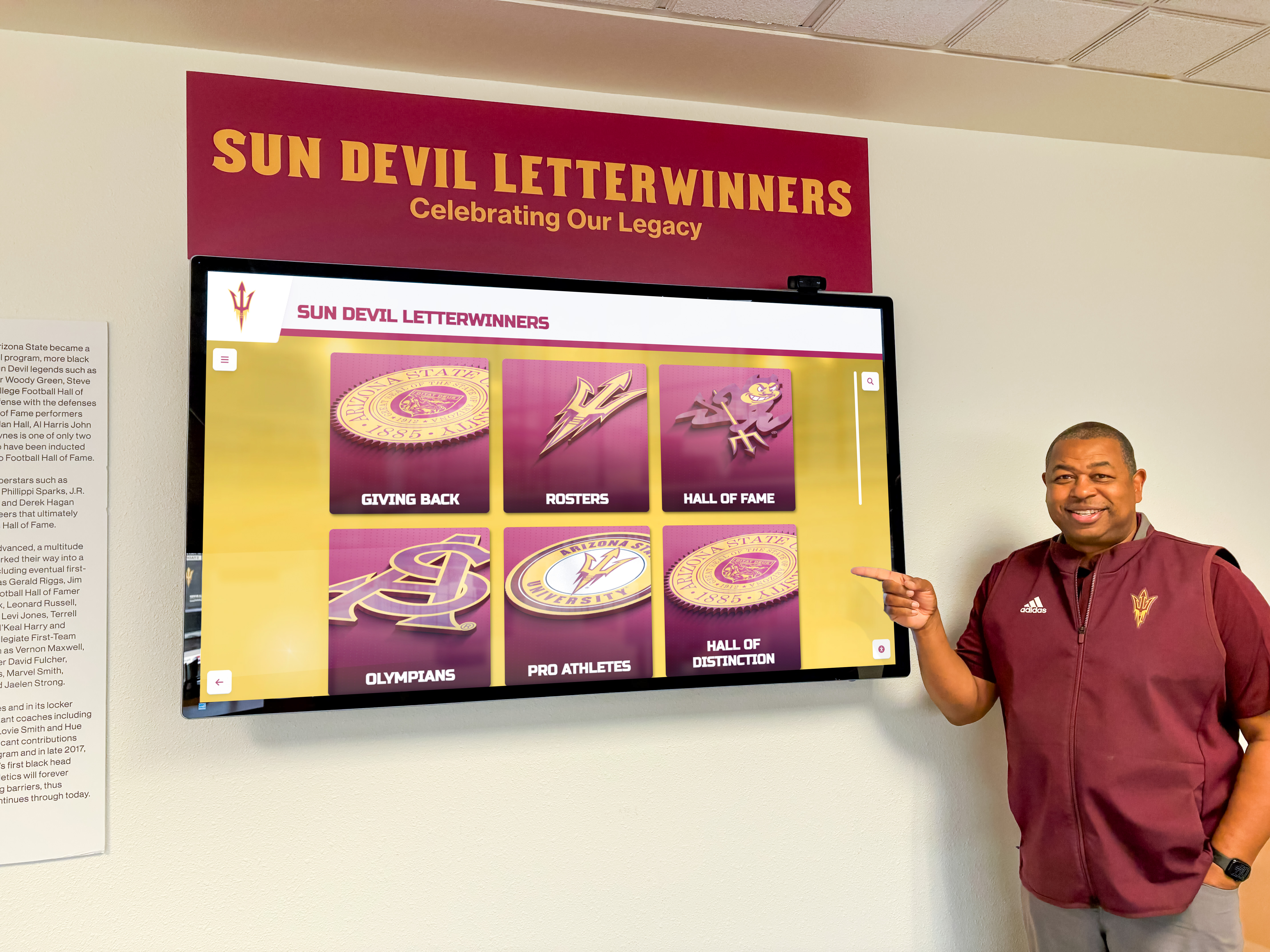
Interactive displays enable exploration of diverse achievement categories while providing context about competitive events and degree requirements
Before You Start: Prerequisites and Planning Requirements
Successful FBLA and FFA recognition displays require upfront coordination across advisors, administrators, facilities staff, and current chapter members who can provide historical context and ongoing maintenance support.
Required Stakeholders and Approvals
Coordinate with these essential stakeholders before beginning display implementation:
Career and Technical Education Leadership
- FBLA advisor(s) who maintain award inventories and historical chapter records
- FFA advisor(s) who track degree progressions and competitive event results
- CTE director or department chair for budget allocation and program-level priorities
- Principal or assistant principal approval for space assignment and project scope
- Communications director for brand consistency and messaging alignment
Facilities and Space Planning
- Facilities director for wall space allocation, mounting permissions, and electrical access
- Custodial staff who will provide routine cleaning and physical access for updates
- IT director for network connectivity requirements if implementing digital displays
- Security personnel regarding trophy case locks, display protection, and monitoring protocols
Student and Community Stakeholders
- Current FBLA and FFA chapter officers who can provide input on meaningful recognition approaches
- Alumni from both organizations who may contribute funding or historical materials
- Parent boosters or advisory committees supporting CTE programs
- Local business and agricultural community partners who sponsor activities
Create a project team with designated roles: one person owns overall coordination (typically the lead advisor or CTE director), another manages content collection and award inventory, a third handles vendor relationships and purchasing, and a fourth oversees timeline tracking and milestone completion. Schools with clear role assignments complete recognition displays 40-50% faster than those using committee-by-consensus approaches without defined responsibilities.
Space Assessment and Location Selection
FBLA and FFA recognition displays deserve prominent placement that signals institutional commitment to career and technical education pathways while ensuring visibility to all students, not just program participants.
Optimal Location Characteristics
- Main entrance lobbies or primary student hallways with consistent daily foot traffic
- CTE wing or career center where FBLA/FFA classes and meetings occur regularly
- Near counseling or career advising offices where students explore post-secondary pathways
- Adjacent to existing recognition displays (not isolated from academic and athletic honors)
- Adequate space for growth: plan for 20-30% annual increase in awards as chapters expand programs
Physical Requirements to Document
- Wall dimensions (height × width in inches) or floor space for freestanding trophy cases
- Nearby electrical outlets and distance to nearest power source (for digital displays)
- Network connectivity options: wired Ethernet ports or WiFi signal strength testing
- Lighting conditions: natural daylight, overhead fluorescent, accent lighting availability
- Mounting surface material: drywall, concrete block, brick, glass partition walls
- ADA compliance requirements: display content between 15-48 inches from floor for accessible viewing ranges
Shared vs. Dedicated Space Considerations
Many schools face decisions about whether to create dedicated FBLA/FFA displays or integrate recognition into broader student achievement walls:
- Dedicated displays: Provide focused visibility for CTSOs while allowing organization-specific branding and messaging
- Integrated displays: Combine multiple student organization recognitions (FBLA, FFA, DECA, SkillsUSA, TSA) into comprehensive achievement walls
- Hybrid approaches: Maintain organization-specific trophy cases for physical awards while sharing digital display space for profiles and chapter histories
Visit potential locations during different times of the school day to assess traffic patterns, noise levels for digital content playback, and sight-line visibility from multiple approach angles. The optimal location balances prominence with practical installation constraints and long-term maintenance accessibility.
Budget Planning and Award Inventory Assessment
FBLA and FFA recognition displays range from $800 for basic wall-mounted trophy shelves to $18,000+ for comprehensive interactive touchscreen installations with integrated physical award display components. Realistic budgets must account for initial setup and ongoing maintenance over 5-10 year expected lifespan.
Traditional Trophy Case and Plaque Systems
- Wall-mounted glass trophy case (36"W × 48"H × 12"D): $600-$1,500
- Freestanding trophy case (48"W × 72"H × 20"D): $2,000-$5,000
- Custom nameplate plaque system for degrees/awards: $800-$2,000 initial setup
- Annual additions (plaques, shelving, nameplate engraving): $200-$600 per year
- 10-year total cost: $3,000-$8,000 for moderate-size chapters
Digital Recognition Displays
- 43-55" commercial touchscreen display: $2,000-$5,000
- Wall mount and professional installation: $400-$800
- Content management system subscription: $500-$2,000 annually
- Initial content development (historical chapter information): $400-$1,000
- Network infrastructure upgrades if needed: $500-$2,000
- 10-year total cost: $10,000-$28,000 including subscriptions and updates
Hybrid Physical + Digital Systems
- Combination trophy case with integrated digital screen: $4,500-$8,000
- Traditional degree plaque wall with complementary digital content display: $3,000-$6,000
- Rotating display sharing space between multiple student organizations: varies by configuration
Award Inventory Assessment
Before determining budget and display size, conduct comprehensive award inventory with advisors:
- Count existing awards requiring display space: trophies, plaques, medals, banners, degree certificates
- Document award dimensions: large team trophies vs. individual medals vs. flat plaques
- Estimate annual award additions based on chapter participation levels and typical competition results
- Identify historical materials: past degree recipients, founding chapter information, legacy photos
- Determine retention policies: Will you display all awards indefinitely or rotate older recognition to archives?
Award inventory directly determines required display capacity. A chapter earning 15-25 competition placements annually plus degree recognitions for 20-40 members will quickly overwhelm displays sized for only current-year achievements.
Budget planning should include 15-20% contingency for unexpected costs such as additional electrical work, structural mounting reinforcements, extended labor hours, or award inventory that exceeds initial estimates. Schools using Perkins Career and Technical Education funds typically require 3-6 months advance planning for expenditure approval, while those accessing parent booster or local business sponsorship funding may accelerate timelines.
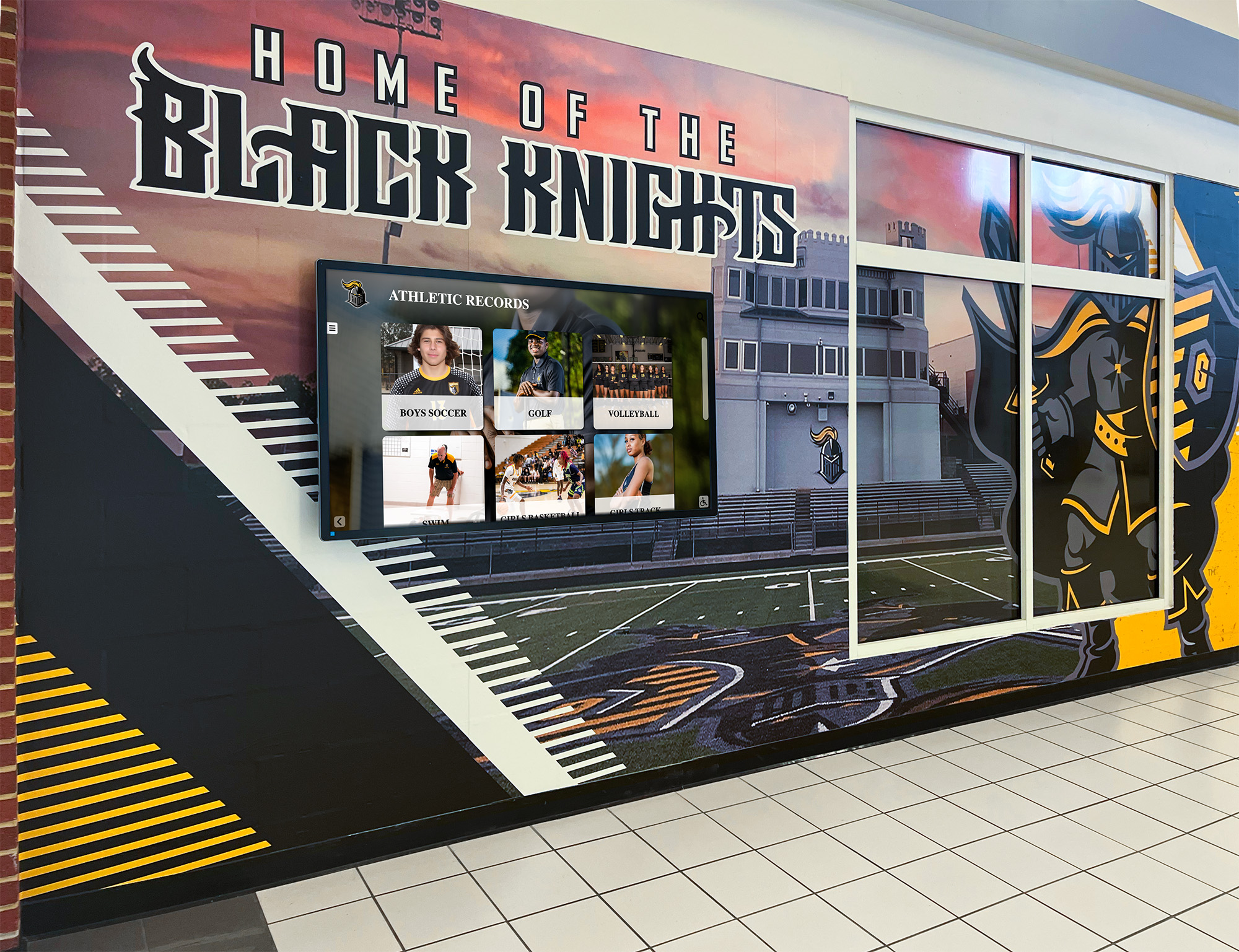
Integrated recognition spaces accommodate physical awards alongside digital content creating prominent celebration of FBLA and FFA achievements
Traditional Trophy Case Implementation: Step-by-Step Process
Traditional glass trophy cases provide secure physical award display suitable for schools prioritizing tangible recognition while accommodating trophies, plaques, medals, and certificate displays that chapters accumulate over years of competitive success.
Phase 1: Trophy Case Selection and Specifications (Weeks 1-2)
Select appropriate trophy case type and size based on award inventory, available space, and long-term chapter growth projections.
Trophy Case Configuration Options
Wall-Mounted Cases
- Dimensions: Typically 36-72" wide × 36-60" tall × 12-16" deep
- Weight capacity: 75-150 lbs for smaller models, 200-300 lbs for larger installations
- Ideal for: Chapters with moderate award inventories in space-constrained locations
- Mounting requirements: Must attach to wall studs or use appropriate wall anchors rated for total case + award weight
- Access: Side-hinged or sliding glass doors; consider lock mechanisms for security
Freestanding Floor Cases
- Dimensions: Typically 48-96" wide × 72-84" tall × 18-24" deep
- Weight capacity: 400-800 lbs providing substantial award accommodation
- Ideal for: Large chapters with extensive award collections requiring high visibility
- Placement requirements: Anchor to floor or wall to prevent tipping; requires 360° clearance for door access
- Configuration: Single or double-sided viewing; adjustable shelving for flexibility
Material and Finish Selection
- Frame materials: Aluminum (lightweight, modern appearance), oak or cherry wood (traditional institutional look), steel (high security, commercial durability)
- Glass type: Tempered safety glass (required for floor cases), standard glass acceptable for wall-mounted cases, UV-protective glass prevents award fading
- Finish colors: Match existing school fixtures—common options include black, white, bronze, silver, oak, and custom powder-coat colors
- Interior lighting: LED strip lighting or puck lights dramatically improve visibility and professionalism
Sample Sizing Calculation
For a chapter averaging 20 competition awards + 15 degree recognitions annually over 5-year display cycle:
- Total items: (20 + 15) × 5 = 175 awards
- Mixed award types: 40% trophies (70 items), 40% plaques (70 items), 20% medals/certificates (35 items)
- Trophy spacing requirements: 6-10" width per trophy = 35-58 linear feet of shelf space
- Plaque spacing: 8-12" width per plaque = 47-70 linear feet
- Estimated case needs: 60-80 linear feet total shelf space
A 72" wide × 72" tall case with 6 shelves provides approximately 36 linear feet of display space—requiring 2-3 such cases for full five-year inventory display.
Phase 2: Vendor Selection and Ordering (Weeks 3-4)
Obtain quotes from 3-5 trophy case manufacturers or school furniture vendors specializing in display systems to compare quality, features, and pricing.
Recommended Vendor Types
- School furniture and equipment suppliers serving K-12 institutions (check state purchasing contracts)
- Trophy case manufacturers specializing in athletic and academic recognition displays
- Commercial display case companies serving museums and retail applications
- Local cabinet makers who can custom-build trophy cases to exact specifications
Quote Request Information to Provide
- Exact dimensions required based on award inventory and space availability
- Case type (wall-mounted vs. freestanding) and preferred material/finish
- Lighting requirements and electrical access availability
- Lock and security specifications
- Adjustable vs. fixed shelving preferences
- Installation requirements and timeline constraints
- School logo or branding integration needs
Evaluation Criteria Beyond Price
- Lead time: Standard trophy cases ship in 4-8 weeks; custom fabrications require 10-16 weeks
- Warranty coverage: Minimum 3-year warranty on materials and workmanship
- Installation support: Does vendor provide professional installation or only delivery?
- Shelf adjustment capability: Can you reconfigure shelving as award sizes change?
- Long-term parts availability: Can you order replacement locks, shelves, or glass panels in future years?
Request detailed specifications including CAD drawings or dimensioned sketches showing exact measurements before approving final design. Trophy cases represent long-term investments—spending time ensuring correct specifications prevents costly replacement or modification later.
Phase 3: Installation and Setup (Weeks 9-11)
Professional installation ensures secure mounting and proper operation while avoiding damage to facility walls or case components.
Pre-Installation Preparation
- Confirm wall location remains available and clear of obstructions
- Verify electrical boxes, plumbing, HVAC ducts don’t interfere with mounting hardware locations
- Protect floor area with drop cloths or cardboard preventing scratches during installation
- Have facilities staff available to address unexpected wall conditions or structural issues
- Confirm case delivery and inspect for shipping damage before installer arrival
Wall-Mounted Case Installation Process
- Locate wall studs using electronic stud finder at intended mounting location
- Mark mounting bracket hole locations using level to ensure perfect alignment
- Drill pilot holes into studs at marked locations (typically 3-5 mounting points depending on case width)
- Install lag bolts or appropriate mounting hardware rated for case + award weight × 3 safety factor
- Hang case on mounted brackets and verify level before fully tightening
- Connect electrical for interior lighting if included
- Install locks and door hardware according to manufacturer instructions
- Test door operation ensuring smooth opening/closing and secure latching
Freestanding Case Installation Process
- Position case at intended location ensuring adequate clearance for door operation
- Level case using adjustable feet; verify level in both directions using carpenter’s level
- Install anti-tip hardware anchoring case to floor or wall per manufacturer requirements
- Connect electrical for interior lighting creating service loop for future access
- Install adjustable shelving at appropriate heights based on award dimensions
- Test door operation and lock function
- Apply any branding elements (vinyl lettering, logos, organization names)
Post-Installation Validation
- Photograph installed case from multiple angles for documentation
- Test security by gently attempting to shift or rock case (should show zero movement)
- Verify lighting operates correctly illuminating all shelf areas uniformly
- Test lock mechanisms with all provided keys
- Clean glass surfaces and interior shelving removing installation debris
- Create maintenance checklist noting cleaning requirements and lock key locations
Document installation with detailed photos, measurements, electrical connections, and vendor contact information for future reference when ordering replacement parts or expanding display systems.
Phase 4: Award Organization and Display Layout (Weeks 11-12)
Strategic award organization creates visually appealing displays while ensuring clear recognition of achievement levels and chapter history.
Award Grouping Strategies
Chronological Organization
- Top shelves: Most recent year’s awards
- Middle shelves: Previous 2-3 years
- Lower shelves: Historical awards and founding chapter materials
- Benefits: Easy to update annually; clear temporal progression
- Challenges: May scatter related achievement types across multiple shelves
Category-Based Organization
- Shelf 1: Competitive event awards (state, regional, national)
- Shelf 2: Degree recognitions and professional development awards
- Shelf 3: Chapter awards and leadership recognitions
- Shelf 4: Special distinctions, scholarships, and legacy items
- Benefits: Groups similar achievements; easier to explain award structure to viewers
- Challenges: Annual updates require reorganizing multiple shelves
Achievement Level Organization
- Top shelf: National-level accomplishments (highest prestige, best visibility)
- Middle shelves: State and regional achievements
- Lower shelves: Local chapter awards and participation recognition
- Benefits: Emphasizes highest achievements; aspirational display for current members
- Challenges: May devalue local accomplishments that represent important student growth
Display Layout Best Practices
- Position largest trophies toward back of shelves with smaller awards in front maintaining visibility
- Stagger award heights creating visual interest rather than uniform rows
- Include small printed labels identifying competitive events, degree levels, or award years
- Reserve prominent center positions for most prestigious awards (national placements, American FFA Degree, state officer recognition)
- Rotate medals and certificates to dedicated mounting boards rather than laying flat
- Group team event awards together showing collaborative achievement
- Include chapter photos, banners, or other memorabilia breaking up award monotony
Maintenance and Security Protocols
- Limit case access to advisors and designated student officers preventing unauthorized removal
- Maintain key control with documented sign-out procedures
- Schedule seasonal cleaning (quarterly or semi-annually) removing awards, cleaning glass, dusting shelves
- Document award locations with photos before major reorganizations simplifying restoration
- Establish policies for award retention: permanent display vs. rotation to archives after certain years
Traditional trophy cases require minimal ongoing maintenance but benefit from scheduled attention ensuring professional appearance and proper recognition of all chapter achievements.

Digital recognition systems eliminate space constraints while providing rich context about competitive events, degree requirements, and chapter history
Digital Touchscreen Display Implementation: Complete Technical Guide
Interactive touchscreen displays provide unlimited recognition capacity with engaging multimedia content, chapter history timelines, member profiles, and competitive event explanations—though they require greater upfront investment and ongoing technical maintenance compared to traditional trophy cases.
Phase 1: Technical Requirements and Infrastructure Assessment (Weeks 1-2)
Digital displays require reliable power, network connectivity, and appropriate environmental conditions for continuous operation in educational settings.
Power Requirements
- Dedicated electrical circuit for display (commercial displays typically draw 150-400 watts)
- Power outlet within 6 feet of intended display location (avoid visible extension cords crossing walkways)
- Surge protection to prevent damage from power fluctuations common in older school facilities
- Electrical capacity verification: ensure circuit can handle display power draw plus any other connected devices
Network Connectivity Options
- Wired Ethernet connection provides most reliable performance for cloud-based content management (strongly recommended)
- WiFi connectivity acceptable if signal strength exceeds -65 dBm at display location (test with multiple devices)
- Internet bandwidth: minimum 10 Mbps download for streaming content and software updates
- Network port configuration: ensure IT department can provide static IP assignment and firewall access for content management platform
Environmental Considerations
- Ambient temperature range: commercial displays operate reliably in 32-104°F (0-40°C)
- Avoid direct sunlight on screen causing glare, increased operating temperatures, and reduced display lifespan
- Sufficient ventilation around display: maintain 2-3 inch clearance on sides and top for heat dissipation
- High-traffic hallway durability: select displays with tempered glass and robust touch sensors handling frequent daily interactions
- Indoor use only: standard commercial displays not rated for outdoor installations near agriculture facilities or outdoor classrooms
Conduct thorough site survey with facilities and IT staff present to document existing conditions and identify any infrastructure upgrades needed before display installation. Early identification of electrical or network deficiencies prevents project delays during installation phase.
Phase 2: Display Hardware Selection (Weeks 3-4)
Commercial-grade touchscreen displays provide reliability and features purpose-built for continuous operation in high-traffic public environments unlike consumer televisions designed for residential use.
Display Size Selection
Choose screen size based on primary viewing distance, available wall space, and content density requirements:
- 43-inch displays suitable for viewing distances of 5-10 feet in smaller alcoves or near-wall placement
- 55-inch displays optimal for viewing distances of 8-12 feet in primary hallways with moderate traffic
- 65-inch+ displays for large open spaces, lobbies, or commons areas with viewing distances exceeding 12 feet
Commercial displays typically cost $80-$120 per inch of diagonal screen size as general budgeting guideline, with educational pricing and volume discounts potentially reducing per-unit costs 15-25%.
Critical Display Specifications
- Commercial/professional grade (NOT consumer TV): designed for 16-18 hour daily operation, 24/7/365 operation capability
- Capacitive touchscreen technology: supports multi-touch gestures (pinch-to-zoom, swipe navigation) with responsive interaction
- Minimum resolution: 1920×1080 Full HD (4K resolution provides sharper text for displays larger than 55 inches)
- Brightness: 350-500 nits for indoor installations (higher brightness needed for locations with significant natural light or skylights)
- Anti-glare coating maintaining readability under various lighting conditions throughout the day
- Wide viewing angles: minimum 178° horizontal and vertical ensuring content visibility from approach angles
Recommended Features
- Landscape or portrait orientation support: allows vertical mounting for space efficiency in narrow wall spaces
- Built-in computing module or media player: simplifies installation by eliminating external PC requirements and cable management
- Tempered glass surface: provides screen protection in high-traffic environments where accidental contact occurs regularly
- Auto-on/off scheduling: reduces power consumption and extends display lifespan with automatic operation during school hours only
- Multiple input options: HDMI, DisplayPort, USB for flexibility in content source connections
Vendor and Brand Considerations
- Commercial display manufacturers: ViewSonic, LG, Samsung, NEC, Sharp (all produce education-specific interactive display models)
- Warranty: minimum 3-year commercial warranty with on-site service or advanced replacement provisions
- Technical support: verify manufacturer provides direct technical support (not third-party only support contracts)
- Long-term availability: ensure replacement parts remain available minimum 5 years for displays representing significant institutional investment
Request demonstration unit access or schedule visits to similar school installations before finalizing hardware selection to verify touch responsiveness, content clarity, and interface usability. Solutions like Rocket Alumni Solutions provide comprehensive touchscreen systems designed specifically for educational recognition applications with hardware, software, and content management integrated into turnkey solutions eliminating multi-vendor coordination challenges.
Phase 3: Content Management System Selection (Weeks 3-5)
Content management systems (CMS) determine how easily advisors update recognition displays with new awards, member profiles, competition results, and chapter information throughout the year without requiring technical expertise.
Essential CMS Capabilities
- Cloud-based access: update content from any internet-connected device without physical display access
- User-friendly interface: advisors without technical training can add/edit content confidently during planning periods
- Bulk import tools: upload multiple member profiles or competition results simultaneously using spreadsheet data exports
- Photo management: upload, crop, and optimize student photos within system without separate image editing software
- Template customization: match school and organization branding with colors, logos, fonts, and design elements
- Search and filter functionality: users can find specific members by name, graduation year, degree level, or competitive event category
- Multiple content types: support for text profiles, photo galleries, video content, documents (degree certificates, chapter histories)
- Mobile-responsive: recognition extends beyond physical display to web-accessible version viewable on smartphones and tablets
Advanced CMS Features
- Multi-display management: update content across multiple screens from single administrative interface
- Role-based permissions: grant content editing access to advisors while protecting technical settings and configurations
- Automated publishing schedules: set content to go live on specific dates (competition results publish after state convention concludes)
- Analytics and engagement tracking: monitor how frequently users interact with displays identifying popular content
- Integration capabilities: connect with student information systems automating member roster updates
- Version history and rollback: restore previous content versions if updates contain errors
CMS Pricing Models
- One-time licensing fee: $2,000-$5,000 for perpetual software license (requires school-hosted server infrastructure)
- Annual subscription: $500-$2,000 per year for cloud-hosted solutions with automatic updates and technical support included
- Per-display pricing: some systems charge based on number of active screens, impacting multi-display installations
- Per-user pricing: charges based on number of administrative accounts with content editing permissions
Evaluate CMS options by requesting demonstration access or free trial accounts lasting 30-60 days. Test actual workflows advisors will use regularly (adding new competition result, updating member photo, creating degree recognition page) to ensure system matches staff comfort level with technology. Systems requiring extensive training or producing confusing administrative interfaces will be underutilized regardless of feature sophistication.
Phase 4: Content Design and Organization (Weeks 6-8)
Well-organized content makes recognition displays intuitive to explore for all users—current members seeking inspiration, prospective members learning about organizations, parents understanding program value, and visitors recognizing institutional commitment to CTE pathways.
Content Structure Planning
Organize recognition using clear, logical categories matching how users naturally think about FBLA and FFA achievements:
Primary Navigation Options
- By member: Individual profile pages showing all awards, degrees, and recognitions earned by each student
- By achievement type: Separate sections for competitive events, degrees, chapter awards, leadership positions
- By year: Chronological organization showing current year prominently with archived years accessible
- By event category: Group competition results by event type (public speaking, agricultural mechanics, accounting, etc.)
Most schools implement hybrid approaches: featured current-year highlights on home screen with navigation to member profiles, degree progressions, competition histories, and chapter information.
Individual Member Profiles
Each FBLA or FFA member profile should include:
Essential Information
- Full name (verify preferred name with student)
- Graduation year
- Active membership years
- Highest degree earned (FBLA: Business Achievement Award level, FFA: Greenhand/Chapter/State/American)
- Chapter officer positions held
- Major competitive event placements or qualifications
Enhanced Content
- Professional or chapter activity photo (consistent style across all members)
- Post-secondary plans: college/university, major, career interests
- Supervised Agricultural Experience (SAE) project description for FFA members
- Business internship or practicum experiences for FBLA members
- Community service project involvement
- Personal statement (2-3 sentences) about what FBLA or FFA participation meant to their development
- Advisor quote highlighting student’s contributions or growth
Competition Result Pages
Document competitive event achievements with context helping non-members understand significance:
- Event name and category (explain what “Parliamentary Procedure” or “Livestock Evaluation” entails in accessible language)
- Competition level (district, regional, state, national)
- Placement or score
- Team member names for group events
- Competition date and location
- Photo from competition (team with trophy, members at event, award ceremony)
- Brief description of event requirements and skills demonstrated
Chapter History and Legacy Content
- Chapter founding year and founding members
- Total membership statistics over time
- Distinguished alumni profiles (former members with notable careers attributable to FBLA/FFA experience)
- Advisor history recognizing long-serving teachers
- Significant chapter achievements (Outstanding Chapter awards, continuous national qualifier streaks)
- Chapter project highlights (community service initiatives, fundraising accomplishments, advocacy campaigns)
- Photo galleries from major events (state conventions, National FFA Convention, leadership conferences)
Design Consistency Standards
- Photo requirements: minimum 1200×1600 pixels for member photos, consistent aspect ratio, similar lighting and background style
- Text formatting: establish standard font sizes, colors, and layouts used consistently across all content types
- Branding elements: integrate FBLA blue and gold or FFA blue and corn gold alongside school colors
- Information density: balance comprehensive information with readability avoiding overwhelming users with excessive text blocks
- Accessibility: ensure sufficient color contrast, minimum font sizes, and clear navigation for all users including those with visual impairments
Create master style guide documenting all design specifications to ensure consistency as different staff members update content over years of advisor transitions and chapter leadership changes.
Phase 5: Installation and Configuration (Weeks 10-12)
Professional installation ensures displays operate reliably while meeting electrical codes, structural requirements, and institutional safety standards.
Pre-Installation Checklist
- Verify infrastructure readiness: electrical circuit installed, network connection active and tested with laptop
- Confirm display delivery and inspect for shipping damage before unpacking and mounting
- Review wall mounting hardware included with display or order appropriate commercial-grade mount separately
- Schedule installation during low-traffic period minimizing disruption (early morning, weekend, or school break)
- Coordinate with IT staff to be available for network configuration and firewall rule implementation
- Notify building security and administration of installation schedule allowing after-hours building access if needed
Mounting Installation Process
- Locate wall studs or structural mounting points using electronic stud finder (display + mount weight: 60-150 lbs depending on size)
- Mark mounting bracket hole locations and verify level alignment using 48-inch level
- Drill pilot holes and install lag bolts or appropriate wall anchors rated for display weight plus 50% safety margin
- Attach mounting bracket to wall verifying level before fully tightening all fasteners
- Mount display to bracket following manufacturer instructions (typically requires two people for displays over 50 inches)
- Verify display sits perfectly level and securely with zero movement or sagging
- Route power and network cables through in-wall conduit or use cable management raceways for clean professional appearance
- Connect power and network cables before fully securing display to mounting bracket allowing future service access
Network and Software Configuration
- Power on display and complete initial setup wizard
- Connect to school network and verify internet connectivity (test by accessing external website)
- Configure IP address (static IP recommended for institutional installations vs. DHCP)
- Install content management system software or configure web-based CMS access credentials
- Upload initial content (member profiles, competition results, chapter history, photos)
- Test touchscreen responsiveness across entire screen surface in all corners and center
- Configure display settings: brightness levels, auto-on/off schedules matching school hours, screensaver timeout preventing screen burn-in
- Set up remote monitoring if available through CMS platform enabling off-site troubleshooting
Post-Installation Validation
- Test all interactive features: search functions, filtering by category, photo viewing galleries, navigation menus
- Verify display appears correctly in both orientation and content layout matching design specifications
- Check visibility from multiple viewing angles and approach distances typical for installation location
- Test network connection stability over 24-48 hour period monitoring for intermittent connectivity issues
- Document all configuration settings, administrative passwords, network information, and technical support contacts
- Train advisors on content update procedures using actual display interface
- Create user guide documenting common tasks advisors will perform regularly
Create comprehensive installation documentation with photos, network configuration details, troubleshooting contacts, and warranty information simplifying future maintenance, updates, or technical support requests.
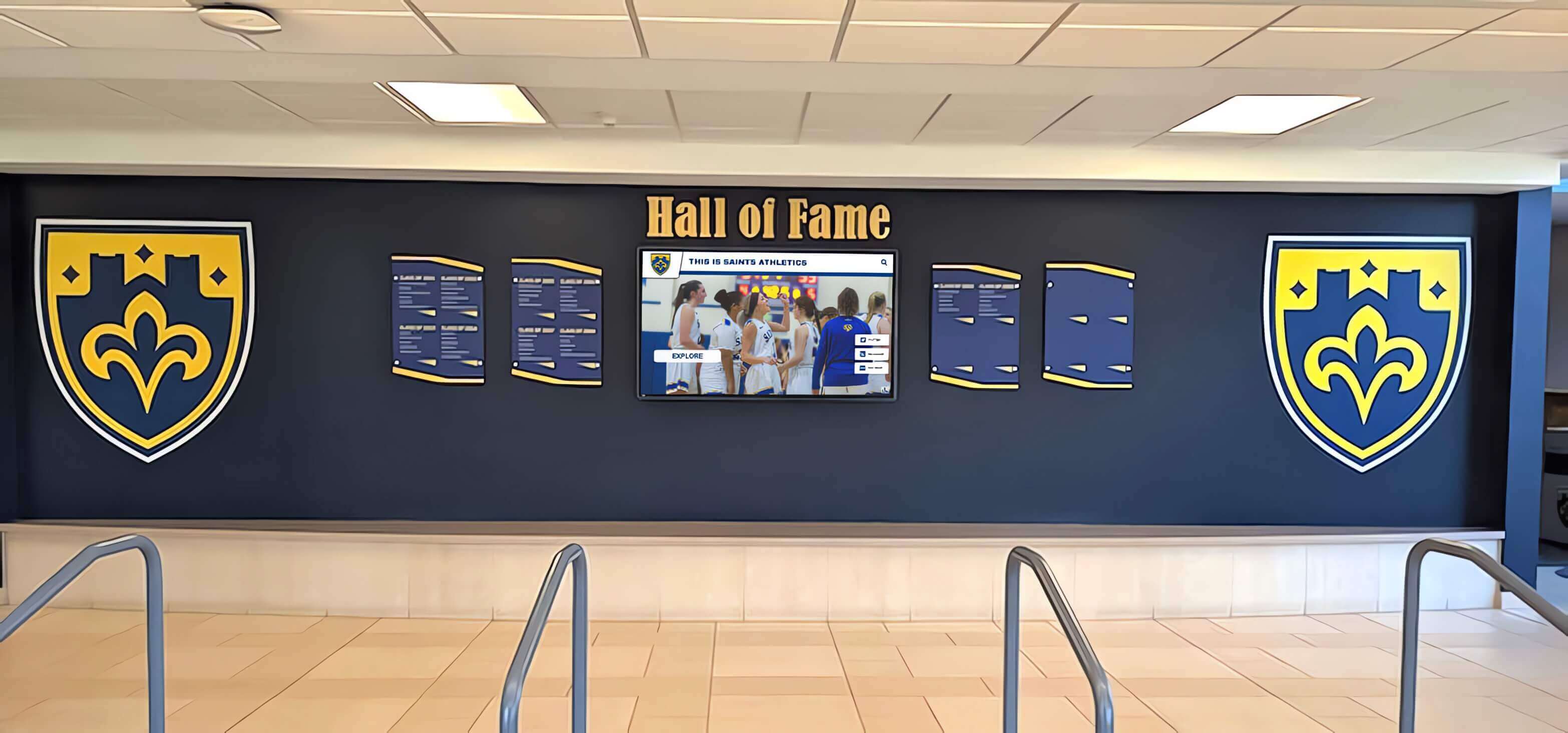
Strategic placement in high-traffic areas ensures FBLA and FFA recognition receives visibility comparable to athletic and academic achievements
Hybrid Approach: Combining Physical Awards with Digital Recognition
Many schools implement hybrid systems blending physical trophy display with digital content delivery, maximizing the tangible impact of award visibility while leveraging digital flexibility for comprehensive member profiles and chapter histories.
Trophy Case with Integrated Digital Display
Combine traditional glass trophy case for physical awards with mounted touchscreen display providing interactive content exploration.
Configuration Options
- Side-by-side placement: Trophy case on left or right with touchscreen display immediately adjacent creating unified recognition zone
- Above/below arrangement: Trophy case at eye level with touchscreen display mounted above or large-format display integrated into case base
- Flanking design: Central digital display flanked by matching trophy cases on both sides creating symmetrical recognition wall
- Shared header: Custom-fabricated header spanning both physical and digital elements with “FBLA & FFA Recognition” title and organization logos
Implementation Benefits
- Physical awards provide tangible recognition satisfying members who value holding trophies and plaques
- Digital display eliminates space constraints allowing unlimited member profiles regardless of competition award count
- Hybrid approach appeals to traditional stakeholders (administrators, community members) while embracing technology
- Physical backup: Trophy case maintains recognition even if digital display experiences technical issues
- Cost distribution: Implement trophy case immediately with digital component added in subsequent budget year
Design Considerations
- Visual cohesion: Match trophy case frame finish to digital display mounting frame (both black, both wood tone, etc.)
- Lighting coordination: Ensure trophy case interior lighting and digital display brightness complement rather than compete
- Content coordination: Digital display can explain awards visible in adjacent trophy case with “Tap to learn more about competitive events” call-to-action
- Maintenance access: Arrange components allowing independent access to trophy case contents and digital display without obstructing each other
Schools with moderate budgets often implement trophy cases first (requiring smaller initial investment) while planning for digital display addition within 2-3 years as budgets allow or fundraising succeeds.
QR Code Integration Extending Physical Displays
Traditional trophy cases and plaque walls can link to comprehensive online content through QR codes providing unlimited digital information accessible via smartphones.
Implementation Approach
- Design traditional trophy case or degree plaque wall following earlier specifications
- Add prominent QR code placard mounted next to physical display
- Create dedicated mobile-responsive webpage showcasing all FBLA and FFA members with expanded profiles, competition details, and chapter history
- Link QR code to webpage URL (use short custom URL for professional appearance: yourschool.edu/fbla-ffa)
- Maintain webpage annually with new members, updated competitions results, and refreshed chapter information
- QR code remains constant while destination content updates continuously without reprinting
Cost and Technical Requirements
- QR code generator: free through numerous online services (QR Code Generator, QR Code Monkey, Google Charts API)
- Dedicated webpage hosting: typically included in school website infrastructure (minimal or zero additional cost)
- Printed QR code placard: $50-$150 for professionally designed and laminated display piece
- Annual webpage maintenance: 2-4 hours advisor time uploading new content to existing template structure
This approach adds only $50-$200 to traditional display costs while providing unlimited digital content capacity accessible to anyone with smartphone—particularly valuable for parents, alumni, and community members visiting campus for competitions or chapter events.
Rotating Multi-Organization Digital Display
Schools with multiple career and technical student organizations (FBLA, FFA, DECA, SkillsUSA, HOSA, TSA) can implement unified digital displays sharing recognition space through rotation or tabbed navigation.
Content Rotation Strategies
- Timed rotation: Display cycles between organizations on set schedule (FBLA 3 minutes, FFA 3 minutes, DECA 3 minutes, etc.)
- Interactive navigation: Main menu allows users to select which organization to explore with prominent tiles for each program
- Featured content rotation: Highlight organization with current seasonal relevance (FBLA during state conference weeks, FFA during National FFA Week, etc.)
- Integrated timeline: Combined chronological view showing all CTSO achievements across organizations by date
Implementation Benefits
- Single display investment recognizes multiple student organizations
- Reinforces comprehensive CTE program culture highlighting career pathway diversity
- More efficient use of limited budget and premium wall space in high-traffic areas
- Easier to gain administrative approval for larger investment serving multiple programs vs. organization-specific requests
Design Considerations
- Balance rotation frequency ensuring each organization receives adequate visibility (minimum 20% screen time in auto-rotation modes)
- Interactive navigation works better than timed rotation in high-traffic locations where users actively engage with displays
- Clear labeling: Current organization displayed should be immediately obvious through color coding, logos, or header text
- Advisor coordination: Establish clear procedures for which advisors can update content for their respective organizations
Schools implementing shared displays typically see 30-40% cost savings compared to separate recognition systems for each organization while achieving comparable visibility and member satisfaction when rotation balancing is managed appropriately.
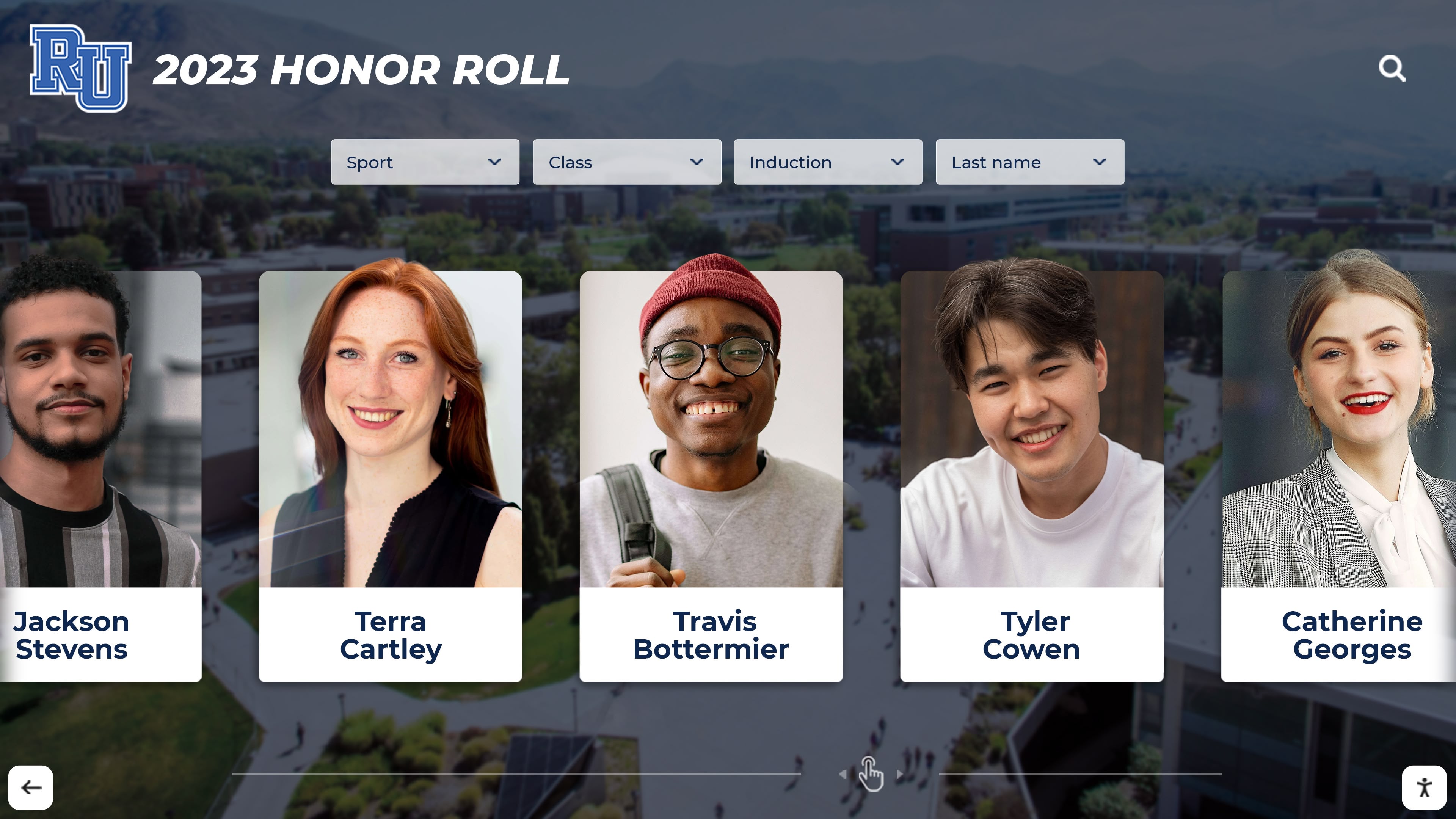
Individual member profiles celebrate specific achievements while providing context and inspiration for younger students considering FBLA or FFA participation
Content Strategy: What Information to Include
Effective FBLA and FFA recognition balances essential award documentation with inspiring content that recruits new members, celebrates individual growth, and demonstrates program value to administrators, parents, and community stakeholders.
Essential Recognition Elements
Include these fundamental components for every FBLA and FFA recognition display:
Current Year Featured Recognition
- All competitive event placements from current school year (district, regional, state, national levels)
- Degree recipients from current year (FBLA: Business Achievement Awards 1-4, FFA: Greenhand, Chapter, State, American Degrees)
- Chapter officer team with positions and member names
- Major chapter achievements or awards (Outstanding Chapter, Gold Seal Chapter, etc.)
- State convention and national conference attendance recognition
- Community service project summary with volunteer hours and impact achieved
Historical Chapter Information
- Chapter founding year and founding advisor
- Total active membership current year
- Advisor name(s) and contact information
- Chapter meeting schedule and location
- Membership growth statistics (optional: chart showing member count over past 5-10 years)
Educational Context
- Brief explanation of FBLA mission: “FBLA develops leadership skills and prepares students for careers in business through competitive events, networking, and professional development”
- FFA mission summary: “FFA develops leadership, personal growth, and career success through agricultural education, hands-on learning, and community service”
- Link to student organization recognition programs explaining competitive event structures
- Explanation of degree requirements helping non-members understand achievement significance
This essential information requires minimal annual maintenance while providing comprehensive recognition serving both historical documentation and recruitment purposes.
Enhanced Member Profiles and Stories
Schools with capacity to collect additional information create richer displays that tell more complete stories about member experiences and program impact:
Member Journey Narratives
- Personal growth stories: How joining FBLA or FFA changed their career aspirations or skill development
- Advice for prospective members considering participation
- Favorite chapter memories or most impactful experiences
- Skills developed through organization participation (public speaking, financial literacy, agricultural knowledge, leadership)
- Acknowledgment of advisors, mentors, or parents who supported their involvement
Post-Secondary Connection
- College scholarships earned through FBLA or FFA participation (dollar amounts demonstrate financial impact)
- Career pathway selection influenced by organization experiences
- College majors aligned with FBLA (business, marketing, entrepreneurship) or FFA (agriculture, veterinary science, ag education) participation
- First-generation college student status highlighted by advisors seeking to demonstrate program social mobility impact
Competitive Event Deep Dives
- Video explanations of what competitive events entail (2-3 minute clips showing students preparing for or competing in events)
- Sample event materials: Parliamentary Procedure scripts, Prepared Public Speaking outlines, Agricultural Issues topics
- Judge feedback or scores (when appropriate) showing achievement levels in context
- Team dynamics: Highlighting collaboration and peer support in team events
Community and Industry Connection
- Local business partnerships providing internships, sponsorships, or mentorship
- Agricultural industry connections supporting FFA chapters through equipment donations, facility access, or technical expertise
- Alumni profiles showing successful careers attributable to FBLA or FFA foundation
- Community service project documentation with photos and beneficiary testimonials
Enhanced content requires greater upfront collection effort but transforms recognition from simple award listing to compelling program marketing that recruits new members while building stakeholder support for continued funding and growth.
Seasonal and Event-Specific Content Updates
Dynamic recognition displays should reflect current chapter activities throughout the year maintaining relevance and engagement:
Fall Semester Focus
- New member recruitment during club fair weeks
- Fall leadership conference attendance recognition
- Opening and closing ceremony team practice and competition
- National FFA Week activities (February) or FBLA Week events
- Chapter officer election and installation ceremonies
Spring Semester Focus
- Competitive event preparation and regional competition results
- State convention attendance and outcomes
- Scholarship recipient announcements
- Degree recognition ceremonies
- End-of-year chapter banquet highlights
Summer Recognition
- National conference attendees and competition results
- SAE project completions and proficiency award winners
- Summer agricultural internships and work experiences
- Leadership camp participation
- Advisor recognition and appreciation
Regular content updates (monthly minimum, weekly ideal) maintain display relevance preventing recognition from becoming static and outdated. Assign student officers specific responsibility for gathering photos and information streamlining advisor content management workload.
Maintenance and Updating Procedures
Sustainable FBLA and FFA recognition requires establishing clear processes for ongoing maintenance, award additions, and content updates throughout school years and advisor transitions.
Traditional Trophy Case Maintenance
Physical trophy cases require routine upkeep ensuring professional appearance and proper award condition.
Monthly Maintenance Tasks
- Glass cleaning: Use glass cleaner and microfiber cloths removing fingerprints, dust, and smudges
- Interior dusting: Remove dust from shelves and awards using soft brush or compressed air
- Lock function verification: Test locks ensuring proper operation and key availability
- Lighting inspection: Verify all interior lights functioning; replace burnt bulbs promptly
- Award condition check: Identify damaged trophies or plaques requiring repair or replacement
Seasonal Maintenance (August, December, May)
- Complete case cleanout: Remove all awards, thoroughly clean interior surfaces and shelving
- Award reorganization: Update display layout reflecting current year’s additions and hierarchy
- Deep glass cleaning: Clean both interior and exterior glass surfaces
- Hardware inspection: Check mounting security, door hinges, lock mechanisms for wear
- Photo documentation: Capture current display state for records and insurance purposes
Annual Award Addition Workflow
- Collect all awards earned during school year from advisors by designated deadline (typically June)
- Clean and prepare new awards for display (remove packaging, polish metals, attach nameplates if needed)
- Plan shelf arrangement accommodating new items while maintaining organization system
- Schedule access to locked case during low-traffic period
- Add new awards following display layout strategy
- Update inventory documentation listing all displayed items with acquisition dates
- Photograph updated display for chapter records and communications
Long-Term Planning
- Monitor available space capacity; begin planning case expansion when 75% full
- Budget for case expansion (additional cases) or transition to digital displays when physical capacity reached
- Establish award retention policies: permanent display vs. rotation to archival storage after certain years
- Coordinate with alumni association regarding disposition of awards when retiring old displays
Traditional trophy cases require approximately 6-8 hours annual advisor labor for routine maintenance and award additions, with deep cleanings requiring additional 3-4 hours seasonal time investment.
Digital Display Maintenance and Technical Support
Touchscreen displays require regular technical maintenance ensuring reliable operation, current content, and positive user experience.
Weekly Quick Checks (5-10 minutes)
- Verify display powers on correctly and shows current content
- Clean touchscreen surface using microfiber cloth (avoid harsh chemicals or abrasive materials damaging touch sensitivity)
- Check for system alerts, error messages, or unusual behavior
- Test touch responsiveness with quick navigation through several pages
Monthly Maintenance (30-45 minutes)
- Review content accuracy: verify all members appear with correct information
- Check for available software updates through CMS platform
- Verify network connectivity remains stable without dropped connections
- Test all interactive features: search, filters, photo galleries, video playback
- Review user analytics identifying popular content and navigation patterns suggesting improvements
Seasonal Maintenance (2-3 hours)
- Deep clean display and surrounding area including frame, cables, and wall surface
- Inspect mounting hardware and cable connections for wear, looseness, or damage
- Update CMS software to latest stable version (test in off-hours before implementing during peak traffic)
- Review and refresh content: update member photos, replace outdated information, archive graduated members
- Test backup/restore procedures ensuring content recovery capability if needed
- Verify all administrator account credentials current and documented for advisor transitions
Annual Comprehensive Review (4-6 hours)
- Complete content audit: verify every member profile, competition result, and chapter information page for accuracy
- Update historical information and chapter statistics
- Refresh design elements ensuring current school and organization branding
- Review user analytics across full year identifying content gaps or underutilized features
- Test disaster recovery: Verify backup systems and practice content restoration
- Update technical support documentation including contact information, warranty terms, troubleshooting guides
- Schedule professional cleaning if needed for locations with heavy dust or environmental challenges
Technical Support Resources
- Display manufacturer technical support: Document phone numbers, email addresses, online portal access, and warranty coverage terms
- CMS provider support: Maintain current login credentials, support ticket system access, and knowledge base bookmarks
- School IT department: Designate specific staff member responsible for display network troubleshooting and infrastructure support
- Facilities team: Identify custodial or maintenance staff who can address mounting, electrical, or physical access issues
- Vendor relationships: Maintain contact information for original installer for future expansion or modification projects
Establish documented maintenance schedule with specific assigned responsibilities preventing recognition displays from becoming neglected as institutional priorities shift or advisor transitions occur.
Annual Content Update Workflow for Advisors
Streamline end-of-year recognition updates through systematic procedures advisors can follow consistently regardless of technical expertise:
Step-by-Step Annual Update Process
May-June: Data Collection Phase
- Compile complete competition results list from all events (district, regional, state, national) with member names, placements, event titles
- Create final degree recipient list with degree levels and presentation dates
- Collect high-resolution photos of all graduating members for senior profiles (coordinate with yearbook advisor for consistent photos)
- Request brief testimonials or reflections from graduating seniors about FBLA/FFA experience (2-3 sentences)
- Document post-secondary plans: colleges attending, intended majors, career goals
- Photograph chapter events, banquets, state convention, national conference for gallery additions
- Update chapter statistics: total membership, community service hours, scholarships earned, new partnerships
June-July: Content Preparation 8. Organize photos ensuring consistent formatting (crop to standard aspect ratio, adjust brightness if needed for uniformity) 9. Create or update member profiles in CMS using standardized template 10. Input competition results with appropriate categorization (event type, level, placement) 11. Add degree recognitions with explanatory text about degree requirements 12. Write brief descriptions of major chapter projects or achievements from school year 13. Proofread all content: verify name spellings, degree levels, competition placements accuracy
August: Display Updates and Quality Assurance 14. Upload new content to CMS scheduling publication for first week of school 15. Archive or move graduated member profiles to “Alumni” section maintaining chapter historical records 16. Test all new content on actual display: verify proper formatting, check photo quality, confirm interactive elements function 17. Update display home screen featuring current year highlights 18. Review entire display as fresh user would: identify outdated information, broken links, formatting inconsistencies 19. Create printed or digital guide showing current chapter members how to explore display finding specific content
August-September: Communication and Promotion 20. Announce updated recognition display through multiple channels: morning announcements, chapter meeting, parent email, school website 21. Schedule dedicated time during first chapter meeting for members to explore updated display together 22. Invite administrators, counselors, and other stakeholders to view updated recognition highlighting program achievements 23. Use display content in recruitment presentations during club fairs and new member information sessions 24. Share photos of updated display via social media tagging FBLA-PBL or National FFA Organization accounts for potential national recognition
This systematic approach completed annually ensures recognition remains current without becoming overwhelming administrative burden. Many advisors find dedicating 2-3 hours monthly throughout school year for ongoing updates easier than attempting comprehensive updates during busy end-of-year period.
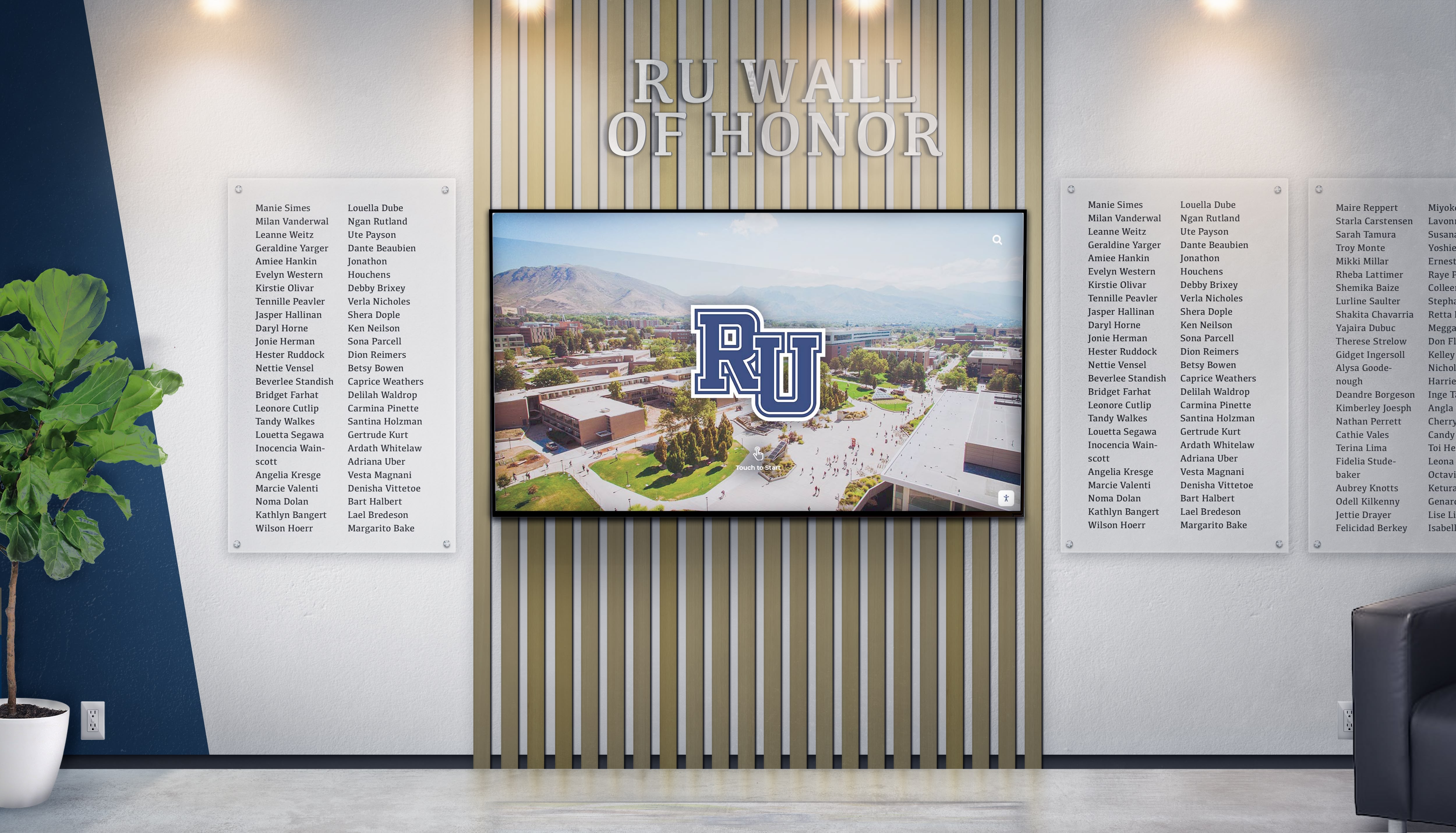
Integrated recognition systems honor FBLA and FFA achievements alongside academic and athletic accomplishments demonstrating institutional commitment to comprehensive student development
Best Practices and Success Factors
Schools with highly effective FBLA and FFA recognition programs share common practices maximizing impact on recruitment, retention, program support, and chapter culture.
Integration with Career and Technical Education Culture
FBLA and FFA recognition should connect to broader CTE pathway development rather than existing as isolated displays for current members only.
Career Pathway Connection
- Position recognition displays near CTE classrooms where students explore business, agriculture, and technical career options
- Include pathway maps showing how FBLA/FFA participation connects to specific career clusters
- Feature alumni profiles emphasizing career success attributable to organization participation
- Link to CTE program recognition highlighting comprehensive pathway offerings
- Schedule display tours during career exploration activities and course selection periods
- Reference specific competitive events when teaching related curriculum (accounting class connects to FBLA Accounting competitions)
Academic Integration
- Highlight academic skills developed through FBLA/FFA participation: research, writing, public speaking, data analysis
- Feature member GPA data demonstrating academic achievement alongside organization involvement
- Connect to other academic recognition programs showing FBLA/FFA members earning multiple honors
- Include advisor testimonials about how organization participation enhances classroom learning
- Document scholarship earnings demonstrating financial return on student time investment
Comprehensive Student Development
- Position FBLA/FFA recognition with equal prominence to athletic and other student organization achievements
- Allocate comparable physical space and budget resources across all recognition categories
- Feature career and technical accomplishments during school assemblies and communications
- Include organization advisors in recognition planning committees alongside athletic directors and academic department chairs
Schools integrating FBLA and FFA recognition into comprehensive student development culture see 25-35% higher organization membership compared to schools where recognition exists in isolation with limited visibility outside CTE department areas.
Recruitment and Member Engagement Strategies
Effective recognition extends beyond celebrating past achievements to actively recruiting new members and engaging current participants.
Prospective Member Recruitment
- Schedule guided display tours during eighth-grade visits and new student orientations
- Feature “students like you” profiles showing diverse member backgrounds and interests
- Include accessible explanations of membership requirements, time commitments, and costs
- Highlight “first-year member” achievements demonstrating accessible entry points
- Document fun social aspects alongside competitive achievements: chapter trips, leadership conferences, team bonding activities
Current Member Engagement
- Create competition tracking displaying current season results as they occur
- Feature “spotlight” rotations highlighting different members each week throughout school year
- Include countdown timers to major events: state convention, National FFA Week, competitive event deadlines
- Establish “add yourself to the display” opportunities where new members create initial profiles during chapter meetings
- Gamify recognition: Award digital “badges” or special recognition tiers for members achieving multiple competitive event placements or degree progressions
Parent and Family Connection
- QR codes linking to display content enable parents to view recognition from home
- Include family acknowledgments in member profiles recognizing support systems
- Schedule family events at display location: chapter banquets, officer installations, scholarship celebrations
- Provide parent communication explaining recognition visible in display helping families understand achievement significance
- Feature parent testimonials about program value in decision-making section for prospective members
Alumni Engagement
- Create dedicated alumni section with “where are they now” career updates
- Invite distinguished alumni to record video messages for current members accessible through display
- Establish annual alumni update campaign requesting career progression information
- Feature alumni-current member mentorship connections facilitated through shared organization experience
- Document multi-generational participation when students follow parents or siblings into FBLA/FFA membership
Recognition displays transforming from static award documentation to dynamic recruitment and engagement tools generate measurably stronger chapter cultures with higher retention rates year-over-year.
Measuring Recognition Impact and Program Growth
Effective schools assess whether FBLA and FFA recognition achieves intended goals through systematic evaluation informing continuous improvement.
Quantitative Metrics
- Membership trends: Track total members, new member recruitment, and retention rates year-over-year
- Competitive event participation: Monitor number of students competing and advancement rates to higher competition levels
- Degree progression: Track percentage of members advancing through degree levels vs. remaining at entry levels
- Recognition awareness: Survey students, staff, parents about familiarity with chapter achievements and recognition location
- Display engagement: For digital systems, analyze interaction frequency, session duration, popular content categories
- Scholarship earnings: Document total scholarship dollars earned by members through organization participation
- Alumni engagement: Track number of alumni providing career updates or maintaining connections to current chapter
Qualitative Assessment
- Member surveys: Do students feel appropriately recognized? Does recognition motivate continued involvement?
- Prospective member feedback: Does recognition display influence decision to join FBLA or FFA?
- Administrator perception: Do principals and counselors understand program value and support continued investment?
- Community stakeholder views: Do business and agricultural partners recognize program quality and student achievement?
- Advisor satisfaction: Does recognition system support advisor goals and streamline rather than burden administrative work?
Benchmark Comparisons
- Compare recognition visibility and resources allocated to FBLA/FFA vs. athletic programs and other student organizations
- Assess whether CTE recognition receives equitable treatment in physical space allocation, budget support, and institutional communications
- Evaluate recognition consistency across multiple CTSO programs if school offers FBLA, FFA, DECA, SkillsUSA, and others
- Compare program growth rates (membership, competitions, scholarships) before and after recognition implementation
Continuous Improvement Process
- Review recognition program effectiveness annually during advisor summer planning
- Gather feedback from multiple stakeholder groups through surveys, focus groups, or advisory committee meetings
- Identify specific improvements needed: content updates, display location changes, maintenance procedures, communication strategies
- Implement targeted enhancements addressing highest-priority needs
- Document lessons learned and refine standard operating procedures for future school years
- Share successful practices with other CTE programs and advisors at district or state level
Schools systematically assessing recognition programs identify enhancement opportunities while demonstrating value justifying continued investment, budget increases, or expansion to additional display locations throughout campus.
Ready to Build Recognition Your FBLA and FFA Chapters Deserve?
Discover how touchscreen recognition solutions can help you celebrate career and technical student organization achievements with unlimited capacity for member profiles, competition results, and chapter history—without space limitations or annual trophy case expansions.
Schedule a TouchWall DemoConclusion: Creating Lasting Recognition for FBLA and FFA Achievement
FBLA and FFA represent powerful vehicles for student development—building leadership skills, professional competencies, career readiness, and community connections that serve students throughout their lives. Students who earn competitive event placements, achieve advanced degrees, serve as chapter officers, and complete significant SAE projects demonstrate exceptional dedication deserving recognition equal to athletic championships and academic honors.
The implementation strategies explored in this guide—from traditional glass trophy cases to comprehensive interactive touchscreen recognition systems—provide concrete pathways for schools to celebrate FBLA and FFA achievements effectively regardless of budget constraints, available space, or technical infrastructure. Traditional trophy cases offer tangible award display suitable for chapters valuing physical recognition, while digital displays provide unlimited capacity, rich multimedia content, and flexible updating that eliminates space constraints inherent in physical display limitations.
Successful FBLA and FFA recognition extends beyond physical displays to encompass strategic placement in high-traffic areas, integration with career pathway exploration and course selection, systematic celebration through multiple communication channels, and active use as recruitment tools demonstrating program value to prospective members and their families. Schools implementing comprehensive recognition programs discover that celebrating career and technical achievements creates powerful cultural shifts, elevating CTE pathways and inspiring students across all interest areas.
Your students who earn FBLA Business Achievement Awards, FFA American Degrees, state competitive event championships, and chapter leadership positions have demonstrated exceptional commitment to their professional development through years of dedicated participation, skill-building, and community service. Comprehensive recognition programs ensure these accomplishments receive celebration proportional to their significance—creating visible examples that inspire future members while honoring those who have already earned distinction.
Whether implementing basic trophy cases as immediate starting points or comprehensive digital recognition systems serving your chapters for decades, the fundamental principle remains constant: students who achieve excellence in FBLA and FFA deserve prominent, lasting celebration validating their effort while demonstrating your school’s authentic commitment to career and technical education pathways.
Ready to begin? Explore recognition solutions that can help you build FBLA and FFA displays worthy of your students’ extraordinary achievements and your chapter’s legacy of developing tomorrow’s business and agricultural leaders.































