School administrators face a delicate balance when implementing digital recognition displays: celebrating student achievements publicly while protecting the privacy rights guaranteed under federal law. Digital displays showcasing student photos, achievements, and activities have become powerful tools for building school pride and recognizing excellence—yet every photo, every name, and every achievement displayed carries legal obligations under the Family Educational Rights and Privacy Act (FERPA) that schools must navigate carefully.
The consequences of getting privacy compliance wrong extend beyond regulatory penalties. Privacy violations erode family trust, expose schools to legal liability, and—most significantly—can compromise student safety and dignity. Yet overly cautious interpretations of FERPA sometimes prevent schools from implementing meaningful recognition programs that could transform school culture and student engagement.
This comprehensive guide addresses the specific requirements for FERPA-compliant digital displays showcasing student photos. You’ll understand what FERPA actually requires versus common misconceptions, learn how to implement consent protocols that protect students while remaining administratively manageable, discover technical features that build privacy protection directly into digital systems, and explore best practices that balance recognition with privacy responsibilities schools owe to students and families.
Digital recognition technology offers schools unprecedented opportunities to celebrate student achievement in engaging, interactive formats that static bulletin boards cannot match. When implemented with proper privacy protections, these systems serve students effectively while fully respecting their rights.

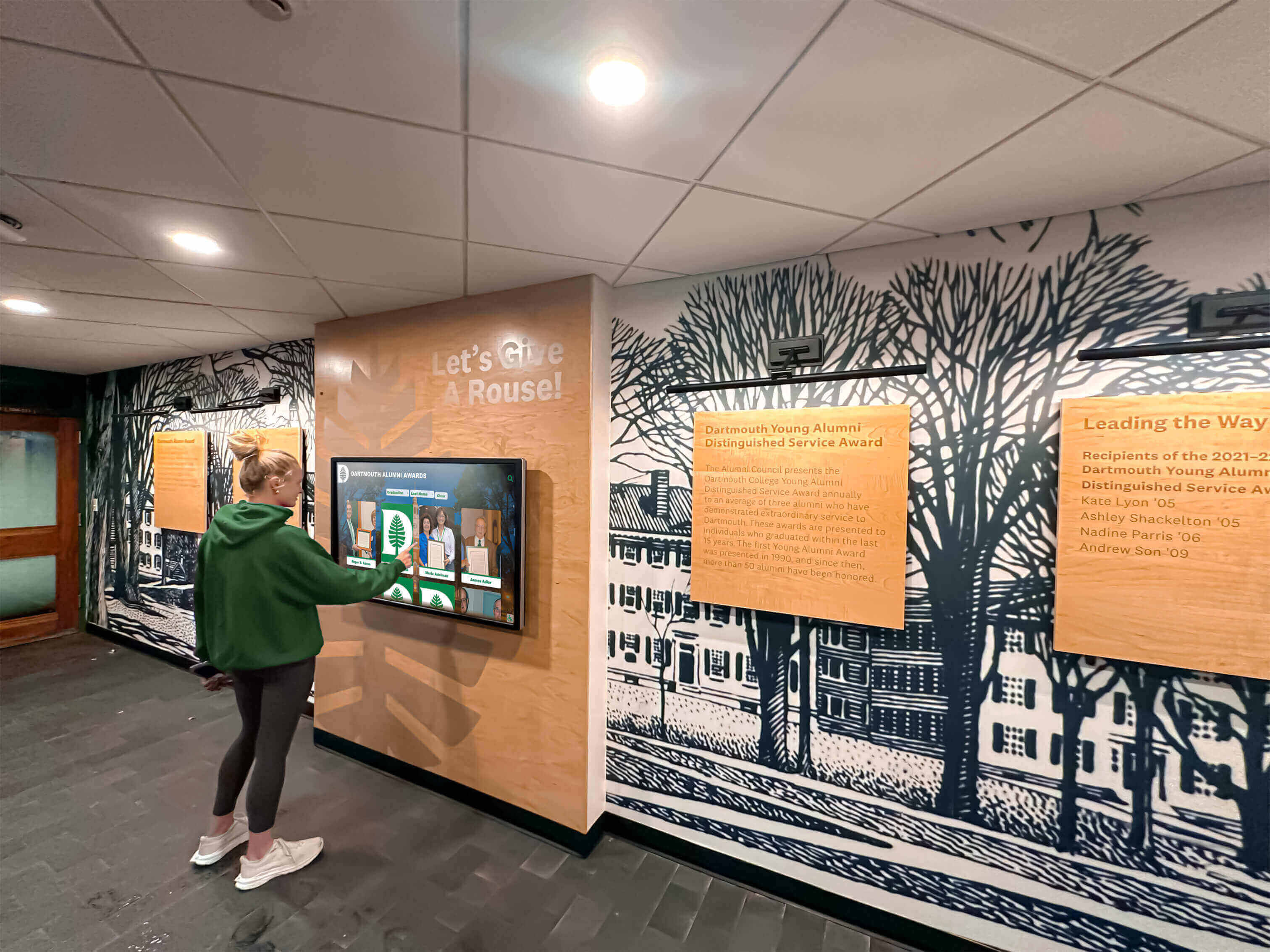
Modern digital displays enable schools to celebrate achievements while incorporating privacy controls protecting student information
Understanding FERPA Requirements for Digital Student Photo Displays
The Family Educational Rights and Privacy Act establishes the legal framework governing how schools handle student information, including photographs displayed on digital recognition systems. Understanding what FERPA actually requires—rather than what administrators fear it might require—enables schools to implement robust recognition programs confidently.
FERPA’s Core Privacy Protections
FERPA applies to educational agencies and institutions receiving federal funding, which encompasses virtually all public schools and most private educational institutions. The law protects “education records” containing information directly related to students maintained by schools.
What Constitutes Protected Information
Education records under FERPA include academic transcripts and grades, standardized test scores, disciplinary records, special education evaluations and IEPs, health records maintained by schools, and personally identifiable information (PII) in any format including photographs when combined with identifying information.
The critical distinction: photographs themselves don’t automatically trigger FERPA protection. A photo of students participating in activities without names or other identifying information attached may not constitute an education record. However, photos combined with student names, grades, achievements, or other PII clearly fall under FERPA’s requirements.
Personally Identifiable Information Defined
FERPA defines PII broadly as information allowing reasonable identification of specific students. This includes direct identifiers like names, addresses, social security numbers, and student ID numbers, as well as indirect identifiers that could reasonably identify students through demographic information, characteristics, or other descriptive information that alone or combined makes the student’s identity traceable.
For digital displays, combining student photos with names creates PII requiring FERPA compliance. Adding achievement information, participation data, or biographical details strengthens the PII classification and compliance obligations.
Directory Information: The Foundation for Display Compliance
FERPA’s directory information exception provides the primary legal basis enabling schools to display student photos publicly without obtaining individual consent for each use.
Permissible Directory Information Categories
FERPA explicitly permits schools to designate the following as directory information that can be publicly disclosed: student name, address, telephone number, email address, photograph and video, date and place of birth, major field of study, grade level, enrollment status, dates of attendance, participation in officially recognized activities and sports, weight and height of athletic team members, degrees, honors and awards received, and most recent educational institution attended.
The key insight many administrators overlook: photographs are explicitly listed as permissible directory information. Schools can legally display student photos celebrating achievements without individual photo releases—provided they follow required procedures.

Schools can display student photos under FERPA's directory information exception with proper notification and opt-out procedures
Required Directory Information Procedures
Schools cannot simply designate information as “directory” and begin disclosing it. FERPA mandates specific procedural requirements including annual public notification to parents and eligible students identifying what information the school designates as directory information, reasonable advance notice providing families opportunity to request that directory information not be disclosed about their students (opt-out period, typically 2-4 weeks), documentation demonstrating reasonable notification methods were employed, and consistent respect for all opt-out requests across every disclosure context.
The annual notification requirement is absolute—schools must notify families every year, not just at initial enrollment. Notification methods courts have accepted as reasonable include student handbooks distributed at registration, letters mailed to home addresses, information posted on school websites with accompanying notification that information is available, and announcements through school newsletters and communications.
Common FERPA Misconceptions That Limit Recognition Programs
Several widespread misunderstandings about FERPA create unnecessary barriers to student recognition:
Misconception: FERPA prohibits displaying student photos without individual permission. Reality: FERPA explicitly permits student photographs as directory information that schools may disclose without consent, provided proper annual notification and opt-out procedures are followed.
Misconception: Directory information designation is all-or-nothing. Reality: Schools can designate specific categories as directory information while excluding others. For example, schools might designate names, photos, and participation in activities as directory information while excluding addresses and phone numbers.
Misconception: One consent form covers all FERPA requirements permanently. Reality: While directory information designation doesn’t require individual consent, families must receive annual notification and opt-out opportunities each year. Best practice additionally obtains affirmative consent for specific high-visibility uses.
Misconception: Internal school displays don’t require FERPA compliance. Reality: FERPA disclosures include making information accessible to anyone beyond school officials with legitimate educational interests, including visitors viewing displays in public areas like lobbies and hallways.
Understanding these distinctions enables schools to implement comprehensive recognition programs celebrating student achievement while maintaining full FERPA compliance.
Implementing Compliant Consent Protocols for Digital Displays
While directory information designation provides legal authorization for displaying student photos, best practices include obtaining affirmative consent demonstrating respect for family preferences while creating clear documentation of authorization.
Designing Comprehensive Consent Forms
Effective consent forms balance legal protection with family-friendly clarity, ensuring parents understand what they’re authorizing while creating defensible documentation.
Essential Consent Form Elements
Comprehensive consent forms should include clear identification of what’s being requested (photo, video, and name use authorization), specific description of intended display locations (main lobby digital display, athletic facility recognition wall, library touchscreen kiosk, etc.), duration of consent (typically current school year, with annual renewal), explanation of audience access (school community members, visitors to campus, website visitors if applicable), statement that consent is voluntary and optional, clear process for declining consent or revoking previously granted permission, contact information for privacy questions or concerns, signature lines for parent/guardian with date, and separate signature for students of sufficient age (typically high school students).
Specificity Over Generic Authorization
Generic consent language creates ambiguity that serves neither schools nor families well. Compare these approaches:
Generic approach: “I authorize the school to use my child’s photo for educational purposes.”
Specific approach: “I authorize [School Name] to display my child’s photo, name, and achievement information on the digital recognition displays located in the main lobby, athletic facilities, and library. These displays are visible to students, staff, and campus visitors. This authorization applies for the [Year] school year and may be revoked at any time by contacting [Administrator] at [contact information].”
The specific version enables informed decision-making while providing schools with clear documentation of what families actually authorized.
Clear consent protocols ensure families understand how student information will be displayed and accessed
Graduated Consent Frameworks for Different Display Contexts
Not all digital displays present identical privacy implications. Schools might implement tiered consent frameworks allowing families to customize authorization based on visibility levels:
Tiered Consent Model Example
Level 1: Internal Building Displays - Digital screens in secure school areas viewable only by students and staff with campus access (cafeteria displays, classroom screens, secured hallway locations).
Level 2: Public Building Displays - Displays in areas accessible to campus visitors (main lobby recognition walls, athletic facility entrance displays, administrative office waiting areas).
Level 3: Password-Protected Online Platforms - Digital recognition accessible through school websites or apps requiring authentication limiting access to school community.
Level 4: Public Online Presence - Photos and information on public school websites, social media, or internet-accessible platforms without authentication requirements.
This graduated framework empowers families to authorize displays they’re comfortable with while declining higher-exposure contexts, enabling broader participation in recognition programs with appropriate privacy protections.
Managing Opt-Outs and Consent Revocation
Schools need systematic processes ensuring opt-out requests and consent revocations are honored consistently across all display contexts.
Centralized Consent Tracking Systems
Effective management requires centralized tracking accessible to everyone responsible for publishing student information:
- Centralized database or spreadsheet recording consent status for each student across different use categories
- Integration with student information systems enabling consent flags to appear in student records
- Regular updates when families submit new forms or revoke previously granted consent
- Accessible system allowing communications staff, coaches, teachers, and administrators to verify consent before using photos
- Automated reminders prompting annual consent renewal during registration periods
- Documentation of when consent was obtained, what was authorized, and any modifications or revocations
Modern digital signage software platforms designed for educational environments often include consent management features enabling administrators to flag students whose photos should not appear, automatically filtering them from content rotations and preventing unauthorized display.
Responding Promptly to Revocation Requests
When families revoke consent or request photo removal, immediate response demonstrates respect and maintains trust:
- Remove photos from digital displays within 24-48 hours of request receipt
- Confirm removal to requesting family with specific date and actions taken
- Document revocation in consent tracking system preventing future unauthorized display
- Review all display locations ensuring complete removal across contexts
- Update processes preventing re-addition during routine content updates
- Train staff emphasizing importance of rapid response to privacy requests
Unlike physical displays where removal might require reprinting, digital systems enable rapid content updates making timely response completely achievable.
Technical Features Supporting FERPA Compliance in Digital Systems
Purpose-built digital recognition platforms incorporate technical features that make privacy compliance more manageable and reliable than manual processes.
Privacy-Protective Platform Capabilities
When evaluating digital display systems for student photo use, prioritize platforms offering these compliance-supporting features:
Automated Consent Filtering
Systems that automatically suppress content featuring students flagged as opt-outs prevent unauthorized display even when content managers inadvertently include restricted photos. This automated filtering provides essential safeguard against human error.
Granular Access Controls
Role-based permissions ensuring only authorized administrators can modify content, view certain student information, or access privacy settings protect against inappropriate access while maintaining usability for legitimate users.
Audit Trails and Activity Logging
Comprehensive logging documenting who added content, when it was published, what modifications were made, and when content was removed provides accountability and enables investigation if privacy questions arise.

Interactive displays require robust technical controls ensuring only authorized content appears and privacy preferences are consistently honored
Individual Profile Management
Ability to easily update or remove individual student profiles without affecting other content enables rapid response to revocation requests and simplifies ongoing content maintenance.
Metadata and Tagging Systems
Built-in tagging allowing content categorization by consent level, display location authorization, or sensitivity classification helps administrators ensure appropriate content appears in appropriate contexts.
Parent/Guardian Access Portals
Some advanced platforms provide family portals enabling parents to view how their student is featured, verify consent status, and request modifications directly rather than requiring administrator mediation for routine updates.
Network Isolation Options
For schools wanting to avoid online privacy complications entirely, systems operating on isolated internal networks without internet connectivity eliminate COPPA concerns while still enabling sophisticated digital recognition within campus boundaries.
Selecting FERPA-Compliant Digital Display Vendors
Not all digital signage providers understand educational privacy requirements. When evaluating vendors, assess their compliance readiness:
Vendor Evaluation Criteria
- Demonstrated experience with educational institutions and FERPA compliance
- Contractual commitments to FERPA and state student privacy law compliance
- Data security measures including encryption, access controls, and security audits
- Clear privacy policies explaining data collection, use, storage, and retention
- Willingness to sign student data protection agreements meeting state requirements
- Technical capabilities supporting consent management and opt-out enforcement
- References from other schools successfully using systems for student recognition
- Training and support helping school staff understand and use privacy features effectively
- Data portability enabling schools to export content if changing vendors
- Transparent incident response procedures if security breaches occur
Platforms like Rocket Alumni Solutions designed specifically for educational recognition typically build FERPA compliance directly into their architecture, offering features supporting privacy protection that generic digital signage systems lack. This purpose-built approach reduces compliance burden while providing more sophisticated recognition capabilities than general-purpose platforms.
Display Location and Visibility Considerations
Where digital displays are positioned significantly affects privacy implications and appropriate consent protocols.
Internal Versus Public-Facing Displays
Different locations present varying privacy considerations:
Secured Internal Locations
Digital displays in areas accessible only to students and staff with campus access present lower privacy exposure:
- Classroom-specific displays showing students only from that class
- Cafeteria and common area screens viewable only during school hours when campus is secured
- Athletic locker room or team room displays restricted to team members
- Library or media center screens in supervised, access-controlled facilities
These contexts might justify relying on directory information designation with opt-out provisions rather than requiring affirmative consent for every student, though some families may still prefer more restrictive approaches.

Athletic facility displays visible to visiting teams and spectators require consideration of broader audience access in consent protocols
Public-Facing Lobby Displays
Main lobby displays visible to all campus visitors present higher exposure:
- Parents and family members attending events or picking up students
- Prospective families touring facilities during recruitment visits
- Delivery personnel, contractors, and service providers entering buildings
- Community members attending school board meetings or public events
- Opposing teams and their families during athletic competitions
This broader audience visibility suggests obtaining affirmative consent rather than relying solely on opt-out frameworks, ensuring families consciously authorize public display rather than having to proactively decline.
Athletic Facilities and Competition Venues
Recognition displays in gyms, stadiums, and field houses present unique considerations:
- Visible to opposing teams, coaches, officials, and spectators from other schools
- May appear in background of sports photography or video footage
- Accessed during evening and weekend events with diverse audiences
- Often focus specifically on athletic achievement rather than general academics
Schools should explicitly mention athletic facility displays in consent forms, ensuring families understand this specific context and audience.
Internet-Connected Versus Closed Network Systems
Whether digital displays connect to the internet fundamentally changes privacy and compliance obligations.
Closed Network Advantages
Systems operating entirely on internal school networks without internet connectivity avoid several privacy complications:
- No online accessibility eliminating COPPA concerns for students under 13
- Reduced risk of unauthorized access or data breaches from external sources
- Simpler vendor agreements without cloud storage or external data transfer
- Lower concern about search engine indexing or viral content sharing
- Greater control over who can view content (limited to physical campus access)
Schools prioritizing privacy protection and wanting to avoid online privacy complexities should specifically seek closed network solutions when implementing digital recognition displays.
Internet-Connected Considerations
Systems with online access or cloud-based content management create additional obligations:
- COPPA compliance requirements for students under 13 if collecting information online
- Stronger consent language specifically mentioning internet accessibility
- Enhanced data security requirements protecting against cyber threats
- Vendor agreements addressing cloud storage, data encryption, and third-party access
- Additional opt-out considerations from families concerned about online exposure
- Potential for screenshots or screen captures enabling unauthorized redistribution
Schools choosing internet-connected systems should implement strong technical safeguards and obtain explicit consent mentioning online accessibility rather than assuming directory information designation alone provides adequate authorization.
Addressing Special Privacy Situations and Sensitive Contexts
Certain circumstances require extra privacy caution beyond standard consent protocols.
Students Requiring Enhanced Protection
Some students face safety risks or privacy concerns warranting special handling:
Students in Protective Custody
Students in foster care, protective custody, or fleeing domestic violence face serious safety risks from photo disclosure potentially revealing their location or current identity:
- Proactively exclude from all displays regardless of general consent or directory information designation
- Implement system flags preventing inadvertent inclusion during content updates
- Consult with social workers, child welfare agencies, or law enforcement about specific student situations
- Train staff to recognize and appropriately handle these sensitive cases
- Establish clear protocols for adding special protection flags when situations arise
Students with Disabilities and Special Needs
Some families prefer privacy around disability status, special education services, or visible accommodations:
- Avoid displays highlighting special education programming unless families specifically consent
- Be sensitive to whether photos reveal disability status through visible accommodations or assistive devices
- Offer alternative recognition formats for students or families declining photo display
- Never combine photos with information revealing special education status without explicit consent
- Respect that some families view privacy around disability very differently than others
Students Facing Bullying or Social Challenges
Recognition intended as positive can sometimes create unintended social complications:
- Consider whether highlighting certain students might increase bullying or negative attention
- Consult with counselors about students facing social challenges before featuring prominently
- Be responsive if students or families request removal due to unforeseen social consequences
- Create multiple recognition categories ensuring diverse students receive acknowledgment
- Monitor and address any harassment connected to recognition display
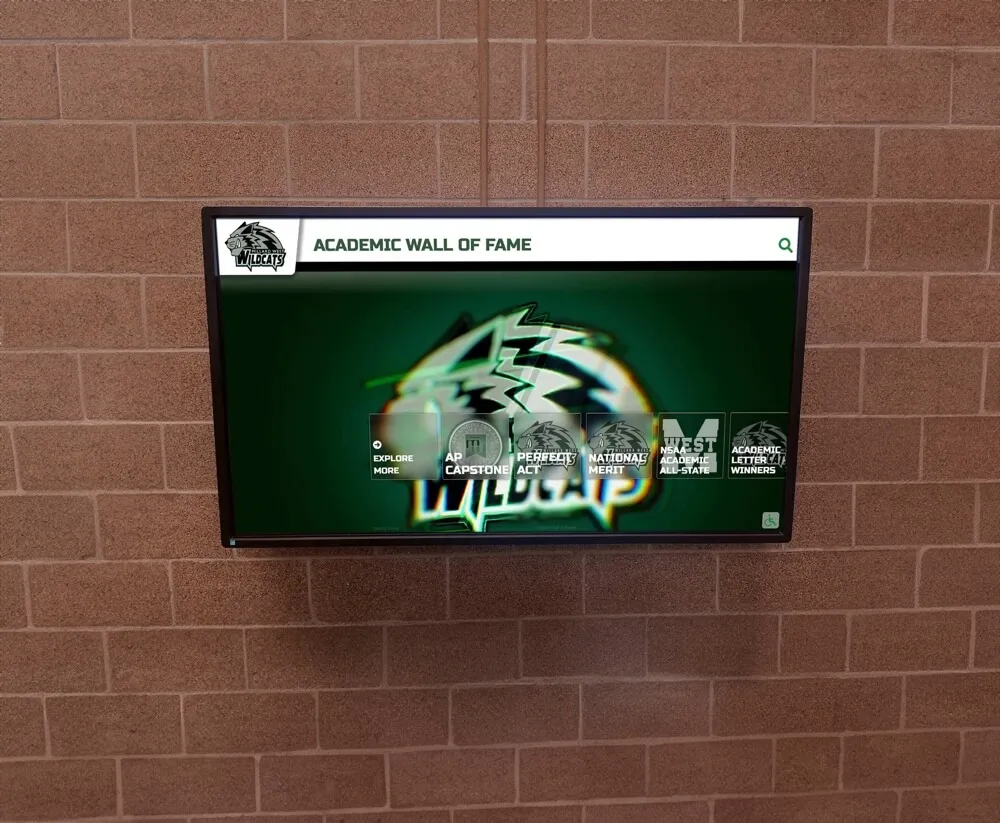
Academic recognition displays should consider diverse achievements ensuring broad student representation while respecting privacy preferences
Balancing Recognition with Privacy Preferences
Schools can honor student achievements while respecting varying privacy comfort levels:
Alternative Recognition Options
When students or families decline photo display, alternative acknowledgment methods maintain recognition:
- Name-only recognition on honor rolls and achievement lists without photos
- Text-based profiles describing achievements without visual identification
- Certificates or awards presented privately rather than displayed publicly
- Generic activity photos showing programs without identifying specific individuals
- Recognition approaches celebrating group achievements without individual identification
These alternatives ensure no student loses recognition opportunity due to privacy preferences while honoring family choices about visibility.
Building Comprehensive Privacy Compliance Programs
Effective privacy protection requires systematic programs integrated throughout school operations, not ad hoc individual decisions.
Policy Development and Documentation
Written policies provide consistent guidance for staff while communicating commitments to families:
Essential Privacy Policy Components
Comprehensive policies addressing student photo displays should include:
- Statement of commitment to student privacy and FERPA compliance
- Definitions of education records, PII, and directory information
- Directory information categories designated by the school
- Annual notification procedures and timeline
- Opt-out request processes and response commitments
- Consent requirements for different display contexts and locations
- Roles and responsibilities for privacy compliance across departments
- Vendor selection criteria emphasizing privacy protection
- Security measures protecting student information and images
- Data retention policies and image deletion procedures
- Breach response and family notification protocols
- Privacy training requirements for staff handling student information
- Policy review and update schedule ensuring currency with law changes
Policies should be published on school websites, included in student handbooks, and provided during registration, enabling families to understand privacy practices and make informed consent decisions.
Staff Training and Privacy Culture
Excellent policies fail without staff understanding and consistent implementation:
Privacy Training Program Elements
Effective training addresses both legal requirements and practical application:
- Annual mandatory training for all staff with student contact
- FERPA, COPPA, and state privacy law overviews appropriate to staff roles
- Practical guidance on verifying consent before photographing or publishing student photos
- Social media privacy best practices for staff and student accounts
- Recognition of situations requiring extra privacy caution
- Procedures for responding to family privacy concerns or complaints
- Consequences of privacy violations for staff and schools
- Case studies illustrating both good practices and problematic scenarios
Training should emphasize that privacy compliance is everyone’s responsibility—classroom teachers posting student work, coaches celebrating teams, yearbook advisors selecting photos, and communications staff managing websites all affect student privacy.
Creating Privacy-Conscious Organizational Culture
Beyond formal training, cultivate culture where privacy consciousness becomes habitual:
- Regular privacy reminders in staff meetings and communications
- Easy-to-use consent verification systems making compliance simple
- Celebrating privacy protection successes rather than only addressing failures
- Empowering staff to raise privacy concerns without fear of criticism
- Incorporating privacy into program planning from inception rather than as afterthought
- Leadership modeling privacy-protective decision-making in visible situations
When privacy becomes embedded in institutional culture rather than merely compliance checklist, protection improves while administrative burden decreases through routine good practices.
Regular Audits and Compliance Monitoring
Periodic privacy reviews identify gaps before they become violations:
Privacy Audit Components
Comprehensive audits should examine:
- Review of all current student photo displays (physical and digital)
- Verification that displayed students have current valid consent or directory information authorization
- Assessment of consent form adequacy, clarity, and legal sufficiency
- Evaluation of consent tracking system effectiveness and accessibility
- Vendor contract review ensuring privacy protection provisions are current
- Testing of opt-out processes from family perspective
- Staff privacy awareness assessment through surveys or interviews
- Social media and website practice review
- Examination of incident reports and privacy complaints
- Comparison of current practices against current legal requirements
- Documentation quality review ensuring defensible records
Annual audits conducted before school years begin enable remediation before students return, preventing violations and demonstrating good faith compliance efforts regulators view favorably if issues arise.
Technology Implementation Best Practices
Successfully deploying FERPA-compliant digital displays requires thoughtful planning addressing both technical and administrative dimensions.
Planning Your Digital Recognition System
Before selecting platforms or installing displays, establish clear implementation frameworks:
Implementation Planning Steps
Define Recognition Objectives - Identify what achievements and students you want to recognize, where recognition will have greatest impact, and what formats best serve your goals.
Assess Privacy Obligations - Review FERPA requirements, state privacy laws, and district policies. Determine whether directory information designation alone suffices or additional consent is necessary.
Develop Consent Protocols - Design consent forms, tracking systems, and opt-out procedures. Establish timelines for annual notification and consent renewal.
Evaluate Display Locations - Identify optimal placement considering visibility, audience, privacy implications, and technical requirements. Plan for locations with varying privacy levels.
Select Appropriate Technology - Choose platforms offering privacy features aligned with your compliance needs. Prioritize touchscreen kiosk systems designed specifically for educational environments.
Establish Content Management Processes - Define who can add content, approval workflows, consent verification requirements, and update procedures.
Train Staff and Administrators - Ensure everyone involved understands privacy obligations, consent verification processes, and technical system operation.
Launch with Initial Content - Begin with thoroughly vetted content ensuring all displayed students have proper authorization. Start conservatively, expanding as confidence grows.
Monitor and Adjust - Regularly review displayed content, track family feedback, assess consent compliance, and refine processes based on experience.

Thoughtful integration of technology with privacy protections enables schools to celebrate achievements while maintaining compliance
Content Management and Ongoing Maintenance
Digital displays require ongoing attention maintaining both content freshness and privacy compliance:
Content Management Best Practices
- Establish regular content update schedules preventing stale displays
- Verify consent before adding new student photos or information
- Remove or update content when students graduate, transfer, or revoke consent
- Maintain diverse representation ensuring broad student recognition
- Balance recent achievements with historical recognition creating continuity
- Monitor displays regularly ensuring technical functionality and appropriate content
- Respond immediately to family concerns about displayed content
- Document content decisions providing accountability if questions arise
Effective content management transforms digital displays from initial installations into living recognition systems evolving with student accomplishments while maintaining privacy protections.
Legal Compliance Beyond FERPA
While FERPA provides the primary federal framework, additional laws may affect student photo displays.
COPPA Considerations for Internet-Connected Systems
The Children’s Online Privacy Protection Act regulates online collection of personal information from children under 13, creating additional requirements for internet-accessible digital displays:
When COPPA Applies to School Displays
COPPA governs operators of websites or online services directed to children under 13 or with actual knowledge they’re collecting information from that age group. Schools may trigger COPPA when:
- Using web-based platforms displaying student photos accessible via internet
- Implementing cloud-based content management systems storing student data online
- Creating mobile apps enabling student information access
- Posting student photos on school websites or social media
- Using third-party services collecting student data for display purposes
School COPPA Exception
COPPA includes a school exception permitting schools to provide consent on behalf of parents for online services used solely for educational purposes—but schools must:
- Use services only for legitimate educational purposes benefiting students
- Ensure vendors don’t disclose information for commercial purposes
- Verify vendors implement appropriate security measures
- Enable schools to review and delete student information
- Provide families notification about online services and their purposes
- Honor parental requests to review or delete student information
Schools relying on the COPPA exception must conduct vendor due diligence, negotiate contracts protecting student data, and maintain oversight ensuring compliance with these requirements.
State Student Privacy Laws
More than 40 states have enacted student privacy legislation since 2013, often imposing requirements beyond federal FERPA standards:
Common State Law Provisions
State laws frequently address:
- Student data protection requirements for schools and third-party vendors
- Transparency obligations regarding data collection and use
- Parental access rights to student information
- Prohibitions on commercial use or sale of student data
- Data security and breach notification requirements
- Limitations on behavioral tracking and advertising
- Required contract provisions for vendors accessing student information
- Student and parent data deletion rights
Schools must research requirements in their specific states, as provisions vary significantly across jurisdictions. State education agencies typically provide guidance and model policies supporting compliance.
Responding to Privacy Incidents and Family Concerns
Despite comprehensive precautions, privacy incidents occur. Effective response minimizes harm and maintains trust.
Incident Response Procedures
When privacy violations or complaints arise, systematic response is essential:
Immediate Response Steps
Stop Ongoing Disclosure - Immediately remove problematic content from displays, websites, or any accessible platforms.
Assess Incident Scope - Determine what information was disclosed, to whom, for how long, and through what channels.
Notify Leadership - Alert principals, superintendents, and legal counsel as appropriate to incident severity.
Document Thoroughly - Preserve evidence of what occurred, when discovered, and response actions taken.
Notify Affected Families - Contact parents/guardians explaining what happened, steps taken, and measures preventing recurrence.
Investigate Root Cause - Determine how violation occurred, whether system failure or human error enabled it, and what remediation is needed.
Implement Corrective Measures - Fix processes, systems, or training gaps that permitted the incident.
Report If Required - Notify federal or state authorities if incident meets reporting thresholds.
Communication with Families
When contacting families about privacy incidents:
- Acknowledge what occurred honestly without minimizing
- Explain specifically what information was disclosed and to whom
- Describe immediate steps taken to stop disclosure
- Outline investigation plans and prevention measures
- Provide direct contact for questions and concerns
- Offer support if incident created safety risks or distress
- Follow up when investigation concludes with findings and changes implemented
Honest, empathetic communication maintains trust even when mistakes occur, while defensive responses escalate conflicts and damage relationships.
Privacy-First Digital Recognition Solutions
Discover how Rocket Alumni Solutions helps schools implement FERPA-compliant digital displays with built-in consent management, automated privacy controls, and features designed specifically for educational compliance. Celebrate student achievement confidently while protecting privacy rights your students and families deserve.
Explore FERPA-Compliant Recognition DisplaysFuture-Proofing Your Privacy Compliance Program
Privacy law evolves continuously as technology advances and societal expectations shift. Building programs that adapt ensures long-term compliance.
Staying Current with Legal Developments
Privacy requirements will likely become more stringent rather than less as awareness of digital privacy implications grows:
Compliance Monitoring Strategies
- Subscribe to education law updates from state agencies and legal services
- Join professional organizations providing privacy guidance for educators
- Attend conferences and webinars addressing student privacy topics
- Consult with school attorneys about emerging requirements and case law developments
- Monitor news about privacy incidents at other schools identifying risk areas
- Review and update policies annually reflecting current law and best practices
- Participate in state and national discussions about student privacy policy
Proactive monitoring prevents schools from operating under outdated assumptions while positioning institutions as privacy leaders rather than reluctant followers.
Building Privacy Into Institutional Culture
The most effective privacy programs reflect genuine commitment rather than mere compliance exercise:
Privacy Culture Building Blocks
- Leadership visibly prioritizing privacy in decisions and resource allocation
- Budget support for privacy infrastructure, training, and professional development
- Privacy considerations integrated into all technology acquisition and program planning
- Staff empowered to prioritize privacy protection over administrative convenience
- Transparency with families about data practices building trust
- Openness to feedback and continuous improvement based on family input
- Recognition that strong privacy protection benefits students while enhancing institutional reputation
Schools viewing privacy as strategic asset rather than regulatory burden achieve better compliance with lower administrative burden through systems and culture supporting privacy by default.
Practical Implementation: A Step-by-Step Approach
For schools ready to implement FERPA-compliant digital displays, this structured approach ensures successful deployment:
Phase 1: Planning and Policy Development (Months 1-2)
- Review FERPA requirements and state privacy laws applicable to your jurisdiction
- Assess current privacy policies identifying gaps or needed updates
- Draft or revise student photo display policies addressing digital recognition
- Design consent forms with specific, clear language about display locations and uses
- Establish consent tracking system integrated with student information database
- Identify optimal display locations considering visibility, impact, and privacy implications
Phase 2: Technology Selection and Procurement (Months 2-4)
- Define technical requirements including privacy features, consent integration, and content management capabilities
- Evaluate vendors emphasizing educational experience and FERPA compliance support
- Request demonstrations and references from similar schools
- Negotiate contracts including privacy protection provisions and student data agreements
- Select platform offering best balance of recognition capabilities and privacy controls
- Plan installation logistics including network requirements and physical mounting
Phase 3: Communication and Consent (Months 3-5)
- Communicate new recognition program plans to families with privacy framework explanation
- Distribute consent forms during registration or through targeted mailings
- Provide reasonable response time for families to review and return forms
- Follow up with families who haven’t responded ensuring informed decisions
- Input consent decisions into tracking system ensuring accuracy
- Prepare staff guidance on consent verification before adding content
Phase 4: Content Development and Staff Training (Months 4-6)
- Identify initial content ensuring all featured students have proper consent
- Develop content templates maintaining consistent quality and format
- Create content submission procedures including consent verification requirements
- Train administrators and content managers on system operation and privacy features
- Conduct broader staff training on privacy policies and consent requirements
- Establish approval workflows ensuring review before content publication
Phase 5: Launch and Initial Operation (Month 6)
- Install and configure display hardware and software
- Load initial carefully vetted content with confirmed consent
- Launch with announcement to school community explaining program and privacy protections
- Monitor initial operation closely addressing technical issues promptly
- Solicit feedback from students, families, and staff
- Respond immediately to any privacy concerns or content questions
Phase 6: Ongoing Management and Refinement (Months 7+)
- Establish regular content update schedule maintaining freshness
- Conduct quarterly consent compliance audits
- Gather and address family and staff feedback
- Refine processes based on operational experience
- Plan expansion to additional locations or enhanced features
- Conduct annual comprehensive privacy audit before each school year
- Review and renew consent annually during registration
This phased approach ensures thoughtful implementation addressing both technical and compliance dimensions while building sustainable long-term programs.
Conclusion: Excellence in Recognition and Privacy Protection
FERPA-compliant digital displays enable schools to celebrate student achievement powerfully while fully protecting privacy rights and family preferences. The key is understanding that recognition and privacy are complementary rather than competing values—both serve students and deserve equal commitment.
Through comprehensive understanding of FERPA and COPPA requirements, implementation of clear consent protocols respecting family choices, selection of technology platforms incorporating privacy protections by design, systematic staff training building privacy-conscious culture, and ongoing compliance monitoring and program refinement, schools create robust recognition systems families trust and support.
Technology designed specifically for educational contexts makes compliance significantly more manageable than generic digital signage platforms. Purpose-built solutions like those from Rocket Alumni Solutions incorporate consent tracking, automated privacy filtering, access controls, and audit capabilities that manual systems cannot match, enabling schools to focus on celebrating students rather than wrestling with compliance mechanics.
Privacy requirements will continue evolving as digital technology advances and societal expectations shift. Schools investing now in strong privacy programs and privacy-protective recognition platforms position themselves for long-term success regardless of how regulations develop, while building reputations as institutions taking seriously their responsibilities as stewards of student information.
Begin strengthening your student photo display compliance today by reviewing and updating consent forms with specific, clear authorization language, auditing current displays verifying proper consent for all featured students, updating or developing written privacy policies addressing photo displays comprehensively, implementing centralized consent tracking accessible to staff needing verification, evaluating digital display platforms specifically designed for educational compliance, engaging families in dialogue about privacy practices building trust and transparency, and planning systematic privacy training ensuring all staff understand obligations and procedures.
Whether implementing new digital recognition displays, refreshing existing programs, or addressing identified compliance gaps, remember that privacy protection and meaningful recognition serve the same fundamental purpose: respecting and celebrating students as individuals deserving both acknowledgment and protection. The trust families place in schools to protect their children while celebrating their achievements deserves thoughtful policies, robust technical systems, and consistent practices honoring that responsibility.
Ready to explore FERPA-compliant recognition solutions for your school? Discover how purpose-built digital display systems designed for educational environments can help you celebrate student achievement while maintaining the privacy protections students and families deserve, ensuring compliance becomes built into your recognition program rather than an ongoing burden requiring constant vigilance.































