School IT leaders face a complex challenge when implementing digital student photo displays: balancing the desire to celebrate student achievements with strict federal privacy protections. The Family Educational Rights and Privacy Act (FERPA) establishes clear boundaries around what student information can be displayed publicly, how consent must be obtained, and what safeguards must be in place—yet many schools inadvertently violate these requirements when deploying digital recognition systems.
Digital displays showcasing student photos, names, and achievements have become increasingly popular in K-12 schools and universities. These interactive touchscreens in lobbies, hallways, and athletic facilities serve important functions—recognizing academic excellence, celebrating athletic achievements, honoring student leadership, and building school culture. However, without proper FERPA compliance protocols, these well-intentioned displays can expose schools to legal liability, federal complaints, and loss of federal funding.
Understanding FERPA requirements isn’t optional for school technology administrators. The consequences of non-compliance extend beyond potential financial penalties to include reputational damage, erosion of family trust, and compromised student safety when protected information is improperly disclosed.
This comprehensive guide explains everything school IT leaders need to know about implementing FERPA compliant student photo displays—from understanding what constitutes directory information to establishing consent protocols, implementing technical safeguards, and selecting compliant display solutions that protect student privacy while still celebrating achievements.

Digital student photo displays must balance recognition with strict FERPA privacy requirements
Understanding FERPA: Core Requirements for Student Photo Displays
The Family Educational Rights and Privacy Act, enacted in 1974, protects the privacy of student education records. Before implementing any digital display showing student information, school IT leaders must understand FERPA’s fundamental principles and how they apply to recognition displays.
What FERPA Protects and Why It Matters
FERPA grants parents and eligible students (those 18 or older) specific rights regarding education records. These protections apply to all schools receiving federal funding—which includes virtually every public K-12 school and most colleges and universities.
Core FERPA Rights include the right to inspect and review education records, the right to request corrections to inaccurate records, the right to consent before the school discloses personally identifiable information, and the right to file complaints with the U.S. Department of Education regarding alleged violations.
Education records under FERPA encompass any record directly related to a student and maintained by an educational institution. This broad definition includes academic transcripts, disciplinary records, health information, attendance data—and critically for digital displays—photographs, names, and achievement information when linked to individual students.
The stakes for non-compliance are significant. Schools violating FERPA risk losing all federal funding, not just education-specific grants. Beyond financial penalties, violations can result in federal investigations, mandatory corrective action plans, damaged relationships with families, and in cases involving safety risks, potential legal liability if improperly disclosed information leads to student harm.
Directory Information: The Foundation for Public Displays
FERPA creates a specific category called “directory information”—student information that schools may disclose without prior consent if certain conditions are met. Understanding this category is essential for FERPA compliant student photo displays.
Directory Information typically includes student names, addresses, telephone numbers, email addresses, photographs, dates and places of birth, grade levels, enrollment status, participation in officially recognized activities and sports, weight and height of athletic team members, degrees and awards received, and dates of attendance.
However, schools cannot automatically treat all this information as directory information. FERPA requires schools to:
- Provide Annual Notice: Schools must notify parents and eligible students annually about what information is designated as directory information
- Allow Opt-Out: Families must have a reasonable period to request that their student’s information not be disclosed as directory information
- Honor Opt-Out Requests: Once a family opts out, the school cannot disclose ANY directory information about that student without consent
- Document Procedures: Schools must maintain written policies defining what constitutes directory information at their institution
This framework means that even commonly displayed information like student names and photos cannot be shown publicly if a family has opted out of directory information disclosure. Digital display systems must accommodate these restrictions.
The Critical Distinction: Public vs. Limited Display
FERPA draws important distinctions between different disclosure contexts that directly impact digital display implementation.
Legitimate Educational Interest allows school officials to access student records without consent when they need the information to fulfill their professional responsibilities. A teacher accessing a student’s IEP or a counselor reviewing transcripts both fall under legitimate educational interest.
However, digital displays in public areas—school lobbies, hallways, athletic facilities—are NOT limited to school officials with legitimate educational interest. These displays are accessible to anyone who enters the building: visitors, vendors, prospective families, community members, and potentially, individuals with harmful intent.
This public accessibility creates heightened FERPA considerations. Information appropriate for a display in a locked staff room may violate FERPA when shown in a public lobby, even within the same school building.
Location-Based Risk Assessment should evaluate who has physical access to the display location, whether the area is monitored or unsupervised, what hours the display operates and who might view it during those times, and whether the display is visible from outside the building through windows or doors.
Schools implementing student recognition displays must carefully consider these access questions when determining what information can be appropriately displayed.
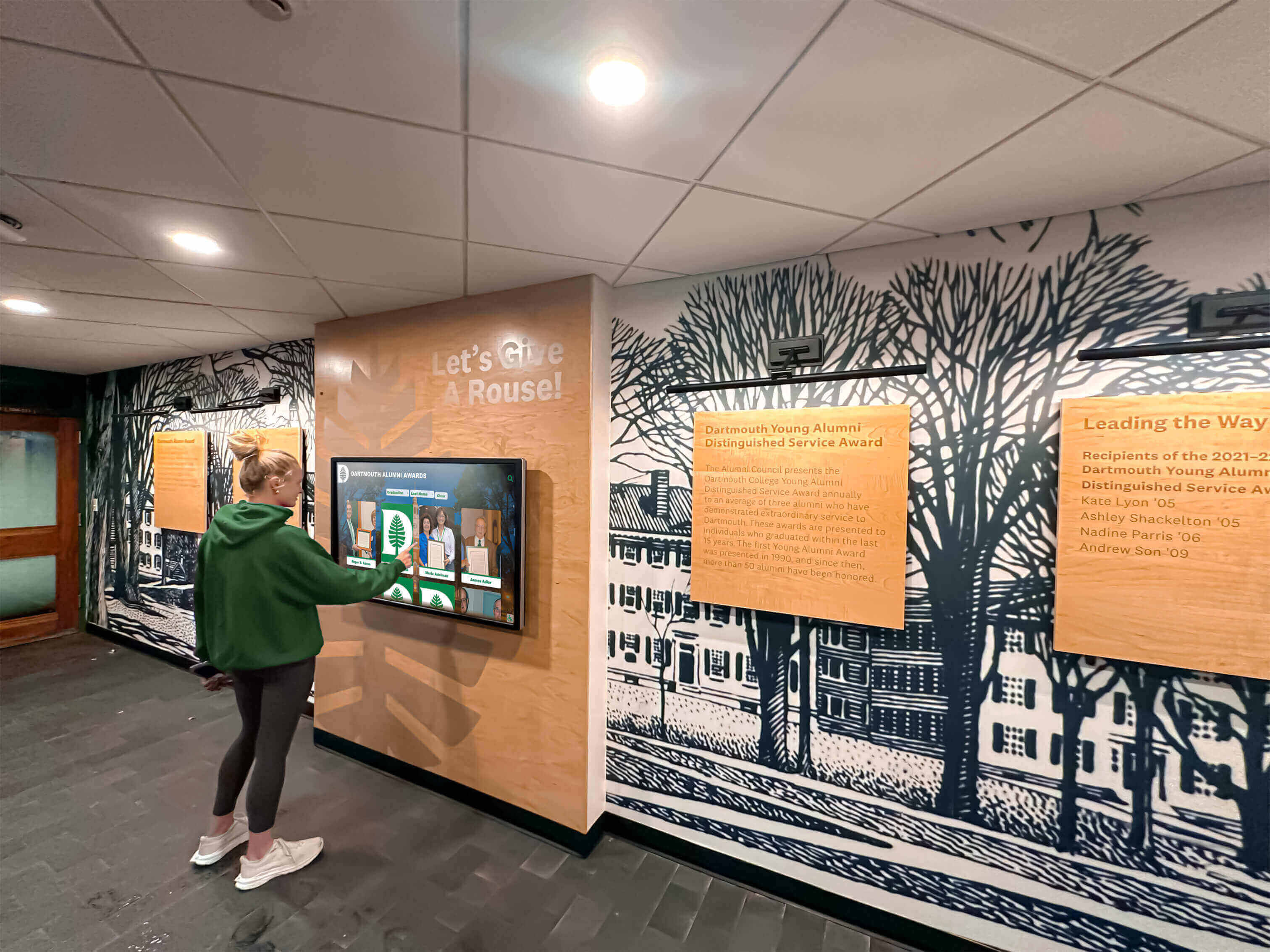
Public accessibility of digital displays requires stricter FERPA compliance protocols than staff-only systems
Building a FERPA-Compliant Consent Framework
Proper consent management forms the foundation of FERPA-compliant student photo displays. Schools must establish systematic processes for obtaining, documenting, and honoring consent decisions.
Designing Effective Consent Forms and Notices
Annual FERPA notices and consent forms serve as your first line of compliance. These documents must clearly communicate what information may be displayed, where and how it will be shown, and how families can opt out.
Essential Consent Form Elements include specific categories of directory information (avoid vague terms like “student information”), concrete examples of how information will be used (digital displays, yearbooks, websites, etc.), clear opt-out procedures with specific deadlines, explanation of consequences for opting out, and contact information for questions or concerns.
Vague language like “student photos may be used for school purposes” fails FERPA requirements. Instead, specify: “Student names and photographs may be displayed on digital recognition screens in the main lobby, athletic facilities, and library. These displays celebrate academic achievements, athletic accomplishments, and school activities.”
Notice Distribution Requirements mandate providing notices in languages families understand, allowing reasonable time for opt-out decisions (typically 2-4 weeks), obtaining written acknowledgment that families received the notice, and repeating notifications annually, not just at initial enrollment.
Many schools mistakenly assume that consent obtained during kindergarten enrollment applies throughout a student’s entire academic career. FERPA requires annual notice and opt-out opportunities. Family circumstances change—custody situations, safety concerns, privacy preferences—and annual notification ensures families can reassess their decisions.
Managing Granular Consent Preferences
Modern best practices extend beyond FERPA’s minimum requirements by offering families granular control over different types of disclosures rather than all-or-nothing directory information decisions.
Granular Consent Categories might include digital lobby displays showing achievement recognition, athletic facility displays showing team rosters and statistics, website publications including names and photos, social media posts featuring student activities, yearbook publications, and external media releases to newspapers or community organizations.
This granularity prevents situations where families who are comfortable with yearbook photos but concerned about public digital displays must choose between allowing all directory disclosures or opting out entirely.
Technology systems supporting digital recognition displays should accommodate these nuanced consent preferences. Your student information system must track multiple consent categories per student and interface with display platforms to automatically exclude students whose families have opted out of specific disclosure types.
Creating a Consent Tracking and Management System
Documented consent tracking protects schools during audits or complaints by providing clear evidence that proper procedures were followed.
Consent Management System Requirements include centralized database linking consent records to student information systems, timestamped records showing when notices were provided and responses received, easily accessible reporting showing which students have opted out of specific disclosure categories, automated alerts when student consent status changes, and regular audits ensuring display content matches current consent status.
Paper-based consent tracking creates significant compliance risks. When hundreds or thousands of families make consent decisions annually, manual systems inevitably lead to errors—displaying photos of students whose families opted out or unnecessarily excluding students whose families provided consent.
Integration between your student information system and digital display platform is essential. The display system should query the SIS before showing any student information, automatically excluding opted-out students without requiring manual updates each time consent status changes.
Consent Change Procedures must address mid-year opt-out requests (families can revoke directory information consent anytime), transfer students arriving mid-year without consent documentation, graduating seniors whose consent status should not transfer to alumni displays without renewed consent, and emergency situations requiring immediate information removal.

Centralized consent management ensures all digital displays across campus respect family privacy preferences
Technical Safeguards for FERPA-Compliant Display Systems
Beyond consent management, technical architecture and security measures play critical roles in maintaining FERPA compliance for digital student photo displays.
Data Security and Access Controls
FERPA requires schools to protect education records through appropriate security measures. Digital display systems accessing student information must implement robust security protocols.
Access Control Requirements include role-based permissions limiting who can add, edit, or remove student information from displays, multi-factor authentication for administrative accounts, audit logging tracking all changes to displayed content, encrypted connections between display systems and student information databases, and automatic session timeouts on administrative interfaces.
Many schools implement digital displays without considering the backend data security. A touchscreen in the lobby may seem innocuous, but it connects to databases containing sensitive student information. If that connection isn’t properly secured, or if administrative access isn’t restricted, you’ve created potential FERPA vulnerabilities.
Network Security Considerations should isolate display systems on separate network segments from critical infrastructure, implement firewalls restricting unauthorized access, regularly update and patch display system software, monitor systems for unauthorized access attempts, and establish incident response procedures for suspected security breaches.
Schools implementing athletic recognition displays sometimes use unsecured content management systems accessible from any device without authentication. This creates obvious risks—unauthorized individuals could potentially modify displayed content, access backend student databases, or view information about opted-out students that should remain restricted.
Automatic Compliance Enforcement Through Technology
Manual compliance processes create risk. Technology-enforced compliance removes human error from the equation.
Automated Compliance Features that FERPA-compliant display systems should include are real-time SIS integration automatically reflecting current consent status, scheduled content review flagging potentially non-compliant information, automatic expiration of time-limited content, workflow approval requiring compliance verification before publication, and exception reporting identifying mismatches between consent records and displayed content.
The most robust approach queries the student information system each time content is displayed, not just when it’s initially published. If a family opts out on Monday afternoon, automated systems can remove that student’s information from displays within hours rather than waiting for the next manual review cycle.
Content Lifecycle Management addresses how long student information remains displayed after the student graduates or leaves the district, who approves transitions from current student displays to alumni recognition, what information can be displayed about former students without renewed consent, and how deletion requests from former students are processed.
Many schools appropriately manage consent while students are enrolled but inadvertently violate FERPA when those students graduate. Alumni directories, hall of fame displays, and “Where Are They Now” programs must either obtain renewed consent from alumni or rely solely on publicly available information not obtained from education records.
Audit Trails and Compliance Reporting
Documented compliance provides protection during investigations or legal challenges. Comprehensive audit trails demonstrate that your institution takes FERPA obligations seriously and has systems ensuring consistent compliance.
Audit Trail Requirements include logs showing who published each piece of displayed content and when, records of consent status at the time content was published, change histories showing modifications to displayed information, access logs identifying who viewed administrative interfaces, and compliance review documentation showing regular verification procedures.
These audit trails serve multiple purposes: they enable internal compliance reviews, provide evidence during external audits or complaints, support continuous improvement by identifying compliance weak points, and demonstrate good faith compliance efforts that may mitigate penalties if violations occur.
Regular Compliance Audits should be scheduled quarterly at minimum, comparing displayed content against current consent records, reviewing access logs for unauthorized activity, testing automated compliance controls, updating policies based on regulatory changes or lessons learned, and training staff on identified compliance gaps.

Robust audit trails document compliance and protect schools during FERPA reviews
Special Considerations for Specific Student Populations
Certain student populations require additional FERPA considerations beyond standard consent protocols. School IT leaders must understand these special cases and implement appropriate safeguards.
Students in Foster Care or Protective Custody
Students in foster care, protective custody, or situations involving custody disputes present unique privacy challenges that can have serious safety implications.
Enhanced Protections for Vulnerable Students include flagging records requiring special handling, restricting photo display even when directory information consent exists, coordinating with child welfare agencies regarding disclosure limitations, implementing additional approval layers before displaying any information, and training staff to recognize and escalate special circumstances.
For these students, displaying a photo and name in a public lobby could literally endanger their safety. A non-custodial parent searching for a child, or an abusive family member seeking location information, could use a publicly displayed photo to identify which school the student attends.
Student information systems should include flags indicating that a student requires enhanced privacy protections, automatically excluding them from public displays regardless of technical directory information consent status. The legal consent may exist, but the safety context overrides normal procedures.
Coordination Requirements involve regularly communicating with social workers and case managers, updating protection flags when custody situations change, establishing clear escalation procedures when questions arise, and documenting special restrictions in systems accessible to staff managing display content.
Students with Disabilities and IEPs
While FERPA protects all student education records, the Individuals with Disabilities Education Act (IDEA) creates additional privacy considerations for students receiving special education services.
IEP-Related Privacy Concerns mean avoiding displaying information that could identify a student as receiving special education services, being careful with achievement recognition that might inadvertently reveal disability status, considering whether individualized accommodations need to be reflected in displayed content, and ensuring disability-related information in education records never appears publicly.
For example, a digital display showing “Student of the Month” for various categories might include “Most Improved” or “Overcoming Challenges” categories. While well-intentioned, such categories could inadvertently signal that a student has a disability or receives special services, potentially violating both FERPA and IDEA.
Inclusive Recognition Practices should celebrate all students using consistent criteria, avoid categories that might reveal protected information, consult with special education staff when developing recognition programs, and provide families of students with IEPs additional information about how recognition displays work.
International Students and Cultural Considerations
International students may come from educational systems with different privacy norms. Cultural considerations around photo displays vary significantly across different countries and communities.
International Student Considerations include translating consent forms into families’ primary languages, explaining U.S. privacy protections that may differ from home countries, being sensitive to cultural norms around photography and public display, and offering additional support helping international families understand consent choices.
Some cultures consider public display of children’s photos inappropriate or even dangerous from a spiritual perspective. Others may have concerns about government surveillance or immigration-related consequences. Providing clear information in accessible languages and creating opportunities for questions helps international families make informed consent decisions.
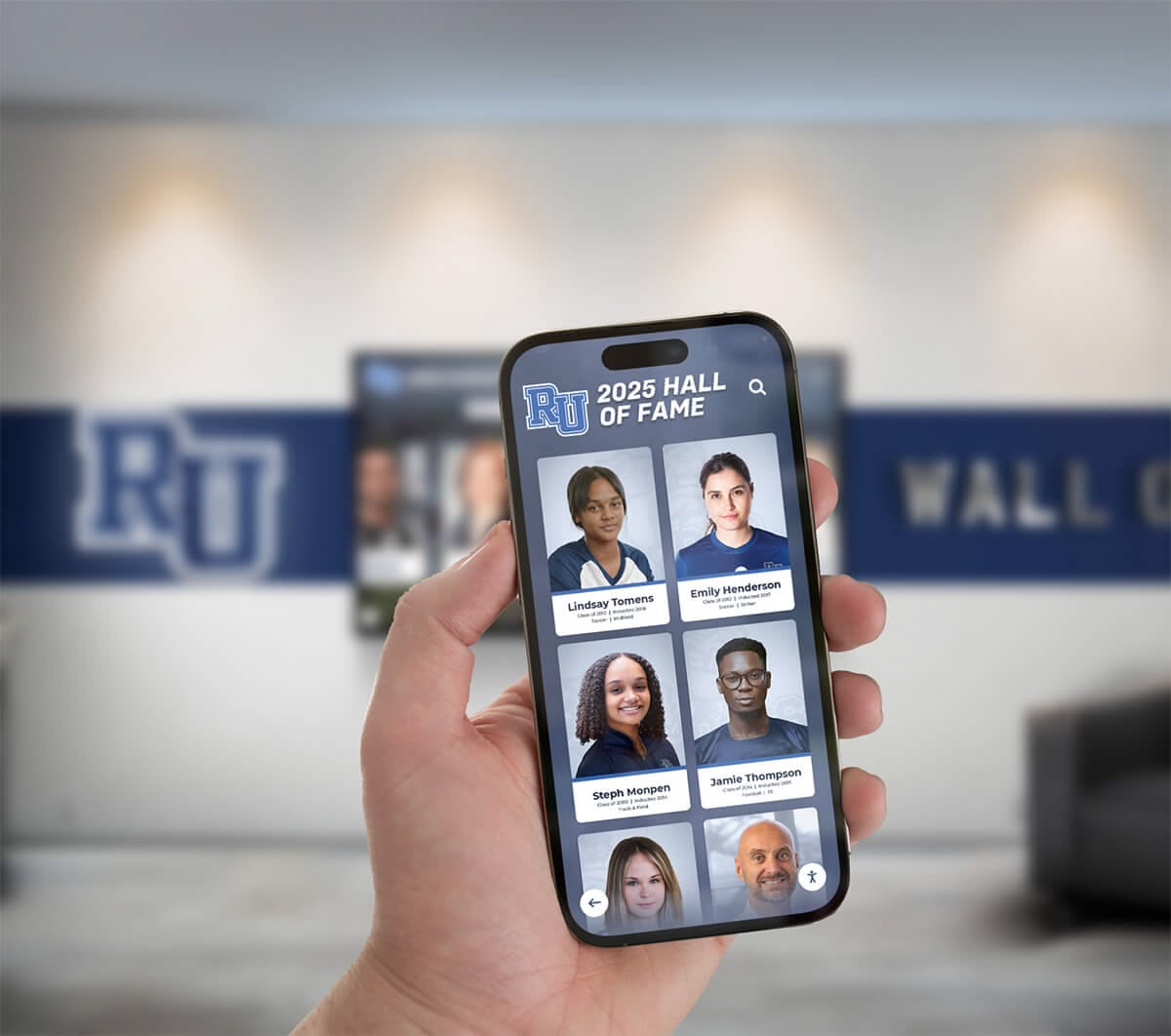
Accessible consent information helps diverse families make informed decisions about student photo displays
Content Guidelines: What You Can and Cannot Display
Understanding the technical and procedural requirements is only part of FERPA compliance. School IT leaders must also guide content decisions about what information is appropriate for public digital displays.
Acceptable Information for Public Recognition Displays
Even with proper consent, not all student information belongs on public displays. Thoughtful content policies protect privacy while still celebrating achievements.
Generally Acceptable Content with proper directory information consent includes student names and photographs, grade level or year of graduation, participation in recognized school activities and sports, academic honor roll recognition, athletic achievements and statistics, leadership positions in school organizations, and awards and recognitions received.
This information celebrates student accomplishments without revealing sensitive details. A display showing “Honor Roll - Spring 2026” with student names and photos recognizes achievement without disclosing specific grades, class schedules, or other protected details.
Content Presentation Best Practices involve showing achievement categories without revealing non-directory information, avoiding displays that could embarrass students even with consent, rotating featured students to ensure broad recognition, and regularly reviewing content to ensure continued appropriateness.
Schools implementing senior recognition displays should consider what college attendance information is appropriate. While celebrating that a student is attending college may be acceptable directory information, displaying detailed scholarship amounts or financial aid information would violate FERPA even with consent, as financial information is never directory information under the law.
Information That Should Never Appear on Public Displays
Certain student information should never appear on public displays regardless of consent status. FERPA prohibits disclosure of this information without specific written consent beyond directory information authorization.
Prohibited Information for Public Display includes specific grades or GPA beyond honor roll designation, standardized test scores, class schedules or course enrollment details, discipline records or behavioral information, health information including disabilities, free/reduced lunch status or other economic information, social security numbers or student ID numbers, home addresses or detailed contact information, and detailed attendance records.
Some of these prohibitions seem obvious—no competent IT leader would display student social security numbers publicly. However, other violations happen inadvertently. A display celebrating “Perfect Attendance” reveals attendance records. A recognition showing “4.0 GPA Club” discloses specific academic performance beyond simple honor roll status.
Common Inadvertent Violations include athletic displays showing weight and height (acceptable) alongside medical information like injury status (prohibited), academic recognition revealing class rank or specific GPA, schedule information disclosed through “Student Spotlight” featuring class participation, and participation in support programs that might reveal protected information.
When implementing athletic recognition displays, the distinction between acceptable statistics and prohibited information can be subtle. Height and weight for athletic team members are explicitly listed as potential directory information under FERPA. However, medical clearance status, injury reports, or information about accommodations are education records that require specific consent beyond directory information authorization.
Third-Party Content and User-Generated Information
Interactive digital displays sometimes allow users to search, filter, or comment on content. These interactive features create additional FERPA considerations.
Interactive Feature Risks include search functionality that could be used to identify opted-out students, filtering that might reveal protected information patterns, user comments or tags that add protected information to displayed content, and screenshot or sharing capabilities that extend information beyond intended audience.
A searchable hall of fame where users can look up students by name might seem like a valuable feature. However, if the system allows searching for ANY student name and returns “no results found” for opted-out students, you’ve created a mechanism to identify which families exercised their FERPA rights—itself a privacy violation.
Safer Interactive Approaches only allow browsing displayed content without revealing omissions, disable features that could identify opt-out patterns, implement sharing controls limiting information redistribution, monitor user-generated content before public display, and clearly communicate terms of use for interactive features.
Schools should also consider the FERPA implications of analytics collected from interactive displays. Tracking which students’ profiles receive the most views, or which achievements generate the most interaction, creates education records subject to FERPA protections if that data is linked to individual students.

Interactive features require careful design to prevent inadvertent disclosure of protected information
Selecting FERPA-Compliant Display Solutions
Not all digital display platforms are created equal when it comes to FERPA compliance capabilities. School IT leaders should evaluate vendors and solutions against specific compliance criteria.
Essential Vendor Questions and Requirements
When evaluating digital display solutions for student recognition, ask vendors specific questions about their FERPA compliance capabilities.
Critical Vendor Evaluation Questions include how the system integrates with student information systems to respect consent preferences, what automated controls prevent displaying opted-out student information, how access controls and authentication work for content management, what audit trail and compliance reporting capabilities exist, whether the system can handle granular consent categories, how data is encrypted in transit and at rest, what the vendor’s data retention and deletion policies are, whether the vendor is designated as a school official under FERPA, and what compliance support and training the vendor provides.
Vendors who cannot clearly answer these questions likely haven’t designed their systems with FERPA compliance in mind. Schools using such systems must implement compliance controls manually, creating ongoing risk and administrative burden.
Vendor Contract Requirements should designate the vendor as a school official with legitimate educational interest, specify that the vendor will not redisclose student information, require compliance with FERPA and institutional policies, establish data security and breach notification requirements, define data ownership and deletion obligations, and include audit rights allowing the school to verify compliance.
These contractual provisions create legal accountability. If a vendor violates FERPA, proper contract terms provide the school with recourse and help demonstrate that the school exercised appropriate oversight over the third party.
Features Supporting Automated Compliance
The best FERPA compliant student photo display solutions build compliance into their core architecture rather than treating it as an optional add-on feature.
Compliance-Supporting Features include real-time SIS integration querying consent status dynamically, role-based access controls with principle of least privilege, approval workflows requiring compliance review before publication, automated content expiration preventing outdated information display, comprehensive audit logging of all content changes and access, compliance dashboards showing potential issues requiring attention, and exception reporting identifying mismatches between consent and displayed content.
Systems requiring manual updates when consent status changes create inevitable compliance failures. Students opt out mid-year, transfer students arrive, family circumstances change—manual processes cannot keep pace with these dynamic changes across hundreds or thousands of students.
Rocket Alumni Solutions designs its interactive touchscreen platforms specifically for educational environments, with FERPA compliance built into the core system architecture. The platform integrates directly with major student information systems, automatically respecting opt-out preferences without requiring manual intervention from school staff.
Integration Capabilities to evaluate include compatibility with your specific SIS platform (PowerSchool, Infinite Campus, Skyward, etc.), API documentation for custom integrations if needed, frequency of consent status synchronization, handling of network interruptions or integration failures, and testing procedures for verifying integration accuracy.
Balancing Recognition Goals with Privacy Protection
FERPA compliance doesn’t mean abandoning student recognition. Well-designed systems celebrate achievements while respecting privacy boundaries.
Privacy-Respecting Recognition Strategies include featuring team and group accomplishments alongside individual recognition, using anonymized statistics that don’t identify individual students, celebrating school-wide achievements that don’t require personal information, implementing time-limited display of current students’ information, and transitioning gracefully from student to alumni recognition with appropriate consent.
Creative approaches can maintain recognition impact while minimizing privacy risks. Instead of individual student photos for honor roll, consider displaying the total number of honor roll students by grade level, or feature rotating groups rather than comprehensive class lists.
When schools implement digital trophy cases, they can showcase team championships, school records, and historic accomplishments alongside current student recognition. This approach dilutes the privacy risk by ensuring current student information is just one component of broader school pride displays.
Multi-Tiered Display Strategies might implement public lobby displays showing only basic achievement categories and group information, displays in restricted-access areas (requiring building entry) showing more detailed individual recognition, staff-only displays in secure locations providing comprehensive student information for educational purposes, and web-based password-protected platforms offering personalized views for individual families.
This tiered approach matches information disclosure to audience access levels, implementing FERPA’s principle that more sensitive information requires more restricted access.
Training and Policy Development
Technology alone cannot ensure FERPA compliance. Comprehensive staff training and clear institutional policies provide the organizational foundation for consistent compliance.
Developing Comprehensive FERPA Policies
Written policies establish institutional standards and provide guidance for consistent decision-making across different situations and staff members.
Essential Policy Components include clear definitions of what constitutes directory information at your institution, procedures for providing annual notice and managing opt-out requests, content guidelines specifying what information can appear on digital displays, approval processes for adding student information to displays, security requirements for systems accessing student data, incident response procedures for suspected FERPA violations, and regular review schedules ensuring policies remain current.
Policies should be specific enough to provide clear guidance but flexible enough to accommodate evolving technology and circumstances. Generic statements like “we will comply with FERPA” provide no actionable direction. Better: “Student photos and names may appear on digital displays in the main lobby, athletic facilities, and library only after verification that the student’s family has not opted out of directory information disclosure as documented in PowerSchool.”
Policy Review and Updates should occur annually at minimum, after significant regulatory changes or guidance from the Department of Education, following any FERPA complaint or investigation, when implementing new technology systems that access student data, and after security incidents or breaches.
Policy development should include input from multiple stakeholders: IT staff understanding technical capabilities and constraints, student services staff managing consent and privacy concerns, legal counsel ensuring regulatory compliance, communications staff managing recognition and publicity, and family representatives providing perspective on community expectations.
Staff Training Programs
Even perfect policies fail without proper training. All staff members with access to systems displaying student information need appropriate FERPA education.
Training Audience Tiers include administrators approving content for public display, IT staff managing display systems and integrations, communications and marketing staff creating recognition content, teaching staff who might submit students for recognition, office staff managing consent forms and documentation, and volunteers or community members with any access to student information systems.
Different roles require different training depth. IT staff need deep understanding of technical compliance controls. Teachers might need only basic awareness of what information they can nominate students for recognition without violating FERPA.
Core Training Topics should cover FERPA fundamentals and why compliance matters, what constitutes education records and protected information, directory information and opt-out rights, specific policies at your institution, the technology systems and how they enforce compliance, recognizing and reporting potential FERPA violations, and consequences of non-compliance for the institution and individuals.
Training should use concrete examples relevant to your specific context. Abstract FERPA principles don’t translate well to daily decisions. Instead: “Before posting student achievement information to the lobby display, you must verify in PowerSchool that the student has not opted out of directory disclosure. Here’s exactly how to check that status.”
Training Delivery and Documentation requires initial comprehensive training for all staff with system access, annual refresher training for returning staff, immediate training for new hires before system access is granted, role-specific supplementary training addressing particular responsibilities, and documentation of training completion for compliance audit trails.
Many schools provide initial FERPA training during new teacher orientation but never revisit the topic. Annual refresher training reinforces concepts, addresses common mistakes observed during the previous year, and covers policy updates or new technology implementations.
Creating a Culture of Privacy Awareness
Beyond formal policies and training, successful FERPA compliance requires organizational culture valuing student privacy as a fundamental principle rather than a bureaucratic checkbox.
Culture-Building Strategies include leadership consistently emphasizing privacy in communications and decisions, recognizing and celebrating staff who identify potential compliance issues, treating privacy questions as important rather than burdensome, sharing examples (anonymized) of compliance challenges and solutions, and incorporating privacy considerations into recognition program planning from the beginning.
When school leaders treat FERPA as an annoying obstacle to celebrating students, staff adopt the same attitude and look for workarounds rather than solutions. When leaders frame privacy protection as caring for students and families, compliance becomes part of the institution’s values.
Ongoing Communication Approaches might involve including FERPA reminders in staff newsletters, discussing privacy considerations in team meetings, creating quick-reference guides for common scenarios, establishing clear points of contact for FERPA questions, and conducting regular compliance reviews as learning opportunities rather than fault-finding exercises.
Schools with strong privacy cultures see higher compliance rates, fewer incidents, faster identification of potential issues before they become violations, and better trust relationships with families who feel confident their privacy preferences are respected.
Responding to FERPA Violations and Complaints
Despite best efforts, FERPA violations sometimes occur. Having clear response procedures minimizes damage and demonstrates commitment to compliance.
Identifying and Reporting Potential Violations
Early identification and prompt response to potential violations prevents minor issues from becoming major problems.
Violation Detection Methods include regular compliance audits comparing displayed content to consent records, staff reporting of observed compliance concerns, family complaints about improperly displayed information, security monitoring identifying unauthorized access, and technology alerts flagging potential compliance issues.
Staff should feel empowered and even obligated to report potential compliance issues without fear of retribution. The worst response to an identified problem is covering it up. The best response is immediate escalation for investigation and remediation.
Immediate Response Steps when a potential violation is identified include temporarily removing the questionable content from display while investigation proceeds, documenting exactly what information was displayed, when, and to whom, identifying how the violation occurred and what controls failed, assessing the scope—how many students might be affected, and notifying appropriate administrators and legal counsel.
Speed matters. If student information is improperly displayed in a public lobby, every hour it remains visible to potentially hundreds of people compounds the violation. Immediate removal while investigation proceeds is appropriate even if the concern ultimately proves unfounded.
Investigation and Remediation Procedures
Thorough investigation determines what happened, why, and how to prevent recurrence.
Investigation Process involves documenting the timeline of events leading to the violation, interviewing staff involved in content publication and system management, reviewing system logs and audit trails, comparing displayed content against consent records and policies, assessing whether the violation resulted from human error, system failure, or policy gaps, and determining the number of affected students and families.
Investigation should be fact-finding rather than blame-placing. The goal is understanding root causes and preventing future violations, not punishing individuals for honest mistakes made without proper training or system support.
Remediation Actions might include immediate removal of improperly displayed content, notifications to affected families acknowledging the violation and explaining corrective actions, system changes preventing similar violations, additional staff training addressing identified gaps, policy updates clarifying ambiguous areas, and documentation of lessons learned and process improvements.
Family notification is particularly sensitive. Schools must balance transparency about what occurred with avoiding unnecessary alarm. A simple, direct approach works best: “We recently discovered that [student name]’s photo was displayed on our lobby recognition screen from [date] to [date], even though your family had opted out of directory information disclosure. We sincerely apologize for this error. We have removed the photo, corrected our systems to prevent recurrence, and implemented additional verification procedures.”
Formal Complaint Processes
Families dissatisfied with school responses can file formal FERPA complaints with the U.S. Department of Education. Understanding this process helps schools respond appropriately.
FERPA Complaint Process allows families to file complaints with the Family Policy Compliance Office (FPCO) within 180 days of the alleged violation. FPCO investigates complaints, requests documentation from schools, and issues findings determining whether violations occurred. Schools found in violation must implement corrective actions and could face loss of federal funding for continued non-compliance.
School Response to FERPA Complaints requires treating all complaints seriously even if you believe them unfounded, gathering comprehensive documentation of policies, procedures, and compliance efforts, responding fully and honestly to FPCO information requests, implementing any corrective actions required by FPCO, and maintaining professional communication with the complainant throughout the process.
Schools with documented policies, comprehensive training programs, robust audit trails, and evidence of good faith compliance efforts are in much stronger positions when responding to complaints. These elements demonstrate that any violation resulted from isolated error rather than systemic disregard for FERPA obligations.
The best approach to FERPA complaints is preventing them through proactive compliance. Schools with strong privacy programs, responsive handling of family concerns, and transparent processes rarely face formal complaints even when minor compliance issues occur.
Emerging Technologies and Future FERPA Considerations
As technology evolves, new capabilities create new FERPA compliance questions. School IT leaders should anticipate emerging issues and plan proactively.
Artificial Intelligence and Facial Recognition
AI-powered features in digital displays create both opportunities and compliance risks.
AI-Related FERPA Concerns include facial recognition that might identify opted-out students even without displaying their names, content recommendation algorithms creating education records about student interactions, predictive analytics generating new personally identifiable information from existing records, and automated content generation that might inadvertently disclose protected information.
A display using facial recognition to personalize content based on who’s viewing could violate FERPA by collecting information about opted-out students. Even if the system doesn’t display their information, identifying and tracking their physical presence using school-provided photos creates education records requiring FERPA protection.
AI Implementation Guidelines require clear consent addressing AI-specific uses, human review before AI-generated content appears publicly, transparency about what AI systems do with student data, data minimization avoiding unnecessary AI data collection, and regular audits ensuring AI systems respect consent boundaries.
Cloud Services and Data Residency
Digital displays increasingly rely on cloud-based platforms creating questions about data location and control.
Cloud FERPA Considerations include ensuring cloud vendors are designated as school officials with FERPA obligations, understanding where student data is stored geographically, verifying that cloud security measures meet FERPA requirements, establishing data retention and deletion procedures in cloud systems, and maintaining ability to audit cloud vendor compliance.
Contract terms with cloud vendors matter enormously. The contract must clearly establish that the vendor is providing services under your direct control and is subject to FERPA requirements. Vendors who claim ownership of student data or reserve rights to use it for their own purposes cannot comply with FERPA’s requirements that schools control access to education records.
Mobile Access and BYOD Considerations
Staff increasingly manage digital displays from personal devices or mobile apps, creating new security considerations.
Mobile Access Risks include personal devices lacking institutional security controls, mobile apps that might cache student data locally, public Wi-Fi or insecure networks exposing data in transit, lost or stolen devices containing student information, and sharing devices between personal and professional uses.
Mobile Access Safeguards should require mobile device management for devices accessing student systems, enforce strong authentication including multi-factor verification, implement remote wipe capabilities for lost devices, prohibit local storage of student data on mobile devices, and provide encrypted VPN access for remote connections.
Schools should establish clear policies about whether staff can manage student information displays from personal devices, or whether this access requires institution-owned and managed devices with appropriate security controls.
Conclusion: Building Sustainable FERPA Compliance
Implementing FERPA compliant student photo displays requires more than one-time policy development or a single technology purchase. Sustainable compliance demands ongoing commitment to privacy-protective practices embedded in institutional culture, technology systems, and daily operations.
School IT leaders play central roles in this compliance framework. You bridge the technical systems enforcing privacy controls, the policies governing what information can be displayed, and the training ensuring staff understand their obligations. Your decisions about technology architecture, vendor selection, system integration, and security controls directly determine whether your institution can celebrate student achievements while protecting their privacy rights.
The most successful approaches treat FERPA compliance not as a constraint limiting recognition programs but as a framework ensuring those programs respect the diverse needs and circumstances of all families. Thoughtful implementation allows schools to celebrate students prominently while providing families the control over their children’s information that FERPA guarantees.
As digital recognition technology continues evolving, FERPA principles remain constant: respect family privacy preferences, protect student information through appropriate safeguards, maintain transparent procedures and documentation, and respond promptly when issues arise. Technology changes, but the fundamental obligation to protect student privacy remains unchanged since FERPA’s enactment over fifty years ago.
Schools that invest in robust consent management, compliance-focused technology solutions, comprehensive staff training, and privacy-centered institutional culture will successfully implement digital student recognition programs that inspire pride, celebrate achievement, and honor the trust families place in educational institutions to protect their children’s information.
Ready to implement a truly FERPA-compliant digital recognition solution that celebrates student achievements while protecting privacy? Rocket Alumni Solutions offers interactive touchscreen platforms designed specifically for educational environments, with robust consent management, automated compliance controls, and seamless student information system integration ensuring your recognition displays honor both your students and their privacy rights.































